
WordPress Content to PDF | Blog to PDF
The WordPress Content to PDF plugin offers a seamless way for WordPress users to transform their site’s content into PDF files. This versatile tool enables the conversion of posts and page information into downloadable documents, enriching the customer experience by providing offline access to valuable content.
The necessity for versatile content management solutions is undeniable in today’s digital landscape, where information consumption happens mainly through screens.
WordPress, a prominent website creation and management platform, has become a preferred choice for bloggers, businesses, and content creators.
The demand for portable, easily shareable documents remains constant among the various content formats. This is where the WordPress Content to PDF conversion feature comes into play, serving as a robust tool that bridges the divide between online content and the tangible, portable format of PDFs.
This capability enables users to seamlessly convert their WordPress blog posts into downloadable PDF documents, providing convenience, accessibility, and improved readability for their audience.
Admin Configuration of the WordPress Content to PDF Plugin
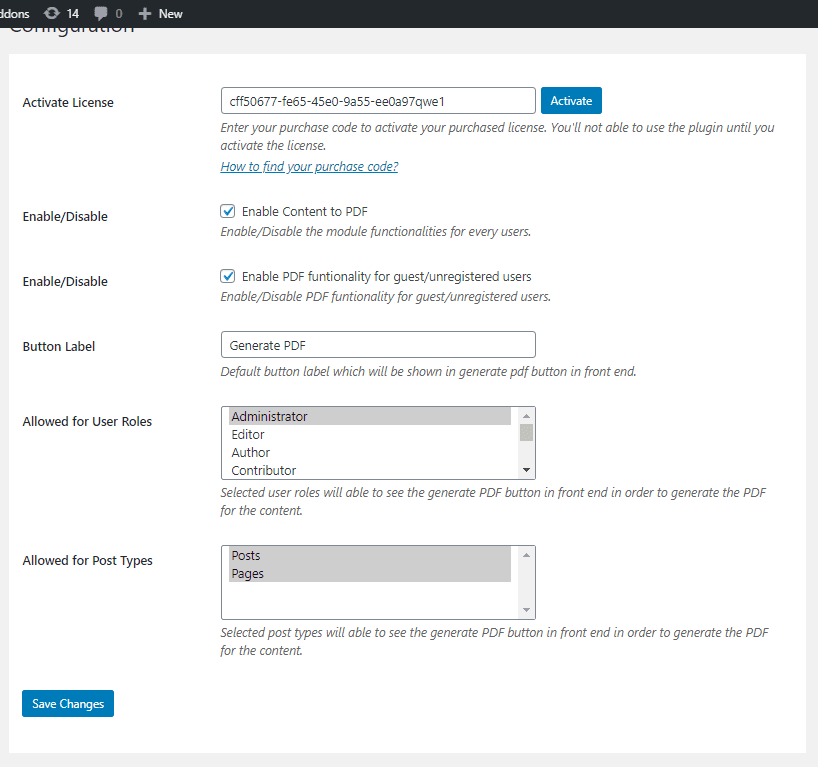
Activate License
To use this plugin, enter the purchase code and email to activate your license.
Enable/Disable
The admin can turn functionalities on and off for users.
Enable PDF functionality for guest/unregistered users
Admin can turn PDF capabilities on/off for visitors or unregistered users.
Button Label
The admin can set the button label on the PDF button on the front end. The default value is “Generate PDF.”
Allowed for User Roles
Admin can decide which user roles to add PDF functionality to on the front end.
Allowed for Post Types
Admin can select the post kinds for which they want to include PDF capabilities on the front end.
Front End Work of Converting Your Content into PDF
The symbol is on the front end beside the blog or page content.
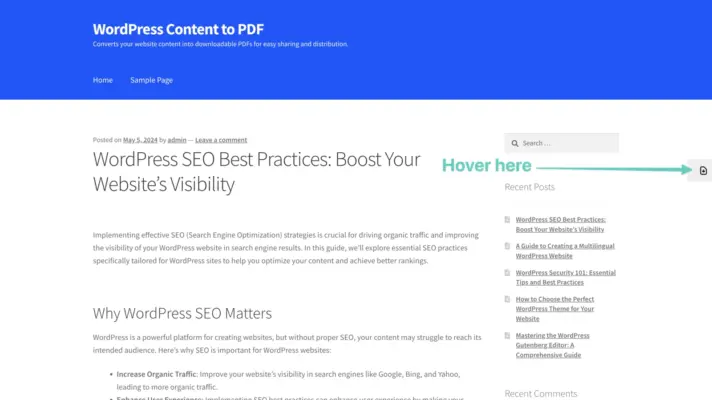
Moving your mouse over this icon will bring up the Generate PDF button.
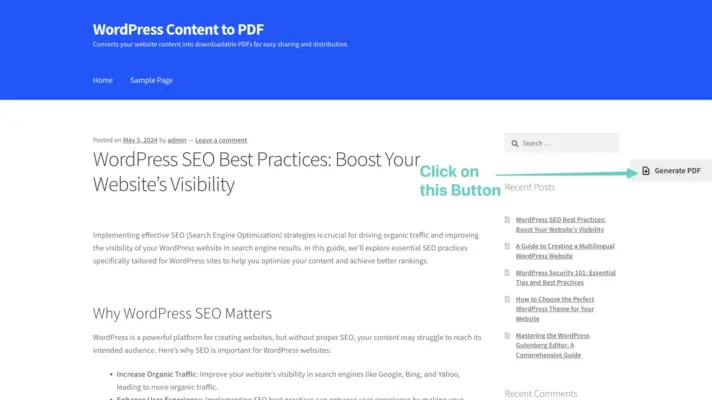
Clicking this button generates a PDF of the current content on a blog or page.
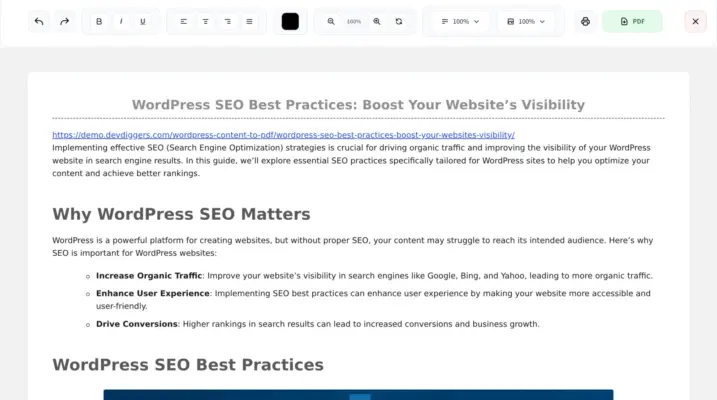
Users can execute various procedures on the created PDF to edit its content.
- Delete anything from the PDF.
- Adjust the text size.
- Adjust the image size.
- Undo any modifications made by mistake.
- Redo any modifications that were undone by mistake.
- Easily print the PDF.
- Download the PDF.
- Close the created PDF viewer.
5 reviews for WordPress Content to PDF | Blog to PDF
Only logged in customers who have purchased this plugin may leave a review.
Customer-Friendly Refund Policy
Our refund policy is designed to ensure your satisfaction and peace of mind. Get a full refund if things do not work out well for you.
wahyoeddin – Verified Buyer
Exceeds Expectations
This plugin exceeded all my expectations. Everything works great, keep up the amazing work!
pixmi – Verified Buyer
Great Plugin with Fast Support
Very good plugin that works well. The support team is fast, knowledgeable, friendly, and very helpful. Perfect experience!
francescoloria – Verified Buyer
Exceptional and Friendly Support
The customer support is exceptional. The team is always ready to help and makes every interaction smooth and positive.
kajbo92 – Verified Buyer
Easy to Use Blog to PDF Plugin
The plugin works perfectly and lets me export all my posts into one PDF with images. It’s easy to use, and the support team helped me very quickly when needed. Great experience overall!
rbsuperb – Verified Buyer
Clean Plugin and Excellent Support
The support from the author is very good and responds quickly. The plugin is cleanly coded and works flawlessly. Excellent quality work, keep it up!