






Launch offer Save 30% on the first year of MultiPOS for FluentCart. Use code LAUNCH30

Skip to content
Pedro Lima, DevDiggers customer Kareem Al Samman, DevDiggers customer Valentina Dancheva, DevDiggers customer Loved by store owners in 158+ countries

MultiPOS: The FluentCart POS Plugin for Stores and Restaurants

MultiPOS is a FluentCart POS that lets you sell in person from any browser. Every sale is a real FluentCart order with its stock, tax, coupons and customer. No WooCommerce needed.

5 star reviews Rated 4.9/5 across Trustpilot, Google and Envato
  • No fee per register or outlet
  • 14-day money-back guarantee
  • 24×7 human support
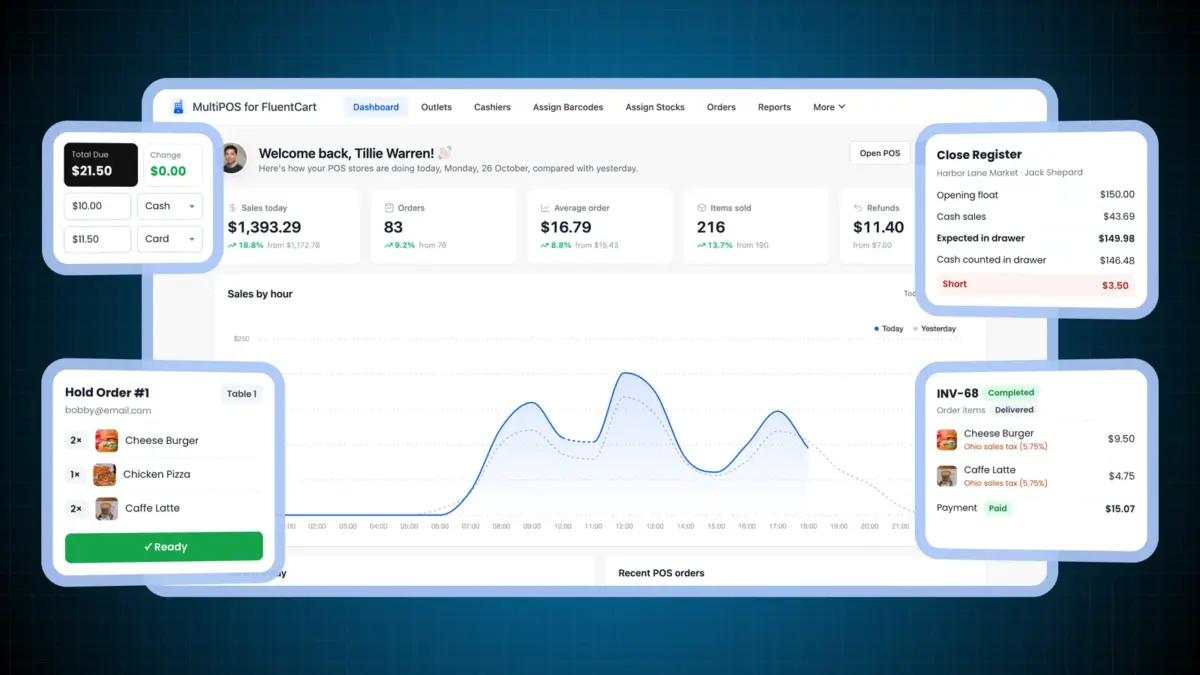
FluentCart POS plugin dashboard with sales by hour, a split cash and card payment, a short register close, a kitchen ticket and a FluentCart order
Version
v1.0.0
Last updated
October 26, 2026
WordPress
Tested to 7.1.3
FluentCart
Tested to 2.2
0+ Countries served
Elite Author on Envato

Featured across the WordPress community

Envato WP Engine InstaWP DesignRush WC Lovers HostArmada Hostinger Partner Stripe Partner
What is a FluentCart POS

Does FluentCart have a POS?

No. FluentCart sells online and has no register, barcode scanner or in-store mode. Its team says so in its own comparison with a retail POS.

MultiPOS for FluentCart adds the point of sale. Cashiers sell from a browser at the counter, and each sale is saved as a paid FluentCart order with its stock, tax and payment. It comes from the team behind our WordPress and WooCommerce plugins.

The problem

You sell in person, and FluentCart never sees it

Many FluentCart stores also have a counter, a cafe or a booth at a weekend market. At the register they use a separate POS app, a card reader on its own or a notebook.

Those sales live somewhere else. Stock online drifts from the shelf, and the customer who buys at the counter is a stranger to your store. Each night someone adds two sets of numbers by hand.

See how MultiPOS fixes it
  • Counter sales missing from FluentCart orders and reports
  • Online stock that no longer matches the shelf
  • A second product list to keep in a POS app
  • A monthly fee for every register and location
  • No cash count or Z report at the end of the day
  • Registers that stop when the internet drops
How it works

How a FluentCart point of sale works

MultiPOS reads your FluentCart products and writes every sale back as a FluentCart order. There is no second catalog to keep.

  1. Add your outlets

    Create a store, a cafe or a market booth. Each outlet has its own address, payment methods, receipt and stock rules.

  2. Add your cashiers

    Cashiers are normal WordPress users with the POS Cashier role. Give each one the outlets they work at.

  3. Sell at the counter

    The POS opens at /pos in any browser. Cashiers scan, take cash or card, and print a receipt.

  4. FluentCart records the sale

    Each sale becomes a paid FluentCart order. Stock, tax, coupons and the customer's history update as they do online.

Features

Everything a FluentCart POS plugin should do

A full point of sale built on FluentCart's own orders, stock, tax and refunds, for one shop or many.

A FluentCart POS that runs in any browser

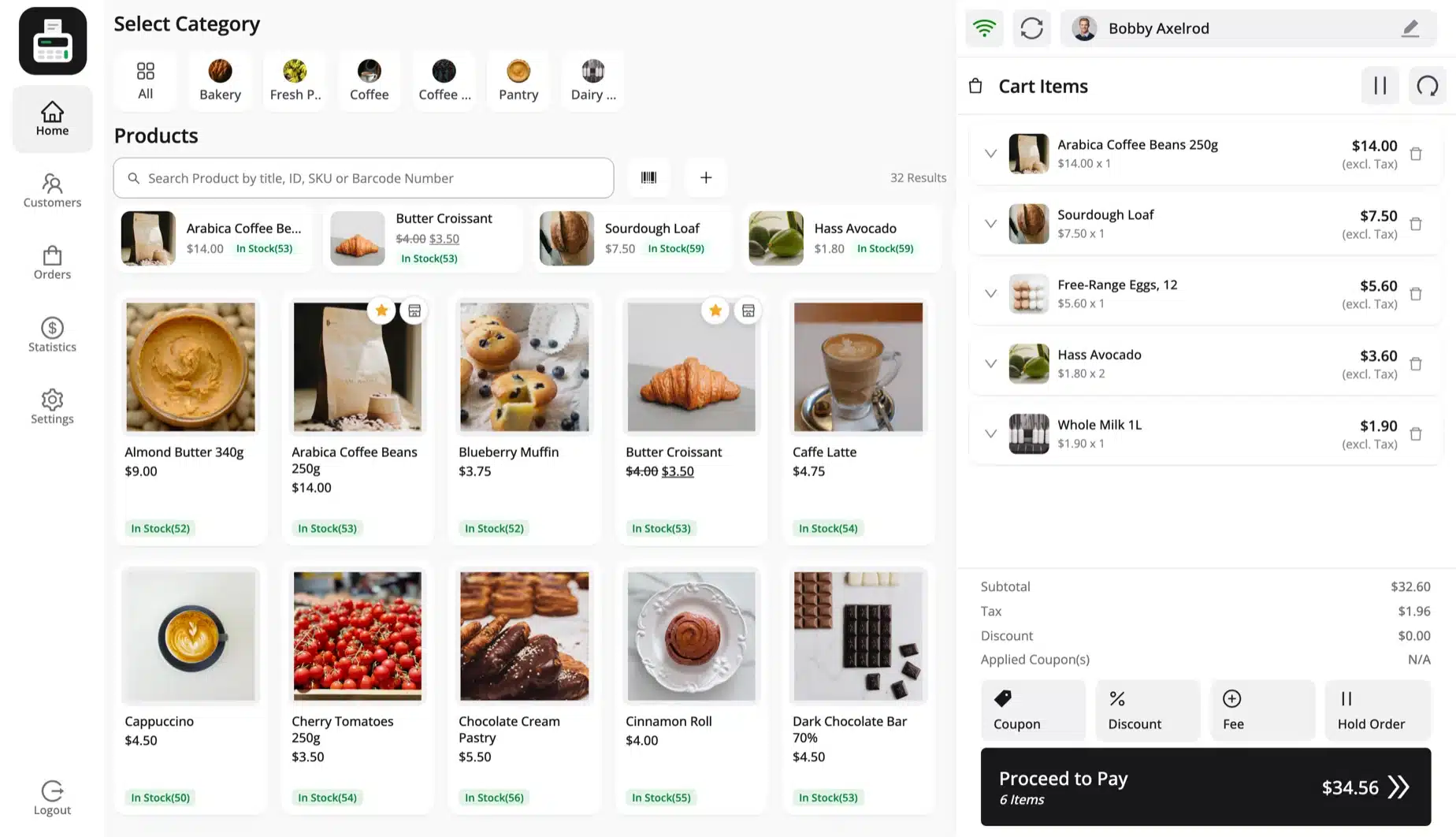
Open the POS on a desktop, a tablet or a phone. The layout fits each screen, and the POS installs as an app from the browser.

Products come straight from FluentCart with their photos, prices, sale prices and categories. Cashiers search, tap a card or scan, and the cart builds on the right.

  • Desktop, tablet and phone layouts
  • Installs as an app from the browser
  • FluentCart products with photos and prices
  • Keyboard shortcuts for a fast checkout
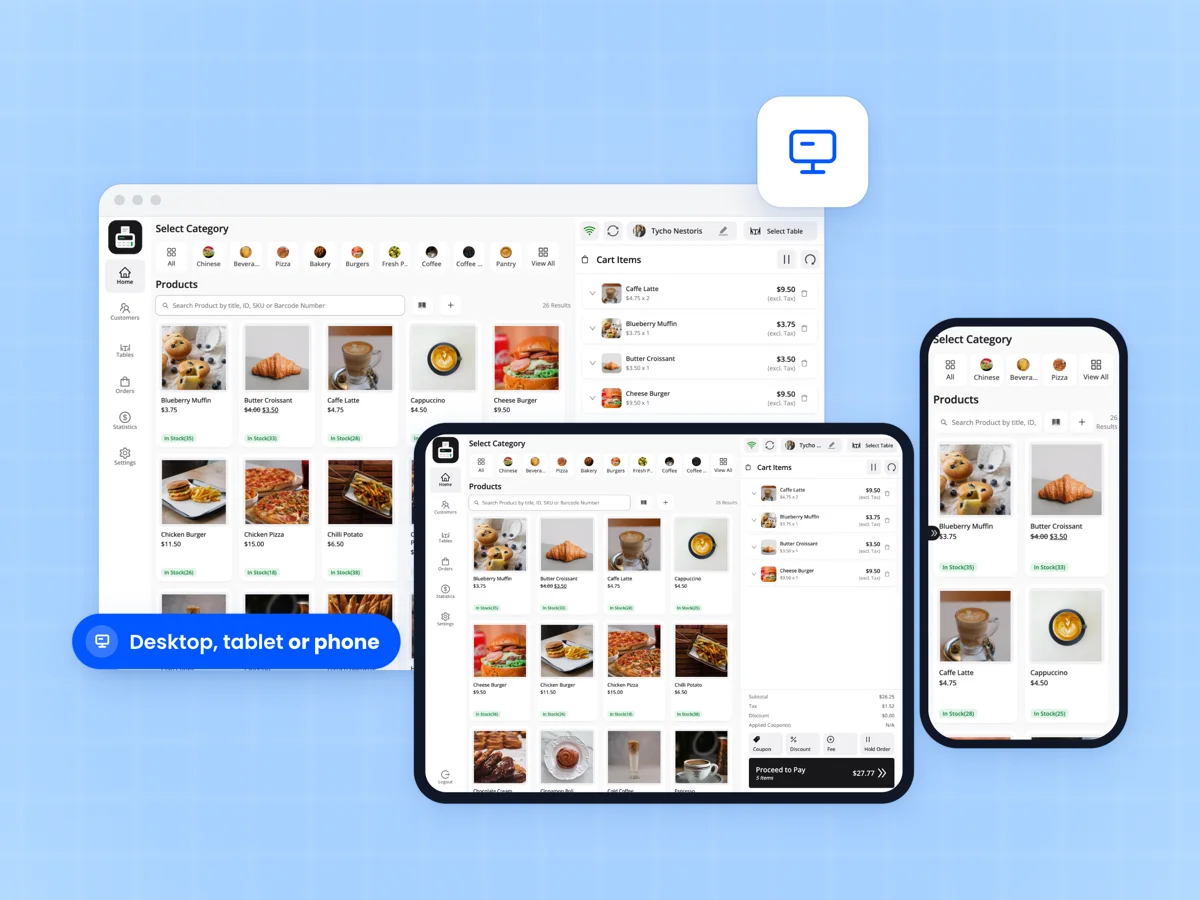
FluentCart POS checkout screen on a desktop browser, a tablet and a phone, with products from a cafe and a cart

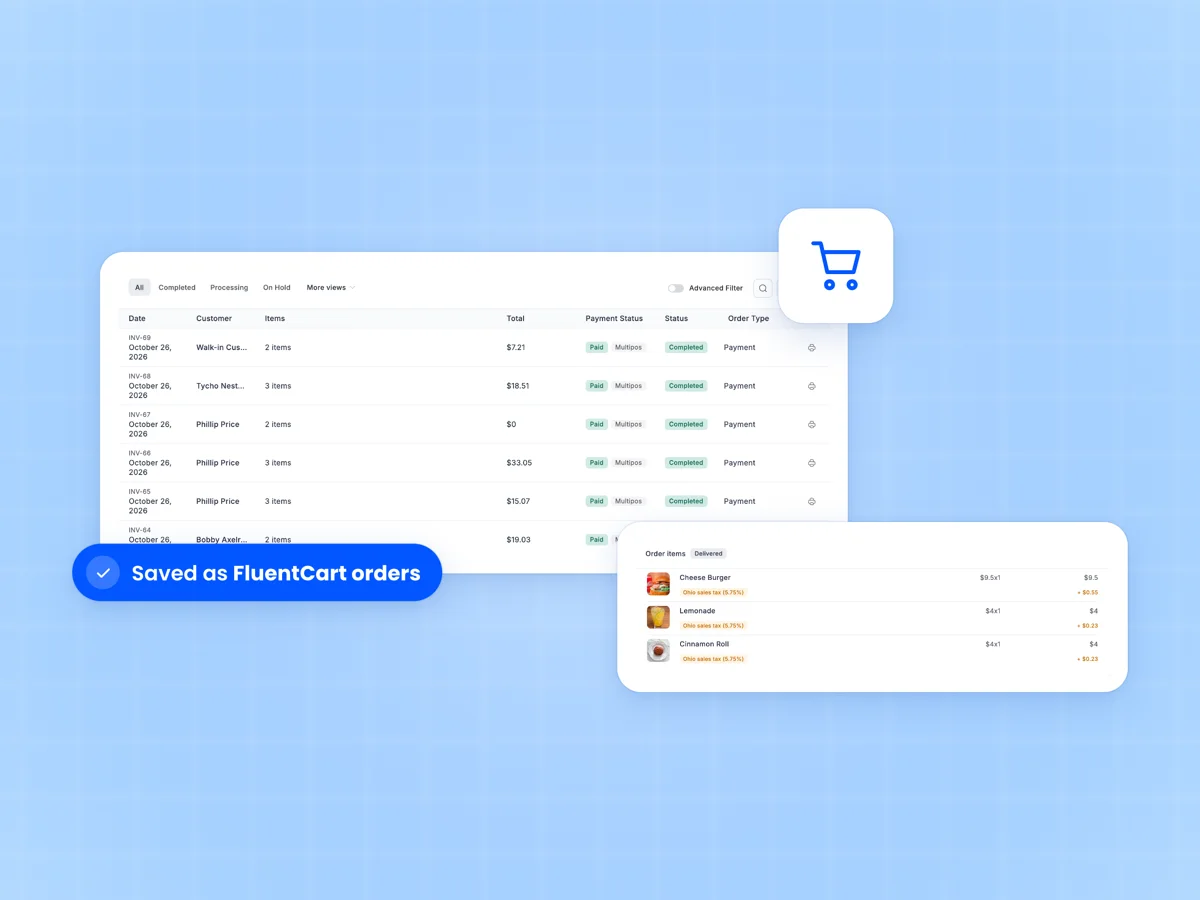
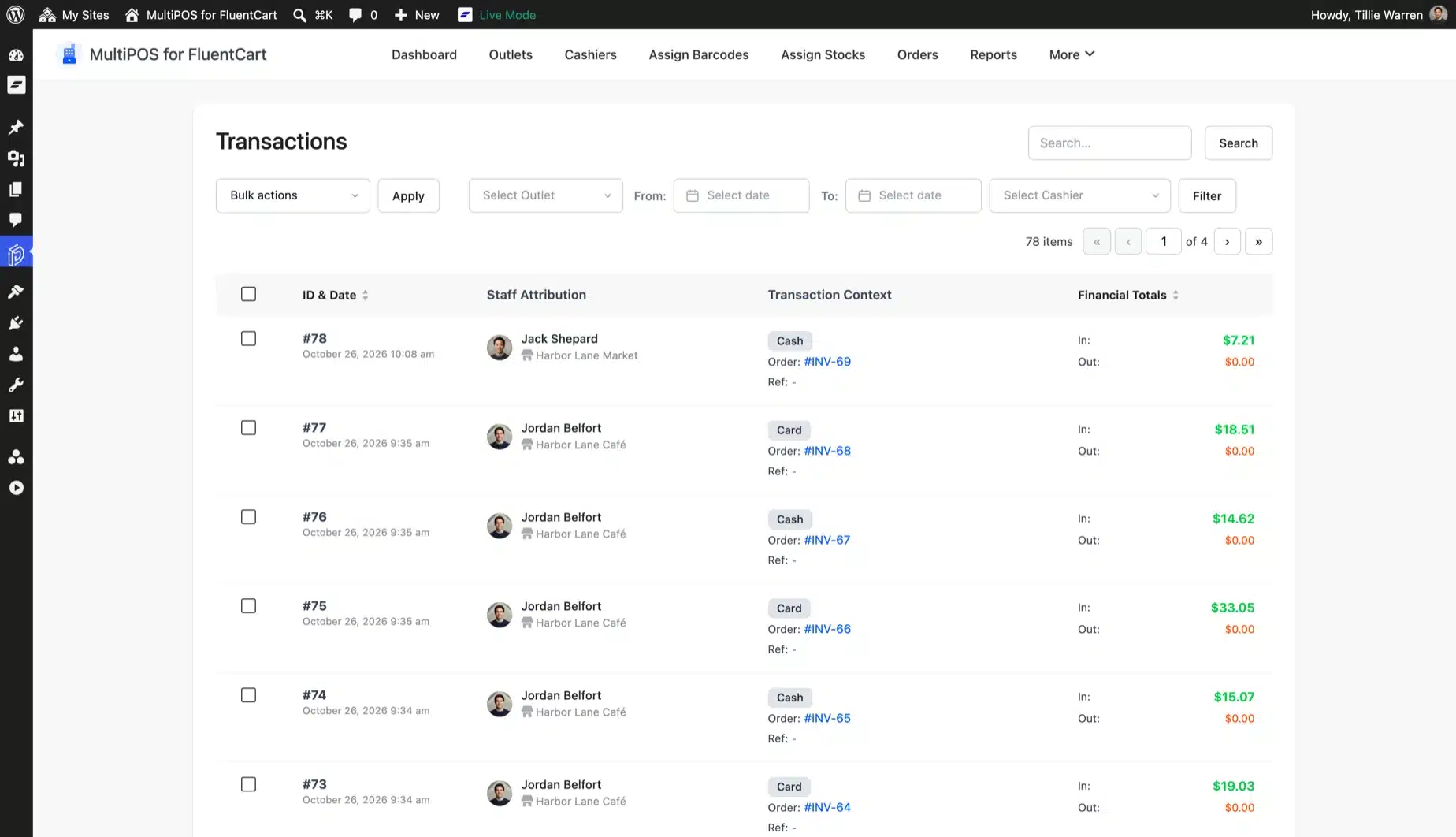
Every POS sale is a real FluentCart order

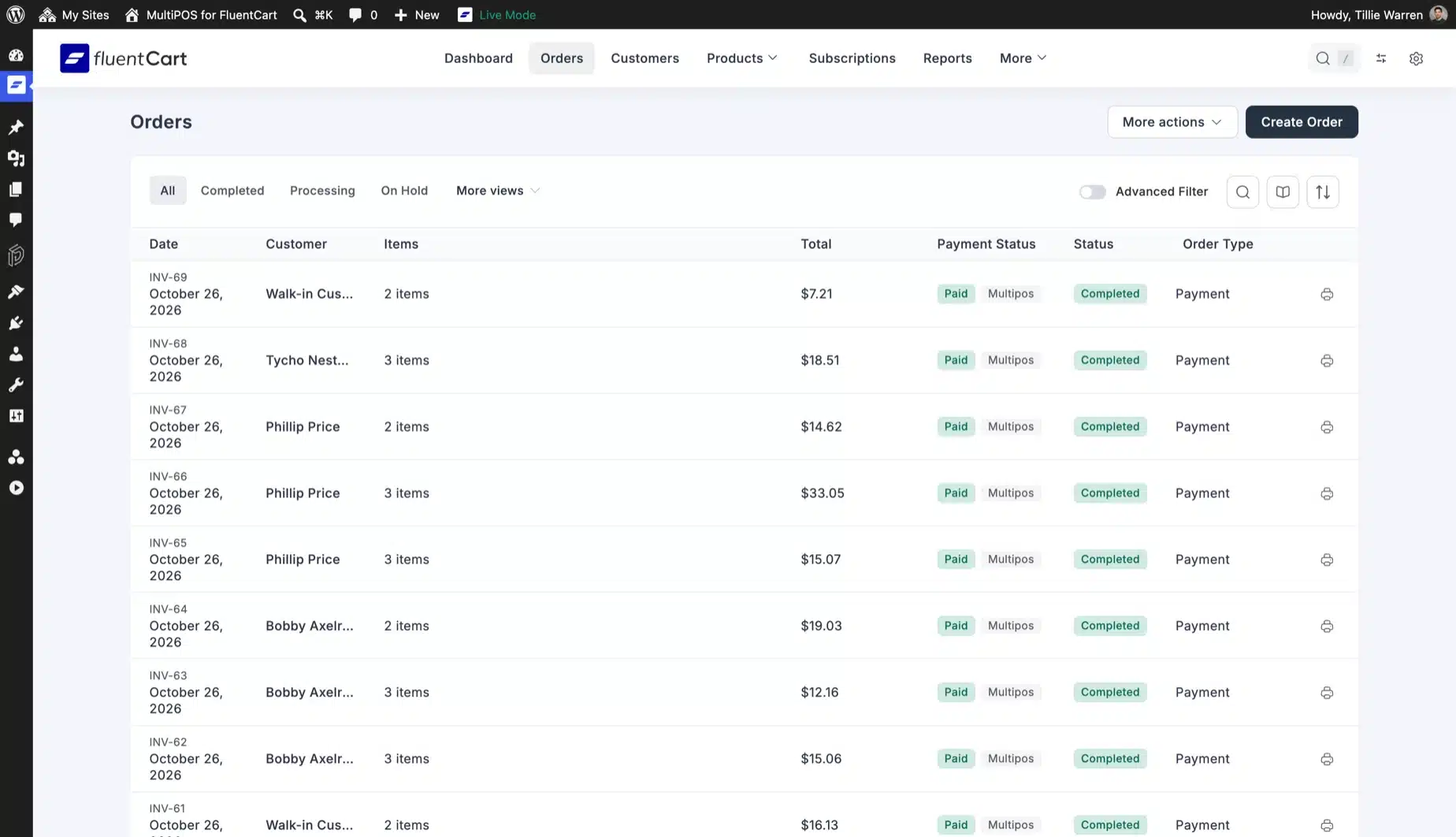
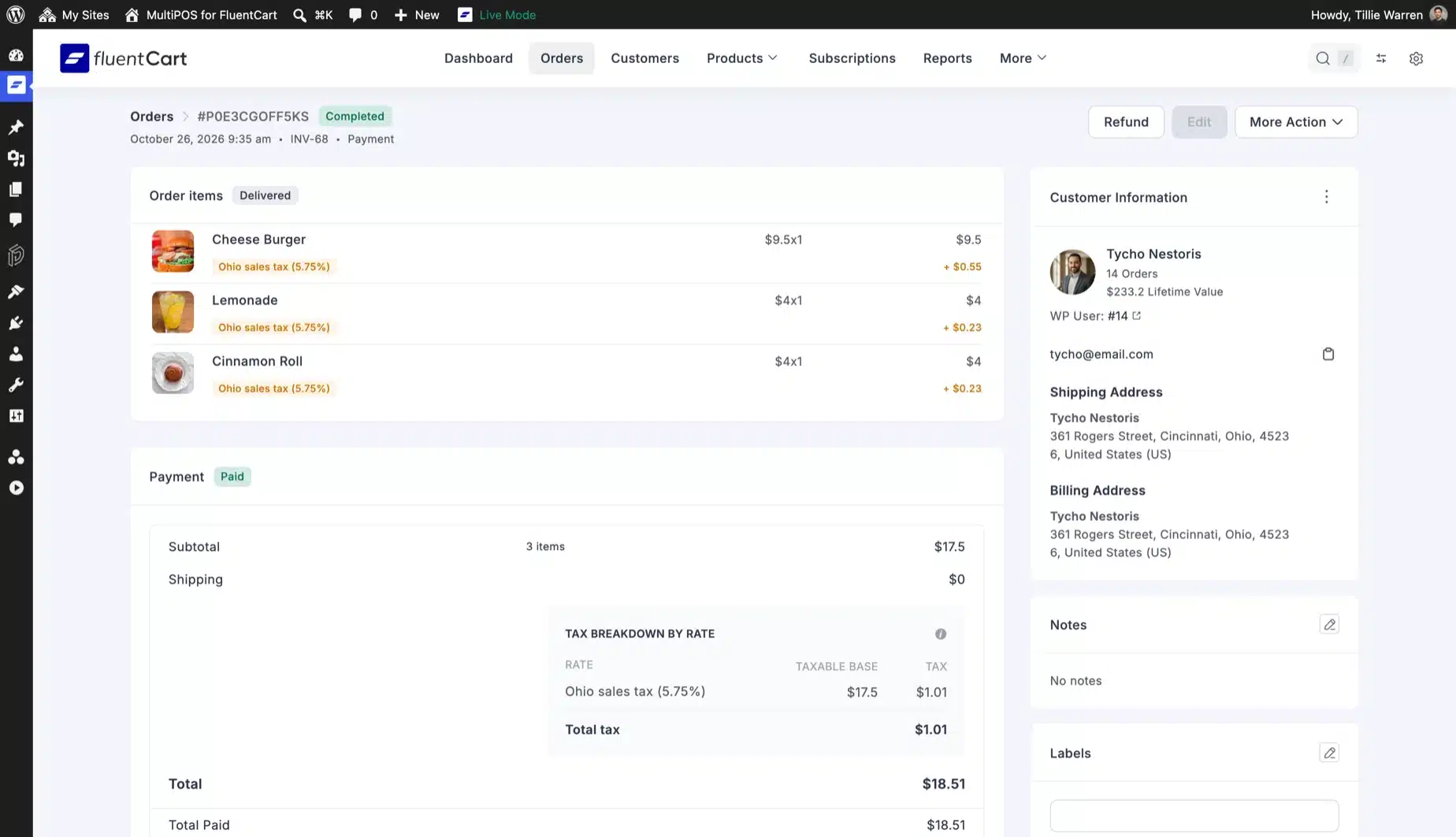
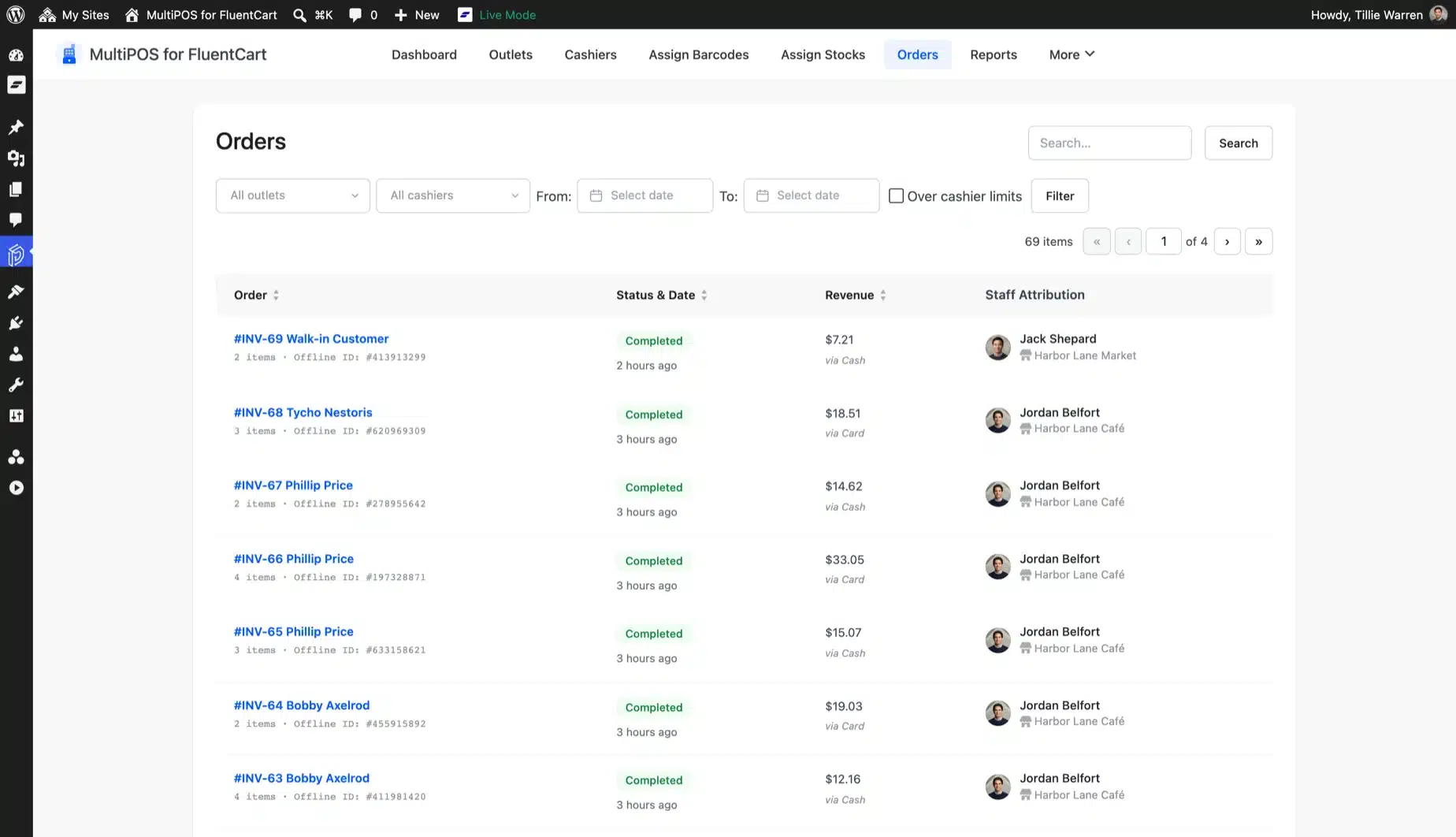
A POS sale is saved as a paid FluentCart order with its outlet, cashier, tax lines, coupons and payment. It sits in FluentCart's Orders screen next to your online orders.

FluentCart fires its usual paid order events too. FluentCRM automations and FluentCart Pro licenses run for counter sales as they do for checkout.

  • Paid FluentCart orders with a Completed status
  • Outlet and cashier saved on the order
  • Shows in the customer's order history
  • FluentCart order events for integrations
FluentCart Orders screen with paid POS sales marked Multipos, beside one order's items with sales tax and a Delivered badge

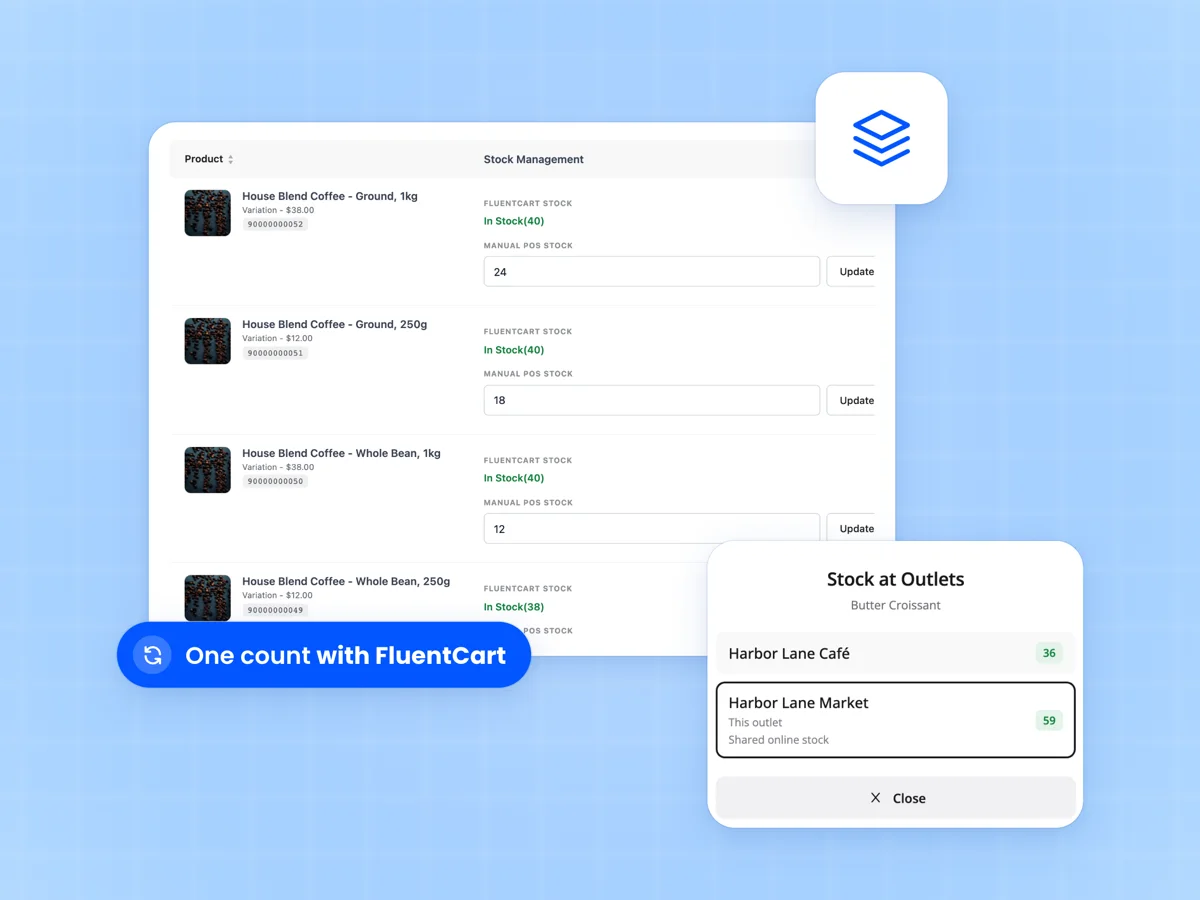
Stock that stays in step with FluentCart

With centralized inventory the POS sells from FluentCart stock and books each sale the way FluentCart books a delivered order. The shelf and the website share one count.

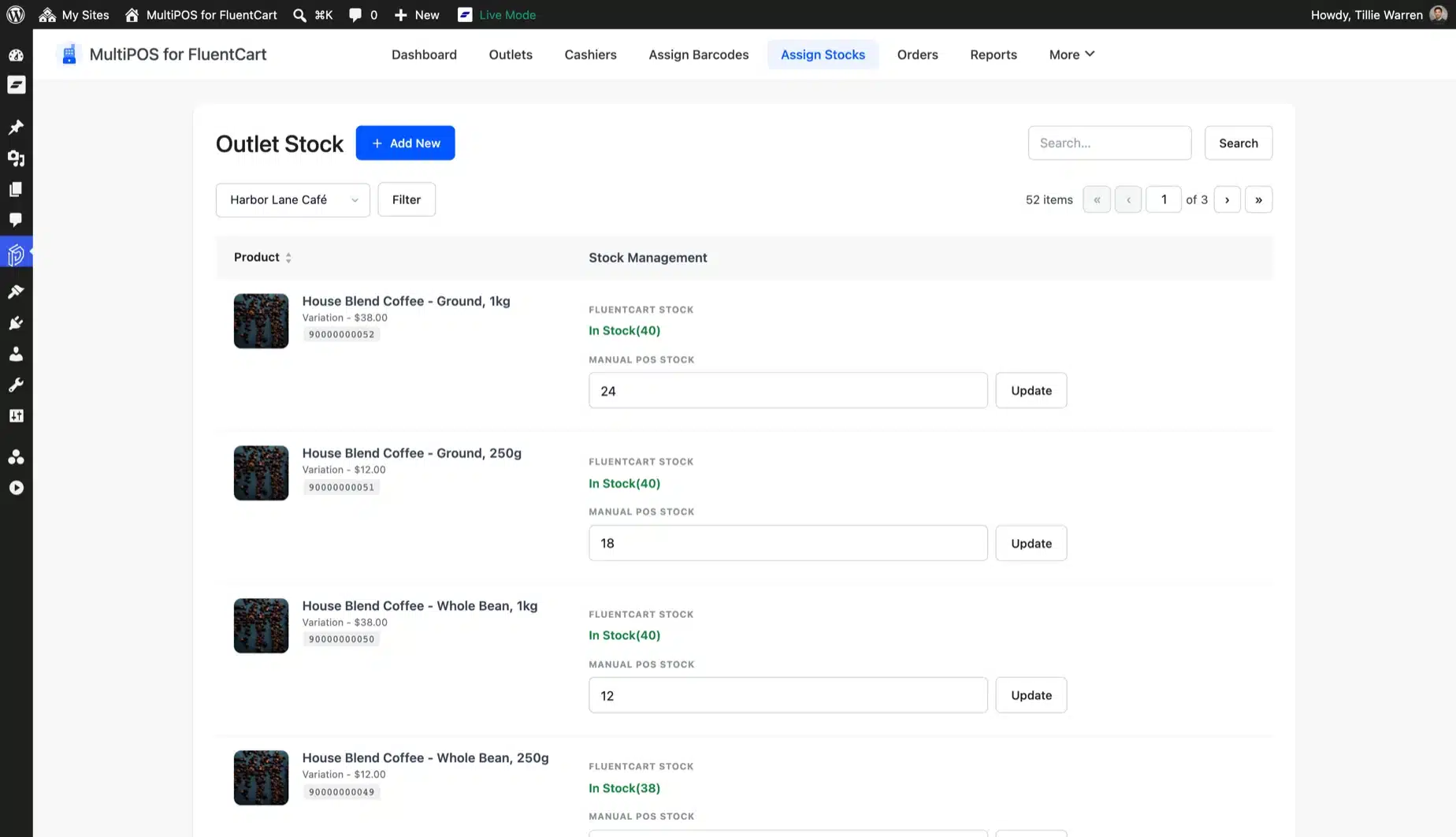
An outlet can also keep its own count and leave FluentCart stock alone. Assign Stocks shows both numbers side by side for every product.

  • Centralized stock synced with FluentCart
  • Or a separate count per outlet
  • Assign Stocks screen for every product
  • Stock at other outlets from the register
Assign Stocks screen with FluentCart stock and manual POS stock per product, beside the POS Stock at Outlets popup

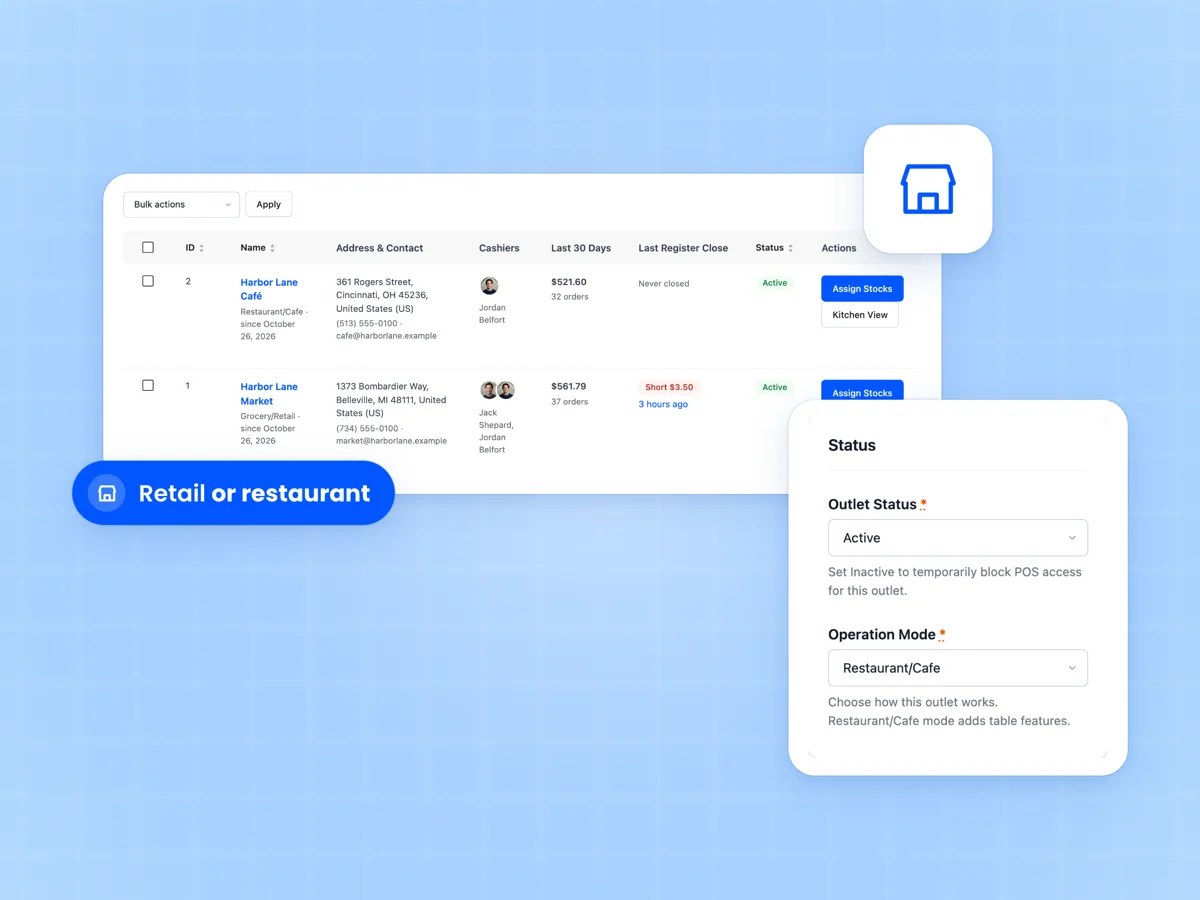
Run every shop and cafe from one site

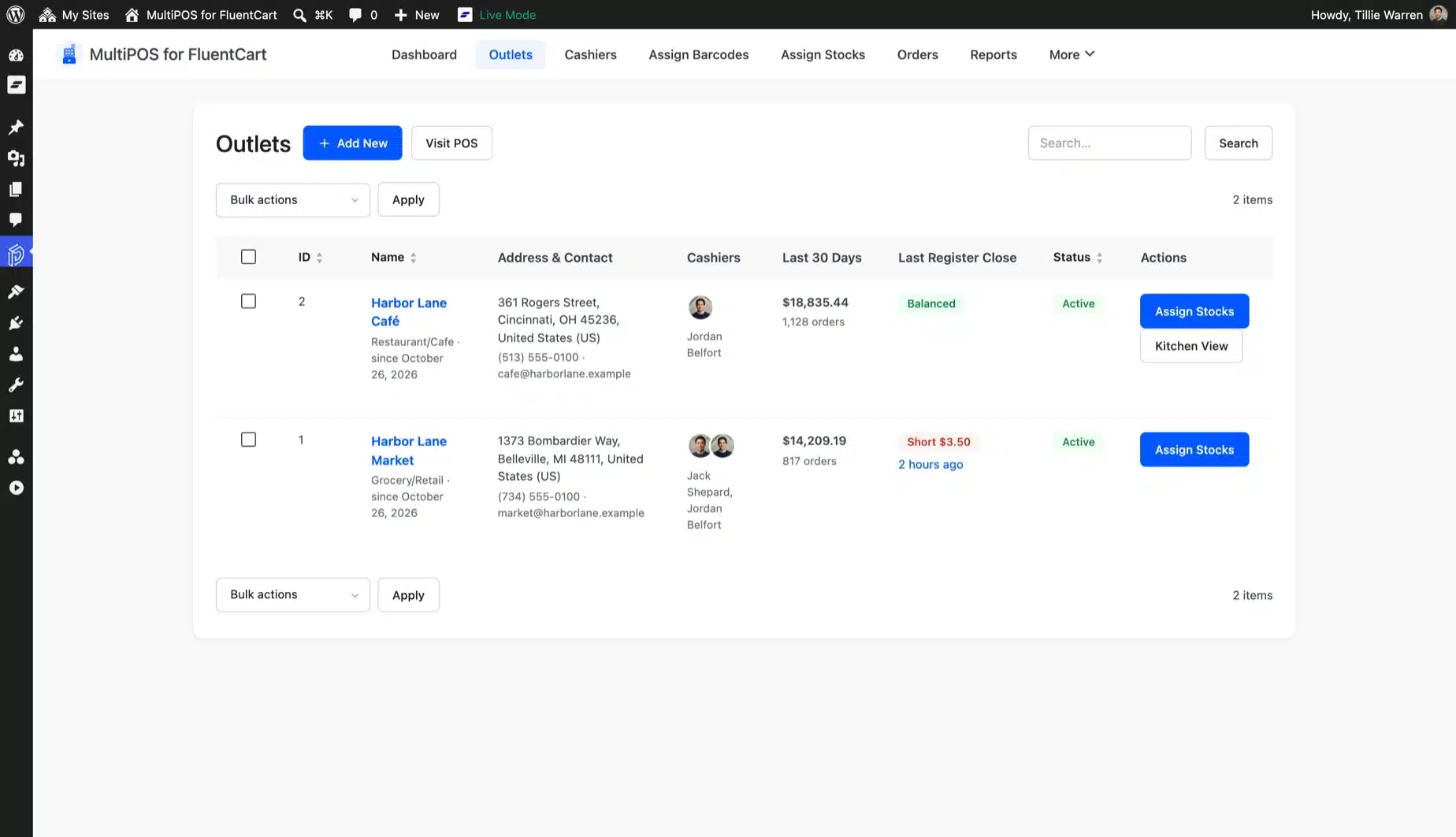
Add as many outlets as you run. Each one is retail or restaurant, with its own address, payment methods, receipt template and tables.

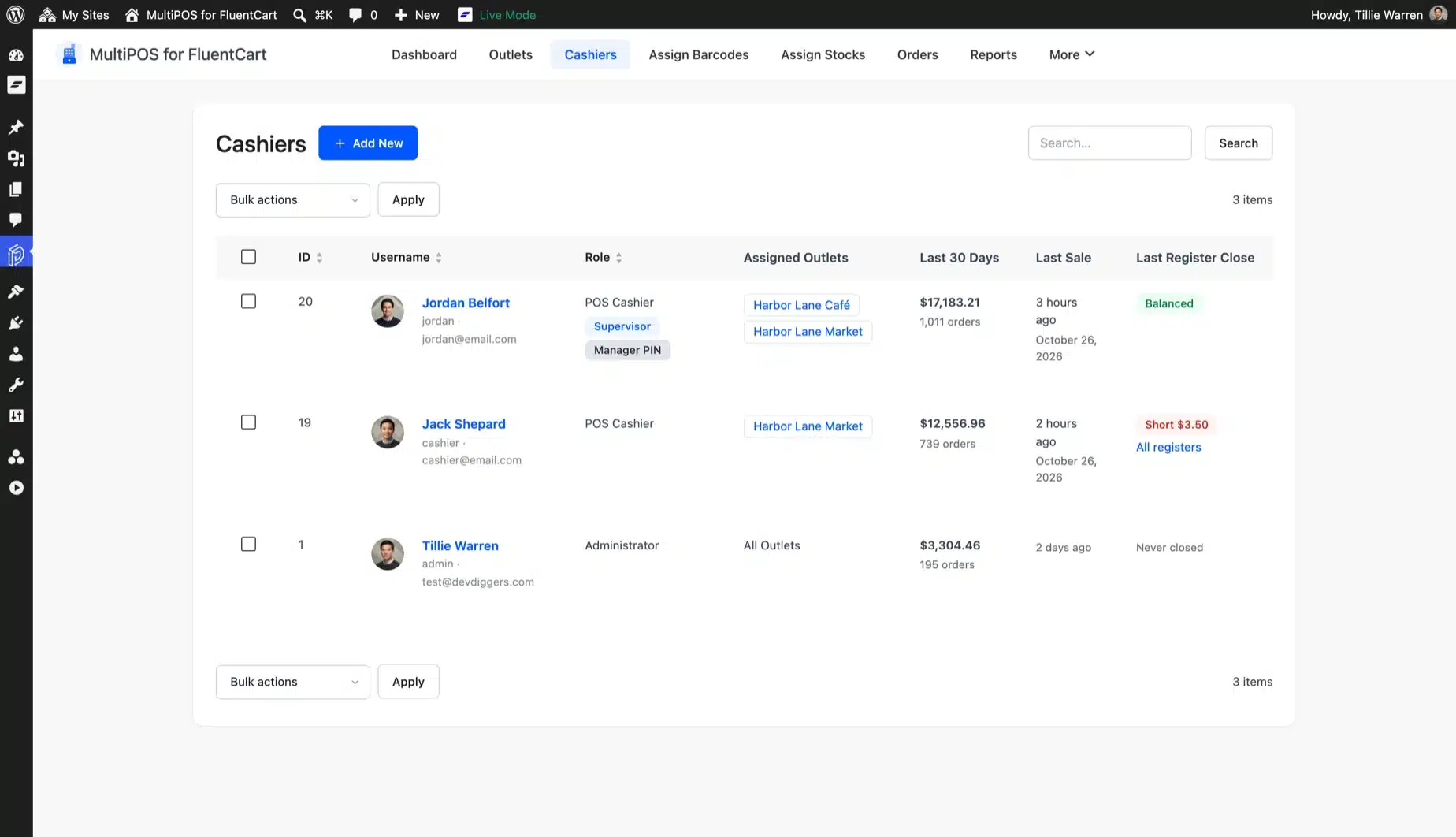
The outlets list shows the cashiers, the last 30 days of sales and the last register close for each one. There is no extra fee per outlet or per register.

  • Unlimited outlets and cashiers
  • Retail or restaurant mode per outlet
  • Own payments, receipt and tables
  • Tax worked out for each outlet's address
MultiPOS outlets list with a cafe and a market, their cashiers and sales, beside an outlet set to Restaurant/Cafe mode

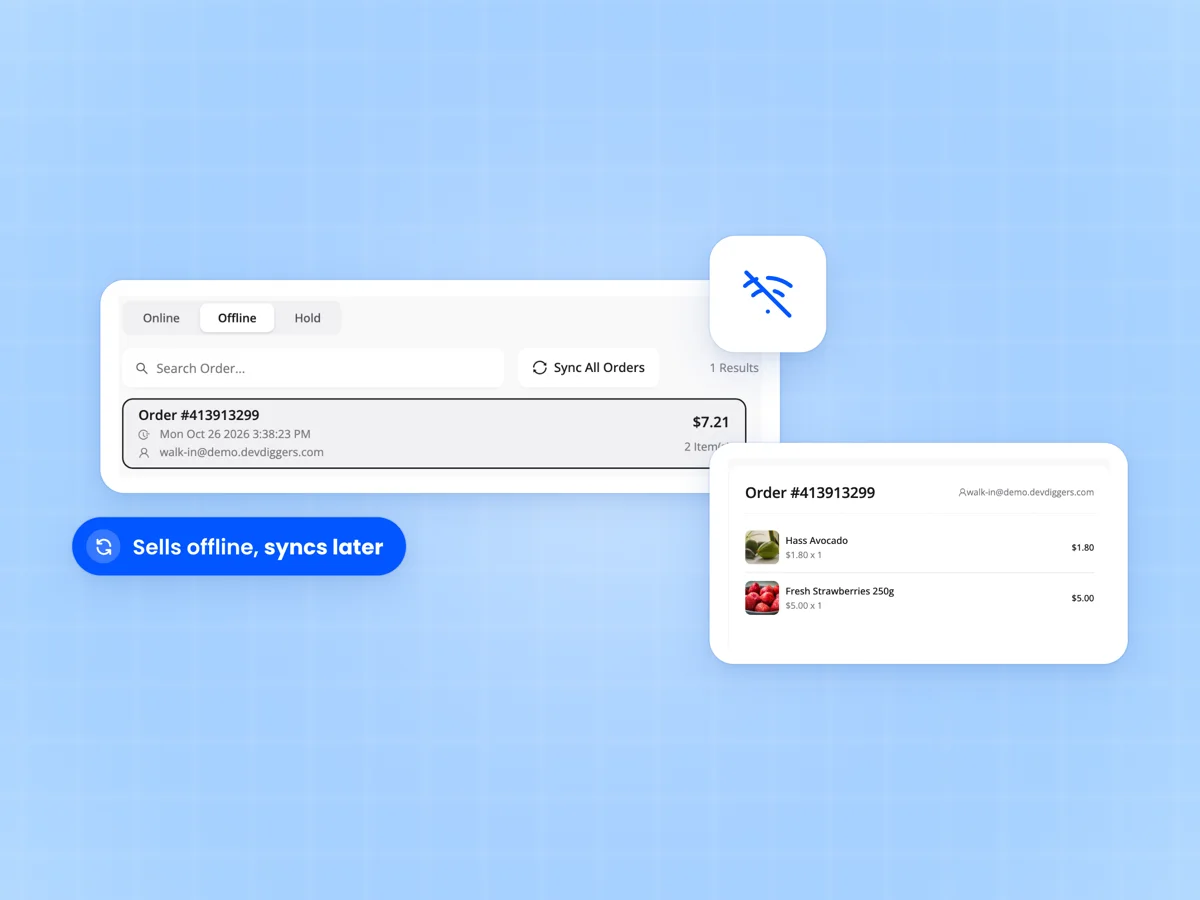
Keeps selling when the internet drops

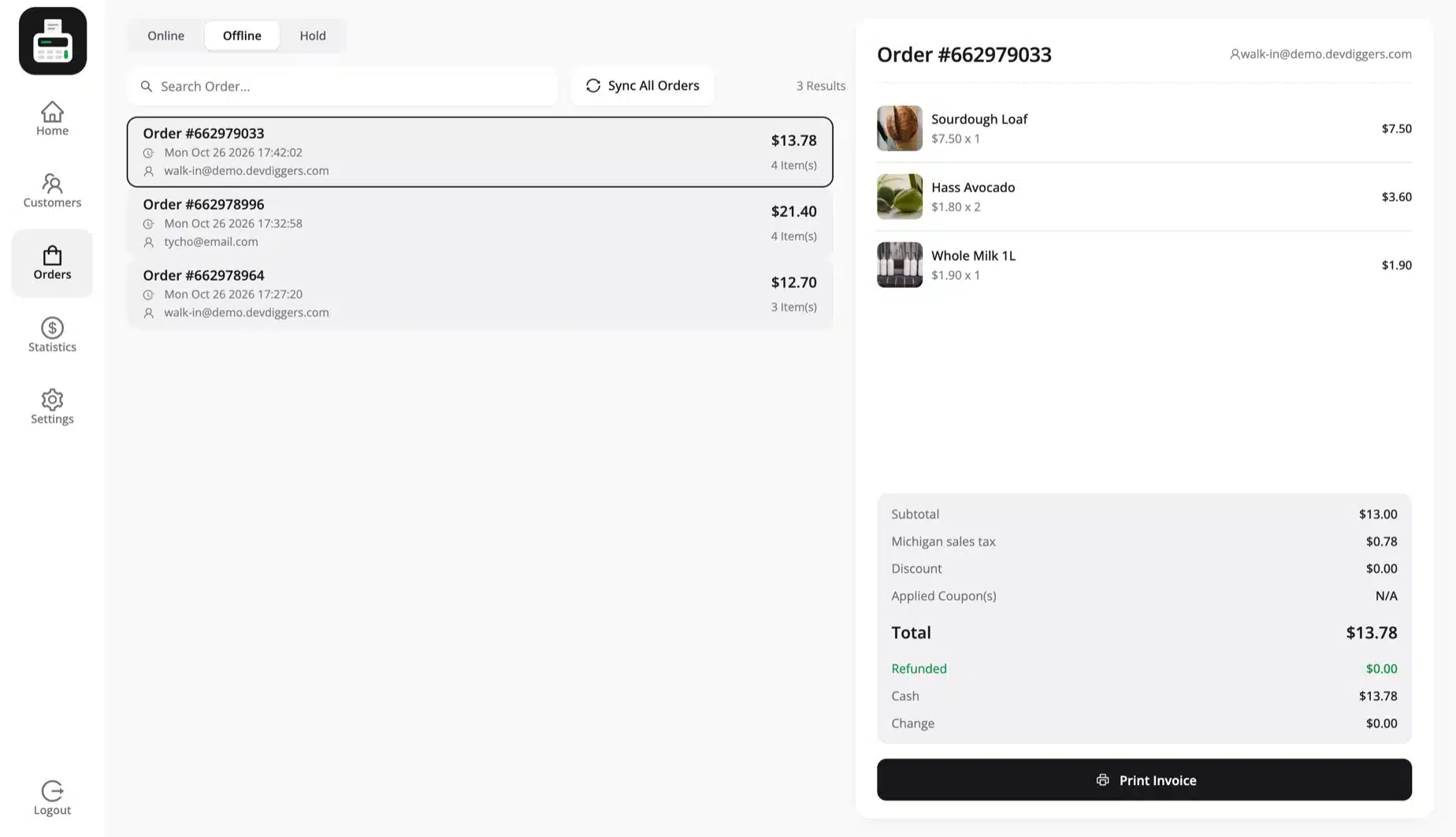
Turn on offline sync and every sale is saved on the device first. When the connection comes back the orders sync to FluentCart with their real sale time.

Each offline order carries its own ID. If a sync is sent twice after a dropped connection, FluentCart still gets one order.

  • Sales saved on the device first
  • Automatic sync when you are back online
  • No duplicate orders from a resent sync
  • Keeps the real time of each sale
Offline POS for FluentCart with an order waiting in the Offline tab, a Sync All Orders button and the order's items

Close every register with X and Z reports

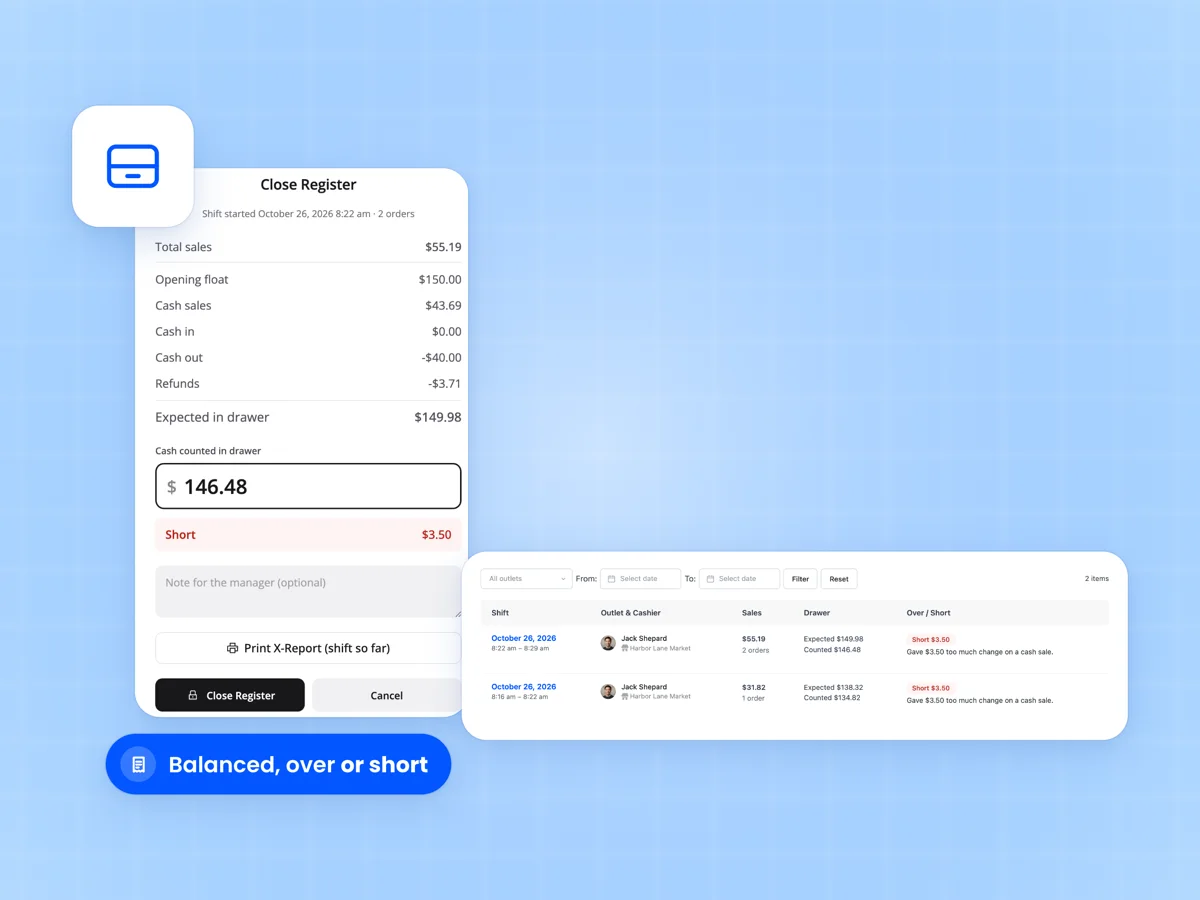
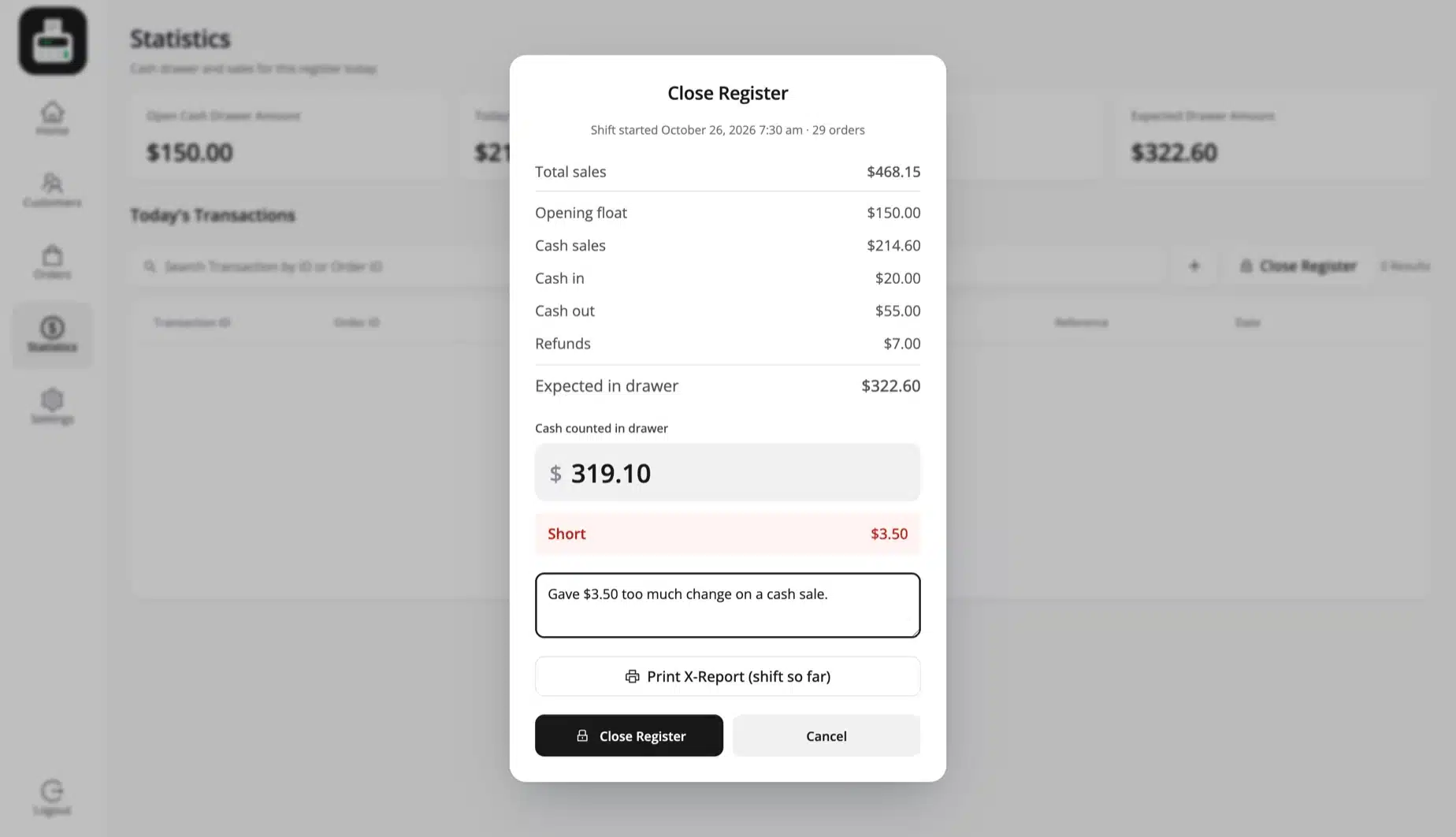
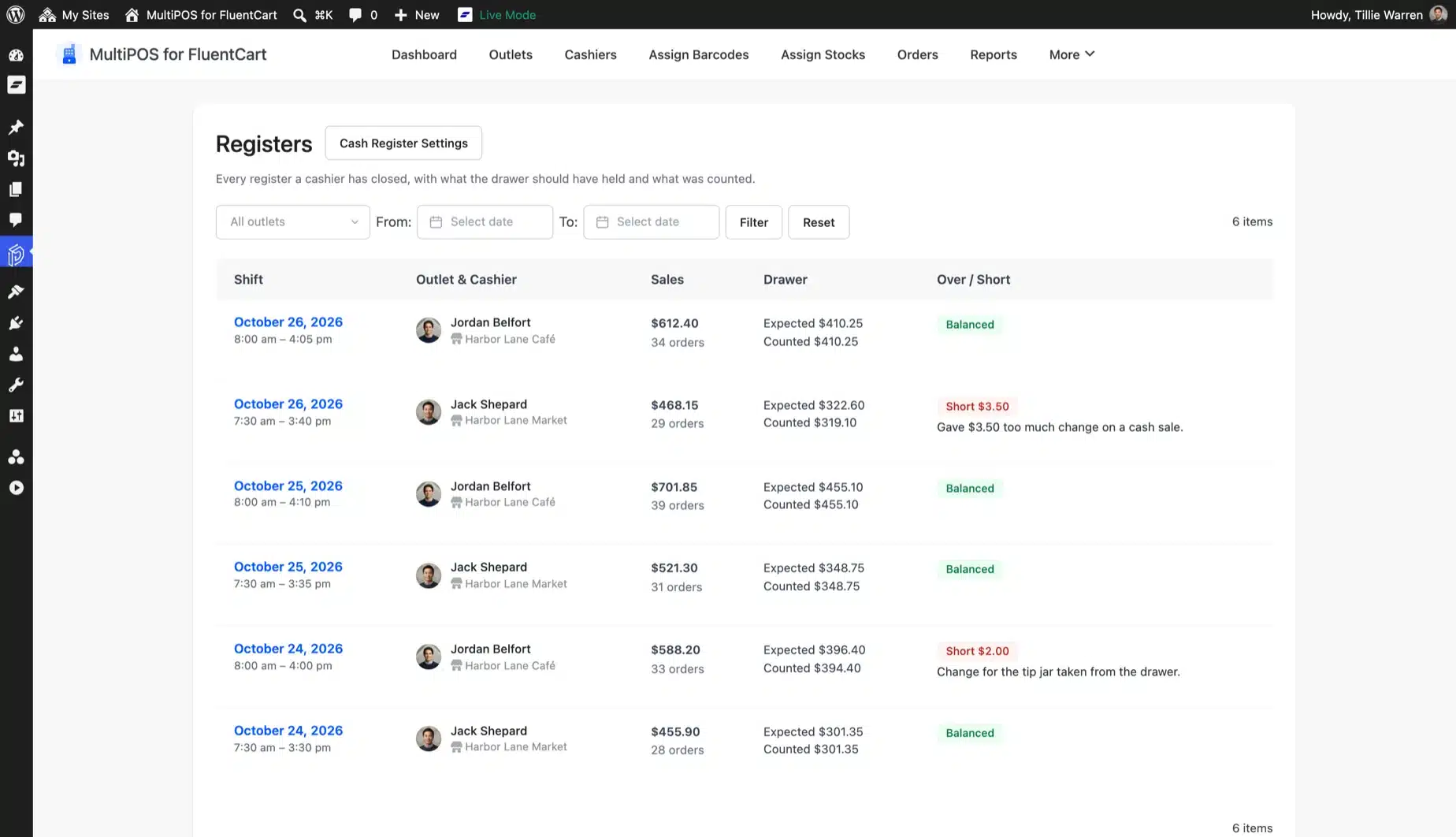
At the end of a shift the cashier counts the drawer. The close screen lists the starting cash, cash sales, cash in, cash out and refunds. Then it shows if the drawer is balanced, over or short.

Blind close hides the expected amount until the count is in. Print an X report during the shift and a Z report at close. The Z report is also emailed to you.

  • Balanced, over or short at close
  • Blind close and a note over an amount
  • Cash in and out with your reasons
  • Every close saved under Registers
Close Register screen in the FluentCart POS with expected and counted cash, beside the Registers list with each shift

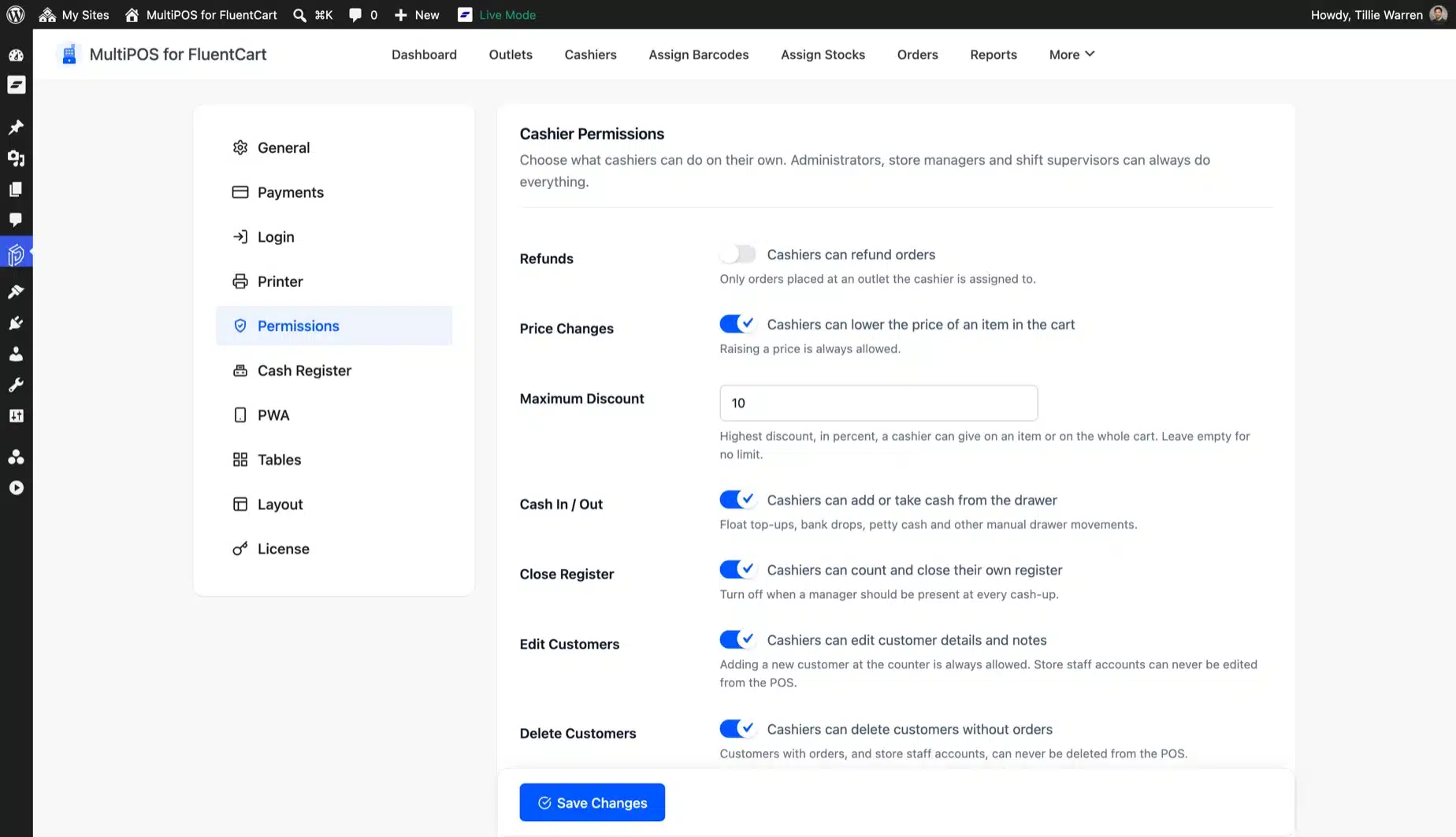
Cashier limits with a manager PIN

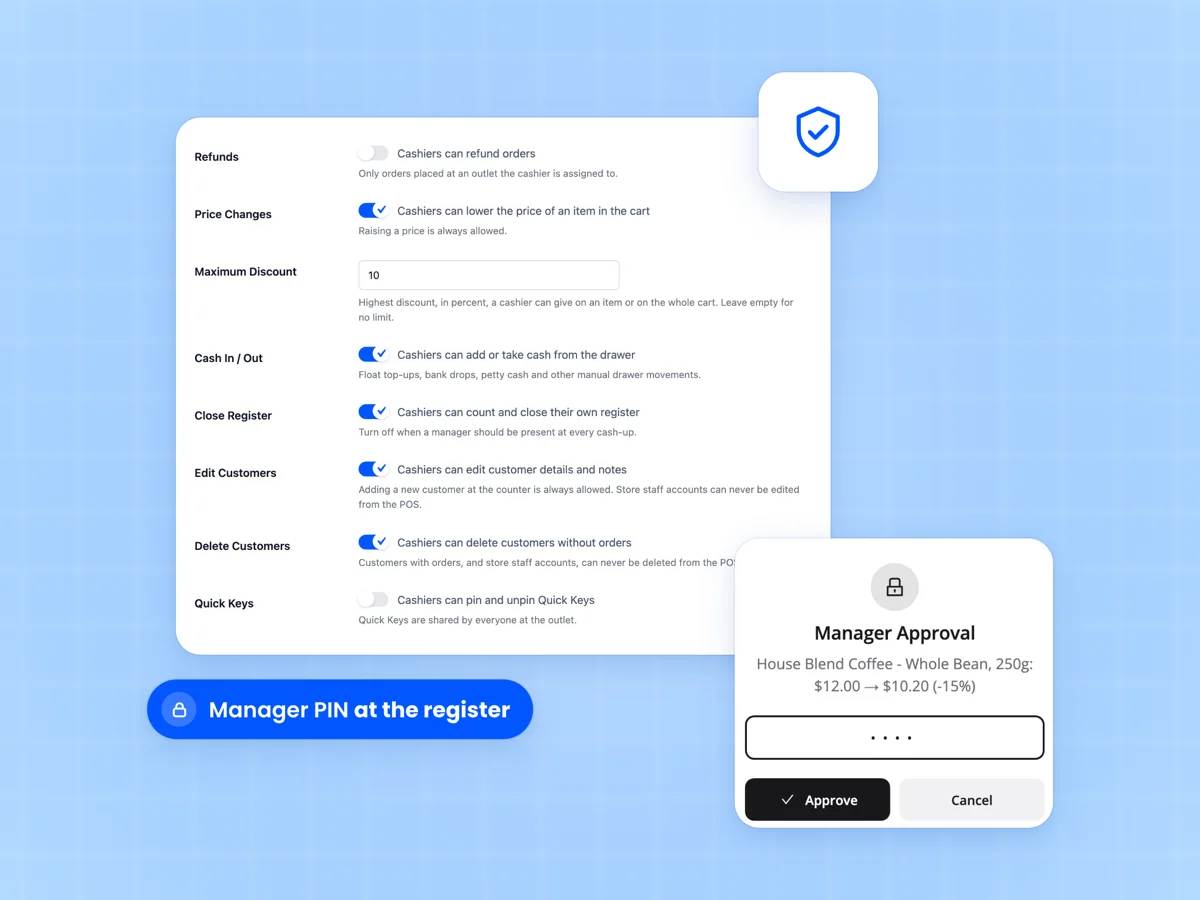
Choose what cashiers can do alone, such as refunds, price cuts, cash moves and closing the register. Set the highest discount they can give.

When a cashier needs more, a manager types their PIN at the register. The approval is written to the order, and sales above the limits are flagged for review.

  • Eight actions you can allow or block
  • Highest discount a cashier can give
  • Manager PIN with a lockout after 5 tries
  • Over-limit sales flagged in Orders
Cashier permissions in the FluentCart point of sale with refund, price change and discount limits and a manager PIN

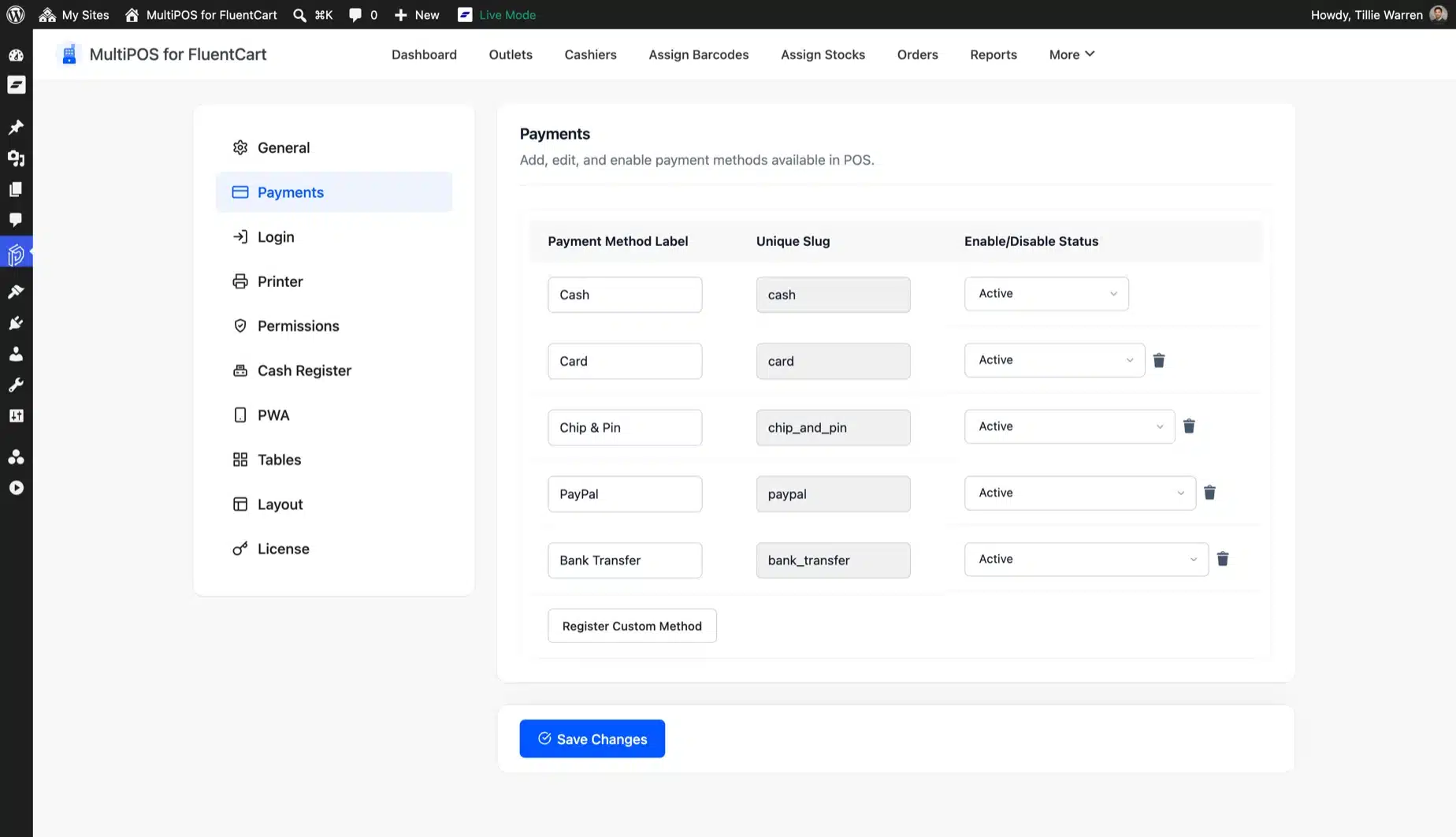
Split payments, FluentCart coupons and tax

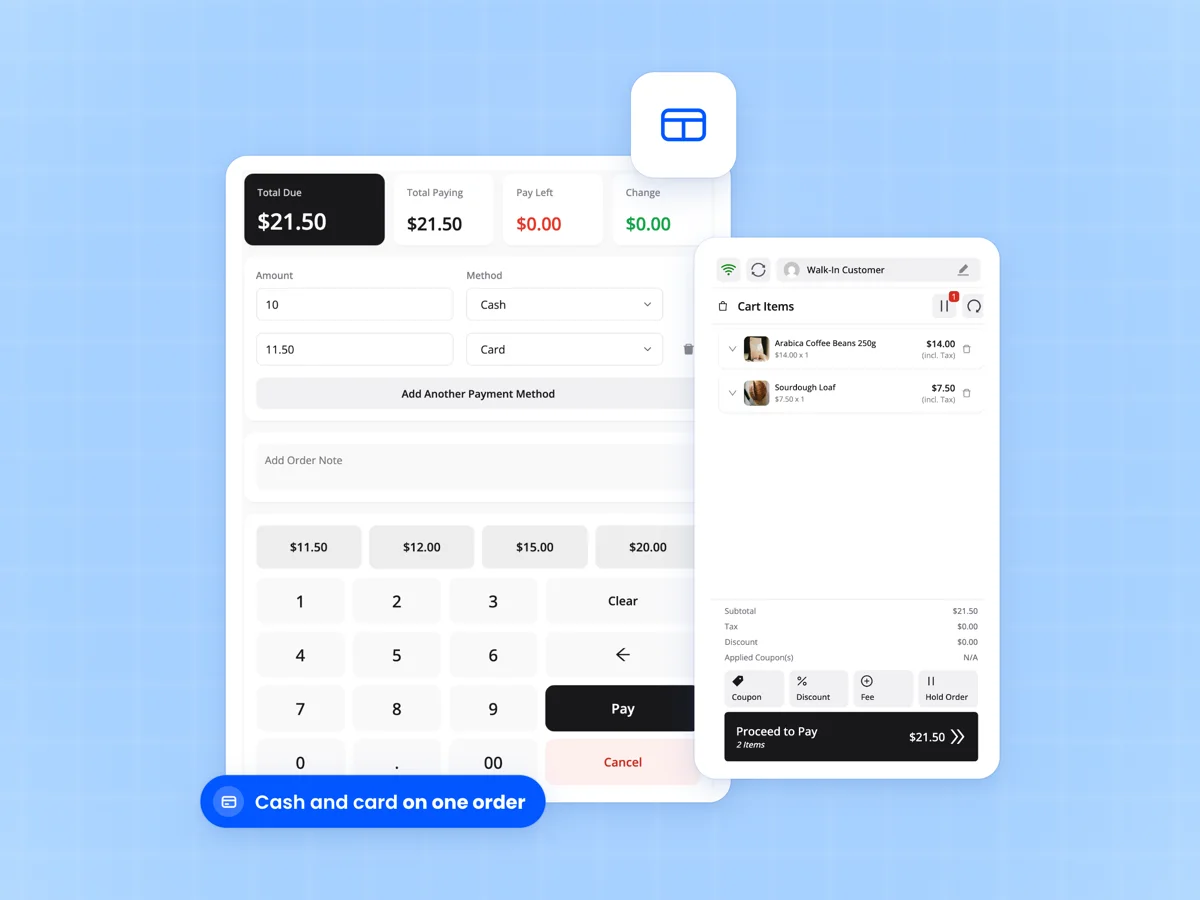
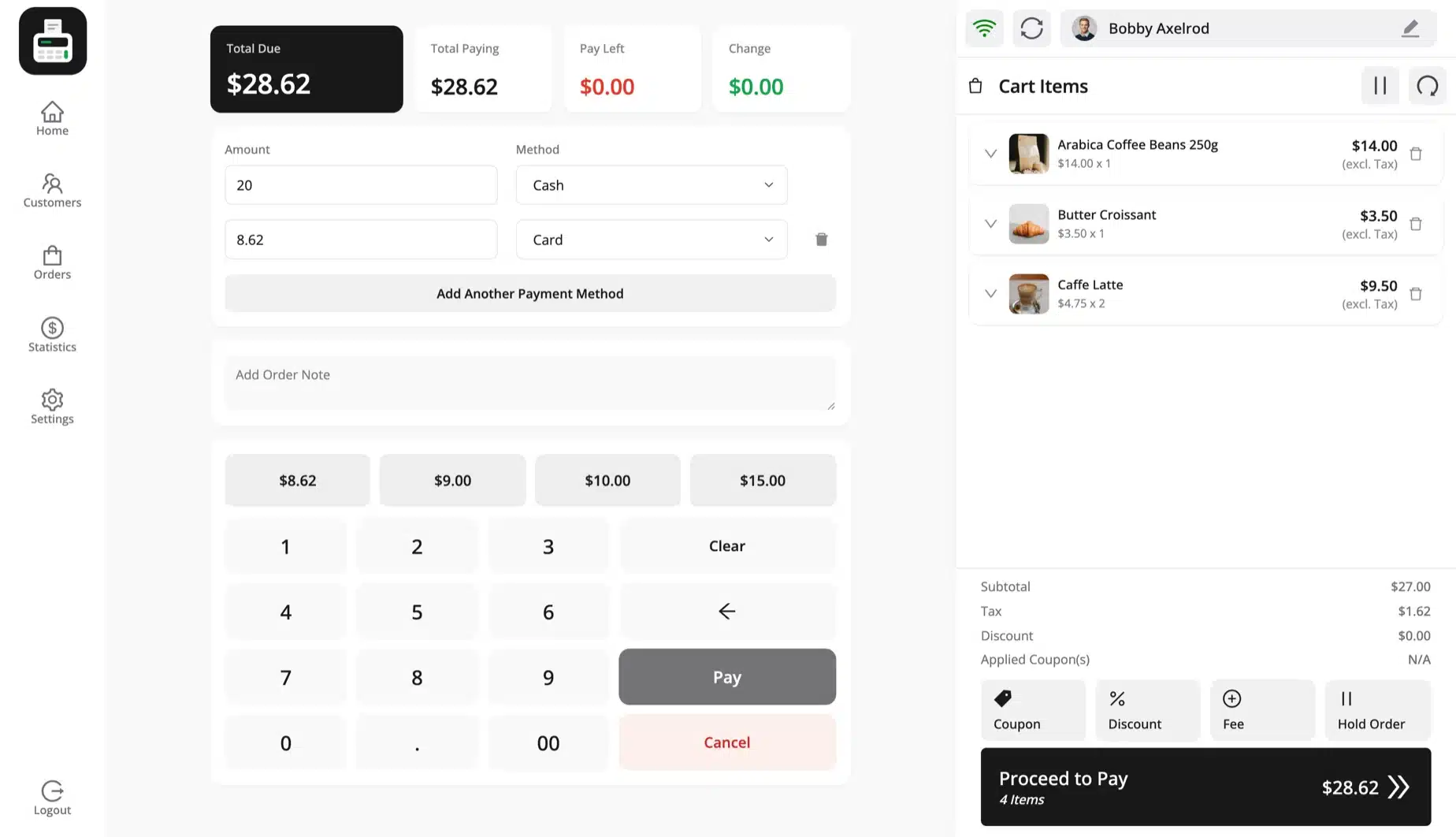
Split one bill across cash, card and your own payment methods, with the change worked out for the drawer. Add a card surcharge or a delivery fee as a fee line.

FluentCart coupons work at the register and are checked again on the server. Tax comes from your FluentCart tax settings for the outlet's address.

  • Split one order across payment methods
  • Your own payment methods per outlet
  • FluentCart coupons with server checks
  • FluentCart tax, inclusive or exclusive
FluentCart POS pay screen splitting a bill between cash and card, with total due, amount paying and change

Refunds at the register through FluentCart

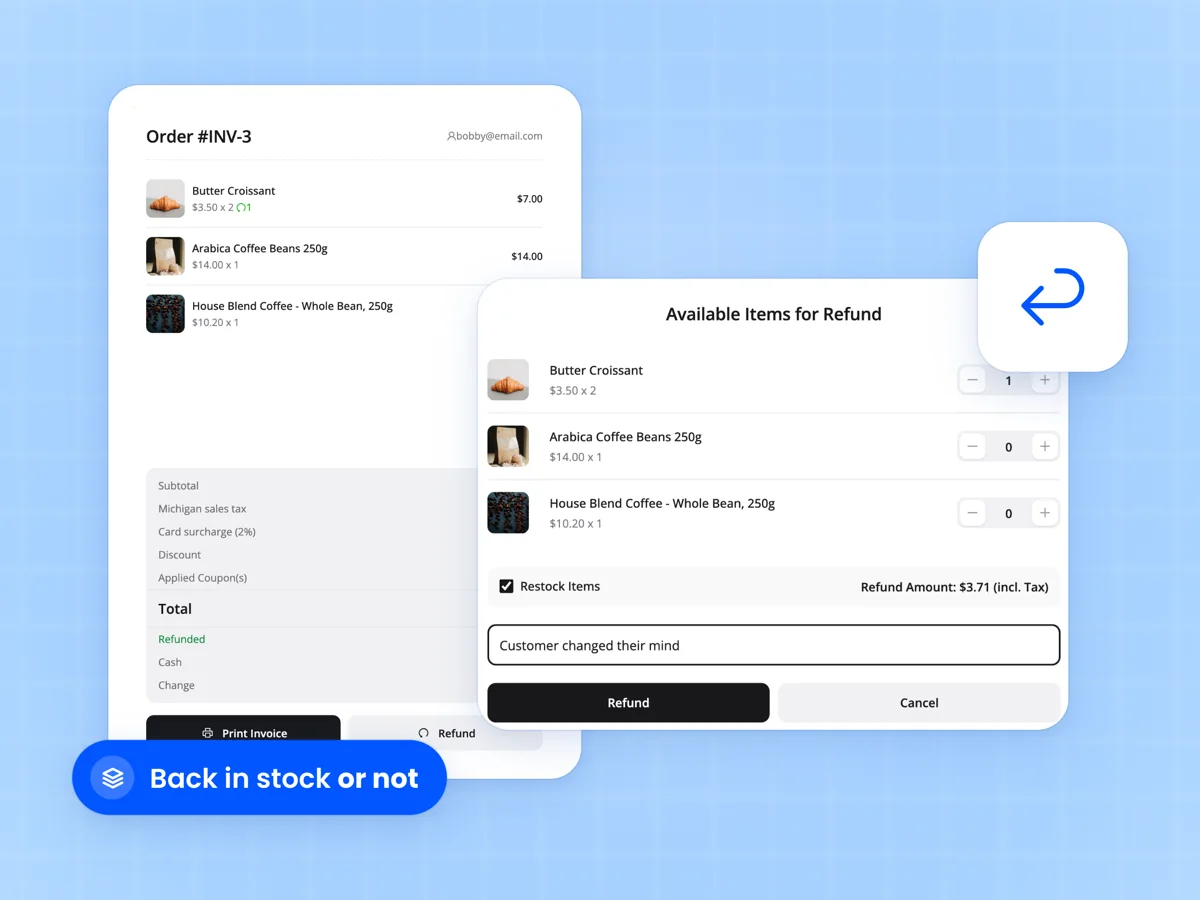
Refund a whole line or part of it from the POS, and choose whether the items go back in stock. Each line gives back what was really paid after discounts.

The refund runs through FluentCart's own refund service. The order shows as partly or fully refunded, and card refunds never lower the cash expected in the drawer.

  • Refund lines or part of a line
  • Put items back in stock or not
  • FluentCart refund status on the order
  • Cash and card refunds kept apart
Refund popup in the FluentCart POS with items to refund, quantities and a Restock Items option

Tables and a kitchen screen for cafes

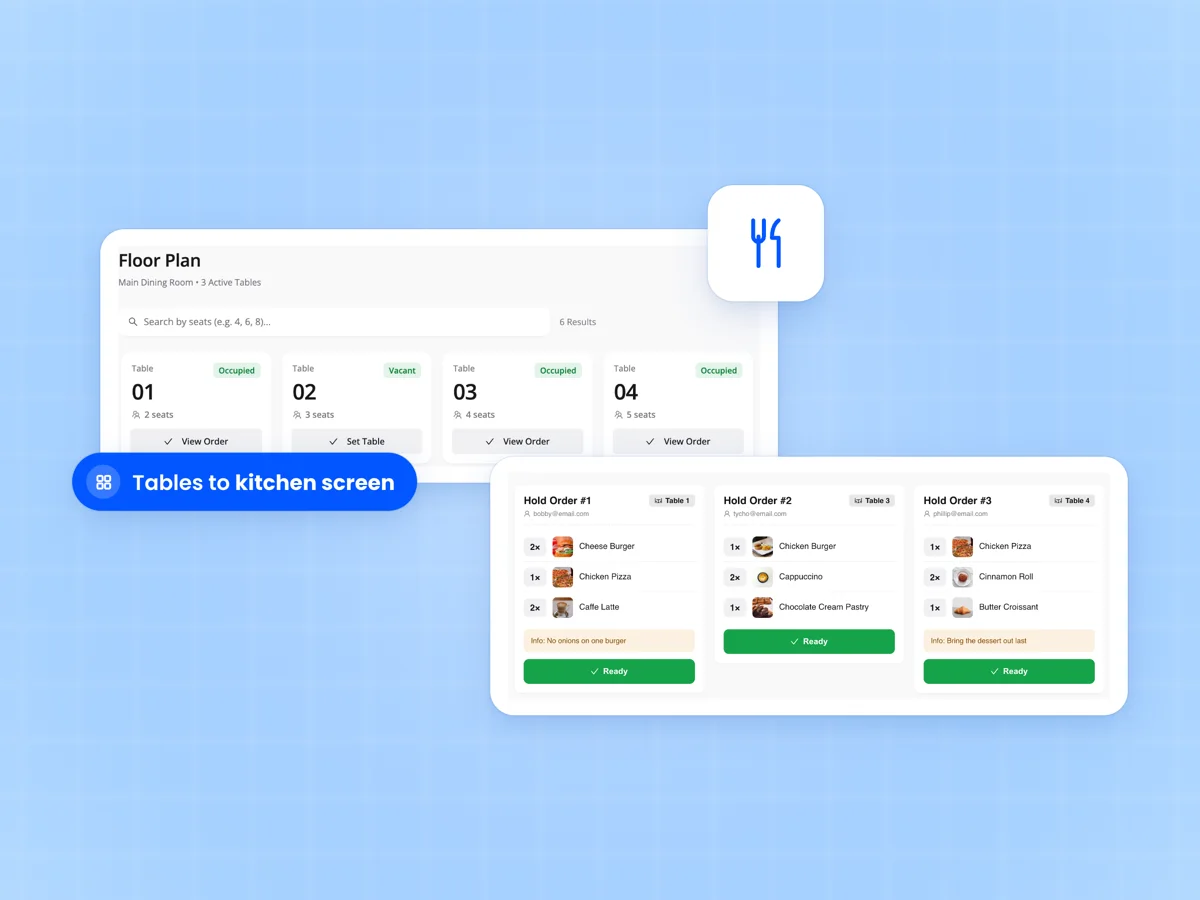
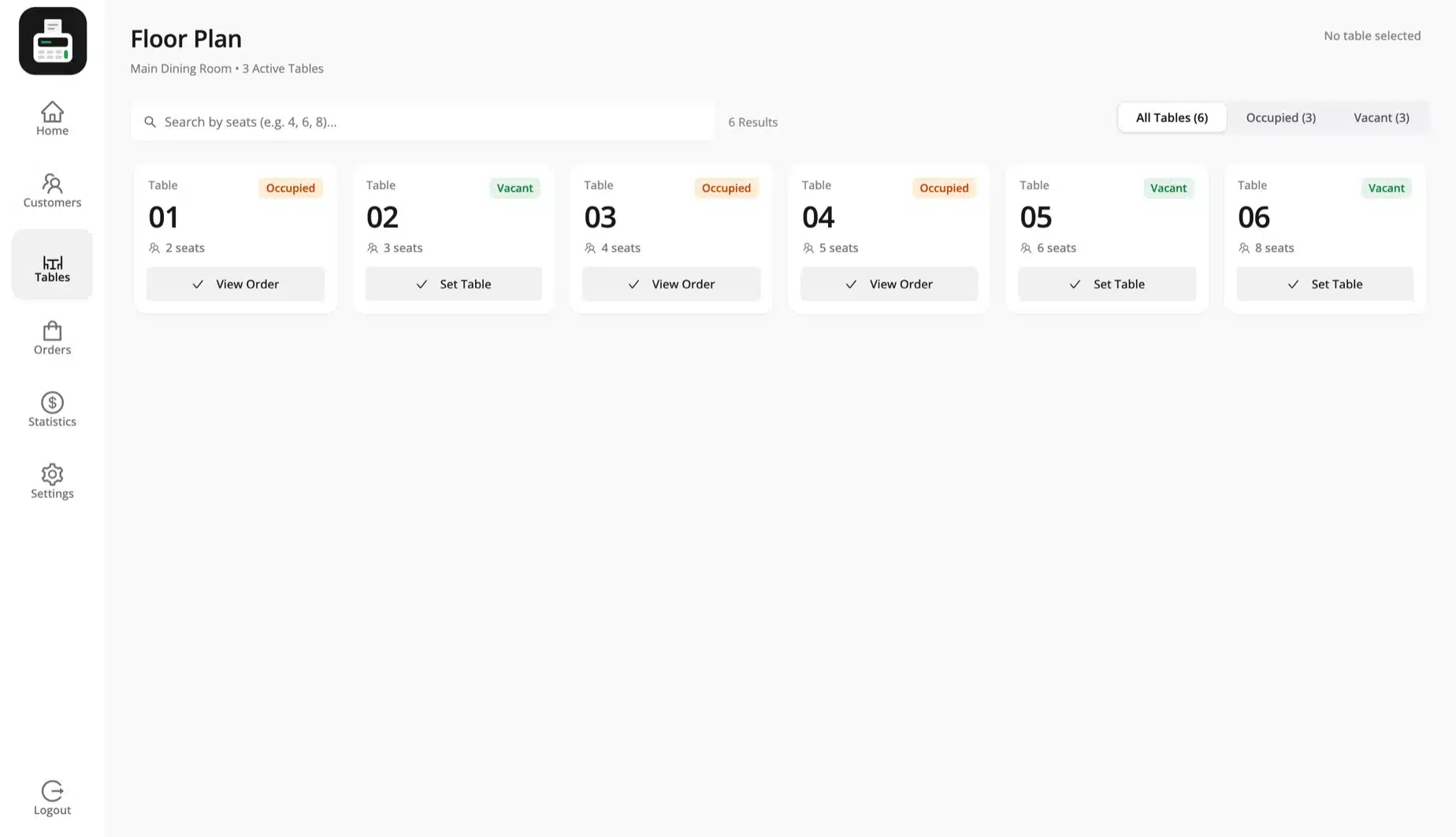
Set an outlet to restaurant mode for dine in and take away. Seat guests from the floor plan and see which tables are occupied.

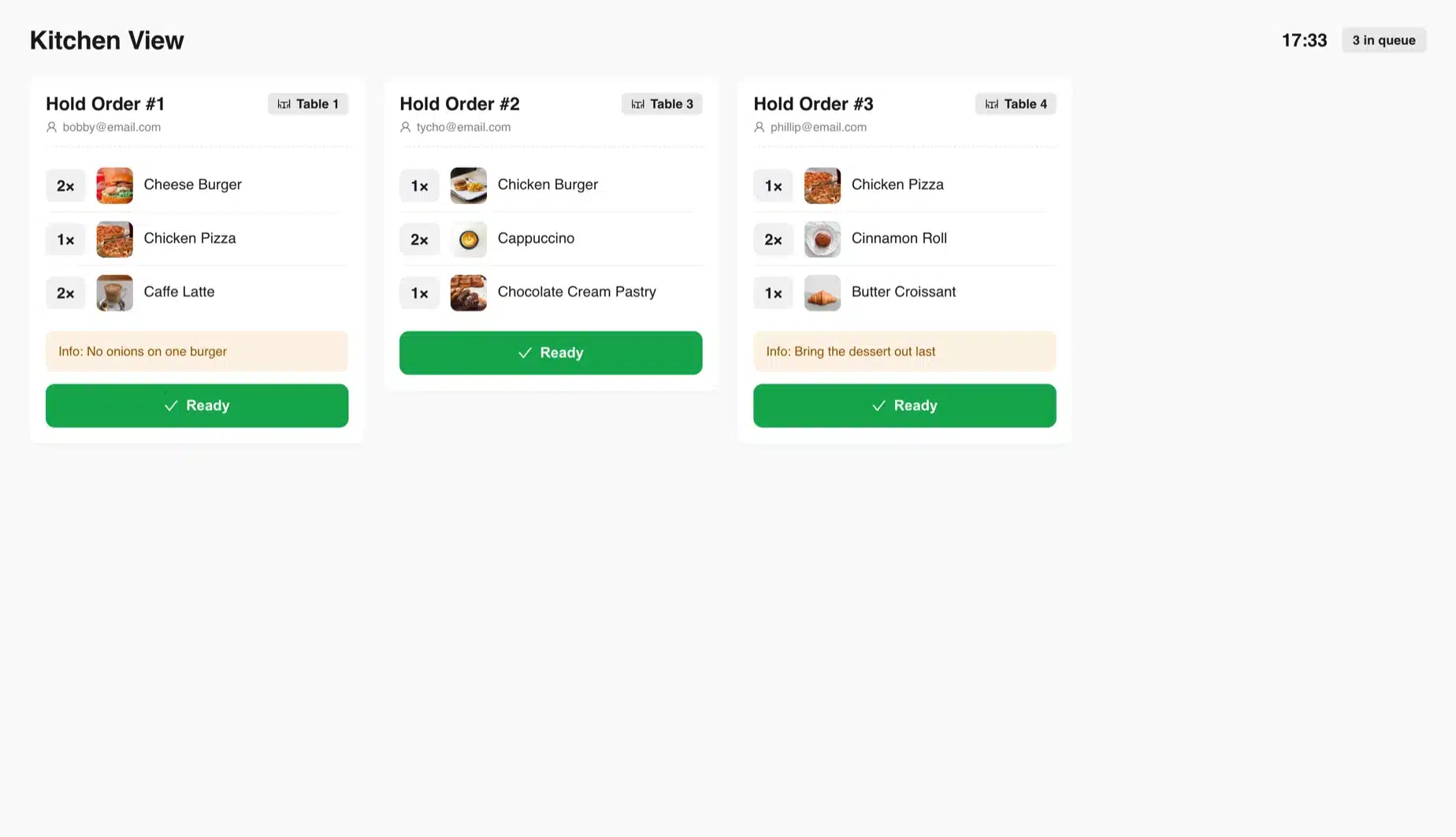
Send orders to the kitchen screen at /kitchen. It runs in any browser in the kitchen, and the cook taps Ready when a ticket is done.

  • Dine in and take away
  • Tables with seats and a floor plan
  • Kitchen screen for each outlet
  • Hold a tab and print the bill
FluentCart restaurant POS floor plan with occupied and vacant tables, beside the kitchen screen with order tickets

Scan barcodes and print shelf labels

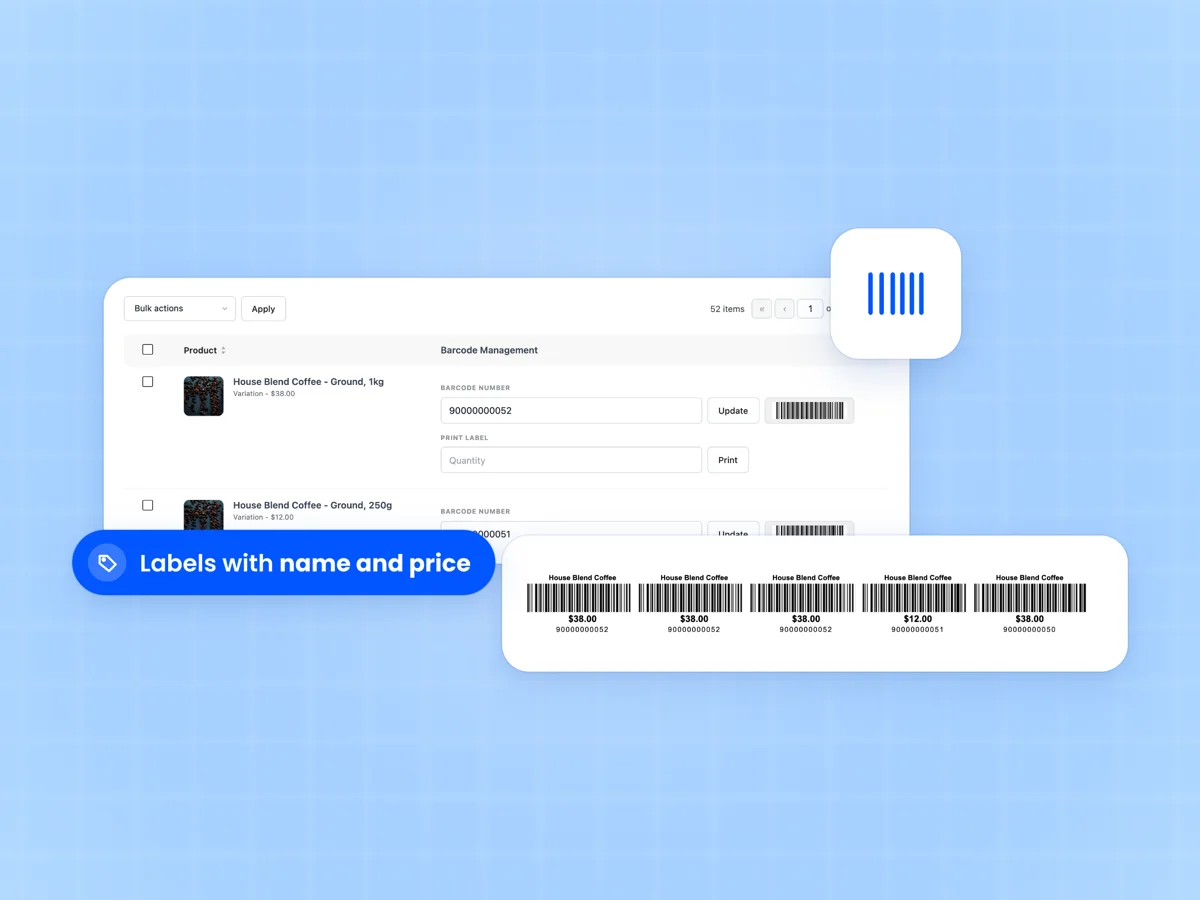
Any USB or Bluetooth scanner that types like a keyboard adds items to the cart, with a beep for each one. A wrong code plays an error sound.

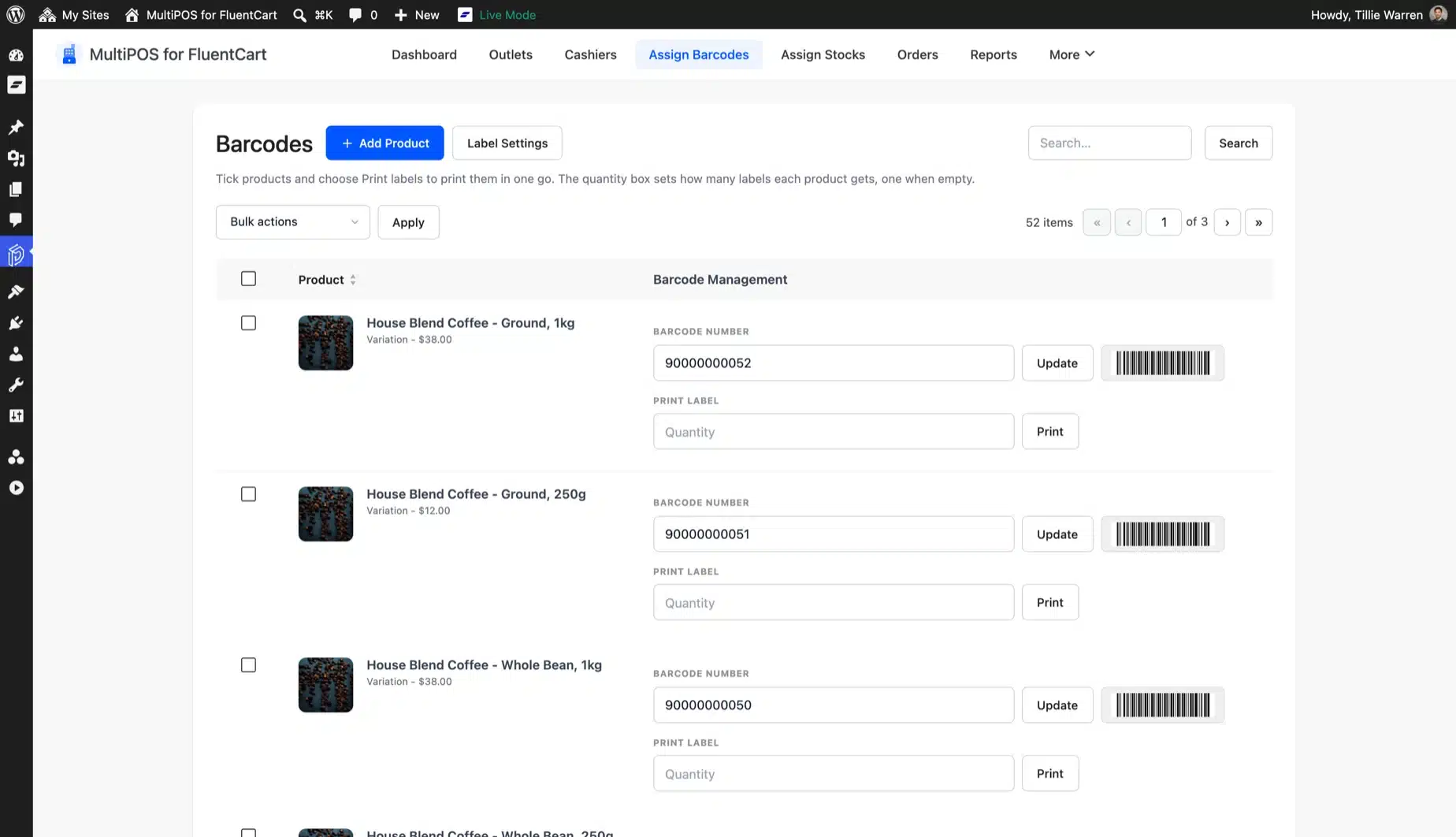
Barcodes come from the product ID or SKU, or you set your own. Print labels for one product or many, with the name, price and SKU you choose.

  • Works with keyboard-mode scanners
  • Barcodes from ID, SKU or your own
  • Labels with name, variation, SKU and price
  • Label size and margins in millimeters
FluentCart barcode scanner support with the Assign Barcodes screen and a printed shelf label with price

Sell by weight and ring up custom items

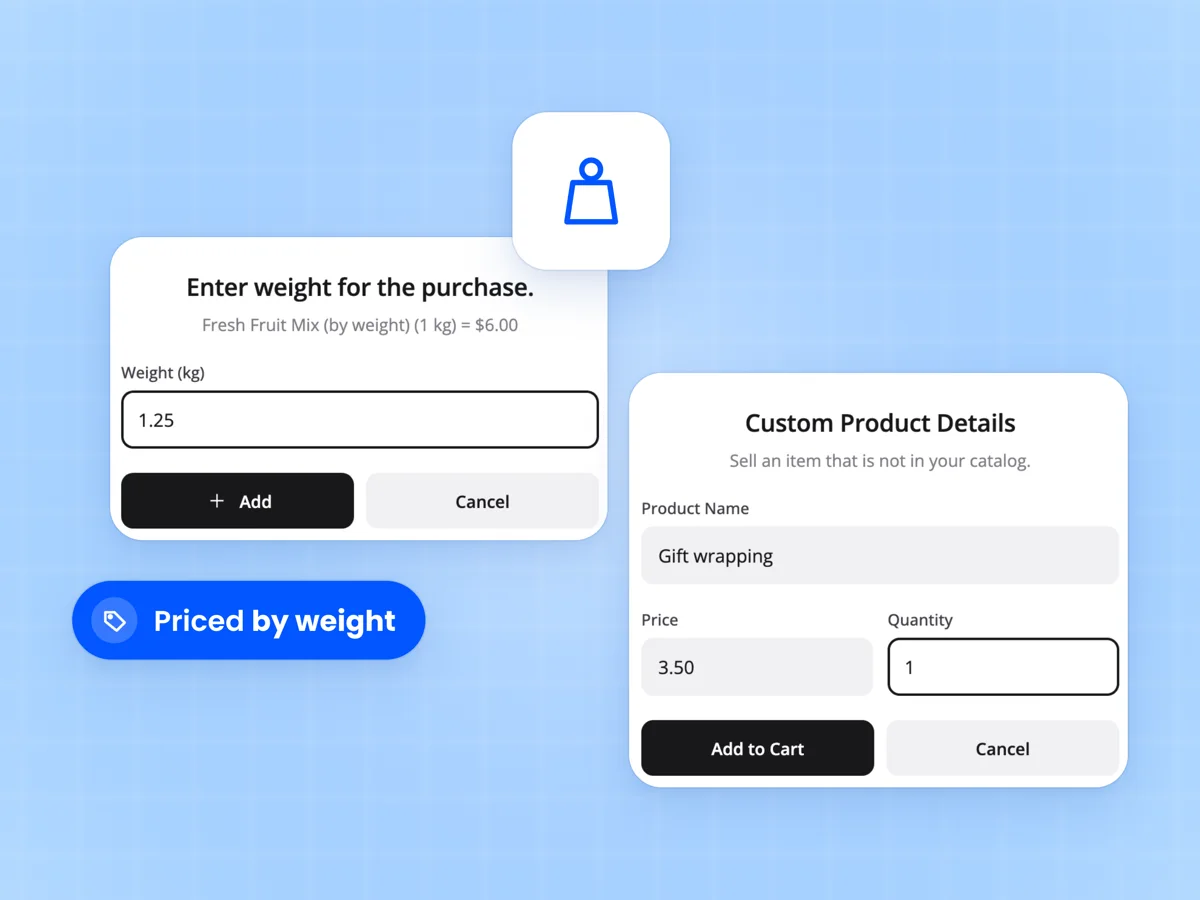
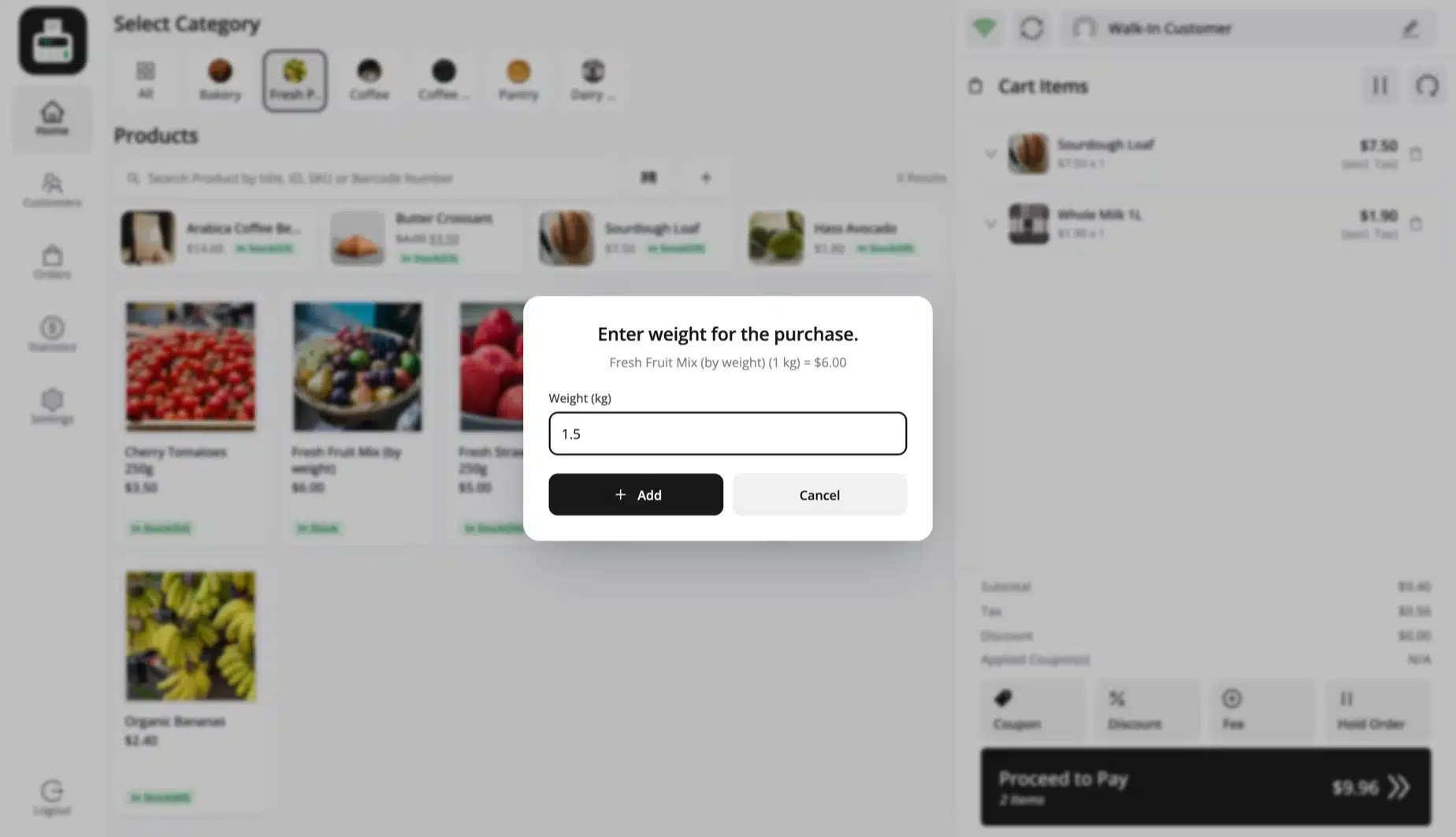
Turn on weight pricing and a product with a weight in FluentCart asks for the weight at the register. Loose fruit at $3.50 a pound is charged for what was weighed. The unit follows your FluentCart weight setting.

Add a custom item that is not in your catalog, with its own name, price and quantity. Hold an order and pick it up later.

  • Price by weight from FluentCart
  • Custom items with name and price
  • Line and cart discounts
  • Hold orders for later
FluentCart POS weight popup for loose fruit priced by weight, beside a custom item form with name and price

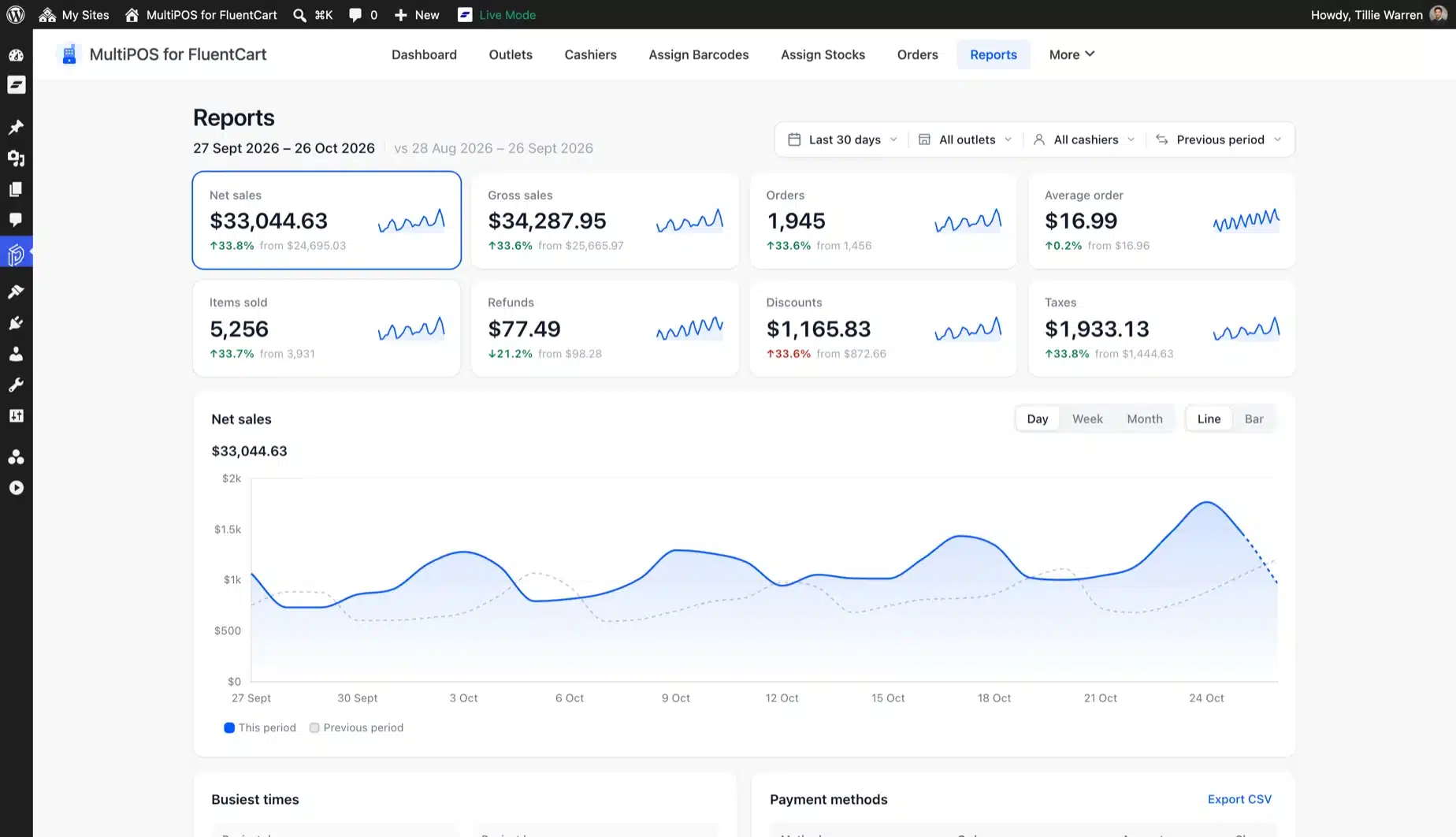
Sales reports by outlet, cashier and hour

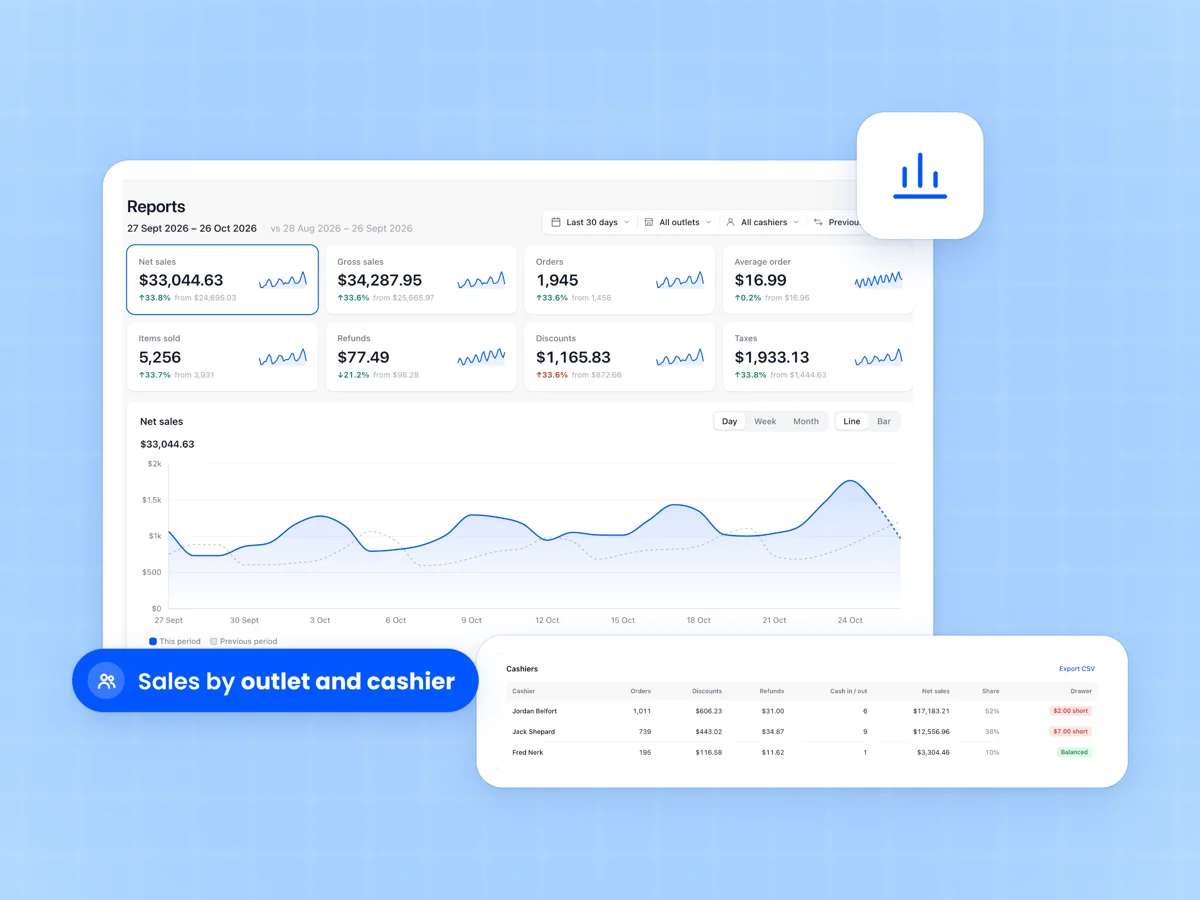
See net and gross sales, orders, average order, refunds, discounts and taxes for any range. Compare with the period before or the same time last year.

Busiest times shades each hour of the week by sales. Tables for payment methods, cashiers, products, categories, customers, outlets, coupons and taxes all export to CSV.

  • Eight KPI cards with trend lines
  • Filter by outlet and cashier
  • Busiest day and hour
  • Every table exports to CSV
MultiPOS reports for a FluentCart store with eight KPI cards, net sales by day and a sales table per cashier

A today view that answers how the shops are doing

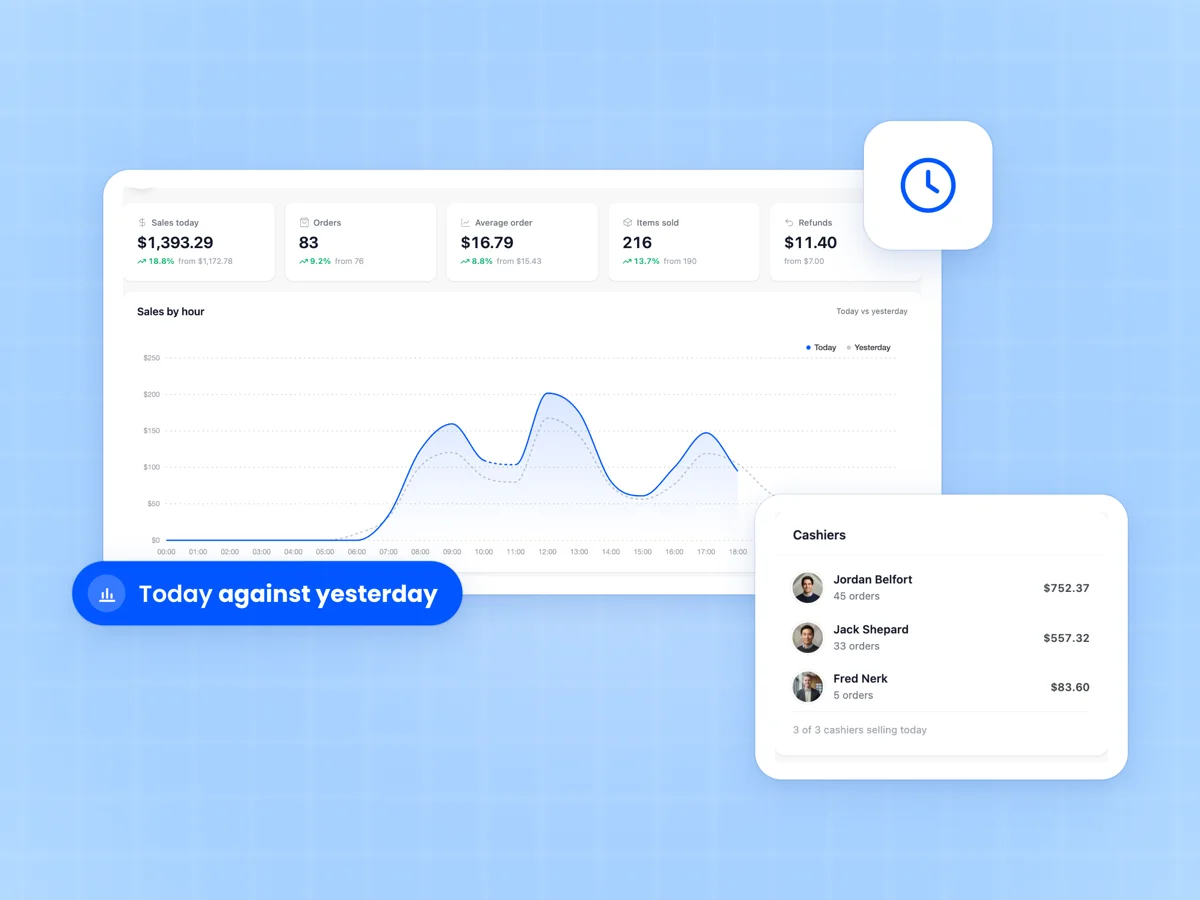
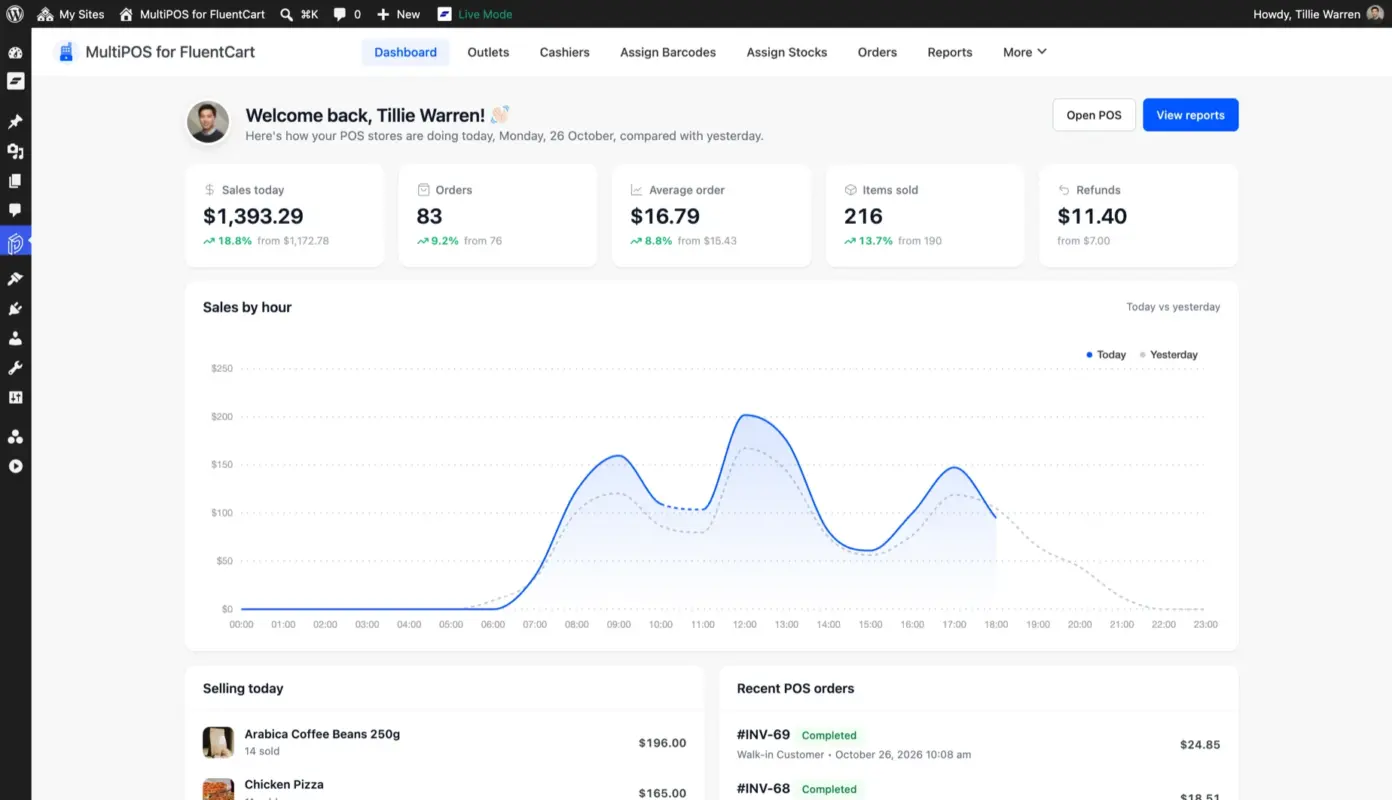
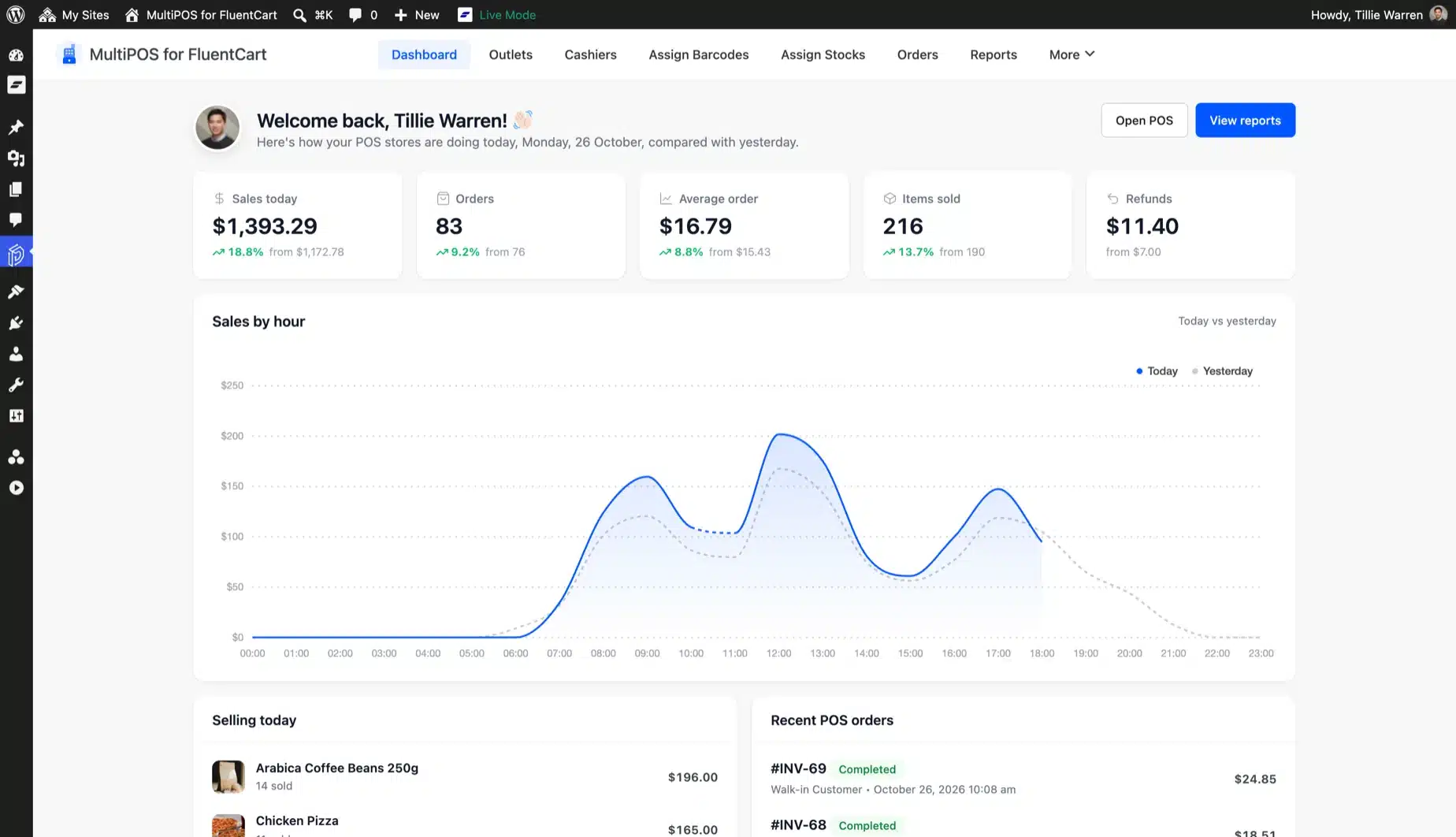
The dashboard shows today's sales, orders, average order and refunds against yesterday. A chart compares sales by hour with the same hours yesterday.

Below it sit today's best sellers, the latest POS orders, and totals per payment method, cashier and outlet. Open POS and View reports are one click away.

  • Today against yesterday
  • Sales by hour chart
  • Best sellers and latest orders
  • Totals per cashier and outlet
MultiPOS for FluentCart dashboard with today's sales, orders and average order above a sales by hour chart

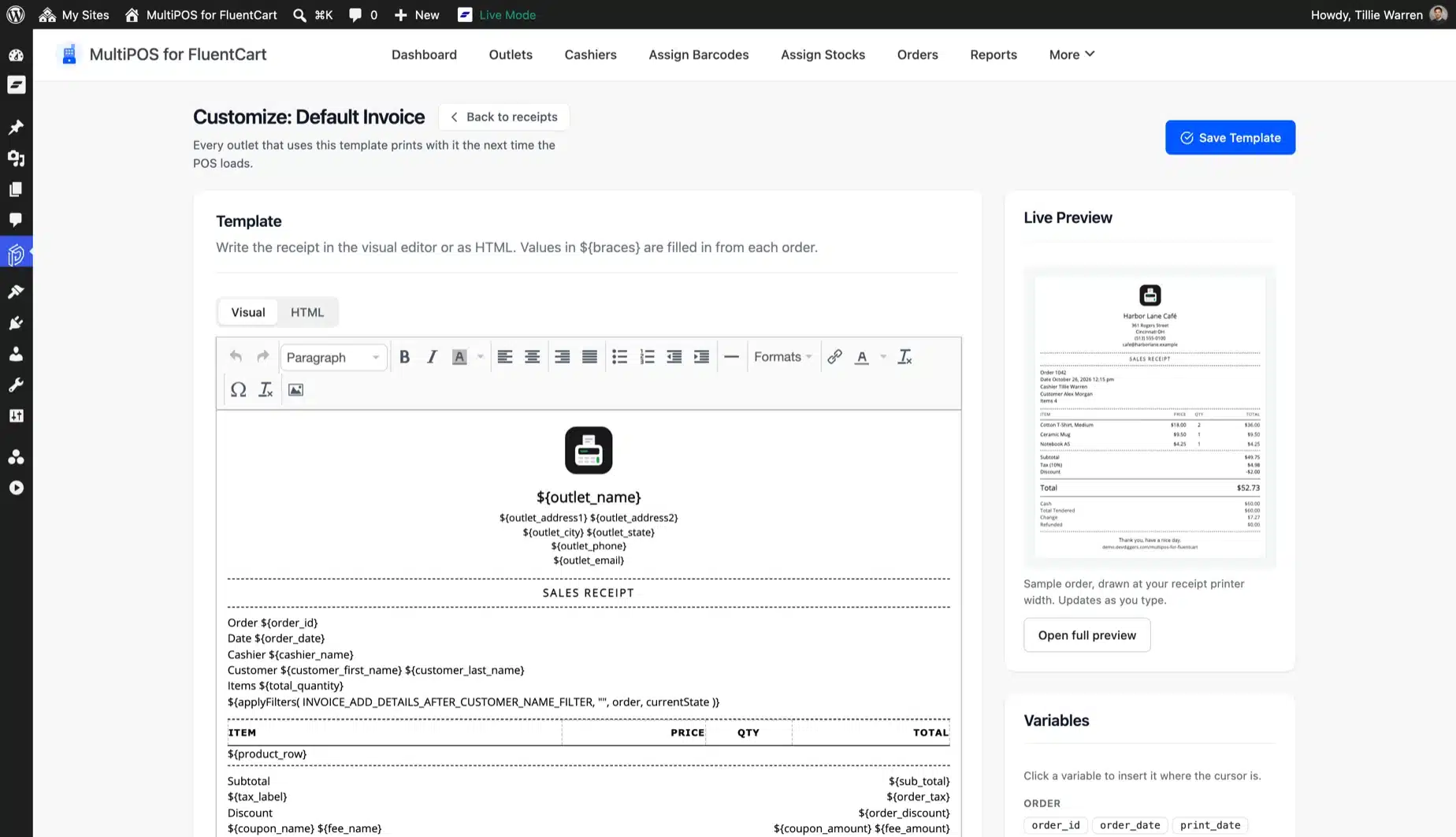
Receipts you design for each outlet

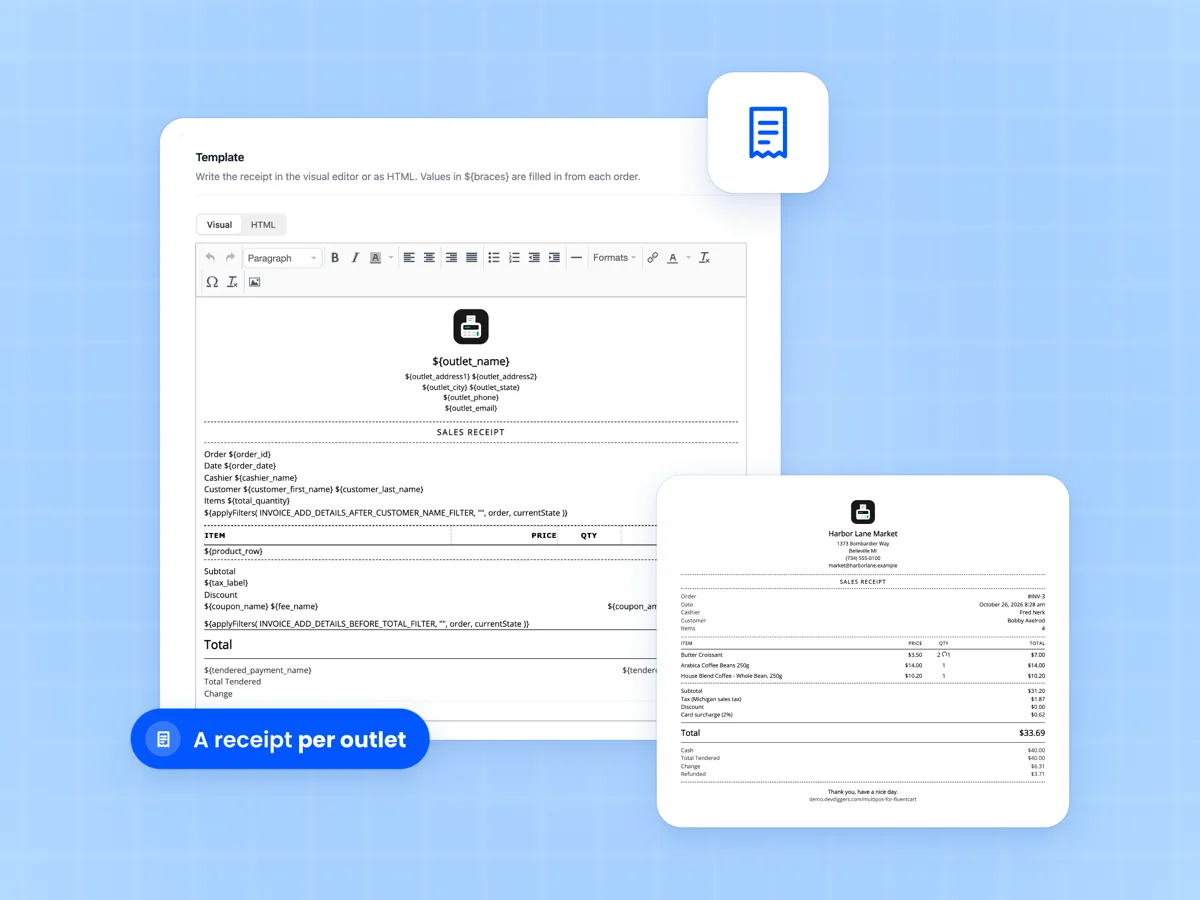
Build receipts in a visual or HTML editor with a live preview at 58 mm, 80 mm or A4. Click a variable to add the table, cashier, payment method or outlet address.

Keep one default receipt or give each outlet its own. Receipts print through the browser on the printer you already have.

  • Visual and HTML editor
  • Live preview at your paper width
  • 41 receipt variables
  • A receipt per outlet
Receipt template editor for the FluentCart POS with receipt variables, beside a printed sales receipt from the market

Know the customer at the counter

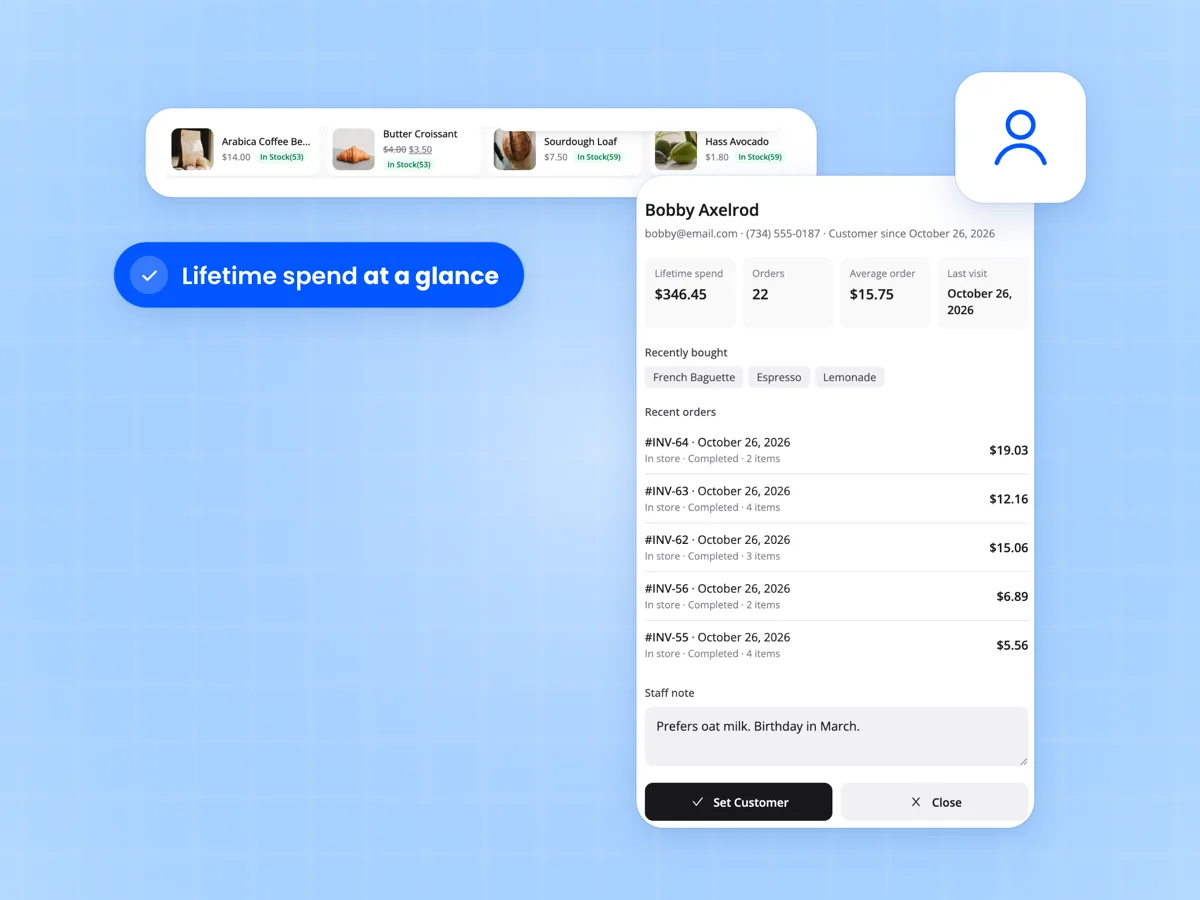
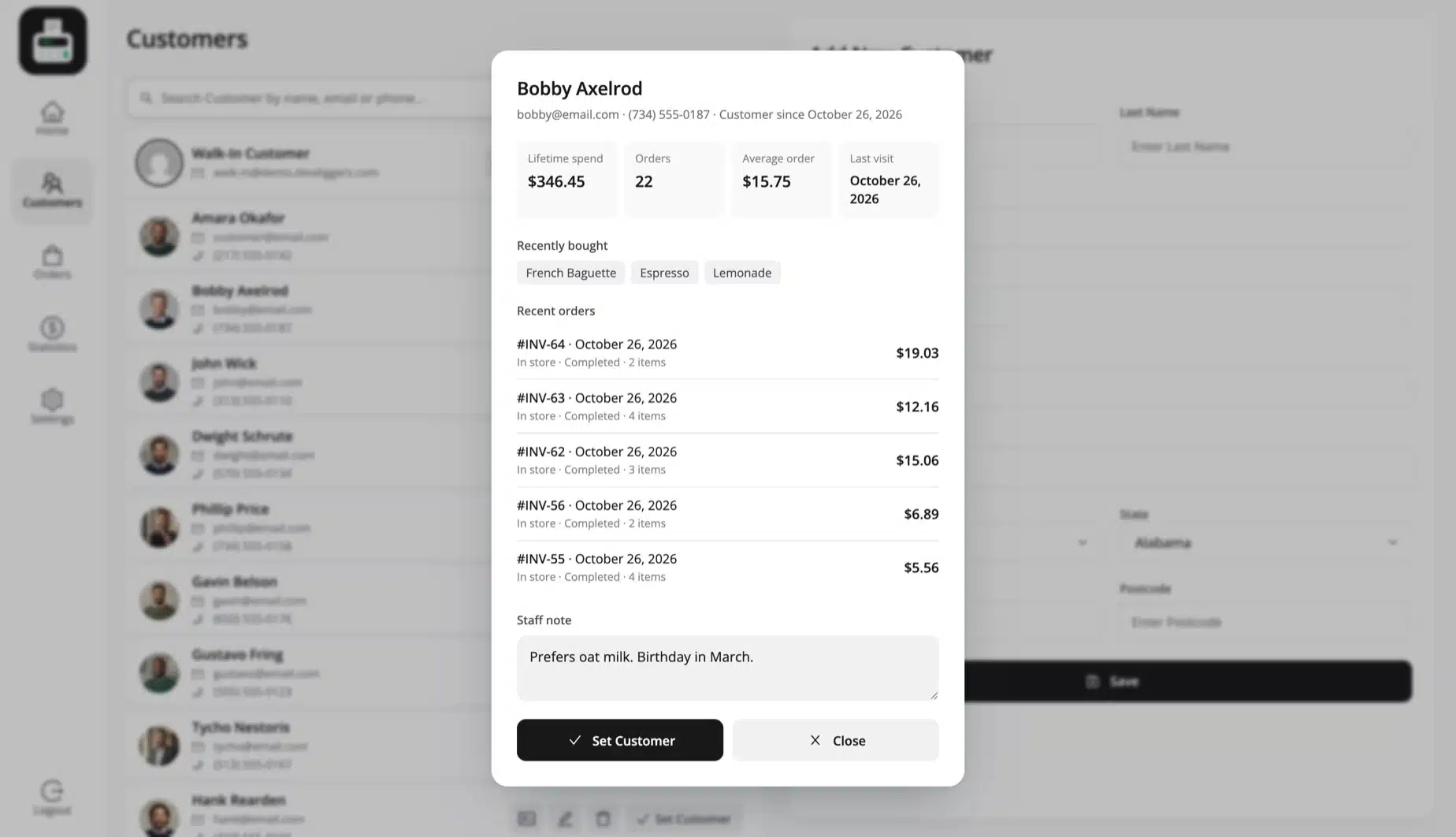
Pick a FluentCart customer or add one without leaving the POS. Their profile shows lifetime spend, orders, average order, last visit and what they bought.

A staff note travels with the customer to every cashier. Pin best sellers as Quick Keys above the grid for each outlet.

  • Add and edit FluentCart customers
  • Spend, visits and recent items
  • Staff note for every cashier
  • Quick Keys per outlet
Customer profile in the FluentCart point of sale with lifetime spend, recent orders and a staff note, below the Quick Keys row
What you need

What you need to sell in person with FluentCart

No terminal to rent and no monthly fee per register. The POS runs in the browser on the kit you already own.

FluentCart

FluentCart 2.0 or newer on WordPress 6.5 and PHP 7.4 or newer. FluentCart Pro is welcome and never required.

A tablet, phone or computer

Any modern browser runs the POS. Install it as an app on the device at your counter.

A barcode scanner, if you like

USB and Bluetooth scanners in keyboard mode add items to the cart, with a beep for each one.

A receipt or label printer

Receipts and labels print through the browser. Set the paper size in millimeters to match your printer.

The card reader you have

Take the card on your own reader and record it as card, cash or a split on the order.

A kitchen screen, if you cook

Any tablet or screen with a browser in the kitchen shows the orders sent from the register.

Internet to get started

Sign in and load the POS online once. After that, offline sync keeps sales going when the connection drops.

One license for the site

One license covers every outlet, register and cashier on that FluentCart site.

Compatibility

A WordPress POS without WooCommerce

MultiPOS for FluentCart talks only to FluentCart. Your products, tax rules, coupons and customers stay where they are.

FluentCart orders and eventsPOS sales fire FluentCart's paid order events. FluentCRM and other FluentCart integrations see them like any order.
Coupons and taxFluentCart coupon rules and tax settings apply at the counter. Prices can include or exclude tax.
Simple and variable productsSell simple products and variations, weighed items and custom items. Subscriptions and bundles stay with FluentCart checkout.
FluentCart Pro supportedWith FluentCart Pro active, features that act on paid orders, such as software licenses, run for POS sales too.
Translation readyEvery label is in the bundled .pot file. Translate the POS, receipts and admin screens into your language.
Built for developersPOS data runs through REST routes, with PHP and JavaScript hooks for orders, products, receipts and reports.
Why this plugin

Why store owners pick this FluentCart POS

Most POS apps keep their own catalog and charge for each register. This one lives inside FluentCart.

  1. Built on FluentCart itself

    Sales use FluentCart's own orders, tax, coupons, stock and refunds. There is no second catalog to keep in sync.

  2. No WooCommerce needed

    It needs FluentCart and WordPress only. Nothing from WooCommerce is installed or loaded.

  3. No fee per register

    One yearly price per site covers every outlet, register and cashier, with no cut of your sales.

  4. Works offline

    The POS keeps taking sales without a connection and syncs them later without duplicates.

  5. A proper end of day

    X and Z reports, blind close and a note when the drawer is off give each shift a clean close.

  6. Cafes and restaurants covered

    Tables, dine in, take away and a kitchen screen come in the same plugin.

  7. Your data stays on your site

    Orders, customers and reports live in your own WordPress database. No outside POS service holds them.

  8. Your brand on the POS

    Pick colors, fonts and a logo for the POS and its login screen, and design your own receipts.

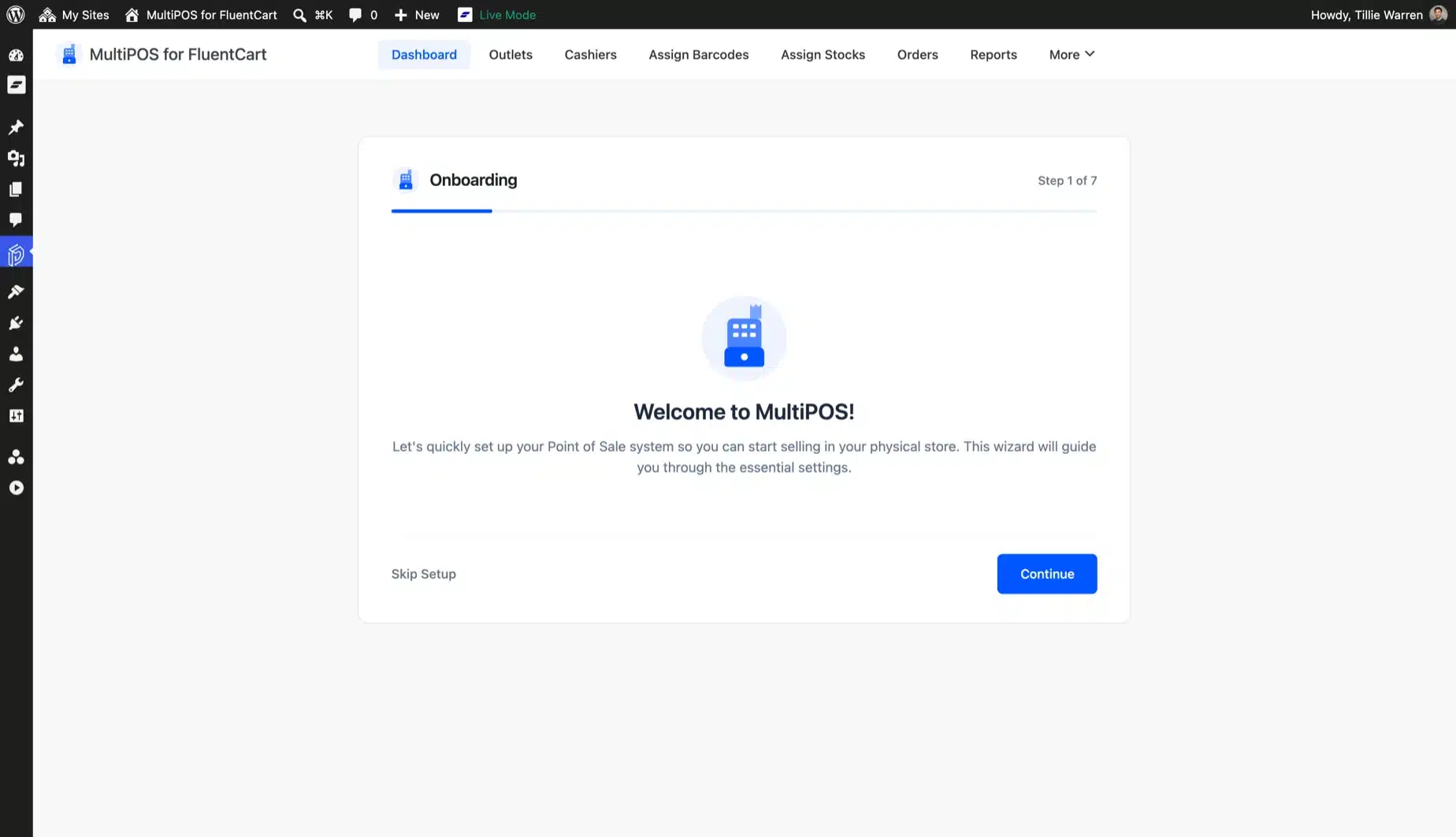
  9. A setup wizard

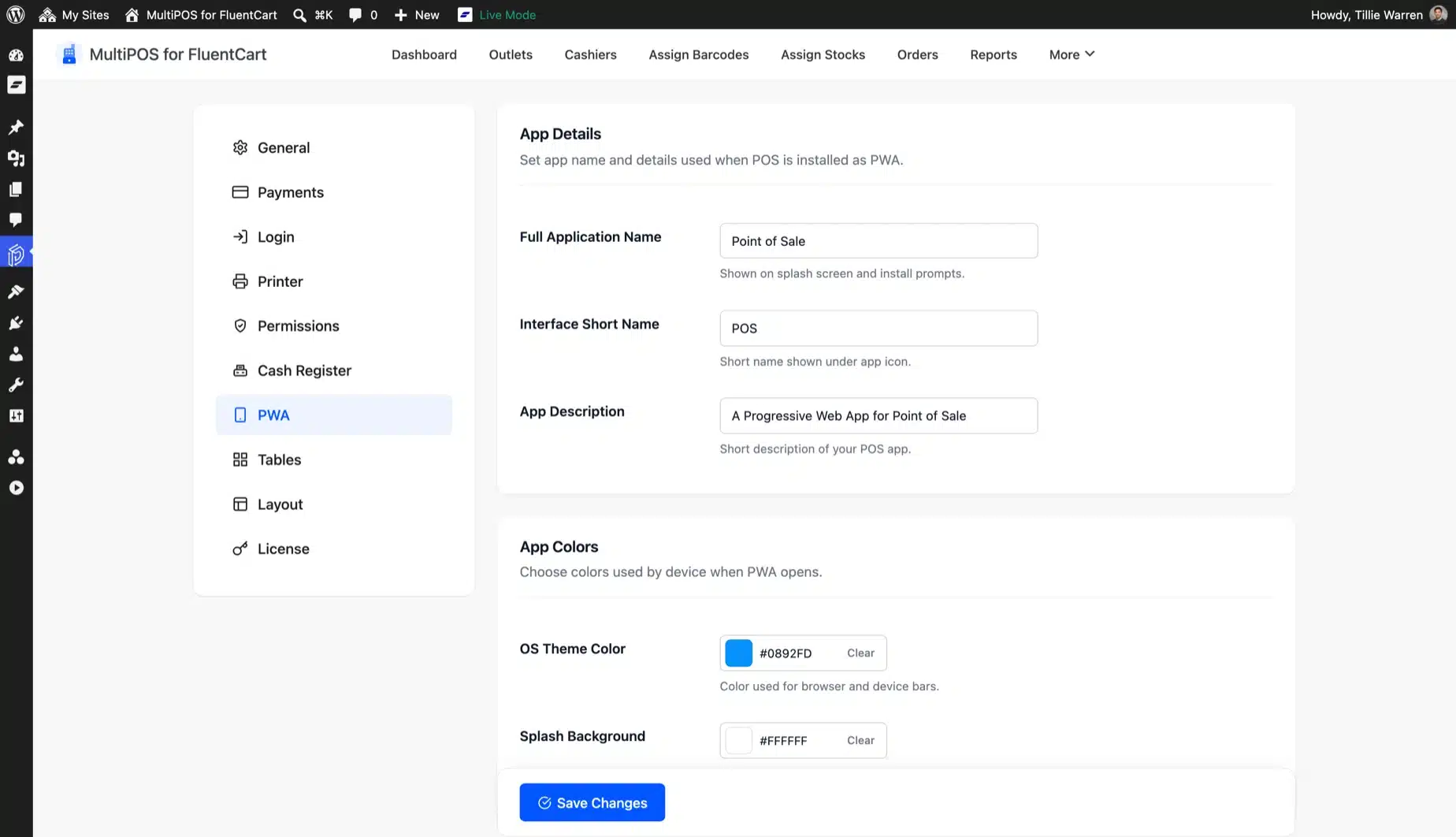
    Seven short steps set the POS address, stock mode, order status, checkout options and layout.

  10. From the MultiPOS team

    Built by the team behind MultiPOS for WooCommerce, which already runs counters for shops and cafes.

Why DevDiggers

Why FluentCart store owners buy from us

Official WooCommerce contributor

More than 20 accepted contributions to WooCommerce core. The same care goes into every plugin we ship.

Envato Elite Author

More than $125,000 in sales and 500+ five-star reviews across Trustpilot, Google and Envato.

POS is our biggest product

MultiPOS also runs on WooCommerce and WCFM marketplaces. The POS you get here shares that tested core.

Support that answers in hours

Real developers answer your tickets. Every plan includes priority support and a 14-day refund.

Your data stays on your site

Orders, customers and reports live in your own FluentCart database. There is no outside POS service.

Sold in 158+ countries

Every label is translation ready. The POS can speak the language of your counter.

Recognition

Earned on the Envato marketplace

Elite Author Elite Author Sold more than $125,000 on Envato Market. Featured Author Featured Author Made it to the Authors' Hall of Fame. Community Health Community Health Took part in community research initiatives. WP Compliant WP Compliant Keeps items to current WordPress standards. Copyright Ninja Copyright Ninja Helped protect against copyright violations. Feedback Guru Feedback Guru Joined a group to improve the experience. Trendsetter Trendsetter Had an item that was trending. Featured Item Featured Item Had an item featured on Envato Market.

See every badge on our CodeCanyon profile

Who it is for

Built for FluentCart stores that also sell in person

Retail shops and boutiques

Sell the same products at the counter and online, from one stock count and one order list.

Grocers and farm shops

Scan packed goods, weigh loose produce and print shelf labels with prices.

Cafes and restaurants

Seat guests at tables, send orders to the kitchen screen and split the bill.

Brands with several locations

Run each shop as an outlet with its own cashiers, stock, receipts and reports.

Market booths and pop-ups

Sell from a phone or tablet with weak signal, and let the orders sync later.

Agencies building on FluentCart

Add in-person selling to a client's FluentCart site. Need custom work around it? See our development services.

Setup

Set up your FluentCart POS in four steps

Install and activate

Upload the plugin next to FluentCart and enter your license key in the setup wizard.

Run the setup wizard

Pick the POS address, how stock works, the order status, checkout options and your colors.

Add outlets and cashiers

Create your shops or cafes, set their payment methods, and give each cashier their outlets.

Open the POS and sell

Cashiers sign in at /pos, pick an outlet and ring up the first sale.

What store owners say about MultiPOS for FluentCart

Reviews from verified buyers of our FluentCart POS plugin. Bought it? Your review helps the next store owner decide.

New

Be the first to review

  • 5 0
  • 4 0
  • 3 0
  • 2 0
  • 1 0
Yash Kapoor, founder of DevDiggers
Yash Kapoor Founder, DevDiggers
From the founder

Why I built MultiPOS for FluentCart

FluentCart is a fast way to sell online. Its own team says it has no point of sale. A store with a counter, a cafe or a market booth had no register that knew its FluentCart products.

We have built MultiPOS for WooCommerce counters for years. For FluentCart we rebuilt it on FluentCart's own orders, stock, tax and refunds. Every sale at the register lands in FluentCart like an online order, and you get one set of numbers.

Envato Elite Author · 20+ WooCommerce core contributions Read our story →

Start your FluentCart POS from $97 for your first year

Save 30% on your first year with code LAUNCH30, applied for you at checkout. Every outlet, register and cashier is included, with no per-sale fees.

Prices shown include the 30% LAUNCH30 discount, which applies to your first year. After that it renews at the regular price each year until you cancel, and you can cancel anytime from your account. Every plan is backed by our 14-day refund policy.

1 Site License

Normally $139

$97/year

Just $8.08/mo when billed annually

  • Use on 1 FluentCart site
  • Unlimited outlets and registers
  • Unlimited cashiers
  • Updates with an active plan
  • Priority support
Buy Now

10 Sites License

Normally $799

$559/year

Just $46.58/mo when billed annually

  • Use on 10 FluentCart sites
  • Unlimited outlets and registers
  • Unlimited cashiers
  • Updates with an active plan
  • Priority support
Buy Now

Secured by a 14-day refund policy

If the plugin does not work as promised on your FluentCart store, you have the backup of our 14-day refund policy to ask for your money back.

Version 1.0.0
Last updated October 26, 2026
Changelog
WordPress 6.5+ (tested to 7.1.3)
FluentCart 2.0+ (tested to 2.2)
PHP 7.4+

See MultiPOS for FluentCart in action

Every screen below comes from the plugin running a real FluentCart store with a cafe and a market. The live demo is the same build and needs no account.

MultiPOS dashboard for FluentCart with sales today, orders, average order, items sold, refunds and sales by hour against yesterday
See how every outlet is doing today, hour by hour, the moment you open WordPress.
FAQ

FluentCart POS FAQ

Answers to what store owners ask us most about selling in person with FluentCart.

Ask a Question

No. FluentCart sells online and has no register, barcode scanner or in-store mode. MultiPOS for FluentCart adds a full point of sale that saves every sale as a FluentCart order.

Yes. Each sale is a paid FluentCart order with its outlet, cashier, tax lines, coupons and payment. It shows in FluentCart's Orders screen, its reports and the customer's order history.

No. MultiPOS for FluentCart needs only WordPress and FluentCart. Nothing from WooCommerce is installed or used.

It works with FluentCart free. With FluentCart Pro active, Pro features that act on paid orders, such as software licenses, run for POS sales too.

MultiPOS for FluentCart is $139 a year for one site, $599 for five and $799 for ten. Code LAUNCH30 takes 30% off your first year, so one site starts at $97. Every outlet, register and cashier is included, with no per-sale fees.

Yes. Turn on offline sync and the POS saves each sale on the device. It sends the sale to FluentCart when the connection is back, and a sync sent twice never creates a duplicate order.

Coupons, refunds and closing the register need a connection. They work again as soon as you are back online.

Yes, with centralized inventory. The POS sells from FluentCart stock and books each sale like a delivered order. An outlet can also keep its own count instead.

The POS does not connect to a card reader. You take the card on the reader you already use, and the POS records it as card, cash or a split payment on the order.

Any USB or Bluetooth scanner that works in keyboard mode. Receipts and labels print through the browser on any printer your device can use. Set the paper width to 58 or 80 mm for a receipt printer.

Yes. Set an outlet to restaurant mode for tables, dine in and take away. Orders go to a kitchen screen that runs in any browser for a signed-in POS user.

Yes. Add as many outlets as you need, each with its own address, cashiers, payment methods, receipt and stock rules. Tax is worked out for each outlet's address.

Yes. Each cashier is a WordPress user with the POS Cashier role and their own outlets.

You set what cashiers may do and the highest discount for the whole store. A manager PIN approves anything beyond that.

FluentCart coupons apply at the register and are checked again on the server. Tax follows your FluentCart tax settings. Refunds run through FluentCart's refund service, line by line, with or without restocking.

No. Subscription and bundle products stay with FluentCart checkout and are hidden from the POS by default, because their billing belongs to checkout.
Yes. They keep separate settings and tables, and both open at /pos by default. Give one of them another address in its settings.
Running WooCommerce only? See MultiPOS for WooCommerce.

No. MultiPOS for FluentCart is sold as one full plugin. Try the live demo first, and the 14-day refund lets you test it on your own store.

Every screen and setting is explained in the MultiPOS for FluentCart documentation with screenshots.

This plugin comes with a 14-day refund policy. If it does not work as described on your store, contact us within 14 days for a full refund. You can read the full terms on our refund policy page.

Turn your FluentCart store into a point of sale

Add a FluentCart POS that saves every counter sale as a FluentCart order, works offline and closes each shift with a Z report. Try the live demo and pick your plan.

Support within hours A real person replies
14-day money back Fair terms
Always compatible Latest WP and FluentCart
Custom builds Made for your store

Why store owners pick it

What you get the day you turn it on.

  • POS sales as real FluentCart orders
  • Stock synced with FluentCart
  • Offline selling with safe sync
  • X and Z reports for every register
  • No fee per register or outlet
Pedro Lima, DevDiggers customer Kareem Al Samman, DevDiggers customer Valentina Dancheva, DevDiggers customer Diego Lopes, DevDiggers customer 5 star rating from 500+ reviews

Trusted worldwide

Store owners in 158+ countries run on DevDiggers.

Alan, DevDiggers customer Shiyanthan M, DevDiggers customer Pawel Pytasz, DevDiggers customer Marius, DevDiggers customer

Proven on Envato

Elite Author with $125,000+ in sales.