A WooCommerce wallet lets customers store funds in your store and pay faster at checkout, earn cashback rewards, and shop even when they’re a little short on funds. Done right, it turns your store into a closed-loop ecosystem where money comes in and stays in. If you’re not using your wallet system as a sales tool, you’re leaving a lot on the table.
Here’s the problem most store owners run into. You drive traffic, you get add-to-carts, but somewhere between the product page and the payment screen, people disappear. Or they buy once and never come back. Traditional discounts help in the short term, but they train customers to wait for sales and shrink your margins in the process.
That’s exactly why a WooCommerce wallet system is worth taking seriously. It solves the repeat-purchase problem, it shortens checkout friction, and it gives you levers to pull for campaigns that don’t just slash prices. In this post, you’ll learn seven concrete strategies to maximize sales with WooCommerce wallet, including cashback structures, partial payments, BNPL, referral loops, and more.
What a WooCommerce Wallet Actually Does for Your Sales
Before getting into tactics, it’s worth being clear on what a wallet system actually is, because a lot of store owners underestimate it.
A WooCommerce wallet is a digital account balance tied to each customer. They can top it up manually, earn funds through cashback or referral rewards, or receive store credit from you directly. At checkout, they pay using that balance instead of re-entering card details every time.
That last part matters more than it sounds. Every extra step at checkout is a point where customers drop off. Research compiled by the Baymard Institute puts the average cart abandonment rate at 70.19%, and a significant chunk of that is pure checkout friction. A customer who already has a funded wallet has far less reason to abandon.
But the bigger picture is what the wallet does to buying behavior. Customers with a funded wallet balance are psychologically anchored to your store. That balance doesn’t work at your competitors. It creates a mild but real pull every time they consider a purchase. Think of it the way gift card economics work: money loaded onto a card gets spent, usually at a higher rate than the card’s face value. Your wallet works the same way.
Our WooCommerce wallet plugin supports all of this natively, including cashback campaigns, partial payments, role-based rewards, and BNPL functionality.
Strategy 1: Use Cashback Rewards to Turn One-Time Buyers into Regulars
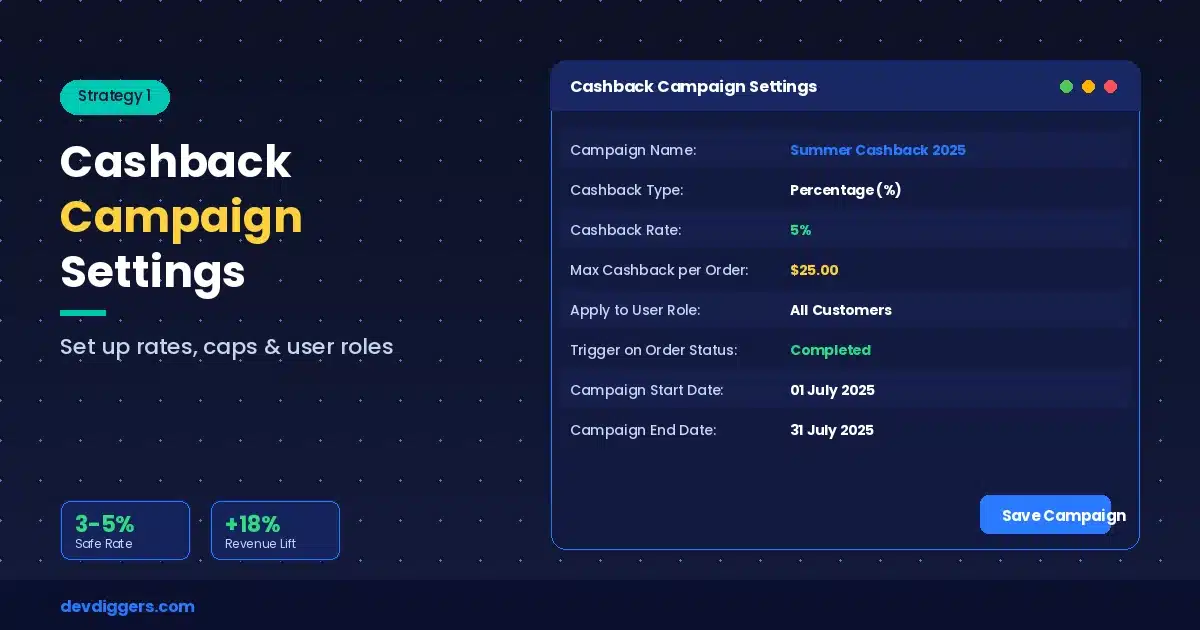
Cashback is one of the highest-ROI retention tools available, and most WooCommerce stores either don’t use it or set it up badly. Loyalty program members generate 12 to 18% more incremental revenue than non-members, and cashback is one of the most intuitive ways to run a program without requiring customers to track points or redeem codes.
Here’s the thing: cashback works because it closes the loop. The customer buys, earns a reward that lives inside your store, and now has a reason to come back and use it. It’s not a discount, it’s a deposit into their relationship with you.
How to Structure a Cashback Rate That Doesn’t Kill Your Margins
The most common mistake is setting cashback too high without thinking about the margin by product category. A 10% cashback rate on a low-margin product is a fast way to lose money on every sale.
Start with a flat 3 to 5% cashback on all purchases. That’s enough to feel meaningful to customers without hurting you financially. For high-margin products, you can afford to push that higher. Set caps per transaction so a single large order doesn’t generate an outsized liability.
Also consider restricting cashback to wallet-funded transactions only. This incentivizes customers to top up their wallets, which is exactly what you want.
Role-Based Cashback for VIP and High-Value Customers
Not every customer deserves the same reward. A buyer who’s placed ten orders is more valuable than someone on their first purchase. Set up tiered cashback rates by user role: standard customers get 3%, returning customers with three or more orders get 5%, and a VIP role gets 8%.
This gives high-value customers a real reason to stay loyal, and it gives everyone else something to work toward.
Running Time-Limited Cashback Campaigns During Promotions
Instead of running a sitewide sale, try running a double-cashback campaign for a weekend. Customers spend the same amount, you pay out in wallet credits rather than upfront discounts, and that credit brings them back for a second purchase. You’re effectively funding their next visit at a delay rather than cutting the price now.
Strategy 2: Speed Up Checkout and Reduce Cart Abandonment
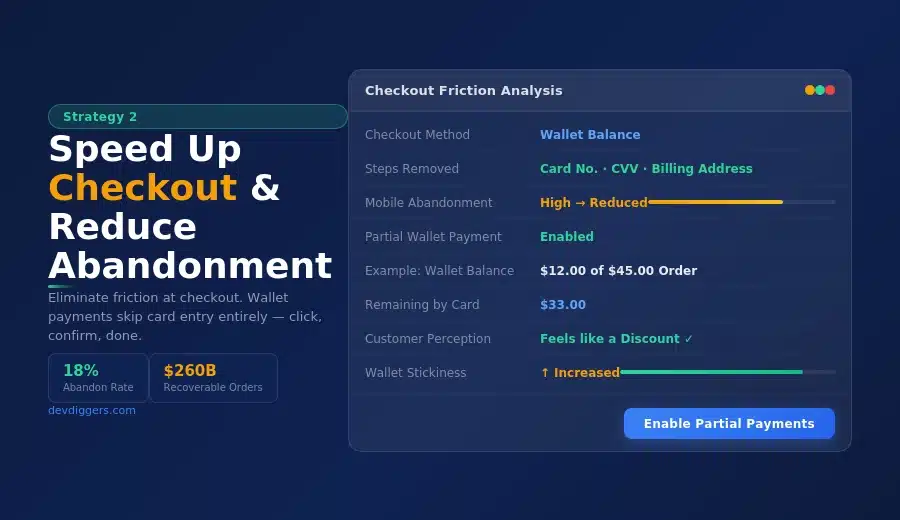
Checkout friction is brutal. Baymard Institute’s data shows that 18% of shoppers have abandoned an order specifically because the checkout process was too long or complicated, and they also estimate that better checkout design alone could recover $260 billion in lost orders across the US and EU.
A wallet payment skips most of that friction. No card number to find, no CVV to enter, no billing address to check. The customer clicks, confirms, and is done. For returning customers, especially, this is a significant improvement.
This matters most on mobile. Cart abandonment on mobile sits even higher than on desktop, largely because entering payment details on a small screen is genuinely painful. A wallet balance removes that barrier entirely.
How Partial Wallet Payments Reduce Drop-Off at Checkout
Here’s a scenario most plugins don’t handle well: a customer has $12 in their wallet, but their cart is $45. Without partial payment support, that $12 balance is useless at checkout. They pay by card anyway, and the wallet balance just sits there, possibly forgotten.
With partial payment enabled, they apply their $12 wallet balance and pay only $33 by card. They feel like they got a discount. You’ve just made the wallet more useful and more sticky. This feature alone can meaningfully reduce cart abandonment for customers who have partial balances.
Strategy 3: Use BNPL to Increase Average Order Value
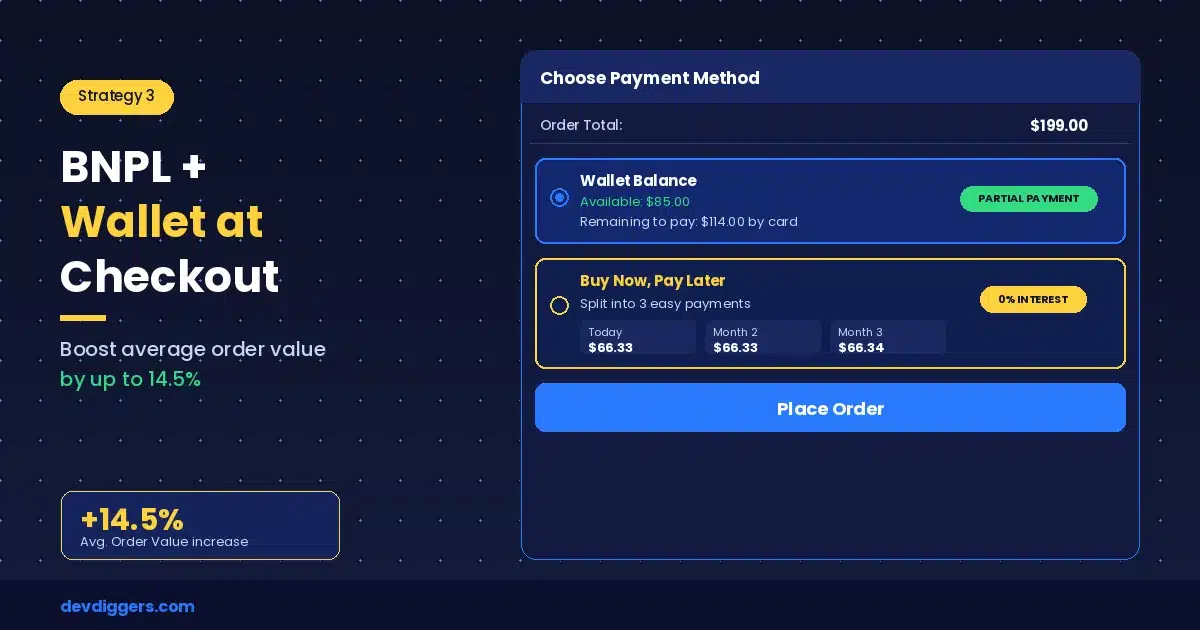
Buy Now Pay Later has moved from a nice-to-have to a genuine expectation for many shoppers. WooCommerce’s own data shows that offering BNPL can increase average order value by up to 14.5%, and the global BNPL market is projected to reach $28.44 billion in 2026.
The psychology is straightforward. When a customer is looking at a $200 product, price anxiety often kills the purchase. When that same customer can pay over time, or defer payment even briefly, the mental barrier drops. They buy, and they often buy more.
Our WooCommerce Buy Now Pay Later plugin integrates directly with the wallet system, so customers can shop even when their balance is low. Think of it as an in-store credit line that you control. You set the terms, you set eligibility, and all repayments stay within your ecosystem.
For store owners selling products above $100, adding BNPL is almost always worth testing. Run it for 30 days and check the average order value before and after. The data usually tells the story pretty clearly.
Strategy 4: Grow Your Customer Base with a Wallet Referral Program
This is the strategy most WooCommerce articles skip entirely, so pay attention here.
Referral programs represent some of the most cost-effective acquisition channels for customers. With a referral, you only have to pay a commission when you turn a new customer into a paying customer, which is much better than the cost of most forms of paid advertising.
However, the problem with many current referral programs is the way they are set up and used. The referrer typically gets a coupon code to give to the new customer, and the new customer must remember to use that code when making their purchase. If something goes wrong during the process, both parties may not get their expected benefits.
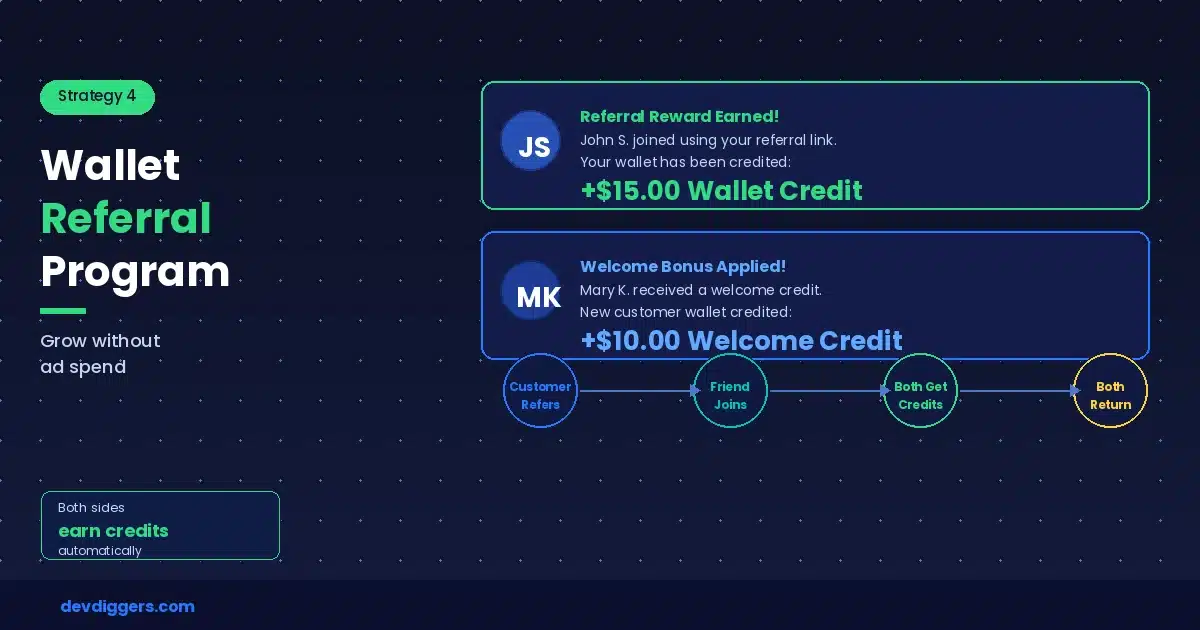
When using a wallet-based referral, the entire process is simplified dramatically. There is no need for a coupon code or remembering anything — as soon as the referral is made, both the referrer and the new customer automatically receive wallet credit. The referrer has a substantial monetary incentive to refer more customers; the new customer arrives with a great first experience and funds in their account that they can use.
The network effect will be extremely powerful with this type of referral program. Every happy customer has the ability to generate new customers at little or no cost, while simultaneously providing economic growth through relationship-based business rather than advertisement dollars. Furthermore, the wallet will help to bring new customers back to the store so that both the referrer and new customers can redeem their credits.
If a store wants to take their referral program to the next level, they can easily use the wallet solution in conjunction with a complete affiliate program structure. Our WooCommerce Affiliates Plugin enables you to run a fully functional affiliate program with tracking and commission management, which is additionally compatible with wallet-based bonuses for existing customers.
Strategy 5: Keep Revenue in Your Store with Wallet Top-Up Incentives
This one is simple but underused. Offer a bonus when customers top up their wallet above a certain threshold.
For example: add $50 to your wallet, get $55 in credit. The customer gets a 10% bonus and has $55 locked into your store. You’ve essentially pre-sold $55 worth of goods and created a purchase obligation. Cash comes in before a product ships, which is genuinely helpful for cash flow.
A few variations worth testing:
- Tiered top-up bonuses: Add $25, get $26. Add $50, get $55. Add $100, get $115. The higher the top-up, the better the bonus. This pushes average top-up amounts up naturally.
- Subscription top-ups: Let customers set a recurring monthly wallet top-up with a small bonus. It’s predictable revenue for you and a consistent shopping budget for them.
- Flash top-up campaigns: For 48 hours only, all top-ups get a 15% bonus. Create urgency, drive a surge of pre-loaded funds, then let the natural purchasing behavior follow.
One thing to keep in mind: set an expiry date on top-up bonuses, not on the topped-up funds themselves. The bonus credit expires if unused within 90 days, which motivates customers to spend it. The core balance doesn’t expire, which maintains trust.
Strategy 6: Avoid the Common Mistakes That Kill Wallet Performance
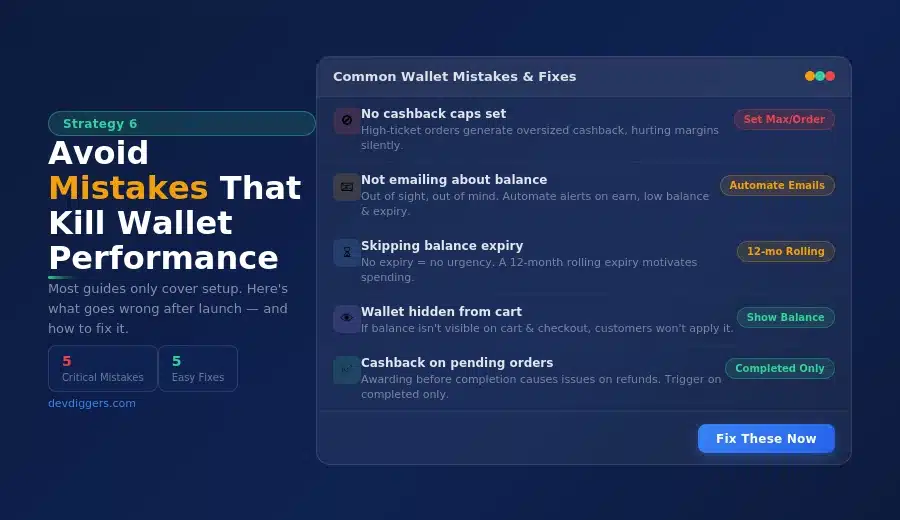
Most articles about WooCommerce wallets only cover setup. They don’t tell you what goes wrong after launch. Here are the mistakes worth avoiding.
- Setting cashback rates without caps: If a high-ticket order generates a large cashback balance and you haven’t thought about how that affects your margins, it can be a problem. Always set a maximum cashback amount per order.
- Not emailing customers about their balance: Out of sight, out of mind. If customers don’t know they have $8 sitting in their wallet, they won’t use it. Set up automated emails when: a cashback reward is earned, a balance drops below a threshold, or an expiry date is approaching. Each one of those emails is a low-cost reason to come back.
- Skipping balance expiry entirely: This feels like the customer-friendly choice, but a wallet balance that never expires also never creates urgency. A 12-month rolling expiry on bonus credits is a reasonable middle ground that motivates spending without feeling punitive.
- Making the wallet too hidden: If the wallet balance isn’t visible on the cart page, many customers simply won’t apply it. Put the balance front and center in the cart, at checkout, and in the account dashboard. Visibility drives usage.
- Not restricting cashback to completed orders: If you award cashback on processing or pending status, you’ll run into situations where an order is refunded after cashback is already credited. The DevDiggers wallet plugin handles this by letting you trigger cashback only on completed orders, which is the right default.
Strategy 7: Use Automated Wallet Emails to Pull Customers Back
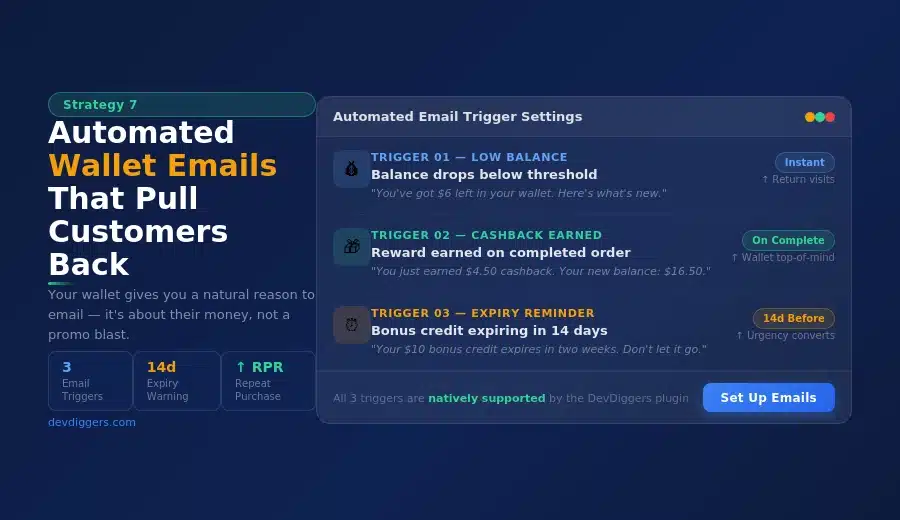
Most store owners set up their wallet system, then go quiet. That’s a missed opportunity. Your wallet gives you a natural reason to email customers that doesn’t feel like a promotional blast, because it’s genuinely about their money.
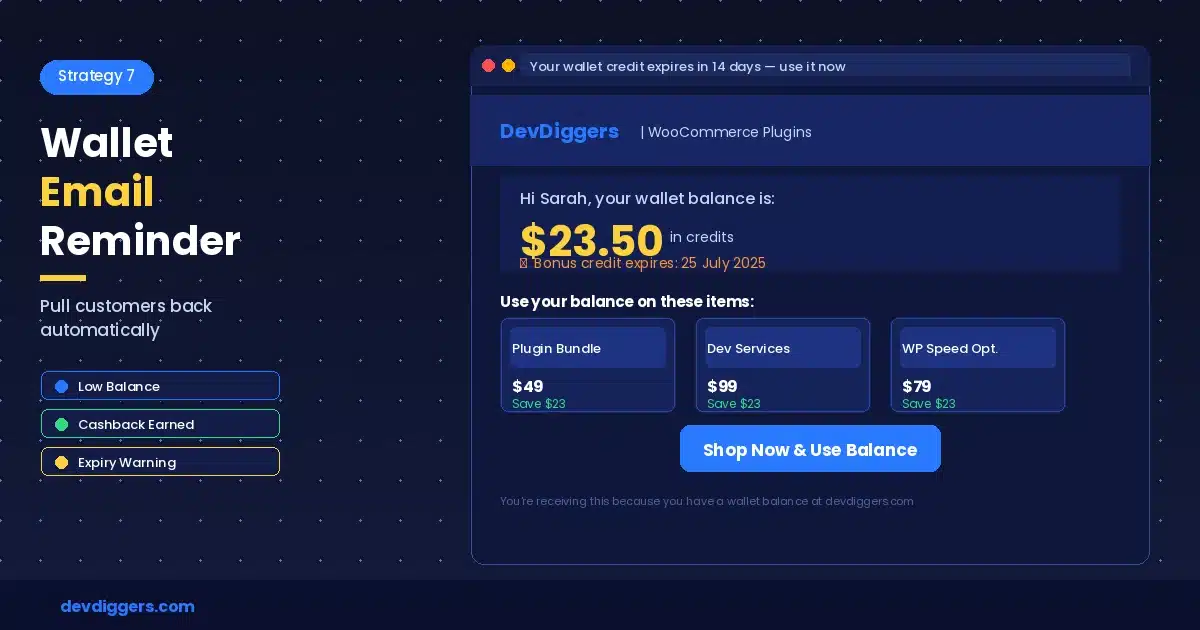
Set up automated emails for these three triggers, and you’ll recover purchases that would otherwise never happen.
- Low balance notification: When a customer’s wallet drops below a set threshold, send a reminder with a direct link back to the store. Something simple: “You’ve got $6 left in your wallet. Here’s what’s new.” It’s not pushy. It’s useful. And it brings people back.
- Cashback earned notification: Every time a customer earns cashback, send an immediate email confirming the amount and their new balance. This reinforces the reward loop and keeps the wallet top of mind. Most customers won’t check their balance unprompted, so you have to tell them.
- Expiry reminder: If you’ve set expiry dates on bonus credits, send a reminder 14 days before they expire. Urgency is one of the oldest purchase motivators. “Your $10 bonus credit expires in two weeks” is a highly effective subject line.
None of these emails requires sophisticated automation. They’re transactional triggers that your wallet plugin should support natively. But the stores that set them up consistently report better wallet usage, higher repeat purchase rates, and more engaged customers overall.
Start Treating Your Wallet as a Sales Channel
The WooCommerce wallet isn’t simply an electronic payment option, it’s also a retention device, cash flow solution, acquisition tool, and checkout optimization tool that, when appropriately utilized, can fulfill all of these functions simultaneously.
Stores that fully leverage the potential of a wallet application actively manage it by performing activities such as running cashback promotions, creating referral bonuses, sending customers reminders of their balance, and utilizing BNPL to raise the average order amount; none of these actions will require significant technical effort, but rather they utilize the resources already available to them.
What are the key actions? Start with establishing a cashback program that is in line with your margins, enabling partial payment transactions to decrease drop-off at checkout, and adding top-up bonuses to encourage customers to accumulate a balance prior to making their purchase; doing all three will produce results.
If you are ready to implement an effective wallet application, our WooCommerce Wallet plugin includes providing cashback programs and marketing, BNPL options, referral programs, partial payment functionality, and complete administrative control via a single extension. If you would like to build out your affiliate program around your wallet system, our WooCommerce Affiliate plugin will integrate seamlessly with your WooCommerce Wallet extension.
If you have any questions about how to set your WooCommerce Wallet up for success, please leave your question below, and I will respond.
Frequently Asked Questions
Q1. Does a WooCommerce wallet reduce cart abandonment?
Yes. Wallet payments skip the friction of re-entering card details, which is a common drop-off point. Customers with pre-loaded balances also have a stronger reason to complete their purchase rather than leave. Partial payment support means a low balance doesn’t block the transaction either.
Q2. How do I set up cashback in WooCommerce?
You need a wallet plugin with native cashback campaign support. With the DevDiggers Wallet Management plugin, you create campaigns based on order total, product category, or user role. You set the cashback type (percentage or fixed), add a cap per order, and choose which order status triggers the credit.
Q3. Can customers use a WooCommerce wallet for partial payments?
Yes, with the right plugin. The DevDiggers WooCommerce Wallet Management plugin supports partial payments at checkout. Customers apply whatever balance they have, and the remaining amount is covered by another payment method. It’s a simple feature that meaningfully reduces checkout drop-off.
Q4. Is a WooCommerce wallet good for customer loyalty?
It’s one of the more effective tools available. Wallet balances are concrete and immediately understandable, unlike points systems, where the value is often unclear. That clarity drives higher redemption rates, which keep customers coming back to use what they’ve earned.
Q5. What’s the best way to encourage customers to top up their WooCommerce wallet?
Offer a deposit bonus. For example, customers who add $50 receive $55 in wallet credit. This pre-loads their spending into your store and improves your immediate cash flow. Pair it with a short expiry on the bonus credit to create urgency without penalizing the core balance.