What is WooCommerce PostPaid – Buy Now Pay Later?
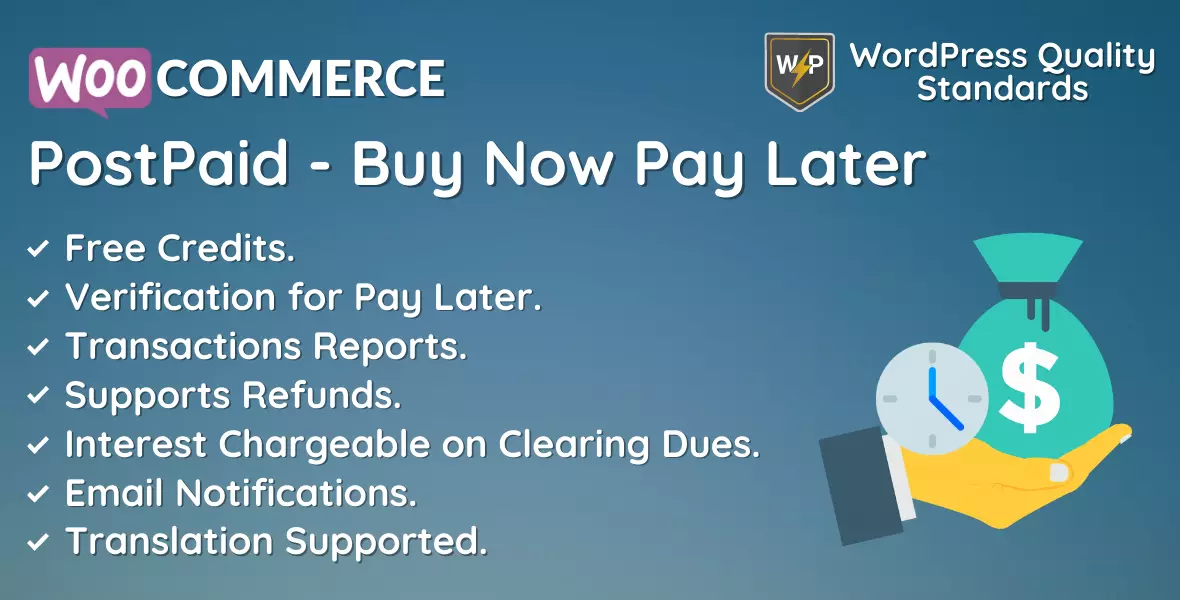
WooCommerce PostPaid is a buy now pay later plugin that adds a self-operated BNPL payment gateway to WooCommerce. You verify customers, set their credit limit, and let them buy against a postpaid balance they settle later, with optional interest. No external BNPL provider is involved.
Running BNPL yourself instead of through a provider
Third party buy now pay later services charge a fee on every transaction and hold the customer relationship. That is a reasonable trade for a store with no way to judge its buyers.
It is a poor trade for stores that already know their customers: B2B accounts, trade buyers, subscription customers, and regulars with a long order history. This plugin gives those stores their own credit facility. You choose who qualifies, you set the limits, and you keep both the margin and the interest.
How a customer gets a postpaid balance
- The customer opens the PostPaid menu on their My Account page.
- They upload a verification document.
- You review it from the users screen and set their status to Eligible.
- They apply for a postpaid balance and see their limit, current balance, and outstanding dues.
- PostPaid then appears as a payment method at checkout while they have balance available.
If a document is rejected, the customer can upload a replacement when re-upload is enabled.
Settling dues
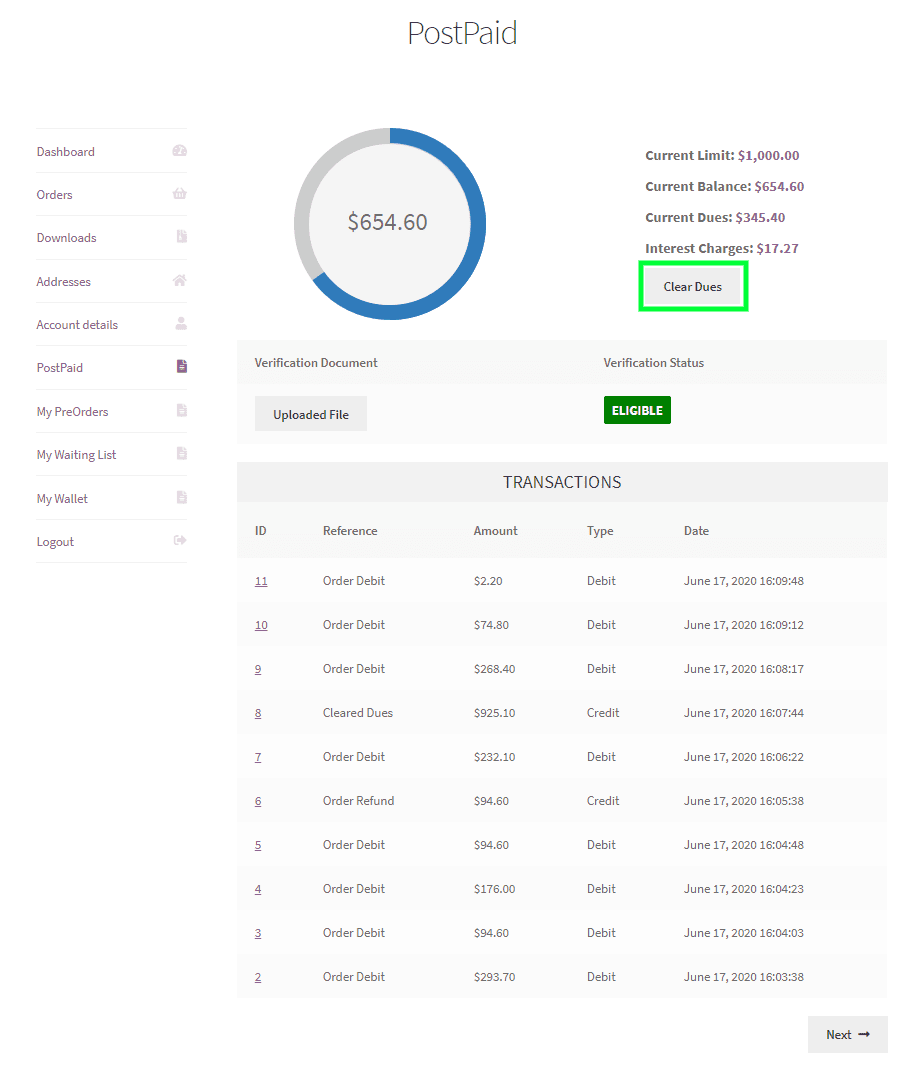
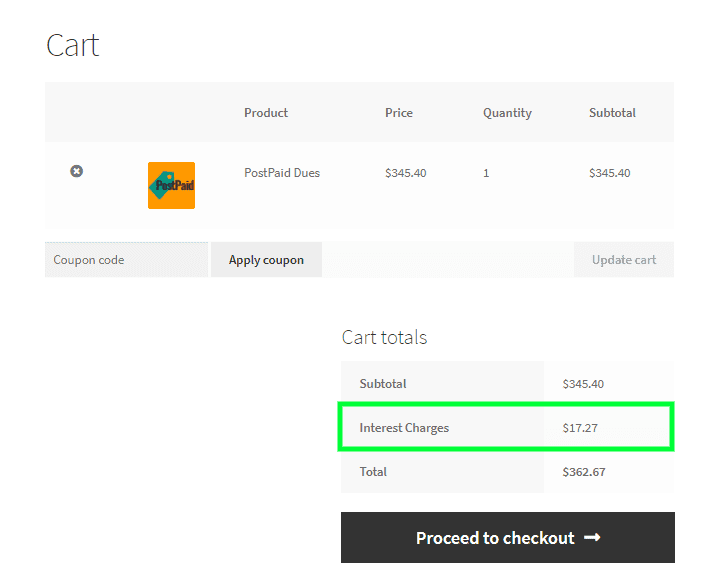
Customers see their outstanding amount on the My Account PostPaid screen along with every transaction. Pressing Clear Dues takes them to a cart holding the amount owed, which they pay with any other payment method. Once that order is paid, the dues clear and the full postpaid balance is available again. Interest charges, set as a fixed amount or a percentage, are applied at this point.
What you control
- The default postpaid limit customers can spend.
- Interest charge type, fixed or percentage, and the amount. Leave it empty for no interest.
- Whether rejected verification documents can be re-uploaded.
- The payment gateway title, description, and thank you page instructions.
- Which shipping methods the gateway is available with.
- Whether the gateway is accepted for virtual orders.
- The email template for postpaid notifications.
The users screen shows verification documents, balance, dues, and verification status for every customer, with bulk status updates. The transactions screen holds the full log, with a detail view per transaction. Refunds are supported in full or in part.
Who this plugin is for
B2B and wholesale stores extending trade credit to account customers. Stores with a base of verified repeat buyers. Any store in a market where BNPL drives conversion but the available providers charge more than the margin allows.
Setting up buy now pay later in WooCommerce
Configuration
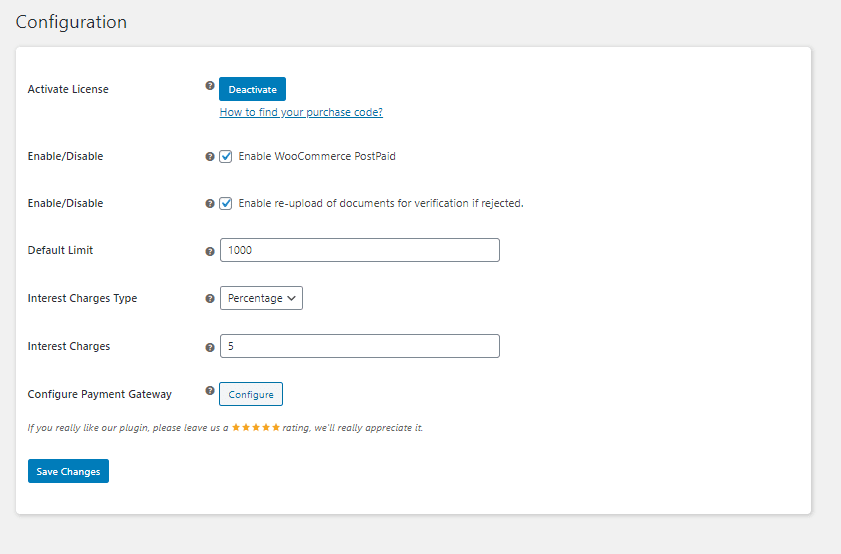
Activate license
Enter your purchase code and email to activate the license before use.
Enable PostPaid
Turn the buy now pay later module on or off for customers.
Allow document re-upload if verification is rejected
Let customers submit a replacement verification document instead of being stuck after one rejection.
Default limit
The postpaid balance a verified customer can spend in your store. This is your credit exposure per customer, so set it against what you can afford to carry.
Interest charge type
Percentage or fixed rate, applied when the customer clears their dues.
Interest charges
The amount charged on outstanding dues. Leave it empty for interest-free credit.
Configure payment gateway
Opens the PostPaid gateway settings, where the checkout side is configured.
PostPaid payment gateway
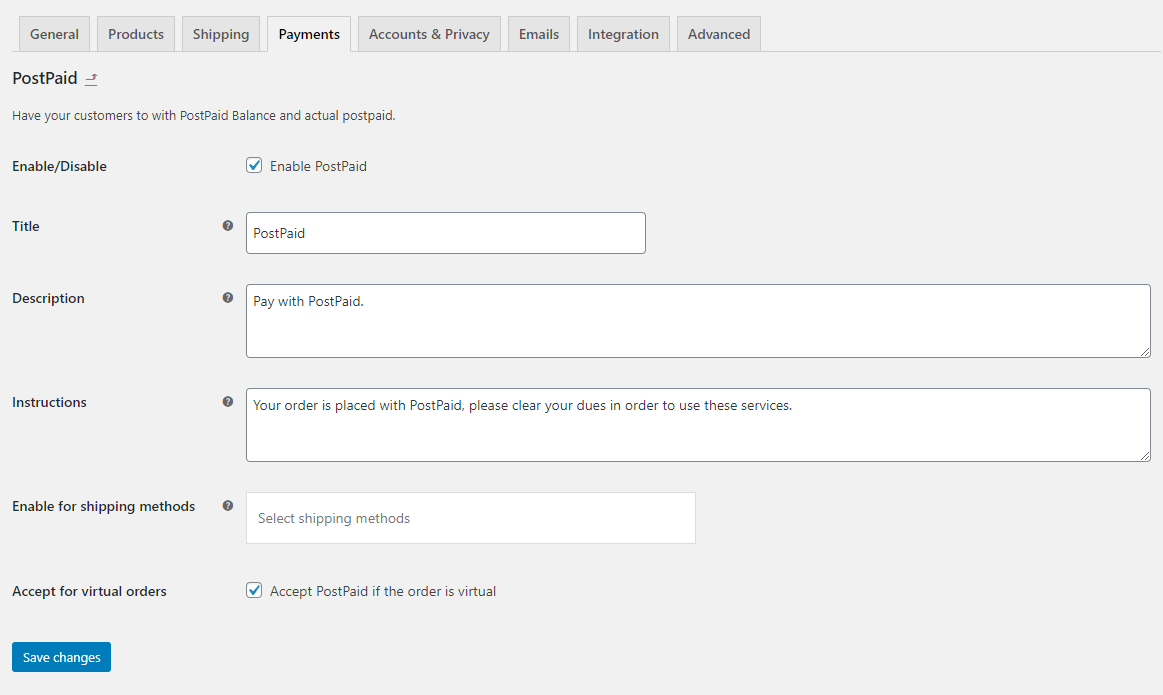
Enable the gateway
Turn PostPaid on or off as a checkout payment method.
Title
The gateway name customers see at checkout.
Description
The explanation shown under that name at checkout.
Instructions
Text shown on the thank you page, such as when payment falls due.
Enabled shipping methods
Restrict PostPaid to selected shipping methods, which is how you keep credit off high-risk delivery routes.
Accept for virtual orders
Allow or block PostPaid on virtual orders.
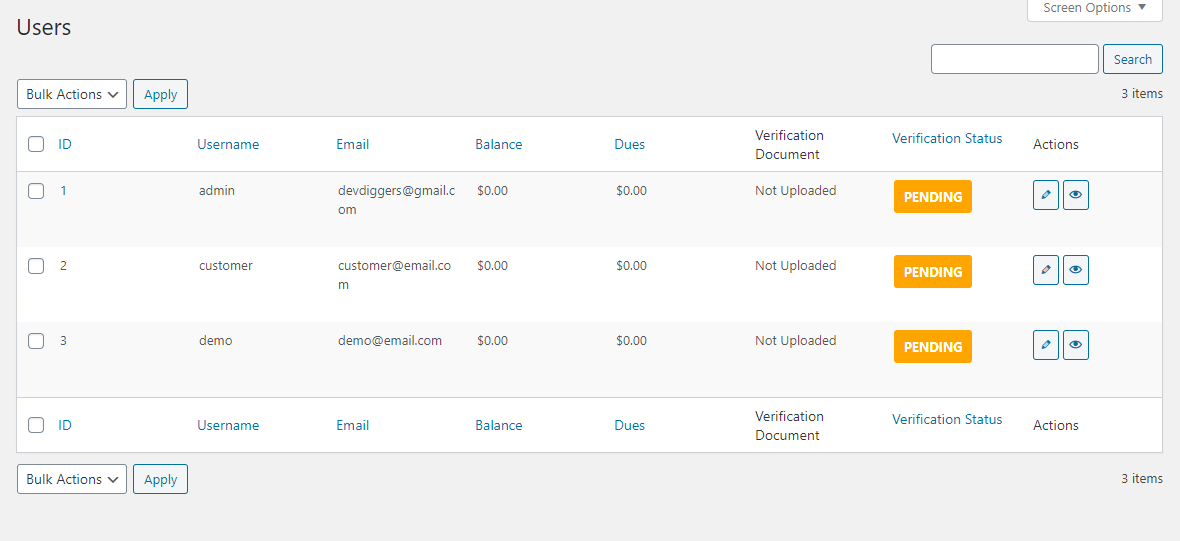
Users and verification
Every customer with their verification document, postpaid balance, outstanding dues, email, username, and verification status. Review documents here and set one or more customers to eligible.
This screen is your underwriting. You decide who gets credit and how much, which is the whole reason for running BNPL yourself instead of handing the decision to a provider.
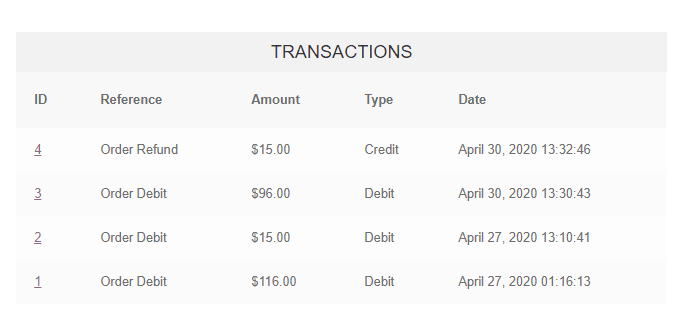
Transactions
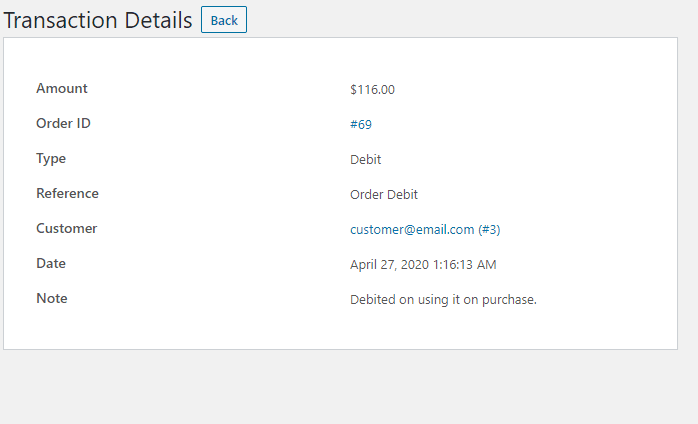
The full PostPaid transaction log. Open any transaction for detail, or remove old records.
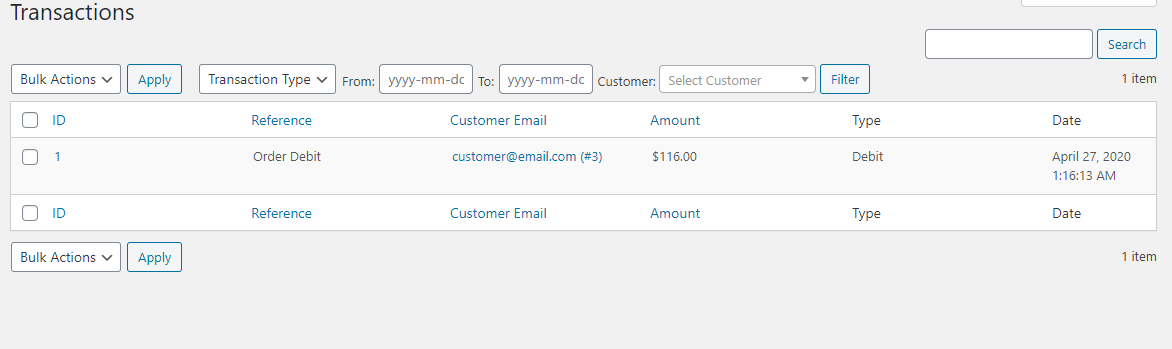
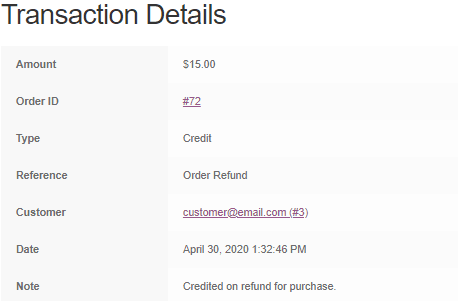
Click a transaction ID for the complete details.
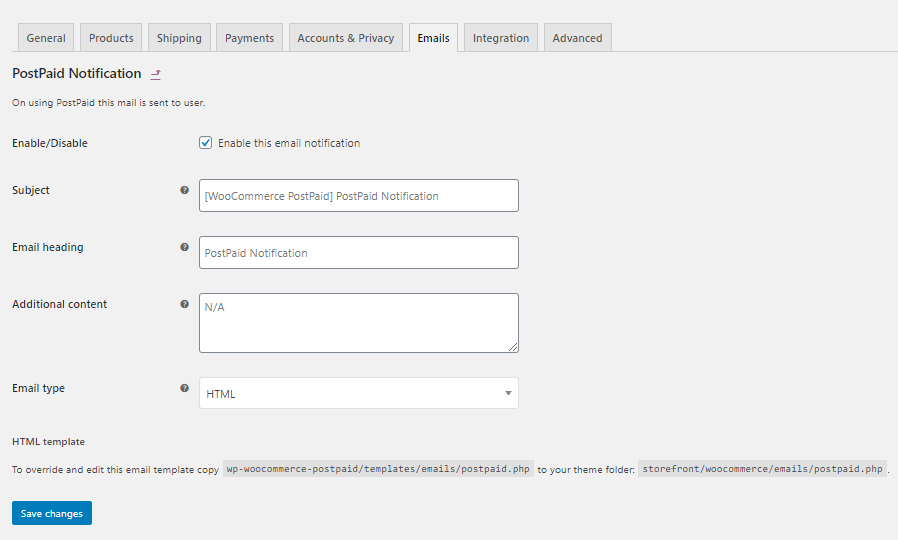
WooCommerce email template
PostPaid notifications use the WooCommerce email template system.
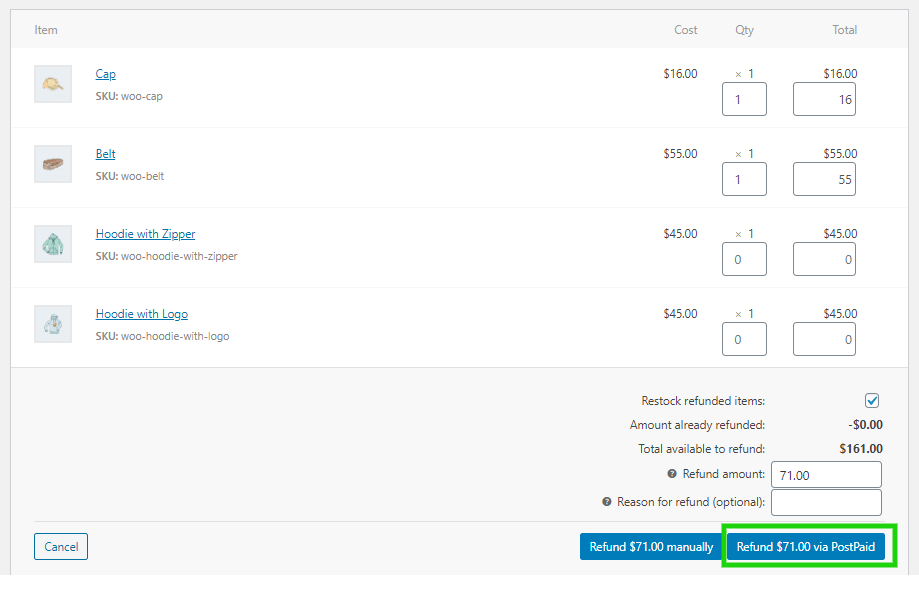
Refunds
The PostPaid gateway supports refunds. Refund an order in full or in part, exactly as with any other WooCommerce payment method.
What customers see: applying for and using PostPaid
Customers open the PostPaid menu on their My Account page, where all their credit information lives.
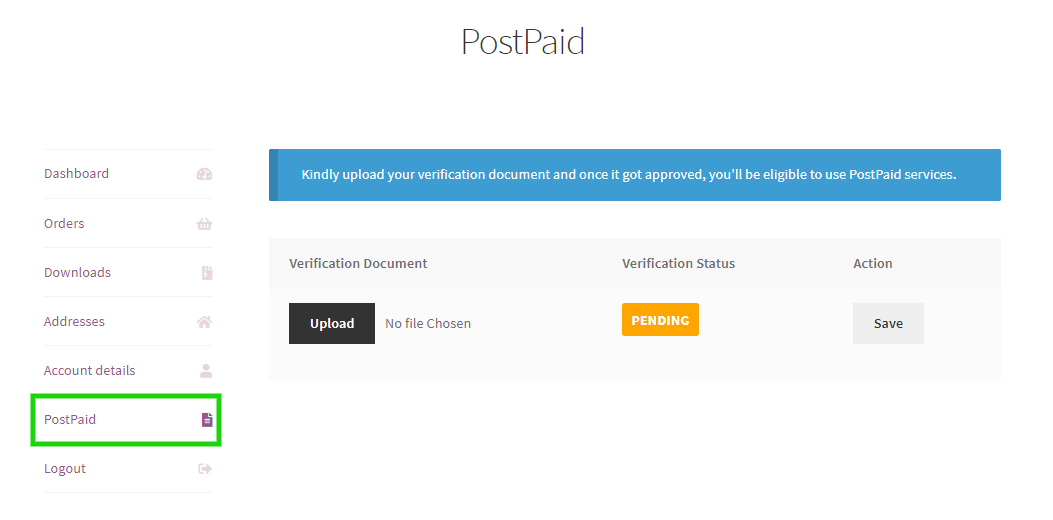
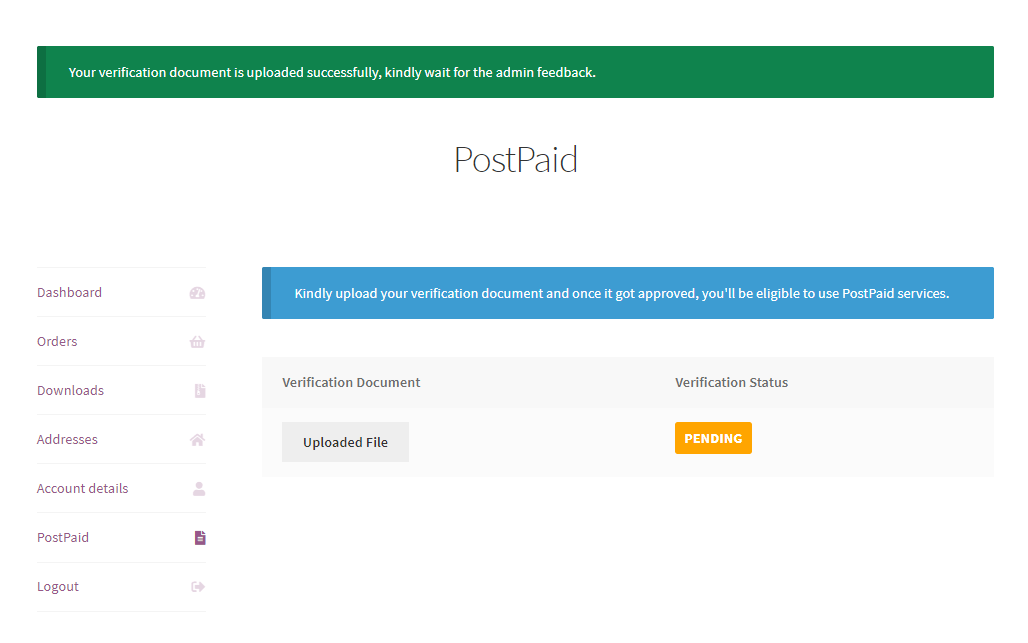
First they upload a verification document. Until you approve it, they see this screen.
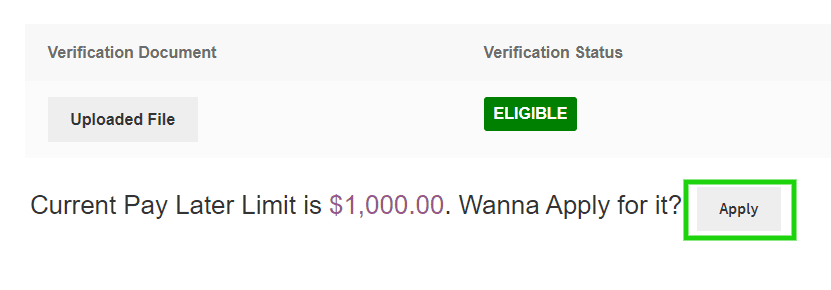
Once you review the document and set their status to eligible, they can apply for a postpaid balance.
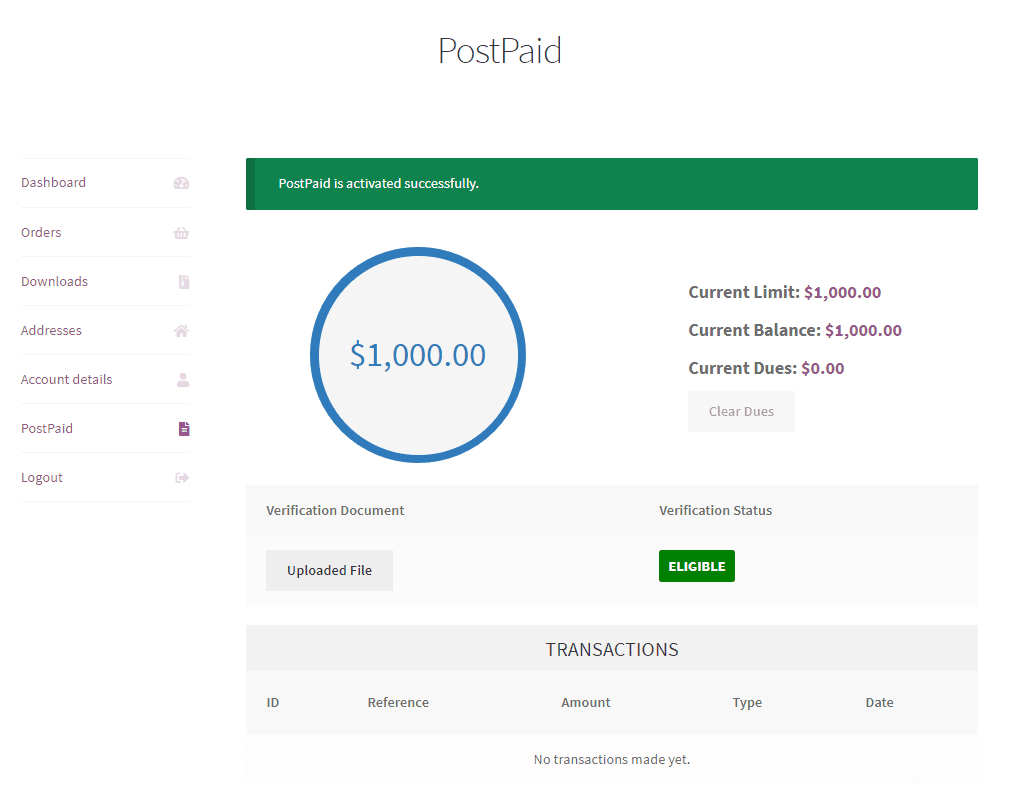
After applying, they see their limit, current balance, and outstanding dues, with their transactions listed below.
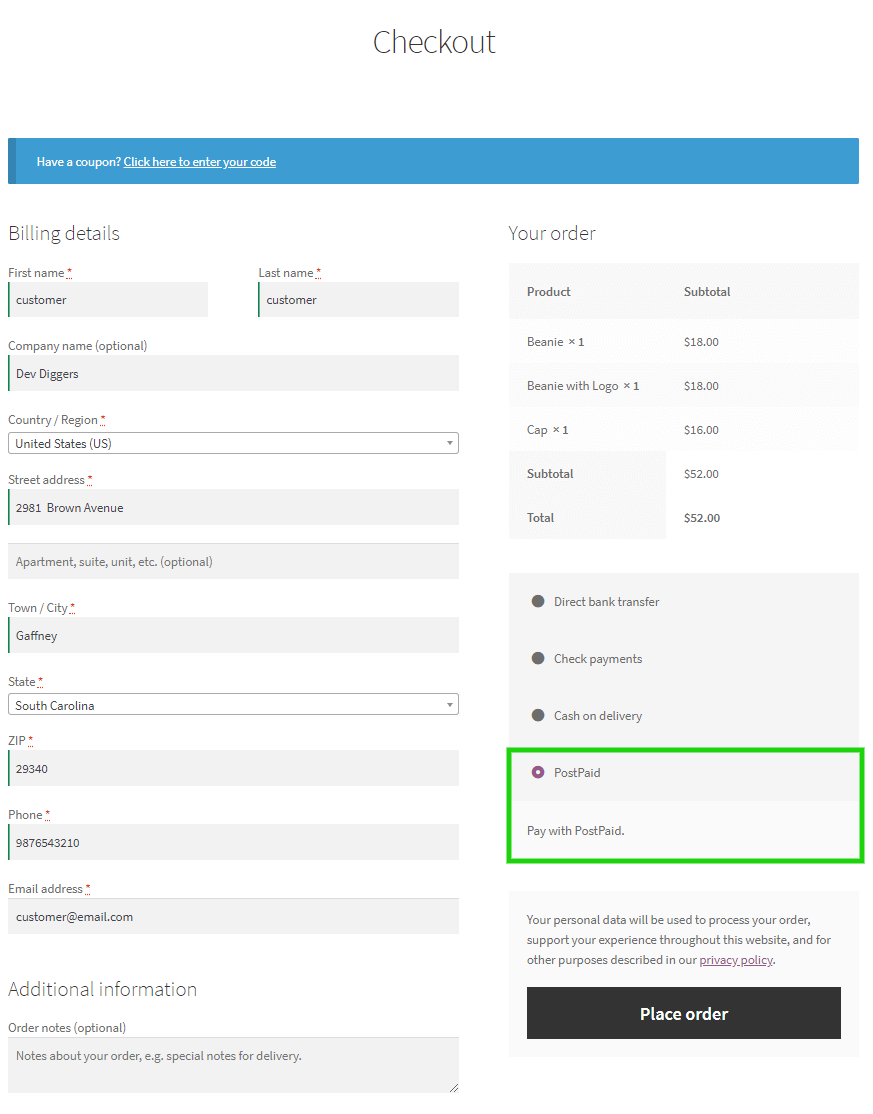
PostPaid then appears at checkout while they have balance available.
Every purchase against the balance appears in their transaction list.
Clicking a transaction ID shows the full detail.
Clearing dues
Customers settle up with the Clear Dues button.
That loads a cart containing the amount owed, including any interest you charge. They pay it with any other payment method at checkout.
Once that order is paid, the dues clear and the full postpaid balance is available to spend again.
Frequently Asked Questions (FAQs)
Q1. Do I need a third party BNPL provider like Klarna or Afterpay?
No. The credit facility is yours. You verify customers, set the limits, and receive the payment when dues are cleared, so no external provider takes a fee.
Q2. How do customers become eligible?
They upload a verification document from the PostPaid menu on their My Account page. You review it and set their status to Eligible, which lets them apply for a balance.
Q3. Can I charge interest?
Yes. Set interest as a fixed amount or a percentage, applied when the customer clears their dues. Leave it empty and no interest is charged.
Q4. How does a customer pay what they owe?
They press Clear Dues on their My Account page, which loads a cart containing the outstanding amount. They pay it using any other payment method at checkout.
Q5. Can I set different limits per customer?
A default limit applies to everyone, and each customer’s limit, balance, and dues are managed from the users screen.
Q6. Does the gateway support refunds?
Yes. Orders paid with PostPaid can be refunded in full or in part, like any other WooCommerce payment method.
Q7. What if I reject a customer’s verification document?
When re-upload is enabled, the customer can submit a replacement document for review.
Q8. Can I stop PostPaid appearing on some orders?
Yes. Restrict the gateway to selected shipping methods, and choose whether it is accepted for virtual orders.

hakhan201 –
Great Plugin with Fast and Helpful Support
Thank you for building such a great plugin—it works really well and does exactly what I needed. I’m also very happy with the support team, as they respond quickly and fix issues without delay. Keep up the good work! 😊
senuxmedia –
Great Plugin with Awesome Support
I really like this plugin. The support system is excellent—they respond quickly whenever you reach out. The plugin works well for managing postpaid payments and is easy to use. I would definitely recommend it.
PlayaX –
Fast and Excellent Support
Thanks for the quick and great support. The team is very responsive and helpful!
firstus24 –
Great BNPL Plugin with Super Fast Support
This is a great plugin for handling buy now, pay later solutions. The support team is very dedicated and highly responsive. My queries were answered within minutes. Really impressed. Good work, guys!
airroastery –
Very Useful Plugin with Amazing Support
This plugin is really useful for our business. The support is amazing. Super fast responses and quick solutions to any issue. Keep up the good work!
putthapot –
Best Support Experience So Far
This is the best support I’ve experienced. Very fast, helpful, and reliable. Really impressed!
tushar46 –
Best in the Business with Excellent Support
They are truly the best in the business. The plugin helps me run my operations smoothly, and the support is quick and excellent. I would definitely recommend others to try their services. Thank you, DevDiggers!
aldingamedia –
Best WooCommerce BNPL Plugin
The PostPaid plugin works really well and does exactly what it promises. Even though my site is still in development, everything has been smooth so far, both on the front end and back end.
I did face an issue in the beginning, but the support team responded quickly and fixed it without any hassle.
The only thing I’d like to see is an option to set a limit per user, adding that would make it perfect.
polboonlapo –
Great Option for Customers
This plugin is a great way to give customers more flexibility and choice. It adds real value to the buying experience.