
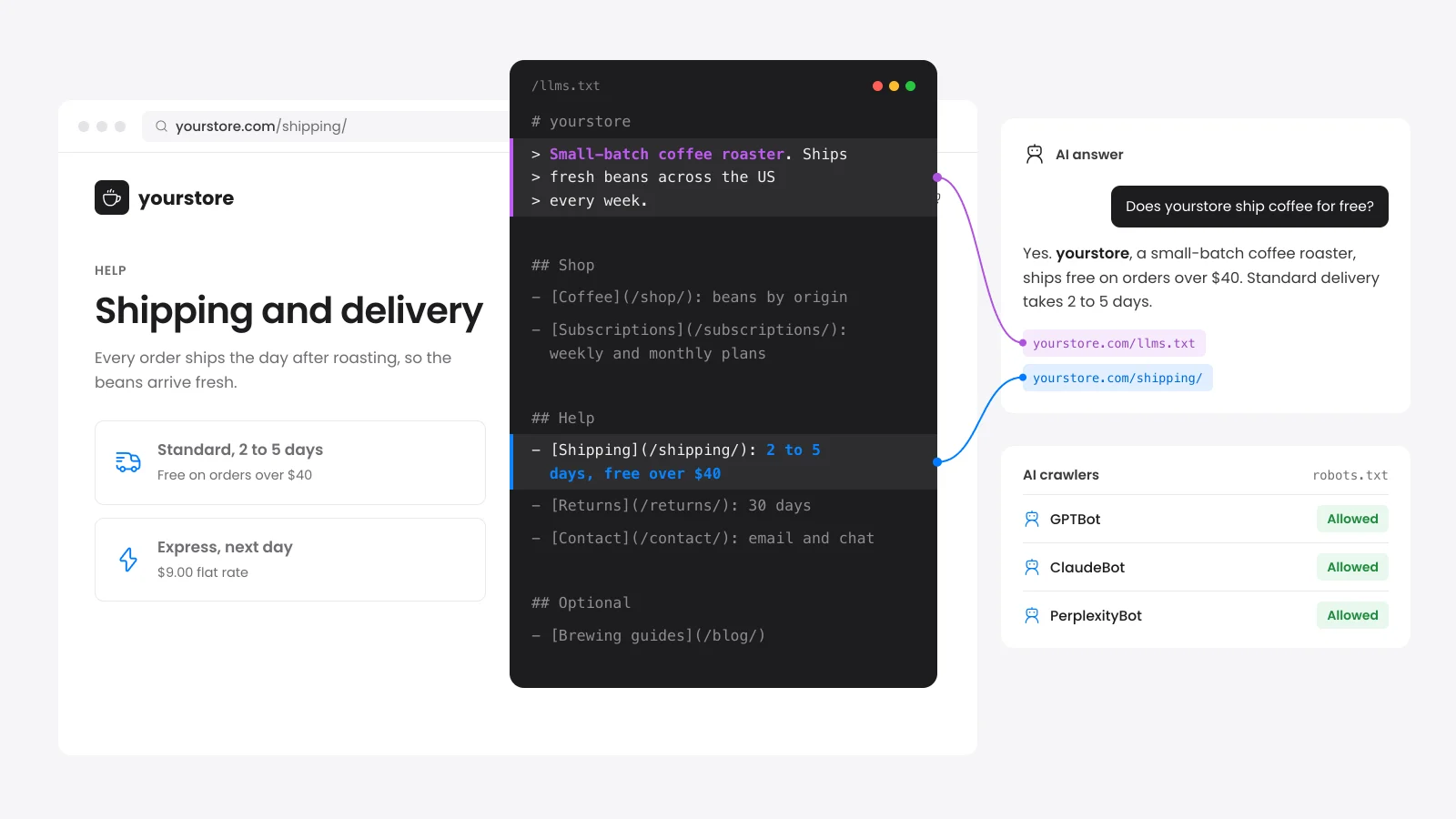
What is an llms.txt file?
An llms.txt file is a plain Markdown file at the root of a site that points AI tools to its most useful pages. It opens with the site name and a one-line summary. A list of links follows, each with a short note on what the page covers.
Jeremy Howard proposed the format at llmstxt.org in September 2024. Only the H1 title is required. The summary in a blockquote and the H2 sections of links are what make the file useful.
Think of it as a reading list for a language model. A sitemap lists every URL for search engines. An llms.txt file picks the pages worth reading and says what each one is about.
How does this llms.txt generator build the file?
This llms.txt generator reads your sitemap and fetches up to 30 pages. It takes the title and meta description of each page and groups them by the first part of the URL. The result is a draft that follows the llmstxt.org format and that you can edit before you download it.
Page sitemaps come first and products and posts follow. Tag, author and category sitemaps are skipped. If a site has no sitemap, we use the links in your homepage menu.
Each note comes from the page's meta description. Pages with weak or missing descriptions get weak notes. The meta description checker shows which ones to fix first.
Does ChatGPT or Google use llms.txt?
Google says Google Search does not use llms.txt and that the file will neither help nor harm your rankings. OpenAI, Anthropic and Perplexity list their crawlers in public docs, and none of those pages mention llms.txt as of October 2026.
The proposal targets AI tools that read a site while they answer a person, such as coding assistants. A developer can point one at your file to get your key pages in one request.
Treat the file as a small and cheap extra. Crawler access and readable HTML matter more for AI answers. That is why they carry far more points in the score than the file does.
Which AI crawlers should you allow?
If you want to appear in AI answers, allow the search crawlers and the user fetch crawlers that open a page when a person asks. Blocking a training crawler keeps your text out of future models and does not affect search. Blocking a search crawler removes you from that assistant's answers.
| Company | Search | User fetch | Training |
|---|---|---|---|
| OpenAI | OAI-SearchBot | ChatGPT-User | GPTBot |
| Anthropic | Claude-SearchBot | Claude-User | ClaudeBot |
| Perplexity | PerplexityBot | Perplexity-User | None |
Googlebot | Not separate | Google-Extended | |
| Apple | Applebot | Not separate | Applebot-Extended |
| Meta | Not separate | Meta-ExternalFetcher | Meta-ExternalAgent |
| Common Crawl | None | None | CCBot |
Google says Google-Extended does not affect inclusion or ranking in Google Search. It only controls whether Gemini models train on your pages and use them to ground their answers.
OpenAI and Perplexity say their user fetch agents may ignore robots.txt because a person asked for the page. A firewall rule is the only firm block for those.
How to add llms.txt to a WordPress site
The simplest way is to upload the file to the folder that holds wp-config.php with your host's file manager or SFTP. It then loads at yoursite.com/llms.txt with no plugin. Open that URL in a browser and check that it shows plain text.
Rank Math and Yoast can also write the file. In Rank Math, turn on the LLMS Txt module under Rank Math SEO > Dashboard. In Yoast, open Yoast SEO > Settings > Site features > AI tools.
Both pick pages by post type or date. Their list can miss your best sales and service pages. On most hosts a real file in the root loads before WordPress runs and wins over the plugin version.
Why your AI readiness score is low when robots.txt looks fine
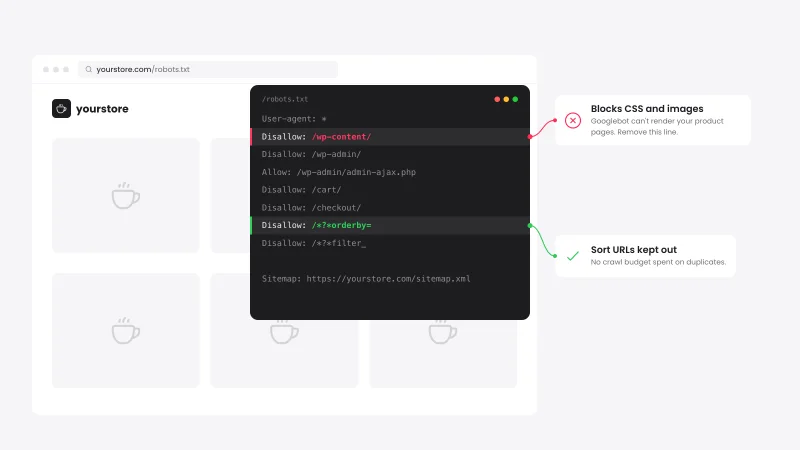
A low score with a clean robots.txt usually means a firewall, a noindex tag or text that loads by JavaScript. Each one hides the page from AI crawlers before robots.txt matters. The report flags each one, and the list below shows where to look in WordPress.
- Firewall rules: Cloudflare has AI bot settings in its dashboard, and security plugins can block bots too. If our test visit as OAI-SearchBot gets a 401, 403, 429 or 503 error, check those first.
- Noindex setting: Look at Settings > Reading for "Discourage search engines from indexing this site". Then check the homepage robots setting in your SEO plugin.
- Script-only text: Page builders and sliders can load headings by JavaScript. Turn JavaScript off in your browser and see what text is left.
- Rank Math credit line: Rank Math prints "Generated by Rank Math SEO" above the site name heading, which the format wants on line one. Return true from the
rank_math/llms_txt/remove_creditfilter to drop it.
What makes a page easy for AI tools to quote?
A page is easy to quote when each section answers its question in the first lines. Clear headings, dates and linked sources also help readers trust the answer. The text must be in the HTML the server sends because many AI crawlers skip JavaScript.
Google says you need no special files or markup for its AI features. Write for people and keep the page crawlable.
To see whether assistants mention you at all, follow our guide to measure AI search visibility for free.


 from 500+ reviews


