
What WordPress theme is that site using?
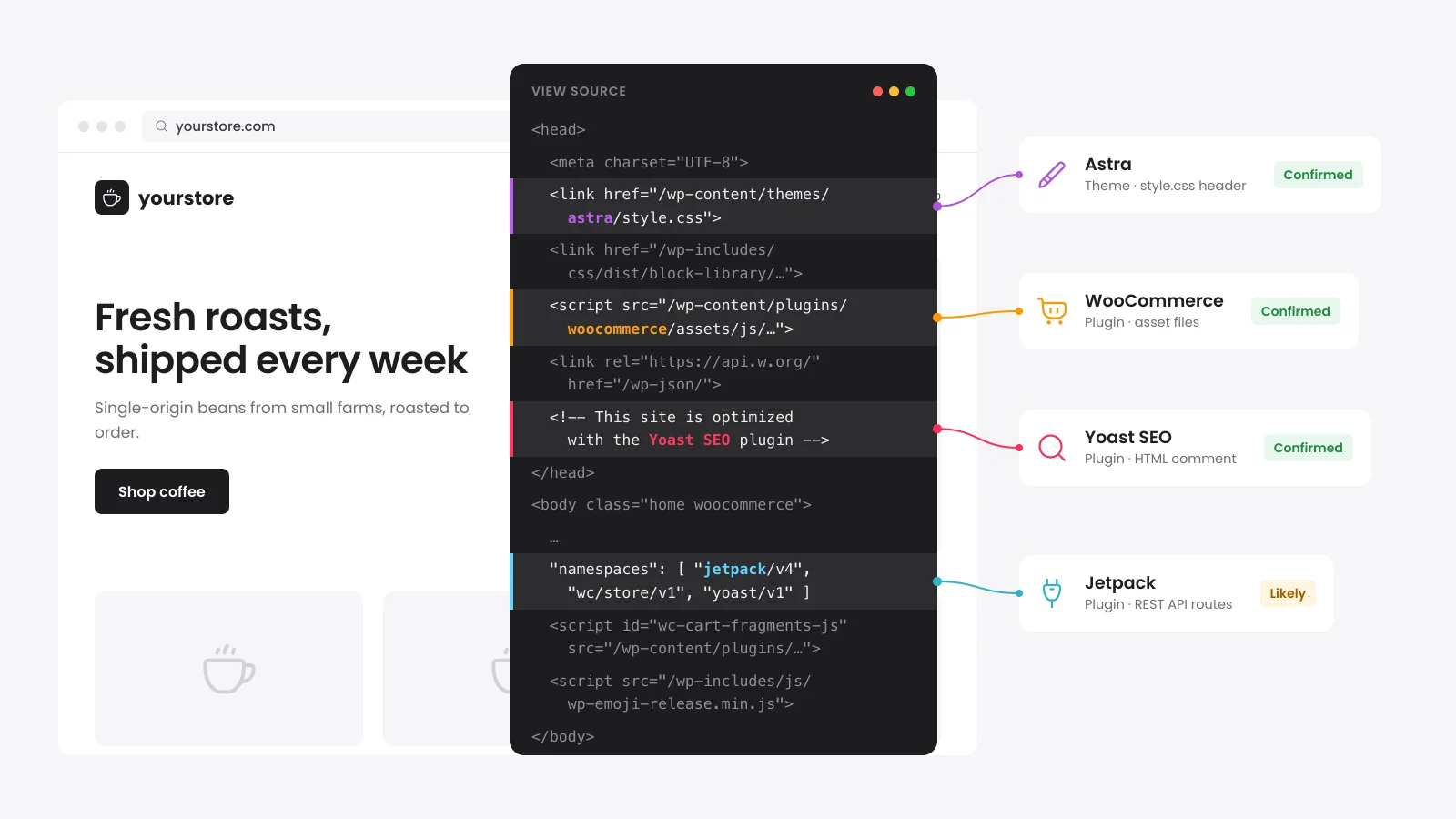
To find out what WordPress theme a site uses, enter its address in the detector above. It reads the theme folder from the page source and opens that theme's style.css file. The header there gives the theme name, version and author, and a child theme names its parent.
You can do the same check by hand in about a minute. It works on any desktop browser.
- Open the site and press Ctrl+U (Cmd+Option+U on a Mac) to view the page source.
- Search the source for wp-content/themes/ and note the folder name that follows it.
- Add style.css to the end of that folder path and open it in a new tab.
- Read the Theme Name line. A Template line means this is a child theme and names the parent folder.
The manual check fails when a site serves its files from a CDN address you do not spot. The detector matches theme paths on any host and checks up to three theme folders on the page.
How does a WordPress plugin detector find plugins?
A WordPress plugin detector looks for the traces each plugin leaves on the public site. Many detectors only scan the page HTML for plugin folders. This one also reads the REST API index at /wp-json/ where plugins such as WooCommerce and Rank Math register routes.
| Signal | What it finds | How sure |
|---|---|---|
| Plugin folders in page files | Plugins that load CSS or JavaScript and their version when the file shows it | Confirmed |
| REST API routes | Back-end plugins such as WooCommerce, Yoast SEO, Rank Math and form plugins | Likely on its own |
| Generator tags | Elementor, WooCommerce, WPML and Site Kit | Likely on its own |
| HTML comments | SEO and cache plugins that sign the page HTML | Likely on its own |
A plugin found by two signals moves up to Confirmed. Each plugin is then looked up on wordpress.org for its last update, tested version and install count.
This matters most on WooCommerce stores. Payment plugins such as WooPayments, Stripe and PayPal Payments often load scripts only on cart and checkout pages. Their REST routes still show up in the index the homepage scan reads.
Why can't a detector find every plugin on a site?
No outside tool sees every plugin because many plugins leave no trace on public pages. Backup, security and admin tools often run only inside wp-admin. Cache plugins also merge CSS and JavaScript into one bundle that hides the plugin folders a detector reads.
- Combined files: When the page shows few plugins and loads cached or minified bundles, the report marks the list as partial.
- Blocked REST API: Some sites close /wp-json/ to visitors. The detector tries the ?rest_route=/ address before it gives up on that signal.
- Homepage only: The scan reads the homepage. A plugin that loads only on product or checkout pages may not show in the page files.
- Renamed folders: A site that moves or renames wp-content hides its folder names from every detector.
We would rather tell you a list is partial than guess at plugins we cannot see.
What does it mean when a WordPress plugin is closed?
A closed plugin has been removed from the wordpress.org directory and is no longer available for download. Reasons include a security issue, a guideline breach, a license problem or a request from the author. Sites that installed it before the closure can keep running it.
The detector shows the closure date and the reason wordpress.org gives. The directory adds the reason to its notice 60 days after the closure.
Outdated is a softer warning. We flag plugins with no release in over two years and plugins tested three or more major WordPress releases behind the current one.
- Replace a closed plugin with a maintained plugin that does the same job and delete the old one.
- Test outdated plugins on a staging copy before the next WordPress or WooCommerce update.
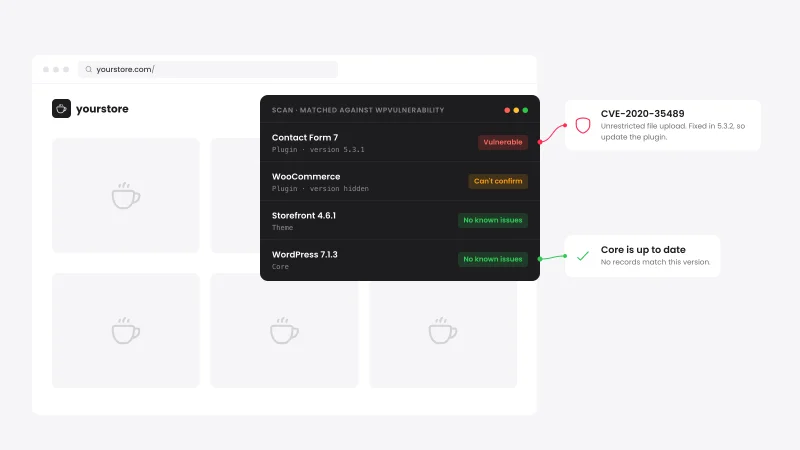
- Run the WordPress vulnerability scanner on the same site to match its versions against known security holes.
What is the difference between a child theme and a parent theme?
A child theme sits on top of a parent theme and changes only the parts it overrides. Its style.css header carries a Template line that names the parent theme folder. Updates to the parent then leave the child theme's changes in place.
When the detector finds a child theme, the report names the parent as the main theme. The parent is the one you can download or buy. The child is often custom code written for that one site.
Want the same setup on your own site? Follow our guide on how to create a WordPress child theme.
Can I use the same WordPress theme as another site?
Yes, you can install the same theme the detector found on your own site. WordPress.org treats themes as derivative works of WordPress that inherit its GPL license. A premium theme still needs its own purchase for updates, support and the demo content.
What you cannot copy is the other site's text, photos, logo and brand. The theme is also only part of the look. Page builder layouts, custom CSS and imported demo pages make up the rest.


 from 500+ reviews


