The best WooCommerce Buy Now Pay Later plugins split an order total into smaller payments so a high price stops ending the sale. Our own PostPaid plugin lets you run that credit in-house. WooPayments is the quickest way to add Affirm, Afterpay and Klarna.
Baymard Institute puts average cart abandonment at 70.22% across 50 studies. In its survey, 9% of shoppers who left did so because the store offered too few payment methods. A BNPL option fills that gap and makes a large total easier to accept.
We checked every fee, price and plugin listing below on the vendors’ own pages and WordPress.org in October 2026. A furniture shop selling $2,000 sofas needs a different plugin from a skincare brand selling $40 bundles. So each of the ten plugins is judged on how it works, what it costs and which store it fits.
Worth knowing: “Buy Now Pay Later” covers three setups. With provider-run financing such as Affirm, Klarna and Afterpay, a lender approves the shopper and pays you upfront. Self-hosted plugins let your own gateway or your own credit terms handle the payments. Deposit tools take part of the price now and the balance later for bookings and custom orders.
What is Buy Now Pay Later (BNPL)?
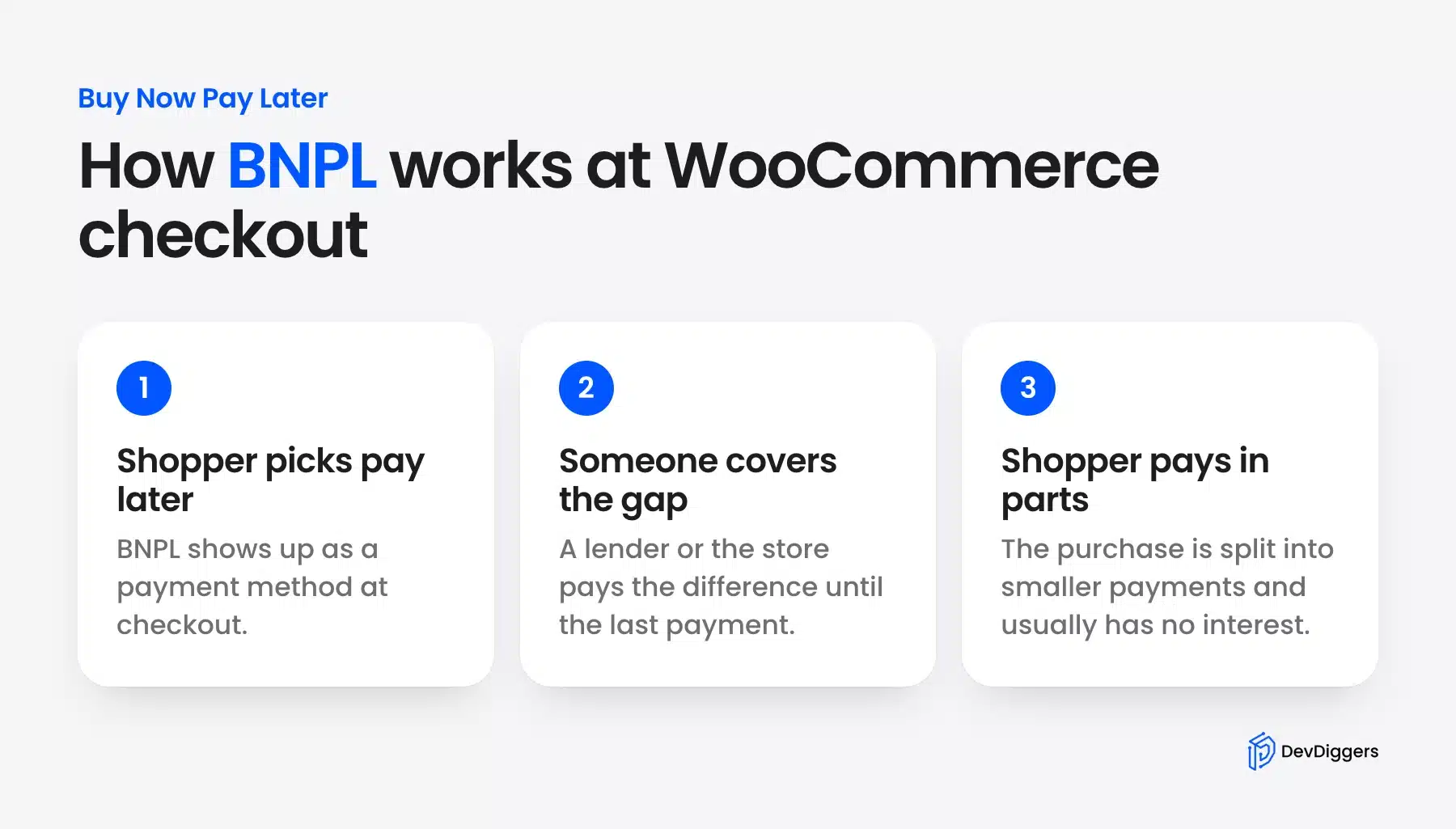
Buy Now Pay Later (BNPL) is a checkout option that lets shoppers split a purchase into smaller payments, usually without interest. A lender or the store covers the gap until the last payment. In WooCommerce you add it as a payment method through a plugin or your payment gateway.
The catch is cost. Through WooPayments in the US, Affirm and Afterpay cost 6.00% + $0.30 per order. Klarna costs 5.99% + $0.30, while a normal card payment costs 2.90% + $0.30 (October 2026). The extra sales have to cover that gap.
The rules are changing too. In the UK, BNPL became a regulated product on 15 July 2026. The Financial Conduct Authority now requires BNPL lenders to be authorized and to lend responsibly and affordably (October 2026).
Note: The FCA rules cover deferred payment deals where the lender and the seller are different firms. If you plan to lend to UK shoppers yourself with a plugin like PostPaid, check with a lawyer first.
Best WooCommerce Buy Now Pay Later Plugins: Reviewed for 2026
The ten plugins below cover the three BNPL setups: lender-run financing, self-hosted credit and deposit plans. Our own PostPaid plugin comes first because it is the one we build and support. Each entry lists how it works, the price we read in October 2026 and the store it suits.
1. WooCommerce PostPaid: Self-Hosted BNPL Without A Credit Check
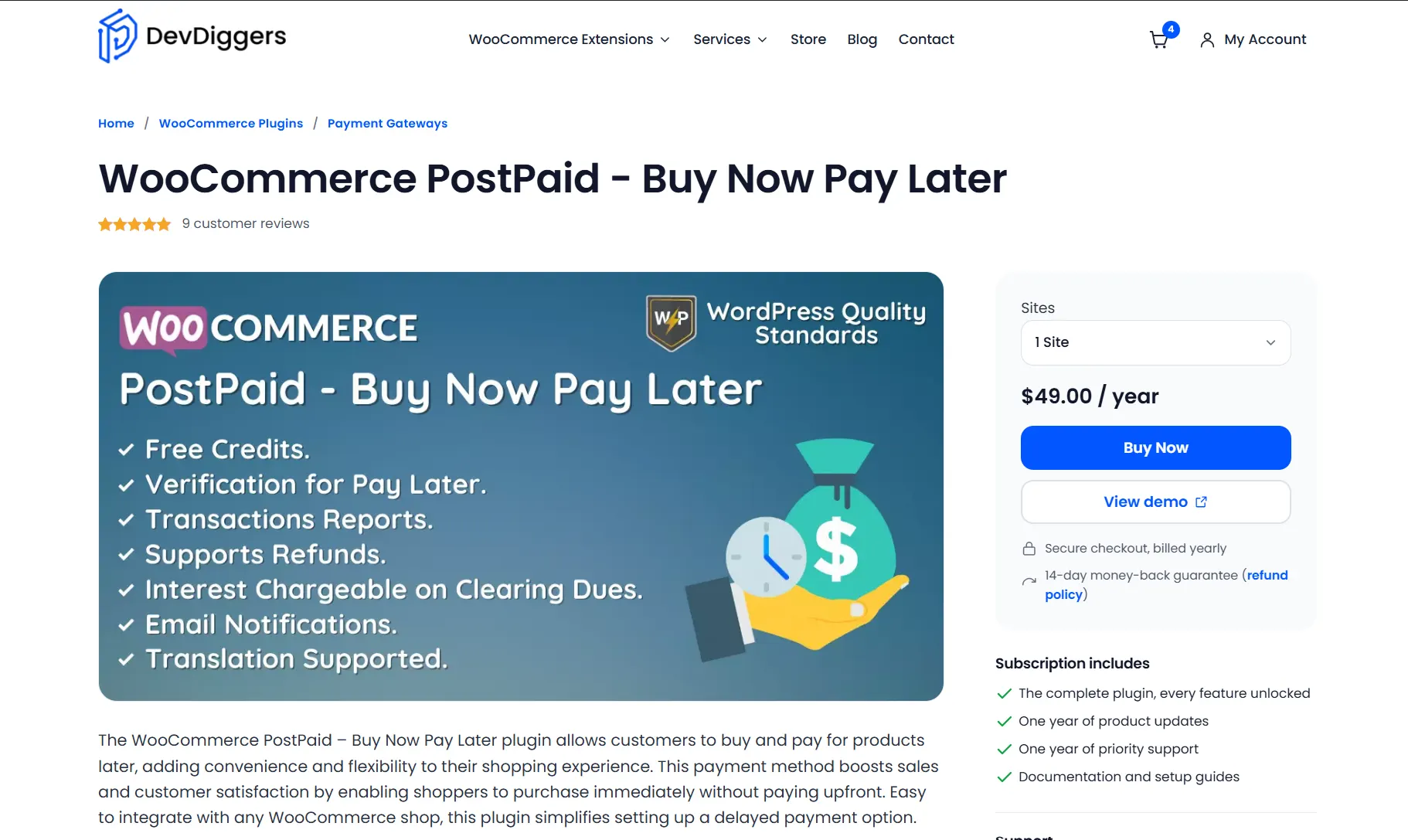
Not every store wants to hand its checkout over to a third-party lender. WooCommerce Buy Now Pay Later plugin, built by DevDiggers, lets customers buy now and settle up later against a limit you set yourself. There is no outside credit check and no provider fee eating into your margin.
Customers apply from their My Account page and upload a verification document. You review it and mark them eligible. They then get a postpaid balance up to the limit you set and spend it at checkout.
To settle, the customer presses Clear Dues and pays with any other payment method on the store. You can add interest as a fixed amount or a percentage at that point. You carry the default risk, but you keep the whole sale and decide who qualifies.
This setup takes more thought than flipping a WooPayments toggle. You decide who gets credit and how much. You can set a different limit for each customer and adjust dues from the admin screens. Refunds work in full or in part, and a .pot file is included for translation.
Best for
Stores that want BNPL on their own terms, without a third-party credit check or per-transaction fee cutting into revenue.
Pricing
- 1 Site: $49/year
- 5 Sites: $199/year
- 10 Sites: $299/year
Pros
- No third-party credit check or provider fee
- Optional interest on outstanding balances
- Full admin control over spending limits and eligibility
Cons
- Your store carries the default risk and a lender does not
- Requires manual judgment on customer limits. This matters most early on
- No built-in automated underwriting
2. WooPayments BNPL: Simple Stores
If your store already runs on WooPayments, this is one of the quicker paths to offering Buy Now Pay Later. Turn on Affirm, Afterpay and Klarna in the BNPL section of Payments > Settings, as the WooPayments BNPL docs show. You need no separate merchant accounts and no extra plugin.
The widget shows up automatically at checkout, and payment matching happens through the same WooPayments payout you already track. Setup takes minutes and not days. Each provider runs its own credit check behind the scenes. Your store carries zero default risk if a customer misses a payment down the line.
Turn on the product-page messaging as well as the checkout option. It adds the small “4 payments of $X” line under the price. Shoppers then see what each payment costs before they reach the cart.
Each BNPL provider carries its own fee, and it is higher than the card rate. Affirm works for US and Canadian accounts. Afterpay covers the US, Canada, the UK, Australia and New Zealand. Klarna covers the US, the UK and twelve other European countries (October 2026).
Best for
Stores with $50 or higher average order value that already process through WooPayments and want the lowest-friction launch.
Pricing
- Card payments: 2.90% + $0.30 per order
- Affirm and Afterpay: 6.00% + $0.30 per order
- Klarna: 5.99% + $0.30 per order (US rates in October 2026)
Pros
- One toggle turns on three providers at once
- No separate merchant accounts to manage
- Automatic checkout badge and payout payment matching
Cons
- Only works if you are already on WooPayments
- Each provider works only in the countries WooPayments lists for it
- Less brand control than a direct Klarna or Afterpay integration
3. Payment Plans For WooCommerce: Custom Schedules
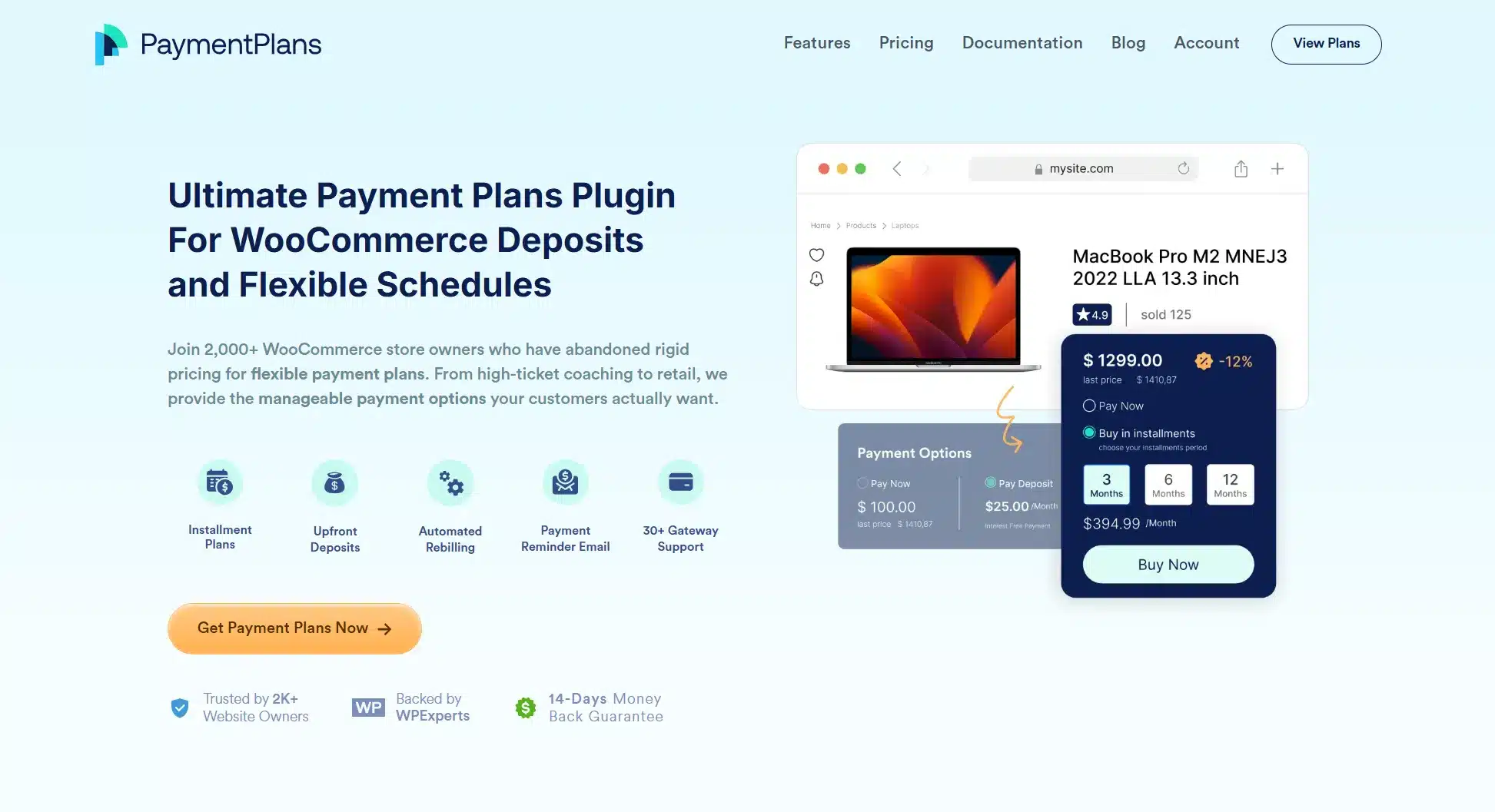
This plugin skips outside financing entirely. Payment Plans for WooCommerce lets you define the schedule yourself: pay in 2, pay in 4, weekly, monthly, whatever fits. Your existing gateway (Stripe, PayPal, Square, WooPayments) charges the saved card on each due date. Its site lists support for over 30 gateways. Almost any store already accepting cards can add it without switching gateways.
Tradeoff
If a card fails on installment three, you chase the customer yourself. In exchange, there is no BNPL fee and no third-party brand at your checkout. The plugin retries a declined card automatically before you need to follow up.
Best for
Stores selling memberships, custom quotes or B2B orders where routing customers through Affirm or Klarna would slow down the sale.
Pricing
- 1 Site: $59/year
- 3 Sites: $99/year
- 100 sites: $149/year
Pros
- Connects to over 30 payment gateways
- No BNPL fee, just your normal gateway rate
- Automatic retries for declined installments
Cons
- You carry the decline risk and a lender does not
- No built-in credit assessment before approving a plan
- Setup takes more configuration than a toggle-based option
4. Klarna for WooCommerce: Klarna-First Markets
Selling into Sweden, Germany, the Netherlands or the UK? Shoppers there expect the pink Klarna button. Klarna for WooCommerce gives deeper access to Klarna’s product set than a bundled toggle does. Pay in 3, pay in 14 or 30 days and financing over 6 to 24 months are all included.
The on-site messaging shows the installment price on product and cart pages before checkout. The plugin is free to install, and Klarna’s transaction fees apply once you connect a live merchant account. A new merchant account needs Klarna’s approval before you can go live.
Best for
Nordic, German, UK and Dutch stores where shoppers already trust Klarna.
Pricing
The plugin is free. Klarna sets its direct rates per merchant. For reference, WooPayments charges 5.99% + $0.30 for Klarna orders in the US (October 2026).
Pros
- On-site messaging shows installment prices before checkout
- Interest-free Pay in 3 option for eligible orders
Cons
- Only available in selected countries
- Price varies by country, product and volume
- A new merchant account needs Klarna approval first
- Limited control over how installment plans display on-site
5. WooCommerce PayPal Payments: Big-Ticket Items
Most stores already have a PayPal button somewhere on checkout, which is exactly why WooCommerce PayPal Payments makes sense for the big-ticket slot. Its Pay Later options cover two tiers. Pay in 4 covers orders from $10 to $2,000. Pay Monthly covers $49 to $10,000 over 3, 6, 12 or 24 months (US terms in October 2026).
Because it rides on a PayPal account most shoppers already trust and use elsewhere, there’s less hesitation at the “apply for financing” moment than with a lender they’ve never heard of. The plugin adds pay-later messaging directly on product and cart pages. The monthly breakdown shows up before checkout and not after.
Best for
Stores that want big-ticket financing backed by a payment brand shoppers already recognize and trust.
Pricing
Pay Later rate in the US: 4.99% + $0.49 per order (PayPal fees in October 2026).
Pros
- High brand trust since most shoppers already have a PayPal account
- Pay Monthly extends financing up to $10,000. That is well past the standard four-payment split
- Built-in messaging widget for product and cart pages
Cons
- International orders add 1.50% to the Pay Later rate
- The amounts and terms above are US terms and other countries get different offers
- PayPal handles customer approval entirely. You have no visibility into who gets declined
6. Zip: Fashion And Lifestyle
zipMoney (Zip Co) Payments adds Zip’s Pay in 4 plan to checkout. In the US, shoppers pay for orders from $35 to $1,500 in four installments over six weeks. Zip also adds a customer fee based on the purchase amount on top of your merchant fee (October 2026).
That fee matters for fashion and lifestyle stores with small baskets. Zip serves shoppers in the US and Australia and pays you the full amount upfront, minus fees. Explain the shopper fee on your product pages before buyers meet it at checkout.
Best for
Fashion, beauty and lifestyle stores that want another known BNPL brand, especially for shoppers who already use Zip.
Pricing
Merchant transaction fees are agreed with Zip. US shoppers also pay a customer fee based on the purchase amount.
Pros
- Known BNPL brand in the US and Australia
- Zip pays you the full order upfront minus fees
- Simple four-payment plan that shoppers already know from other sites
Cons
- Shoppers leave for Zip’s site to check eligibility during checkout
- US orders are limited to $35 to $1,500
- Shoppers pay a fee on top of the purchase price
- Not available to shoppers outside the US and Australia
7. WooCommerce Wallet Plugin: Repeat Customers
Our WooCommerce wallet plugin, built by DevDiggers, is a prepaid store balance and not a credit product. Customers top up the wallet, earn cashback and get referral credit. They can pay part of an order from the wallet and the rest by card.
It does not lend money the way Affirm, Klarna or PostPaid do. It suits subscription, repeat-purchase and membership stores that want flexible payment without credit. Pair it with PostPaid when you want both prepaid balances and pay-later credit. Related read: our full breakdown of the best WooCommerce wallet plugins if this direction interests you.
Best for
Stores with strong repeat-customer numbers where loyalty and delayed payment work better combined than separate.
Pricing
- 1 Site License: $89/year
- 5 Sites License: $379/year
- 10 Sites License: $699/year
Pros
- Top-ups, cashback and referral credit in one wallet
- Partial payments split an order between the wallet and a card
- A free version is on WordPress.org
Cons
- Not a pay-later tool because customers must top up first
- More setup than a standalone BNPL plugin since it is a full wallet system
- Needs PostPaid if you also want pay-later credit
8. Splitit: Card-Based Installments
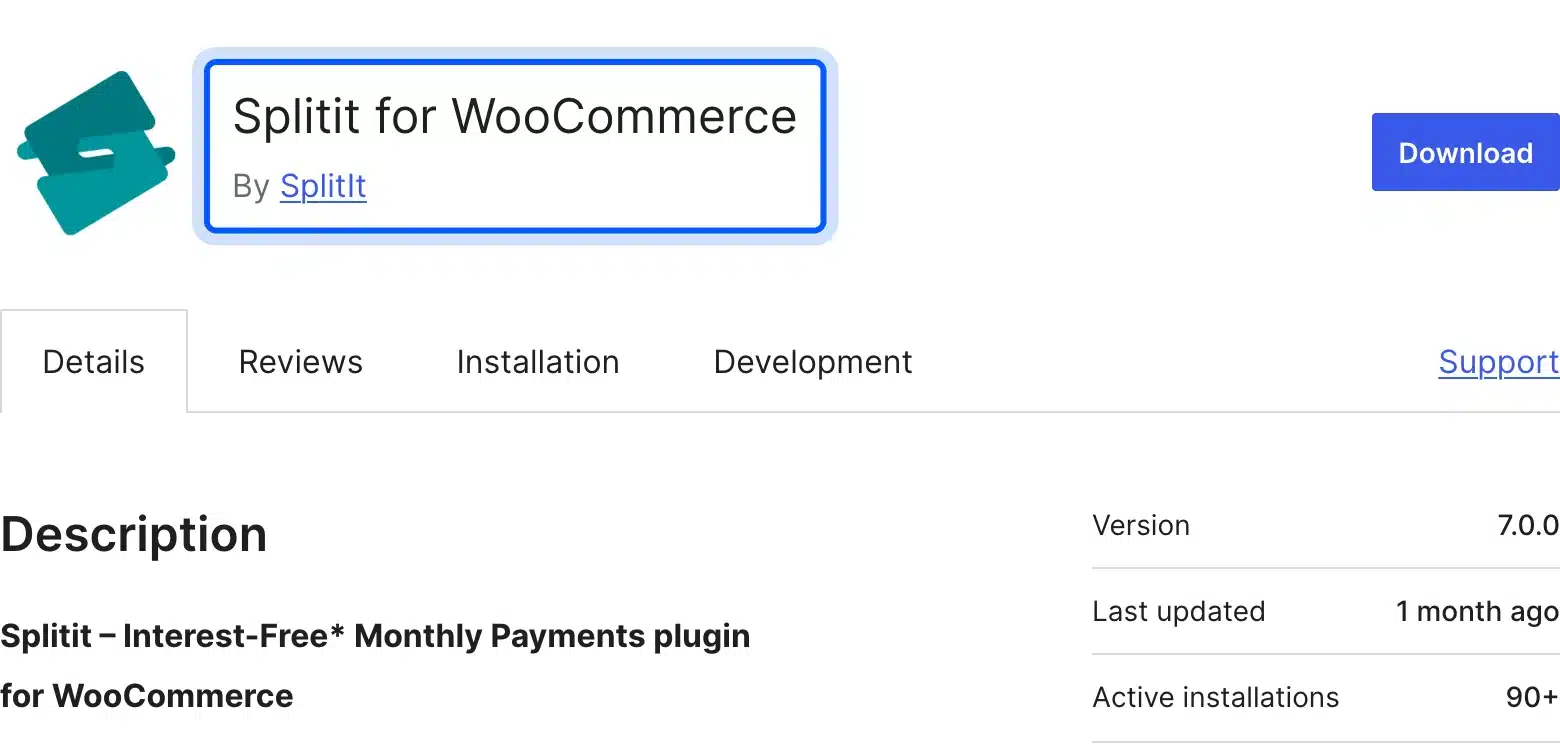
Splitit skips the credit application step altogether. Customers split a purchase into interest-free monthly payments using a credit card they already own. The checkout stays fully on your site, with no redirect to a lender’s page, and the branding stays yours throughout.
Splitit then charges the card automatically on each due date, monthly or every two weeks. The shopper keeps the card’s own rewards and points. Its WordPress.org listing says Splitit is PCI DSS Level 1 compliant.
Best for
Stores selling higher-ticket items to buyers who would rather use their own card than apply for new financing.
Pricing
We found no public rate card on Splitit’s site in October 2026. Ask its sales team for a quote. Its US platform agreement says Splitit keeps its fees even when you refund an order.
Pros
- No new loan or credit application needed
- PCI DSS Level 1 compliant card handling
- Checkout stays fully on-site with no lender redirect
Cons
- Fees stay with Splitit even when you refund an order
- No public price list to compare against
- Works with credit cards only
- Merchant account setup takes more steps than a simple toggle
9. WooCommerce Deposits: Custom Orders
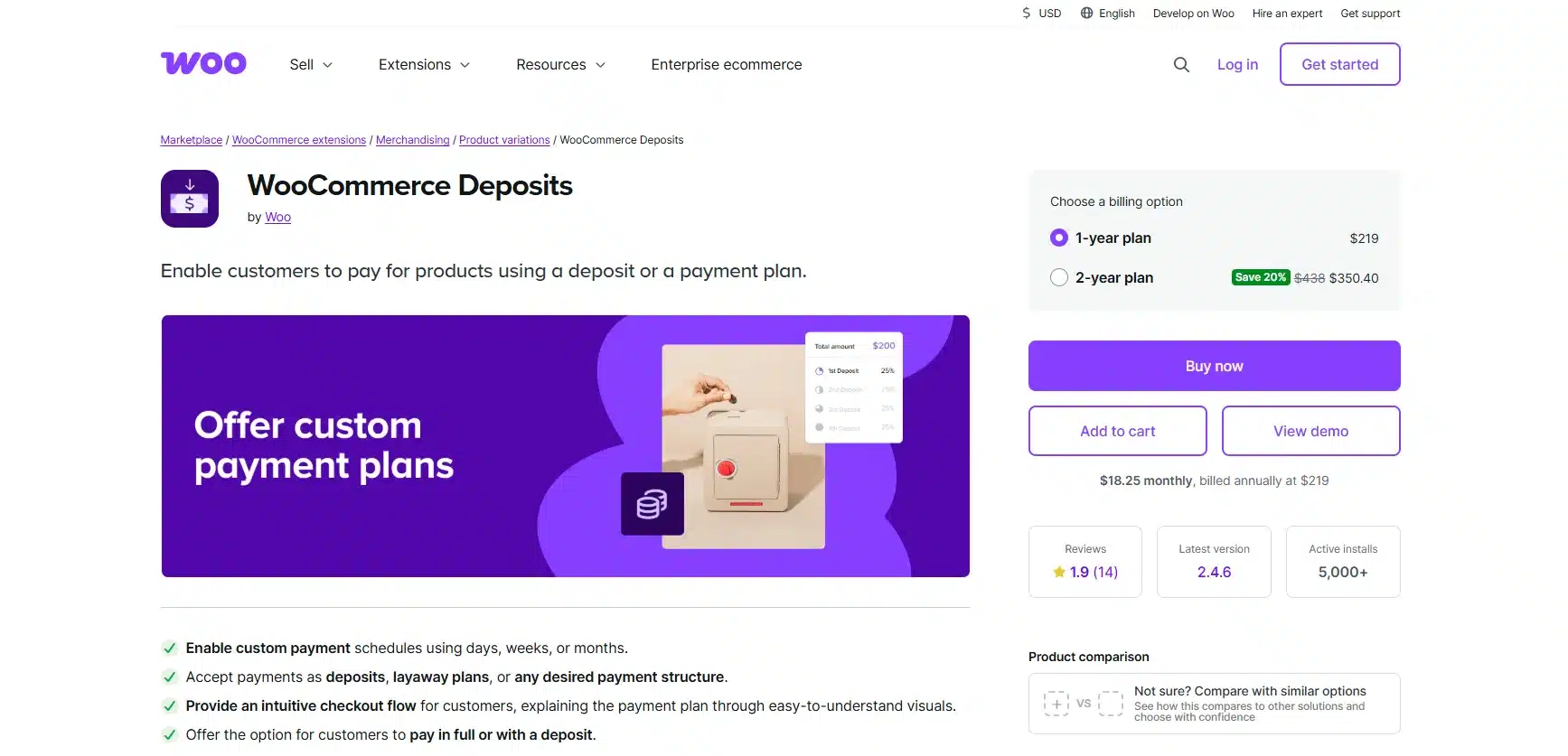
Unlike the BNPL-branded options above, WooCommerce Deposits is about collecting a deposit now and the rest on a schedule you define. No third-party lender is involved anywhere. Set a percentage or fixed amount, choose the timing in days, weeks or months. The extension does not store cards or collect later payments automatically. The customer pays each balance when it falls due.
It works well for made-to-order products, custom furniture or service deposits where you need commitment before you start the work. Every active payment plan shows up in one dashboard view. You can see at a glance who still owes a balance and when it’s due.
Trade-off
Later payments are not charged automatically. Product-page design options are basic. Do not expect a branded widget out of the box.
Best for
Stores taking custom or made-to-order products that need a deposit locked in before production starts.
Pricing
Sold on WooCommerce.com as a yearly subscription. A 2-year plan costs 20% less than two single years (October 2026). The price shows in your local currency at checkout.
Pros
- Full control over deposit percentage and payment timing
- Works natively inside WooCommerce with no external accounts
- Dashboard view of every active payment schedule
Cons
- No free version available
- No automatic collection of later payments
- No option to shift default risk onto a third-party lender
10. YITH WooCommerce Deposits Payments: Bookings
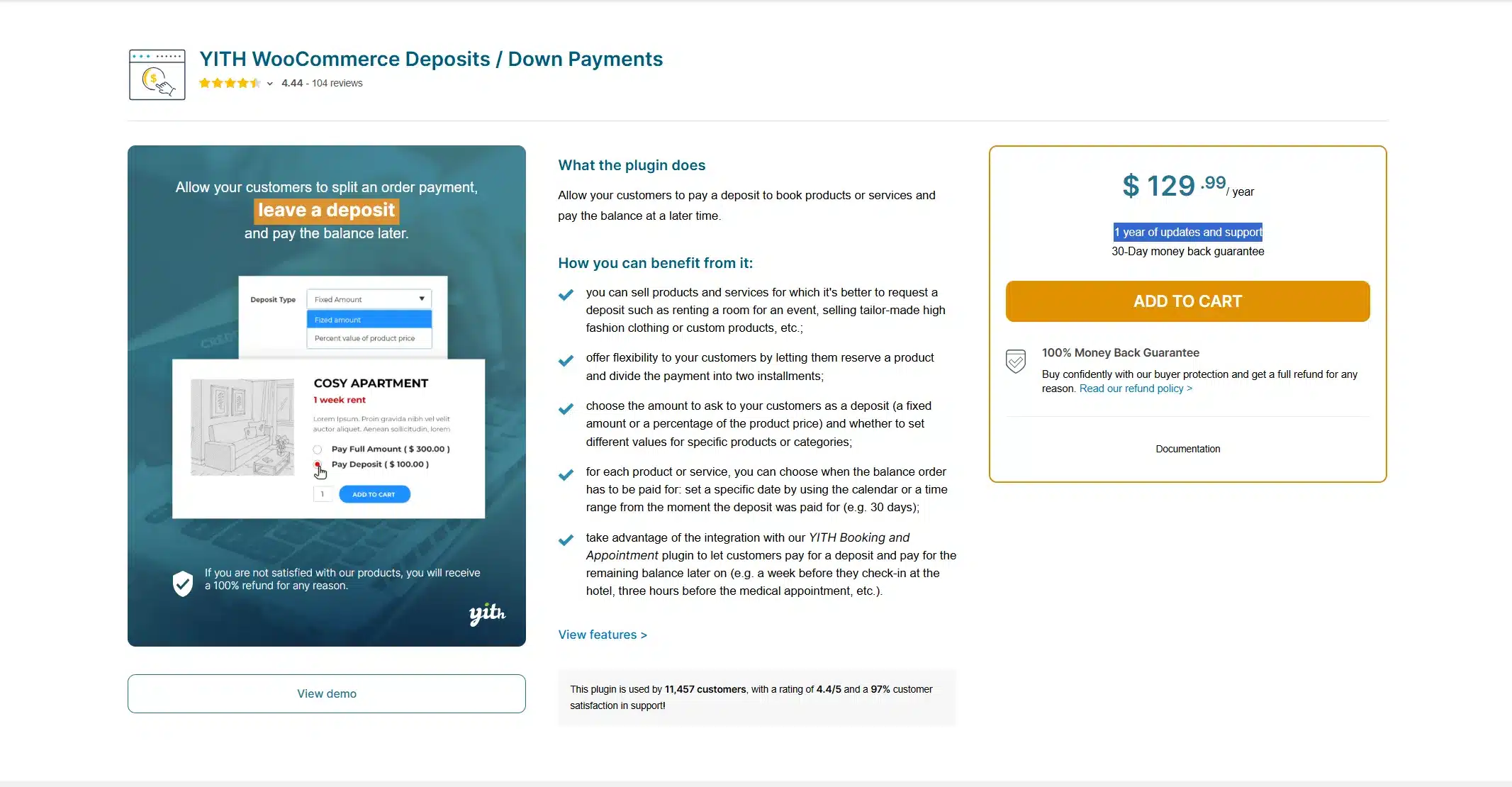
YITH WooCommerce Deposits and Down Payments suits reservations and bookings better than multi-installment BNPL. Most booking businesses only need that one split. They do not need four or six payments spread across weeks.
Category-level rules mean you can apply a deposit percentage across an entire product category in one move and skip editing each listing by hand. Reminder emails ask for the balance before the deposit expires. That helps event and appointment businesses collect final payments.
Tradeoff
If your business model needs three or more installments, look at Payment Plans for WooCommerce instead.
Best for
Stores taking reservations, event bookings or custom orders that need one deposit and one final payment.
Pricing
Premium only, sold with 1 year of updates and support. Check the current price on the YITH product page.
Pros
- Category-level deposit rules save time on large catalogs
- Reminder emails ask for the balance before it is due
- Simple setup with a beginner-friendly dashboard
Cons
- Capped at two payments with a deposit plus balance only
- No free version available
- Fewer third-party gateway integrations than larger installment plugins
Quick Comparison: WooCommerce Buy Now Pay Later Plugins
This table compares the ten WooCommerce BNPL plugins on model, credit check and free start. Lender-run options handle approval and default risk for a fee. Self-hosted and deposit tools skip the credit check, and your store carries the risk instead.
| Plugin | Model | Credit Check | Free To Start | Best For |
|---|---|---|---|---|
| WooCommerce PostPaid – Buy Now Pay Later | Self-hosted with an admin-set limit | Your own document check | No | Stores wanting full control and no third party |
| WooPayments BNPL | Affirm, Afterpay and Klarna toggle | Provider-handled | Yes | Most stores on WooPayments |
| Payment Plans for WooCommerce | Self-hosted schedules | None | No | Custom installment schedules |
| Klarna for WooCommerce | Direct Klarna | Provider-handled | Yes | Nordic, German and UK stores |
| WooCommerce PayPal Payments | PayPal Pay Later | Provider-handled | Yes | Big-ticket items up to $10,000 |
| zipMoney (Zip Co) Payments | Direct Zip Pay in 4 | Provider-handled | Yes | Small baskets in the US and Australia |
| WooCommerce Wallet Plugin | Prepaid wallet with partial payments | None | Yes (free version) | Repeat-customer stores |
| Splitit | Existing credit card | Uses the card limit | Yes | Higher-ticket and card-based buyers |
| WooCommerce Deposits | Deposit plus balance | None | No | Custom orders and service stores |
| YITH Deposits/Down Payments | Two-payment deposit | None | No | Bookings and reservations |
How To Choose The Right BNPL Plugin For Your Store
Choosing a WooCommerce BNPL plugin comes down to three questions about your order values, your shoppers’ countries and how much risk you carry. Work through them in order. Each answer rules out a few of the ten plugins above.
- Order value and category: Small fashion or beauty baskets suit Afterpay or Zip. Big-ticket orders suit Affirm or PayPal Pay Monthly. A mixed catalog does fine with the WooPayments bundle of all three providers.
- Shopper location: Nordic, German or UK traffic points to Klarna for WooCommerce. US, Canadian or Australian traffic works well with the WooPayments toggle. To skip third-party credit checks, pick WooCommerce PostPaid or Payment Plans for WooCommerce.
- Who carries the risk: Affirm, Afterpay and Klarna take on default risk for about 6% plus $0.30 per US order through WooPayments. Self-hosted tools such as PostPaid, Payment Plans and Deposits keep more of the revenue. You carry the decline risk yourself.
For most stores starting a first BNPL rollout, WooPayments BNPL is the simplest launch point because it puts three providers behind one toggle. Give it 30 days and check which provider drives the most volume. Then decide whether to stay on the bundle or move to a direct integration with the winner. Stores that would rather never send a customer to a third-party lender should start with WooCommerce PostPaid instead. That skips the migration step entirely.
Who Should Skip BNPL Entirely?
Stores with an average order under $30 should think twice about BNPL. A 6% provider fee can eat more margin than the extra sales bring back. Subscription boxes with tight margins hit the same problem, and even Payment Plans for WooCommerce costs time chasing declined cards.
There is also a simpler test. Baymard found that 40% of shoppers who abandon a cart leave over extra costs such as shipping, tax and fees. If your cart abandonment happens mostly at shipping cost and not total price, BNPL will not fix that. Check your checkout analytics before adding another payment method. Sometimes the fix is showing shipping cost earlier. Splitting the total into 4 pieces would not help.
One more case worth naming directly. Stores selling regulated or age-restricted products should talk to a payments lawyer before adding any BNPL option, provider-run or self-hosted. Extending credit in those categories can create compliance headaches. The fee savings from a self-hosted plugin are not worth a regulatory problem down the line.
Conclusion
For most WooCommerce stores in 2026, WooPayments BNPL is still the fastest path to offering Affirm, Afterpay and Klarna without juggling three separate plugins. Keeping the transaction fully in-house matters more than provider brand recognition for some stores. If that describes yours, the WooCommerce buy now pay later plugin gives you that control with no credit check and no third-party fee.
Whichever one you pick, turn on the product-page installment messaging and not just the checkout badge. That is where the buying decision gets made. It is also the step most stores skip. Browse the full range of WooCommerce extensions for checkout tools beyond BNPL. Our guide to the best WooCommerce loyalty and rewards plugins covers various top plugins that pair well with flexible payments too.
Frequently Asked Questions (FAQs)
Q1. What is the best WooCommerce Buy Now Pay Later plugin for most stores?
For the fastest start, WooPayments BNPL bundles Affirm, Afterpay and Klarna behind one toggle with no extra plugin. Stores that want full control without a third-party lender should look at WooCommerce PostPaid, built by DevDiggers.
Q2. Do WooCommerce BNPL plugins require a credit check?
Provider-run options like Affirm, Afterpay and Klarna check each shopper themselves before they approve a plan. Self-hosted tools like WooCommerce PostPaid and Payment Plans for WooCommerce skip that step since you set the terms yourself.
Q3. How much do WooCommerce Buy Now Pay Later plugins cost to run?
Through WooPayments in the US, provider-run BNPL costs the merchant 5.99% to 6.00% plus $0.30 per order (October 2026). Zip also charges the shopper a fee. Self-hosted plugins like WooCommerce PostPaid have no BNPL fee beyond your normal gateway rate.
Q4. Can I offer BNPL without sending customers to a third-party provider?
Yes. WooCommerce PostPaid and Payment Plans for WooCommerce both keep the entire transaction on your site. Your own gateway and your own credit terms handle it. Affirm, Klarna and Afterpay are not involved.
Q5. Do these plugins work with WooCommerce HPOS?
WooCommerce PostPaid added High-Performance Order Storage support in version 1.3.1. For the other plugins, check the changelog or the WordPress.org page before you activate one on a live store. Compatibility changes as WooCommerce releases new versions.
Q6. Will adding BNPL hurt my existing Stripe or PayPal sales?
Some shoppers who would have paid in full will choose BNPL instead, which shifts a slice of margin into the provider fee. The bigger effect is usually incremental: shoppers who would have abandoned the cart complete the purchase instead. Track BNPL orders separately in your reporting to see the real before-and-after difference in abandonment rate.