The best WooCommerce rewards plugin for most stores in 2026 lets shoppers earn points on each order and spend them at checkout. LoyaltyX, WPLoyalty and the WP Swings plugin all do that with no monthly fee, and all three start free.
We make LoyaltyX. That is why we did not rank these on our word alone. On October 14, 2026, we installed nine free rewards plugins one at a time, including our own, on a fresh WooCommerce 11.2 test store. For each one we checked for a points message on a product page with default settings, and measured what the plugin added.
You get those test results first. Then come how points programs work and how to set a reward rate you can afford. After that come the ten plugins worth considering, a comparison table, and which one we would choose for each kind of store.
Note: Picked a plugin already? Our guide on how to set up a loyalty program in WooCommerce walks through the setup step by step.
How We Tested WooCommerce Rewards Plugins
We tested the nine free plugins one at a time on a clean test store, running WordPress 7.1.3, WooCommerce 11.2.0 and PHP 8.5. We removed each plugin before installing the next. The store had one $50 product and no other plugins. That kept every result comparable, since only the rewards plugin changed between runs.
We opened that product page as a logged-out shopper and looked for a points message. Then we counted every script and stylesheet against a store with no rewards plugin.
The baseline store loaded 38 files totaling about 621 KB on the product page, measured as uncompressed file sizes. Everything below is what each plugin added on top of that, with its default settings and no configuration.
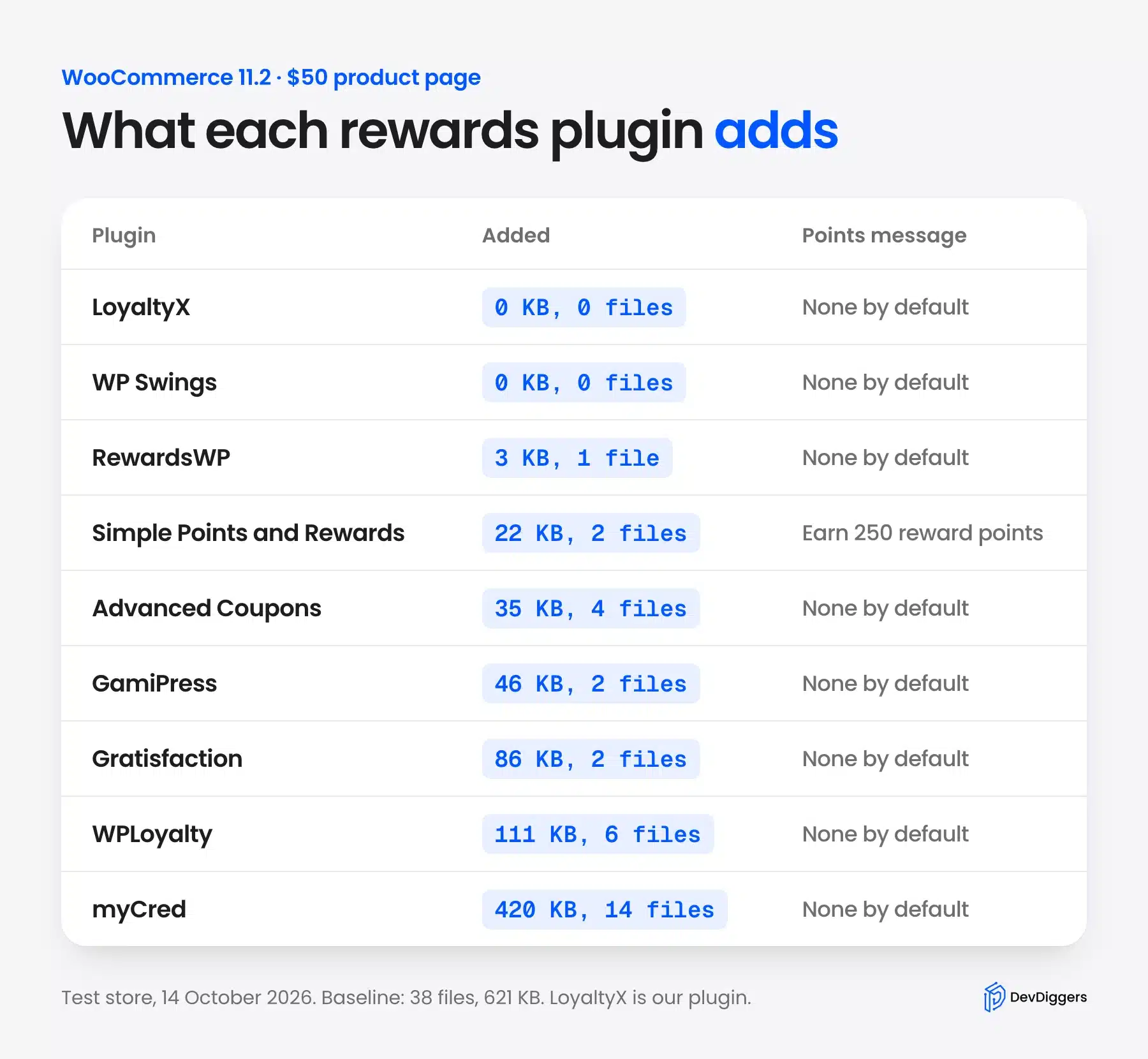
| Plugin | Points message on the product page by default | Files added | Size added |
|---|---|---|---|
| LoyaltyX | No | 0 | 0 KB |
| Points and Rewards by WP Swings | No | 0 | 0 KB |
| RewardsWP | No | 1 | About 3 KB |
| Advanced Coupons | No | 4 | About 35 KB |
| Simple Points and Rewards | Yes: “Earn 250 reward points by purchasing this product” | 2 | About 22 KB |
| GamiPress | No | 2 | About 46 KB |
| Gratisfaction | No | 2 | About 86 KB |
| WPLoyalty | No | 6 | About 111 KB |
| myCred | No | 14 | About 420 KB |
Only one plugin told shoppers what they would earn before any setup. Simple Points and Rewards showed “Earn 250 reward points by purchasing this product” on our $50 product. That works out to 5 points per dollar by default.
The rest waited for you to create a campaign or turn on earning first. That is not a flaw, since a store should choose its own rate. It does mean that installing a plugin alone changes nothing a shopper sees.
Note: Two plugins in this list are paid only: the official WooCommerce Points and Rewards extension and YITH Points and Rewards. With no free version to install, they are not in the test table.
What a WooCommerce Rewards Plugin Does
A WooCommerce rewards plugin gives customers points for orders and other actions. It then lets them spend those points as a discount on a later order. WooCommerce has no loyalty program built in. A plugin adds one. Most also add referrals, tiers, expiry and emails that remind customers of their balance.
The loop is simple. A shopper buys, earns points, sees the balance on their next visit, and spends it at checkout. That saved balance is what brings them back, because leaving it unused feels like losing money.
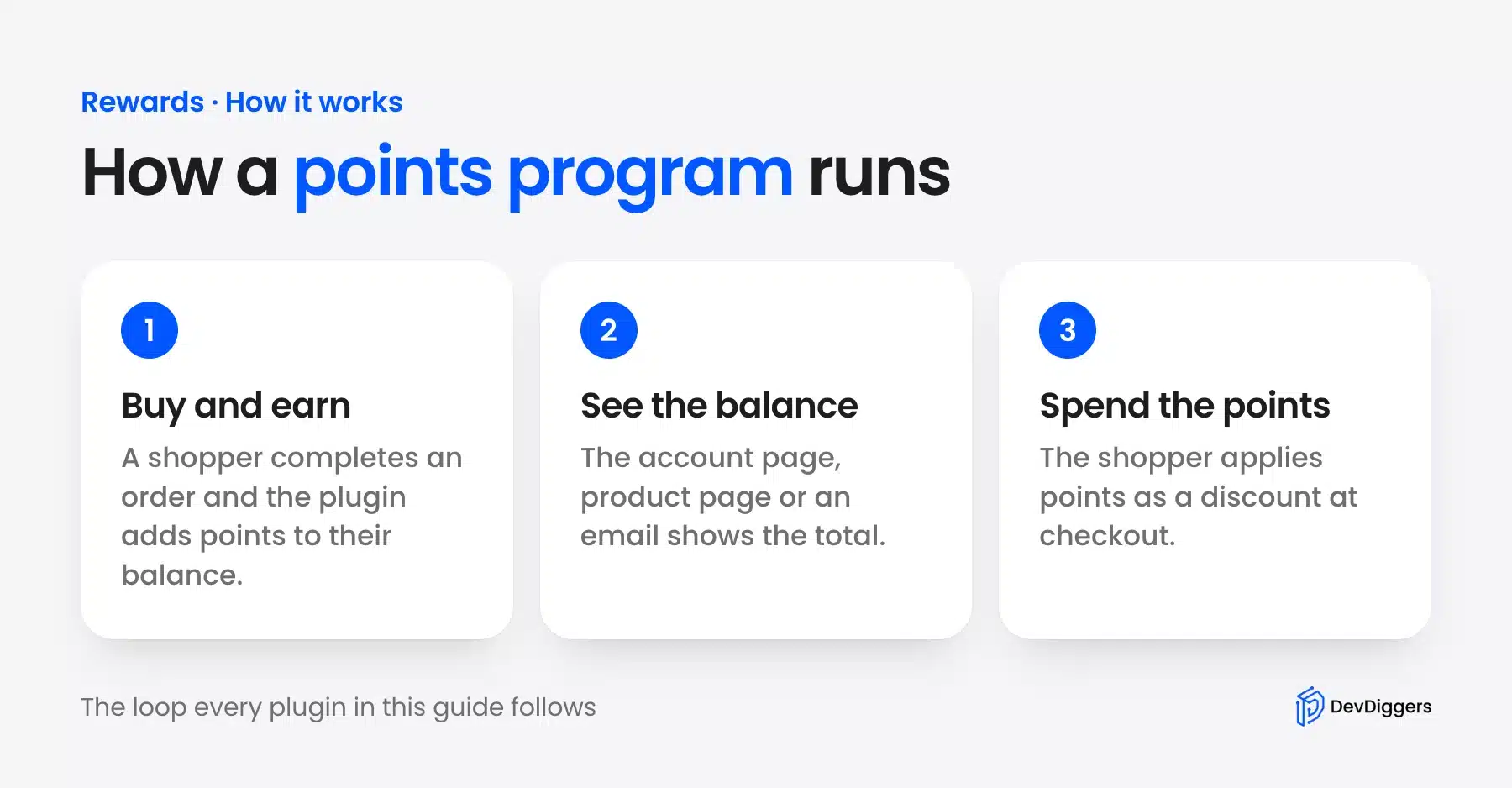
The balance only works if shoppers can see it. Good plugins show it in the account area, on product pages and at checkout.
They also send an email when points are earned or about to expire. A balance hidden three clicks deep in My Account brings nobody back.
Points differ from a coupon in one important way. A coupon goes to anyone who finds the code, while points are earned and belong to one customer account. That makes them better at rewarding the people who already buy from you.
There are two kinds of plugin in this market. A WooCommerce loyalty program plugin is built around orders and checkout.
A general WordPress rewards plugin such as myCred or GamiPress rewards any site activity and then adds WooCommerce support on top.
How to Choose a Reward Rate You Can Afford
A points program costs you the value of the points customers redeem. So set the rate from your own margin first, with points worth 1% to 5% of the order value as a common start. Cap how much of an order points can cover, and decide on expiry before launch.
Work Out What the Discount Costs You
Say you give 1 point per $1 spent and let 100 points equal $1 off. That is a 1% reward. A $50 order earns 50 points, worth $0.50 on a later order. If your margin on that order is 30%, the reward costs you about 3% of your profit.
Now try the default we saw in Simple Points and Rewards, 5 points per dollar. At the same 100 points to $1, a $50 order earns $2.50 in rewards, a 5% discount. That is fine for a high-margin store and painful for a low-margin one. Check the rate before you launch.
Reward the Behavior You Want More Of
Purchases are only one action worth rewarding. Most plugins in this list also reward account signups and referrals, and many can reward product reviews in WooCommerce as well.
Each has a clear business reason. An account lets you email the customer, a review helps the next shopper decide, and a referral brings a new buyer.
Keep the extra rewards small next to purchase points. A review worth as much as a $50 order invites fake reviews.
Cap Redemption per Order
Set a maximum share of an order that points can pay for, such as 20% or 30%. Without a cap, a loyal customer can build a large balance and take a whole order for free. That hurts cash flow even when it is fair.
Set an Expiry and Show It on the Page
Unused points are a promise you still owe. An expiry of 6 or 12 months keeps that promise from growing forever and gives customers a reason to come back sooner. Whatever you choose, show the expiry rule on the account page and in reminder emails. Then nobody feels tricked when points disappear.
10 Best WooCommerce Rewards and Loyalty Plugins in 2026
These ten WooCommerce points and rewards plugins are worth considering in 2026, ranked by fit for a typical store. Each entry covers what the plugin does, our test result, key features, price and who should pick it. Ratings come from WordPress.org, except for the two paid plugins, which use their vendor pages. Prices for those two come from the vendor pages on October 14, 2026, and the rest from September 23, 2026.
1. LoyaltyX by DevDiggers
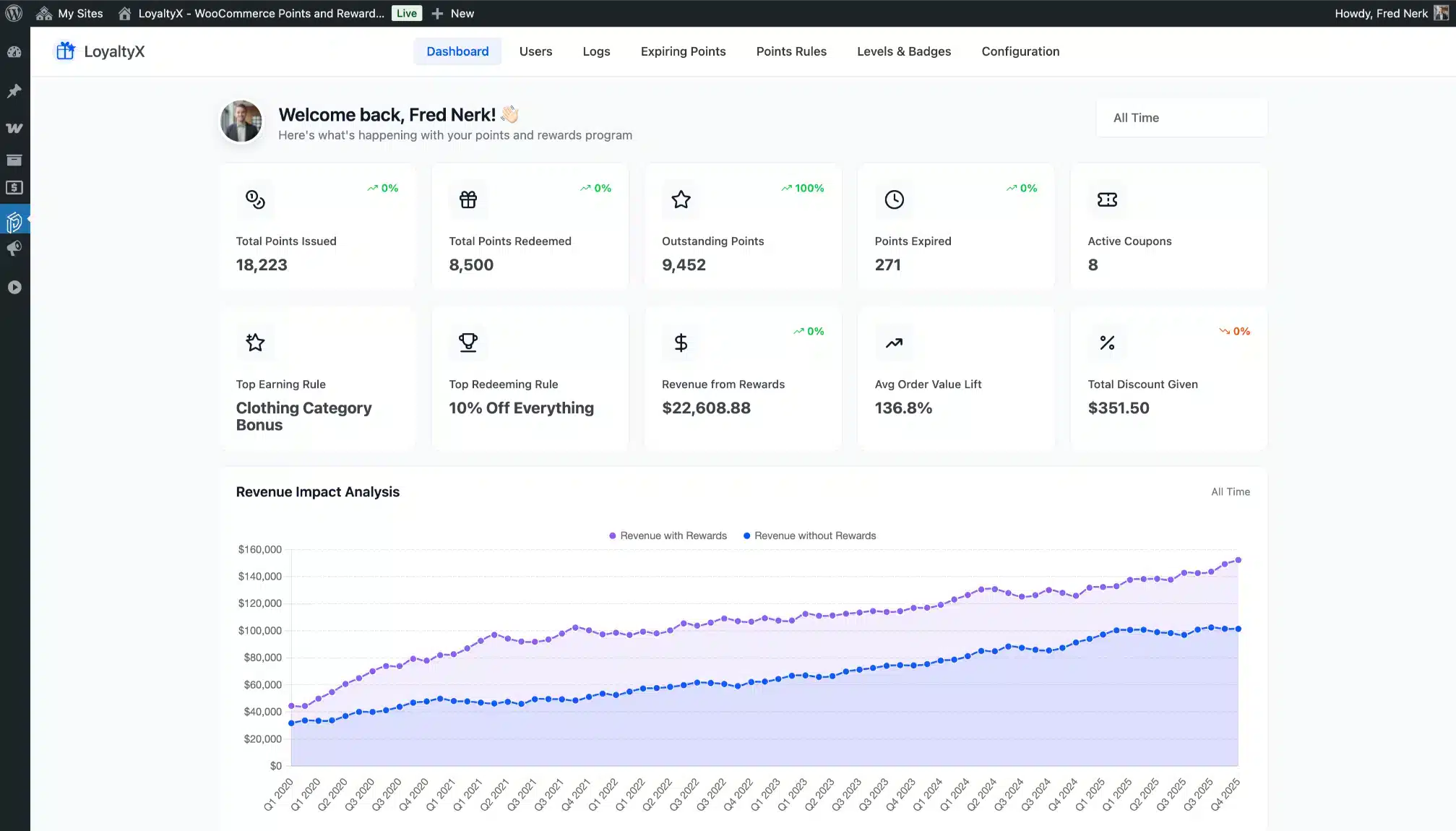
LoyaltyX is our own WooCommerce points and rewards plugin, built to run the full loyalty loop on your store without a monthly fee. Shoppers earn points on orders and spend them as a discount at the cart or checkout. Read the other nine before you decide, since we are the ones grading our own work here.
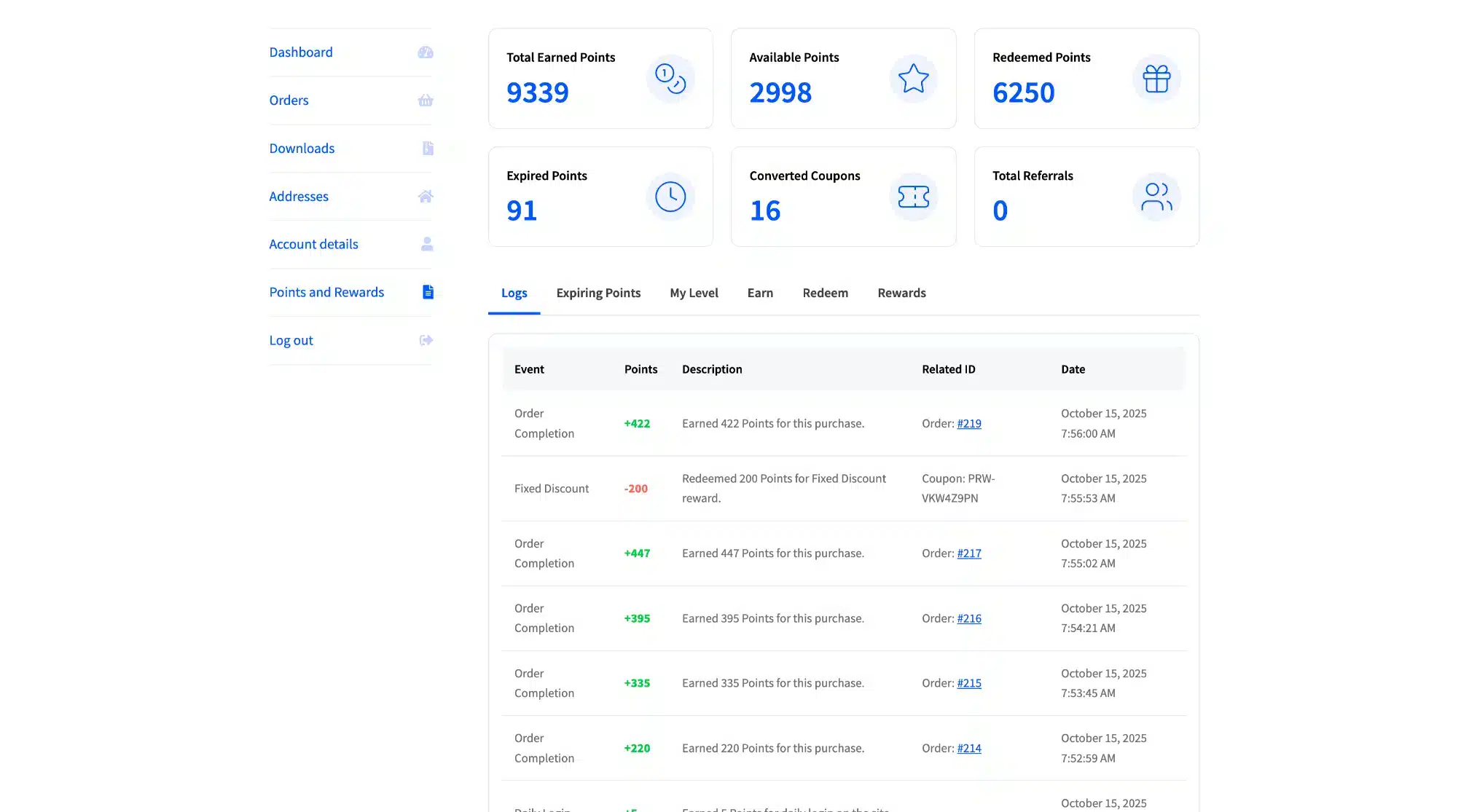
We built it after client loyalty setups kept hitting one wall: tiers, referral points and expiry always sat on a higher plan. So the free LoyaltyX plugin on WordPress.org runs a working points program with no time limit. A setup wizard sets the earning and redemption rates on activation, and it holds a 5.0 rating from its first 7 reviews. It is HPOS ready and works with block and classic checkout, every payment gateway, WPML and Polylang.
In our test, the free LoyaltyX added no files at all to the product page, tied with WP Swings as the lightest. It showed no points message to a logged-out shopper until earning rules were set, the same as most plugins here.
Key features:
- Eight ways to earn: Purchases, a signup bonus, product reviews, daily login streaks, referrals, birthdays, level-up bonuses and your own rules.
- Seven ways to redeem: Points-to-discount at your own rate, fixed and percentage discounts, free shipping, free products, buy X get Y and bundles.
- Referral program: Each customer gets a unique link with 30-day cookie tracking, and both the referrer and the new customer earn.
- Loyalty tiers: Unlimited levels from point thresholds, each with its own badge, level-up bonus and points multiplier.
- Points expiry with emails: Oldest points are spent first. Customers get an email when they earn points, before points expire and when they reach a new level.
- Rewards widget and dashboard: A floating widget on every page and a My Account dashboard show the balance, rewards, level and referral link.
- Admin analytics: The dashboard charts points issued, redeemed and expired over time. A leaderboard lists your most loyal customers.
- Adjustments and CSV: Add or deduct points with a note kept in a full audit trail. CSV import and export moves balances from another plugin.
Pricing: Free on WordPress.org. Pro costs $139 a year for one site, $599 for five and $799 for ten, with every Pro feature in every plan. As of October 2026, the code LOYALTY30 takes 30% off the first year. That makes the three plans $97, $419 and $559 for year one. Renewals bill the regular price, and a 14-day refund policy covers every plan.
Best for: Stores that want referrals, tiers, expiry and loyalty emails in one plugin without buying add-ons. Start on the free version and move to the Pro plan of LoyaltyX, our WooCommerce points and rewards plugin, once shoppers start redeeming.
Worth knowing: LoyaltyX works with our MultiPOS register. Shoppers earn and spend the same points at your counter and online. The floating rewards widget and the custom points name (Stars or Credits) both ship in the free version.
2. WPLoyalty
WPLoyalty is a campaign-based loyalty plugin with the best review record in this list: 5.0 stars from 300 reviews on WordPress.org. You build campaigns such as “points for every purchase” or “bonus points on a birthday,” then pick the reward for each one.
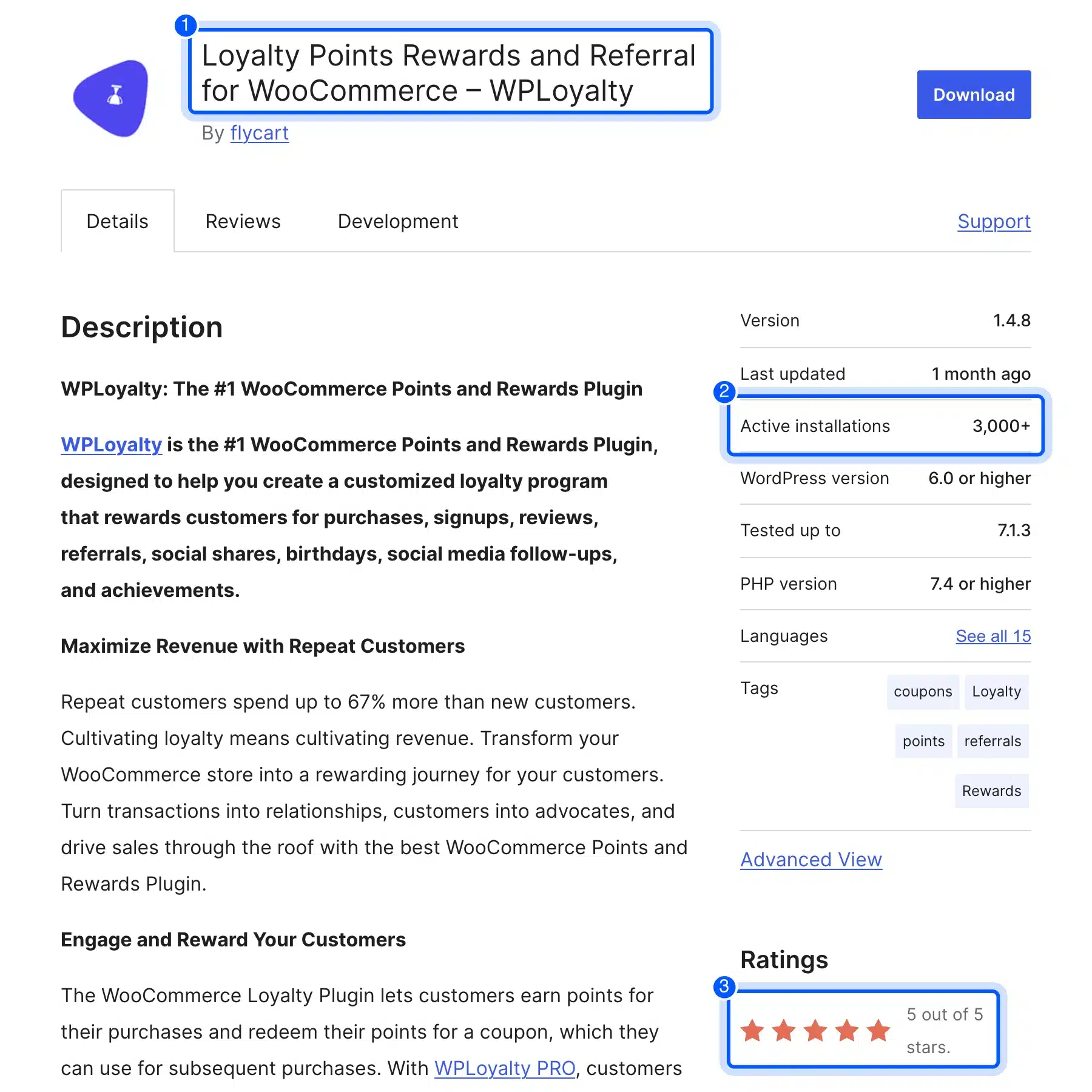
The WPLoyalty plugin listing shows 3,000+ active installs and an update on September 17, 2026. In our test, WPLoyalty added 6 files and about 111 KB to the product page. It showed no points message until a campaign existed.
Key features:
- Points campaigns: Separate campaigns for purchases, signups, referrals, reviews, daily logins, birthdays and social shares.
- Points to coupons: Customers redeem points for a coupon on a later order in the free version.
- More reward types in Pro: Discounts, free products and free shipping.
- Tiered VIP program: Bonus rewards for your best customers.
- Notifications: Emails when customers earn points and before points or rewards expire.
- Reports: Points earned and spent, reward use and repeat purchases.
Pricing: Free version on WordPress.org. The Pro Starter plan for one site was $84 for the first year during a sale when we checked, 20% off its regular $105.
Best for: Store owners who like rule-based campaigns and want referrals and VIP tiers in one paid plan.
3. Points and Rewards for WooCommerce by WP Swings
The WP Swings plugin is a long-running WooCommerce reward points plugin with 7,000+ active installs. It holds a 4.5 rating from 179 reviews on its WordPress.org listing. Customers earn points for activities such as signups, purchases, referrals and social sharing and redeem them in your store.
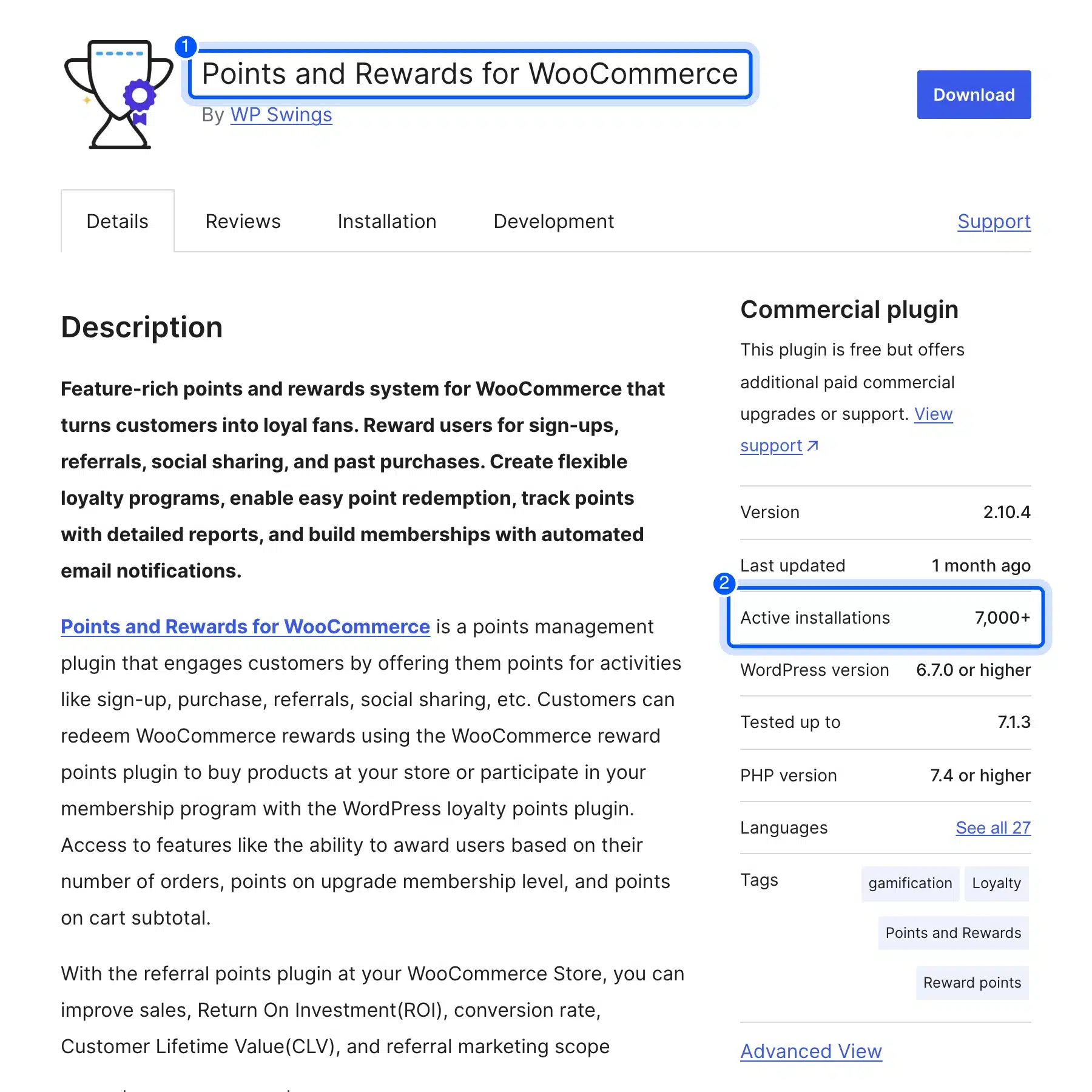
It tied with LoyaltyX as the lightest plugin we tested, adding no files at all to the product page with default settings. It also showed no points message until you turn on the earning settings.
Key features:
- Many earning actions: Signups, purchases, referrals, social sharing and points based on order count or cart subtotal.
- Membership levels: Up to two levels in the free version, each with its own discounts on chosen products or categories.
- Gamified pop-ups: Spin-the-wheel, quiz and referral campaigns with ready-made templates.
- Emails: Customers get an email about the points they earn.
- Pro extras: Birthday rewards, points on first orders and more membership levels.
Pricing: Free on WordPress.org with a paid Pro version from WP Swings.
Best for: Stores where page weight matters most and the owner is happy to configure the program before shoppers see it.
4. WooCommerce Points and Rewards
WooCommerce Points and Rewards is the official paid extension sold on WooCommerce.com. Its listing says it lets you “define how many points are earned for purchases, and the value of points for discounts.” It does the core points loop and little else.
It has no free version. It was not part of our test. The extension’s documentation walks through each setting before you buy.
Key features:
- Earning rules: Points per dollar spent, overridable at the category or product level.
- Actions beyond orders: Points for signing up and for writing a product review.
- Redemption: Partial redemption at the cart or checkout with a minimum points threshold.
- Discount caps: A maximum discount at the cart, category or product level.
- Past orders: Apply points to earlier orders so customers can redeem on day one.
- Admin tools: Manual balance changes, a full points log and a points history in My Account.
- Renaming: Call points “Coins” or “Tokens” and edit every message shoppers see.
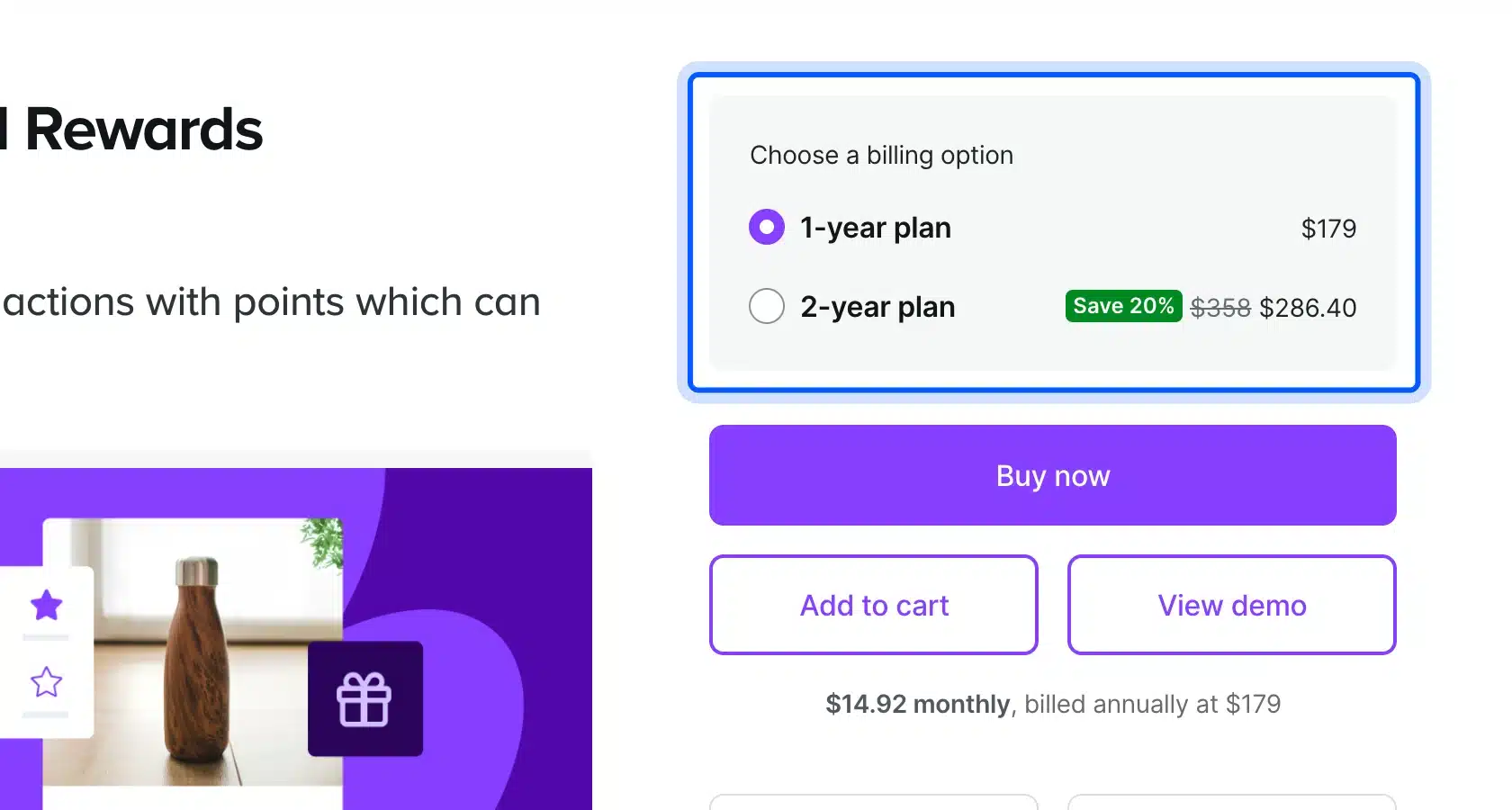
Pricing: $179 for a 1-year plan and $286.40 for a 2-year plan (20% off $358), as of October 2026, on the WooCommerce.com listing. The listing shows a 2.4 rating from 20 reviews, 8,000+ active installs and a 30-day money-back guarantee.
Best for: Stores that want the extension WooCommerce itself sells and only need the core points loop.
5. YITH WooCommerce Points and Rewards
YITH Points and Rewards is a premium plugin from one of the largest WooCommerce plugin vendors. It covers points on purchases and customer actions, and points are redeemed as a discount on the cart.
We found no free version on WordPress.org. It was not part of our test. Its own product page lists the features below.
Key features:
- Rules by product, category or user: Different point rates for products, categories, user roles, members or customer levels.
- Extra points for goals: Bonuses for order counts, total spend, birthdays, reviews and referral signups.
- Levels, badges and a ranking: Custom levels with badges, plus a public page of your top customers.
- Redemption options: Fixed or percentage discounts, free shipping, and minimum cart or maximum discount limits.
- Order handling: Points removed on canceled or refunded orders.
- CSV import and export: Move balances in from another plugin.
- Expiry reminders: Notifications before points expire.
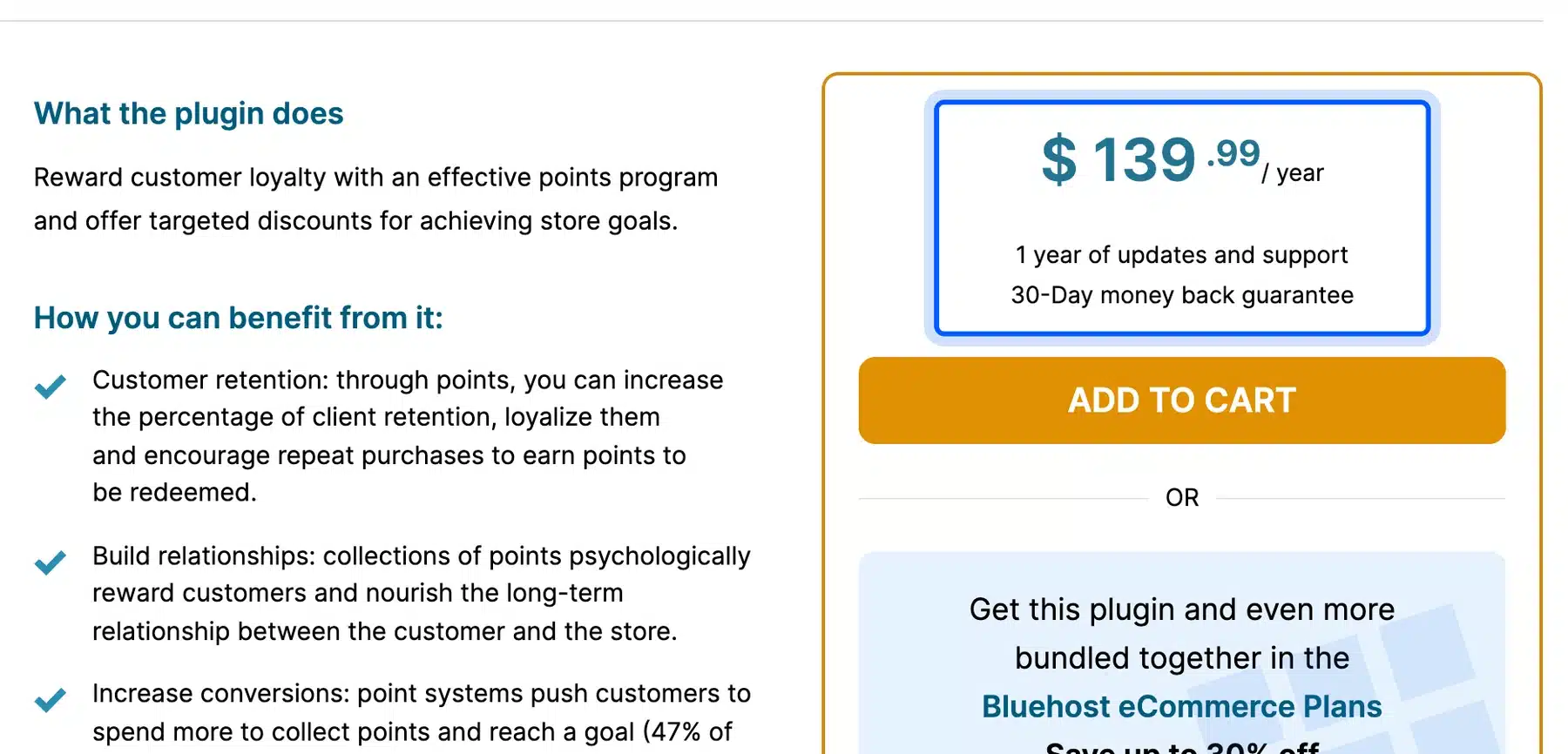
Pricing: $139.99 a year for one site as of October 2026, per the YITH product page. It includes one year of updates and support and a 30-day money-back guarantee. The page shows a 4.24 rating from 120 reviews.
Best for: Stores that already run other YITH plugins and want one vendor for support.
6. myCred
myCred is a general WordPress points system that rewards almost any site action, with WooCommerce support for earning and paying with points. Its plugin listing shows 10,000+ active installs and a 4.6 rating from 471 reviews.
In our test, myCred added 14 files and about 420 KB to the product page, the most of any plugin here. It showed no points message by default. Most of that weight is one 240 KB script. Try it on a staging copy of your store before you add it to the live one.
Key features:
- Points for many actions: Purchases, referrals, logins, comments, course progress, memberships and community activity.
- Badges and ranks: Achievements and levels on top of point balances.
- Several point types: Run more than one currency on the same site.
- AI Assistant: Create point types and adjust balances with plain-language commands.
- Add-on library: Extra features come as separate add-ons.
Pricing: Free core plugin on WordPress.org with paid add-ons for extra features.
Best for: Stores that also run a membership, forum or course site and want one points balance across all of it. For a simple shop it is more setup than you need.
7. GamiPress
GamiPress is a gamification plugin that awards points, badges and ranks for site activity, with a 4.9 rating from 493 reviews on its WordPress.org listing. Like myCred, it is built for any WordPress site first and connects to WooCommerce through its integrations.
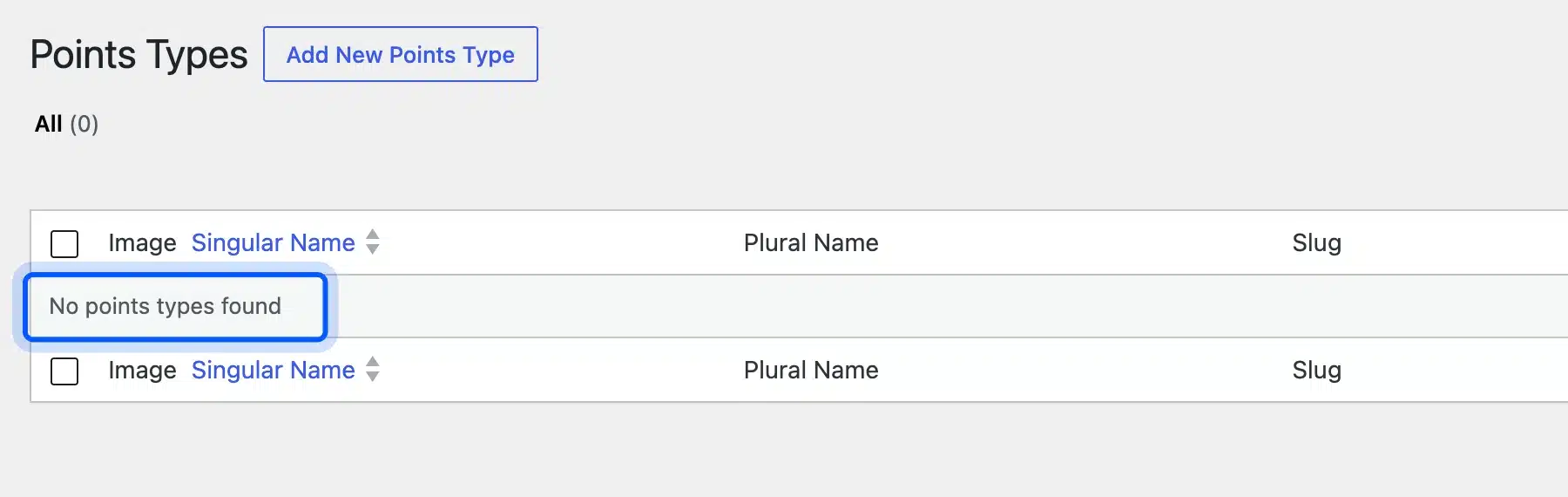
In our test, GamiPress added 2 files and about 46 KB to the product page and showed no points message by default. On a fresh install it also has no points type until you create one.
Key features:
- Three award systems: Points, achievements and ranks.
- Unlimited types: Name your points Credits or Gems and your achievements Badges or Quests.
- Store rewards: Points for purchases, subscriptions, memberships and lifetime value.
- Time limits: Cap how often a customer can earn for the same action.
- Badge Builder: Design badge images inside the plugin.
- Spend points on progress: Let users spend points to earn an achievement or rank straight away.
Pricing: Free on WordPress.org with paid add-ons.
Best for: Sites where badges and ranks matter as much as discounts, such as a community or learning site that also sells products.
8. Simple Points and Rewards
Simple Points and Rewards is a newer WooCommerce points plugin from the team behind Coupon Affiliates. The Simple Points and Rewards listing shows 300+ active installs and 6 reviews so far, all 5 stars.
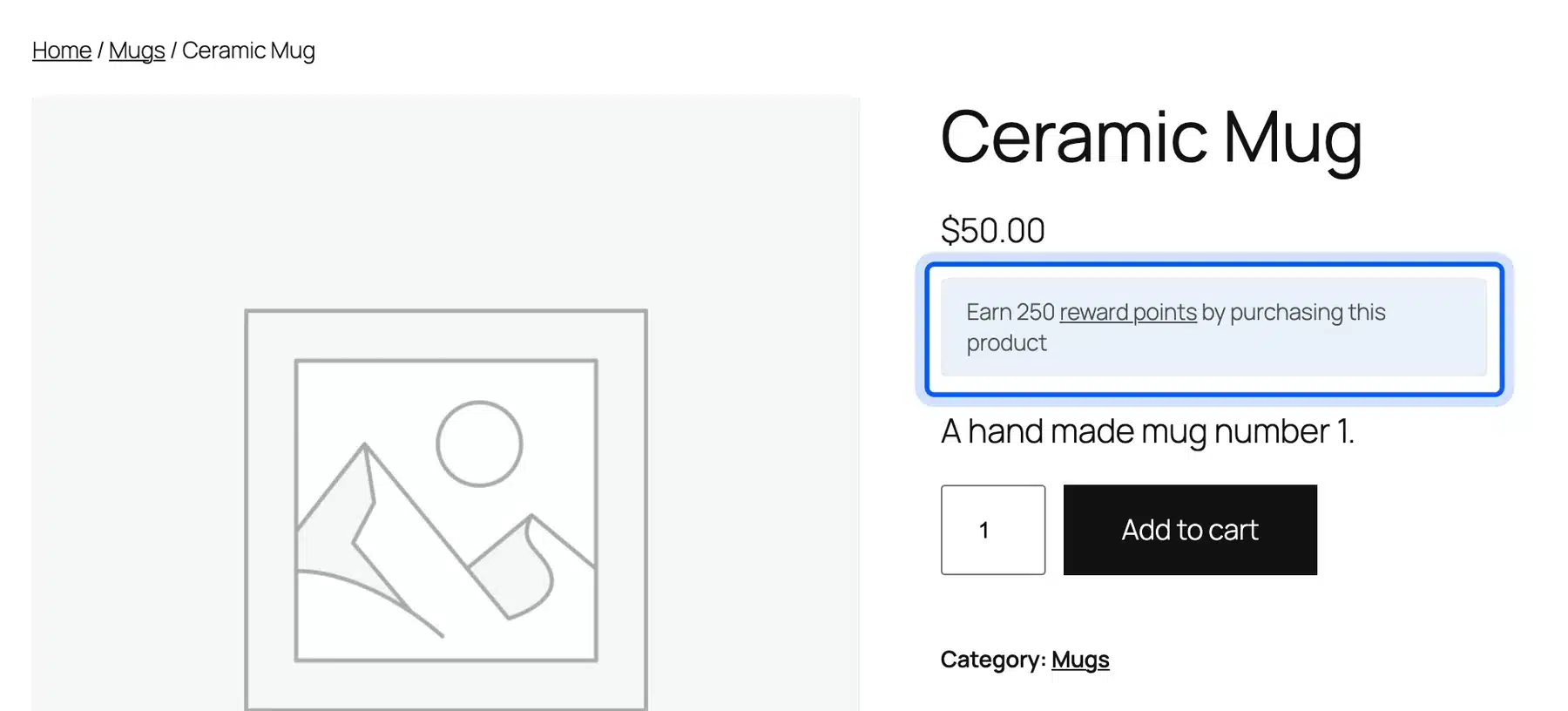
It was the only plugin in our test that showed shoppers a points message straight after activation. On our $50 product it read “Earn 250 reward points by purchasing this product,” and it added 2 files and about 22 KB.
Key features:
- Earning actions: Signups, orders, referral links and WooCommerce Subscriptions renewals.
- Reward types: Coupon vouchers, specific products or a checkout discount.
- Rewards tab: Points, history, ways to earn and redeemed vouchers under My Account.
- Levels and badges: Included in the free version with some limits.
- Order handling: Points deducted on refunded, canceled or failed orders.
Pricing: Free on WordPress.org. The Pro version adds points for a first order, reviews and order milestones.
Best for: Stores that want a working points message on day one. Check the default rate against your margin before launch.
9. Advanced Coupons Loyalty Program
Advanced Coupons is a coupon plugin with 20,000+ active installs whose WordPress.org listing is built around BOGO deals, store credit and coupon rules. Its loyalty program is sold separately. Points sit in the same system as your coupons.
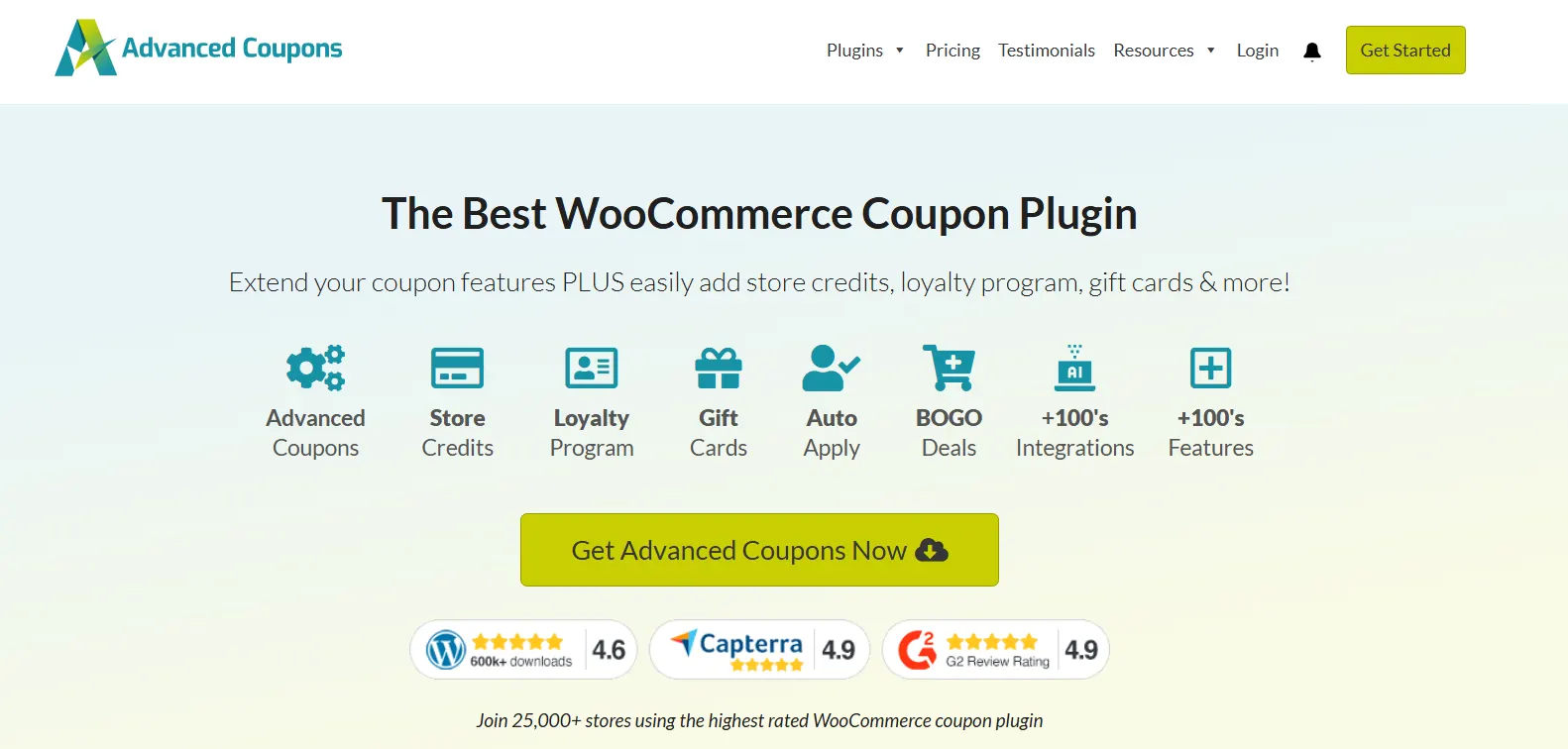
The free plugin added 4 files and about 35 KB to our product page. When we checked, it was last tested up to WordPress 7.0.6.
Key features in the free plugin:
- BOGO coupons: A buy one get one coupon type.
- Store credit: Grant credit, or refund orders to store credit.
- Cart conditions: Rules that stop coupons applying by accident.
- URL coupons: Apply a coupon from a link.
- Role limits: Restrict coupons by user role.
Pricing: Free coupon plugin on WordPress.org. Loyalty points are a paid part of the Advanced Coupons range.
Best for: Stores where coupons are already the center of every promotion.
10. Gratisfaction
Gratisfaction bundles loyalty points, referrals, birthday rewards and giveaways in one plugin for WooCommerce. It holds a 4.8 rating from 205 reviews and 600+ active installs. You manage the program in Gratisfaction’s own dashboard rather than in WooCommerce settings.
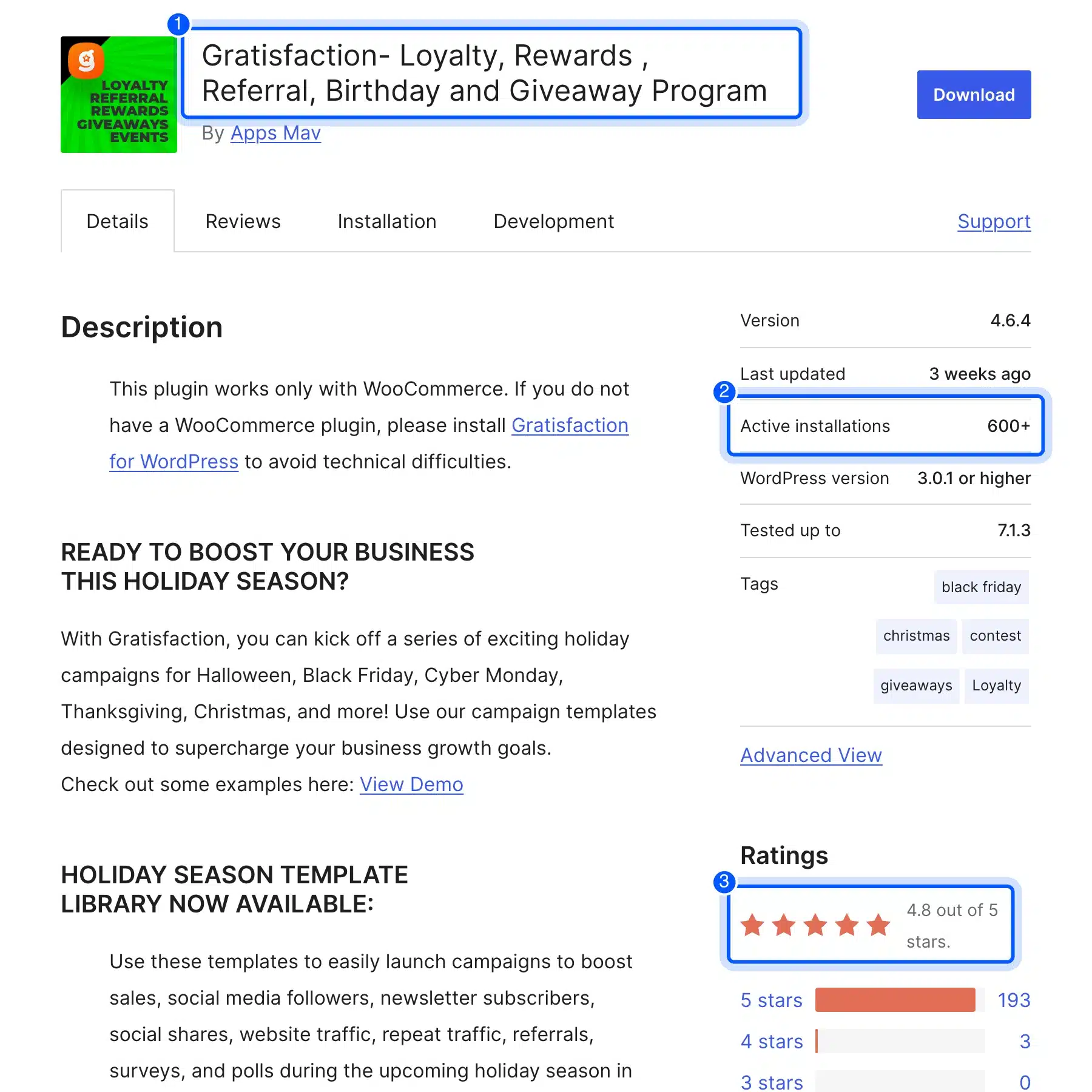
It added 2 files and about 86 KB to the product page even before an account was connected.
Key features:
- Loyalty points and rewards: A points program for repeat purchases.
- Referral campaigns: Rewards for customers who bring in new buyers.
- Life moments: Birthday and anniversary rewards.
- Contests and giveaways: Sweepstakes and purchase-to-win campaigns.
- Holiday templates: Ready campaigns for Black Friday, Christmas and other dates.
Pricing: Free plugin with the program run from a Gratisfaction account.
Best for: Stores that want contests and giveaways run from one dashboard alongside points.
Quick Comparison of WooCommerce Rewards Plugins
The WooCommerce rewards plugins in this list split into free plugins with paid upgrades, paid-only extensions, and general points systems. LoyaltyX, WPLoyalty and WP Swings cover the full store loyalty loop with a free start. myCred and GamiPress reward activity across a whole WordPress site.
| Plugin | Free version | Active installs | Rating | Best for |
|---|---|---|---|---|
| LoyaltyX | Yes | 20+ | 5.0 (7) | Referrals, tiers and expiry in one plan |
| WPLoyalty | Yes | 3,000+ | 5.0 (300) | Campaign-based rules |
| WP Swings | Yes | 7,000+ | 4.5 (179) | Lightest page weight |
| WooCommerce Points and Rewards | No | 8,000+ | 2.4 (20) | The official extension |
| YITH Points and Rewards | No | Not listed | 4.2 (120) | Stores already on YITH |
| myCred | Yes | 10,000+ | 4.6 (471) | One balance across a whole site |
| GamiPress | Yes | 10,000+ | 4.9 (493) | Badges and ranks |
| Simple Points and Rewards | Yes | 300+ | 5.0 (6) | Working message on day one |
| Advanced Coupons | Yes | 20,000+ | 4.4 (184) | Coupon-led promotions |
| Gratisfaction | Yes | 600+ | 4.8 (205) | Contests and giveaways |
Review counts are small for several newer plugins. Weigh a 5.0 from six reviews differently from a 4.6 from 471.
The table also hides the one thing that matters most after launch: who answers when points go wrong. Check each vendor’s support forum on WordPress.org for recent replies before you commit. A plugin that holds customer balances needs a responsive team behind it.
Price models differ too. Most paid versions here are yearly licenses. Budget for every renewal year as well as the first.
Do You Need a WooCommerce Plugin or a WordPress Loyalty Plugin?
You need a WooCommerce loyalty plugin if your points are mainly earned and spent on orders. You need a general WordPress points plugin if customers should also earn for comments, logins, courses or forum posts. Store-focused plugins handle checkout better, while general ones handle everything else better.
The difference shows at checkout.
A store-focused plugin puts the points balance and redemption box on the cart and checkout pages. It then turns the points into a coupon on the order. A general points plugin often needs an add-on or extra setup to do the same.
Balances also work differently. A store-focused plugin ties points to orders. Refunds and cancellations can then take points back. A general points system tracks a balance across every activity. That suits sites where buying is only one part of what members do.
Refund handling is worth testing on staging either way. Place an order, let it earn points, refund it and check that the balance drops by the right amount. A plugin that leaves refunded points in place hands out free discounts.
So start from where your customers spend time. A shop with a blog is still a shop, and a WooCommerce plugin fits it. A membership or learning site that also sells products may do better with myCred or GamiPress.
Will a Loyalty Plugin Slow Down WooCommerce?
A loyalty plugin can add weight to your product pages, and in our test the difference ranged from nothing to about 420 KB. LoyaltyX and WP Swings added no files, while myCred added the most at 14 files. Every other plugin stayed at or under about 111 KB.
Weight is not the only cost.
Points plugins also run database work when an order completes and when a customer opens their account page. None of that shows in a page test. On a large store, test checkout speed on staging before and after you add one.
The points history table grows with every order, too. A store with thousands of orders a month builds a long log over a year. Check whether the plugin lets you clear old entries or archive them.
Many of these plugins show balances through shortcodes on custom pages. Our guide to WooCommerce shortcodes covers how they work and how to fix one that shows as text. For growing organic traffic to the product pages these rewards live on, our WooCommerce SEO guide is the next read.
Which WooCommerce Rewards Plugin We Would Choose
For most WooCommerce stores we would choose LoyaltyX. Our WooCommerce loyalty points plugin covers earning, redemption, referrals, tiers, expiry and loyalty emails in one plugin with a yearly price. We make it. Weigh that in your decision. WPLoyalty is the strongest alternative on reviews, and WP Swings is the lightest on page weight.
- Small store starting a points program: LoyaltyX or WP Swings, on their free versions first.
- Store that thinks in campaigns: WPLoyalty.
- Store already built around coupons: Advanced Coupons.
- Community or course site: Pick myCred or GamiPress.
- Store that wants a message showing today: Simple Points and Rewards.
Whichever you choose, launch with a rate you can afford and a clear expiry rule and review redemptions after a month.
Watch two numbers in that first month. One is the share of customers who come back to spend points, and the other is the order value of those return visits.
If both rise, the program is paying for itself. If nobody redeems, the rate is too low or the balance is too hard to find.
Some stores need points tied to a custom subscription or a third-party POS. No plugin here covers that out of the box. For counter sales on WooCommerce itself, LoyaltyX already shares points with our WooCommerce POS plugin. Our WooCommerce development services team builds loyalty features that connect to your own data.
Our guide on how to create a WooCommerce plugin shows what that work involves.
Conclusion
The best WooCommerce rewards plugin is the one that runs the points loop your customers will use, at a rate your margin can afford. LoyaltyX, WPLoyalty and WP Swings all start free and handle earning and redemption at checkout.
Our test on a fresh WooCommerce 11.2 store showed that most plugins change nothing a shopper sees until you configure them. Page weight stayed modest for most plugins and myCred was the heavy exception. Pick the plugin and then spend your effort on the reward rate, the redemption cap and the expiry rule. To start with ours, see LoyaltyX for WooCommerce points and rewards.
Frequently Asked Questions (FAQs)
Q1. Are WooCommerce rewards programs worth running?
Usually, when the reward rate fits your margin. Points give repeat customers a reason to choose your store again, and the cost only lands when they come back and buy. Start at a 1% to 3% reward and measure repeat orders after a few months.
Q2. Can customers redeem points at checkout?
Yes. Every WooCommerce-focused plugin in this list lets shoppers apply points as a discount at the cart or checkout. Most also let them choose how many points to use rather than spending the whole balance.
Q3. Can I give points for things other than purchases?
Yes. Most plugins here reward signups, product reviews and referrals, and some add birthdays and daily logins. General points plugins such as myCred and GamiPress can reward almost any action on a WordPress site.
Q4. Is there a free WooCommerce points and rewards plugin?
Yes. LoyaltyX, WPLoyalty, WP Swings, myCred, GamiPress and Simple Points and Rewards all have free versions on WordPress.org. The official WooCommerce Points and Rewards extension and YITH’s plugin are paid only.
Q5. What is a good points-to-currency rate?
A common setup is 1 point per $1 spent and 100 points per $1 off, which gives a 1% reward. Raise it for high-margin products or special campaigns, and keep it low if your margin is thin.
Q6. Should reward points expire?
Usually, yes. An expiry of 6 to 12 months limits how much you owe in unused points and prompts customers to return sooner. Show the rule on the account page and remind customers by email before points expire.
Q7. Can I move points balances to a different plugin later?
Sometimes, but plan for work. Each plugin stores balances its own way. Moving usually means exporting balances and importing them as manual adjustments. Choose carefully at the start to avoid a migration later.
Q8. Do rewards plugins work with WooCommerce Subscriptions?
Many do, but support varies by plugin and version. Check whether renewal orders earn points and whether points can pay for a renewal. Test one renewal on staging before relying on it.