

WooCommerce Crowdfunding
Raise funds for products and projects right from your store, with goals, backers, and live progress.
From: $49.00 / year
View
This product has multiple variants. The options may be chosen on the product page
The WooCommerce Hide Price For Guest plugin is an intelligent solution for online shops using WooCommerce, designed to make your store more exclusive and boost customer interaction. It hides the price and “Add to Cart” button from people not signed in, encouraging them to create an account or log in to view prices.
This approach helps increase the number of registered users, allowing you to understand your customers better and personalize their shopping experience. The plugin is user-friendly, letting shop owners choose which products or categories to apply these settings. It also lets you modify the message inviting visitors to sign up or log in, ensuring it fits well with your store’s style and messaging.
Ideal for making your store feel more private and encouraging customer loyalty, this plugin is an excellent addition to any WooCommerce site looking to improve customer engagement.
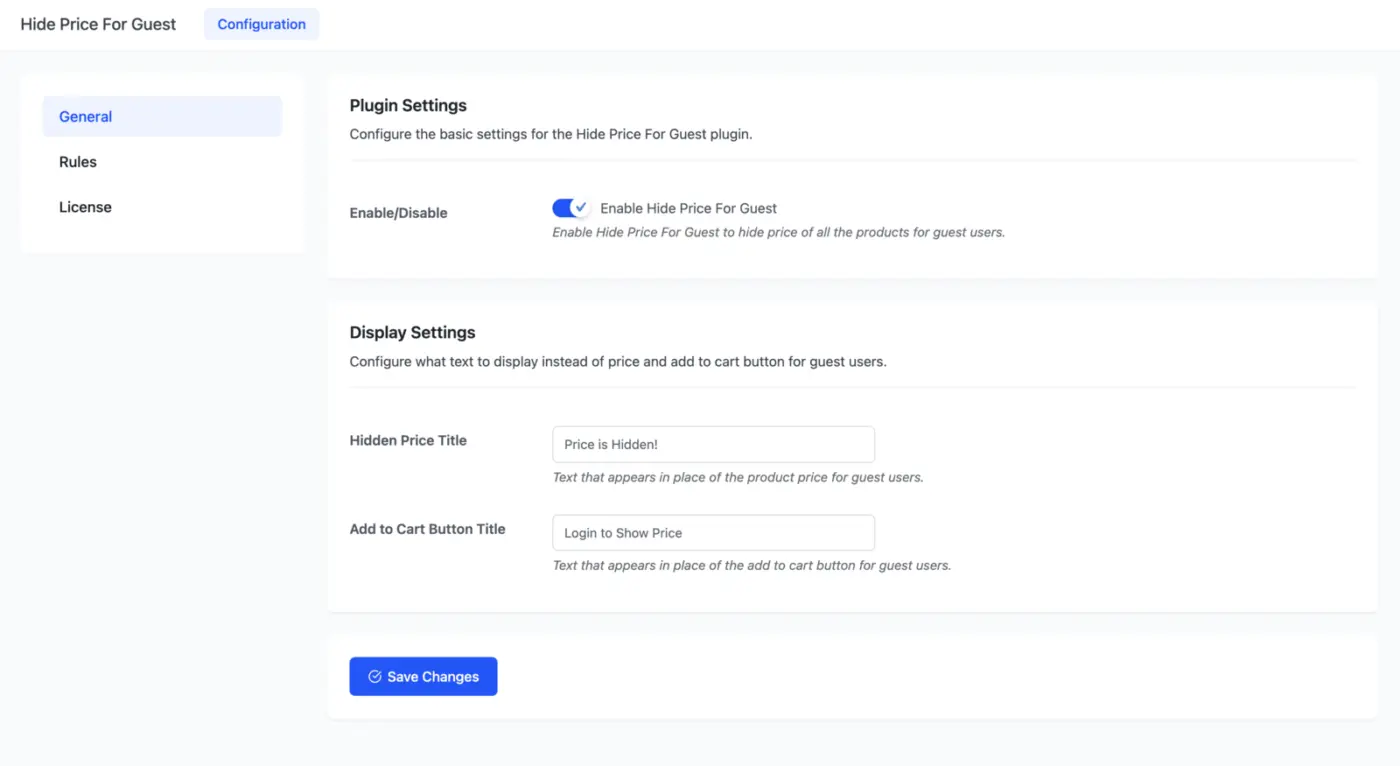
Enable Hide Price For Guest to hide the price of all the products for guest users.
Configure what text to display instead of price and add to cart button for guest users.
The admin can also configure rules by clicking on the Rules Tab, as seen in the screenshot below. Based on these rules, he/she can reveal a product’s price and add to cart button to guest/unregistered users in the shop.
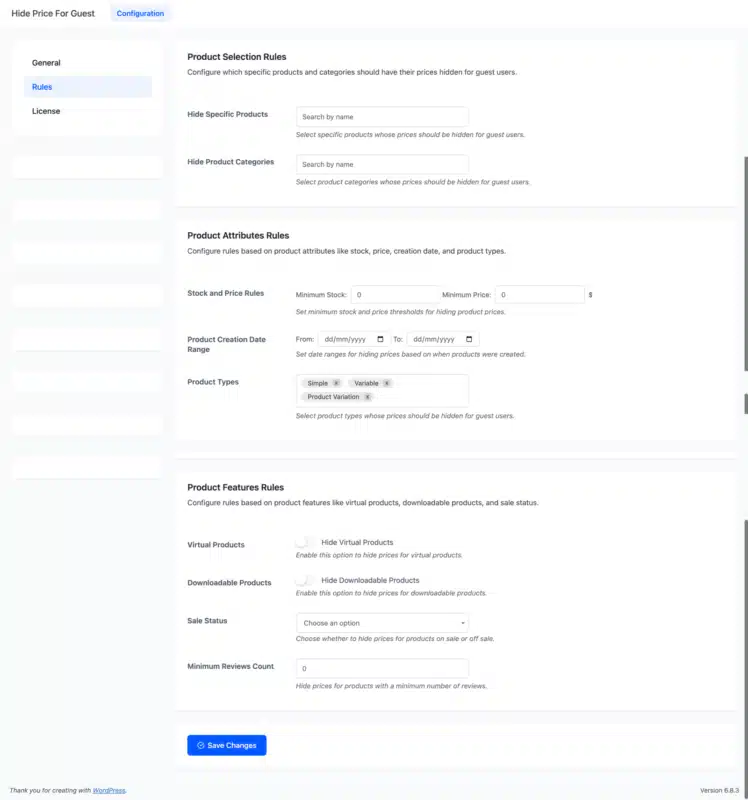
Configure which specific products and categories should have their prices hidden for guest users.
Configure rules based on product attributes like stock, price, creation date, and product types.
Configure rules based on product features like virtual products, downloadable products, and sale status.
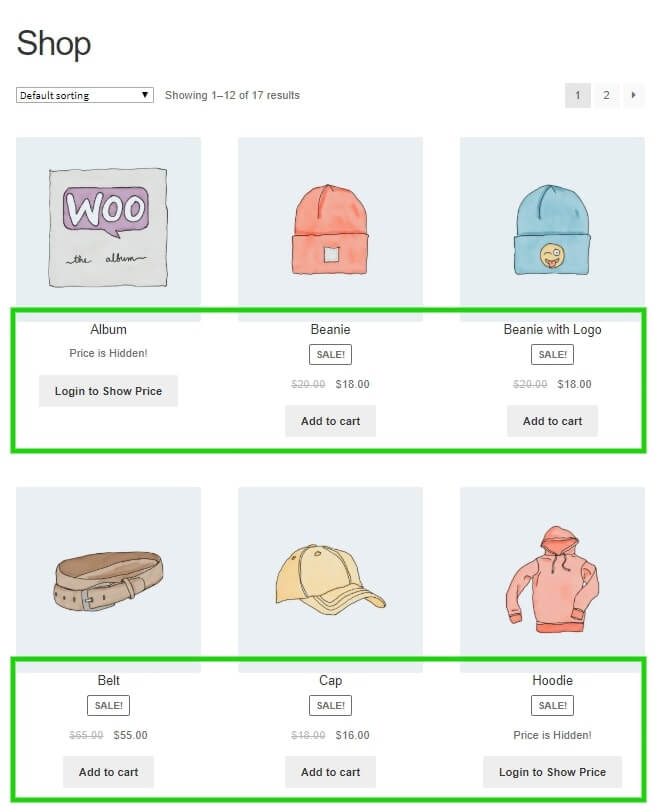
Guest or unregistered users cannot view the Product Price and Add to Cart options on the shop, category, and single product pages. Instead, they will see the custom text set by the Admin from the back-end setup. Before logging in, the Price and Add to Cart buttons will stay hidden.
Some product pricing and add-to-cart buttons are shown before login because the admin has defined rules in the back-end to display the price and add-to-cart buttons for specific products before login or to guest/unregistered users. The user must log in to show the price and add to the cart option for all the products.
Only logged in customers who have purchased this product may leave a review.
Raise funds for products and projects right from your store, with goals, backers, and live progress.
Show customers a clear visual tracker for every order stage, from payment through to delivery.
Shoppers change size, color, and other options right in the cart, with no trip back to the product page.
johntsc –
Fantastic plugin!
Fantastic plugin! It has really improved my workflow and made things much easier. Highly recommended.
bravejanette –
Great Team and Excellent Support
The DevDiggers team was great to work with. They not only delivered a high-quality plugin but also helped with customization and fixed a critical issue on my site. The support was quick and very helpful. I would definitely recommend them and use their services again.
~Janette
jovanbojovic –
Outstanding Custom Work and Timely Delivery
The custom work done by their PHP developers for my WordPress website was outstanding. They even completed everything before the promised time, which was really impressive. I’m very glad I found them and look forward to working with them again in the future.
dewitjes –
Great Plugin with Super Fast Support
Great plugin with awesome support from the team. My query was answered within minutes and resolved very quickly. Highly recommended!
smsab2864 –
Excellent Support
The support is excellent. Quick, reliable, and very helpful whenever needed.