What is WooCommerce Order Progress Bar?
WooCommerce Order Progress Bar is an order tracking plugin. It displays order status as a visual progress bar on the order received and view order pages. You choose which statuses appear, their order in the bar, and the colours used for successful and failed outcomes.
Why a status word is not order tracking
WooCommerce tells a customer their order is “Processing”. That word answers nothing useful. It does not say what already happened, what happens next, or how many stages are left.
A progress bar answers all three at a glance. Customers who can see their order sitting at stage two of four stop writing to ask. That takes a predictable stream of tickets out of your inbox.
What you configure
- Success statuses: the sequence of statuses that make up a normal order, from first to last. The one at the top appears first in the bar.
- Failure statuses: the statuses that represent a failed, cancelled, or refunded order.
- Custom statuses: both lists accept custom order statuses as well as the WooCommerce defaults, so a custom fulfilment workflow can be shown as it really runs.
- Success colour and failed colour for the bar.
- Position on the view order page and on the order received page, set independently.
Where customers see it
On the order received page immediately after checkout, which sets the expectation while the purchase is still fresh. And on the view order page inside My Account, which is where customers return to check on progress later.
Who this plugin is for
Stores shipping physical goods on any lead time longer than same-day, made-to-order and print-on-demand sellers, and anyone whose support inbox fills with order status questions. It also suits stores that have added custom order statuses and want customers to understand them.
Setting up the WooCommerce order progress bar
Configuration
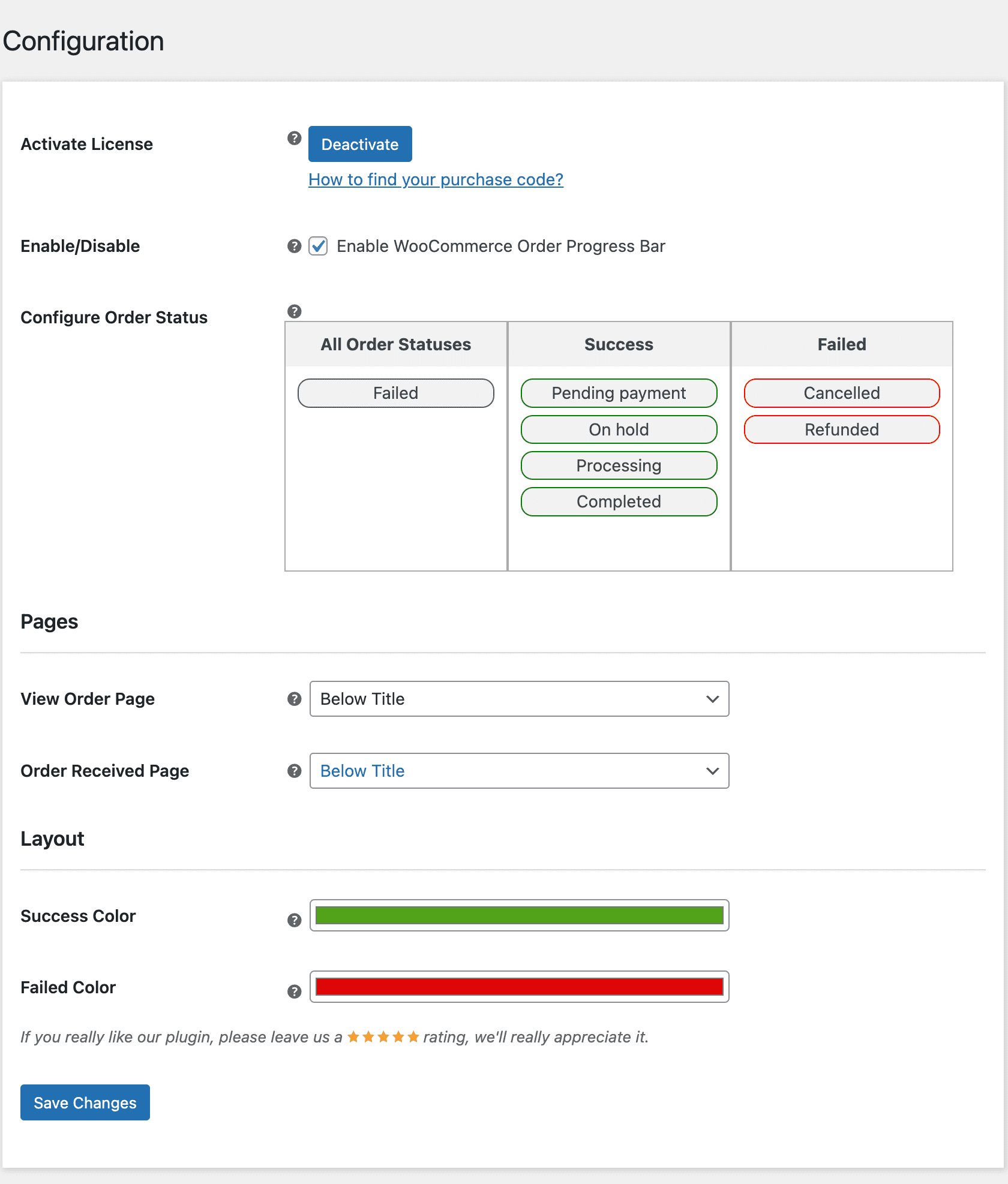
Activate license
Enter your purchase code and email to activate the license before use.
Enable the order progress bar
Turn the progress bar on or off for customers across the store.
Configure order status
Build the two status lists here: the statuses that make up a successful order, and the ones that mean it failed. Both accept WooCommerce defaults and custom order statuses. The status at the top of the list appears first in the bar, so the list order is the bar order.
View order page position
Choose where the progress bar sits on the view order page inside My Account.
Order received page position
Choose where the progress bar sits on the order received page shown after checkout.
Success colour
Set the colour used for the bar when the order is moving through your successful statuses.
Failed colour
Set the colour used when the order has reached a failed, cancelled, or refunded status.
What customers see: WooCommerce order tracking in action
The progress bar appears on the view order page and the order received page. Customers check order status themselves instead of emailing to ask.
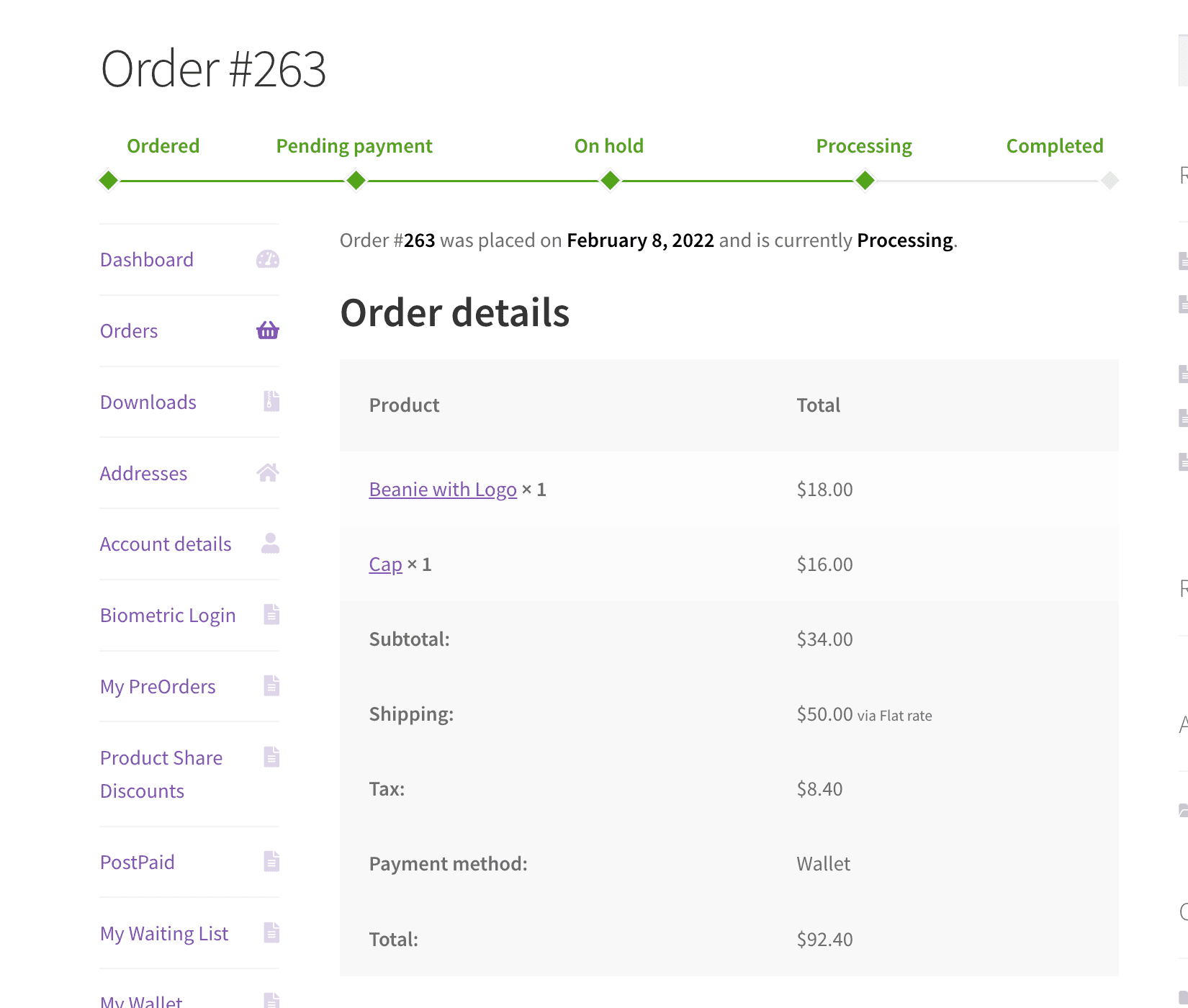
View order page
Successful order progress bar
The bar fills through your success statuses in the order you defined, so the customer sees the stage reached and the stages still to come.
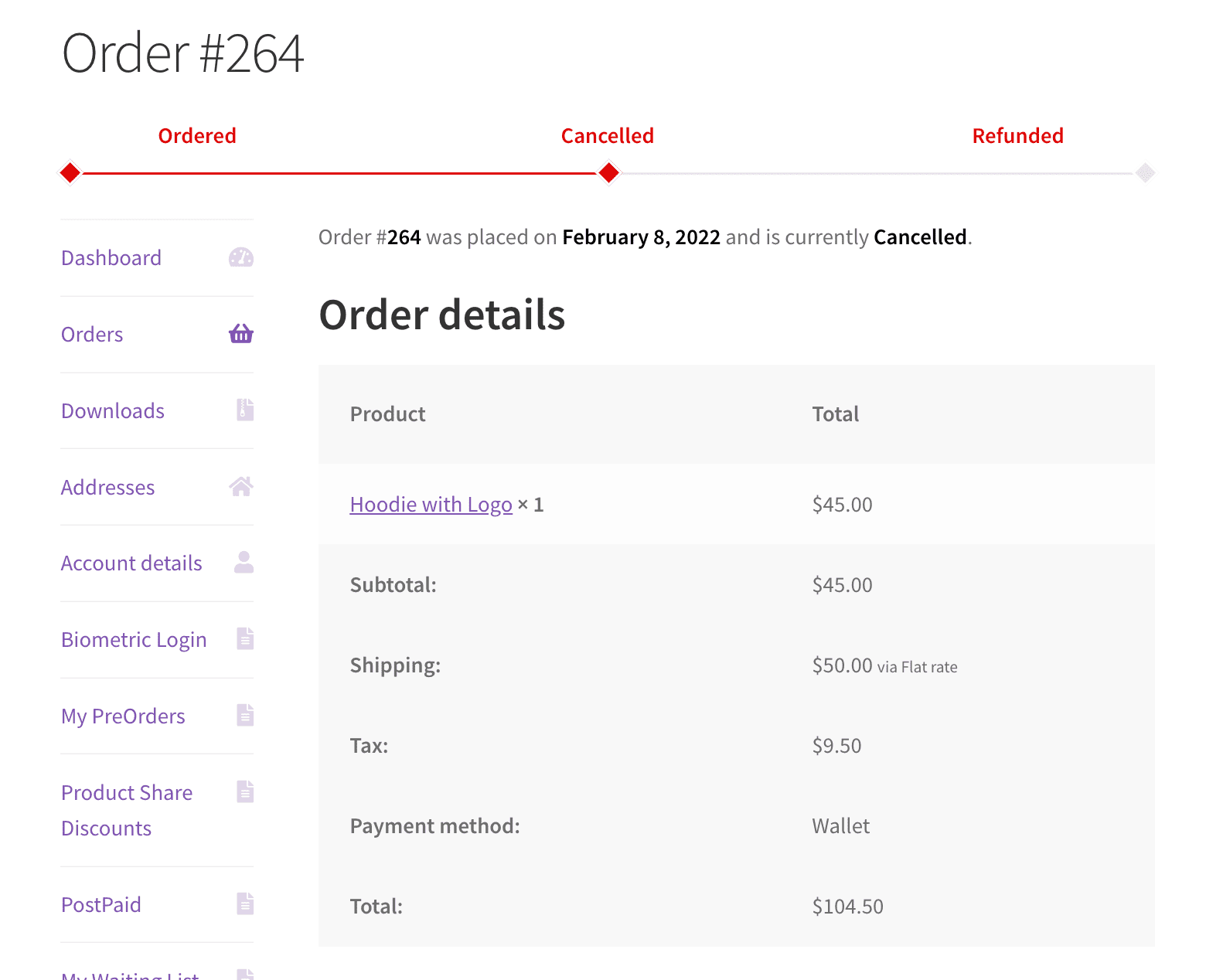
Failed order progress bar
When an order is cancelled, failed, or refunded, the bar switches to your failure statuses and the failed colour. The outcome is explicit rather than an order that appears stuck.
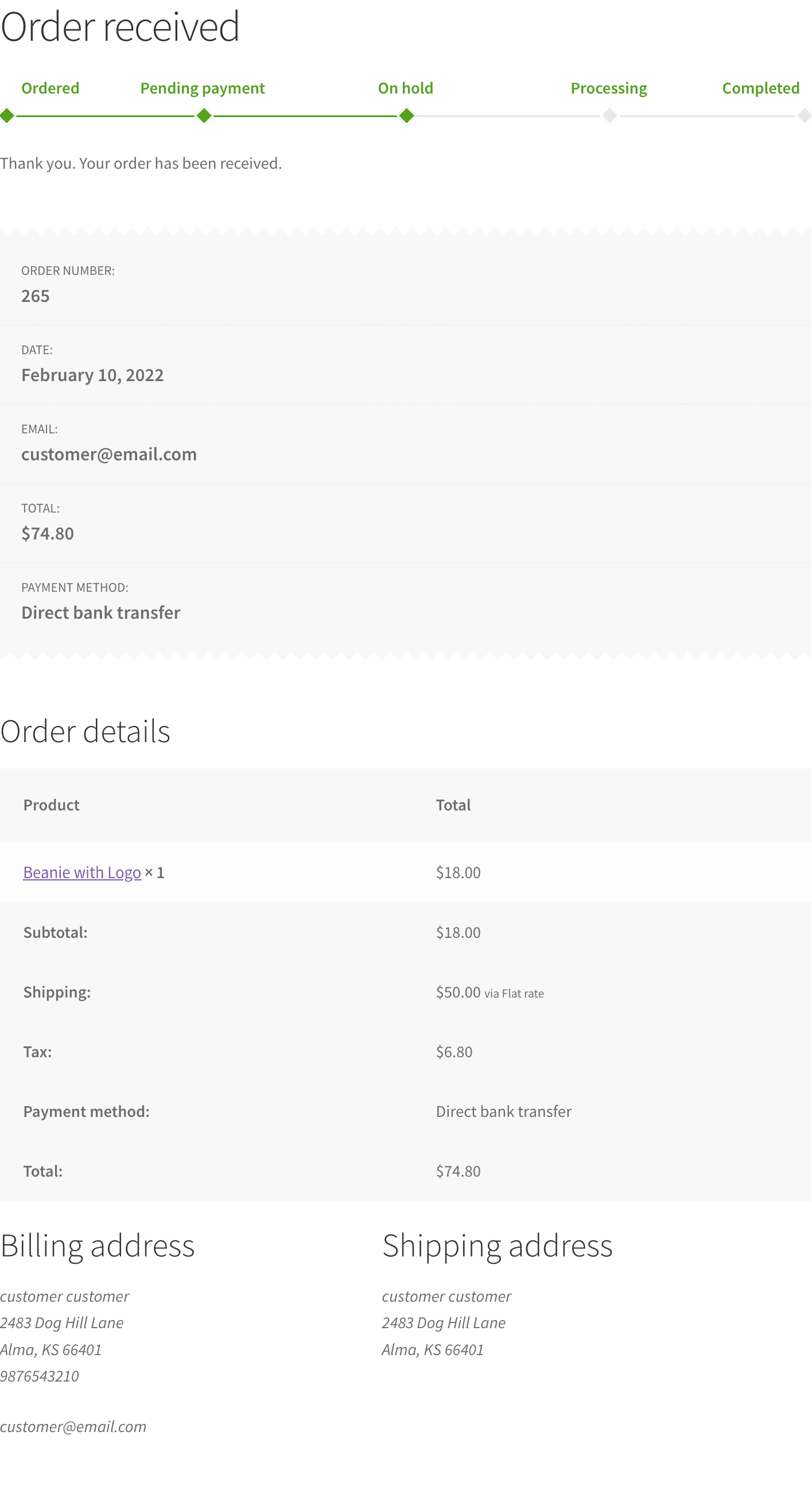
Order received page
The same bar renders straight after checkout, which sets delivery expectations while the purchase is still fresh.
Frequently Asked Questions (FAQs)
Q1. Can I use my own custom order statuses in the progress bar?
Yes. Both the success list and the failure list accept custom order statuses as well as the WooCommerce defaults.
Q2. Where does the progress bar appear?
On the order received page after checkout and on the view order page in My Account. You set the position on each page separately.
Q3. How do I control the order the statuses appear in?
The bar follows the sequence of your success status list. The status at the top of the list appears first in the bar.
Q4. What happens if an order is cancelled or refunded?
The bar switches to your failure statuses and uses the failed colour, so the customer sees the outcome clearly rather than an empty progress track.
Q5. Can I change the colours to match my theme?
Yes. Set one colour for successful statuses and another for failed statuses.
Q6. Does this send tracking emails?
No. It displays order status on your own pages. Order emails continue to come from WooCommerce as they do now.

nxz89 –
Great Plugin and Support!
One of the fastest support experiences I’ve ever had. The plugin works very well, and with a few small improvements, it would be perfect. Great job, keep it up!
marwygafentw –
Well-Designed Plugin!
A delightful and well-designed plugin! The support was quick and helpful. Looking forward to even more useful and refined features in future updates.
MEDIUMM2012 –
Quick Fix!
I had a compatibility issue with the Uncode theme, but the support team fixed it within minutes. Everything is working perfectly now. Thanks a lot!
erbuc –
Quick Help Anytime
The team is quick and helpful, even outside regular hours. Great support and a reliable team!
polboonlapo –
Excellent Customization Skills
The support team is excellent at resolving issues and customizing the plugin to fit your site perfectly. Really impressed with their help!