Skip to content
Pedro Lima, DevDiggers customer Kareem Al Samman, DevDiggers customer Valentina Dancheva, DevDiggers customer Loved by store owners in 158+ countries

MultiPOS: WooCommerce POS Plugin for Retail, Cafes, and Restaurants

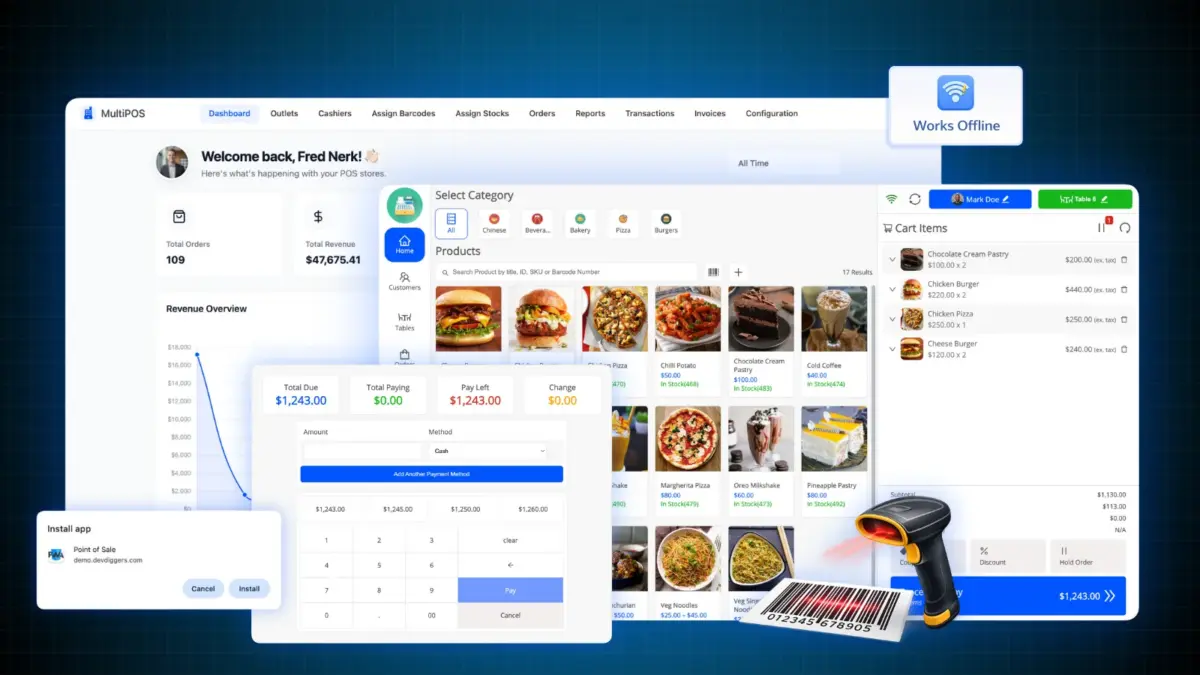
Turn your store into a full point of sale for WooCommerce. Sell at the counter, scan barcodes, take split payments, and keep selling when the internet drops. Every sale is a normal WooCommerce order.

5 star reviews Rated 4.9/5 across Trustpilot, Google and Envato
  • Free version on WordPress.org
  • 14-day money-back guarantee
  • 24×7 human support
WooCommerce POS plugin
0+ Reviews for MultiPOS
5.0/5 Average buyer rating
0+ Countries served
Elite Author on Envato
What is MultiPOS

Does WooCommerce come with a point of sale?

WooCommerce core has no point of sale. Woo sells one through its mobile app, but that runs on tablets, takes only WooPayments or Stripe, and stops when your internet does. MultiPOS is the WooCommerce POS plugin that removes those limits. Your staff open a point of sale screen in any browser and ring up sales at the counter. Each sale becomes a real WooCommerce order, so stock, customers, taxes, and reports stay in one place. Start free on one outlet and move up when you grow. MultiPOS is part of the DevDiggers WooCommerce plugin range.

The problem

Running your shop and your website as two systems costs you

Most store owners end up with a cloud POS on the counter and WooCommerce online. Now you have two stock counts, two customer lists, and two sets of numbers that never quite agree.

Someone sells the last item in store, the website still shows it in stock, and a customer orders something you cannot ship. At close, you balance the two by hand.

See how MultiPOS closes it
  • Two stock counts that never agree
  • Counter sales missing from your WooCommerce reports
  • Customer history split across two systems
  • Manual reconciliation at close every night
  • Monthly fees, plus a cut of every sale
How it works

Your store becomes the POS, so nothing lives in two places

Most point of sale tools add a separate system onto your store and then try to sync it. MultiPOS does the opposite. A WooCommerce point of sale should sell straight from WooCommerce. The sale you ring up in person is the same order, stock count, and customer record you already trust online. Set it up once and your counter and your website share one brain.

  1. Set up outlets

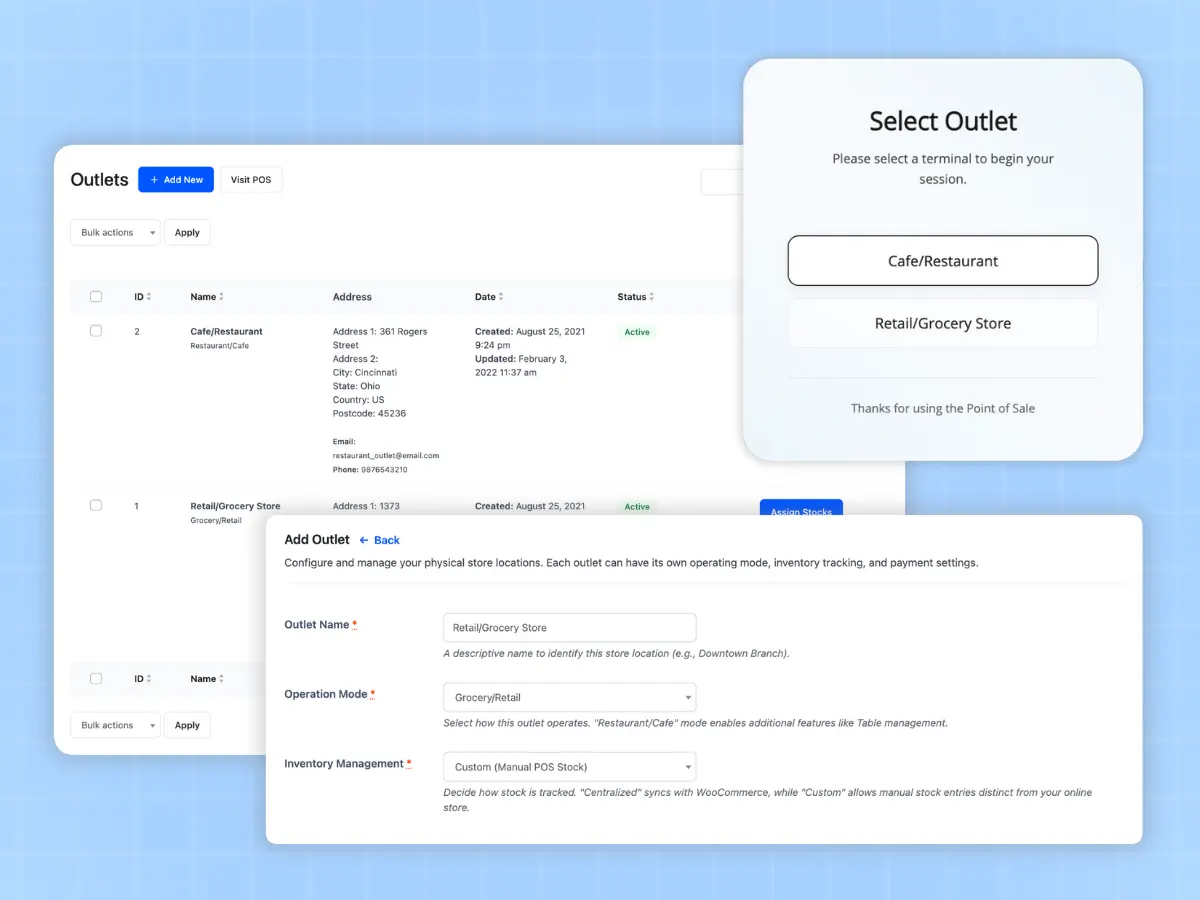
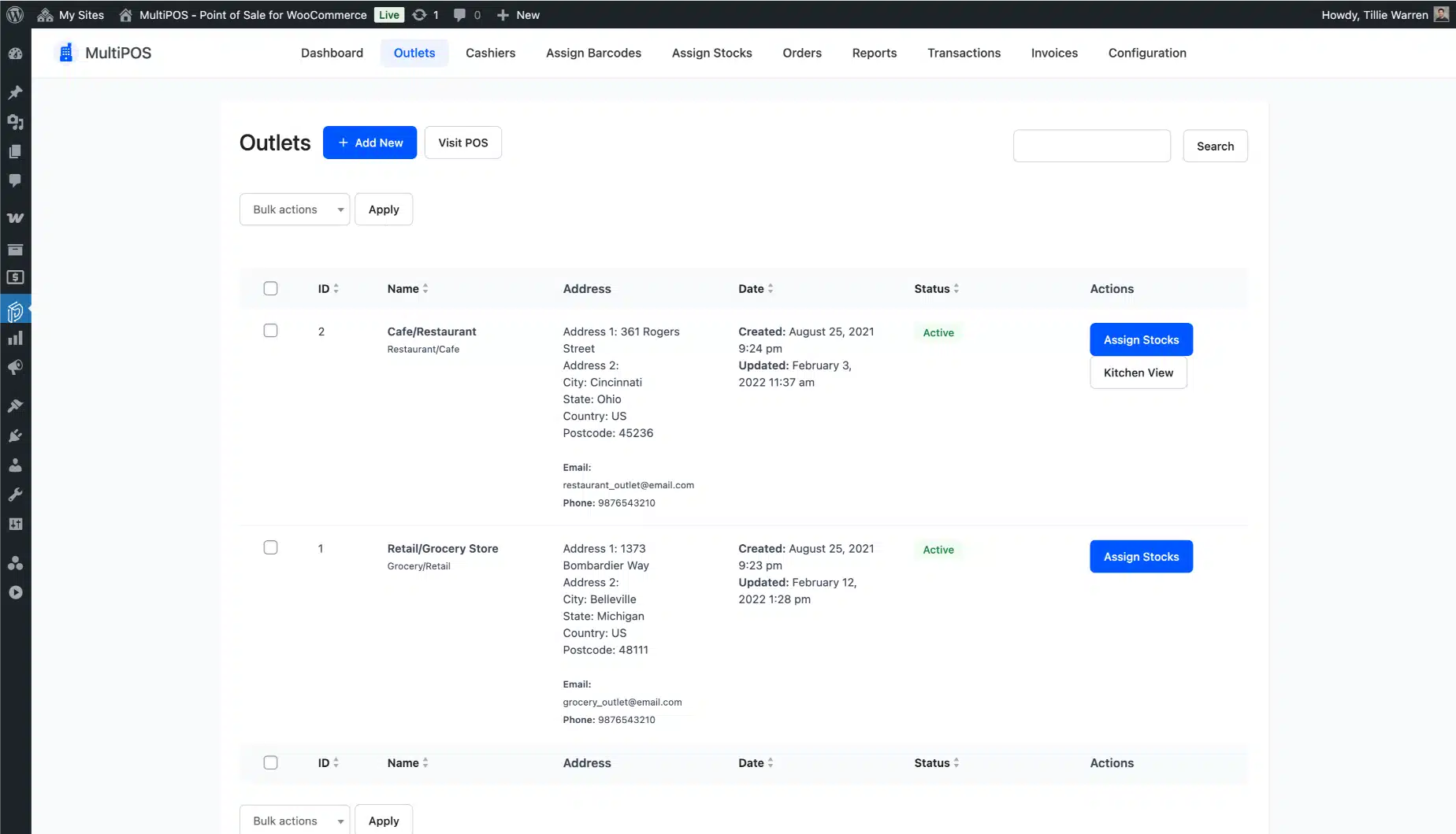
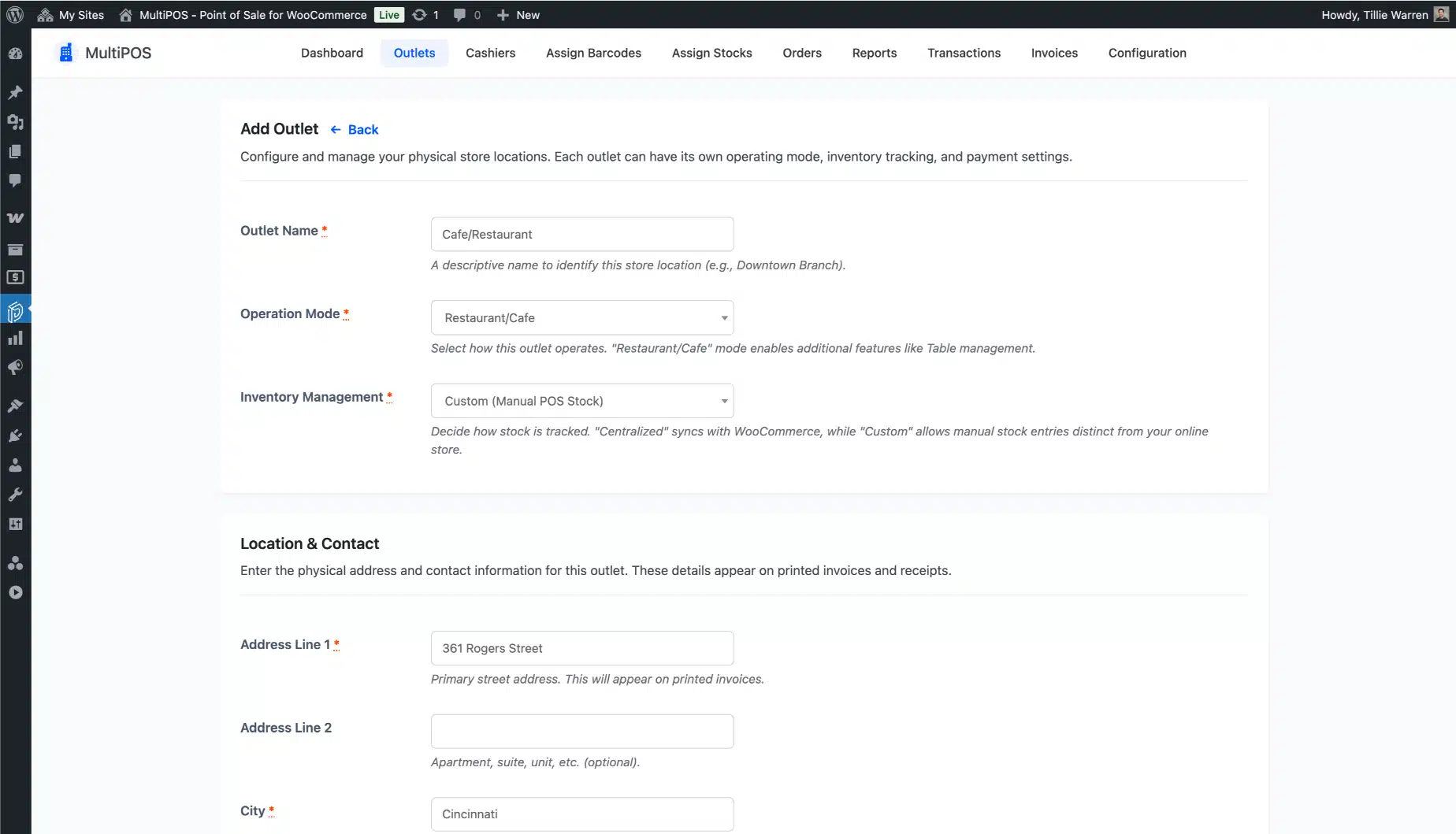
    Add one or more outlets and set each one to retail or restaurant mode. Each outlet can use shared WooCommerce stock or keep its own custom stock, so a shop and a kiosk count their shelves apart.

  2. Add your cashiers

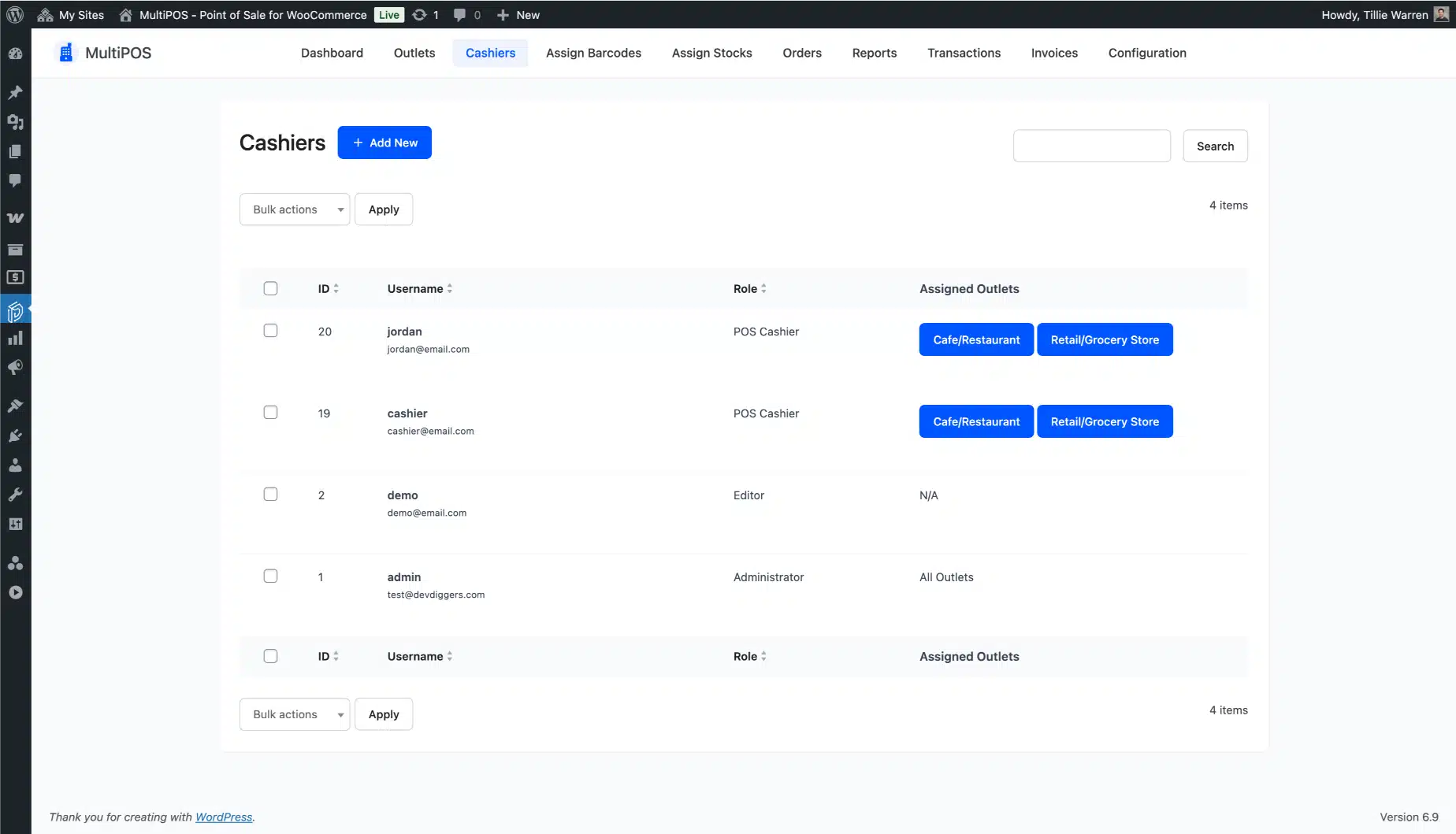
    Create cashier accounts and assign them to outlets. Admins and cashiers can both open the point of sale. Cashiers only see the outlet and tools they need, so training is quick.

  3. Sell at the counter

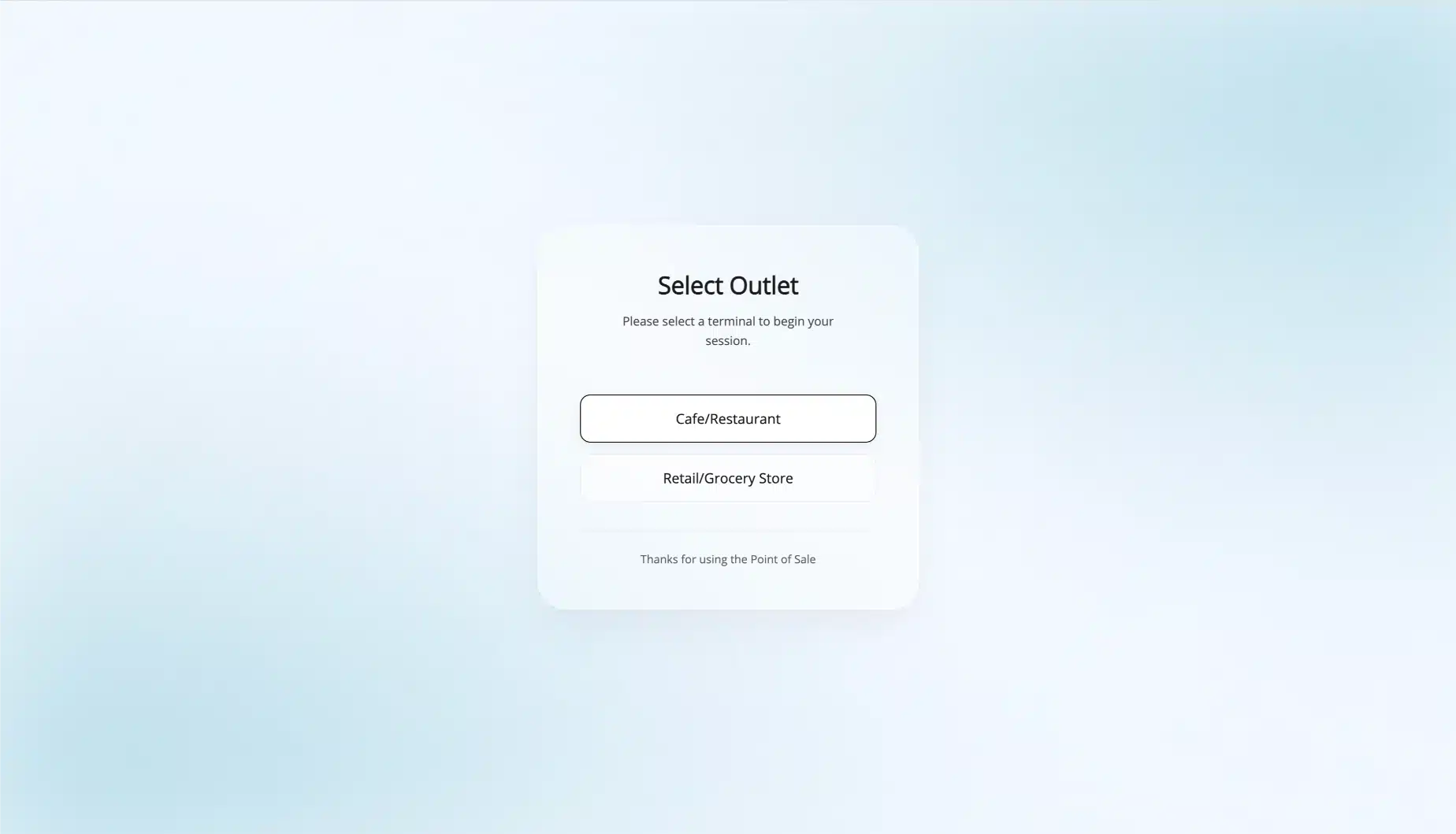
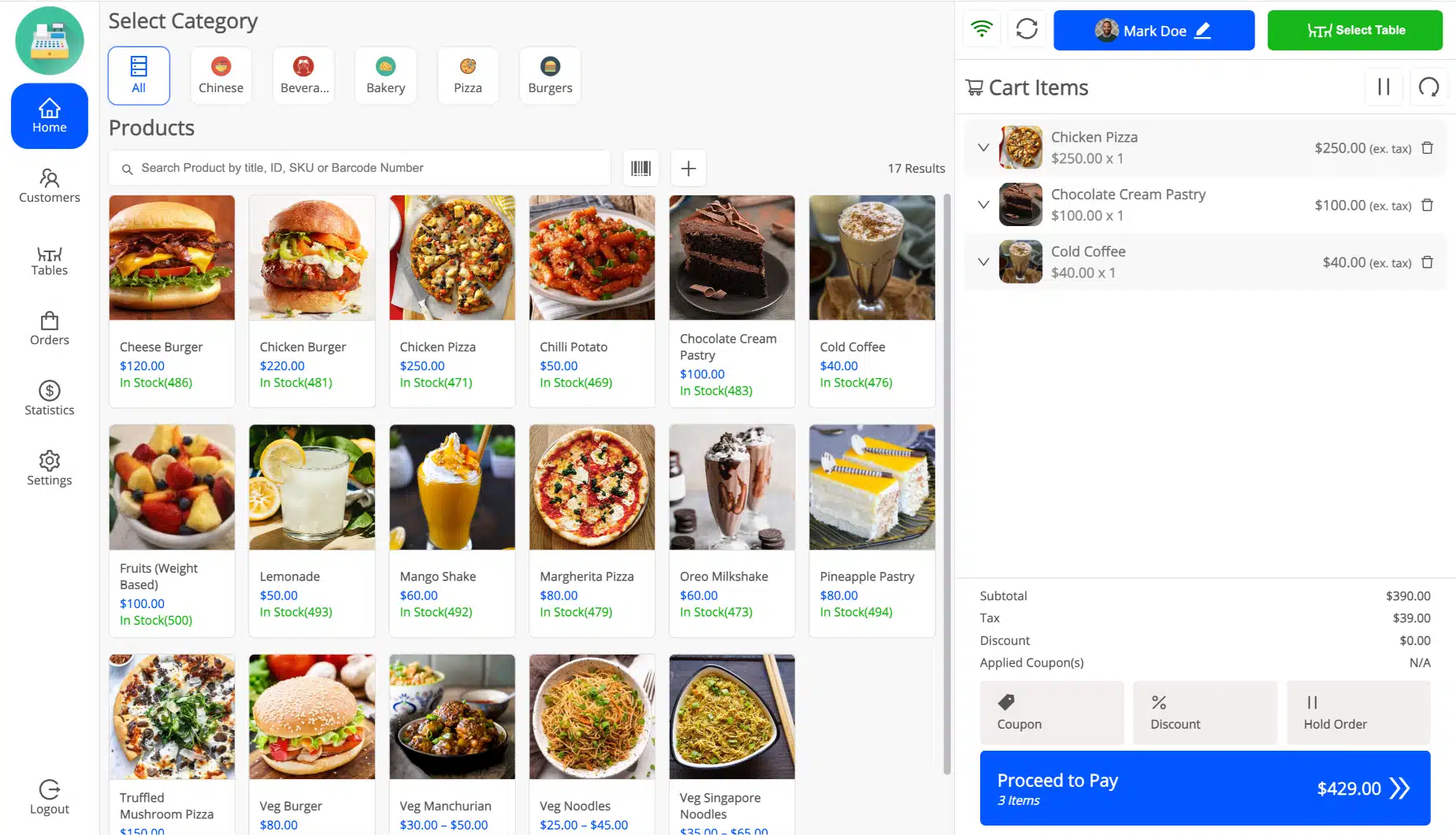
    A cashier opens the POS, picks an outlet, and starts selling. Scan a barcode or search by name, apply a discount, take split payment, and print a receipt in seconds.

  4. Orders land in WooCommerce

    Every completed sale becomes a WooCommerce order with the right outlet, cashier, tax, and payment record. Stock drops on its own and the customer record updates. Nothing to export.

Features

Everything a WooCommerce POS plugin should do, in one place

Every feature below ships with every paid plan. No add-ons, no upsells, nothing held back for a higher tier. Retail counters, grocery aisles, cafes, and full-service restaurants all run on the same download.

Sell in person on any device

The point of sale screen runs in any modern browser on a desktop, tablet, or phone. There is no app to buy and no locked-down till hardware to source.

Open it, pick an outlet, and start ringing up sales in seconds. The layout is built for touch, so a cashier can work fast with a finger or a mouse. It works left-to-right and right-to-left, so it fits stores in any region.

  • Search products, customers, orders, and tables from one screen
  • Sell simple and variable products, with each variation shown as its own clean item
  • Ring up a custom product that is not in your catalog yet
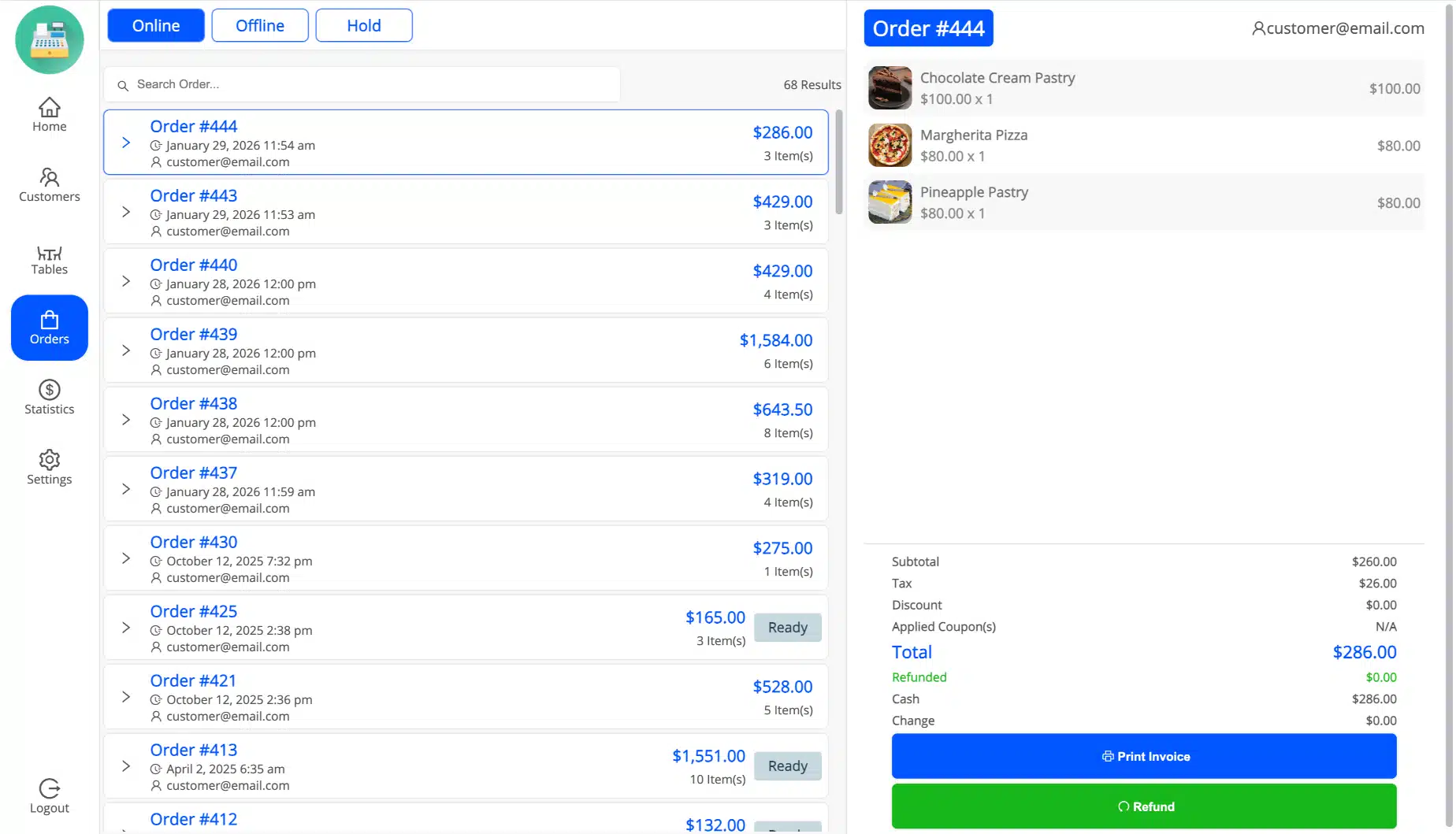
  • Hold an order and come back to it later, then print a receipt for any order
  • Full touch layout with right-to-left language support
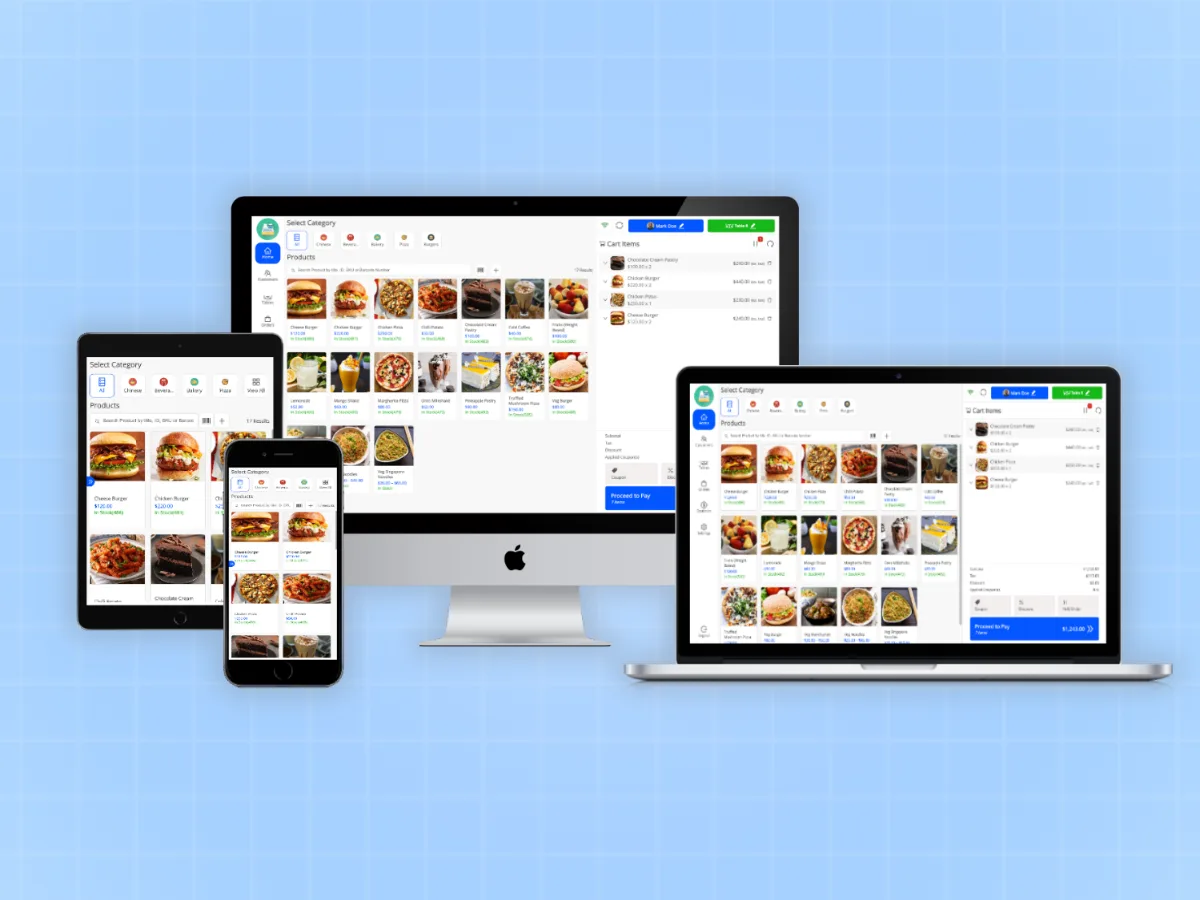
MultiPOS WooCommerce point of sale screen ringing up a sale in the browser

Scan barcodes and print your own labels

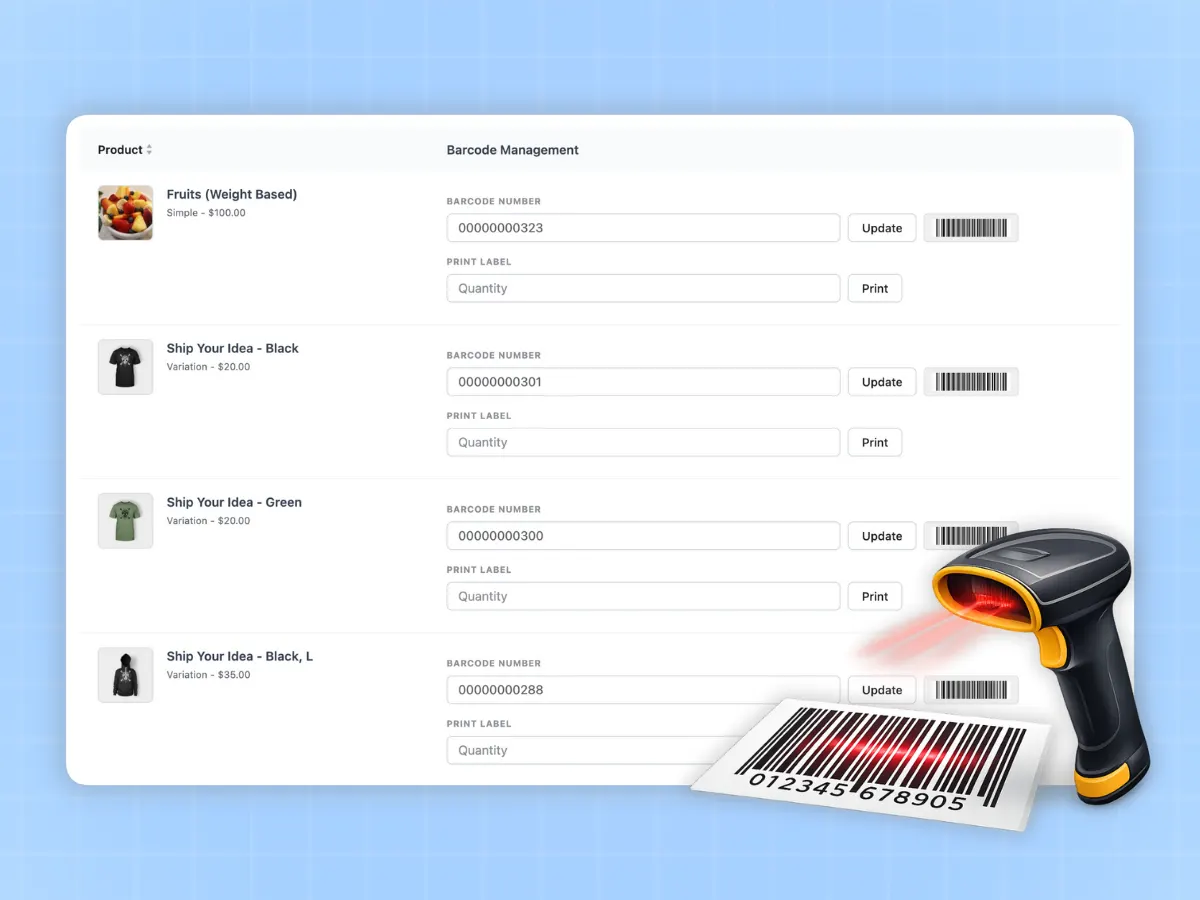
Add a product to the cart by scanning or typing its barcode. You hear a beep on each add and an error sound when a code is not found, so mistakes are caught at the counter, not at close.

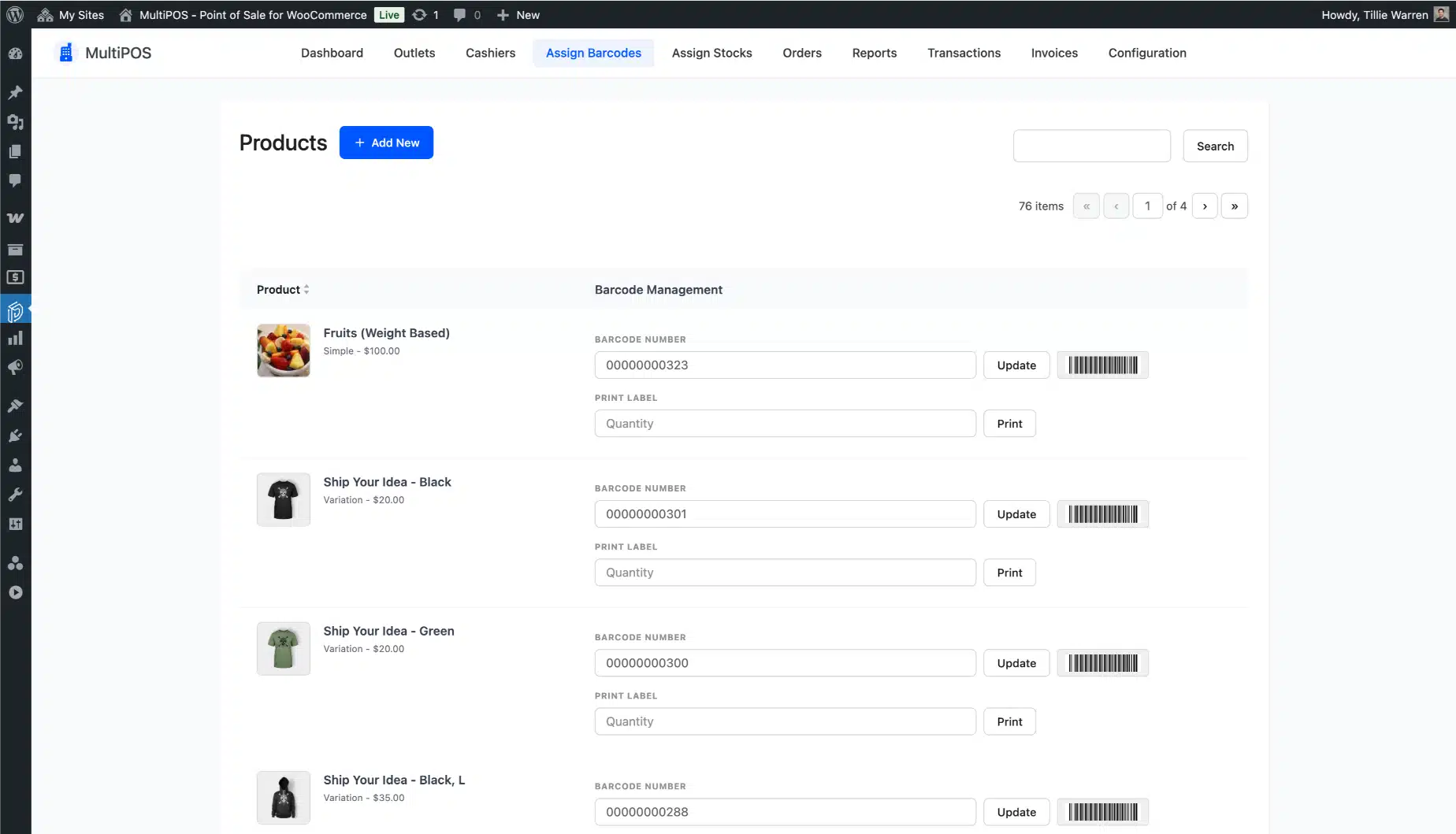
Do not have barcodes yet? MultiPOS can generate them from a product ID or SKU, and print label sheets in the size and layout your printer needs. A barcode scanner turns a slow catalog search into a one-second scan.

  • Generate barcodes from a product ID or SKU
  • Assign a custom barcode to any product
  • A beep on every add, and a different sound when a code is unknown
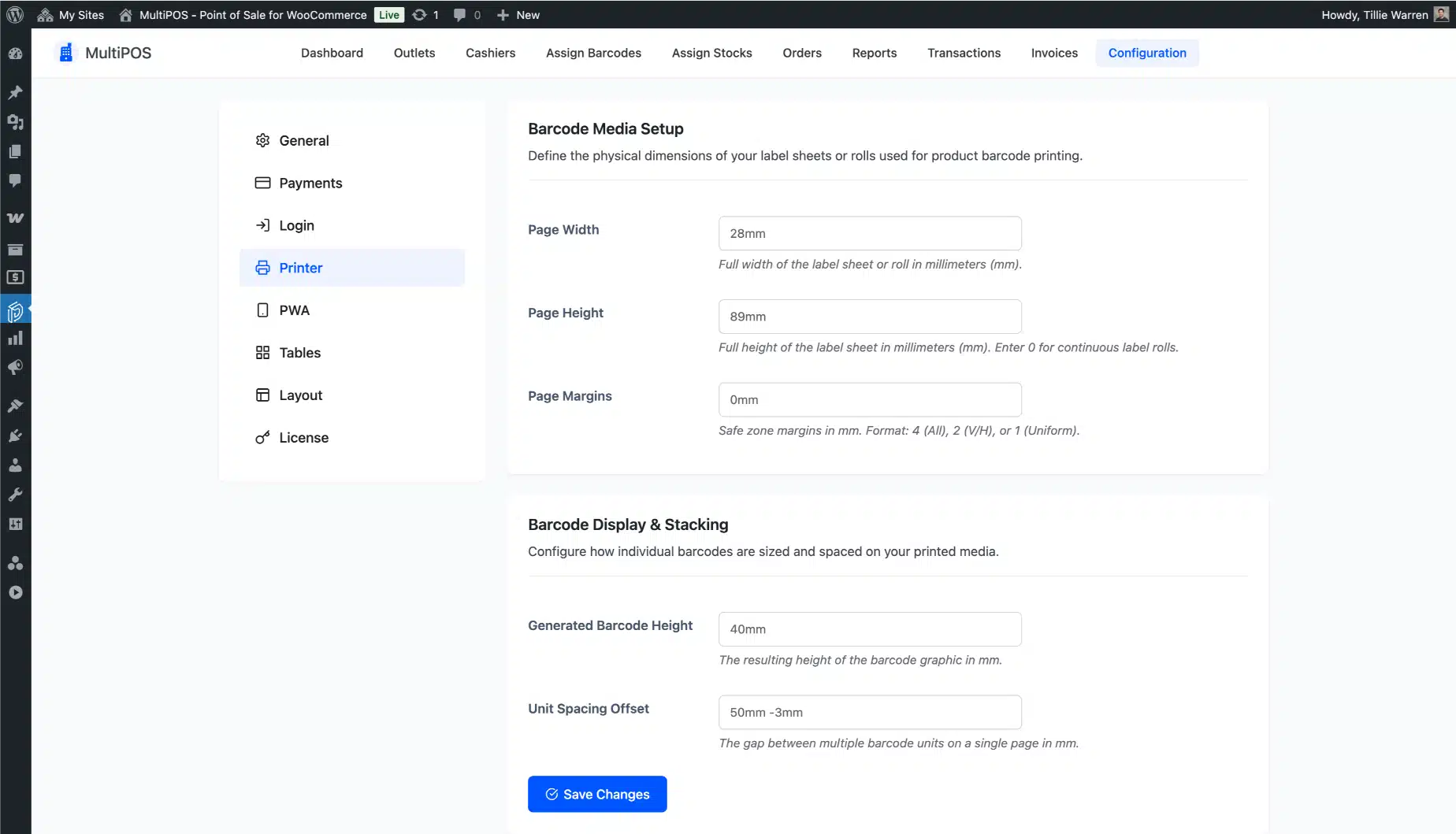
  • Print label sheets with your own size, margins, and horizontal or vertical layout
  • Set the label printer width, height, and margins once
Barcode scanner support and label printing in the MultiPOS WooCommerce POS

An offline POS for WooCommerce that never stops a sale

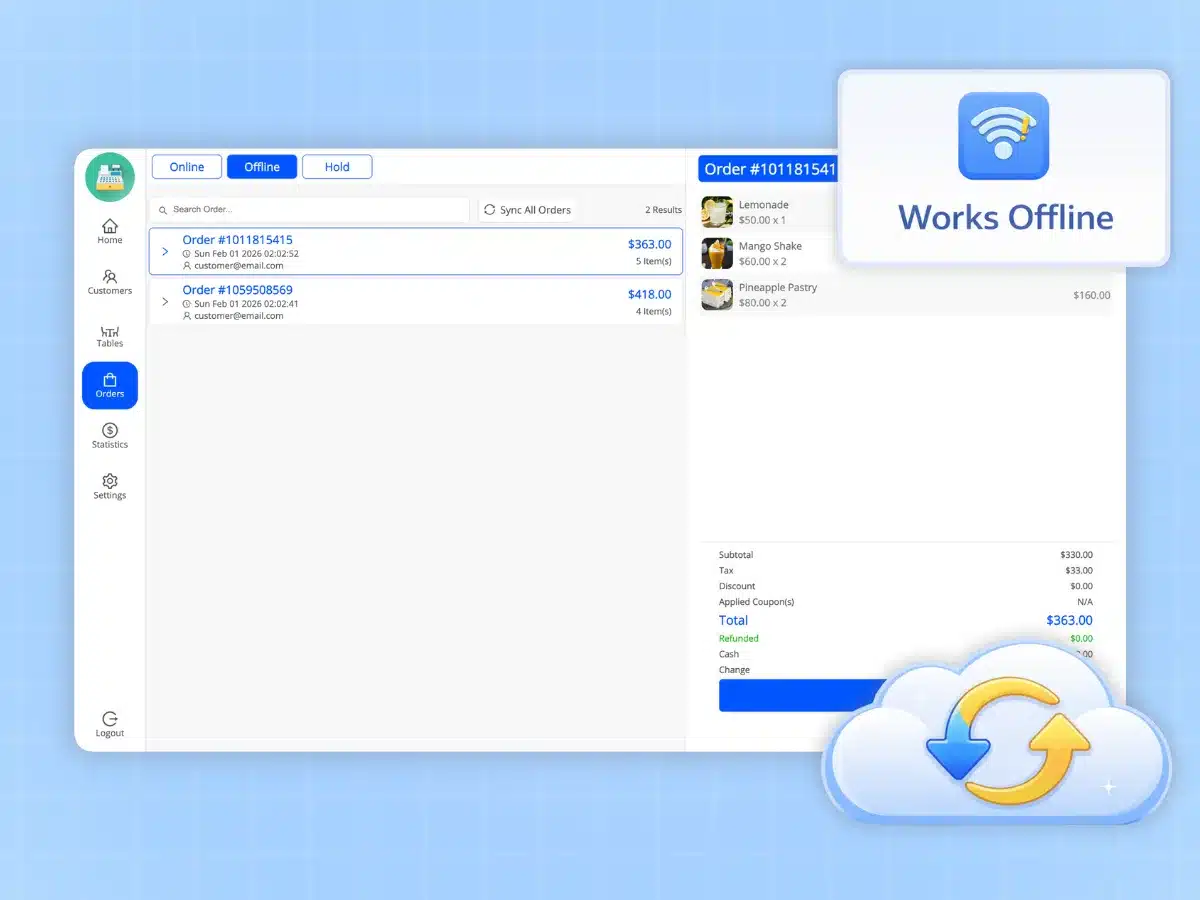
A dropped connection should never stop a sale. When the internet goes down, this offline POS for WooCommerce keeps working from local browser storage. It records orders, payments, and stock changes on the device, then syncs them to WooCommerce on its own once you are back online.

Offline order IDs show in your backend POS orders list, so you can see exactly what came in while you were down. Most WooCommerce POS plugins simply stop when the connection does. MultiPOS does not.

  • Take orders and payments with no connection
  • Offline orders sync to WooCommerce automatically when the connection returns
  • Offline order IDs show in the backend, so nothing goes missing
Offline POS for WooCommerce taking a sale that syncs to WooCommerce later

A restaurant POS for WooCommerce, not a retail screen with tables

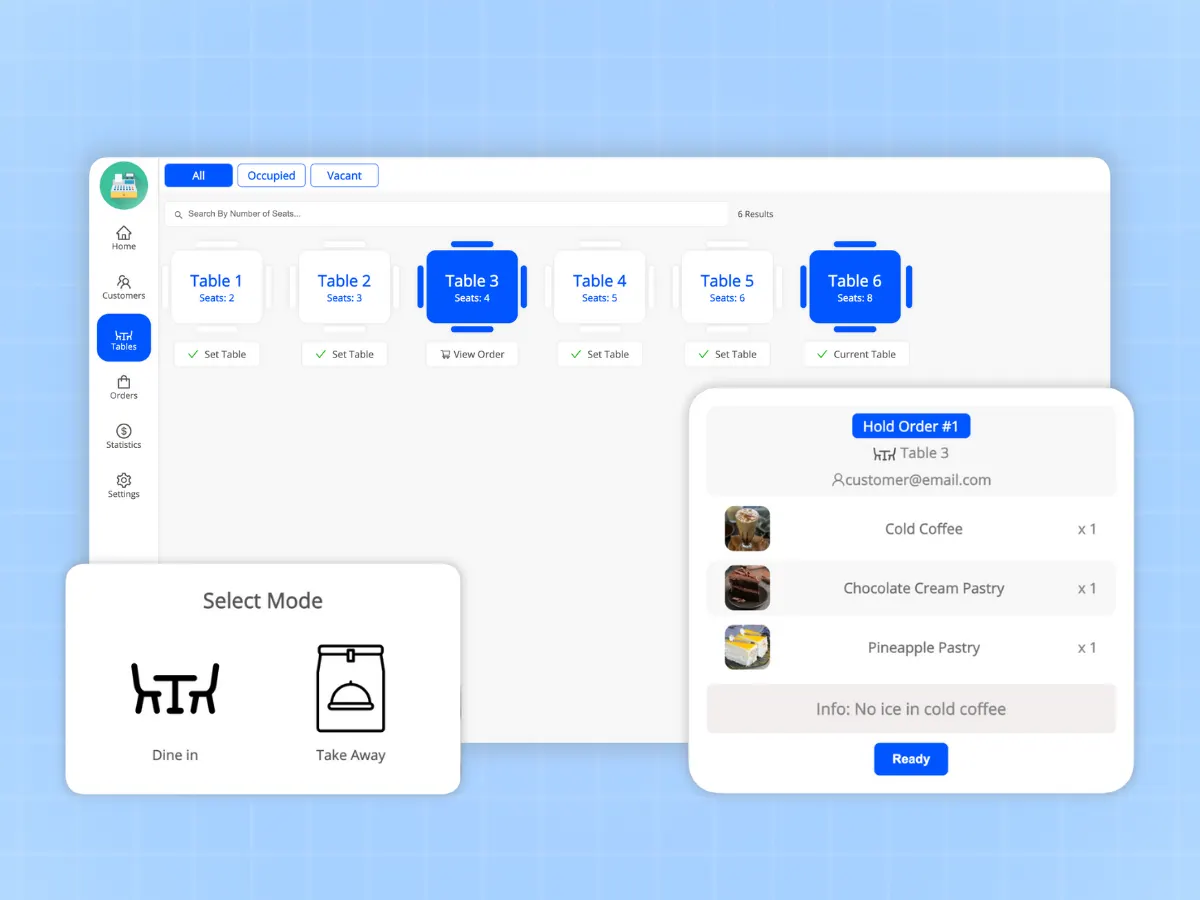
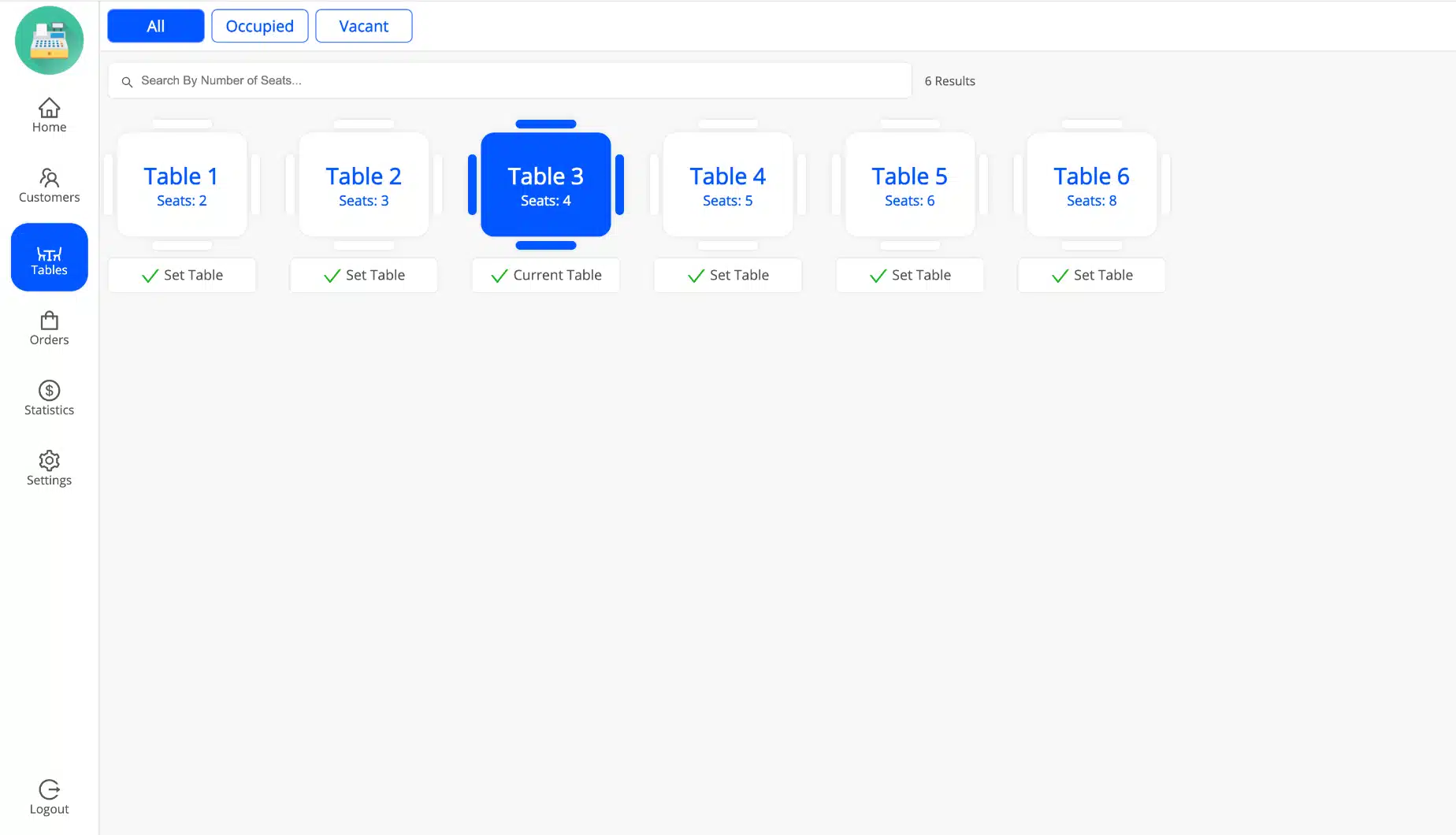
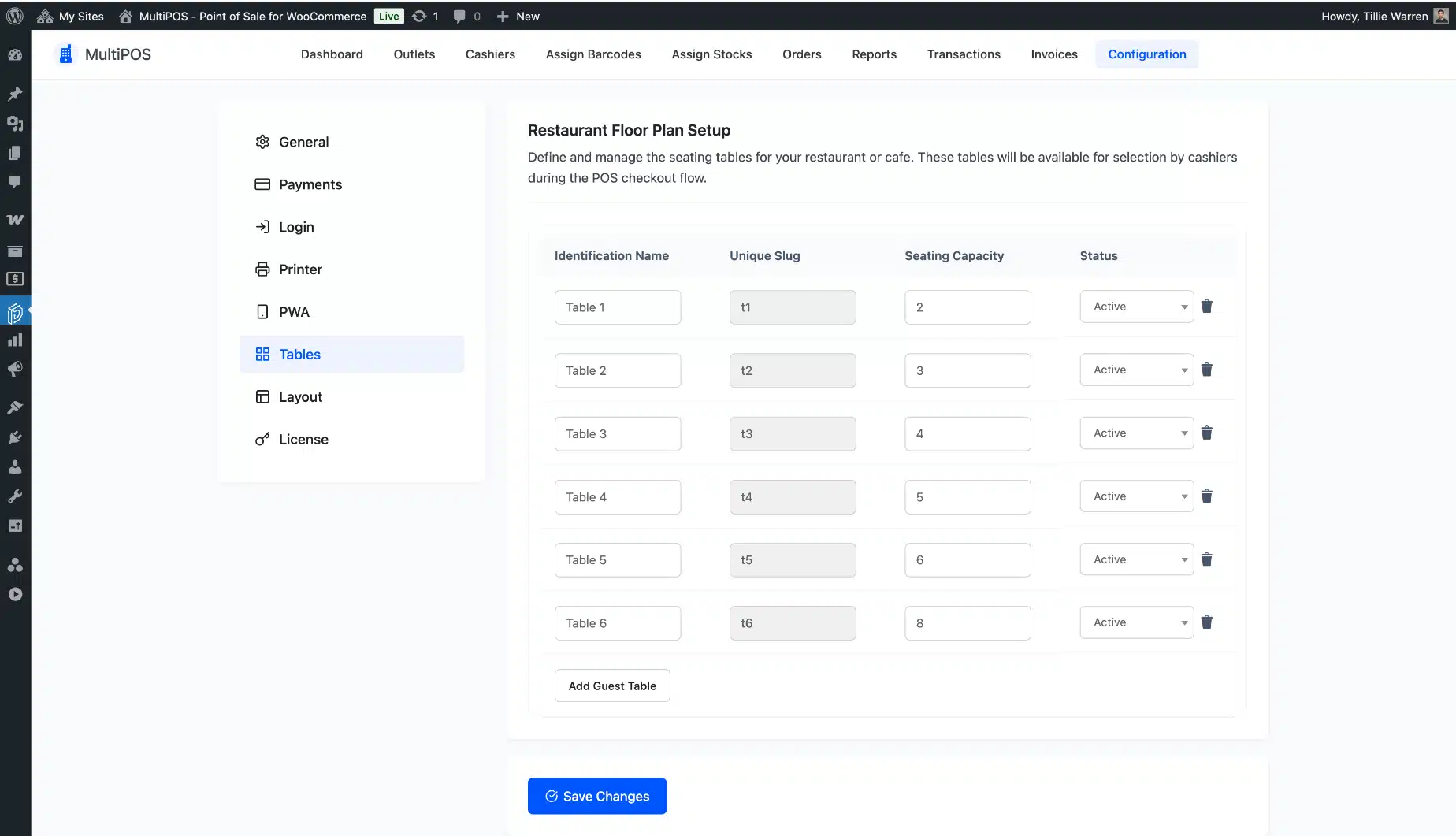
Set an outlet to restaurant mode and MultiPOS becomes a full restaurant POS for WooCommerce. You get dine-in and take away, a table map you can lay out per outlet, and a live kitchen display.

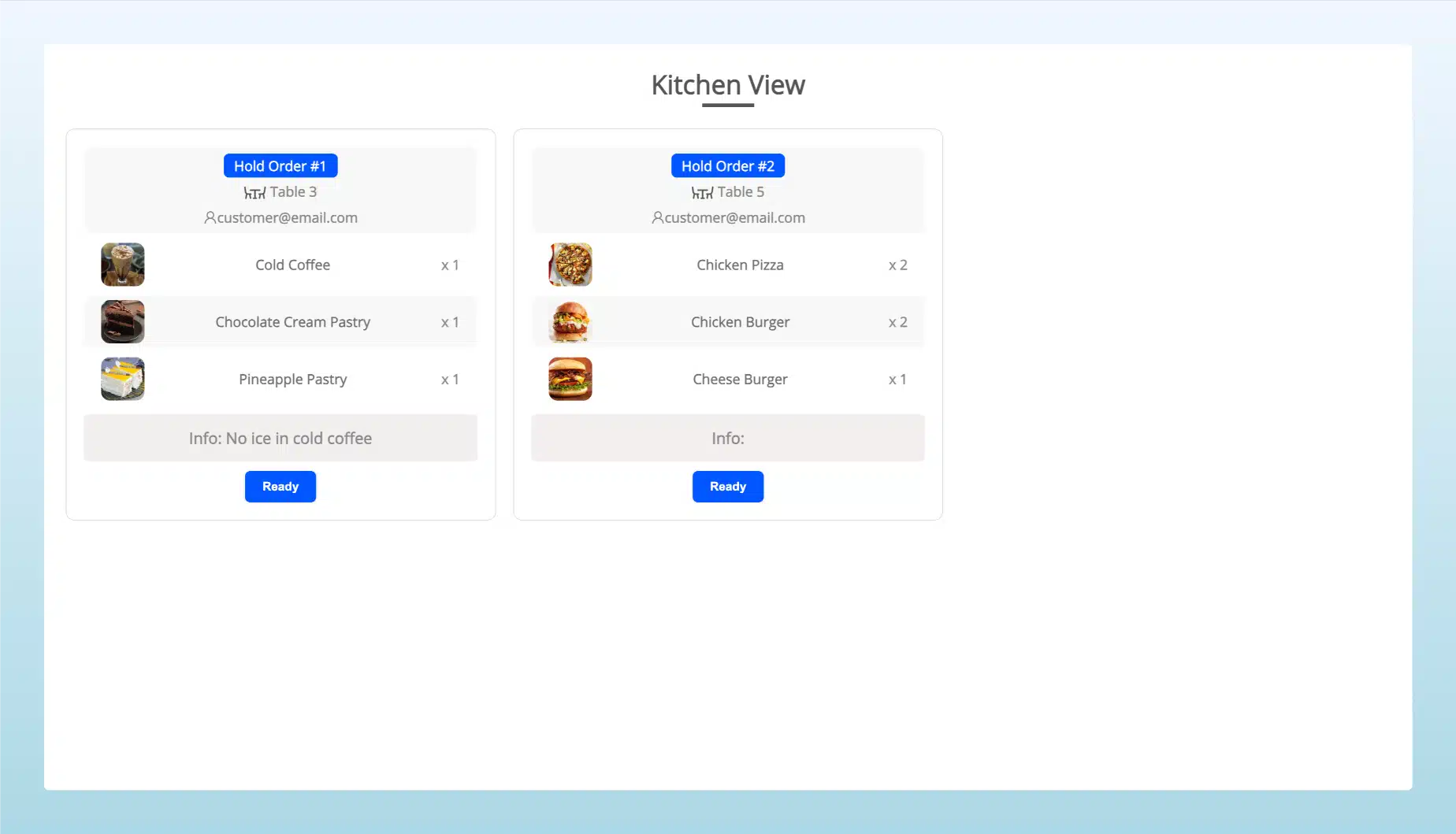
The kitchen view opens in any browser with no login and marks each order preparing or ready. Orders leave the screen once they are ready, and they clear on their own if a cashier deletes them at the POS. Your floor staff and your kitchen stay in step through the whole rush.

  • Dine-in and take away options for restaurant outlets
  • Create tables and assign them to each restaurant outlet
  • Send held orders to a no-login kitchen display, updated as preparing or ready
  • Route every order to the kitchen on its own, or let the cashier choose
  • Print the table name on the receipt with a template variable
Restaurant POS for WooCommerce with table map and kitchen display in MultiPOS

Split payments and get tax right

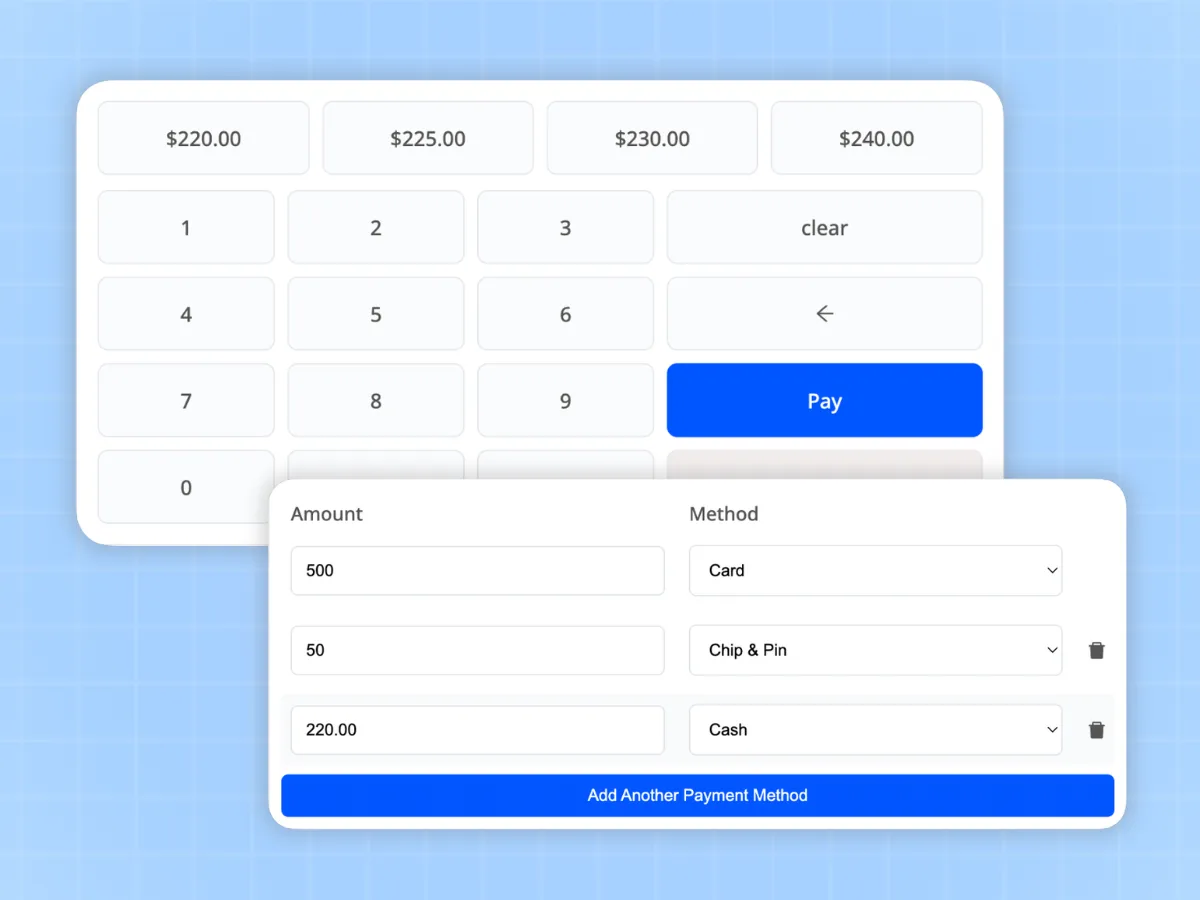
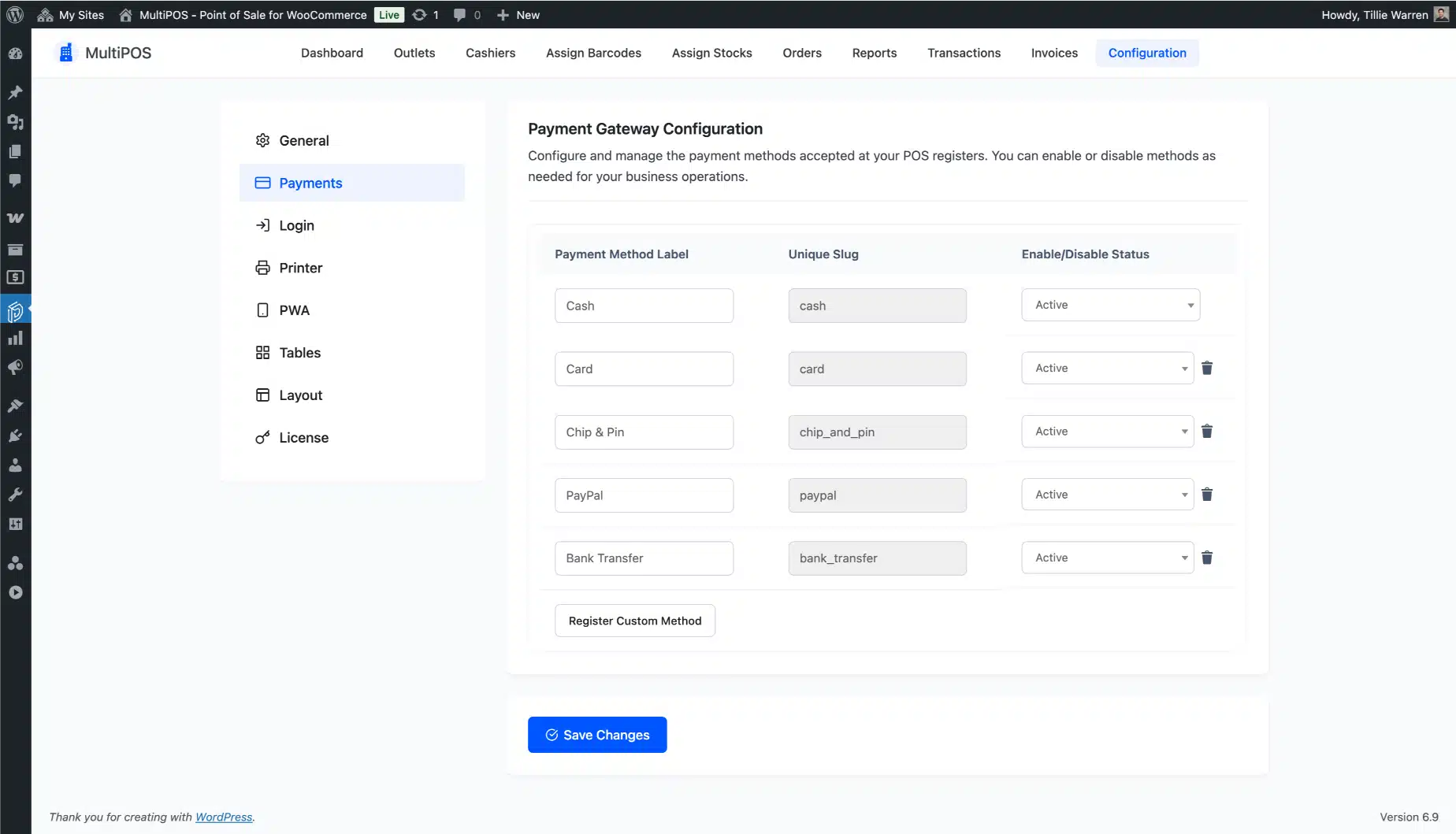
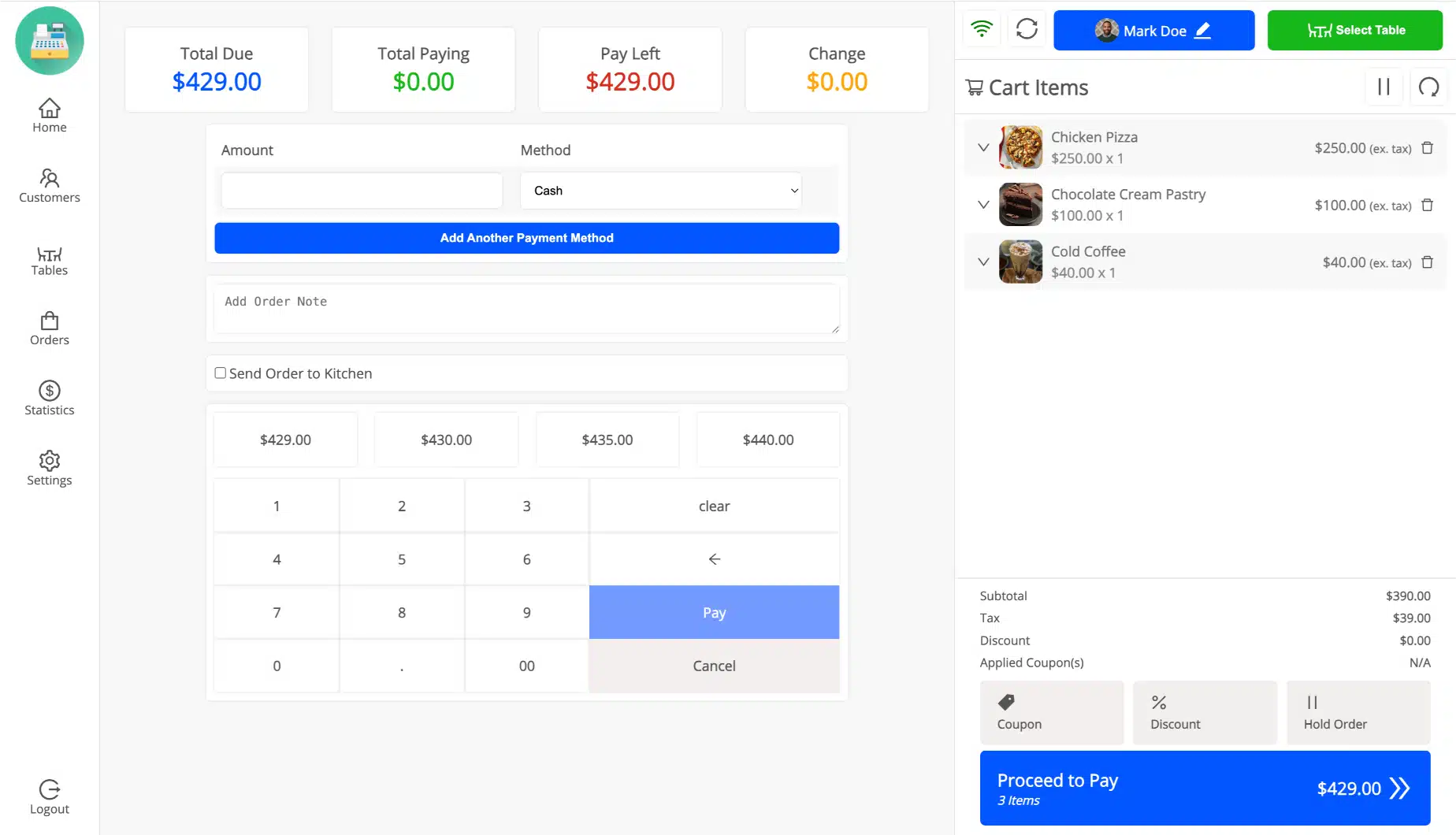
Real counters take part cash, part card, and sometimes a gift balance on top. MultiPOS lets you split a single order across more than one payment method, with a keyboard or an on-screen numpad for fast entry.

You can create your own payment methods and assign them per outlet. Tax is worked out at the point of sale, including multiple tax rules and product tax classes, so your receipts and reports match to the cent.

  • Split one order across many payment methods
  • Create your own payment methods and assign them per outlet
  • Type the tendered amount and let the POS work out the change
  • Apply product, cart, and coupon discounts at the counter
  • Multiple tax rules and product tax classes, worked out at the till
Split payments and tax handling at the MultiPOS WooCommerce point of sale

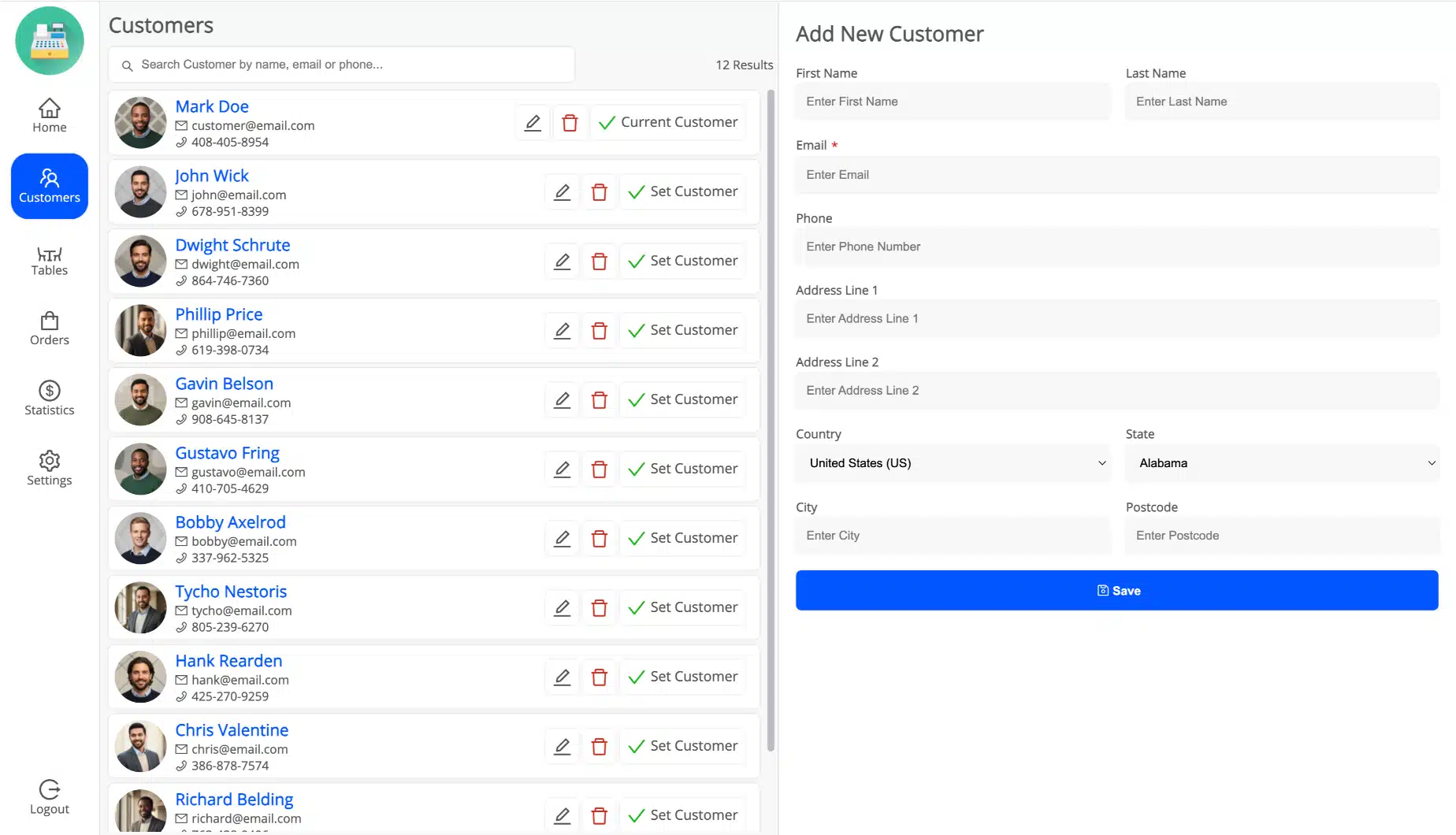
Everything stays inside WooCommerce

This is the core idea, and it is why MultiPOS is different. Every point of sale sale is a normal WooCommerce order, so stock, customers, coupons, taxes, and refunds all live in WooCommerce. Your online and in-person numbers become one number that you never balance by hand.

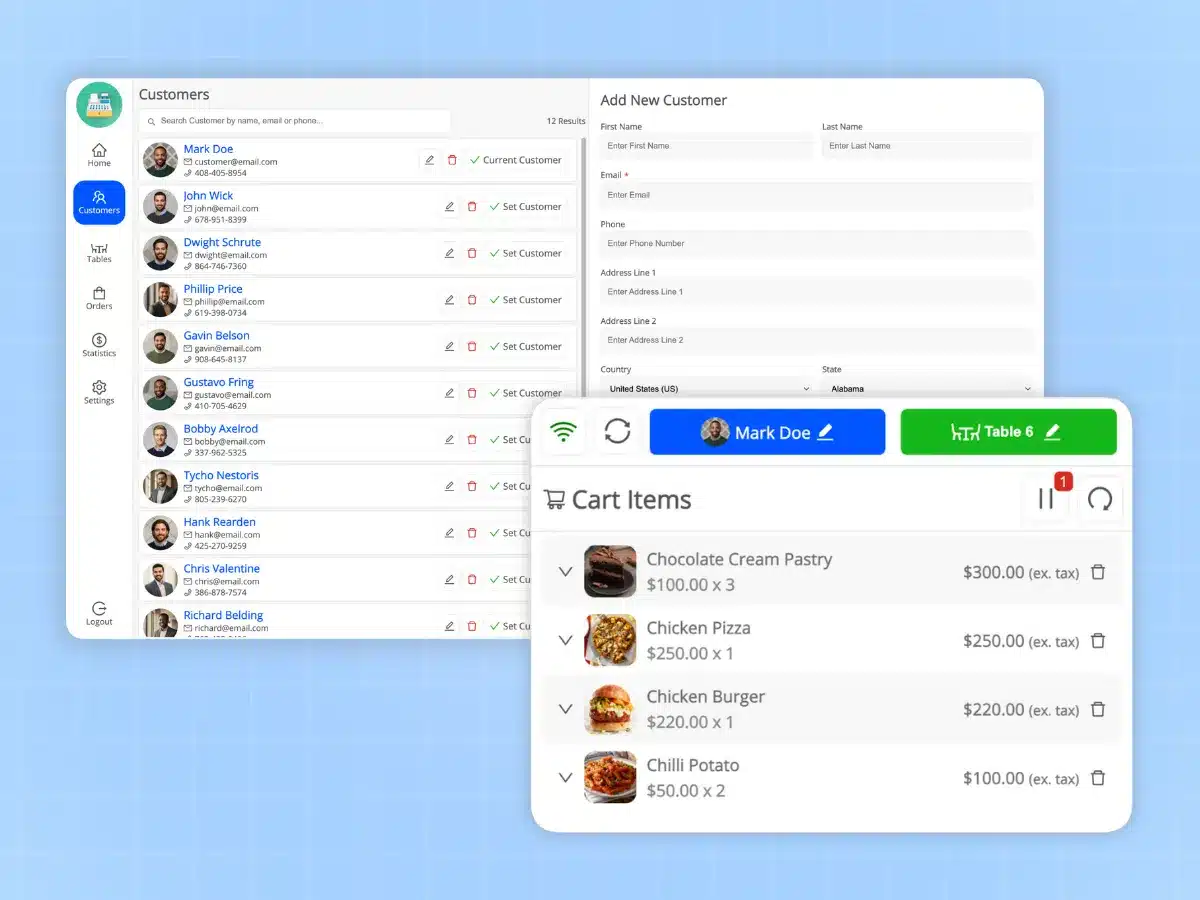
You can add, edit, and delete customers without leaving the POS, and handle refunds and returns right at the counter. MultiPOS is built for High-Performance Order Storage (HPOS), so you are ready for the latest WooCommerce.

  • Add, edit, and delete customers without leaving the POS
  • Refunds and returns handled at the counter and recorded in WooCommerce
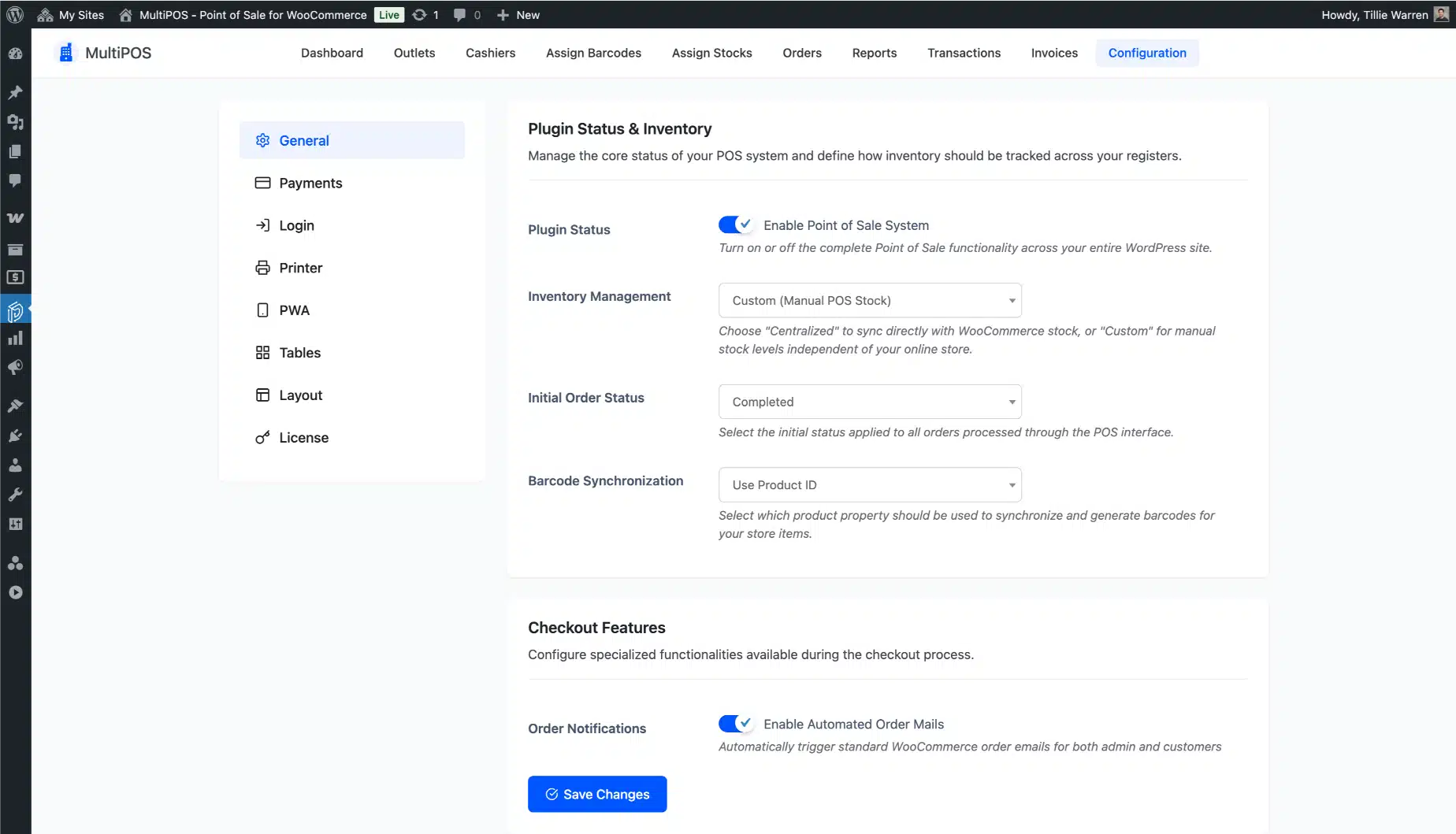
  • Pick the order status POS sales land on, and mark them in your orders list
  • Turn WooCommerce order emails on or off for counter sales
  • HPOS ready, so you are set for the latest WooCommerce
MultiPOS point of sale sales flowing into native WooCommerce orders and customers

Handle refunds and returns at the counter

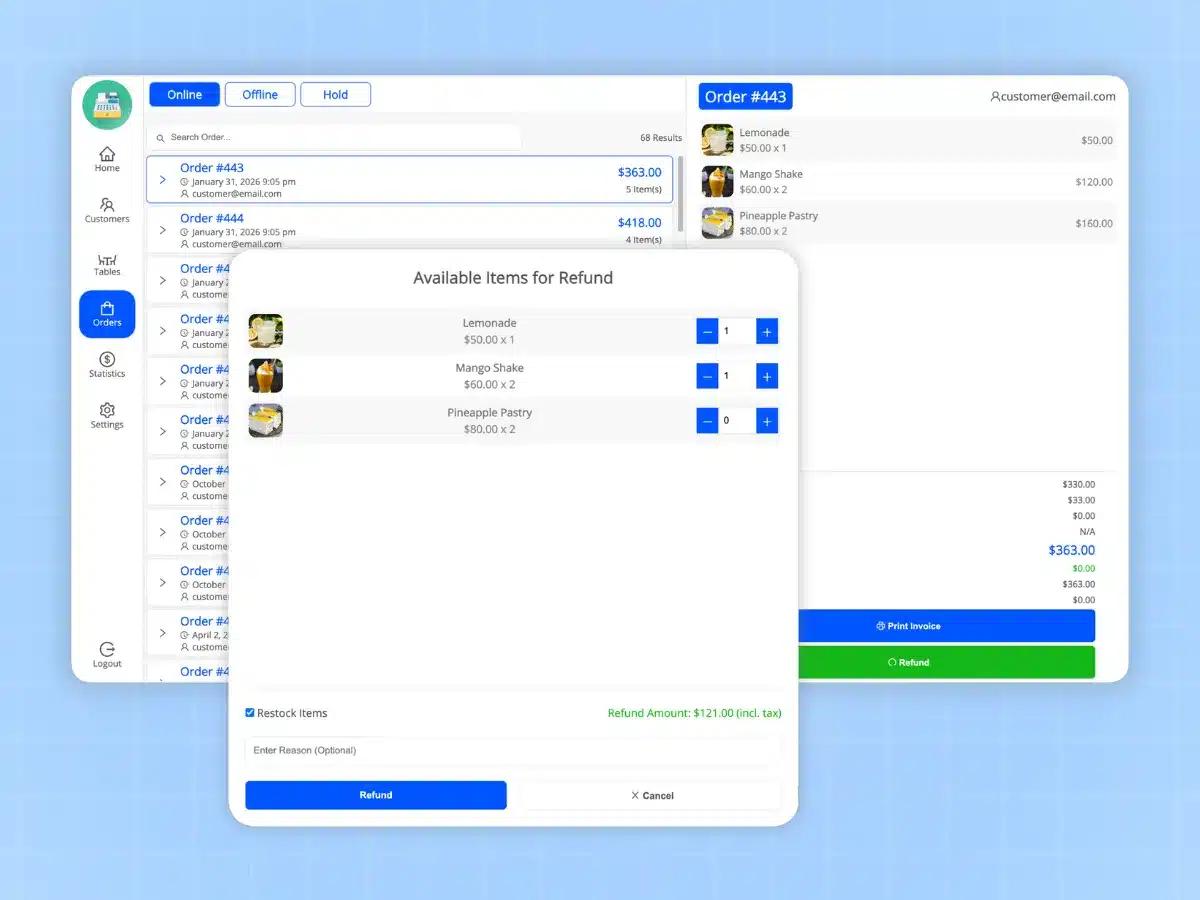
Returns happen, and they should not send a cashier to the back office. MultiPOS processes refunds and returns right at the point of sale, and each one is recorded as a proper refund on the original WooCommerce order.

Stock goes back on the shelf count and your reports stay correct. The customer gets sorted in a minute, and your books do not need a manual fix at close.

  • Refund a full order or single items at the POS
  • Refunds recorded on the original WooCommerce order
  • Stock and reports update on their own
Processing a refund and return at the MultiPOS WooCommerce point of sale

Sell by weight or by unit

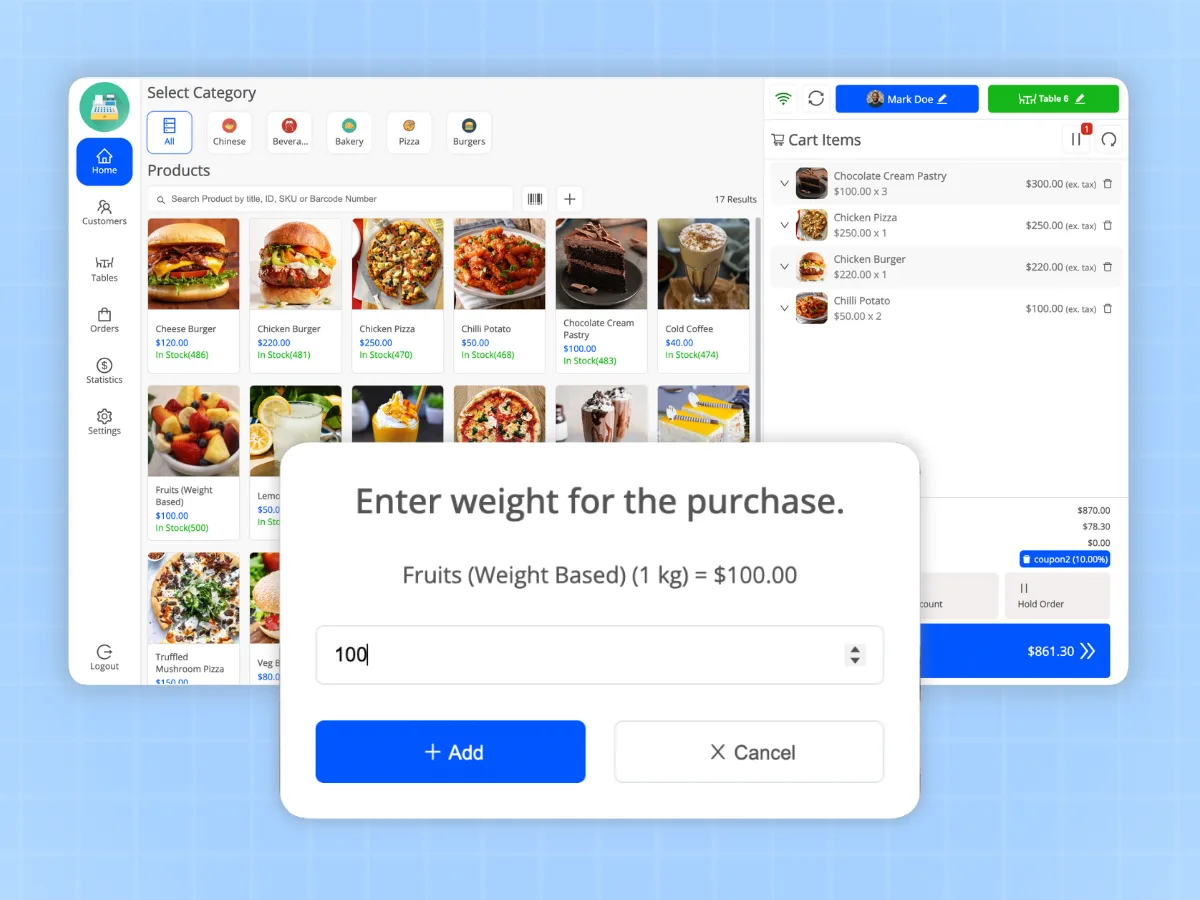
Grocers, delis, and hardware stores do not sell everything by the piece. MultiPOS supports unit and weight based pricing, so a cashier can ring up items priced by the kilo, the metre, or the pack.

You turn it on when you need it, and it stays out of the way when you do not. It keeps high-volume counters moving without a workaround.

  • Turn on unit and weight based pricing when you need it
  • Ring up items priced by weight or by the unit
  • Keep the line moving at busy grocery counters
Unit and weight based pricing at the MultiPOS grocery point of sale

A multi-outlet retail POS with stock for each location

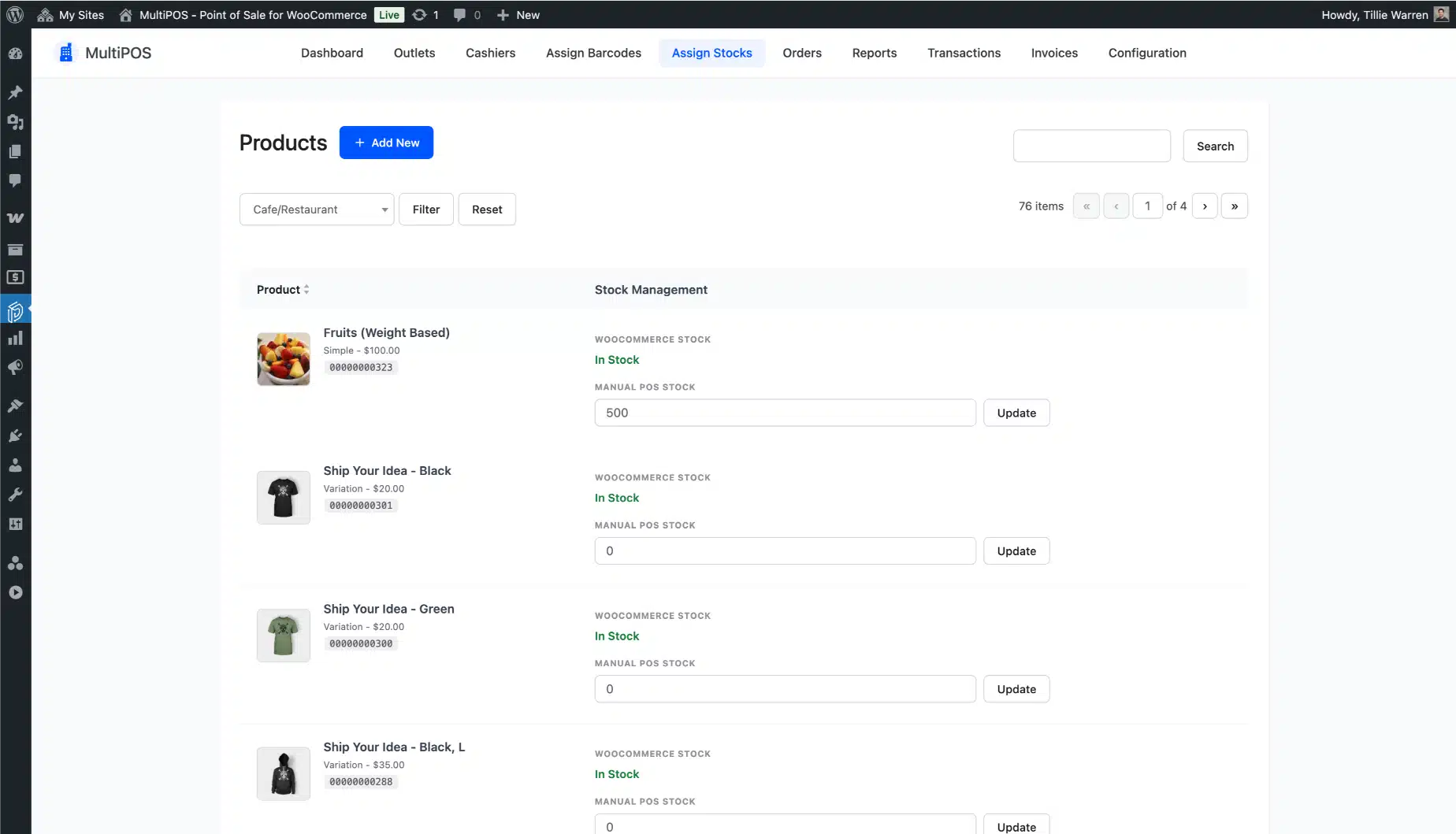
One shop or twenty, on one plan and one WooCommerce site. Choose shared WooCommerce stock across every outlet, or set custom stock per outlet so a downtown store and a mall kiosk count their shelves apart.

Per-outlet stock is stored as ordinary product meta, so you can bulk-load it with the WooCommerce product CSV importer using a meta column. This is the multi-outlet control most retailers want but few WooCommerce POS plugins get right.

  • Shared WooCommerce stock or custom stock, set per outlet
  • Assign per-outlet stock to any product
  • Bulk-load outlet stock with the WooCommerce product CSV importer
Per-outlet inventory control across multiple stores in the MultiPOS WooCommerce POS

Know your cash before you lock up

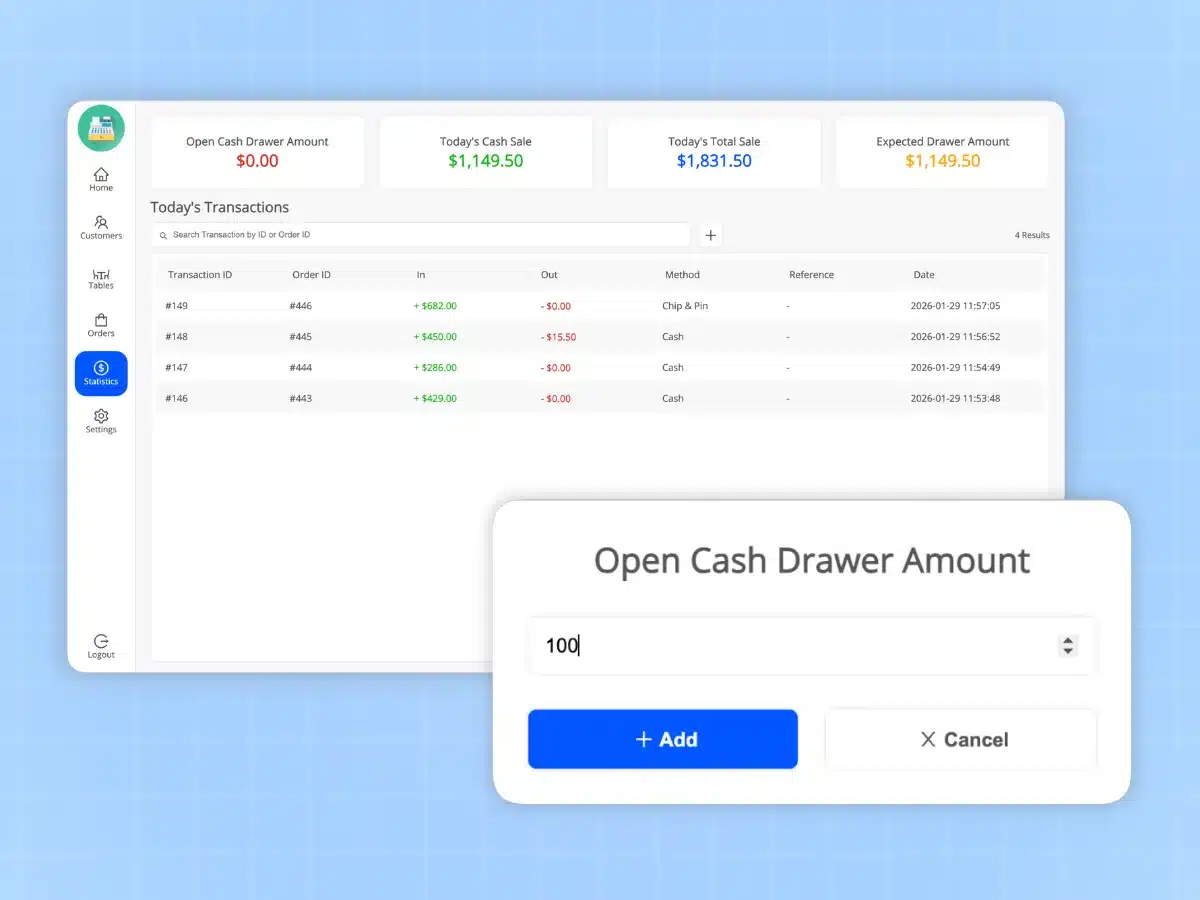
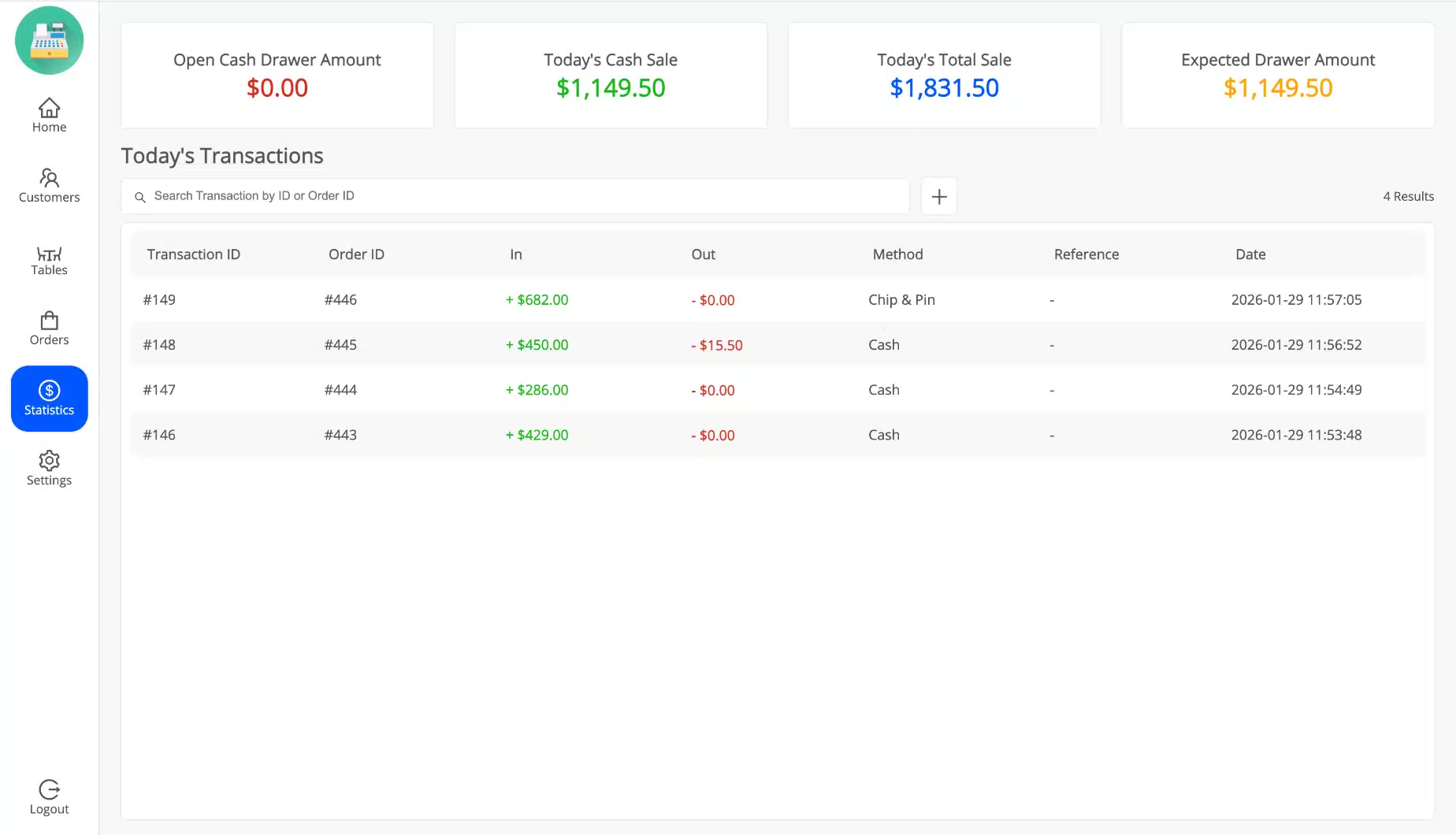
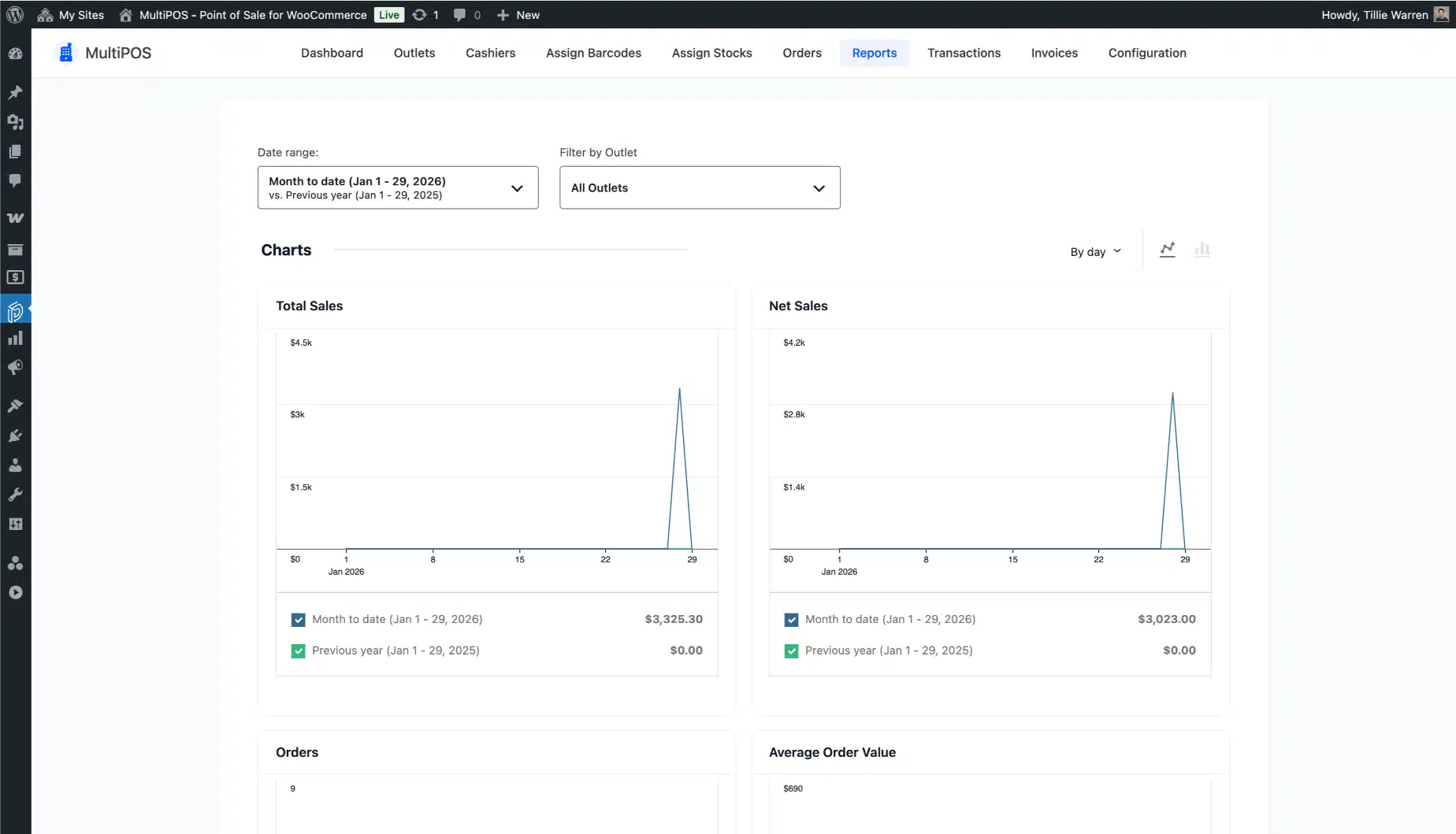
See how each outlet and cashier is doing from the WooCommerce backend. Daily figures show your open drawer amount, cash sales, total sales, and the expected drawer at close, so end-of-day counts take minutes, not an argument.

Sales analytics filter by outlet, and you can add manual transactions at the POS when cash moves for a reason that is not a sale, like a float or a payout. You always know where the money is.

  • POS sales analytics, filterable by outlet and cashier
  • Daily open drawer, cash sale, total sale, and expected drawer figures
  • Pop the cash drawer from the POS on a cash sale
  • Add manual transactions at the POS for floats and payouts
Cash drawer tracking and end-of-day sales figures in the MultiPOS point of sale

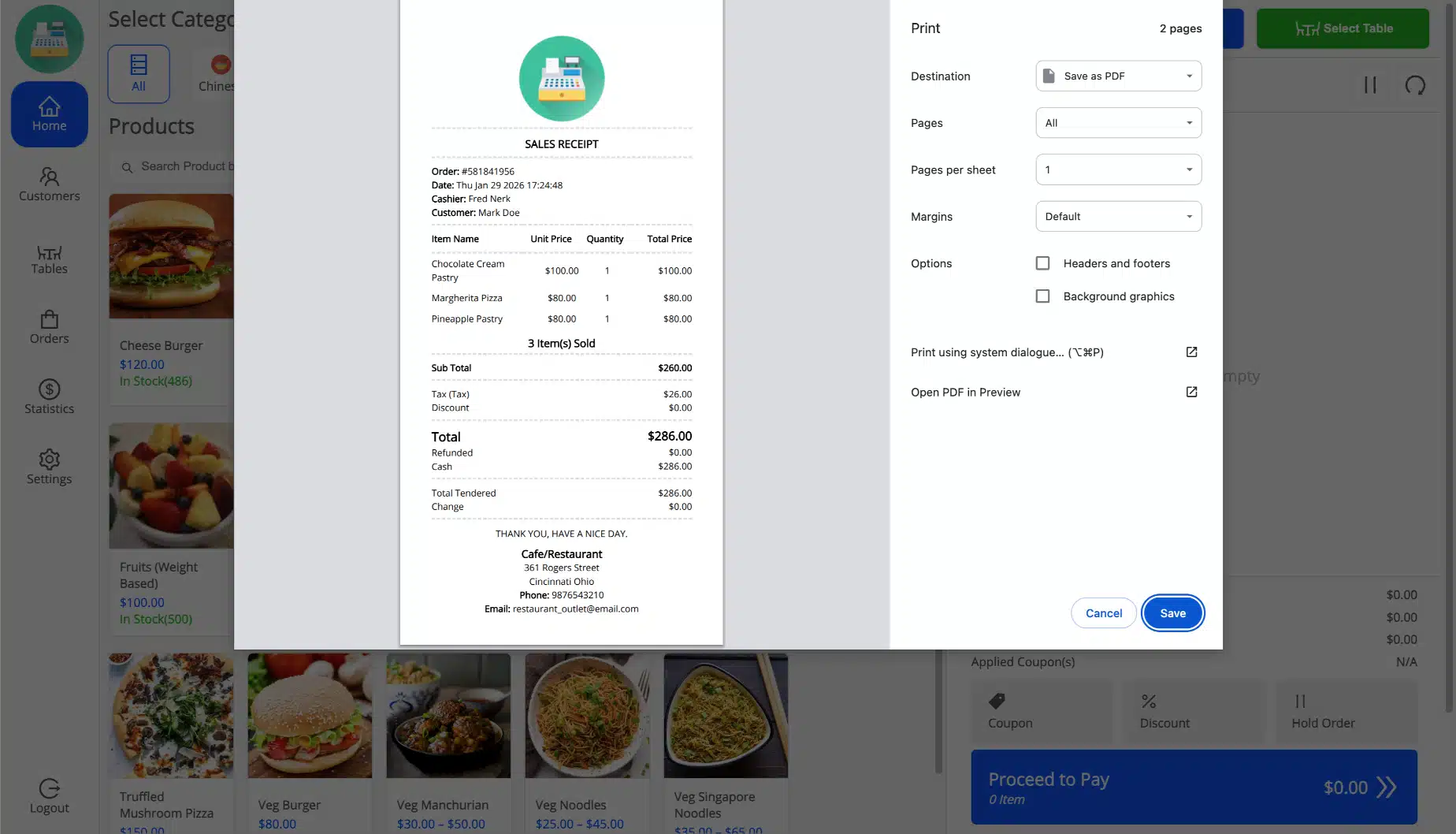
Design your own receipts and invoices

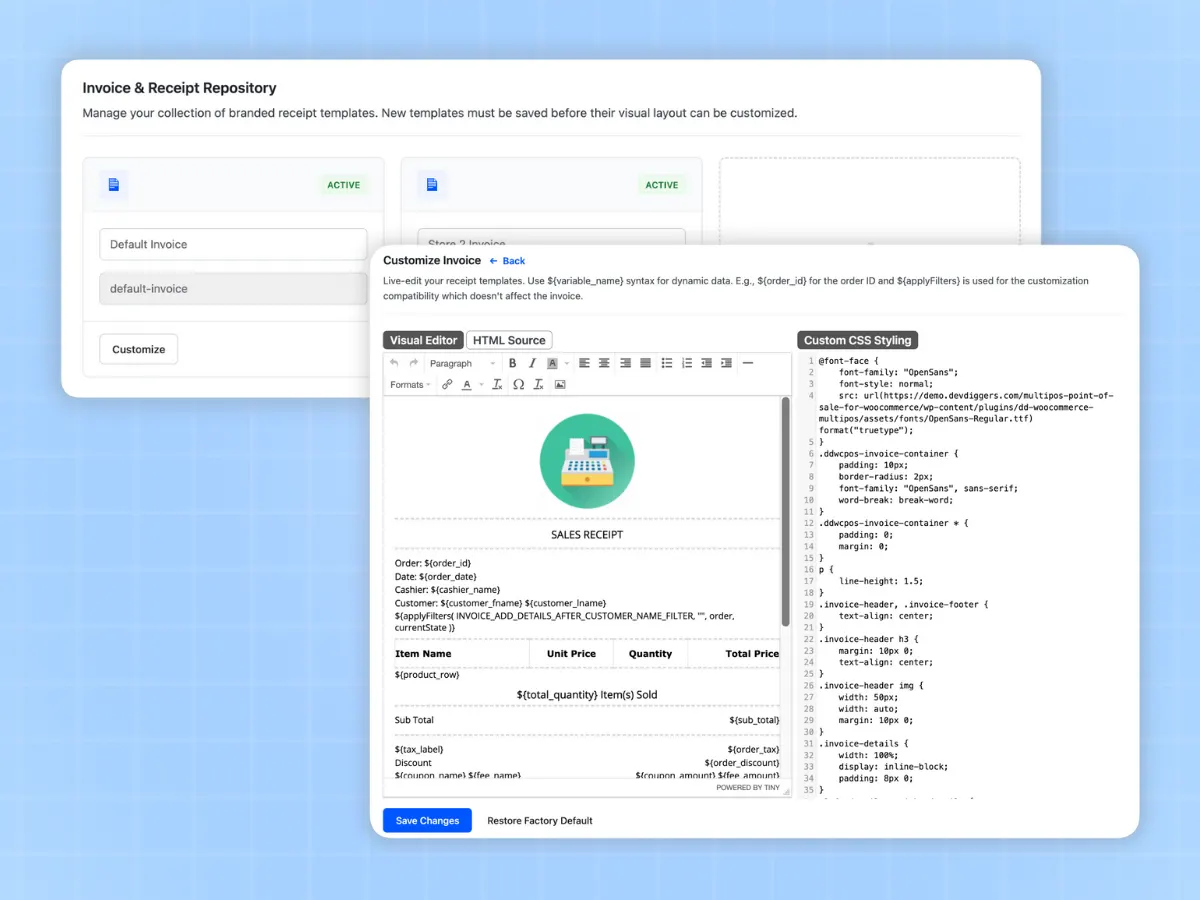
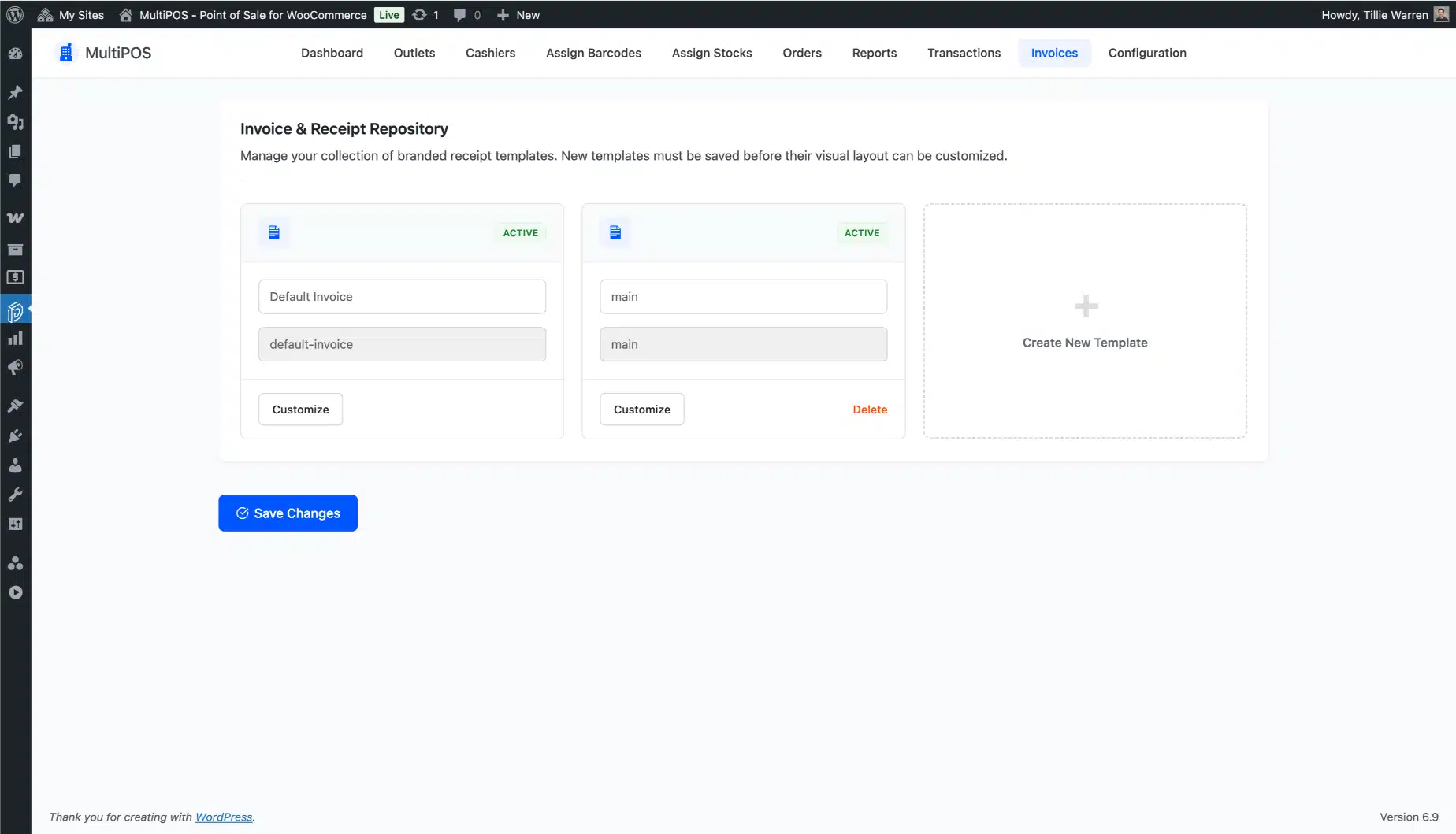
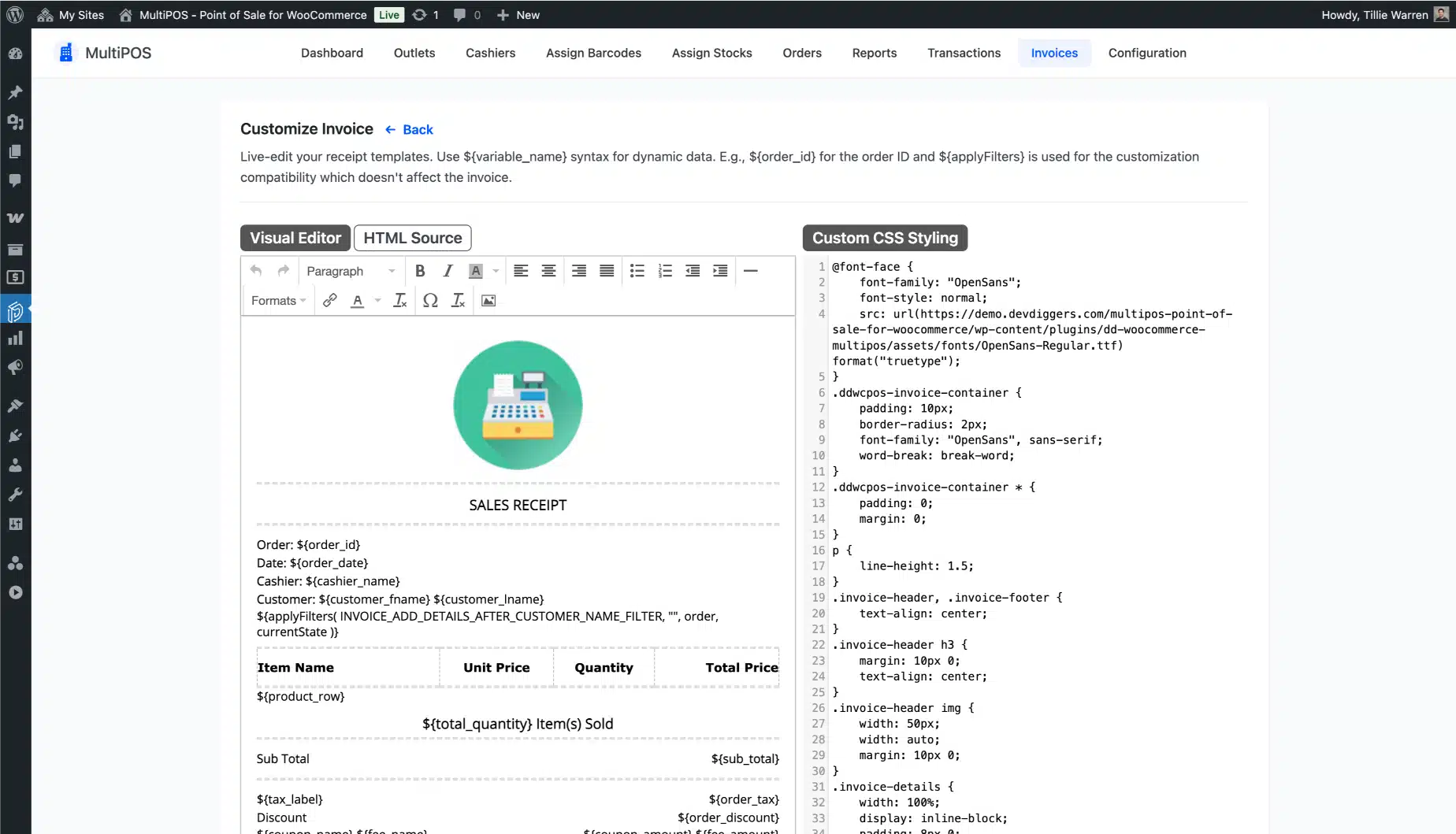
Build invoices in the backend with a visual editor, no code needed. Set a default receipt for the whole store and give different outlets their own layout.

Drop in details like the customer phone number or table name with simple variables, so a cafe receipt and a retail receipt each read the way they should. Print a sales receipt for any order at any time. Your brand looks the same on the counter as it does online.

  • Visual invoice editor with a default plus per-outlet templates
  • Receipt variables such as customer phone and table name
  • Print sales receipts for any order
Custom receipt and invoice builder in MultiPOS for WooCommerce

Reward regulars at the counter

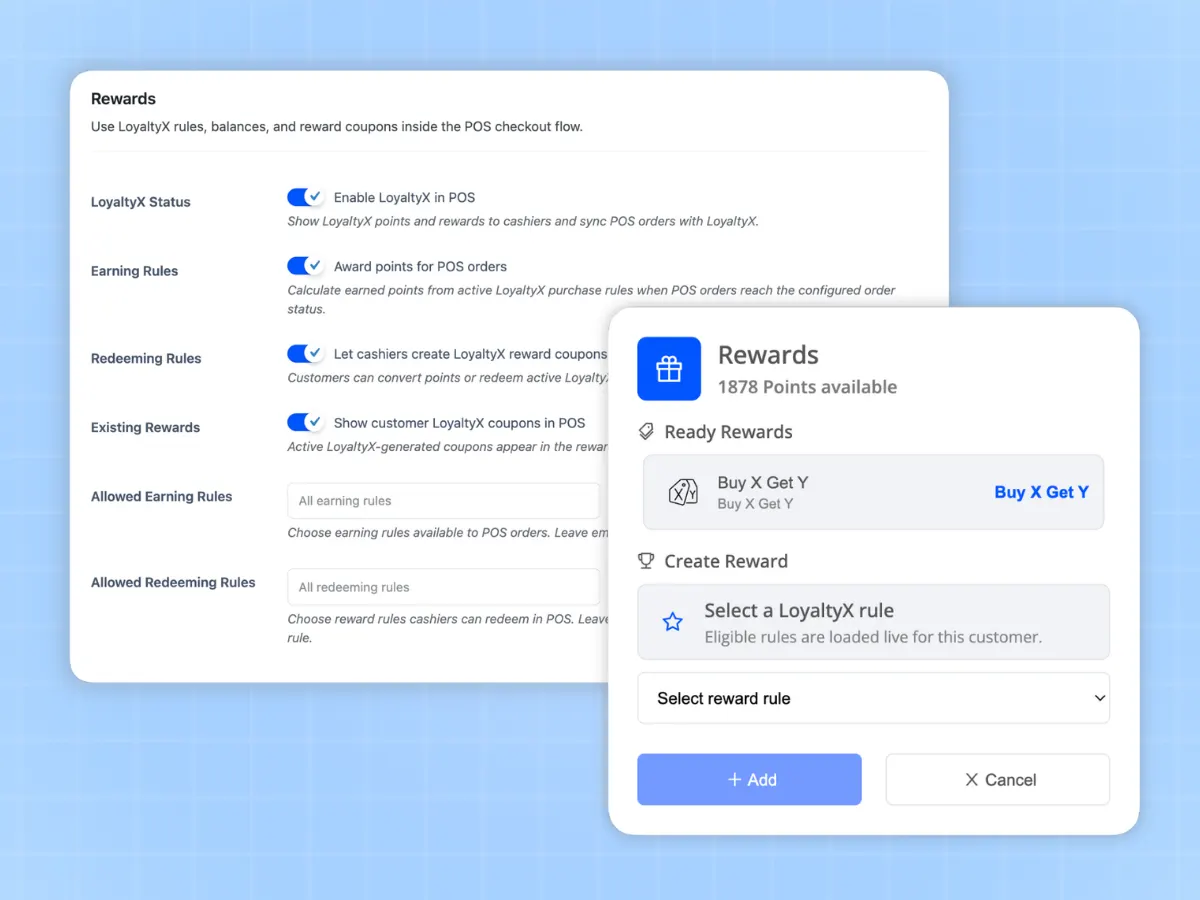
Loyalty should not stop at your website. When you run our LoyaltyX - WooCommerce points and rewards plugin, MultiPOS ties straight into it. Cashiers can hand out and redeem loyalty points right at the counter, so your in-store shoppers earn the same rewards as your online ones.

There is no extra setup once LoyaltyX is active, and no separate loyalty app for your staff to learn. One program, online and in person.

  • Earn and redeem points in person through LoyaltyX
  • Same loyalty program online and in store
  • No extra setup once LoyaltyX is active
Loyalty points earned and redeemed at the MultiPOS WooCommerce counter

Live in five minutes with the setup wizard

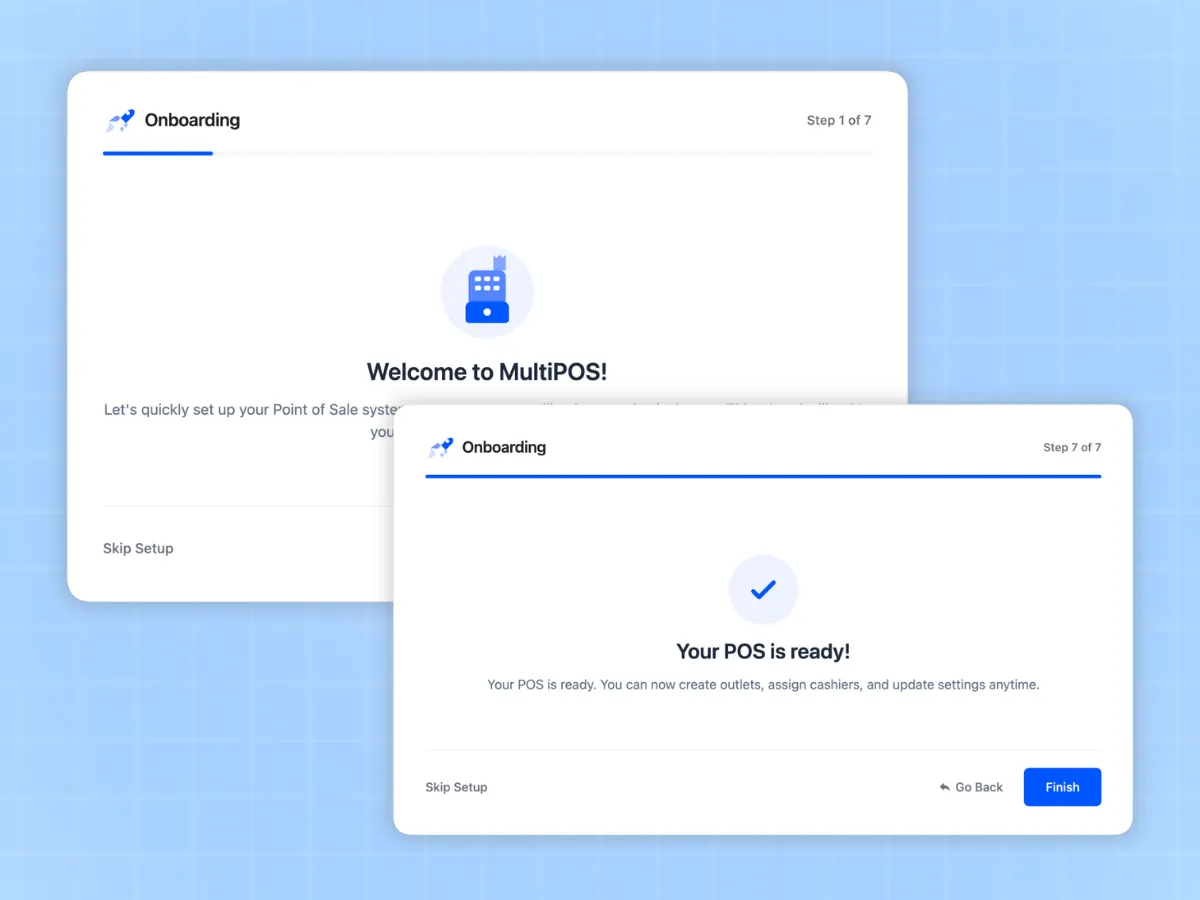
The first run opens a setup wizard that walks you through the POS URL, your first outlet, stock handling, and your cashiers.

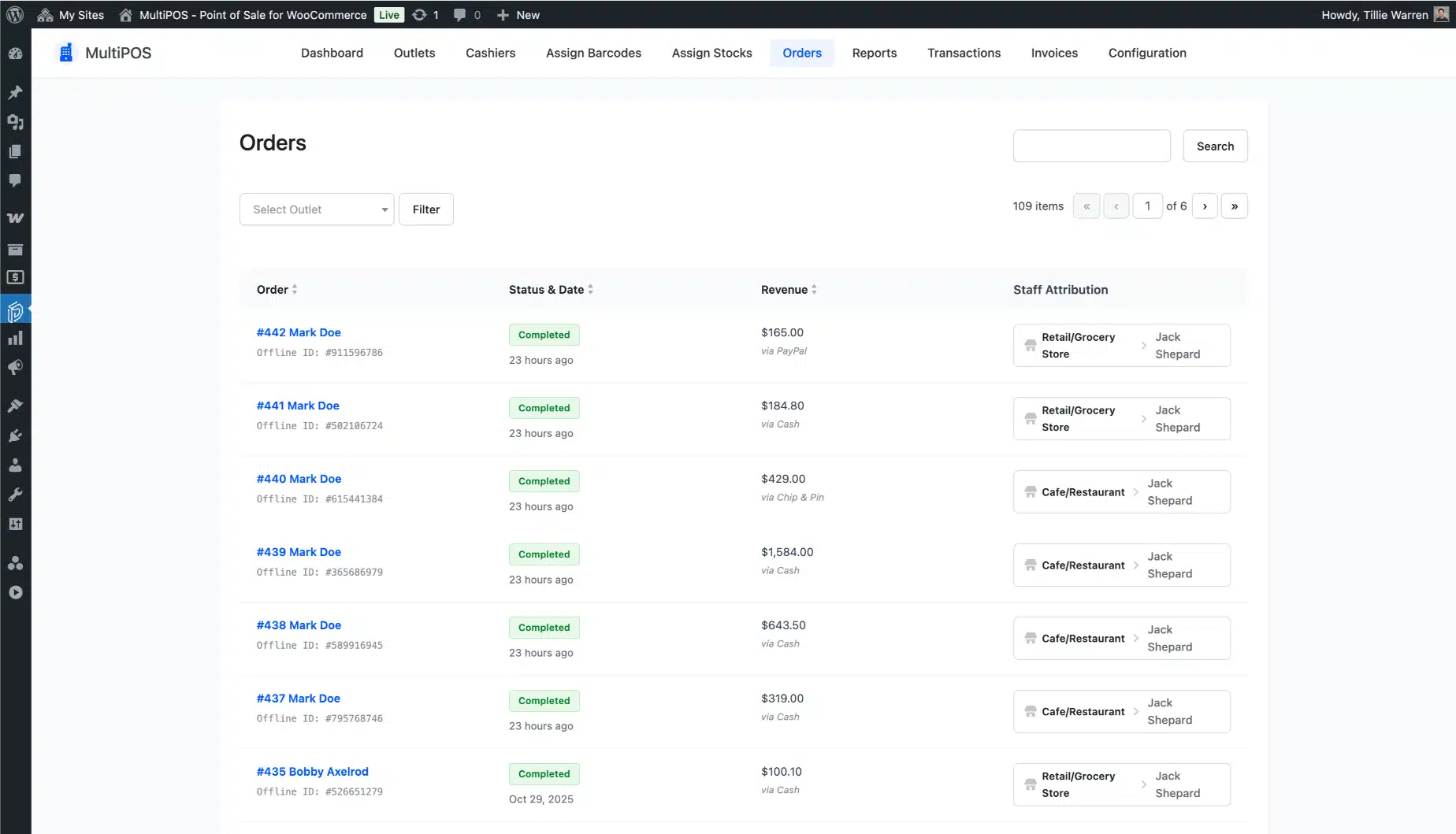
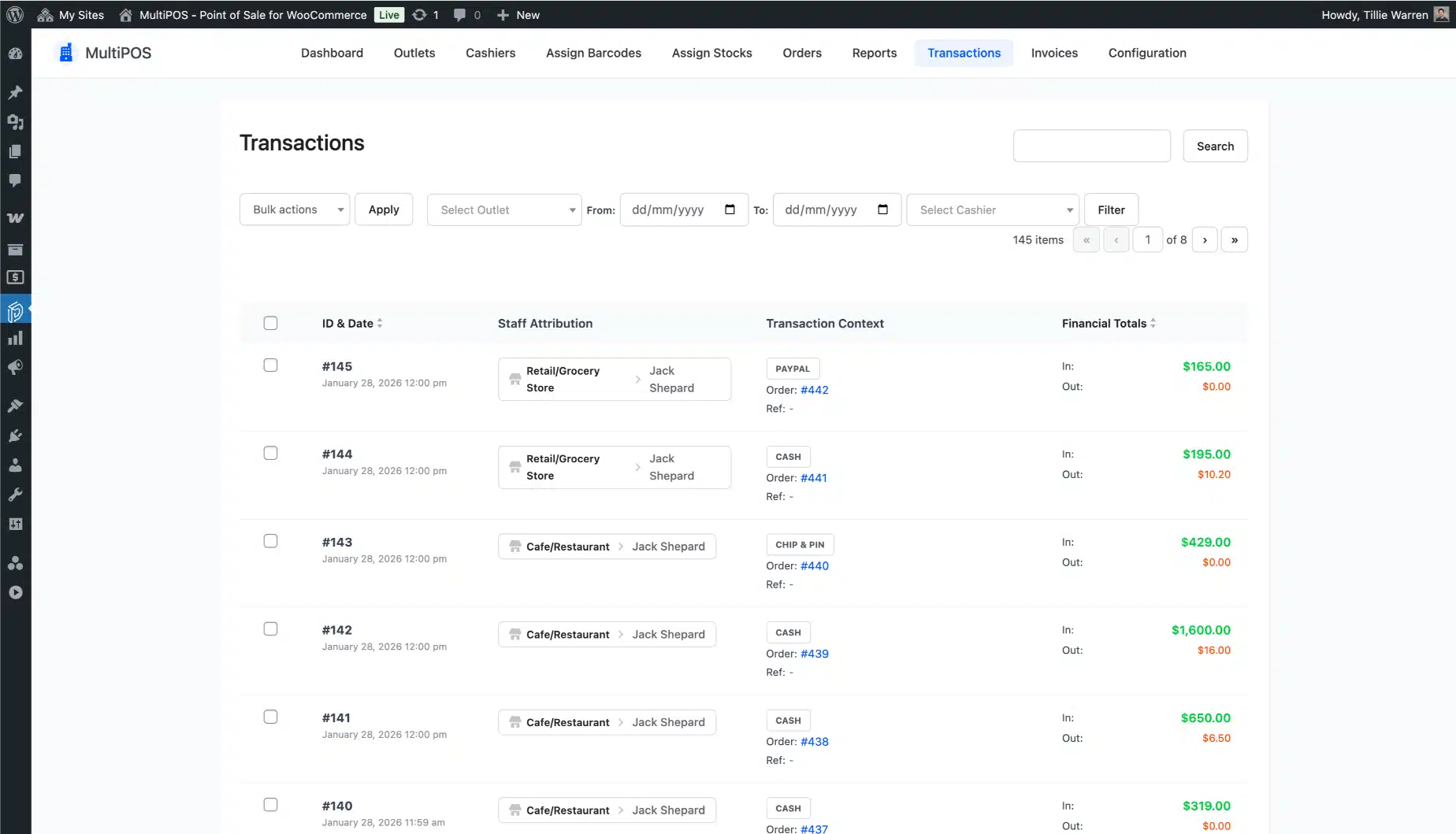
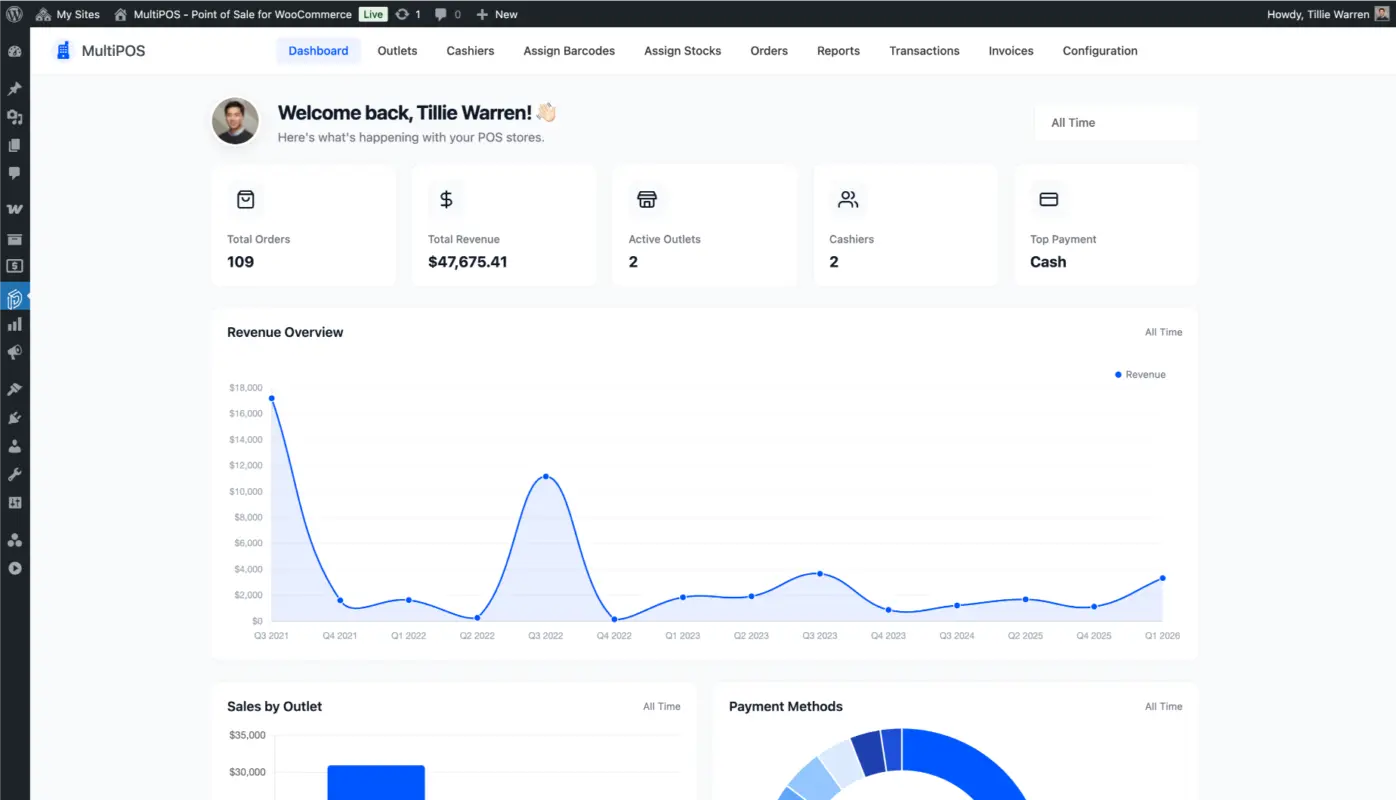
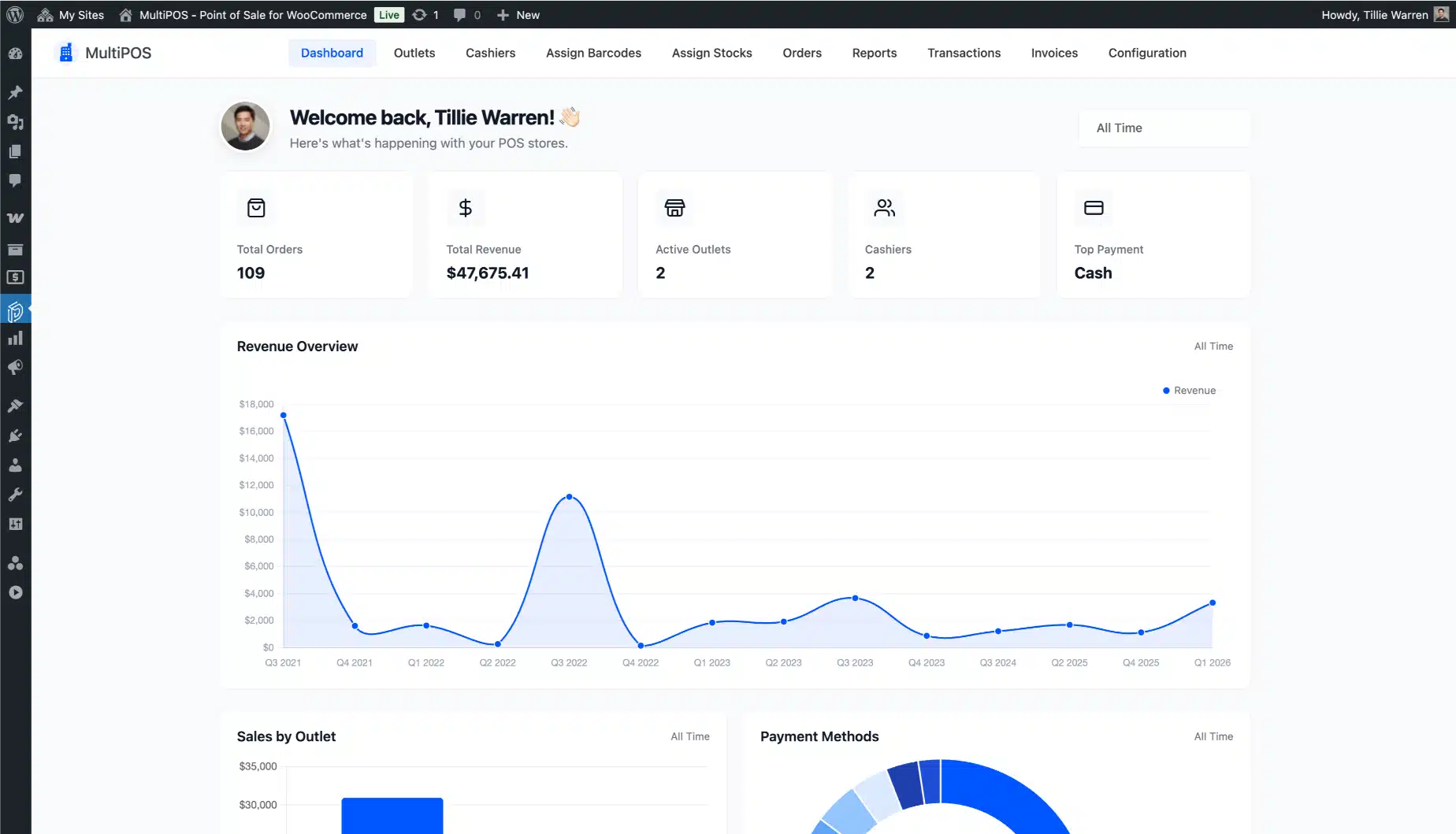
After that, the MultiPOS dashboard in your WordPress admin shows orders, revenue, active cashiers, and the payment method your counter leans on most. A transaction log records POS activity, so you can trace a shift back to the sale that caused it.

  • Setup wizard on first activation, no docs needed
  • Serve the POS at your own URL, such as yourstore.com/pos
  • Dashboard summary cards plus a full POS transaction log
  • Load only recent orders into the POS so a big store stays fast
  • Cashiers sign in without any WordPress admin rights
MultiPOS setup wizard and WooCommerce POS dashboard summary cards

Make the point of sale look like your store

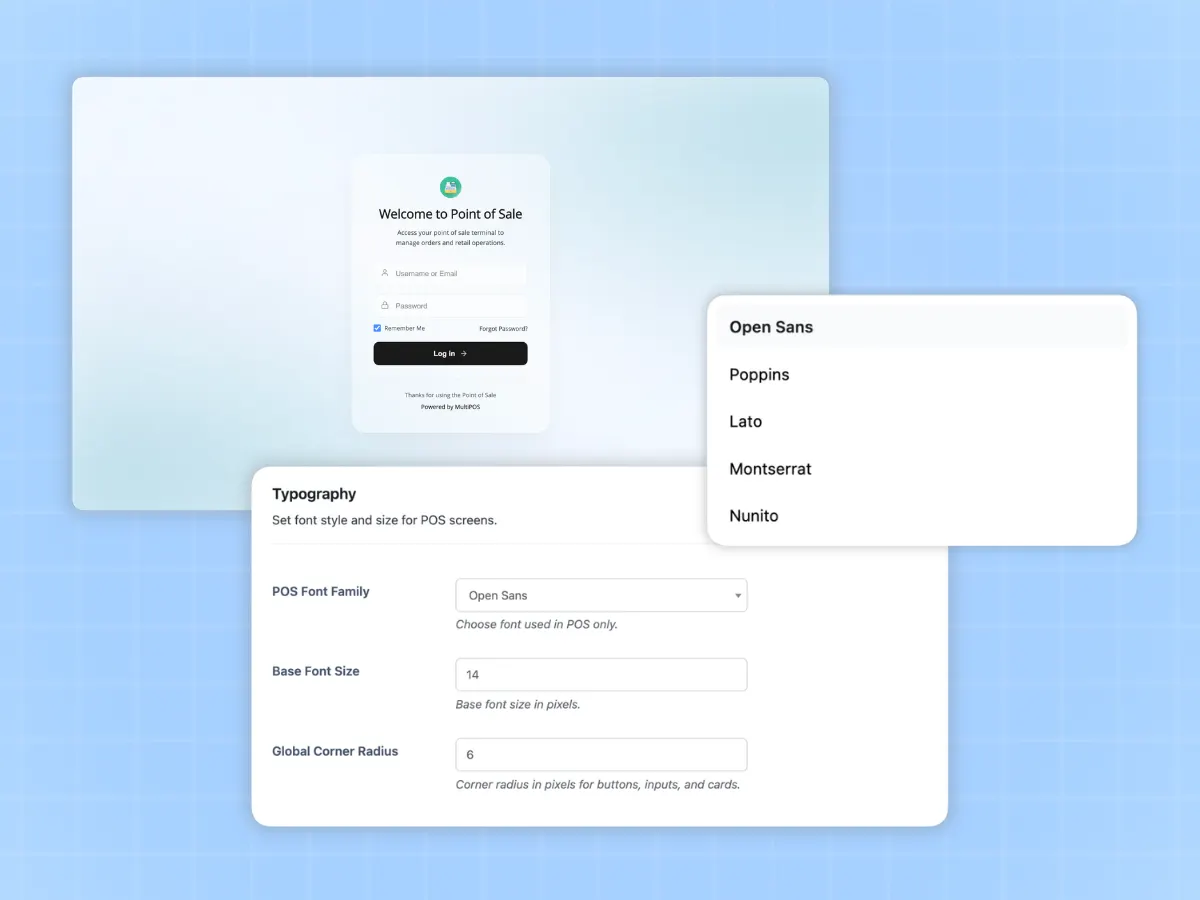
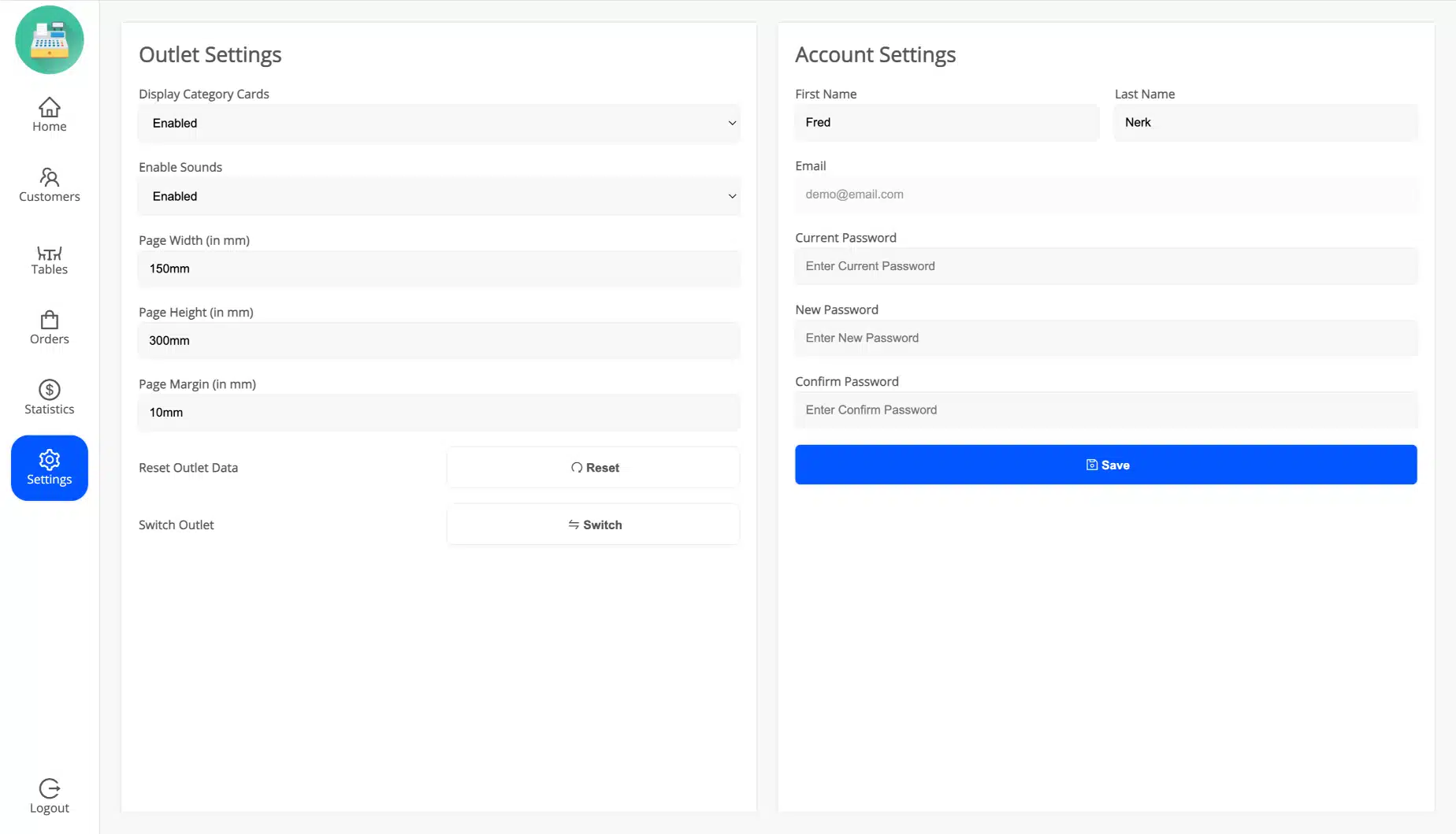
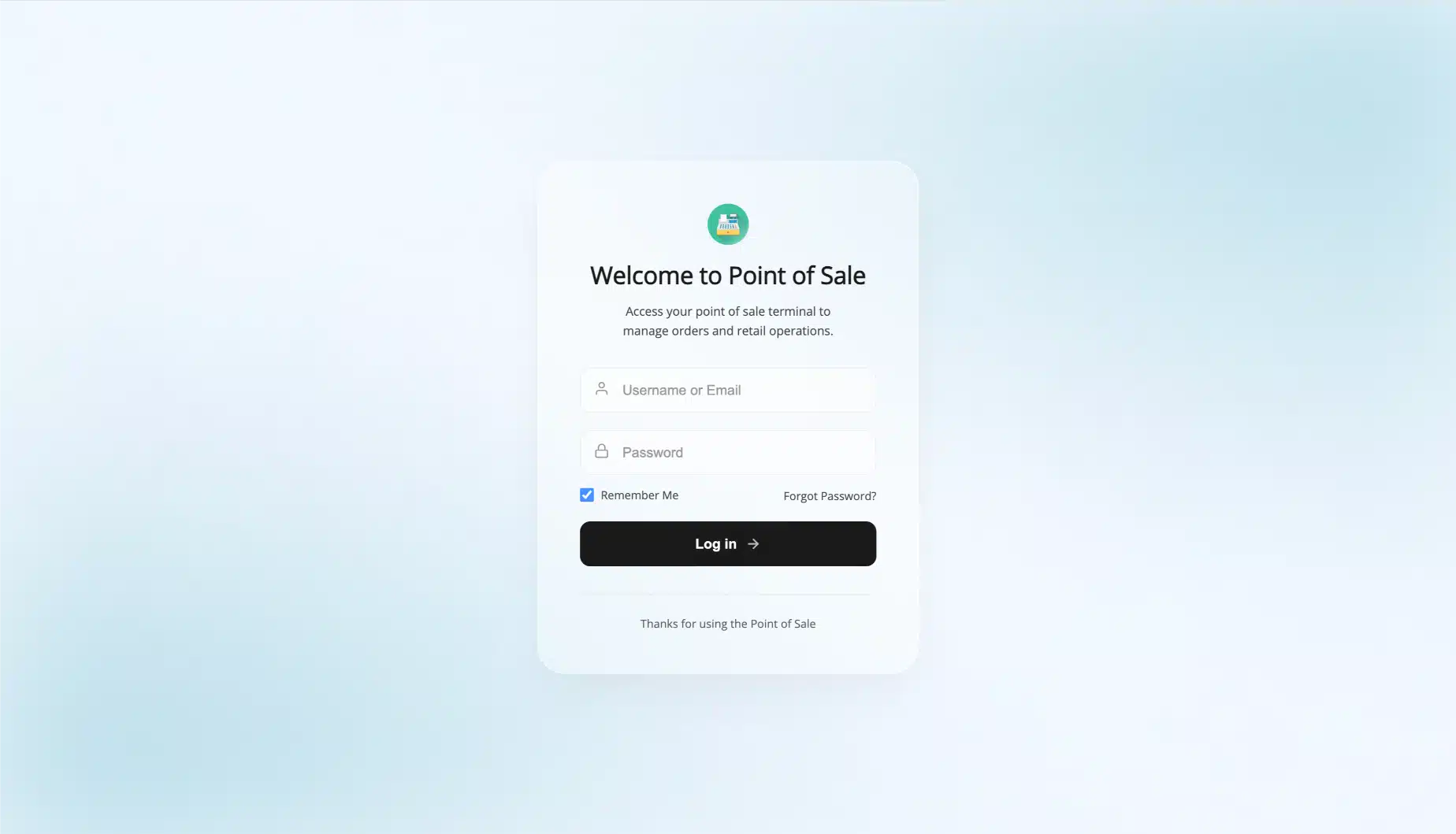
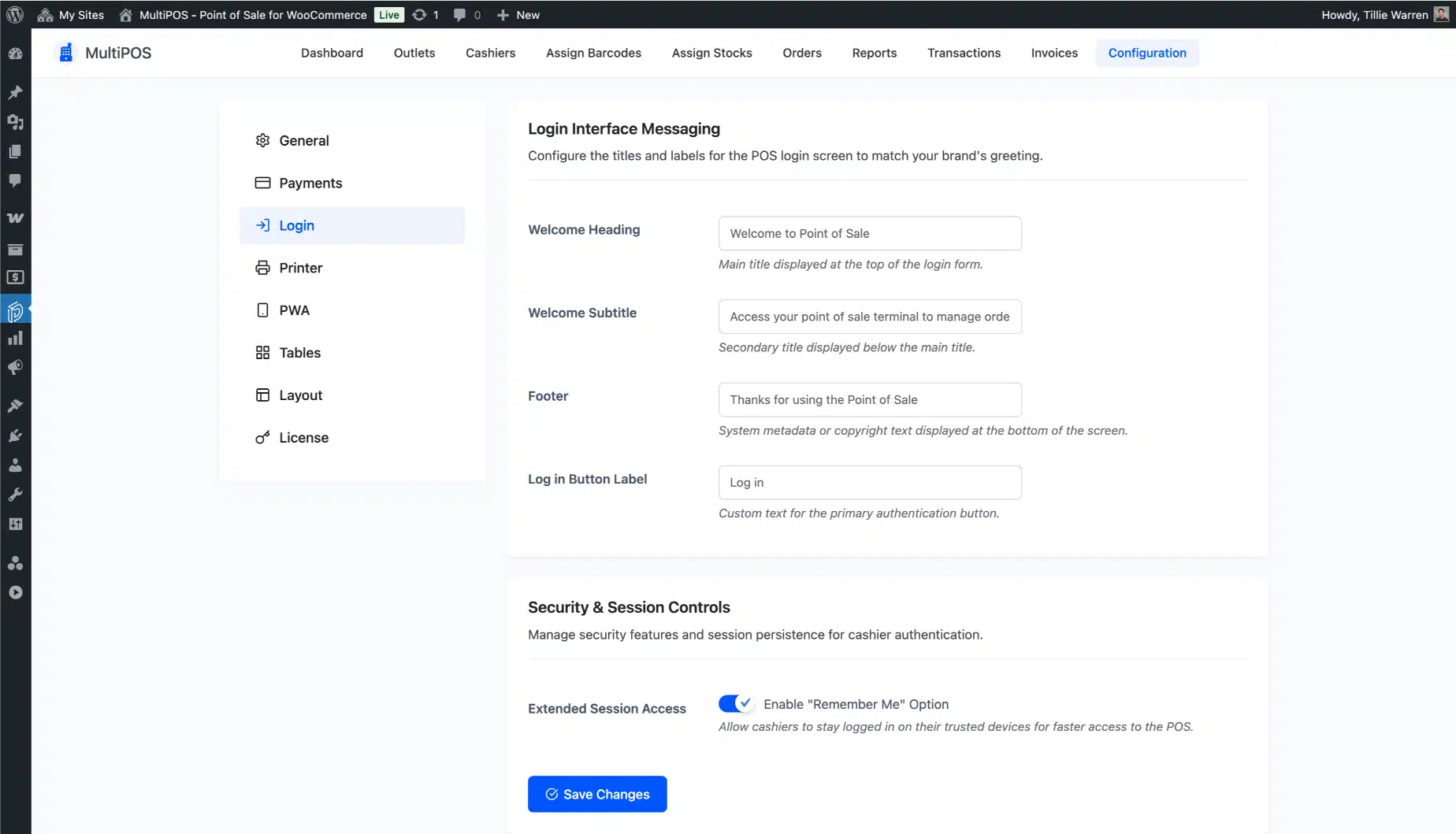
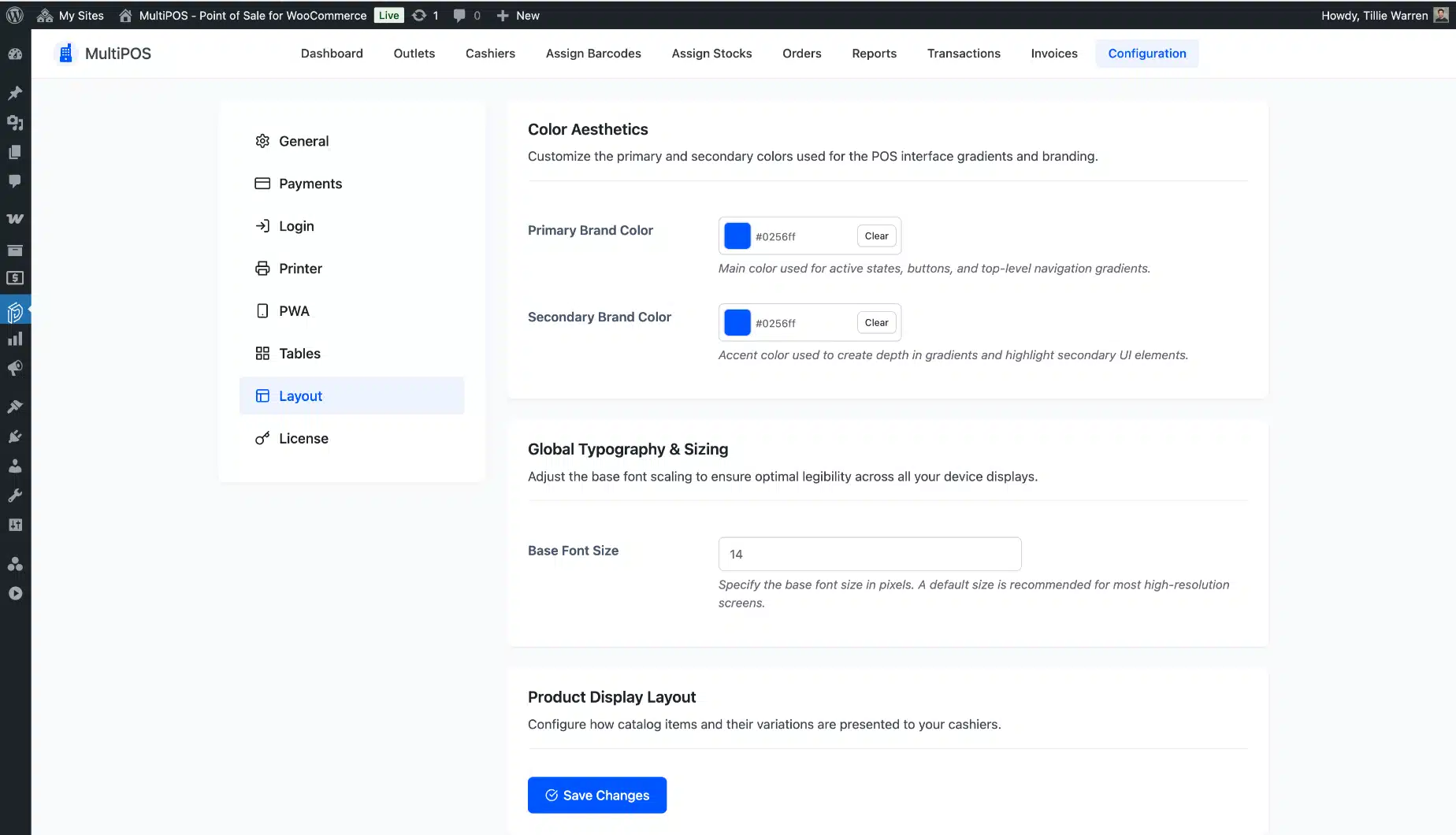
Cashiers meet a login screen you control. Set its heading, subtitle, footer, button text, and colors, or turn the branding off. The POS itself takes your logo, primary color, font size, and product card layout.

Because MultiPOS ships its own fonts, none of it calls out to a font CDN, and the screen still loads when the connection is gone.

  • Brand the POS login screen text, colors, and logo
  • Set POS colors, font size, and product card layout
  • Bundled fonts, so no outside calls and a faster first load
Branded MultiPOS login screen and themed WooCommerce point of sale layout

Install it like an app

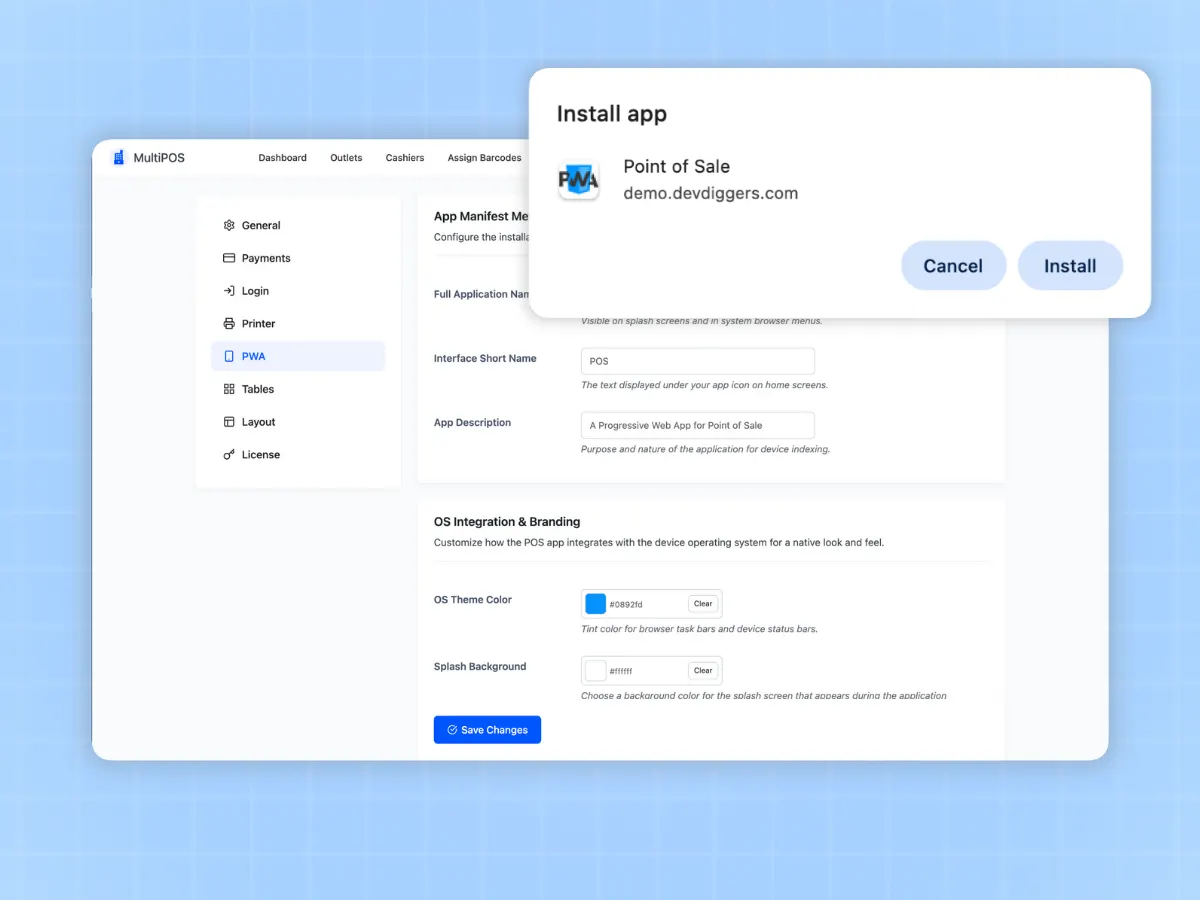
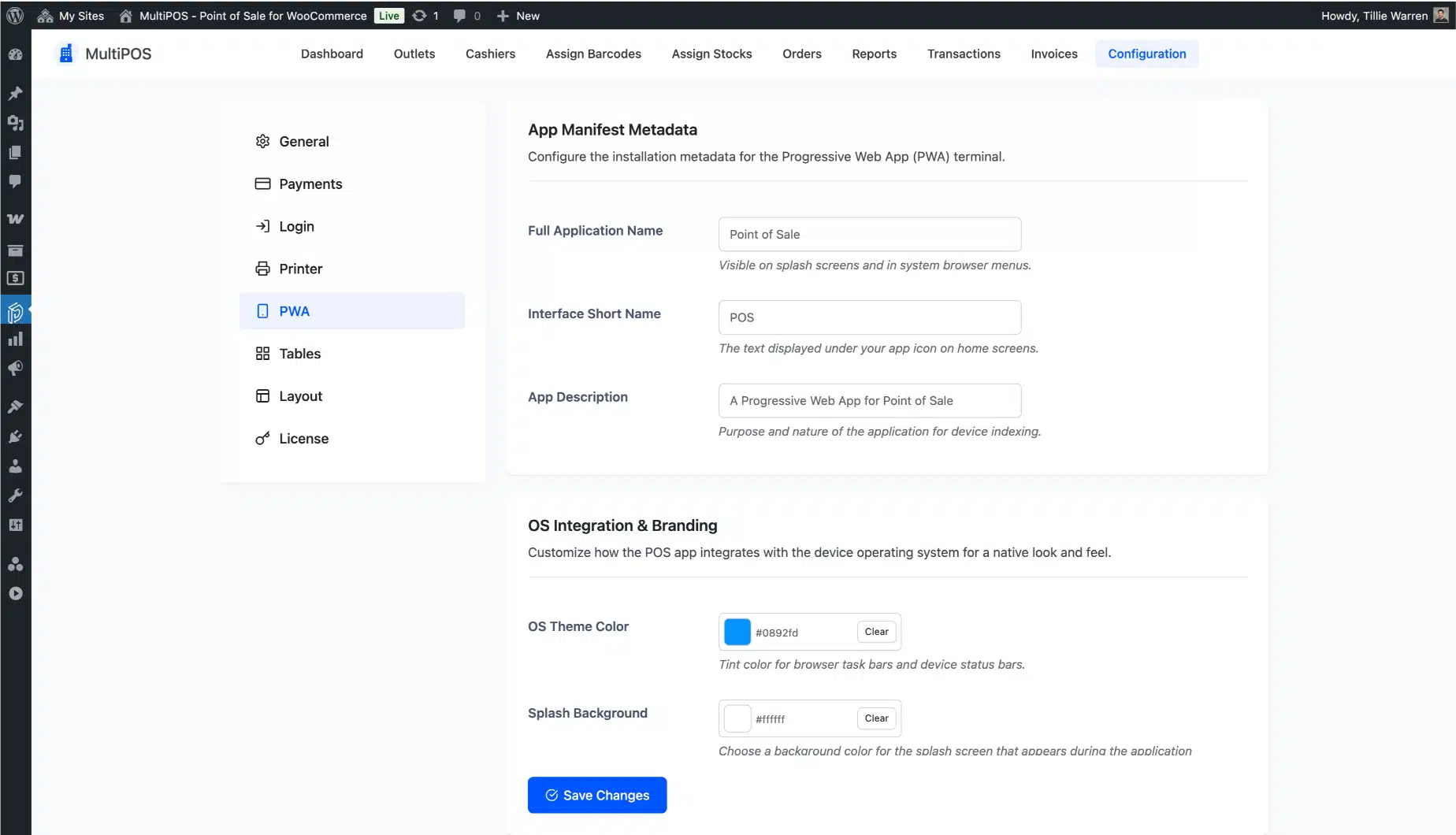
Set MultiPOS up as a Progressive Web App and pin it to a desktop or tablet home screen. It opens full screen like a native app, with no App Store or Play Store to deal with, so your till device stays locked to the job.

You name the app, write its description, upload icons at every size a device asks for, and pick its theme and splash colors. Staff tap one icon and land on the sales screen.

  • Install as a desktop or mobile app through a PWA
  • Set the app name, description, theme color, and splash color
  • Upload PWA icons at 48, 96, 144, 196, and 512 pixels
MultiPOS installed as a PWA app on a tablet home screen
Hardware

Use the POS hardware you already have

Here is what most WooCommerce POS pages will not tell you: you do not need new hardware. MultiPOS runs in the browser, so it works with the everyday kit most counters already own. There is no proprietary terminal to rent and nothing to lock you in. If your device has a browser, it can run the point of sale.

Tablets, phones, and computers

Run the POS on an iPad, an Android tablet, a laptop, or a desktop. Any modern browser works, and you can install it as a PWA on the till device.

Barcode scanners

Most USB and Bluetooth barcode scanners work like a keyboard, so they scan straight into the POS with a beep on each add.

Receipt printers

Print sales receipts and your own designed invoices to the receipt printer connected to your device through the browser print dialog.

Label printers

Print barcode label sheets in the size, margins, and layout your label printer expects, so shelf tags stay tidy and scannable.

Card readers and payment terminals

Take the card on the reader or terminal you already use, then log cash, card, or split payments against the WooCommerce order. There is nothing new to buy or rent.

Compatibility

Works with the WooCommerce setup you already run

MultiPOS sells straight from WooCommerce, so it respects the rules you already set. Your taxes, coupons, and product types keep working the same way at the counter as they do online.

Coupons and taxesYour WooCommerce coupons and tax rules apply at the point of sale, including multiple tax rules and product tax classes, so receipts match your online orders.
Simple and variable productsSell simple and variable products, with each variation shown as its own item. Backorders are supported, so you can still sell what is on the way.
HPOS readyMultiPOS declares WooCommerce High-Performance Order Storage support, so your orders scale cleanly on the latest WooCommerce.
Loyalty and marketplacesTie into LoyaltyX for points at the counter, and use the WCFM build so marketplace vendors can sell in person too.
Order messagingPOS sales are ordinary WooCommerce orders, so your order email and WhatsApp notification plugins fire on them the same way they fire online.
Built for developersPOS data runs through REST routes, and action and filter hooks cover the order, cart, coupon, kitchen, and reporting flows for custom work.
Why MultiPOS

How MultiPOS beats other WooCommerce POS plugins

We looked at what store owners actually complain about with other point of sale plugins. Here is where MultiPOS is different, in plain terms.

  1. It goes past Woo's own POS app

    The point of sale in the WooCommerce mobile app runs on tablets, takes only WooPayments or Stripe, and needs an internet connection. MultiPOS runs in any browser, takes any payment method you set up, and keeps selling offline.

  2. Restaurant mode costs nothing extra

    Plenty of POS plugins sell their kitchen screen as a separate paid add-on. MultiPOS includes tables, dine-in, take away, and the kitchen display in the same license, so a cafe pays once.

  3. It works offline

    Several popular WooCommerce POS plugins stop the moment the internet does. MultiPOS keeps selling from local storage and syncs later, so a weak connection at the counter never costs you a sale.

  4. Variable products stay clean

    A product with many sizes and colors clutters some point of sale screens until they are unusable. MultiPOS shows each variation as its own tidy item, so busy catalogs stay fast to ring up.

  5. Live in about five minutes

    A setup wizard walks you through the POS address, your first outlet, stock, and cashiers on first activation. Other point of sale plugins hand you a long manual before you can ring up a single sale.

  6. No per-sale fees

    You pay once a year, not a slice of every transaction. There are no outlet limits on any plan, so opening a second or fifth location does not raise your software bill.

  7. Nothing leaves WooCommerce

    No cloud middleman, and no export or import step. Your sales, stock, and customers stay in the WooCommerce database you already own, host, and back up.

  8. Built by WooCommerce specialists

    MultiPOS is made by a team that builds WooCommerce plugins full time, follows WordPress coding standards, and answers support in hours. You are buying from people who know the platform, not a side project.

  9. You own your uptime

    A cloud POS goes down when its servers do, and you cannot sell. MultiPOS runs on your own site and keeps working offline, so your counter does not depend on someone else staying online.

  10. Your brand, front to back

    Set your logo, colors, and fonts on the point of sale, brand the cashier login screen, and print receipts and invoices in your own style. The counter looks like your store, not like generic till software.

Free and Pro

Try the free WooCommerce POS plugin first

The free build on WordPress.org runs a real counter, not a locked trial. Move up when you open a second outlet, need to sell offline, or put a screen in the kitchen.

What you get Free Pro
Outlets One As many as you need
Cashiers Unlimited Unlimited, assigned per outlet
Orders saved in WooCommerce Yes Yes
Simple products Yes Yes
Variable products No Yes
Custom product at the counter No Yes
Unit and weight pricing No Yes
Payment methods Your own, cash included Your own, set per outlet
Split one order across payments No Yes
Stock WooCommerce stock WooCommerce stock or stock per outlet
Selling offline No Yes, syncs when you reconnect
Restaurant outlet with tables Yes Yes
Kitchen display screen No Yes, opens with no login
Refunds at the counter No Yes
Barcode scanning and labels Yes Yes
Coupons and hold cart Yes Yes
Print sales receipts Yes Yes
Design invoices and receipts with a visual editor No Yes, plus one per outlet
Add order notes on POS sales No Yes
POS dashboard and transaction log Yes Yes
Sales reports and analytics No Yes, filtered by outlet and cashier
Open the cash drawer from the POS No Yes, by integration with Printer
Install as an app (PWA) No Yes, with your own icons and colors
Loyalty points through LoyaltyX No Yes
Brand the POS and its login screen Yes Yes
Price Free forever From $139 a year
Why DevDiggers

Why WooCommerce store owners buy from us

Official WooCommerce contributor

More than 20 accepted contributions to WooCommerce core. The standards we hold the platform to go into MultiPOS too.

Envato Elite Author

More than $125,000 in sales and 500+ five-star reviews across Trustpilot, Google, and Envato.

Your data never leaves your site

No cloud middleman and no export step. Every counter sale is a WooCommerce order in the database you already host and back up.

Support that answers in hours

A real WooCommerce team on the other end, not a ticket queue. Every plan includes priority support and a 14-day refund.

Start free, upgrade when you grow

A real free build runs on WordPress.org, not a locked trial. Move up only when you open a second outlet or need to sell offline.

Sells in any language and region

Translation ready with a bundled language file and full right-to-left support, so your counter reads correctly for stores in 158+ countries.

Recognition

Earned on the Envato marketplace

Elite Author Elite Author Sold more than $125,000 on Envato Market. Featured Author Featured Author Made it to the Authors' Hall of Fame. Community Health Community Health Took part in community research initiatives. WP Compliant WP Compliant Keeps items to current WordPress standards. Copyright Ninja Copyright Ninja Helped protect against copyright violations. Feedback Guru Feedback Guru Joined a group to improve the experience. Trendsetter Trendsetter Had an item that was trending. Featured Item Featured Item Had an item featured on Envato Market.
Who it is for

Built for the counters WooCommerce store owners actually run

Retail shops

Ring up walk-in sales, scan barcodes, and keep shelf counts right without a second system to balance at night.

Grocery and convenience

Fast scanning, quick change-making, and per-outlet stock for high-volume counters where every second in the line matters.

Cafes

Take orders at the till, send them to the kitchen display, and keep the line moving through the morning rush.

Restaurants

Seat guests at tables, split dine-in and take away, and run a live kitchen screen so the pass never loses an order.

Multi-outlet brands

Run multiple outlets from one WooCommerce site, each with its own stock, cashiers, payment methods, and reports.

Setup

Get your WooCommerce POS running in about 15 minutes

Install and activate

Add MultiPOS to your WordPress site and activate it from the Plugins menu. You configure it from the MultiPOS screen under DevDiggers Plugins, so there is nothing scattered across your admin.

Create your outlets

Add each shop or location and set it to retail or restaurant mode. Choose shared WooCommerce stock or custom stock per outlet, and set the order status you want POS orders to use.

Add cashiers and payments

Create cashier accounts, assign them to outlets, and set the payment methods each outlet accepts. Add tables too if the outlet is a cafe or restaurant.

Open the POS and sell

A cashier opens the POS endpoint, signs in, and picks an outlet. Scan or search a product, take payment, and print the receipt. Install it as a PWA on the till for one-tap access.

What store owners say after switching to MultiPOS

Real reviews from verified buyers of our WooCommerce POS plugin.

5.0/ 5

66 reviews

  • 5 65
  • 4 1
  • 3 0
  • 2 0
  • 1 0

Great Support for POS Issue

I faced an issue where the POS system crashed when selecting variable products and the screen turned white. I contacted support, and they handled it quickly and professionally. Everything is working fine now. I…
baloxh Verified buyer December 8, 2025

Helpful and Knowledgeable Team

The team is very helpful and clearly knows what they’re doing. They guided me properly and answered all my questions with clarity. It made the whole experience smooth and stress-free.
technologymaster2021 Verified buyer January 5, 2025

Amazing Support, Deserves More Than 5 Stars

Thanks for your great support. The team was really helpful and quick. Honestly, I wish I could give 10 stars!
jonwit Verified buyer October 23, 2024

Reliable POS with Minor Mobile UX Issue

This is a solid POS plugin that I’ve been using for quite some time now, and it works really well. I haven’t faced any bugs so far, which is great. The customer support is…
ketersis Verified buyer March 23, 2024

Great POS Features Availability

The POS plugin comes with a good range of features that cover everything I need. It feels well thought out and practical for real use. Overall, I’m happy with what it offers and how…
sarkham666 Verified buyer March 20, 2024

Great POS Plugin and Efficient Support

The support was very quick and handled everything efficiently. My issue was resolved without any hassle, and the whole process was smooth. I’m really satisfied with the experience.
infolocale Verified buyer January 9, 2024

Quick and Reliable Support

The customer support is really good and very fast. They respond quickly and help solve issues without any delay. Overall, a smooth and helpful experience.
celindo Verified buyer December 9, 2023

This plugin is outstanding

This plugin is outstanding, offering a wide range of capabilities and excellent code quality! The support team promptly resolved an issue I faced when I submitted a support request. I highly recommend it.
alienative Verified buyer November 27, 2023

High Quality WooCommerce POS Plugin

The support from DevDiggers is extremely fast and very high quality. They completed several custom developments for us, which greatly improved the efficiency of our business compared to our previous plugin setup. The team…
derekgrimes Verified buyer October 19, 2023

This POS system exceeded my expectations!

This POS system exceeded my expectations. The interface is very user-friendly, transactions are fast, and the integration with our business operations works smoothly. Really impressed with the overall performance and experience.
aman0651 Verified buyer October 15, 2023

Exceptional customer support!

The customer support is exceptionally intelligent.
youssefwaleed Verified buyer October 9, 2023

Great customer support
Great support, I recommend it 100%.
carminahobbys Verified buyer October 6, 2023

Start your WooCommerce POS from $139 a year
One yearly price. No per-sale fees, and no outlet limits on any plan. Every feature is included from day one, or start on the free version and upgrade later.
Every plan works as long as your subscription stays active. Renews yearly until you cancel, and you can cancel anytime from your account. Every plan is backed by our 14-day refund policy. Not ready to buy? Install the free version on WordPress.org.

1 Site License

Normally $199

$139/year

Just $11.58/mo, billed annually

  • Use on 1 website
  • Every feature included
  • Unlimited outlets and cashiers
  • Unlimited updates
  • Priority support
Buy Now

10 Sites License

Normally $999

$799/year

Just $66.58/mo, billed annually

  • Use on 10 websites
  • Every feature included
  • Unlimited outlets and cashiers per site
  • Unlimited updates
  • Priority support
Buy Now

Secured by a 14-day refund policy

If MultiPOS does not work as promised on your setup, you have the backup of our 14-day refund policy to ask for your money back.

Version 6.1.0
Last Updated July 21, 2026
Changelog
WordPress 6.5+
WooCommerce 9.0+

See MultiPOS in action

Every screen below comes from the plugin running a real WooCommerce store. The live demo is the same build, with no account needed.

WooCommerce POS dashboard page screenshot
Dashboard page to show various stats and charts for the POS
FAQ

WooCommerce POS plugin FAQ

The questions store owners ask us most about running a WooCommerce POS, answered straight.

Ask a Question

WooCommerce core does not include a point of sale. Woo sells a separate POS through its mobile app. That one runs on tablets, accepts only WooPayments or Stripe, sells in about ten countries, and needs an internet connection.

It has no second outlet, no restaurant tables, and no kitchen screen. MultiPOS covers all of that in any browser, and it keeps selling offline.

MultiPOS Pro starts at $139 a year for one site, with 5-site and 10-site plans for growing brands. The free version costs nothing.

There are no per-sale fees and no outlet limits on any paid plan, so your bill does not grow every time you open a new location.

Yes. MultiPOS has a free version on WordPress.org. The free build runs one outlet with unlimited cashiers, takes the payment methods you set up, and handles a restaurant outlet with tables.

It scans barcodes, prints receipts and labels, and saves every sale as a real WooCommerce order. Pro adds more outlets, stock per outlet, offline selling, split payments, variable products, refunds at the counter, sales reports, and the kitchen screen.

MultiPOS Pro does. When your connection drops, it keeps taking orders and payments from local browser storage.

Once you are back online, it syncs every offline order to WooCommerce on its own, and shows the offline order IDs in your backend so nothing is lost. The free version needs a connection.

It is safe. On Pro, offline orders sit in local storage on that device, and closing the tab does not delete them. The next time you open the point of sale on the same device and reconnect, they sync to WooCommerce.

Set an outlet to restaurant mode and you get dine-in and take away plus table maps, both in the free version. Pro adds the no-login kitchen display that marks orders preparing or ready.

Other plugins sell that screen as a separate add-on. We wrote a longer guide to running a WooCommerce POS for restaurants if you want to compare the options yourself.

Yes, on Pro. Add as many outlets as you need on a single WooCommerce install.

Each outlet can share WooCommerce stock or keep its own custom stock, has its own cashiers and payment methods, and there is no outlet limit on any paid plan. The free version runs one outlet.

MultiPOS runs in the browser, so it works with everyday hardware you likely already own. Use tablets, phones, laptops, or desktops, plus most USB or Bluetooth barcode scanners, receipt printers, and label printers.

For card payments, take the card on the reader or terminal you already use and log it on the sale. There is no proprietary terminal to rent.

Yes. MultiPOS is a WordPress POS plugin that turns a WooCommerce store into a full point of sale system.

It installs on any WordPress site running WooCommerce, and it uses your real products, prices, taxes, and orders. There is no separate WordPress point of sale system to sync.

Yes. MultiPOS is built for WooCommerce High-Performance Order Storage, and it also works with stores still on the older order storage. You can move over on your own schedule with no rush.

Yes. The point of sale runs in any modern browser on desktop, tablet, or phone, with a full touch layout. Pro also installs as a PWA app that pins to a home screen, with no App Store or Play Store needed.

Every POS sale becomes a normal WooCommerce order right away, with the right outlet, cashier, tax, and payment record. Stock, customers, coupons, and refunds all live in WooCommerce, so your reports stay in one place.

No. You create cashier accounts and assign them to outlets, and they open the point of sale without any admin rights.

Cashiers see the outlet and tools they need to sell, and nothing else. Admins and store managers can open the POS too when they want to.

Yes, on the Pro version. Each outlet can share your central WooCommerce stock or keep its own custom stock, so locations count their shelves apart.

Prices stay the same across outlets and come from WooCommerce. Outlet stock is saved as normal product meta, so you can bulk-load it with the WooCommerce product CSV importer when you open a new store.

Yes. MultiPOS is translation ready and ships with a language file, so you can run the point of sale in your own language. It also supports right-to-left layouts, so it reads correctly for stores in any region.

Yes. Because MultiPOS sells straight from WooCommerce, your products, prices, taxes, and customers are already in place. You set up your outlets and cashiers, connect your hardware, and start selling.

There is no catalog to rebuild in a separate system. Still weighing options? Read our comparison of the best WooCommerce POS plugins.

No. The point of sale loads its own screen and assets, and it ships its own fonts so there are no outside calls. It follows WordPress coding standards and supports HPOS, so it runs cleanly next to your store without dragging down your site.

MultiPOS comes with a 14-day refund policy. If the plugin does not work as described on your setup, contact us within 14 days for a full refund. You can read the full terms on our refund policy page.

Your WooCommerce store is ready to sell in person

Add a WooCommerce POS plugin that keeps every sale inside your store. The live demo is a fully working till. No account, no credit card. Try it, then pick a plan and be selling at the counter today.

Support within hours Replies, not tickets
14-day money back Fair, no questions asked
Always compatible Latest WP and Woo
Custom builds Made for your store

Why store owners pick MultiPOS

What you get the day you switch your counter over.

  • Every sale is a native WooCommerce order
  • Keeps selling offline, then syncs on its own
  • Free version on WordPress.org to start
  • No per-sale fees, no outlet limits
  • 500+ five-star reviews, Elite Author
Pedro Lima, DevDiggers customer Kareem Al Samman, DevDiggers customer Valentina Dancheva, DevDiggers customer Diego Lopes, DevDiggers customer 5 star rating from 500+ reviews

Trusted worldwide

Store owners in 158+ countries run on DevDiggers.

Alan, DevDiggers customer Shiyanthan M, DevDiggers customer Pawel Pytasz, DevDiggers customer Marius, DevDiggers customer

Proven on Envato

Elite Author with $125,000+ in sales.