The best WooCommerce POS plugins let you sell in-store and online from one system, keeping inventory, orders, and customer data synced in real time without manual work.
Having built MultiPOS and worked with WooCommerce stores across retail, food service, and multi-location businesses, we’ve seen firsthand which plugins hold up under daily use and which ones fall apart at the wrong moment.
Most stores don’t struggle to find a POS plugin. They struggle to find the right one for how they operate.
This guide covers what to look for before you choose, a quick use-case picker, and honest reviews of the 10 best WooCommerce POS plugins available in 2026, including real trade-offs most lists skip.
What to Look for in a WooCommerce POS Plugin
Choosing the right WooCommerce point of sale plugin comes down to four things. Get these right and the rest is detail.
1. Offline Mode: What It Means
Most plugins claim offline support. What that means varies a lot.
A true offline mode stores your product catalog and pending transactions locally and then syncs everything back to WooCommerce when your connection returns. A fake one just shows an error screen when the internet drops. Before buying, ask: Does it cache the full product catalog locally? Does it queue offline orders for later sync? What happens to stock levels during the offline window?
MultiPOS, for example, keeps selling with full POS features when the internet drops and then pushes all orders and stock updates on reconnect. wePOS, by contrast, does not currently support offline mode at all. That distinction matters a lot if your store is in a market, a pop-up or a venue with spotty Wi-Fi.
2. Single Store vs. Multi-Location Needs
A single-outlet retailer and a five-location chain have almost nothing in common when it comes to POS requirements.
Single stores need: fast checkout, basic reporting, hardware compatibility, and a clean interface for one or two cashiers. Multi-location stores need: per-outlet inventory control, role-based cashier access, consolidated sales reporting across locations, and the ability to run outlet-specific receipt templates. Marketplace owners who need a register for each vendor should read our guide to the best WCFM Marketplace POS plugins.
Pick a plugin built for your current size, but check that it can grow with you. Buying a single-store plugin and then outgrowing it in 18 months is an expensive lesson.
3. Hardware Compatibility
Your plugin needs to work with the gear you already own or plan to buy. Check for three things: thermal receipt printer support (80mm and 58mm via ESC/POS protocol), USB and Bluetooth barcode scanner support, and cash drawer trigger through the printer connection.
Most plugins support HID barcode scanners out of the box. Receipt printing is where it gets inconsistent. Some plugins only support browser-based printing. That means you need a print server or a workaround for thermal printers. Others support ESC/POS directly, which is what you need for fast counter printing.
4. HPOS Compatibility in 2026
WooCommerce’s High Performance Order Storage (HPOS) has been the default for new stores since WooCommerce 8.2 in October 2023. According to WooCommerce’s official HPOS documentation, the feature moves orders to custom tables for faster performance and better scalability.
If your POS plugin is not HPOS-compatible, you’ll hit bugs, slow order processing or outright failures on modern WooCommerce installs. Always confirm HPOS compatibility before purchasing. MultiPOS is fully HPOS-compatible. WCPOS by Kilbot also supports it. A few older plugins still have incomplete HPOS support. Check the changelog before committing.
Quick Pick: Best WooCommerce POS Plugin for Each Use Case
Not everyone needs to read the full list. Here’s the short version:
Running a physical retail store with multiple locations? MultiPOS is the most complete native WooCommerce solution for this.
Small single-store retailer on a tight budget? wePOS free tier or WCPOS by Kilbot get you running at minimal cost.
Restaurant, café, or food service? MultiPOS with restaurant mode has table management and a kitchen display built in.
Tablet-first setup with iOS or Android? FooSales has the best dedicated tablet apps.
Already using Square hardware? Square for WooCommerce is the obvious pick, though you’ll pay per-transaction fees long-term.
Large retail operation needing a full retail management system? Lightspeed/Vend is built for enterprise scale, though it adds a monthly SaaS cost on top of WooCommerce.
Pop-up shops and market stalls? See our guide on running a pop-up shop with WooCommerce POS for a setup walkthrough.
WooCommerce POS plugins compared at a glance
Offline mode and outlet count are the two columns that decide most of these choices. Test offline mode on your own connection before you commit. The table is a shortlist tool, and the reviews below explain the trade-offs.
| POS plugin | Pricing | Offline mode | Multi-outlet | Best for |
|---|---|---|---|---|
| MultiPOS | Free with Pro from $139/yr | Yes | Yes | Best overall for multi-outlet |
| wePOS | Free with Pro from $199/yr | Yes | No | Small single stores |
| YITH Point of Sale | $179.99/yr | Yes | Yes | Multi-register retail |
| WooCommerce POS (WCPOS) | Free with Pro at $129/yr | Yes | Limited | Free self-hosted option |
| Oliver POS | Free with paid from $49/yr | Yes | Yes | Mid-sized stores |
| FooSales | Paid yearly | Yes | Yes | Tablet-first setups |
| ConnectPOS | From $49/register | Yes | Yes | Omnichannel chains |
| Hike POS | From ~$59/mo | Yes | Yes | Standalone system |
| Square for WooCommerce | Free plugin with txn fees | No | Limited | Existing Square users |
| Lightspeed / Vend | From ~$249/yr | Yes | Yes | Large retail operations |
The 10 Best WooCommerce POS Plugins for 2026
When selecting a WooCommerce POS plugin for your store, weigh reliability, transaction syncing, offline access, and scalability.
These are among the most popular POS plugins for WooCommerce at the moment.
1. MultiPOS: Best Overall WooCommerce POS Plugin
MultiPOS is our own WooCommerce POS plugin, built by DevDiggers, and it leads this list because we build and support it. Every sale at the till is a normal WooCommerce order with shared stock and customers. Pro adds offline selling, restaurant mode, Z-reports and cashier permissions on every plan.
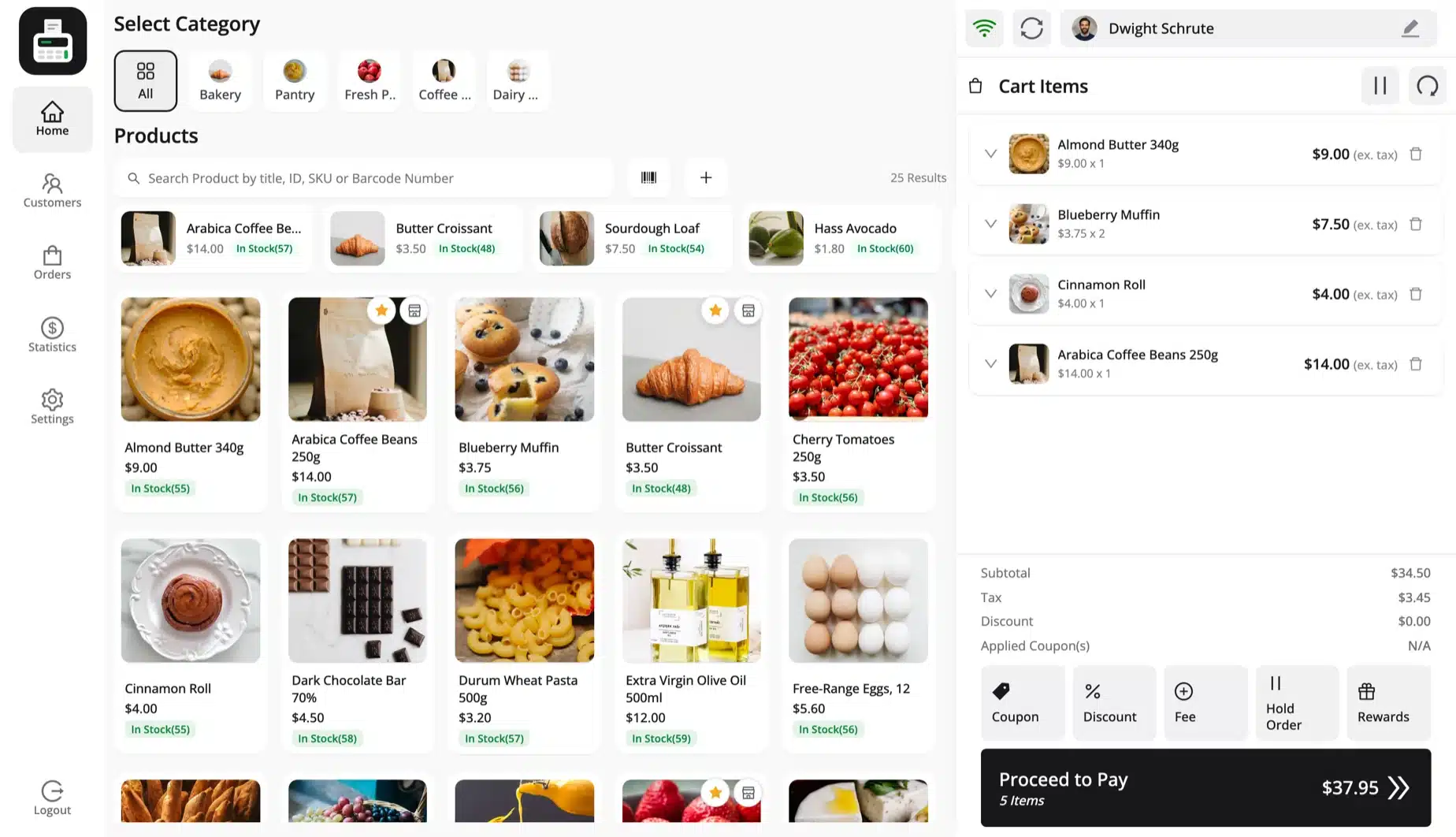
MultiPOS, our WooCommerce POS plugin, connects directly to your WooCommerce database with no third-party cloud layer in between. It runs in any browser and installs as an app on a tablet or till. The plugin declares support for HPOS.
Key features:
- Unlimited outlets and cashiers: Every plan covers as many outlets and cashiers as you run. Stock can be shared or kept per outlet.
- Offline selling: The till keeps taking orders without internet and syncs them to WooCommerce when the connection returns.
- Restaurant mode: Outlets get tables, dine-in and takeaway orders and a kitchen display that opens in any browser.
- Barcodes and labels: USB and Bluetooth scanners work like a keyboard. You also print label sheets that show the product SKU and price.
- Quick Keys and weight pricing: Cashiers pin best sellers to Quick Keys and sell items by the unit or by weight.
- Z-report with blind close: Cashiers count the drawer at close. The POS prints X-reports and Z-reports on 58 mm or 80 mm rolls and on A4 paper.
- Cashier permissions and manager PIN: You switch refunds, price changes and cash moves on or off per cashier. A manager PIN approves the rest.
- Split payments and fees: One order can be split across payment methods with line discounts, fees or card surcharges added.
- Receipt designer: You edit receipt templates with a live preview and give each outlet its own receipt design.
- Staff and Payments report: A leaderboard ranks cashiers by sales and refunds next to your busiest hours and payment methods.
- WhatsApp receipts and loyalty points: The till sends receipts on WhatsApp through Purchase via WhatsApp and awards LoyaltyX points at the counter.
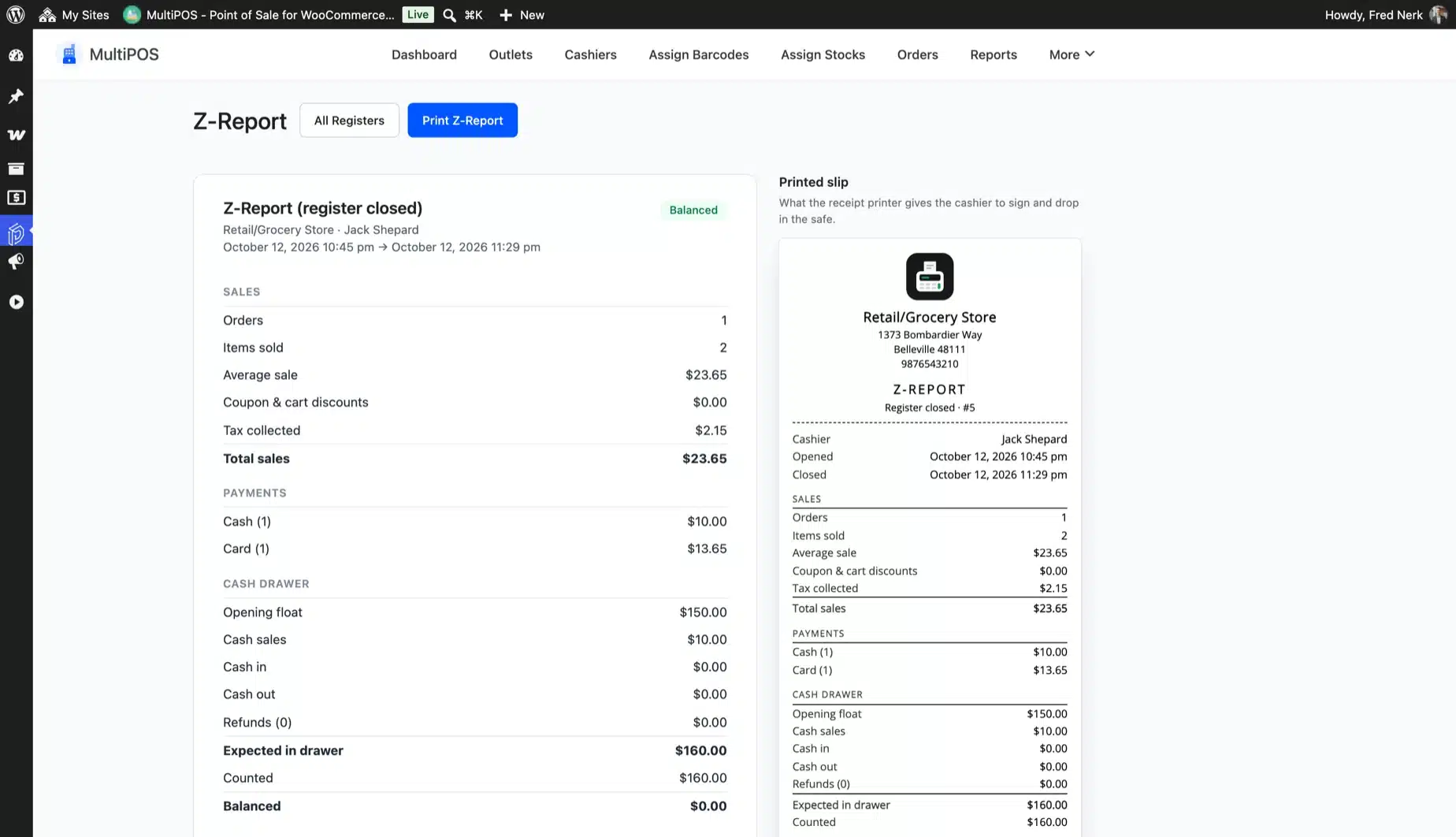
Pricing: The free WooCommerce POS plugin is live on WordPress.org with a 5-star rating as of October 2026. Pro costs $139/year for 1 site, $599/year for 5 sites and $799/year for 10 sites. Every plan comes with a 14-day refund policy.
Best for: Retail shops, grocery counters, cafes, restaurants and brands with several outlets.
The honest trade-off: MultiPOS has more features than a single counter needs on day one. It also does not process cards itself. You take the card on your own reader and log it against the order.
Worth knowing: No other plugin in this list mentions a blind register close with a Z-report or a manager PIN for cashier overrides. None of them lists WhatsApp receipts either. We read the plugin’s settings and code in October 2026.
2. wePOS: Best for Small Stores
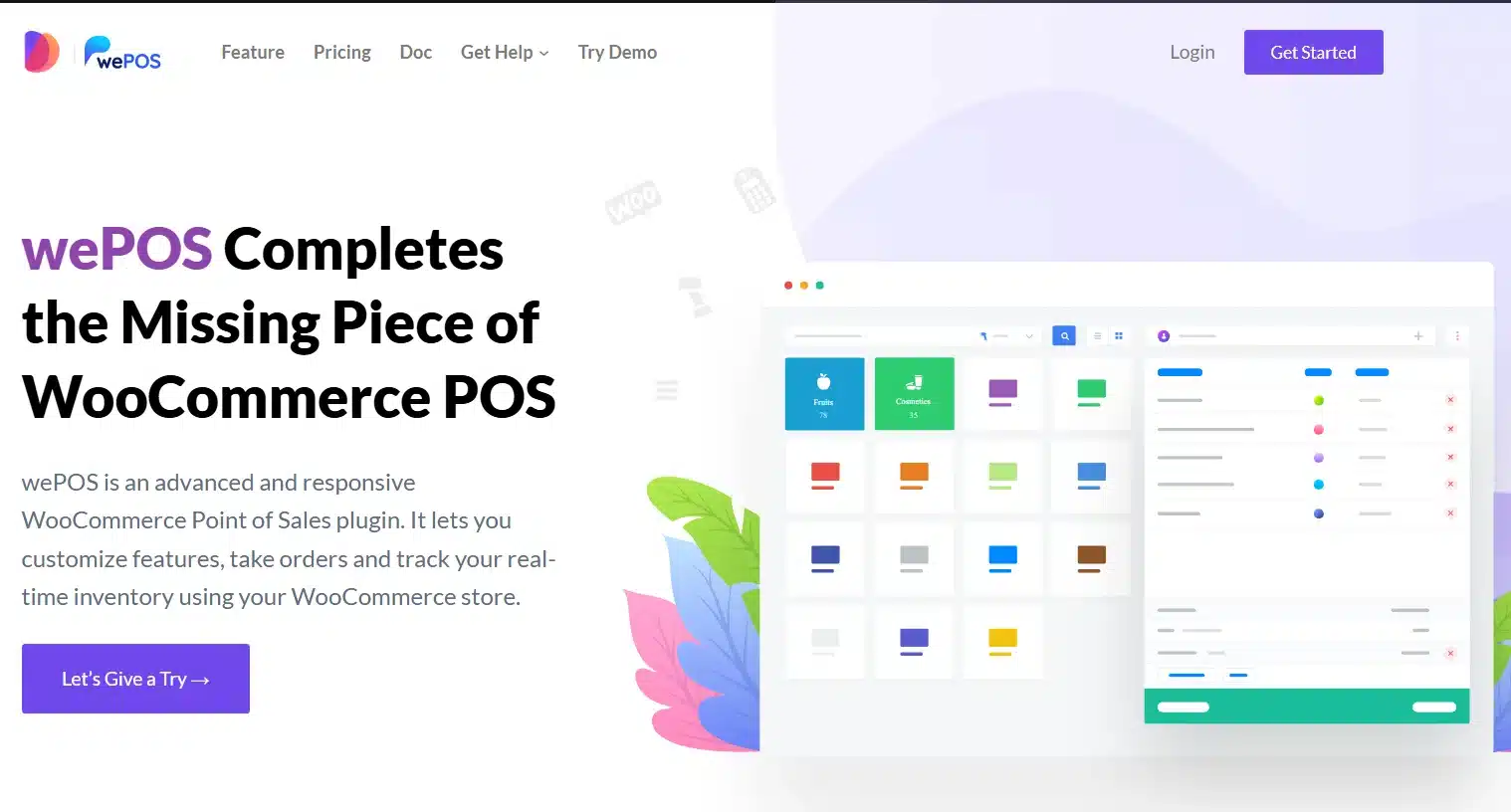
wePOS is a fast, clean WooCommerce POS plugin built for stores that need quick setup and a simple daily interface. The plugin has a strong presence on the WordPress repository and is a popular starting point for first-time POS users.
It runs as a single-page application via the REST API, which makes it really fast at checkout. Cashiers can search products, manage multiple carts simultaneously using a tab system, and process payments with minimal friction.
Key features:
- Fast REST API-based checkout
- Multi-cart (tab-based) management
- Barcode and QR code scanning
- Customizable receipt builder
- Role-based cashier access per counter
- Multiple outlet support on premium
Pricing: Free version available (cash payments only). Premium costs $199 a year for 1 site at the regular price as of October 2026. Sales often cut that first year.
Best for: Small single-store retailers, first-time POS users who want a quick setup without complexity.
The honest trade-off: wePOS does not support offline mode. If your internet goes down, your checkout goes down too. For a stable fixed-location store with reliable internet, that’s manageable. For anywhere else, it’s a real risk.
3. YITH Point of Sale for WooCommerce: Best for Multi-Register Retail
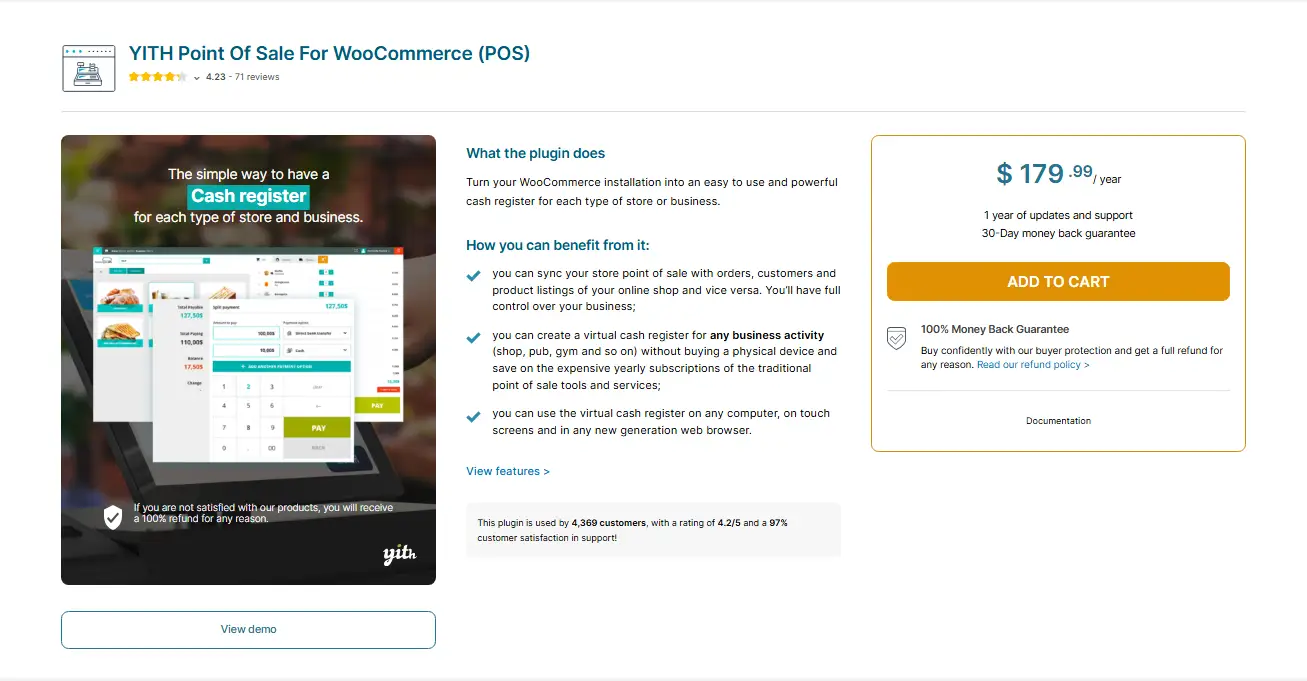
YITH Point of Sale is a premium plugin that turns WooCommerce into a capable multi-register retail system. It stores everything in your WooCommerce database directly. There’s no external sync to manage.
The standout feature is its unlimited stores and registers model. You can spin up as many physical outlets and checkout counters as you need under a single annual license, which makes the pricing very attractive for franchise or multi-location setups.
Key features:
- Unlimited stores and POS registers
- Customizable receipts with branding per store
- Suspend and save cart (hold order feature)
- Cashier management with individual logins
- Barcode scanning support
- Offline support for basic functions
Pricing: $179.99/year.
Best for: Traditional multi-register retail stores, franchise operations, and stores that want unlimited outlets without per-location pricing.
The honest trade-off: YITH has a steeper learning curve than wePOS or Oliver POS. The interface is functional but feels more dated than newer entries. Mobile features are also limited compared to tablet-optimized options.
4. WooCommerce POS by Kilbot (WCPOS): Best Self-Hosted Free Option
WCPOS is a self-hosted, browser-based POS plugin that shares your WooCommerce database directly. No external cloud, no monthly fee, no per-transaction cost.
It’s one of the few really free options that works well for basic retail. The free version covers most core POS needs for a single-store operation. The pro version adds payment gateway integrations, customer management tools, and multiple report types.
Key features:
- Self-hosted with direct WooCommerce database access
- Offline mode support
- Barcode scanner compatibility
- Stripe integration on pro
- HPOS compatible
Pricing: Free version available. Pro version at $129/year per site.
Best for: Small businesses who want a no-fee starting point, developers building a client’s first POS setup, and stores that prioritize data ownership.
The honest trade-off: Multi-store support is limited compared to dedicated multi-location plugins. If you’re running more than one outlet, you’ll outgrow WCPOS quickly.
5. Oliver POS: Best Cloud POS for Mid-Sized Stores
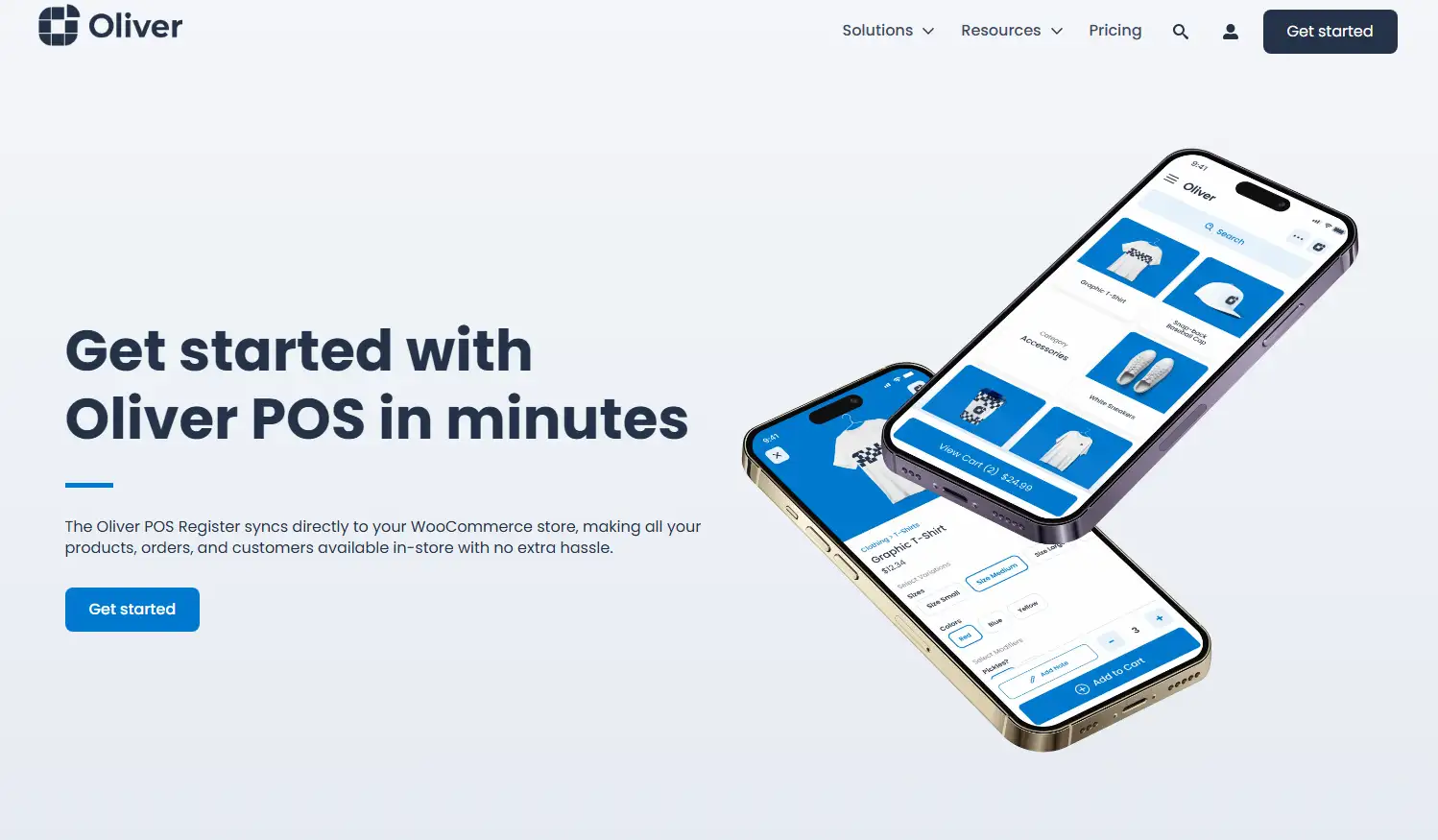
Oliver POS is a cloud-based WooCommerce POS system with a clean, modern interface. It runs on any internet-enabled device and integrates tightly with WooCommerce, keeping products, stock, and customers synced automatically.
Its free tier is really functional, which makes it a popular entry point. The paid plans add multi-register support, advanced reporting, and hardware integrations. Oliver also sells compatible hardware directly including registers, tablet stands, scanners, and cash drawers.
Key features:
- Modern responsive interface on any device
- Real-time WooCommerce inventory sync
- Customer purchase history access
- Coupon and discount support
- Hardware bundles available from Oliver directly
- Loyalty and gift card options on higher plans
Pricing: Free plan available. Paid plans start at $49/year for basic features. Higher tiers for full multi-register support.
Best for: Mid-sized stores looking for a clean interface, retailers who want to buy hardware from a single source.
The honest trade-off: Oliver POS requires a continuous internet connection. There is no offline mode. For a stable retail location, this is usually fine. For events or pop-ups, it’s a hard limitation.
6. FooSales: Best for Tablet-First Setups
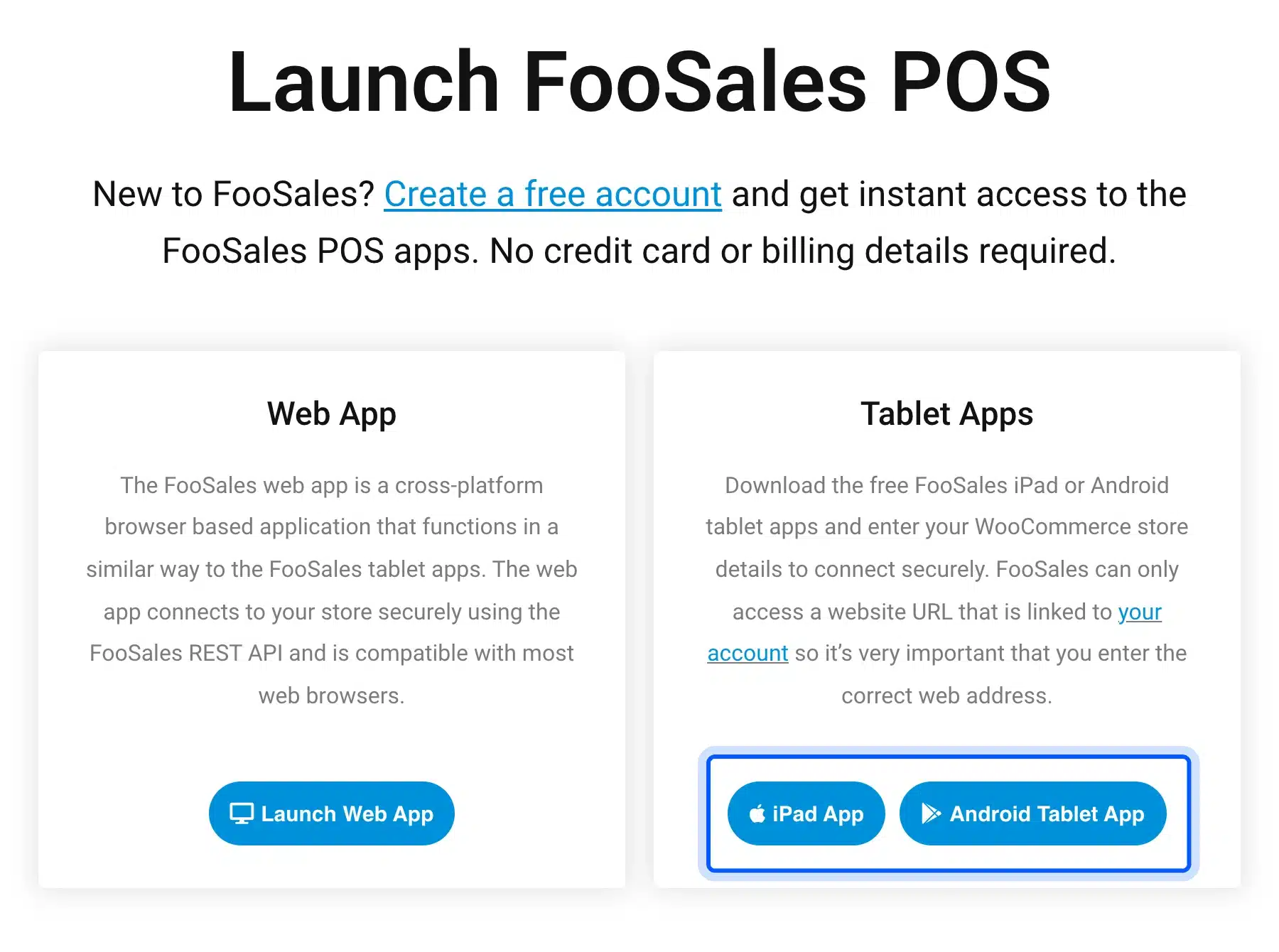
FooSales is the strongest option if your checkout runs on an iPad or Android tablet. It offers dedicated native apps for both platforms and not just a mobile-responsive web view. That makes a real difference in daily usability.
The tablet apps also support offline mode. A Wi-Fi dropout at a market or pop-up doesn’t kill your checkout. Sync happens automatically when you reconnect.
Key features:
- Dedicated iPad and Android tablet apps
- Offline mode with automatic sync
- Barcode scanning and receipt printing with supported hardware
- Stripe and Square payment integration
- Customer management synced with WooCommerce
- FooEvents integration for ticket selling
Pricing: Free version available. Paid plans start at $19/month (about $228/year).
Best for: Retailers who mainly work from tablets, mobile vendors, pop-up shops, and event-based sellers.
The honest trade-off: FooSales is on the pricier side for what it does. If you don’t need the tablet apps, you’re overpaying. The reporting tools are also basic compared to MultiPOS or ConnectPOS.
7. ConnectPOS: Best for Omnichannel Retail Chains
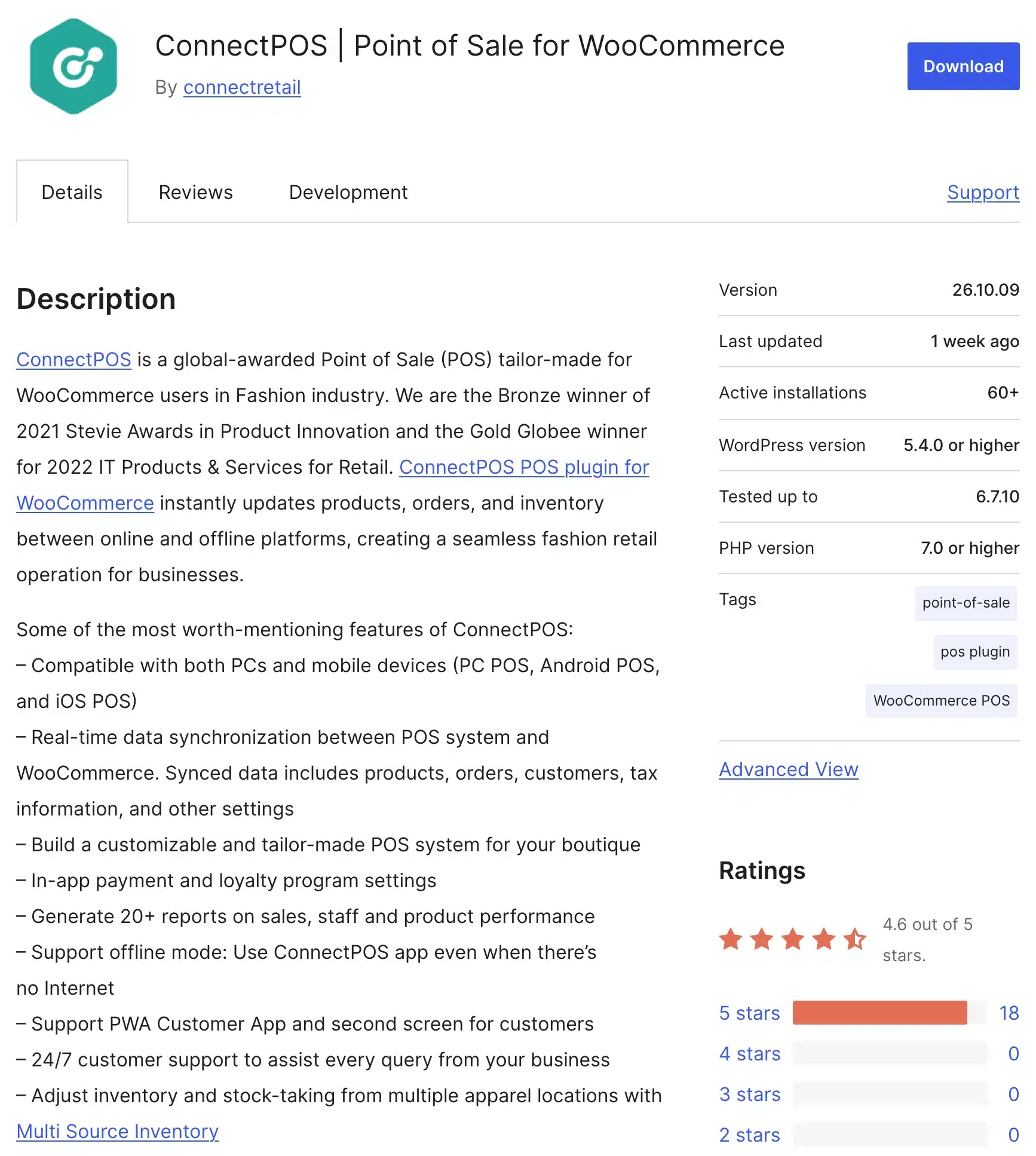
ConnectPOS is a cloud-based POS built for retailers managing multiple sales channels and complex store configurations. It integrates with WooCommerce, Shopify, Magento, and BigCommerce, making it a strong choice for businesses that sell across platforms. The ConnectPOS WordPress plugin is available directly from the repository.
Its feature set is deep: real-time inventory sync, 20+ report types, split payments, multi-source inventory, a second screen for customers, and a PWA customer app. It also supports offline mode and works on PC, iOS, and Android.
Key features:
- Multi-platform integration (WooCommerce, Shopify, Magento)
- Real-time data sync across all channels
- 20+ report types including staff and product performance
- Offline mode support
- Multi-source inventory management
- 24/7 support
Pricing: Paid plans at $49, $79 or $99 per register on the Standard, Advanced and Premium plans as of October 2026. Enterprise is priced by quote.
Best for: Retail chains, omnichannel businesses selling across multiple platforms, and stores with complex inventory across locations.
The honest trade-off: ConnectPOS is significantly more expensive than WordPress-native plugins. It also does not sell hardware directly. You’ll need to source compatible devices separately. The monthly subscription model means costs add up fast for smaller operations.
8. Hike POS: Best for Stores That Need a Standalone System
Hike POS is not a native WooCommerce plugin. It’s a standalone cloud-based POS system with a dedicated WooCommerce integration through its API. That distinction matters: Hike manages its own product catalog and syncs to WooCommerce. The sync does not run the other way around.
For stores that want Hike’s clean multi-store interface and are happy to let Hike be the system of record, the WooCommerce sync works well. For stores that want WooCommerce to remain the primary system, the outside-in sync can feel awkward.
Key features:
- Easy-to-learn multi-store cloud interface
- Offline mode (iPad, PC and Mac, with no Android tablet app)
- Barcode scanning
- Gift card support
- Customer loyalty programs
- Detailed analytics and reporting
Pricing: Plans start at $59 a month billed yearly or $69 billed monthly as of October 2026. A free trial is available.
Best for: Established multi-location retailers who want a premium standalone POS experience and are willing to pay for it.
The honest trade-off: Hike is expensive for WooCommerce users who don’t need everything Hike offers outside of the integration. The lack of Android tablet support is also a gap for many stores.
9. Square for WooCommerce: Best for Existing Square Users
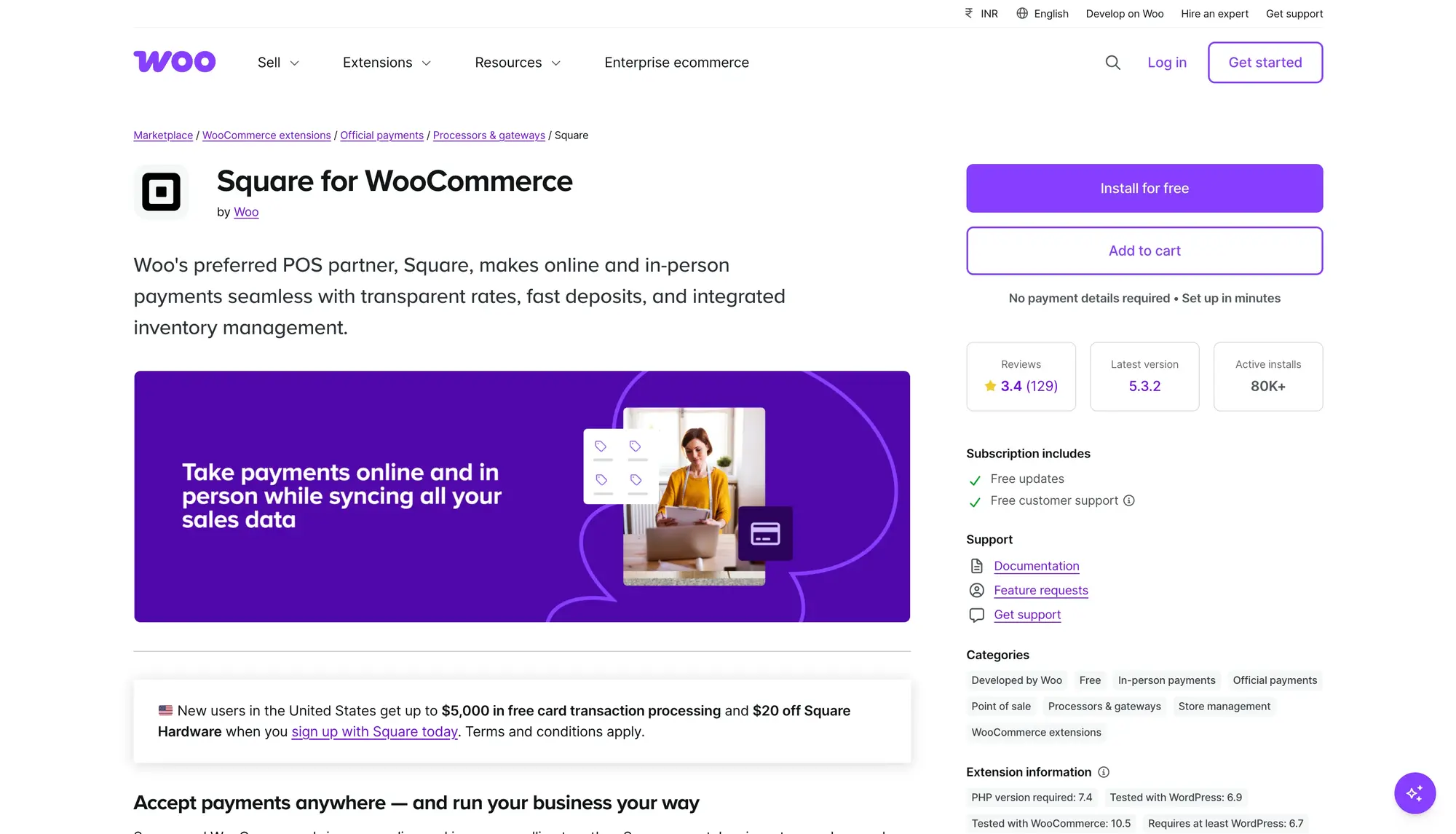
Square for WooCommerce is the obvious choice if you already use Square hardware. The free plugin syncs inventory and product data between Square and WooCommerce automatically, keeping your stock accurate across both systems.
Square handles payments through its own processing network. You pay per-transaction fees (2.9% + $0.30 in the US, varies elsewhere) instead of a flat annual license. For low-volume stores just starting out, this is fine. For stores doing serious volume, those fees add up faster than a paid plugin subscription.
Key features:
- Free plugin
- Square hardware compatibility out of the box
- Automatic two-way inventory sync
- Accepts credit cards, digital wallets, and recurring payments
- PCI-compliant payment processing
- Chargeback protection
Pricing: Free plugin. Per-transaction fees on all payments processed through Square.
Best for: Stores already using Square hardware and payments. New stores can also try POS at zero upfront cost.
The honest trade-off: Once your store is doing volume, Square’s transaction fees become your biggest POS cost. It also ties you to Square’s payment processing. Changing processors later is harder.
10. Lightspeed/Vend: Best for Large Retail Operations
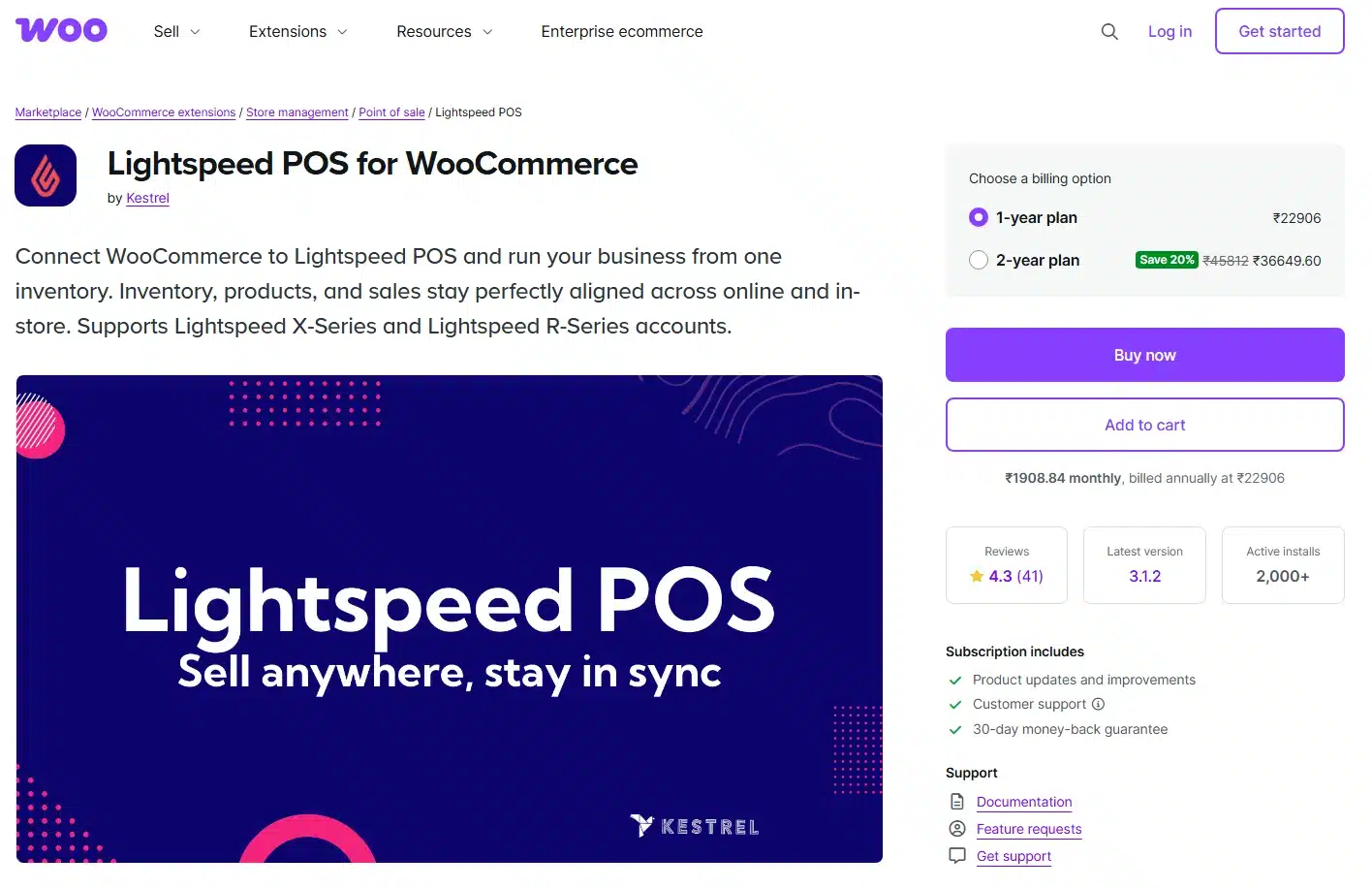
Lightspeed (formerly Vend) is a full retail management platform with a WooCommerce integration. It manages your master product catalog, pricing, and descriptions, with WooCommerce mirroring that data on your online store. When a sale happens in either place, stock levels update in both systems instantly.
This setup works well for large retailers who want Lightspeed to be their primary system of truth and use WooCommerce as a sales channel instead of the core engine.
Key features:
- Full retail management platform
- Two-way inventory sync with WooCommerce
- Advanced customer relationship management
- Multi-location and multi-register support
- Dedicated support including phone, email, and onboarding
- Built-in analytics and staff management
Pricing: Starts at about $249/year (billed annually) for basic retail. Scales up with register count and features.
Best for: Large retail businesses with high transaction volume, businesses that need a dedicated retail management system instead of just a plugin.
The honest trade-off: Lightspeed is a serious investment in cost and setup time. It is too much for stores that just need a WooCommerce-native checkout. The integration means Lightspeed holds the data and WooCommerce does not. That changes how you think about your store’s architecture.
WooCommerce POS for Restaurants: What You Need
Most WooCommerce POS plugin lists ignore restaurants entirely. That’s a problem, because the requirements are completely different from retail.
A restaurant doesn’t just need fast checkout. It needs table tracking, order routing to a kitchen, and the ability to split an order between dine-in and takeaway. None of the generic retail plugins handle this well. Only a handful of WooCommerce POS plugins support restaurant-specific workflows at all.
For a full breakdown of setting up food service with WooCommerce, see our guide on WooCommerce POS for restaurants.
Table Management and Kitchen View
A restaurant POS needs a visual table layout, the ability to assign orders to tables, and a kitchen display (or kitchen view) that shows the kitchen team what to prepare and in what order.
MultiPOS handles this with a dedicated restaurant outlet mode. You set up your tables from the admin, switch the outlet to restaurant mode, and cashiers see a table layout at login. Orders go to the kitchen display in real time. The kitchen team marks dishes as ready, and the server is notified. It’s a complete dine-in workflow inside a WooCommerce plugin.
Dine-In vs. Takeaway Order Flow
Restaurant orders also need to distinguish between table service and counter pickup. These have different workflows, different ticket formats, and often different pricing.
MultiPOS lets you set each order as dine-in or takeaway from the point of sale screen. The order type routes to the correct workflow automatically. For a café or quick-service restaurant, this is the difference between a plugin that works in daily operations and one that technically processes payments but adds friction to every transaction.
How to Set Up a WooCommerce POS Plugin (First-Time Guide)
Most guides skip this part. That’s why stores end up with half-configured setups that confuse staff on day one.
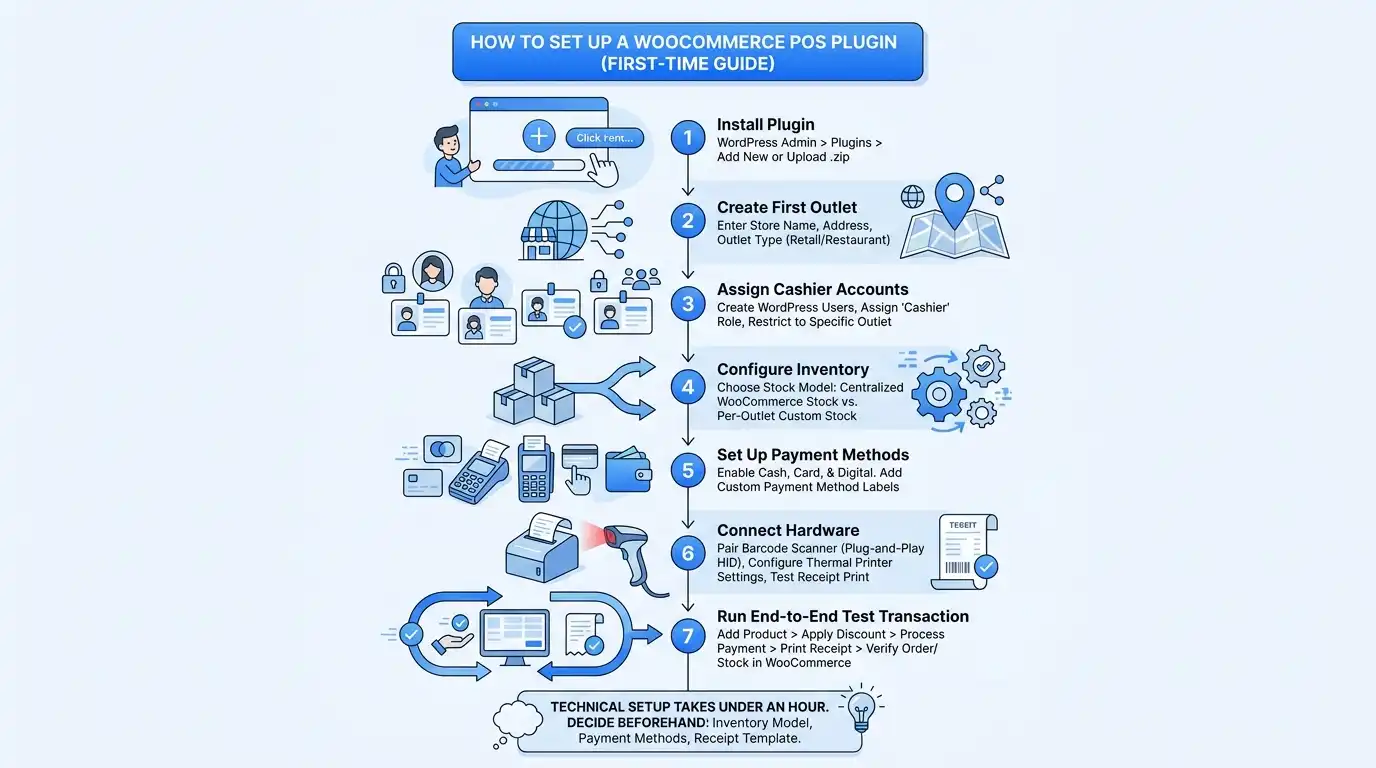
Here’s the basic setup process for any WooCommerce POS plugin:
- Install the plugin from WordPress admin > Plugins > Add Plugin, or upload the .zip file if purchased from a third-party marketplace.
- Create your first outlet by entering your store name, address, and outlet type (retail or restaurant if supported). This represents one physical location.
- Assign cashier accounts by creating WordPress users and assigning them the cashier role within the plugin settings. Restrict each cashier to their assigned outlet.
- Configure your inventory by choosing between centralized WooCommerce stock or per-outlet custom stock. Multi-location stores usually need per-outlet stock.
- Set up your payment methods by enabling cash, plus any card or digital payment methods your store accepts. Most plugins let you add custom payment method labels.
- Connect your hardware by pairing your barcode scanner (most HID scanners work plug-and-play) and configuring your thermal printer in the plugin’s printer settings. Test a receipt print before going live.
- Run a test transaction end to end: add a product, apply a discount, process payment, print a receipt, and verify the order appears in WooCommerce and stock is decremented correctly.
The setup itself takes under an hour for most stores. What takes time is the decision-making before you start: which inventory model, which payment methods, which receipt template. Make those decisions before you touch the plugin and the technical setup is simple.
For stores keeping their WooCommerce install secure throughout this process, a security checklist before go-live is worth the 20 minutes.
Conclusion
The best WooCommerce POS plugin for your store depends on three things: your location count, your internet reliability, and whether you’re running retail or food service.
For most stores, MultiPOS is the most complete option. It covers offline mode, multi-location, restaurant workflows, hardware compatibility, and HPOS. All of it sits under a flat annual license with no per-transaction fees. For stores just starting out with a single location and reliable internet, wePOS or WCPOS by Kilbot are solid, low-cost entry points. For restaurant and food service businesses specifically, MultiPOS adds table management and a kitchen display in the same plugin.
Still deciding whether WooCommerce can run your counter at all? Our guide on whether WooCommerce has a POS system covers that first step.
Whatever you choose, verify HPOS compatibility, test offline behavior before go-live and match the plugin to the outlet count you have now. Do not size it for the count you might have someday.
If you’re ready to try the most complete WooCommerce POS solution available, explore MultiPOS, our point of sale plugin for WooCommerce, and take advantage of the 14-day money-back guarantee.
Frequently Asked Questions (FAQs)
Q1. Can WooCommerce be used as a POS system?
Yes. WooCommerce itself handles the product catalog, inventory, orders, and customer data. A WooCommerce POS plugin adds the in-store checkout interface and syncs physical sales back to your WooCommerce database in real time. You don’t need a separate system for your physical store.
Q2. What is the best free WooCommerce POS plugin?
WooCommerce POS by Kilbot (WCPOS) is the strongest free option for single-store setups. Oliver POS also has a functional free tier. Both have limitations on multi-location support and payment gateways. Check those before committing. Most stores outgrow a free plugin within a year.
Q3. Do WooCommerce POS plugins work without internet?
Only some. MultiPOS, FooSales, Hike POS, and WCPOS by Kilbot all support offline mode, though how they handle it differs. wePOS and Oliver POS require an active internet connection to process sales. Always test offline behavior before going live if your location has unreliable connectivity.
Q4. What hardware works with WooCommerce POS plugins?
Most WooCommerce POS plugins support standard HID barcode scanners (USB and Bluetooth) and thermal receipt printers using the ESC/POS protocol in 80mm and 58mm sizes. MultiPOS also supports cash drawer triggers through the printer connection. Check that your specific printer model is compatible with the plugin you choose before purchasing hardware.
Q5. Do I need a separate plugin for restaurant POS in WooCommerce?
Not if your POS has a restaurant mode. MultiPOS gives an outlet tables, dine-in and takeaway orders and a kitchen display in the same plugin. Check that any other POS lists tables and a kitchen screen before you buy.
Q6. What is HPOS and why does it matter for WooCommerce POS?
High Performance Order Storage (HPOS) is WooCommerce’s modern order management system. It became the default for new stores in WooCommerce 8.2. It moves orders to custom database tables for faster performance. If your POS plugin is not HPOS-compatible, you’ll encounter bugs or failures on modern WooCommerce installs. Always verify HPOS compatibility before buying a plugin in 2026.
Q7. How much do WooCommerce POS plugins usually cost per year?
Native WordPress plugins like MultiPOS ($139/year), YITH ($179.99/year), and WCPOS ($129/year) charge flat annual license fees with no per-transaction costs. Cloud-based systems like Hike POS, ConnectPOS, and FooSales charge monthly (usually $15 to $99/month). Square for WooCommerce is free but charges per-transaction fees on every sale. For stores with high transaction volume, a flat-fee plugin is almost always cheaper long-term.