
Skip to content
DevDiggers
  • WooCommerce Extensions

      Most Popular Plugins

      • LoyaltyX – Points and Rewards
      • MultiPOS – Point of Sale (POS System)
      • Product View in Augmented Reality (AR)
      • Affiliates
      • Wallet Management
    • Browse All Plugins
    • Join our Affiliate Program

      Earn upto 30% commission

      Join Now
  • Services
      • WordPress Development Services
      • WooCommerce Development Services
      • WordPress Speed Optimization
  • Store
  • Blog
  • Contact
Cart
My Account
DevDiggers
  • WooCommerce Extensions

      Most Popular Plugins

      • LoyaltyX – Points and Rewards
      • MultiPOS – Point of Sale (POS System)
      • Product View in Augmented Reality (AR)
      • Affiliates
      • Wallet Management
    • Browse All Plugins
    • Join our Affiliate Program

      Earn upto 30% commission

      Join Now
  • Services
      • WordPress Development Services
      • WooCommerce Development Services
      • WordPress Speed Optimization
  • Store
  • Blog
  • Contact
My Account

Pre-Sales

1
  • Can the plugin be used on multilingual websites?

Getting Started

4
  • Using Logs for Debugging in WooCommerce Biometric Login
  • Introduction to WooCommerce Biometric Login Plugin
  • Configure the WooCommerce Biometric Login Plugin
  • Installing and Activating Plugin

Tutorials

4
  • How to Add Biometric Login to Your Account (Customer Tutorial)
  • How to Log In Using Biometric Authentication (Customer Tutorial)
  • Setting Up the Biometric Login Button Shortcode
  • Setting Up the Add Biometric Details Shortcode

FAQs

4
  • What is the primary benefit of using WooCommerce Biometric Login for my online store?
  • Is it Possible to Use a Default Username and Password for Login?
  • Does the plugin support all devices for biometric login?
  • Is Biometric Data Stored Securely?

Releases and Updates

1
  • WooCommerce Biometric Login Changelog

General

1
  • How to Pay for a Customization Request
  • Home
  • Knowledge Base
  • WooCommerce Biometric Login
  • Tutorials
View Categories

How to Log In Using Biometric Authentication (Customer Tutorial)

You will learn to sign safely and briefly into your WooCommerce store by means of biometric authentication methods such as face and fingerprint identification.

Desktop Login Workflow #

Navigate to the login section of your WooCommerce store.
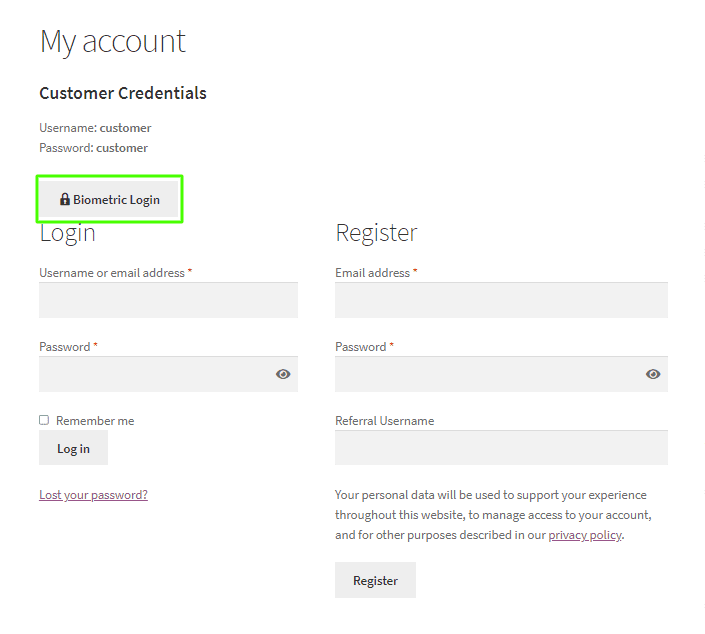
Biometric Login Button on My Accounts Page

On the login screen, there is a button labeled Biometric Login. Click this button to initiate the biometric login process.
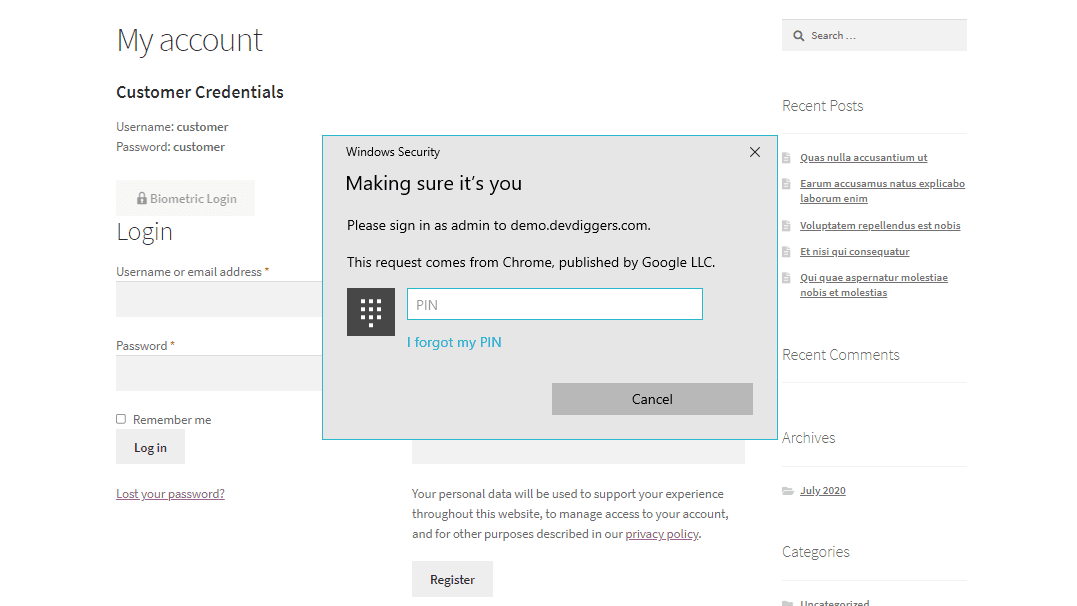
Biometric Login Process Started

If you have previously set up your biometric data, you will authenticate yourself by the means you set up (fingerprint scan or face scan).

Information about verifying your biometric data will be shown to you, so follow these instructions to verify your biometric data.
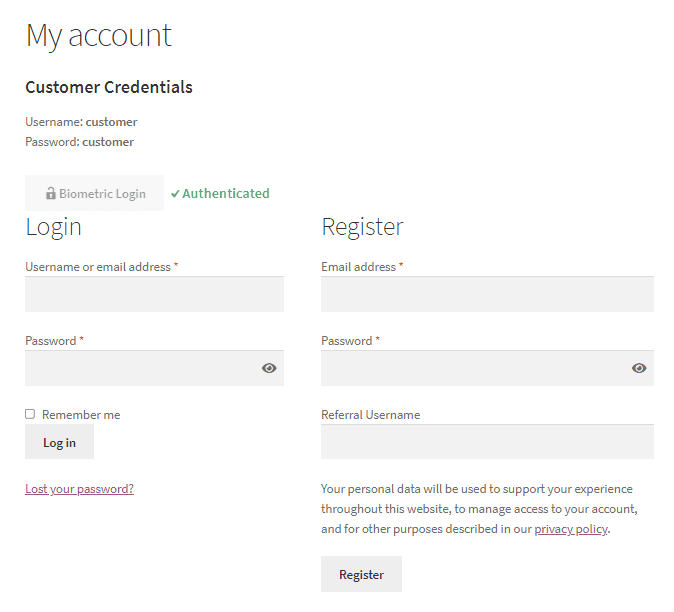
Biometric Login Process Success

You will not be asked for your email or password. Once successfully authenticated by your biometric data, the system will sign you into your account.
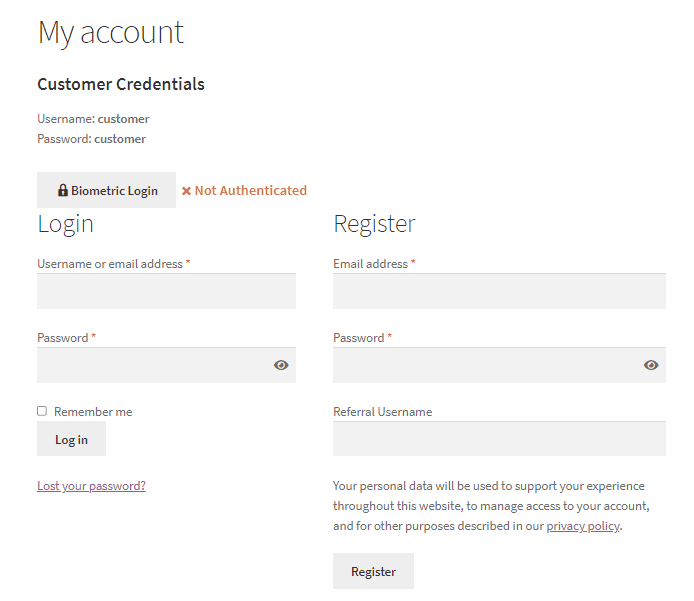
Biometric Login Process Failed

If the customer doesn’t verify his/her biometrics correctly, the result will be “Not Authenticated” as shown above, and the user is not logged in.

Mobile Login Workflow #

The sign-in page on your WooCommerce store should be opened on your mobile device.
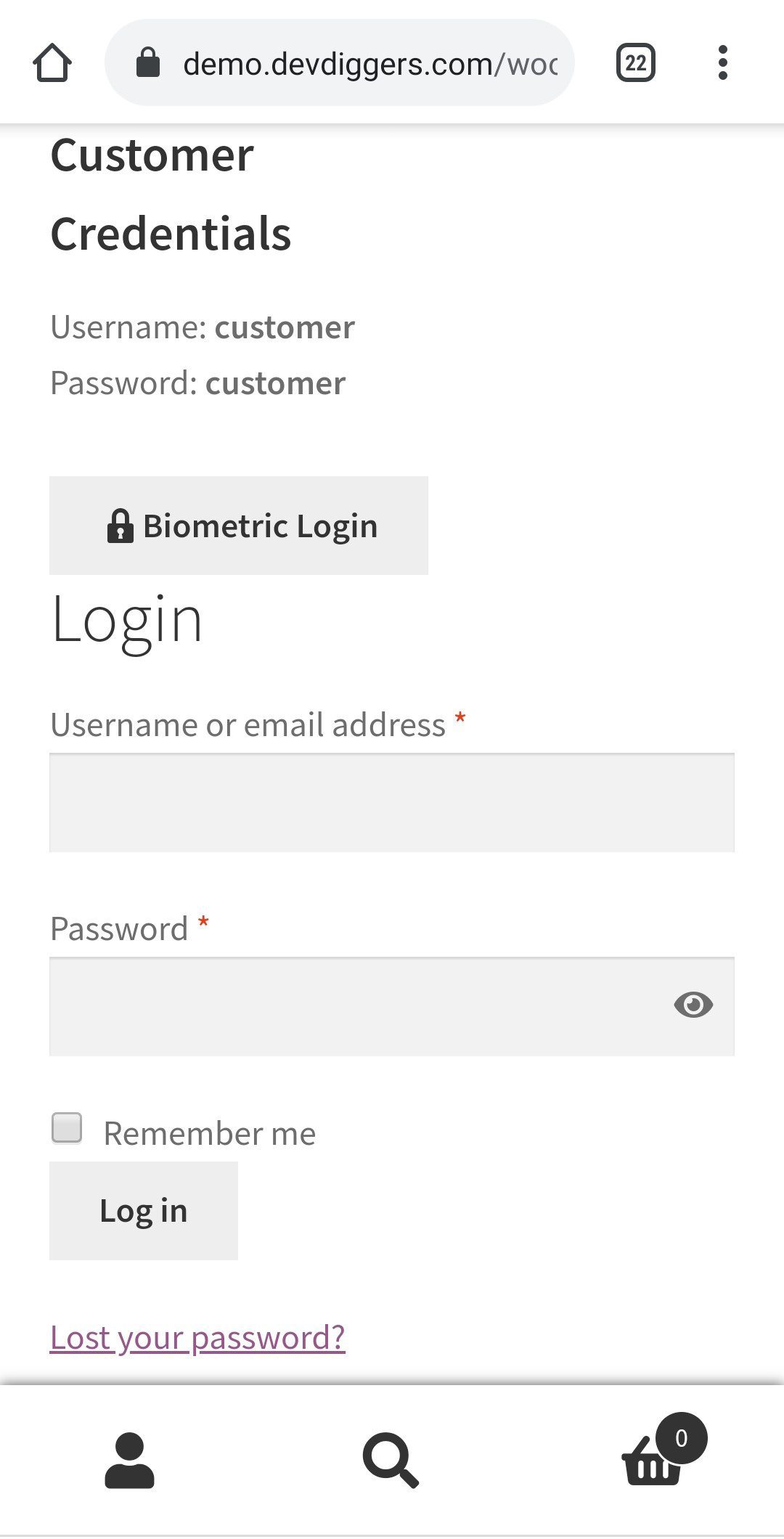
Biometric Login Button on My Accounts Page on Mobile

On the sign-in screen, you should now see the Biometric Login button. Click this to start the login procedure.
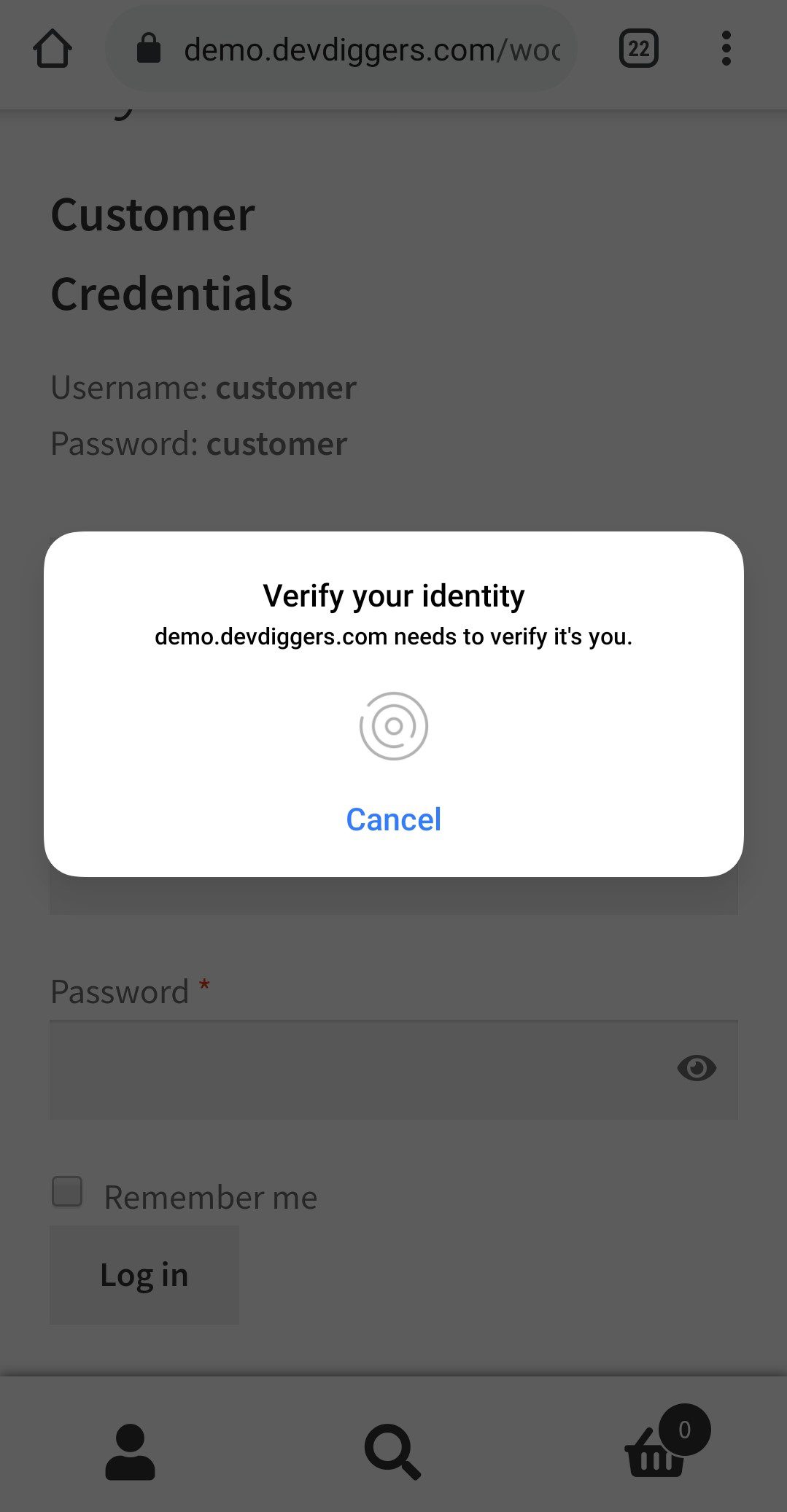
Biometric Login Process Started on Mobile

If you have biometric data biometrically set up, like a fingerprint or face scan, a prompt will display asking you to authorize yourself using the biometric method that you selected.

Ensure to follow the instructions provided on the screen to complete the verification process.
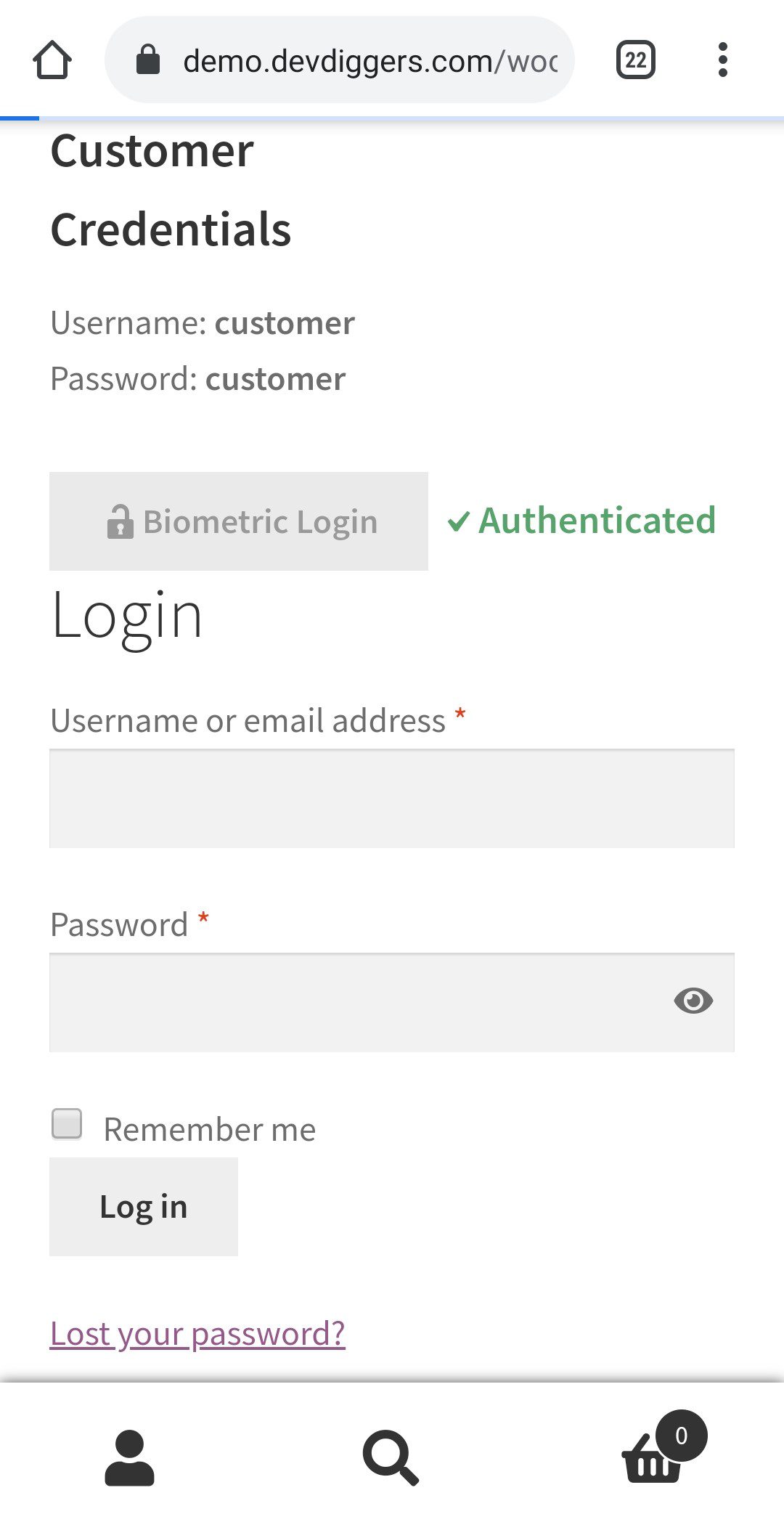
Biometric Login Process Success on Mobile

Once the confirmation processes are complete, you will be automatically logged in, and you will have access to your account.

As shown in the Desktop workflow, if the customer is unable to verify his/her biometrics, he/she is not able to log in to their account.

Share

  • Facebook
  • X
  • LinkedIn
  • Pinterest
Table of Contents
  • Desktop Login Workflow
  • Mobile Login Workflow
Subscribe To Our Newsletter

Get the latest news, exclusive deals, and important updates delivered straight to your inbox.

Newsletter Form

DevDiggers

Top Quality WooCommerce Plugins

Facebook X Instagram Pinterest YouTube Linkedin Github
Company
  • About Us
  • WooCommerce Extensions
  • Affiliate Program
  • Store
  • WooCommerce Development Services
  • WordPress Development Services
Resources
  • Blog
  • Knowledge Base
  • Refund Policy
  • Terms and Conditions
  • Privacy Policy
  • Disclaimer
  • Sitemap
Help Center
  • Contact
  • License Activation
  • My account
  • Plugin Docs
  • Plugin Demos
  • Submit Ticket

Copyright 2026 © DevDiggers. All rights reserved.