Security must be a top priority in online commerce to protect sensitive information and transactions. The WooCommerce Google Authenticator plugin is an essential tool made especially for WordPress-powered online retailers that use WooCommerce.
This plugin introduces an extra layer of security known as two-factor authentication (2FA). It requires users to verify their identity by going through an additional step beyond entering their regular password. This typically involves using a code from a mobile app like Google Authenticator.
Why is this noteworthy? The plugin acts as a safeguard, thwarting unauthorized access and strengthening the security of customer accounts and critical information. By incorporating this additional authentication step, the WooCommerce Google Authenticator plugin significantly reduces the risk of unauthorized access, identity theft, and other malicious activities.
The WooCommerce Google Authenticator plugin works well with various devices and operating systems, making it accessible to a wide range of customers. The Google Authenticator app is available for Android and iOS devices, ensuring customers can easily enable two-factor authentication regardless of their mobile device preferences.
Admin End of the WooCommerce Google Authenticator Plugin
Configuration
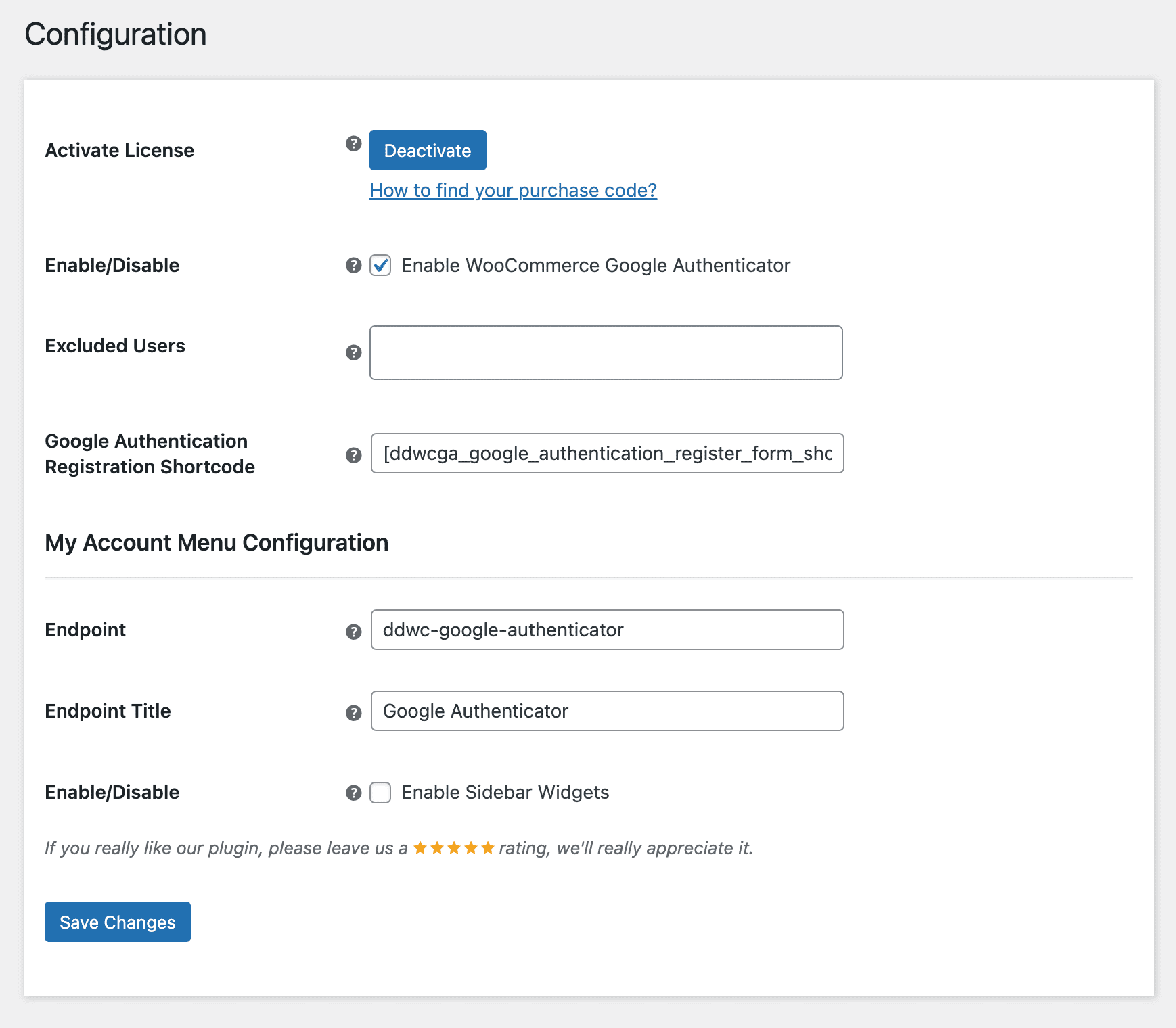
Activate License
To use this plugin, enter the purchase code and email to activate your license.
Enable/Disable
The admin can enable/disable module functionalities for buyers.
Excluded Users
Admin may restrict/exclude users from using the two-factor authentication mechanism.
Google Authentication Registration Shortcode
From here, the admin can dynamically set the shortcode that will be used to display the customer registration form. Anyway, it will be displayed on my accounts page by default.
My Account Menu – Endpoint
Admin can set up the custom menu on my account page to show the Google Authentication signup form.
My Account Menu – Endpoint Title
Admins can modify the endpoint menu title on the My Accounts page.
My Account Menu – Enable Sidebar Widgets
The admin can enable or disable the sidebar widgets on the My Accounts page’s custom menu.
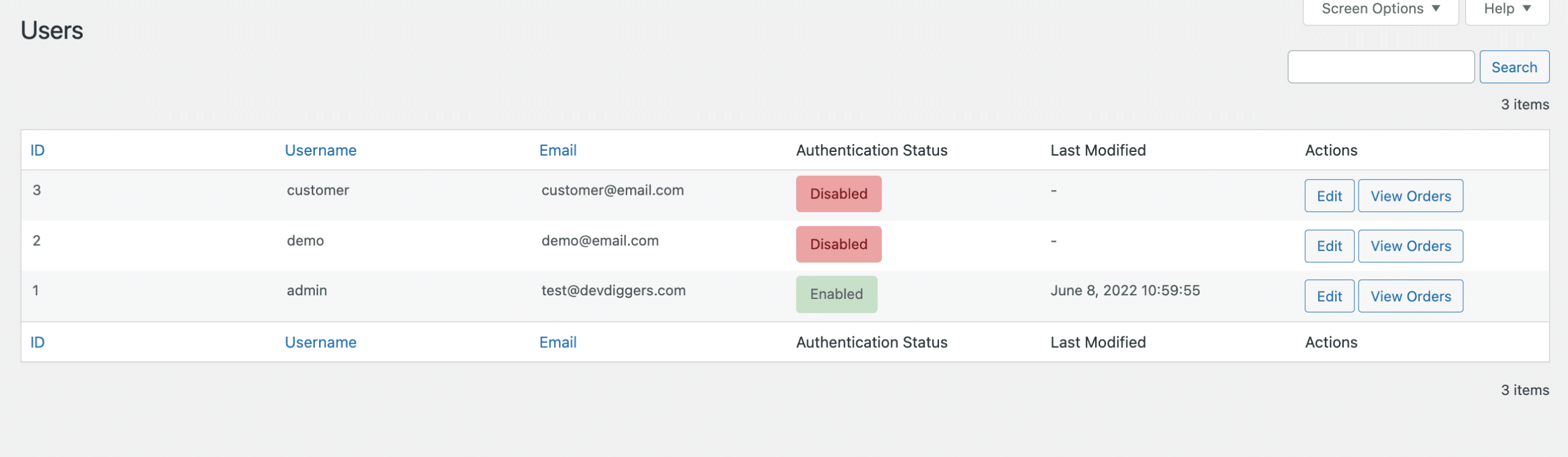
Users
The admin can view a list of all users from this submenu and verify their two-factor authentication status, such as whether it has been activated or deactivated, and when it was last modified.
Customer End of the WooCommerce Google Authenticator Plugin
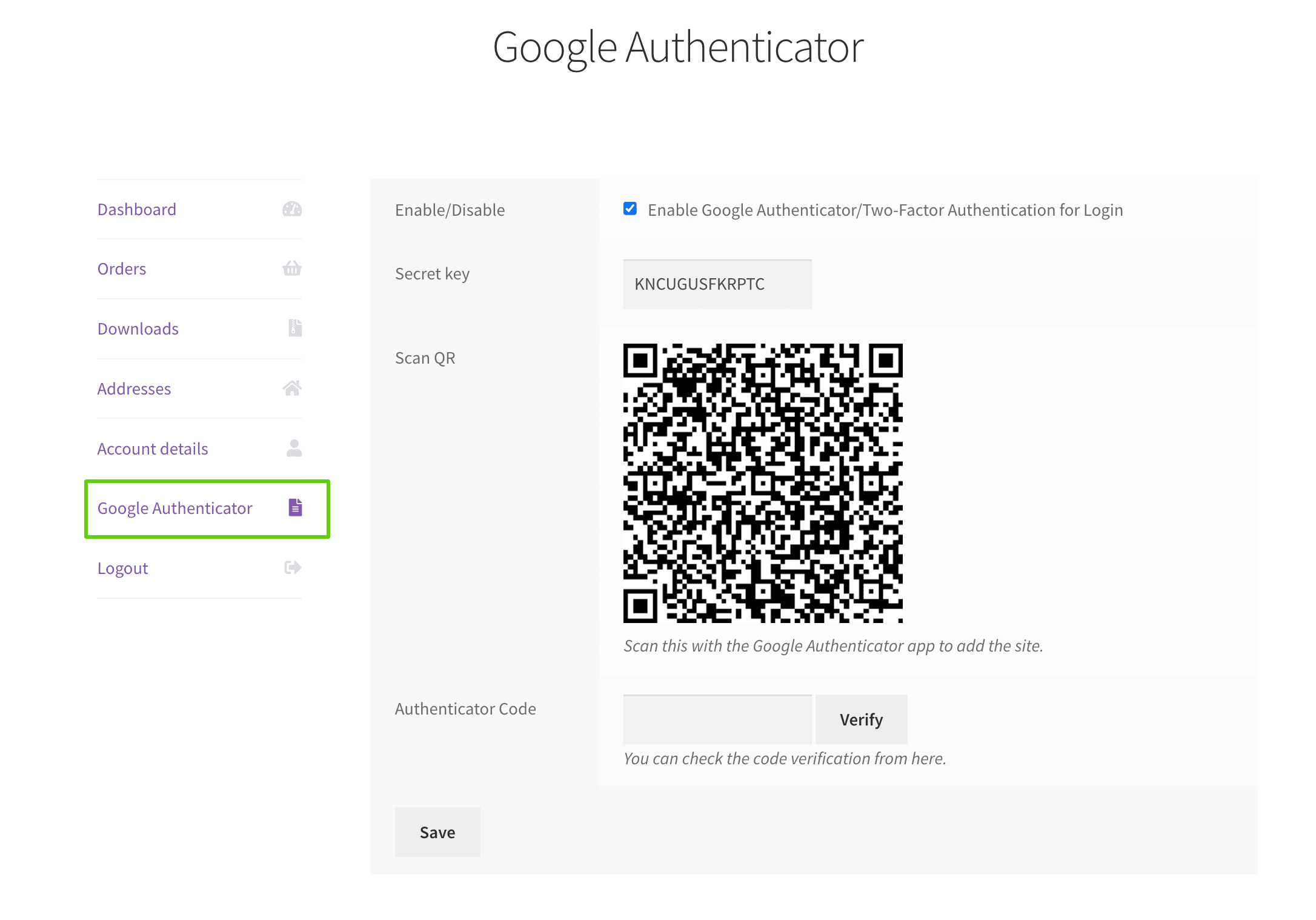
My Accounts Menu
Customers will find the custom menu built from the backend on the My Accounts page, where they may register the business with their Google Authenticator app to activate two-factor authentication.
Customers may scan the QR code from the app to add it or manually enter the site name and secret key. They can also verify their successful registration by entering the authentication code from the app here.
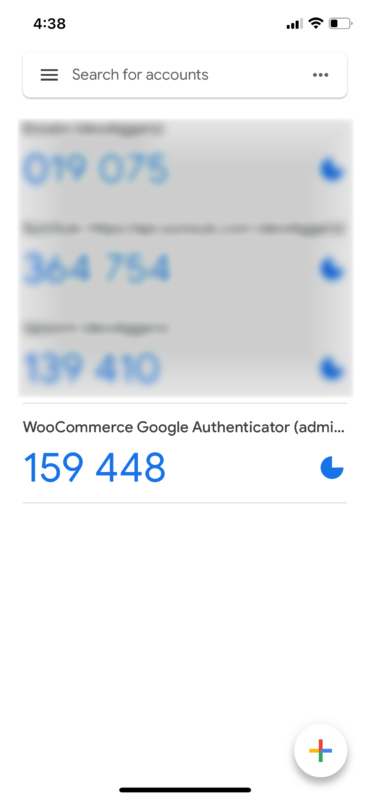
The website will be listed on the app as shown below.
Login Form
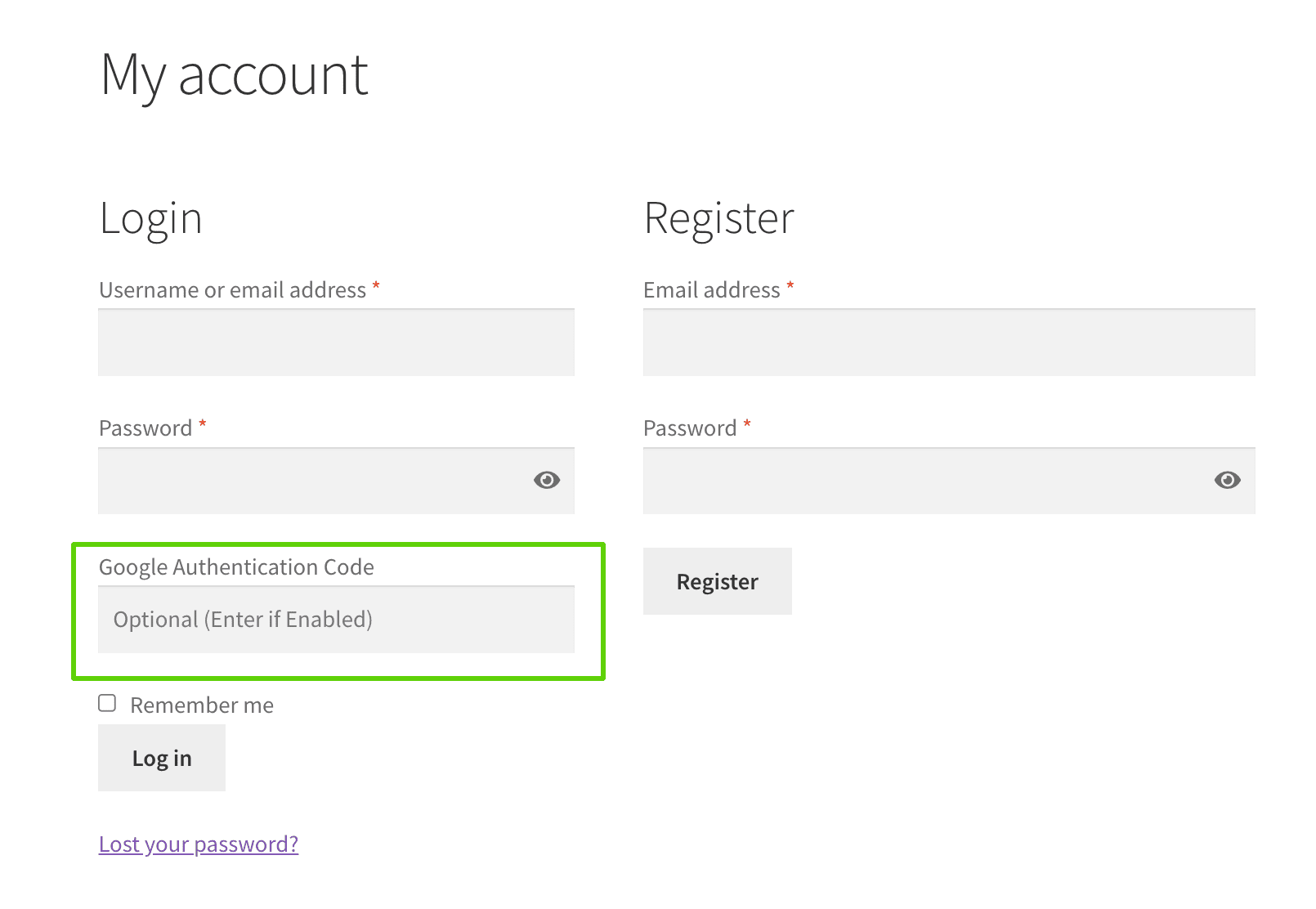
A new input field will be added to the login form, so if the client has activated two-factor authentication, they must submit the authentication code here to log in; those who have not activated it can skip entering the code while logging in.
Reviews (0)
Only logged in customers who have purchased this product may leave a review.




There are no reviews yet.