






Skip to content
Pedro Lima, DevDiggers customer Kareem Al Samman, DevDiggers customer Valentina Dancheva, DevDiggers customer Loved by store owners in 158+ countries

WooCommerce Google Authenticator: Two Factor Authentication for Your Store

Add WooCommerce two factor authentication to My Account, checkout and wp-admin. After the password, customers and staff enter a 6-digit code from Google Authenticator or any authenticator app.

5 star reviews Rated 4.9/5 across Trustpilot, Google and Envato
  • Works with any authenticator app
  • 14-day money-back guarantee
  • 24×7 human support
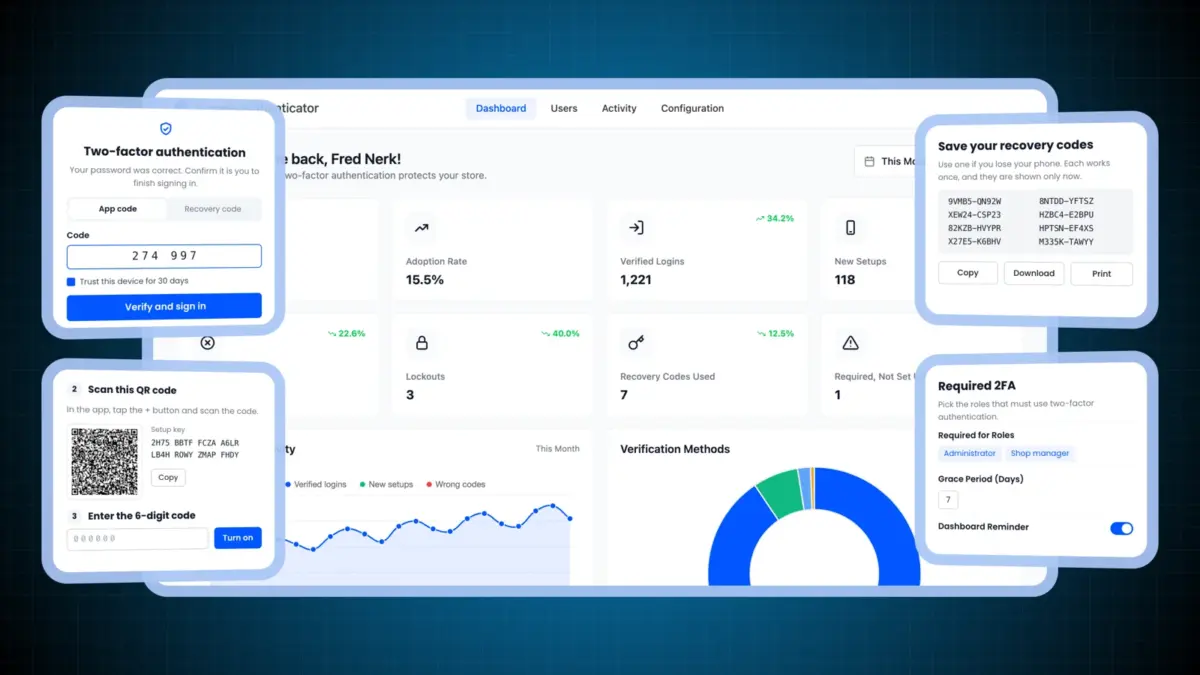
WooCommerce Google Authenticator dashboard with a two-factor code screen, QR code setup, recovery codes and Required 2FA settings
Version
v2.0.0
Last updated
October 21, 2026
WordPress
Tested to 7.1.3
WooCommerce
Tested to 11.2.1
0+ Countries served
Elite Author on Envato

Featured across the WordPress community

What is WooCommerce 2FA

What is WooCommerce two factor authentication?

WooCommerce two factor authentication asks for a second proof after the password. Here that proof is a 6-digit code from an authenticator app on the user's phone.

The code changes every 30 seconds and follows the RFC 6238 time-based standard. A stolen password alone can no longer open the account.

WooCommerce has no two factor login of its own. This plugin adds it to the store's login forms, and it is part of our WooCommerce extensions range.

The problem

A password alone is an easy lock to pick

Bots try passwords leaked from other sites on your login form. Credential stuffing made up a median 19% of all sign in attempts in Verizon's 2025 research, and 12% at small businesses.

A second factor stops most of it. A 2023 study of Azure AD accounts found MFA cut the risk of compromise by 99.22%.

See how 2FA fixes it
  • Reused passwords from other breaches
  • Bots trying leaked logins on your store
  • Shop managers who can see every order
  • Customers with saved addresses and store credit
  • No way back when a phone is lost
  • No record of who signed in from where
How it works

How WooCommerce two factor authentication works

A customer scans a QR code once. After that, every sign in asks for the password and then a code from the app.

  1. The customer scans a QR code

    From the Two-Factor Authentication page in My Account. The app saves a secret only that phone and your store know.

  2. They sign in with their password

    On My Account, the checkout login or wp-login.php. The password is checked first, as always.

  3. The store asks for the code

    A code screen opens. The customer types the 6-digit code their app shows right now.

  4. Your store checks the code

    The code must match the current 30-second window and cannot be used twice. Then the customer is signed in.

Features

Everything a WooCommerce 2FA plugin should do

A real code step for customers and staff, backup ways in for a lost phone, and the tools to see and control it all.

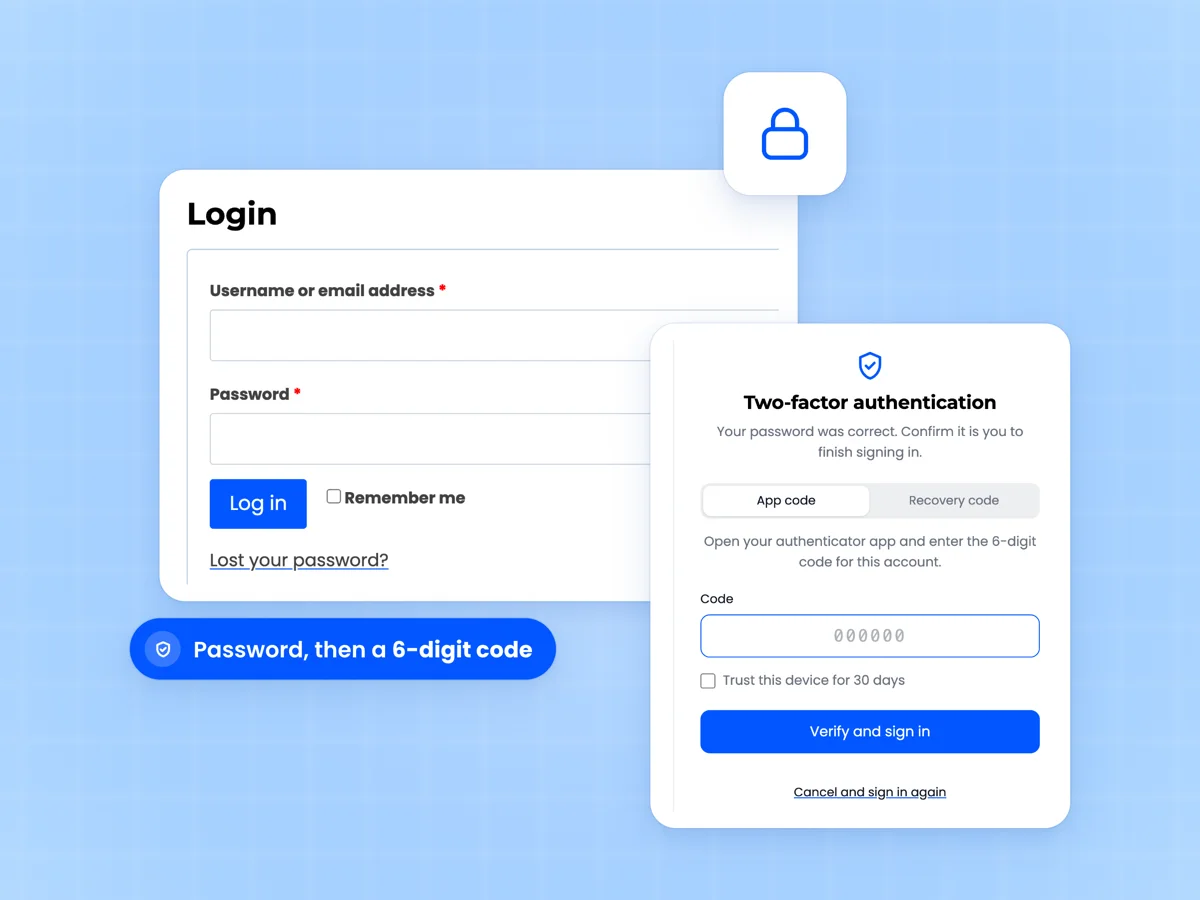
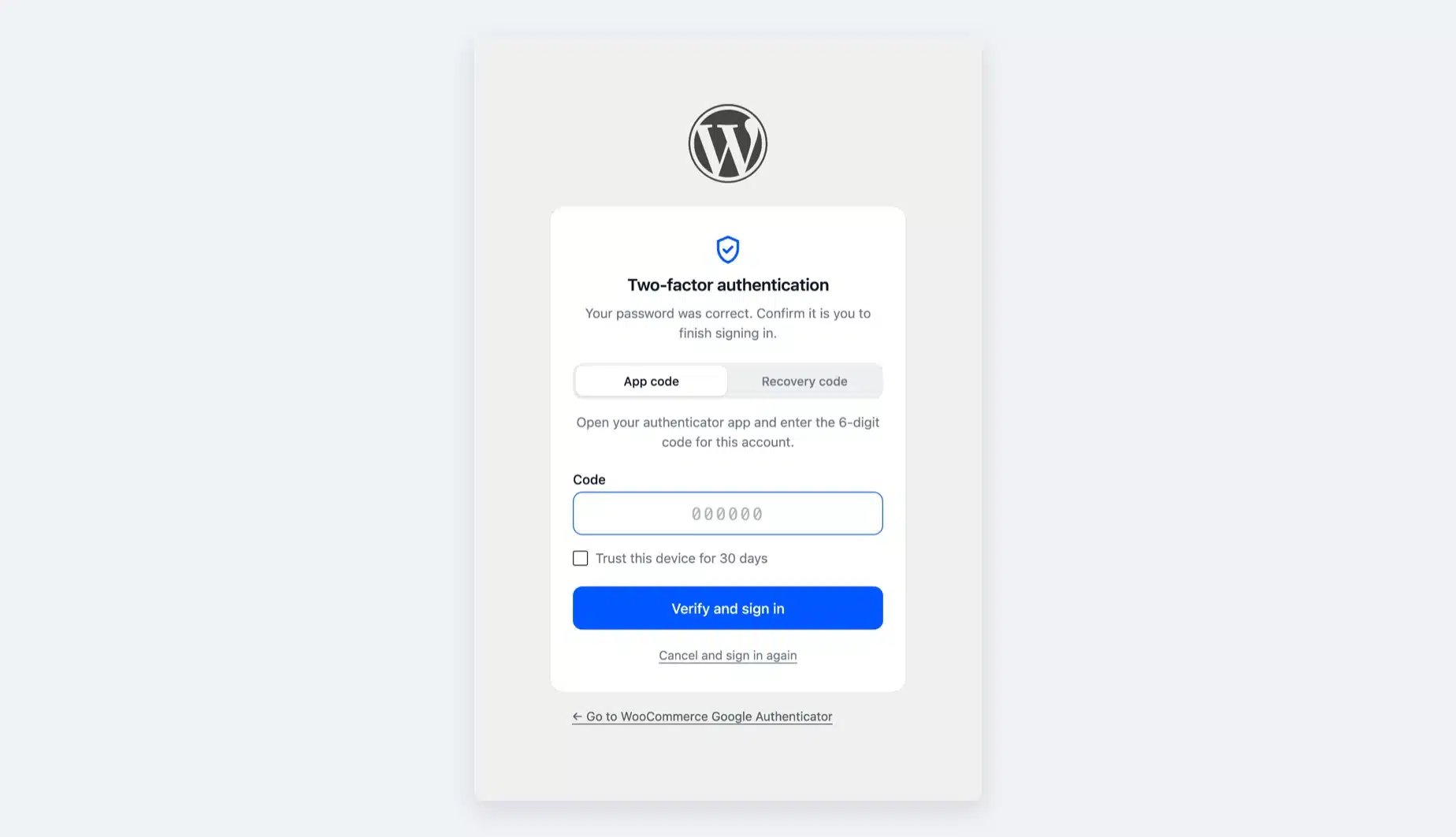
A real two-step login on My Account

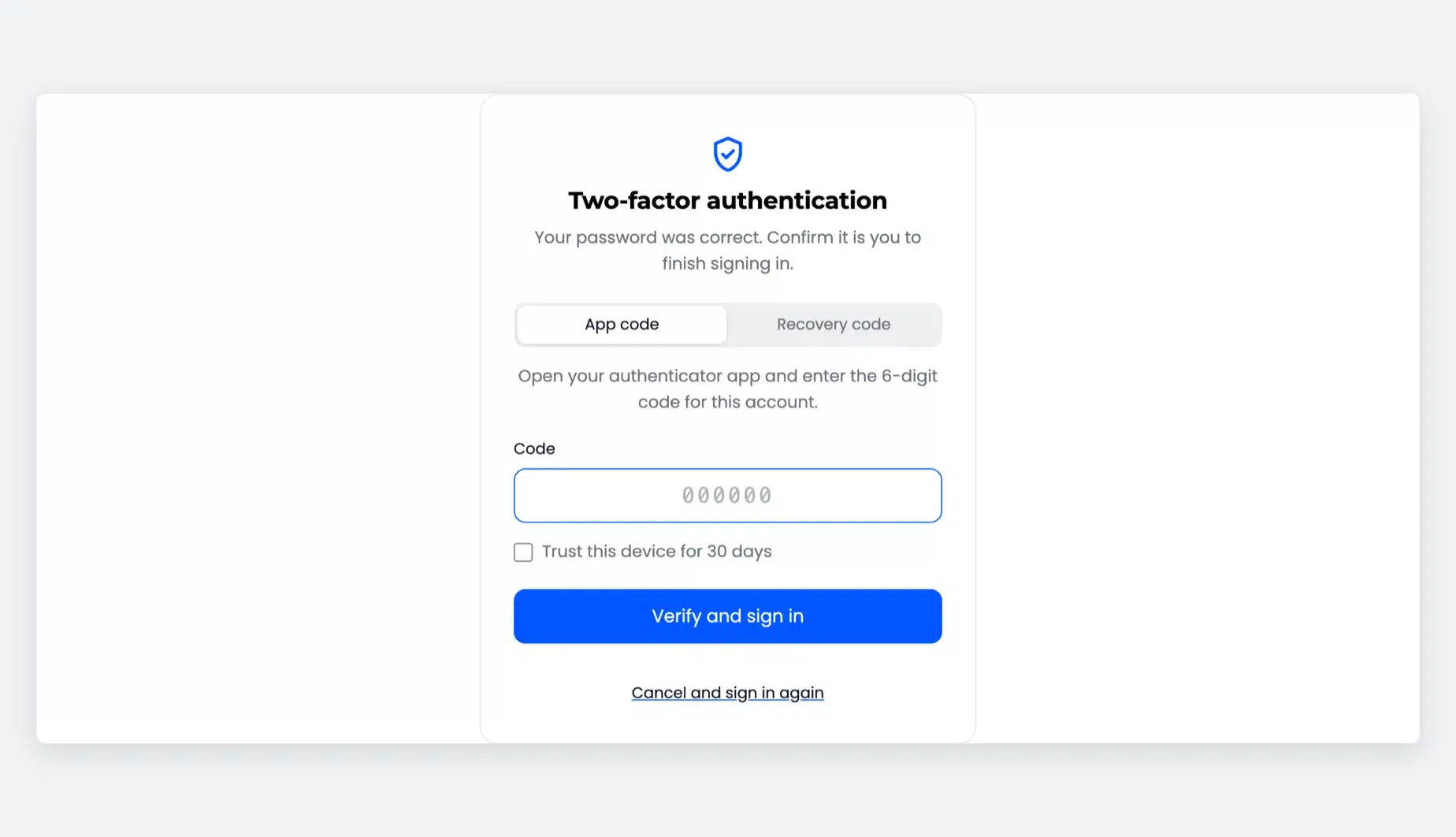
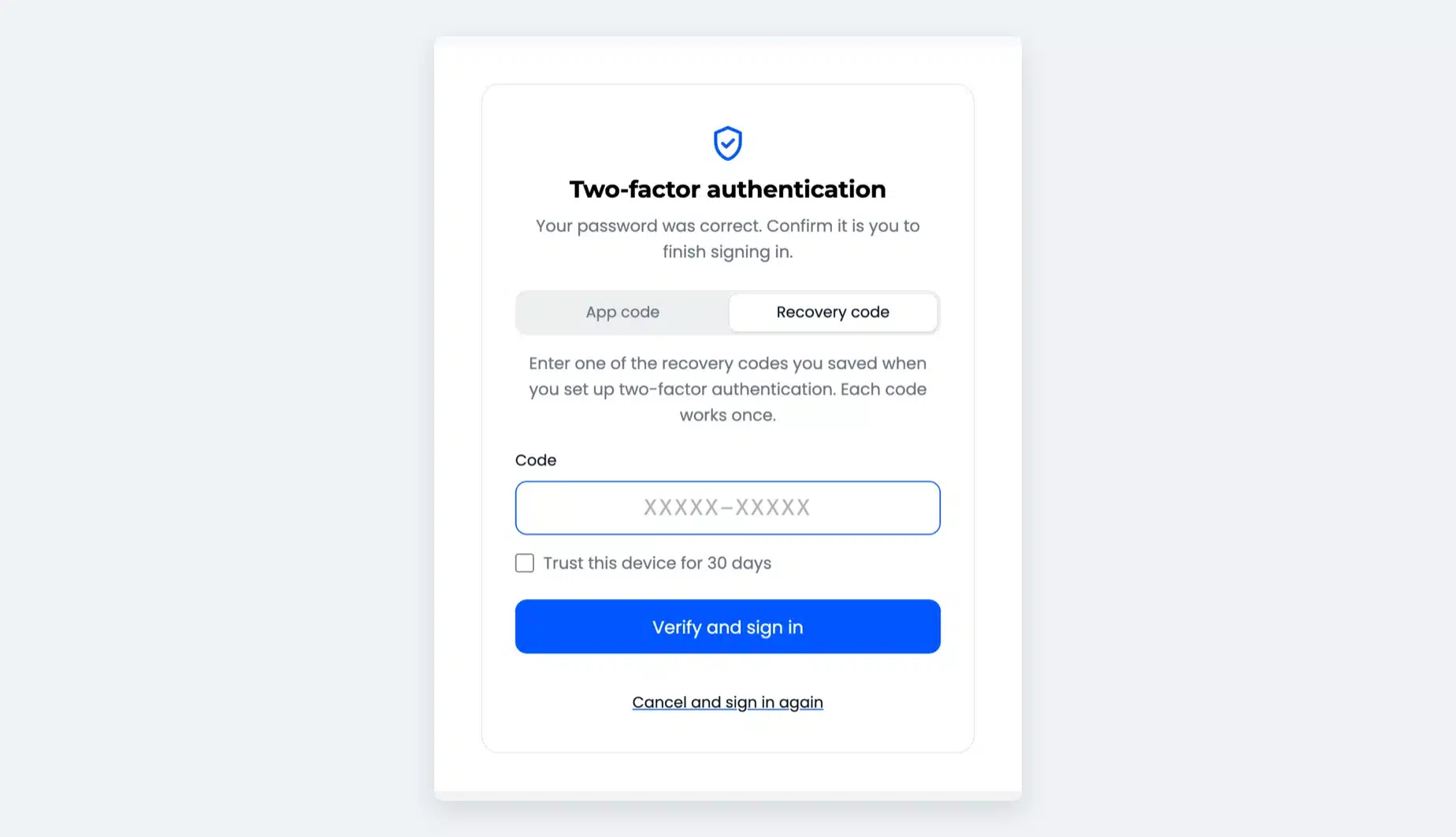
After a correct password, customers land on a code screen and enter the 6-digit code from their app. Six digits submit the form on their own.

Remember me and the page they came from are kept. A wrong password never reaches the code screen.

  • Code screen after the password
  • App code, recovery code and email code tabs
  • Keeps Remember me and redirects
WooCommerce My Account login form beside the two-factor authentication code screen with App code and Recovery code tabs

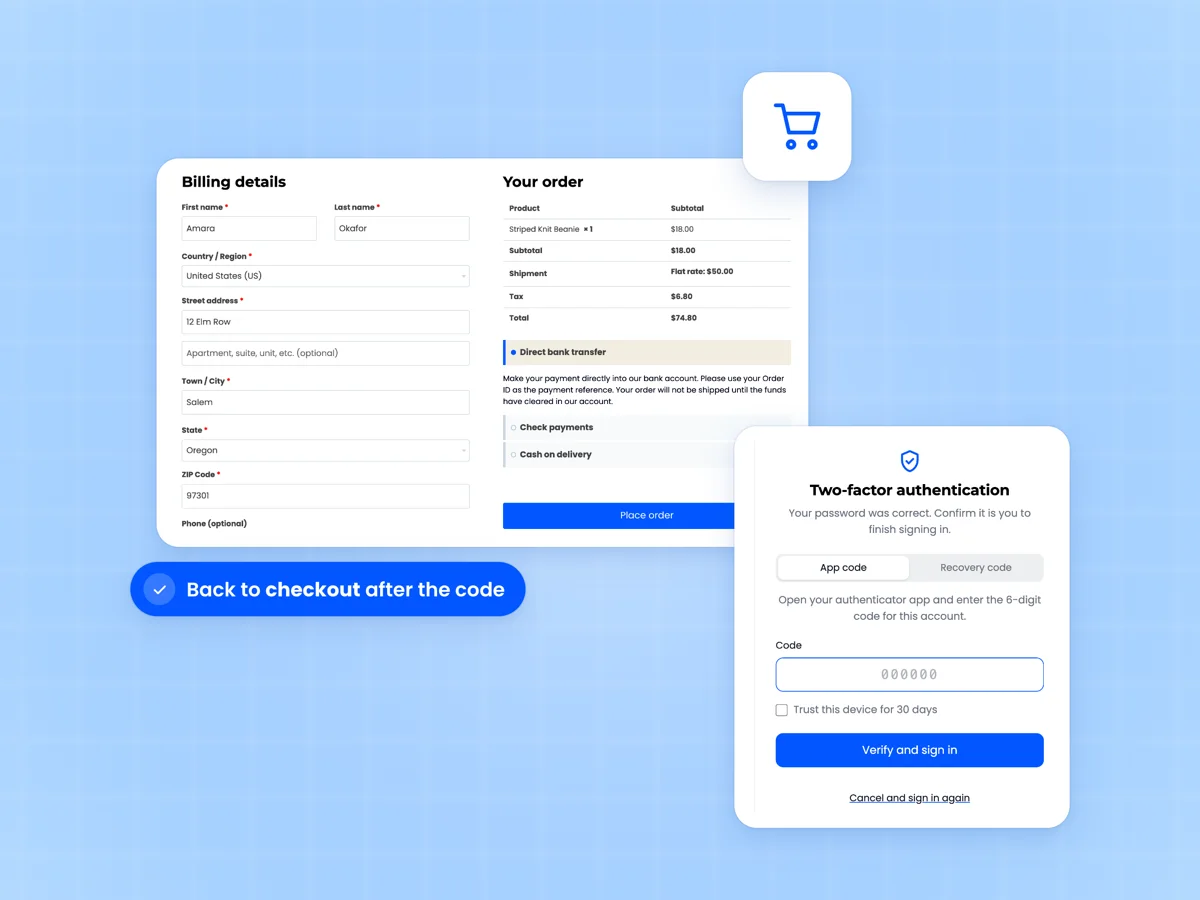
Two factor login at checkout

Returning customers who sign in from "Returning customer?" at checkout get the same code step. After the code, they go straight back to checkout.

The Checkout block has no login form of its own. Its login link opens the My Account login, which asks for the code.
  • Classic checkout login form
  • Back to checkout after the code
  • Checkout block login link covered
Classic WooCommerce checkout with a signed in customer and billing details beside the two-factor code screen

Google Authenticator for WordPress admins

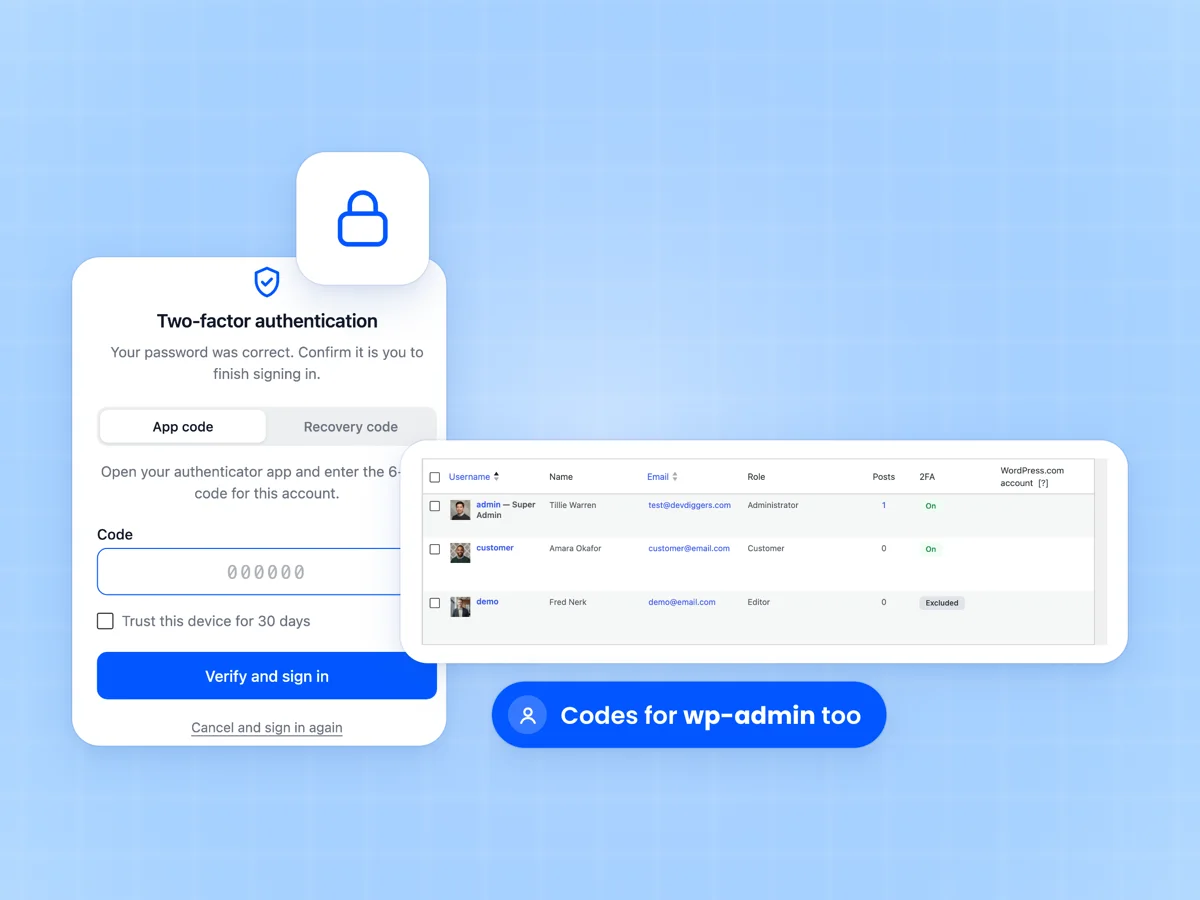
The wp-login.php screen asks for a code too. Admins and shop managers protect wp-admin with the same authenticator app.

The WordPress Users screen gets a 2FA column, and every user profile gets a two-factor section. Admins can reset anyone's 2FA from there.

  • Code step on wp-login.php
  • 2FA column on the Users screen
  • Two-factor section on user profiles
WordPress login screen asking for a two-factor code beside the WordPress Users screen with a 2FA column

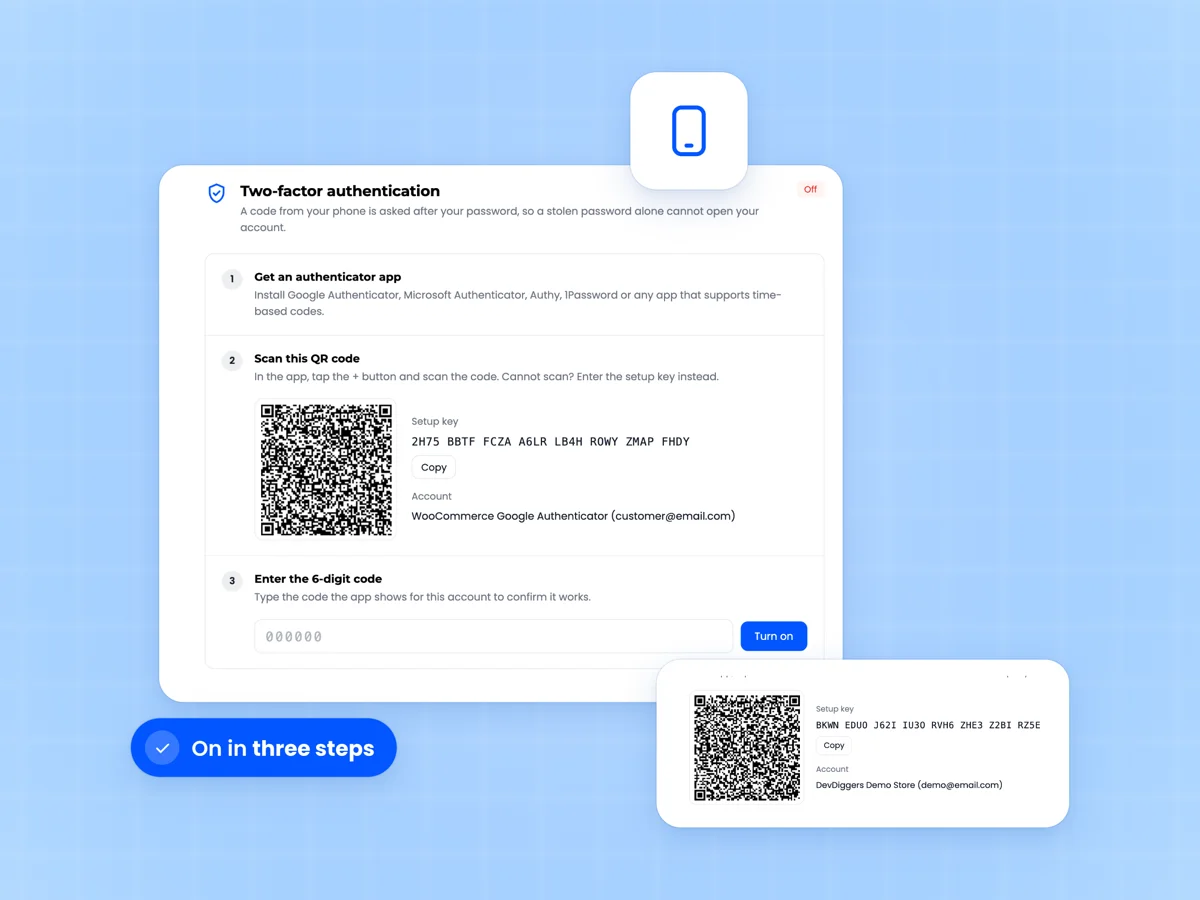
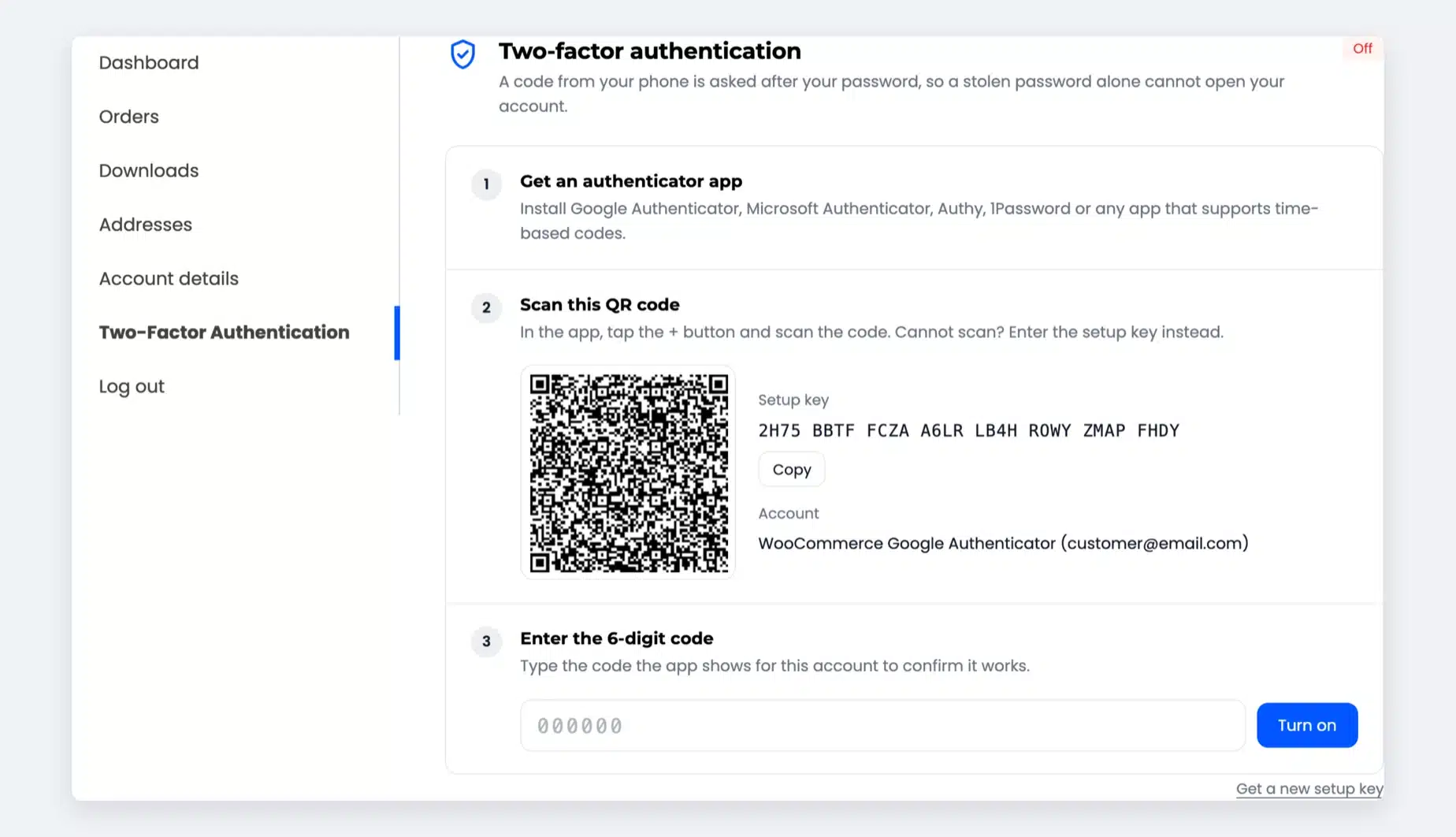
Guided QR code setup in three steps

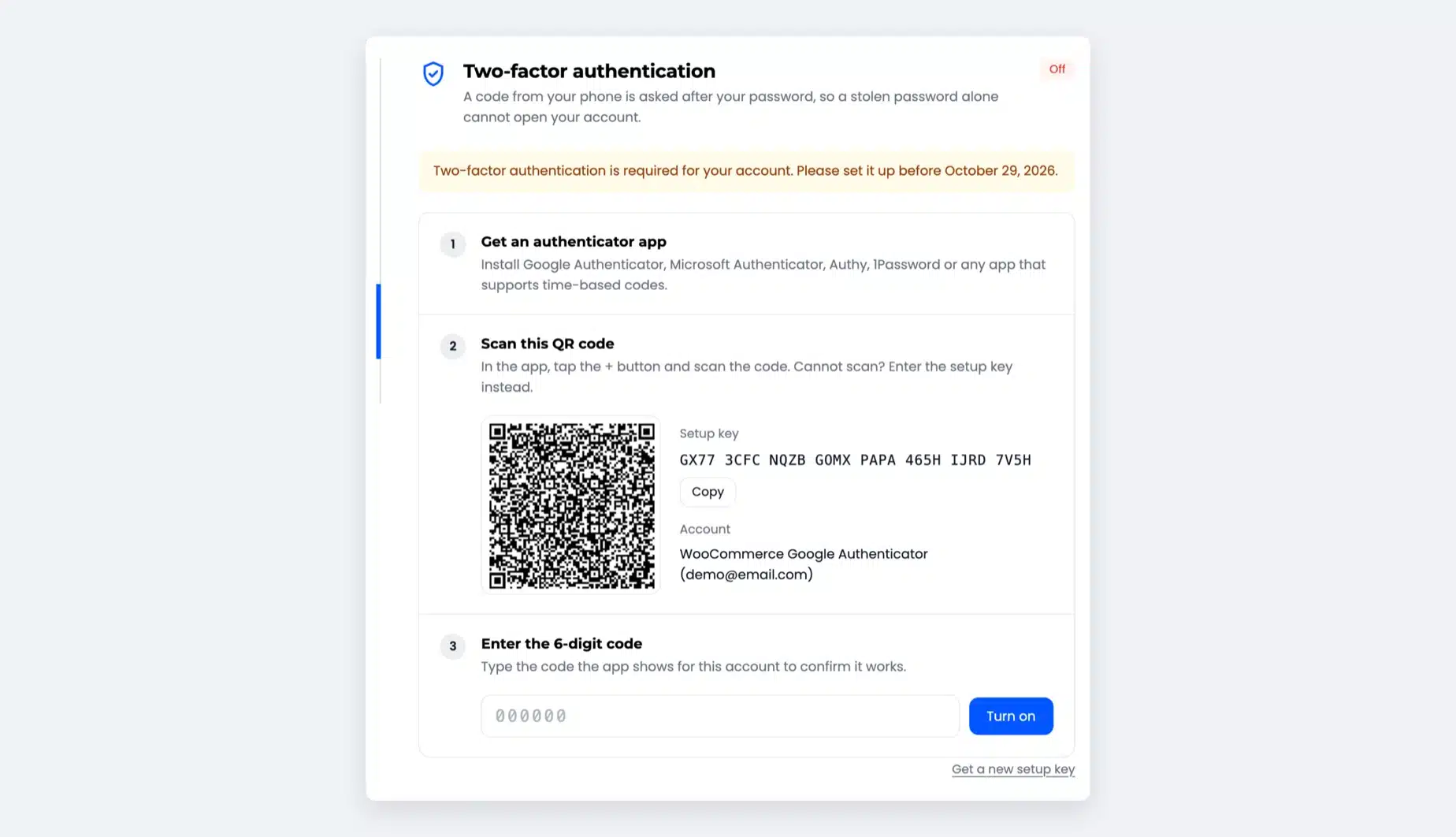
Customers get an authenticator app, scan the QR code and enter one code to confirm. 2FA turns on only after that code is right.

Cannot scan? A setup key with a Copy button works too. The QR code is drawn in the browser, and the secret is never sent to an outside service.

  • Google Authenticator, Microsoft Authenticator, Authy, 1Password
  • Setup key for typing by hand
  • Your store name in the app
My Account two-factor setup with Get an authenticator app, Scan this QR code and Enter the 6-digit code steps beside the app account

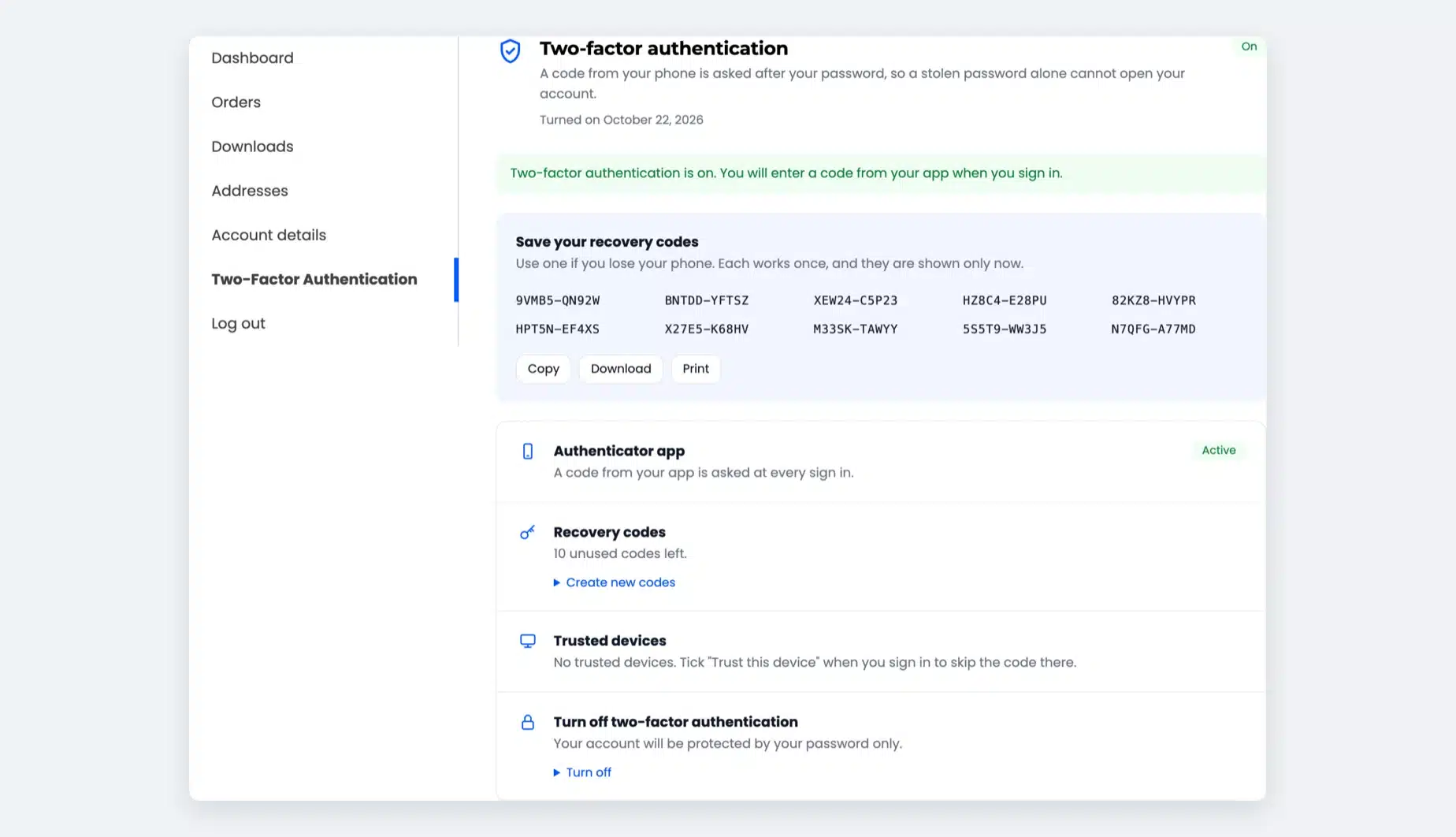
Recovery codes for a lost phone

Phones get lost, broken and left at home. In Google's 2019 research, 38% of users did not have their phone when asked for a code.

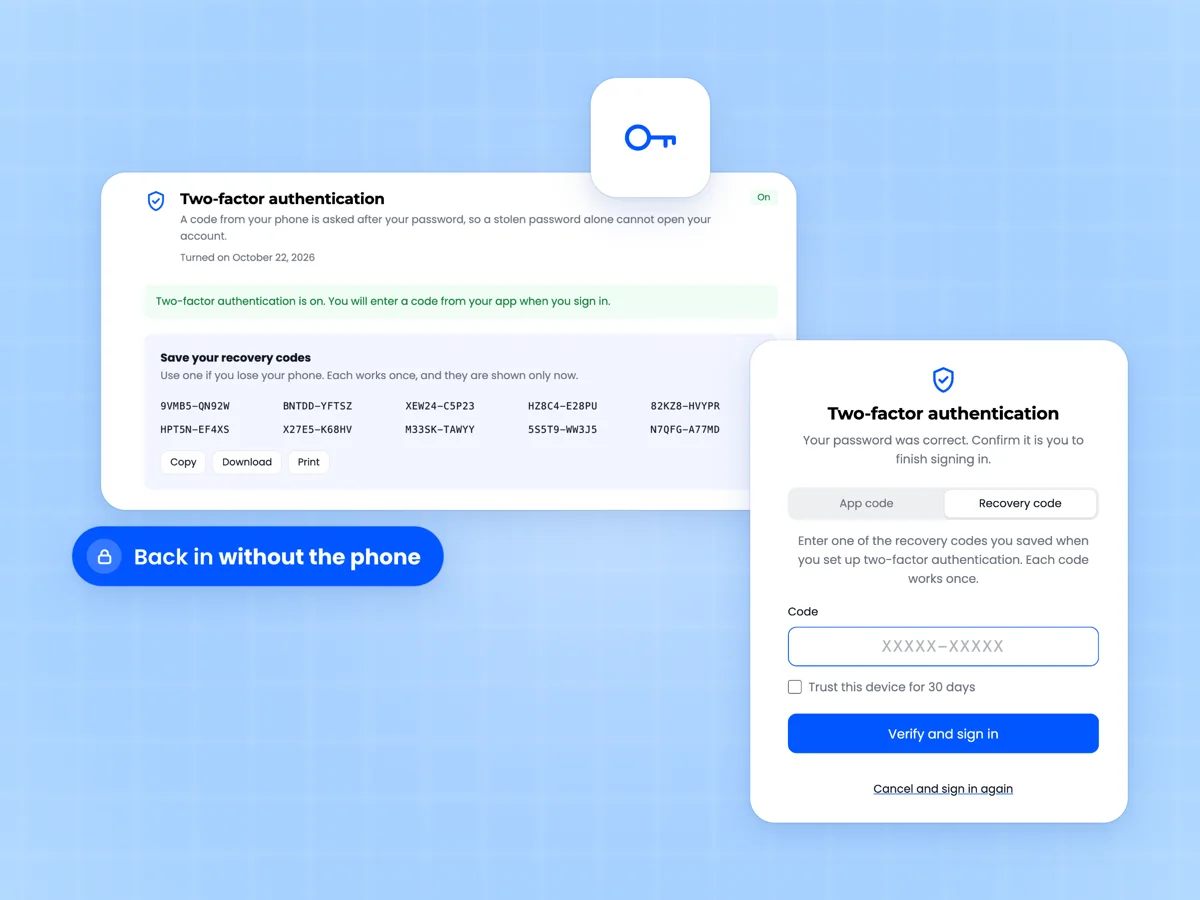
Customers save ten one-time recovery codes when they turn 2FA on, with Copy, Download and Print. One code gets them back in without a support ticket.

  • Shown once and stored as hashes
  • Each code works one time
  • New set any time with an app code
Two-factor authentication is on page with Save your recovery codes, ten codes and Copy, Download and Print beside the Recovery code sign in tab

Trusted devices skip the code

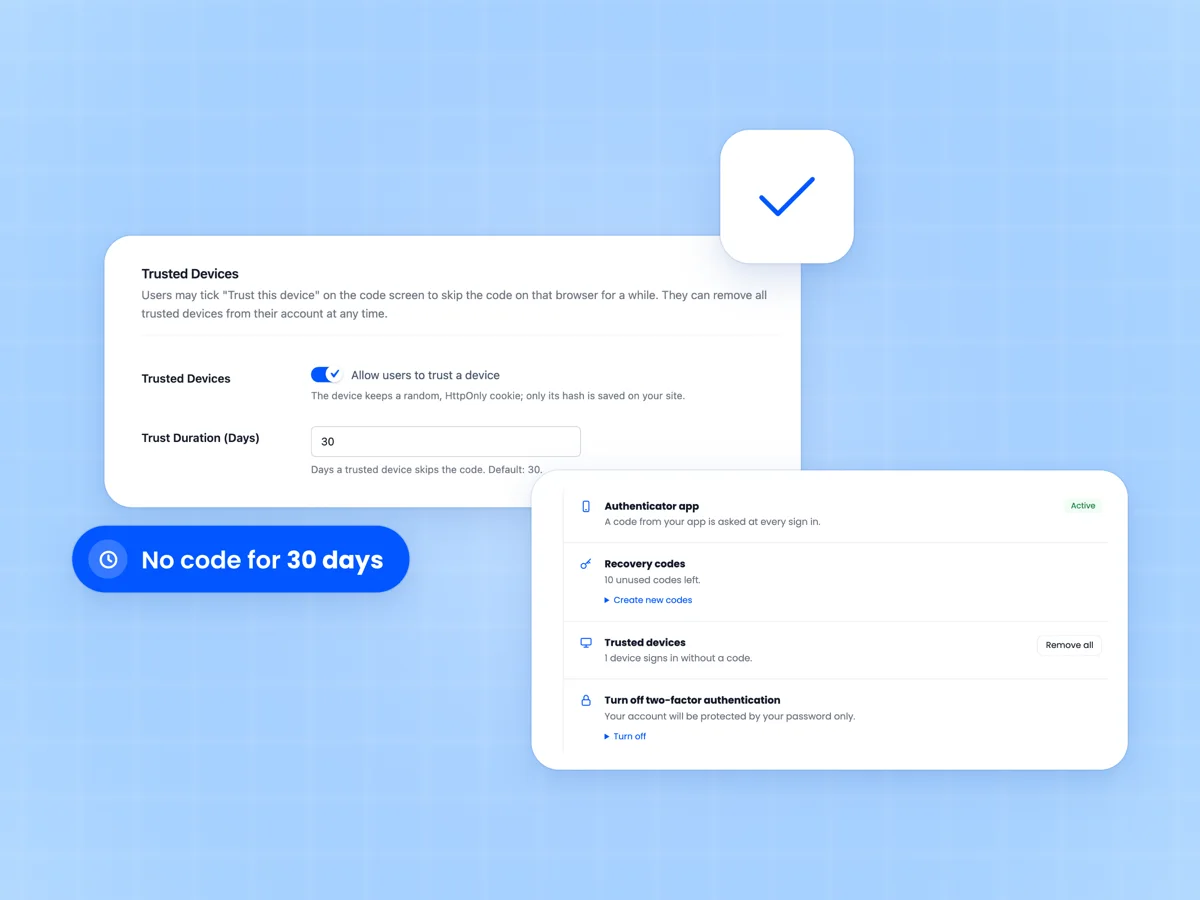
Customers tick "Trust this device" on the code screen and skip the code on that browser for 30 days. You set the number of days.

The browser keeps a random cookie that scripts cannot read, and only its hash is saved on your store. Customers can remove all trusted devices at once.

  • Trust period from 1 to 365 days
  • HttpOnly cookie, hash on the server
  • Remove all from My Account
Trusted Devices settings with a 30 day trust duration beside the My Account row showing one device signs in without a code

Email codes as a backup

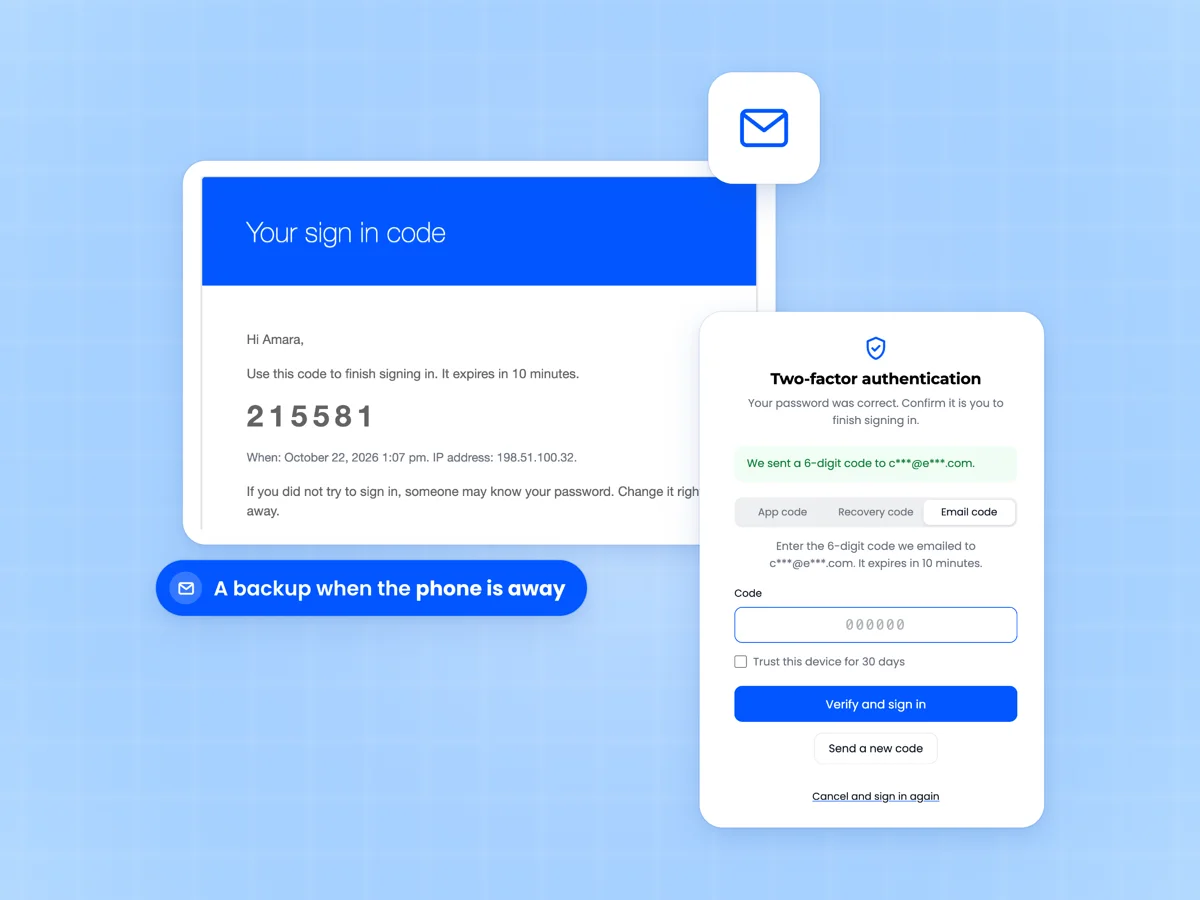
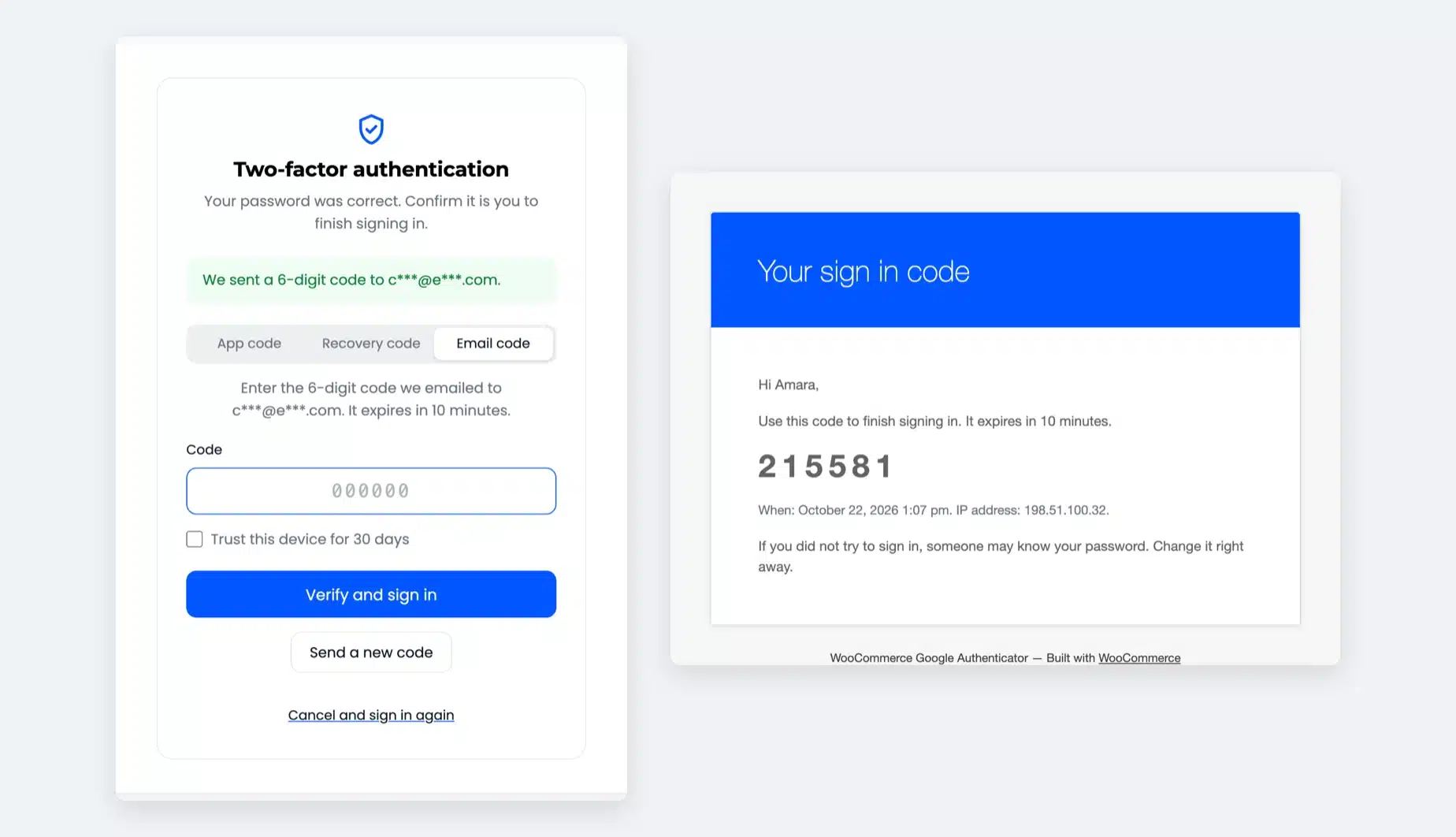
Turn on email codes and the code screen gets an "Email code" tab. The customer gets a 6-digit code that works for 10 minutes.

Sending is limited to one code a minute and three per sign in. The setting is off by default, and you can keep it off for staff.

  • Code valid for 10 minutes
  • Masked email address on screen
  • Send limits against abuse
Your sign in code email with a 6-digit code beside the code screen confirming a code was emailed

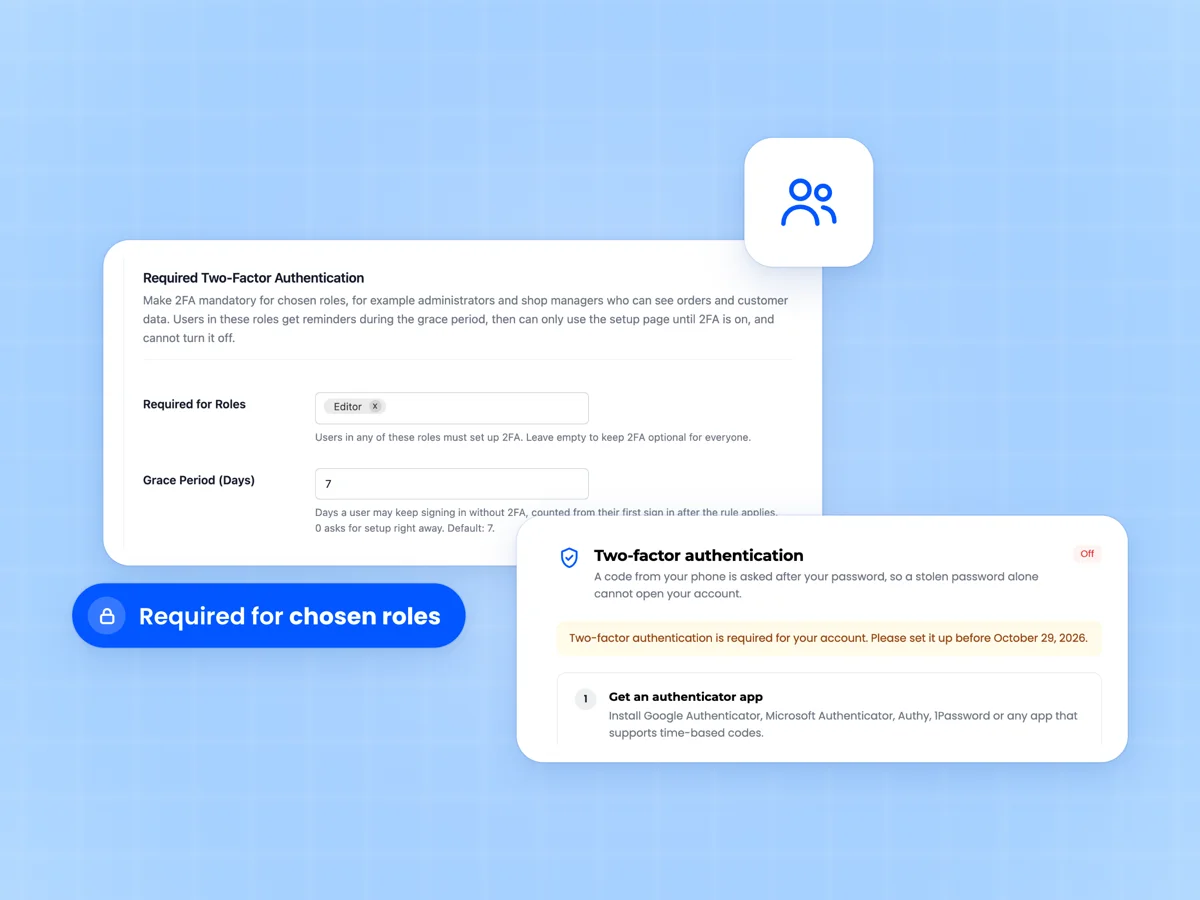
Require 2FA for chosen roles

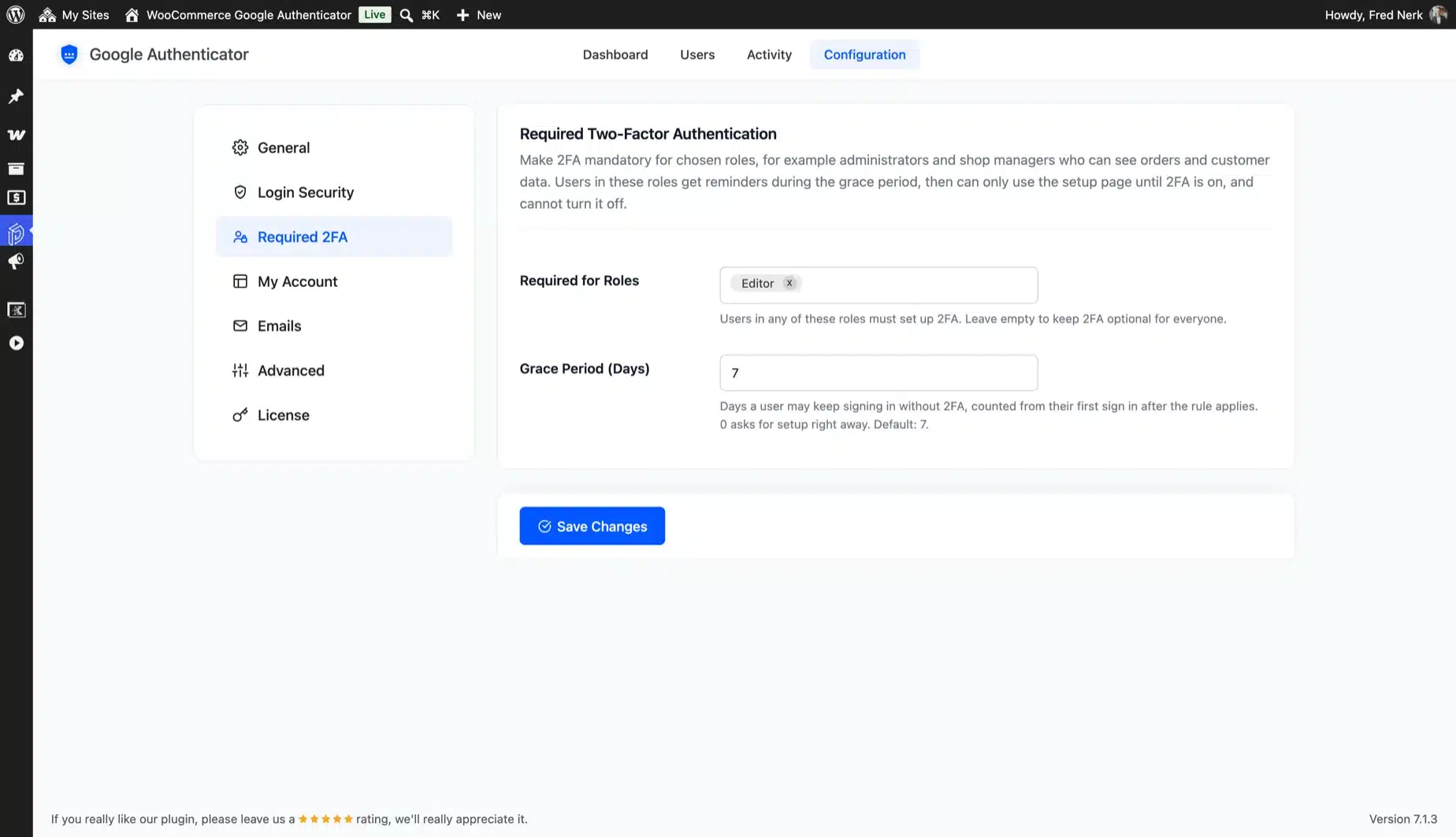
Pick the roles that must use 2FA, such as administrators and shop managers. They get reminders during a grace period, seven days by default.

After it ends, they can only use the setup page until 2FA is on, and they cannot turn it off. Customers stay free to choose.

  • Required 2FA per role
  • Grace period from 0 to 90 days
  • Excluded users for service accounts
Required 2FA settings with Required for Roles and Grace Period beside a My Account notice saying two-factor authentication is required

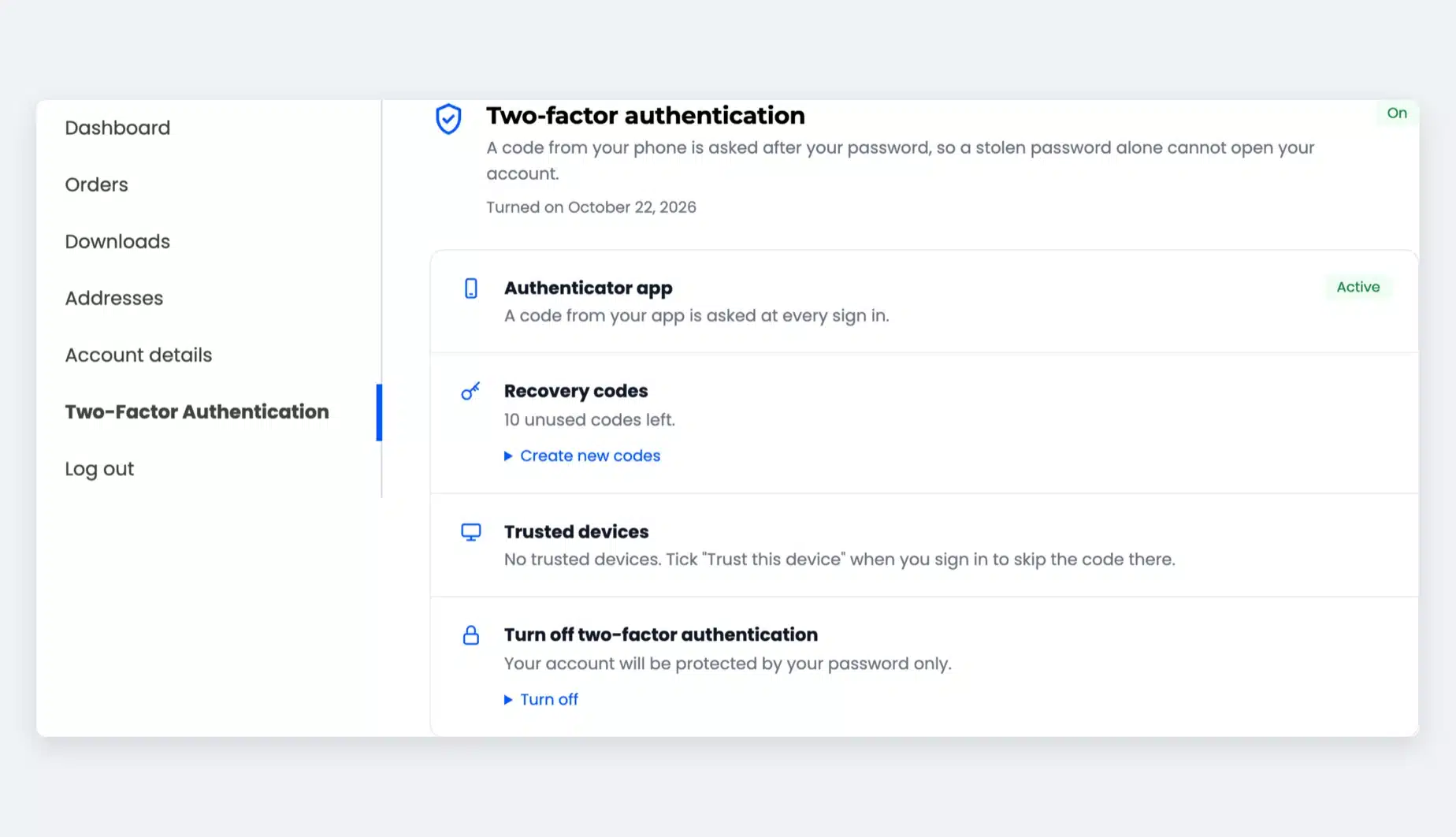
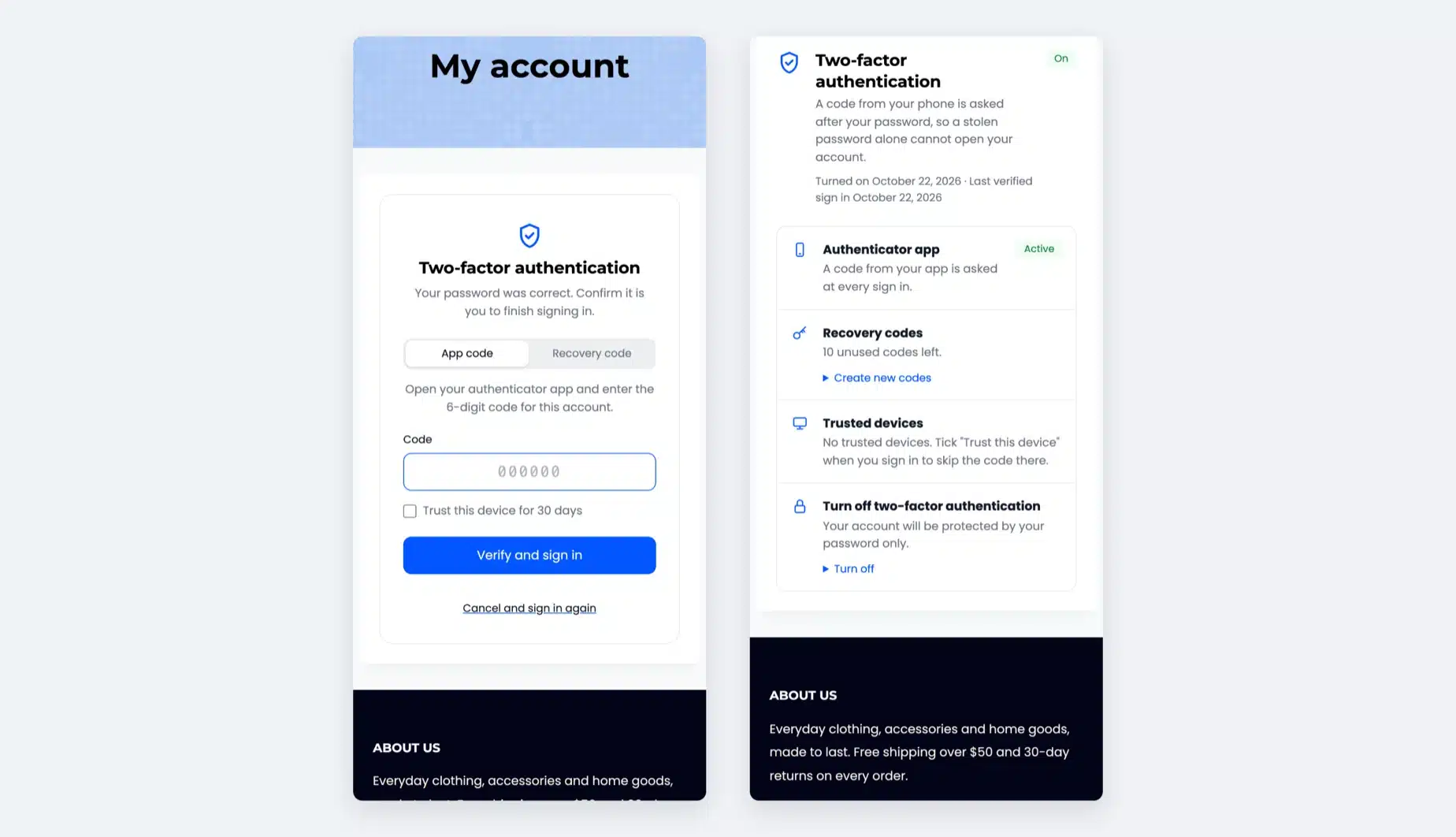
Customers manage their own 2FA

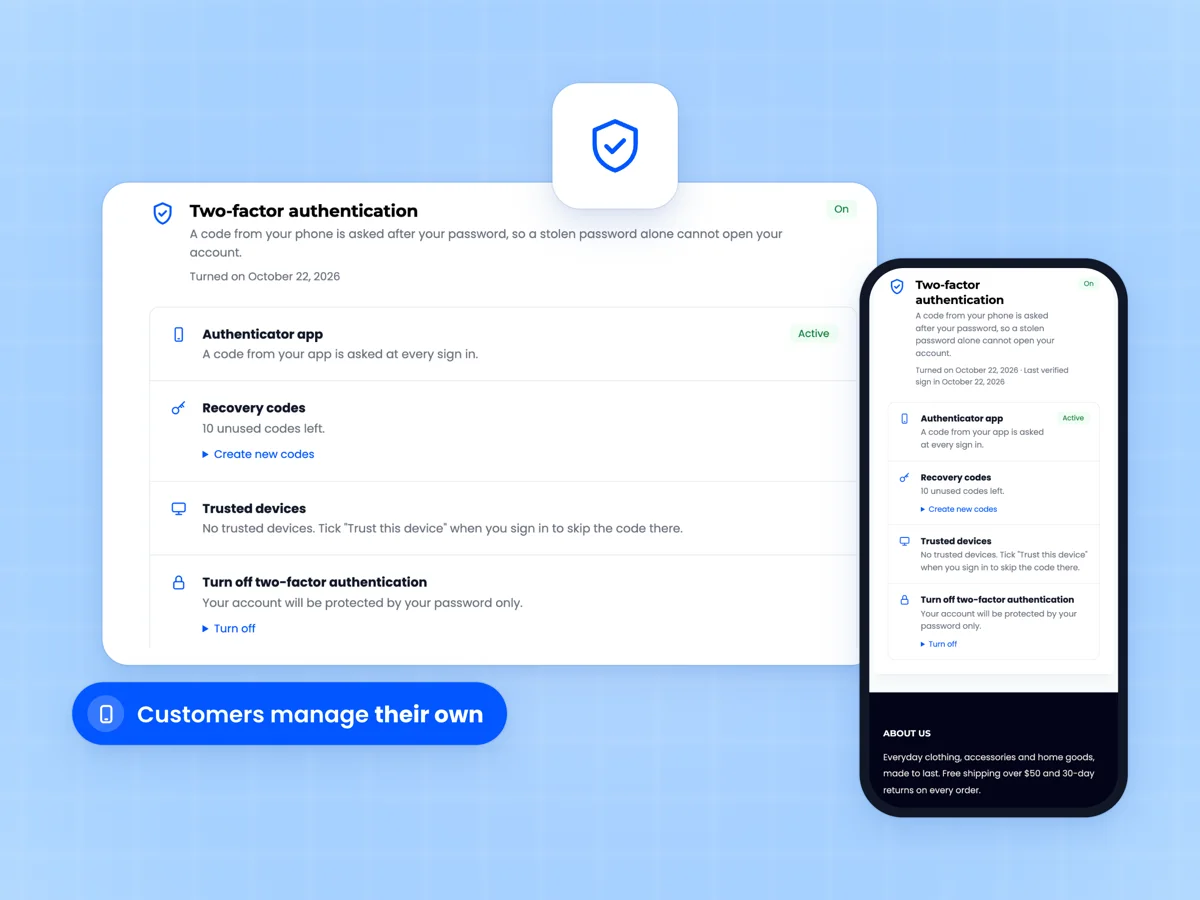
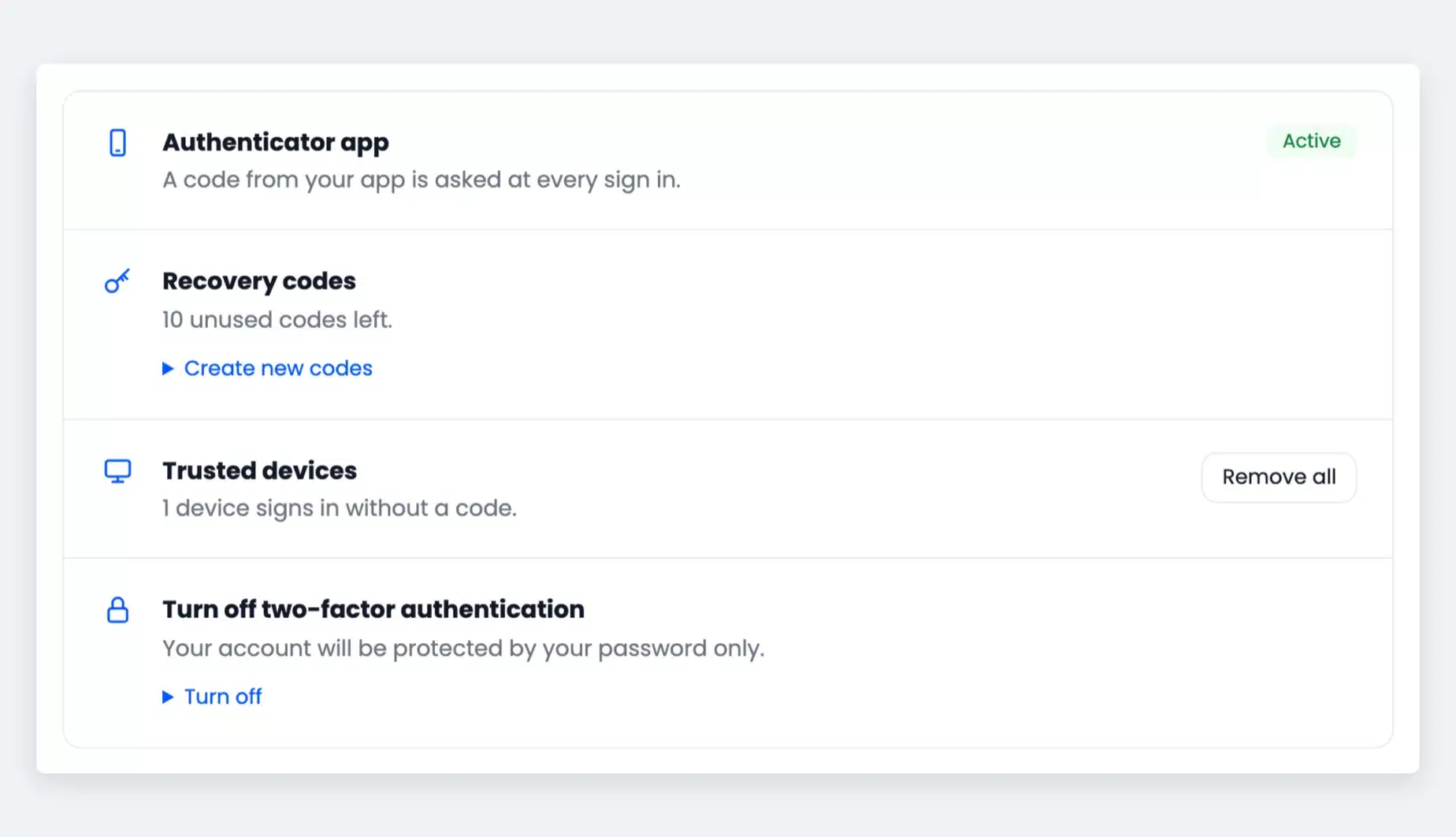
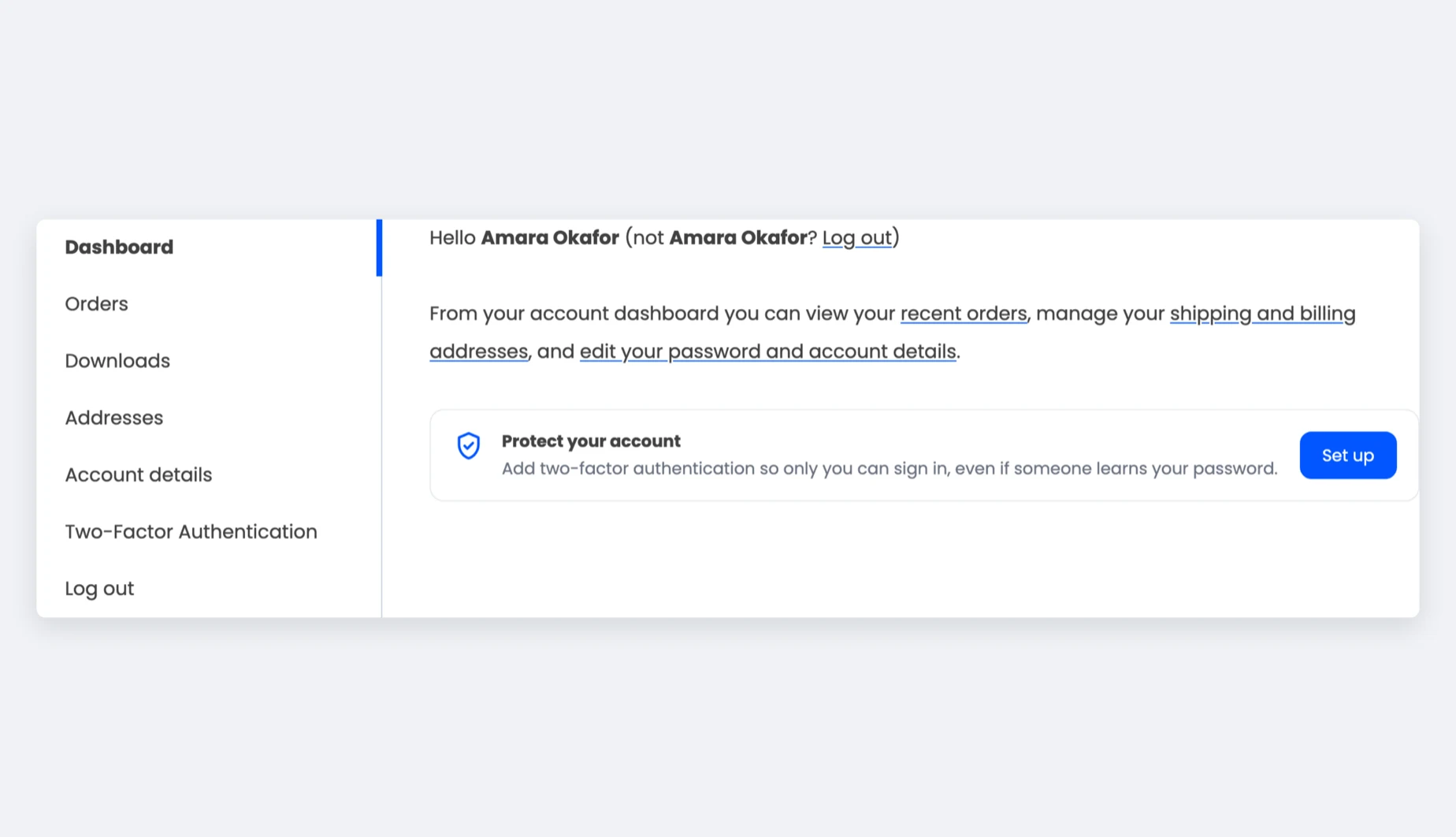
One page in My Account shows the app, unused recovery codes and trusted devices. Customers create new codes or turn 2FA off with an app code.

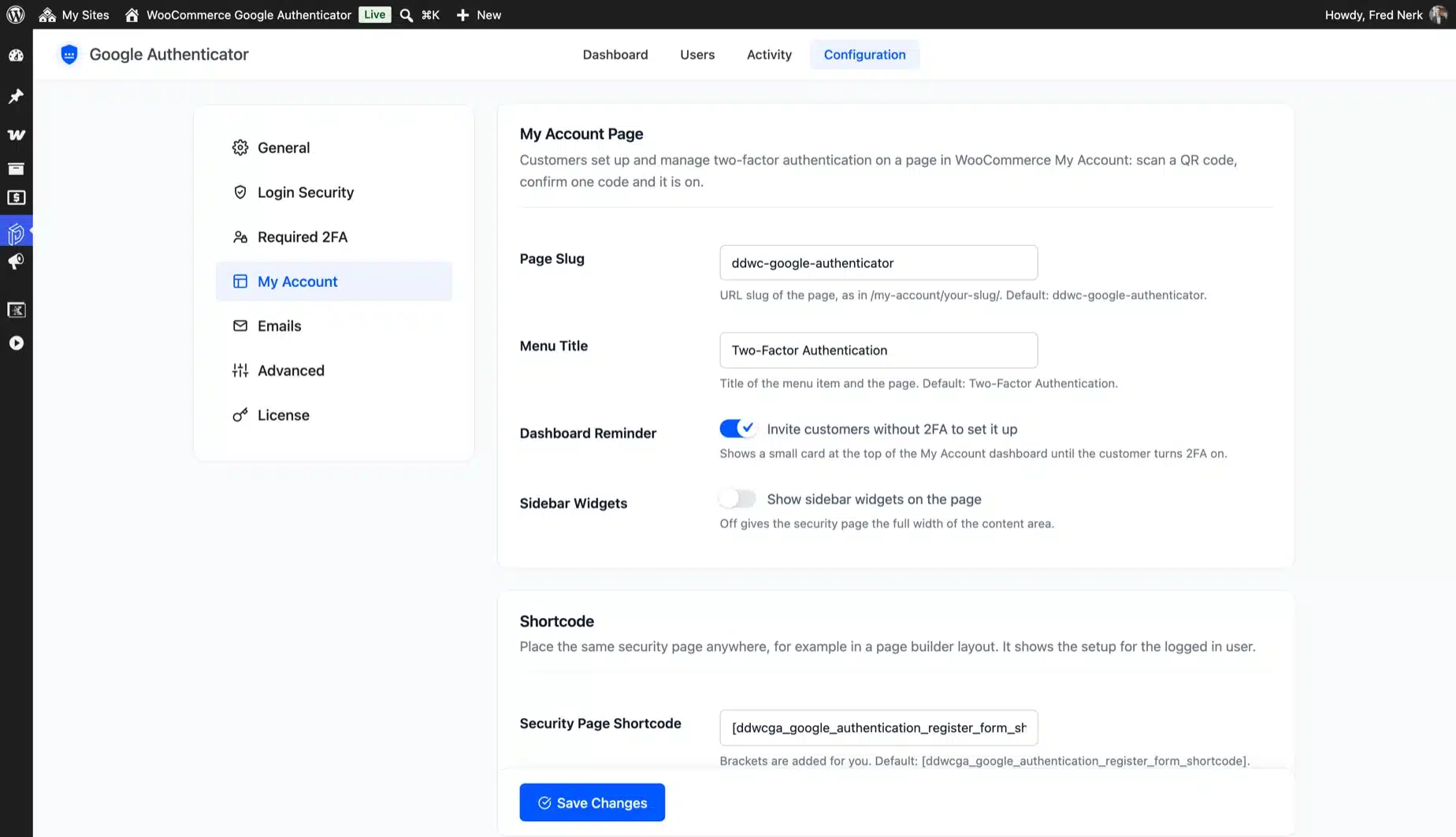
A small card on the My Account dashboard invites customers without 2FA to set it up. A shortcode puts the same page anywhere.

  • Your own page slug and menu title
  • Dashboard reminder card
  • Works on phones and desktops
My Account two-factor authentication page marked On with Authenticator app, Recovery codes and Trusted devices beside the same page on a phone

Brute force lockout on the code step

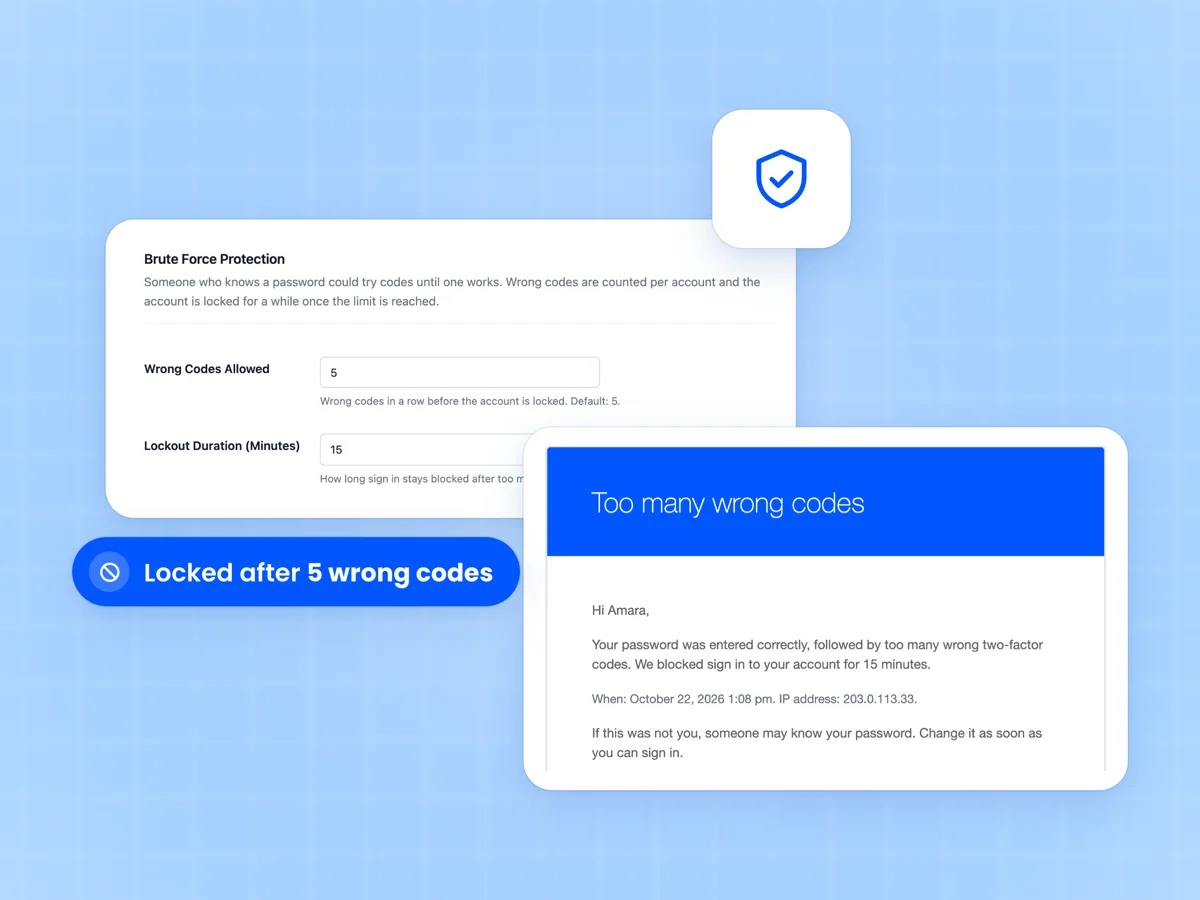
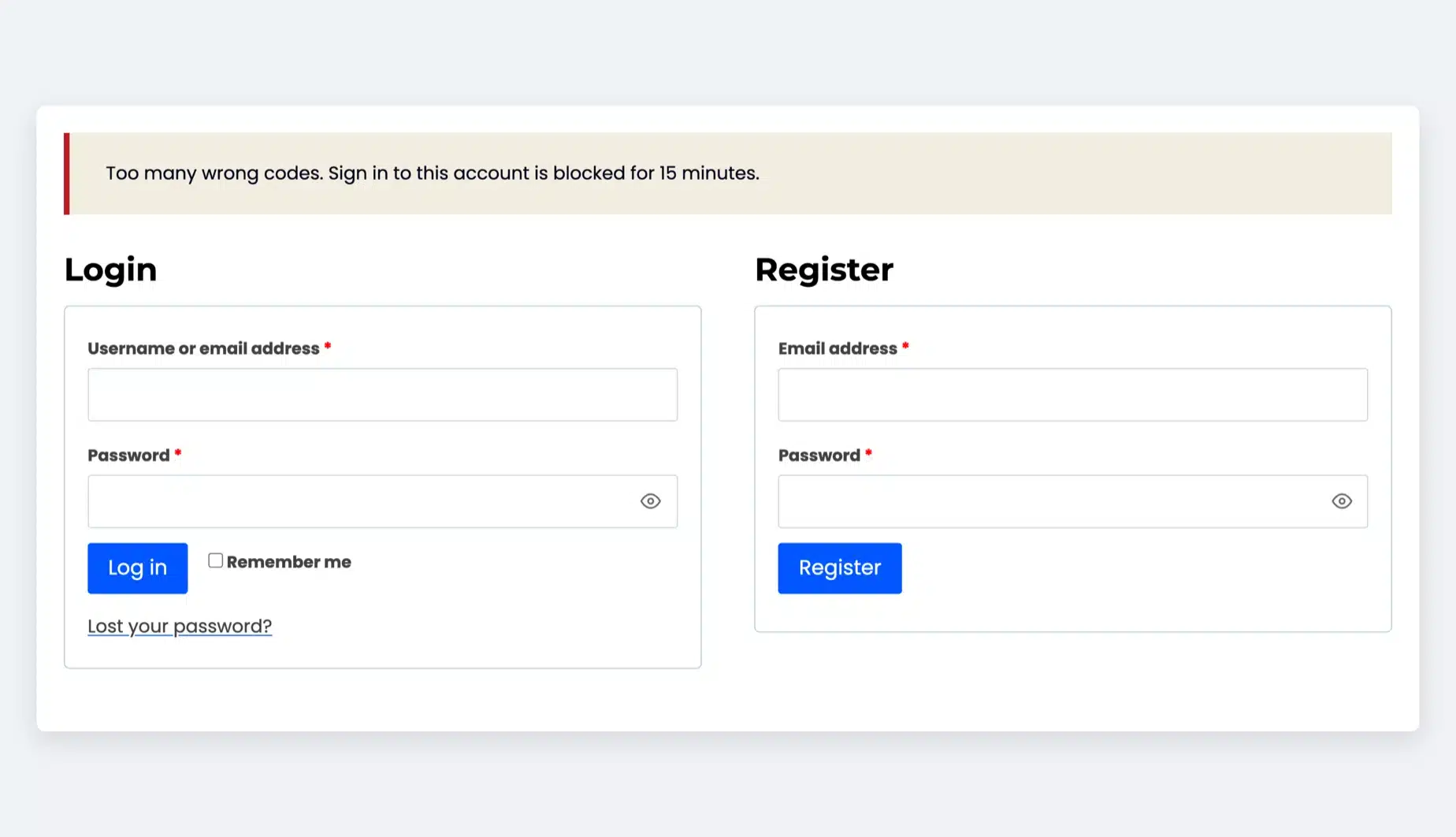
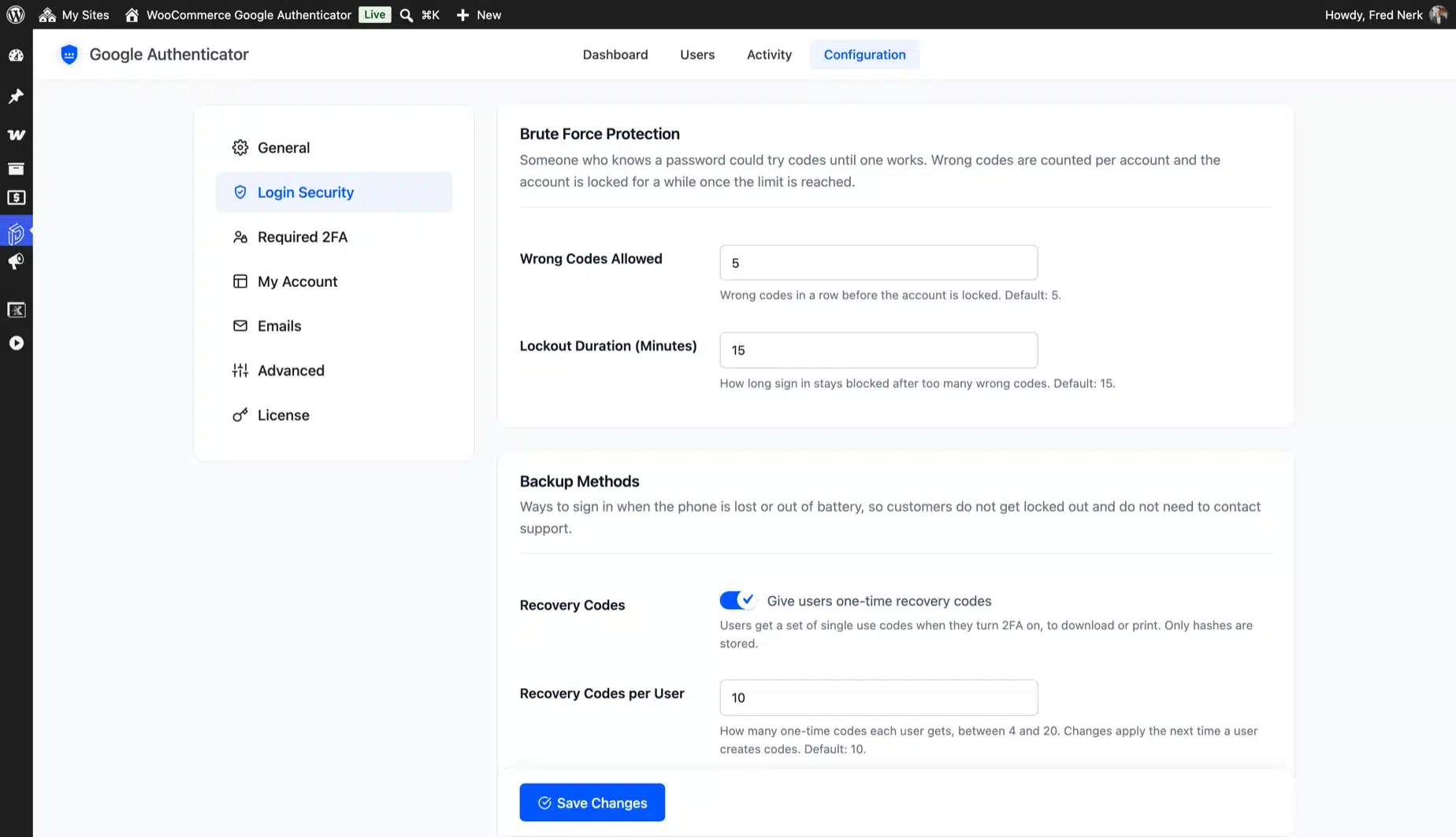
Someone who knows a password could keep guessing codes. After five wrong codes, sign in to that account is blocked for 15 minutes.

You set both numbers, and the customer gets an email. Password guessing needs its own limit, covered in our guide to WordPress brute force protection.

  • Wrong codes allowed, 1 to 20
  • Lockout time you choose
  • Counts app, recovery and email codes
Brute Force Protection settings with 5 wrong codes and a 15 minute lockout beside the Too many wrong codes email

Security emails and lockout alerts

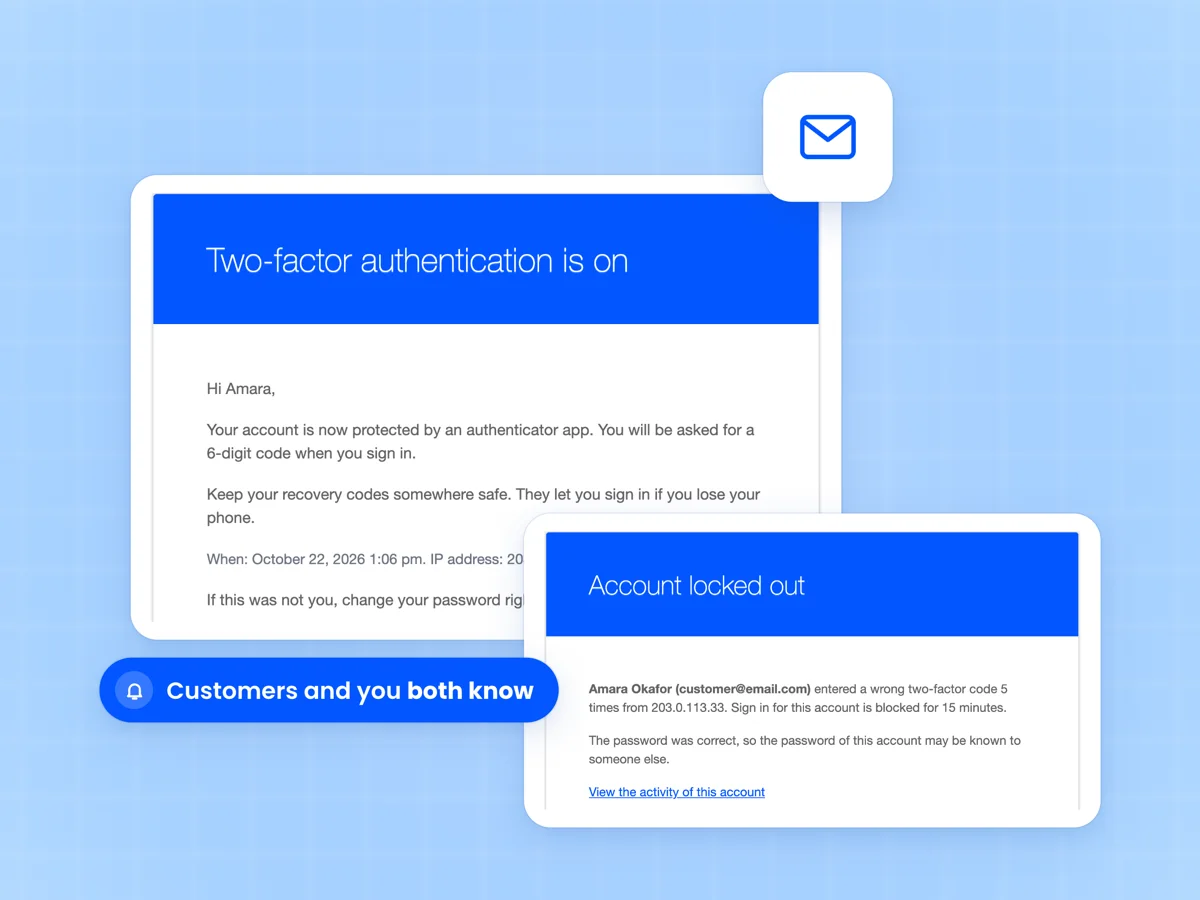
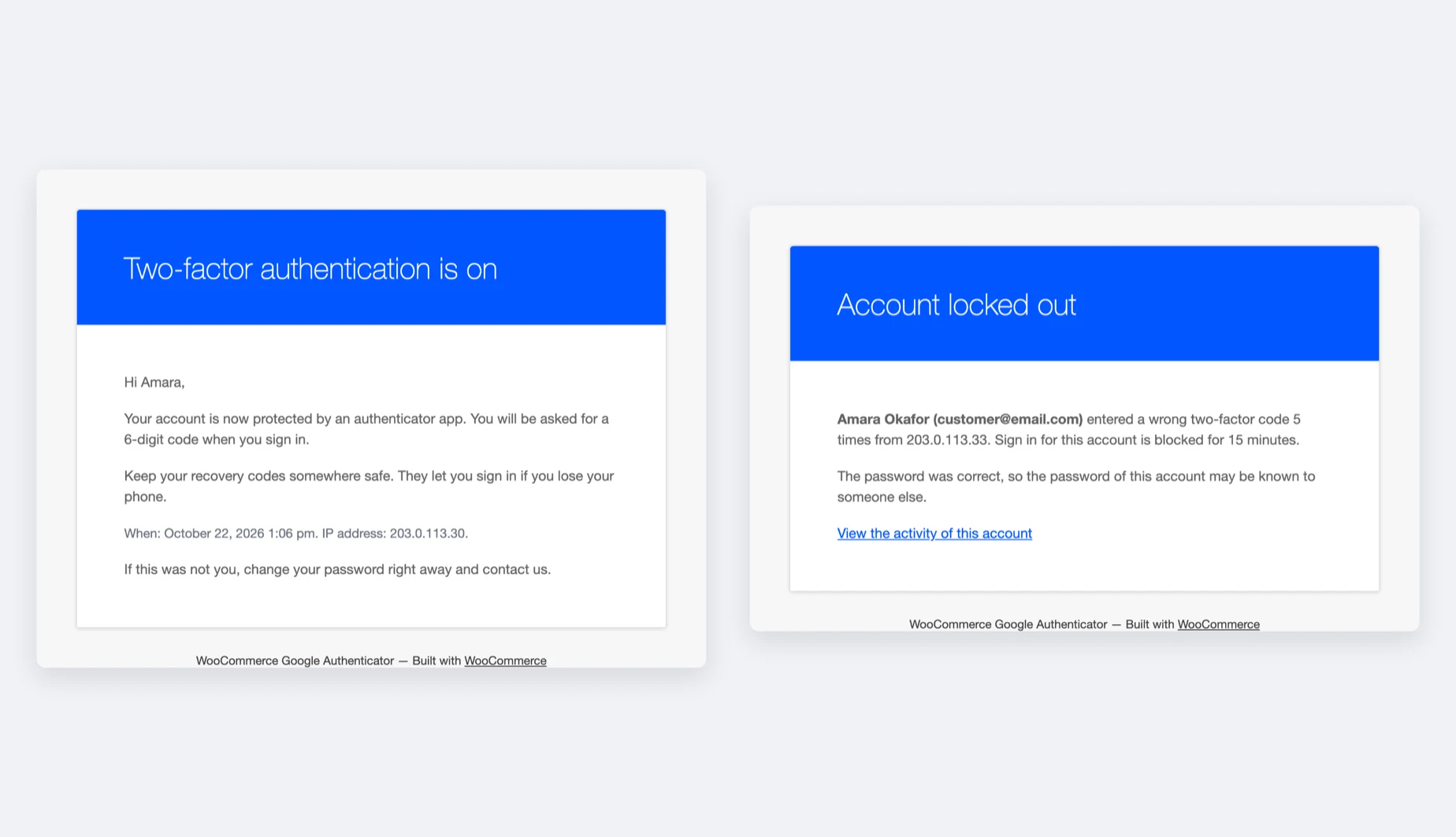
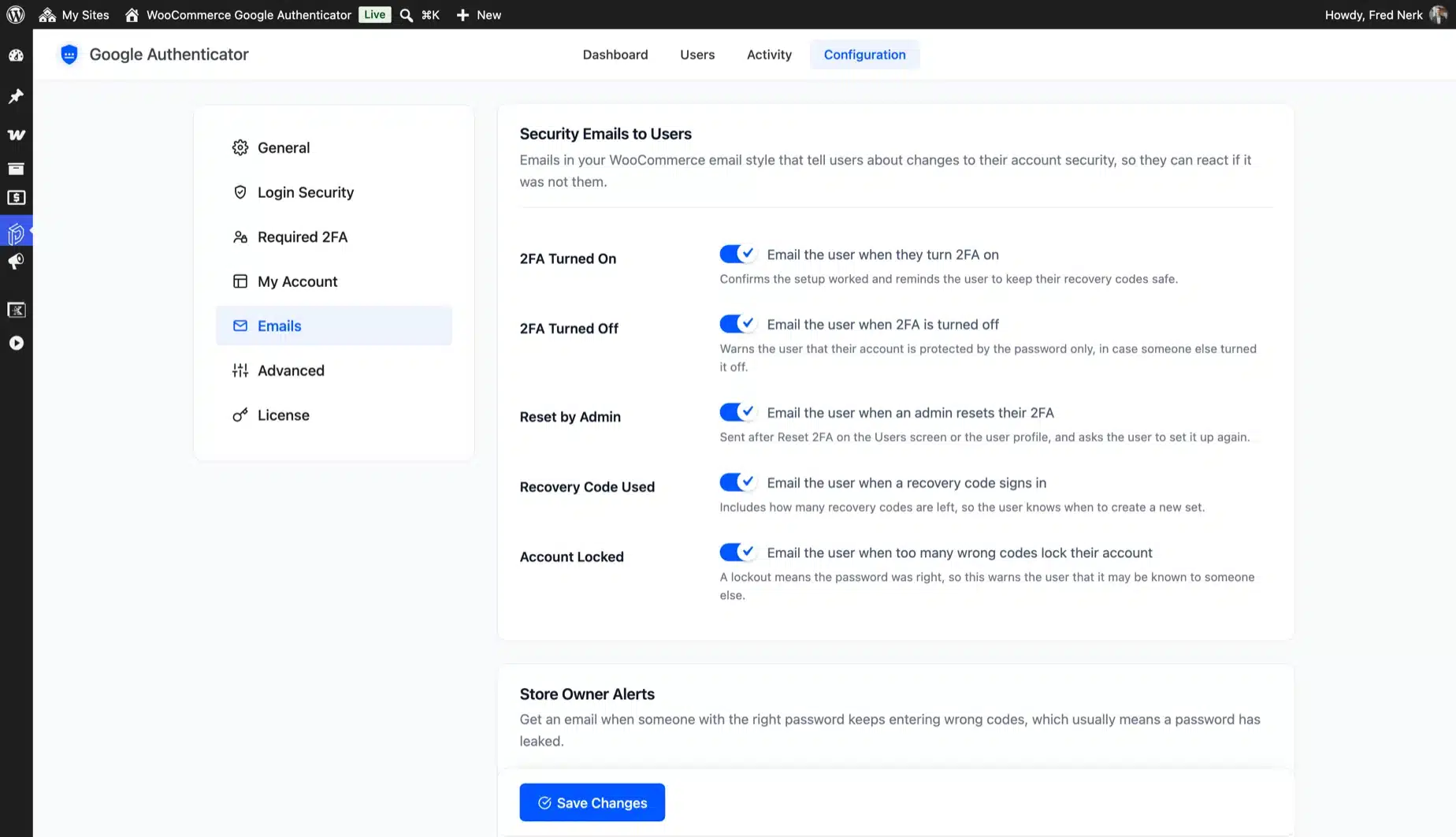
Customers get an email when 2FA is turned on, turned off or reset. They also hear when a recovery code signs in or wrong codes lock the account.

You can get an alert when an account is locked out. The password was right in that case, which usually means it has leaked.

  • Five customer emails you can switch
  • Lockout alert to any address
  • Sent in your WooCommerce email style
Two-factor authentication is on customer email beside the Account locked out admin alert email

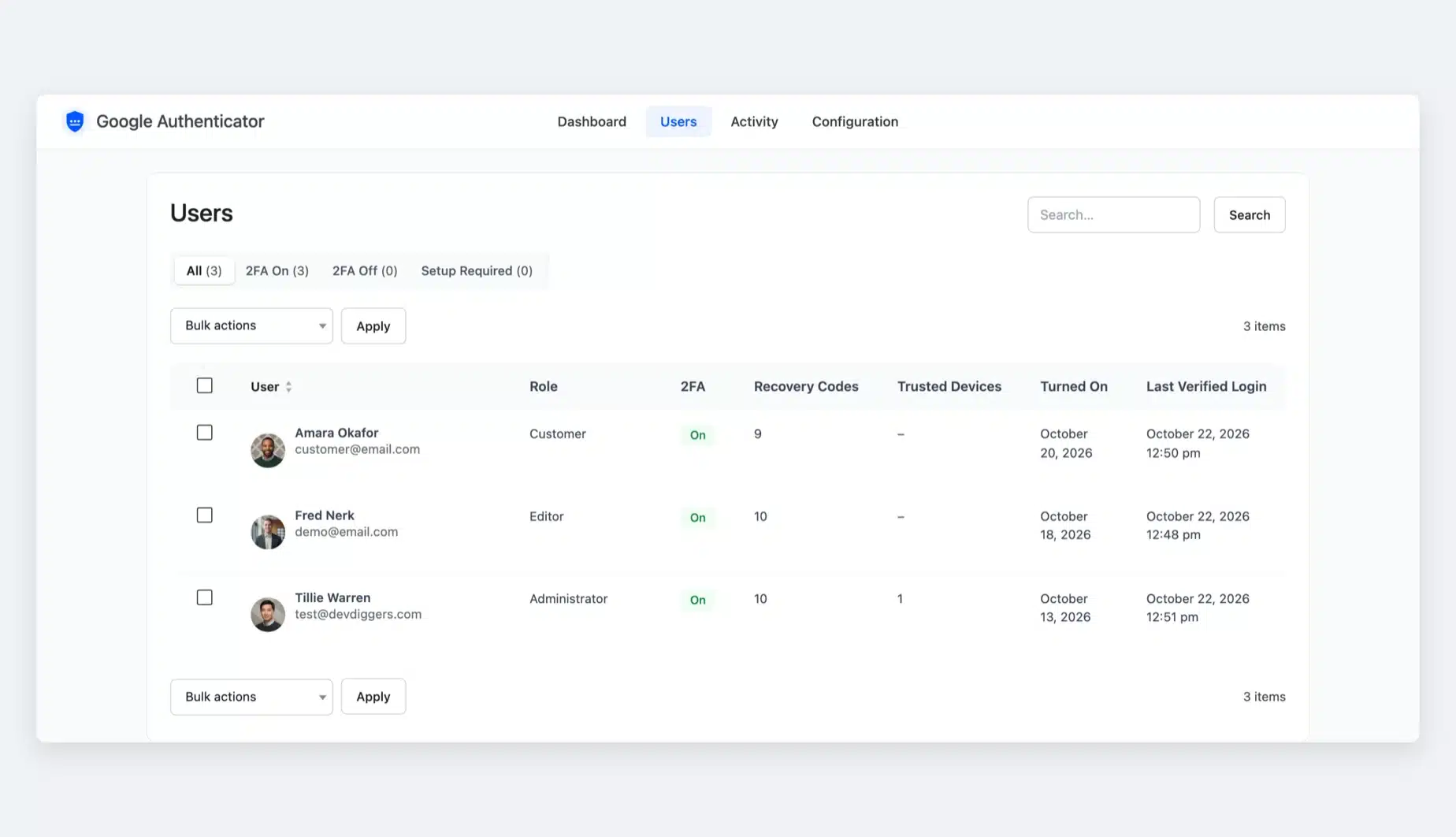
Reset 2FA for a customer in one click

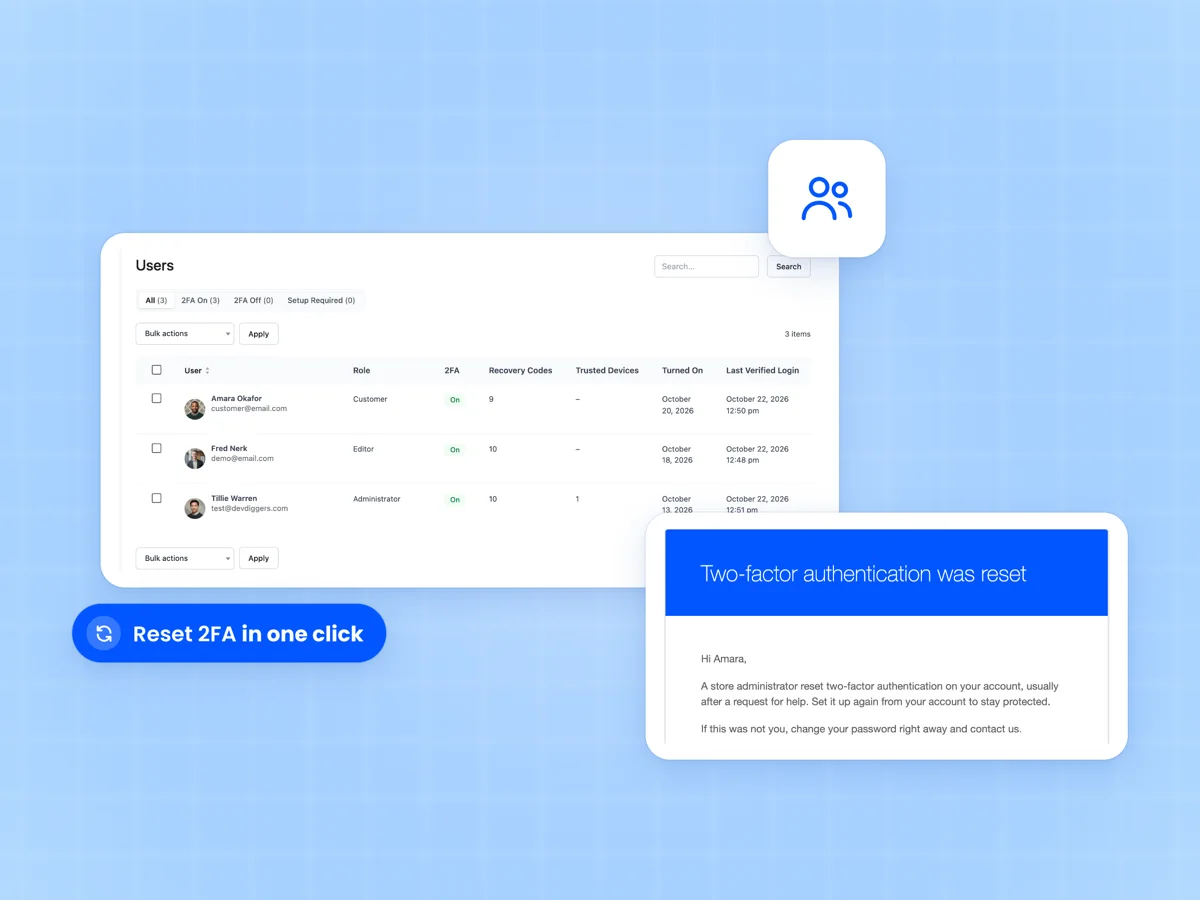
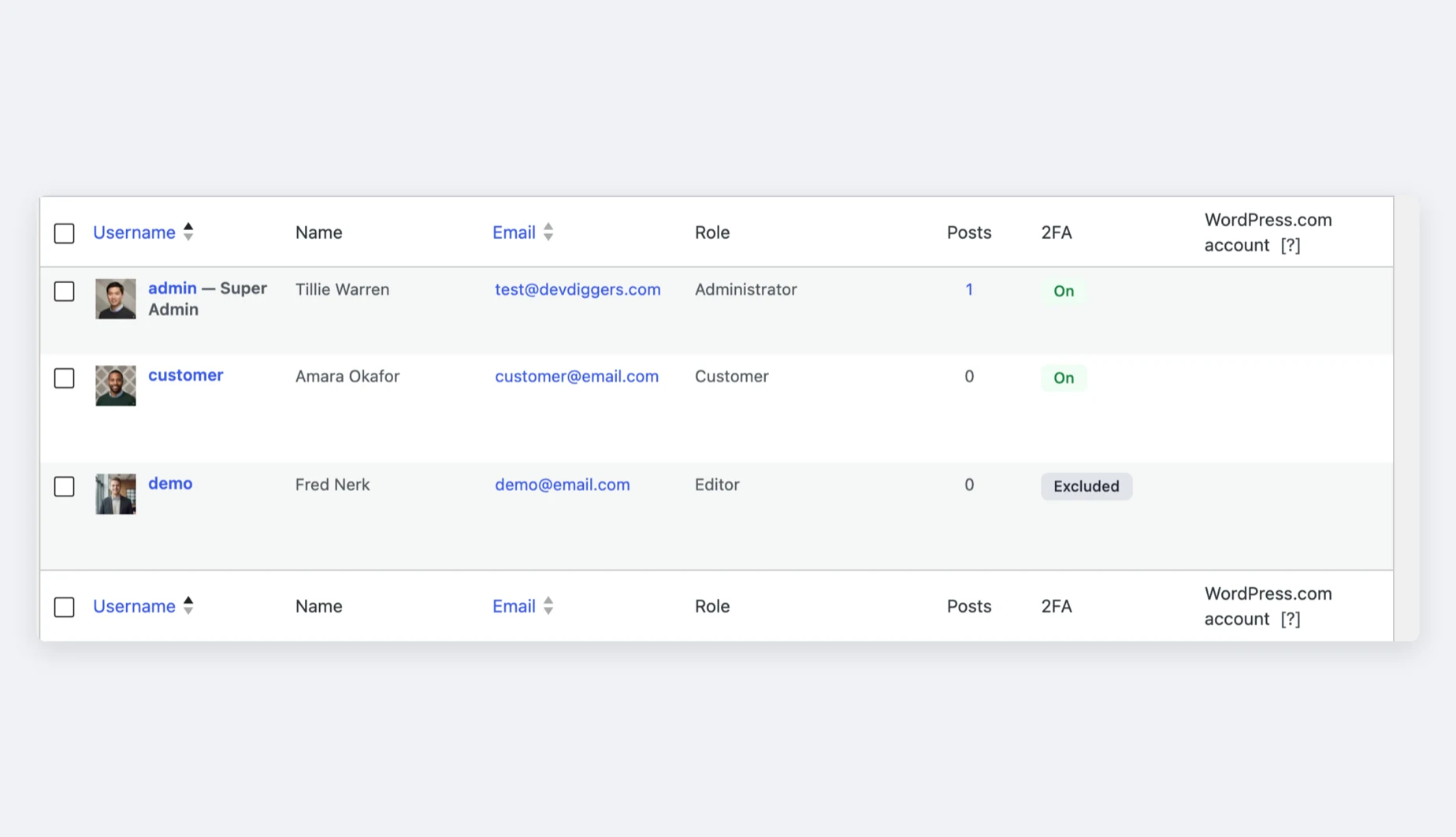
The Users screen lists everyone with their 2FA status, codes left, trusted devices and last verified login. Filter by 2FA On, 2FA Off or Setup Required.

A customer with no phone and no codes? Reset their 2FA from the list, alone or in bulk. They get an email and sign in with their password until they set it up again.

  • Views and search for every user
  • Single and bulk Reset 2FA
  • Reset email to the user
Users screen of the plugin with 2FA status, recovery codes and trusted devices beside the Two-factor authentication was reset email

A 2FA dashboard with real numbers

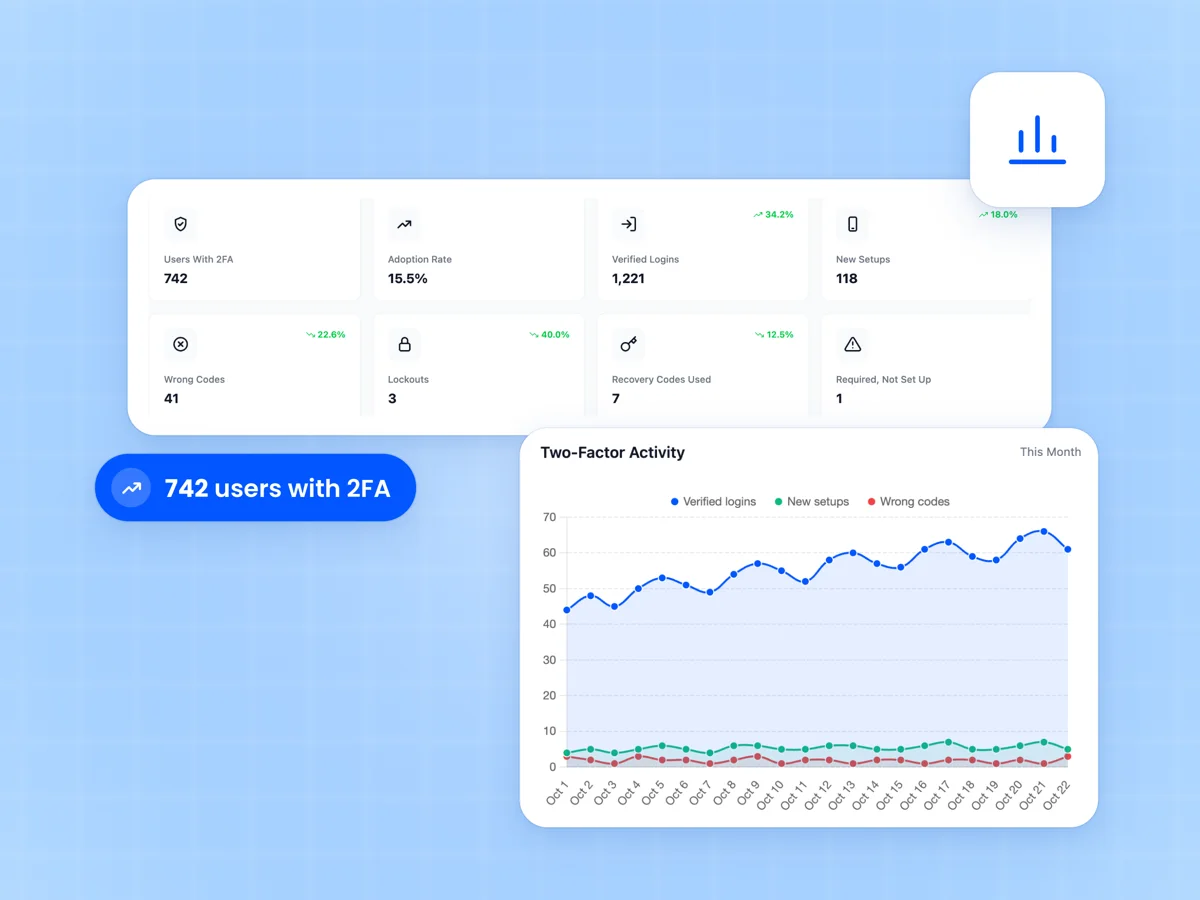
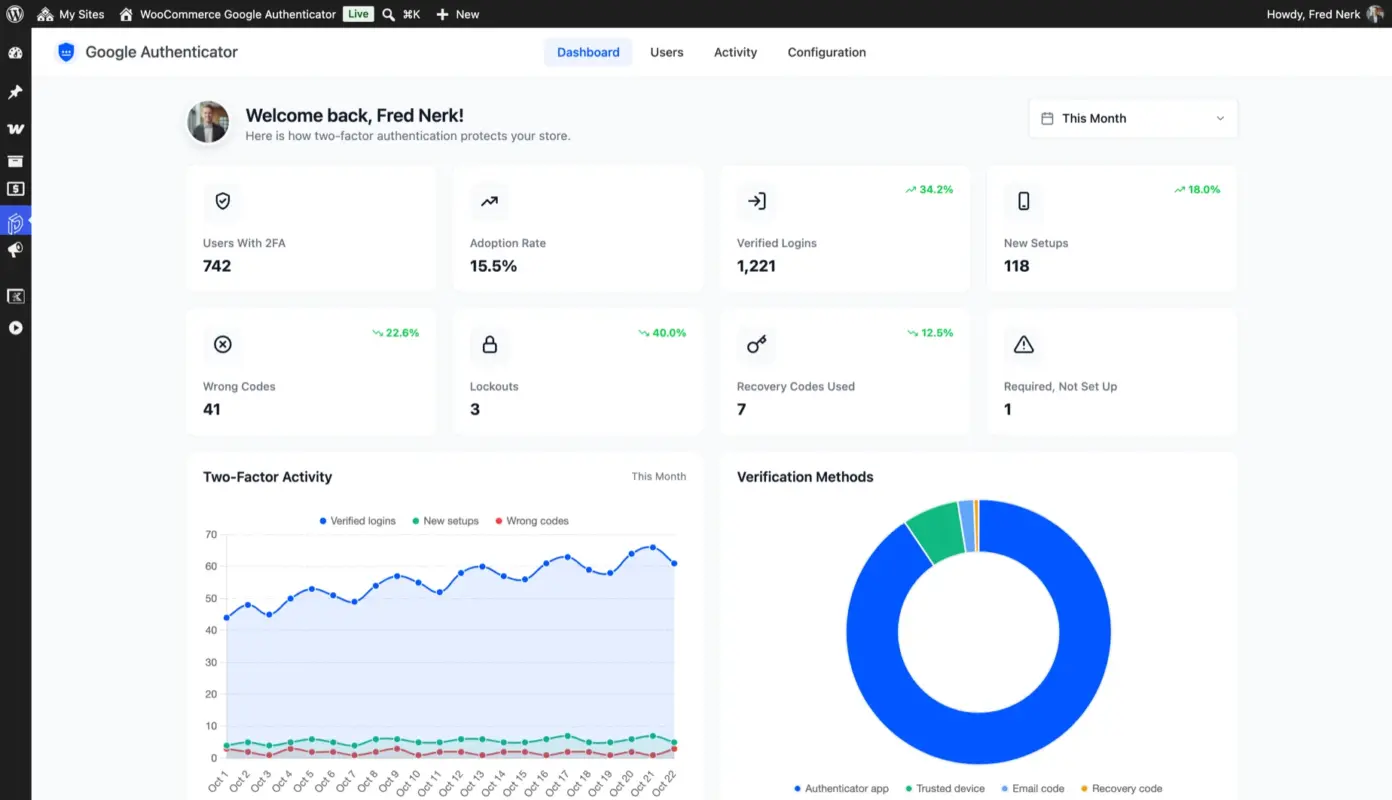
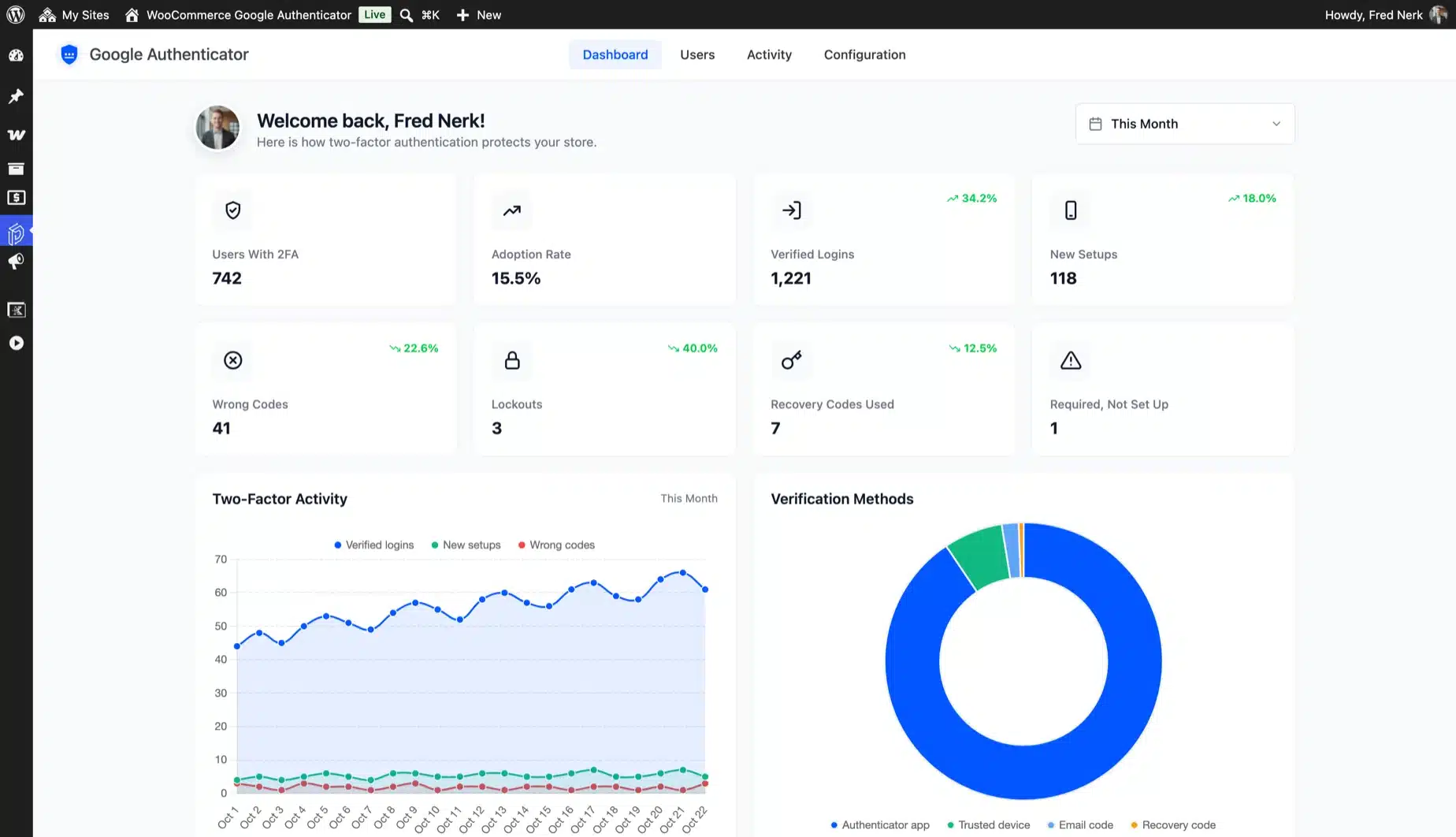
Eight cards show users with 2FA, adoption rate, verified logins, new setups, wrong codes, lockouts and recovery codes used. Each compares with the period before.

A chart plots verified logins, new setups and wrong codes per day. Coverage by Role shows how many people in each role have 2FA on.

  • Adoption, logins and wrong codes
  • Daily activity and methods charts
  • Coverage by role
Google Authenticator dashboard with 742 users with 2FA, 15.5% adoption and 1,221 verified logins above the Two-Factor Activity chart

An activity log you can export

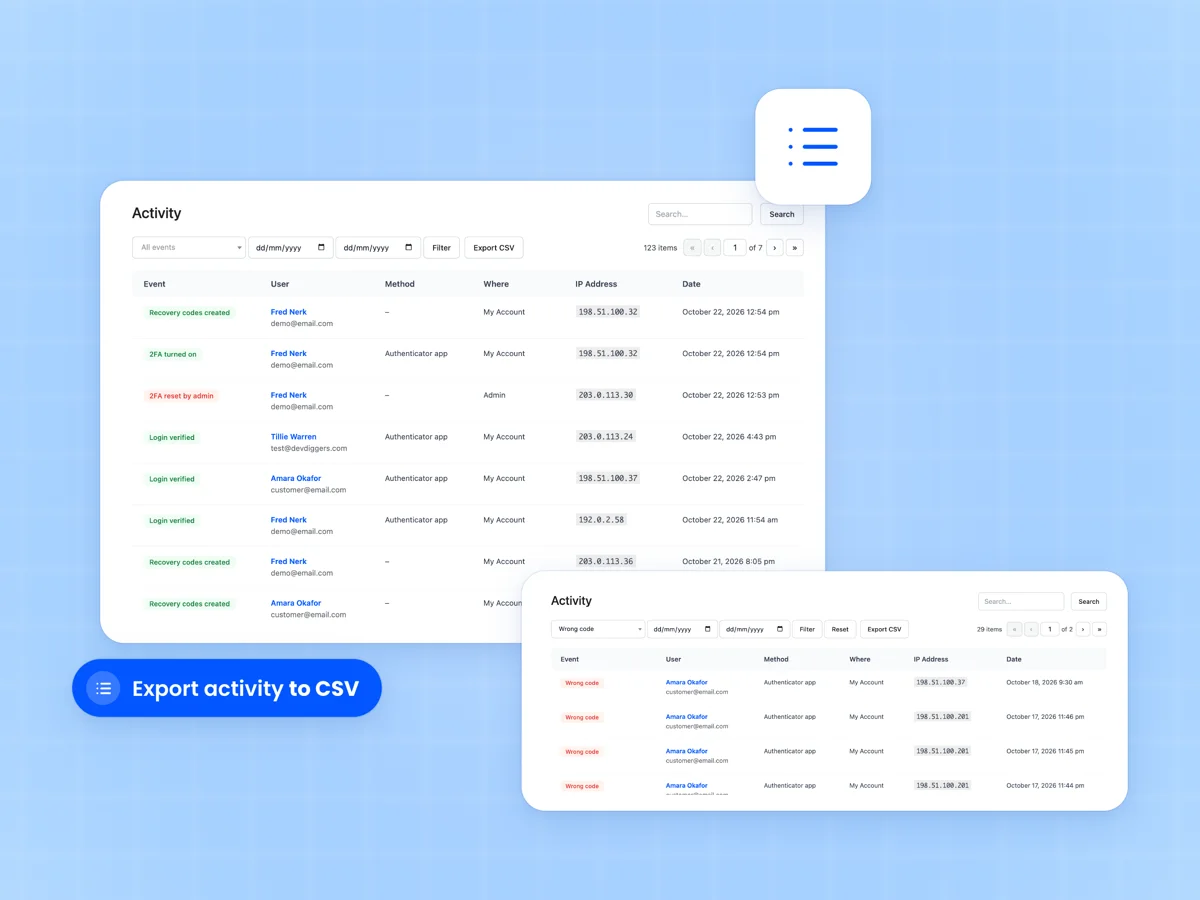
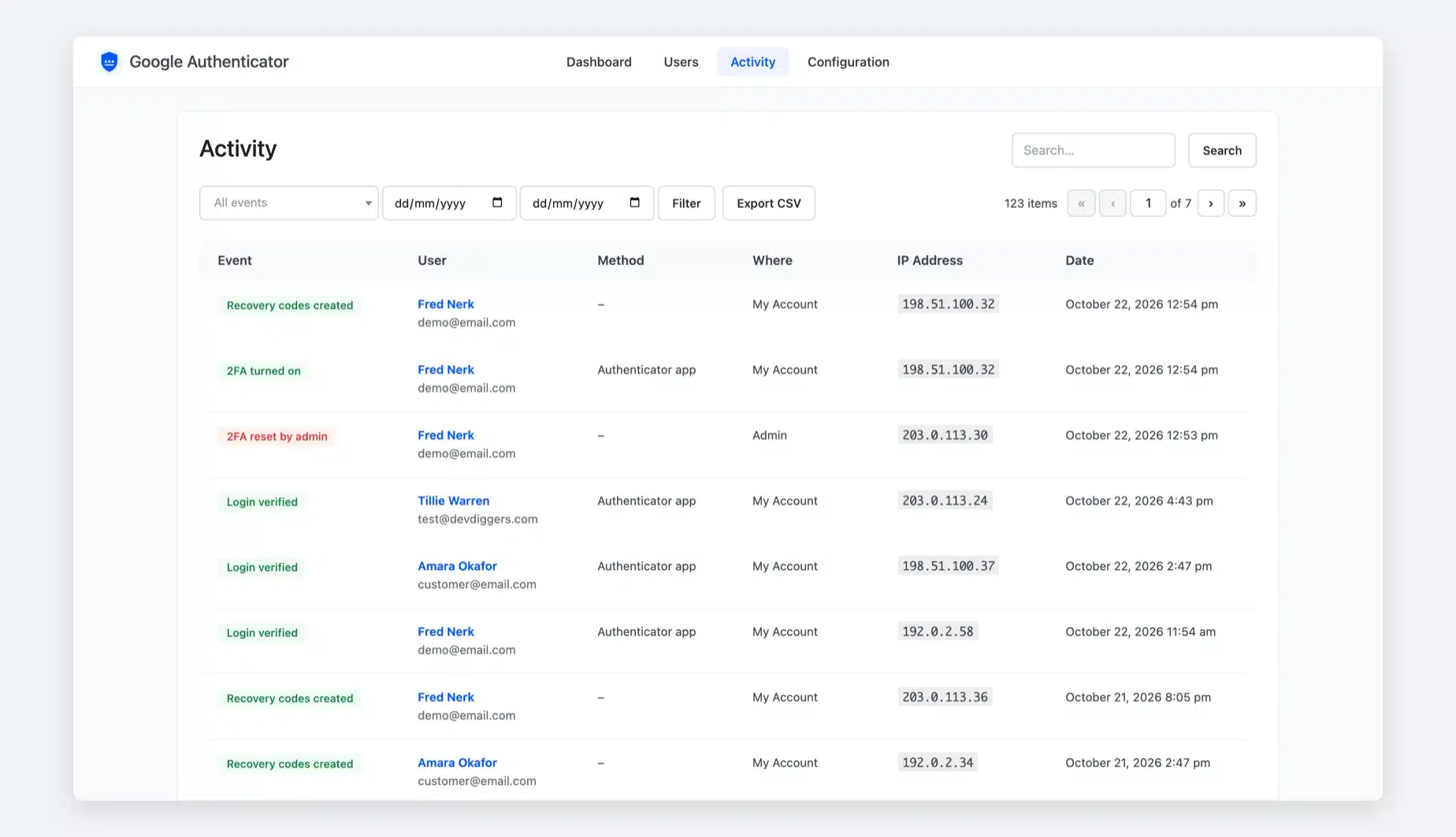
Every setup, verified login, wrong code, lockout and reset is logged with the method, the login form and the IP address. Eleven event types in all.

Filter by event and date, search by IP or email, and export to CSV. Entries older than 90 days are deleted, or you keep them all.

  • Eleven event types
  • Filters, search and CSV export
  • Retention you choose
Activity log with event badges, users, method, where, IP address and date columns beside a filtered list of wrong codes
What you need

What you need for two factor authentication on WooCommerce

No SMS fees, no third-party account and no theme edits. Your customers need a phone they already own.

WordPress and WooCommerce

WordPress 6.0 and WooCommerce 6.0 or newer, on PHP 7.4 or newer.

An authenticator app

Google Authenticator, Microsoft Authenticator, Authy, 1Password or any app that makes time-based codes. All are free.

A phone that sets its time automatically

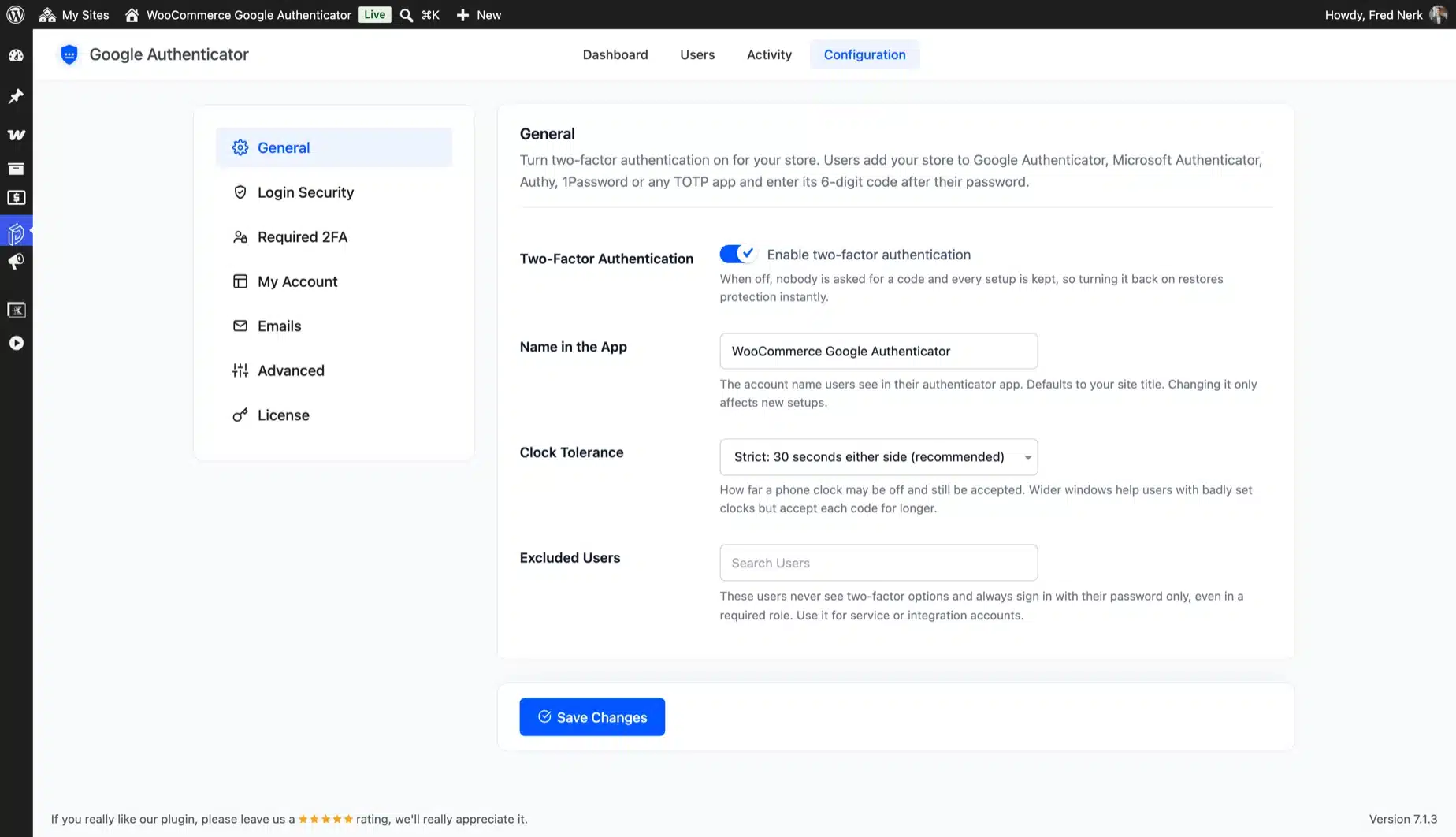
Codes depend on the clock. Clock Tolerance accepts codes from phones that run up to four minutes off.

Working store email

Security emails and email codes use your WooCommerce mailer. An SMTP plugin helps them reach the inbox.

Compatibility

Works with the WooCommerce store you already run

The code step runs on the standard WordPress login check. It covers WooCommerce, WordPress and most custom login forms.

HPOS order storageThe plugin never edits orders and is declared compatible with High-Performance Order Storage.
Classic checkout and the Checkout blockThe classic checkout login gets the code step. The Checkout block's login link opens the protected My Account login.
Custom login forms and popupsForms that use the WordPress sign in send users to the code screen. Login popups show a link to enter the code.
Apps and integrationsXML-RPC and REST password logins are refused for 2FA accounts. Application passwords keep working for apps you connect.
Page buildersA shortcode places the full two-factor security page in any layout or page builder.
Translation readyEvery label ships in a translation file. The My Account page slug and menu title are yours to rename.
Why this plugin

Why this WooCommerce 2FA plugin is different

Most 2FA plugins are built for the WordPress admin, or charge extra for WooCommerce. This one is built around the store customer.

  1. Setup inside My Account

    Customers turn on 2FA from their account page. They never see wp-admin.

  2. Built for store login forms

    My Account, the checkout login and wp-login.php, with a shortcode for any page.

  3. Three ways back in

    Recovery codes, email codes and trusted devices are all included.

  4. Required for staff, optional for shoppers

    Enforce 2FA for the roles that matter with a grace period. Customers choose.

  5. Lockout on wrong codes

    Code guessing stops after five tries, and you hear about it.

  6. Alerts when it matters

    Emails for 2FA changes, resets, recovery codes and lockouts.

  7. A dashboard with real numbers

    Adoption, verified logins, wrong codes and lockouts for any date range.

  8. Secrets encrypted at rest

    Each user's secret is encrypted with libsodium, and used codes are refused.

  9. Ready in about a minute

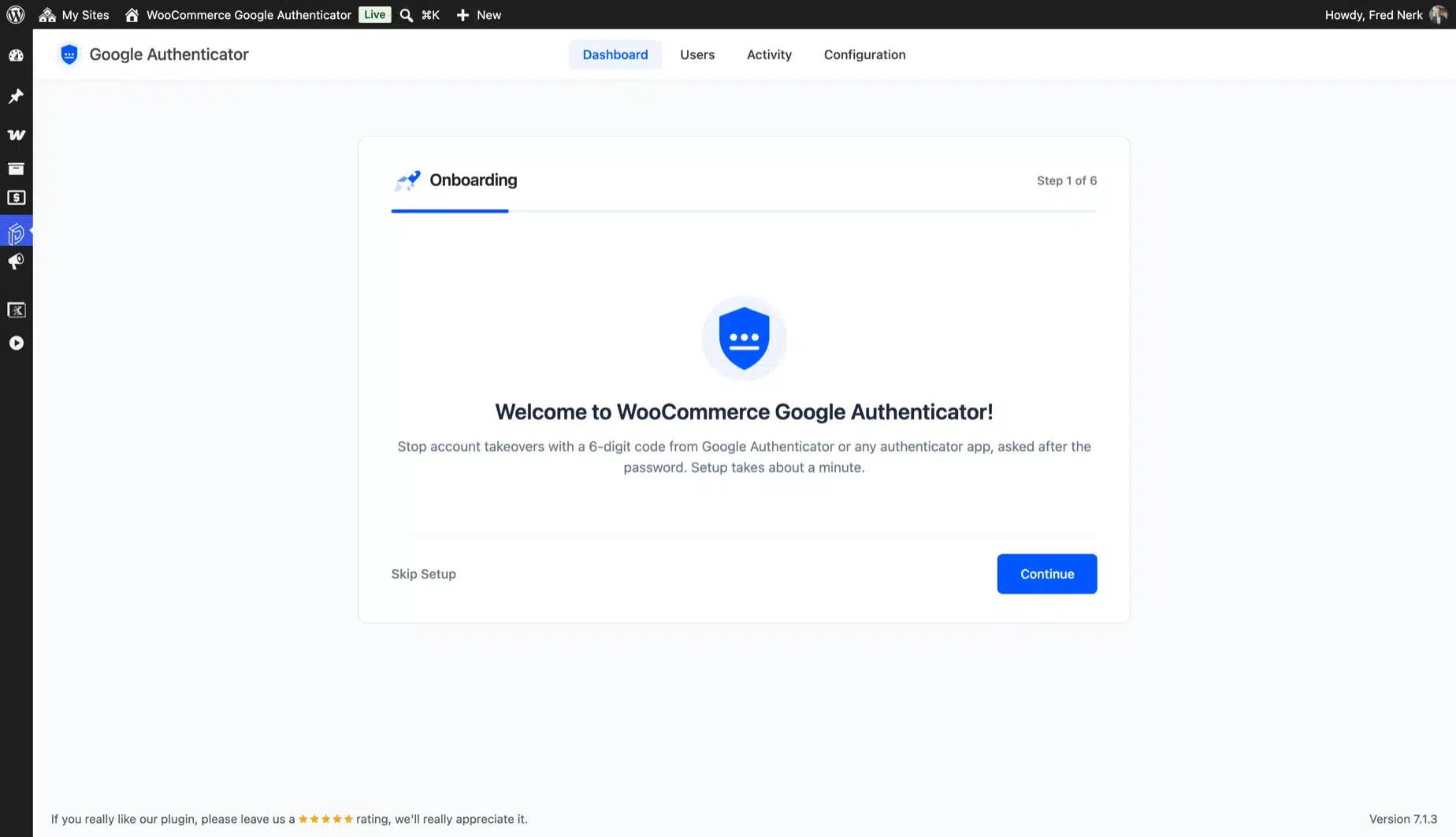
    A six-step setup wizard turns it on, sets the backups and picks required roles.

  10. Built by WooCommerce specialists

    We are official WooCommerce core contributors, and this plugin sits beside our other WooCommerce plugins.

Why DevDiggers

Why WooCommerce store owners buy from us

Official WooCommerce contributor

More than 20 accepted contributions to WooCommerce core. The same care goes into how this plugin signs people in.

Envato Elite Author

More than $125,000 in sales and 500+ five-star reviews across Trustpilot, Google and Envato.

Live in a few minutes

A short setup wizard turns on 2FA, recovery codes, trusted devices and required roles.

Support that answers in hours

Real WooCommerce developers answer your tickets. Every plan includes priority support and a 14-day refund.

Built to stay fast

No outside service and no extra library for codes. The code check runs on your own server.

Sold in 158+ countries

Every label is translation ready, and the My Account page takes your own slug and title.

Recognition

Earned on the Envato marketplace

Elite Author Elite Author Sold more than $125,000 on Envato Market. Featured Author Featured Author Made it to the Authors' Hall of Fame. Community Health Community Health Took part in community research initiatives. WP Compliant WP Compliant Keeps items to current WordPress standards. Copyright Ninja Copyright Ninja Helped protect against copyright violations. Feedback Guru Feedback Guru Joined a group to improve the experience. Trendsetter Trendsetter Had an item that was trending. Featured Item Featured Item Had an item featured on Envato Market.

See every badge on our CodeCanyon profile

Who it is for

Stores with accounts worth protecting

Stores with repeat customers

Saved addresses, order history and store credit stay safe even when a password leaks.

Stores with a team in wp-admin

Require 2FA for shop managers and admins who can see every order and customer.

Subscription and membership stores

Paid accounts are worth stealing. A code step keeps members' access in their own hands.

B2B stores and wholesale buyers

Buyers with credit terms and special prices get a second lock, required for their role if you like.

Agencies building client stores

Set the same 2FA rules on every client store in a minute. Need more? Our WooCommerce development team builds the rest.

Setup

How to add two factor authentication to WooCommerce

Install and activate

Upload the plugin and activate it. The setup wizard opens and asks for your license key.

Turn on 2FA and the backups

Name your store in the app. Turn on recovery codes, trusted devices and the wrong code lockout.

Set your own 2FA first

Scan the QR code from your profile, save your recovery codes and sign in again with a code.

Require it for staff

Pick roles such as shop managers and set a grace period. Watch adoption on the dashboard.

What store owners say about this 2FA plugin

Reviews from verified buyers of our WooCommerce two factor authentication plugin. Bought it? Your review helps the next store owner decide.

New

Be the first to review

  • 5 0
  • 4 0
  • 3 0
  • 2 0
  • 1 0
Yash Kapoor, founder of DevDiggers
Yash Kapoor Founder, DevDiggers
From the founder

Why I built Google Authenticator

Store owners kept asking us for two factor authentication their customers could actually use. The usual answer sent shoppers into wp-admin, and most of them never got there.

The other half of the story was staff. One leaked shop manager password can open every order and address in the store.

Version 2 of Google Authenticator is built around both. Customers turn it on from My Account in three steps. You can require it for staff, and a lost phone has a way back in.

Envato Elite Author · 20+ WooCommerce core contributions Read our story →

Add WooCommerce two factor authentication from $19 a year

One yearly price with every feature in it. No add-ons, no SMS fees and no limits on customers or sign ins.

Every plan works as long as your subscription stays active. It renews yearly until you cancel, and you can cancel anytime from your account. Every plan is backed by our 14-day refund policy.

1 Site License

Normally $39

$19/year

Just $1.58/mo when billed annually

  • Use on 1 site
  • 2FA for customers and staff
  • Recovery codes and alerts
  • Updates with an active plan
  • Priority support
Buy Now

10 Sites License

Normally $259

$129/year

Just $10.75/mo when billed annually

  • Use on 10 sites
  • 2FA for customers and staff
  • Recovery codes and alerts
  • Updates with an active plan
  • Priority support
Buy Now

Secured by a 14-day refund policy

If the plugin does not work as promised on your site, you have the backup of our 14-day refund policy to ask for your money back.

Version 2.0.0
Last updated October 21, 2026
Changelog
WordPress 6.0+ (tested to 7.1.3)
WooCommerce 6.0+ (tested to 11.2.1)
PHP 7.4+

See Google Authenticator in action

Every screen below comes from the plugin running a real WooCommerce store. The live demo is the same build and needs no account.

WooCommerce Google Authenticator dashboard with Users With 2FA, Adoption Rate, Verified Logins and Wrong Codes cards above the Two-Factor Activity chart
See verified logins, new setups, wrong codes, lockouts and adoption for any date range.
FAQ

WooCommerce two factor authentication FAQ

Answers to what store owners ask us most about 2FA and Google Authenticator on WooCommerce.

Ask a Question

Yes. WooCommerce Google Authenticator by DevDiggers adds two factor authentication to the My Account login, the checkout login and wp-login.php. Customers set it up themselves from My Account, from $19 a year.

After the right password, the store asks for a 6-digit code from an authenticator app. The app and the store share a secret, and the code changes every 30 seconds. A thief with only the password cannot sign in.

Google Authenticator, Microsoft Authenticator, Authy, 1Password and any other app that makes time-based codes (TOTP). Google Authenticator is a Google app, and this plugin works with all of them.

They open the Two-Factor Authentication page in My Account. The QR code is there with a setup key to type by hand. After they scan it, one correct code turns 2FA on.

Only if you say so. 2FA is optional for everyone by default, and a dashboard card invites customers to turn it on. You can require it for any role, including customers.

Yes. Pick the roles in Required 2FA and set a grace period, seven days by default. After it ends, those users can only reach the setup page until 2FA is on.

They sign in with one of the recovery codes they saved, or with an email code if you turned that on. If neither is left, you reset their 2FA from the Users screen.

The Checkout block has no login form of its own. Its login link goes to the My Account login, which asks for the code. The classic checkout asks for the code in its own login form.

Only a sign in asks for a code, and guest checkout does not change. Customers who trust their device skip the code there for 30 days.

It stops code guessing. After five wrong codes, sign in to that account is blocked for 15 minutes, and the customer gets an email.

The lockout starts after a correct password. Password guessing needs its own limit. See how to limit login attempts in WordPress.

TOTP is one kind of second factor. A password plus a TOTP code is multi-factor authentication. NIST SP 800-63B lists one-time password apps as an accepted authenticator.

Yes. The code is made on the phone and never travels over the phone network, where a SIM swap could steal it. You pay no SMS fees either.

Yes. The wp-login.php screen asks for the code, and staff set up 2FA from a button on their user profile. XML-RPC and REST password logins are refused for 2FA accounts.

Yes, through application passwords, which keep working. For service accounts that sign in with a password, add them to Excluded Users.

The code step runs on password sign ins. Social login, magic links and passkey sign ins skip it, because they never use the password. Test your login plugins on a staging site first.

In your own database. Each secret is encrypted with libsodium, and recovery codes and trusted devices are stored only as hashes. Nothing is sent to Google or any other service.

It is built for the WooCommerce account journey, with setup in My Account and recovery included. Compare the best WooCommerce two factor authentication plugins, or work through our WooCommerce security checklist.

No. Google Authenticator is a premium plugin with one edition. Try every screen on the live demo or read the setup docs.

Put a second lock on every store account

Add WooCommerce two factor authentication with Google Authenticator to My Account, checkout and wp-admin, with recovery codes and alerts built in. Try the live demo and then pick a plan.

Support within hours A real person replies
14-day money back Fair terms
Always compatible Latest WP and Woo
Custom builds Made for your store

Why store owners pick this plugin

What you get the day you turn it on.

  • Google Authenticator, Microsoft Authenticator and Authy
  • Recovery codes, email codes and trusted devices
  • Required 2FA for staff roles
  • Dashboard, activity log and alerts
  • 500+ five-star reviews and Elite Author status
Pedro Lima, DevDiggers customer Kareem Al Samman, DevDiggers customer Valentina Dancheva, DevDiggers customer Diego Lopes, DevDiggers customer 5 star rating from 500+ reviews

Trusted worldwide

Store owners in 158+ countries run on DevDiggers.

Alan, DevDiggers customer Shiyanthan M, DevDiggers customer Pawel Pytasz, DevDiggers customer Marius, DevDiggers customer

Proven on Envato

Elite Author with $125,000+ in sales.