A Best WooCommerce price drop notification plugin lets shoppers subscribe to a product and get an automatic email the moment its price falls, turning window shoppers into buyers without you lifting a finger. That sounds simple. Picking the right one for your store is not, because the seven tools below solve the same problem in very different ways.
Cart abandonment sits at roughly 70% across online stores, and a huge chunk of that is price hesitation, not lack of interest. Baymard Institute’s research puts the global average at 70.22% across 50 studies. A price drop alert plugin catches exactly those shoppers. They already clicked “maybe later.” Your job is to bring them back the second the price makes sense.
What a Price Drop Notification Plugin Actually Does
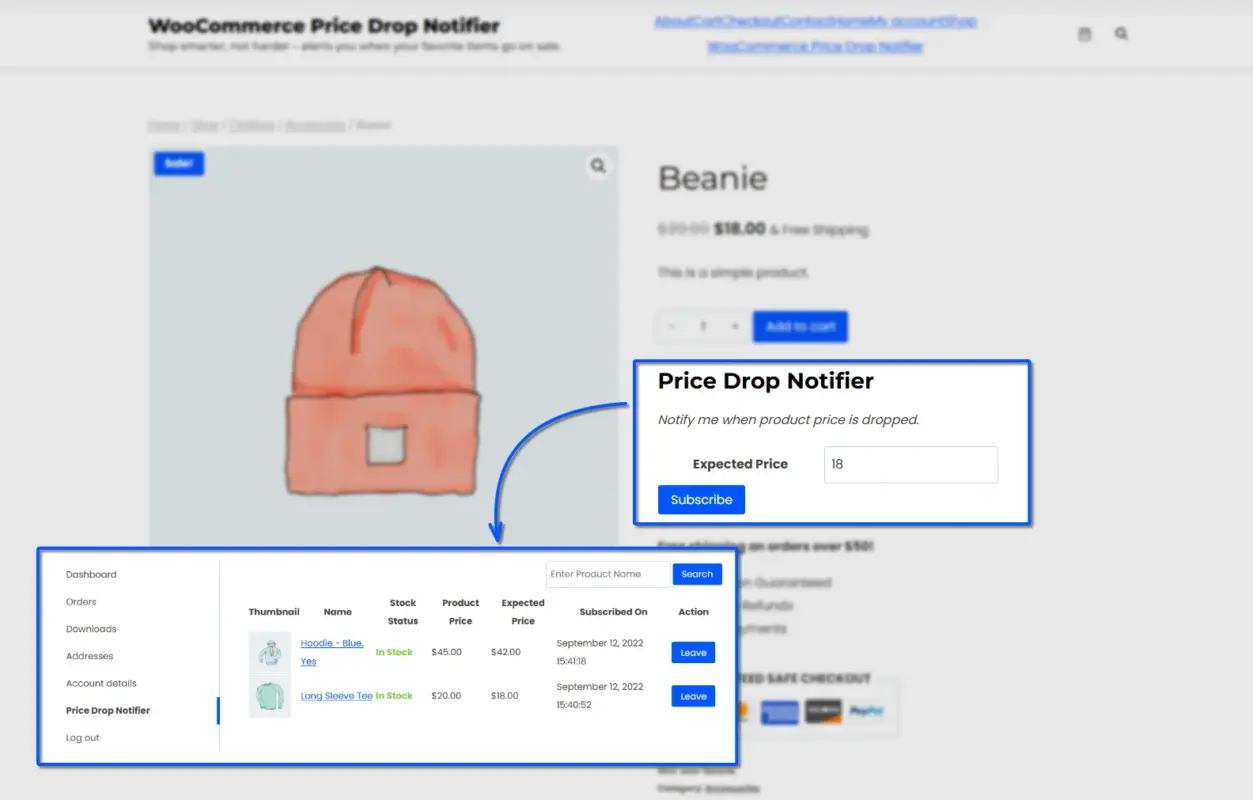
A price drop alert plugin adds a small subscription form to your product pages. A shopper enters their email, sometimes their target price, and the plugin emails them automatically once your price meets that number.
No manual work on your end. No spreadsheet of who wanted what. The plugin watches the price field and fires the email the second it changes.
Most tutorials stop there. What they skip is the data angle. Every subscription is a signal. If forty people set a price alert on the same jacket, you just learned exactly how much room you have before it sells.
The 7 Best WooCommerce Price Drop Notification Plugins for 2026
1. WooCommerce Price Drop Notifier by DevDiggers
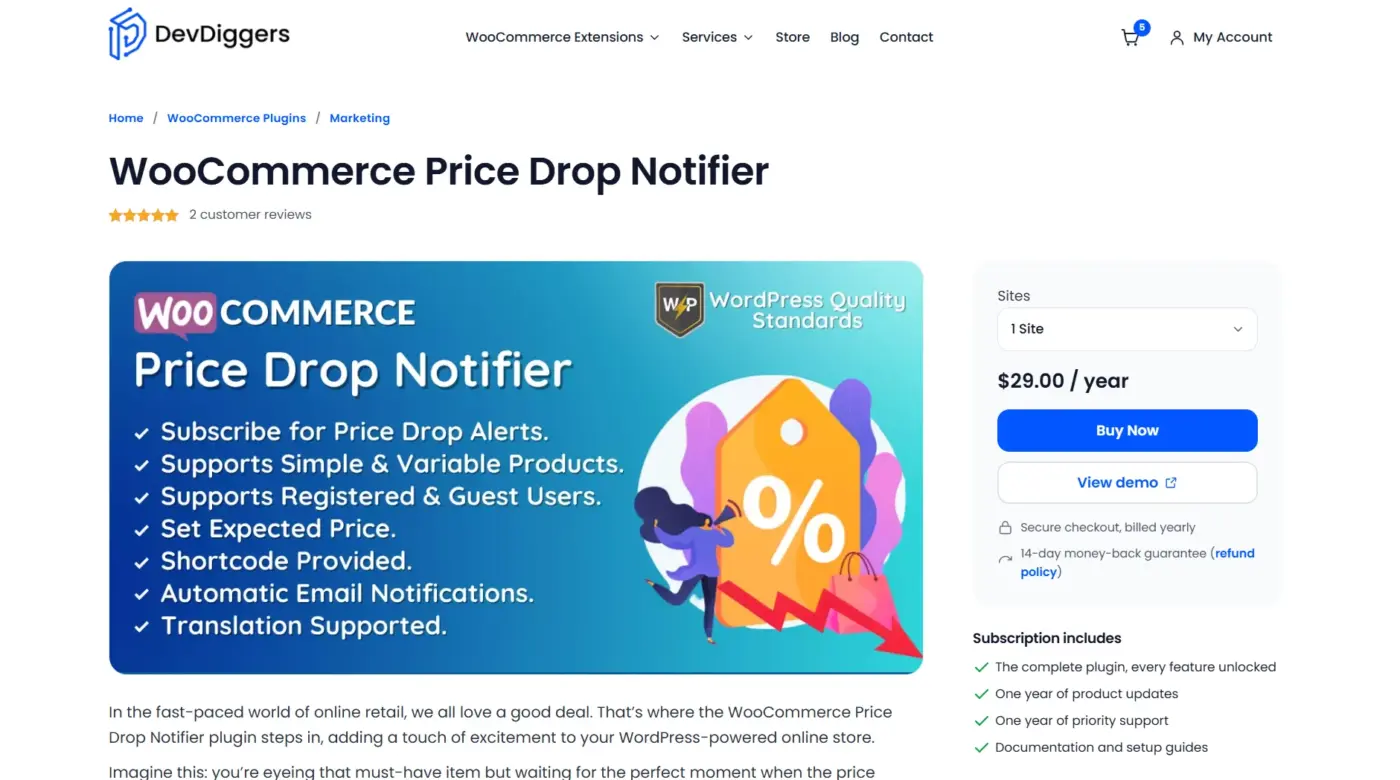
The WooCommerce Price Drop Notifier plugin is created by DevDiggers, so weigh this ranking with that in mind.
It adds a subscription form to simple and variable product pages and fires an automatic email the second a price drops. Guest and registered shoppers can both subscribe.
Store owners get a full subscriber list showing the exact price each customer is waiting for, no manual tracking required.
Best For
Stores that want a straightforward per-site license instead of a subscription-heavy alternative, with predictable annual pricing and no bloated feature set to pay for.
Key Features
- Works on simple and variable products, for both guest and registered shoppers
- Subscriber list shows the exact price each customer is waiting for
- Admin can restrict the form by user role, product, or category
- Customers manage their own alerts from the My Account page
Price
- 1 Site License: $29/year
- 5 Sites License: $129/year
- 10 Sites License: $179/year
Pros
- Clear, per-site pricing with no hidden feature gates
- Subscriber list shows the exact target price for each customer
- Role, product, and category restrictions built in
Cons
- No Telegram or SMS delivery option
- No back-in-stock alerts bundled in
Why It Stands Out: It stays focused on one job: catching price-sensitive shoppers with a subscriber list that shows exactly what price would close the sale, at a clear per-site cost.
2. Notify Me Plus
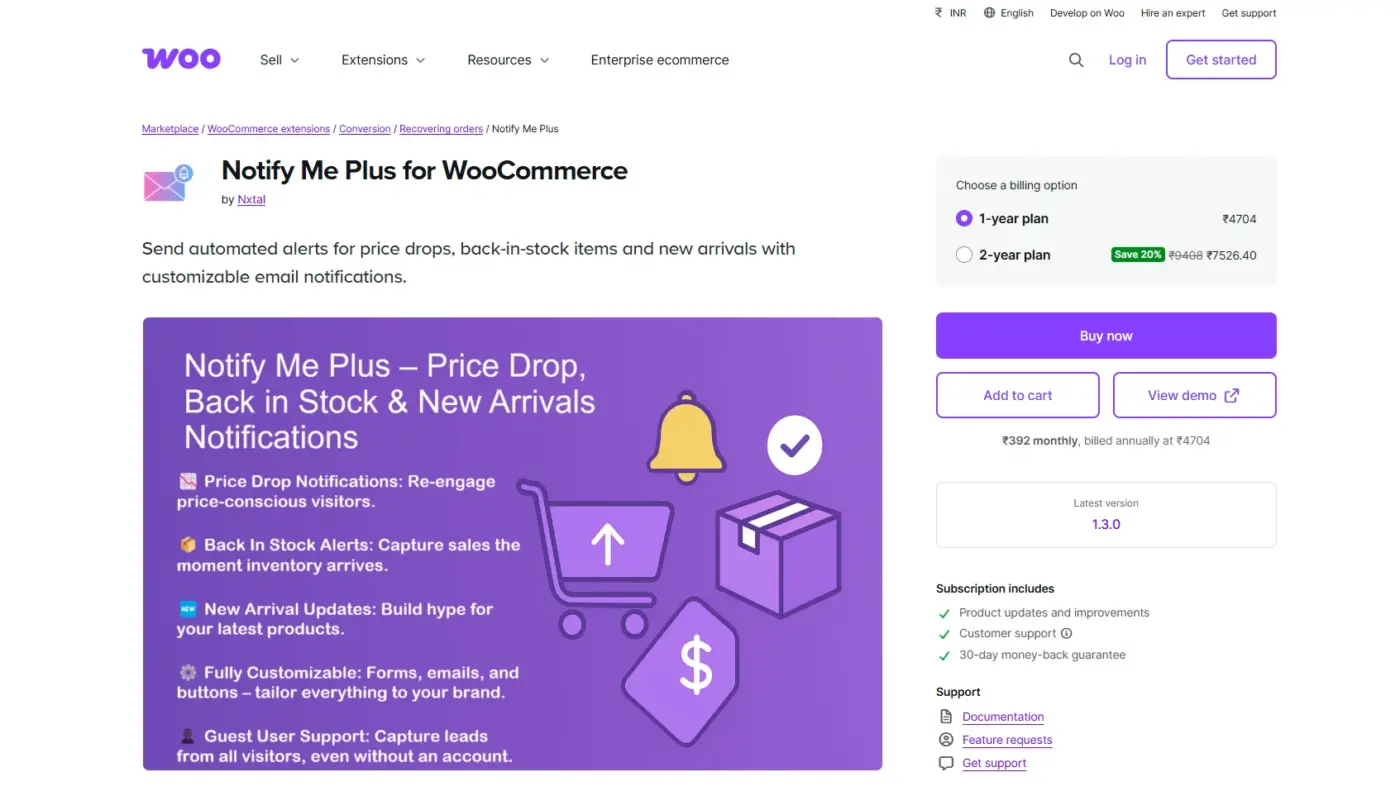
The Notify Me Plus extension is an official WooCommerce.com plugin that covers more ground than a single-purpose tool.
Customers request price drop, restock, and new arrival alerts from one form, on product pages or shortcodes placed anywhere. Store staff can create alerts manually for customers who call in.
That admin touch is rare among competitors.
Best For
Stores running price, restock, and launch alerts together, especially ones that want one dashboard and one plugin instead of juggling three separate notification tools.
Key Features
- Combines price drop, back in stock, and new arrival alerts in one form
- Admin can create notification requests manually on a customer’s behalf
- Works with simple and variable products, including per-variation subscriptions
- Subscriber data exports to CSV for marketing campaigns
Price
- 1-Year Plan: $49/year
- 2-Year Plan: $98 /year
Pros
- Three alert types in one plugin, one dashboard to manage
- Admins can add alert requests manually for phone or email requests
- CSV export makes the subscriber list usable for campaigns
Cons
- Runs on a recurring WooCommerce.com subscription
- Costs more than single-purpose alternatives if you only need price drops
3. Back in Stock and Price Alert
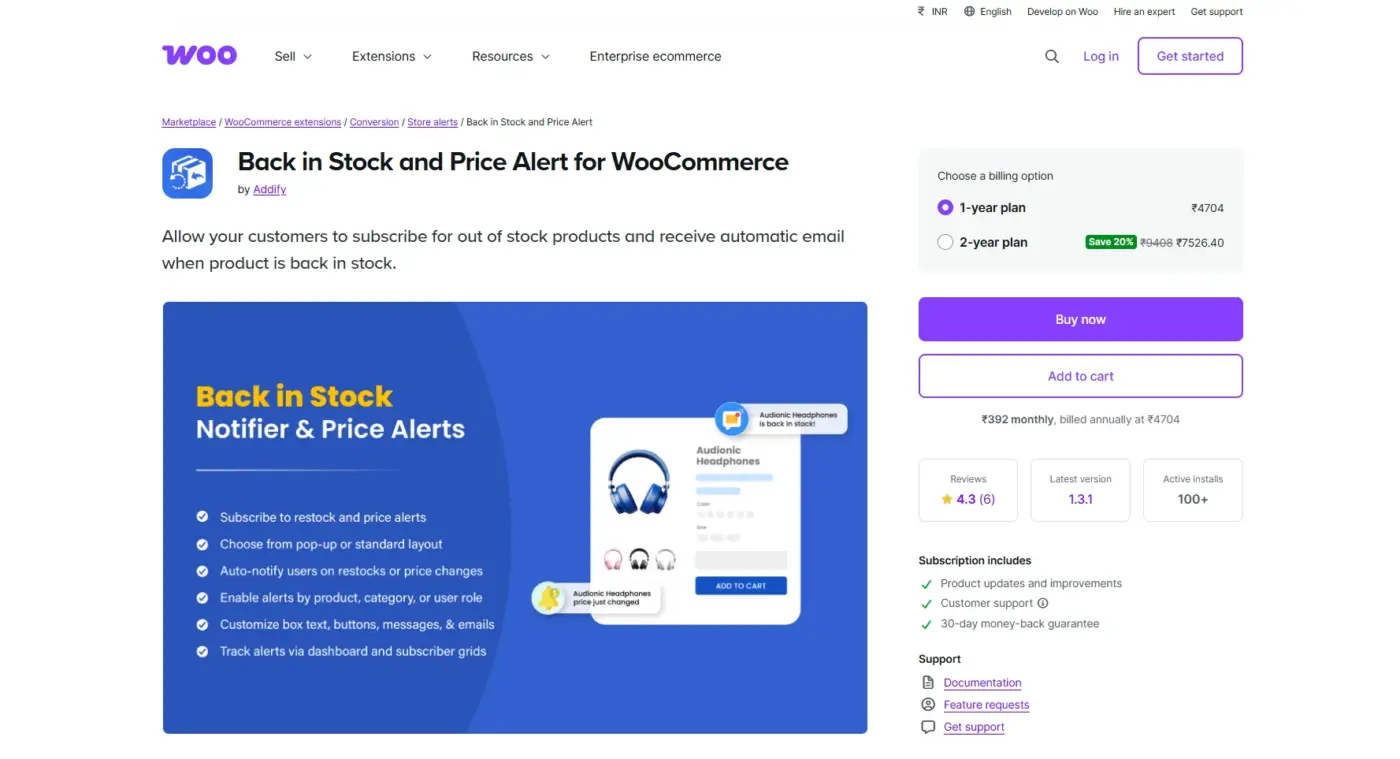
Back in Stock and Price Alert leans into flexibility, letting customers subscribe when a price drops or climbs.
That matters for limited stock items where price rises as inventory shrinks. Support consistently earns praise for helping match the plugin to a store’s existing restock setup.
That kind of hands-on setup help is rare at this price point.
Best For
Stores that already lean on restock alerts and want price increase tracking bundled into the same tool, especially ones with limited-stock or auction-style pricing.
Key Features
- Alerts on both price drops and price increases
- Restock notifications with minimum stock triggers
- Seven configurable email notifications for admins and customers
- Dashboard showing most-subscribed products and alert counts
Price
- 1-Year Plan: $49/year
- 2-Year Plan: $98 /year
Pros
- Covers price increases, a feature most competitors skip
- Strong, hands-on support for restock plugin integration
- Seven email types cover most notification scenarios
Cons
- Recurring WooCommerce.com subscription, not a one-time fee
- Setup takes more configuration than a single-purpose alert plugin
4. WPC Price Drop Alerts for WooCommerce
WPC Price Drop Alerts for WooCommerce is free, actively maintained, and listed on WordPress.org, making it an easy first plugin to try.
The free version auto-detects in-stock products and shows the subscription form with no extra setup. The premium tier adds Telegram delivery and a statistics dashboard with charts.
Admins can also set a minimum target price threshold.
Best For
Budget stores that want to test the price alert concept for free before paying for Telegram delivery, a statistics dashboard, or higher site limits.
Key Features
- Automatic form on in-stock products, no configuration needed
- Telegram delivery with QR code subscription (premium)
- Minimum target price threshold blocks unrealistic alert requests
- Background processing through Action Scheduler for large stores
Price
- Single Site License: $29 (one-time)
- Up to 5 Sites License: $59 (one-time)
- Unlimited Sites License: $99 (one-time)
Pros
- Genuinely useful free version with no forced upgrade
- Telegram delivery is rare among competitors
- Minimum target price setting cuts unrealistic alerts
Cons
- Statistics dashboard and Telegram both sit behind the premium tier
- Free version lacks advanced reporting
5. Price Alerts for WooCommerce
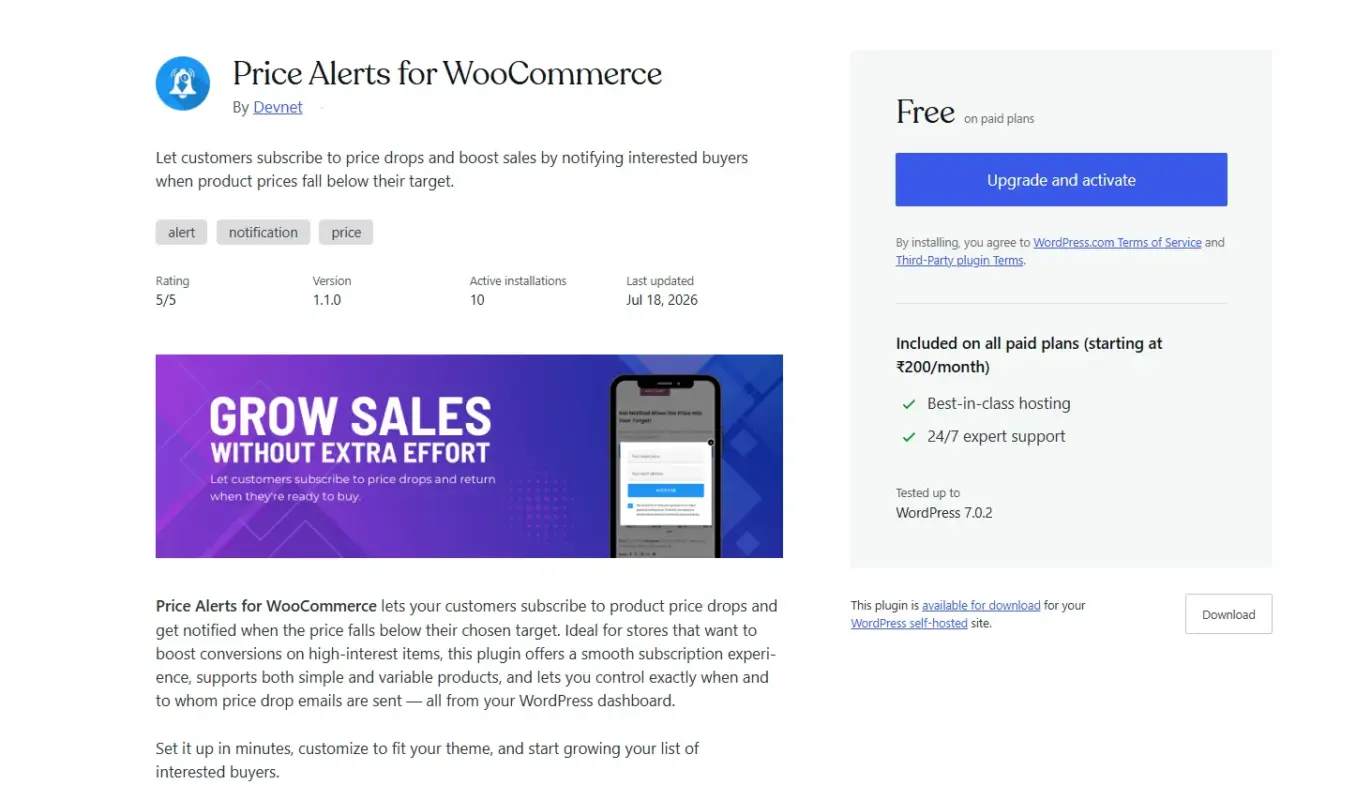
Price Alerts for WooCommerce is the simplest option on this list, with no dashboard, no charts, and no premium upsell at every screen.
Customers subscribe, the price drops, they get an email, and that is the entire feature set. For a small catalog with no need for another admin screen, that simplicity is the selling point.
Best For
Small catalogs with no need for another admin screen to babysit, where a bare-bones email trigger does the whole job without any dashboard unnecessary items.
Key Features
- AJAX-enabled subscription form on simple and variable products
- Admin manually sends price drop emails from the dashboard
- Fully translatable and developer-friendly for customization
- No premium upsells anywhere in the interface
Price
- Free; no paid tier exists
Pros
- Completely free with no dashboard unnecessary items
- Fast setup for stores with small catalogs
Cons
- No Telegram, SMS, or detailed reporting
- Still in early development, so features are limited
6. TP Price Drop Notifier for WooCommerce
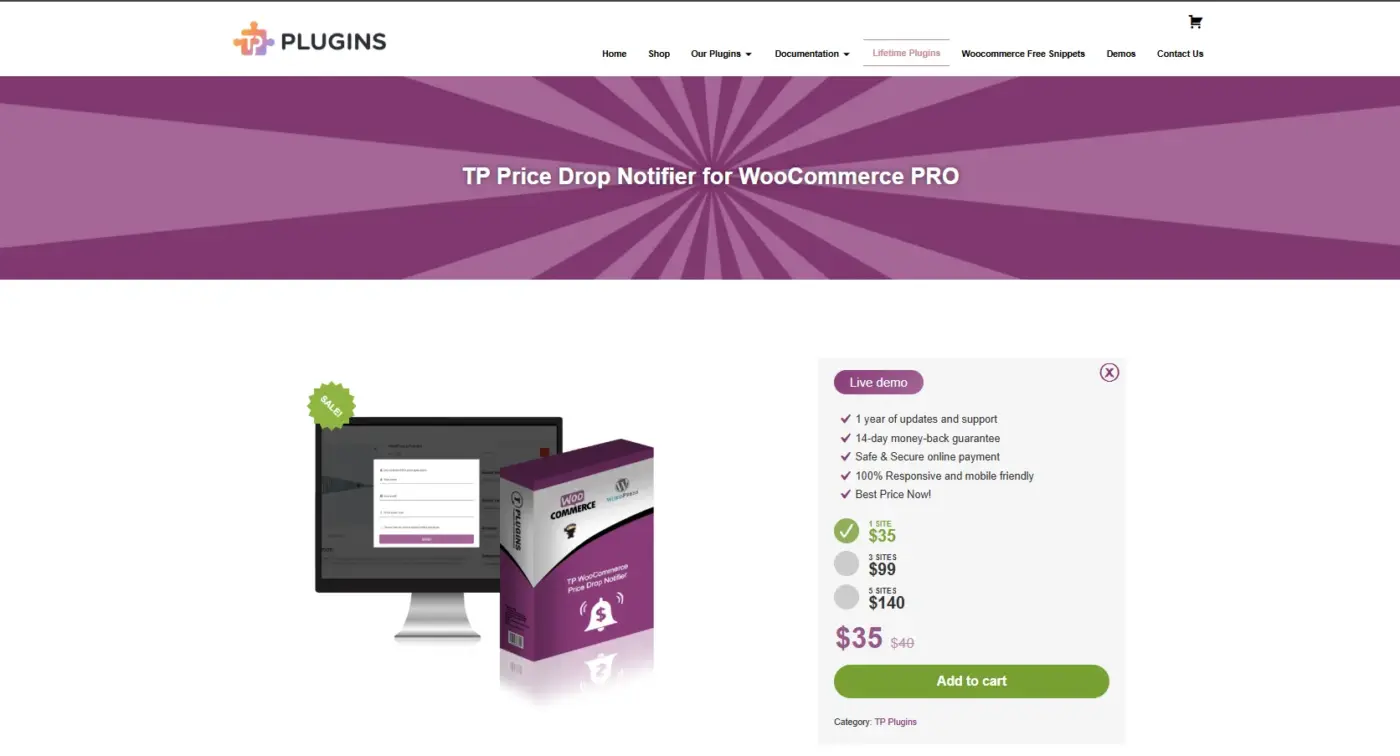
TP Price Drop Notifier for WooCommerce frames itself around data as much as notifications.
Every subscriber enters an expected price, which shows what customers are willing to pay rather than what you guessed. It also bundles back-in-stock alerts, so stores managing both get one plugin instead of two.
Best For
Stores that want pricing insight from subscriber data, not just a basic email trigger, plus bundled back-in-stock alerts for catalogs with frequent stockouts.
Key Features
- Subscribers enter an expected price plus an optional newsletter opt-in
- Bundled back-in-stock tracking alongside price alerts
- Cron job checks prices and stock every three hours
- Three form styles: toggle, lightbox, and open
Price
- 1 Site License: $35 (one-time)
- 3 Sites License: $99 (one-time)
- 5 Sites License: $140 (one-time)
Pros
- Bundled restock and price data in one plugin
- Expected price data helps set future discount strategy
- Three form display styles to match a store’s design
Cons
- Pricing sits above the free options on this list
- Reviews are mixed, with limited recent updates
7. SaveTo Wishlist Pro
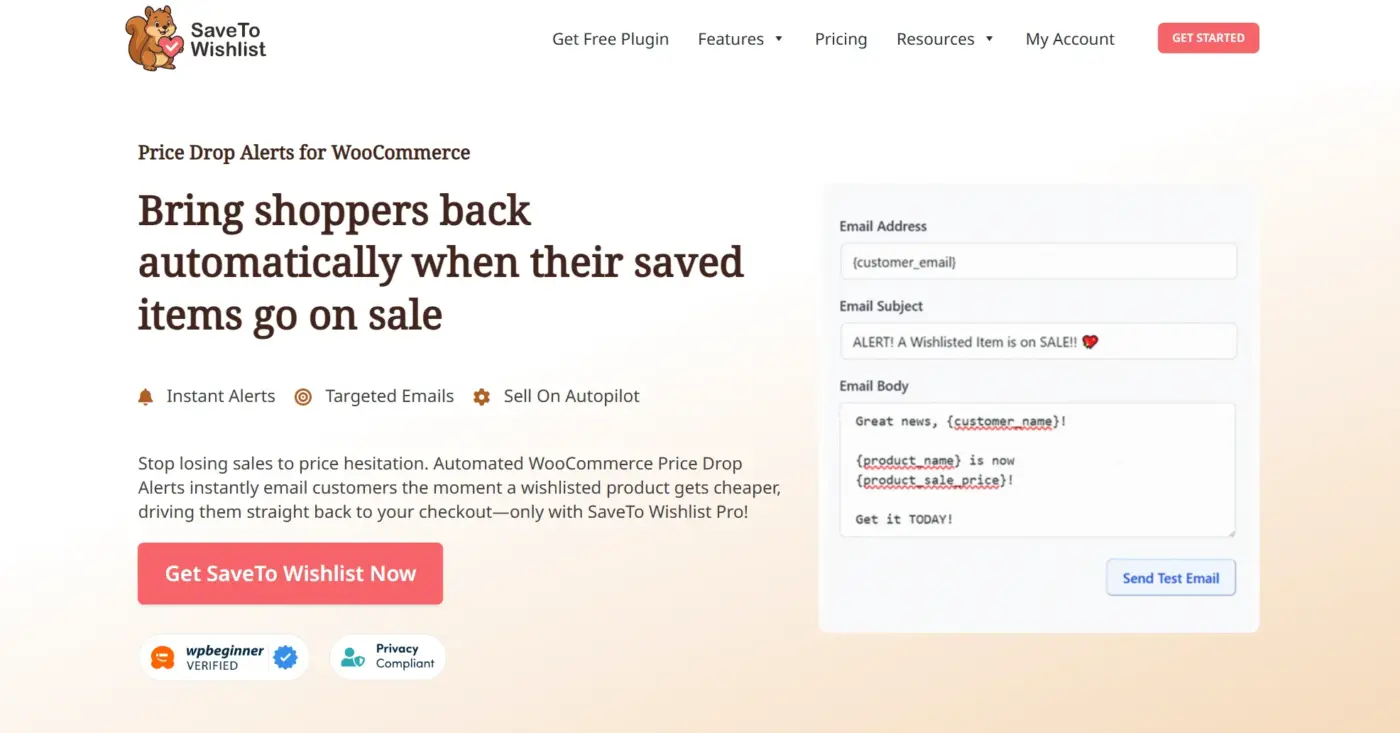
SaveTo Wishlist Pro rides the price alert on top of a wishlist feature instead of standing alone.
Customers save a product, and the moment its price drops, they get an automatic email tied to that saved item. Wishlist saves and price alerts capture two different intent signals from the same shopper.
Best For
Stores where browsing and saving items for later is a bigger part of shopping than direct purchases, think fashion, home goods, or gift-heavy catalogs.
Key Features
- Price drop and back-in-stock alerts triggered from saved wishlist items
- Wishlist analytics showing most-saved products
- Group and shared wishlists for gift-heavy catalogs
- Role-based access and webhook support on paid plans
Price
- 1 Site: $99/year
- Unlimited Sites: $199/year
Pros
- Free tier already includes unlimited wishlists and guest support
- Price alerts and wishlist data live in one plugin
- Group wishlists suit gift and family shopping catalogs
Cons
- Price alerts require the paid Growth or Business plan
- Not worth it if the wishlist feature itself goes unused
Quick Comparison: 7 Best WooCommerce Price Drop Notification Plugins
| Plugin | Best For | Pricing | Standout Feature |
|---|---|---|---|
| WooCommerce Price Drop Notifier | Stores wanting a low, one-time cost | $29/year | Subscriber list with each customer’s expected price |
| Notify Me Plus | Stores running price, restock, and launch alerts together | WooCommerce.com subscription | Combines three notification types in one form |
| Back in Stock and Price Alert | Stores that already lean on restock alerts | WooCommerce.com subscription | Alerts on both price drops and price increases |
| WPC Price Drop Alerts | Budget stores testing the concept first | Free, paid Telegram add-on | Telegram delivery alongside email |
| Price Alerts for WooCommerce | Small catalogs needing a bare-bones setup | Free | No dashboard unnecessary items, quick to configure |
| TP Price Drop Notifier | Stores that want pricing insight, not just alerts | Paid, tiered | Tracks the price shoppers want to pay |
| SaveTo Wishlist Pro | Stores that want wishlists and alerts bundled | Freemium | Alerts triggered from saved wishlist items |
Price Drop Notifier vs Wishlist-Bundled Price Alerts: Which Fits Your Store
Should your price alert live inside a wishlist, or stand alone?
| Factor | Dedicated Notifier | Wishlist-Bundled |
|---|---|---|
| Setup | Faster, single purpose | Requires enabling the full wishlist |
| Best for | Repeat buyers who know what they want | Browsing-heavy catalogs like fashion or gifts |
Neither fits every store. Installing a full wishlist system just for price alerts adds unused plugin weight.
How to Choose the Right Plugin for Your Store
Start with your catalog size. A shop with under 200 products rarely needs analytics dashboards or Telegram integration. Price Alerts for WooCommerce or WPC’s free tier will cover it.
Next, check what you already run. If a WooCommerce points plugin or loyalty system is already part of your customer retention stack, a price drop notifier that plugs in cleanly beats one that duplicates a dashboard you already have.
Then look at your restock needs. If out-of-stock products are common in your catalog, a plugin that bundles back-in-stock notifications with price alerts saves you from running two separate tools that both email the same customer list.
Last, be honest about budget. A one-time license fee beats a subscription if you are not going to touch premium reporting features anyway. Paying monthly for charts nobody opens is money better spent elsewhere, maybe on the WooCommerce email marketing plugins that actually drive your campaigns.
How to Set Up Price Drop Alerts in WooCommerce
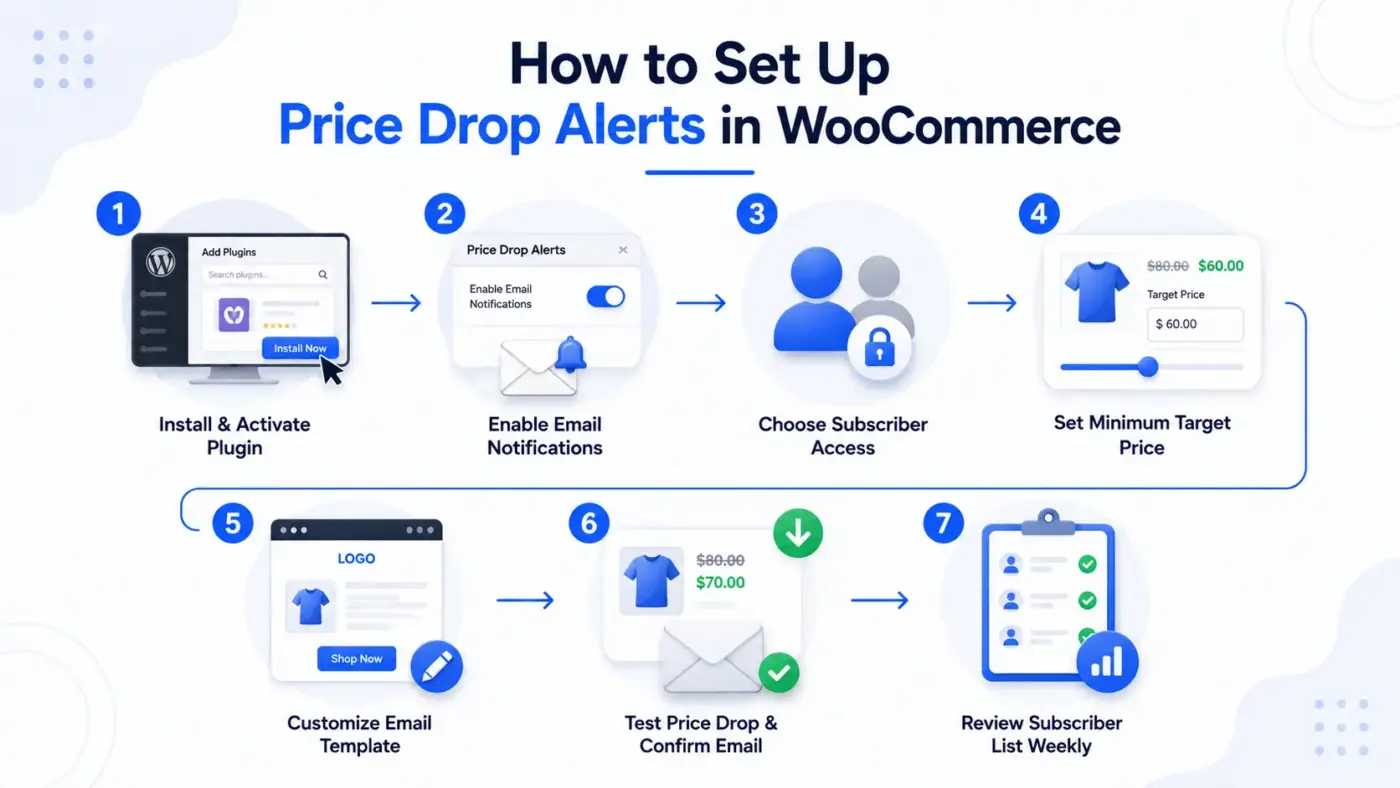
- Install and activate your chosen plugin from Plugins > Add New, or upload it manually if it is a premium license.
- Open the plugin’s settings page and turn on automatic email notifications for price drops.
- Decide whether guest shoppers can subscribe or only registered accounts.
- Set a minimum target price threshold if the plugin supports it, so alerts stay realistic.
- Customize the email template with your brand voice and a clear call to action.
- Drop a test product’s price by a small amount and confirm the email arrives.
- Check the subscriber list weekly. It tells you which products are sitting just above what customers will pay.
Conclusion
WooCommerce price drop notification plugins are one of the few marketing tools that convert without a discount code, a flash sale banner, or extra ad spend. You just tell customers when the number changes, and they come back on their own.
Pick based on what your store actually needs, not the plugin with the longest feature list. A small catalog rarely needs the tool built for a 5,000-product marketplace, and a store already juggling wishlists and loyalty points does not need a fourth dashboard.
If you want the straightforward route, the WooCommerce price drop alerts plugin covers the core feature with updates and support.
Frequently Asked Questions (FAQs)
Q1. Do price drop notification plugins work with variable products?
Most of the plugins on this list, including WPC Price Drop Alerts and WooCommerce Price Drop Notifier, support variable products. The subscription form adjusts to the specific size, color, or variation the customer selects.
Q2. Will customers get spammed with too many alerts?
No, as long as the plugin only fires on an actual price change. Look for a minimum target price setting, which stops customers from setting unrealistic thresholds that would trigger constant emails.
Q3. Do I need customer consent under GDPR to send price drop emails?
Yes. Since the customer submits their email directly through the subscription form, that action itself counts as consent for that specific notification. Still, add a clear line near the form stating what the email will be used for, and give customers an easy way to unsubscribe from their My Account page.
Q4. Can I combine price drop alerts with back in stock notifications in one plugin?
Some can. Notify Me Plus, Back in Stock and Price Alert, and TP Price Drop Notifier all bundle both features. If your store needs one without the other, a single-purpose plugin keeps things lighter.
Q5. Do these plugins slow down my site?
A well-built price drop plugin adds one small form to the product page and runs its checks in the background on price updates, not on every page load. Slowdowns usually come from bloated premium suites with features you never use, not from the core notification function itself.
Q6. What is the difference between a price drop alert and a flash sale banner?
A flash sale banner pushes the same discount to everyone browsing at that moment. A price drop alert is personal. It only reaches shoppers who already showed interest in that exact product, which tends to convert at a higher rate.