SEO is not merely a matter of using the right keywords or acquiring backlinks; it is a balancing act. If you fall short in any one of these areas, your rankings, traffic, and conversions can’t help but decline.
So, what do you need to balance when doing SEO to get it right?
There are many different areas to juggle in SEO, from technical structure and keywords to content and user experience. The most important thing is that you need to be able to balance those areas and then some, without dropping the ball.
There are more moving parts than most people realize, and it becomes easy to over-optimize one but under-optimize another.
In this post, we will break down the top 7 areas you need to balance to build an SEO strategy that not only earns rankings but also earns performance over the long run. Let’s get started.
What Do You Need to Balance When Doing SEO? — 7 Key Areas
The answer lies with a multitude of variables, not a single magic trick for ranking #1 in Google. The question that digital marketers, bloggers, and business owners need to ask is actually: What do you need to balance when doing SEO?
Ultimately, SEO is about balance. Content should engage users and satisfy search engines. In today’s AI-driven workflows, humanizing AI drafts is important to ensure originality and trust. At the same time, your site should load fast and look great.
You need to have a good set of links pointing to your site, even if it’s not a “link building” effort. It’s like trying to keep seven plates spinning simultaneously, and if one plate falls, the chances are that your ranking will follow.
So, what areas do you need to balance as part of the SEO process? Let’s first outline the seven areas you need to constantly balance and manage when carrying out SEO work, to ensure you get sustainable, long-term growth.
1. Understanding Keywords & Quality of Content

The key to SEO is finding a balance between writing to target keywords and writing content that adds value. Miscalculate and target too many keywords, and the content will read like a robot. If you forget to use any keywords, search engines won’t know what the article means, and you won’t rank.
Why is this Balance Important?
Google’s algorithm now uses context and relevance, rather than organic repetition of keywords, to identify what is most relevant to the user. Research shows that the content of pages that rank in the top 3 uses their primary keyword only 2-3 times per 1000 words. Stuffing keywords is a thing of the past.
Here is What You can do to Achieve Balance
- Do some keyword research: Use tools like Ahrefs, SEMRush, or Google Keyword Planner to see what people are searching for.
- Make sure you are targeting intent: Is the search user looking to learn or purchase? Are they looking to compare products? Make sure you understand the intent and that your content aligns with that intent.
- Use keywords as they naturally fit into your title, meta descriptions, headers, and the first 100 words.
- Consider using LSI (Latent Semantic Indexing) keywords. These are words that are contextually related to your keyword. If you’re targeting “SEO Audit”, the keywords could be “site crawl”, “page speed”, or “technical SEO”.
Example
Suppose you are crafting a blog called “Best Running Shoes for Beginners”. Instead of placing “best running shoes” into every paragraph, use more natural variations like:
- Top running shoes for beginners.
- Best sneakers for beginners.
- Shoes for new runners.
Pro Tip: Use the “People Also Ask” box of Google to find long-tail variations of your keyword. Answering these questions in your post can help your semantic relevance and chances of showing up in the featured snippet.
2. User Experience (UX) vs. SEO Structure

Here’s a classic SEO blunder: a ranking site that doesn’t convert. Why? Because it spends too much time thinking about search engines and not thinking about real users. This is where the dichotomy of User Experience (UX) and SEO structure intersects.
You can have an impeccably optimized site, with clean URLs and heading tags rich with keywords, and check off every technical field, but if users find the layout unwieldy or if the content hard to digest, they will abandon you faster than you can say “page one.”
Why UX vs. SEO Structure Matters?
Google’s algorithm is getting more user-centric as time goes on and as we learn what metrics signal how well a piece of content satisfies a searcher’s intent, such as time on site, bounce rates, and pages per session, and linking this strongly to SEO rankings.
In a Semrush report for 2023, they pointed out sites with higher engagement metrics, such as time on page and bounce rates, consistently ranked better than sites with more backlinks and a better backlink profile with poorer user experience.
How to Find the Right Mix
- Optimize site speed – Use one of the tools like PageSpeed Insights, GTmetrix, etc., to find out how your site loads. You should aim for a load speed of less than 2.5 seconds.
- Use easily readable fonts and straightforward typography—keep it simple and never too small.
- Break up your text with subheadings, bullet lists, images, and videos.
- Design for mobile first – Over half of global traffic comes from mobile. Your UX should be just as good on small screens.
- Don’t create intrusive pop-ups – Google frowns upon aggressive interstitials that diminish mobile UX.
Example
A page may have an excellent SEO structure. It may include
- Keyword-focused H1s and H2s
- Optimized meta titles
- Internal linking
But if this page has:
- A slow load speed
- A cluttered layout
- Hard-to-read fonts
It will not keep their audience entertained. It will result in higher bounce rates, and after a while, Google will take note.
Pro Tip: Utilize heat maps (such as Hotjar or Microsoft Clarity) to find out what users click on, how far they scroll down, and when they bounce. This information will provide visual data that helps you create better layouts and navigation for actual humans, not just bots.
3. Technical SEO vs. Content Depth
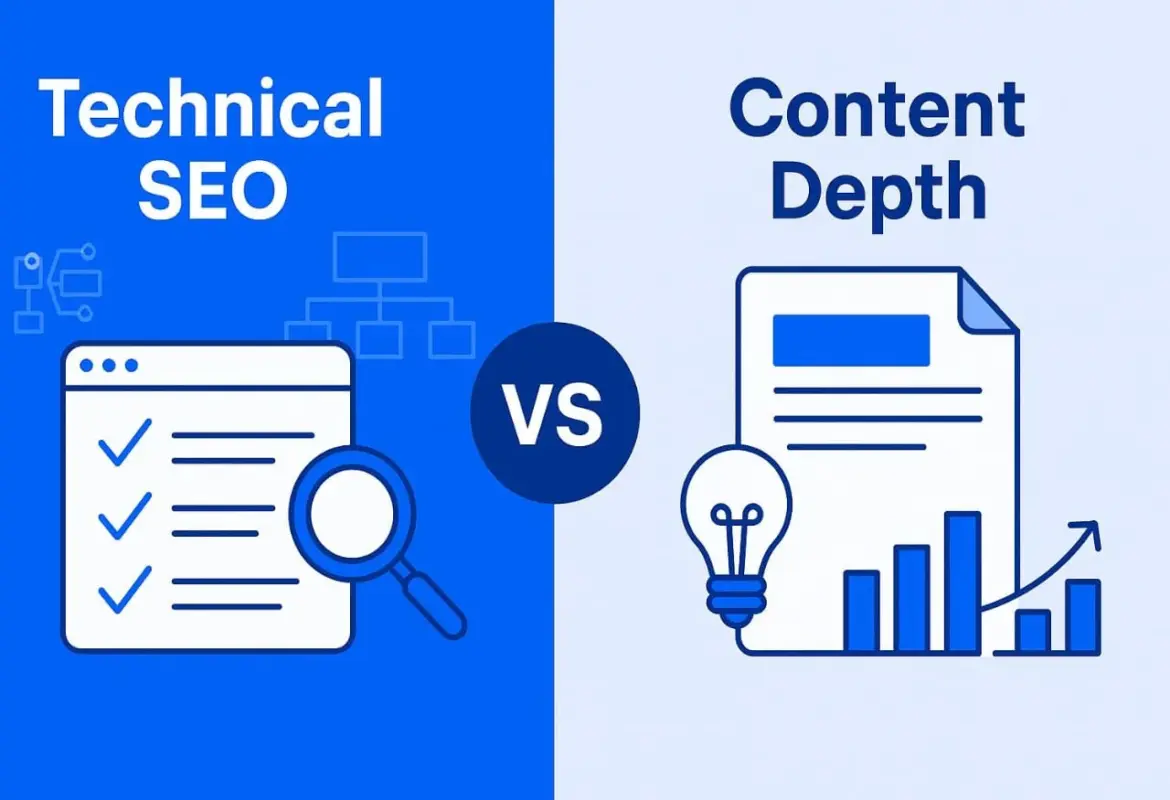
It’s common to get so wrapped up in optimizing your site for Technical SEO — crawls, sitemaps, schema, indexation — that you forget what drives traffic to your pages: valuable content. We need to prioritize understanding and balancing technical optimization with depth in consumer-focused content.
You could have the best-structured, most technically advanced site known to humankind, but if you have thin, ambiguous, and/or outdated content, you will not hold rankings, or even earn them!
Why is it Important?
When comparing Technical SEO vs Content SEO, this balance becomes critical. Technical SEO lets the search engines access and understand your site. Content depth demonstrates to the search engines that your page deserves to rank. One is no good without the other; both without the other is only half-assed SEO.
Ahrefs has a 2024 case study that found comprehensive content — content that answered multiple associated user intent questions — was 39% more likely to win featured snippets (even if competing pages had more backlinks).
How To Do It Right
- So you want your site to be technically sound: There should be a clean site architecture, crawlable pages, link integrity, and an internal linking strategy.
- You will need some tools you can use:
- Google Search Console – able to check if you have indexing issues.
- Screaming Frog – to crawl your whole site with.
- Ahrefs or Semrush – to track issues, gaps with technical and content.
- You need to build content hubs: This shifts away from writing independent articles and moves towards writing clusters of content about pillar topics. With this cluster approach, the content will be deeper and allow for more internal SEO signaling.
- You can answer several questions in one article as a fountain of information.
Example
Let’s say you have a blog on “how to improve website speed.”
- A technical version might have:
- The website’s load time is great.
- The images are compressed.
- You are using schema markup.
- The meta tags are done properly.
- But if the content is shallow, covering only 3–4 tips without detailed explanations or examples, users will leave unsatisfied.
Instead, it would be way more prudent to spend more time writing a deeper post that may:
- Include 10+ speed tactics.
- Include step-by-step details in screenshots, and paramount decision-making in an article.
- Include at least 2 or 3 tools, such as WP Rocket for caching or Cloudflare for a CDN.
- Include measuring performance before and after.
Pro Tip: Using Google’s “People Also Ask”, I also recommend checking related search queries to broaden your content naturally. These can help build topical authority and depth without blindly keyword stuffing.
4. Backlinks vs. On-Page Authority

Backlinks often dominate SEO discussions, but properly optimized on-page content should never be underestimated. The correct balance between linked, off-page signals (backlinks) and on-page authority remains one of the most neglected aspects of the modern SEO landscape.
You could build up 100s of backlinks, but if your on-page content lacks quality, relevance, or structure, it simply won’t stick in the top search results forever.
Why is there a Need to balance?
Google simply uses backlinks as a page trust and authority signal, but the context of the links, as well as how you structure content and support it internally, play a MASSIVE role in whether your page ranks or tanks as a result of poor content structure.
A study by Moz discovered that pages with quality on-page signals and an internal linking structure could be ranked in competitive niches with 40% fewer referring domains than pages that relied heavily on backlinks alone.
How to Balance
- Focus on earning natural backlinks using:
- Original research
- Visualization (graphics, charts, infographics)
- Comprehensive guides or case studies
- You should also not forgo:
- Keyword optimized H1s, meta titles, and meta descriptions
- Internal post links to related articles
- Content hierarchy (H2s, H3s)
- Image alt tags
Example
You publish a guide on “Email Marketing Automation Tools” and promote it using outreach that gains you backlinks from 2 well-respected marketing blogs. This is a great start!
But your on-page is missing a lot of things:
- Keywords in the title tag
- Internal links to your CRM or email strategy articles
- Optimization of images or schema
Outcome? Your page ranks for a small period and then drops.
Now flip the script. You have optimized everything on-page, you have answered all the relevant questions, you have structured your information like an expert, and you have linked both to/from your internal pages. Even if you have fewer backlinks, this specific version will have a much better chance of outranking your backlink-heavy version, due to better content signals.
Pro Tip: Think about topic clusters: create the pillar page and support it with other related content (internal linking with each post). This will increase your topical authority, which Google likes even if your backlink profile is still being developed.
5. Mobile Optimization vs. Desktop Functionality
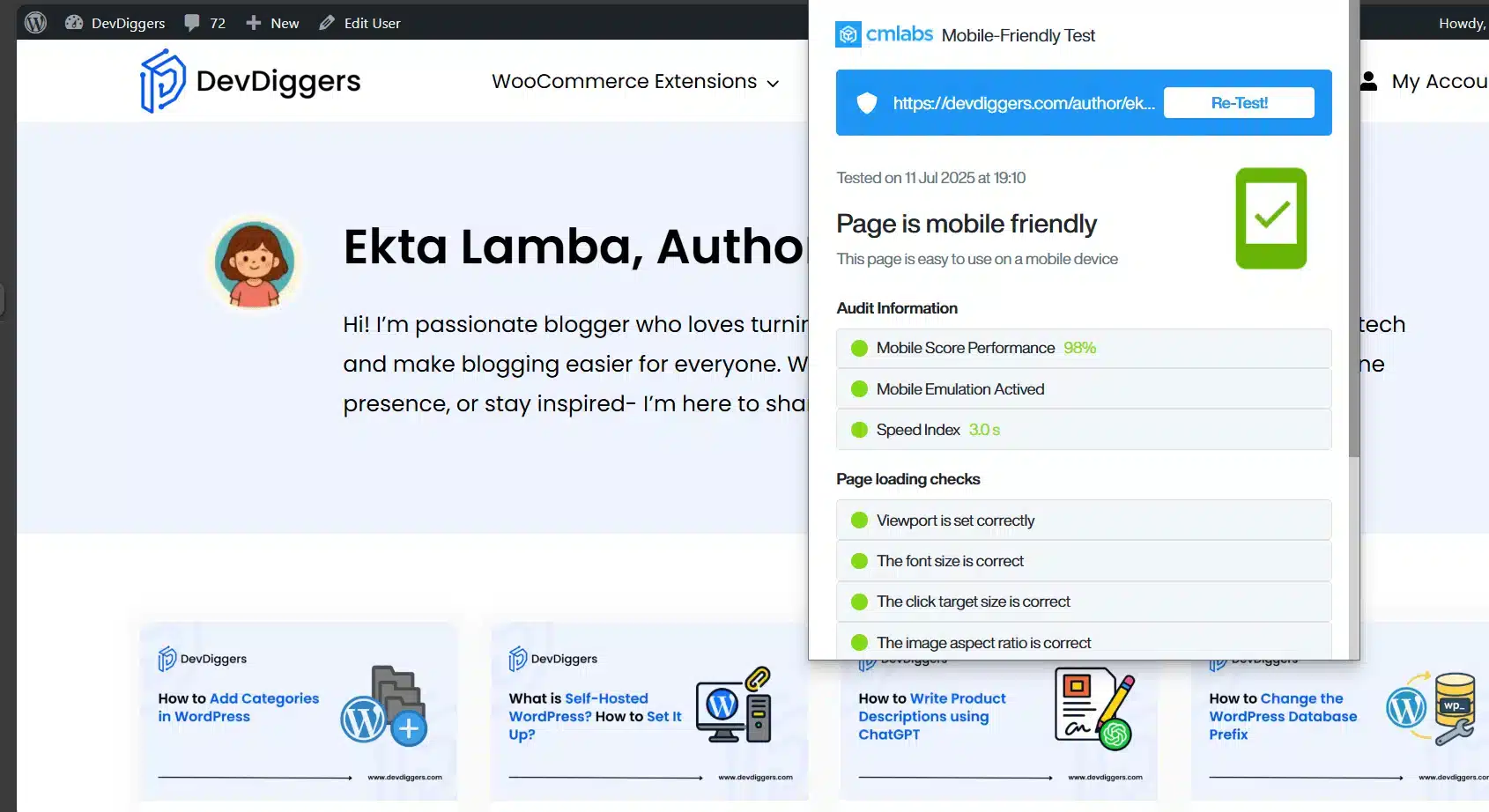
It’s no secret that mobile is king when it comes to the internet. More than 60% of all web traffic comes from mobile phones and tablets, and Google’s mobile-first indexing means your mobile version is the primary version they assess when crawling your site.
Here’s the catch, though—you cannot sacrifice functionality for desktops in favor of mobile responsiveness. You need to achieve a balance between the two.
Why is this Balance Important?
While you need to focus on optimizing for mobile for SEO purposes and the user experience (UX) on that mobile device, desktop is still important in other areas—especially in B2B, SaaS, and e-commerce domains where users often do research or make purchases on desktop devices.
The success of your SEO strategy hinges on how consistent and functional your site is across all types of devices.
How to Achieve a Balance Between Mobile and Desktop Optimization
- Use a responsive design: have only one site that is responsive to different screen sizes and adaptable—not separate m.yoursite.com versions.
- Test both versions by using :
- Google’s Mobile-Friendly Test
- Google Chrome DevTools to assess responsiveness
- Avoid mobile-based pop-up clutter: intrusive interstitials are penalized by Google on mobile.
- Make sure all core web vitals (such as Largest Contentful Paint and Cumulative Layout Shift) are in the green zone on both desktop and mobile.
- Consider touch input on mobile: buttons need to be tappable without zooming or becoming frustrated.
Example
You’ve created a stunning desktop homepage—with hero sliders, animations, and side menus. What about mobile? It’s cluttered, slow, and confusing.
Even if you’re ranking, people will bounce on mobile—and those engagement signals will hurt your overall SEO performance.
Now, think about it a different way. You have a fast, lean, mobile-first design that retains structure and beauty on desktop, and now you are in the sweet spot for SEO.
Pro Tip: Use services like BrowserStack or LambdaTest to preview your site on a bunch of real devices. Don’t just shrink your browser window—test how your website will perform on real mobile hardware.
6. Search Intent vs. Conversion Optimization

Here is a difficult one. Creating content that fulfills search intent and influences the visitor toward a conversion. You could wind up ranking well but converting poorly—or maybe not ranking at all—if you are not careful.
Sustainable SEO success requires a balance of what users want to find (search intent) and what we want users to do (conversions).
Why is this Balance so Important?
Google’s entire algorithm is based on fulfilling user intent. If a user initiates a search and types in the term “how to start a blog,” they want to see a tutorial for beginners—not a sales page for a paid blogging course. Even if you rank and get traffic, users will bounce from the page if their need is not fulfilled.
As a business, your goal is not just to educate; you want to convert your audience. So, the challenge then becomes doing both. Both provide practical, useful content and then influence the reader to do something logically after they read the content.
How to Balance Search Intent and Conversion Goals
- Map content types to intent:
- Informational: blogs, how-tos, guides
- Navigational: category pages, service pages
- Transactional: product pages, landing pages
- Implement soft CTAs in your high-ranking blog posts:
- “Download our free checklist.”
- “Try our tool with no sign-up required.”
- “Would you like help implementing this? Book a free call.”
- Lead magnets can take your informational traffic and convert those visitors into qualified leads.
- Do not create a sales pitch! Google will know, and your readers will know.
Example
While you are ranking #3 on Google for “best productivity tools for remote teams”. Great start!
But instead of comparing actual tools, your blog only promotes your own software. No objectivity, no other options presented, no offer of value. Your visitors leave, and your ranking will eventually drop.
Now, picture this instead:
- A neutral, well-structured list of 10 tools
- A chart comparing each tool in detail
- Then, at the end, include a very soft CTA (call to action): “Are you looking for an all-in-one productivity solution? Try [Your Tool] – it’s free for 14 days.”
This is how we respect search intent and give your visitors a path through your funnel.
Pro Tip: We always look at Google’s SERPs (search engine results pages) as a direction. Check the top 5 results for your target keyword – are they blogs, videos, or product pages? Go with what format they are using for what Google considers relevant for that search query.
7. Evergreen Content vs. Trending Topics

Are you wondering whether to write stuff that will stay relevant over the years, or to jump on trending stuff for a short amount of time? The answer when it comes to SEO is not an either/or scenario—it is planning the right balance between evergreen content and the timely, buzz-worthy topic.
Why do We Need the Balance?
Evergreen content provides continuous and long-term traffic, while trending content can often produce short bursts of visibility and shares. A good SEO strategy includes both: it builds a strong foundation with evergreen assets while also riding trends in order to procure visibility and relevancy.
As per HubSpot, 76% of their blog traffic comes from older posts, but their spikes in engagement often occur with timely articles that capitalize on trending search waves. You can learn how to increase your blog traffic from this complete guide.
How to Plan for Both
- Create evergreen pillars: Think of foundational pages such as:
- “What is SEO?”
- “Beginner’s Guide to Content Marketing”
- ”How to Improve Website Speed”
- Revisit and Refresh: Evergreen content typically is not 100% evergreen. Every 6–12 months, in the absence of major events, you should update your evergreen with new stats, new tools, and more recent examples.
- Take advantage of trends: Keeping an eye on interest in topics and trends before they become established is what sites like Google Trends, Exploding Topics, and Twitter/X do well.
- Fuse the two: Consider putting trending insights or updates within an evergreen to keep the original content and then some without having to rewrite the entire article.
Example
You have a digital marketing blog.
- Your evergreen post “Best Email Marketing Practices” generates consistent traffic every month.
- Then there’s a new regulation—let’s say an update to email privacy laws. You create a follow-up post on the update and link to your evergreen guide.
- Now what happens? You get the benefit of trending traffic, and your initial article is strengthened from an SEO standpoint.
That’s smart SEO care in practice.
Pro Tip: When you publish a timely post, include a note similar to: “Updated January 2026 with new information on [topic].” This informs Google that your content is fresh and indicates relevance to readers scanning the SERPs.
Final Thoughts
SEO is not a one-stringed instrument; it takes an entire symphony. Keywords, content, links, UX, technical structure, and mobile composition are all parts of this symphony. The challenge comes in keeping the symphony together instead of leaning toward the violins.
So, what do you need to balance while performing SEO?
- The structure’s attractiveness to Google is based on the user experience desired
- The content fulfilling intent with conversion strategies
- The consistency of evergreen assets with responsiveness to trends
In short, SEO success relies on making strategic decisions that align marketing with growth. For example, if your focus becomes too great on link-building, let’s say, you may not pay attention to UX or intent alignment, and you will plateau in growth.
However, if you can make thoughtful decisions in the seven areas, then you will build a site that will not only rank but will also serve the audience and grow your brand.
Whether you are a blogger or an accountant managing enterprise-level SEO, the simple truths of SEO will be the same. SEO is not about one perfect thing; it is about many things done well enough, consistently.
Frequently Asked Questions (FAQs)
Q1. What do you have to balance in SEO?
You have to balance things like content, keywords, user experience, technical SEO, backlinks, search intent, and mobile.
Q2. Why will balance help in your SEO efforts?
Balance of SEO techniques ensures a good rank on search engines, provides the experience users are looking for, and guarantees continual growth in traffic over the long term.
Q3. Can I just focus on keywords to rank SEO?
No. You can focus on words alone all day long, but you still have to be conscious of user intent, the value of the content, and performance.
Q4. How do I know if my SEO is balanced?
Use SEO tools to conduct audits on your technical health, look at engagement statistics after posting to see if users are engaging or abandoning, and ensure that your content matches search intent, as well as checking mobile performance.
Q5. What might happen if I do not balance my SEO?
A focused SEO practice on one thing, such as backlinks or content, may hurt your rank, increase your abandonment rates, or impact all aspects of SEO efforts.