

WooCommerce Pre-Order
Take pre-orders and pre-bookings before launch day, so you lock in sales and see demand early.
From: $49.00 / year
View
This product has multiple variants. The options may be chosen on the product page

WooCommerce Biometric Login is an innovative and secure authentication solution that enhances the login process for WooCommerce stores. This cutting-edge plugin uses biometric technology, such as fingerprint and facial recognition, to provide customers with a seamless and frictionless login experience.
By integrating WooCommerce Biometric Login, businesses can offer a highly secure and user-friendly authentication method, ensuring customer data and transactions are protected while improving overall user satisfaction.
Once installed and activated, the plugin enables customers to securely register their biometric data, such as fingerprints or facial features, within their accounts. Subsequently, customers can use biometric authentication to log in, eliminating the need for traditional passwords or PINs.
One of the primary advantages of WooCommerce Biometric Login is its robust security features. Biometric authentication is significantly more secure than conventional passwords, as it relies on unique physical characteristics that are difficult to replicate. This heightened security reduces the risk of unauthorized access to customer accounts and safeguards sensitive information, such as payment details and order history.
Furthermore, WooCommerce Biometric Login enhances user convenience and accessibility. Customers can access their accounts with a simple touch of their finger or a glance at their device’s camera, eliminating the need to remember complex passwords. This frictionless login experience encourages a positive user experience and reduces login-related issues, such as forgotten passwords or locked accounts.
Moreover, the user-friendly setup process guides customers through registering their biometric data, making it straightforward and effortless. Additionally, the plugin’s intuitive interface seamlessly integrates biometric login options into the existing login page, ensuring a consistent and familiar user experience.
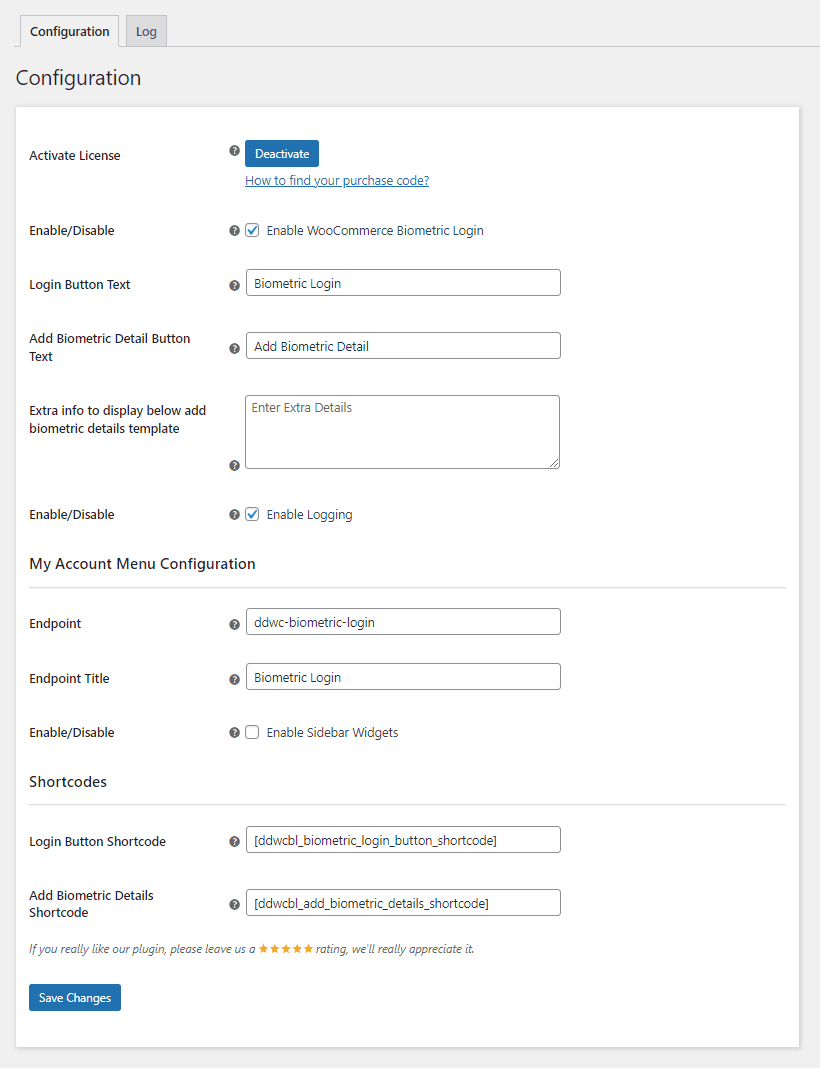
To use this plugin, enter the purchase code and email to activate your license.
The admin can enable/disable module functionalities for shoppers.
The admin can configure the text of the biometric login button here.
The admin can set the text of the add biometric detail button here.
The admin can provide additional information that will be displayed underneath the add biometric details template.
Here, the admin can enable/disable logging for debugging purposes.
The Admin can choose the endpoint of the menu that shows on the My Accounts page.
The Admin can customize the endpoint title of the menu that shows on the My Accounts page.
Here, the admin can enable/disable the sidebar widgets for the menu on the My Accounts page.
Admin can enter the shortcode for the biometric login button to show it anywhere in the store.
Admin can set the shortcode for the add biometric details template to appear anywhere in the store.
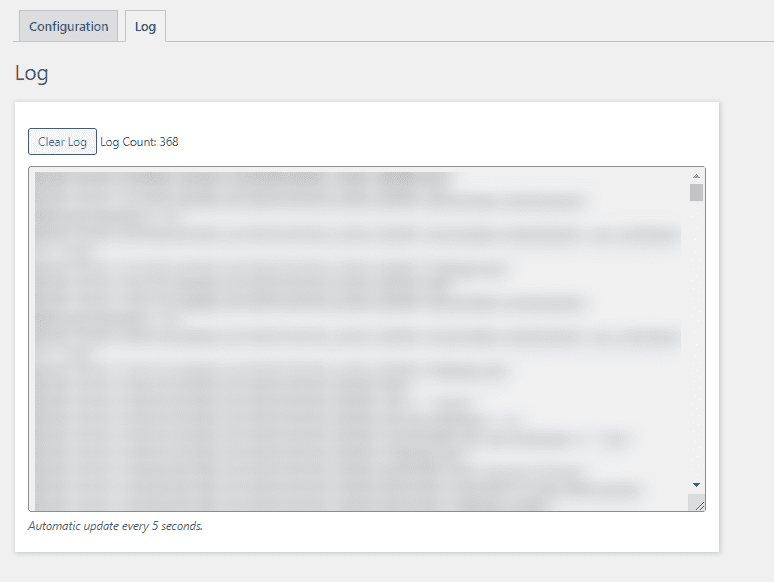
Logs will be automatically updated every 5 seconds, eliminating the need to reload the website to display new logs. Admin will also be able to delete the logs.
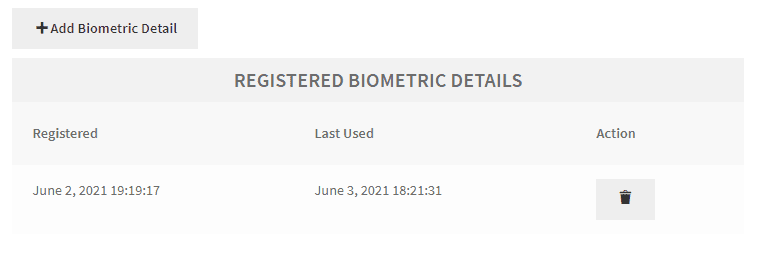
Customers can add their biometric information by going to the Biometric login menu on the My Account page.
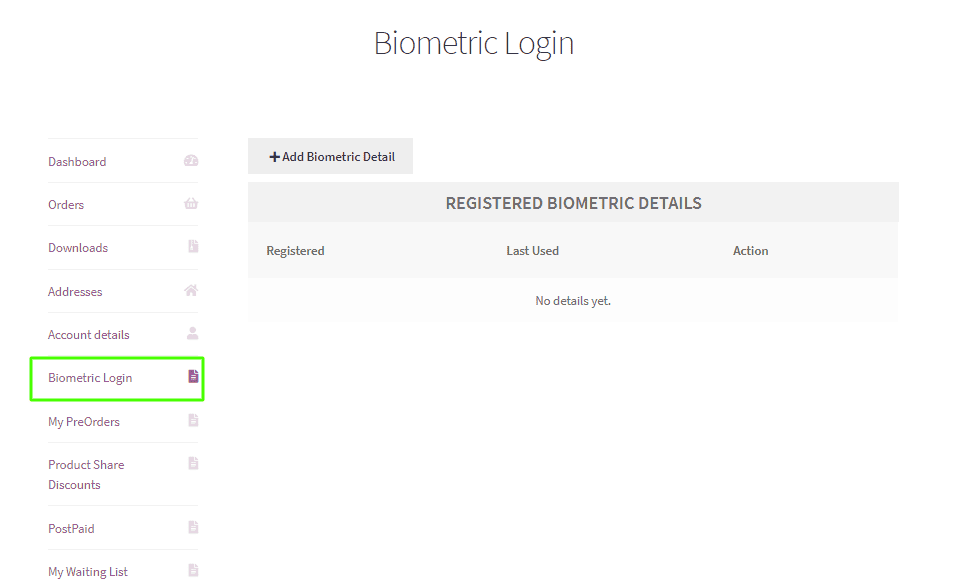
After pressing the Add Biometric Detail button, users will see the authentication method appear on the screen, depending on the operating system.
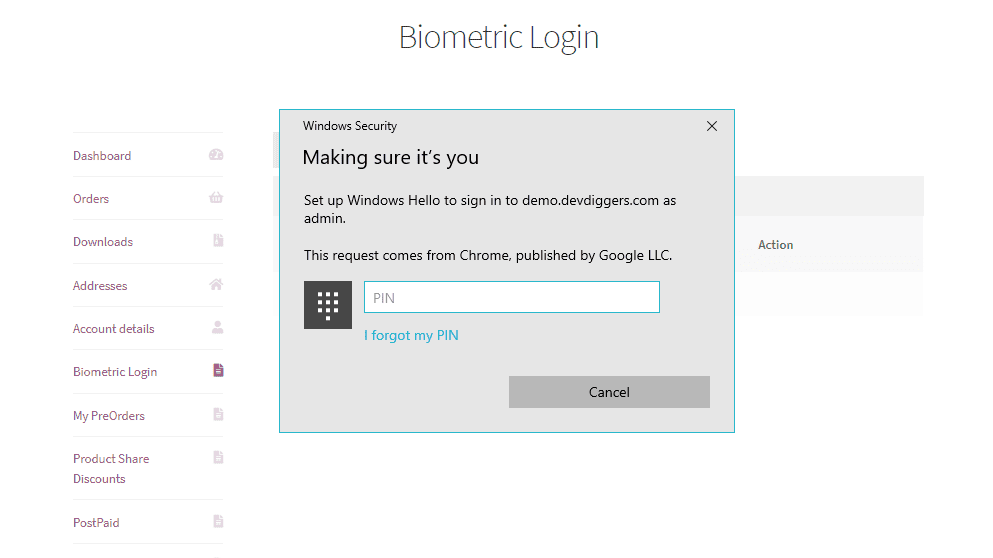
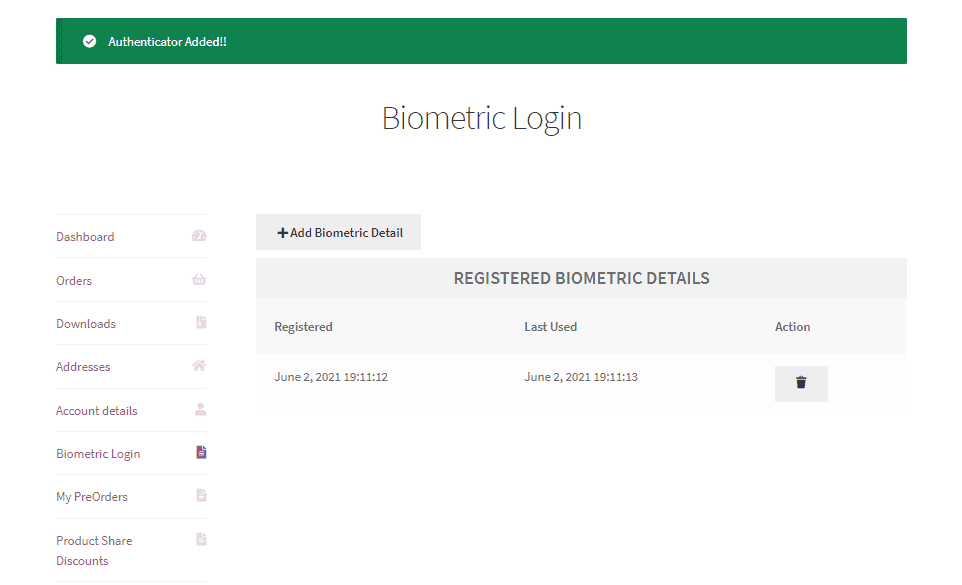
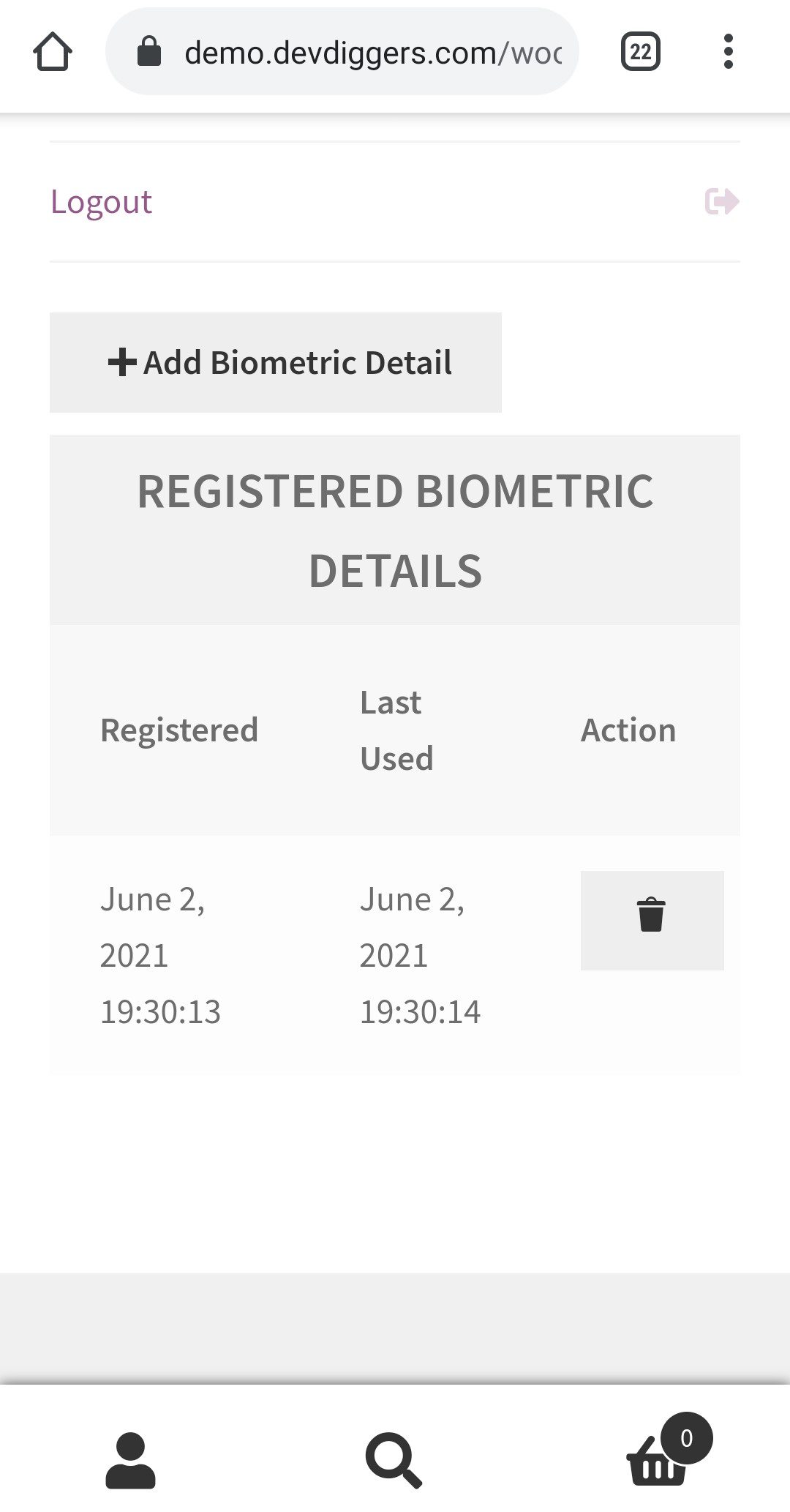
After the authentication, it will be added to the list, which customers may disable whenever they like.
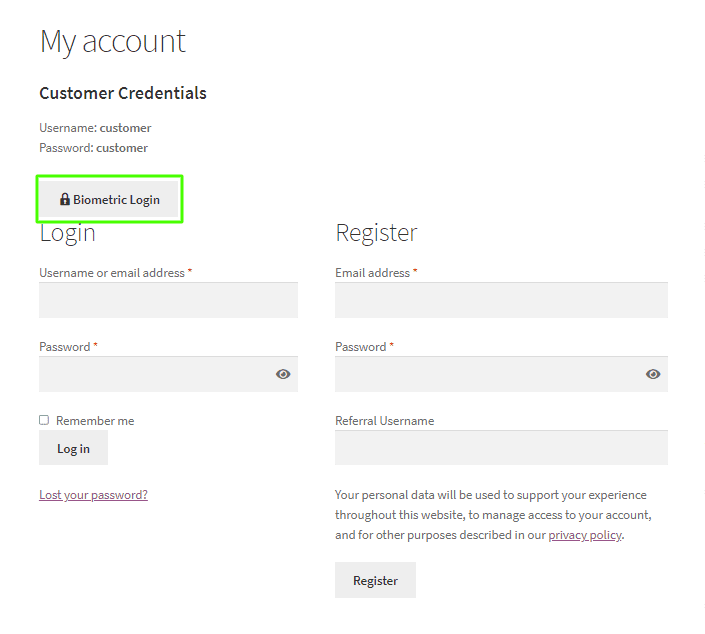
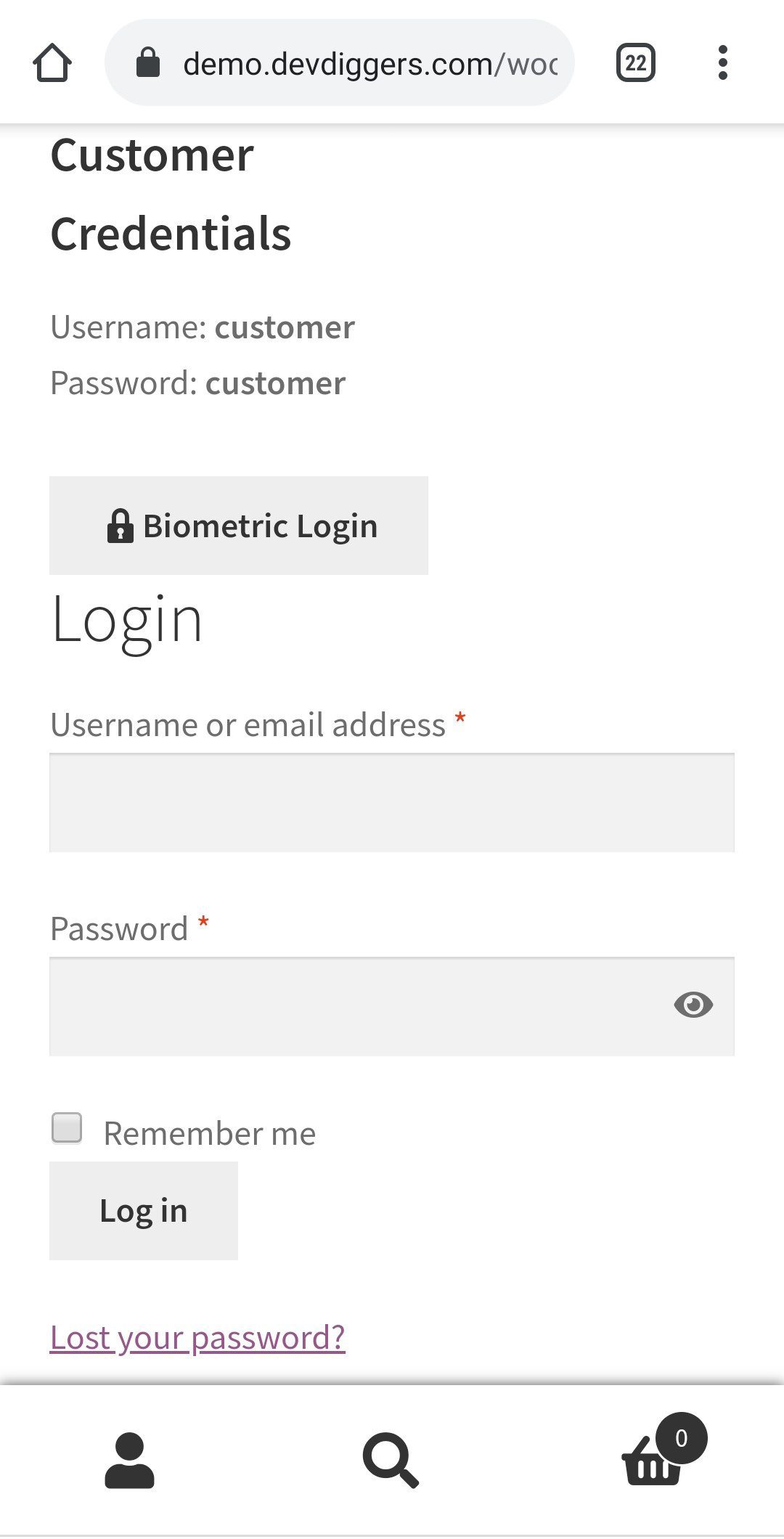
When customers visit the login page, they will see an option for biometric login. After configuring their biometrics, they can connect to the store quickly and securely without entering an email address or password.
Customers will see the same biometric prompt placed when they click the login button, and they must validate it.
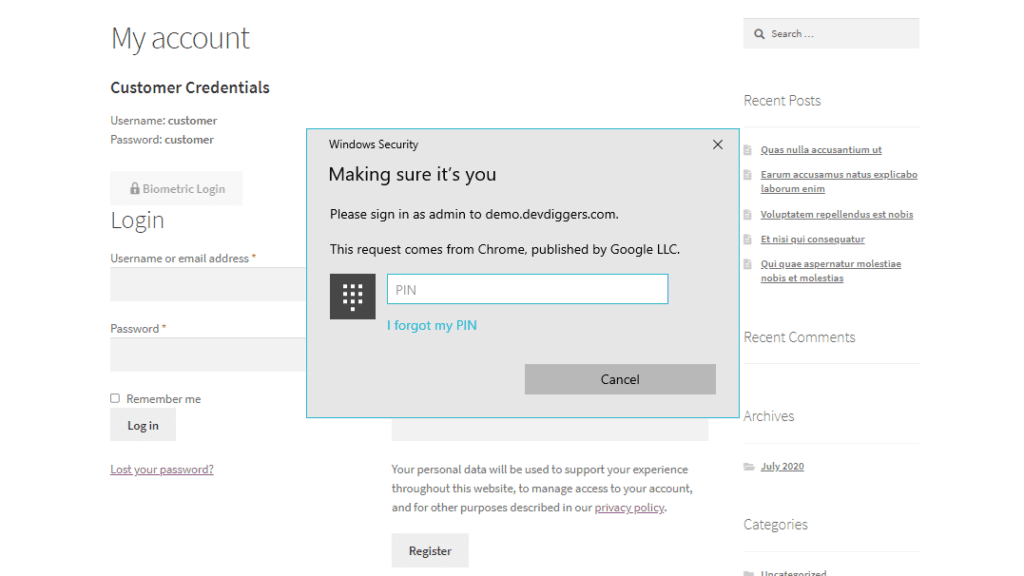
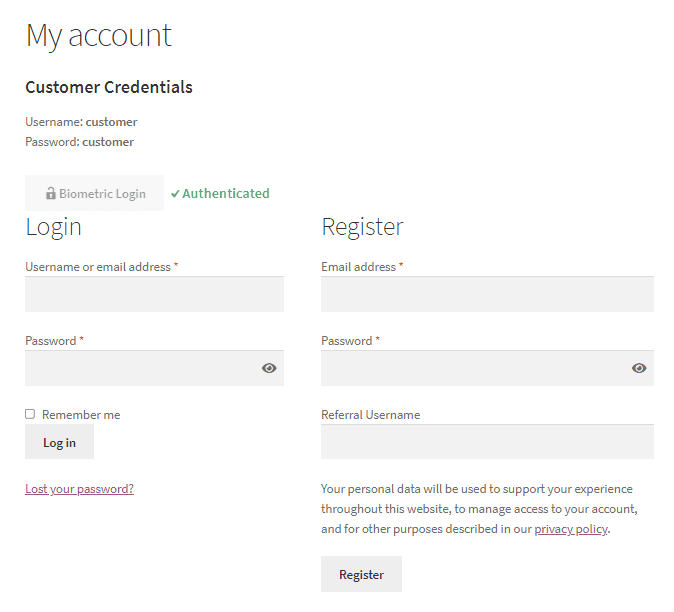
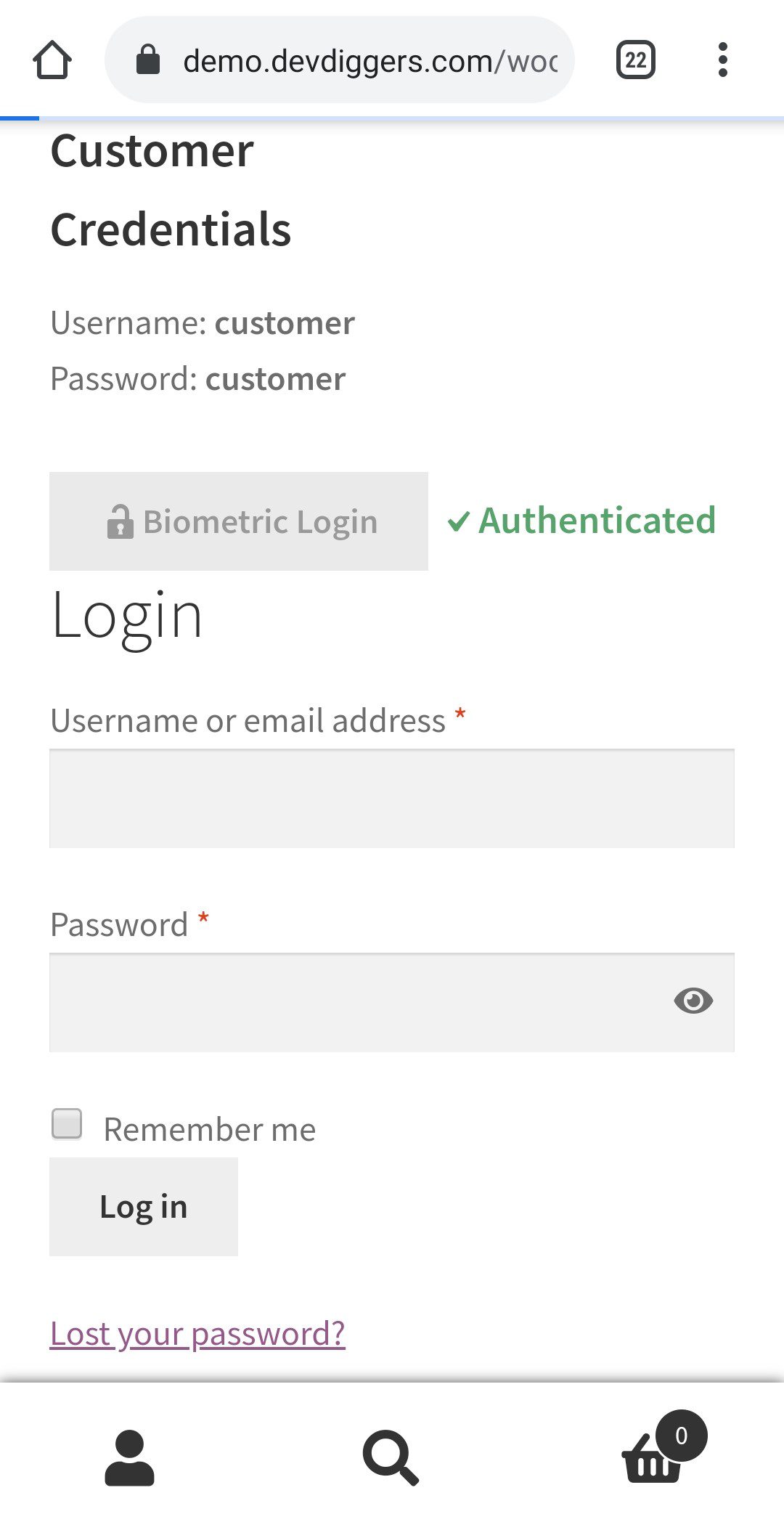
If the customer successfully confirms the information, the response will be Authenticated, and the customer will be instantly logged in.
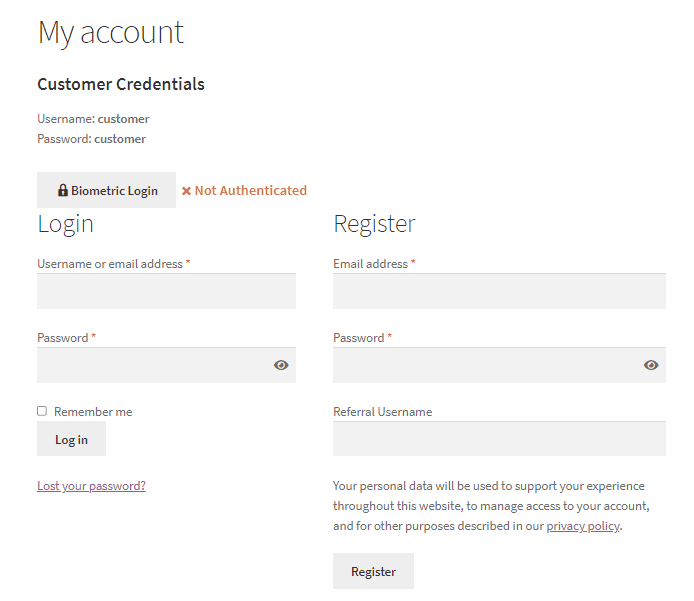
If the customer does not correctly verify it, the response will be Not Authenticated, and the user will not be logged in.
Customers can enter their biometric information to log in by visiting the Biometric login menu on the My Accounts page.
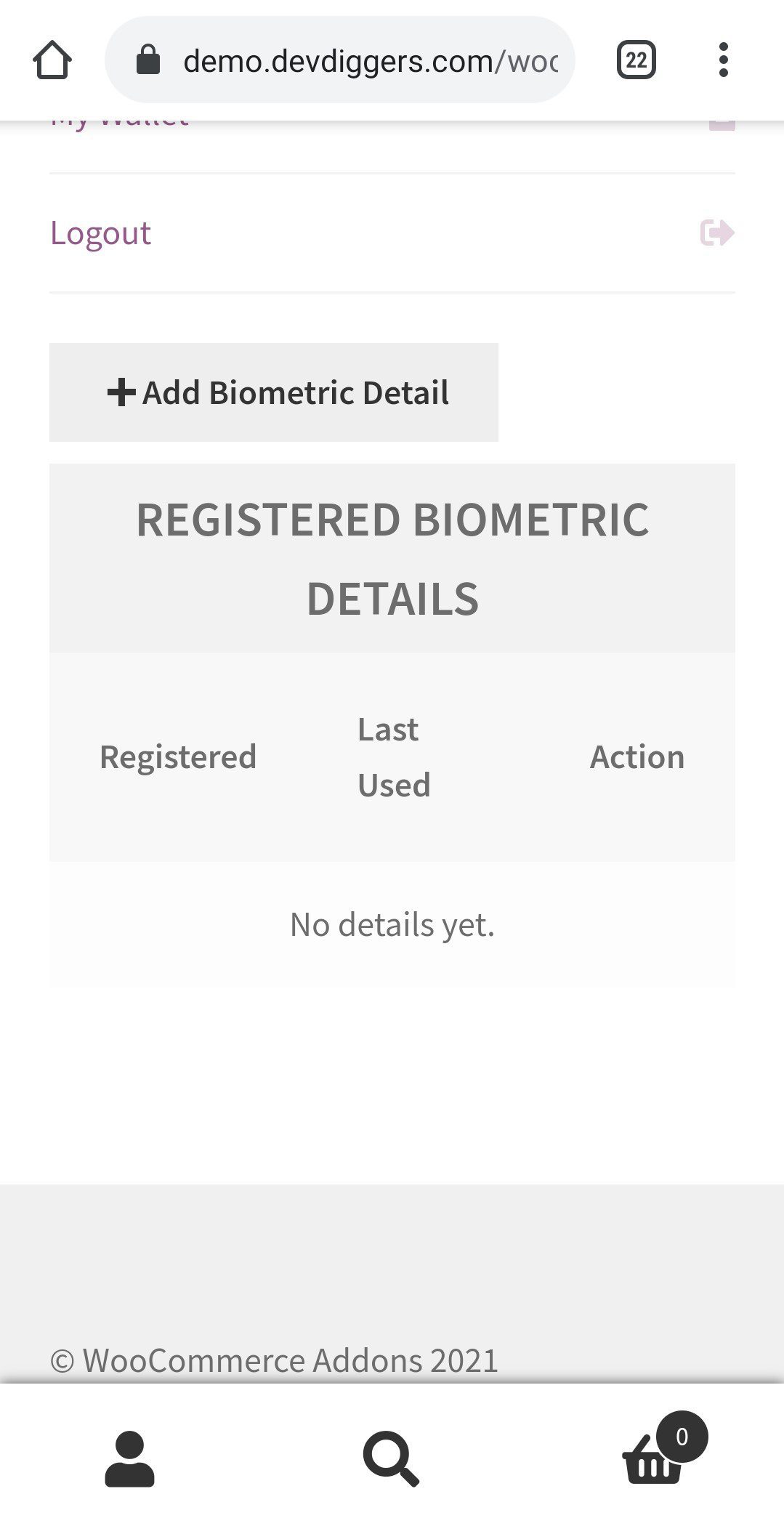
After selecting the Add Biometric Detail button, users will see the authentication method appear on the screen, depending on the operating system.

After selecting Get Started, consumers will see this option, and they can choose the third option to add their screen lock, i.e., fingerprint.
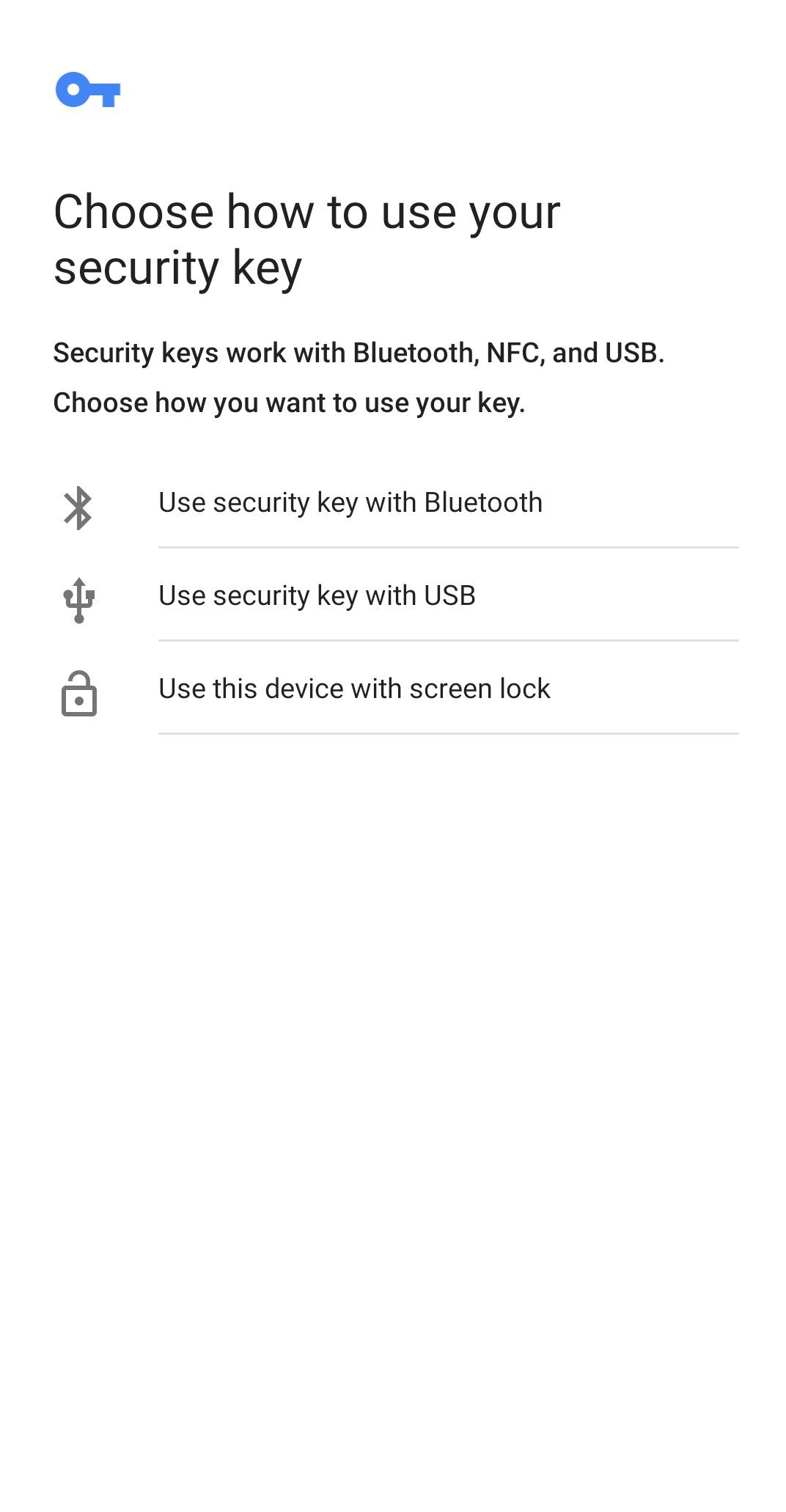
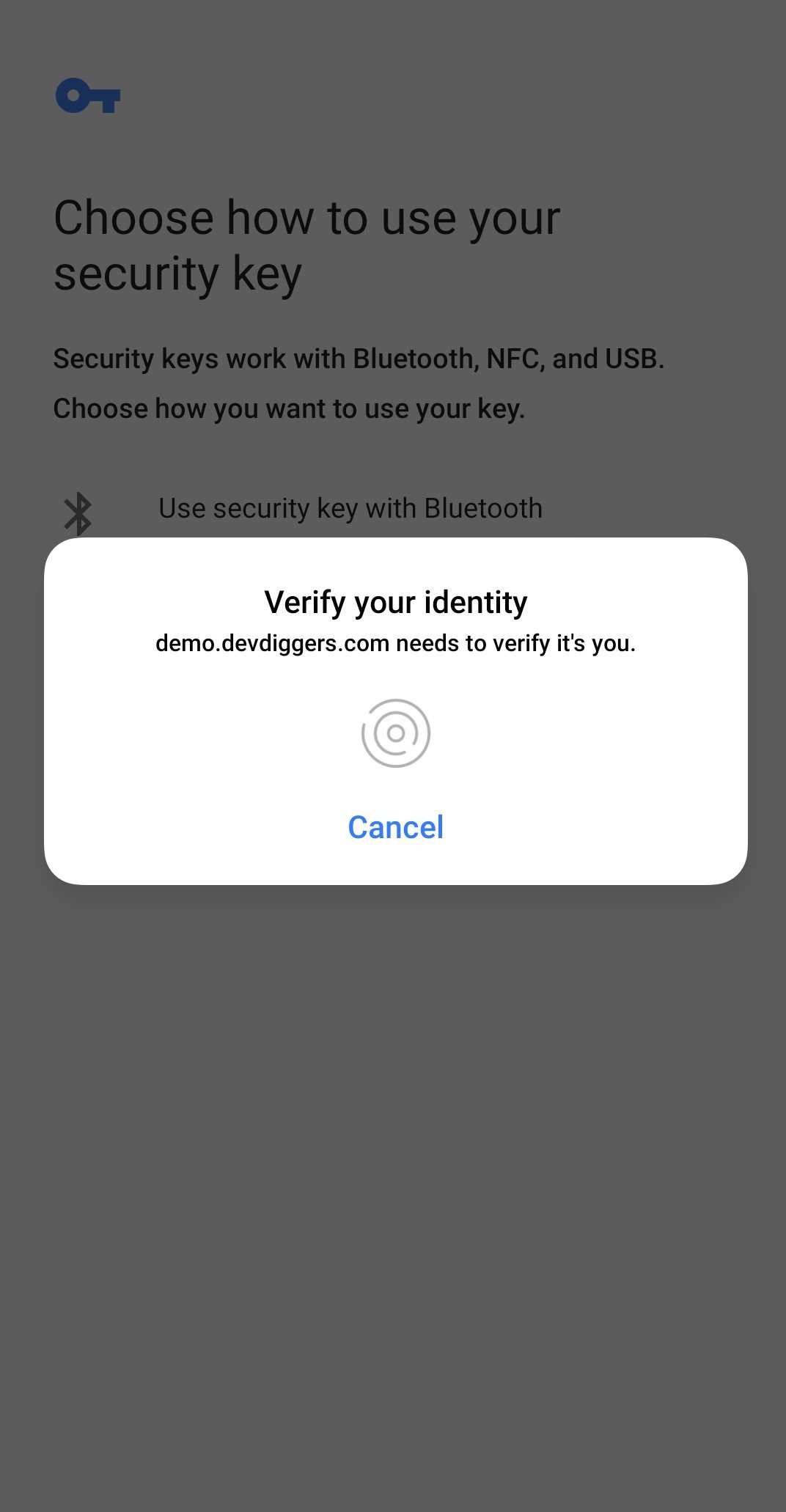
After selecting the third option, a popup asks you to enter your fingerprint.
After the authentication, it will be added to the list, which customers can remove whenever they like.
When customers enter the login page, they will see an option for biometric login. After configuring their biometrics, they can connect to the store quickly and securely without entering an email address or password.
Customers will see the same biometric prompt inserted when they click the login button and must verify it.
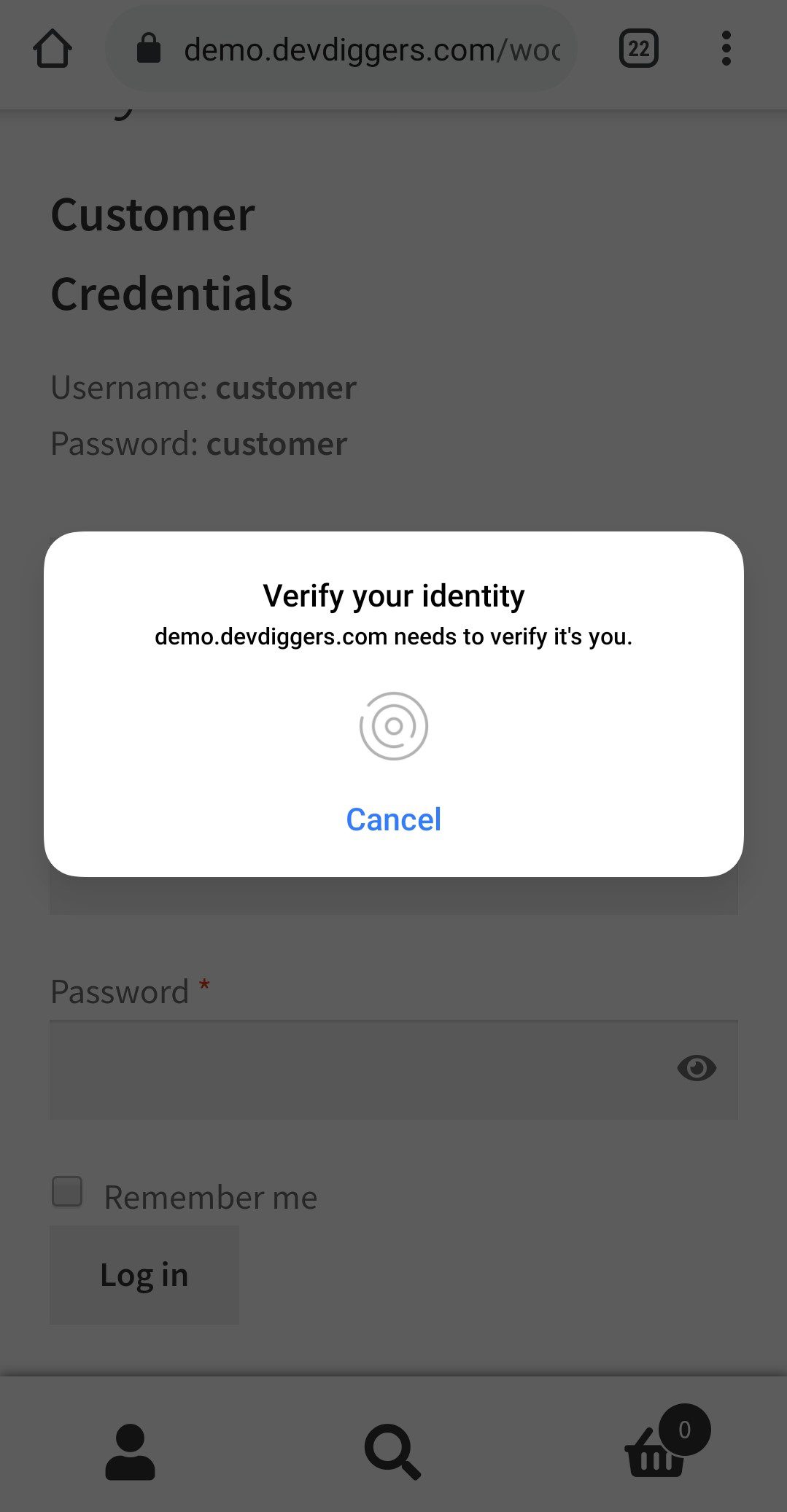
If the customer’s information is verified successfully, they will be Authenticated and automatically logged in.
Only logged in customers who have purchased this product may leave a review.
Take pre-orders and pre-bookings before launch day, so you lock in sales and see demand early.
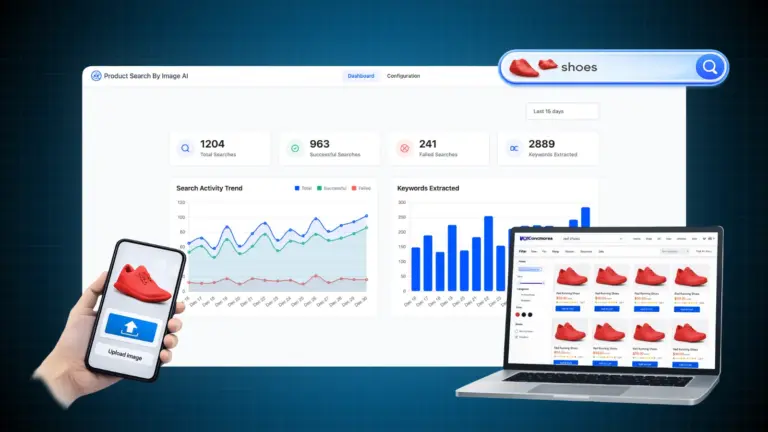
Shoppers snap or upload a photo and find matching products in your store using AI image search.

Sell in person and online from one screen, with real-time stock sync for every WCFM marketplace vendor.
polboonlapo –
Adds Secure and Flexible Login Options
I really like this feature as it gives customers more login options with advanced security. It’s a great addition that improves both usability and protection.
Velocegallery818 –
High-Quality Plugin with Great Support
This is a high-quality plugin that works exactly as described. It’s very easy to set up, and the support team is really helpful. Great experience overall!
lodolastefano –
Reliable Plugin with Great Improvements
I’ve been using this plugin again after some time, and I’m really happy with how well it works now. It does exactly what it’s supposed to do and runs smoothly without issues.
The setup is simple, and overall performance feels much improved. It’s clear that the plugin has been refined and updated over time. Looking forward to more enhancements in future updates!