
A WooCommerce waitlist plugin lets customers sign up for an out-of-stock product and get an email the moment it’s back. Most stores handle this badly. They either leave the “out of stock” label sitting there with no way to capture interest, or they install a plugin that quietly buries sign-ups in a spreadsheet nobody checks. Picking one of the best WooCommerce waitlist plugins fixes both problems at once.
We build WooCommerce plugins for a living, and waitlist tools are one of the categories where the difference between a good one and an average one shows up fast. An average plugin collects emails. A good one, one of the genuinely best WooCommerce waitlist plugins on the market, tells you which products people actually want back in stock, handles product variations properly, and doesn’t fall over when 200 people join a list for the same hoodie.
This roundup covers the 7 best WooCommerce waitlist plugins worth considering, what each one does well, where it falls short, and how much it costs. If you’re short on time, jump to the comparison table. If you want the full picture, including whether a waitlist is even the right tool for your situation, keep reading.
What Is a WooCommerce Waitlist Plugin?
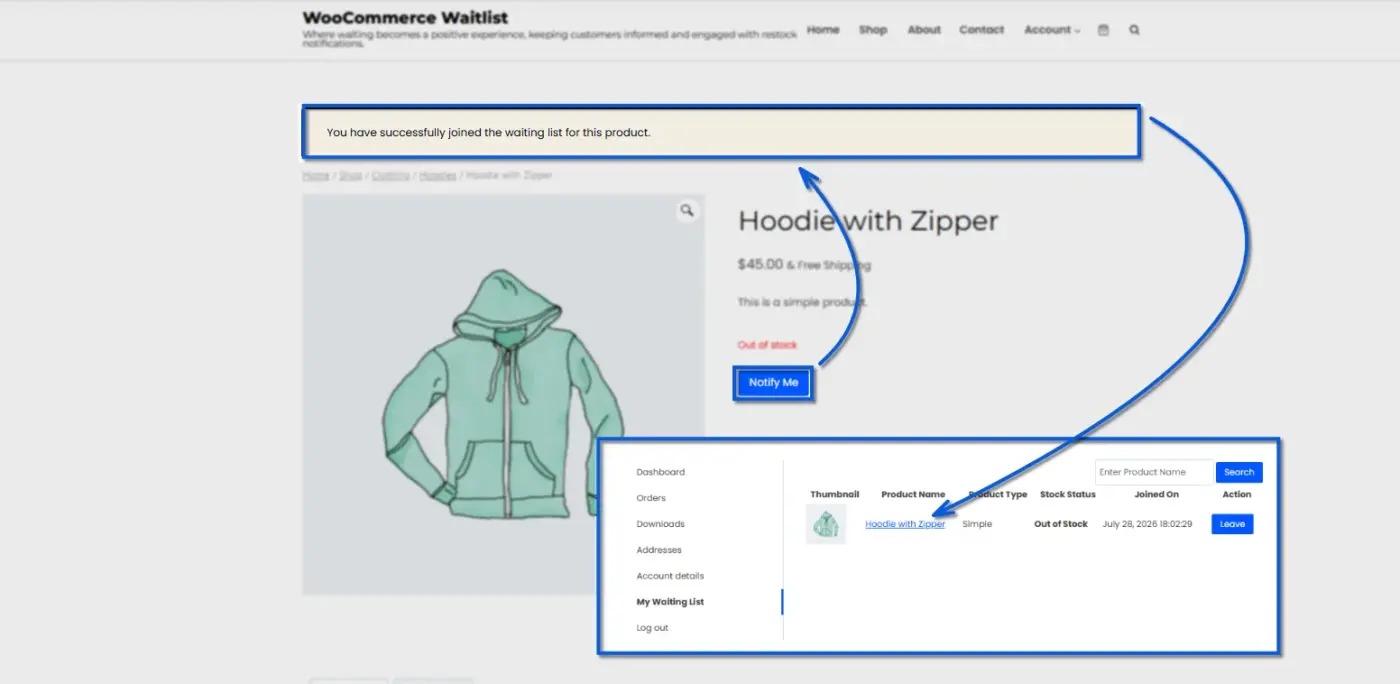
A WooCommerce waitlist plugin adds a sign-up option to any product page that’s marked out of stock. Instead of a dead end, the customer sees a form (or a button) where they can leave their email. When you restock the item, the plugin sends an automatic notification to everyone on that list.
The mechanics are simple, but the value isn’t just the email. A waitlist plugin also tells you which out-of-stock products have the most people waiting, which is genuinely useful data when you’re deciding what to reorder first. Some plugins extend this into product variations, so if only the size Large sells out, customers can join a waitlist for that specific variation instead of the whole product.
Most plugins in this category work the same basic way: show a form, collect an email, send an alert when stock returns. Where they differ is in variation handling, spam protection, email customisation, and whether the admin side gives you anything beyond a raw list of subscribers. That’s exactly what separates the best WooCommerce waitlist plugins from the ones that just sit there collecting names.
7 Best WooCommerce Waitlist Plugins, Reviewed
Each of the picks below made this list of the best WooCommerce waitlist plugins for a specific reason, not just because it exists. Here’s the full breakdown.
1. WooCommerce Waitlist by DevDiggers
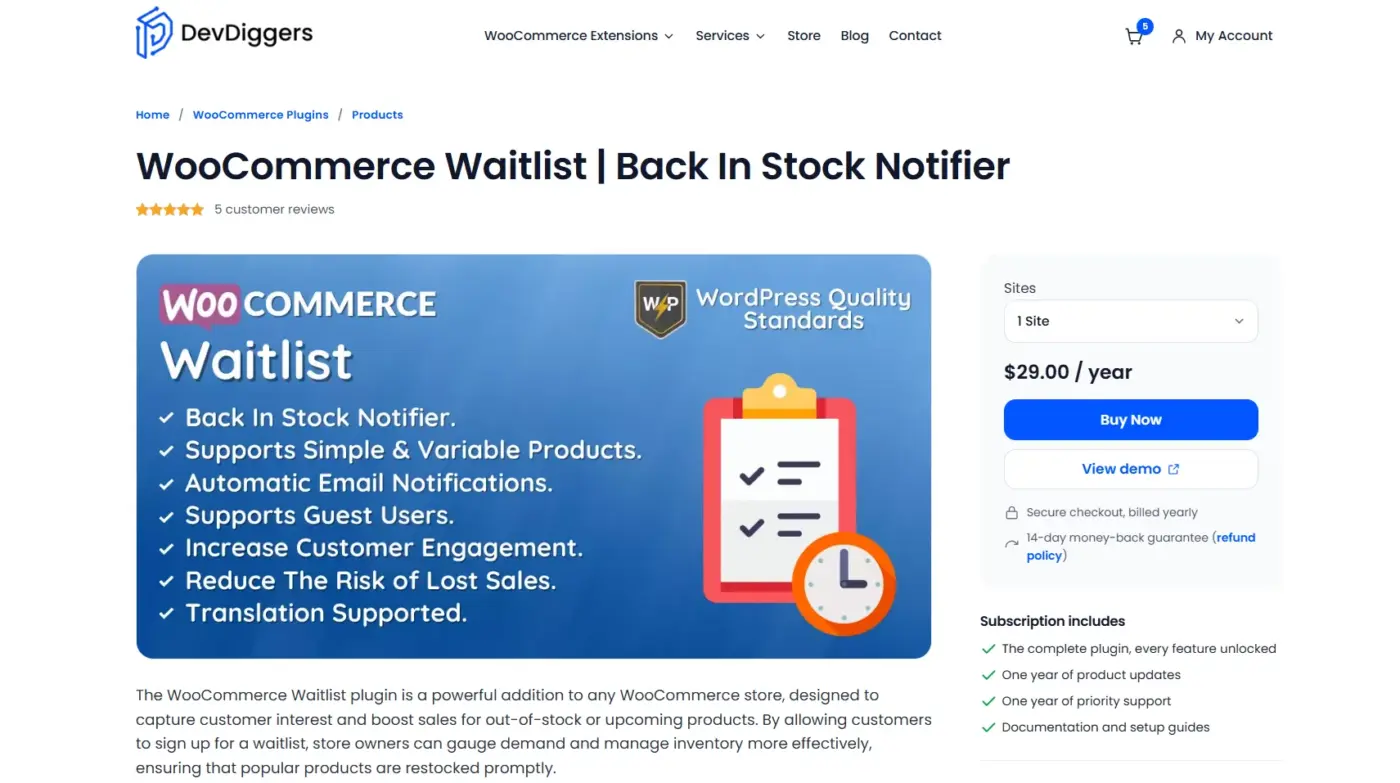
Our own WooCommerce Waitlist plugin was built around a problem we kept running into with client stores: waitlist data that nobody on the team actually used. So the admin side isn’t just a subscriber count. You get a per-product view of everyone waiting, the ability to send or delete waitlist emails manually, and a shortcode so the join-waitlist form can go anywhere on the page, not just where the plugin defaults to.
Customers get a real “My Waiting List” tab on their My Account page, where they can check the status of anything they’ve joined and remove themselves if they change their mind. Guests aren’t left out either. They see a simple email box on the out-of-stock product page and get added the same way a logged-in customer would.
It’s HPOS-compatible, which matters more than it used to since WooCommerce has been pushing stores toward High-Performance Order Storage. A fair number of older waitlist plugins haven’t caught up on that front, which is one reason we’d put this among the best WooCommerce waitlist plugins for stores that want real admin control.
Best For
- Store owners who want waitlist management they can actually act on, not just a list of emails
- Stores that need both guest and registered-customer waitlist support out of the box
Key Features
- Per-product waitlist view with manual send, view, and delete actions from the admin dashboard
- Customizable join-button text and WooCommerce email templates
- Shortcode support for placing the waitlist form anywhere on a product page
- Excluded-products setting so specific items never show the waitlist option
Pricing
- 1 Site License: $29/year
- 5 Sites License: $129/year
- 10 Sites License: $179/year
Pros
- 14-day refund policy for any big or small Payments
- Easy to set up, no complex Setup like other plugins
- Genuinely useful admin-side waitlist management, not just a subscriber export
- My Account integration lets customers self-manage without contacting support
- HPOS supported
Cons
- No free tier to test before buying
- Doesn’t include SMS notifications, only email
2. Waitlist for WooCommerce (Official, by the Team at PIE)
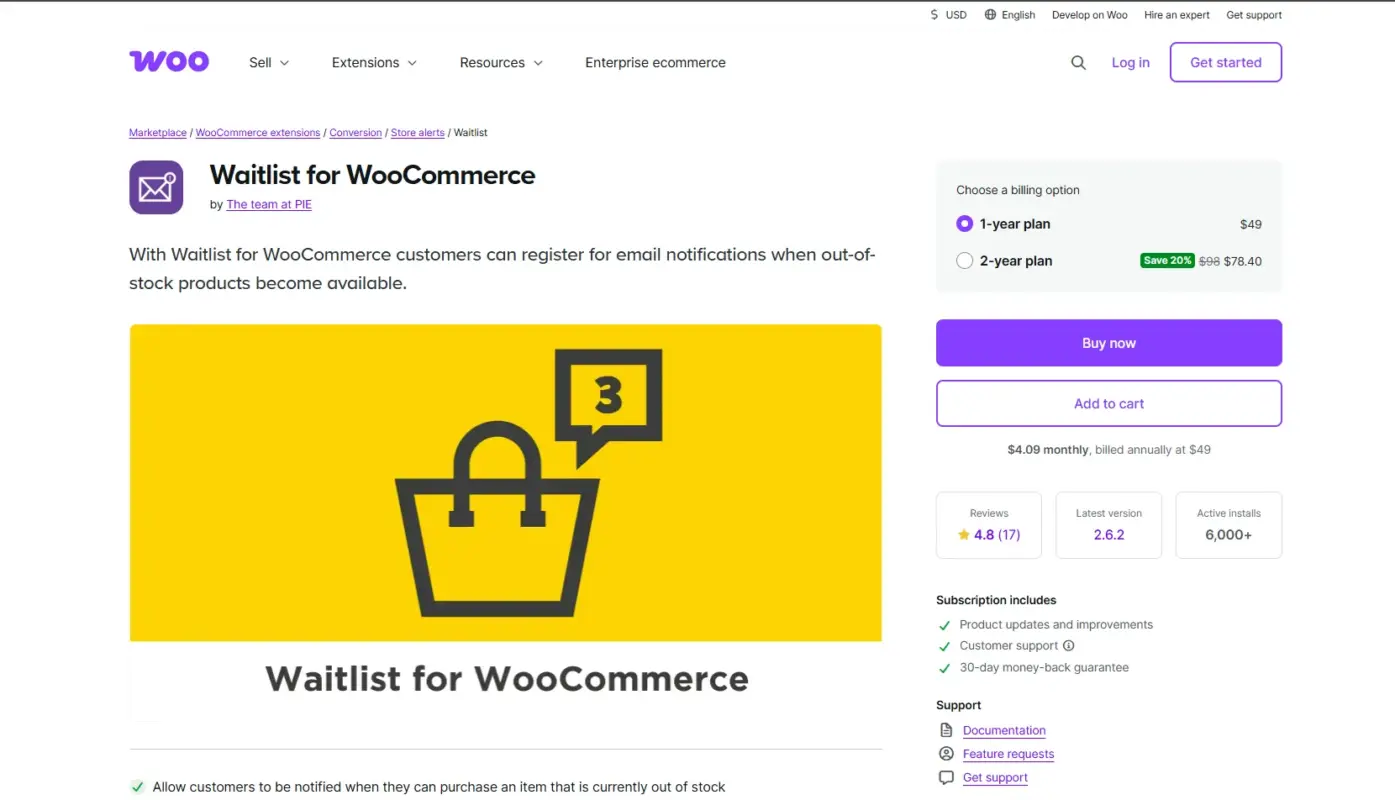
Waitlist extension is sold directly through WooCommerce, built by the Team at PIE. If your store only buys extensions through the official marketplace for support and update reasons, this is the safe default. It adds a “Join Waitlist” button to out-of-stock products, and when you restock, everyone on that list gets an automatic email.
The admin experience covers the basics well. There’s a new column in your product list showing how many people are waiting on each item, and you can manage everything from the product edit screen, including manually adding or removing subscribers and exporting the list to CSV. It’s one of the best WooCommerce waitlist plugins for anyone who wants extensions tied directly to the official marketplace.
Best For
- Stores that only install extensions through the official WooCommerce marketplace
- Store owners who want a no-configuration, install-and-forget setup
Key Features
- Supports simple, variable, and grouped products
- Admin column showing waitlist subscriber counts per product
- CSV export of subscriber data
- Shortcode support for placing the sign-up form manually
Pricing
- 1 Year Plan: $49/year
- 2 Year Plan: $78/year
Pros
- Built and supported by the official WooCommerce marketplace
- Customers can manage their own waitlists from My Account
Cons
- No free version to try first
- Fewer email customisation options than some competitors on this list
3. Waitlist Woocommerce by Xootix (Best Free Option)
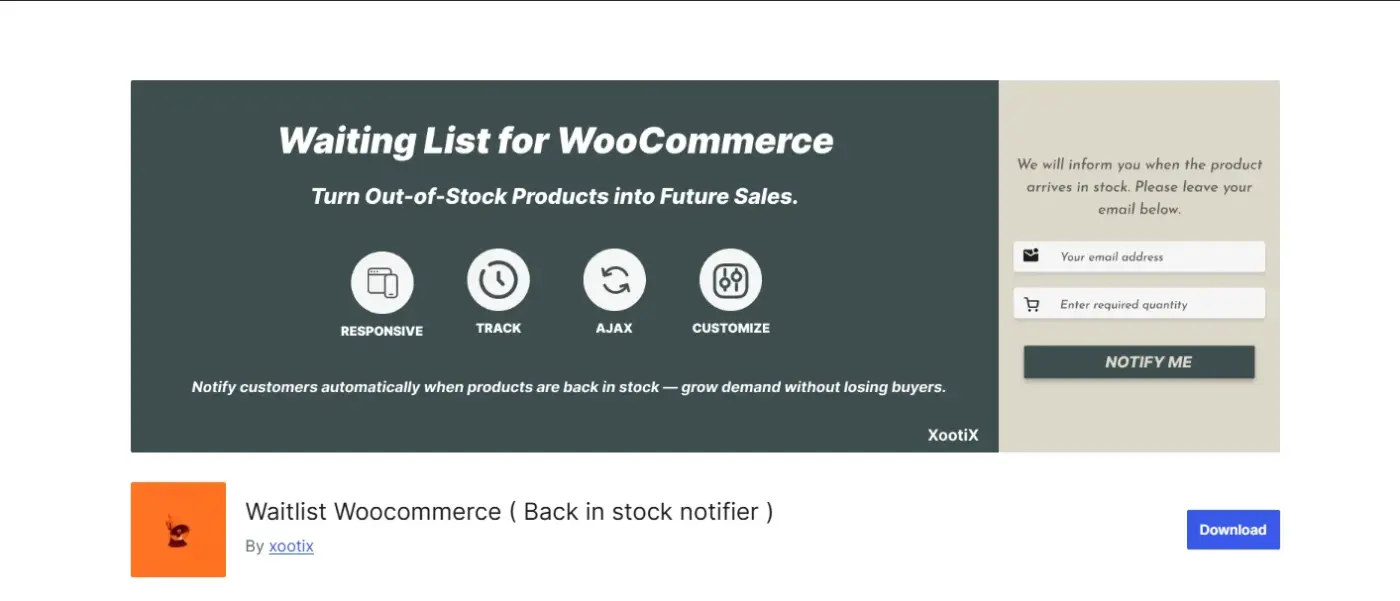
If budget is the deciding factor, Waitlist Woocommerce by Xootix is the strongest free plugin in this category. The core plugin, available on WordPress.org, handles the essentials at no cost: an out-of-stock sign-up form, automatic restock emails, and support for both guests and registered users.
What sets it apart from other free options is the choice between a popup form and an inline form, both of which you can restyle to match your store. It also keeps an email log, so you can actually see a record of which restock notifications went out, which a surprising number of plugins skip. If you outgrow the free core, Xootix sells small, specific add-ons rather than forcing you into one big premium bundle, which is why it’s consistently ranked among the best WooCommerce waitlist plugins for budget-conscious stores.
Best For
- Stores on a tight budget that still want a polished sign-up experience
- Stores that want to test a waitlist plugin before committing to a paid one
Key Features
- Choice of popup or inline sign-up form, both stylable
- Built-in email log for tracking sent notifications
- Optional “Notify on Phone” add-on for SMS alerts
- Works for both guest and registered users
Pricing
- 5 Sites License = $39 (one-time)
- Unlimited Sites License: $69 (one-time)
Pros
- Genuinely capable free tier, not a limited trial
- Add-ons are priced individually, so you only pay for what you need
Cons
- Advanced features like custom form fields require separate paid add-ons
- One-time pricing means no guarantee of long-term update support
4. YITH WooCommerce Waiting List
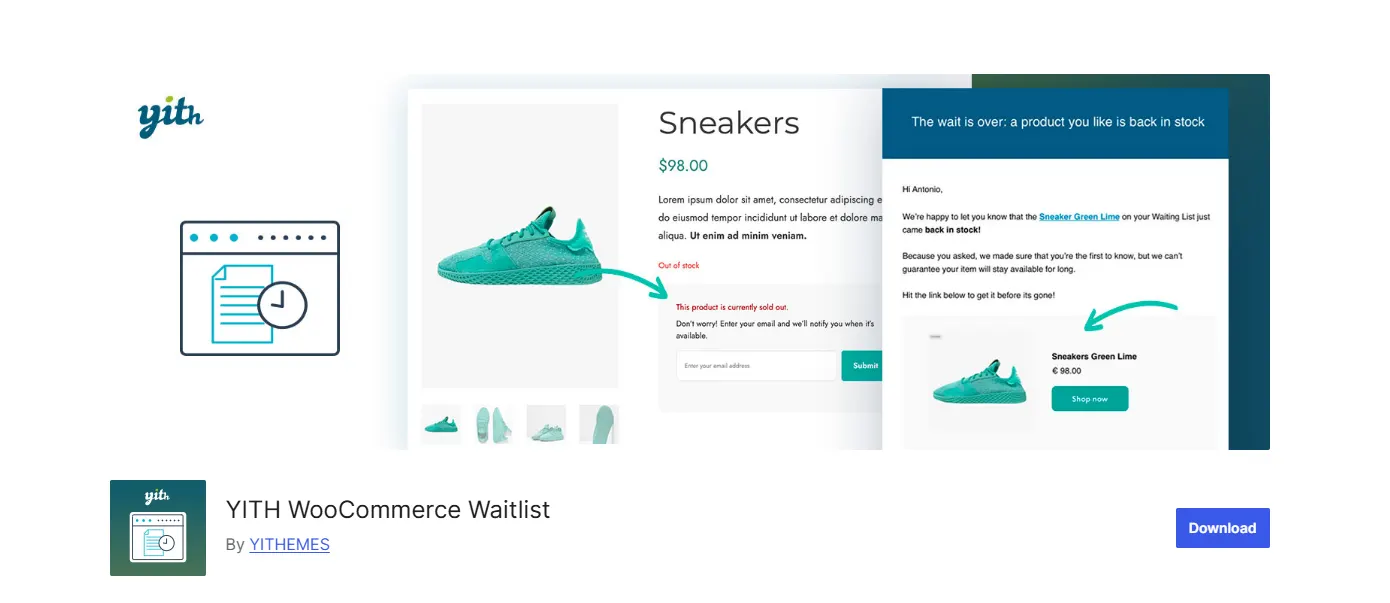
YITH WooCommerce Waiting List automatically adds an “add to waiting list” button to any product that goes out of stock, with no manual setup required. It’s a solid pick if you’re already running other YITH plugins on your store, since the settings interface will feel familiar.
The standout here is compliance. It ships with a Privacy Policy checkbox built into the sign-up form for GDPR purposes, which most free waitlist plugins leave out entirely. It also supports Google reCAPTCHA and optional email confirmation before someone is officially added to a list, both of which cut down on junk sign-ups. For stores that need compliance baked in, this is one of the best WooCommerce waitlist plugins available today.
Best For
- Stores already using other YITH plugins
- Stores in the EU or anywhere GDPR compliance on sign-up forms matters
Key Features
- Automatic waiting-list button on any out-of-stock product, no manual setup
- Built-in GDPR privacy checkbox on the sign-up form
- Google reCAPTCHA and optional double opt-in for spam control
- Full support for variable products at the individual-variation level
Pricing
Single site: $89.99/year
Pros
- Free version covers real GDPR compliance out of the box
- Handles variable products at the variation level, not just the parent product
Cons
- Premium pricing runs high for a single-purpose plugin
- WordPress.org reviews for this plugin run lower than some competitors; worth testing the free version first
5. Back In Stock Notifier for WooCommerce by CodeWooGee
Back In Stock Notifier is built for scale. Instead of firing off notification emails one at a time, it queues them and sends them in the background, which matters if a popular restock triggers a few thousand emails at once and you don’t want your hosting to choke on it.
It’s free at the core and covers simple, variable, and grouped products, along with WooCommerce Subscriptions and bundles. Logged-in users get their email pre-filled on the sign-up form, which is a small touch that removes friction. There’s also an optional Track Sales add-on that tells you whether people who got a restock email actually came back and bought, which is closer to real conversion data than most waitlist plugins offer, and part of why this ranks among the best WooCommerce waitlist plugins for high-traffic stores.
Best For
- Higher-traffic stores that need reliable email delivery at volume
- Store owners who want to measure conversion, not just sign-ups
Key Features
- Background queue processing for notification emails
- Google reCAPTCHA support on the sign-up form
- Pre-filled email for logged-in users
- Optional Track Sales add-on for waitlist-to-purchase conversion data
Pricing
- Premium add-ons(each individually4): $10
- Full bundle (14 add-ons + future releases): $40
Pros
- Background email processing handles high subscriber volumes reliably
- Track Sales add-on gives real conversion insight, not just sign-up counts
Cons
- Some genuinely useful features (like manual subscriber removal) require an add-on
- Add-on costs can add up if you need several
6. Product Stock Waitlist Manager by MultiVendorX
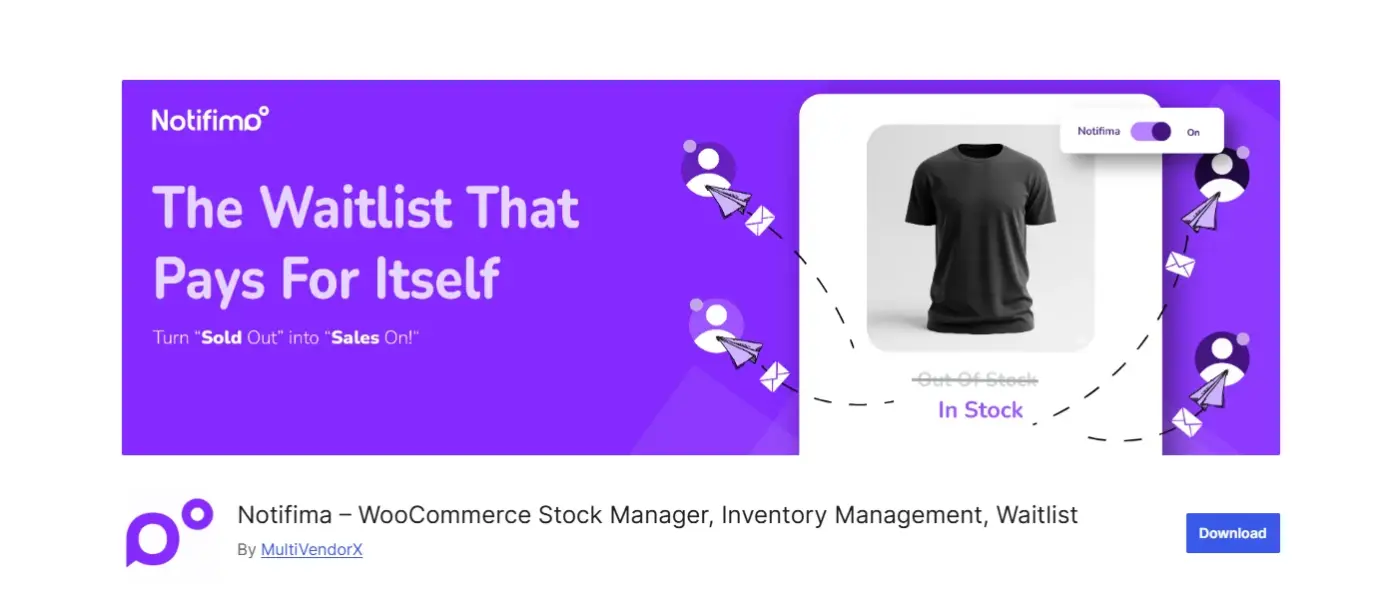
Product Stock Waitlist Manager leans into the agency use case. It’s WPML-compatible for multilingua(multiple languages)l stores, includes a two-step confirmation process before someone’s officially on a list, and its pricing tiers are structured around how many sites you’re managing, which fits agencies running several client stores better than a single flat license.
The free (Basic) tier covers automatic subscriptions and in-stock alerts, along with a customizable form (heading, button text, colours). Paid tiers add Mailchimp integration and a broader subscription management hub, useful if waitlist data needs to feed into an existing email marketing workflow. Agencies looking for the best WooCommerce waitlist plugins to make it consistent across client sites tend to land here.
Best For
- Agencies managing waitlist functionality across multiple client stores
- Stores that need multilingual (WPML) support on the sign-up form
Key Features
- WPML compatibility for multilingual stores
- Two-step confirmation before a sign-up is confirmed
- Customizable form styling (heading, button, colours)
- CSV export for subscriber and stock data
Pricing
- Starter: $49/year
- Growth: $69/year
- Agency: $99/year
Pros
- Tiered pricing structure fits agencies managing several sites
- WPML support is rare in this category and genuinely useful for non-English stores
Cons
- The tier names and feature splits take a minute to understand
- Mailchimp is the main marketing integration; other platforms aren’t covered
7. MoreConvert Waitlist Plugin
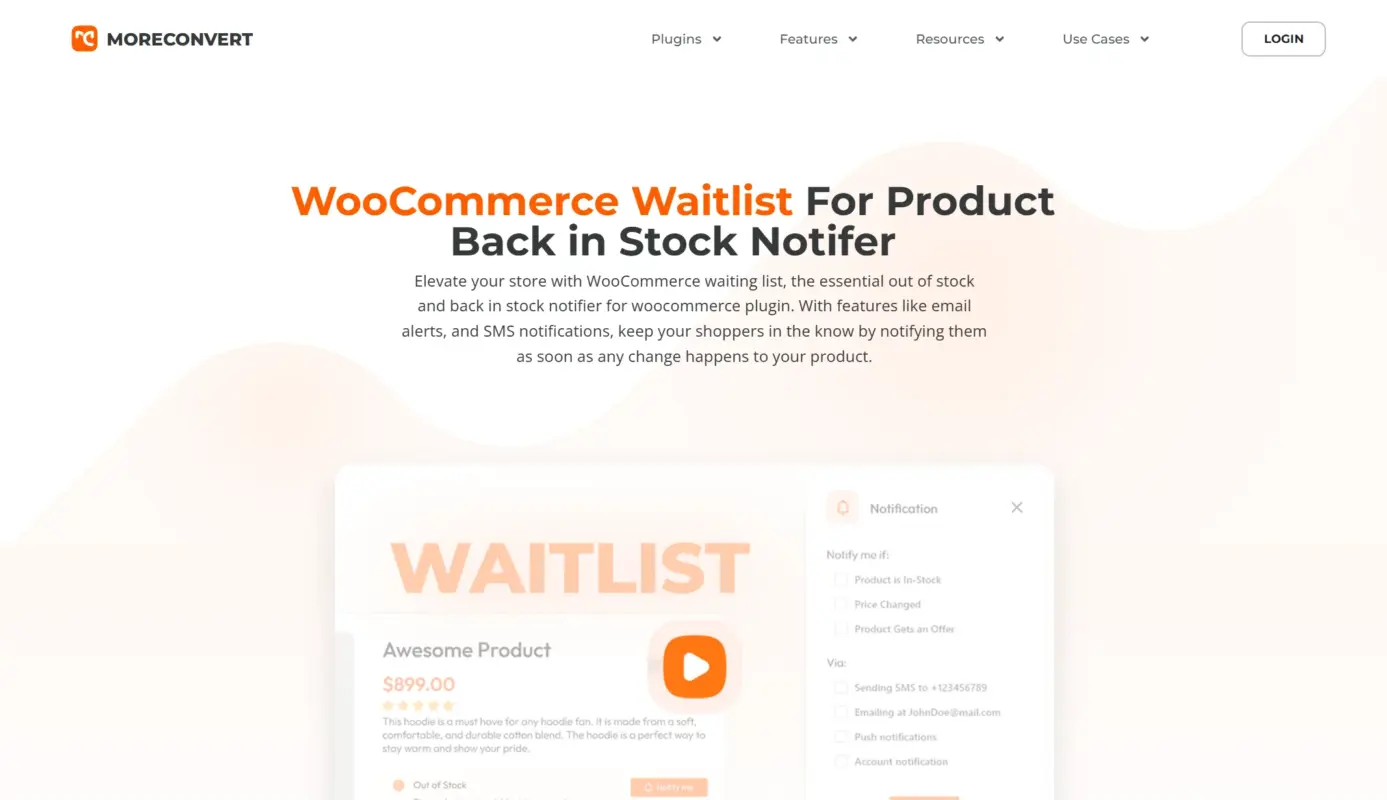
MoreConvert treats the waitlist as one piece of a bigger retention toolkit rather than a standalone feature. Alongside the standard back-in-stock waitlist, it bundles a Pre-Launch Waitlist for products that haven’t shipped yet, a Flash Sale Waitlist, Low Stock Alerts, and Price Change Alerts, plus a full wishlist feature.
If you’re the kind of store that wants one plugin handling waitlists, wishlists, and price-drop notifications together, with email campaigns and reporting layered on top, MoreConvert covers more ground than a plain waitlist tool, and arguably belongs on any list of the best WooCommerce waitlist plugins for retention marketing specifically.
Tradeoff: if you only need a simple restock notifier, you’re paying for and configuring a lot of features you won’t touch.
Best For
- Stores that want waitlists, wishlists, and price alerts managed from one plugin
- Stores planning pre-launch or flash-sale campaigns alongside standard restock alerts
Key Features
- Combines waitlist, wishlist, low-stock alerts, and price-change alerts in one plugin
- Pre-Launch and Flash Sale Waitlist modes, not just standard back-in-stock
- Built-in email campaign tools and customer behaviour reporting
- Multi-list support for organising different types of customer interest
Pricing
- 1 Site: $209
- 5 Sites: $259
- 10 Sites: $509
Pros
- One plugin replaces what would otherwise be three or four separate tools
- Reporting gives more visibility into customer behaviour than a basic waitlist plugin
Cons
- Considerably more setup and configuration than a simple back-in-stock notifier
- Overkill if all you want is an email-me-when-it’s-back button
Comparison Table: 7 Best WooCommerce Waitlist Plugins at a Glance
Here’s how the best WooCommerce waitlist plugins covered above stack up side by side on price, free availability, and variation support.
| Plugin | Free Version | Variable Products | Sign-Up Form | Starting Price |
|---|---|---|---|---|
| DevDiggers WooCommerce Waitlist | No | Yes | Product page + shortcode | $29/year |
| Official WooCommerce Waitlist | No | Yes | Product page | $49/year |
| Xootix Waitlist WooCommerce | Yes | Yes | Popup or inline | $39 (one-time, 5 sites) |
| YITH Waiting List | Yes | Yes (per variation) | Product page button | $89.99/year |
| Back In Stock Notifier | Yes | Yes | Product page | Free (add-ons extra) |
| MultiVendorX Stock Manager | Yes | Yes | Out-of-stock box | $49/year |
| MoreConvert | Yes | Yes | Out-of-stock box | Free plan + paid tiers |
Waitlist vs. Pre-Order vs. Backorder: Which Fits Your Store?
This part gets skipped in most waitlist roundups, and it shouldn’t. Even the best WooCommerce waitlist plugins aren’t automatically the right tool for every stock-out. It depends on whether you actually want the sale now or later.
- A waitlist is for products you don’t have a restock date for, or don’t want to commit to yet. The customer leaves their email, you notify them when it’s back, and they decide then whether to buy. Nobody’s money changes hands until the item exists again. That’s the whole appeal of a WooCommerce waitlist plugin: zero risk on either side, but also zero commitment.
- A backorder lets the customer buy right now, even though the product isn’t physically in stock. WooCommerce supports this natively through stock settings. It converts the sale immediately instead of leaving it to chance, but customers need to know roughly how long they’ll be waiting, or they’ll assume something’s wrong with the order.
- A pre-order sits between the two. It’s typically used before a product has ever shipped, not after it’s run out. Customers commit to buying (sometimes paying upfront, sometimes not) for something with a known future release date. If you’re planning a new product launch rather than managing a stock-out, a WooCommerce pre-order plugin is the more accurate tool, not a waitlist.
In practice, a lot of stores end up using two of these together. Waitlist for genuinely uncertain restocks, backorder for items with a known supplier lead time, pre-order for anything that hasn’t launched yet. Even the best WooCommerce waitlist plugins can’t replace that upfront decision.
How to Choose the Best WooCommerce Waitlist Plugin for Your Store
Not every store needs the same thing from a waitlist tool. Here’s how to match your situation to the right pick among the best WooCommerce waitlist plugins.
- If you run a small catalogue with occasional stock-outs, a free plugin like Xootix’s Waitlist WooCommerce or YITH’s free tier covers the basics without adding cost.
- If GDPR compliance is a legal requirement for your store, YITH’s built-in privacy checkbox handles this without extra configuration.
- If you restock high-demand items and expect large sign-up spikes, Back In Stock Notifier’s queued email processing avoids the delivery issues that hit plugins sending notifications one at a time.
- If you’re managing waitlists across several client sites, MultiVendorX’s per-site pricing tiers and WPML support are built for that workload.
- If you want waitlist data you’ll actually use for restocking decisions, look for per-product admin views and manual management, not just a raw subscriber export.
- If your store runs on WooCommerce’s High-Performance Order Storage, confirm HPOS compatibility before buying. Not every plugin on this list, or in this category generally, has caught up.
- If you already run email marketing through Mailchimp or a similar tool, check whether the plugin integrates directly, rather than requiring a manual CSV export and re-import.
How Much Do the Best WooCommerce Waitlist Plugins Cost?
Pricing across the best WooCommerce waitlist plugins runs from free to roughly $90/year, and the gap usually comes down to what’s included beyond the basic email alert. Free plugins (Xootix’s core version, YITH’s free tier, Back In Stock Notifier, MultiVendorX’s Basic plan) cover the essentials: a sign-up form, automatic restock emails, and basic admin visibility.
Paid plans, typically $29-$49/year for a single site, add things like customizable email templates, shortcode placement, CSV exports, and better admin management. At the higher end, around $89-$99/year, you’re usually paying for spam protection, GDPR tooling, or multi-site agency pricing.
If you’re testing whether a waitlist actually helps your store before committing to a paid plan, start with one of the free options. You can always move to a paid plugin once you know waitlists are worth the investment for your catalogue.
Conclusion
Most stores don’t need the most feature-packed waitlist plugin. They need one of the best WooCommerce waitlist plugins for their specific situation, one that reliably captures interested customers and actually notifies them when a product’s back, without requiring a manual export just to see who signed up.
If you want that without overcomplicating the setup, our WooCommerce Waitlist plugin is built for exactly that. If budget is the priority, start with Xootix’s free tier. If GDPR compliance is non-negotiable for your store, YITH’s built-in privacy checkbox saves you from having to configure that separately.
Whichever one you pick, remember the bigger question first: is a waitlist actually the right tool here, or does this particular stock-out call for a backorder or pre-order instead? Get that call right, and the plugin choice gets a lot easier.
Frequently Asked Questions (FAQs)
Q1. Do I need a waitlist plugin if WooCommerce already shows “out of stock”?
Yes, if you want to capture that interest instead of losing it. WooCommerce’s default out-of-stock label doesn’t collect any customer information, so anyone who wanted the product just leaves. Even the most basic of the best WooCommerce waitlist plugins adds a sign-up option in that same spot and notifies them automatically when it’s back.
Q2. Can a WooCommerce waitlist plugin handle product variations, like size or colour?
Most of the plugins on this list do, including all 7 covered here. Customers can join a waitlist for the specific variation that’s out of stock (a particular size, for example) rather than the entire product, so they only get notified when the exact item they wanted is available again.
Q3. Will a waitlist plugin work for guest checkout customers, or only logged-in users?
It depends on the plugin, but most modern ones, including our own, support both. Guests typically see a simple email field on the out-of-stock product page, while logged-in customers can also manage their waitlist entries from the My Account page.
Q4. Is a free WooCommerce waitlist plugin good enough, or should I pay?
For a small catalogue with occasional stock-outs, a free plugin like Xootix’s Waitlist WooCommerce or YITH’s free tier is genuinely sufficient, and both rank among the best WooCommerce waitlist plugins in the free category. Paid plans start to matter once you need things like shortcode placement, customizable email templates, better admin visibility, or GDPR-specific tooling.
Q5. Does a WooCommerce waitlist plugin slow down my site?
Not noticeably, for most stores. The exception is high-traffic restocks where thousands of notification emails go out at once. Plugins with background queue processing, like Back In Stock Notifier, are built specifically to avoid the delivery bottlenecks that can happen when a popular item restocks.
Q6. What’s the difference between a waitlist plugin and a backorder setting?
A waitlist collects an email and notifies the customer later, with no commitment from either side until the product is actually back. A backorder lets the customer buy the product right now, even though it’s not physically in stock yet. If you want the sale locked in immediately, backorders (paired with clear lead-time messaging) usually convert better than a waitlist.
Q7. Which is the best WooCommerce waitlist plugin overall?
There isn’t a single answer that fits every store, which is the point of comparing all 7 here. Among the best WooCommerce waitlist plugins in this roundup, our own WooCommerce Waitlist plugin is the strongest pick for stores that want real admin control and My Account integration, Xootix’s free tier wins on budget, and YITH wins if GDPR compliance is non-negotiable.