The best WooCommerce 3D Product View plugins let shoppers rotate, zoom, and inspect a product from every angle instead of scrolling through flat photos. That shift, from static images to something a customer can turn over in their hands, is quietly becoming the norm. It matters most for furniture, decor, jewellery, and anything else people hesitate to buy without seeing in the round.
For agencies and developers, though, picking a plugin isn’t really a feature comparison. It’s a decision that touches file formats, WooCommerce compatibility, licensing terms across client sites, and how many paid hours setup eats into a project. Get it wrong, and you’re the one explaining to a client why the AR viewer they demoed needs a $200/year subscription to ship. Or why the free plugin installed for testing quietly breaks HPOS on checkout.
Most roundups don’t help much here. They compare plugins by feature checklists, as if every store has the same needs. A plugin that’s perfect for a jewellery store, small files, simple rotation, no AR required, tells you nothing about a furniture client running 40 SKUs. That client needs colour and fabric variations handled too. The checklist looks the same. The right answer doesn’t.
What Is a WooCommerce 3D Product View Plugin?
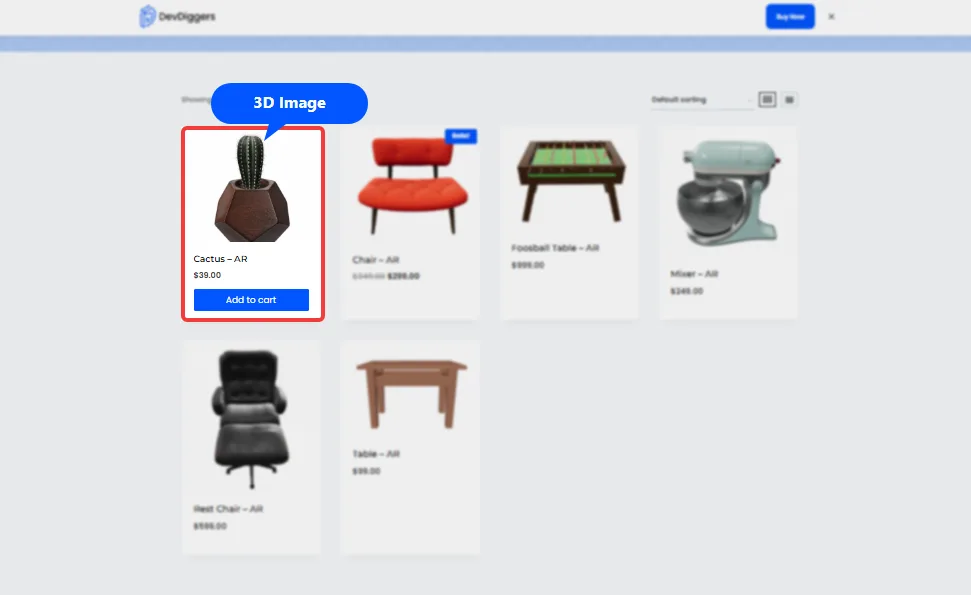
A WooCommerce 3D product view plugin lets you upload a 3D model, usually a .glb or .gltf file. It displays on the product page in place of, or alongside, static images. Customers drag to rotate the model, pinch to zoom, and on supported devices, place it in their own room using augmented reality.
Think of it as swapping a single photograph for a small, interactive object the customer can turn over in their hands. A flat image shows one angle. A 3D model shows all of them, at once, without extra photography.
This is different from a product page built around zoom or a lightbox gallery. Zoom sharpens detail on a fixed image. A 3D viewer changes the actual geometry the customer sees as they interact. It’s also worth knowing where 3D viewers stop and configurators start. Some of the plugins below let customers rotate a fixed model. Others let customers change colours or materials and watch the model update live, which is closer to a product configurator than a simple viewer.
7 Best WooCommerce 3D Product View Plugins Reviewed
Here are seven plugins worth testing, ranked by the store types and budgets they fit best.
1. WooCommerce Product View in AR by DevDiggers (Best All-in-One)
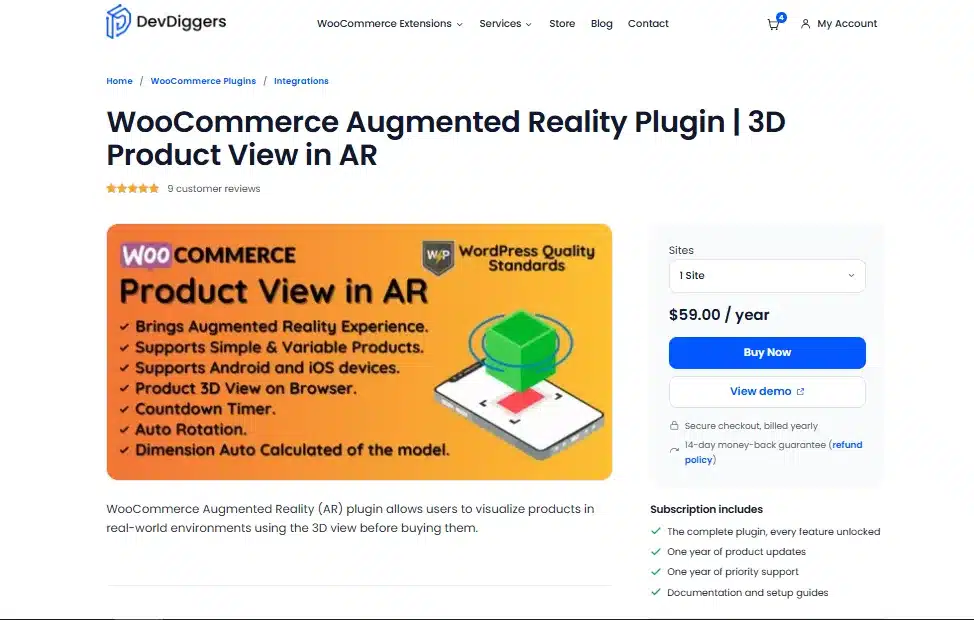
WooCommerce Augmented Reality plugin by DevDiggers solves the one gap most competitors leave open: combining 3D viewing and AR in a single WooCommerce-built-in plugin instead of forcing you to juggle a separate app or platform. Admins upload a .glb file for 3D and a .usdz file for iOS AR, then toggle auto-rotation, preloading, and dimension display right from the product editor.
The standout feature is auto-calculated dimensions, which directly answers the question most shoppers hesitate on: will this fit? That matters most for furniture, decor, and large-item sellers looking to cut size-related returns. With RTL support and unlimited AR-enabled products included standard, it’s also the strongest pick for agencies deploying the same setup across multiple client stores without paying for a higher tier just to scale.
Best For
- WooCommerce stores that want 3D and AR in one plugin, not two
- Furniture, decor, and large-item sellers who need dimension display
- Agencies deploying the same setup across multiple client stores
Key Features
- Single-click live demo available
- 14-day refund policy available for every big or small payment
- Built-in WooCommerce product page integration, no shortcode juggling
- Upload
.glb(3D, all devices) and.usdz(iOS AR) per product - Auto-calculated 3D model dimensions, toggleable on or off
- Preload option for the featured image while the model renders
- RTL support and unlimited AR-enabled products
Pricing
- Free version available
- 1 Site: $59.00/year
- 5 Sites: $249/year
- 10 Sites: $349/year
Limitations
- Requires supplying your own 3D model files.
- Android AR depends on ARCore, so very old Android devices won’t support it
2. AtlasAR (Best Free Tier)
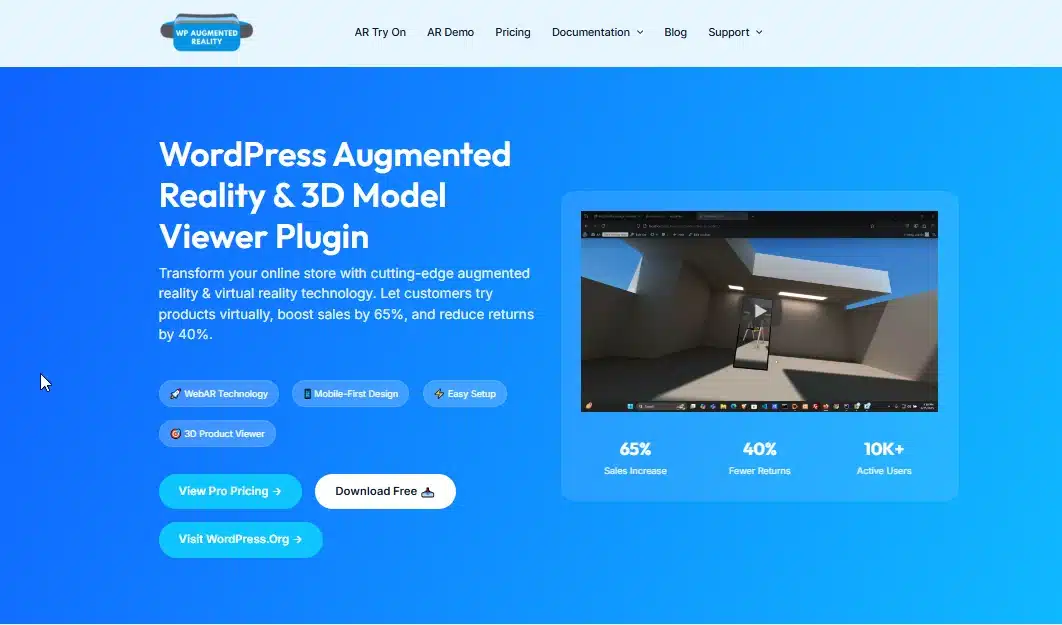
AtlasAR gives away far more than most freemium (Free with paid upgrade) plugins dare to. Unlimited model uploads, full AR on iOS and Android, and complete WooCommerce integration all work without a license key.
Its standout is free AI-generated 3D models via Tripo3D, letting stores without existing assets create one from a text prompt instead of hiring a 3D artist. Built on Google’s model-viewer component with a modern React admin panel, it’s the natural starting point for testing whether 3D and AR are worth the investment before spending anything.
Best For
- Budget-conscious stores testing 3D viewing before committing to a paid tool
- Stores without existing 3D model files, thanks to AI generation
- Agencies that want to demo 3D and AR to a client at zero upfront cost
Key Features
- Unlimited 3D uploads and full AR (iOS and Android) in the free tier
- Free AI 3D model generation from text prompts
- QR code handoff, so a desktop shopper can launch AR on their phone
- Pro adds Draco and Basis Universal compression, cutting file sizes by up to 70%
Pricing
- 1 Site: $149.99
- 5 Sites: $249.99
- 10 Sites: $399.99
Limitations
- Smaller install base than more established competitors, so fewer third-party tutorials
- Product configurators and per-variation model switching require Pro
3. 3D Viewer by bPlugins (Best for Simple 3D Display)
3D Viewer by bPlugins leads on scale, not features. With 171,000+ active installs, it’s the most widely used 3D viewer in the WordPress directory, backed by a large, active support forum.
It sticks to one job: embedding GLB and GLTF models via a Gutenberg block or shortcode, cleanly and reliably, without bundling in AR or configurators. For stores that don’t need AR, this is the most widely tested option available.
Best For
- Stores that want 3D viewing without AR
- Developers who value a large install base and active support forum
- Simple catalogues where deep WooCommerce features (variable product models) aren’t a priority
Key Features
- GLB and GLTF support free; OBJ, FBX, and STL locked to Pro
- Gutenberg block and shortcode, works on any post type
- Lazy loading included in the free tier
- One-time lifetime pricing option, an alternative to annual billing
Pricing
- 1 site: $49.99/year
- 3 sites: $99/year
- 10 sites: $199/year
Limitations
- No AR at all in the free version
- WooCommerce integration in the free tier is limited to basic product display
4. Visody 3D Product Viewer (Best for High-End or Showroom Products)
Visody 3D Product Viewer skips the free tier entirely, positioning itself as a focused, paid-only product. In exchange, AR support and interactive clickable points come standard at the base price, no premium upsell required.
It’s smaller by install count but holds a perfect user rating, with deep camera and lighting controls built for showroom-style presentation. That makes it the strongest fit for furniture, jewellery, or luxury goods stores where presentation quality is more important than the lack of a free trial.
Best For
- Furniture, jewellery, or luxury goods stores where presentation quality matters more than price
- Clients who are already committed to 3D and don’t need a free trial period
- Agencies that want hotspots and variable product support without a Pro upsell
Key Features
- AR support (WebXR, USDZ) included at the base price
- Interactive hotspots for calling out product details on the model
- Deep camera and lighting controls for showroom-style presentation
- Built-in WooCommerce gallery hooks, so it fits standard themes without conflicts
Pricing
Pro plan: $29.99/year
Limitations
- No free version, so there’s no way to test before your client pays
- Small user base means less community documentation than bPlugins or AtlasAR
5. AR for WordPress by webandprint (Best for Mature, Tested AR)
AR for WordPress by webandprint has been through more device-testing cycles than most competitors, and it shows in how reliably AR renders across phones. WebAR spans both iOS (Quick Look) and Android (Scene Viewer).
The catch: the free tier caps you at one 3D model, making it more of a demo than a real solution for any store selling more than a single product. It’s best used to test AR quality before committing to Pro, which adds unlimited models, hotspots, and full WooCommerce integration.
Best For
- Agencies testing AR quality for a client before recommending a paid plan
- Stores with the budget for a monthly subscription in exchange for AR maturity
Key Features
- WebAR on both iOS (Quick Look) and Android (Scene Viewer)
- Pro adds unlimited models, hotspots, and WooCommerce integration
- Two related plugins in the directory, which doubles discoverability but adds confusion
Pricing
Pro plan: $20/month
Limitations
- Free tier’s one-model cap makes it impractical for real stores
- $200/year is the most expensive Pro tier in this list
6. Easy 3D Viewer (Best Budget Option)
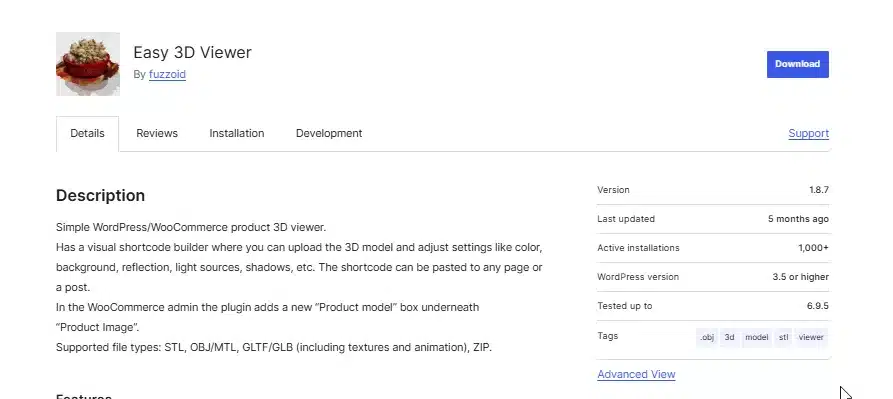
Easy 3D Viewer (Woo3DViewer) keeps things simple for budget-conscious stores. A visual shortcode builder lets you upload a model and adjust colour, shadows, and reflection without code, with a dedicated “Product model” box built into the WooCommerce editor.
It stands out for legacy format support, handling STL and OBJ with MTL materials alongside GLTF and GLB, useful when a client’s existing 3D assets were never exported for the web in the first place.
Best For
- Small stores or freelance projects with a tight budget
- Clients whose existing 3D files are in older formats like STL or OBJ
Key Features
- Supports STL, OBJ/MTL, GLTF/GLB, and ZIP uploads
- Visual shortcode builder with no code required
- Pro adds model compression and converts models to GIF or WEBM to protect them from being downloaded
Pricing
Pro version: $29 (one-time)
Limitations
- Free tier caps you to one viewer setup with fewer customisation options
- No AR support at any tier
7. 3D Product Customizer & Configurator for WooCommerce (Best for Configurable Products)
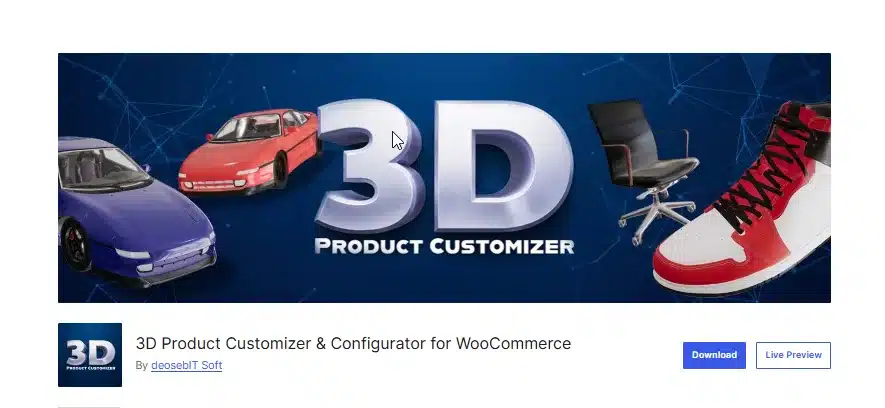
3D Product Customizer & Configurator for WooCommerce goes a step beyond viewing. Customers change colours, materials, or components and watch the 3D model update in real time, with every choice saved automatically to the WooCommerce order.
It’s actively maintained, with recent fixes to camera controls, shadow rendering, and a JSON data bug. Built on Three.js, it’s the clear pick for stores selling genuinely customizable products, furniture, apparel, printed goods, where configuration drives the sale.
Best For
- Stores selling customizable products: furniture, apparel, printed goods
- Agencies that need customisation choices to flow straight into order data
Key Features
- Real-time 3D updates as customers change product options
- Per-product camera position saved by the admin
- Runs on Three.js, with recent fixes to shadow rendering and JSON handling
Pricing
Premium price: $59–$149/year
Limitations
- More setup work than a plain viewer, since configurator logic has to match your product options
- Overkill if your client just wants customers to see the product, not customise it
Quick Comparison: 7 Best WooCommerce 3D Product View Plugins at a Glance
Before comparing every column, check one thing first: whether the plugin handles AR and WooCommerce integration together, or whether AR is a separate paid add-on. That single line item explains most of the pricing gaps below.
| Plugin | Free Tier | AR Support | WooCommerce Integration | Starting Pro Price |
|---|---|---|---|---|
| DevDiggers Product View in AR | No | Yes (iOS + Android) | Built-in | One-time license |
| AtlasAR | Yes (full-featured) | Yes, free | Free | $49.99/year |
| 3D Viewer (bPlugins) | Yes (basic) | Pro only | Limited free | Varies (annual/lifetime) |
| Visody | No | Yes, included | Built-in | $29.99/year |
| AR for WordPress | Yes (1 model) | Yes, limited | Pro only | $20/month |
| Easy 3D Viewer | Yes | No | Basic | Varies |
| 3D Product Customizer | Free/paid tiers | No | Built-in(configurator) | Check plugin page |
One term worth explaining before you deploy any of these on a client site: HPOS. High-Performance Order Storage is WooCommerce’s newer, faster order data system, and Woo has been pushing store owners toward it for a while now. If a plugin isn’t declared HPOS compatible, it can throw compatibility warnings or, worse, silently misbehave on order-related hooks. Always check a plugin’s compatibility notice on its WordPress.org listing before you put it on a live client store.
Something we see often when checking client stores: a 3D viewer plugin works fine alone but slows the page down once combined with a heavy theme and other product-page plugins. Before signing off for a client, load the page with browser dev tools open and check the model file size in the network tab. Anything over 5MB uncompressed is worth flagging, no matter how good the plugin’s own benchmarks look on its sales page.
How to Choose the Right WooCommerce 3D Product View Plugin for Your Store?
Skip the feature checklist and match the plugin to the store in front of you.
- If you’re building for a furniture or large-item store, pick DevDiggers Product View in AR or Visody. Dimension display and AR placement matter more here than anywhere else, since “will it fit” is the question that kills the sale.
- If your client has zero budget for plugins, start with AtlasAR. The free tier includes AR, which most competitors charge for.
- If the store just needs a clean 3D viewer with no AR, bPlugins is the safest, most tested option.
- If the client wants a premium showroom feel and is already paying for quality photography, Visody’s hotspot and lighting controls justify the cost.
- If the products are customizable (apparel, made-to-order furniture, printed goods), the 3D Product Customizer is the only plugin on this list built for that job.
- If you’re not sure yet and just want to test AR quality first, AR for WordPress’s single free model is enough to evaluate before committing a client’s budget.
Test every 3D plugin on a staging copy of the store before it goes anywhere near production. 3D and AR plugins touch product page templates directly. A conflict with a theme’s gallery hooks is far easier to catch on staging than after a client’s traffic hits it live.
Point to Know: A 3D viewer and a product configurator solve different problems. A viewer shows one fixed model from every angle. A configurator changes the model based on customer choices. If a client wants customers to pick a fabric or finish and watch it update live, quote for a configurator plugin, not a plain viewer. Otherwise you’ll be rebuilding the scope halfway through the project.
Conclusion
For most WooCommerce stores, WooCommerce Product View in AR plugin gives the best balance of Built-in integration and dimension display. Its one-time licensing also lets agencies deploy it across client projects without recurring per-site fees. AtlasAR is the strongest free option if budget is the deciding factor.
bPlugins remains the safest pick for a simple 3D viewer with no AR requirement. Visody is worth the annual fee for showroom-quality furniture or luxury listings. AR for WordPress suits agencies testing AR maturity before committing, and Easy 3D Viewer covers tight-budget or legacy-format projects.
The 3D Product Customizer is the right call the moment a client asks for live customisation instead of a static rotate-and-zoom view. Whichever WooCommerce 3D product view plugin you choose, test it on staging first and confirm HPOS compatibility before it touches a live store.
Frequently Asked Questions (FAQs)
Q1. Do 3D product view plugins slow down my WooCommerce store?
They can, if the 3D model files are large and uncompressed. A typical .glb file can run anywhere from a few hundred kilobytes to tens of megabytes depending on model complexity. Look for a plugin with lazy loading, so the model only loads once it scrolls into view. Compress models with tools like Draco before uploading them.
What file formats do WooCommerce 3D product view plugins support?
Most plugins accept .glb and .gltf, which are the standard web 3D formats. GLB is preferred since it bundles the model, textures, and animations into a single file. For iOS augmented reality, you’ll also need a USDZ version of the model, since Apple’s Quick Look viewer doesn’t read GLB directly.
Q2. Can I use a WooCommerce 3D viewer plugin across multiple client sites under one license?
This depends entirely on the plugin’s license terms, and it’s worth checking before you quote a client. Some licenses are per-site, meaning each client store needs its own purchase. Others allow multiple activations under a single license. Read the terms on the plugin’s pricing page rather than assuming.
Q3. Where do I get 3D models for my WooCommerce products if I don’t already have them?
You can commission a 3D artist, use a 3D scanning service for existing physical products, or source models from marketplaces like Sketchfab or CGTrader. Some plugins, like AtlasAR, also include AI-based generation that creates a basic model from a text description.
Q4. Does a 3D product view plugin replace the need for good product photography?
No. Most stores run 3D viewers alongside their standard image gallery, not instead of it. Static photos still load faster and work as a fallback for browsers or devices that don’t support 3D rendering well.
Q5. Will a WooCommerce 3D viewer plugin work with variable products like different colours or sizes?
Support varies by plugin. Several options on this list, including DevDiggers, Visody, and the Pro tiers of bPlugins and AtlasAR, support assigning different 3D models to different product variations. Confirm this specifically if a client sells products in multiple colours or configurations, since it’s a common gap in cheaper plugins.