Yes, a SIEM can be used to monitor a WordPress site. It pulls logs from your server, database, plugins, and firewall, then connects them to catch patterns a security plugin working alone would miss. We’ve set this up for client sites handling payments and health records. The difference shows up the first time someone runs a coordinated attack, not a single guessed password.
Most articles stop at “yes” and hand you a features list. The real question is whether your site’s risk level justifies the setup work and the ongoing adjustments a SIEM demands. Here’s how SIEM monitoring works on WordPress and what it costs in time and money. You’ll also see how it stacks up against a plugin like Wordfence, plus a checklist to tell you if you need one at all.
What Is a SIEM?
A SIEM, short for Security Information and Event Management, is a system that pulls security logs from every part of your infrastructure into one place. It watches the combined stream for patterns that look like an attack.
Two functions live inside it. Security Information Management stores and organises the logs so you can look back at what happened. Security Event Management watches the live stream and fires alerts the moment something looks wrong. Put together, a SIEM turns scattered log files into one timeline you can search.
That’s the concept. On WordPress, the tricky part isn’t the SIEM itself. It’s getting WordPress to produce logs worth feeding into one.
Why Are WordPress Sites a Harder SIEM Target?
WordPress does not log much on its own. Out of the box, it keeps almost no record of who logged in, what got edited, or which plugin just changed a database table. A SIEM built for enterprise networks expects a steady stream of structured logs. WordPress gives you close to nothing by default.
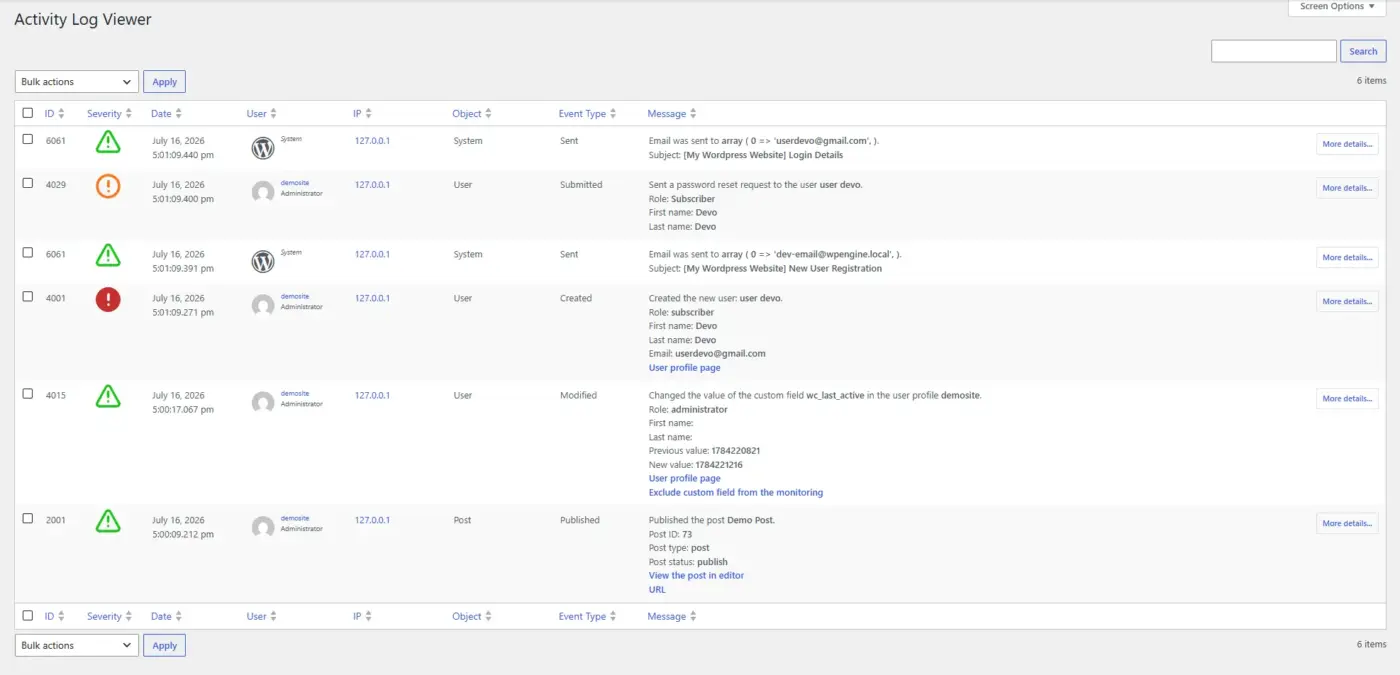
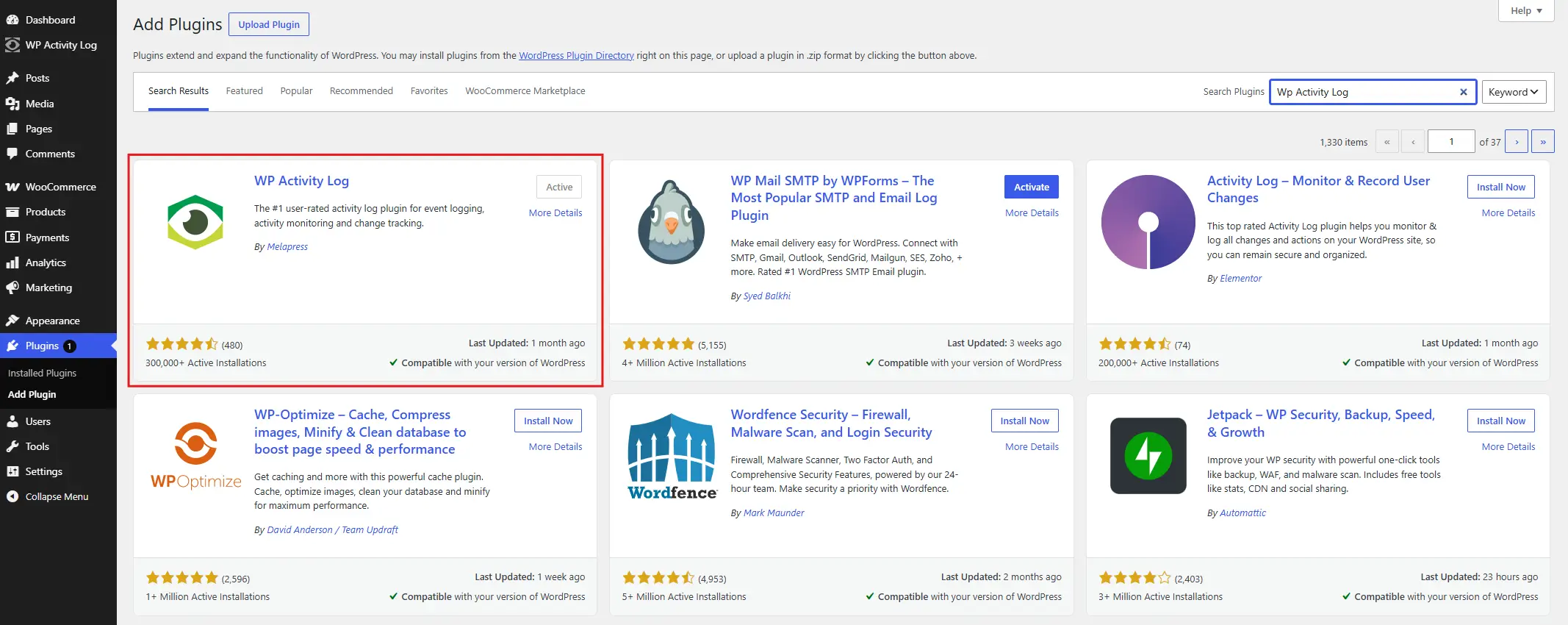
That gap is why nearly every WordPress and SIEM setup starts with a bridge. You install a logging plugin such as WP Activity Log, then point your web server (Apache or Nginx) to log access and errors properly. Only then does the SIEM have something to chew on.
This is something we see often in support. People connect a SIEM to a WordPress site expecting instant visibility, then get an empty dashboard for the first week. The SIEM isn’t broken. WordPress just wasn’t sending it anything worth analysing yet.
WordPress powers a large share of the web, which keeps it a constant target for automated attacks. Patchstack’s State of WordPress Security 2026 report found 11,334 new vulnerabilities across the WordPress ecosystem in 2025, a 42% jump from the year before. Most of that risk sits in plugins and themes, not WordPress core itself.
SIEM vs. a Security Plugin: What’s Different
Wordfence and Sucuri are good tools. They are not the same tool as a SIEM. Treating them as interchangeable is where a lot of the confusion around this topic comes from.
| Security Plugin (Wordfence, Sucuri) | SIEM | |
|---|---|---|
| Scope | One WordPress site | Server, database, firewall, and site together |
| Detection style | Known threat signatures | Correlation across multiple log sources |
| Setup time | Minutes | Days to weeks, plus ongoing adjustments |
| Cost | $0 to $30/month per site | Free (self-hosted) plus engineering time, or $100+/month for managed |
| Best for | Blogs, small stores, single-site owners | Multi-site agencies, stores handling payment data, and regulated sites |
| Compliance reporting | Limited | Built for activity records(GDPR, HIPAA, PCI-DSS) |
A plugin checks your WordPress install against a list of known bad signatures. A SIEM connects the dots. Ten failed logins from one IP, followed by a successful login, followed by a core file edit an hour later. No single event trips a plugin’s alarm. A SIEM strings them together and flags the sequence as a likely attack.
Trade-off: If your site is a personal blog or a small store with one admin, a good security plugin is usually enough. A SIEM adds real value once you’re running multiple sites, handling sensitive customer data, or answerable to a compliance framework.
How a SIEM Monitors a WordPress Site: Step by Step
Once you’ve decided a SIEM is worth the setup, the process follows a consistent pattern.
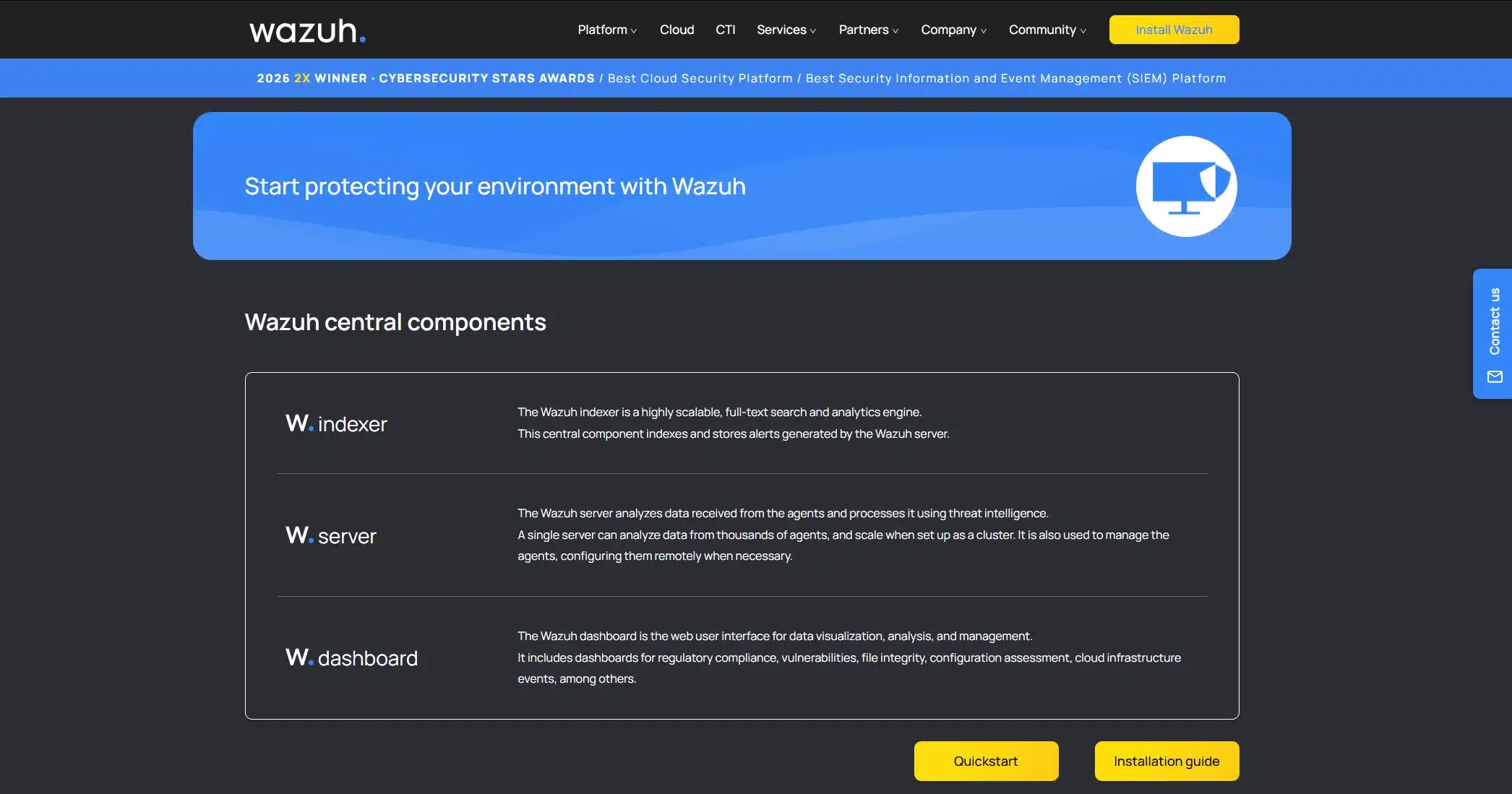
- Pick a SIEM: Open-source options like Wazuh or the ELK stack cost nothing in licensing but need someone comfortable with Linux to run them. Cloud SIEMs remove that burden for a monthly fee.
- Bridge WordPress logging: Install an activity log plugin so user logins, role changes, and content edits get recorded in a format worth exporting.
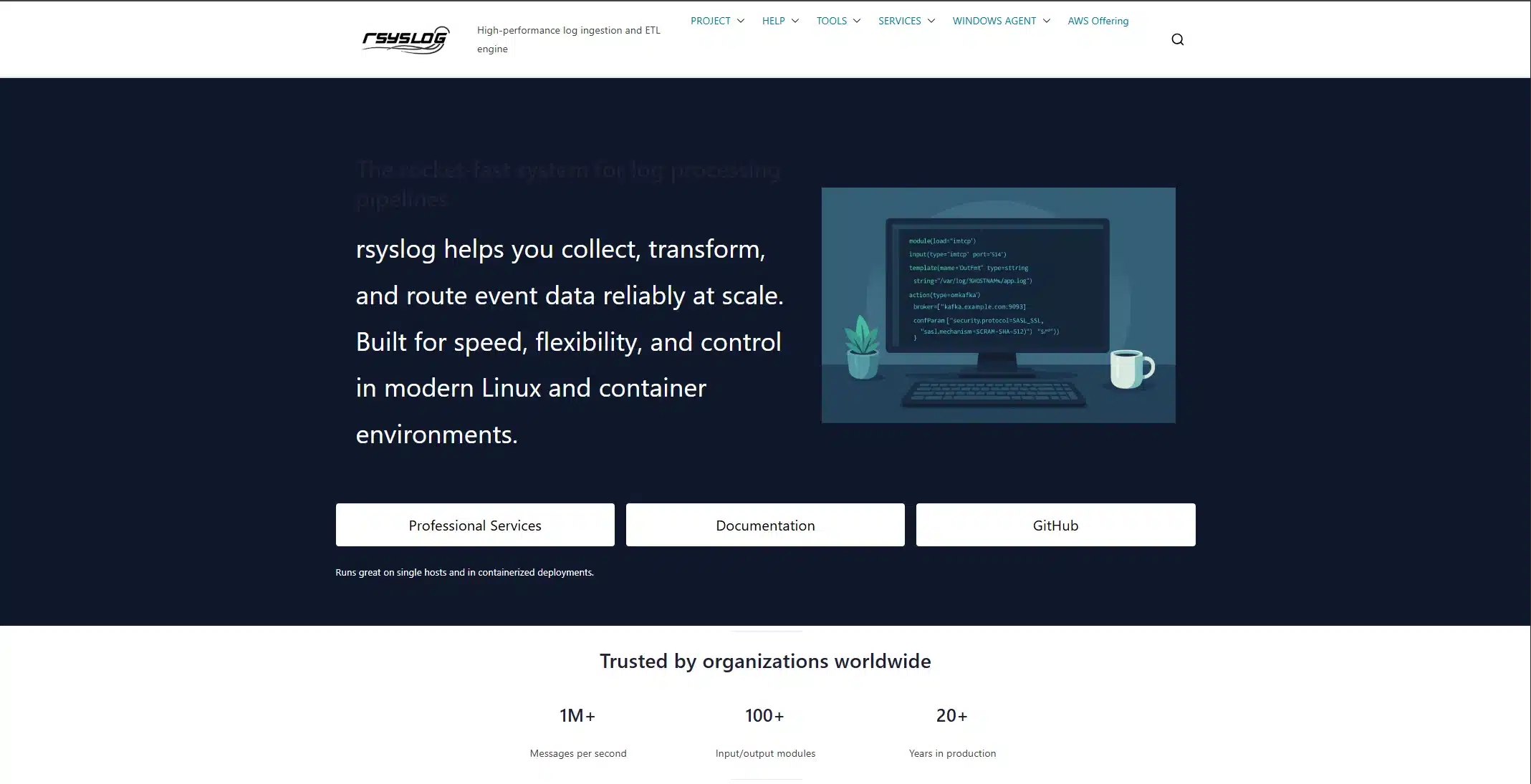
- Forward the logs: A syslog agent (rsyslog is the common choice) watches your log files. It streams new entries to the SIEM over an encrypted connection.
- Normalise the data: The SIEM converts your Apache logs, MySQL logs, and WordPress activity logs into one consistent format. That way, they can be compared side by side.
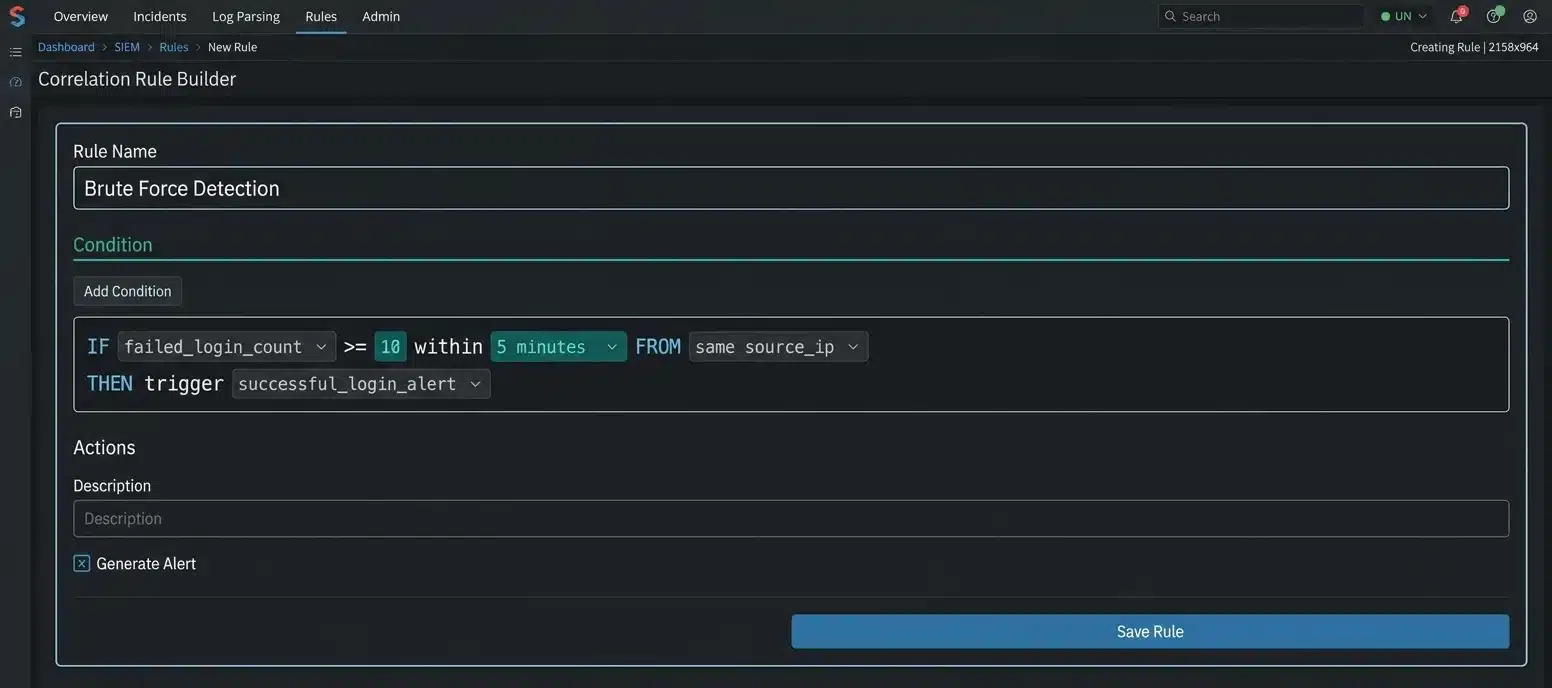
- Write correlation rules: This is where the SIEM earns its keep. A rule might read: ten failed logins from one IP within five minutes, followed by a successful login, equals a brute-force alert.
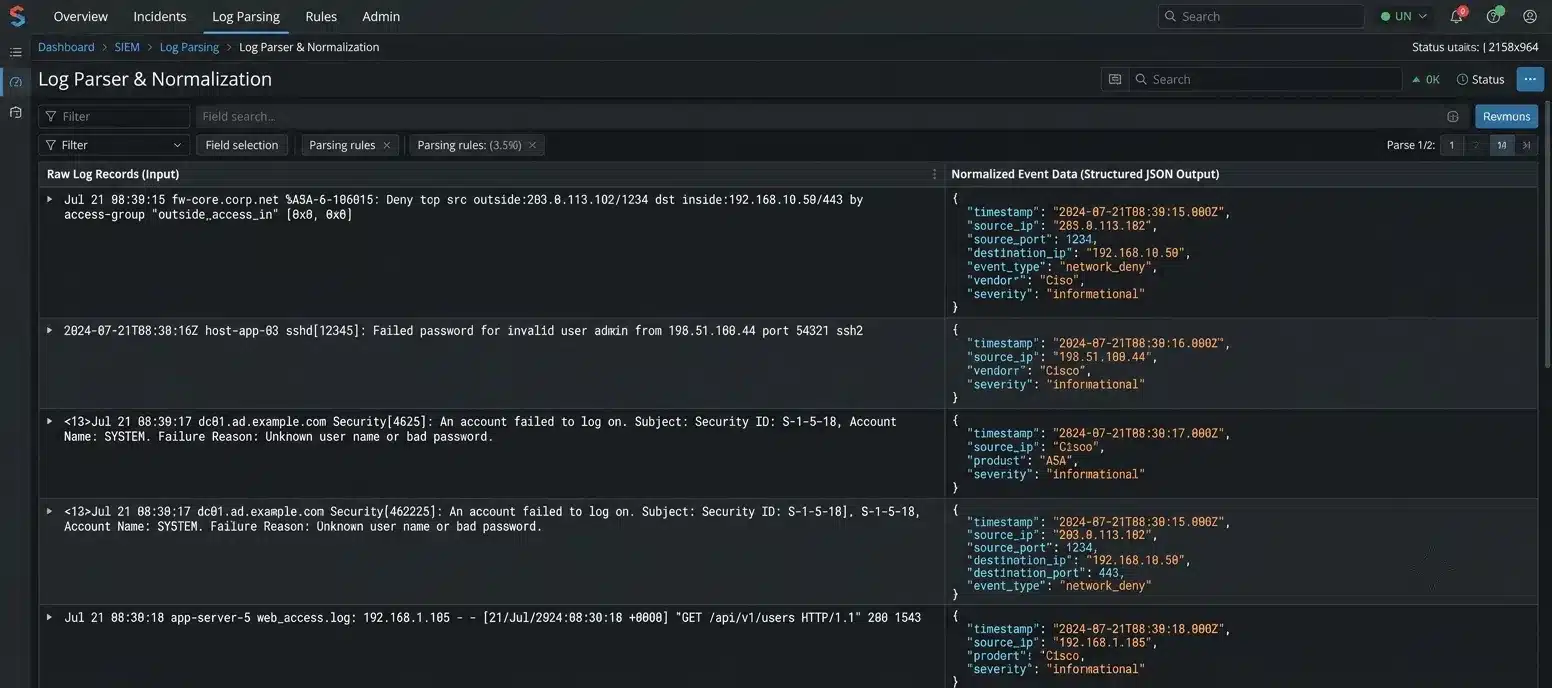
- Tune the alerts: Your first week of alerts will include a lot of noise. Backup jobs, scheduled cron tasks, and normal admin activity all look suspicious until you teach the system otherwise
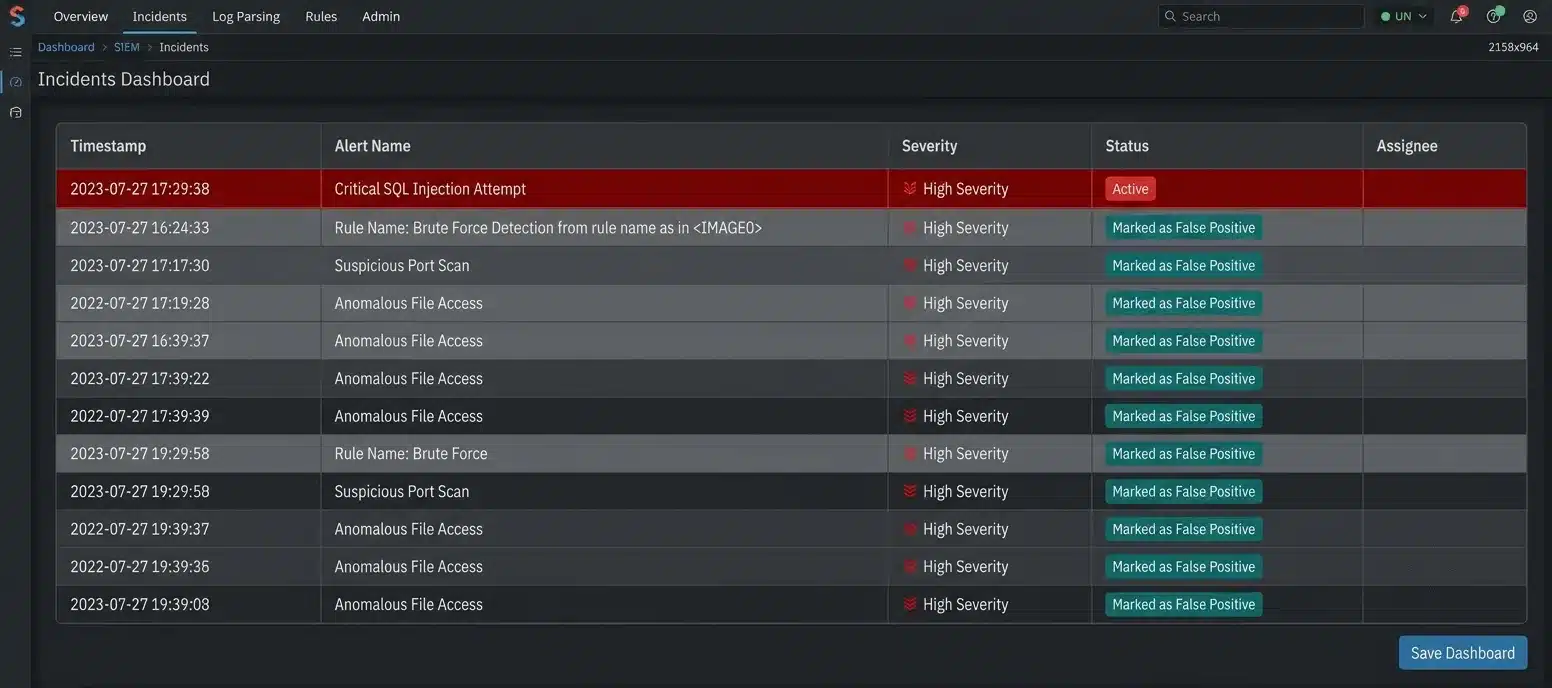
Setup usually takes ten minutes for the logging plugin. The hard part is deciding what behaviour deserves a real-time alert versus a weekly report.
Here’s what that looks like in practice. A mid-sized WooCommerce store enabled detailed logging on Nginx and added an activity log plugin for admin actions. Both fed into a self-hosted Elastic SIEM instance. Within two weeks, an Event Rule caught something a plugin alone had missed for months. A login from an unfamiliar country was followed nine minutes later by a new admin user being created. No single event looked alarming on its own. Strung together, it was a textbook account takeover attempt, and the team locked the account before any orders were touched.
For teams already following broader DevSecOps best practices, SIEM integration for WordPress fits into the same production monitoring layer as any other application in the stack. It’s not a separate discipline. It’s the same log-and-alert thinking applied to a CMS instead of a custom app.
Which SIEM Tools Work With WordPress?
Not every SIEM on the market is a good fit for a WordPress site. A few show up often enough in real setups to name directly.
| Tool | Best for | Notes |
|---|---|---|
| Wazuh | Sites wanting built-in file integrity monitoring | Free and open-source, catches unauthorised core file edits well, but needs a server and someone to run it |
| Elastic Security (ELK stack) | Teams already running Elasticsearch | Flexible and widely documented |
| Splunk | Agencies running dozens of client sites | Built for scale, but licensing costs climb fast with log volume, overkill for a single small store |
| Graylog | Small teams wanting a lighter setup | Easier to stand up than a full Elastic cluster |
| LogRhythm | Compliance-heavy use cases | Reporting is built for auditors rather than day-to-day site admins |
None of these speaks WordPress natively. Every one of them still needs the logging plugin bridge described above before they see anything useful.
What to Log First: A Priority List
Most guides hand you a long list of every log source a SIEM can theoretically collect. In practice, five sources cover most of the real risk on a WordPress site. Start here before adding anything else.
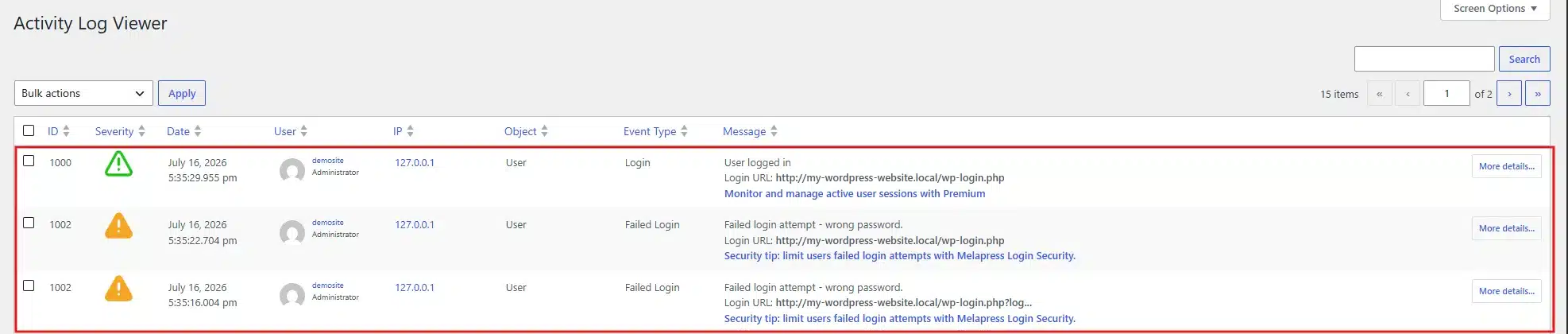
- Login events: Every success and failure, with the IP address attached. This alone catches most brute-force attempts.
- File changes to core, themes, and plugins: An unexpected edit to
wp-config.phpAt 3 a.m. is worth an immediate alert.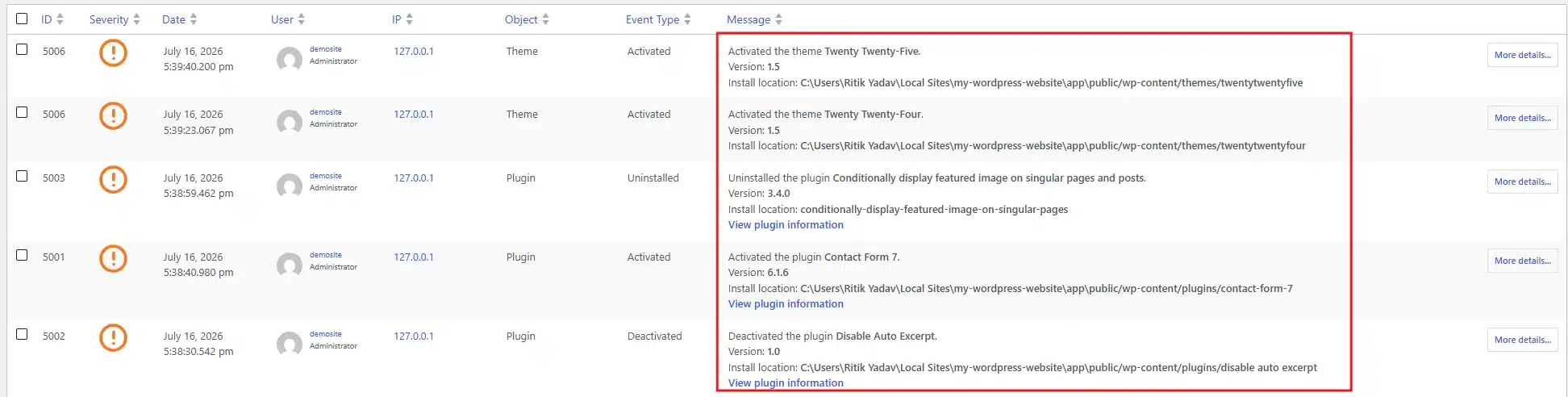
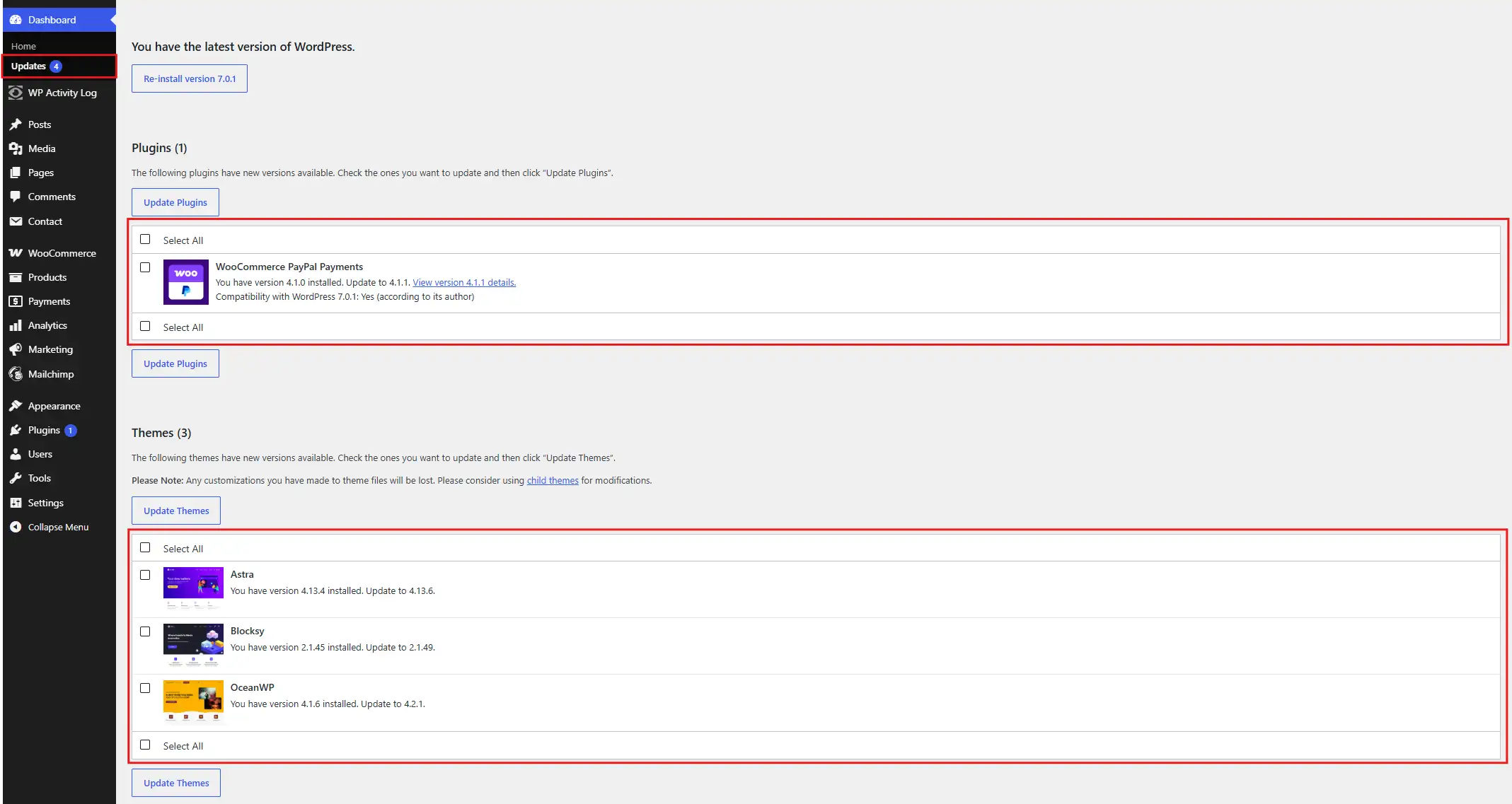
- Plugin and theme installs or updates: A new plugin appearing that no admin remembers installing is a common early sign of compromise.
- Web server error logs: A sudden spike in 404s from one IP usually means someone is scanning for vulnerable endpoints.

- Database query or Site errors: Repeated malformed queries can point to an SQL injection attempt in progress.
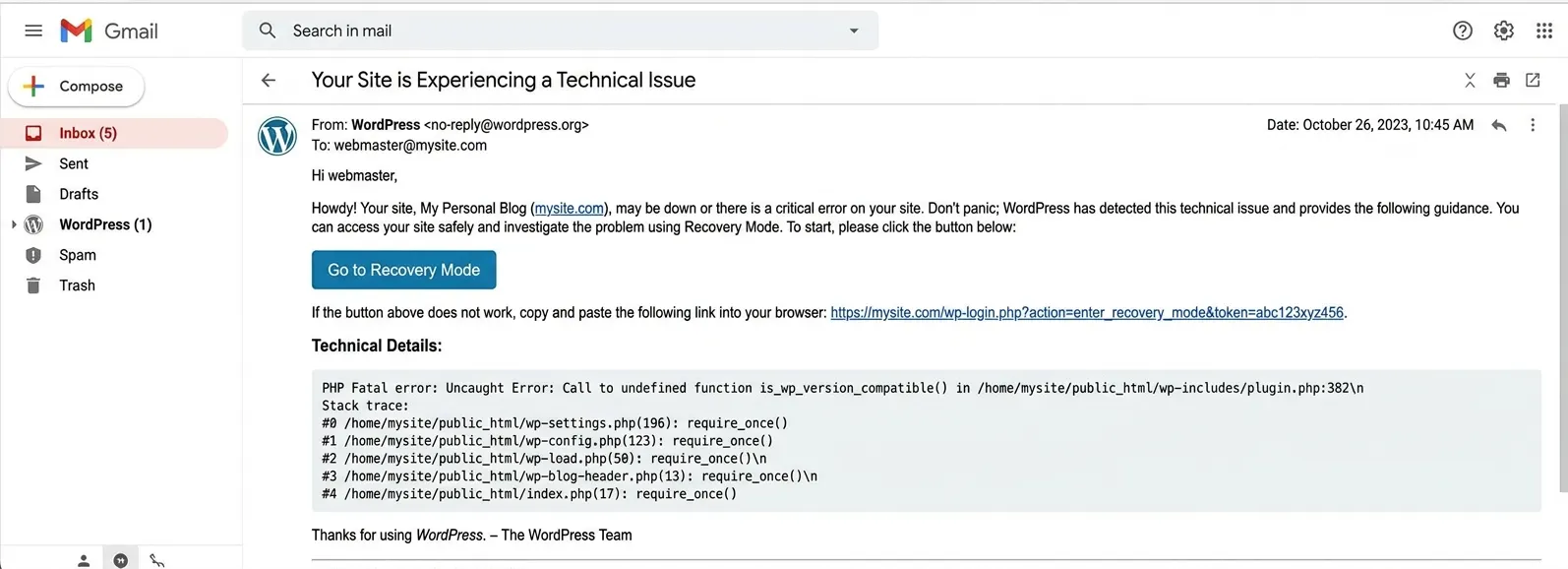
Everything past this list (network traffic analysis, DNS logs, CDN edge logs) adds value, but only after these five are stable and generating clean alerts.
Traffic unusual activity detection deserves a mention on its own. A sudden spike in requests hitting one endpoint is a pattern a SIEM catches well. It’s often the earliest sign of WordPress DDoS protection failing to keep up. Feed your CDN or firewall logs in once the core five sources are stable. A volumetric attack then shows up as a correlation alert instead of a site that’s simply gone down.
The Real Cost of Running a SIEM on WordPress
Cost is where most articles get vague. Here’s the actual range.
Open-source SIEMs like Wazuh cost nothing to license. What they cost is engineering time: a server to host them, someone to maintain that server, and hours spent writing and adjusting connecting rules. Budget at least a few days of setup time and a few hours a month after that.
Cloud SIEM platforms remove the server management burden. Pricing typically starts around $100-$300/month for a single site, scaling with log volume. That climbs quickly for agencies monitoring dozens of client sites at once.
Compare that to a WooCommerce security checklist built around a good hosting provider and a security plugin, which usually runs under $50/month total. The gap is real, and it’s the reason a SIEM isn’t the default recommendation for every site.
There’s a cost that doesn’t show up on the pricing page, too. Log storage grows fast once you’re capturing web server access logs at any real traffic volume, and most SIEMs charge based on ingested data. A site that looks cheap to monitor in month one can double in log volume by month six as traffic grows, and the bill follows.
If your site handles cardholder data or health records, factor in the compliance side as well. Meeting PCI-DSS or HIPAA reporting requirements often means retaining logs for a full year, not thirty days, which changes the storage math again.
Do You Need One? A Scored Checklist
Give your site one point for each item that applies, then check your total against the guide below.
- Your site processes payments or stores customer financial data
- You manage five or more WordPress sites for clients
- You’re subject to GDPR, HIPAA, or PCI-DSS
- Your site generates meaningful revenue or is business-critical
- You’ve had a security incident in the past 12 months
- You have someone on your team who can maintain server-level tools
| Score | Recommendation | Why |
|---|---|---|
| 0 to 1 points | A security plugin, strong passwords, and regular backups cover your risk | A SIEM would be overkill |
| 2 to 3 points | Worth evaluating a cloud SIEM | Especially if you scored on the compliance or incident-history items |
| 4 or more points | A SIEM is close to necessary at this point | The cost of a breach at your scale will outweigh the monitoring investment |
For Agencies: Monitoring Multiple Client WordPress Sites
If you manage WordPress sites for clients, a single SIEM instance can watch all of them at once. That beats running separate security tools per site, and it’s where the math starts favouring a SIEM even for smaller individual sites.
Set up log forwarding from each client site to one central SIEM, then tag events by site of origin. Build correlation rules once instead of per client. A brute-force rule you write for one site applies to all of them. The setup cost gets spread across every site under management. That’s usually the point where a SIEM stops being a luxury and starts being cheaper per site than individual plugin licenses.
One trade-off worth naming honestly: a misconfigured rule in a shared SIEM floods you with noise across every client site at once, not just one. Segment your alerting by client from day one. Skip that step, and the too-many-alerts problem multiplies fast.
Common Mistakes That Cause Too Many Alerts
A SIEM that fires fifty alerts a day gets ignored within a week. That defeats the purpose entirely.
The most common mistake is turning on every possible rule at launch. Start with two or three high-confidence alerts, like a successful login following ten failures. Add more only after those are clean.
The second mistake is never revisiting rules after the initial setup. Backup jobs, scheduled plugin updates, and normal admin behaviour all need to be whitelisted once you confirm they’re benign. Skip that step, and your team starts ignoring the dashboard by month two.
Honestly, adjusting is the part nobody enjoys and the part that determines whether the whole setup was worth it.
A rough benchmark worth aiming for: after the first month, fewer than one in ten alerts should turn out to be a false positive. If you’re still seeing more noise than that, the rules need more work before you add anything new. Sites that skip this step tend to abandon the SIEM within a few months, not because it failed, but because nobody trusted the dashboard anymore.
Conclusion
Can a SIEM be used to monitor a WordPress site? Yes. It works by pulling logs from your server, database, and a WordPress activity plugin. Those logs get correlated into alerts that a standard security plugin can’t produce on its own. The setup takes real engineering time, and the ongoing cost is higher than a plugin alone.
For a personal blog or small store, that cost usually isn’t worth it. For a site handling payments, regulated data, or run by an agency managing several client installs, a SIEM earns its keep fast. Run the checklist above before you decide either way.
Frequently Asked Questions (FAQs)
Q1. Does WordPress log security events by default?
No. WordPress keeps almost no record of logins, file changes, or plugin activity out of the box. You need an activity log plugin before a SIEM has anything useful to analyse.
Q2. Can I use a free SIEM with WordPress?
Yes. Wazuh and the ELK stack are open-source and work with WordPress, though they need someone comfortable managing a Linux server to set up and maintain.
Q3. Will a SIEM slow down my WordPress site?
Log forwarding itself has minimal impact. The bigger risk is an over-configured logging plugin capturing too much data, which can add noticeable overhead on high-traffic sites.
Q4. Can a SIEM replace my WordPress security plugin?
No. A SIEM analyses logs after they’re generated. Your security plugin still handles firewall rules, malware scanning, and blocking bad traffic before it reaches your site.
Q5. How long before a SIEM catches its first real threat?
It depends on your traffic and rule adjustments. Most sites see their first genuine, non-false-positive alert within the first month once event rules are properly configured.
Q6. Do I need to keep SIEM logs for compliance reasons?
If you’re covered by PCI-DSS, HIPAA, or similar rules, yes. Most of those standards expect at least a year of retained logs, not the default thirty-day window many SIEM plans ship with.