If you want the short answer: WooCommerce Pre-Order by DevDiggers is our top pick for most stores. We build it, and it handles partial payments and HPOS without extra setup. The right WooCommerce pre-order plugin for you still depends on your budget and how complex your launches are.
Selling something before it exists sounds strange until you see customers line up to reserve it. That’s what a good pre-order plugin does. It turns “coming soon” into a sale you can count on today.
We compared the 10 best WooCommerce pre-order plugins, free and paid, against each vendor’s own listing in October 2026. Below you’ll find pricing, real feature differences and which one fits your store type.
What a WooCommerce Pre-Order Plugin Does
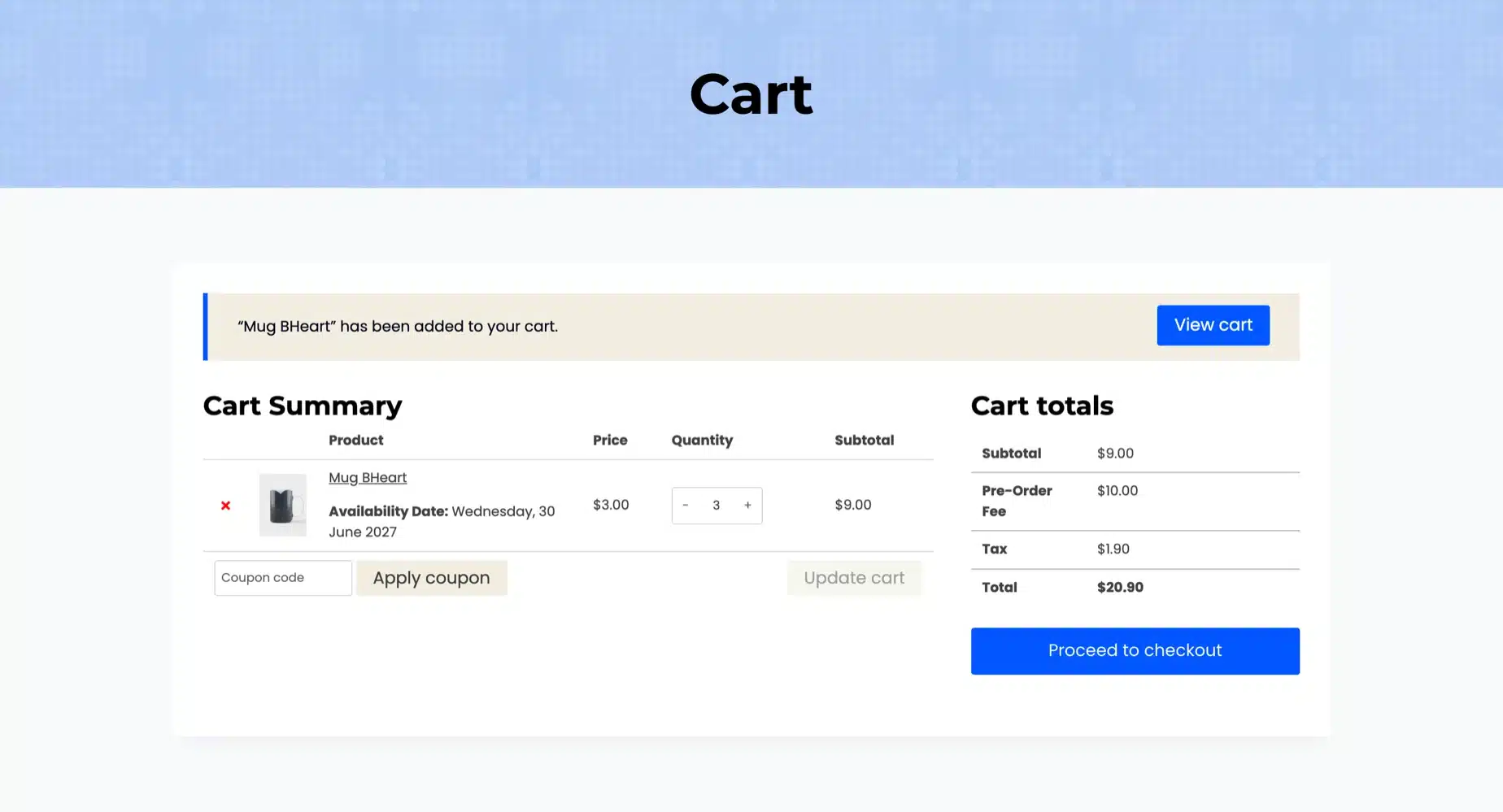
WooCommerce doesn’t support pre-orders out of the box. You can mark a product “out of stock” or enable backorders, but neither gives customers a release date, a countdown, or the option to pay a deposit now and the rest later. That’s the gap a WooCommerce pre-order plugin fills.
Backorders vs pre-orders is a distinction that trips a lot of store owners up. A backorder lets someone buy a product that’s temporarily out of stock, usually with no set return date. A pre-order is intentional. You’re selling something that hasn’t launched yet, on purpose, often to gauge demand before you manufacture or import it.
A solid pre-order plugin typically gives you:
- A custom “Pre-Order Now” button instead of “Add to Cart”
- A release or availability date shown as a countdown
- The choice to charge full price upfront or only when the product ships
- Email notifications when the item becomes available
- Reporting on how many units have been reserved
Not every plugin on this list does all five well. That’s exactly why the comparison below matters more than any single feature list.
Why Store Owners Add Pre-Orders in the First Place
Fashion brands use pre-orders to test a design before committing to a full production run. Electronics retailers use them to gauge how many units of a new gadget to import. Small creators use them to fund a limited run of merchandise without fronting the manufacturing cost themselves.
There’s a cash flow angle here too. A pre-order plugin that supports full upfront payment gives you working capital before you’ve even shipped anything. That’s the difference between waiting on a bank loan and funding your next production batch from sales you’ve already made. Whichever plugin you pick, make sure it plays nicely with your WooCommerce payment gateways, since deposit and partial payment features depend on your gateway supporting saved cards or delayed charges.
The soft benefit, easy to overlook, is data. Pre-order counts tell you exactly how much demand exists before you’ve locked in your inventory numbers. Guess wrong on stock without pre-orders, and you’re either sitting on unsold inventory or scrambling to restock a runaway hit. Pre-orders take a lot of that estimating out.
The 10 Best WooCommerce Pre-Order Plugins Reviewed
Each plugin below is reviewed on the same points: who it suits, key features, price, benefits and limits. Prices and versions come from each vendor’s own listing in October 2026. Our own plugin is listed first, and we say so where it applies.
1. WooCommerce Pre-Order by DevDiggers
Our own WooCommerce pre-order plugin, built by DevDiggers, runs the release date, the deposit and the balance in one plugin. Customers reserve with full payment or a part payment you set per product. On release day an hourly check releases the product, emails every buyer and charges what is left.
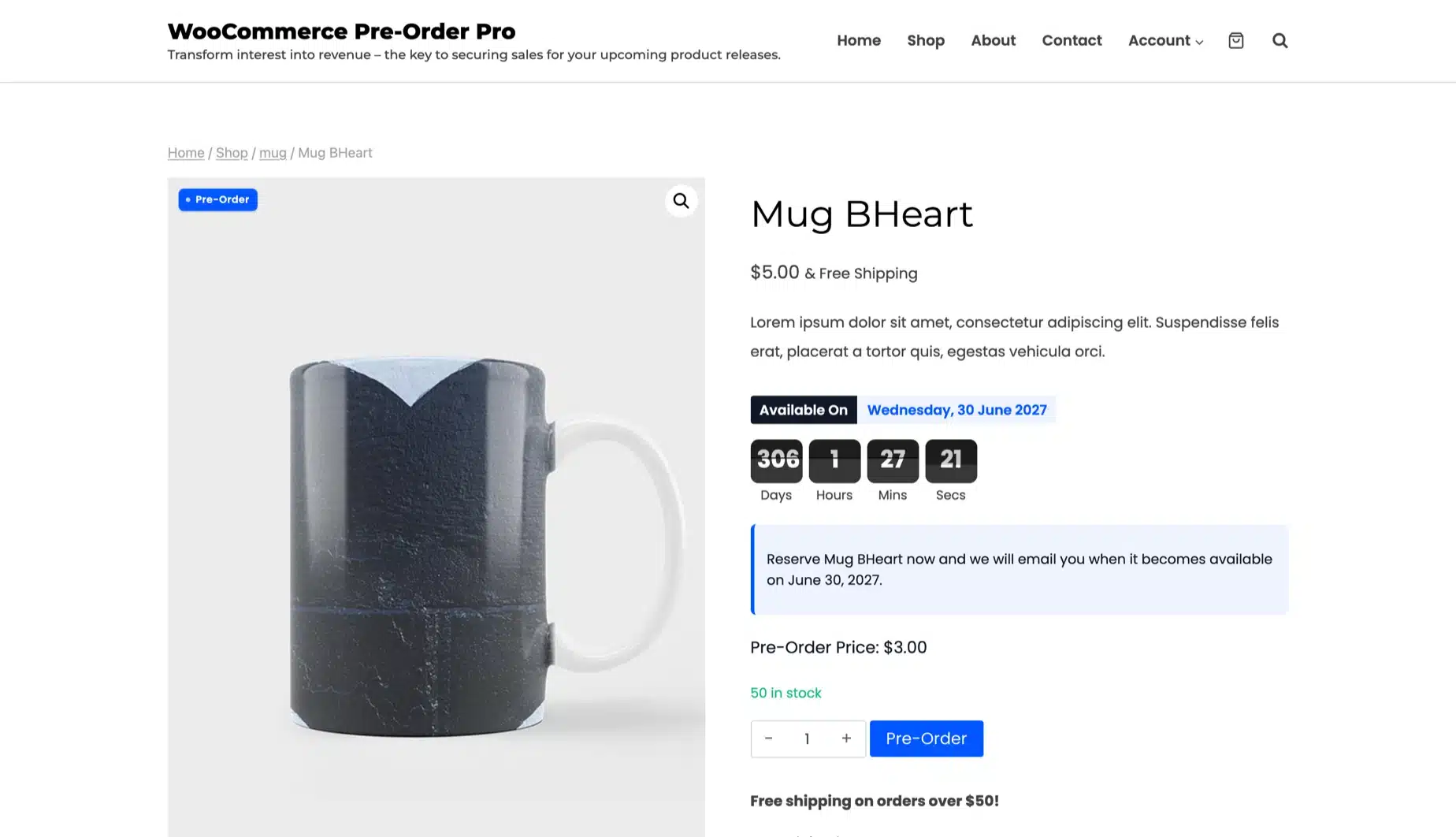
We read the plugin’s settings and code in October 2026. The product keeps its own page and reviews while a Pre-Order button replaces Add to Cart. It declares support for HPOS and the cart and checkout blocks, and our guide on WooCommerce HPOS compatibility explains why that matters.
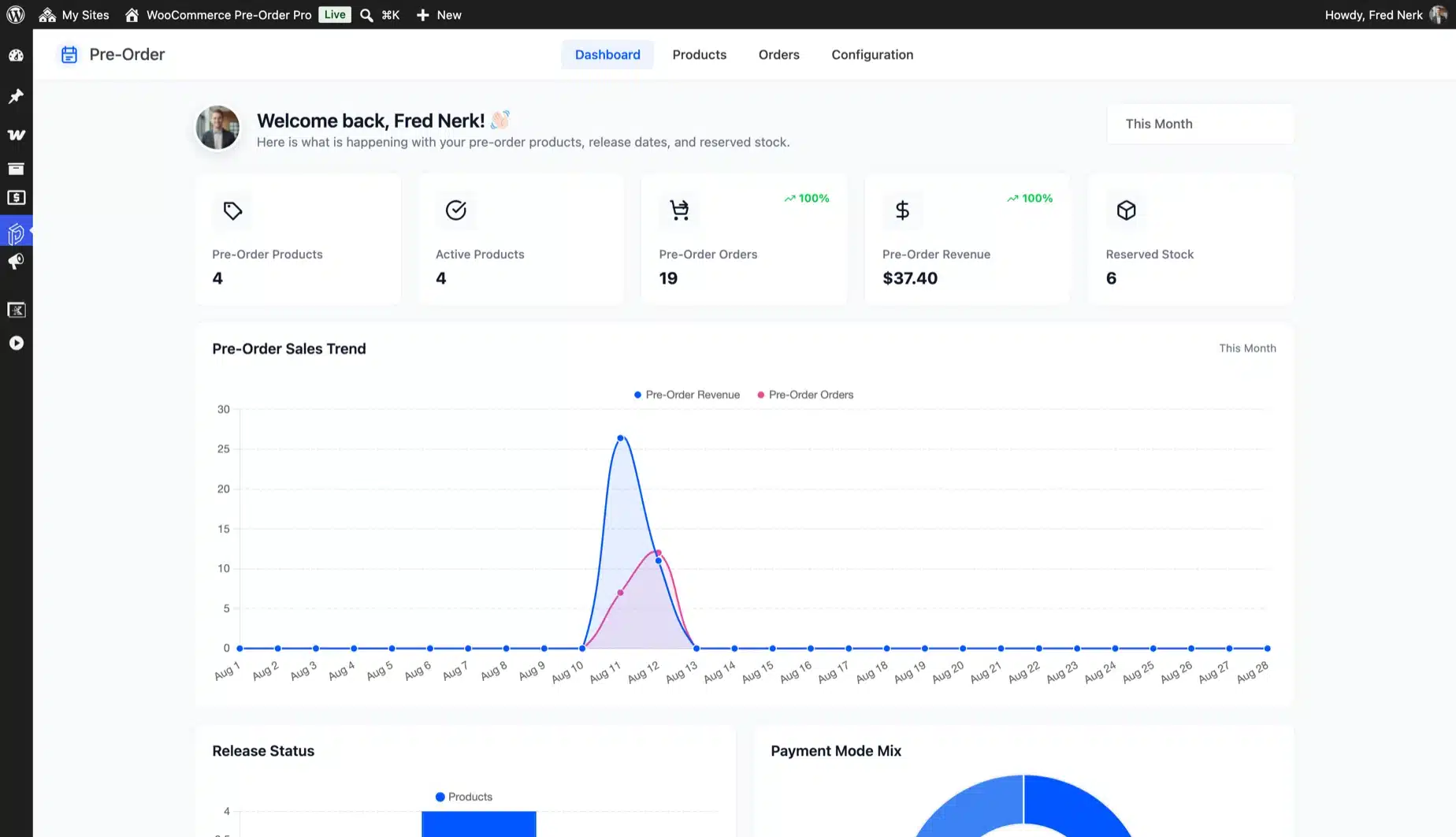
Worth knowing: No other plugin in this list shows a pre-order dashboard with payment mix and a release pipeline. None of the others lists a pre-order fee or free shipping while only reservations ship. PRENA needs its separate DEPART plugin for deposits, and ours takes the deposit and the balance itself.
Best For
- Stores that want deposits and an automatic balance charge without stitching together separate plugins.
- High-ticket sellers such as electronics and fashion stores that need customers to commit with a part payment.
- Limited drops that need quantity caps per customer so one account cannot buy out the run.
- Stores outside English that translate the plugin text through its included translation file.
- Store owners who want support from the developers who built the plugin.
Key Features
- Simple products and single variations: One size or color can take reservations while the rest of the product ships today.
- Full payment or a deposit: Set the pre-order amount per product as a deposit, a launch discount or a premium for going first.
- Balance charged on release: The rest goes to the saved payment method, with a pay link in My Account as the fallback.
- Five countdown styles: Flip, circle, square, minimal and boxed timers are picked per product with your accent color.
- Hourly release automation: A background check releases due products and emails every customer who reserved.
- Sold out products keep selling: One switch turns any product that hits zero stock into a pre-order with a release window.
- Checkout rules: Mixed carts, a fixed or percentage fee, free shipping on reservations and quantity caps per order and per customer.
- Role and gateway limits: Allow pre-orders only for chosen user roles and only through the payment gateways you trust.
- Release date changed email: Customers are told when a date moves and see the old date next to the new one.
- Dashboard and CSV export: Revenue, reserved stock, payment mix and a release pipeline sit beside an export of products and orders.
Price
- 1 Site License: $79/year (as of October 2026).
- 5 Sites License: $299/year.
- 10 Sites License: $599/year.
- A free edition on WordPress.org sets release dates, shows the badge and a countdown and emails customers on release.
Benefits
- Live demo lets you try every feature before you buy.
- 14-day refund policy on every plan.
- A Pre-Orders tab in My Account lets customers pay the balance, view the order or cancel.
- Scripts load only where a pre-order product shows and the rest of the store carries none of the weight.
- Support comes directly from the developers who built the plugin.
Limitations
- Pre-orders are set up one product at a time. The out-of-stock switch is the store-wide shortcut.
- Deposits, pre-order pricing and checkout rules are in the paid plugin. The free edition charges the product price in full up front.
- The automatic balance charge needs a gateway that saves the payment method, such as Stripe. Other customers get a pay link.
- Each variation is set up on its own with its own date and stock limit.
- The license renews yearly for updates and support. Budget for the renewal if you plan to run pre-orders for several years.
2. Bright Plugins Pre-Orders for WooCommerce
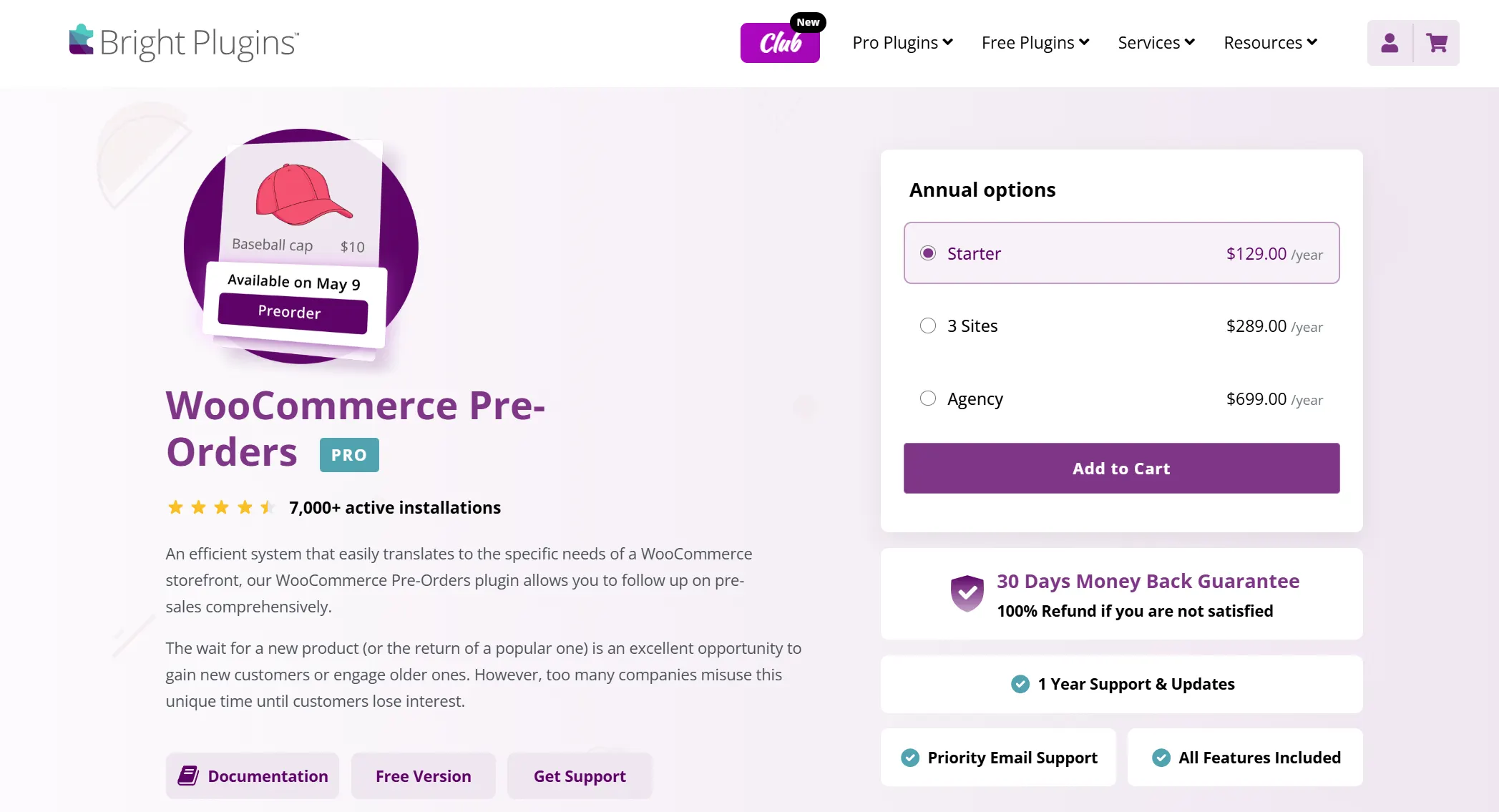
Bright Plugins Pre-Orders for WooCommerce lets customers reserve a product before release from a free plugin with 7,000+ active installations. The Pro version adds deposits, pay later and automatic charging on release day, according to Bright Plugins’ product page.
Where the plugin distinguishes itself from other free options is the cart logic. Rather than letting pre-order and in-stock items sit together in the same cart, unclear whether the whole order ships now or later, it forces the customer to choose one type or the other before checking out.
Best For
- Stores that want a free, established plugin for basic pre-order management without a learning curve
- Store owners who need automatic status transitions, setting a date once and letting the plugin handle the switch from pre-order to in-stock without manual action
- Businesses running mixed inventory that want to avoid the confusion of pre-order and regular items landing in the same cart
Key Features
- Set an expiration date for the pre-order window, with products released automatically once it closes
- Blocks customers from mixing pre-order and regular products in the same cart
- Bulk-apply pre-order status by tag or category
- 7,000+ active installations
Price
- Pro tier: $129/year for a single-site license
Benefits
- The free version covers the basics well on its own
- The cart-mixing safeguard prevents a common source of customer confusion
- 7,000+ active installations on WordPress.org as of October 2026. That means more support threads if something goes wrong
- Automatic status transitions mean you set an availability date once, and the plugin handles the switch from pre-order to in-stock without you touching it again
Limitations
- Deposits and pay later are Pro features. The free version covers basic pre-orders only
- The free version only supports one pre-order mode (blocking mixed carts). More flexible order-splitting modes are locked behind the Pro tier
- The jump from free to $129/year for a single site is steep if all you need is the mixed-cart safeguard
3. YITH Pre-Order for WooCommerce
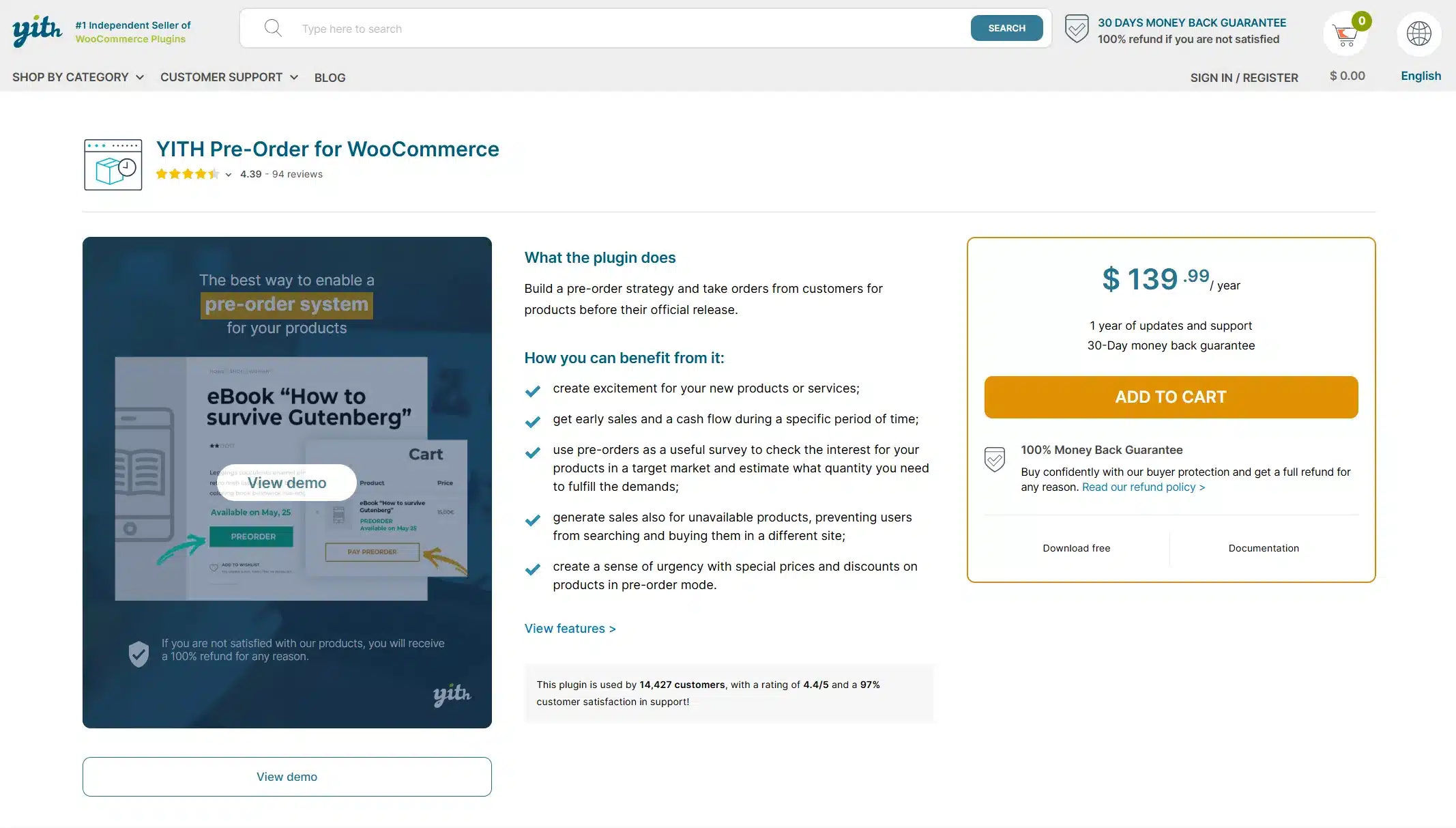
YITH Pre-Order for WooCommerce is built entirely around limited availability marketing, the same tactic Amazon and Apple lean on for product launches. Instead of just listing an item as unavailable, the plugin lets customers reserve it at a fixed or discounted price ahead of release, which creates urgency and generates cash flow before the product physically exists on shelves.
The plugin can automatically flip pre-order mode on for any product the moment it goes out of stock. That means a sudden inventory shortage doesn’t have to mean a lost sale; customers can keep ordering, just under pre-order terms instead of instant fulfillment.
It connects directly with YITH’s own Stripe, Stripe Connect, and Braintree plugins, which lets you auto-charge a customer’s card the moment the product becomes available, with zero manual payment collection needed on your end.
Best For
- Stores focused on urgency-driven launches over payment flexibility
- Sellers who want to automatically catch out-of-stock inventory and convert it into pre-order sales instead of losing the customer entirely
- Stores already using YITH’s payment plugins (Stripe, Stripe Connect, or Braintree) who want automated charging on release day
Key Features
- Custom pre-order pricing separate from the regular product price
- Choice of charging upfront or at release
- Customizable pre-order button and messaging
- Free and premium tiers
Price
- Premium: $139.99/year with 1 year of updates and support
Benefits
- The free tier holds up well for a single product line
- Brand customization is more flexible than most competitors on this list
- Auto-converts out-of-stock products into pre-order mode. A sudden inventory shortage doesn’t automatically mean a lost sale
- Integrates directly with YITH’s own Stripe, Stripe Connect, and Braintree plugins to auto-charge customers on release day with no manual follow-up
Limitations
- Deposits need the separate YITH WooCommerce Deposits / Down Payments plugin. It is not included in the pre-order license
- Like most YITH plugins, the free version is noticeably thinner than premium; most of the automation (auto-charging, automatic out-of-stock detection) is premium-only
4. WooCommerce Pre-Orders
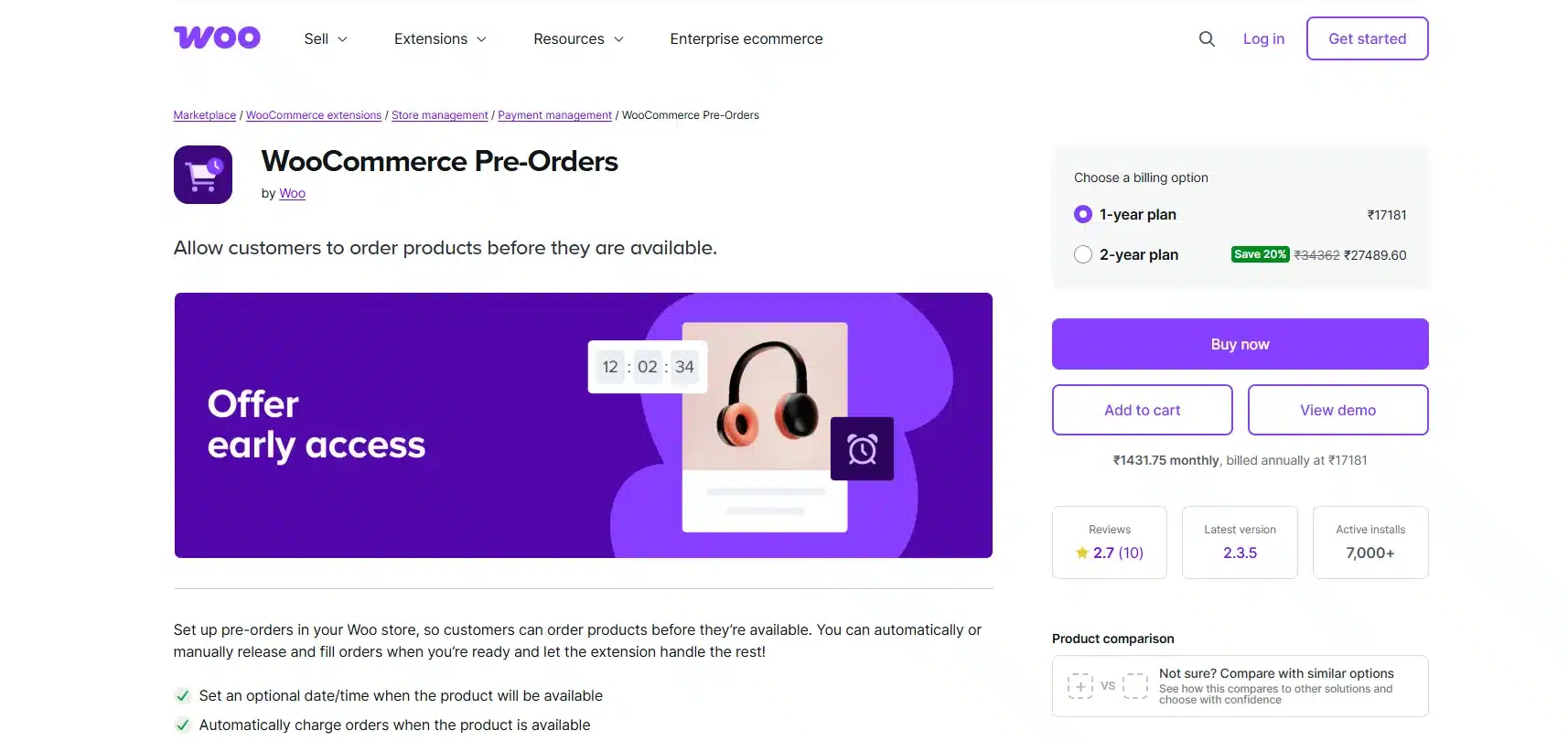
WooCommerce Pre-Orders is the one plugin on this list built and maintained directly by WooCommerce itself instead of by a third-party developer. That distinction carries real weight for agencies specifically: an in-house extension tends to stay in sync with WooCommerce core releases faster than independently maintained alternatives. That lowers the odds of the exact compatibility breakage that shows up when a store upgrades WooCommerce and an unrelated plugin quietly stops working.
It gives full control over release dates, a choice between automatic and manual order fulfillment, and the option to charge customers immediately or hold the charge until the release date arrives.
Nothing here is unique to this plugin individually; several others on this list offer similar controls, but the first-party backing is what justifies the price for teams managing multiple client stores where consistency matters more than any single feature.
Best For
- Agencies managing pre-orders across several client stores who want first-party WooCommerce support
- Store owners who prioritize long-term update reliability over finding the cheapest available option
- Teams that need predictable behavior across WooCommerce core updates, since an official extension is less likely to break after a core release
Key Features
- Full control over release dates
- Automatic or manual order fulfillment
- Charge customers immediately or hold the charge until release day
- Built and maintained directly by WooCommerce
Price
- No free tier
- Annual license: $179/year
Benefits
- The official backing means consistent updates alongside WooCommerce core releases, which matters if you’re supporting multiple client stores
- A single vendor for both WooCommerce core and this extension simplifies support escalation if something breaks after a core update
- Documentation tends to be more thorough and consistently maintained than third-party CodeCanyon listings
Limitations
- It’s the priciest plugin on this list, and a single small store is paying for consistency it may not need at that price point
- There’s no free trial or free tier to test the workflow before committing to the $179/year cost
- Like other official WooCommerce extensions, it requires an active WooCommerce.com account and subscription management, which is one more login and renewal to track
5. Advanced Pre-Order and Backorder for WooCommerce
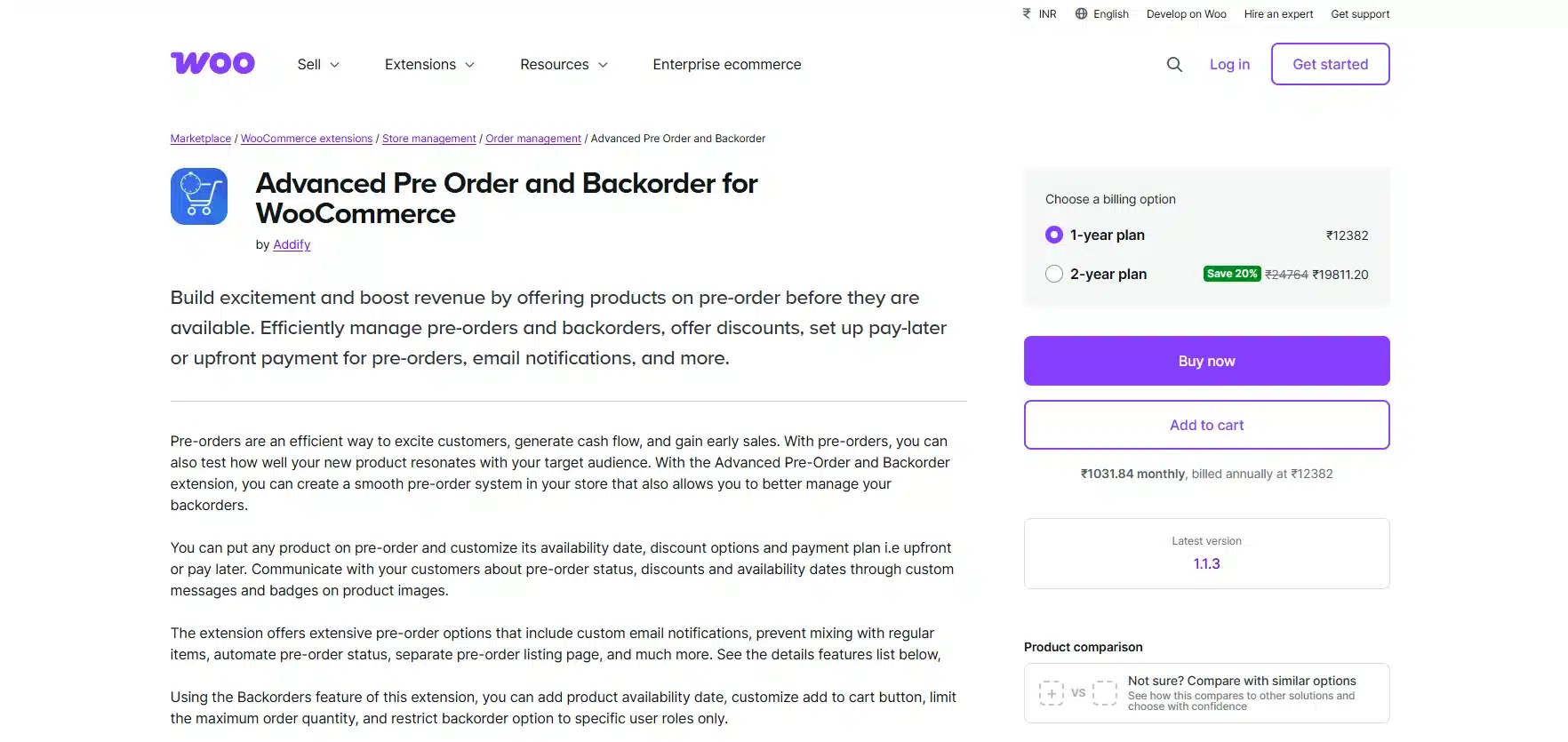
Advanced Pre-Order and Backorder for WooCommerce covers two problems most plugins on this list treat as separate: selling a product before it launches, and selling a product that’s temporarily out of stock. One extension handles both, with its own settings and messaging for each case.
Built by Addify, it works with the cart and checkout blocks according to its WooCommerce.com listing. Store owners can restrict pre-orders or backorders to specific user roles. Most competitors on this list don’t offer that level of access control.
Best For
- Stores that need both pre-order and backorder management in one plugin instead of stitching two tools together
- Sellers who want to restrict pre-order or backorder access to specific customer roles, like wholesale accounts or VIP tiers
- Stores on the block cart and checkout that want documented support
Key Features
- Set a release date and time, with pre-order status turning off automatically once it passes
- Choose upfront payment or a “pay later” option customers settle once the product ships
- Automatically flip out-of-stock products into pre-order mode, and revert them once stock is added
- Prevent mixing of pre-order, backorder, and in-stock items in the same order
- Text or image badges on product and shop pages with four placement options
Price
- 1-year plan: $129
- 2-year plan: $206.40
Benefits
- Cart and checkout block support stated directly on the product listing
- Covers backorders and pre-orders under one license, useful for stores that deal with both regular stockouts and planned launches
- Role-based restrictions let you open pre-orders to select customers only, useful for wholesale or early-access programs
Limitations
- No partial payment or deposit splitting. Customers pay the full price upfront or pay the full price later. They cannot pay a percentage now and the rest on release
- At $129/year for a single site, it’s priced closer to the official WooCommerce extension than to the budget options on this list
- As a newer Marketplace listing (current version 1.1.3), it has a shorter track record than long-running plugins like YITH or Bright Plugins
6. ShopEngine Pre-Order Module
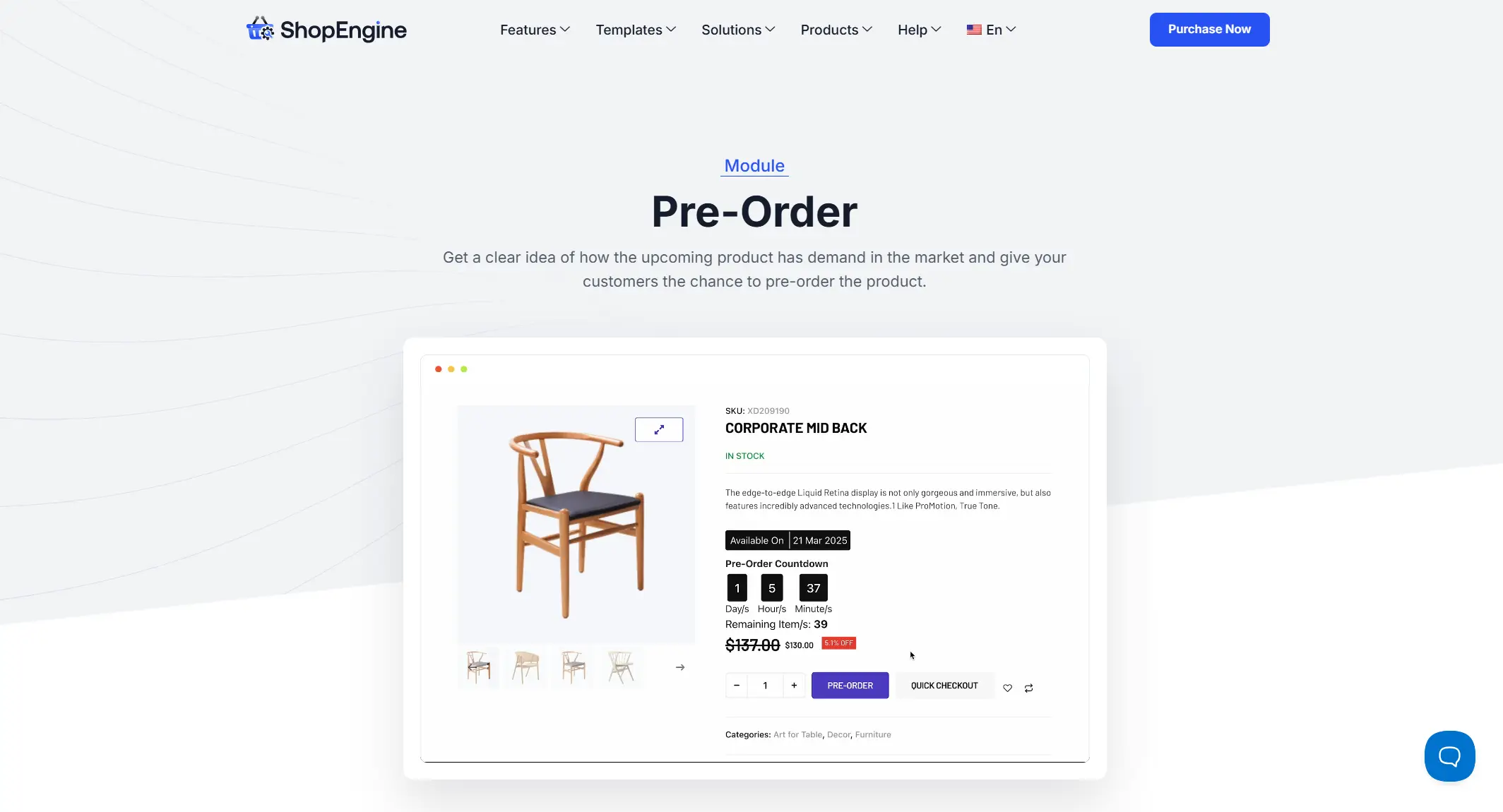
ShopEngine Pre-Order Module comes from WPMet, the team behind Elementskit, and is one of the modules inside their broader ShopEngine WooCommerce builder for Elementor. The pre-order module is a ShopEngine Pro feature.
Rather than a standalone plugin, pre-order sits alongside dozens of other WooCommerce modules like Wishlist, Product Comparison and Quick Checkout. Stores already building product pages in Elementor get pre-orders without adding a separate tool to the stack.
Setup is handled through toggling a switch inside the module: enable pre-order, set the “Add to Cart” button label to something like “Pre-order Now,” and customize the countdown timer style. Store owners can also set a specific pre-order price separate from the regular price, useful for early-bird discounts, and enable pre-orders on individual product variations rather than the whole product line.
Best For
- Stores already using Elementor as their page builder and wanting pre-orders without a separate plugin
- Sellers who want early-bird pricing on pre-order items that is separate from the regular product price
- Stores that need pre-orders enabled at the variation level (a specific size or colour) rather than the entire product
Key Features
- Custom “Pre-order Now” button label and countdown timer styling
- Separate pre-order pricing for early-bird discounts
- Pre-order support at the variation level as well as for whole products
- Partial payment module included alongside pre-order and backorder in the Pro version
- Pre-order and partial payment modules are both Pro-only
Price
- Pro, 1 site: $59/year or $149 lifetime (list price, October 2026)
- Pro, 5 sites: $149/year or $249 lifetime
Benefits
- The free version lets you try the ShopEngine builder before paying. The pre-order module itself needs Pro
- Doesn’t require Elementor Pro; all features work with the free version of Elementor
- Bundled with other conversion tools (wishlist, comparison, quick checkout) instead of being a single-purpose plugin
Limitations
- Tied to Elementor. Stores on a different page builder or a block theme won’t get much use out of it
- Its HPOS support has less documentation than dedicated pre-order plugins like DevDiggers or the official WooCommerce extension
- Since pre-order is one module among many, some settings live inside the broader ShopEngine dashboard rather than a focused, single-purpose settings screen
7. PRENA Product Pre-Orders by VillaTheme

PRENA by VillaTheme is a free plugin on WordPress.org with 2,000+ active installations. It was called Product Pre-Orders for WooCommerce until version 2.0.0. It supports simple and variable products and an optional release date and time.
Its strength is pricing control. You can set a fixed pre-order price or raise or lower the regular price by a fixed amount or a percentage. Deposits need VillaTheme’s separate DEPART plugin.
Best For
- Stores that want free pre-orders with custom pre-order pricing
- Sellers who want custom button and availability text without code
- Store owners testing demand before paying for a plugin
Key Features
- Add pre-order functionality to both simple and variable products
- Set an optional release date and time for when the product becomes available
- Pre-order details added to WooCommerce emails
- Admin filters and pre-order date columns in the orders list
- Set the pre-order price as a fixed amount or a fixed or percentage change
Price
- Free on WordPress.org
Benefits
- No cost to try pre-orders on a live store
- Actively maintained, with WooCommerce 11.0 support listed in its changelog
- Flexible pricing rules give more control over pre-order pricing than most free plugins
Limitations
- Deposits are not built in. VillaTheme sells them as the separate DEPART plugin
- HPOS support is not stated on its WordPress.org page. Test it on a staging site before a live launch
- Doesn’t appear to offer the countdown timer or Multi-language support that some competitors on this list include at a similar price
8. SUMO WooCommerce Pre-orders
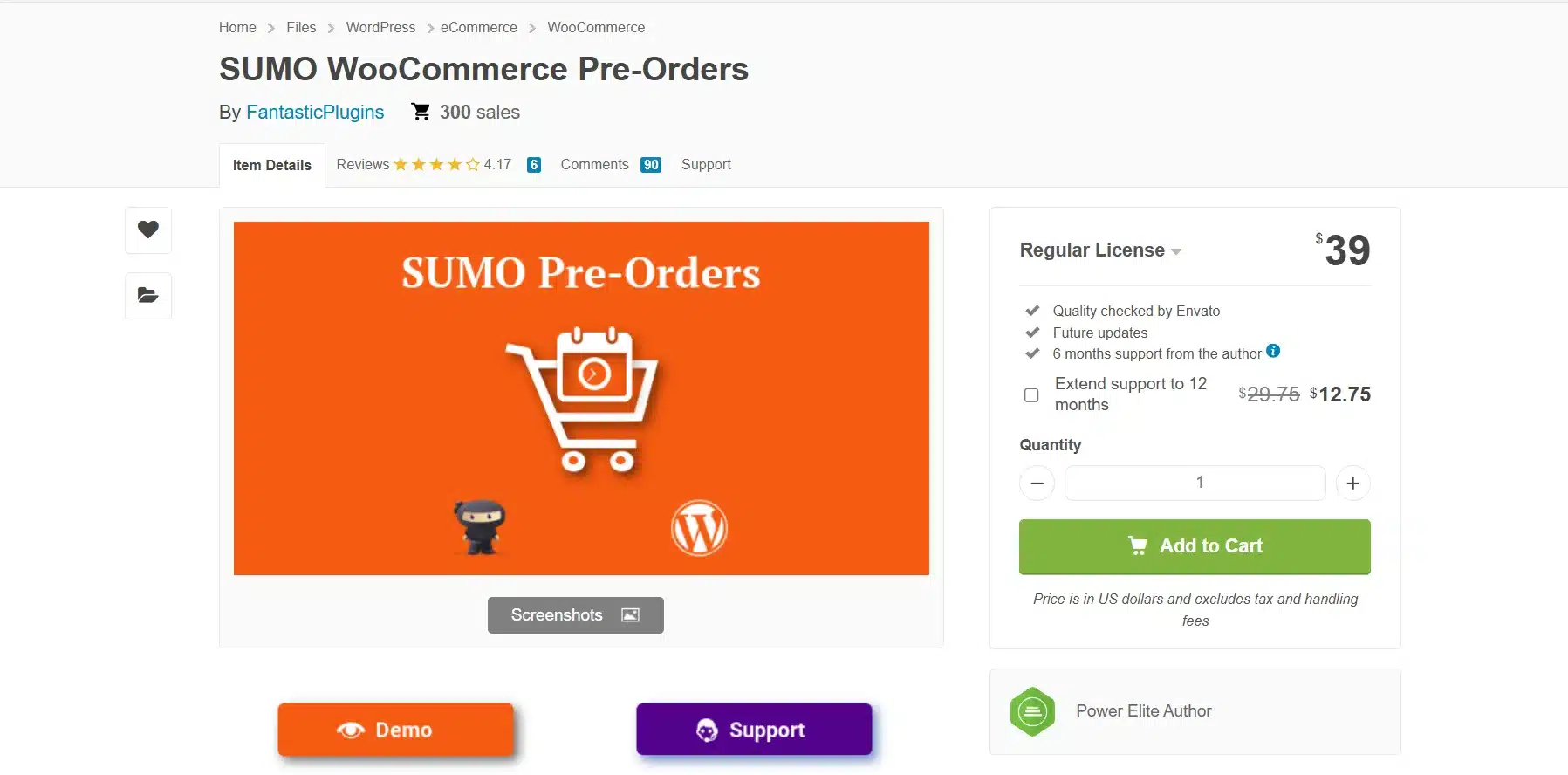
SUMO WooCommerce Pre-orders makes the most sense as part of a bigger picture rather than a standalone pick. SUMO runs a broader family of WooCommerce plugins covering memberships, payment plans, and reward points, and the pre-orders module is built to integrate cleanly with those if a store is already running them. On price alone, at a $39 one-time fee, it undercuts nearly everything else on this list.
The feature set covers the core mechanics well: a cap on maximum pre-order quantity to prevent overselling, the ability for customers to cancel their own pre-orders without contacting support, a countdown timer, and WPML compatibility for stores running multiple-language product lists.
The tradeoff is support length; 6 months included is shorter than most competitors offer. Factor renewal costs into the total price before assuming the $39 figure is the full cost of ownership.
Best For
- Stores already using SUMO’s membership and payment plan tools that want pre-orders in the same ecosystem
- Budget-conscious store owners who want a low one-time cost over a recurring subscription
- Multi-language stores running WPML that need pre-order messaging translated
Key Features
- Cap the maximum pre-order quantity
- Customers can cancel their own pre-orders
- Countdown timer
- WPML compatible for Multi-language stores
Price
- 6 months of support: $39
Benefits
- Undercuts most of this list on price at a $39 one-time fee
- Integrates cleanly with SUMO’s other WooCommerce products (memberships, payment plans) if you’re already using them
- Covers the core mechanics well for the price, quantity caps, self-service cancellation, countdown timer, and WPML support all included at no extra cost
Limitations
- Six months of included support is shorter than most competitors. Factor in renewal costs if you’re running pre-orders long term
- It has a smaller and less documented install base than Bright Plugins or ShopEngine. Fewer third-party tutorials or community troubleshooting threads exist
- The real value is tied to already using SUMO’s ecosystem; as a standalone pre-order tool it’s solid but unremarkable next to dedicated competitors
9. Smart Pre-Order Manager for WooCommerce
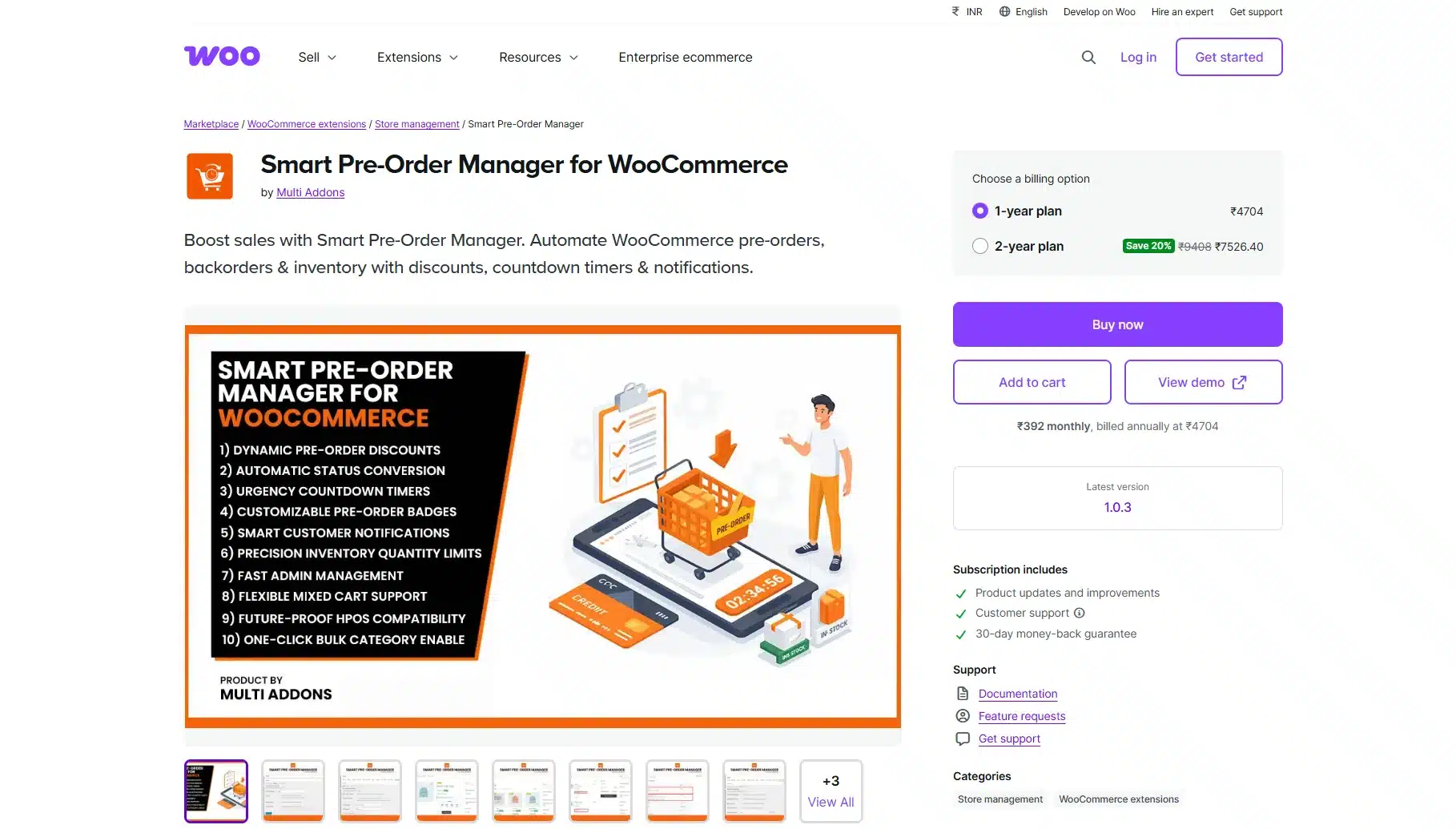
Smart Pre-Order Manager replaces the theme-lock problem with a standalone tool that works with any page builder plugin. It works with Elementor, Divi or Gutenberg. Switching themes or builders down the road doesn’t cost you the pre-order feature the way a theme-bundled add-on would.
It’s built around automation: set a release date, and the plugin flips the product from pre-order to in-stock on its own, no manual status changes needed. It also ships with confirmed HPOS and Checkout Blocks compatibility, both explicitly documented rather than left unconfirmed.
Best For
- Store owners who want pre-order functionality independent of their theme or page builder
- Sellers who want automated discounts, countdown timers, and release scheduling without manual upkeep
- Stores running HPOS or the newer block-based checkout that want documented compatibility
Key Features
- Countdown timers in three styles: minimalist text, boxed, or circular progress
- Percentage or fixed-amount discounts during the pre-order window, with an automatic “Savings Badge” on the product page
- Bulk-enable pre-orders by category, tag, or attribute instead of product by product
- “Date TBA” option to open pre-orders before a firm release date is locked in
- Automated emails for confirmations, release reminders, delay alerts, and “Ready to Ship” notices
- Stock limits with “Only X Remaining” low-stock messages
Price
- 1-year plan: $49
- 2-year plan: $78.40
Benefits
- Not tied to any theme. It stays with your store even if you change themes or builders later
- HPOS and Checkout Blocks compatibility are both documented outright and not left for you to test blind
- The automated release-day switch and email sequence remove manual admin work that other plugins on this list still require by hand
Limitations
- Deposits: The listing does not describe a deposit setting. Pre-order pricing is full price, a fixed discount or a percentage discount
- As a newer Marketplace listing (version 1.5.1 by Multi Addons), it doesn’t have the multi-year review history that YITH or Bright Plugins have built up
- Category and tag bulk-enabling is useful at scale but adds a step. Small catalogs with just a few products won’t need it
10. FMA Pre Order and Backorder
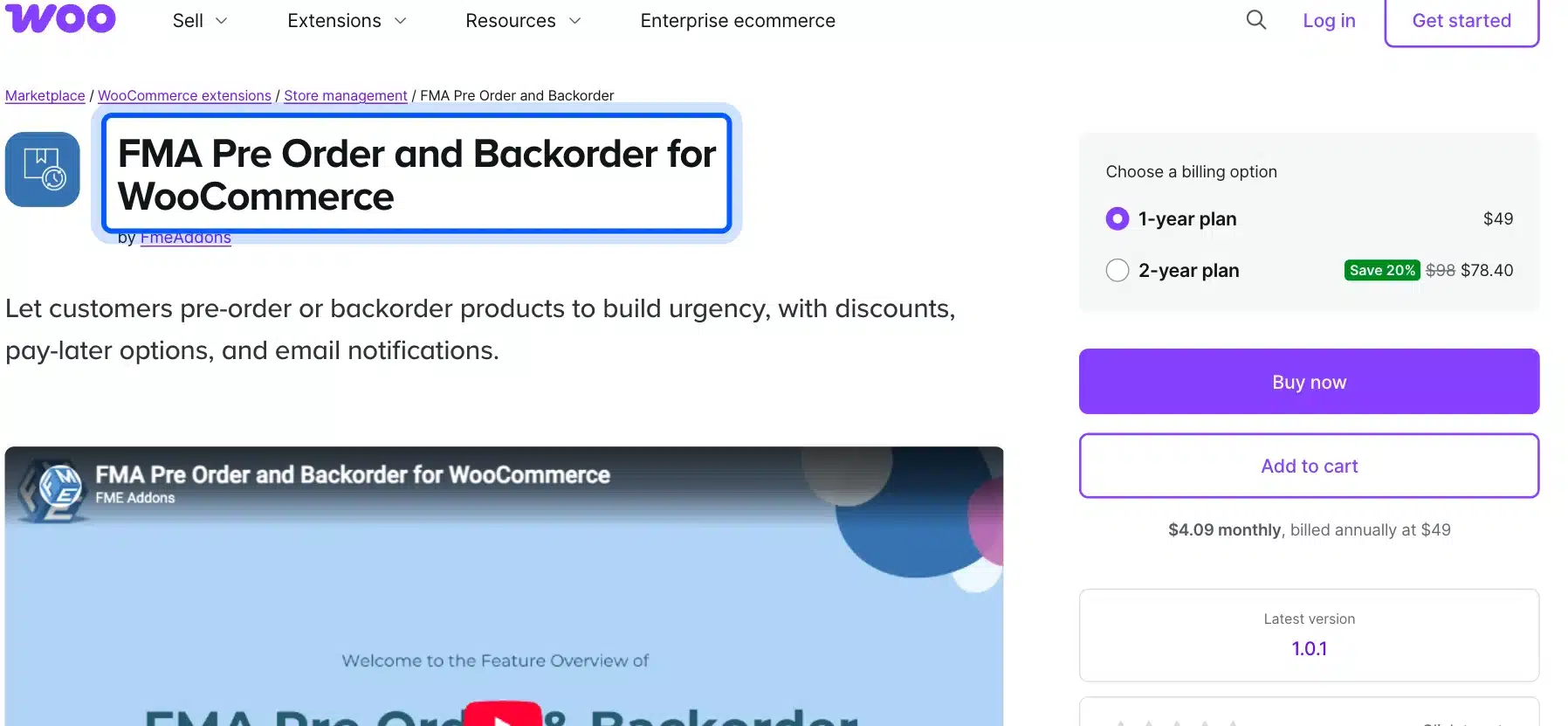
FMA Pre Order and Backorder by FmeAddons is a WooCommerce Marketplace extension for both pre-orders and backorders. It shows a release or back-in-stock date on the product page. Customers can pay up front or choose pay later.
Its pricing tools stand out at this price. You can give a fixed or percentage discount during the pre-order window and limit pre-orders to chosen user roles.
Best For
- Stores that want pay later pre-orders on a small budget.
- Sellers who run early-bird discounts on upcoming products.
- Stores that limit pre-orders to wholesale or VIP roles.
Key Features
- Release date and time shown on the product page.
- Pay later or upfront payment options.
- Fixed or percentage discounts for pre-orders.
- Emails for confirmation, release date change, product release and pay later reminders.
- Pre-orders for all or selected user roles.
Price
- 1-year plan: $49.
- 2-year plan: $78.40.
Benefits
- One of the lowest Marketplace prices in this list.
- Covers pre-orders and backorders under one license.
- Role restrictions suit early-access programs.
Limitations
- Deposits: The listing does not describe a deposit option.
- HPOS and block checkout support are not stated on the listing.
- A new release (version 1.0.1) with a short track record.
Which Plugin Is Best for You?
If you read nothing else on this page, read this section. Every store has different priorities. Instead of a single ranked list, here’s how the 10 options stack up against actual use cases.
For most stores, WooCommerce Pre-Order by DevDiggers is the one to start with. It combines deposits, the automatic balance charge on release and HPOS support in one license. Those matter most once you move past a basic countdown timer.
| Plugin | Best For | Price | Deposit Support | HPOS Compatible |
|---|---|---|---|---|
| WooCommerce Pre-Order (DevDiggers) | Deposits with an automatic balance charge | Free and Pro from $79/year | Yes with balance on release | Yes |
| Bright Plugins Pre-Orders | Budget-conscious stores that only need the basics for free | Free and Pro from $129/year | Pro only | Yes |
| YITH Pre-Order for WooCommerce | Stores building urgency around a single launch | Free and Pro $139.99/year | Not specified | Not specified |
| WooCommerce Pre-Orders (official) | Agencies that want first-party WooCommerce backing | $179/year | Not built-in | Yes |
| Advanced Pre-Order and Backorder for WooCommerce | Stores that handle pre-orders and backorders | $129/year | Not built-in | Not stated |
| ShopEngine Pre-Order Module | Elementor stores already running ShopEngine | Pro from $59/year | Partial payment module in Pro | Not specified |
| PRENA by VillaTheme | Stores that need a free solution | Free | Separate DEPART plugin | Not specified |
| SUMO WooCommerce Pre-orders | Stores already using SUMO’s membership tools | $39 one-time | Charge on release or upfront | Not specified |
| Smart Pre-Order Manager for WooCommerce | For new stores looking for a simple solution | $49/year | Not specified | Yes |
| FMA Pre Order and Backorder | Budget stores that want pay later pre-orders | $49/year | Not described | Not stated |
Worth knowing: “Not specified” doesn’t mean broken. It means the vendor hasn’t published a clear compatibility statement. You should test on staging first. That’s precisely the kind of guesswork WooCommerce Pre-Order removes. Its HPOS support is documented and version-tracked instead of left for you to discover at checkout.
HPOS Compatibility: Why It Matters Before You Install
WooCommerce moved to High-Performance Order Storage as its default order data system, and plugins that haven’t updated for it can throw checkout errors or silently fail to save pre-order data correctly.
Specific technical observation: a plugin declares HPOS compatibility through WooCommerce’s FeaturesUtil::declare_compatibility() function, which vendors call from their main plugin file. If a WooCommerce pre-order plugin hasn’t made that declaration, WooCommerce will still let you activate it, but you’re running blind on whether pre-order metadata saves correctly to the new order tables. If you’re building or customizing your own extension, our guide on how to make a WooCommerce plugin HPOS compatible walks through the declaration step in more detail.
Before installing any plugin from this list, go to WooCommerce > Settings > Advanced > Features to see whether HPOS is active on your store. If it is, pick a plugin that declares HPOS support. In this list that means DevDiggers Pre-Order, WooCommerce Pre-Orders, Bright Plugins Pre-Orders and Smart Pre-Order Manager. For the rest, test on a staging site first.
Setting one of these up on your own store takes less time than most owners expect. If you’d rather not troubleshoot HPOS conflicts or payment gateway issues yourself, our WooCommerce development services can handle the setup and make sure it plays nicely with your existing plugins.
Conclusion
The best WooCommerce pre-order plugin for your store comes down to three questions: do you need deposit support, is your store on HPOS, and how much are you willing to pay for polish versus a free, basic option?
For most stores, our WooCommerce pre-order plugin strikes the right balance. It covers deposits, the balance charge on release and HPOS in one license. If your budget is tight, our free Pre-Order for WooCommerce or PRENA gets the job done while you test demand. Ours moves to Pro later without losing a pre-order. Whichever WooCommerce pre-order plugin you land on, test the checkout flow with a real payment before your launch goes live. That single step catches most of the problems store owners run into after picking a plugin from a list like this one.
If pre-orders are just one piece of your retention strategy, it’s worth pairing your pick with other store tools. Our roundup of the best WooCommerce wallet plugins covers a similar comparison for stores that also want store credit and prepaid balances alongside pre-order deposits.
Frequently Asked Questions (FAQs)
Q1. What is a WooCommerce pre-order plugin and do I need one?
A WooCommerce pre-order plugin lets customers reserve and pay for a product before it’s officially in stock. You need one if you launch new products regularly or want to gauge demand before committing to inventory.
Q2. Can I offer both full and partial payment for pre-orders?
Yes, but not every plugin supports it. Our WooCommerce Pre-Order plugin takes a deposit now and charges the balance on release day. Several others only charge the full amount.
Q3. Do pre-order plugins work with the WooCommerce block-based checkout?
Most updated plugins do, but compatibility varies by vendor and release date. Confirm this directly with the plugin developer if your store uses the newer block checkout, since older plugins built for the classic checkout can behave unpredictably.
Q4. What’s the difference between backorders and pre-orders?
Backorders let customers buy an item that’s temporarily unavailable with no fixed return date. Pre-orders are planned in advance, usually with a set release date, and are meant to build excitement rather than just cover a stock gap.
Q5. Are free WooCommerce pre-order plugins good enough for a small store?
For a single product line or a first test of pre-orders, yes. Free options like Product Pre-Orders for WooCommerce cover the essentials. Once you need deposits, advanced reporting, or HPOS compatibility, a paid plugin becomes worth the cost.
Q6. Will a pre-order plugin slow down my WooCommerce store?
Any plugin adds some overhead, but a well-coded pre-order plugin shouldn’t cause noticeable slowdown. Watch out for plugins that load unnecessary scripts on every page rather than only on pre-order product pages, since that’s the more common cause behind speed issues.