Is WooCommerce PCI compliant? No. WooCommerce is not PCI compliant by default, and the responsibility for meeting PCI DSS requirements falls entirely on you as the store owner. This surprises a lot of people who assume installing a popular plugin is enough.
Here’s what makes this more urgent than most guides let on: PCI DSS 4.0 became fully mandatory in March 2025, and it added new rules that most WooCommerce stores are failing right now without knowing it. One unauthorised script on your checkout page is now your legal and financial Responsibility.
This guide covers what PCI DSS requires, how WooCommerce fits into it, what changed with version 4.0, and the exact steps to bring your store into compliance.
What Is PCI DSS and Why Does It Apply to WooCommerce?
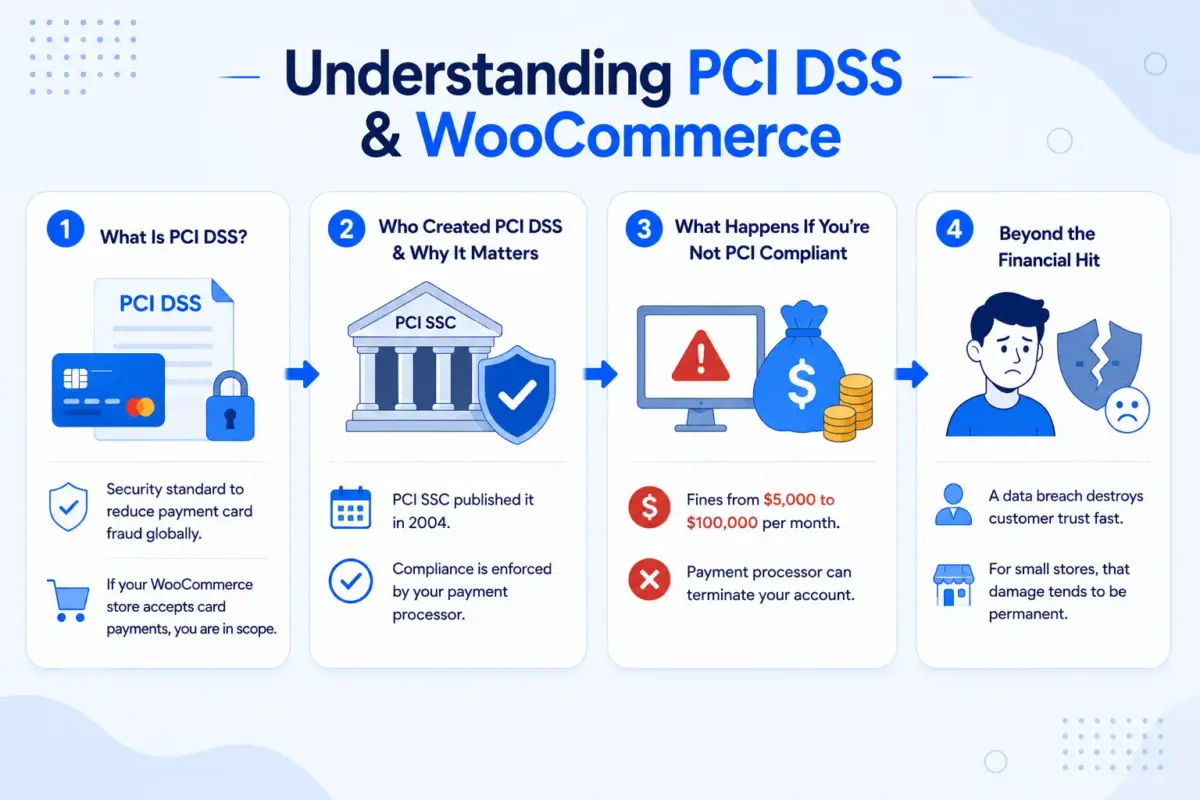
PCI DSS stands for Payment Card Industry Data Security Standard. It is a set of security requirements created by the PCI Security Standards Council, which was founded by Visa, Mastercard, American Express, Discover, and JCB to reduce payment card fraud globally.
If your WooCommerce store accepts credit or debit card payments, you are in scope. That’s true even if you redirect customers to a third-party payment page. Even if you never touch a card number directly. The moment your site is part of the payment flow, PCI DSS applies.
Who Created PCI DSS and Why It Matters for Store Owners?
The PCI SSC published the first version of the standard in 2004. Version 4.0.1 is the current active standard, and as of March 31, 2025, every requirement in it is mandatory. No grace periods. No future-dated exceptions.
According to the official WooCommerce PCI DSS documentation, PCI compliance is enforced by your payment processor. They may ask you to complete a self-assessment questionnaire (SAQ) or run scans through an approved scanning vendor. Fail to comply, and they can fine you or pull your ability to accept cards altogether.
What Happens If You’re Not PCI Compliant?
The penalties are real. Non-compliance fines run from $5,000 to $100,000 per month, depending on the size of the data leak and how long violations went unaddressed. Your payment processor can terminate your merchant account. And as of 2026, most cyber insurance providers require proof of PCI DSS 4.0 compliance before they will cover an eCommerce data leak. If you can’t show it, your claim gets denied.
Beyond the financial hit, a data leak destroys customer trust fast. For small stores, that damage tends to be permanent.
What Does WooCommerce Handle?
WooCommerce itself does not process card numbers. It does not store them. It passes the transaction off to a payment gateway, which handles the actual card data. That design reduces your security work because sensitive data never passes through your server.
But “reduced burden” is not the same as “no burden.” Your site still presents the checkout experience. Your server still runs the WordPress and WooCommerce code. Your plugins still load scripts on the payment page. All of that falls under PCI scope, and all of it is your responsibility.
This is a point most guides gloss over. WooCommerce gives you tools that support compliance. It does not deliver compliance for you.
The WooPayments Nuance: PCI Level 1 Provider vs. Your Store’s Compliance
Here’s a confusion we see often in support: store owners read that WooPayments is a Level 1 PCI DSS certified service provider and assume their store is covered.
It isn’t. WooPayments being Level 1 means their payment systems are certified. It means card details are collected in a secure hosted field served from WooPayments’ certified environment, not from your server. That’s good. It reduces the scope of your compliance obligations significantly.
But your site still loads scripts. Your WordPress admin still needs secure access. Your server still needs to be patched and monitored. WooPayments handles the card data portion. You still own everything else.
WooCommerce PCI Compliance Levels: Where Does Your Store Fit?
PCI DSS uses four merchant levels based on Annual card transaction volume. Your level determines which validation requirements apply to you.
| Level | Annual Transactions | Requirement |
|---|---|---|
| Level 1 | Over 6 million | On-site audit by a Qualified Security Assessor (QSA) |
| Level 2 | 1 million to 6 million | Self-Assessment Questionnaire (SAQ) |
| Level 3 | 20,000 to 1 million | Self-Assessment Questionnaire (SAQ) |
| Level 4 | Fewer than 20,000 | Self-Assessment Questionnaire (SAQ) |
Most WooCommerce stores are Level 4. At this level, your payment processor will ask you to complete an SAQ. The type depends on how you process payments:
- SAQ-A applies if you fully redirect customers to a third-party payment page (such as PayPal Standard) and your site never touches card data. This is the lightest path.
- SAQ-A-EP applies if you use a built-in payment form that loads directly on your checkout page, like Stripe Elements or WooPayments hosted fields. Your site presents the form even though the card data goes to the processor.
- SAQ-D applies if your server stores, processes, or sends card data directly. Very few WooCommerce stores using default setups end up here, but it’s the heaviest compliance path if you do.
How to Make Your WooCommerce Store PCI Compliant
Six steps. Some are quick. One of them (the script audit) most store owners have never done, and it needs doing today.
Step 1: Choose a PCI Compliant Payment Gateway
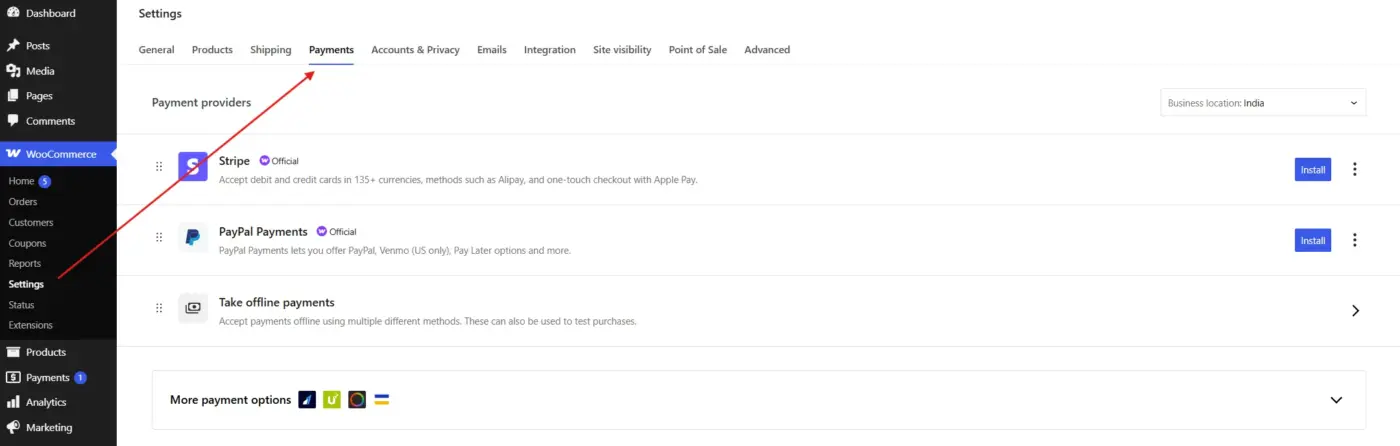
Your gateway choice does more for your compliance posture than any other single decision. A PCI-certified gateway like Stripe, WooPayments, PayPal, or Authorize.net handles card data inside its own certified environment. Card numbers never hit your server.
The thing to verify is whether your gateway uses hosted payment fields or a full redirect. Both work. What you want to avoid is any setup where raw card numbers pass through your server first. That puts you in SAQ-D territory and makes everything else harder.
Don’t install checkout plugins without checking what they load on your payment page. One poorly reviewed plugin can bring unsanctioned scripts into your checkout flow, which is a PCI 4.0 violation on top of a security risk.
Step 2: Install and Force SSL Across Your Site
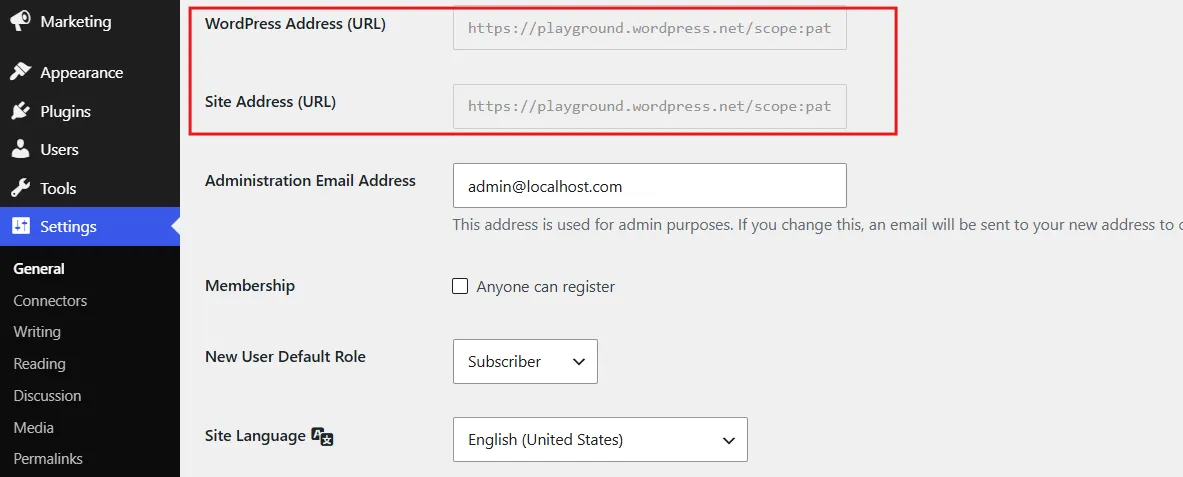
Every page needs HTTPS, not just checkout. PCI DSS requires encrypted transmission of cardholder data across all networks, and that means your whole site, not just the payment form.
Get an SSL certificate from your host or use a free one from Let’s Encrypt. Force HTTPS sitewide in WordPress settings and add an HSTS header so browsers don’t allow downgrade attacks. If something breaks after setup, the guide on fixing SSL issues in WordPress covers the most common problems.
Step 3: Choose PCI-Ready Hosting
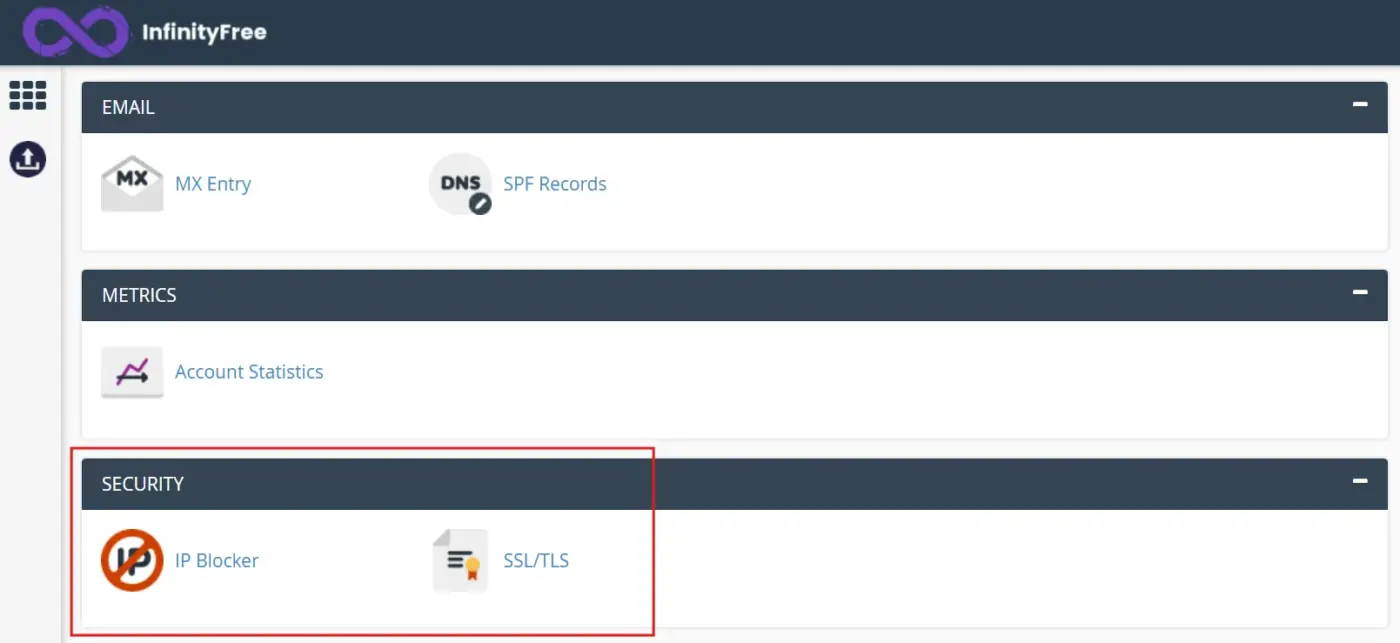
Shared hosting with no isolation is a real problem for PCI compliance. If your server doesn’t have its own firewall rules, malware scanning, or attack detection, you’re going to struggle to show compliance in an SAQ.
Take a free shared hosting provider like InfinityFree as an example. Log in to the control panel and look for a Security section — you won’t find one. No firewall controls, no malware scanner, no attack detection. Just file management and a database tool.
What you need is the opposite of that: an isolated or dedicated server environment, server-level firewalls, automated malware scanning, attack detection, and patching on a regular schedule. Providers like Nexcess, WP Engine, and SiteGround offer plans built around these controls. When you talk to your host, ask directly what their PCI shared responsibility scope covers. Some will provide a document for it. If they can’t answer the question, that’s a signal.
Step 4: Enable Two-Factor Authentication
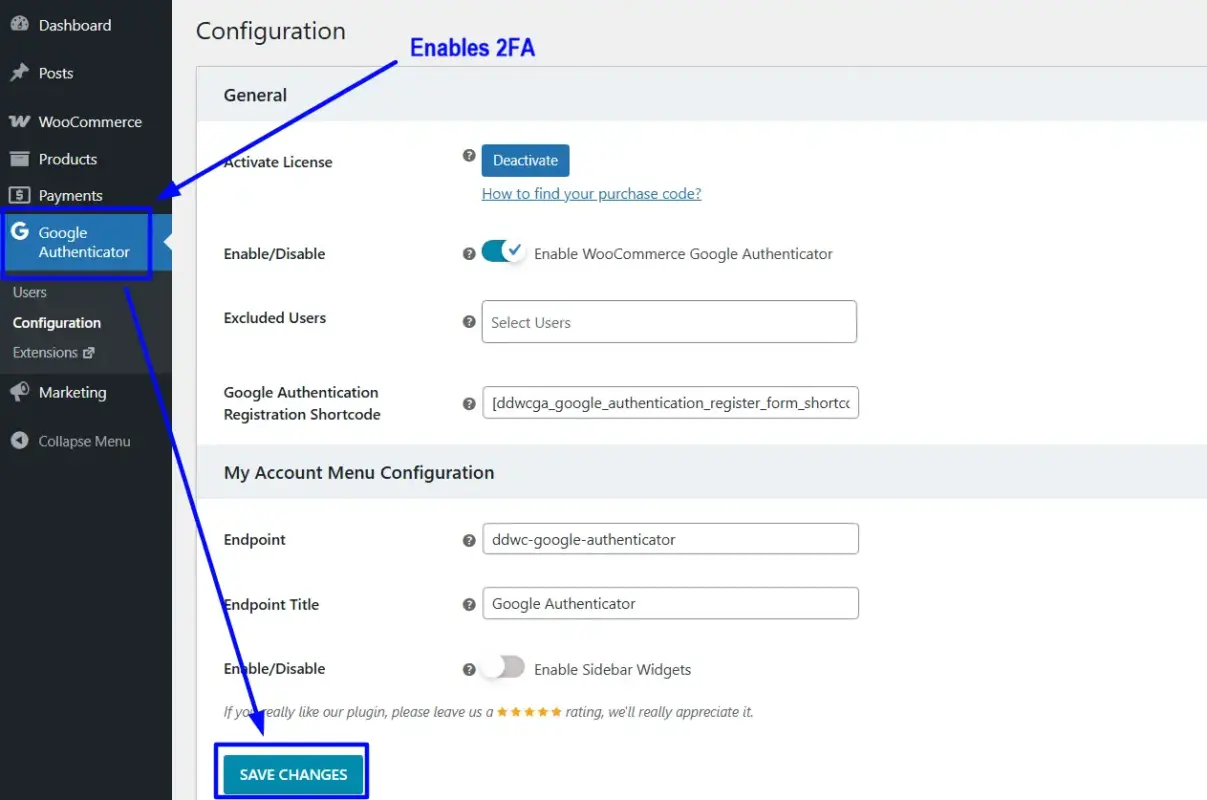
PCI DSS 4.0 made MFA mandatory for all admin access to systems handling cardholder data. For WooCommerce, that means your WordPress dashboard, your hosting control panel, and your payment gateway account.
WooCommerce doesn’t include 2FA. The WooCommerce Google Authenticator plugin adds TOTP-based two-factor authentication directly to WordPress login without relying on external auth services.
This one is non-negotiable under PCI DSS 4.0. If your WordPress admin is accessible with just a username and password, you are out of compliance. Full stop.
Step 5: Keep WordPress, WooCommerce, and Plugins Updated
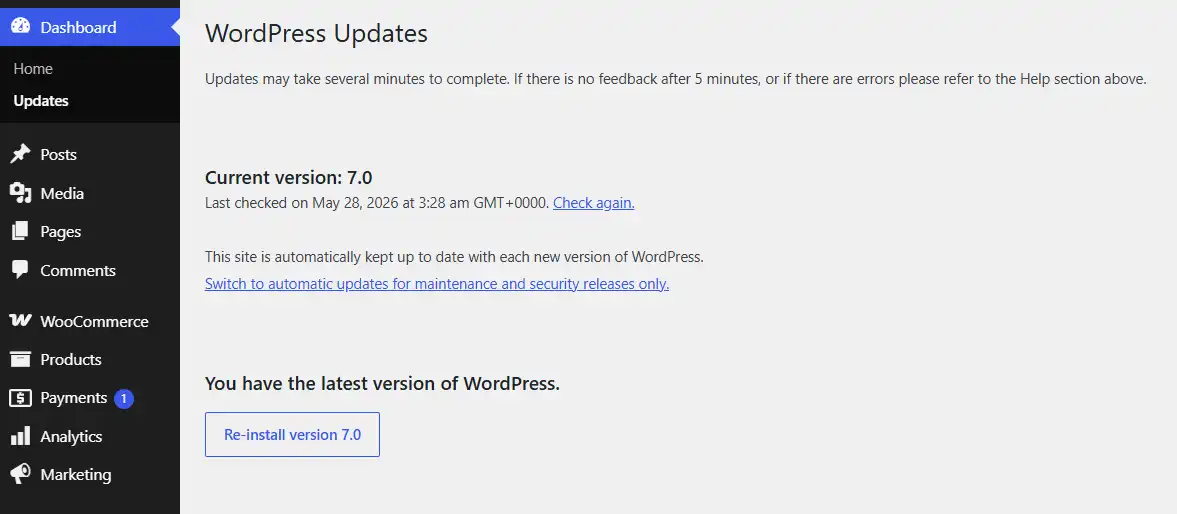
PCI DSS sets patching timelines: critical vulnerabilities within one month, everything else within three. In practice, the easiest way to stay on the right side of this is to update as patches ship, not on a quarterly schedule.
An outdated plugin with a known vulnerability is a PCI violation, not just a security risk. That distinction matters when your processor asks for your SAQ. Test updates on a staging environment before pushing to production, but don’t use that step as a reason to delay. Remove plugins you’re not using. Inactive plugins sitting on a live store are an attack surface with zero upside.
Step 6: Run Regular Vulnerability Scans
For most Level 4 stores using hosted payment fields, the full quarterly ASV scan requirement is reduced. But running regular security scans is still a good practice and gives you something to show if your processor asks about your security posture.
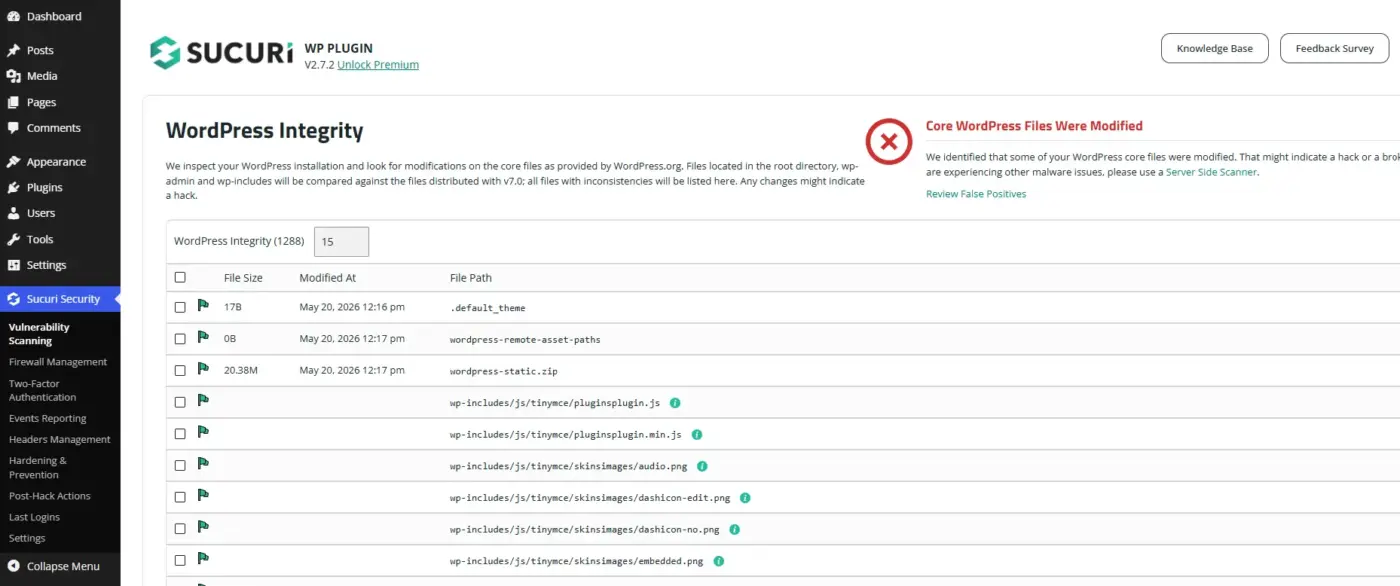
Tools like Sucuri and Wordfence run automated checks and catch common issues. Sucuri’s free WordPress plugin scans your core files automatically the WordPress Integrity checker flags any modified files instantly, as shown below. In a real scan, it identified 1,288 files and flagged core file modifications that could indicate a hack or broken installation.
For a more thorough pass, combine them with the WooCommerce security checklist, which covers both PCI-relevant controls and general hardening. The two overlap more than most people expect.
What PCI DSS 4.0 Means for Your WooCommerce Checkout Page?
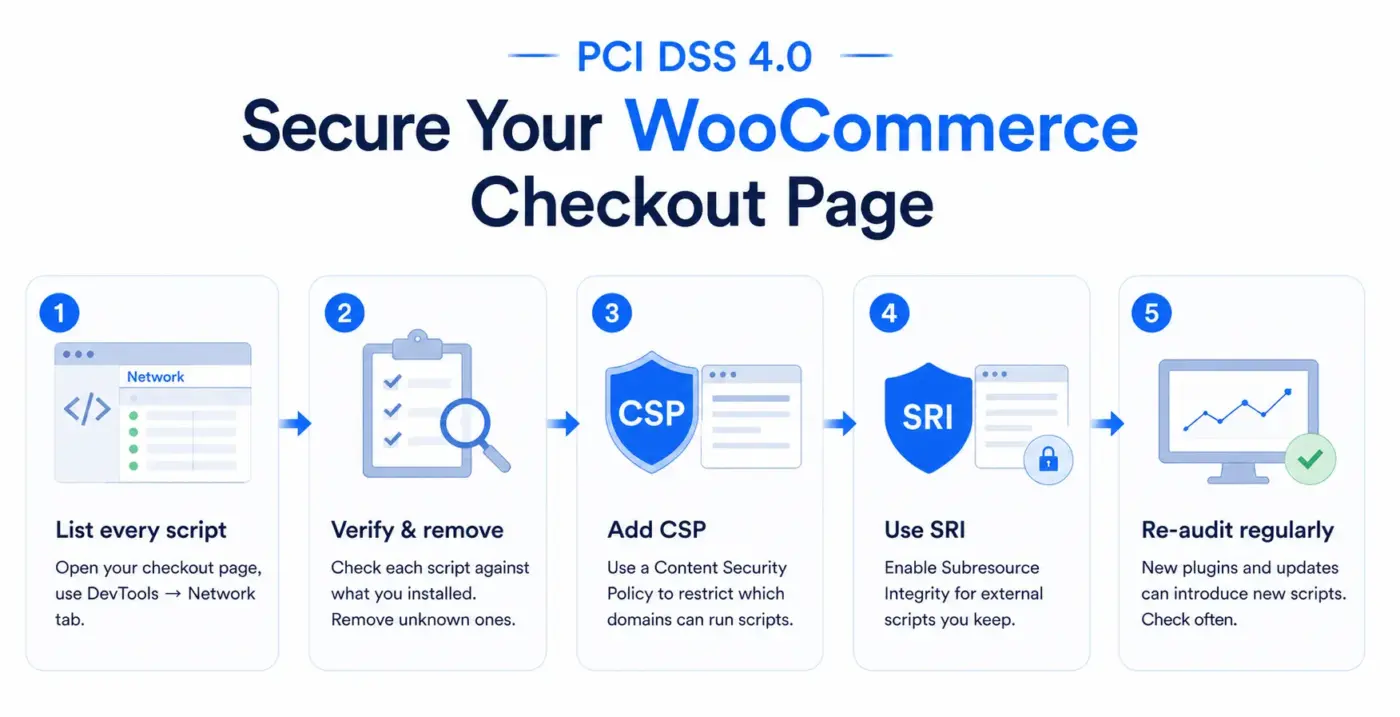
Most guides on WooCommerce PCI compliance skip this entirely. It’s also the part most likely to get you fined right now.
PCI DSS 4.0 introduced Requirement 6.4.3, which is mandatory since March 31, 2025. It says every script on your payment page must be authorised, integrity-checked, and inventoried. Not just scripts you wrote. Every script. That includes tracking pixels, chat widgets, analytics tools, and anything loaded by plugins you installed six months ago and forgot about.
The Responsibility is direct: If a malicious script gets injected and skims card numbers as customers type them, that’s on you. Not your gateway. Not your host. Fines start at $5,000/month and don’t stop until you fix it.
This attack type is called e-skimming(Card data theft), also known as Magecart. Since mid-2025, security researchers have documented campaigns targeting WooCommerce specifically, using fake review plugins and hidden SEO tools that only activate on checkout pages. The attack methods are mundane. The damage isn’t.
Here’s what to do:
- Open your checkout page in a browser, pull up developer tools, and go to the Network tab. List every script that loads.
- Check each one against what you knowingly installed. Anything you can’t identify gets removed.
- Add a Content Security Policy (CSP) header to restrict which domains can execute scripts on your checkout page.
- Use Subresource Integrity (SRI) checks on any external scripts you choose to keep.
Most WooCommerce stores have never run this audit. That’s exactly why e-skimming keeps working.
What Is the Cost of Non-Compliance for WooCommerce Stores?
More than most small stores can absorb. That’s the honest answer.
Fines from payment processors run $5,000-$100,000/month and continue until you either demonstrate compliance or lose your merchant account. Losing your merchant account means you can’t accept card payments. For an eCommerce store, that’s not a disruption. That’s a closure.
A data leak compromises everything. Notification requirements, potential legal Responsibility to affected customers, and brand damage that’s hard to walk back. Average data leak costs for small businesses clearly exceed $100,000 once you add up investigation, problem fixing, legal fees, and lost revenue. And that’s before the insurance question.
From 2026, most cyber insurance providers won’t cover eCommerce data leak losses without documented PCI DSS 4.0 compliance. Working on preventing eCommerce fraud actively is part of staying insurable. No documentation, no payout. That’s the new reality.
Compliance costs time and some money. It costs considerably less than the alternative.
Conclusion
Is WooCommerce PCI compliant? No, not out of the box. But that’s not a reason to panic. It’s a reason to set things up correctly.
Use a certified payment gateway with hosted fields. Force HTTPS everywhere. Lock down admin access with MFA. Keep your plugins updated. And run that script audit on your checkout page. That last one is the step most stores haven’t taken, and it’s the one PCI DSS 4.0 now makes your explicit liability.
Start with the WooCommerce security checklist for the foundational work, then layer in the compliance-specific steps above. The stores that stay compliant are the ones that treat security as something they maintain, not something they set and forget.
If you also handle European customer data, the guide on making your WooCommerce store GDPR compliant pairs well with this one. The two standards overlap more than most store owners realise.
Frequently Asked Questions(FAQs)
Q1. Does WooCommerce store credit card data?
No. By default, WooCommerce does not store credit card numbers. It connects to external payment gateways that handle card data in their own certified environments. Default WooCommerce only retains the last four digits of a card when a customer saves a payment method for future orders.
Q2. Do I need PCI compliance if I use PayPal or Stripe on WooCommerce?
Yes, but your compliance scope is smaller. When you use a gateway that handles all card data outside your server, you typically complete SAQ-A or SAQ-A-EP rather than the full SAQ-D. You still need SSL, secure hosting, updated software, and MFA on your admin accounts.
Q3. What is an SAQ, and how do I complete one?
A Self-Assessment Questionnaire (SAQ) is a form from the PCI Security Standards Council that documents your compliance status. The version you need depends on how you process payments. Most WooCommerce stores using secure payment fields complete SAQ-A or SAQ-A-EP. Download the right version from the PCI SSC website, answer based on your actual setup, and submit it to your payment processor or Merchant bank.
Q4. How often does PCI compliance need to be reviewed?
PCI DSS compliance is not a one-time certification. Re-complete your SAQ annually, run vulnerability scans every 3 months if your level requires them, and review your security controls whenever you make major changes to your store, hosting, or payment setup. Any new plugin that loads on your checkout page is also a trigger for a fresh script audit under Requirement 6.4.3.
Q5. Can my hosting provider make me PCI compliant?
Partly. A PCI-ready host covers their side: server firewalls, attack detection, physical security, and network controls. That takes real pressure off you. But the application layer, meaning WordPress, WooCommerce, your plugins, your admin access, and your checkout scripts, is yours regardless of who hosts the site.