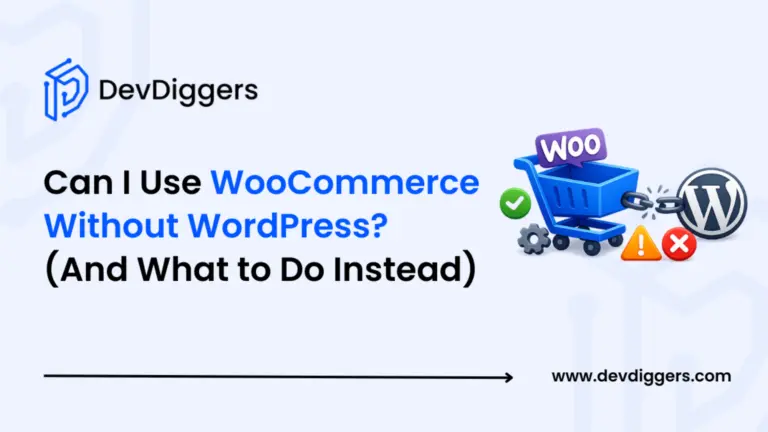
No, you can’t use WooCommerce without WordPress. It’s a WordPress plugin, not a standalone platform, and it’s built to run inside WordPress.
Having built 25+ WooCommerce plugins ourselves, we’ve seen how deep that dependency goes. It’s not just a technical detail; it affects how you build and manage a store.
Many beginners assume WooCommerce works like Shopify, something you can log into on its own. It doesn’t. That said, you’re not stuck. There are workarounds for developers, and there are solid alternatives if WordPress isn’t the right fit.
This guide explains why WooCommerce depends on WordPress. It also covers three practical ways to use WooCommerce data without a traditional WordPress front end. You’ll also see the minimum setup you need and the best alternatives if you want to skip WordPress.
What Is WooCommerce and Why Does It Need WordPress?
WooCommerce is a free, open-source eCommerce plugin built specifically for WordPress. It turns a WordPress site into an online store. It adds product pages, a shopping cart, checkout, payment processing, and order management. It does not work on its own.
Here is why that dependency exists at a technical level.
WordPress utilizes a hook system, a network of actions and filters that enable plugins to tap into what the site is doing at any given moment. WooCommerce is built entirely around this system. When a product is added to the cart, WooCommerce runs the woocommerce_add_to_cart action. When checkout loads, it hooks into woocommerce_before_checkout_form. Remove WordPress, and those hooks have nothing to fire into. The plugin stops working.
Beyond hooks, WooCommerce stores its data using WordPress custom post types. Products are stored as a product post type. Orders are stored as shop_order. Coupons are stored as shop_coupon. All of this sits inside the WordPress database structure. WooCommerce does not have its own separate database. It extends the one WordPress already manages.
WordPress handles user authentication, media files, and admin permissions. It also provides the dashboard that store owners use every day. WooCommerce builds on that. It brings in its own settings, product editor, and order management.
This is not a design flaw. It is an intentional choice that has let WooCommerce grow so quickly. Instead of rebuilding what WordPress already does well, WooCommerce focuses entirely on eCommerce features. That’s one reason WooCommerce powers about 33% of eCommerce stores globally. It has over 4.5 million active stores as of early 2026.

Can I Use WooCommerce Without WordPress? The Direct Answer
No. There is no supported way to run WooCommerce without WordPress.
This comes up often in support. Someone has a Wix site or a custom-built site and wants to add WooCommerce to it. The short answer is that it cannot be done. WooCommerce is not an app you install on any website. It is a plugin that runs inside WordPress specifically.
We’ve seen this confuse people, since WooCommerce looks polished enough to feel like its own product. Under the hood, it still depends on WordPress. Function calls, database queries, and admin screens all rely on it running.
Upload WooCommerce plugin files to a non-WordPress server, and there’s nothing for the code to connect to. The WC() function that starts the session calls WordPress core functions right away. Without WordPress loaded, the plugin throws a fatal error immediately.
One approach is to use WooCommerce as a back-end engine while serving the store through a different front end. More on that next.
Before you go further, keep in mind that the three “workaround” approaches below still require WordPress running somewhere. None of them removes WordPress from the picture. They just change where WordPress sits and what the customer sees.
The One Exception: Headless WooCommerce
This is the section most guides either skip or handle badly. So let’s do it properly.
What “headless” actually means
A headless setup separates the front end (what customers see) from the back end (where products, orders, and payments are managed). In a headless WooCommerce setup, WordPress and WooCommerce run on a server and handle the store logic.
But instead of serving WordPress theme pages, the store sends data through an API to a separate front end. That front end can be built with React, Next.js, Vue.js, or another modern framework.
The customer never sees a WordPress page. They see whatever your development team built. WordPress is invisible, running quietly in the background.
The WooCommerce REST API
This is the technical bridge that makes headless possible. WooCommerce ships with a REST API that lets external applications read and write store data using standard HTTP requests. You can fetch products, create orders, update inventory, and process payments. All of this works without loading a single WordPress page template.
To generate API keys: go to WooCommerce > Settings > Advanced > REST API, then click Add Key.
Three approaches developers actually use
- Headless WooCommerce with a custom front-end: WordPress and WooCommerce run as a back-end API server. A React or Next.js app handles everything the customer interacts with. Best for: high-traffic stores that need maximum front-end performance and full design freedom.
- WooCommerce REST API for data sync: An external app can pull product and order data from WooCommerce through the API. This could be a mobile app, a custom dashboard, or a third-party platform. WordPress still acts as the system of record. This approach works best for developers building mobile commerce apps or connecting WooCommerce to a custom ERP.
- WooCommerce Webhooks: WooCommerce can fire outbound notifications when events happen, such as a new order, a status change, or a refund. External systems listen for these and react. Best for: syncing WooCommerce with fulfilment tools, accounting software, or marketing platforms.
The honest trade-off
| Traditional WooCommerce | Headless WooCommerce | |
|---|---|---|
| WordPress front-end | Yes | No |
| WordPress back-end | Yes | Yes (required) |
| Setup complexity | Low to moderate | High needs developer |
| Design flexibility | Theme-limited | Unlimited |
| Plugin compatibility | Full | Many plugins break |
| Ongoing maintenance | Standard | Two systems to maintain |
| Right for | Most stores | Specific high-scale use cases |
Headless WooCommerce is not a shortcut around WordPress. It is a more complex architecture that still has WordPress at its core.
Plugin compatibility can be a real problem in headless setups. Many WooCommerce extensions rely on PHP rendering and don’t work through the API at all. If you’re considering this approach to avoid managing WordPress, you’ll likely end up managing more, not less.
This is something we see developers underestimate regularly. The API covers the basics well. But some features, like complex coupon logic, subscription renewals, and certain payment gateway flows, often need custom API middleware to work properly. This is required to match what WooCommerce handles automatically.
What Are the Minimum Requirements to Run WooCommerce?
Good news: the setup is not as heavy as it sounds.
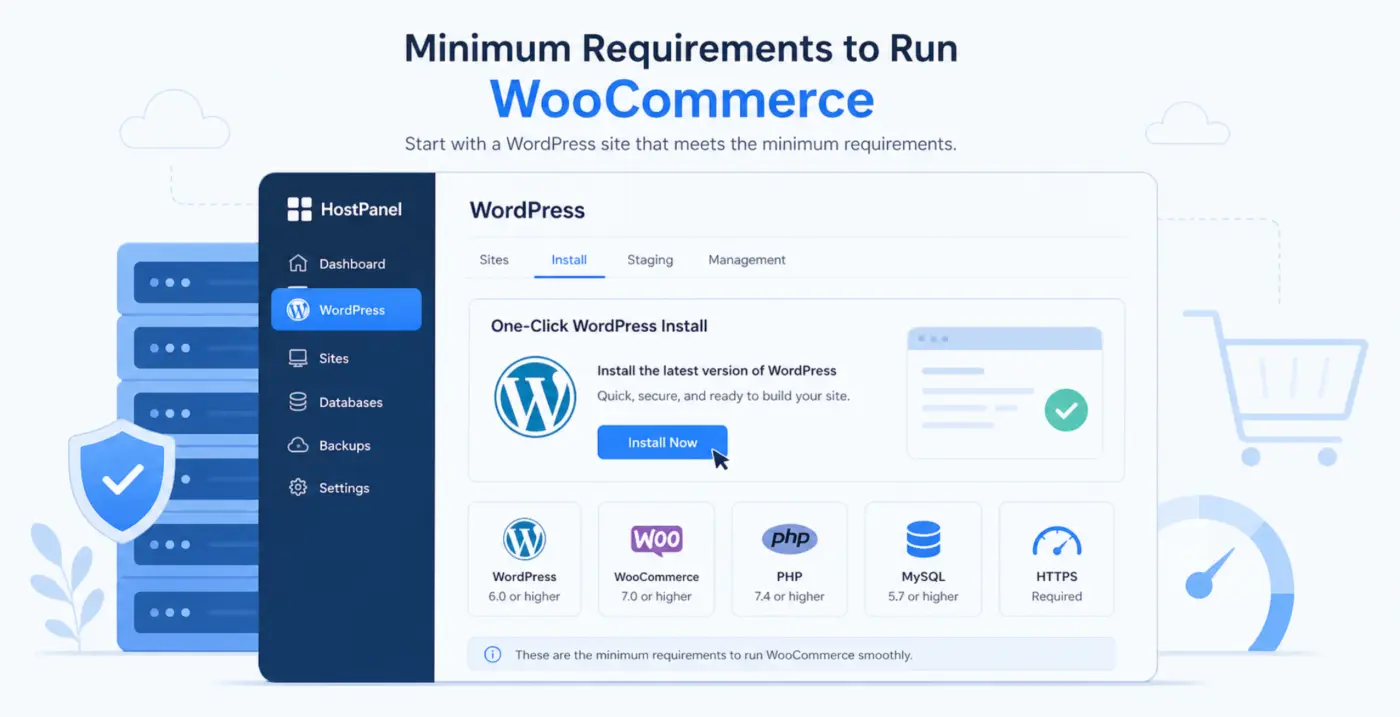
To run WooCommerce, you need a web host running WordPress. That means your server needs to meet WordPress’s minimum requirements plus a few WooCommerce-specific ones:
- PHP: 7.4 or higher (8.0 or 8.1 recommended for better performance)
- MySQL: 5.6 or higher, or MariaDB 10.1 or higher
- Memory: 128MB minimum assigned to WordPress (256MB recommended for stores with more than 50 products)
- HTTPS: Required for checkout security, most hosts include a free SSL certificate
- WordPress Permalinks: Must be set to anything other than the default “Plain” option. This is a one-click change under Settings > Permalinks.
Most shared hosting providers like SiteGround, Kinsta, or WP Engine handle this for you, so you don’t have to set up a server from scratch. A standard WordPress + WooCommerce setup usually takes about 20 minutes to go live after sign-up. Hosting costs around $5 to $30 per month, depending on your traffic.
Before you launch, go through the WooCommerce security checklist to cover the key steps early.
The Best Alternatives If You Genuinely Don’t Want WordPress
If WordPress isn’t the right fit, and in some cases it isn’t, here are a few platforms worth considering.
- Shopify: The most direct alternative. Shopify is a hosted platform that takes care of hosting, security, updates, and payment processing. Plans start at $39 per month. You trade off some customization and may pay transaction fees unless you use Shopify Payments. Good fit for: beginners who want to sell quickly without touching a server.
- BigCommerce: BigCommerce is a hosted platform with stronger built-in features than Shopify and no transaction fees. The standard plan starts at $39 per month. Better for stores that need multi-channel selling or larger catalogues. Less flexible for content than WooCommerce, but easier to manage at scale.
- Wix eCommerce: The simplest option on this list. Wix is drag-and-drop with eCommerce built in. Good for very small stores or service businesses. The trade-off is limited control over checkout, fewer payment options, and weaker SEO compared to WooCommerce on WordPress.
The honest comparison
WooCommerce (with WordPress) usually costs less to run and gives you more control over checkout, plugins, and SEO. But it also requires more hands-on management. Hosted platforms trade that control for convenience. Neither option is wrong; it depends on how much you want to manage yourself versus how much you’re willing to pay someone else to handle.
If you’re still evaluating your options, take a look at our guide to WooCommerce alternatives worth considering. It compares the main platforms.
Is WooCommerce and WordPress Worth It Despite the Dependency?
Here is what nobody tells you about the WordPress dependency: it is also what makes WooCommerce so powerful.
Because WooCommerce runs on WordPress, you get access to over 10,000 plugins labeled “WooCommerce,” along with many others that work with it. This includes features like loyalty programs, wallet payments, buy-now-pay-later, subscriptions, AR product previews, and affiliate systems. You don’t have to build these yourself; you install them.
WooCommerce has stayed around 30–35% of the global eCommerce market for years. A big reason is its open ecosystem, even with hosted platforms competing for new merchants.
The WordPress dependency is also what gives WooCommerce its SEO advantage. WordPress has been the world’s leading content management system for over a decade. WooCommerce uses WordPress features like permalinks, taxonomies, and plugins such as Rank Math or Yoast. These help improve how product pages perform in search. This makes product pages easier to optimize for organic search. Our WooCommerce SEO guide covers exactly how to take advantage of that.
Where the dependency genuinely hurts
It is fair to say WordPress adds extra load. Every page load runs PHP. Updates need to be managed. Plugin conflicts happen. If your store handles millions of requests each month and needs sub-100ms response times, you’ll need more than a basic setup. Plan to invest in caching, a CDN, and possibly managed hosting. A simple Shopify store will get there more easily at the start.
For most stores, especially those with annual revenues under $500,000, WordPress load is not a practical problem. It becomes a problem when it is ignored, not when it exists.
The fastest WooCommerce themes handle much of the performance work, so you don’t need a developer for basic optimization. And if you’re ready to add features to your WooCommerce store, our WooCommerce Wallet plugin is a good example of what the ecosystem makes possible: cashback rules, one-click payments, and wallet top-ups, all without custom development.
Conclusion
WooCommerce cannot run without WordPress. That is not a limitation to work around; it is the foundation the platform was designed on. If you need the flexibility WooCommerce offers, you need WordPress. If WordPress feels like too much to manage, a hosted platform like Shopify or BigCommerce is the honest answer.
If you need WooCommerce data in a custom front end, you can use the REST API. But headless WooCommerce still depends on WordPress running in the background, and it adds extra development work that most stores don’t need.
The real question isn’t whether you can skip WordPress. It’s whether WooCommerce on WordPress fits your store. For most eCommerce businesses, it does. If you want to explore what you can build, you can check WooCommerce plugins or leave a question in the comments.
Frequently Asked Questions
Q1. Can I install WooCommerce on a Wix or Squarespace site?
No. WooCommerce is a WordPress plugin and only works on WordPress websites. Wix and Squarespace are separate platforms with their own eCommerce tools built in. If you want to sell on Wix or Squarespace, use their native eCommerce features instead.
Q2. Does WooCommerce work on WordPress.com?
It depends on your plan. WordPress.com’s Business plan and above allow third-party plugins, including WooCommerce. The free and lower-tier paid plans do not. If you are on WordPress.org (self-hosted), WooCommerce works on all plans.
Q3. Can I use the WooCommerce REST API without a WordPress front-end?
Yes, with an important caveat. You can build a custom front-end (a React app, a mobile app, etc.) that talks to WooCommerce through its REST API. But WordPress and WooCommerce must still be installed and running on a server as the back-end. You are not removing WordPress from the architecture; you are just hiding it from the customer-facing experience.
Q4. How much does it cost to set up WooCommerce with WordPress?
The WooCommerce plugin itself is free. WordPress is free. Your main costs are hosting (typically $5 to $30 per month for shared hosting), a domain name (about $15 per year), and any premium plugins or themes you choose. A basic functional WooCommerce store can run for under $200 per year.
Q5. Is WooCommerce harder to manage than Shopify?
Honestly, yes, in some ways. Shopify handles hosting, security updates, and server management automatically. WooCommerce on WordPress gives you more control but requires you to handle those things yourself (or pay a host or developer to do it). For stores that need full control over checkout, SEO, and plugin integrations, WooCommerce is worth the extra management. For sellers who want to focus entirely on products and marketing, Shopify’s simplicity has real value.
Q6. Can WooCommerce run as a headless store on a mobile app?
Yes, this is technically possible using the WooCommerce REST API. Your mobile app sends API requests to a WordPress/WooCommerce back-end to fetch products, create orders, and handle payments. This requires developer resources to build and maintain. Plugins like CoCart add cart functionality to the API that WooCommerce’s default REST API does not cover natively.