You can make money with WordPress in 48 hours, but only if you pick the right method for your current situation. Most guides skip the part that decides whether any of this works: do you already have traffic, an audience, or a skill someone will pay for today? That single question changes everything.
Here’s what this post covers: four methods ranked by speed, which one fits you based on what you have right now, and honest benchmarks for each so you know what to expect before you start.
What Most Guides Get Wrong About Making Money with WordPress in 48 Hours
Most articles on this topic list ten monetization methods and call it a day. That’s not actually useful. The hard truth is that most WordPress monetization methods need traffic. And traffic takes weeks to build, not hours.
Google AdSense? You need thousands of monthly visitors before the numbers mean anything. Display ads average around $1 to $5 per 1,000 pageviews according to industry benchmarks. On a new site with 50 daily visitors, that’s roughly nothing.
Sponsored posts? You need an established audience and domain authority first.
So before anything else, figure out which bucket you fall into. It changes which method you should start with.
If You Have an Existing Site or Audience
You have options. An affiliate marketing push works here because you already have readers who trust you. A digital product launch works if you have an email list, even a small one. A WooCommerce store upgrade works if you already sell something and want to add a revenue stream this week.
If You’re Starting From Scratch
Your fastest real path is selling a service. No traffic required. No audience required. You need a skill and one client. We’ll cover exactly how to find that client below.
Worth knowing before you go further: WordPress powers 42.2% of all websites on the internet, which means the demand for WordPress help for setup, maintenance, and configuration is enormous and constant.
Method 1: Sell Your WordPress or WooCommerce Services as a Freelancer
This is the fastest genuine path to income in 48 hours, and almost no guide covering this keyword mentions it. No audience needed. No traffic needed. Just a skill and one paying client.
Basic WordPress setup services charge $150 to $500 for a new site. WooCommerce configuration fixes: payment gateways, product setup, and shipping rules often run $100 to $300 per job. Monthly maintenance retainers sit at $50 to $100/month per client. One client this week covers real money.
We see this pattern often: someone with WordPress knowledge spends months trying to build blog traffic when they could start billing clients within 48 hours.
Step 1: Set Up a Simple Services Page in WordPress
You do not need a perfect portfolio website. You need one clear page that says what you do, who it’s for, and how to contact you.
- Log in to your WordPress dashboard
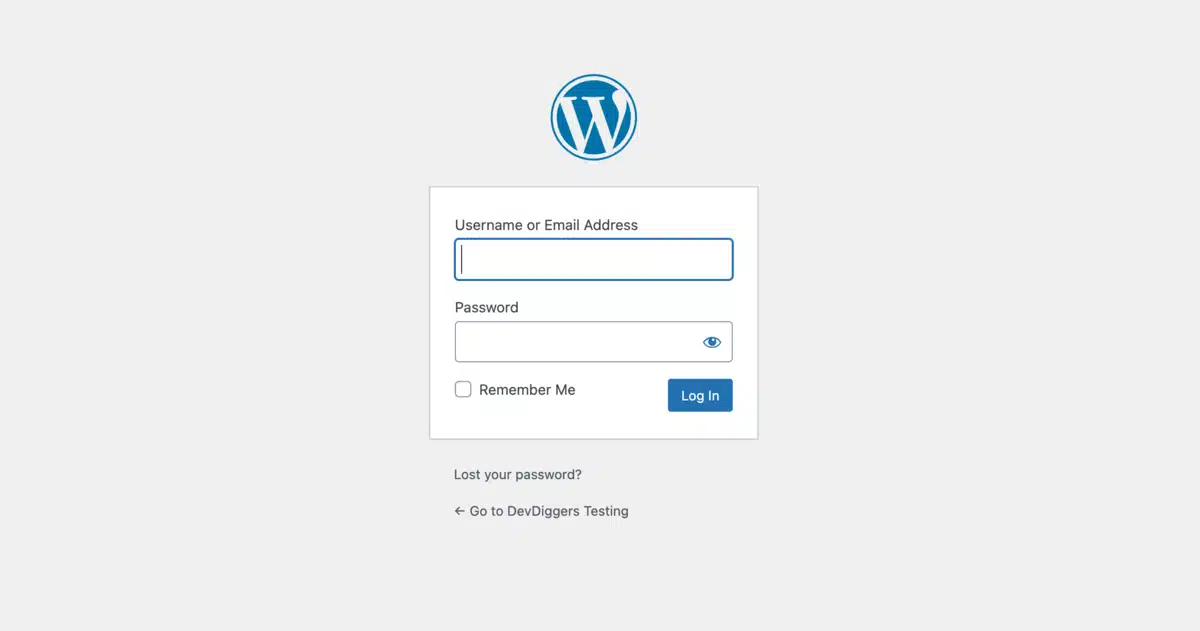
- Go to Pages > Add Page

- Name it “Work With Me” or “WordPress Help” and write two to three sentences describing your service. Be specific: “I set up WooCommerce stores for small businesses. Setup takes 48 hours. Price starts at $200.” Also, add a contact form using a free plugin.
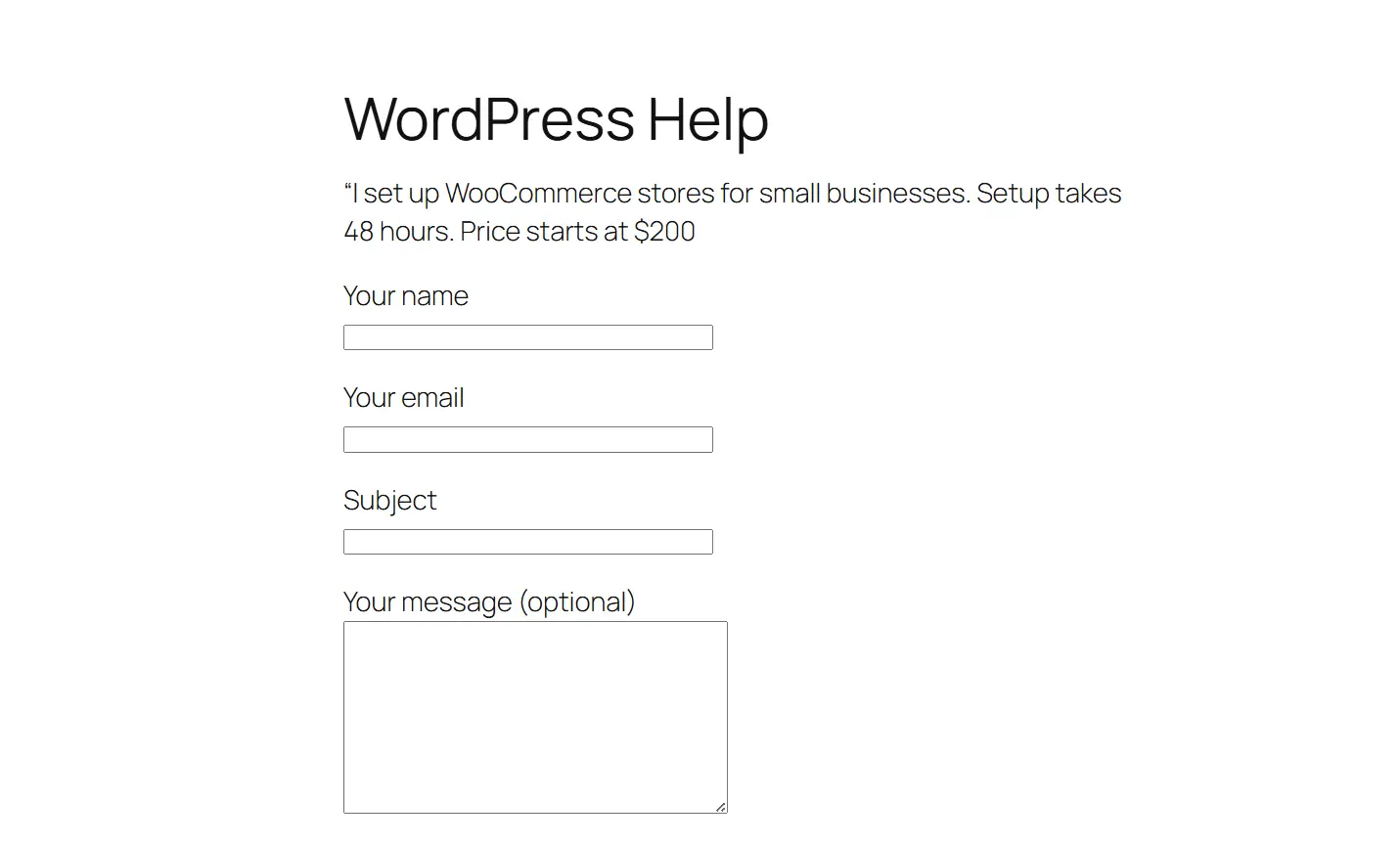
- Done. This takes under an hour.
Step 2: Define One Specific Offer and Price It
The mistake most beginners make is listing ten services. Pick one. Specific offers convert far better than vague ones.
Good offer examples:
- “WooCommerce store setup: 48-hour turnaround costs about $249.”
- “WordPress speed fix: I improve your PageSpeed score, or you don’t pay $149.”
- “Monthly WordPress maintenance: updates, backups, security scan for $75/month”
Price it confidently. Underpricing signals inexperience more than it closes sales.
Step 3: Find Your First Client in 48 Hours
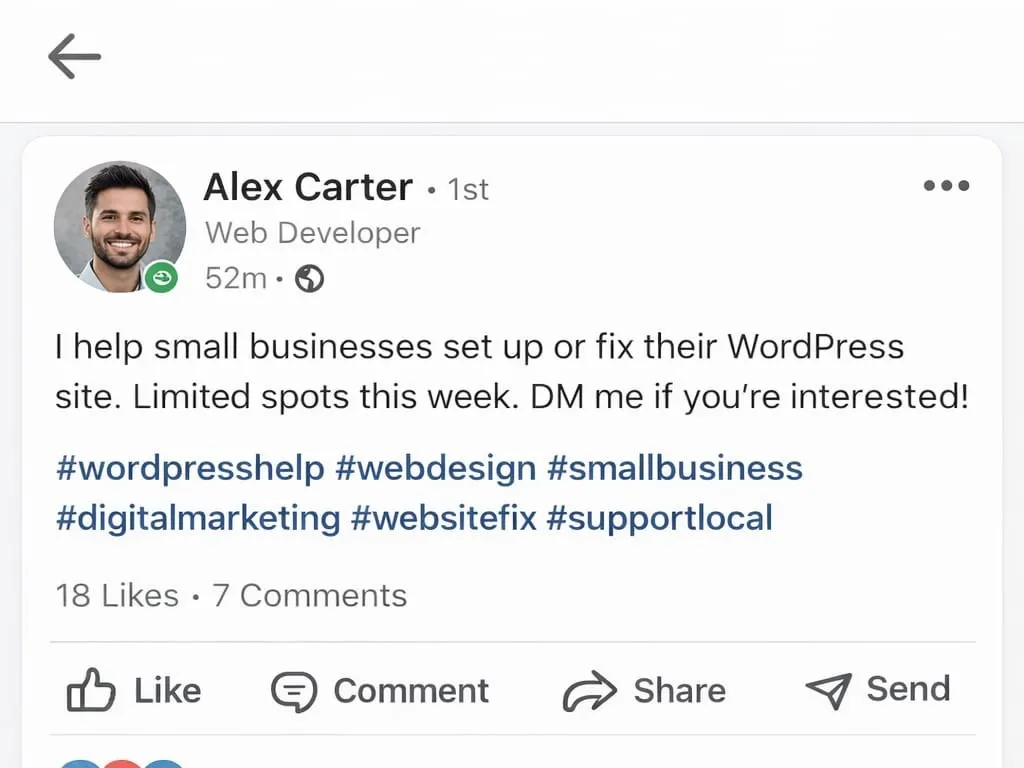
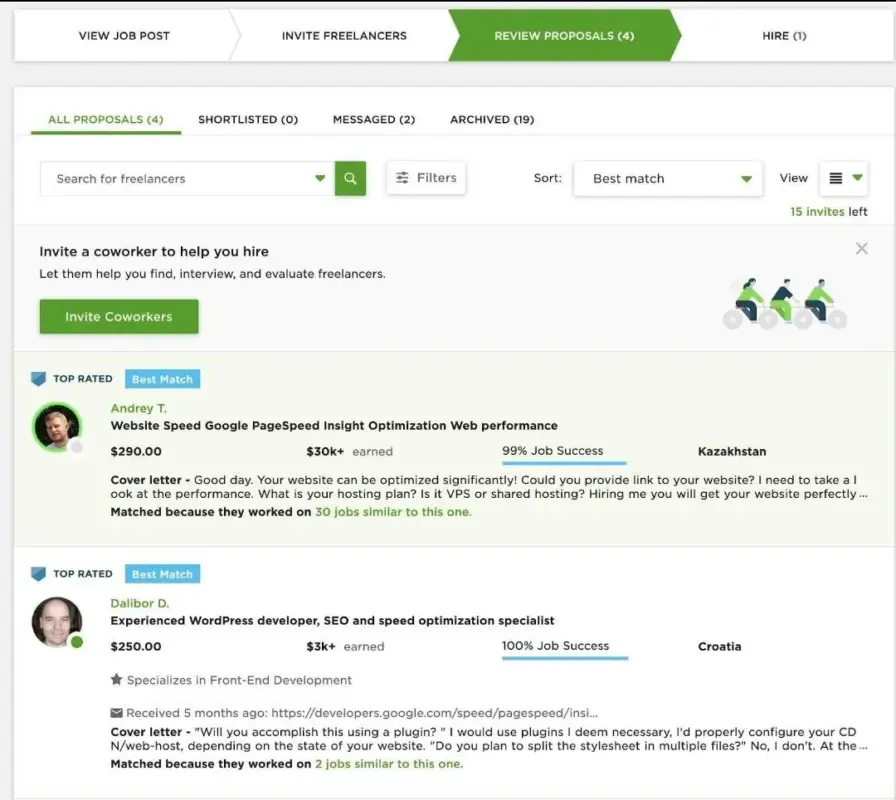
You do not need Upwork or Fiverr to start. Those platforms take time to build a rating on. For your first client, go warm.
- Post in a local business Facebook group or LinkedIn: “I help small businesses set up or fix their WordPress site. Limited spots this week. DM me.”
- Message three to five people you know who run a small business with a website that looks like it needs work.
- Check your existing network. Someone you know needs this. They just don’t know you do it.
One response is enough to start. Most developers who try this get a response within 24 hours.
Method 2: Sell Digital Products with WooCommerce
Selling digital products is the second-fastest path. It works without a large audience, but it works much better with one, even a small email list of a few hundred people is enough to test a first product.
WooCommerce powers over 4.6 million online stores. Setting it up for digital downloads is faster than most people expect. The key configuration detail most beginners miss: when adding a product, you must check both “Virtual” and “Downloadable” under the Product Data section. Without “Virtual” checked, WooCommerce tries to calculate shipping costs. That setting alone trips up a lot of first-time store owners.
Step 1: Choose a Product You Can Create Today
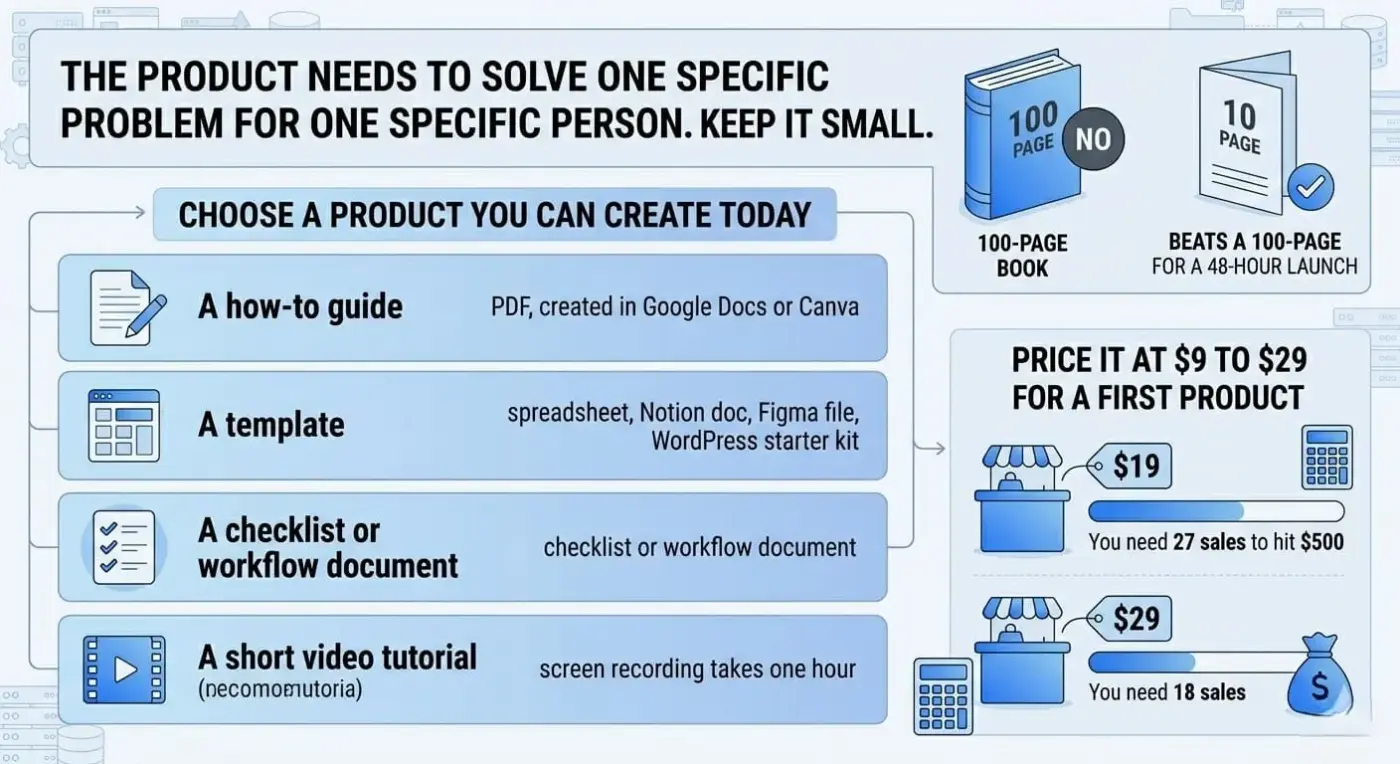
The product needs to solve one specific problem for one specific person. Keep it small. A 10-page PDF guide beats a 100-page ebook for a 48-hour launch.
Products you can create today:
- A how-to guide on something you know well (PDF, created in Google Docs or Canva)
- A template (spreadsheet, Notion doc, Figma file, WordPress starter kit)
- A checklist or workflow document
- A short video tutorial (screen recording takes one hour)
Price it at $9 to $29 for a first product. At $19, you need 27 sales to hit $500. At $29, you need 18.
Step 2: Set Up WooCommerce for Digital Downloads
- Go to Plugins > Add Plugin in your WordPress dashboard

- Search for “WooCommerce” and install the free plugin

- Run the setup wizard — choose currency, connect Stripe or PayPal
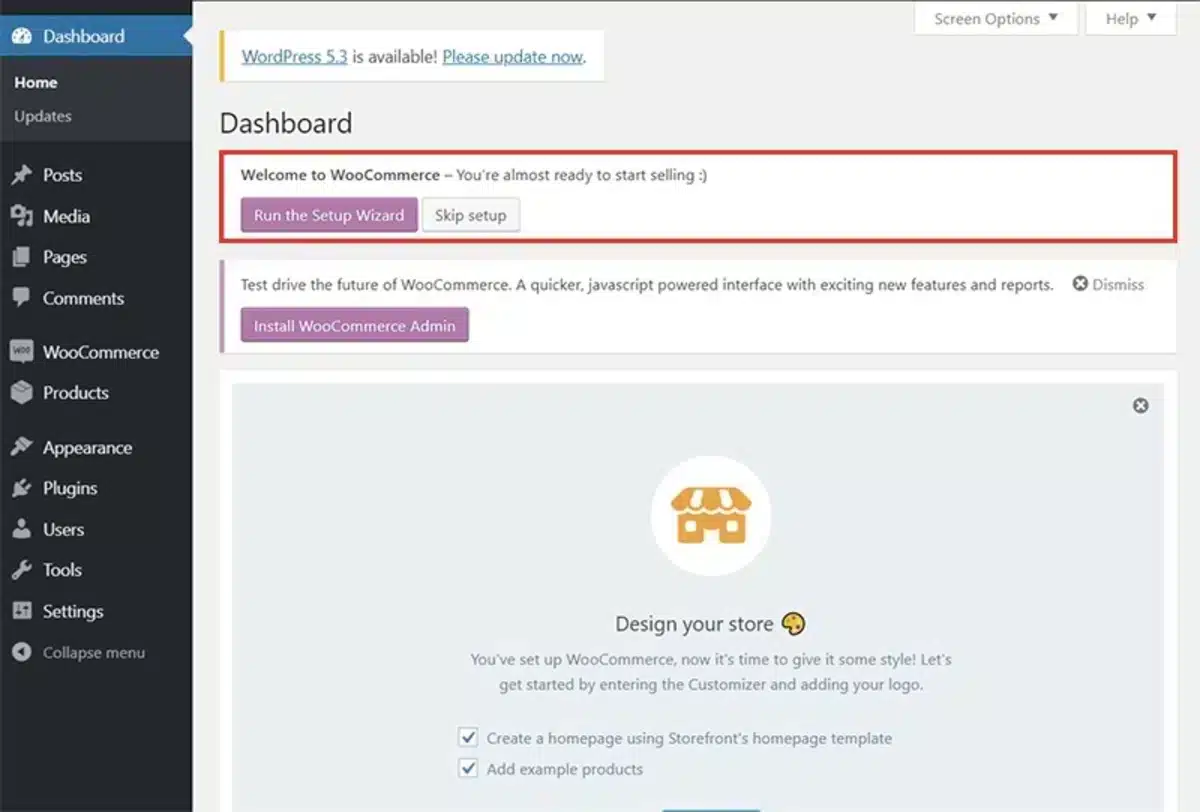
- Go to Products > Add new Product and add your product name, description, and price

- Under Product Data, check “Virtual” and “Downloadable.”
- Upload your file in the Downloadable Files section
- Publish the product
Total setup time: about 30 to 45 minutes if you’ve used WordPress before. Closer to 90 minutes if it’s your first WooCommerce store.
If you’d rather skip the manual configuration, our WooCommerce Wallet plugin adds cashback and wallet features to your store useful once your store is live and you want to bring buyers back.
Step 3: Drive Traffic to Your Product Page Fast
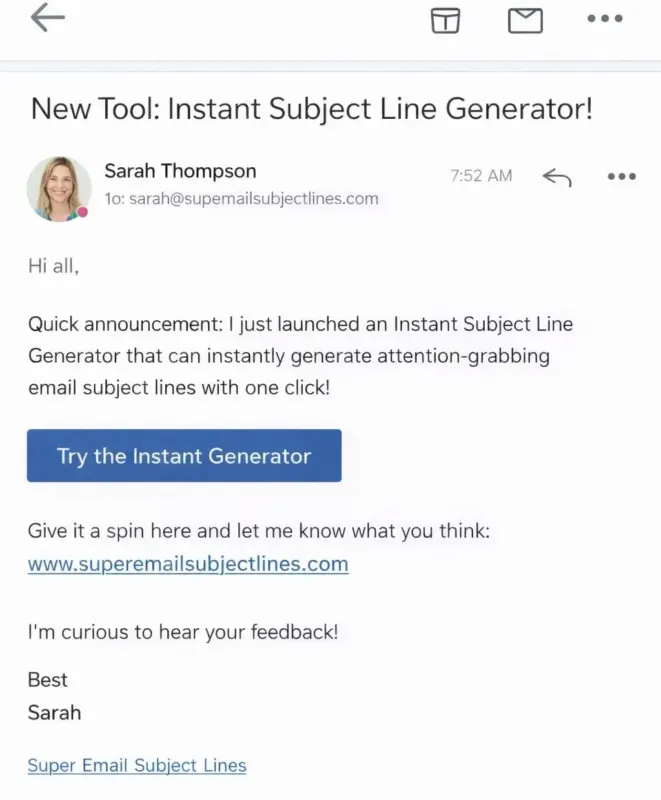
Without existing traffic, you need to push people to the page directly.
- Send one email to your list with the launch
- Post on LinkedIn, Instagram, or Twitter with a link and the specific problem it solves
- Share in one or two relevant online communities where you’re already active, not as spam, but as a useful resource
This is not a long-term SEO play. It’s a 48-hour push to your warmest audience.
Method 3: Run an Affiliate Marketing Push on Your WordPress Blog
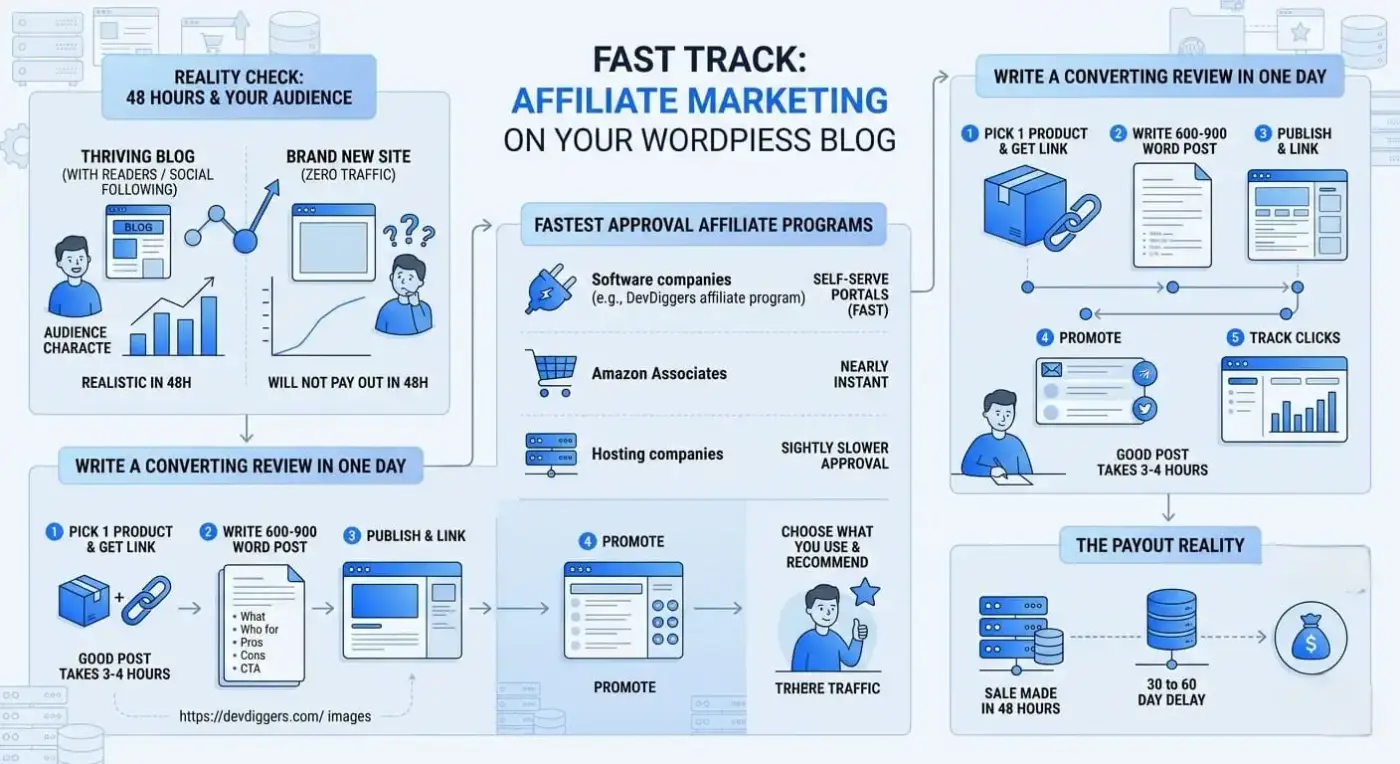
Affiliate marketing is realistic for 48 hours only if you already have a blog with readers or a social following. For a brand new site with zero traffic, this method will not pay out in 48 hours.
That’s not a knock on affiliate marketing. It is one of the best long-term WordPress income streams. But it needs an audience first. According to WPBeginner’s breakdown of WordPress monetization methods, affiliate income scales well with consistent content, the key word being consistent, over time.
If you do have an audience, here’s what works fast.
Which Affiliate Programs Accept New Applicants Fast
Most large affiliate networks like ShareASale, CJ Affiliate, and Impact accept applications within 24 hours. Individual brand programs vary. The fastest approvals come from:
- Software companies with self-serve affiliate portals (many WordPress plugin companies, including the DevDiggers affiliate program)
- Amazon Associates (nearly instant approval, lower commissions)
- Hosting companies (higher commissions, slightly slower approval)
Choose a product you already use and can genuinely recommend. That’s not just ethical advice. It also makes writing the review faster because you’re working from real experience.
For a deeper look at running affiliate programs on your WooCommerce store, our post on the best WooCommerce affiliate plugins walks through the top options.
How to Write a Converting Review Post in One Day
- Pick one product you use and genuinely recommend
- Sign up for their affiliate program and get your link
- Write a 600 to 900-word review post covering: what the product does, who it’s for, what you like about it, one honest limitation, and a clear call to action
- Publish the post and link to it from your homepage or sidebar
- Send it to your email list and share on social
- Track clicks in your affiliate dashboard
A good review post takes three to four hours to write and publish. If you have a post already ranking for a related keyword, adding an affiliate link there is even faster.
One practical note: most affiliate programs pay on a 30 to 60 day delay after a sale. You may make the sale in 48 hours, but the cash arrives later. Factor that in.
Method 4: Set Up a WooCommerce Store and Drive Your First Sale
This method is the most work of the four. But it is also the one with the highest long-term ceiling. WooCommerce runs about one-third of all tracked live online stores, which tells you the demand for this setup is real and proven.
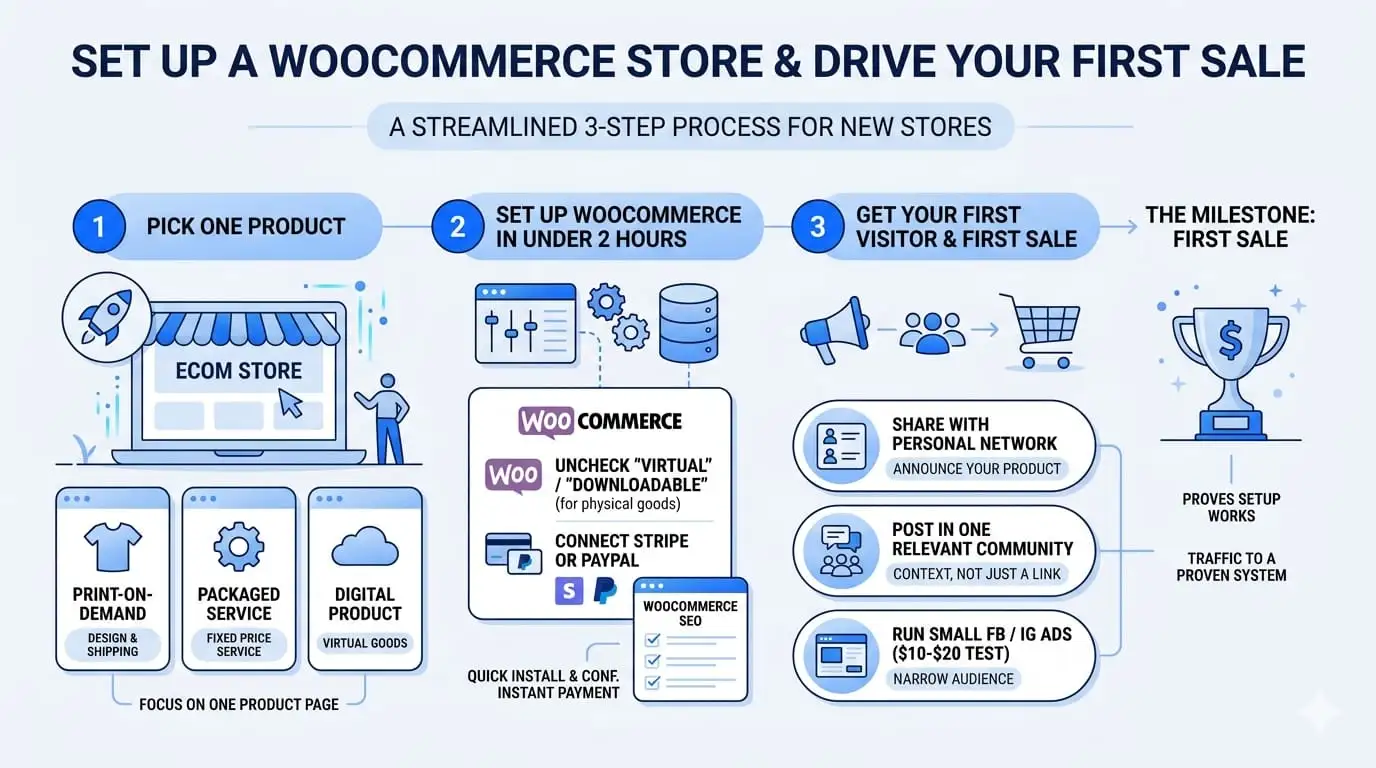
The goal here is not a full ecommerce operation. The goal is one product live, payment connected, and one sale made.
Simple idea. Hard to execute if you try to do too much at once. Pick one product only.
Step 1: Pick One Product
Physical product options that need zero inventory upfront:
- Print-on-demand: set up a product through Printful or Printify, which connects directly to WooCommerce. They handle printing and shipping. You handle the design.
- A service packaged as a product: your WooCommerce setup service is listed as a buyable product with a fixed price
Digital products work here too: see Method 2 above.
Do not list ten products. One product lets you focus your 48-hour traffic push on one page.
Step 2: Set Up WooCommerce in Under Two Hours
Follow the same WooCommerce installation steps from Method 2. For a physical or print-on-demand product, uncheck “Virtual” and “Downloadable.” Connect Stripe or PayPal for instant payment processing.
If you’re adding a WooCommerce store to an existing WordPress site, our WooCommerce SEO guide covers the on-page settings that will help your product pages rank over time.
Step 3: Get Your First Visitor and First Sale
For a 48-hour push without existing traffic:
- Share the product link with your personal network. Tell them what it is, what problem it solves, and where to buy it.
- Post it in one relevant community. A print-on-demand design for dog owners? Post in a dog owner group with context, not just a link.
- Run a small Facebook or Instagram ad if you have $10 to $20 to test. Target a specific interest. Keep the audience narrow.
Your first sale is the milestone. It proves the setup works and that someone is willing to pay. Everything after that is about driving more traffic to a proven system.
For customer retention, once you have buyers, adding a WooCommerce loyalty program is one of the most effective ways to bring them back.
The Honest Trade-Off: Which Method Is Right for You?
Here is the real picture across all four methods.
| Method | Speed to First $ | Audience Required | Setup Time | Best For |
|---|---|---|---|---|
| Freelance services | Hours | None | 1 to 3 hours | Anyone with WordPress or dev skills |
| Digital products | 1 to 2 days | Small list helps | 4 to 8 hours | Creators, developers, consultants |
| Affiliate marketing push | Fast if traffic exists | Yes — existing readers needed | 2 to 4 hours | Established bloggers with an audience |
| WooCommerce store | 1 to 2 days | Social reach helps | 4 to 10 hours | Product sellers, print-on-demand |
The gap that most guides never fill: if you have zero traffic and zero audience, Methods 3 and 4 will not pay out in 48 hours. Method 1 will. That is not a flaw in your approach. It’s just arithmetic.
Start with what you have. If you have skills, sell them first. If you have an audience, monetize it. If you have a product, build the store. The 48-hour clock starts the moment you pick one method and commit to it fully.
Conclusion
Making money with WordPress in 48 hours comes down to one question: what do you have right now? Skills with no audience? Start with freelance services. A small email list? Launch a digital product. An existing blog with readers? Run an affiliate marketing push. A product idea and some social reach? Build the WooCommerce store.
The mistake most people make is trying all four at once. Pick one, execute it completely, and measure the result. Then layer in the others over time as your site grows.
WordPress is one of the most flexible platforms on the internet for building an income online. But flexibility only pays off when you focus it. Use what you have, start today, and treat 48 hours as the first step rather than the whole journey.
If you’re building or growing a WooCommerce store and want to add retention and revenue tools that pay for themselves, explore DevDiggers’ WooCommerce plugin library for extensions built specifically for store owners.
FAQ
Q1. Can a brand new WordPress site make money in 48 hours with no existing traffic?
Yes, but only through one method: selling a service directly to people in your network. A freelance WordPress setup or maintenance offer requires no traffic, no audience, and no Google ranking. Every other method — affiliate marketing, digital products, and ad revenue depends on having visitors first. Starting from zero with a blog and hoping for ad income in 48 hours is not realistic.
Q2. Does WordPress.com or WordPress.org work better for making money quickly?
WordPress.org (self-hosted) is the right choice for any monetization path covered in this post. Free WordPress.com sites restrict which plugins you can install, which limits WooCommerce, affiliate link management, and email capture tools. A basic self-hosted WordPress plan with a host like SiteGround or Hostinger costs around $3 to $5 per month and gives you full control.
Q3. What is the easiest WordPress monetization method to set up?
Affiliate marketing is the fastest to set up technically: sign up for a program, add a link to an existing post, and done. But “easiest to set up” and “fastest to produce income” are different things. For income in 48 hours, freelance services win on speed. For passive income potential over time, digital products and affiliate marketing outperform.
Q4. Can you make money with WordPress without building a blog?
Yes. Three of the four methods in this post do not require a blog. Freelance services need only a services page. A WooCommerce store is a product business, not a blog. Digital products need a product page and a checkout, not ongoing content. Blogging is one WordPress income path, not the only one.
Q5. Do you need WooCommerce to sell products on WordPress?
WooCommerce is the most widely used option, but it is not the only one. Easy Digital Downloads (EDD) is a solid alternative specifically for digital products. For very simple single-product setups, plugins like Simple Pay or even a Gumroad embed on a WordPress page can work. WooCommerce makes the most sense when you plan to sell multiple products or want access to the largest extension library.