Admin End of the Progressive Web App for WordPress Plugin
Configuration
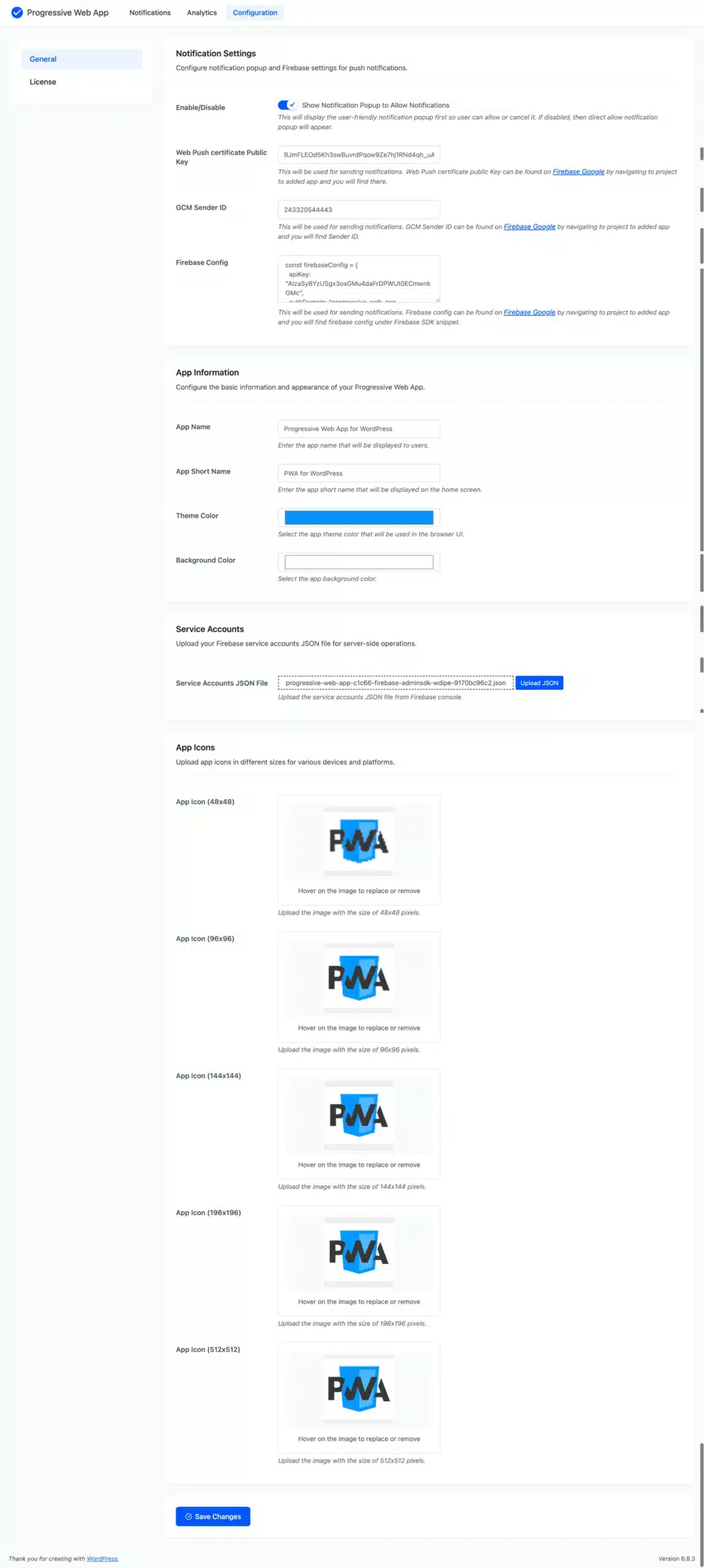
Notification Settings
Configure notification pop-up and Firebase settings for push notifications.
- Show Notification Popup to Allow Notifications: This will display the user-friendly notification pop-up first, so the user can allow or cancel it. If disabled, then a direct allow notification pop-up will appear.
- Web Push Certificate Public Key: This will be used for sending notifications. Web Push certificate public Key can be found on Firebase Google by navigating to the project, to the added app, and you will find it there.
- GCM Sender ID: This will be used for sending notifications. GCM Sender ID can be found on Firebase Google by navigating to the project, to the added app, and you will find the Sender ID.
- Firebase Config: This will be used for sending notifications. Firebase config can be found on Firebase Google by navigating to the project, to the added app, and you will find Firebase config under the Firebase SDK snippet.
Configure the basic information and appearance of your Progressive Web App.
- App Name: Enter the app name that will be displayed to users.
- App Short Name: Enter the app short name that will be displayed on the home screen.
- Theme Color: Select the app theme color that will be used in the browser UI.
- Background Color: Select the app background color.
Service Accounts
Upload your Firebase service accounts JSON file for server-side operations.
App Icons
Upload app icons in different sizes for various devices and platforms.
Push Notifications
Here, the admin can view the list of recently added notifications and take action, such as searching through or editing previously added notifications, deleting any, or sending notifications to users.

Add Notification
From this page, the admin can add new notifications.

Title
Users will get a push notification with the title displayed.
Description
Users will get a push notification with the description presented.
Image
The admin must upload the photographs, or they can choose from already submitted images, which will be sent to users via push notifications.
URL
The admin must enter the URL users are forwarded to when they click push notifications.
Status
This indicates the notification’s status, which is either enabled or disabled.
Analytics
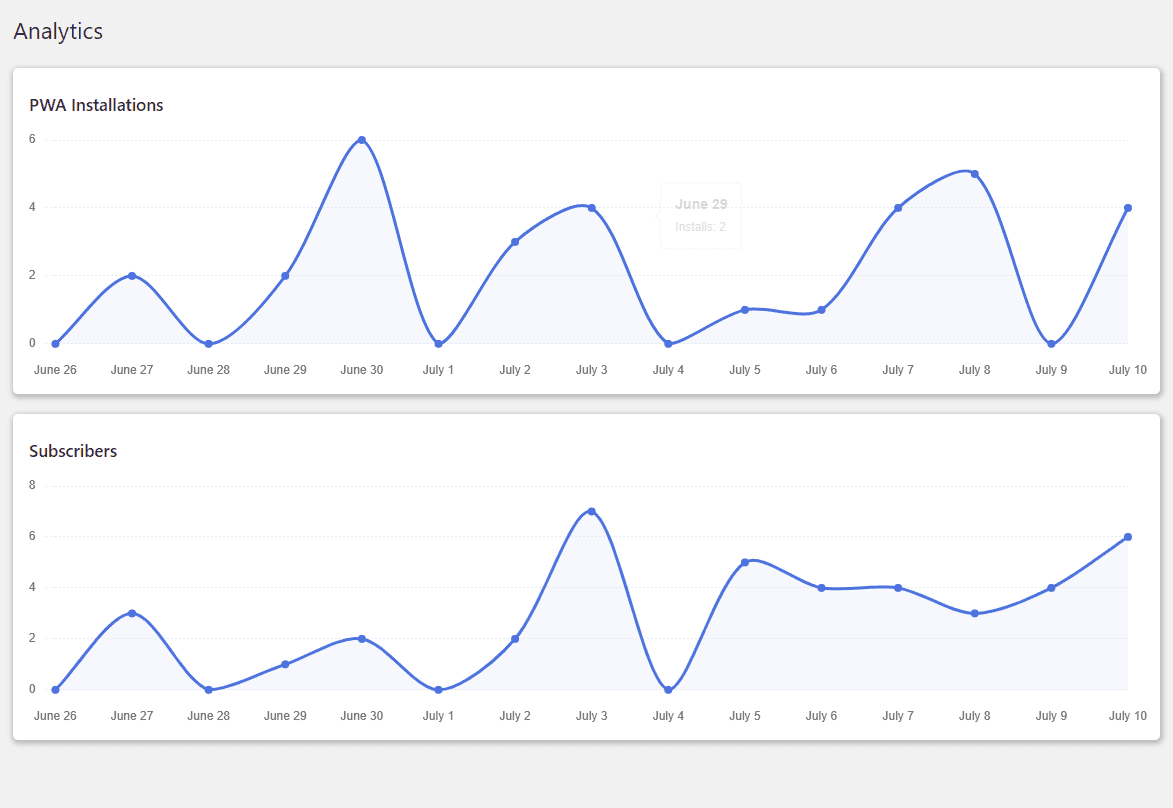
The admin can view analytics reports for PWA installations and subscribers who have enabled notifications on your website. The admin can view the report’s most recent 15 days of data.
Customer’s End of the Progressive Web App for WordPress Plugin
Progressive Web App on Desktop
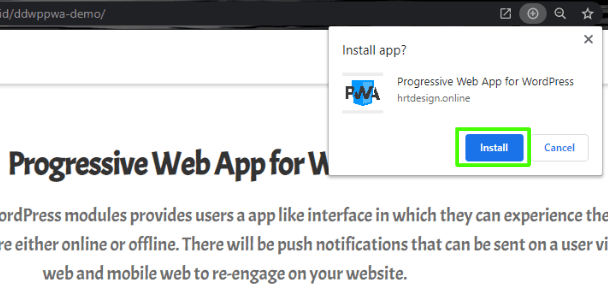
Customers can visit your website and download the app using the plus icon, as shown in the image below. The app is then installed on the customer’s desktop, allowing them to access your website using the app.
Progressive Web App on Mobile
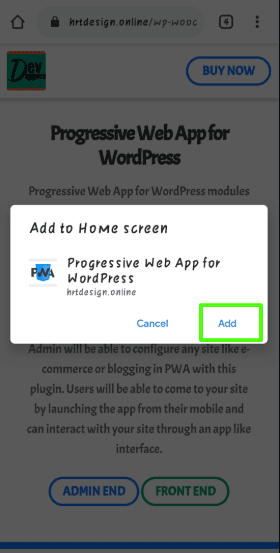
When a customer visits your site via mobile browser, they will get a popup to add the PWA to your Home screen option, from which they can add the PWA and use your site’s app interface. The steps are outlined in the images below.
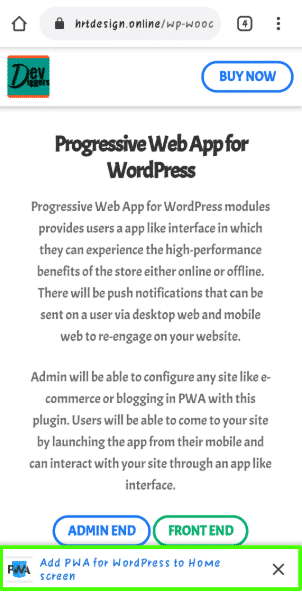
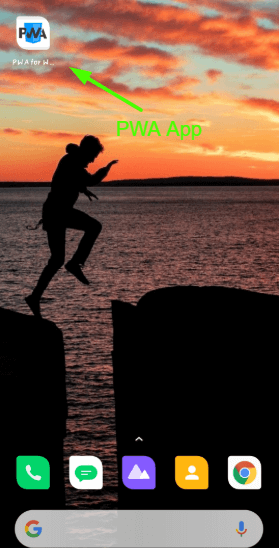
After adding the app, customers will see it on their mobile home screen, as seen in the image below, from which they may browse your website.
Push Notifications
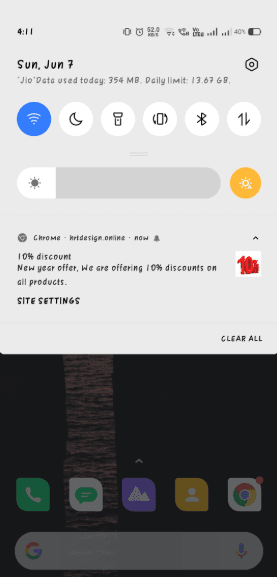
When the admin sends a notification from the backend, users who have enabled notifications will receive it on their mobile phones and desktops.
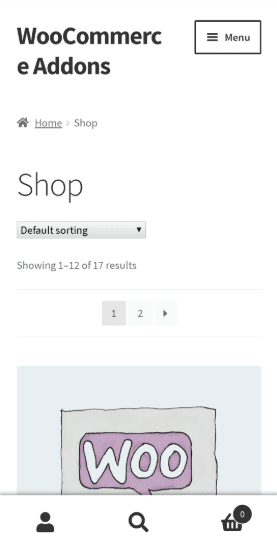
After clicking the notification, the app will open with the URL specified by the admin.


albertto –
Great Plugin with Excellent Support
Very good plugin with really great support. The team is very helpful and responsive. Great work!
AbbottIV –
Easy Setup and Top-Quality Support
Great plugin and very easy to install. I had a small issue, and the support team was quick and very helpful. Really high-quality support. Thanks DevDiggers!
Nesya_Mart –
Fast Support and Smooth Performance
The support is quick and responsive, just as you’d expect. The plugin is working smoothly without any issues. Very satisfied with the overall experience.
kenosis18 –
Great Plugin with Fast Support
Very good plugin and the support is really fast and helpful. Thanks a lot for the great experience!
crazyfans –
Easy Setup and Well Documented
The plugin works exactly as described. The documentation is clear and helpful, making the setup process very easy. Great job, and thanks!
chaosm –
Nice Plugin with Good Support
Nice plugin that works well, and the support is helpful too. Thanks for everything!
sonsuzluga –
Excellent Product and Support
A really great product with excellent support. Everything works smoothly, and the team is very helpful. I highly recommend it to everyone!
MyFPB –
Works Well with Minor Loading Issues
The plugin works exactly as expected and provides a smooth PWA experience for our WordPress site. There are a few minor loading bugs occasionally, but they do not affect the overall functionality or performance. Overall, it has been a very good experience and the plugin delivers great value.
queryamit –
Well Implemented PWA with Notifications
The PWA and notification features are implemented really well. Everything works smoothly and as expected. Great job by DevDiggers. Highly recommended!
jynchiu –
Super Fast Support with Great Experience
The customer support is excellent and replies very quickly, unlike many others. I’m fully satisfied with the experience 100%!