Admin End of the Progressive Web App for WordPress Plugin
Configuration
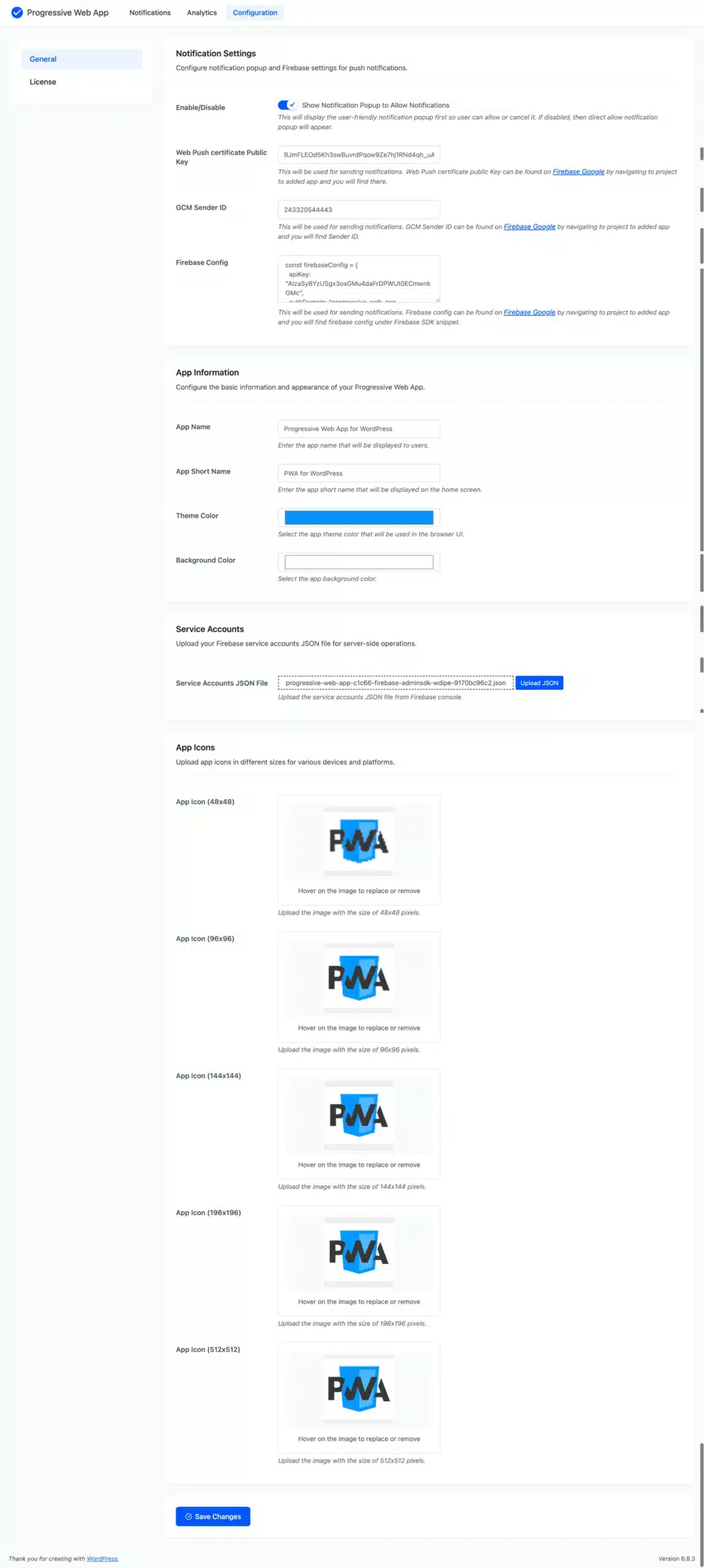
Notification Settings
Configure notification pop-up and Firebase settings for push notifications.
- Show Notification Popup to Allow Notifications: This will display the user-friendly notification pop-up first, so the user can allow or cancel it. If disabled, then a direct allow notification pop-up will appear.
- Web Push Certificate Public Key: This will be used for sending notifications. Web Push certificate public Key can be found on Firebase Google by navigating to the project, to the added app, and you will find it there.
- GCM Sender ID: This will be used for sending notifications. GCM Sender ID can be found on Firebase Google by navigating to the project, to the added app, and you will find the Sender ID.
- Firebase Config: This will be used for sending notifications. Firebase config can be found on Firebase Google by navigating to the project, to the added app, and you will find Firebase config under the Firebase SDK snippet.
Configure the basic information and appearance of your Progressive Web App.
- App Name: Enter the app name that will be displayed to users.
- App Short Name: Enter the app short name that will be displayed on the home screen.
- Theme Color: Select the app theme color that will be used in the browser UI.
- Background Color: Select the app background color.
Service Accounts
Upload your Firebase service accounts JSON file for server-side operations.
App Icons
Upload app icons in different sizes for various devices and platforms.
Push Notifications
Here, the admin can view the list of recently added notifications and take action, such as searching through or editing previously added notifications, deleting any, or sending notifications to users.

Add Notification
From this page, the admin can add new notifications.

Title
Users will get a push notification with the title displayed.
Description
Users will get a push notification with the description presented.
Image
The admin must upload the photographs, or they can choose from already submitted images, which will be sent to users via push notifications.
URL
The admin must enter the URL users are forwarded to when they click push notifications.
Status
This indicates the notification’s status, which is either enabled or disabled.
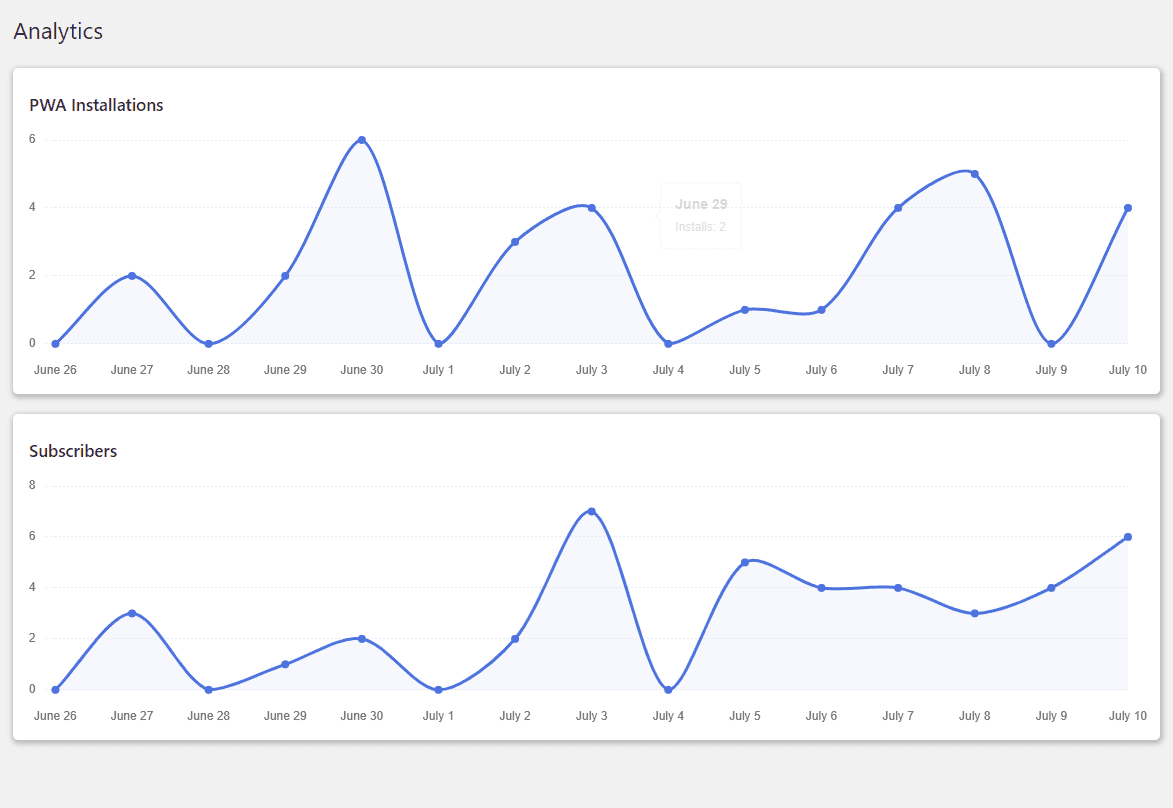
Analytics
The admin can view analytics reports for PWA installations and subscribers who have enabled notifications on your website. The admin can view the report’s most recent 15 days of data.
Customer’s End of the Progressive Web App for WordPress Plugin
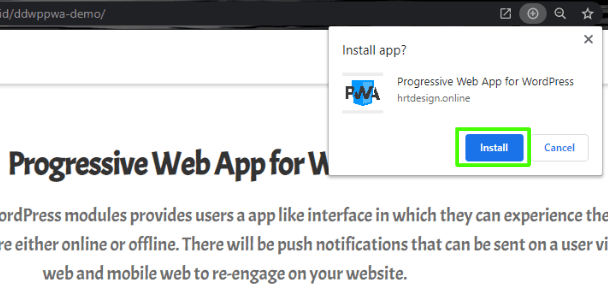
Progressive Web App on Desktop
Customers can visit your website and download the app using the plus icon, as shown in the image below. The app is then installed on the customer’s desktop, allowing them to access your website using the app.
Progressive Web App on Mobile
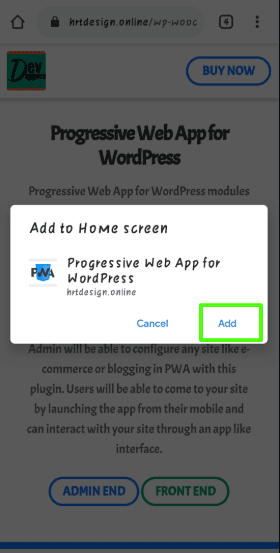
When a customer visits your site via mobile browser, they will get a popup to add the PWA to your Home screen option, from which they can add the PWA and use your site’s app interface. The steps are outlined in the images below.
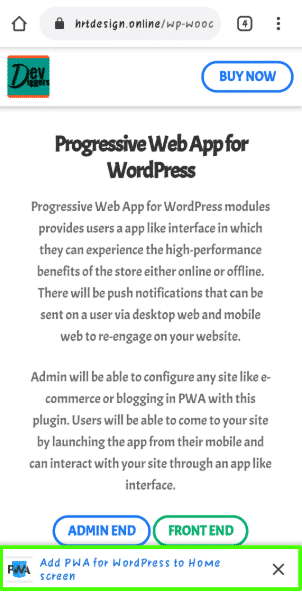
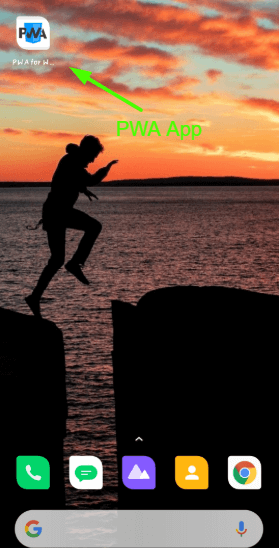
After adding the app, customers will see it on their mobile home screen, as seen in the image below, from which they may browse your website.
Push Notifications
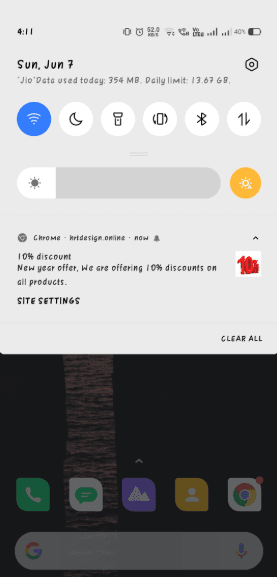
When the admin sends a notification from the backend, users who have enabled notifications will receive it on their mobile phones and desktops.
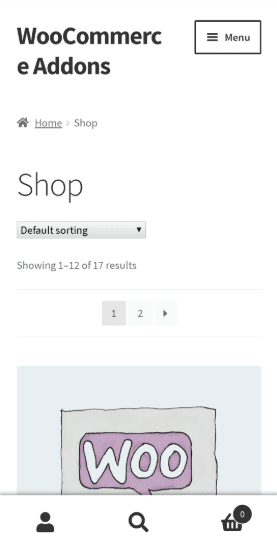
After clicking the notification, the app will open with the URL specified by the admin.



Claudivam –
Outstanding Experience Beyond Expectations
5 stars honestly feel too few for the level of satisfaction I’ve had. The experience, product quality, pricing, and features are all excellent. What stands out even more is the transparency and trust they maintain.
A big thanks to the support team for their professionalism, quick responses, and dedication. Truly a great experience overall!
RajatBhardwaj2 –
Works Perfectly with Fast Support
The plugin works exactly as described. The customer support is excellent. I received a reply within an hour. Great work!
mrbernny –
Excellent Plugin and Innovative Team
Excellent script with great support! The team is always pushing forward and bringing new improvements. Really impressed with their work.
diegpl –
Impressive Support and Great Experience
The support was truly impressive. I even learned a lot about how to treat my own customers by seeing how they handled things. Highly recommended, just go for it! 😊
ventsi84 –
Well-Coded Plugin
Great plugin! It’s very well coded and works smoothly. The support is also amazingly fast and helpful.
athulspeaks –
Top-Notch Support You Can Trust
Great customer support is what makes a product truly stand out, and DevDiggers delivers exactly that. The experience has been smooth and reliable. Highly satisfied!
douglasbarnard –
Fast Support and Feature-Rich PWA
Excellent support with a quick turnaround. The product works exactly as expected, and it offers one of the most complete PWA solutions available. Really happy with the overall experience and the team behind it!
pedroparadas –
Excellent and Highly Recommended
Everything works perfectly. Great experience overall and highly recommended!
jkmvetm –
Fast Support and Easy-to-Use PWA
The product offers great service overall. While most support teams take up to 24 hours to reply, this team responds almost instantly. They are always ready to help and make sure any issue is properly resolved.
The plugin is very easy to use and comes with clear step-by-step documentation. It lets you turn your website into an app without affecting performance or speed. Highly recommended!
myEnvato1976 –
Reliable Plugin with Excellent Guidance
I highly recommend this product. It works exactly as promised, and the support is excellent. The team even guides you after installation to make sure everything is set up correctly. Kudos to the team for their great work!