Admin End of the Progressive Web App for WordPress Plugin
Configuration
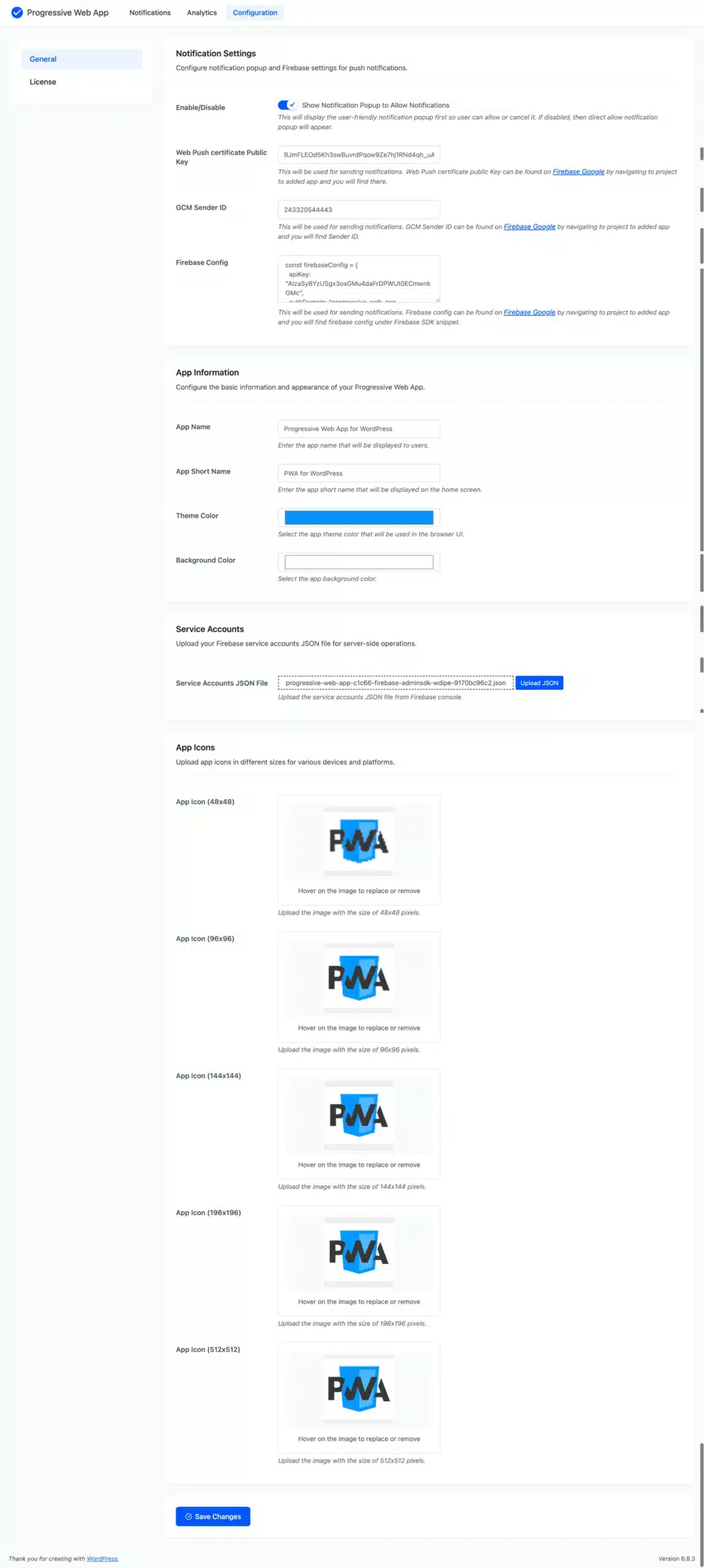
Notification Settings
Configure notification pop-up and Firebase settings for push notifications.
- Show Notification Popup to Allow Notifications: This will display the user-friendly notification pop-up first, so the user can allow or cancel it. If disabled, then a direct allow notification pop-up will appear.
- Web Push Certificate Public Key: This will be used for sending notifications. Web Push certificate public Key can be found on Firebase Google by navigating to the project, to the added app, and you will find it there.
- GCM Sender ID: This will be used for sending notifications. GCM Sender ID can be found on Firebase Google by navigating to the project, to the added app, and you will find the Sender ID.
- Firebase Config: This will be used for sending notifications. Firebase config can be found on Firebase Google by navigating to the project, to the added app, and you will find Firebase config under the Firebase SDK snippet.
Configure the basic information and appearance of your Progressive Web App.
- App Name: Enter the app name that will be displayed to users.
- App Short Name: Enter the app short name that will be displayed on the home screen.
- Theme Color: Select the app theme color that will be used in the browser UI.
- Background Color: Select the app background color.
Service Accounts
Upload your Firebase service accounts JSON file for server-side operations.
App Icons
Upload app icons in different sizes for various devices and platforms.
Push Notifications
Here, the admin can view the list of recently added notifications and take action, such as searching through or editing previously added notifications, deleting any, or sending notifications to users.

Add Notification
From this page, the admin can add new notifications.

Title
Users will get a push notification with the title displayed.
Description
Users will get a push notification with the description presented.
Image
The admin must upload the photographs, or they can choose from already submitted images, which will be sent to users via push notifications.
URL
The admin must enter the URL users are forwarded to when they click push notifications.
Status
This indicates the notification’s status, which is either enabled or disabled.
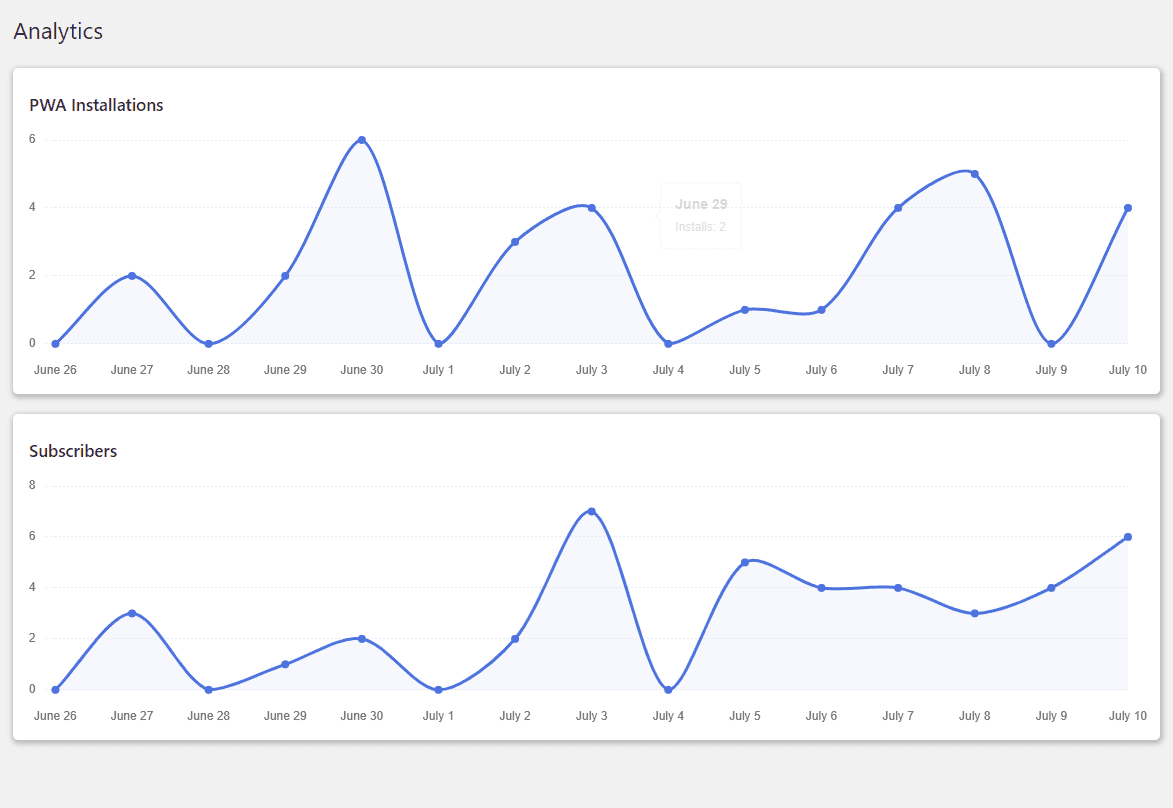
Analytics
The admin can view analytics reports for PWA installations and subscribers who have enabled notifications on your website. The admin can view the report’s most recent 15 days of data.
Customer’s End of the Progressive Web App for WordPress Plugin
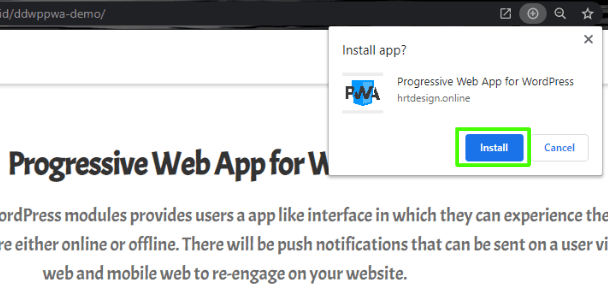
Progressive Web App on Desktop
Customers can visit your website and download the app using the plus icon, as shown in the image below. The app is then installed on the customer’s desktop, allowing them to access your website using the app.
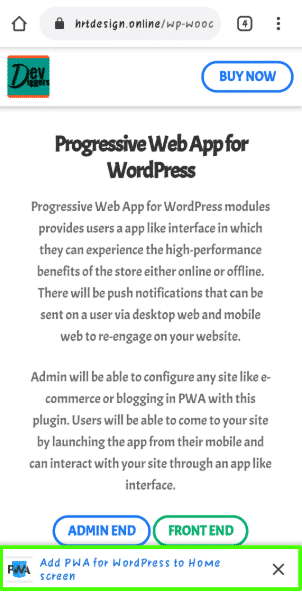
Progressive Web App on Mobile
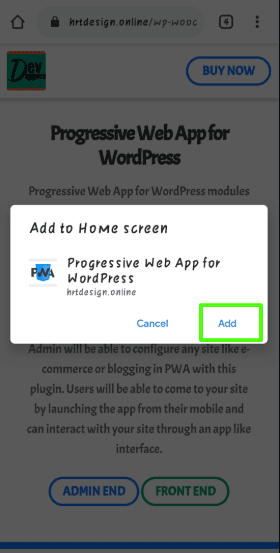
When a customer visits your site via mobile browser, they will get a popup to add the PWA to your Home screen option, from which they can add the PWA and use your site’s app interface. The steps are outlined in the images below.
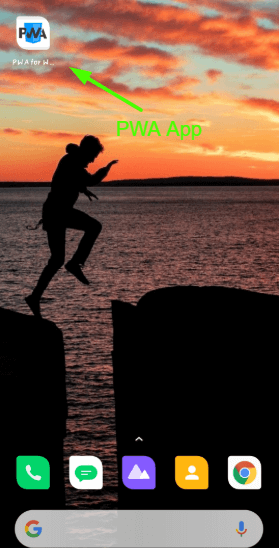
After adding the app, customers will see it on their mobile home screen, as seen in the image below, from which they may browse your website.
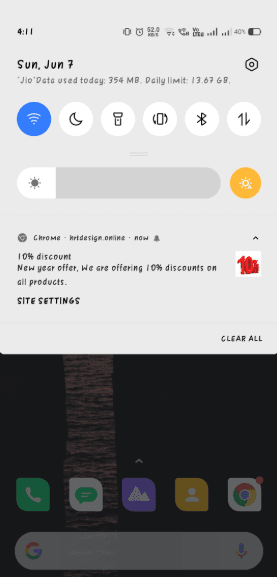
Push Notifications
When the admin sends a notification from the backend, users who have enabled notifications will receive it on their mobile phones and desktops.
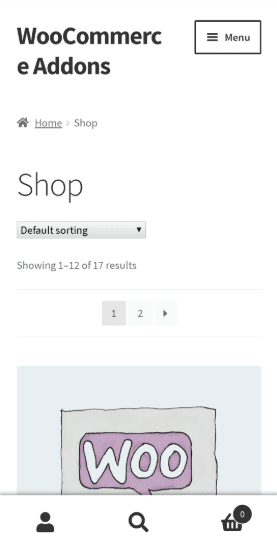
After clicking the notification, the app will open with the URL specified by the admin.

polboonlapo –
Useful Plugin for Increasing Sales
This plugin is a very useful tool for boosting sales revenue. It adds real value and helps improve overall results.
rauldjslow –
Excellent Code Quality
The code quality is solid and well-structured. Everything feels stable, clean, and professionally built.
webdual22 –
Amazing PWA Plugin with Fast Support
Amazing PWA plugin with excellent customer support. The team responds quickly, is friendly, and provides clear solutions without any delay.
Velocegallery818 –
Smooth Performance and Excellent Support
This plugin works really well and comes with excellent support. It’s easy to set up thanks to the clear and detailed documentation provided. I also noticed a good performance improvement, and everything runs without bugs. Definitely worth trying if you’re unsure about buying it.
grabacon9 –
Clean and Reliable Code
The code quality is clean and well-written. Everything feels stable, efficient, and professionally developed.
rehanalik73632 –
Simple and Good PWA Plugin
Nice plugin. Works well and does what it’s supposed to do.
ciucaadrian11 –
Excellent PWA Plugin Support
The support is excellent, quick, helpful, and reliable whenever needed.