Does the supply chain impact WordPress site security and speed? Yes. Every WordPress site depends on a chain of outside parties: your host, your plugin authors, your CDN, and any third-party service you connect.
A failure or compromise in any one of them can slow your site down, take it offline, or hand an attacker access to it. Most site owners never think about this until something breaks. That’s usually the moment they find out how many parties their “own” website depends on.
This guide breaks down each link in that chain and walks through a real attack so you can see how it happens. It also covers what’s different for eCommerce stores, then closes with a short audit you can run on your own site today.
What Is the WordPress Digital Supply Chain?
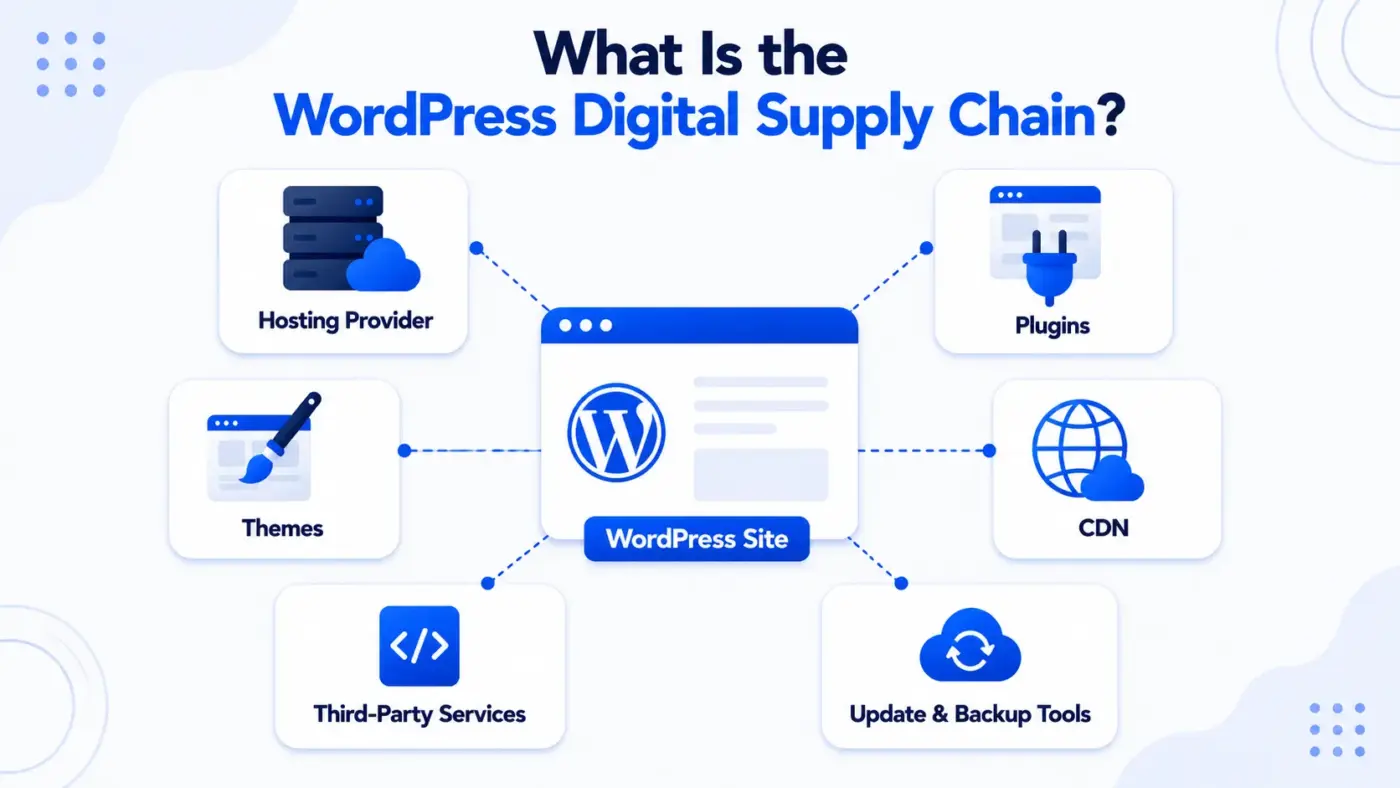
A supply chain used to mean trucks, warehouses, and factories. For a WordPress site, it means something closer to a stack of trust. Your site runs on WordPress core, but it depends on a hosting server you don’t own. It also depends on plugins and themes written by developers you’ve never met. On top of that sit third-party services that quietly load scripts, fonts, or payment forms on every page.
Here’s the plain definition. The WordPress digital supply chain is every external piece of software, service, or infrastructure your site depends on to load, function, and stay secure.
That includes:
- Your hosting provider and its server stack
- Plugins and themes, including any that bundle other libraries
- Content delivery networks (CDNs) that serve your static files
- Third-party integrations like payment gateways, fonts, and analytics scripts
- Update and backup tools that touch your files directly
Break any one link, and the effect affects everything. A slow host drags down every page. A vulnerable plugin gives an attacker a door in. A CDN outage takes your images and scripts down with it, even when your server is running fine.
Most site owners only meet their own supply chain during a crisis. A host goes down during a launch. A plugin update breaks checkout. A CDN provider has a bad afternoon and half the internet notices. None of that is rare. It’s the normal cost of building on a platform that, by design, connects dozens of outside parties to run one website.
That tradeoff is also exactly why WordPress works as well as it does. A closed platform with no plugins and no hosting choice would be safer in one narrow sense, and far less useful in every other sense. The goal here isn’t to eliminate the supply chain. That isn’t possible on WordPress, or on any modern web platform. The goal is knowing which links in it you’re depending on, so a failure or a compromise doesn’t catch you off guard.
How Your Hosting Provider Drives Performance and Uptime
Your host is the foundation. If it’s slow or unstable, nothing you do on the WordPress side fully fixes that. This is the most critical component of a WordPress site. It’s also the one owners think about least, right up until it fails.
A few ways a weak host shows up in the real world. This is broken into three short blocks below, each one framed to stand on its own as a single screenshot.
1. Uptime
Shared hosting plans oversell server capacity. When a neighbouring site on the same server spikes in traffic, yours can slow down or drop, even though you did nothing wrong.
A host advertising 99.9% uptime still allows for roughly 8.7 hours of downtime a year. Ask what happens during that window, not just what the percentage is.
2. Loading Speed
Server response time, often called Time to First Byte (TTFB), sets a ceiling on how fast your site can ever load.
No amount of image or script optimisation gets around a slow server underneath it. A fast theme on a slow server is still a slow site.
3. Scalability
A host built for a small blog will choke the moment a big traffic spike hits. A marketing campaign, a press mention, or a seasonal sale can all trigger it.
That’s exactly where a lot of store owners get caught off guard on their busiest day of the year.
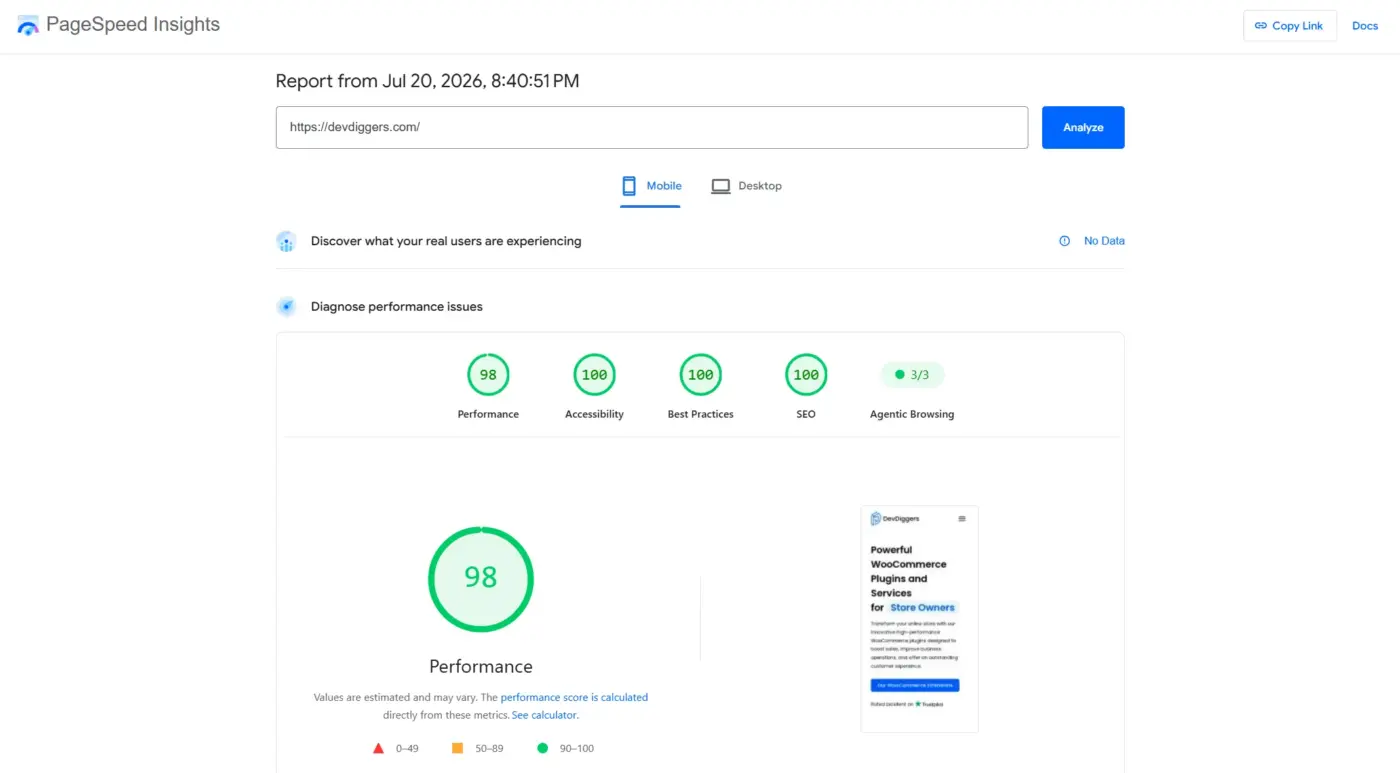
Google has said outright that page speed is a ranking factor. It measures that through Core Web Vitals, a set of metrics published in Google’s own developer documentation. A host that can’t keep response times low puts a ceiling on your SEO before you’ve written a single word of content.
Most tutorials treat hosting as a one-time decision. In practice, it’s the first thing worth re-checking any time performance complaints start piling up. Do that before you blame your theme or your plugins for something the server was never built to handle.
Plugins and Themes: The Most Common Weak Link
If hosting is the foundation, plugins and themes are the walls. Most WordPress sites run 15-40 plugins. Each one is code written and maintained by someone outside your organisation, and each one is a potential entry point.
- Outdated or abandoned plugins: A plugin that hasn’t been updated in over a year often has known, unpatched vulnerabilities. WordPress.org’s own plugin directory flags this, but plenty of owners install and forget.
- Nulled or pirated plugins: This is the gap almost nobody covers directly, and it’s a big one. Nulled copies of premium plugins, cracked versions distributed outside the official WordPress.org repository, are one of the most common infection vectors in the wild. They often ship with a hidden access already baked in, sitting quietly until an attacker decides to use it. The plugin might even work exactly as advertised for months, which is precisely why owners keep it installed.
- Conflicting plugins: Two plugins that both hook into the same WordPress function can cause crashes or broken checkout flows. Sometimes the failure is silent, showing up for some visitors and not others.
- Bundled libraries: Plugins often bundle third-party code libraries inside them. A vulnerability in that bundled library becomes your problem too, even though you never installed it directly and might not know it’s there.
Quick Tip: Has it been updated in the last three to six months? Does it have an active support forum with recent replies? Is the developer a known name, not just a download link on a forum somewhere? If you can’t answer those three questions with confidence, skip it.
CDNs and Third-Party Services: What Breaks When They Do
A content delivery network caches your static files (images, CSS, JavaScript) on servers around the world. That way, a visitor in Singapore isn’t waiting on a server in Ohio. Most performance-focused WordPress sites use one. When it works, it’s invisible. When it doesn’t, everything above the fold can break at once.
Here’s what that looks like in practice:
- A CDN outage means images, fonts, and scripts served from that CDN stop loading, even though your actual server is fine.
- A misconfigured CDN cache can serve old, broken versions of your CSS to some visitors and not others. That’s exactly what makes the bug maddening to reproduce.
- A compromised third-party script, a font loader, or an analytics tag hosted somewhere you don’t control can inject malicious code. That code runs on every page that loads it.
Third-party services extend past CDNs too. Payment gateways, embedded forms, chat widgets, and social share buttons all load code you didn’t write, hosted somewhere you don’t manage. If Stripe, Google Fonts, or your form plugin’s backend goes down, that piece of your site goes down with it. None of that has anything to do with your hosting or your own code.
The fix isn’t to avoid third-party services. That isn’t realistic for a modern site. It’s to know exactly which ones you depend on, and to have a fallback for the ones that would hurt if they failed. Payment processing is the obvious one. If you only support a single gateway and it has an outage during a sale, every visitor mid-checkout just watched their order fail.
What a Real Supply Chain Attack Looks Like
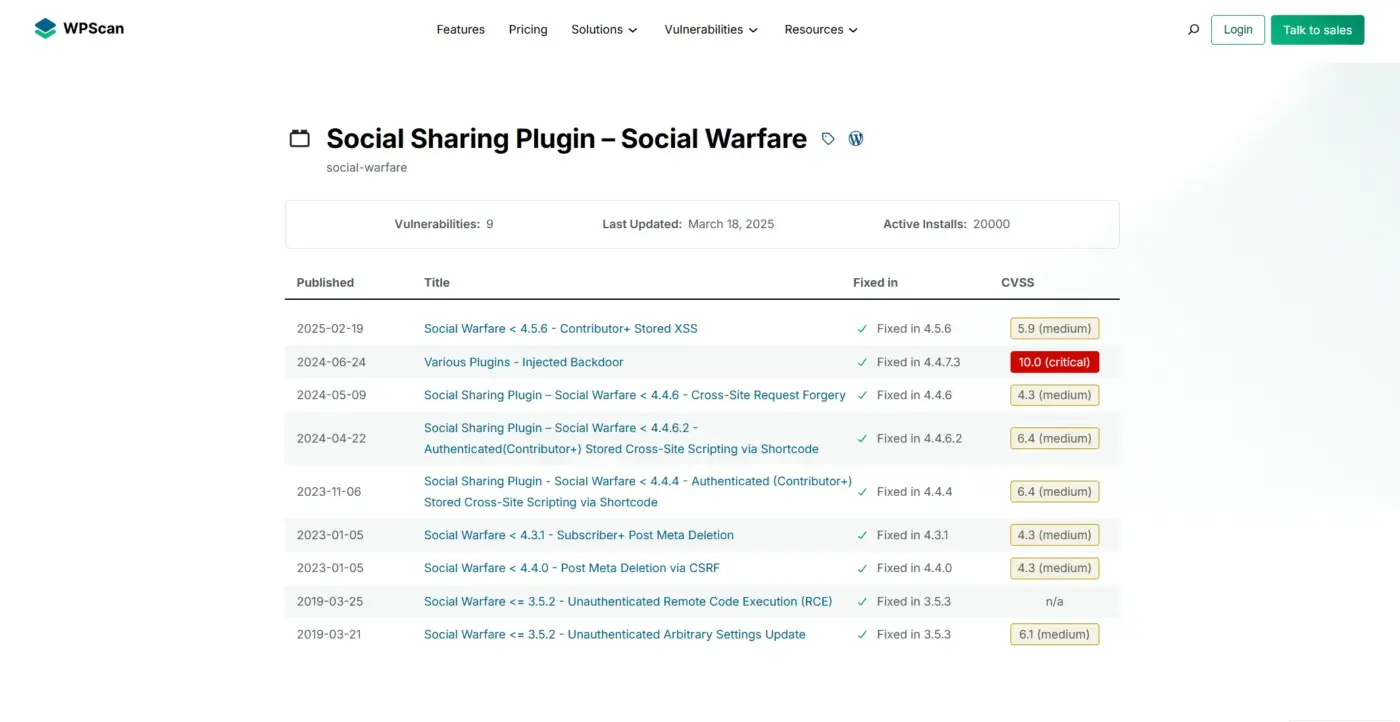
It’s easy to nod along at “plugins can be a security risk” without it meaning much. So here’s one that happened, in enough detail to be useful.
In March 2019, security researchers disclosed two vulnerabilities in Social Warfare. It was a social sharing plugin running on more than 70,000 active WordPress sites at the time, and both flaws were tracked together as CVE-2019-9978. One flaw let attackers inject malicious JavaScript into a site’s social share links. The other allowed remote code execution, meaning an attacker could run their own PHP code on the server without ever logging in. WordPress.org pulled the plugin from its repository the same day the flaw was disclosed.
Attackers didn’t wait for a patch. Within hours, Wordfence’s threat team documented active exploitation in the wild. Sites running the vulnerable version were redirecting visitors to pornography and tech support scam pages, with attackers tracking each visitor’s activity through cookies. The developers pushed a fix in version 3.5.3, but tens of thousands of sites stayed vulnerable for weeks simply because nobody had updated.
Notice what broke here. Not WordPress core. Not the hosting. One plugin, trusted and installed with a click, became the entry point for everything downstream of it. That’s the supply chain risk in one sentence: your site is only as secure as the least maintained piece you’ve installed.
This isn’t an isolated story either. Vulnerability databases like WPScan track hundreds of similar disclosures every year, spanning plugins with install bases in the tens of thousands. Most never make headlines. They just quietly get patched, or quietly get exploited on the sites that never updated.
WordPress core itself has a strong security track record precisely because it’s maintained by a large, transparent team. The WordPress.org plugin directory applies review guidelines before a plugin is listed, but those guidelines cover initial submission, not ongoing maintenance. That gap is exactly where nulled copies and abandoned plugins live, outside any review process at all.
Performance Risk vs. Security Risk: Two Different Problems
Here’s something most articles on this topic get wrong. They lump “your site might be slow” and “your site might get hacked” into one undifferentiated list of supply chain risks. They’re related, but they aren’t the same problem, and they don’t share a fix.
- Performance risk comes from capacity and configuration. A slow host, an unoptimized CDN, a plugin that queries the database on every page load. The fix is almost always measurement first. Run Google PageSpeed Insights, find the actual bottleneck, then fix that specific thing. Throwing a caching plugin at a hosting problem rarely works. Throwing better hosting at a bloated plugin problem is just an expensive way to avoid the real issue.
- Security risk comes from trust and maintenance. An outdated plugin, a nulled theme, a third-party script nobody’s auditing. The fix is a process, not a one-time task. That means vetting sources before installing anything, updating on a schedule, and watching for file changes you didn’t make.
A fast site can still get hacked. A secure site can still be painfully slow. Treating both as one bucket called “supply chain problems” is exactly why so many WordPress owners fix one and assume the other is handled too. It isn’t. You need a plan for each. Why a WordPress site runs slow is a completely different diagnosis from why one gets compromised. Both problems just happen to start with the same two words: supply chain.
How Does the Supply Chain Impact WordPress Sites Running an Online Store?
Everything above applies to any WordPress site. For an eCommerce store running on WooCommerce, the stakes are higher on both sides of that split.
On the performance side, every second of load time on a product or checkout page has a direct dollar cost. A slow cart page during a sale doesn’t just annoy visitors. It loses orders in real time. That same sale’s traffic spike is exactly when weak hosting tends to buckle.
On the security side, a compromised store isn’t just a defaced page. Payment gateways, stored customer data, and order records are all sitting behind the same supply chain of plugins and third-party services covered above. A single vulnerable checkout plugin can expose customer information directly, which is a different order of consequence than a defaced blog post.
Note: If your WordPress site accepts payments or stores customer data, check this audit list more often than every three months. Also, keep checking your plugins regularly instead of treating it as a one-time task.
A Quick Supply Chain Audit You Can Run Today
This is built to be screenshots step by step, so you can work through it on your own site without losing your place. Grab a notepad and go section by section.
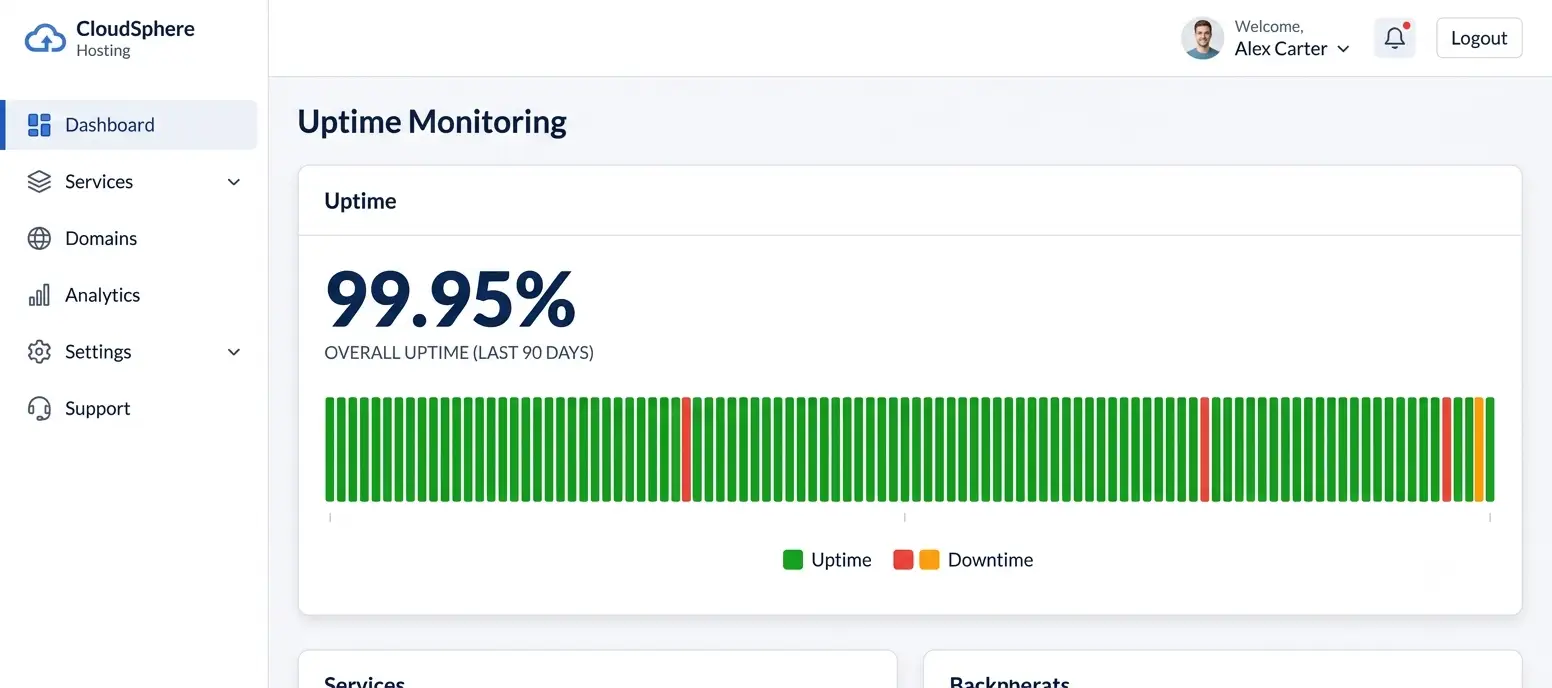
- Log into your hosting dashboard and look for an uptime report from the last 90 days. Anything below 99.9% is worth a serious conversation with your provider. If your site has ever gone down during a traffic spike, ask specifically about WordPress DDoS protection as part of that conversation.
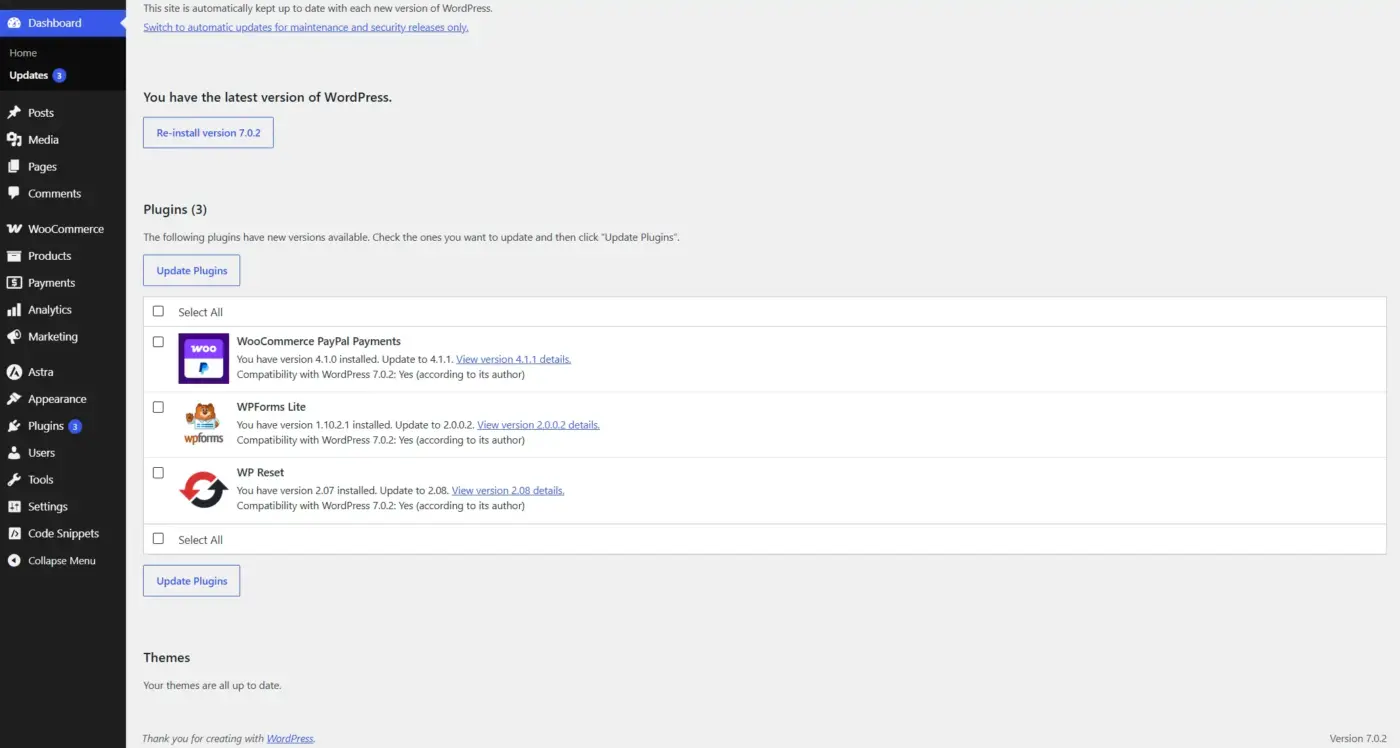
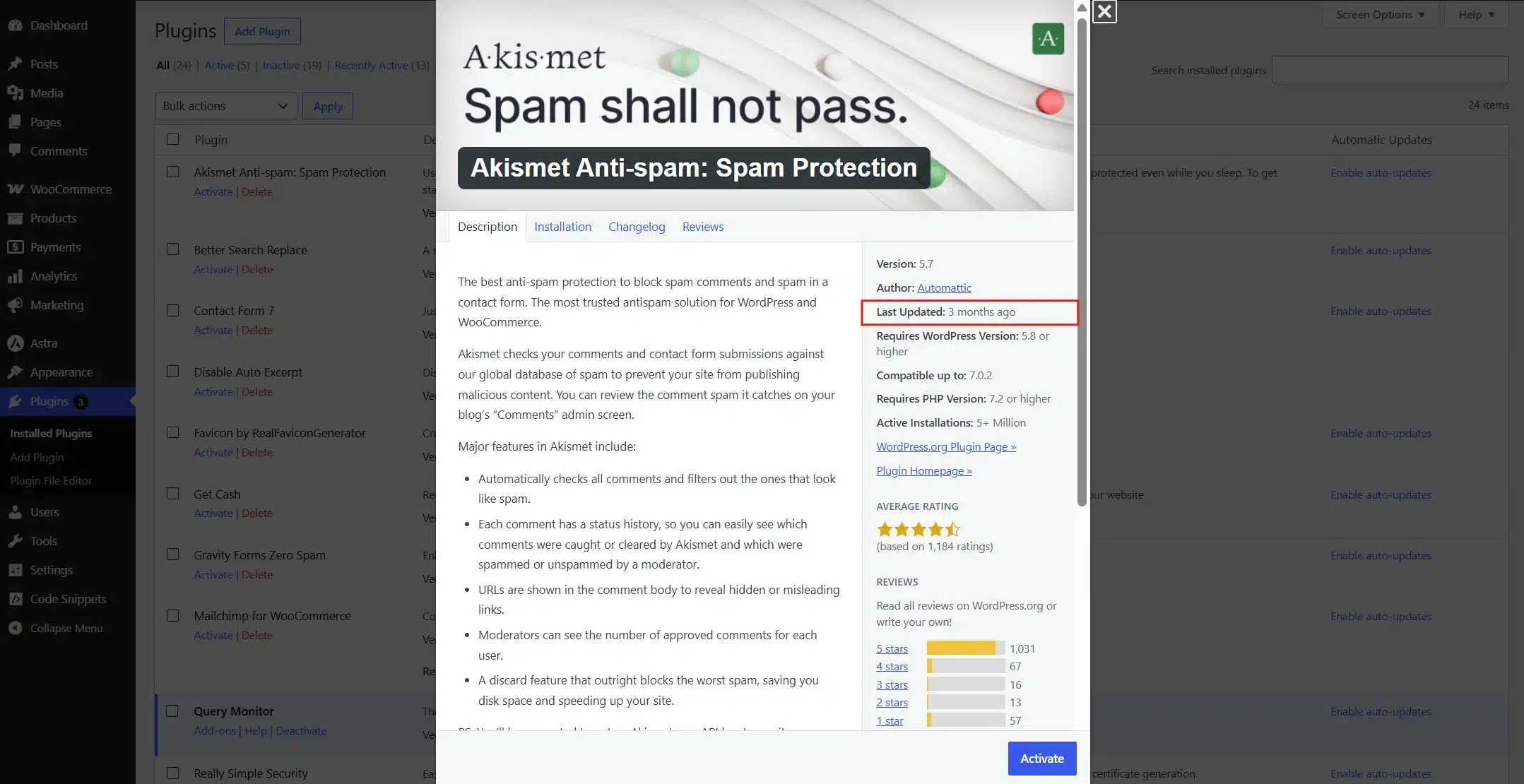
- Go to Plugins in your WordPress dashboard and audit every installed plugin. For each one, check the “last updated” date. Anything untouched for over a year gets flagged for replacement.
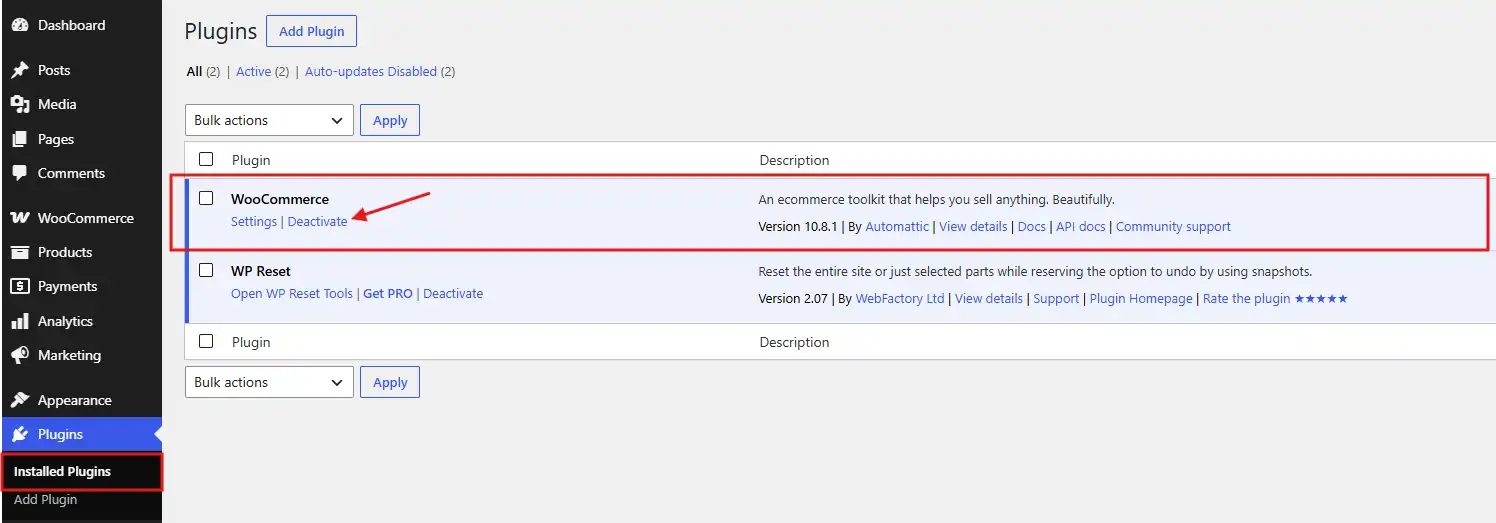
- Remove anything inactive. Deactivated plugins sitting in your files are still a risk even if they’re not running. Delete what you’re not using instead of just switching it off.
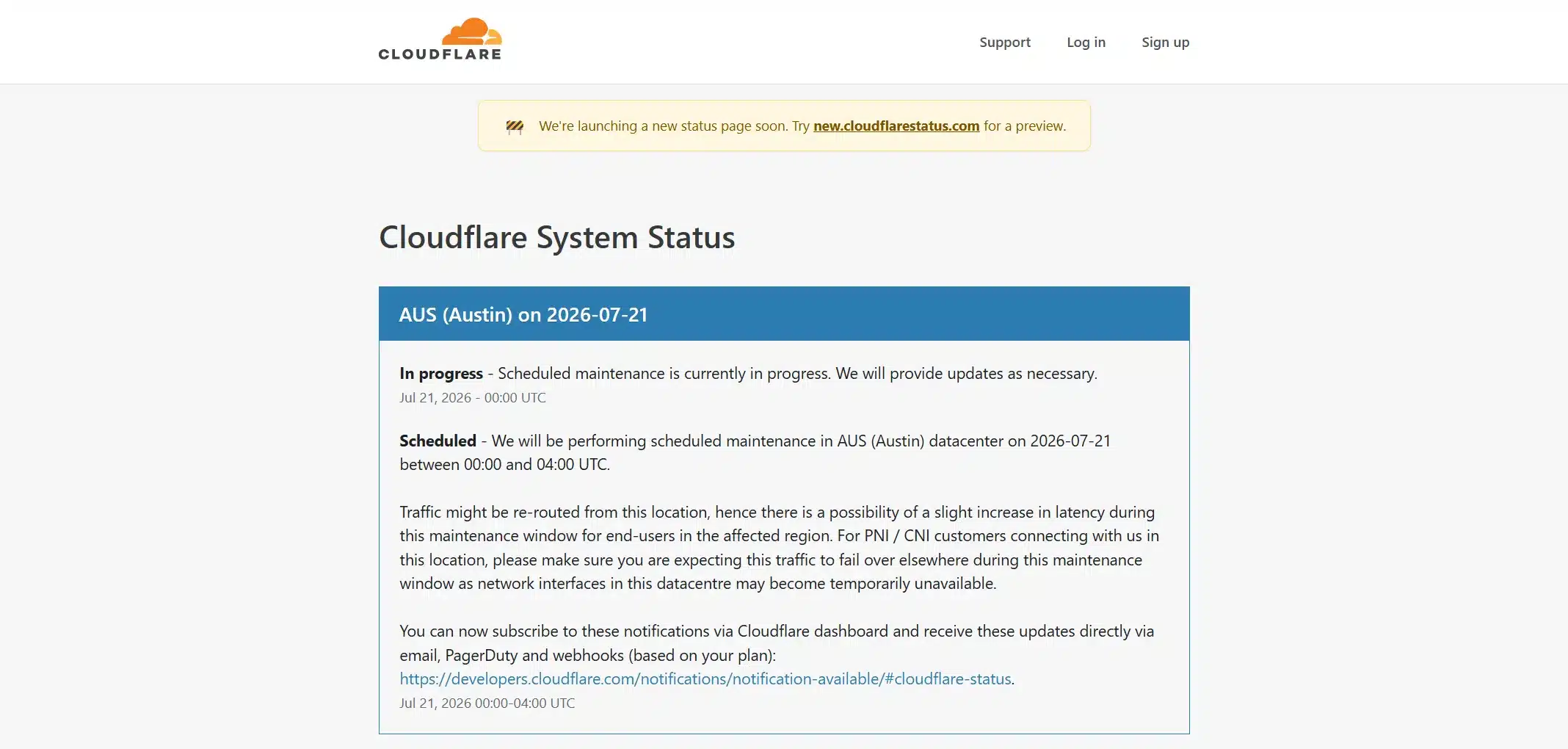
- If you use Cloudflare or a similar CDN, check its status page directly. Don’t just assume it’s fine because your site looks fine right now.
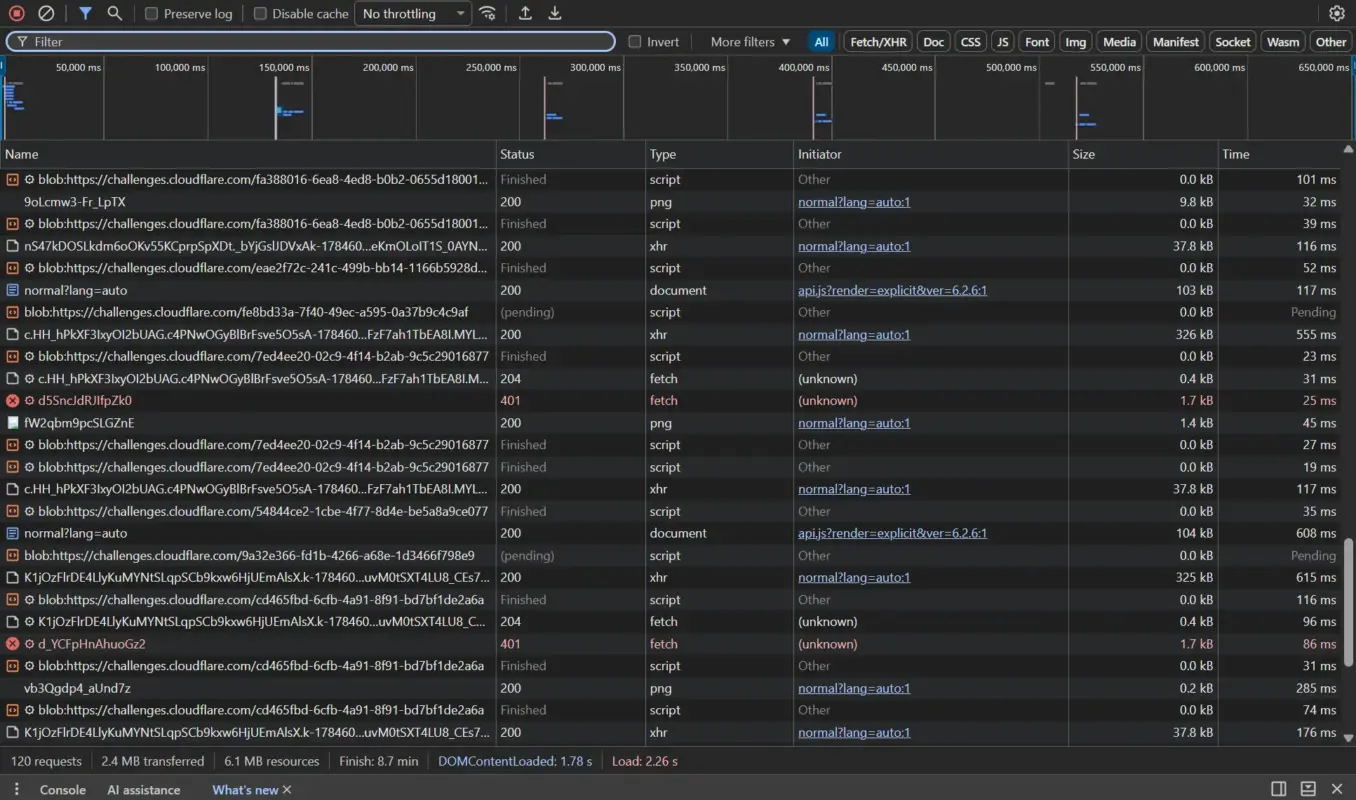
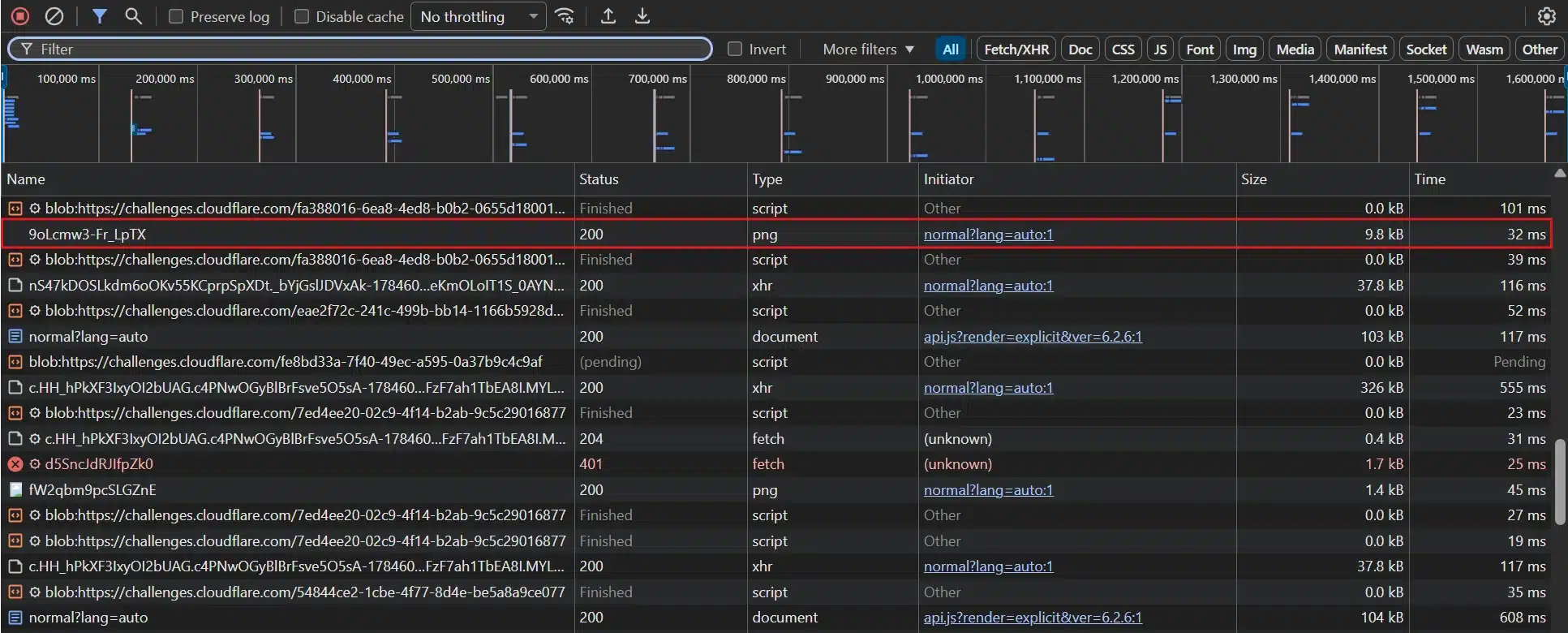
- Open your browser’s developer tools on your homepage and check the network tab to list your third-party scripts. Every external domain loading a script is one more link in your supply chain. You should be able to name each one off the top of your head.
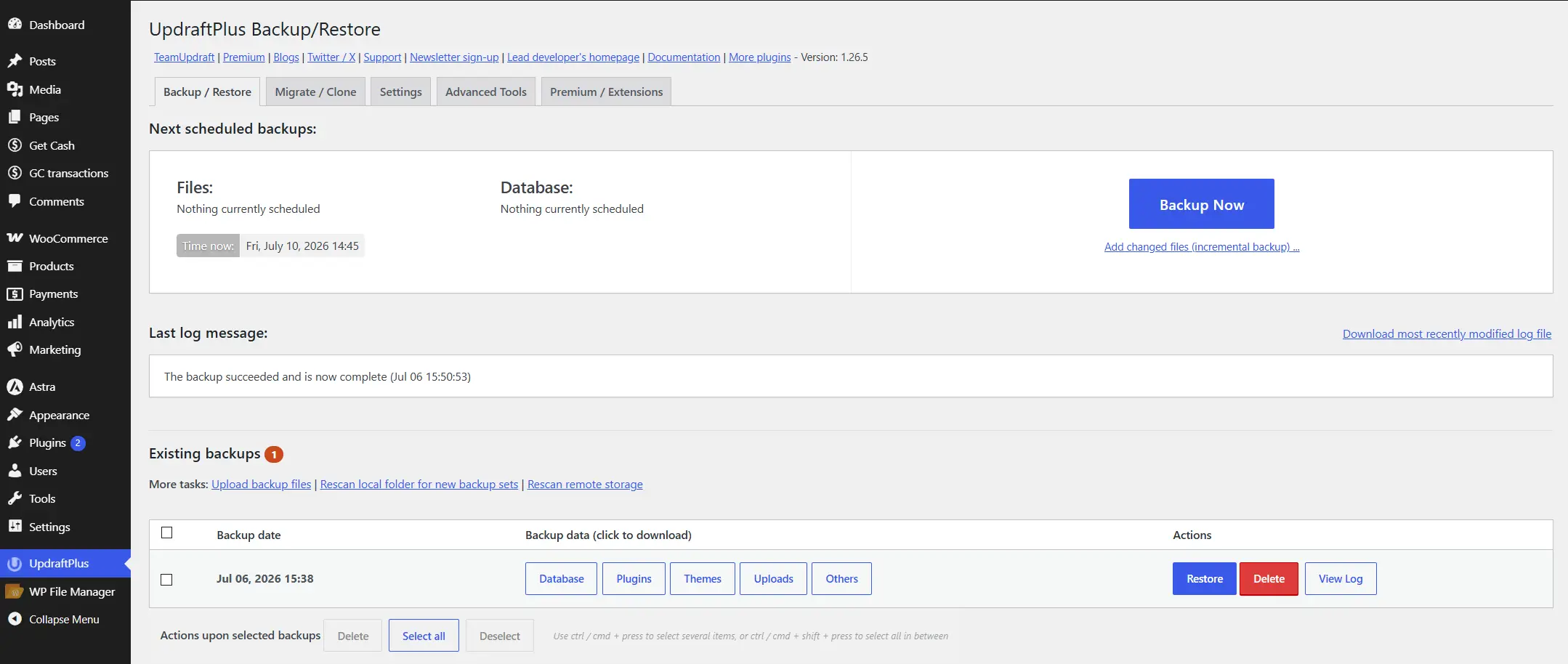
- Confirm backups are still running on schedule, not just installed. Check the most recent backup date and confirm it’s recent, not from three months ago and forgotten.
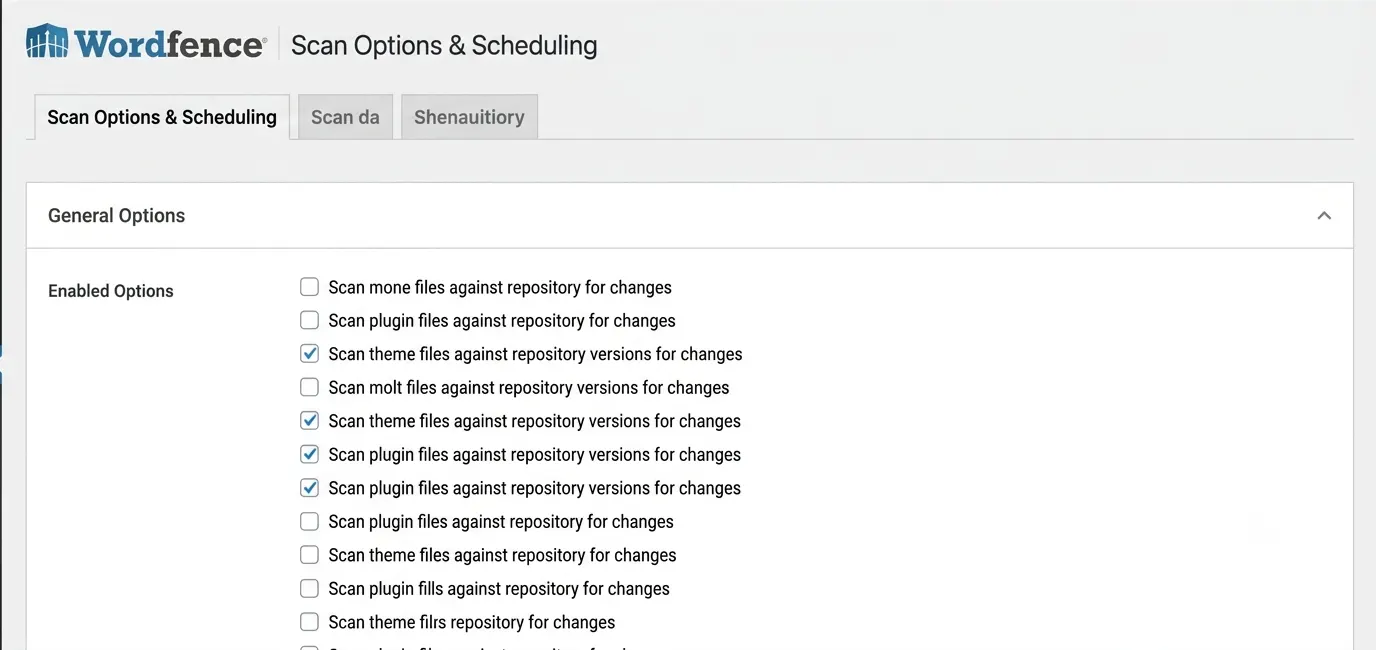
- Turn on file change monitoring. A security plugin that alerts you to unexpected file changes is often the first sign your supply chain has been compromised. You’ll usually catch it here first, well before you’d notice any other way. You can use security plugins (eg., Wordfence and Sucuri)
Set a recurring reminder to run this checklist quarterly, or monthly if your site handles payments. A WordPress security checklist covers the deeper hardening steps if step 7 turns up anything worth a closer look. If load speed is where your audit keeps flagging problems, that’s a hosting and configuration issue first. DevDiggers’ WordPress speed optimization services are built to fix exactly that link in the chain.
Conclusion
So, does the supply chain impact a WordPress site? Every link in it- your host, your plugins, your CDN, and every third-party service– has a direct hand in how fast your site loads. The same links decide how exposed it is to attack.
The Social Warfare incident shows how fast one weak link turns into a real breach. The performance side shows up just as often, quietly, in slow load times nobody’s diagnosed properly.
Treat performance and security as two separate audits, and run the checklist above on a schedule. Do that, and you’ll catch most supply chain problems before a visitor, or an attacker, finds them first.
Frequently Asked Questions (FAQs)
Q1. Is a slow WordPress site always a hosting problem?
Not always. Hosting sets the floor, but bloated plugins, unoptimized images, and a CDN misconfiguration can all slow a site down even on excellent hosting. Run PageSpeed Insights first to find where the bottleneck sits before switching hosts.
Q2. How often should I audit my WordPress supply chain?
Quarterly is a reasonable baseline for most sites, with a lighter check any time you install a new plugin or theme. Sites handling payments or sensitive data should audit monthly instead.
Q3. Can a free plugin be part of a supply chain risk even if it’s popular?
Yes. Popularity doesn’t equal maintenance. Social Warfare had more than 70,000 active installs when its zero-day was exploited in the wild. Active install count tells you reach, not safety.
Q4. Does using a CDN reduce or increase supply chain risk?
Both, in different ways. A CDN reduces performance risk by speeding up delivery, but it adds one more third-party dependency that can fail or be compromised. The net effect is usually positive, but it’s still a link worth monitoring rather than ignoring.
Q5. What’s the fastest way to tell if my site has already been affected by a supply chain issue?
Check for unfamiliar admin accounts, unexpected redirects on your live pages, and file changes you didn’t make. A security plugin with file change monitoring will surface most of this on its own.
Q6. Do supply chain risks apply to a small hobby blog the same way they do to a business site?
The mechanics are identical: outdated plugins and weak hosting cause the same problems either way. The stakes differ. A hobby blog losing a few hours of uptime is an inconvenience. A business site losing checkout for a few hours is lost revenue.
Q7. Should I switch hosts if I find one supply chain problem during my audit?
Not automatically. One flagged item, an outdated plugin or a single slow page is normal and fixable on its own. Switching hosts makes sense when the audit turns up a pattern instead of a single flag. Repeated downtime, slow response times across every page, or support that can’t explain either one are the real signals.