Using AI for WooCommerce product descriptions means feeding a language model the right product details and getting conversion-ready copy back in seconds, not hours. That one shift has helped store owners cut description time by 40x while maintaining consistent, SEO-friendly copy across hundreds of products.
Most guides stop at “just use a plugin,” but the plugin is the easy part. The harder questions are what to put in your prompts, how to keep your brand voice intact at scale, and when to trust AI output versus when to step in and rewrite.
In this guide, you’ll learn three practical methods for generating AI product descriptions in WooCommerce, a ready-to-use prompt template, a simple review workflow to catch AI errors before they go live, and a clear breakdown of which approach fits your store size.
Why Woocommerce Product Descriptions Waste Store Hours?
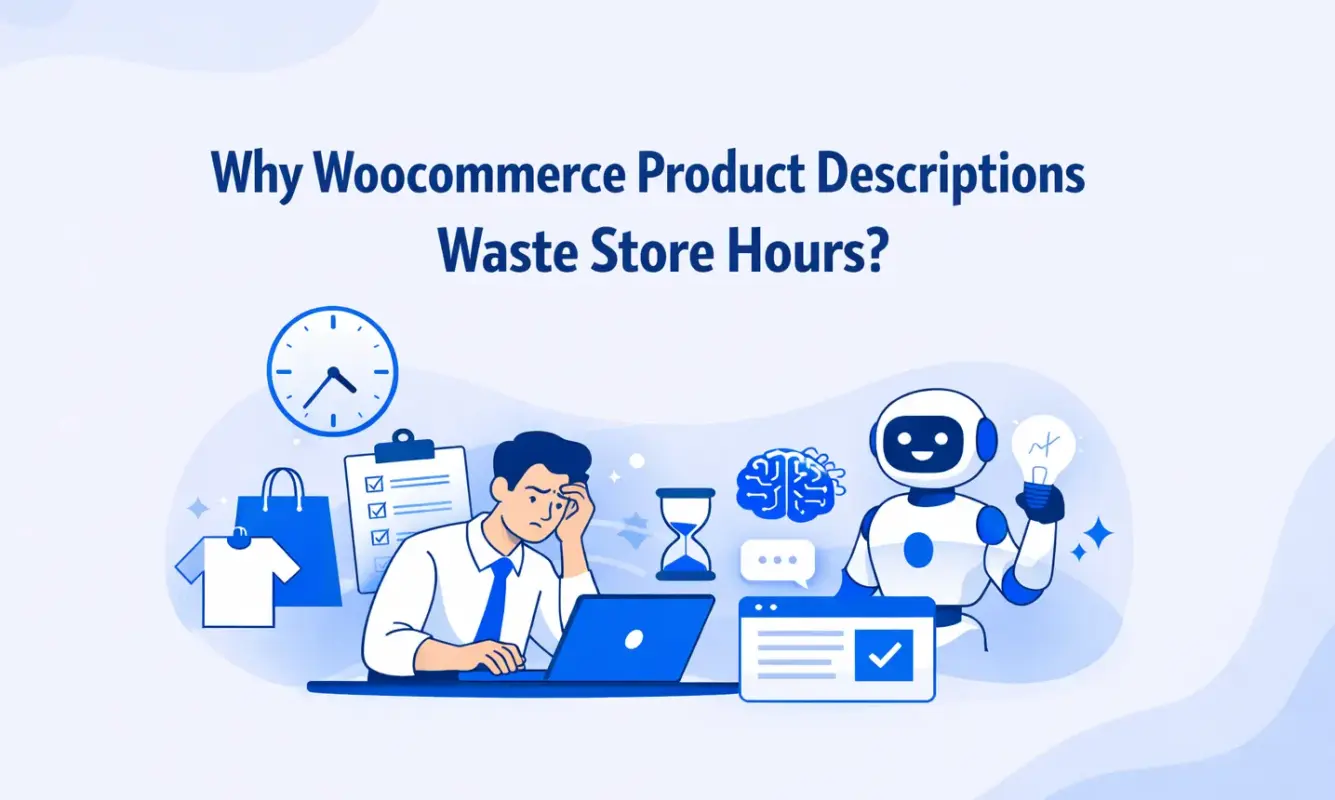
Writing product descriptions sounds simple until you’re staring at product number 38 and every sentence feels like a copy of the last one. Even experienced copywriters hit a wall around product 20 or 30 when writing in bulk. The language starts to flatten. Every description becomes “high-quality,” “durable,” and “perfect for everyday use.”
Research from the Baymard Institute shows that incomplete or unclear product information is one of the top reasons shoppers abandon product pages before adding to cart. If your descriptions don’t answer the reader’s questions clearly and quickly, you’re losing sales.
Most WooCommerce stores make an even bigger mistake, like they copy descriptions straight from their suppliers. It’s actually an SEO liability. When dozens of other stores publish the same text, Google has no reason to rank yours over theirs. Duplicate content leaves you competing on price alone.
This is where AI earns its place. Not because it writes perfect descriptions on the first attempt, but because it gives you a fast, consistent starting point you can refine, rather than a blank screen you have to fill.
How to Use AI for WooCommerce Product Descriptions: 3 Proven Methods
The right way to use AI for WooCommerce product descriptions depends on your catalog size, your technical comfort level, and your budget. Here’s how the three main methods break down.
Method 1: The Manual Prompt Workflow (No Plugin Needed)
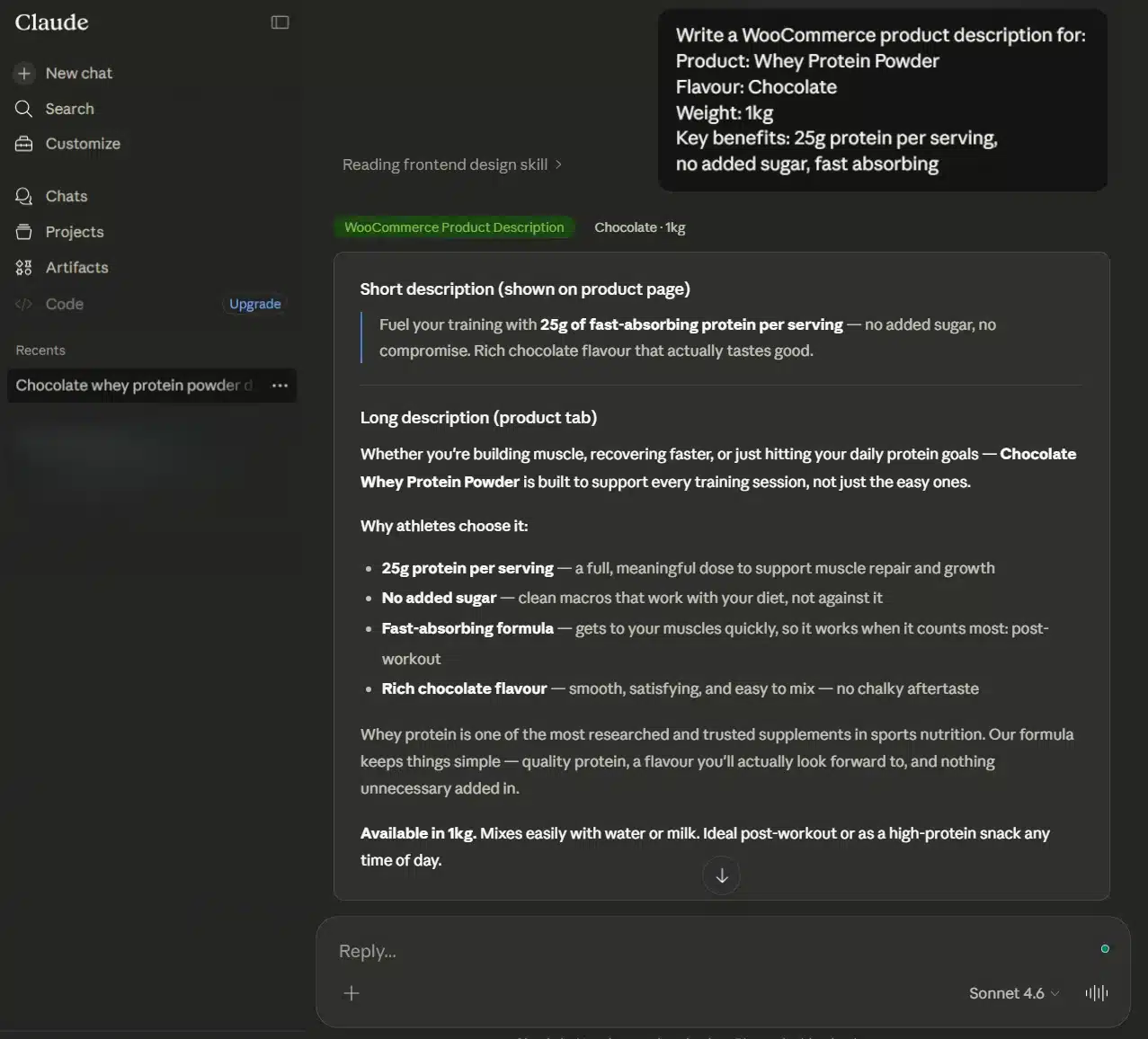
This is the right starting point if you have 10-50 products, no API access, or just want to test AI before committing to a paid tool. Open ChatGPT, Claude, or any other AI assistant, paste in your product details using a structured prompt, and copy the output into your WooCommerce product editor.
It takes about 30 to 60 seconds per product once you have a prompt you trust. For a 30-product store, that’s under 30 minutes total for a first draft of every description. You’ll spend more time editing and formatting than generating.
This doesn’t scale past around 50 products without becoming tedious. It’s also entirely manual, so there’s no automation running in the background.
Method 2: Plugin-Based Generation
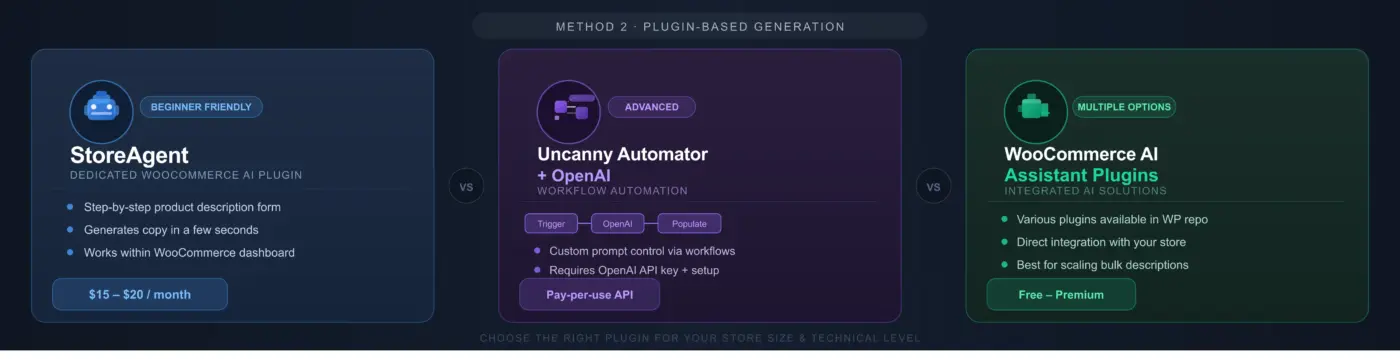
For stores with 50-300 products, a WordPress plugin that connects directly to an AI model makes more sense. You write the prompt once, configure the settings, and generate descriptions without leaving your WooCommerce dashboard.
The most commonly used tools for this approach include:
- StoreAgent: A dedicated WooCommerce AI plugin that walks you through a short form for each product and generates a description in a few seconds. Good for beginners. Costs range up to $20/month.
- Uncanny Automator + OpenAI: A more technical setup using WordPress automation workflows. You configure a trigger and an action (send product data to OpenAI, receive the description, populate the product page). Gives you more control over the prompt. Requires an OpenAI API key and some setup time.
- WooCommerce AI Assistant plugins: Several lightweight options exist in the WordPress repository that add an AI generation button directly inside the product edit screen.
Method 3: Bulk Generation for Large Catalogs
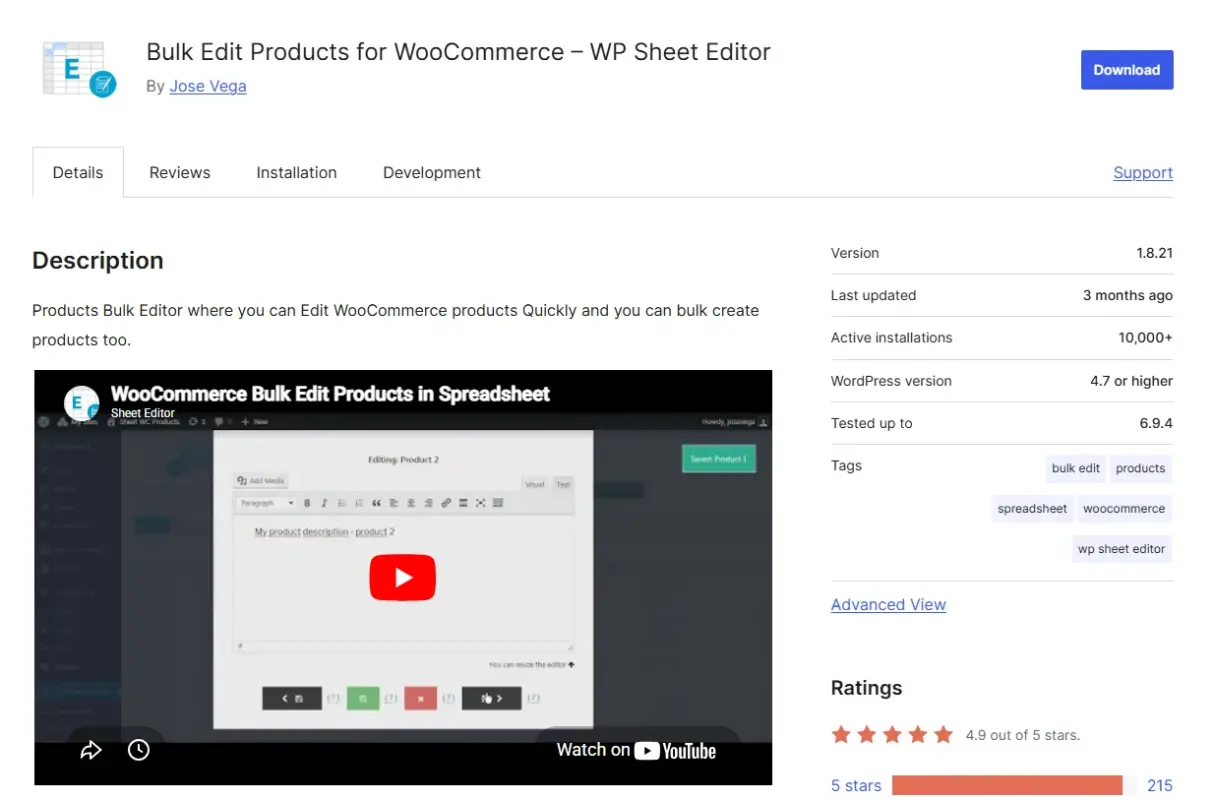
If you’re managing hundreds or thousands of products, manual generation (even with a plugin) doesn’t cut it. You need a bulk workflow.
Use a spreadsheet-based tool like WP Sheet Editor, which supports AI generation for multiple rows at once, or use a dedicated product content platform like Describely that connects directly to your WooCommerce store, syncs your product catalog, and generates descriptions in batch.
The trade-off with bulk generation is quality control. The more you automate, the harder it is to catch errors before they go live. The review checklist later in this article becomes critical at this scale.
Which method fits your store?
| Store size | Best approach | Estimated time per product |
|---|---|---|
| 1-50 products | Manual prompt workflow | 30-60 seconds |
| 50-300 products | Plugin-based generation | 10-20 seconds |
| 300+ products | Bulk generation platform | Under 5 seconds |
| Agency/client store | Plugin or bulk + review workflow | Depends on the catalog |
How to Write a Good AI Prompt for WooCommerce Product Descriptions
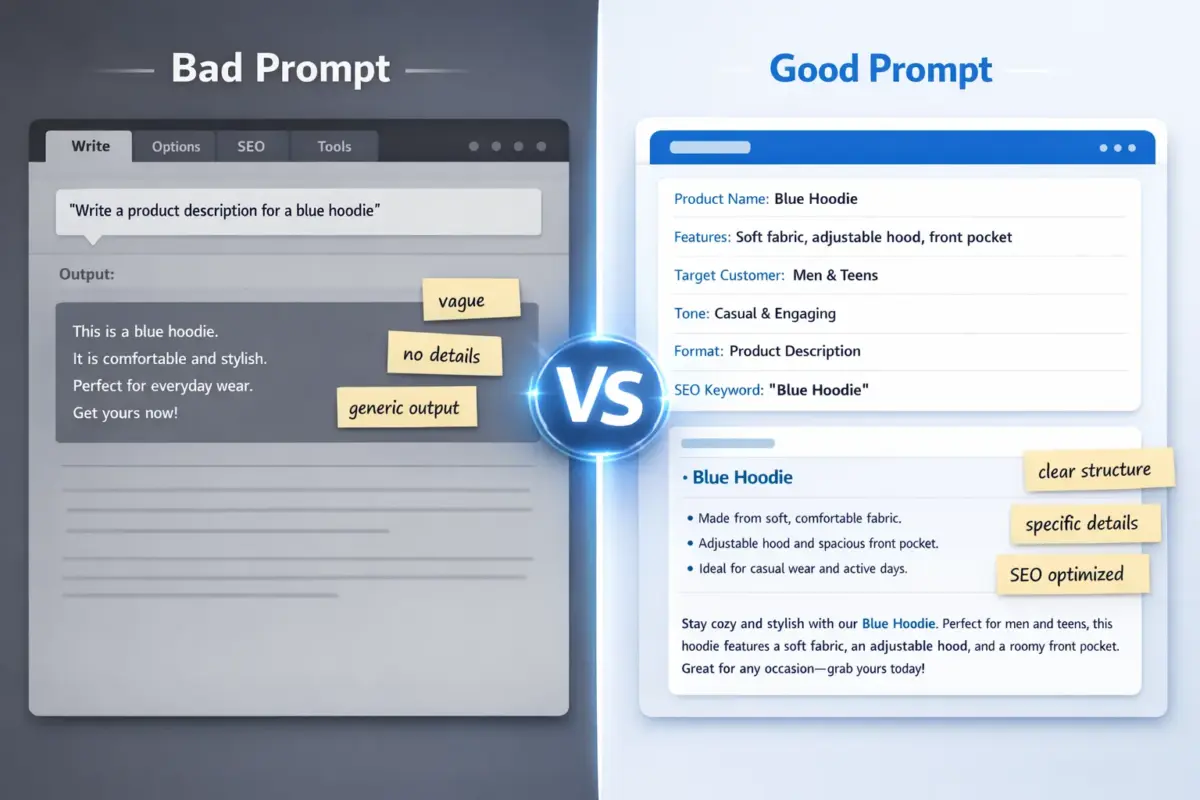
If you give AI a vague prompt, you get vague output. “Write a product description for a blue hoodie” will generate something technically correct and completely forgettable. Here’s what every product description prompt should include.
The six variables your prompt needs:
- Product name and category: Tell the AI exactly what it’s writing about
- Key features and specs: List the specific details: material, dimensions, compatibility, included items
- Target customer: Who is buying this and why? “Active women aged 25-45 who commute by bike” is more useful than “everyone.”
- Tone and brand voice: Formal or casual? Technical or accessible? Give two or three adjectives
- Desired format: Paragraph, bullet list, or both? Short description and long description? Word count?
- SEO keyword to include naturally: One primary keyword, placed once
Ready-to-use WooCommerce prompt template:
Write a WooCommerce product description for the following product.

Product name: [NAME]
Category: [CATEGORY]
Key features: [LIST 3-5 SPECIFIC FEATURES]
Target customer: [WHO IS THIS FOR AND WHY DO THEY BUY IT]
Brand tone: [e.g. Practical and direct, slightly conversational, no hype]
Format: A short description of 1-2 sentences (for the WooCommerce short description field)
         and a long description of 100-150 words with a short bullet list of features.
Include this keyword naturally once: [PRIMARY KEYWORD]
Do not use the following phrases: "high-quality," "premium," "perfect for," "look no further"

Output the short description first, then the long description.
Copy this, fill in the brackets, and you’ll get output that’s immediately usable as a first draft.
For more context on using AI for content workflows broadly, the post on using AI to build high-performing content covers additional prompt strategies worth reading alongside this one.
Brand Voice Instructions: How to Stop All Your Descriptions from Sounding the Same
When you generate 200 product descriptions using the same prompt, they all follow the same rhythm. The structure repeats, and energy is identical. Customers notice this, even if they can’t articulate why it feels off.
Add a tone examples block to your prompt. Paste in one or two sentences from your existing best-performing product descriptions as style samples. Tell the AI to match that voice. Like this:
Brand voice example: "Built for riders who don't have time to fuss with their gear.
This jacket goes from commute to trail without blinking."
Match this tone in your output.
SEO Tips When Using AI for WooCommerce Product Content
AI doesn’t automatically optimise your product descriptions for search. Left to its defaults, most AI tools will produce readable copy that completely ignores the keywords your customers are actually searching for. You have to build SEO into the prompt.
For a full overview of how product page SEO fits into your store’s organic strategy, our WooCommerce SEO guide is worth bookmarking.
Product Description SEO Optimisation: What Actually Matters
Your long description should include the primary keyword once in the first 50 words and once more naturally in the body. That’s it. Repeating it four or five times doesn’t help rankings and makes the copy read poorly.
The short description field is often overlooked for SEO. This is a mistake. WooCommerce short descriptions frequently appear in Google Shopping feeds, category pages, and structured data snippets. Treat this field as a meta description for your product. It should include the primary keyword, a clear value statement, and a soft call to action in under two sentences.
AI for Meta Descriptions and Image Alt Text
Once you have your product description workflow running, extend it to cover two more fields that most stores neglect.
For meta descriptions, use this addition to your prompt:
Also write a meta description of 150-160 characters that includes
the keyword and a reason to click.
For image alt text, generate a separate prompt batch:
Write alt text for a product image showing: [BRIEF DESCRIPTION OF WHAT'S IN THE IMAGE].
Product: [NAME]. Include this keyword naturally: [KEYWORD]. Keep it under 125 characters.
Neither of these takes more than a few seconds once you have the patterns set. Both have a direct impact on organic visibility.
When AI Gets It Wrong: Reviewing AI-Generated Descriptions Before Publishing
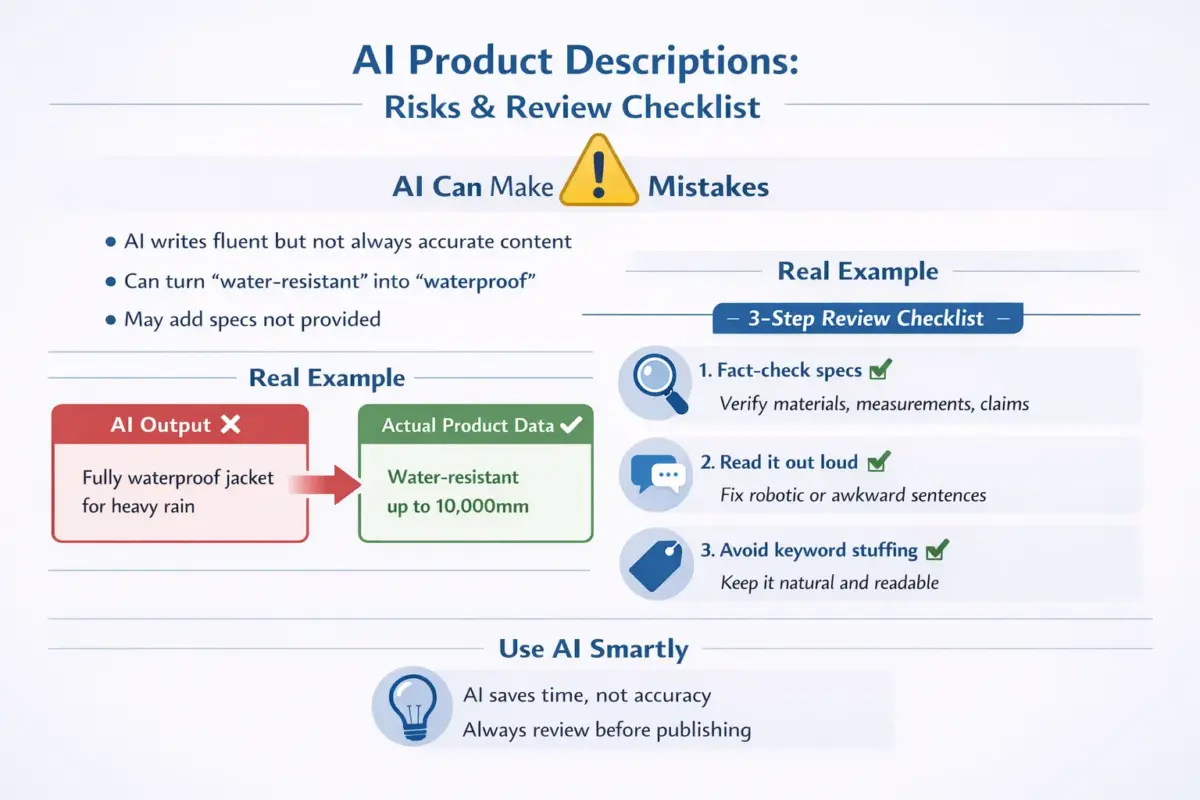
Language models are trained to produce confident, fluent text. They don’t know your products. If your prompt mentions that a jacket is “water-resistant up to 10,000mm,” the AI might describe it as “fully waterproof” if similar products in its training data had that format. These aren’t minor style errors. There are factual inaccuracies that end up on live product pages.
Having built 25+ WordPress plugins, we’ve seen firsthand how product data quality affects both search rankings and customer trust. AI makes it faster to produce content, but it doesn’t make that content automatically accurate.
A Simple 3-Step Review Checklist
Before you publish any AI-generated product description, run through this:
- Fact-check every specific claim: Check measurements, materials, quantities, compatibility, and certifications against your own product data or supplier sheet. If a spec appears in the AI output that you didn’t include in the prompt, delete it or verify it manually.
- Read it out loud: This catches awkward phrasing that looks fine on screen but sounds robotic when spoken. If you stumble on a sentence, your customer will too.
- Check for keyword stuffing: AI sometimes overuses the keyword you gave it, especially if your prompt isn’t specific about frequency. One or two natural appearances are right. Three or more in a 150-word description is too many.
This checklist adds two to three minutes per product. At scale, that time pays for itself by avoiding customer complaints, returns, and damaged trust.
When NOT to Use AI for WooCommerce Product Descriptions
AI is not the right tool for every product type. In most cases, it works well. But there are real exceptions.
- Handmade or artisan products: The story behind a handmade item is a significant part of its value. AI can’t capture the maker’s experience, the specific batch variation, or the personal meaning behind the craft. These descriptions need a human voice, always.
- High-value or luxury goods: Customers buying a $2,000 piece of jewellery or a premium leather bag are reading for nuance, craftsmanship, language, and emotional resonance. Generic AI output rarely meets this bar without heavy editing, at which point you’re not saving much time anyway.
- Technically regulated products: Supplements, medical devices, electrical equipment, and anything with legal compliance requirements need descriptions written or reviewed by someone who understands the regulations. AI does not know your jurisdiction’s rules and will not flag when it crosses a compliance line.
Building a Human and AI Workflow That Scales
The most effective setup for growing stores is not “AI writes everything” or “humans write everything.” It’s a tiered system:
- Tier 1 (AI only, minimal review): Standard, well-understood products with clear specs. Apparel basics, accessories, and household items.
- Tier 2 (AI draft, human edit): Any product with specific technical claims, unique positioning, or above-average price point.
- Tier 3 (human only): Handmade goods, luxury items, regulated products, and flagship products you want to lead with.
Assign your catalog to these tiers before you start generating. It takes 20 minutes and saves hours of backtracking.
Bulk AI Product Description Generation: Strategy for Larger WooCommerce Stores
Once your store grows past 300 SKUs, individual generation, even with a plugin, becomes a bottleneck. This is where WooCommerce product content automation earns its keep.
Which Products Are Safe to Auto-Generate vs. Which Need Manual Review
The safest products for bulk AI generation are those with consistent, structured specs: clothing sizes, standard electronics accessories, household consumables, and similar items where the key variables (colour, size, material, compatibility) are predictable and verifiable in your product data.
The riskier categories for bulk generation are anything with variable quality claims, subjective performance language, or detailed technical specifications. These still benefit from AI drafting, but they need human review before publishing.
If you’d be comfortable with a wrong sentence appearing on that product page for 48 hours before you noticed, it’s safe to bulk-generate. If a factual error would cause a customer complaint or a return, build in a review step.
Maintaining Consistency Across Hundreds of SKUs
Consistency at scale requires one master prompt template that all your generated descriptions flow through. Don’t let team members or tools use different prompts for different product categories without documentation. Variation in prompts creates variation in output tone, format, and keyword placement.
Store your master prompt in a shared document. Update it when your brand voice evolves. Every AI-generated description for your store should flow from the same source of truth.
Updating Old Descriptions with AI
Don’t overlook your existing catalogue when you start an AI workflow. Many WooCommerce stores have product descriptions from three or four years ago that are thin, supplier-copied, or just poorly written.
Use AI to refresh these in bulk. Paste your old description into the prompt as context and let the model produce a new version. This can lift the organic performance of neglected product pages faster than most other SEO tactics.
Conclusion
Using AI for WooCommerce product descriptions is not about replacing your judgment; it’s about removing the part of the process that burns your time without adding value.
First, prompt quality drives output quality, so invest time in building a template that actually captures your product details and brand voice. Second, AI is fast but not infallible, so a brief review step before publishing protects your store’s credibility. Third, the right method depends on your store size, and the comparison table earlier in this guide is worth revisiting as your catalog grows.
If you’re setting up a more complex AI workflow for a client store or need custom WooCommerce development to support automation at scale, our WooCommerce development services are worth exploring.
The best time to start using AI for your product descriptions was when your catalog first grew past 20 products. The second-best time is now.
Frequently Asked Questions(FAQs)
Q1. Can AI-generated WooCommerce product descriptions hurt my SEO?
They can if published without review. Duplicate content (using the same AI output as other stores using the same tool) and factual inaccuracies are the two main risks. Use unique, brand-specific prompts and check AI output before it goes live. Properly written and reviewed AI descriptions perform just as well as manually written ones in search.
Q2. Do I need a paid tool or API key to generate AI product descriptions in WooCommerce?
No. For stores with fewer than 50 products, the manual prompt workflow using a free AI assistant like ChatGPT requires no plugin, no API key, and no budget. Paid tools and API access become worth it once you’re generating at scale and want the process to run inside your WooCommerce dashboard.
Q3. How long should a WooCommerce product description be?
The long description field works best at 100 to 250 words for most product types. The short description should stay under 2 sentences. These lengths support both readability and SEO without over-padding. For technically complex products, longer is fine, but keep paragraphs short and use bullet points for specs.
Q4. Can I use AI to generate product descriptions for variable products with multiple variations?
Yes, but you need to handle this carefully. Write a base prompt for the parent product, then generate variation-specific descriptions by adjusting the specs in each prompt. Don’t let AI write a single description that claims to cover all variations. It will produce vague language that helps no one.
Q5. Will Google penalise my store for using AI-written product descriptions?
Google’s guidelines focus on content quality and helpfulness, not how the content was produced. AI-generated descriptions that are accurate, useful, and original (not scraped or duplicated from other sources) are treated the same as human-written ones. The risk comes from low-effort, generic output published in bulk without review, not from AI authorship itself.
Q6. What is the biggest mistake store owners make when using AI for product descriptions?
Using AI with a generic prompt and publishing without review. A prompt that says “write a product description for [product_name]” with no further detail will produce something technically passable and commercially useless. The prompt is the work. Invest 10 minutes in building a good template once, and every description after that improves.
Q7. How do I stop all my AI-generated descriptions from sounding identical?
Paste two or three sentences from your best existing product descriptions into your prompt as tone examples and instruct the AI to match that voice. Vary the format across product categories. And set a rule in your prompt that forbids the 4 or 5 generic phrases your AI tends to default to, such as “high-quality” and “perfect for.”