Picking the best WordPress PWA plugins usually comes down to one question: what do you actually need your site to do once it feels like an app?
Some store owners want faster reloads and an install prompt. Others want push notifications that bring shoppers back, or a WooCommerce-ready setup that survives a busy sale weekend.
The plugins in this list handle those jobs differently, and a few even let you take things further with offline caching or Play Store publishing.
This guide compares seven real options on price, features and how much setup work each one takes. You can then match a plugin to your site instead of guessing. The comparison table below is a good place to start if you already know your priority.
WordPress PWA Plugin: A Quick Introduction
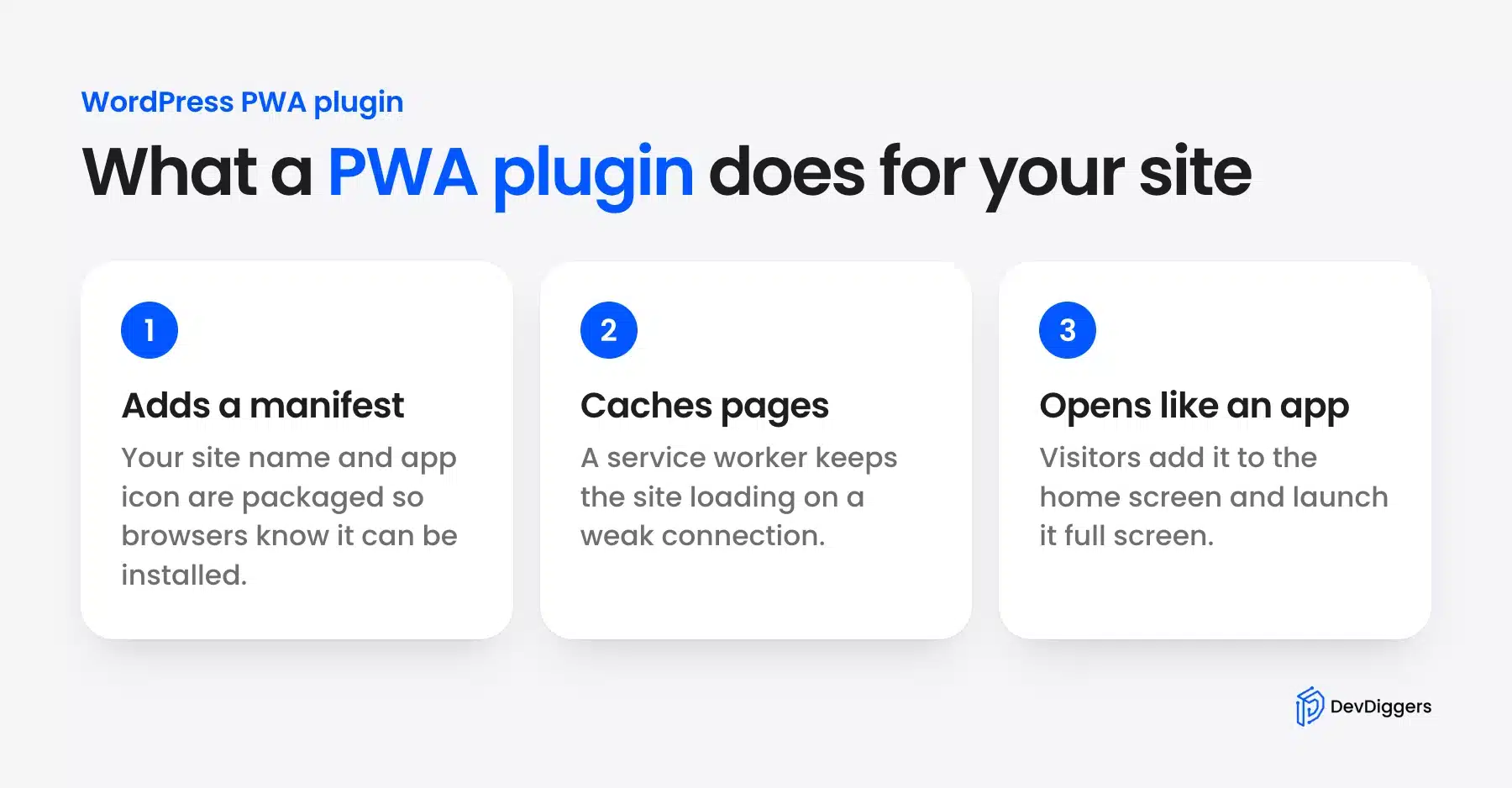
A WordPress PWA plugin turns your site into something a visitor can install and open like a regular app, complete with an icon on their home screen. Behind that is a service worker, a small script that caches pages so the site keeps working with a weak connection or none at all.
The appeal isn’t just technical. Starbucks reported 2x more daily active users after launching a progressive web app, a stat that’s kept developers asking WordPress for a proper web app manifest and install prompt. If your bounce rate spikes on mobile, a PWA plugin is worth testing first. Pair it with a WordPress caching plugin for the biggest speed gain.
7 Best WordPress PWA Plugins
Our own plugin comes first because we build and support it. We read its settings and code in October 2026. The other six follow in the order below.
1. Progressive Web App for WordPress by DevDiggers
Our Progressive Web App plugin turns a WordPress site into an installable app with offline pages and web push. Push goes out through your own free Firebase project with no subscriber cap. Pro adds WooCommerce alerts, an app layer and a Play Store package.
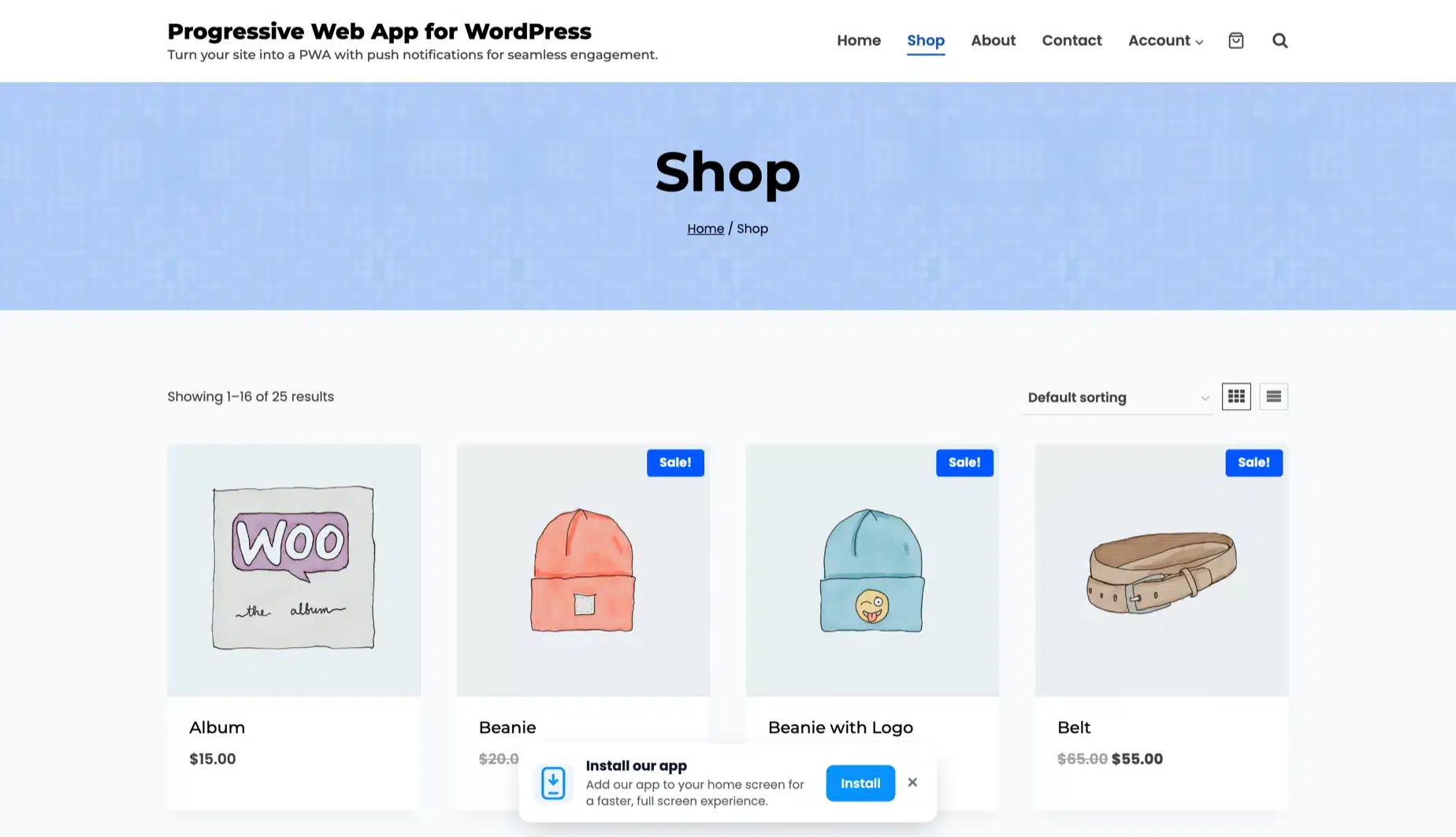
Our WordPress PWA plugin with web push is built by DevDiggers. It writes the manifest and service worker for the theme you already run. Visitors get an install prompt, and the pages they opened still load with no signal.
Store owners get abandoned cart, order status and back-in-stock pushes on top. It is HPOS compatible and keeps cart and checkout out of the cache. It pairs well with a fix for slow website loading if speed is also a concern.
Best For
WooCommerce stores and content sites that want push notifications they own and an app they can publish to the Play Store.
Key Features
- Installable app: Full manifest control with a maskable icon, store screenshots and iOS splash screens.
- Offline pages: Visited pages stay readable with no connection. Cart and checkout sit on a never-cache list.
- Push on your own Firebase: Subscribers live in your database with no cap and no per-message fee.
- Targeted sends: Pick one of five audiences, add two action buttons and schedule a send for later.
- Automations: Auto push on a new post, a new product or a price drop, plus a daily or weekly digest.
- WooCommerce alerts: Abandoned cart reminders, order status updates and back-in-stock alerts per shopper.
- App Experience layer: A bottom tab bar, pull to refresh and a dark mode toggle for people who installed.
- Dashboard and log: Installs, subscribers, clicks and click-through rate show on one screen. Every send gets a Delivery Log row.
Pricing
- Free version on WordPress.org with the app, offline pages and push to everyone.
- 1 Site: $49/year
- 5 Sites: $199/year
- 10 Sites: $399/year
- Prices are as of October 2026. Every paid plan is billed yearly with a 14-day refund window.
Benefits
- Your own audience: Push tokens stay in your tables, and no outside service can price or cap your list.
- No theme switch: The app is your current theme in an app window.
- Offline forms: Comments and forms sent with no signal are queued and delivered when it returns.
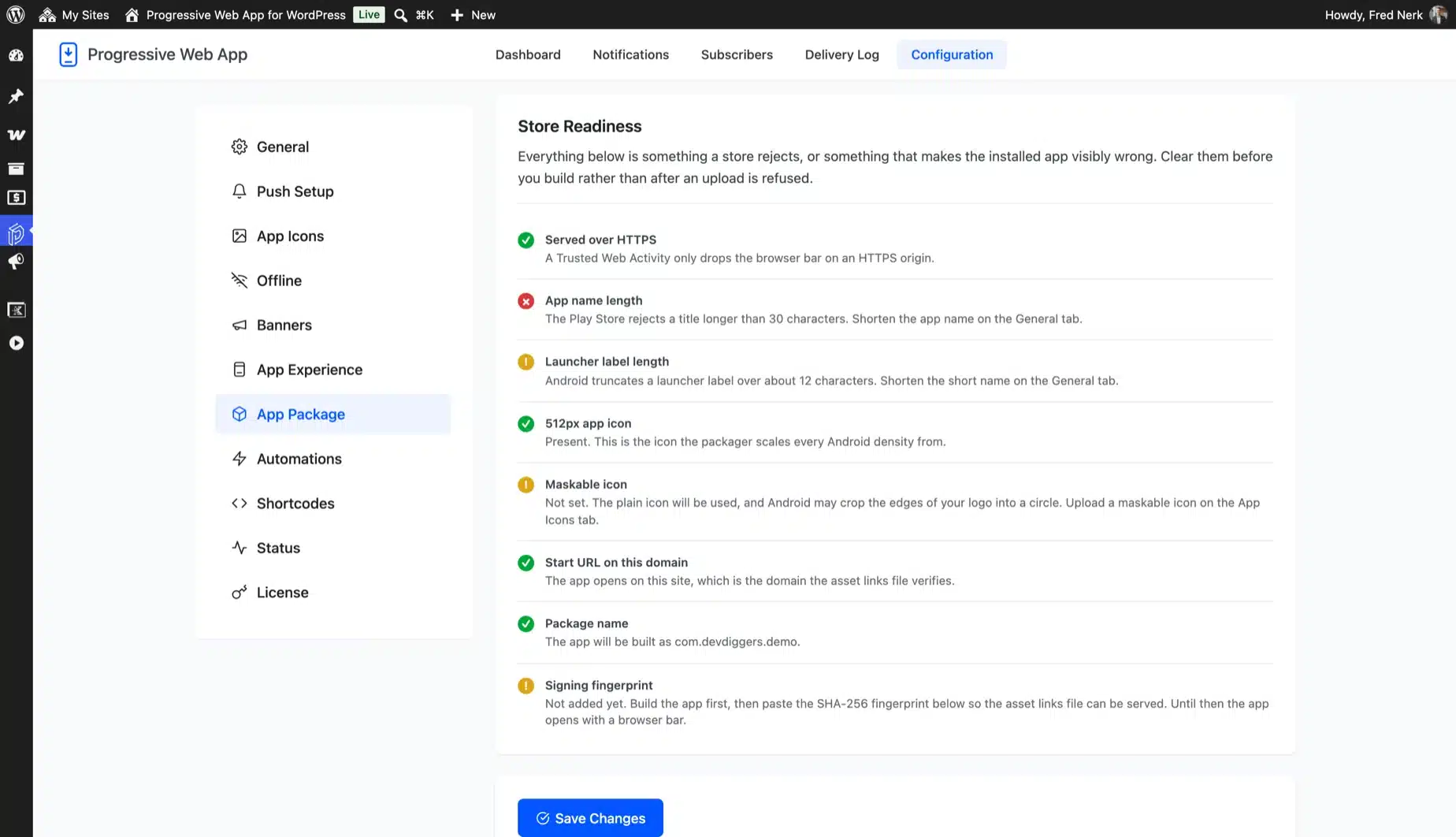
- Store ready: Play Store readiness checks and a packaging file for PWABuilder or Bubblewrap.
- Priority support: Updates and support come with every active plan.
Limitations
- Push needs a free Firebase project, and you paste three values in once.
- On iPhone, push reaches people only after they add the site to the home screen.
- You build and sign the Android app yourself. The signing key stays with you.
- The free build always uses network-first caching. Cache-first is a paid option.
Worth knowing: No other plugin on this list sends WooCommerce abandoned cart, order status or back-in-stock pushes. None of the others queues an offline form until the signal returns. It also packages the same site for the Play Store, with no monthly fee per subscriber.
2. Super Progressive Web Apps (SuperPWA): Free Setup
Super Progressive Web Apps is the most installed free PWA plugin for WordPress, with over 40,000 active installs and a 4.6-star rating on WordPress.org as of October 2026.
It handles the basics fast: manifest generation, an app icon, and aggressive page caching so return visits load almost instantly. Setup takes about a minute, and the plugin does a clean uninstall, removing every database entry it creates.
Best For
Anyone who wants a free, fast PWA setup without touching code or settings.
Key Features
- “Add to home screen” prompt on supported mobile browsers
- Aggressive CacheStorage-based offline caching for return visits
- Custom splash screen and theme color options
- Clean uninstall that removes all plugin data
Pricing
- Free: $0, core install and caching features
- Pro: from $99, adds APK generation, analytics, and app shortcuts
Benefits
- Fast to set up: a working PWA in under a minute
- Actively maintained: version 2.2.48.1 shipped in September 2026
- Clean removal: uninstall wipes every file and database entry it created
- Wide compatibility: works with most themes without extra configuration
Limitations
- Past versions had authenticated file upload vulnerabilities that later releases patched
- Free tier locks APK generation and analytics behind the Pro upgrade
3. PWA by PWA Plugin Contributors: Core-Aligned Sites
The PWA plugin is maintained by the team working to bring service worker support into WordPress core itself. It provides the building blocks other plugins and themes can build on. It does not offer a full “add to home screen” experience out of the box.
If you want a plugin that stays close to where WordPress core is heading, this is the one to watch.
Best For
Developers who want a core-track foundation to build custom PWA features on.
Key Features
- Service worker and web app manifest basic structure
- Offline browsing with a customizable offline template
- Site Health integration for PWA readiness checks
- Network-first caching strategy for navigation requests
Pricing
- Free; no paid tier exists
Benefits
- Core aligned: built by contributors proposing PWA support for WordPress itself
- Developer friendly: clean APIs that themes and other plugins can extend
- Site Health checks: flags PWA readiness issues from the dashboard
- Future proof: least likely to conflict once core adds native support
Limitations
- No built-in “add to home screen” prompt for everyday visitors
- Requires more technical setup than the beginner-focused options on this list
- Last updated in April 2025 and tested up to WordPress 6.8 as of October 2026
4. PWA for WP & AMP: AMP Support
PWA for WP & AMP pairs progressive web app features with full AMP compatibility, which few other plugins on this list handle. It adds Firebase-based push notifications, UTM tracking for marketing campaigns, and a customizable splash screen.
Multisite support is built in. Agencies managing several client sites can configure it once and reuse the setup.
Best For
Sites already running AMP that want push notifications added on top.
Key Features
- Full AMP compatibility alongside standard PWA support
- Firebase push notifications with UTM campaign tracking
- Multisite support for agency and network use
- Customizable full-screen splash screen
Pricing
- Free, core PWA and AMP support
- Premium: from $99, adds extra customization options
Benefits
- AMP ready: one plugin covers both AMP and PWA instead of two
- Campaign tracking: UTM parameters carry through push notification clicks
- Multisite friendly: agencies can configure once and reuse across sites
- Continuous development: regular updates keep pace with AMP changes
Limitations
- Best suited to sites that already use AMP and less useful otherwise
- Full customization options require the paid Premium upgrade
5. iWorks PWA: Lightweight Installs
iWorks PWA skips the extras and focuses on one job: getting an “Add To Home Screen” prompt in front of mobile visitors fast.
Setup takes under a minute, with no manifest configuration or icon uploads required beyond the basics. It also adds context menu shortcuts for the installed app icon.
Best For
Small sites that just want a basic install prompt with minimal setup.
Key Features
- “Add To Home Screen” notice on supported mobile browsers
- Context menu shortcuts for the installed app icon
- Configurable in under a minute
Pricing
- Free; no paid tier exists
Benefits
- Minimal setup: no manifest or icon configuration needed to start
- Lightweight: adds very little overhead to page load times
- Quick shortcuts: context menu options most competing plugins skip
- No learning curve: works with default settings on activation
Limitations
- No push notifications or offline caching support
- Feature set is thin compared to SuperPWA or the DevDiggers plugin
6. Progressier: Full-Featured PWA Builder
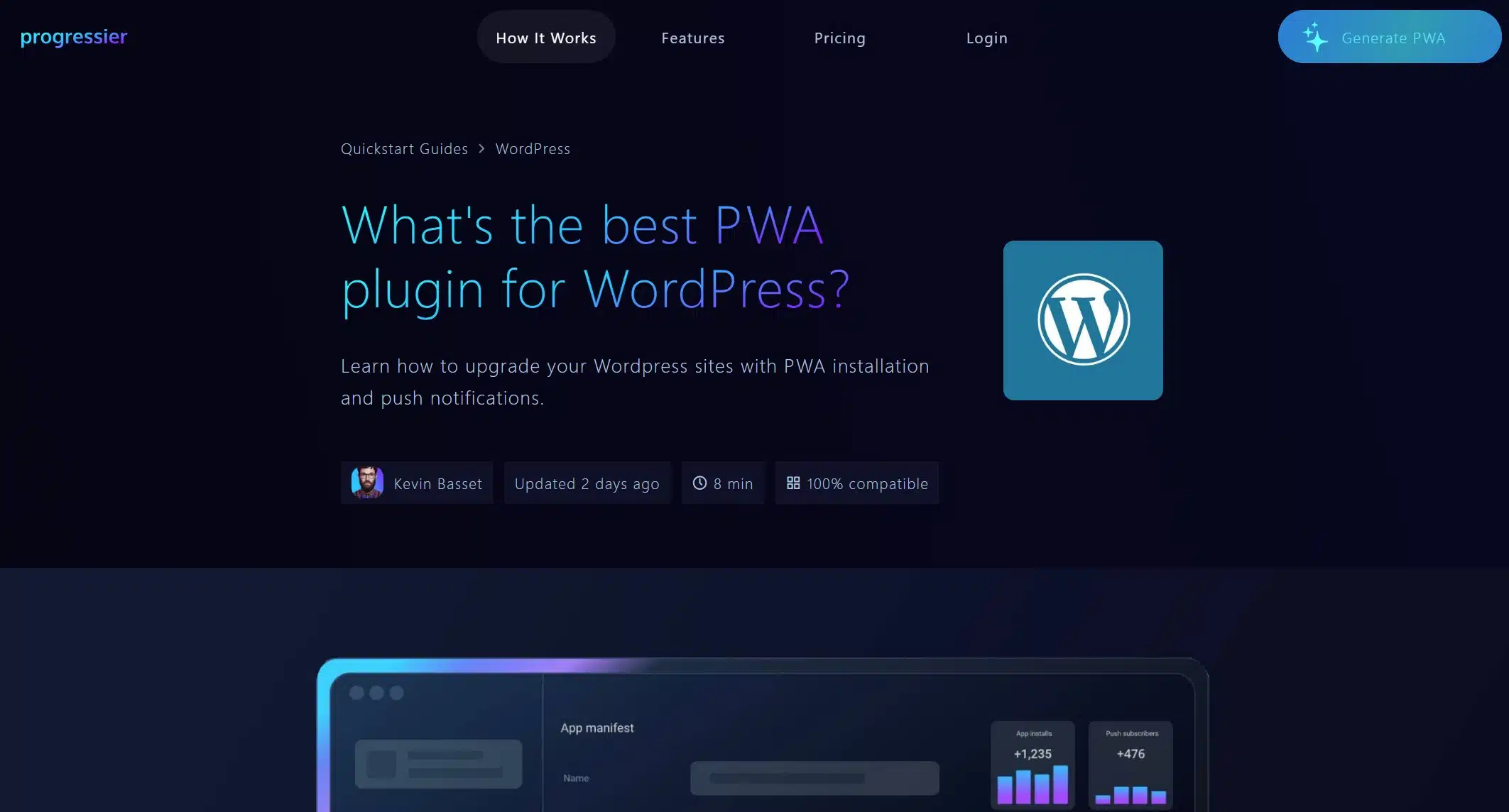
Progressier takes a broader approach than a typical WordPress PWA plugin. It gives you custom install buttons and floating action buttons to promote installation within your app, lets users know when they lose their internet connection, and prompts them to allow push notifications right after install rather than immediately on page load, which tends to convert better. It also tracks installs and push subscriptions over time, and pairs with a PWABuilder integration to list your PWA on Google Play or the App Store.
Because it runs largely through its own dashboard rather than living entirely inside wp-admin, it suits site owners who want install analytics and app store publishing without stitching together several smaller plugins.
Best For
Site owners who want install tracking, conversion-focused prompts, and a path to publishing on Google Play or the App Store.
Key Features
- Custom install buttons and floating action buttons to drive installs
- Offline connection alerts shown directly to users
- Delayed push notification prompts for better opt-in rates
- Install and push subscription tracking over time
- PWABuilder integration for Google Play and App Store listing
Pricing
- 1 PWA: $25/month
- 10 PWAs: $59/month
- Unlimited PWAs: $199/month
Pros
- Conversion-minded install prompts and not just a passive banner
- Genuine path to app store publishing through PWABuilder
- Built-in analytics for installs and push subscriptions
Cons
- Runs partly outside wp-admin and is less “set and forget” than a native WordPress plugin
- No permanent free tier, only a trial
- Less WooCommerce-specific tooling than the DevDiggers plugin
7. Hyper PWA: Play Store Publishing
Hyper PWA is built on Google’s web.dev and Workbox libraries, and it’s one of the few plugins here that goes beyond “add to home screen” toward publishing an actual app listing.
It supports OneSignal and Firebase for notifications, and it’s compatible with AMP if your site already runs it.
Best For
Site owners who want to publish their PWA to app stores as well.
Key Features
- Manifest and service worker built on Workbox
- “Publish to App Stores” option
- OneSignal, Firebase, and AMP compatibility
Pricing
- Free; no paid tier exists
Benefits
- App store reach: publish beyond just add-to-home-screen installs
- Workbox foundation: built on Google’s own PWA tooling
- Multi-provider push: works with both OneSignal and Firebase
- AMP compatible: fits sites that already run AMP pages
Limitations
- Smaller community and support base than SuperPWA
- Fewer WooCommerce-specific features than the DevDiggers plugin
Quick Comparison: WordPress PWA Plugins at a Glance
Here’s how the seven plugins stack up at a glance:
| Plugin | Best For | Starting Price | Free Version |
|---|---|---|---|
| DevDiggers WordPress PWA | Store push alerts and Play Store packaging | $49/year | Yes |
| SuperPWA | Free with beginner setup | $99 (Pro) | Yes |
| PWA (official) | Core-aligned sites | Free | Yes |
| PWA for WP & AMP | AMP + push notifications | $99 (Premium) | Yes |
| iWorks PWA | Lightweight installs | Free | Yes |
| Progressier | Install tracking and app store path | $25/month | No (14-day trial) |
| Hyper PWA | Play Store publishing | Free | Yes |
Full pricing and feature breakdowns are below.
Can You Publish a WordPress PWA to the Play Store?
Three plugins on this list go beyond a home screen icon. They let you package your WordPress PWA as something closer to an app store listing. None turns your site into a native app instantly, but all three cut out most of the manual wrapping work.
| Plugin | Play Store Path |
|---|---|
| SuperPWA (Pro) | Built-in APK generator add-on |
| Hyper PWA | “Publish to App Stores” feature built on Workbox |
| DevDiggers PWA | Store readiness checks and a packaging file for PWABuilder or Bubblewrap |
Our plugin covers both jobs. It packages the same site for the Play Store and keeps its WooCommerce push alerts. SuperPWA’s Pro tier and Hyper PWA are the other two worth testing. For a WooCommerce plugin development project that needs a custom app wrapper, a developer can also build one directly on top of any plugin here.
Conclusion
Choosing among the best progressive web app plugins for WordPress really comes down to three things: whether you run WooCommerce and need HPOS support, whether push notifications matter enough to justify a Firebase or OneSignal setup, and whether a free plugin covers what you need or you’d rather pay for analytics and support.
Store owners with repeat customers get the most value from our WordPress PWA plugin with WooCommerce push alerts. Its free edition covers the install, offline pages and push to everyone. Everyone else can start free and upgrade later if the basic install prompt isn’t enough. Scroll back to the comparison table if you’re still weighing price against features, and pick the plugin that matches how your visitors actually use your site.
Frequently Asked Questions (FAQs)
Q1. What is a progressive web app plugin for WordPress?
It’s a plugin that adds a service worker and web app manifest to your site. Visitors can then install it like an app and use some pages offline.
Q2. Do progressive web app plugins slow down my site?
No, most speed things up for return visitors, since cached pages load from the visitor’s device instead of your server.
Q3. Can I use a free PWA plugin with WooCommerce?
Yes, but check HPOS compatibility first. Older PWA plugins built before WooCommerce’s high-performance order storage may not support it.
Q4. Do I need coding skills to set up a WordPress PWA plugin?
No. Every plugin on this list works from the WordPress dashboard, though push notifications usually require a Firebase or OneSignal account.
Q5. Is a WordPress PWA plugin the same as a native mobile app?
Not quite. It behaves like one for browsing and offline access, but you’d still need a separate build to list it in the App Store on iOS.
Q6. How do I check if my PWA setup is working correctly?
Run Google Lighthouse in Chrome DevTools, check the “Progressive Web App” box, and it will flag anything missing from your manifest or service worker.