If you’re wondering how to promote your WooCommerce store, the short answer is this: pair free organic channels like SEO and email with one paid channel. Then build a repeat-customer system or customer referral system that lets your first customers start bringing you the next ones.
The stores that grow on a small budget rarely spend the most. We checked every number here in October 2026 against LocaliQ’s 2026 ad benchmarks, Baymard’s checkout research and Google’s Merchant Center rules.
They stack the right methods in the right order. This guide walks through what works in 2026, including current cost numbers for paid ads.
You’ll get a preparation checklist and eight low-cost methods, including a loyalty and referral growth loop. Then come three email flows, a paid ads breakdown and a 90-day WooCommerce marketing strategy that puts them in order.
Why Do You Need to Promote Your WooCommerce Store?
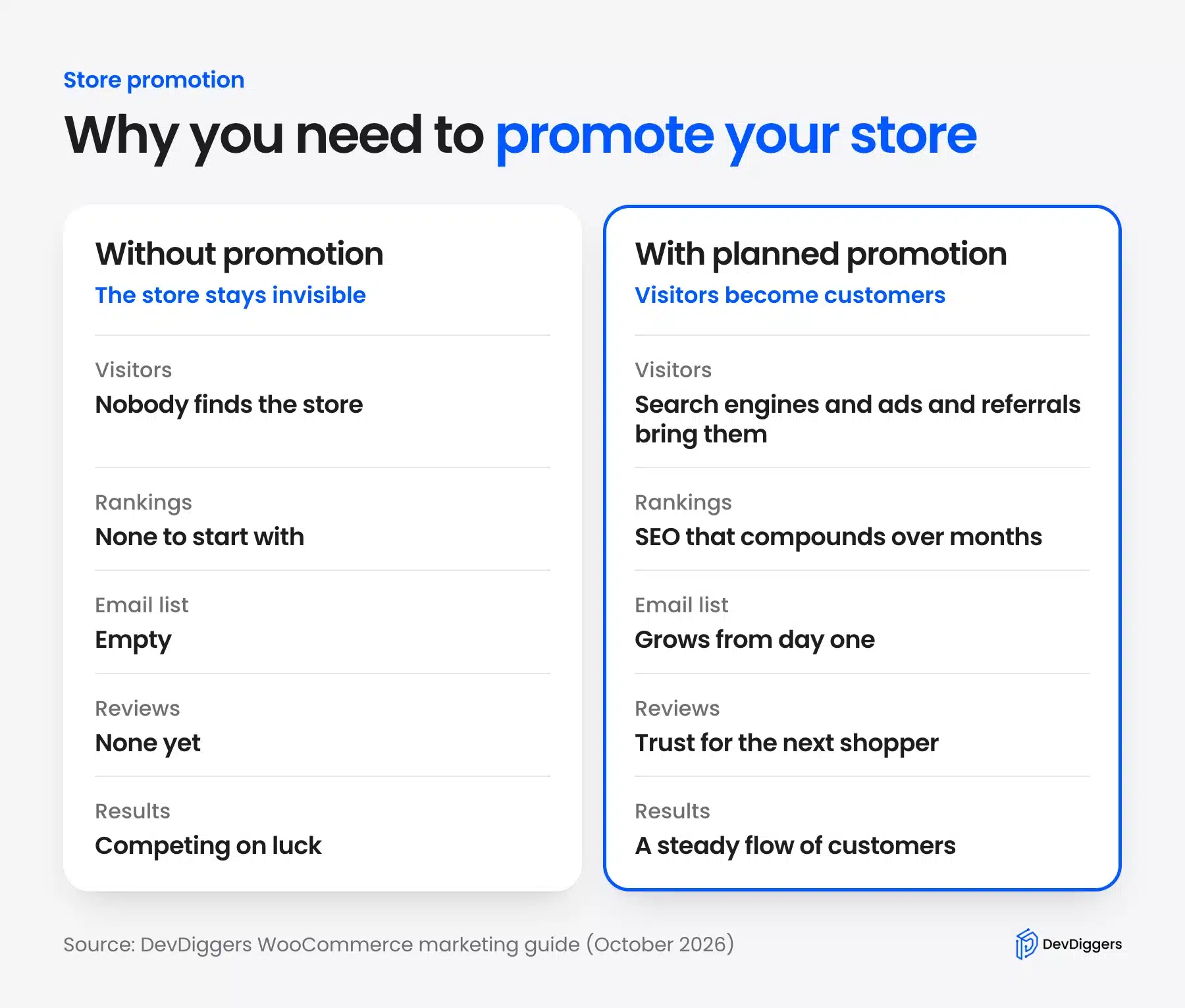
Without active promotion, even a well-built store stays invisible to buyers. Search engines, ads and referrals do the discovery work your site can’t do alone. Every new store also starts with no rankings, no email list and no reviews. Someone has to bring the first visitors in.
Worth knowing: Store Leads counted 4,002,439 live WooCommerce stores as of October 9, 2026. With that many stores competing for attention, visibility is never automatic.
Promotion also compounds. Early SEO and email efforts keep paying off months later, unlike one-time traffic spikes.
Skipping promotion means competing purely on luck. Planned promotion turns visitors into an expected, consistent customer flow.
How to Promote Your WooCommerce Store: 8 Quick Steps
You can promote your WooCommerce store in eight steps without a big budget. The first two fix conversion so paid traffic is not wasted. The next three build free traffic and trust, and the last three turn buyers into repeat customers, referrers and affiliates.
1. Fix Your Product Pages and Site Speed First
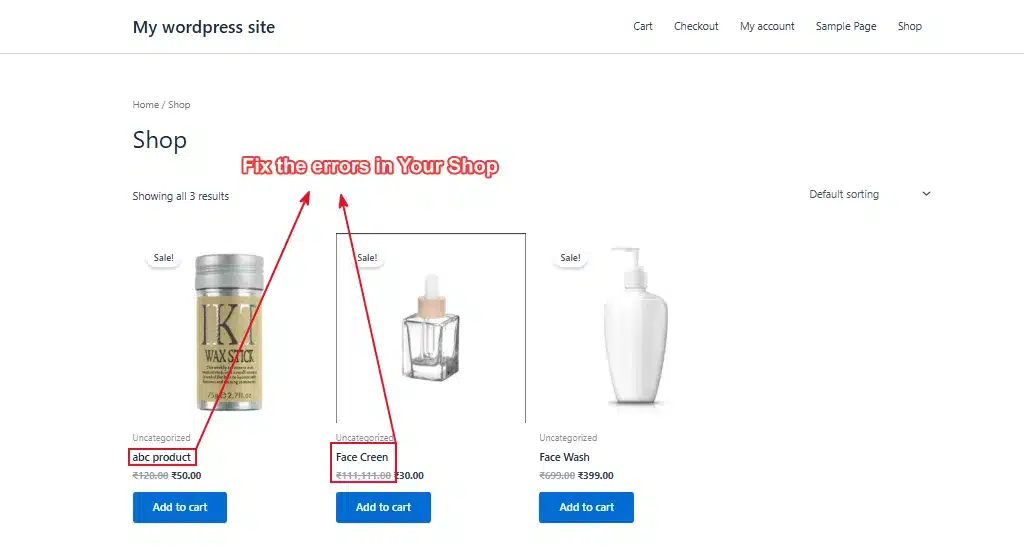
Every dollar you spend on promotion assumes your store can convert the traffic. Fix these basics first, or you’ll pay to send people to a store that loses them.
Product pages that answer real questions matter most. Write descriptions that cover size, material, use case, and shipping time. Skip vague marketing language.
Speed matters more than most store owners think. A slow WooCommerce site loses mobile shoppers fast. Run a speed test before you launch any campaign.
If your load time is over three seconds, fix that first. Our guide on speeding up a WooCommerce website covers the ten most common fixes.
2. Test Your Checkout in Different Devices Before You Spend on Ads
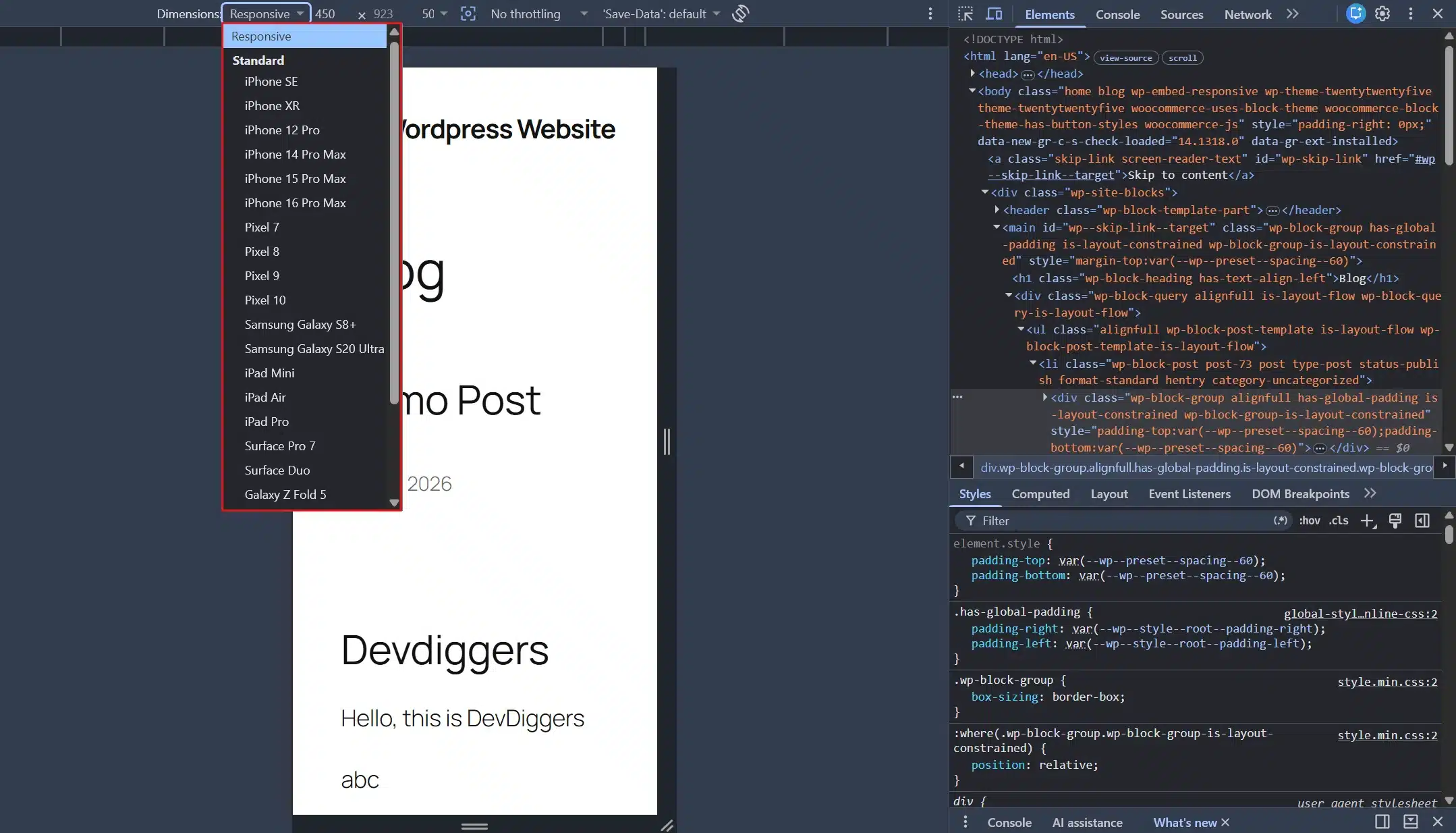
Too many checkout steps kill conversions quietly. Baymard Institute’s research found 17% of US shoppers abandoned an order because checkout was too long or complicated. Count the clicks between “Add to Cart” and “Order Confirmed.” Anything past four or five steps is worth trimming.
Worth knowing: Test the mobile checkout on a real phone. A resized desktop browser misses buttons that sit too close together on a small screen.
Add a wishlist or a “save for later” option too. First-time visitors rarely buy right away, and this brings a chunk of them back later.
For a deeper checklist, our guide on improving eCommerce user experience walks through the fixes that matter most.
3. Optimize Your WooCommerce SEO
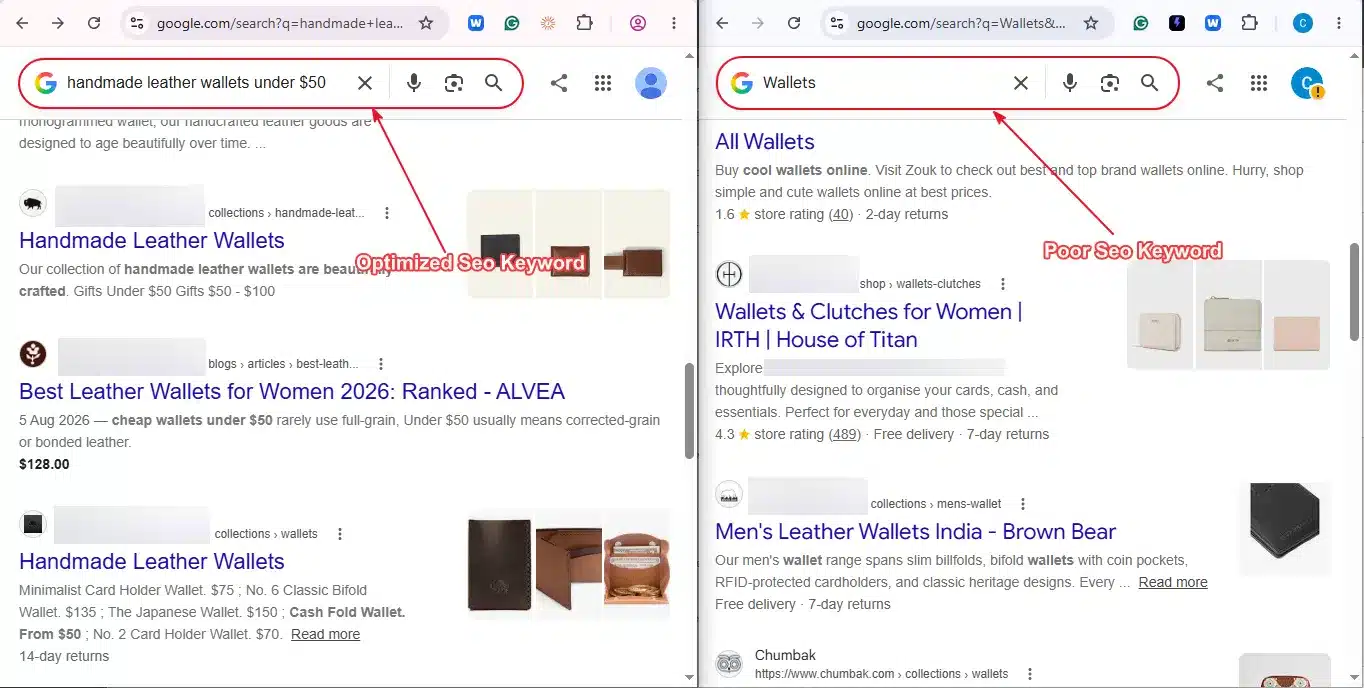
Not every store has an ad budget on day one. SEO costs time and no money. It compounds the longer you stick with it.
Target specific keywords your customers type, like “handmade leather wallets under $50” instead of just “wallets.” These convert better and face less competition.
Our WooCommerce SEO guide breaks down the full on-page checklist, including product schema and image alt text.
SEO results build over months. Three weeks is too soon to judge them. Budget your patience along with your time.
4. Build an Email List and Join the Right Communities
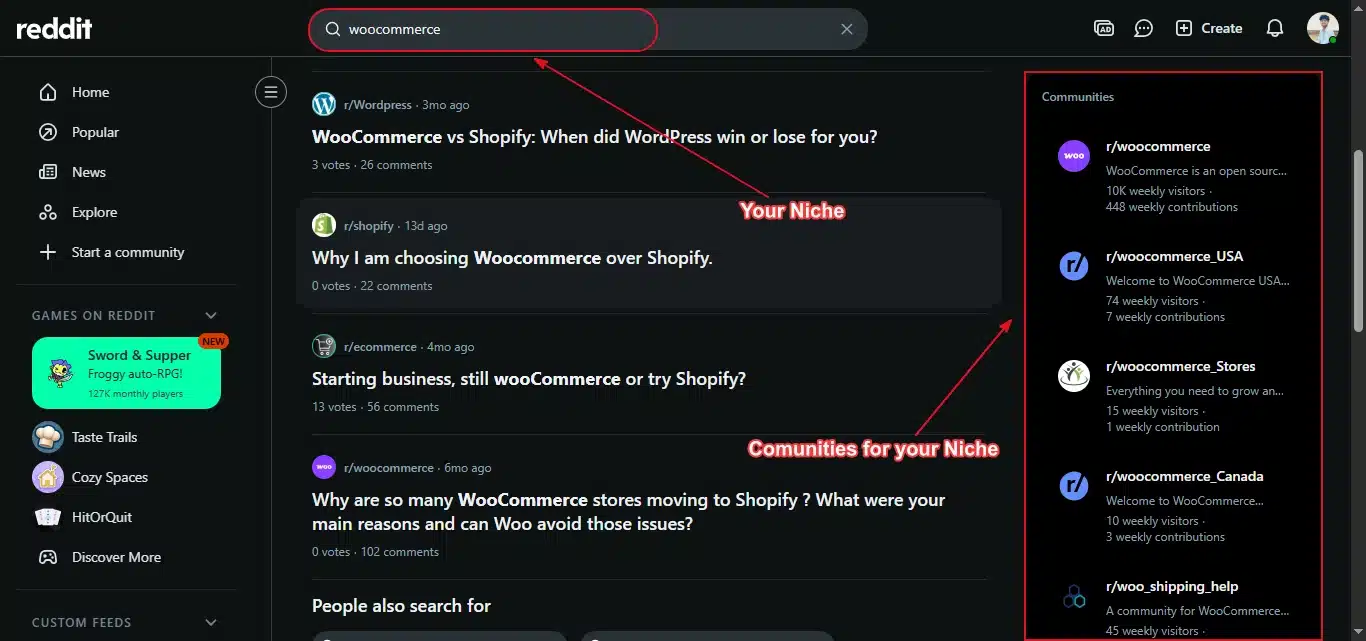
Start collecting emails from day one. Add a simple discount popup or a post-purchase signup form to your store.
A short site-wide message suits a sale or a shipping deadline and you can create an alert bar in WordPress without code.
A small list of engaged subscribers who chose to hear from you is worth more than a large cold audience. Check current WooCommerce store statistics for context on how big the market really is.
Tip: Reddit and niche forums work if you participate honestly and share what you know.
Mention your store only when it’s relevant. Show up only to sell and you’ll get banned within a week.
5. Use Reviews and Social Media to Build Trust
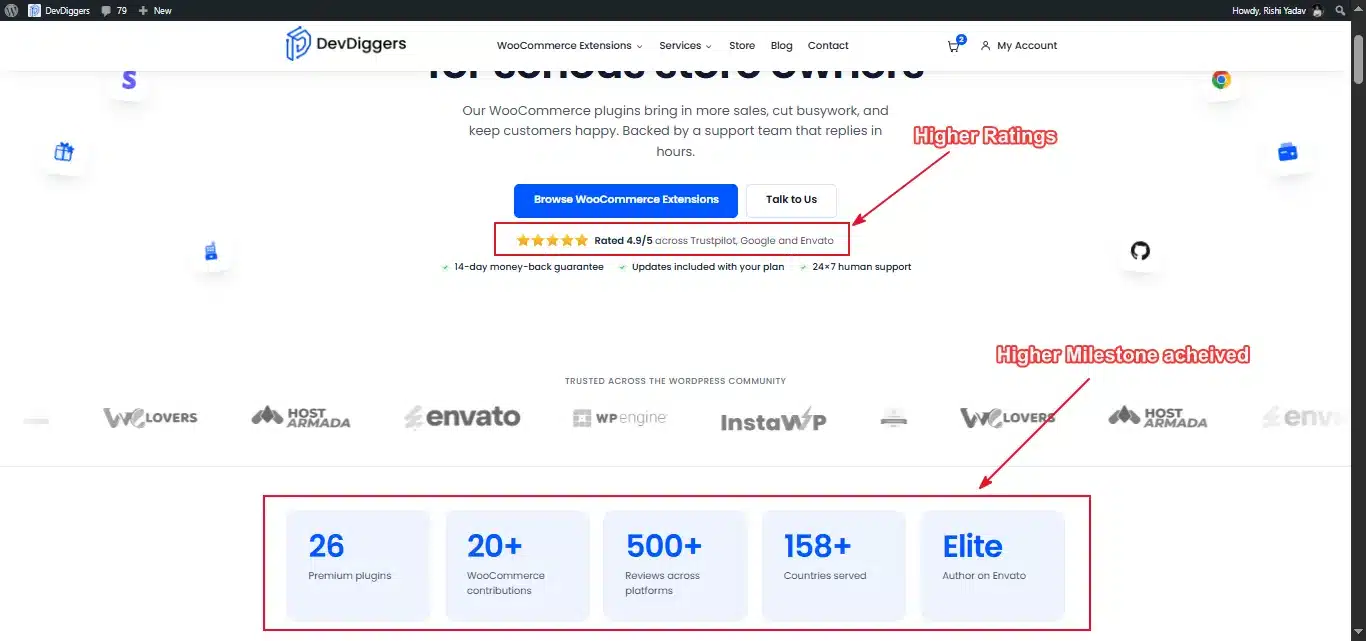
Reviews double as free content and as trust signals for the next shopper who lands on your product page.
Send a follow-up email with a review link a few days after delivery. By then the customer has had time to use the product.
You can also reward customers for writing reviews with a small discount or loyalty points.
Post consistently on one or two social platforms. One well-run Instagram account beats five neglected ones.
6. Reward Repeat Buyers With a Loyalty Program
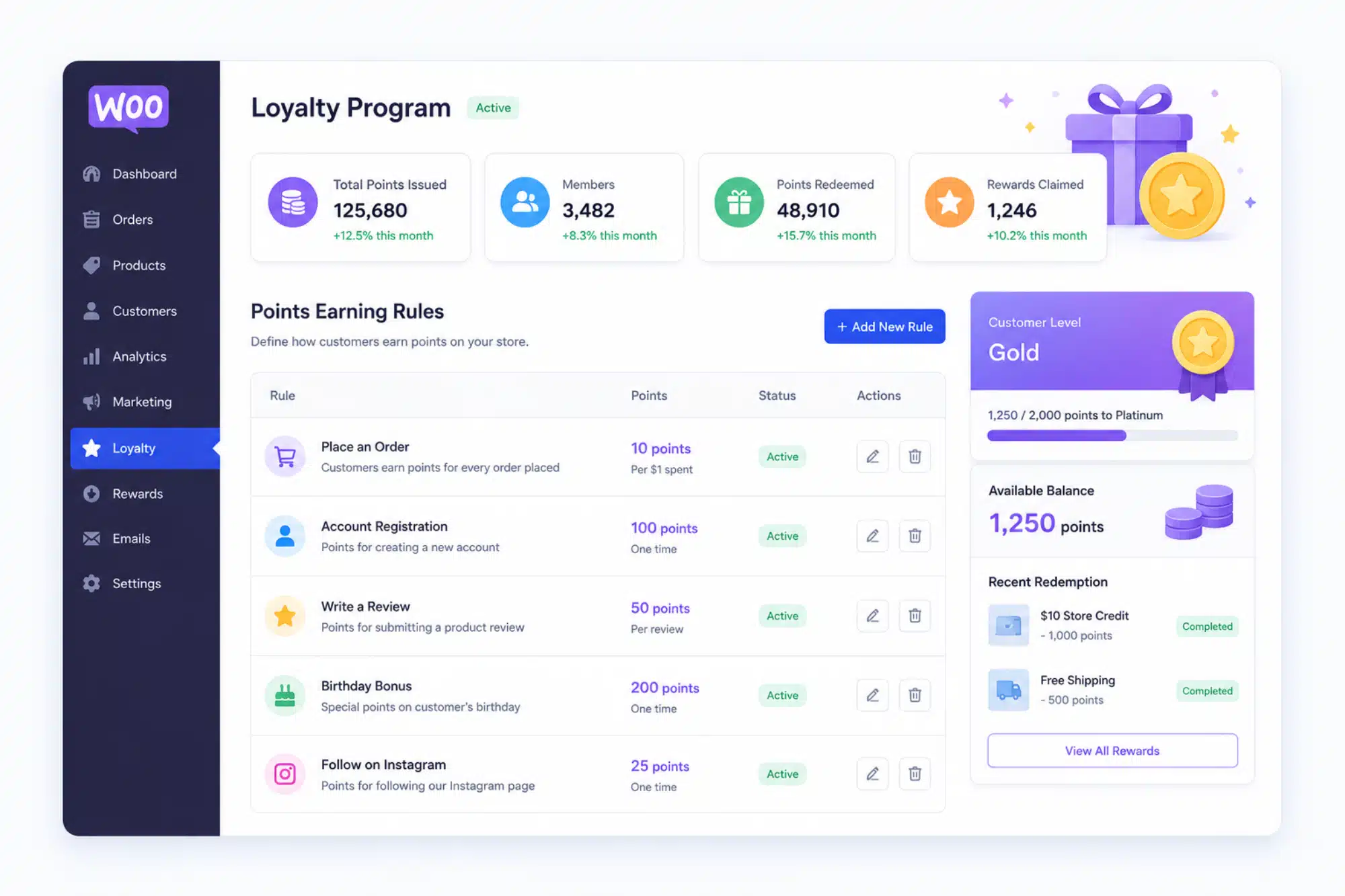
The cheapest new customer is one an existing customer brings you. Loyalty programs reward repeat purchases by giving customers points toward future orders.
This keeps buyers coming back instead of shopping around next time they need what you sell.
LoyaltyX, the WooCommerce points and rewards plugin built by DevDiggers, sets up points and rewards without custom code.
Results take a few weeks to show because the program depends on existing customers acting first. Don’t expect it to fill an empty store overnight.
7. Turn Buyers Into Referrers
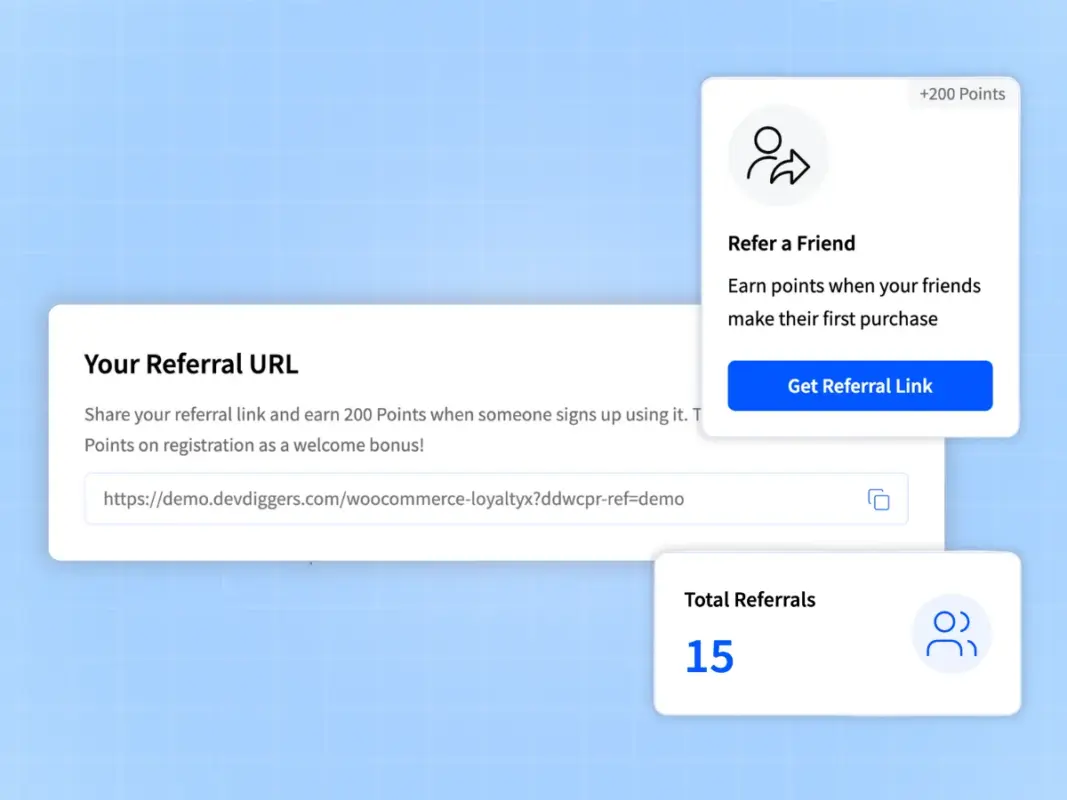
Referral programs reward the customer who brings a friend. Give both the referrer and the new customer a discount for the introduction.
This differs from loyalty. Loyalty rewards someone for buying again. Referral rewards someone for bringing a stranger through the door.
Setting up a referral program for your WooCommerce store takes less work than most owners expect.
Referred customers tend to trust the recommendation more than any ad, which usually means a smoother first purchase.
8. Extend Your Reach With an Affiliate Program
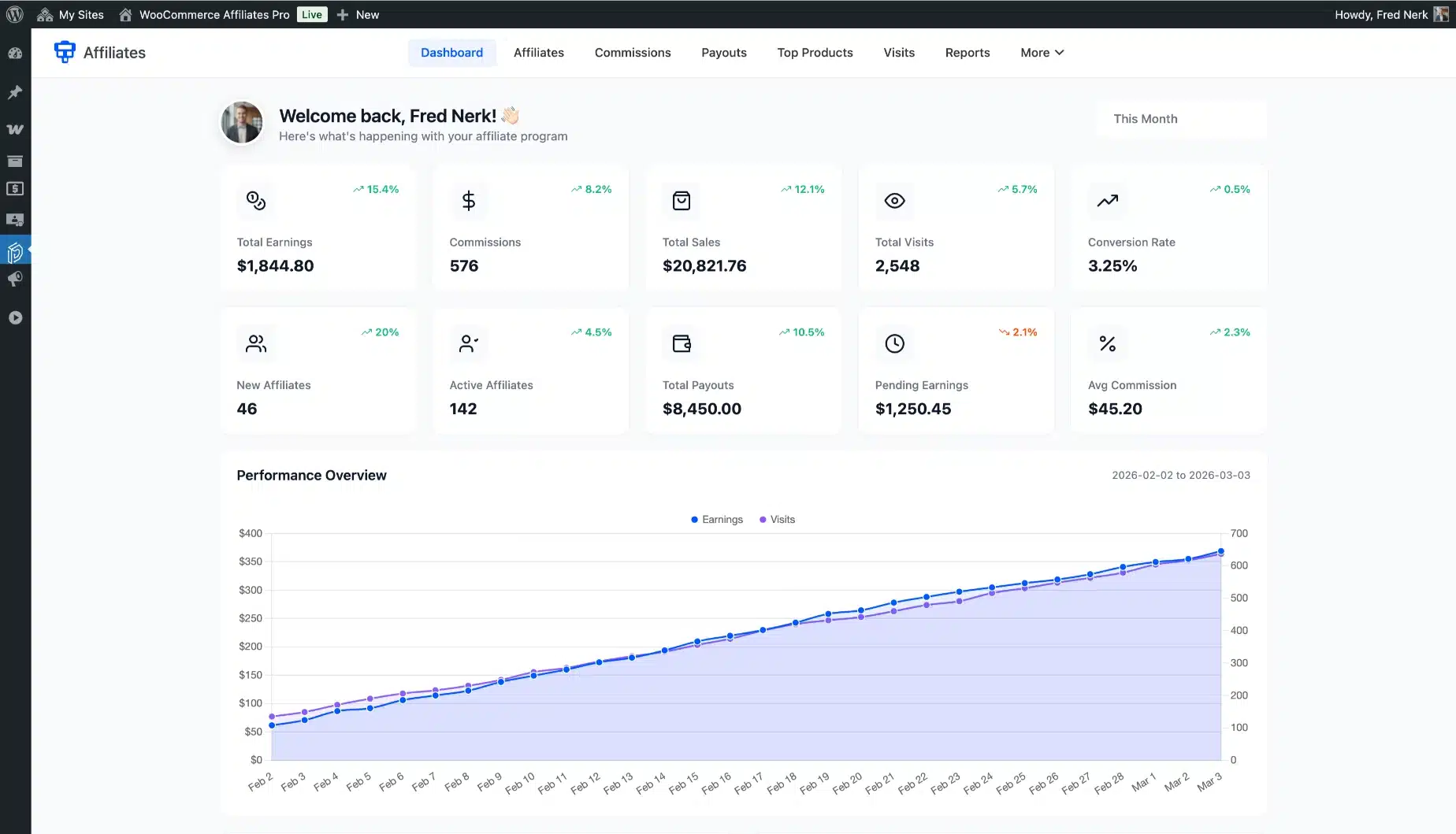
Affiliate programs reward outside promoters as well as your existing customers. Bloggers, influencers, and niche site owners fall into this group.
They can drive traffic to your WooCommerce store in exchange for a commission on the sales they generate.
Our own WooCommerce affiliate plugin tracks referred sales and commissions for you. It supports PayPal Payouts, bank transfer and manual payouts.
Run loyalty, referral and affiliate programs in order. Start loyalty for existing buyers, add referrals once you have happy customers and bring in affiliates when you need outside reach.
Build These 3 Automated Email Flows
Three automated email flows do most of the work for a small WooCommerce store: welcome, abandoned cart and post-purchase. Set them up before you worry about one-off campaigns. Each one keeps running on its own once it is live.
- Welcome flow: Sent right after signup while the subscriber still remembers your store.
- Abandoned cart flow: Sent when someone leaves without checking out. This alone recovers orders that would otherwise be lost for good.
- Post-purchase flow: Sent after delivery to ask for a review or introduce your loyalty program. A WooCommerce email marketing plugin handles all three automatically.
Google Ads vs Meta Ads: What the Data Shows
Google Ads costs more per click than Meta Ads but reaches shoppers who are already searching. In LocaliQ’s 2026 data, a search click averaged $5.42 and a Meta traffic click averaged $0.60. Add paid ads once your free channels and checkout are working.
| Channel | Average CPC (2026) | Best for |
|---|---|---|
| Google Search Ads | $5.42 average ($4.14 for shopping and gifts) | Shoppers already searching for your product |
| Meta Ads (Facebook and Instagram) | $0.60 average ($0.59 for shopping and gifts) | Building awareness for a new product |
Google Ads captures people who already know what they want. Meta Ads puts your product in front of people who weren’t looking for it yet. This approach costs less per click but takes longer to convert. The figures come from the LocaliQ search advertising benchmarks and Facebook advertising benchmarks for 2026. Shopping ads also need product data. Set up a Google Shopping feed for WooCommerce before you run them.
How Much Should You Spend on Paid Ads?
Spend only what you can afford to test for three months without needing it back. If your monthly ad budget is under $1,000, pick one platform and run it well. Splitting a small budget two ways leaves neither campaign enough data to judge.
Past about $3,000 a month, you have enough budget to test both platforms against each other.
Before a Google Shopping campaign, check your product photos against Google’s image requirements. Main images must be free of promotional text, watermarks and price overlays. Google will also require at least 500 x 500 pixels for all products from January 31, 2027.
Then track return on ad spend (ROAS) for every campaign. Divide the sales it brought in by what it cost. A campaign that turns $500 of spend into $2,000 of sales has a ROAS of 4.
How Do You Build a WooCommerce Marketing Strategy on a Small Budget?
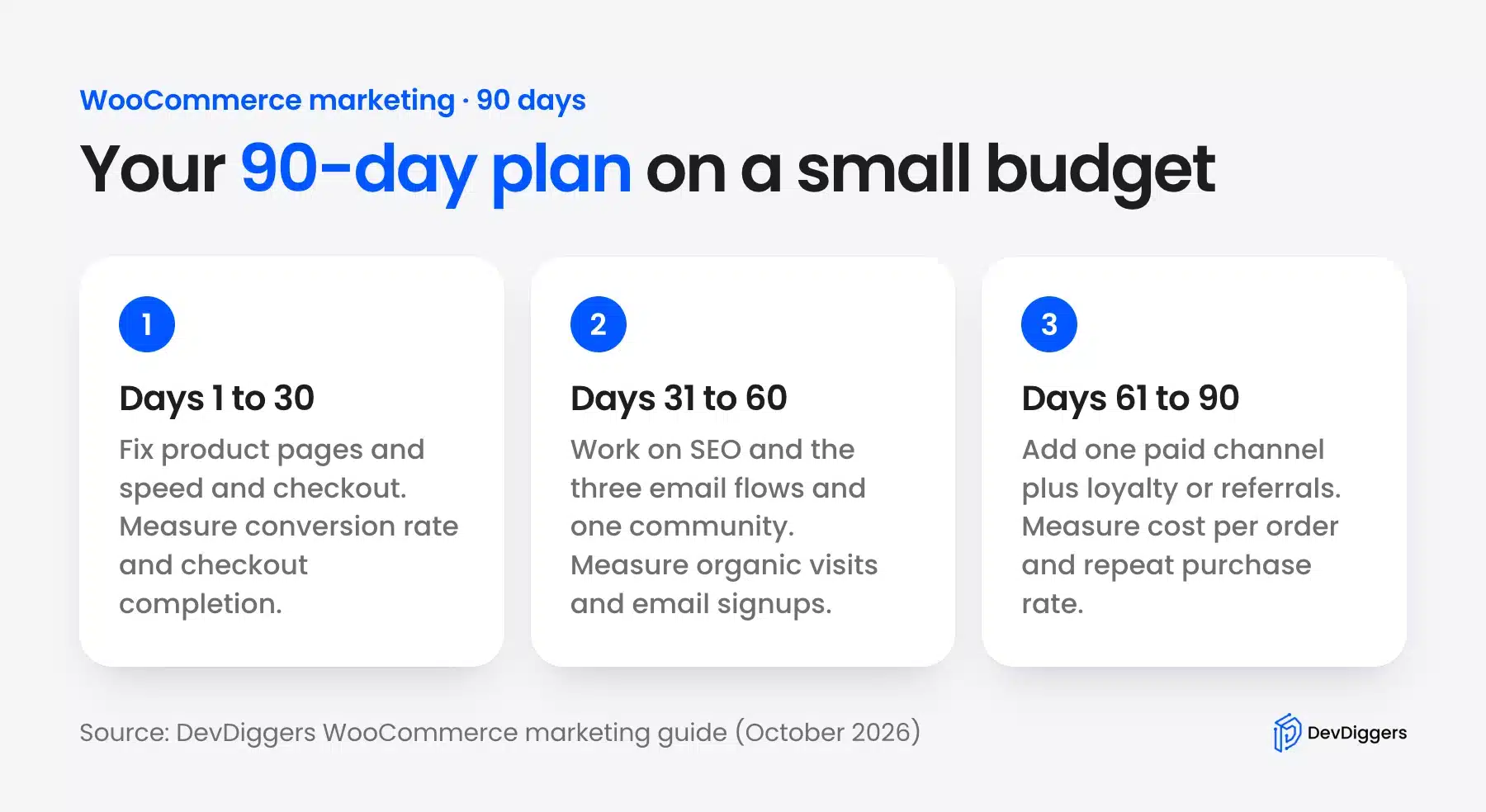
A WooCommerce marketing strategy on a small budget runs in three stages over about 90 days. You fix conversion first. Then you build free traffic and email before adding one paid channel and a repeat-buyer program. You track cost per order the whole way.
This list puts the eight steps above into that order.
- Days 1 to 30: Fix product pages, speed and checkout. Measure conversion rate and checkout completion.
- Days 31 to 60: Work on SEO, the three email flows and one community. Measure organic visits and email signups.
- Days 61 to 90: Add one paid channel plus loyalty or referrals. Measure cost per order and repeat purchase rate.
Here is a worked example. Say you sell gifts and have $600 a month for search ads. At LocaliQ’s 2026 average of $4.14 per click for shopping and gifts, that buys about 145 clicks.
At a 2% conversion rate, 145 clicks bring about 3 orders. If each order is worth $60, the month returns about $180 on $600 of spend. That is a ROAS of 0.3, which tells you to fix the product page or the offer before you spend more.
Tip: Run the same arithmetic with your own conversion rate and order value before you set a budget. It shows the break-even cost per click for your store.
Conclusion
Promoting a WooCommerce store isn’t about picking one tactic and hoping it works. Fix your conversion basics first. Then layer in free channels like SEO and email.
Test one paid channel once the basics convert. Once you have repeat buyers, add loyalty and referral programs to grow through personal recommendations.
Start with whichever channel matches your current budget. Pick one this month and add the others later. Track orders per dollar spent before adding the next channel.
For a broader look at where the market is headed, check our eCommerce trends for 2026.
Frequently Asked Questions (FAQs)
Q1. What’s the cheapest way to promote a new WooCommerce store?
SEO and organic social media let you promote your store at zero ad cost. Write product descriptions and blog posts that target long-tail keywords. Then share them consistently on one platform. It’s slower than paid ads but costs nothing in ad spend.
Q2. How long does it take to see results from WooCommerce SEO?
There is no fixed timeline, and SEO results build over months rather than weeks. Competitive keywords take longer. Newer domains take longer than established ones. Publish consistently and be patient with the timeline.
Q3. Do I need paid ads to grow a WooCommerce store?
No, but paid ads speed up the process. Many stores grow using SEO, email, and referrals alone. Paid ads become worth it once you know your profit margin can support the cost per click in your niche.
Q4. What’s the difference between a WooCommerce loyalty program and a referral program?
A loyalty program rewards a customer for buying again from you. A referral program rewards a customer for bringing you a new buyer. Many stores run both, starting with loyalty.
Q5. How much should I spend on marketing for a new WooCommerce store?
There’s no fixed number. For a brand-new store, start with a test budget you can afford to lose for three months. Track cost per order closely in the first three months and adjust from there.
Q6. Which social media platform works best for a new WooCommerce store?
It depends on your product type: Instagram suits visual products, Pinterest suits home/fashion niches, Reddit suits niche communities. Pick one, post consistently, and expand only after it shows noticeable progress.
Q7. Can I run loyalty, referral and affiliate programs at the same time?
Yes, but sequence them. Set up loyalty first for existing buyers. Add referrals once you have happy customers. Then add affiliates once you need outside reach beyond your own list.