The best email marketing plugins for WooCommerce turn your store’s customer data into automated revenue, going far beyond the basic order confirmation emails WooCommerce sends by default.
Having worked across dozens of WooCommerce builds, we’ve seen the same pattern play out repeatedly: stores with the right email plugin consistently outperform those relying on manual campaigns or generic newsletters.
Most store owners know email matters. What trips them up is picking a tool that fits how their store actually works, not just one with the biggest brand name.
This guide covers the 10 best options for 2026, how to choose between them, and which automations you should set up first.
Why WooCommerce Needs a Dedicated Email Marketing Plugin?
WooCommerce is a powerful eCommerce platform. Email marketing is not something it does well on its own. Those are two separate things, and confusing them is expensive.
What WooCommerce’s Built-in Emails Can and Can’t Do?
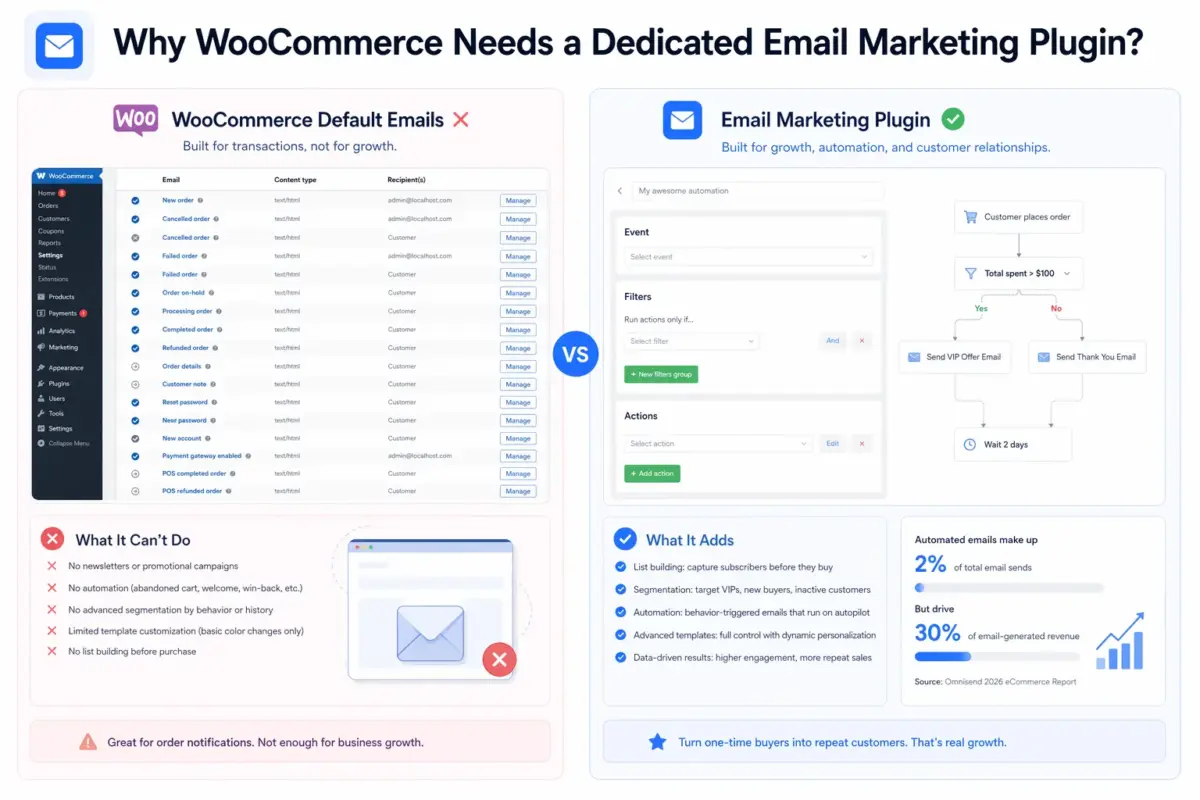
Out of the box, WooCommerce handles transactional emails. Order confirmations, shipping updates, and password resets. That’s the full list.
You cannot send newsletters from WooCommerce natively. You cannot build an abandoned cart sequence, a welcome series, or a win-back campaign. You cannot segment your customers by purchase history and send them a targeted promotion. Template customization is limited to basic color changes.
For a store at launch, that might feel fine. But the moment you want to turn one-time buyers into repeat customers, the built-in setup hits a wall.
What a Proper Email Marketing Plugin Adds
The right plugin gives you three things WooCommerce doesn’t: list building, segmentation, and automation.
List building means capturing subscribers before they buy, not just after. Segmentation means sending different emails to your VIP customers, your first-time buyers, and customers who haven’t purchased in 90 days. Automation means these emails go out on their own, triggered by real customer behavior.
According to data from Omnisend’s 2026 eCommerce report, automated emails make up just 2% of total email sends but drive 30% of email-generated revenue. That gap is why the plugin decision matters so much.
How to Choose the Best Email Marketing Plugin for WooCommerce?
There is no single best plugin. There is only the best plugin for your store right now.
SaaS Platform vs. Self-Hosted Plugin: Which Is Right for You?
This is the question no one explains clearly, and it changes everything about how you set up email marketing for WooCommerce.
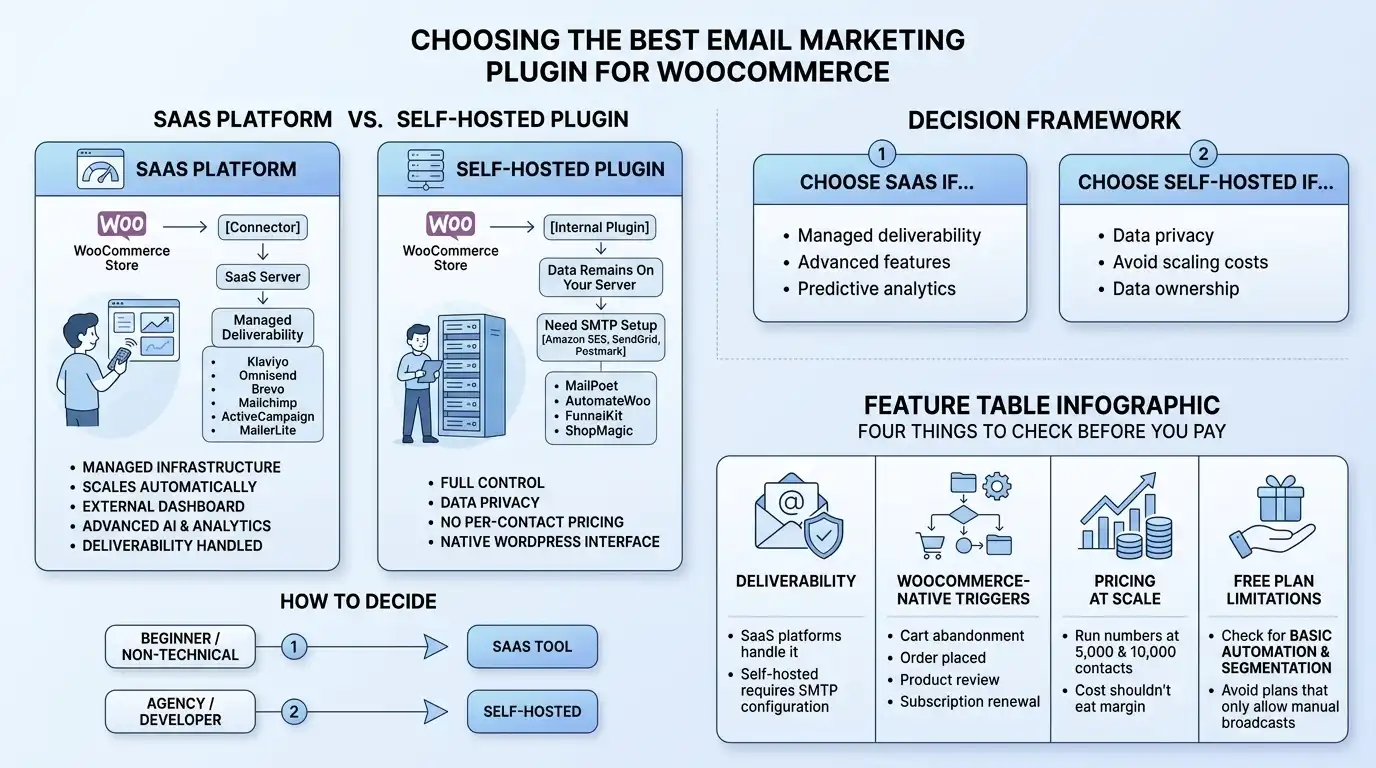
SaaS platforms (Klaviyo, Omnisend, Brevo, Mailchimp, ActiveCampaign, MailerLite) live outside your WordPress site. You install a connector plugin, your store data syncs to their servers, and you manage campaigns from their dashboard. They handle deliverability for you, maintain their own sending infrastructure, and scale without touching your hosting resources.
Self-hosted plugins (MailPoet, AutomateWoo, FunnelKit, ShopMagic) run inside your WordPress dashboard. Your customer data stays on your own server. You control the environment completely. But you are also responsible for email deliverability, which usually means pairing the plugin with an SMTP service like Amazon SES, SendGrid, or Postmark.
Here is how to decide:
- Choose a SaaS platform if you want managed deliverability, are less technical, or need advanced features like predictive analytics and AI-driven product recommendations. Expect costs to scale with your contact list.
- Choose a self-hosted plugin if you have data privacy requirements (common for EU stores), want to avoid per-contact pricing, or prefer keeping everything inside your WordPress environment. You will need a separate SMTP setup.
Most beginners do better starting with a SaaS tool. Most agencies and developers with multiple client stores often prefer self-hosted options for cost control and data ownership.
What to Check Before You Pay for Any Plan
Four things matter most, and most guides skip at least two of them.
- Deliverability: Does the plugin send emails itself, or do you need to configure an SMTP provider? SaaS platforms handle this. Self-hosted plugins usually don’t. A beautifully crafted email that lands in spam earns nothing.
- WooCommerce-native triggers: Can the plugin fire automations based on specific WooCommerce events: order placed, cart abandoned, product reviewed, subscription renewed? Generic email platforms often handle these poorly without additional configuration.
- Pricing at scale: Most platforms look affordable at 500 contacts. Run the numbers at 5,000 and 10,000. Some tools double or triple in price at scale. Constant Contact reports that retail and eCommerce email marketing returns $45 for every dollar spent. Make sure your tool’s cost structure doesn’t eat that margin.
- Free plan limitations: Some free plans restrict automation entirely and only allow manual broadcasts. That won’t build a revenue-generating email channel. Look for free plans that include at least basic automation and segmentation.
Worth checking before you commit: does the plugin’s free plan include abandoned cart recovery? That single automation often pays for an upgrade on its own.
The 10 Best Email Marketing Plugins for WooCommerce in 2026
1. Klaviyo

Klaviyo is the most data-driven option on this list. Once you install the official WooCommerce plugin, it begins syncing every customer action in real time: page views, add-to-carts, purchases, refunds, and browsing behavior. That data feeds into one of the most powerful segmentation engines available.
You can build audiences based on predicted customer lifetime value, churn risk score, and expected next order date, without writing a line of code. Abandoned cart, browse abandonment, post-purchase sequences, and win-back campaigns all run on precise behavioral triggers.
Best for
Growing and scaling WooCommerce stores that want deep segmentation and predictive analytics.
Key features
- Visual flow builder with conditional splits and A/B testing
- Predictive analytics
- Real-time WooCommerce data sync
- Combined email and SMS marketing
- AI-powered product recommendations
Pricing
- Free up to 250 contacts
- Paid plans from $20/month, scaling by contact volume
Limitation
- At 5,000 contacts, you’re looking at roughly $100 to $150 per month.
- The free plan caps at 250 contacts and 500 emails per month, which disappears quickly.
2. Omnisend

Omnisend is built specifically for eCommerce and integrates with WooCommerce in a way that feels native. Connect your store and it pulls in customer profiles, purchase history, and abandoned carts automatically. Pre-built automation workflows are ready to use from day one because they draw from your actual store data, not placeholder content.
You can combine email, SMS, and web push notifications in a single automation flow. Revenue attribution shows which messages drove purchases across all channels.
Best for
WooCommerce stores that want email, SMS, and push notifications managed from one place.
Key features
- 30+ pre-built eCommerce automations
- Omnichannel campaigns
- Drag-and-drop email builder
- Product picker for embedding products directly in emails
- WooCommerce-specific segments
Pricing
- Free up to 250 contacts and 500 emails/month
- Standard from $16/month
- Pro from $59/month
Limitation
- Advanced reporting is only available on higher-tier plans
- If you’re on the free plan, you’re flying somewhat blind on performance data
- Custom reports require the Pro plan
3. MailPoet

MailPoet is the most WordPress-native option on this list. You build emails using the same block editor you use to write posts. Subscriber lists, automations, campaign reports, and WooCommerce transactional email customization all live inside your WordPress dashboard.
That last point is worth noting. Most plugins ignore transactional emails entirely. MailPoet lets you brand your order confirmations, shipping updates, and other customer-facing WooCommerce emails, turning routine touchpoints into brand moments.
The MailPoet sending service claims a 98.5% global deliverability rate, which removes the need to configure a separate SMTP provider if you’re on their sending plan.
Best for
Store owners who want to manage everything from inside WordPress without logging into a separate platform.
Key features
- Gutenberg-based email builder
- WooCommerce transactional email customization
- Abandoned cart recovery
- Purchase-based segmentation
- Built-in sending service with strong deliverability
Pricing
- Free up to 500 subscribers
- Paid plans from $10/month
Limitation
- MailPoet is not the right tool for advanced eCommerce automation
- It handles the basics well
- For predictive analytics, conditional branching, or multichannel campaigns, you’ll outgrow it
4. AutomateWoo
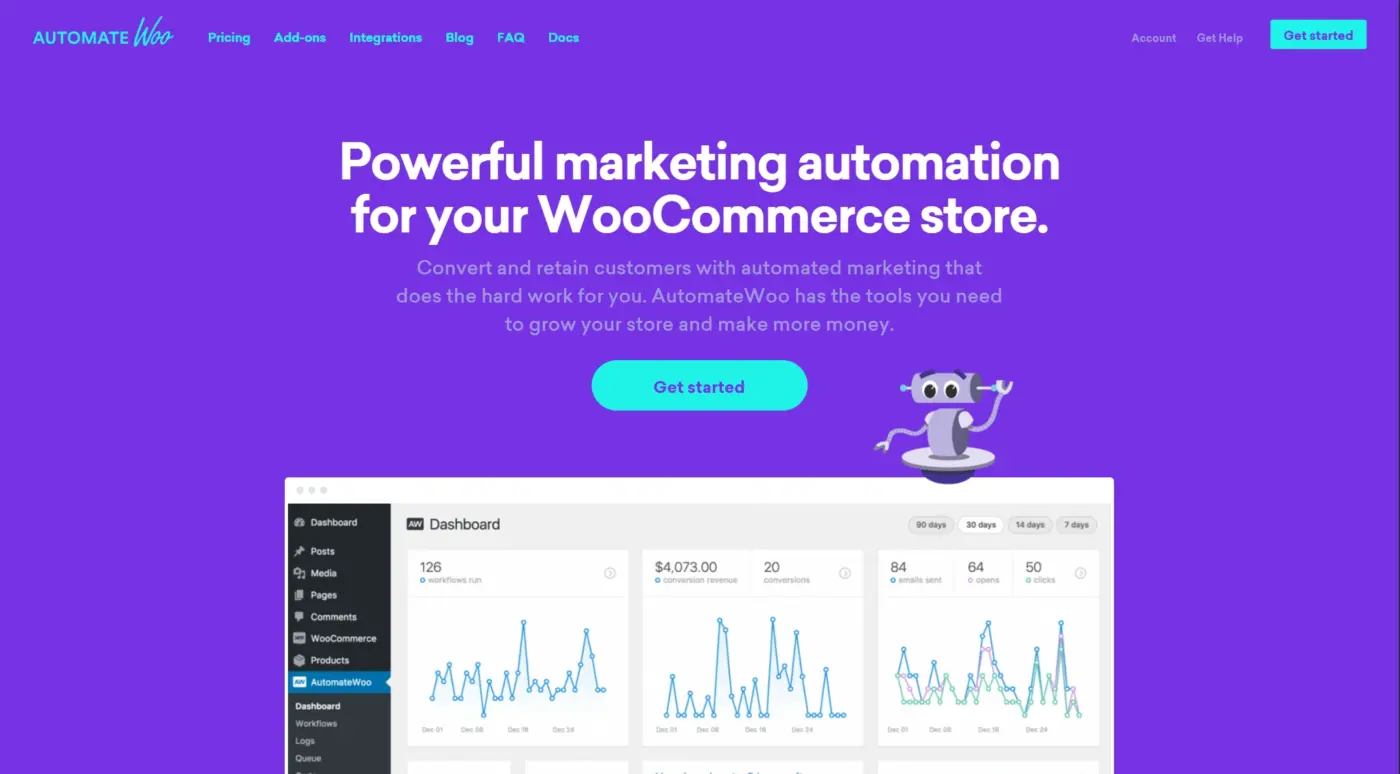
AutomateWoo is a pure automation engine. It does not send emails itself. Instead, it triggers email actions through your WordPress mail system or a connected service. That distinction matters: the platform focuses entirely on when and why an email is sent, not on building the email itself.
What it does in that lane is excellent. You can fire workflows based on over 30 WooCommerce-specific triggers: order created, cart abandoned, product reviewed, wishlist item back in stock, subscription renewed.
You can build a cart abandonment sequence that sends after 2 hours, 24 hours, and 72 hours, with different copy at each stage. Conditions can be stacked: send this email only if the cart value exceeds $100 and the customer has not ordered in 60 days.
Best for
Technically comfortable store owners who want granular control over WooCommerce automation logic.
Key features
- 30+ WooCommerce triggers
- Sequential automation logic
- Guest email capture before checkout completion
- WPML multilingual support
- Refer-a-friend add-on
Pricing
- From $13.25/month ($159/year)
- 30-day refund policy only
Limitation
- AutomateWoo has no drag-and-drop email builder
- Emails use the default WooCommerce transactional template, which is functional but not visually flexible
- Building workflows uses a WordPress classic editor-style interface rather than a visual flowchart, which takes getting used to
- No free plan or trial is available
5. FunnelKit Automations
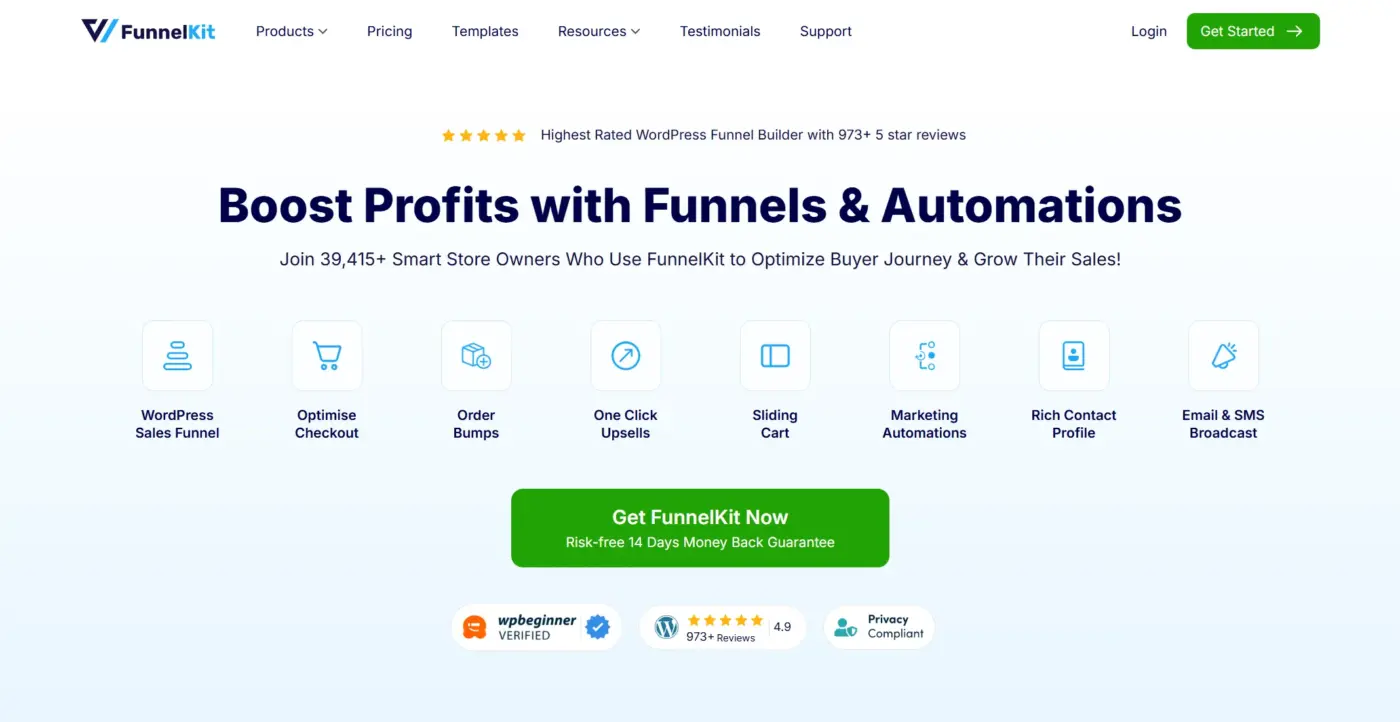
FunnelKit lets you create, run, and monitor both transactional and marketing email campaigns directly from the WordPress dashboard. Where AutomateWoo focuses on automation logic, FunnelKit adds a visual email builder to the mix.
The workflow builder is straightforward and visual. Triggers include order creation, cart abandonment, refunds, subscription events, and more. You can set up an A/B test on a subject line, monitor open rates and click rates, and track revenue attribution, all without leaving WordPress.
Best for
WooCommerce stores that want full-funnel automation managed from inside WordPress, including transactional email customization.
Key features
- Visual automation builder
- Drag-and-drop email builder
- A/B testing
- Broadcast and triggered campaign support
- Detailed analytics
- WooCommerce event triggers
Pricing
- The Lite version is free
- Pro plans from $99.50/year
Limitation
- Requires a separate SMTP provider for reliable deliverability
- FunnelKit does not manage deliverability itself
- Amazon SES, SendGrid, or a similar service is a necessary add-on cost and setup step
6. Brevo
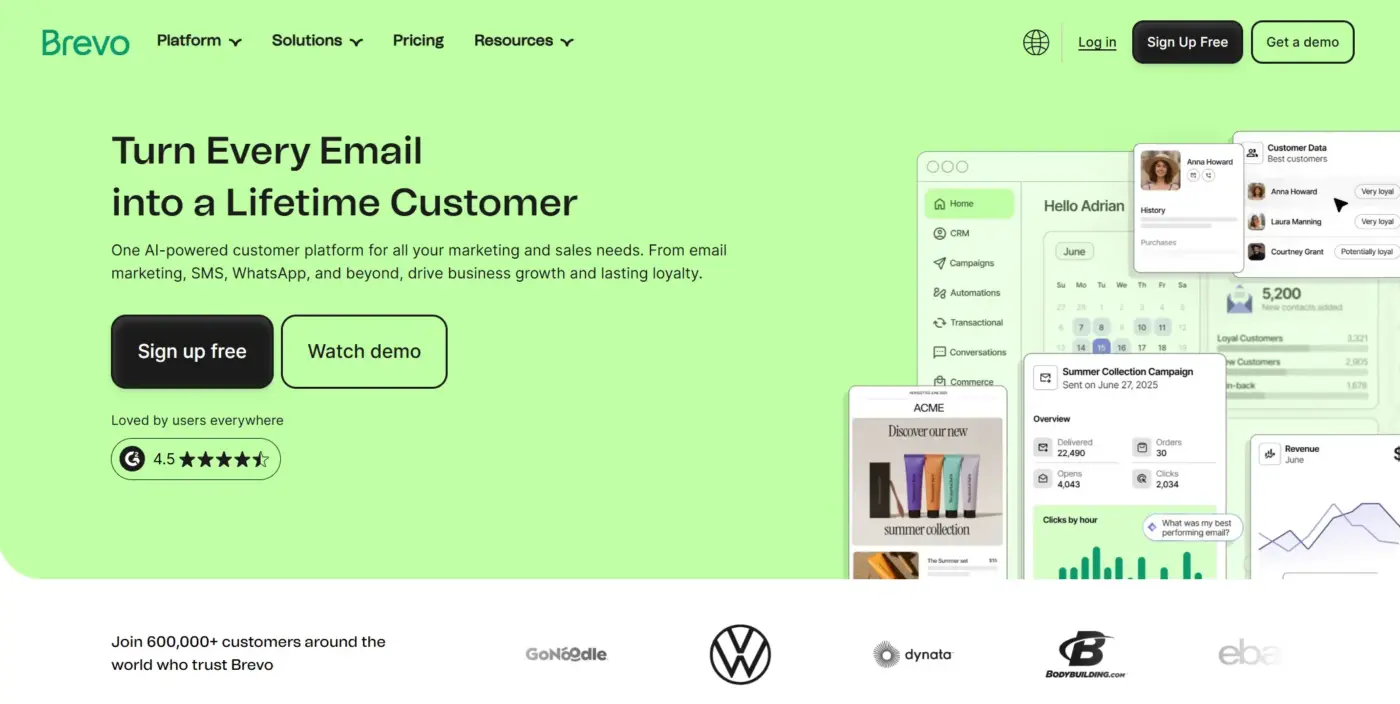
Brevo has expanded well beyond email. The WooCommerce plugin syncs customer and order data for both transactional and marketing campaigns. It supports live chat, SMS, WhatsApp messaging, push notifications, and Facebook retargeting ads in addition to email, making it one of the more versatile tools on this list.
The contact-based pricing model is genuinely useful for stores with large lists but lower send volume. Brevo charges by emails sent, not contacts stored. You can have unlimited contacts on every plan.
Best for
Small to medium stores that need multichannel marketing (email, SMS, WhatsApp, live chat) at an affordable entry price.
Key features
- Unlimited contact storage
- Email, SMS, WhatsApp, and live chat in one platform
- GDPR-compliant European data centers
- Marketing automation
- A/B testing
- Transactional email support
Pricing
- Free plan up to 300 emails/day
- Paid plans from $9/month
Limitation
- Brevo’s email deliverability is a documented weak point
- Independent deliverability tests by EmailTooltester placed it near the bottom among 14 competing providers
- For stores where inbox placement is critical, this is worth weighing carefully before committing
7. ActiveCampaign
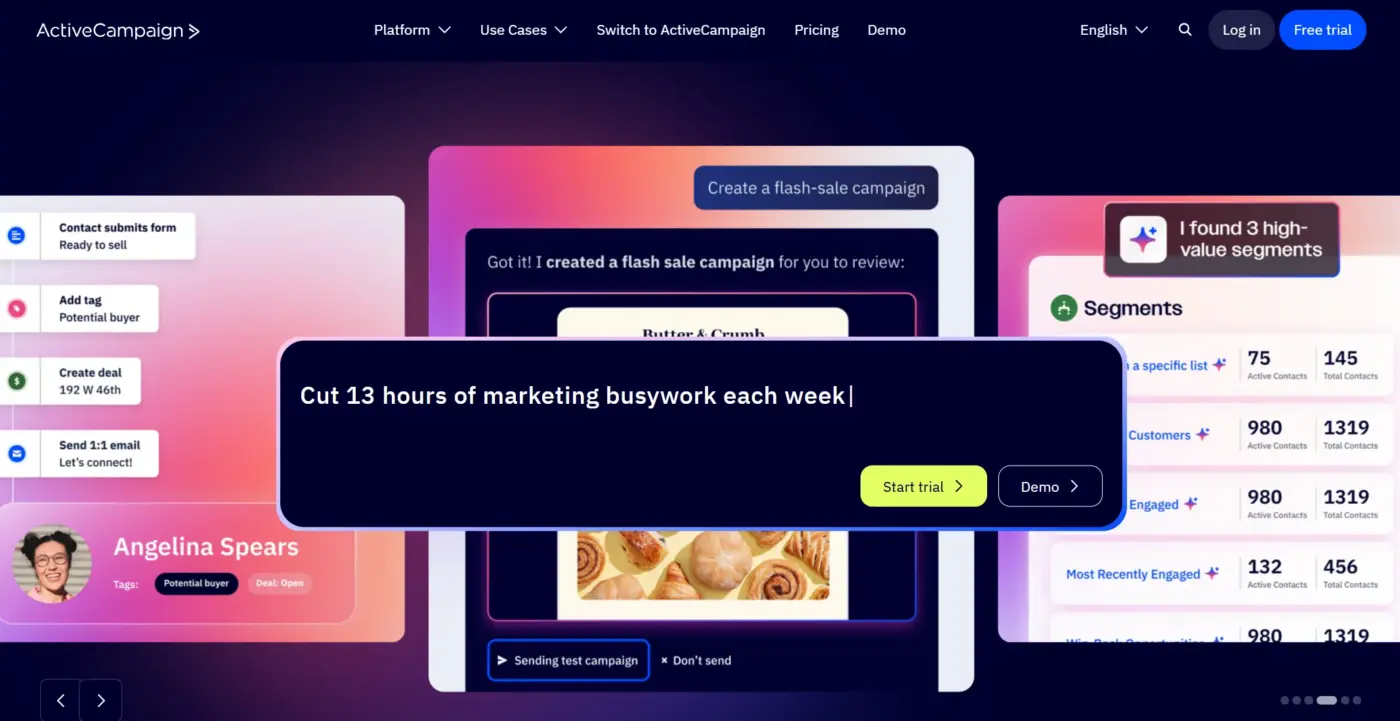
ActiveCampaign is more than an email tool. It includes a built-in CRM that tracks leads, deals, and customer history alongside your email campaigns. For WooCommerce stores with a consultative or B2B element, that combination is genuinely useful. You can tie email behavior to sales pipeline stages and build automations that respond to both.
The WooCommerce integration syncs customer and order data for segmentation and behavioral triggers. Automation is one of ActiveCampaign’s genuine strengths: conditional logic, split testing, predictive sending, and multi-step journeys are all available.
Best for
Stores that want CRM-level control over their customer pipeline alongside email automation.
Key features
- Built-in CRM
- Advanced automation with conditional splits
- Predictive sending
- Detailed segmentation
- WooCommerce data sync
- Multichannel campaigns
Pricing
- Starter from $15/month
- Plus from $49/month
- Scales with contacts
Limitation
- Pricing jumps quickly as your contact list grows
- The Starter plan covers basic campaigns but leaves out automation
- Full automation requires Plus or higher, and costs rise fast
- At 2,000 contacts, the Starter plan runs $39/month
- Expect more if you need automation
8. Mailchimp
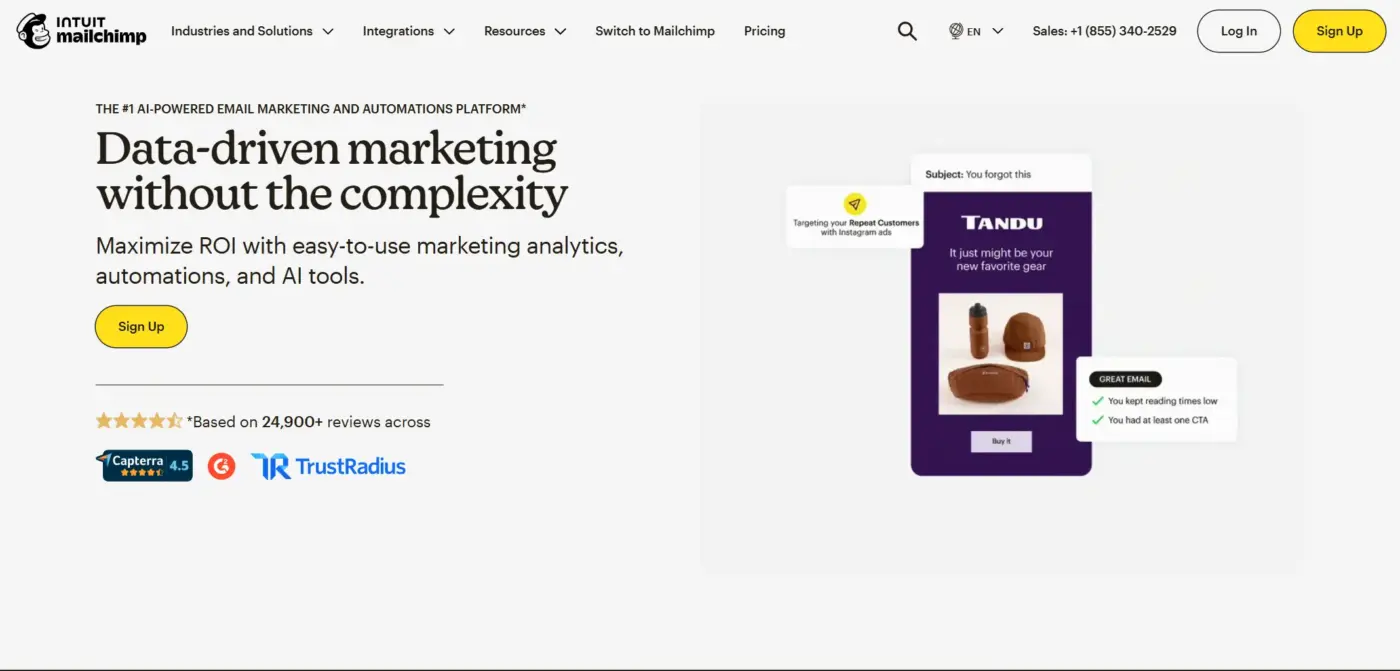
Mailchimp is the most recognized name in email marketing. For WooCommerce, the official plugin syncs customers, orders, and product data, enabling basic automation and segmentation. The interface is beginner-friendly, the template library is large, and the learning curve is low.
It plays well with other tools, too. Canva integration makes designing emails approachable for non-designers. Social media ad management sits alongside email campaigns in the same dashboard.
Best for
Stores just starting out that want a familiar, plug-and-play tool with solid templates.
Key features
- Drag-and-drop email builder
- Product recommendation emails
- Abandoned cart flows
- Basic segmentation
- Social media ad management
- Canva integration
Pricing
- Free up to 500 contacts and 1,000 emails/month
- Essentials from $13/month
Limitation
- Mailchimp’s WooCommerce sync behavior is worth understanding before you connect
- It syncs all customers, including those who haven’t opted in to marketing emails
- That increases your contact count and, therefore, your billing, even for contacts you cannot legally market to
- Automation is also not available on the free plan
- You will need a paid plan to run any journey-based sequences
9. MailerLite
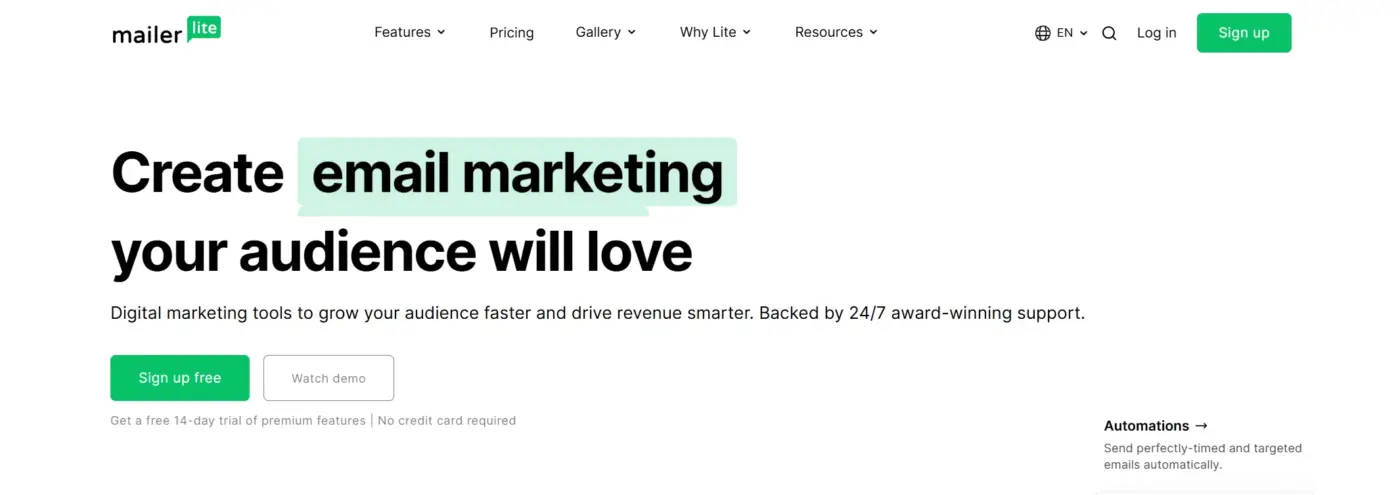
MailerLite punches above its price point. The free plan includes access to a drag-and-drop email builder, automation flows, pop-up forms, and landing pages. That is more than many platforms offer on paid tiers.
The WooCommerce plugin syncs customers and orders. Product blocks let you pull products directly into emails. The eCommerce automations cover abandoned cart recovery, post-purchase follow-ups, and basic segmentation by purchase behavior. Independent deliverability tests have consistently placed MailerLite among the top performers for inbox placement.
Best for
Budget-conscious stores that want a clean, modern interface with solid automation on an affordable plan.
Key features
- Drag-and-drop builder
- Automation on the free plan
- Product blocks
- Landing pages and pop-ups
- Strong deliverability
- Clean interface
Pricing
- Free up to 1,000 subscribers and 12,000 emails/month
- Growing Business plan from $9/month
Limitation
- MailerLite’s free plan limits you to one user seat, which is fine for solo store owners but not for teams
- Advanced segmentation and A/B testing require a paid plan
- For stores with complex automation needs, it may not have the depth of Klaviyo or ActiveCampaign
10. ShopMagic
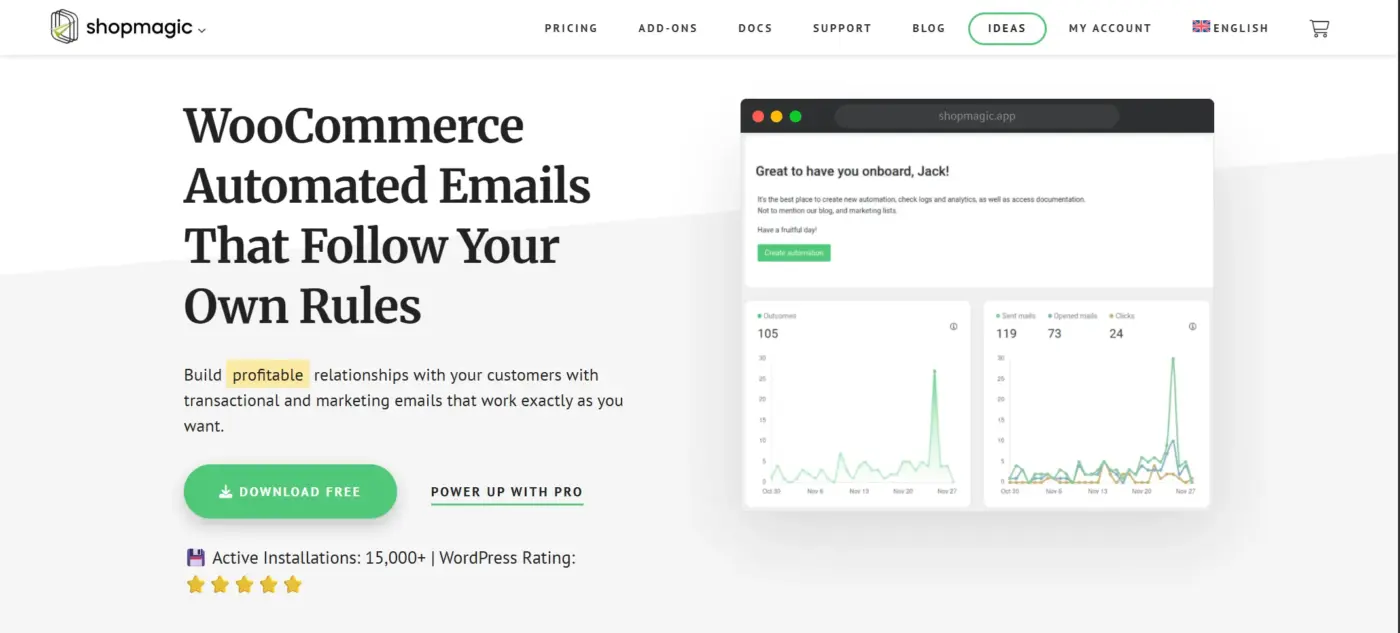
ShopMagic is a lesser-known option that deserves more attention. It runs entirely inside WordPress and focuses specifically on WooCommerce email automation and list management. The core plugin is free and covers the fundamentals like automated follow-up emails, customer segmentation, UTM parameter tracking, and guest customer handling.
What makes it stand out is the free add-on ecosystem. Abandoned cart recovery, Google Sheets integration, SMS notifications via Twilio, and Mailchimp list sync are all available as free extensions. For small stores on a tight budget, that’s a lot of capability without a subscription.
Best for
WooCommerce stores that want a lightweight, self-hosted automation plugin with a strong free tier and no external platform dependency.
Key features
- WordPress-native
- WooCommerce automation with event-based triggers
- GDPR-compliant list management
- Guest customer targeting
- Free abandoned cart recovery add-on
- UTM tracking
- Email history and logs
Pricing
- The core plugin is free
- Pro add-ons are available for extended features
Limitation
- ShopMagic is not a full email marketing platform
- It does not have a visual email builder or a full analytics suite
- It is best used in combination with a dedicated sending service
- For stores that need campaign broadcasting, advanced segmentation, or predictive features, a SaaS platform will serve you better
Which Email Marketing Plugin Should You Actually Use?
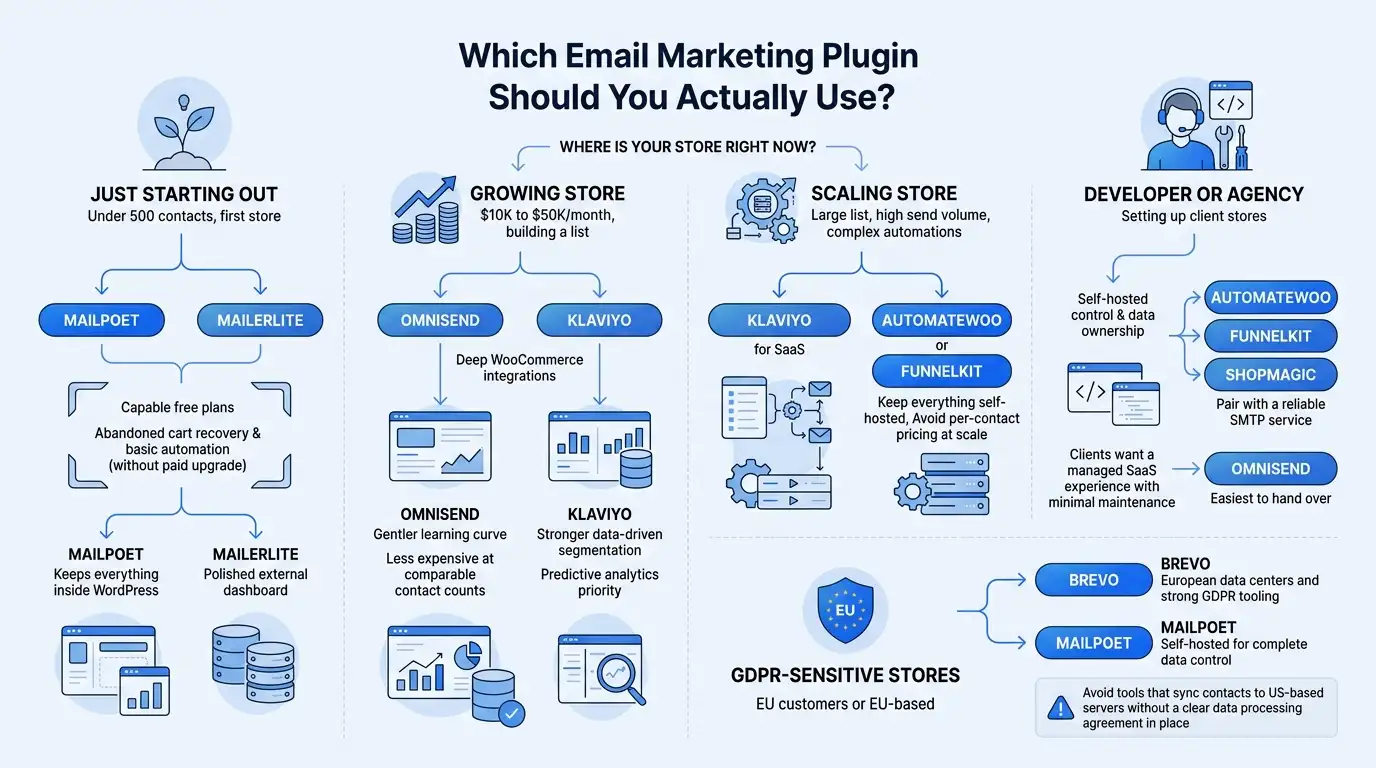
Reading a list of ten plugins does not tell you which one to install. Here is a practical framework based on where your store is right now.
- Just starting out (under 500 contacts, first store): Start with MailPoet or MailerLite. Both offer capable free plans, and both handle abandoned cart recovery and basic automation without requiring a paid upgrade. MailPoet keeps everything inside WordPress. MailerLite is the better pick if you want a more polished external dashboard.
- Growing store ($10K to $50K/month, building a list): Omnisend or Klaviyo. Both integrate deeply with WooCommerce. Omnisend has a gentler learning curve and is less expensive at comparable contact counts. Klaviyo is the stronger choice if data-driven segmentation and predictive analytics are a priority.
- Scaling store (large list, high send volume, complex automations): Klaviyo for SaaS. AutomateWoo or FunnelKit if you want to keep everything self-hosted and avoid per-contact pricing at scale.
- Developer or agency setting up client stores: AutomateWoo, FunnelKit, or ShopMagic for self-hosted control and data ownership. Pair with a reliable SMTP service. For clients who want a managed SaaS experience with minimal maintenance, Omnisend is the easiest to hand over.
- GDPR-sensitive stores (EU customers or EU-based): Brevo for European data centers and strong GDPR tooling. MailPoet is self-hosted for complete data control. Avoid tools that sync contacts to US-based servers without a clear data processing agreement in place.
Most stores get this wrong by picking a tool for its brand name and then using 20% of its features. The tool matters less than setting up the right automations from day one.
3 WooCommerce Email Automations That Drive the Most Revenue
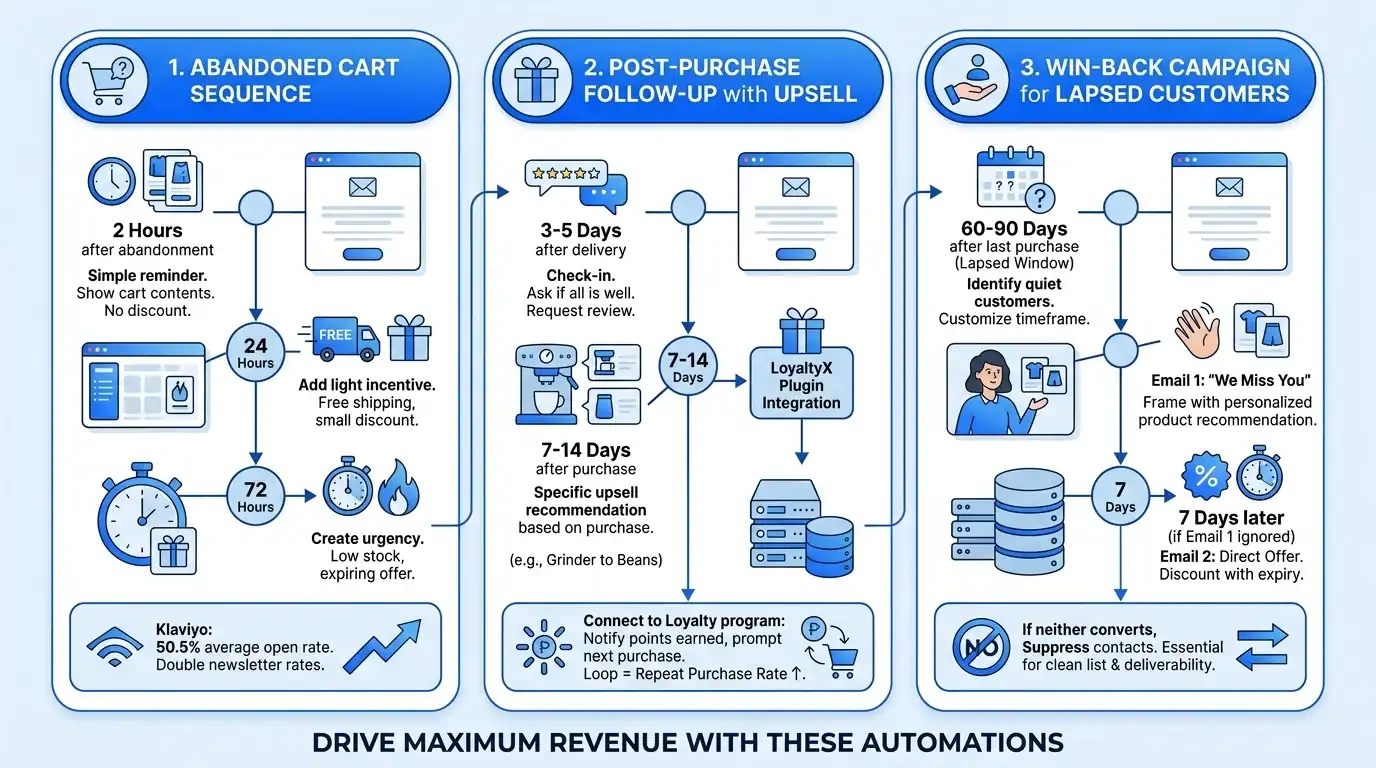
You can add any plugin from this list and still see flat results if you are only sending newsletters. The revenue comes from automations. These three sequences are worth setting up before anything else.
1. Abandoned Cart Sequence
Around 70% of WooCommerce shoppers leave without completing their purchase. A three-email sequence recovers a meaningful slice of that. Klaviyo’s data shows abandoned cart emails achieve an average open rate of 50.5%, which is roughly double a typical newsletter.
A sequence that works:
- Email 1 (2 hours after abandonment): Simple reminder. Show the cart contents. No discount yet. Many customers abandoned because of distraction, not price.
- Email 2 (24 hours later): Add a light incentive. Free shipping, a small discount, or a time-limited offer.
- Email 3 (72 hours later): Create urgency. Low stock, expiring offer, or a final reminder before the cart clears.
Every plugin on this list can run this sequence. The difference is in how easily you can set the timing and conditions.
2. Post-Purchase Follow-Up with Upsell
The best time to sell to a customer is right after they have already bought. They trust you. They are in a buying mindset.
A simple two-email post-purchase flow works well:
- Email 1 (3 to 5 days after delivery): Check in. Ask if everything arrived well. Request a review if appropriate.
- Email 2 (7 to 14 days after purchase): Recommend a related product based on what they bought. A customer who bought a coffee grinder is likely interested in premium beans. Keep the recommendation specific.
This is also a natural place to connect your email plugin with a loyalty program. If you are running our LoyaltyX – WooCommerce Points and Rewards plugin, the post-purchase email can notify the customer of the points they just earned and prompt the next purchase. That closed loop between email and loyalty consistently improves repeat purchase rates.
For more on rewarding customers after purchase, our guide to the best WooCommerce points and rewards plugins is worth reading alongside this one.
3. Win-Back Campaign for Lapsed Customers
Every WooCommerce store has a segment of customers who bought once and went quiet. A win-back sequence targets customers who have not purchased in a defined window, typically 60 to 90 days, depending on your store’s average purchase frequency.
A two-email approach:
- Email 1: “We miss you” framing with a personalized product recommendation based on their last order. Avoid generic discount blasting here.
- Email 2 (7 days later, only if Email 1 was not acted on): A more direct offer. A discount code with a clear expiry date.
If neither email converts, suppress those contacts from future promotional sends. Continuing to mail unresponsive contacts damages your deliverability over time.
This is the step most guides skip entirely. Clean suppression lists are as important as great copy.
Final Thoughts
The best email marketing plugins for WooCommerce in 2026 span a wide range of use cases, from beginner-friendly tools like MailPoet and MailerLite to data-heavy platforms like Klaviyo and ActiveCampaign. The right choice depends on your store’s current size, your technical comfort level, and whether you want a managed SaaS solution or full control over your own data.
Start with the automations that move the needle first, like abandoned cart recovery, post-purchase follow-up, and win-back sequences. Get those running before you build out a complex campaign calendar.
If you want to strengthen your WooCommerce store’s broader marketing foundation, our guide to promoting your WooCommerce store covers the full picture. And if you need help integrating a plugin or building a custom email workflow, our WooCommerce development services team is available to help.
What plugin are you currently using? Let us know in the comments.
Frequently Asked Questions(FAQs)
Q1. What is the best free email marketing plugin for WooCommerce?
MailPoet and MailerLite are the strongest free options. MailPoet’s free plan supports up to 500 subscribers and includes abandoned cart recovery and WooCommerce automation. MailerLite’s free plan covers up to 1,000 subscribers with 12,000 monthly sends and includes automation flows. Both are solid starting points without requiring a credit card.
Q2. Do I need an SMTP plugin alongside my email marketing plugin?
It depends on the tool. SaaS platforms like Klaviyo, Omnisend, Brevo, and Mailchimp handle email sending and deliverability through their own infrastructure. Self-hosted plugins like AutomateWoo, FunnelKit, and ShopMagic rely on your WordPress mail system, which is not reliable for high-volume sending. For those tools, pairing with an SMTP service such as Amazon SES, SendGrid, or Postmark is strongly recommended.
Q3. Can I use more than one email plugin on WooCommerce at the same time?
Technically, yes, but it is usually not a good idea. Running multiple email plugins can cause duplicate sends, conflicting automation triggers, and subscriber sync issues. A common and effective combination is AutomateWoo for automation logic paired with MailPoet for email design and sending. Beyond that, keep it simple.
Q4. How do I stay GDPR compliant with WooCommerce email marketing?
Use a plugin that supports opt-in subscription forms with clear consent language, double opt-in confirmation, and an easy unsubscribe mechanism in every email. For stores with EU customers, check where subscriber data is stored. Brevo uses European data centers, which helps. Self-hosted plugins like MailPoet keep data on your own server. Whichever tool you use, your Privacy Policy should name the email service provider and explain how subscriber data is used.
Q5. What is the difference between transactional emails and marketing emails in WooCommerce?
Transactional emails are triggered by a specific customer action: order confirmation, shipping update, or password reset. They go to individual customers and are expected. Marketing emails are campaigns you proactively send to a list: newsletters, promotions, abandoned cart reminders, and win-back sequences. WooCommerce handles transactional emails natively. Marketing emails require a dedicated plugin. Some plugins, like MailPoet and FunnelKit, handle both. Others, like AutomateWoo, focus on marketing automation and rely on WooCommerce for transactional delivery.
Q6. Which WooCommerce email plugin is best for a store with a large product catalog?
Klaviyo handles large catalogs well because of its real-time product sync and AI-driven product recommendation engine. Omnisend’s product picker also works effectively for stores with many SKUs. For self-hosted options, FunnelKit supports dynamic product content in emails and can pull WooCommerce product data into automated sequences without manual setup.
Q7. How many emails should a WooCommerce store send per month?
There is no single right answer, but a practical baseline is: one to two newsletters per month plus your automated sequences. Automated emails like abandoned cart reminders, post-purchase follow-ups, and win-back campaigns run continuously in the background and typically generate more revenue per send than scheduled campaigns. Sending too frequently without strong personalization increases unsubscribe rates. Start conservative, monitor engagement, and increase frequency only when you have content worth sending.