The best eCommerce platform is the one whose total cost, fees and exit path still fit your store three years from now. For most small stores that means Shopify for a fast hosted start or WooCommerce for full control. BigCommerce, Wix, Squarespace and Adobe Commerce each win in narrower cases.
We built this guide from each vendor’s own US pricing pages and help docs, checked on October 9, 2026. Then we ran one example store doing $10,000 a month through every fee table. The surprise was BigCommerce: its sales caps pushed that modest store onto a $299 plan.
Below you get a comparison table, a 7-step method for choosing an eCommerce platform, and a verdict on each platform. We also cover the cases where WooCommerce, the platform we build on every day, is the wrong pick.
What Is an Ecommerce Platform?
An eCommerce platform is the software that runs an online store: product pages, cart, checkout, payments, orders and customer accounts. Hosted platforms like Shopify rent you all of it for a monthly fee. Self-hosted platforms like WooCommerce give you the software free, and you supply the hosting.
That split, hosted or self-hosted, decides most of what follows. A hosted platform handles security patches, uptime and checkout speed for you. In return you accept its rules on fees, URL structure and which apps you may install.
A self-hosted platform flips the deal. You own the code and the database, and nobody can change your plan or your fees. You also own every update, backup and server problem, which is a real job.
Not sure which one a store you admire runs on? Our guide on how to tell what eCommerce platform a site is using shows six quick checks. Copying a competitor’s platform is a fair starting point, as long as you check their size matches yours.
Ecommerce Platform Comparison: Fees and Fit at a Glance
This eCommerce platform comparison covers the six top eCommerce platforms by their US entry price and the store each one suits. Every price below is the yearly billed rate shown on the vendor’s own pricing page as of October 2026. Card processing and apps are extra on all of them.
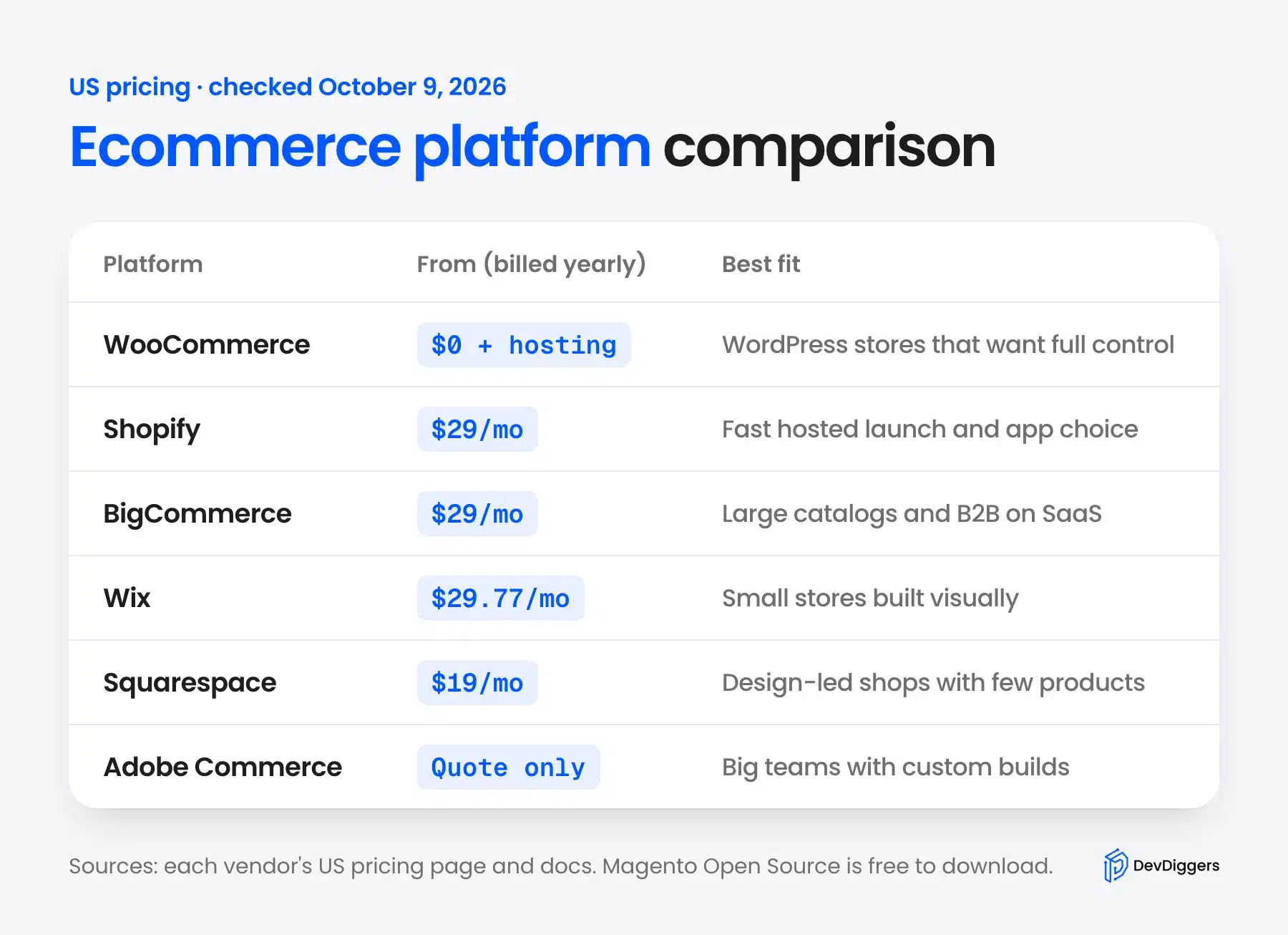
| Platform | Entry plan (billed yearly) | Platform fee on sales | Who owns the store | Best fit |
|---|---|---|---|---|
| WooCommerce | Free plugin, plus hosting | None from WooCommerce | You | WordPress sites that want full control |
| Shopify | Basic, $29 a month | 2% on Basic if you skip Shopify Payments | Shopify hosts it | Fast launch, large app choice |
| BigCommerce | Core, $29 a month | 2% on Core through Open Payment Providers | BigCommerce hosts it | Big catalogs and B2B on SaaS |
| Wix | Core, $29.77 a month | Not listed on the plans page | Wix hosts it | Small stores built visually |
| Squarespace | Basic, $19 a month | 2% on Basic, 0% from Core | Squarespace hosts it | Design-led shops with few products |
| Adobe Commerce | Quote only | Contract terms | You or Adobe Cloud | Large teams with custom builds |
The entry price is the least useful column in that table. A $29 plan on two platforms can end up thousands of dollars apart once fees and sales caps kick in. The worked example below shows how.
The ownership column matters more than it looks. On a hosted platform your store lives on someone else’s servers under their terms. On WooCommerce or Magento Open Source, the files and database are yours to move.
Worth knowing: Shopify Plus starts at $2,300 a month, and BigCommerce Performance starts at $1,499 a month billed annually. BigCommerce aims Performance at stores with $1M+ in annual sales, so skip both tiers until you are near that.
How to Choose an Ecommerce Platform in 7 Steps
Choosing an eCommerce platform comes down to seven checks, done in the order below. Price the total cost of ownership first, then the card and platform fees on each sale. Then judge ownership, extensions, SEO control, B2B needs and the cost of leaving later.
Each step below takes under an hour with the vendor’s pricing page open. Write your answers in a simple sheet with one column per platform. By step 7 one or two platforms will stand out.
Step 1: Work Out the Total Cost of Ownership
Total cost of ownership, or TCO, is everything you pay in year one: plan, hosting, card fees, apps and theme. Start with your expected monthly sales and order count, because fees scale with both.
Here is a worked example with stated numbers. The store sells $10,000 a month across 200 orders, so $120,000 and 2,400 orders a year. Prices are the US rates published on October 9, 2026.
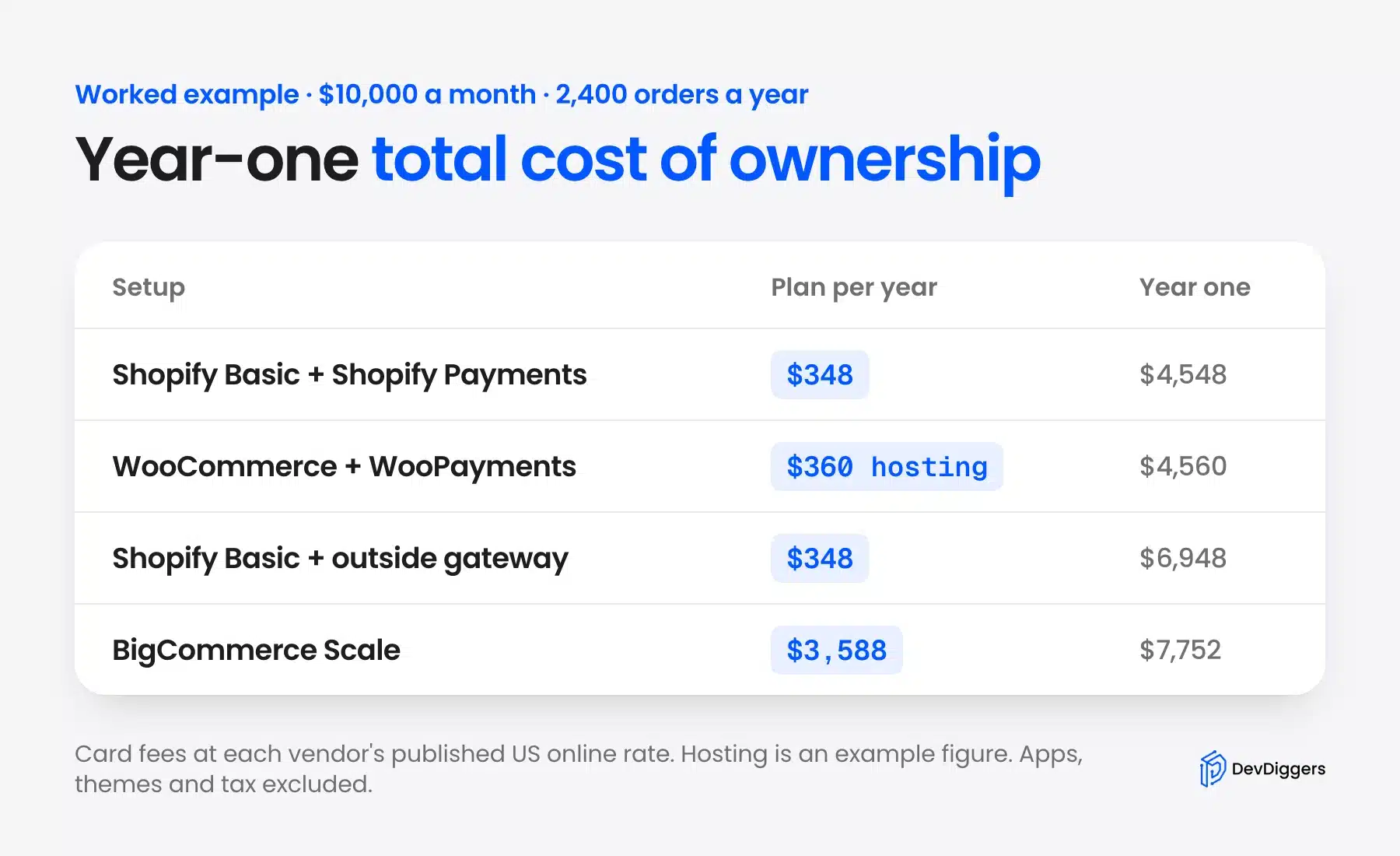
- Shopify Basic with Shopify Payments: The plan is $348 a year. Cards at 2.9% plus 30 cents cost $3,480 plus $720, so year one is $4,548.
- WooCommerce with WooPayments: The plugin is free and we assumed $30 a month of hosting, or $360. The same 2.9% plus 30 cents card fee brings year one to $4,560.
- Shopify Basic with an outside gateway: The 2% third-party fee adds $2,400 on $120,000 of sales. Year one rises to $6,948 even at the same card rate.
- BigCommerce: Its plans cap sales, and this store lands on Scale at $3,588 a year. Cards at 2.89% plus 29 cents add $4,164, for $7,752.
Hosting at $30 a month is an example figure we picked for the math. Plenty of stores pay less, and busy ones pay much more.
The takeaway is plain. On Shopify Basic and WooCommerce, card fees are over 90% of the year-one bill. So the cheapest setup is whichever one avoids extra platform fees on top of the card rate.
Step 2: Check Transaction and Card Fees
Two fees hit every sale. The card processing fee goes to the payment provider, and a platform fee may go to the platform itself. Shopify and BigCommerce both add the second one when you use a payment provider they do not run.
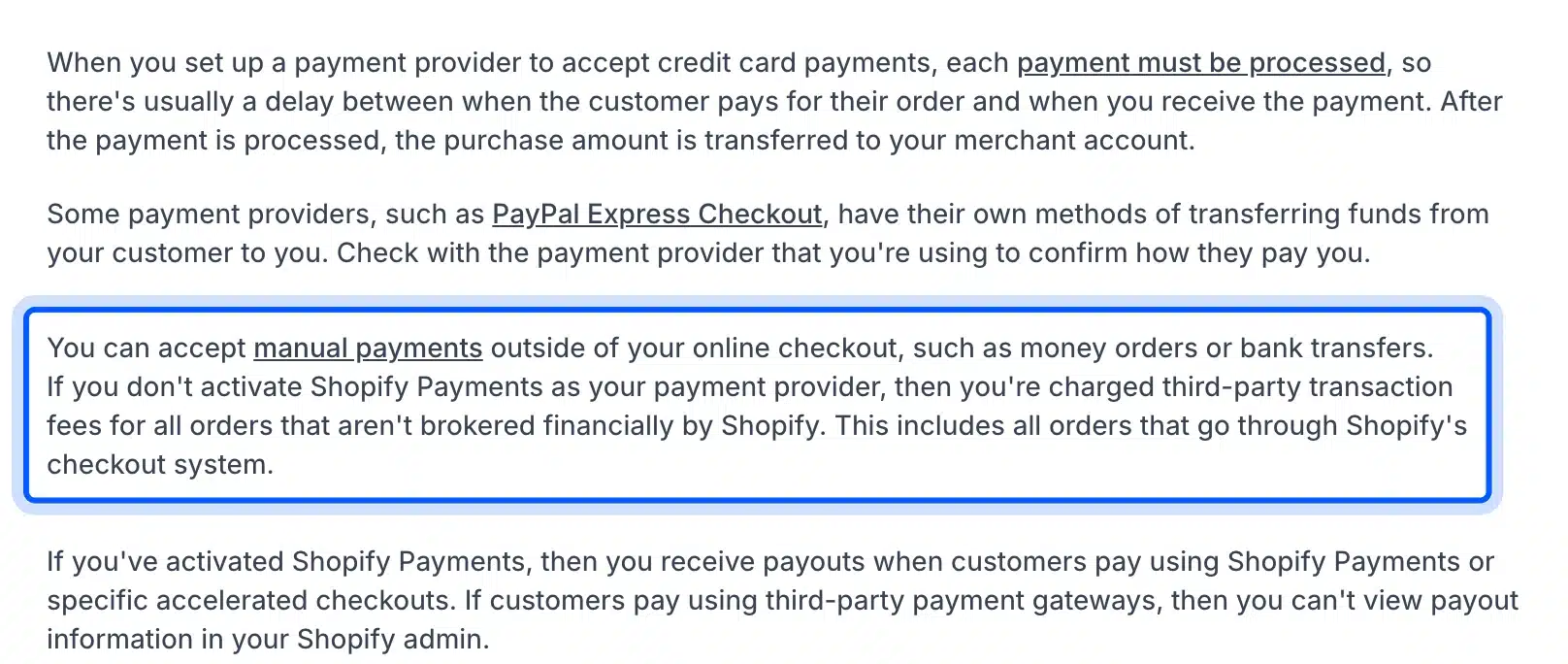
Shopify’s help center says that unless you activate Shopify Payments, you pay third-party transaction fees on every order that Shopify does not process. On the US pricing page that fee is 2% on Basic, 1% on Grow and 0.6% on Advanced.
BigCommerce works the same way under another name. Its pricing page charges an “Open Payment Provider” fee of 2% on Core, 1% on Growth and 0.6% on Scale. Embedded providers carry no platform fee.
WooCommerce charges no platform fee at all. You pay only the gateway, and you can switch gateways whenever another one offers a better rate.
Payment options matter as much as the rate. Buyers abandon carts when their usual wallet or buy now, pay later option is missing. List the methods your customers expect, then check each platform supports them without the extra fee.
Watch the add-ons on the card rate too. WooPayments adds 1.50% for cards issued outside the US and 1.00% for currency conversion. A store with many overseas buyers should price those into the TCO from step 1.
Ask one question for every platform on your list. If my preferred gateway is not the built-in one, what percentage gets added to each sale?
Step 3: Decide How Much of the Store You Need to Own
Ownership decides what happens when you outgrow a platform or disagree with it. On a hosted platform you rent the software and keep a copy of your data. On a self-hosted platform you own the code, the database and the server it runs on.
The test is the exit cost: how much of the store comes with you if you leave. Products, customers and orders export as CSV files on almost every platform. Themes, apps, custom checkout logic and URL history usually stay behind.
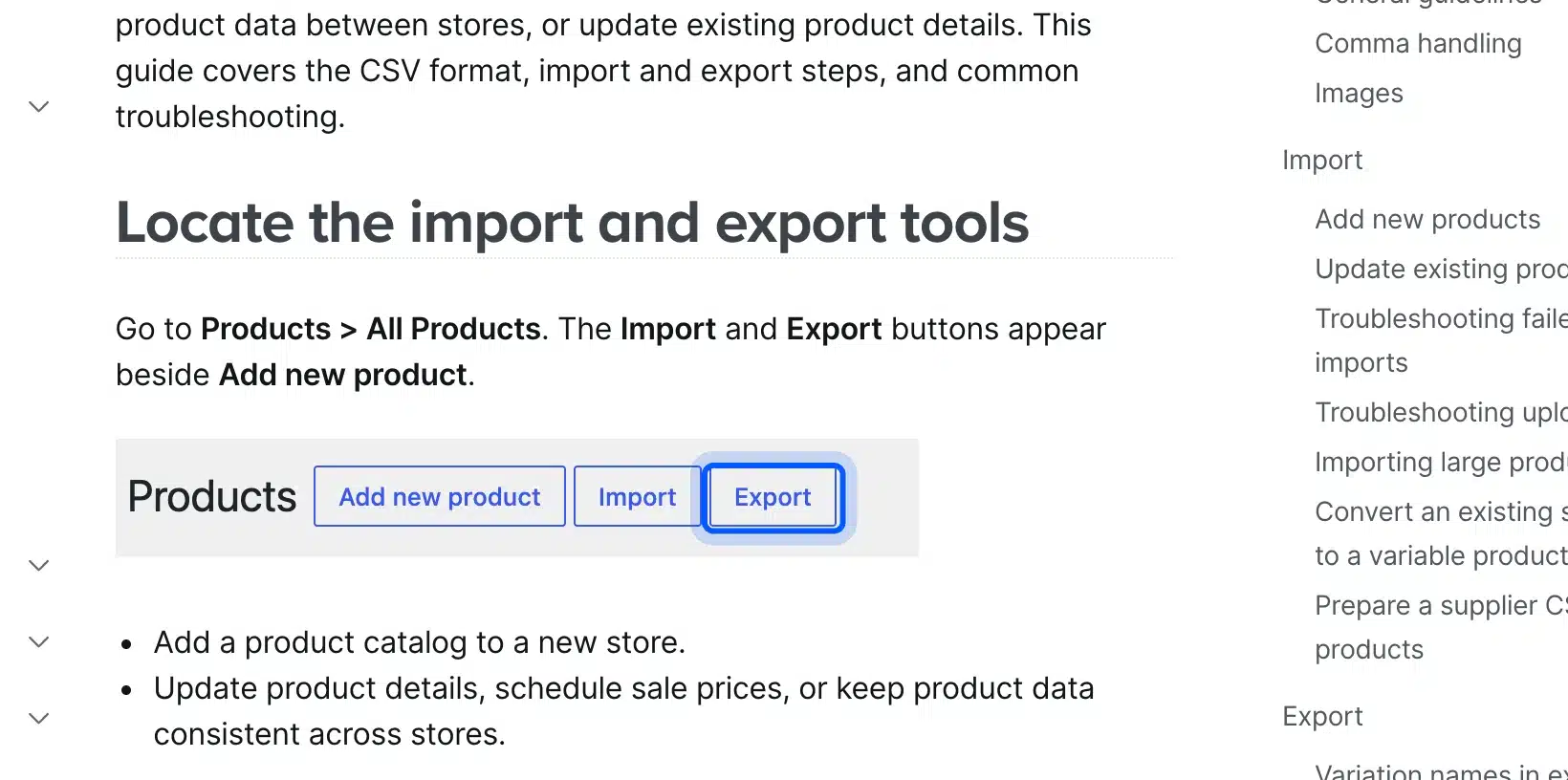
WooCommerce keeps the export inside your own admin. Its docs show the Import and Export buttons under Products and All Products, next to Add new product.
A full WooCommerce exit goes further than a CSV. You can copy the whole database and files to any host, and the store runs the same. No hosted platform can match that.
Lock-in is not always bad. Many owners happily trade ownership for not having to think about servers. Just make that trade knowingly, because the exit cost only shows up years later.
Step 4: Check Extensions and Developer Availability
Every store eventually needs something the platform does not do out of the box. So the size of the extension library and the pool of developers who know the platform both matter. A small pool means higher rates and slower fixes.
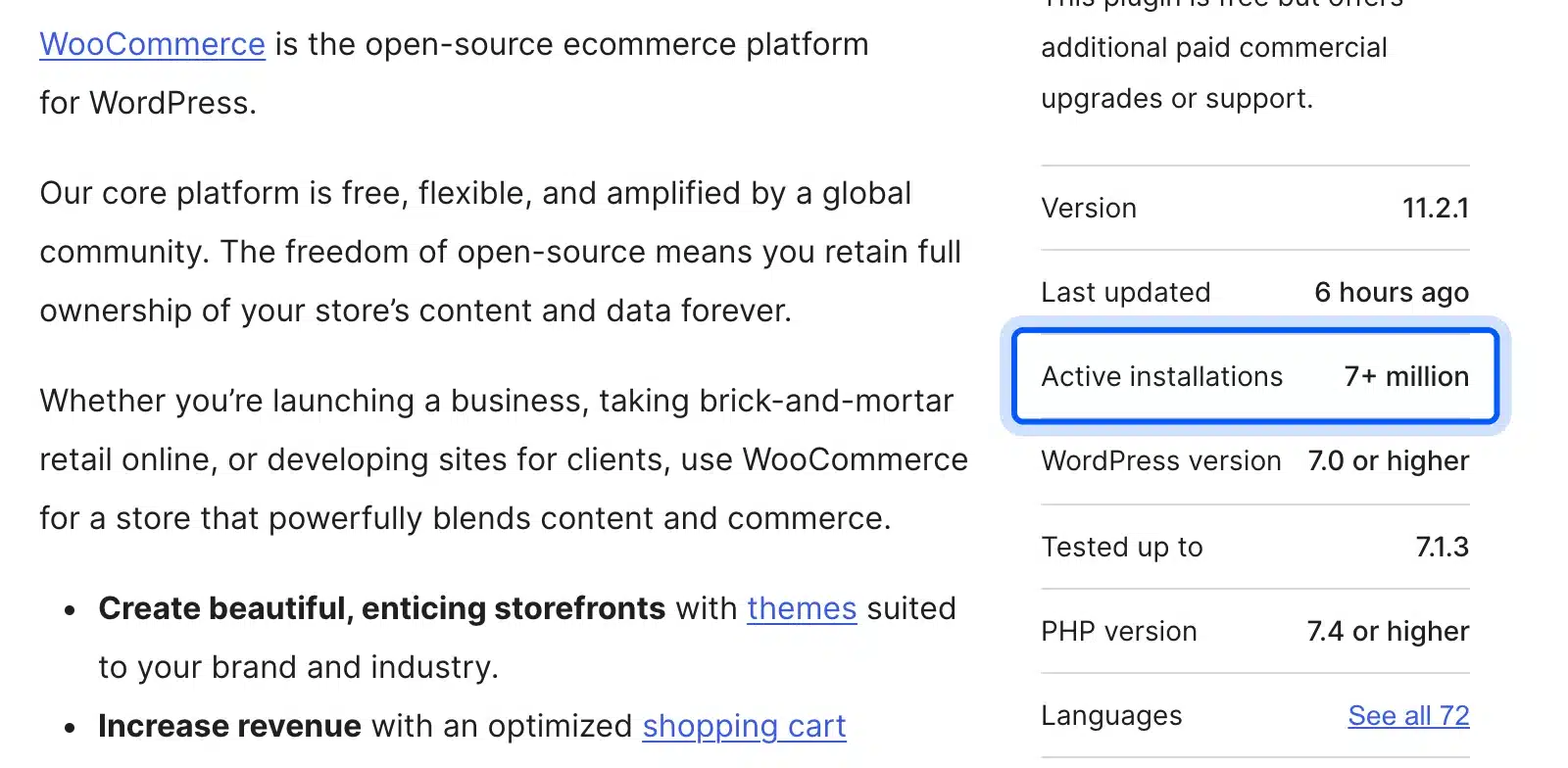
WooCommerce runs on WordPress, so any WordPress developer can work on it. Its WordPress.org listing showed version 11.2.0, 7+ million active installations and WordPress 7.0 or higher as the requirement on October 9, 2026.
Shopify’s pricing page promotes the size of its App Store. Apps there are usually monthly subscriptions, so five apps at $10 to $30 each can add $600 to $1,800 a year to your TCO.
Developer availability is the other half. WordPress and Shopify skills are common in freelance markets. Magento needs developers who know its own architecture, so check local rates before you commit.
Before you commit, list the three features you will need in year two. Then search the extension store for each one and note its yearly price.
Step 5: Check Which Platform Gives You the Most SEO Control
Which eCommerce platform is best for SEO? The one that lets you control URLs, redirects, robots.txt, structured data and page speed without workarounds. WooCommerce gives you all of them, and Shopify gives you most.
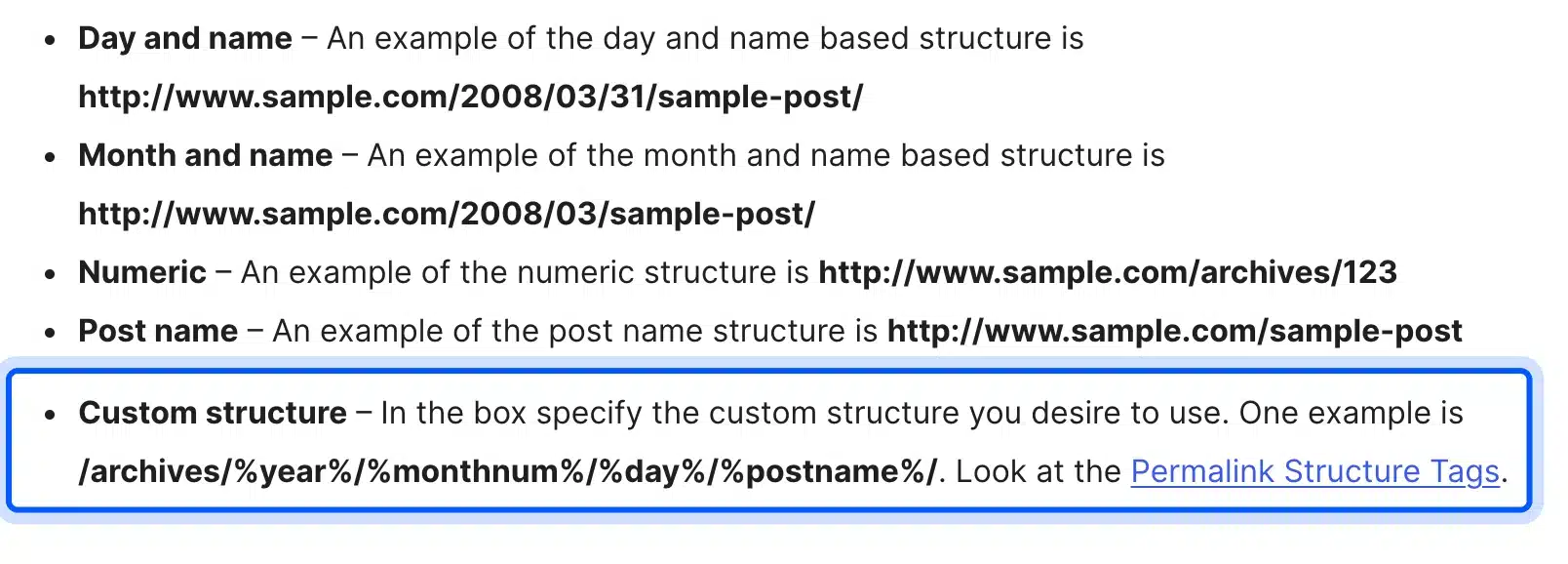
URL structure is where they differ most. WordPress lets you set any permalink structure from Settings and Permalinks, including custom bases for categories.
Shopify fixes its paths. Product URLs always start with /products/ and collections with /collections/, and the redirect tool cannot change those prefixes. Shopify does let you edit robots.txt through a robots.txt.liquid theme template.
For most stores fixed paths are a minor cost that does not hurt rankings. They matter more when you migrate a big store with years of indexed URLs, since every old path needs its own redirect.
Page speed matters more than URL shape. Hosted platforms handle the server side for you.
On WooCommerce speed depends on your host and plugins, which is both a risk and a lever. Our WooCommerce SEO guide covers the on-page settings once you have picked.
Step 6: Match Your B2B and Multi-Currency Needs
B2B buyers need company accounts, net payment terms, price lists per customer and bulk ordering. Multi-currency stores need local prices and checkout in the buyer’s currency. Check both against each platform’s own docs, because B2B features moved down the plan tiers in 2026.
Shopify’s changelog dated April 2, 2026 says Basic, Grow and Advanced can now sell wholesale with native B2B features. That covers up to 3 active B2B catalogs, company profiles, payment terms and volume pricing.
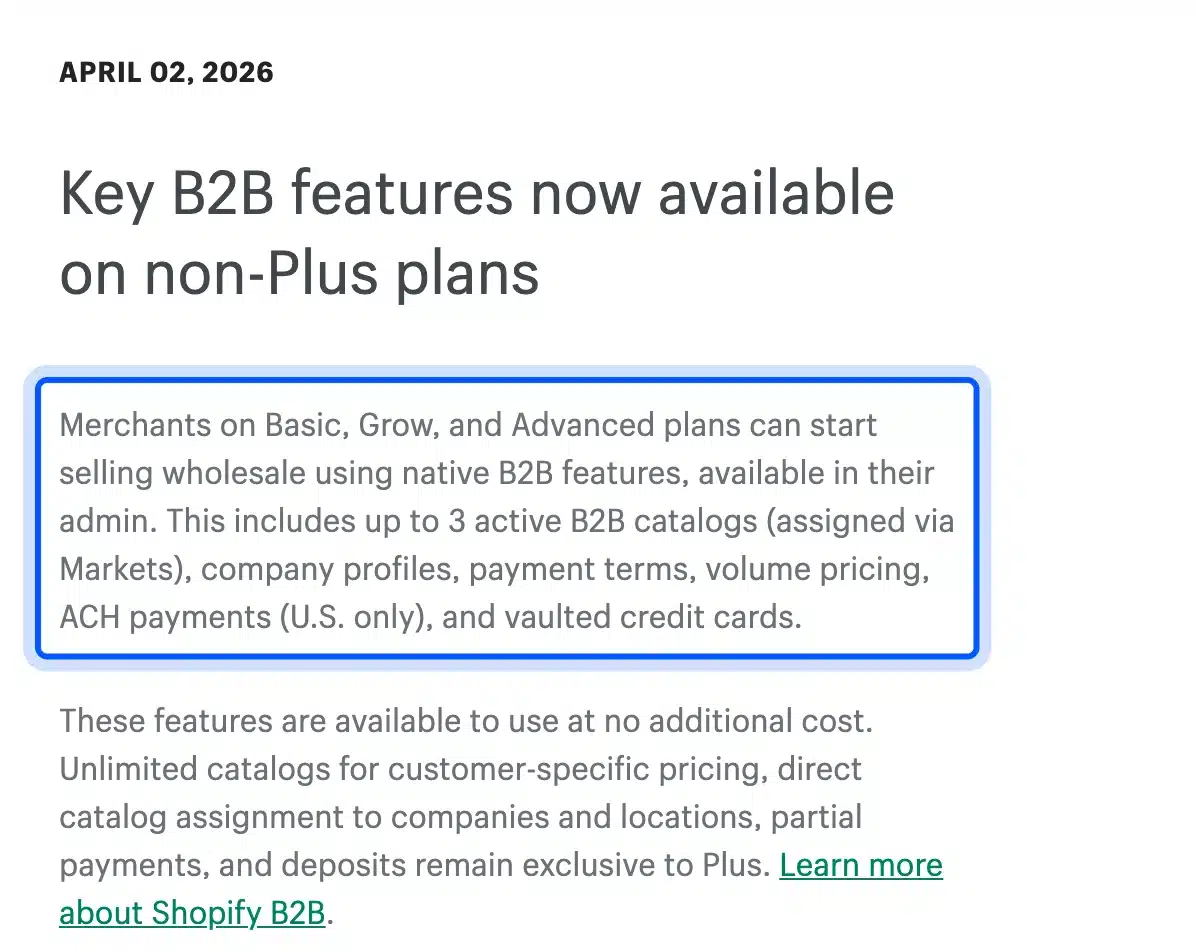
The same post keeps unlimited catalogs, deposits and partial payments for Plus only. So a wholesaler with more than three price tiers still faces the $2,300 a month plan.
BigCommerce runs dedicated B2B and wholesale solution pages and sells itself to B2B sellers on SaaS. WooCommerce handles B2B through extensions, which costs less but puts setup work on you.
For currency, test the real checkout before you trust the marketing page. Add a product to the cart from a VPN in the target country and see what the buyer pays.
Step 7: Plan the Migration and the Exit Cost
A platform move is the most expensive day in a store’s life. You move products, customers and orders, then rebuild the theme and redirect every old URL. Plan the exit before you sign up, because the same steps apply when you leave.
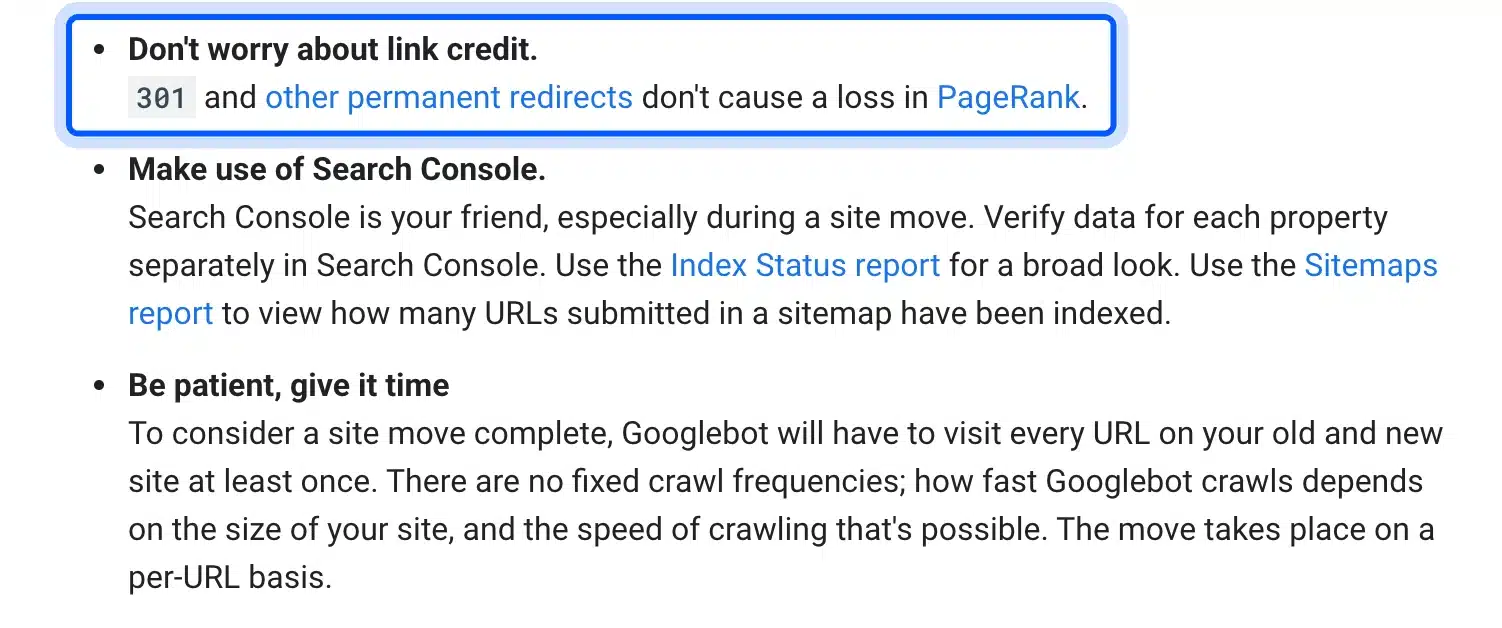
Search rankings survive a move if every old URL points to its new one. Google’s site move guide says 301 and other permanent redirects do not cause a loss in PageRank. It also warns that rankings can wobble for weeks while Google recrawls.
Order history is the part people forget. Some platforms import past orders cleanly, and others only take products and customers. Ask for a test import of 100 real orders before the full move.
Our Magento to WooCommerce migration guide walks through one real path step by step. The same checklist applies to any move between platforms.
Platform-by-Platform Verdicts
Each platform below wins for a specific store and loses for another. WooCommerce and Shopify suit most small and mid-sized stores. BigCommerce, Wix, Squarespace and Adobe Commerce each fit narrower cases, and headless setups suit teams with developers on staff.
The verdicts use the same seven checks from above. Prices and fees are the US figures we read on October 9, 2026, so check them again before you buy.
WooCommerce
WooCommerce is a free, open-source plugin that turns WordPress into a store. It suits owners who want full control of their data, design and fees, and who accept running hosting and updates. It costs the least in platform fees and the most in your time.
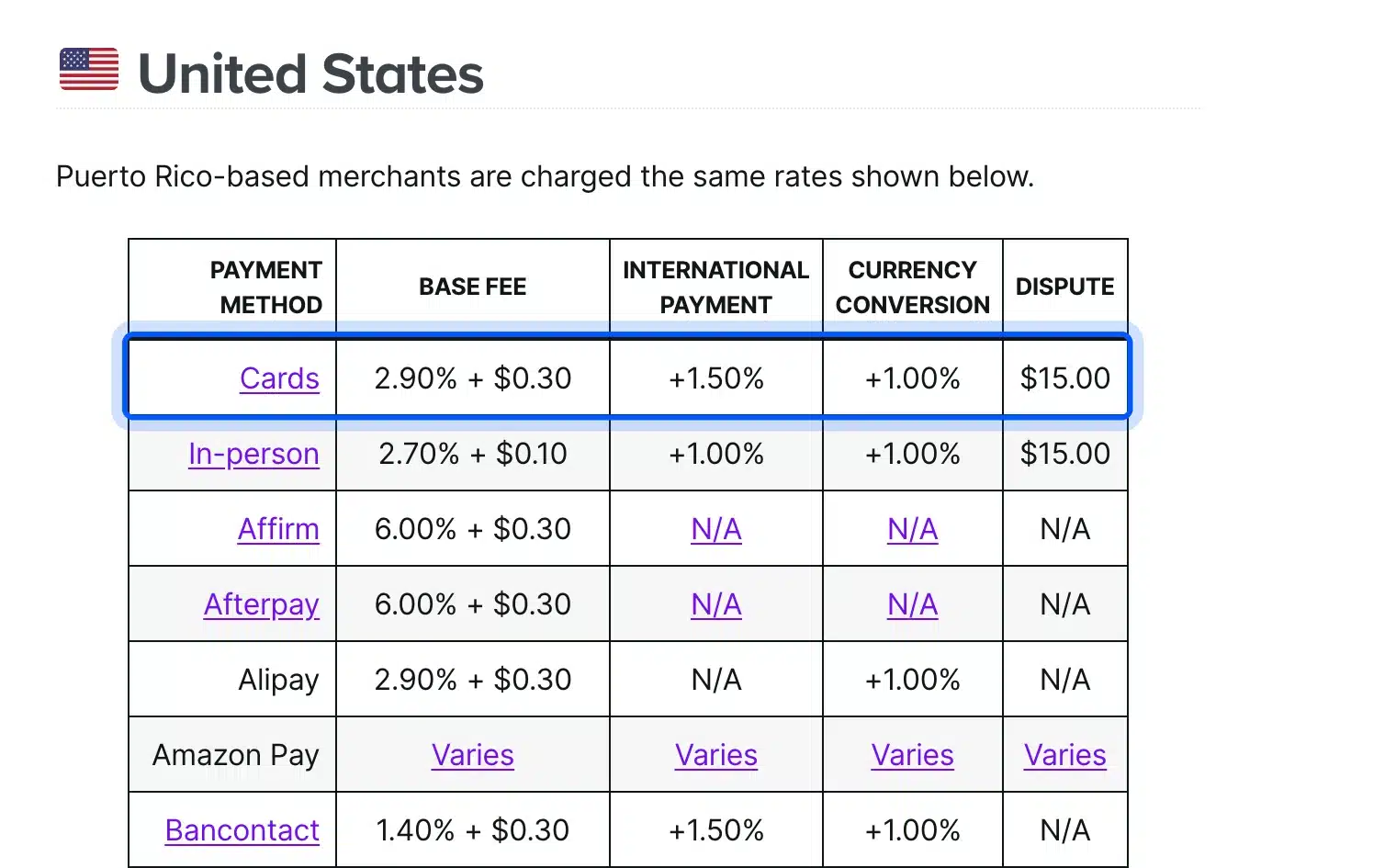
Payments run through any gateway you like. WooPayments, WooCommerce’s own option, charges 2.90% plus $0.30 per US card payment, with 1.50% added for international cards. There is no monthly fee for online payments.
- Strengths: No platform fee, full ownership, every SEO setting, and the largest pool of developers.
- Weaknesses: You handle hosting, updates, backups and security, and plugin conflicts are your problem.
- Best for: Content-led stores, WordPress sites adding a shop, and stores with unusual product rules.
If you already run WordPress, read is WordPress good for eCommerce for the honest pros and cons.
Shopify
Shopify is the default hosted pick: fast to launch, polished checkout and a huge app store. It suits owners who want to sell this week and never think about servers. Its costs come from apps, the 2% outside-gateway fee and its fixed URL rules.
Plans on the US page run from Basic at $29 a month billed yearly to Advanced at $299. Shopify Payments charges 2.9% plus 30 cents online on Basic, falling to 2.5% plus 30 cents on Advanced.
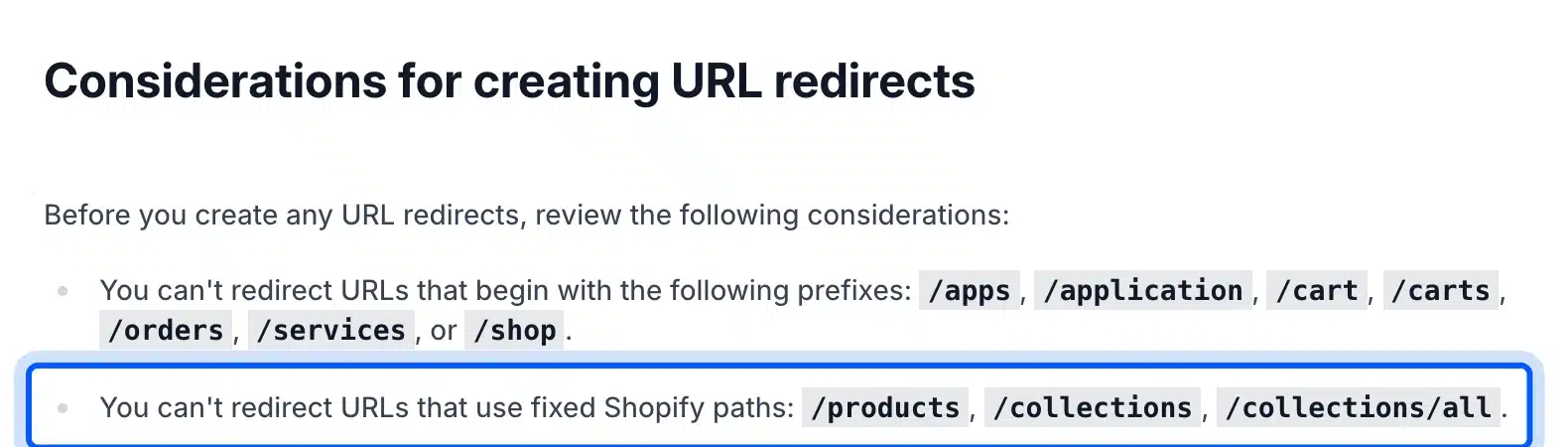
The redirect limits are worth knowing before a migration. Shopify’s URL redirect help says you cannot redirect the fixed paths /products, /collections and /collections/all. You can only redirect from URLs that are already broken.
- Strengths: Fast setup, reliable hosting, strong checkout and native B2B on every plan since April 2026.
- Weaknesses: App subscriptions add up, and you rent rather than own the store.
- Best for: New brands, dropshippers and teams with no developer.
BigCommerce
BigCommerce is a hosted platform aimed at larger catalogs and B2B sellers. Its plans carry no fee with its embedded payment providers. The catch is a sales cap on each plan, and that cap moves growing stores up the price ladder sooner than you expect.
The pricing page caps Core at $30K and Growth at $100K of trailing 12-month GMV. It defines GMV as gross order value minus 10%. Pass a cap and the plan upgrades itself.
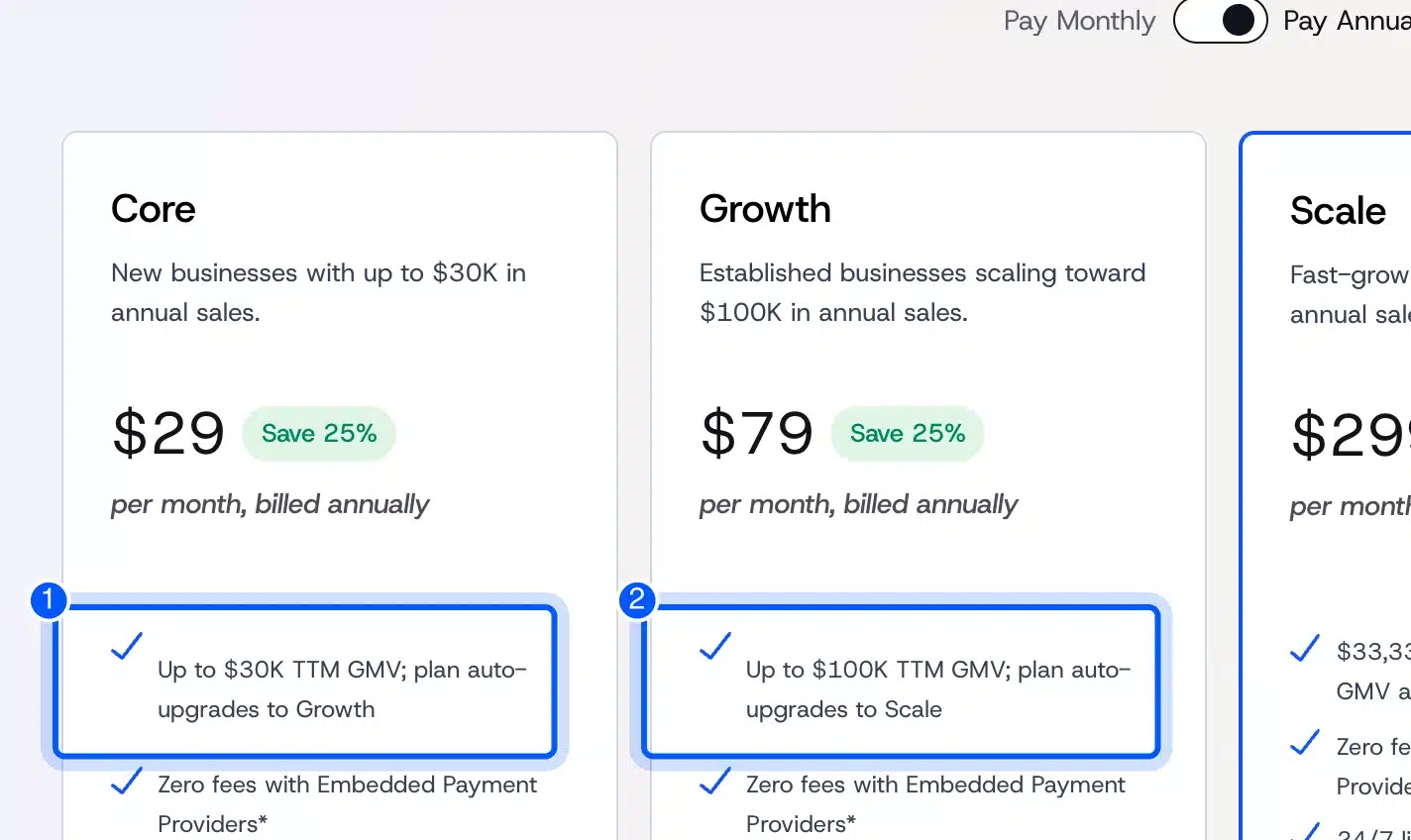
Our example store sold $120,000 in a year. After the 10% reduction that is $108,000 of GMV, which is past Growth’s $100K cap. So a store doing $10,000 a month pays for Scale at $299 a month billed yearly.
- Strengths: No embedded-provider fees, strong catalog tools and long B2B focus.
- Weaknesses: Sales caps raise the plan price as you grow, and the app choice is smaller than Shopify’s.
- Best for: Stores with large catalogs that want SaaS without Shopify’s app costs.
Wix
Wix is a website builder with a store built in. It suits small shops that care most about drag-and-drop design and already use Wix for their site. It is easy to start, but it gets harder once the catalog or the team grows.
Wix’s support article says you can set up Wix Stores for free. Before customers can place orders, though, you must upgrade to a plan that accepts payments.
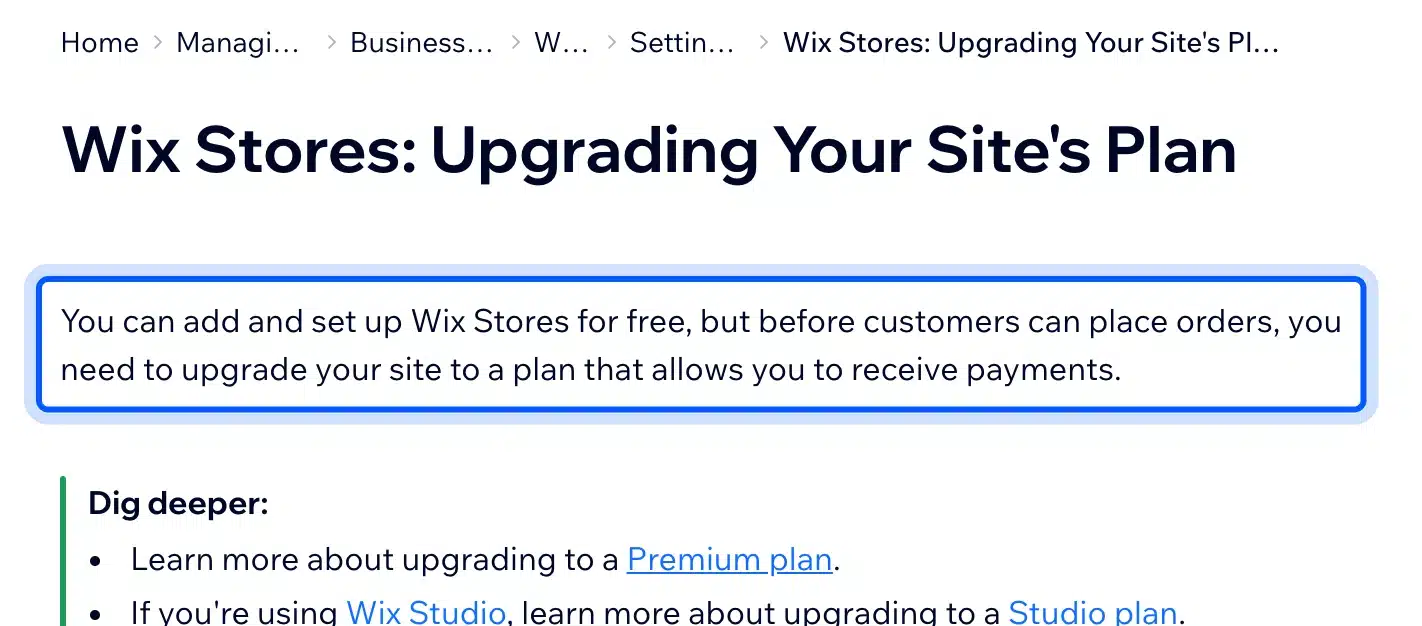
On October 9, 2026 the plans that accept payments started at Core, listed at $29.77 a month on a yearly subscription. Business and Business Elite sit above it.
- Strengths: Easy visual editor, hosting included and fast setup.
- Weaknesses: Less SEO and code control, and moving off Wix means rebuilding the site.
- Best for: Service businesses and small shops with under a few hundred products.
Squarespace
Squarespace is a design-first site builder with commerce built in. It suits shops where the look matters more than catalog depth, like artists, studios and small brands. Its cheapest plan carries a sales fee, so most real stores start one tier up.
The US pricing page lists Basic at $19 a month billed yearly with a 2% online store transaction fee. Core costs $29 a month billed yearly and drops that fee to 0%. Squarespace’s pricing page also lists 7% on Basic for digital content and memberships.
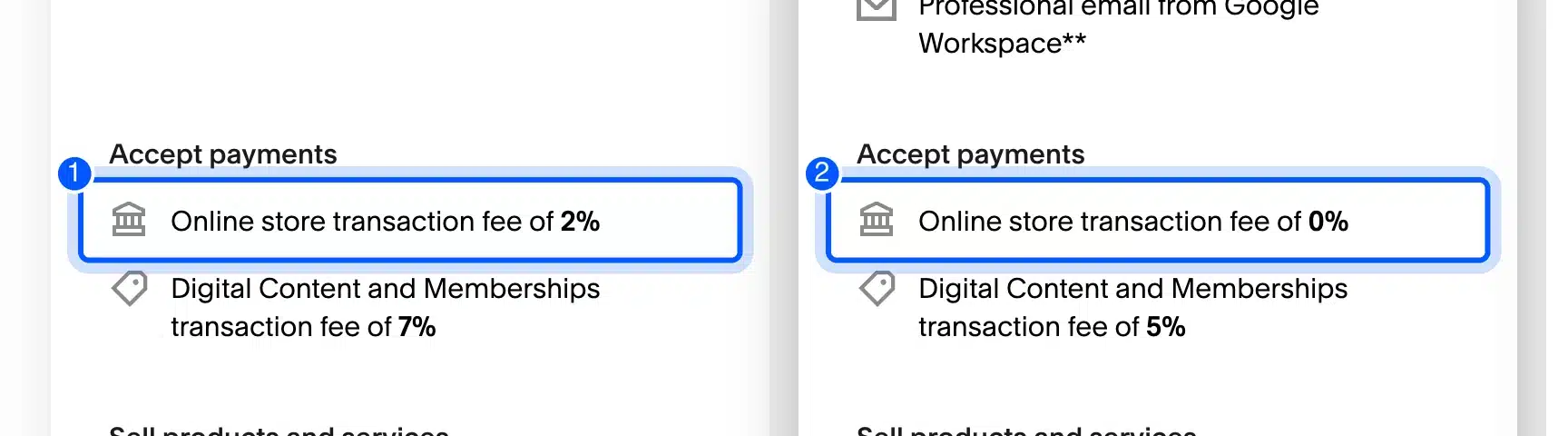
On $120,000 of sales, Basic’s 2% is $2,400 a year. Core costs $120 more per year than Basic, so Core pays for itself after about $6,000 in annual sales.
- Strengths: Polished templates and one simple bill.
- Weaknesses: Fewer extensions and limited control over checkout and SEO details.
- Best for: Creative brands with a small catalog.
Adobe Commerce and Magento Open Source
Adobe Commerce is the paid, enterprise edition of Magento, sold by quote only. Magento Open Source is the free edition you host yourself. Both suit large catalogs and complex rules, but both need experienced developers, which makes them the costliest to run.
Adobe’s Magento Open Source page pitches it at early entrepreneurs and developers who want to keep costs low. In practice the software is free and the development is not.
The Adobe Commerce pricing page shows no public price. You request a quote, and the contract covers hosting on Adobe’s cloud, support and B2B features.
- Strengths: Deep catalog, multi-store and B2B features, plus full code access.
- Weaknesses: Scarce developers, heavy hosting needs and long build times.
- Best for: Large merchants with an in-house or agency development team.
Headless Options
A headless store splits the front end from the commerce engine. A custom front end, usually built in a JavaScript framework, talks to the store through an API. It suits brands that need custom speed or design and can pay developers to maintain two systems.
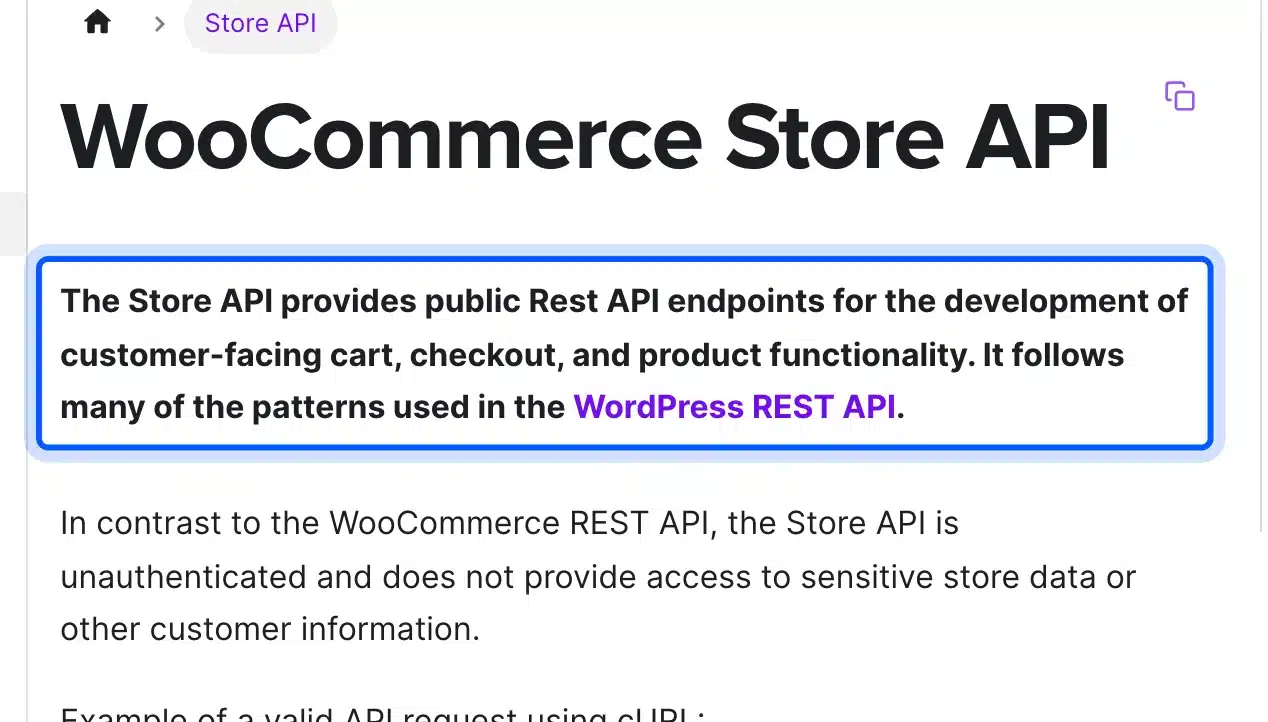
Every major platform now offers this. Shopify has its Storefront API, BigCommerce offers a headless storefront, and WooCommerce has the Store API. That API exposes public cart, checkout and product endpoints without access to private store data.
Headless doubles the moving parts. Plugins that change the front end stop working, and every feature needs custom code. For most stores a fast theme on a good host gets 90% of the benefit for a fraction of the cost.
- Strengths: Full design freedom and very fast pages when built well.
- Weaknesses: Two codebases, higher build cost and lost plug-and-play features.
- Best for: Funded brands with developers on staff.
Which Is the Best Ecommerce Platform for Your Store?
The best eCommerce platform depends on your size, skills and plans for the next three years. Shopify wins for fast, hands-off launches. WooCommerce wins when you want ownership and no platform fees, and BigCommerce wins for big catalogs on SaaS.
Here is the short version by store type:
- Brand new store, no developer: Shopify Basic with Shopify Payments, because setup takes days and fees stay at the card rate.
- WordPress site adding a shop: WooCommerce, since it plugs into the site you already run.
- Small creative shop: Squarespace Core or Wix Core, where the design tools matter more than catalog depth.
- Large catalog on SaaS: BigCommerce, after you check where your sales land against its plan caps.
- Wholesale with up to 3 price lists: Shopify on any plan, or WooCommerce with a B2B extension.
- Enterprise with custom rules: Adobe Commerce or a headless build, backed by a real development team.
Which eCommerce platform is best for small business owners in particular? Usually the one they can run alone. That points most small businesses to Shopify, or to WooCommerce if a WordPress site already exists.
If you are weighing WooCommerce against other options, our list of WooCommerce alternatives goes deeper on each rival.
When WooCommerce Is Not the Right Pick
WooCommerce is not the right pick when nobody on the team will own updates, backups and security. It is also wrong for a store that must launch this week with no WordPress experience. In both cases a hosted platform costs less in time than WooCommerce saves in fees.
We build WooCommerce plugins, so we say this plainly. The software is free, but a store is a running system that needs regular updates, backups and checks.
- No one to run updates: The WordPress.org listing showed WooCommerce last updated two days before we checked, and plugins follow their own schedules. Skipped updates leave known security holes open.
- Cheap shared hosting only: A host that slows down under load costs sales in your busiest hours. Budget for decent hosting from day one.
- Very high flash-sale traffic: Huge spikes are easier on a hosted platform that scales for you. WooCommerce can handle them, but only with planned hosting.
- A plain catalog with no special rules: If your store needs nothing custom, Shopify’s simplicity may beat WooCommerce’s flexibility.
How big can a WooCommerce store get? Further than most people think, and our guide on how many products WooCommerce can handle shows where the real limits sit.
If WooCommerce fits but you lack the hands to set it up or maintain it, that gap is what our WooCommerce development services cover. The point is to keep the ownership benefits without the weekly upkeep falling on you.
Conclusion
The best eCommerce platform is the one whose total cost and exit path still make sense after three years of growth. At $10,000 a month, card fees made up most of the bill on every platform we priced. So avoid extra platform fees first, then weigh ownership against convenience.
Shopify is the safe hosted default. WooCommerce is the pick for owners who want control and can run a website. BigCommerce, Wix, Squarespace and Adobe Commerce each fit narrower cases, and the seven steps above show which case is yours.
Recheck every price on the vendor’s page before you sign up, because these numbers change. If WordPress is already part of your plan, our WordPress vs WooCommerce comparison explains how the two fit together.
Frequently Asked Questions (FAQs)
Q1. What is the best eCommerce platform for small business?
For most small businesses it is Shopify Basic or WooCommerce. Shopify suits owners with no technical help who want to launch fast. WooCommerce suits owners who already run WordPress and want no platform fees.
Q2. Which eCommerce platform has no transaction fees?
WooCommerce charges no platform fee, and Squarespace charges none from the Core plan up. Shopify and BigCommerce add a fee only when you use an outside payment provider. Card processing fees apply on every platform.
Q3. Can I switch eCommerce platforms later?
Yes, but plan for the cost. Products and customers move by CSV on most platforms, while themes, apps and URL history usually do not. Set up 301 redirects for every old URL to keep your rankings.
Q4. Is Shopify or WooCommerce cheaper?
At $10,000 a month in sales, our worked example came out nearly even: $4,548 on Shopify Basic and $4,560 on WooCommerce with $30 hosting. Shopify gets more expensive if you use an outside gateway or many paid apps. WooCommerce gets more expensive if you pay for premium hosting and extensions.
Q5. How do you choose a B2B eCommerce platform?
List the B2B features you need: company accounts, payment terms, price lists and quote requests. Then check which plan tier includes each one. Shopify, BigCommerce and WooCommerce all support B2B, but the plan or extension required differs.
Q6. Do I need a developer to run an online store?
Not on Shopify, Wix or Squarespace, which handle hosting and updates for you. On WooCommerce a developer helps with setup, custom features and fixing plugin conflicts. Adobe Commerce and headless stores need developers on an ongoing basis.
Q7. Which is the best platform to build an eCommerce website for free?
WooCommerce and Magento Open Source are free software, though you still pay for hosting and a domain. Wix lets you build a store for free but requires a paid plan before customers can place orders. No platform runs a real store at zero cost.