

Websites made with WordPress range from personal blogs to NASA, and most types need only a theme and one or two plugins. WordPress runs about 40% of the web. The examples are easy to find.
We checked every example in this guide in October 2026. For each one we opened the public page, read the page source for WordPress and plugin files, and read the plugin’s WordPress.org listing.
Below you will find a WordPress sites list sorted by type, from blogs and stores to job boards and event sites. Each type names the plugins that do the work and a real site that uses them.
Websites Made With WordPress by the Numbers
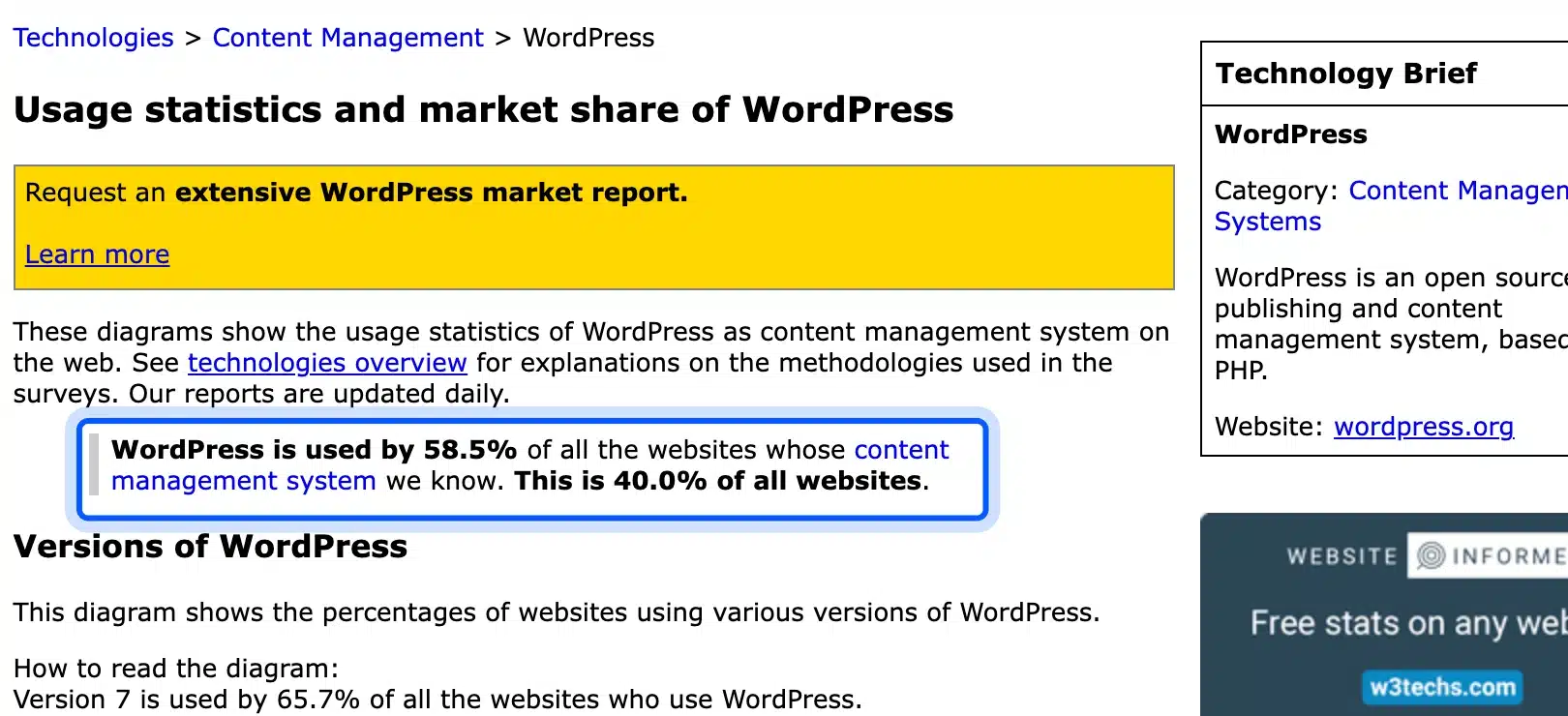
Websites made with WordPress account for 40.0% of all sites, according to W3Techs in October 2026. Among sites whose content management system W3Techs can identify, the share is 58.5%. W3Techs refreshes these figures every day. You can check the latest numbers yourself.
W3Techs updates these figures daily and breaks them down by version. Version 7 of WordPress ran 65.7% of the sites that use it at the time we checked.
A share that large explains why so many different sites exist. The same core software runs a one-person blog and a government agency, and plugins add the rest.
Famous WordPress Sites
Famous WordPress sites include Rolling Stone, NASA, The White House and Taylor Swift’s official site. The WordPress.org Showcase lists all four among its featured sites, in groups such as Creative and Community. Page source in October 2026 shows that each one still runs on WordPress.
The WordPress.org Showcase sorts featured sites into four groups: Business, Creative, Community and Publication. Its current listing includes Meta Newsroom, Disney Connect, Daily Kos, The Atavist Magazine, Noma and The Noguchi Museum.
These are examples of WordPress websites that millions of people visit. You do not need a famous brand to build the same kind of site. The sections below show which plugins sit behind each type. You can copy the setup at any size.
Blog and Publishing Websites
Blog and publishing sites are where WordPress started, and they need no plugins at all to begin. WordPress ships with posts, categories, comments and feeds out of the box. A theme sets the design, and an SEO plugin helps readers find the site.
Blog or Personal Website
A blog is a site where you publish dated posts in reverse order. It is the simplest type to build, because WordPress does it out of the box with a theme and a few settings.
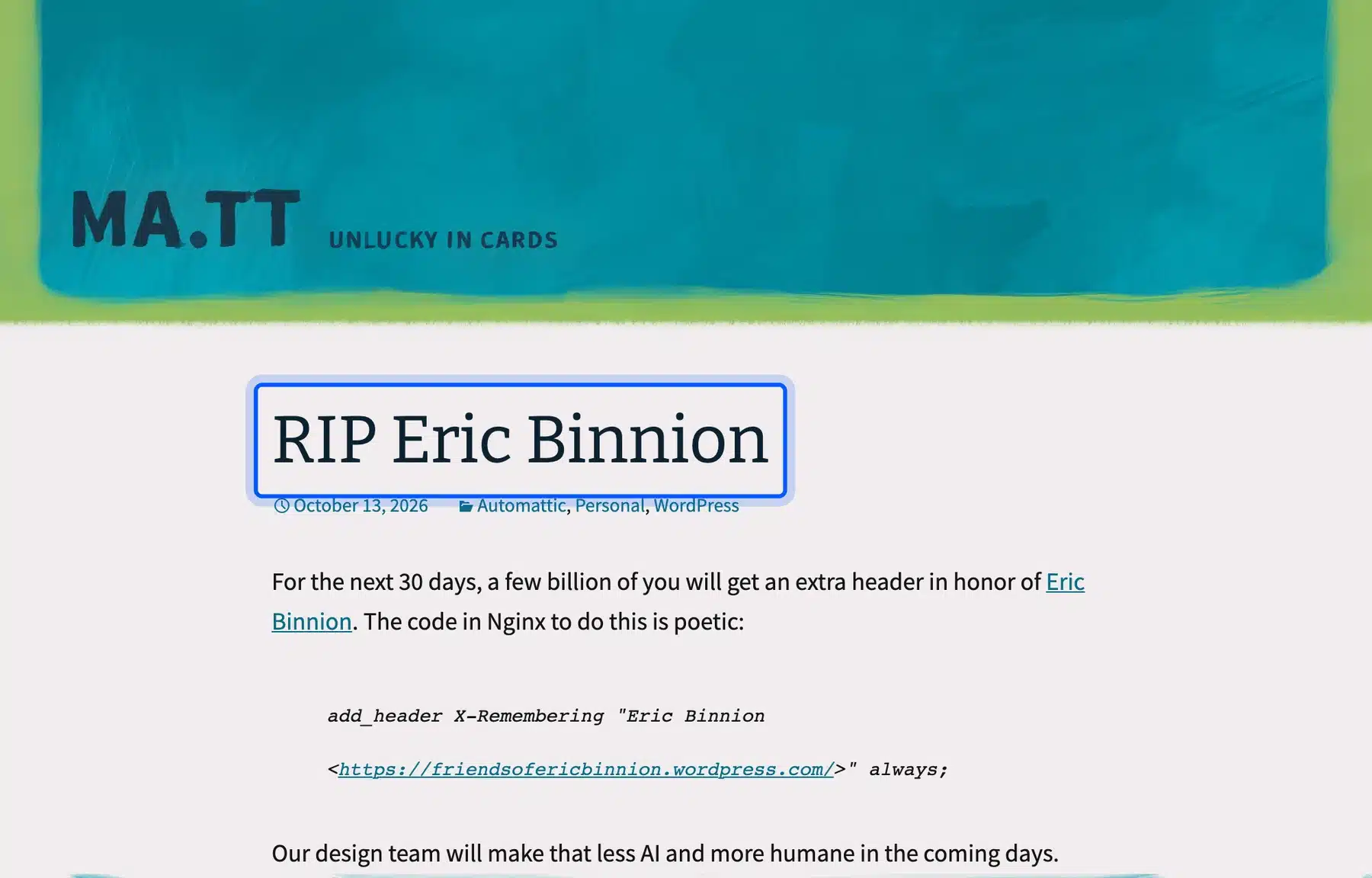
Matt Mullenweg’s personal blog at ma.tt is a plain example. Its page source names WordPress as the generator, and the home page is a feed of posts with categories and a date. Nothing on the page needs a plugin.
If you want a blog of your own, start with how to create a WordPress site from scratch. Then add one SEO plugin and one caching plugin, and write.
Two settings matter most at the start. Set your permalink structure before you publish, and decide whether comments are open. Both live under Settings in the WordPress admin.
News or Magazine Website
A news or magazine site publishes many articles a day across sections such as music, politics and culture. It needs fast archives, author pages and a way to manage a large editorial team.
Rolling Stone runs on WordPress, and the WordPress.org Showcase lists it under Publication. Its page source loads a theme named vip, which suggests the WordPress VIP platform.
For a smaller magazine, a good theme, a caching plugin and the built-in roles for authors and editors cover most needs. Read our guide to speeding up a slow WordPress site before you grow the archive.
Plan your sections as categories and give each writer a user account. WordPress has built-in Author and Editor roles for this. A team can publish without sharing one login.

Online Store and Marketplace Websites
Online stores are the second big use of WordPress, and WooCommerce does most of the work. Its core features cover products, orders, tax, shipping and checkout from the first day. It had more than 7 million active installations on WordPress.org in October 2026.
Online Store
An online store sells physical or digital products with a cart, checkout and payment gateways. WooCommerce handles products, orders, tax and shipping, and your theme controls the look.
Nalgene sells water bottles on WooCommerce. The WooCommerce.com showcase lists the store, and its page source loads WooCommerce files along with a variation swatches plugin. The home page leads with a product image and a Shop Now button.
To build your own, follow how to set up WooCommerce on WordPress. If you want honest numbers first, read whether WordPress is good for eCommerce.
Add a payment gateway before launch and place a test order yourself. Check tax and shipping settings with a real address so the first customer sees the right total.

Subscription Store
A subscription store charges customers on a repeat schedule for a box, a plan or a service. It needs recurring payments, renewal emails and a way for customers to pause or cancel.
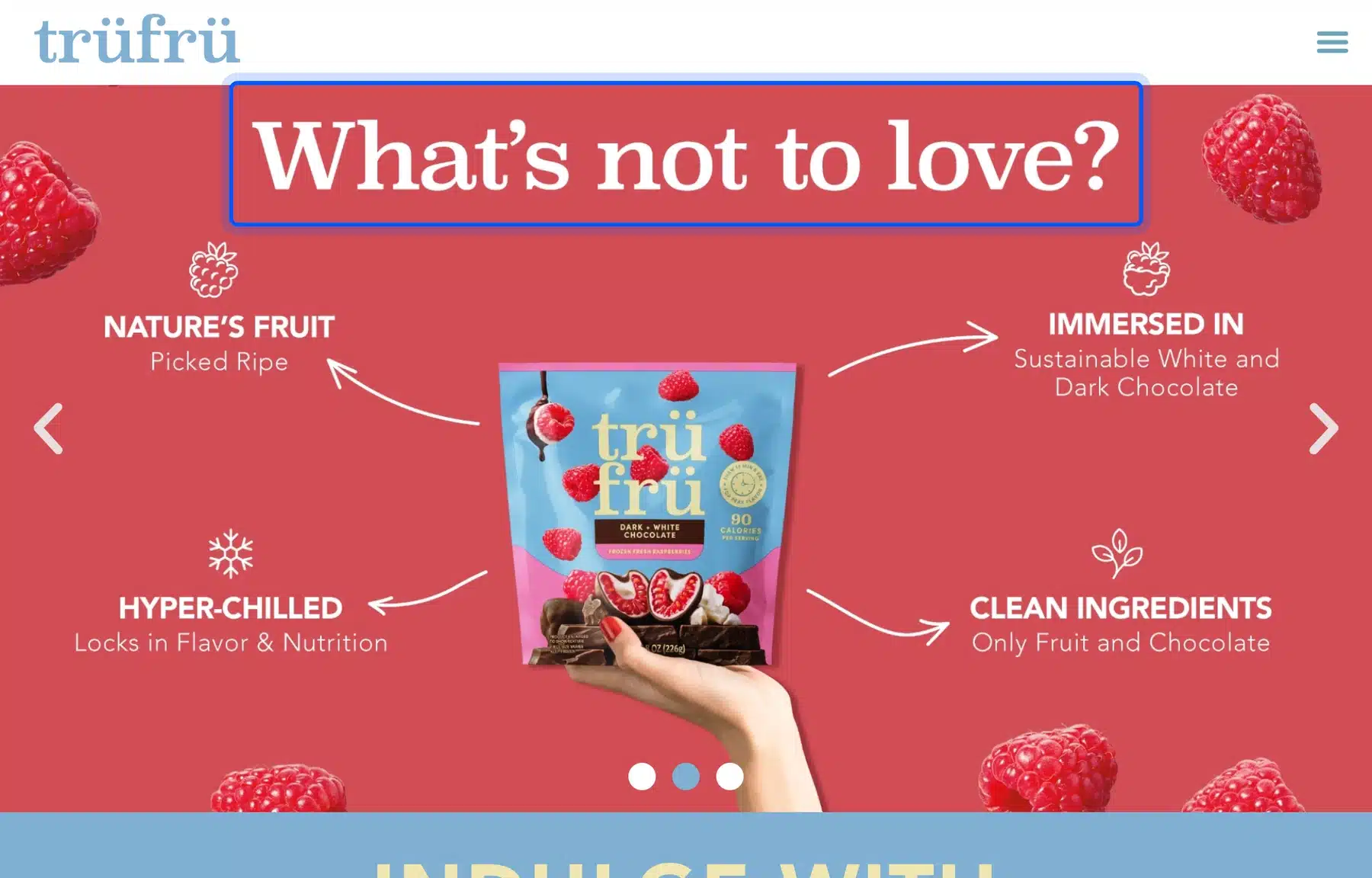
TruFru, a chocolate and fruit seller, appears in the WooCommerce.com showcase with a Subscription tag. Its page source loads WooCommerce Subscriptions files next to WooCommerce itself, which is the usual way to add renewals.
Subscriptions also suit software and licenses. Our own stores sell yearly licenses this way, and our guide to monetizing WooCommerce covers other recurring models.
Decide the billing interval and any trial rules before you build the product page. Those choices shape your checkout copy and your renewal emails.
Multi-Vendor Marketplace
A multi-vendor marketplace lets many sellers list products in one store, while you take a fee on each sale. It needs vendor sign-up, vendor dashboards and payouts.
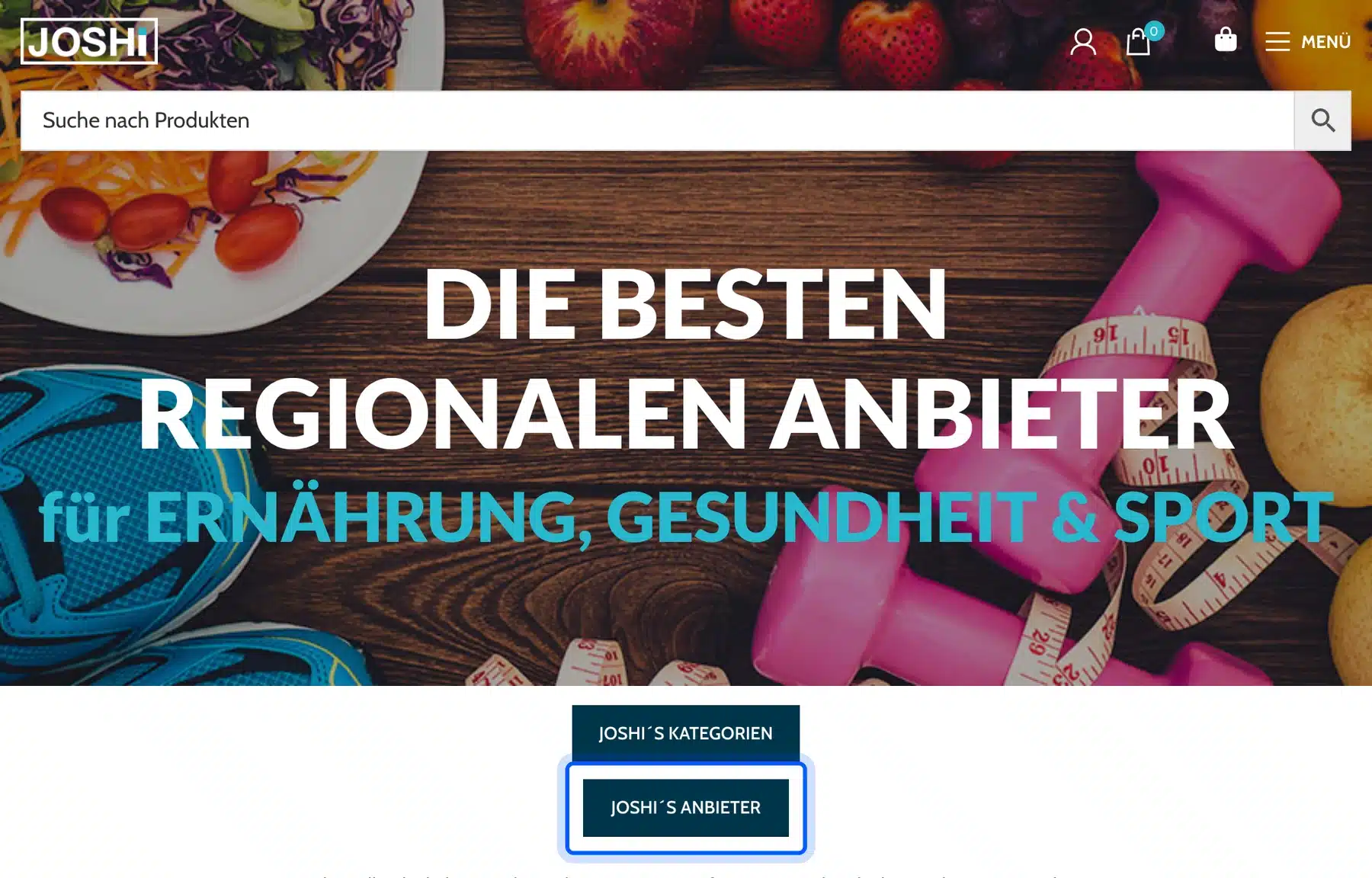
Dokan is the plugin behind JOSHi, an Austrian marketplace for health, nutrition and sports products from local vendors. Dokan’s own success story names the site, and its page source loads the dokan-lite plugin files on top of WooCommerce.
The free Dokan Lite plugin had more than 30,000 active installations in October 2026. A marketplace takes longer to launch than a normal store. Plan time for vendor rules and support.
Write your vendor rules first: the commission you take, the payout schedule and what sellers may list. Vendors ask about these on day one.
Membership, Course and Community Websites
Membership, course and community sites sell access instead of products. They need user accounts, paid levels and protected content. WordPress handles accounts natively. Plugins add billing, lessons and forums, and each type below pairs one with a live example.
Membership Website
A membership website charges people for access to content, tools or a community. The plugin gates pages by level and takes recurring payments.
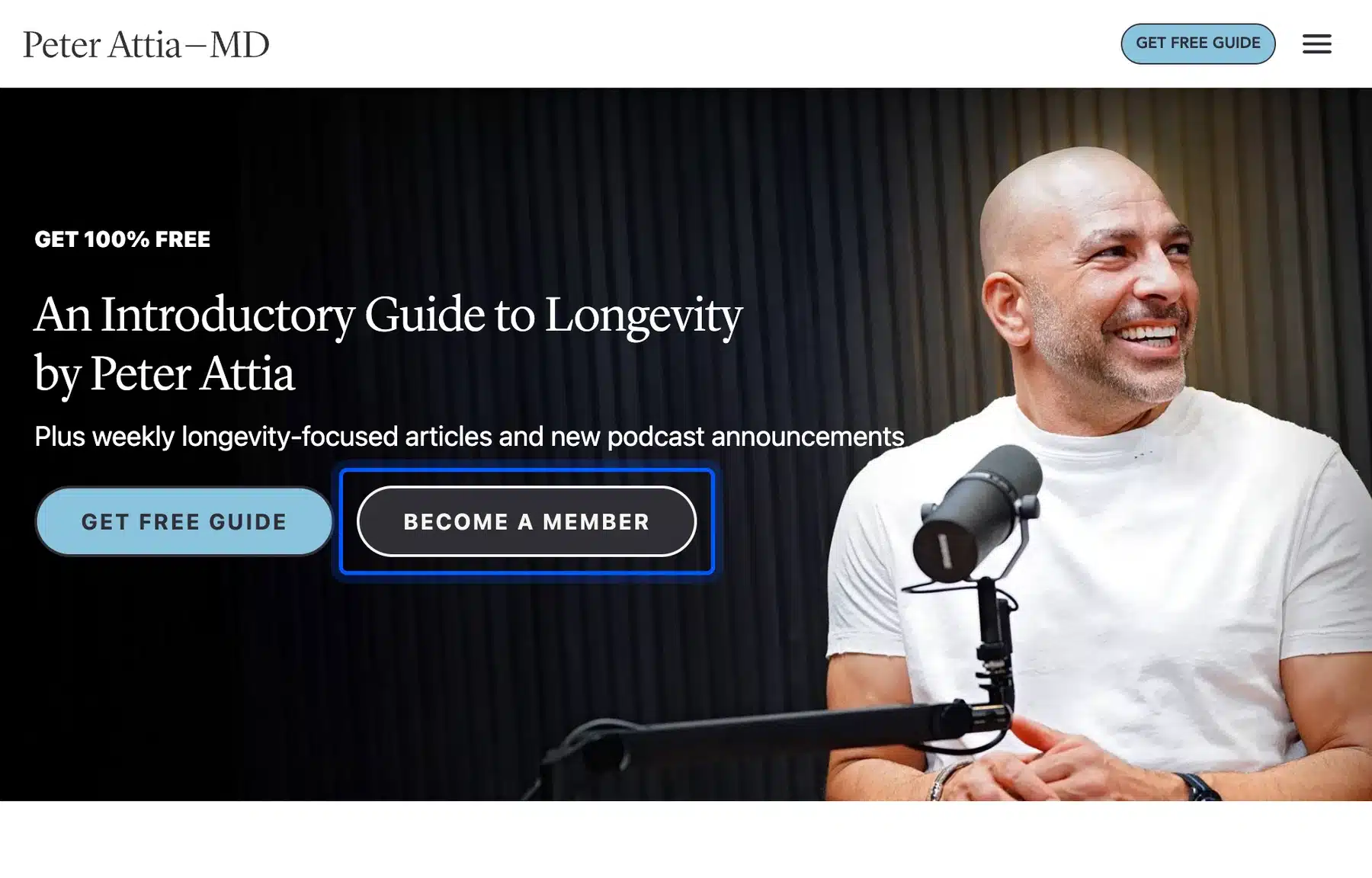
Peter Attia’s site shows the pattern. Its home page offers a free guide and a Become a Member button, and its page source loads MemberPress files. MemberPress also lists the site in its own gallery of membership examples.
Plan the free layer too. A free guide gives visitors a reason to sign up before they pay.
Test the sign-up and cancel flow yourself in a private browser window before you invite anyone. A confusing cancel step costs more trust than a missing feature.
Online Course Website
An online course site hosts lessons, quizzes and progress tracking, and it sells courses one by one or as part of a membership. A learning management plugin builds the lessons.
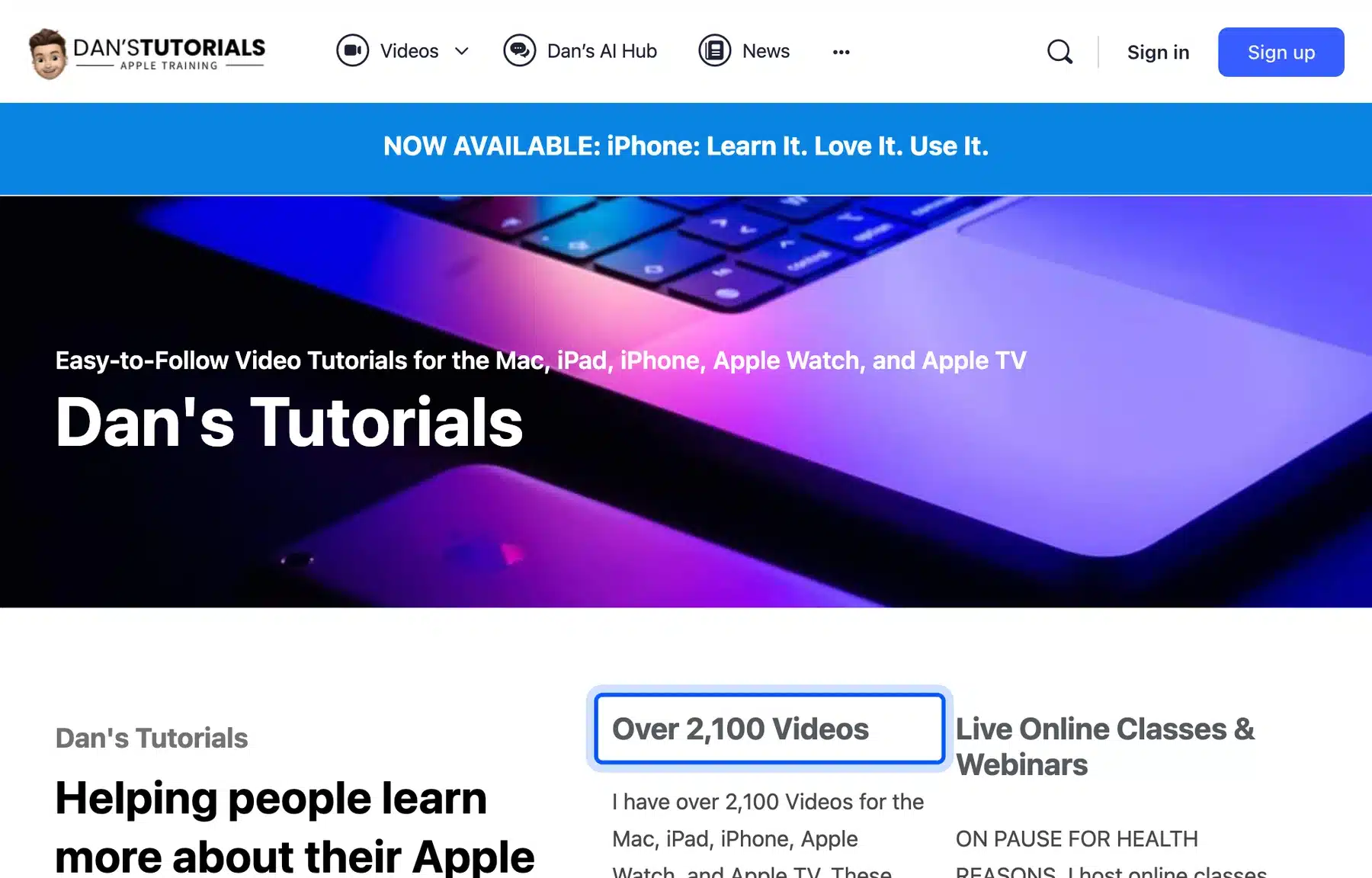
Dan’s Tutorials teaches Apple devices with video lessons and live classes. Its page source loads files from LearnDash, MemberPress and BuddyBoss, three plugins that handle courses, billing and community.
You can also try free options. Tutor LMS had more than 100,000 active installations, and LifterLMS had more than 10,000, on WordPress.org in October 2026.
Break each course into short lessons, and end each module with a quiz so learners get feedback. Short lessons are also easier to update later.
Forum or Community Website
A forum or community site lets members post, reply and message each other. bbPress adds forums to WordPress, and BuddyPress adds member profiles and groups.
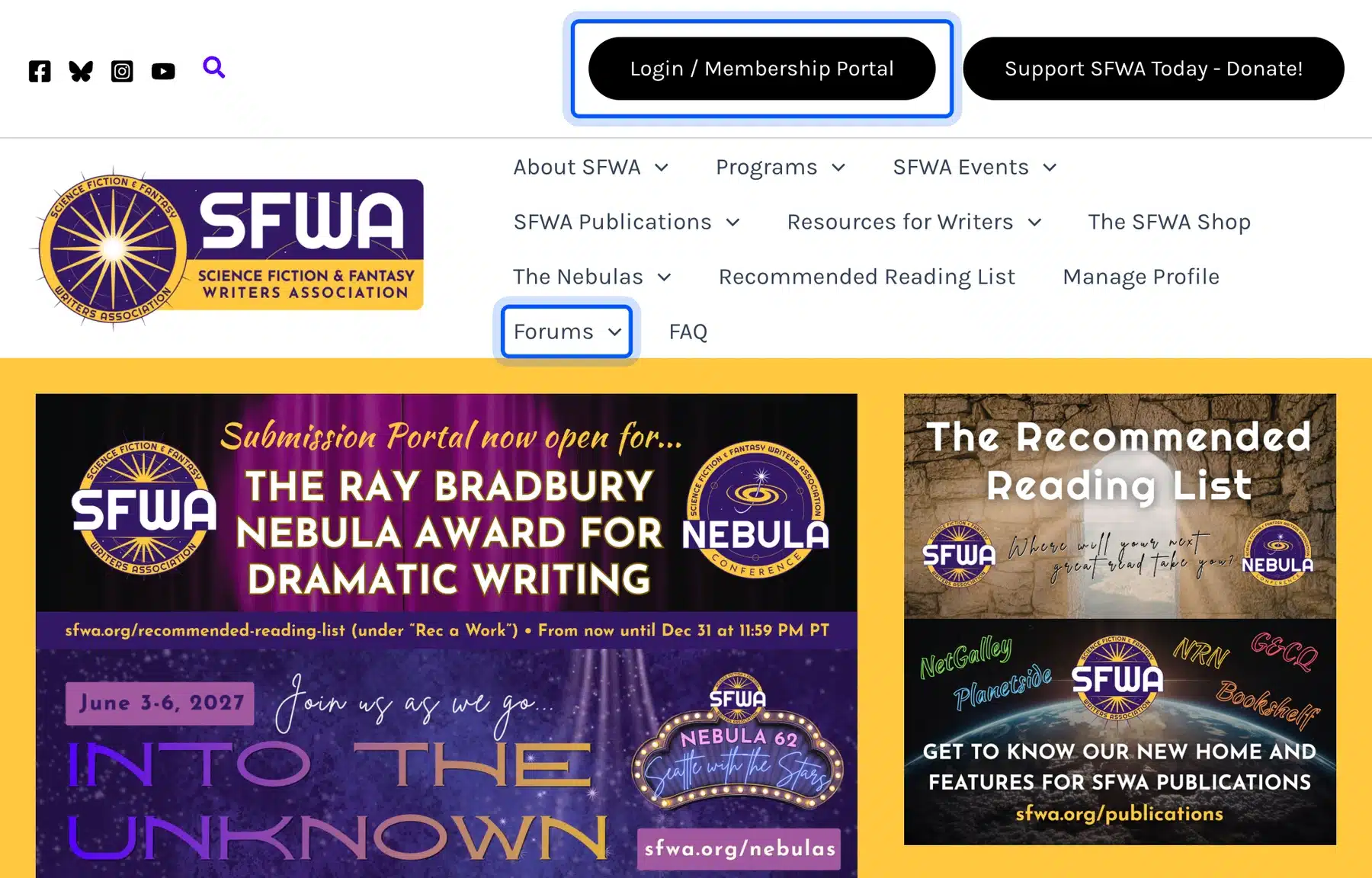
The Science Fiction and Fantasy Writers Association offers a membership portal and a forums section. Its page source loads bbPress and MemberPress files. Membership and discussion share one WordPress install.
bbPress had more than 100,000 active installations and BuddyPress more than 90,000 on WordPress.org in October 2026. Both are free, and their official sites, bbpress.org and buddypress.org, run on WordPress too.
Set moderation rules and user roles before you open registration, because open sign-ups invite spam. A short code of conduct pinned at the top of the forum helps.
Business and Brand Websites
Business and brand sites present a company, a person or a body of work, and they rarely need heavy plugins. They need a clear message, fast pages and a way to capture leads. A theme, a form plugin and a good host cover the basics.
Business Website
A business website explains what you sell, shows proof and gives visitors a clear next step. A contact form and a demo or quote request do most of the work.
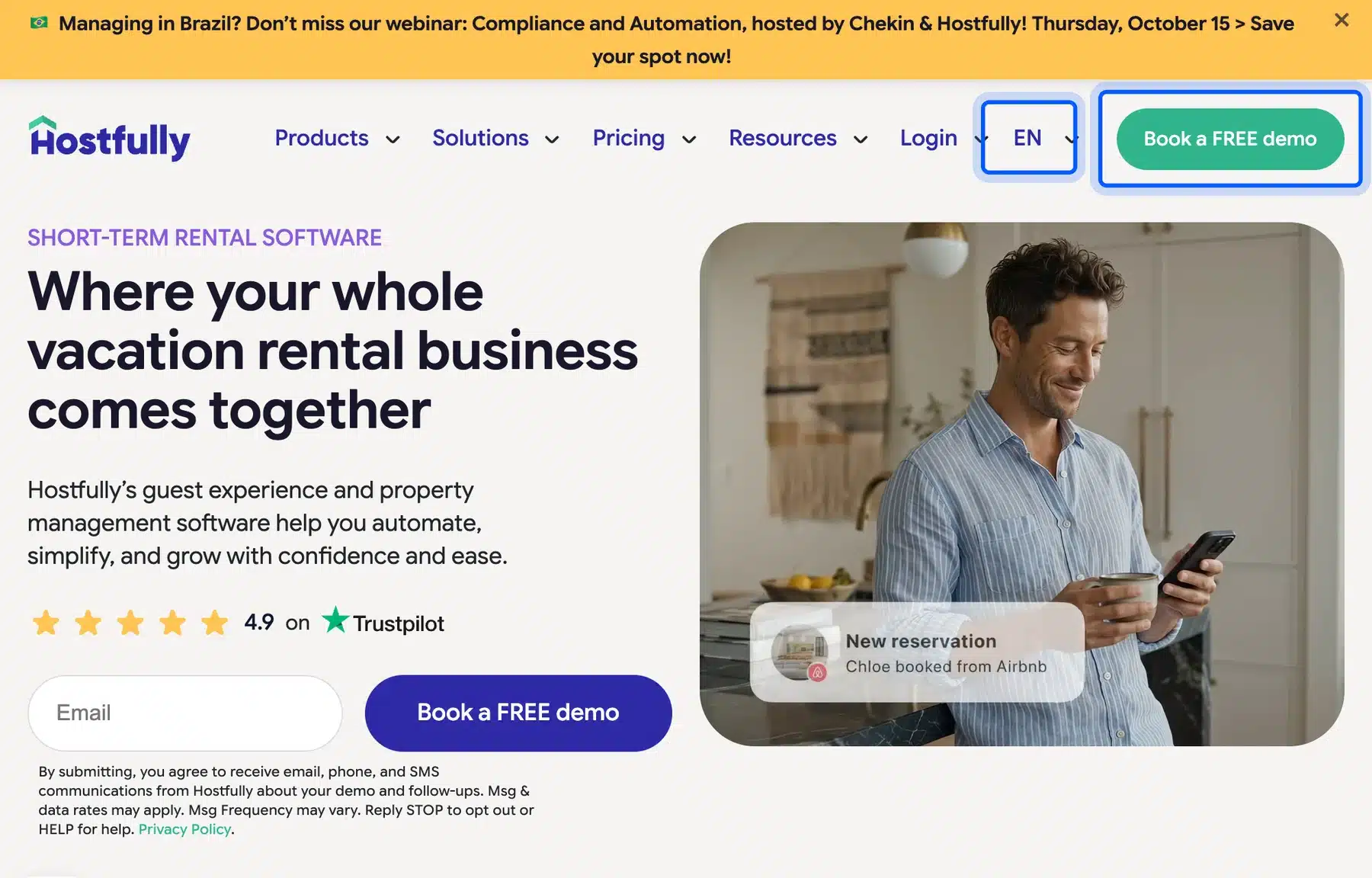
Hostfully, a vacation rental software company, runs its marketing site on WordPress. Its page source loads Elementor Pro and the Hello Elementor child theme. The home page leads with one headline and a Book a FREE demo button.
The same page source loads the WPML translation plugin, and the header carries an EN language selector. That is how a business site serves several markets from one install.
WPML is paid, and Polylang is a free option with more than 900,000 active installations. Our guide to creating a multilingual WordPress site compares the approaches.
For service businesses, our WordPress development services page explains what a custom build includes. For a first site, a theme and a form plugin are enough.
Keep one clear next step on every page. A demo or quote button works better than five competing links.
Organization and Community Resource Websites
Organizations use WordPress for sites that non-developers must edit every day. Government agencies, documentation teams, job boards and event organizers all do this. The examples below show what each one loads, and which plugins you can use to copy it.
Government or Agency Website
A government or agency site publishes news, media and public information at a large scale. It needs accessibility, editor workflows and strong security.
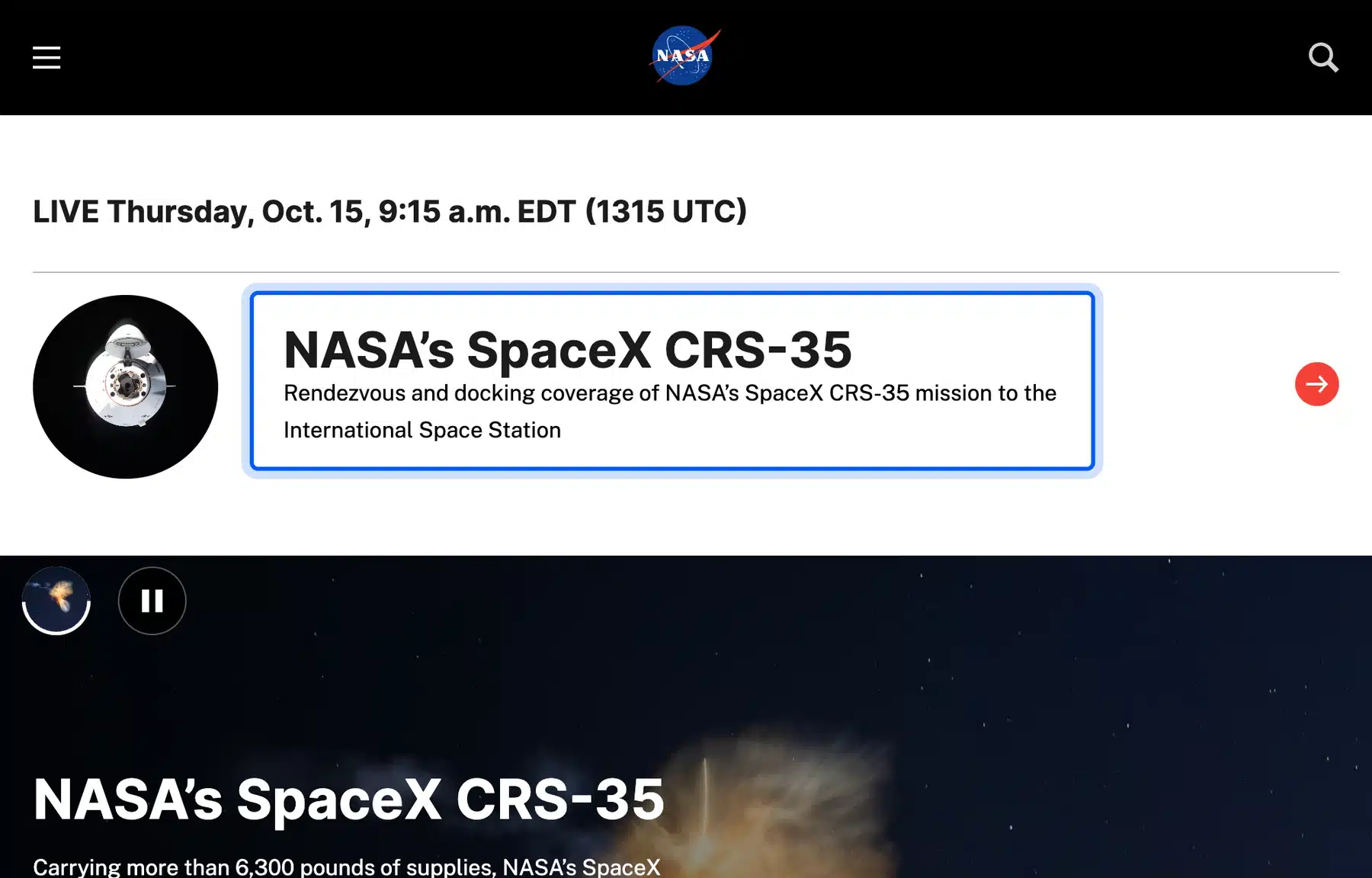
NASA runs nasa.gov on WordPress, and the WordPress.org Showcase lists it under Community. Its page source loads Gravity Forms and an accessibility checker plugin, which fits a site that serves a public audience.
The White House site also runs on WordPress, and its page source shows the whitehouse theme. Both sites show that WordPress scales to heavy traffic with the right hosting.
Accessibility and editor workflow come first on a site like this. Give editors roles that cannot change settings, and keep administrator accounts to a minimum.
Documentation or Knowledge Base
A documentation site holds guides, references and manuals that many people read and search. It needs clear navigation, search and versioned pages.
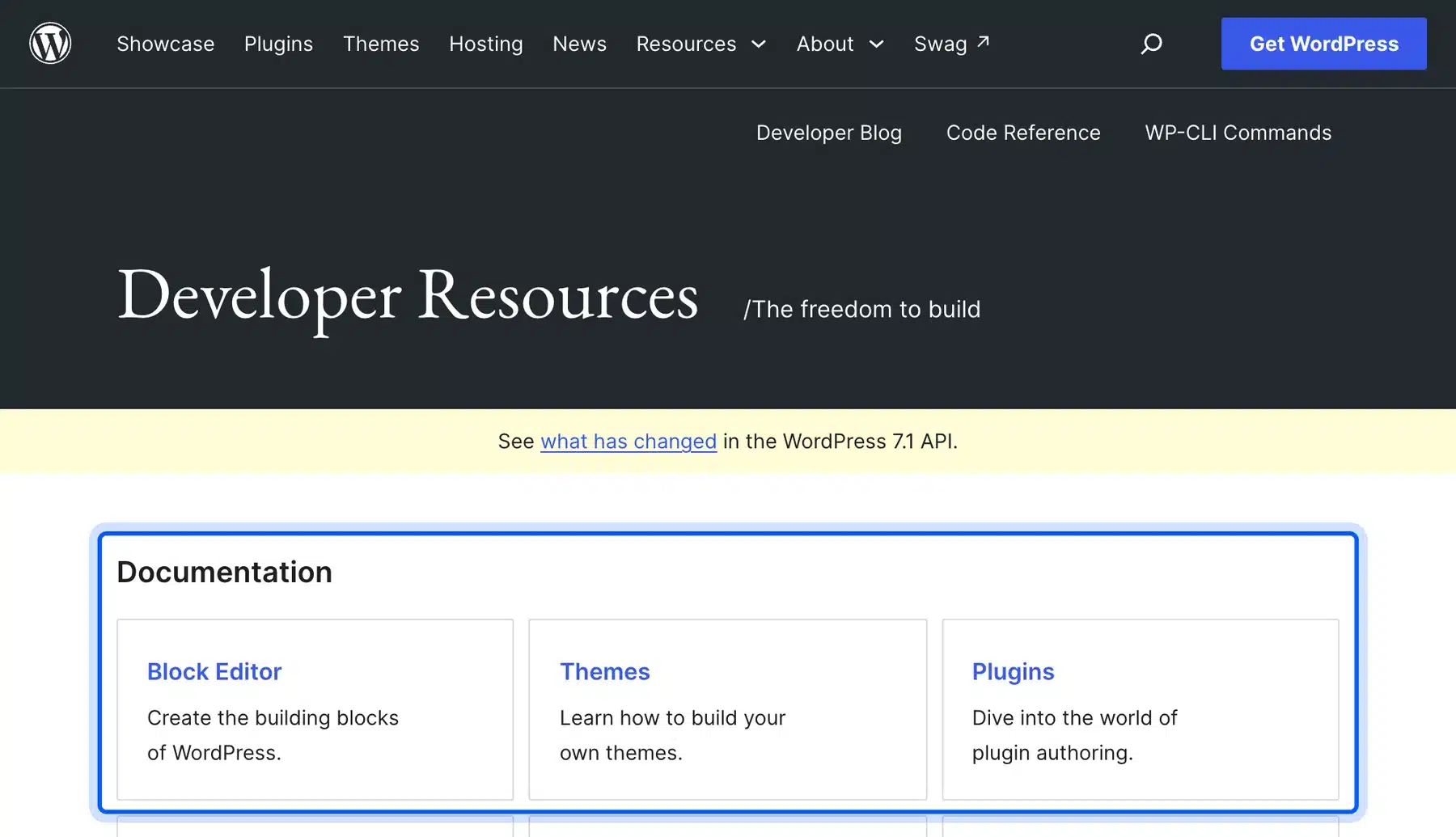
The official WordPress developer resources site runs on WordPress itself. Its page source loads a handbook plugin and a code syntax block plugin. The site hosts the code reference and handbooks for the block editor and APIs.
If you run a product, a docs site like this cuts support questions. A theme with a good table of contents and a search plugin are enough to start.
Write the table of contents before the pages so every guide has a home. Search and clear headings matter more than design on a docs site.
Job Board
A job board lets employers post openings and lets candidates search and apply. It needs listing forms, search filters and a way to charge for posts.
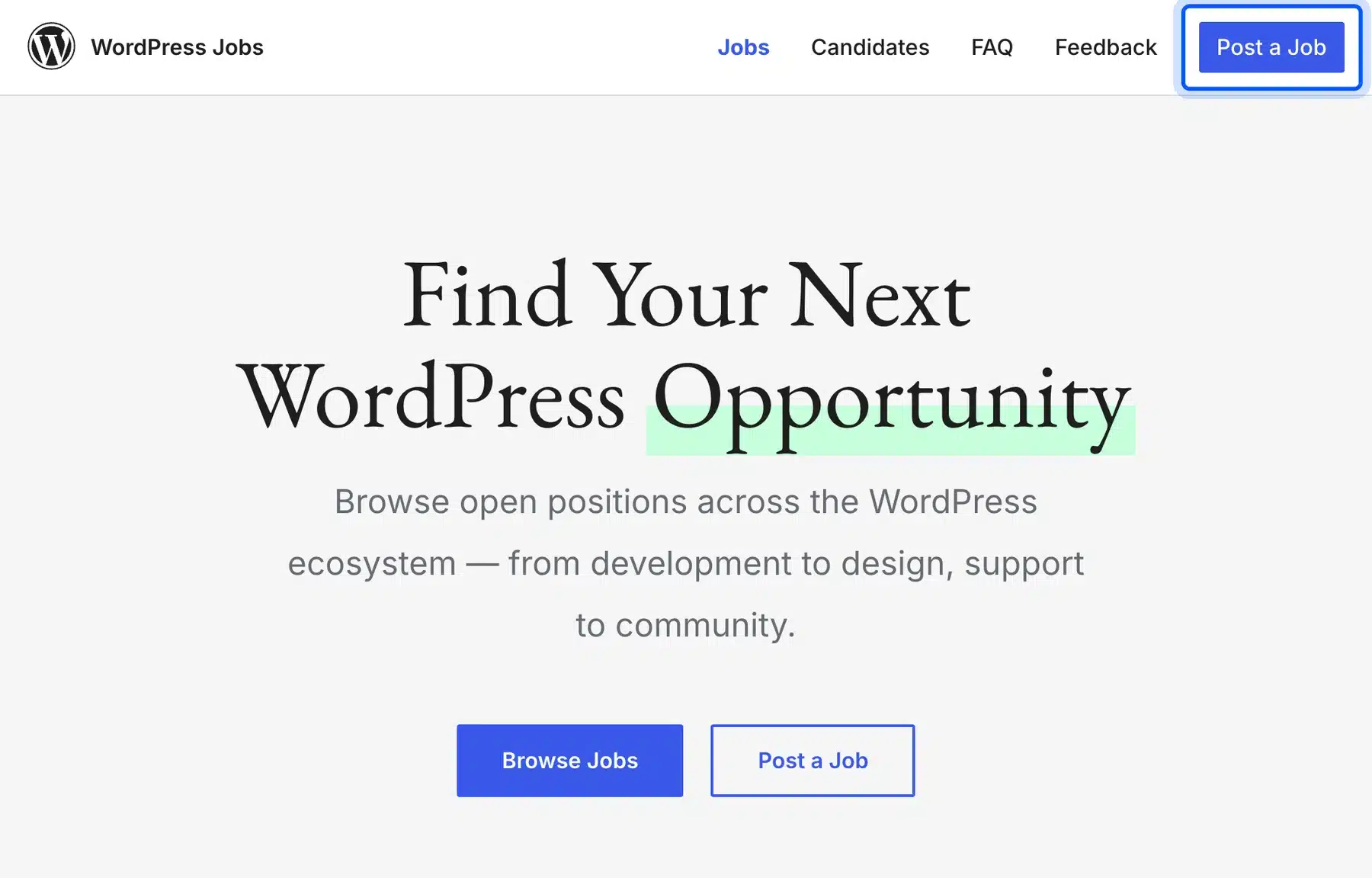
The WordPress Jobs board at jobs.wordpress.net lists WordPress-related openings and has a Post a Job button on its home page. Its page source shows a custom theme named jobswp.
To build your own, WP Job Manager adds job listings, and it had more than 70,000 active installations on WordPress.org in October 2026.
Decide whether employers pay per listing, and write posting rules before you launch. Both are easier to set at the start than to add later.
Events Website
An events website lists upcoming events, dates and places, and may sell tickets. A calendar plugin stores events as their own content type.
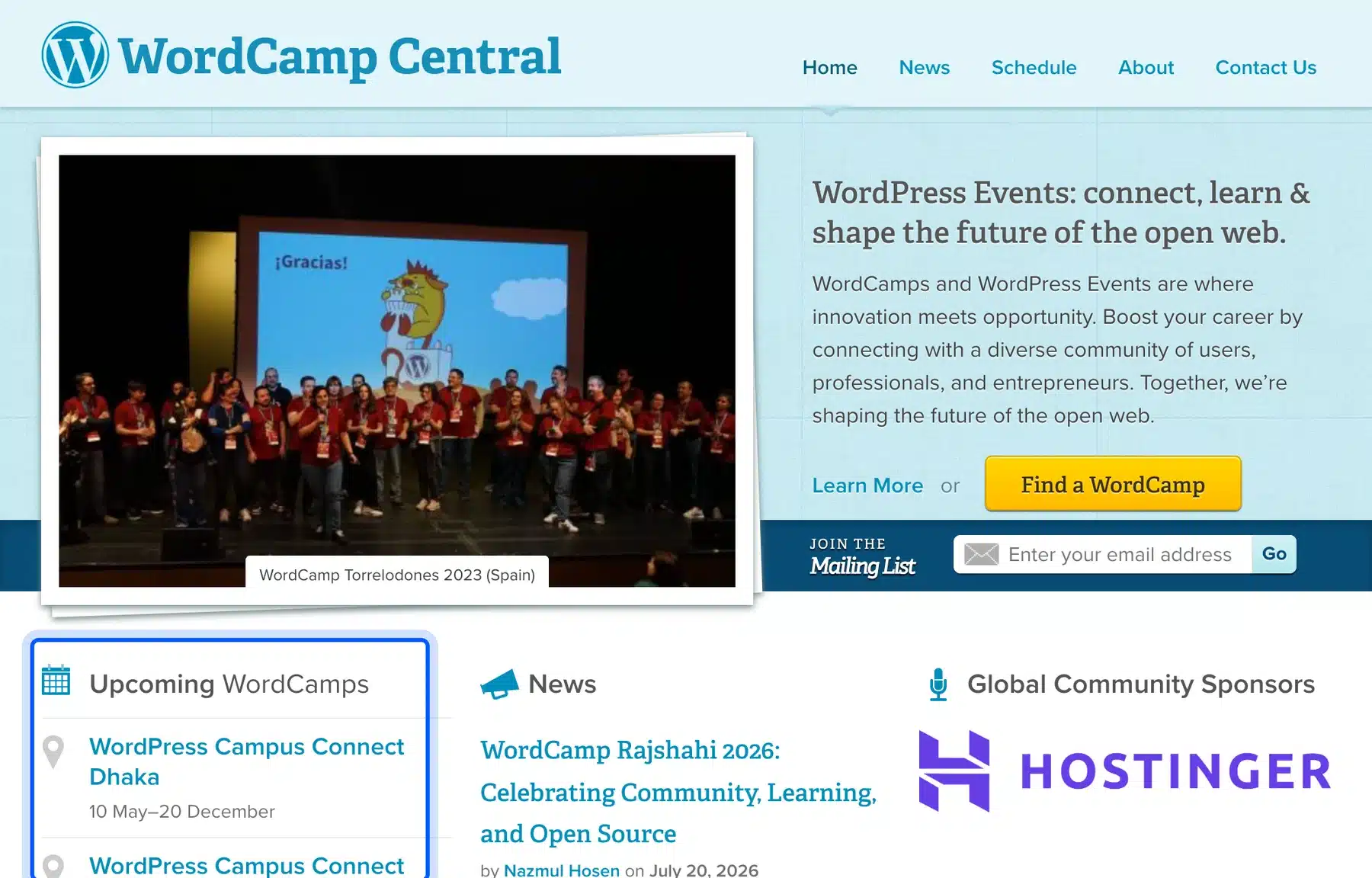
WordCamp Central lists upcoming WordCamps around the world, and the site runs on WordPress. For your own events, The Events Calendar had more than 600,000 active installations in October 2026.
Keep the first version simple. A calendar, an event page template and a sign-up form cover most small events.
Use categories for event types, and add the date, venue and a short description to every listing. Visitors scan events by date first.
How We Checked Each Example
We checked each site by opening its public home page and searching the page source for WordPress files in October 2026. A generator tag or files under wp-content mean the site runs on WordPress. Plugin folders name the plugins that load.
This is the same method our guide to checking if a website is made with WordPress describes.
| Site | Type | Found in the page source |
|---|---|---|
| ma.tt | Blog | WordPress generator tag |
| rollingstone.com | News | WordPress generator tag and vip theme |
| nalgene.com | Store | WooCommerce plugin files |
| trufru.com | Subscription store | WooCommerce Subscriptions files |
| joshi.at | Marketplace | Dokan Lite and WooCommerce files |
| peterattiamd.com | Membership | MemberPress files |
| danstutorials.com | Course site | LearnDash, MemberPress and BuddyBoss files |
| sfwa.org | Community | bbPress and MemberPress files |
| hostfully.com | Business | WPML and Elementor Pro files |
| nasa.gov | Agency | WordPress generator tag and Gravity Forms files |
| developer.wordpress.org | Documentation | WordPress generator tag and handbook plugin |
| jobs.wordpress.net | Job board | WordPress generator tag and jobswp theme |
| central.wordcamp.org | Events | WordPress generator tag |
A plugin file in the source shows that the plugin is loaded. It does not prove how the site uses it. Read each row as a pointer and not as a full stack list.
More Types of WordPress Websites You Can Build
You can build more than these thirteen types because plugins add new types to WordPress. Four more come up often: crowdfunding, affiliate programs, directories and booking sites. Each one runs on the same core software. You can start from the same theme.
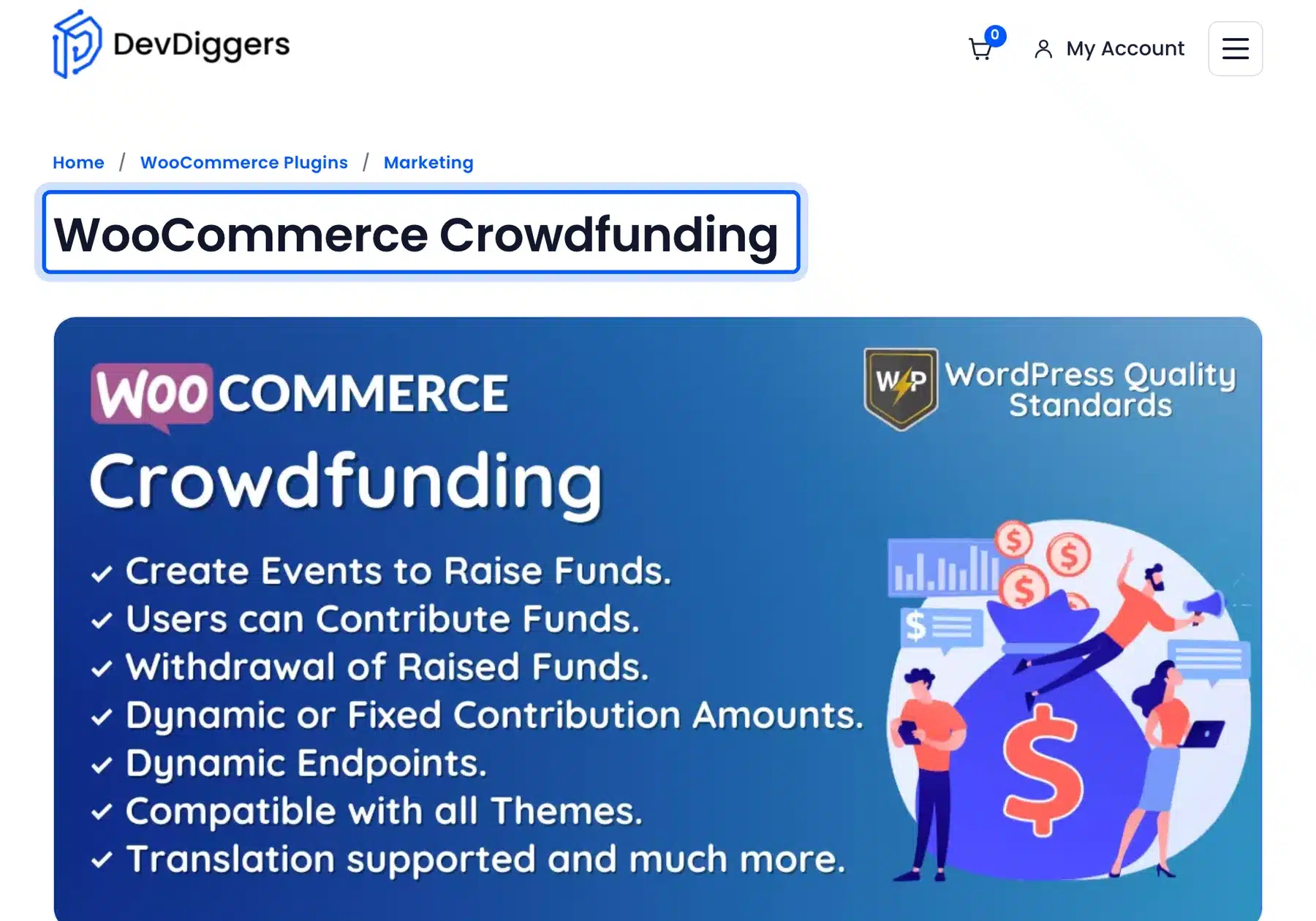
- Crowdfunding site: Our WooCommerce Crowdfunding plugin turns a store into a fundraising platform with fixed and dynamic contribution campaigns. We did not find a public crowdfunding site to verify. No example is shown here.
- Affiliate program: Our WooCommerce Affiliates plugin lets a store owner run an affiliate marketing program for the store.
- Directory: GeoDirectory builds business directories and had more than 10,000 active installations in October 2026.
- Booking site: Our guide to the best WordPress appointment plugins compares the options for services.
The first two plugins are ours. Treat that mention as a disclosure. Licenses for the Crowdfunding plugin started at $49 a year when we checked on 14 October 2026.
How to Choose a Type of WordPress Website
Choose the type of WordPress website by what visitors do on it: read, buy, join, learn or book. The first action decides the plugin you need. Start with the smallest setup that supports it, and grow from there once real visitors arrive.
Add plugins only when you need them. The chart below pairs each action with a type and a starting plugin.
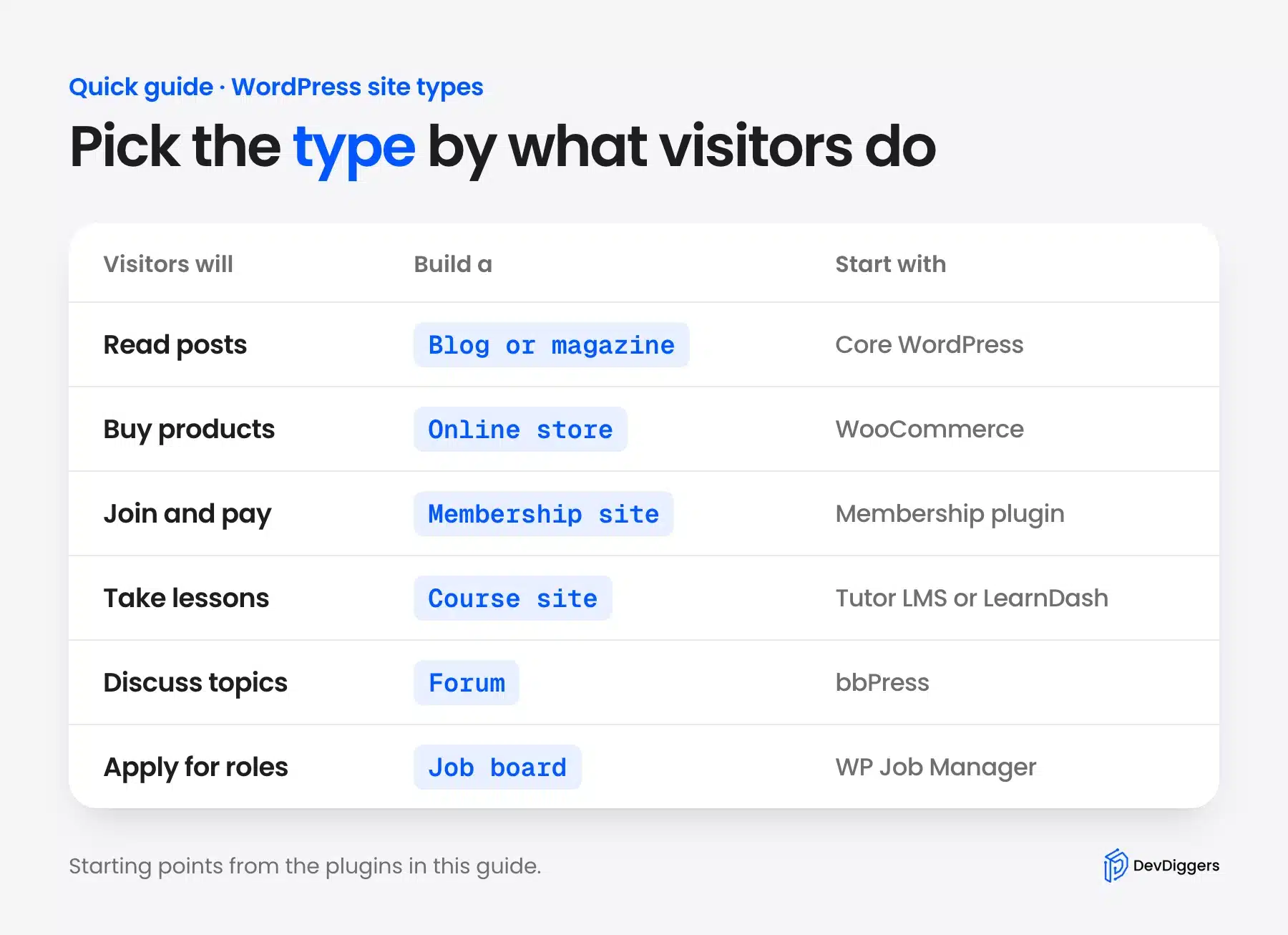
Most sites combine two types. Peter Attia’s site pairs a free guide with paid membership, and SFWA combines membership with a forum. Pick one main type first and add the second after that.
What You Need to Build Websites That Use WordPress
You need a domain, hosting, a WordPress install and a theme to build any of these sites. The rest depends on the type. Hosting and your first theme matter more than any single plugin, because every page depends on them.
Follow our guide to publishing a WordPress site for the launch steps, and how to make money with WordPress if the site is a business.
If you want a team to build it, our WooCommerce development services cover stores and custom plugin work.
Conclusion
The best way to see what websites made with WordPress can do is to match your goal to a real site. A blog needs nothing extra, a store needs WooCommerce and a community needs bbPress or BuddyPress.
Start with the type closest to your goal and build the smallest version first. Add one plugin at a time, and test each one on a staging copy.
If you have a goal that does not fit any type here, describe it to us. Chances are a plugin covers it.
Frequently Asked Questions (FAQs)
Q1. What types of websites can be created with WordPress?
You can create blogs, news sites, online stores, marketplaces, membership sites, course sites, forums, job boards, event sites and more. Core WordPress handles posts and pages, and plugins add each extra type. The WordPress.org Showcase shows featured sites in four groups.
Q2. How can you create an online store with WordPress?
Install WooCommerce, add your products, and set up a payment gateway and shipping. WooCommerce had more than 7 million active installations on WordPress.org in October 2026. Our WooCommerce setup guide walks through each step.
Q3. Can a membership or subscription website be created with WordPress?
Yes. A membership plugin gates content by level and takes recurring payments, and WooCommerce Subscriptions adds renewals to a store. Peter Attia’s site and TruFru both use these patterns.
Q4. How can I tell if a site is made with WordPress?
Open the page source and search for wp-content or a generator tag that says WordPress. Our guide to checking if a website is made with WordPress shows more ways, and we used that method for the examples above.
Q5. Is WordPress good for large websites?
Yes. NASA, Rolling Stone and The White House run on it, and WordPress.org’s showcase lists others. Large sites rely on strong hosting and caching. Plan for both.
Q6. Do I need plugins to build these websites?
Blogs and simple business sites need none. Stores, memberships, courses, forums and job boards each need one main plugin, and you add others only when a real need appears.
Q7. Can WordPress make multilingual websites?
Yes, a translation plugin keeps each language version and adds a language switcher. Hostfully loads WPML and shows an EN selector in its header. Polylang is a free option that had more than 900,000 active installations in October 2026.

2 responses
proud of you 🌟🥰
Thank you, Dear🥰
I am glad that you found it useful! You can also explore the other blogs for more useful tips and information.