The best WooCommerce order chat plugins add a private message thread to every order, so customers and admins talk about one order in one place. That replaces long email chains, cuts “where is my order” questions and keeps your customer support inbox smaller. We compared seven plugins, from full chat systems to WhatsApp-based updates.
One disclosure first. DevDiggers builds the first plugin on this list, WooCommerce Order Communication, so read that entry with that in mind. We give every plugin the same treatment: what it does, what it costs and where it falls short.
We did not install all seven plugins for this guide. Every fact below comes from the vendor’s own listing, its WordPress.org page or its documentation, checked on 30 September 2026. Prices and versions change, so confirm them before you buy.
What Is a WooCommerce Order Chat Plugin?
A WooCommerce order chat plugin adds a private message thread to each order. The customer writes from their account, and the admin replies from the order screen or a shared inbox. Every message stays attached to the order it is about.
That is different from a support ticket plugin or a live chat widget. A live chat widget talks to visitors in general, while an order chat keeps the line items, status and payment record next to the conversation.
What to Look For in an Order Chat Plugin
Five features decide whether an order chat plugin fits your store, and each one is easy to check on a plugin’s listing. Check them against your own support volume before you compare prices. A plugin that lacks one of them can create more work than it saves.
- Order status control: Choose which order statuses allow chat, so customers cannot message on old orders.
- File sharing: Send manuals, photos or warranty cards inside the thread.
- Notifications: Alert both sides by email, or by WhatsApp if your buyers prefer it.
- Storefront fit: Check HPOS compatibility and the WooCommerce version the plugin supports.
- Cost model: Compare yearly, lifetime and free tiers, and see which features sit behind the paid tier.
The 7 Best WooCommerce Order Chat Plugins
These are the best WooCommerce order chat plugins to compare. Each gets the same four lines: what it is best for, its key features, its pricing and its limits. Prices are the ones each vendor listed on 30 September 2026, before any tax.
Free and paid tiers are kept apart, so you can see what costs extra.
1. WooCommerce Order Communication by DevDiggers
WooCommerce Order Communication adds a private chat thread to each order. Customers write from the view order page in My Account, and admins reply from a meta box on the order edit screen. Both sides can receive email notifications.
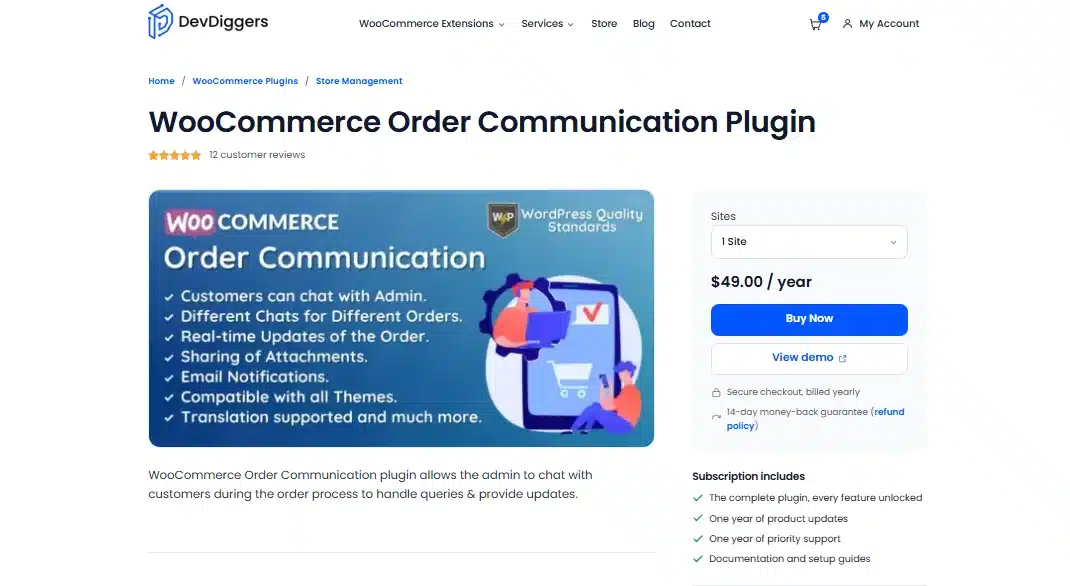
Best for: Stores that want order-page chat with business hours and auto replies in one plugin.
Key features:
- Attachments: File sharing can be enabled so files move in either direction.
- Business hours: Messaging can be limited to set days and times, with your own message shown outside them.
- Auto-reply: An immediate reply with an optional delay, using the placeholders
{customer_name},{order_number}and{order_date}. - Controls: Message templates, daily message limits and allowed order statuses.
Pricing: $49 a year for one site, $199 for five sites and $299 for ten sites. It is billed yearly with a 14-day money-back guarantee.
Limits: Notifications go by email, and the product page lists no WhatsApp or SMS channel. The current version is 1.4.1, updated 10 September 2026, and it lists HPOS as compatible.
2. Order Chatroom for WooCommerce
Order Chatroom (formerly Order Messenger) gives each order its own chatroom. It is made by u2code and sold through the WooCommerce Marketplace. It has a free sibling on WordPress.org called Orders Chat for WooCommerce, covered further down.
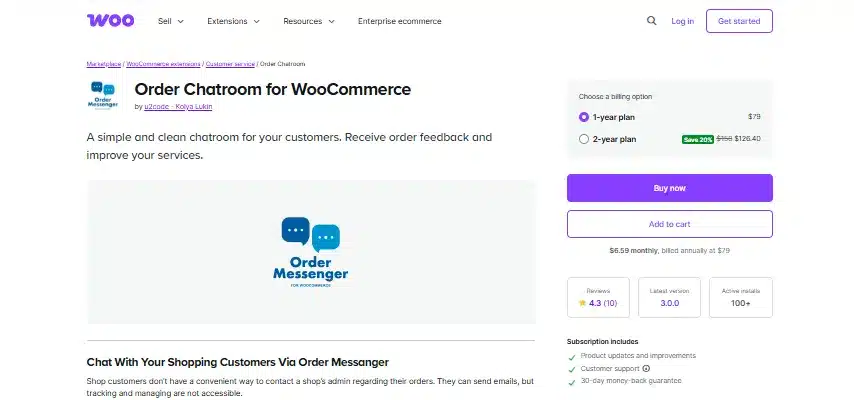
Best for: Stores with high message volume that also send files as part of order support.
Key features:
- Read receipts: See when the store has read a message.
- Scheduled messages: Queue a reply to send later.
- Order updates: Status changes post into the conversation.
- Guest access: Customers without an account can reach the chat from the order confirmation page.
Pricing: The vendor lists $79.99 a year for one site, $99.99 for three sites and $199.99 for nine sites. Lifetime plans start at $199.99. The vendor’s page mentions a 7-day trial.
Limits: It costs more per year than most plugins here. File attachments are a premium feature.
3. Order Chat by Koala Apps
Order Chat for WooCommerce by Koala Apps adds live chat for chosen order statuses. Customers write from the order detail page, and both sides are notified by email. It suits shops where buyers clarify details before an order ships.
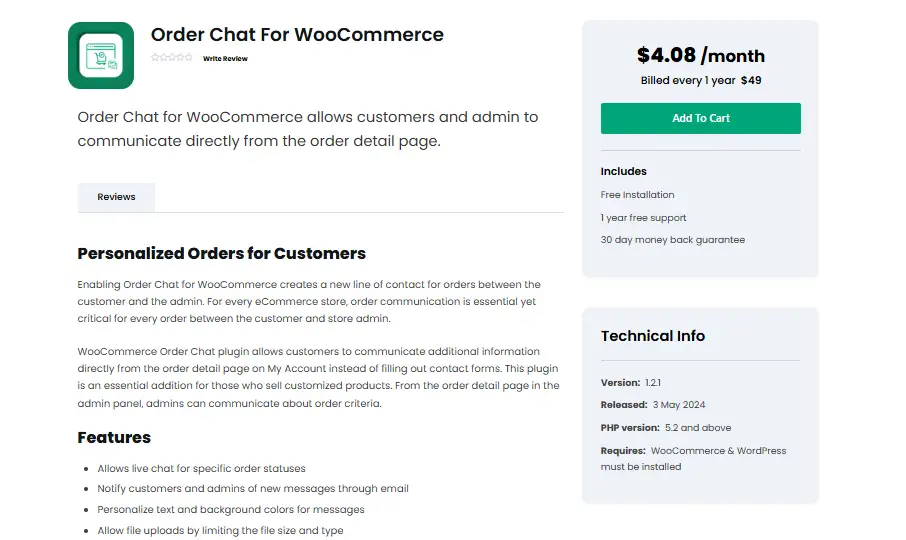
Best for: Made-to-order and customized products, where buyers confirm engraving text, sizes or colors.
Key features:
- Status control: Enable chat only for the order statuses you choose.
- Attachments: File uploads are supported, and you can restrict file types and maximum size.
- Styling: Personalize the message text and colors.
Pricing: $49 a year on the 1 Year Plan. It includes free installation, one year of support and a 30-day money-back guarantee.
Limits: The listing shows version 1.2.2, released 3 May 2024, and does not mention HPOS. Ask the vendor about current WooCommerce support before you buy.
4. OrderConvo
OrderConvo by N-Media started as a messaging tool for marketplaces. It supports Dokan, WCFM, MultiVendorX, WC Product Vendors and YITH Multi-Vendor, and it also works on a single-vendor store. The core plugin is free on WordPress.org.
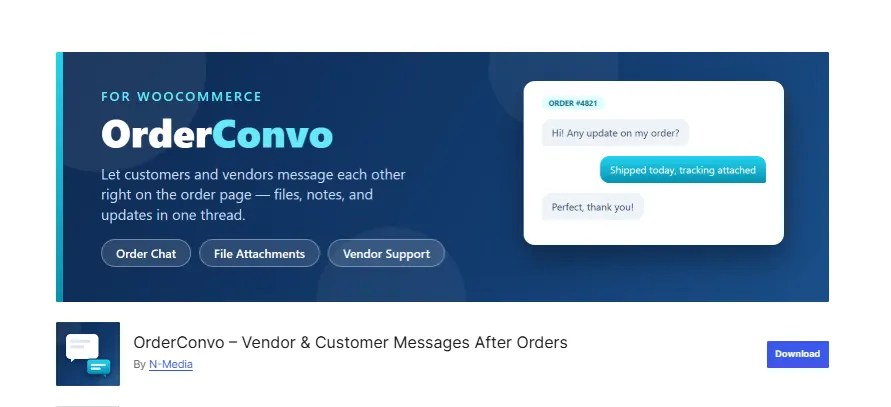
Best for: Multi-vendor marketplaces where each vendor needs its own chat with buyers.
Key features:
- Unlimited messages: No cap on messages per order in the free version.
- Custom text: Change the button labels and placeholder text.
- Marketplace support: Works with five marketplace plugins.
Pricing: The core plugin is free. The WordPress.org listing shows version 15.1, updated 28 July 2026, with 200+ active installs and a 4.6 star rating.
PRO version: It adds file attachments, image thumbnails, email notifications, a rich text editor and dashboard notifications. The page sends you to the vendor for its price.
Limits: Email notifications and file attachments sit behind the PRO tier. The install base is small.
5. Orders Chat for WooCommerce
Orders Chat for WooCommerce is the free sibling of Order Chatroom, written by the same developer. Customers write from My Account, and the team answers from one inbox inside WooCommerce. It is the closest free match to a paid chatroom plugin.
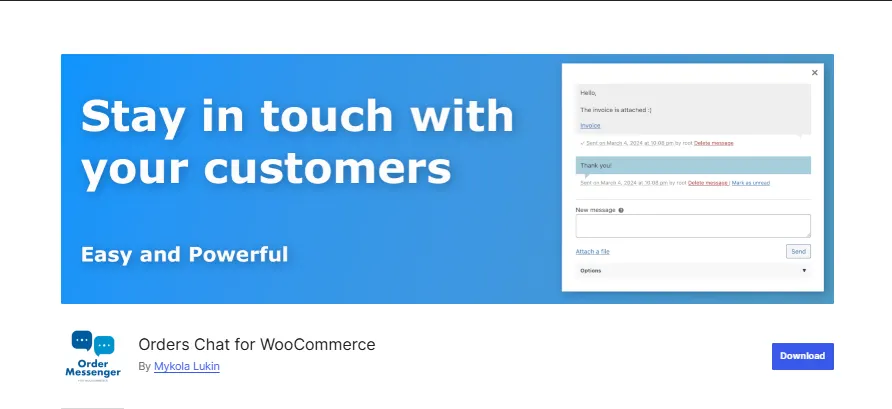
Best for: Small stores that want to test order messaging before they pay for a plugin.
Key features:
- Read receipts: Order conversations show when a message was read.
- Inbox: A messenger page gives the team one place to answer.
- Automation: Scheduled and automatic messages, plus guest access from the order-received page.
Pricing: The core plugin is free. The WordPress.org page lists version 4.0.0 with 90+ active installs and a 5 star rating from two reviews. File attachments are a premium feature.
Limits: It has a very small install base and few reviews. It needs WordPress 6.5 and WooCommerce 9.0 or newer.
6. Notiqoo
Notiqoo (formerly WC Messaging) connects WooCommerce to WhatsApp through the official WhatsApp Business Cloud API. Customers get order updates in WhatsApp instead of email. The free version sends notifications, and two-way chat needs Pro.
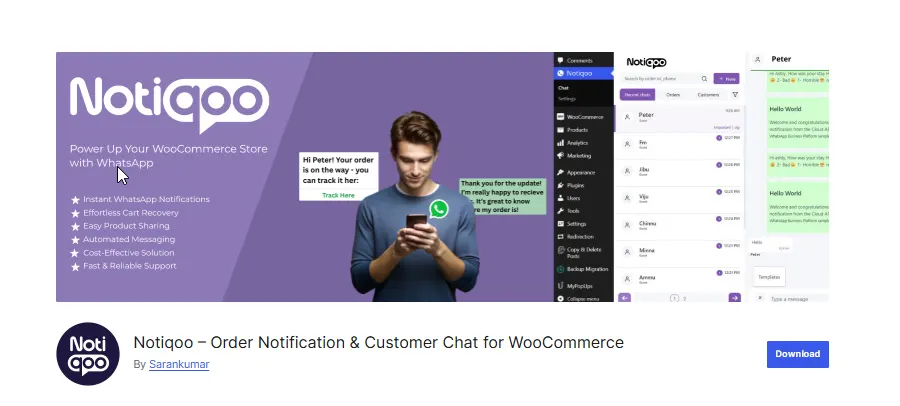
Best for: Stores whose customers already expect order updates on WhatsApp.
Key features:
- Order notifications: Send WhatsApp messages for order status changes.
- Cart recovery: The free version includes abandoned cart messages.
- Two-way chat: Reply to customers from the WordPress dashboard with Pro.
Pricing: The free version costs nothing. Pro is $99 a year for one site at the founder price, with a listed future price of $199. Add-ons cost $59 a year each, and there is a 30-day money-back guarantee.
Limits: It needs the WhatsApp Business Cloud API and a dedicated phone number that is not connected to the WhatsApp mobile app. That adds a setup step most order chat plugins skip.
7. Product Inquiry & Chat for WooCommerce
Product Inquiry & Chat by Techminers covers questions before a sale. Shoppers can ask about a product, request a quote or start a WhatsApp chat from a product or shop page. It is not an order-page thread, so treat it as a companion tool.
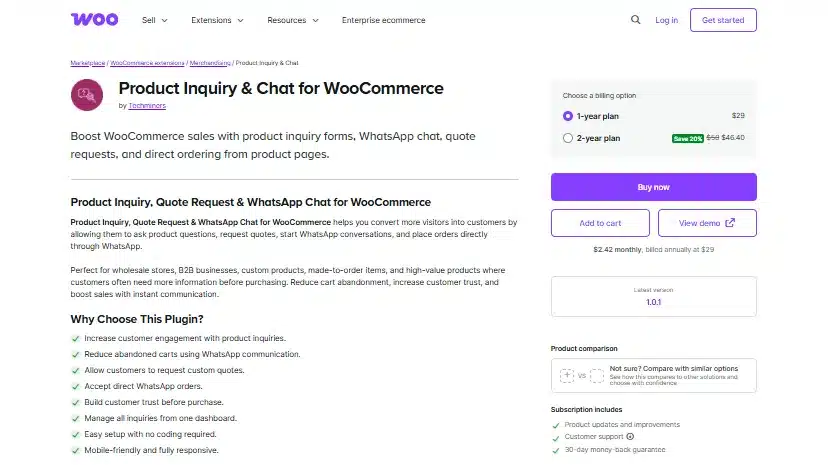
Best for: Wholesale and B2B stores where buyers ask questions before they order.
Key features:
- Inquiry form: Ask a question button on product and shop pages.
- Quotes and WhatsApp: Quote requests and a floating WhatsApp chat button.
- Tracking: An admin dashboard that follows inquiries as Pending, Replied or Resolved.
Pricing: $29 a year on the 1-year plan, with a 20% discount on the 2-year plan, and a 30-day money-back guarantee. The listing shows version 1.0.1 and says it is compatible with block themes and HPOS.
Limits: It does not attach a chat thread to an order. The WhatsApp features depend on the customer using WhatsApp.
Quick Comparison of the 7 Plugins
The table below sets the seven plugins side by side for a quick comparison. Prices are the entry prices listed on 30 September 2026. Use it to shortlist two or three plugins, then read their full sections for the limits and extras.
| Plugin | Entry price | Chat type | Best for |
|---|---|---|---|
| WooCommerce Order Communication | $49 a year | Order-page thread | Business hours and auto replies |
| Order Chatroom | $79.99 a year | Chatroom per order | High message volume |
| Order Chat by Koala Apps | $49 a year | Order-page thread | Made-to-order products |
| OrderConvo | Free, PRO extra | Order thread | Marketplaces |
| Orders Chat for WooCommerce | Free | Chatroom per order | Small stores testing chat |
| Notiqoo | Free, Pro $99 a year | Stores that use WhatsApp | |
| Product Inquiry & Chat | $29 a year | Pre-sale and WhatsApp | Wholesale and B2B |
How to Choose the Right Order Chat Plugin
Match the plugin to how your store works and ignore the length of the feature list. Start with your message volume, then decide whether you need files, business hours or WhatsApp. Use the checks below to narrow the seven plugins to one.
- Message volume: A few order questions a week fit a free plugin such as Orders Chat or OrderConvo.
- Product type: Custom items need status control, which Koala Apps and WooCommerce Order Communication both list.
- Customer habits: If buyers already message you on WhatsApp, Notiqoo fits better than an on-site chat box.
- Files: Warranty cards and manuals need a plugin with attachments, such as Order Chatroom or Order Communication.
- Marketplace: A multi-vendor store should look at OrderConvo first.
- Testing: Install any plugin on a staging site first and send a few messages in both directions.
Conclusion
Picking among the best WooCommerce order chat plugins comes down to how your customers already expect to reach you. Order-page chat suits most stores, WhatsApp suits chat-first buyers, and a free plugin is a safe way to test demand.
Our own plugin, WooCommerce Order Communication, covers order-page chat, business hours and auto replies under one yearly license. If you need a custom messaging feature, our WooCommerce development services team can build it.
Frequently Asked Questions (FAQs)
Q1. Can I use more than one order chat plugin at once?
It is not a good idea. Two plugins that both add a message box to the order page can create duplicate chat windows. Pick one plugin for order-page chat, and add a separate channel such as WhatsApp notifications if you want both.
Q2. Do these plugins work with WooCommerce HPOS?
The DevDiggers plugin and Product Inquiry & Chat list HPOS as compatible. Koala Apps’ listing does not mention HPOS. Check each vendor’s compatibility notes before you activate a plugin on a store that uses High-Performance Order Storage.
Q3. Which order chat plugins are free?
OrderConvo, Orders Chat for WooCommerce and the Notiqoo free version are on WordPress.org. Their paid tiers add features. File attachments cost extra in both Orders Chat and OrderConvo, and two-way WhatsApp chat needs Notiqoo Pro.
Q4. Can I restrict chat to certain order statuses?
Yes, on some plugins. WooCommerce Order Communication lists allowed order statuses, and Koala Apps lets you enable chat for select statuses. Check the plugin’s settings page before you rely on it.
Q5. Do order chat plugins support file attachments?
Some do. Order Communication and Koala Apps list attachments, while Order Chatroom, Orders Chat and OrderConvo keep file sharing in their paid tiers. Budget for that if customers often send photos or documents.
Q6. Is a free order chat plugin good enough for a small store?
For low order volume, yes. Orders Chat covers order conversations and read receipts for free. Move to a paid plugin when you need file sharing, business hours or auto replies.
Q7. Do customers get an email when I reply?
That depends on the plugin. WooCommerce Order Communication and Koala Apps list email notifications, and OrderConvo keeps them in PRO. Test a reply on a staging site to confirm what your customers receive.