The best WordPress blog to PDF plugins let readers turn any post into a downloadable PDF with one click and no code. We compared seven of them on setup, output options and pricing. Each review uses the plugin’s WordPress.org listing or vendor page as of October 2026.
Most guides on this topic bundle invoice generators and form builders that have nothing to do with converting a blog post to PDF. That mix makes it harder to pick the right tool for a content site.
We kept only plugins built for exporting posts and pages and checked each one against the same five criteria. Below you will find seven reviews, a comparison table and answers to the questions readers ask most.
What a Blog to PDF Plugin Does for Your Content: A Quick Introduction
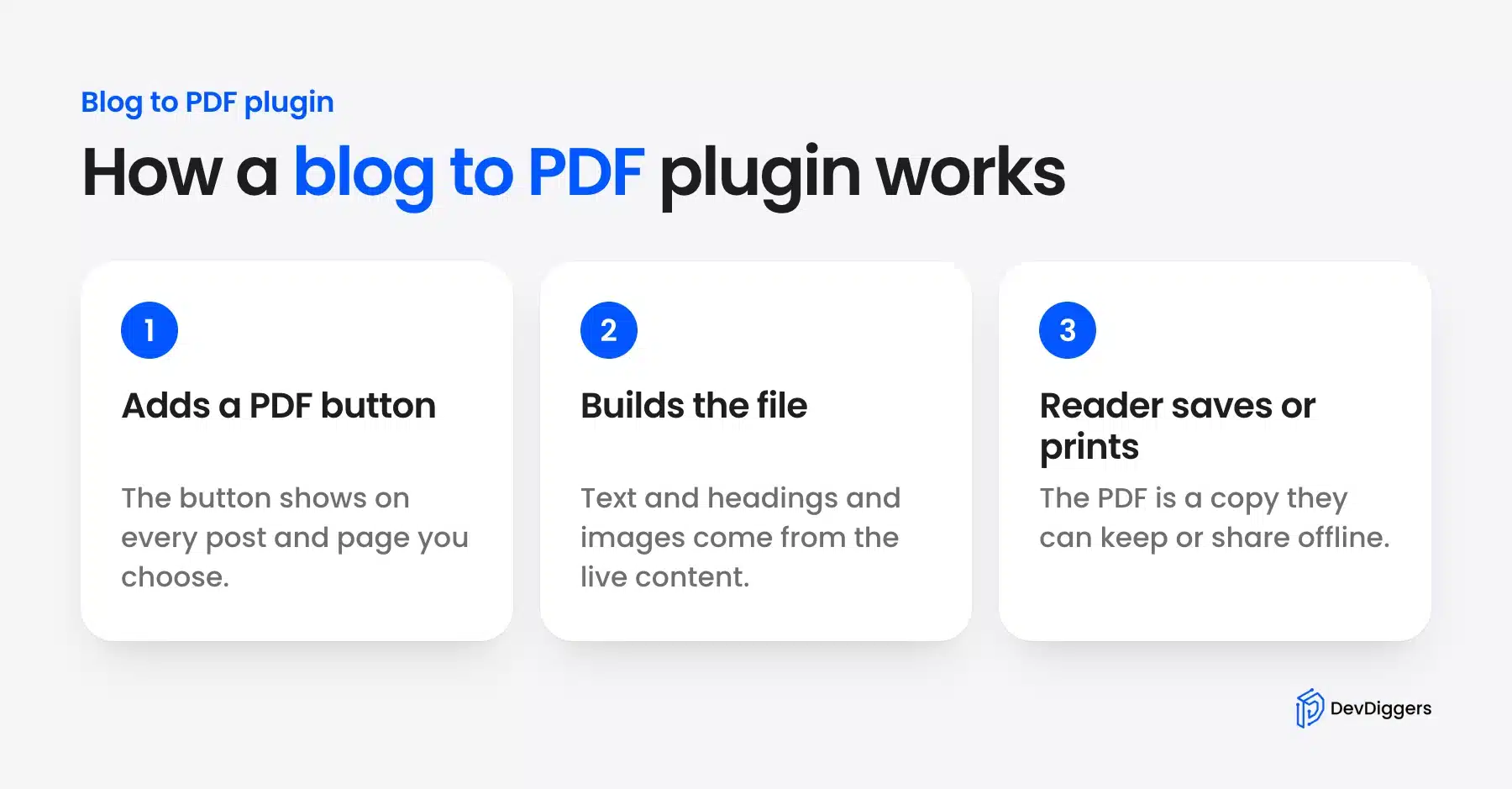
A blog to PDF plugin adds a button to your posts and pages that turns the live content into a downloadable file. Images and headings come along with the text. Readers get a copy they can save or print without copying anything into a document editor. You can also add a download button by hand.
Content teams also use a PDF copy as a lead magnet or an offline resource for clients. Our guide on adding a downloadable PDF to WordPress covers single files you upload yourself.
The feature works well for tutorials, recipes, guides and any post readers might want to save or print.
How We Evaluated the Plugins
We ranked every plugin with the same five checks, from purpose to update activity. Each check comes from what the plugin’s listing, docs or vendor page states as of October 2026. A plugin that only exports invoices or forms did not make the list.
- Purpose: Built for blog to PDF and not a repurposed invoice or form tool
- Content fidelity: How well images, headings and formatting survive the export
- Customization control: Templates, colors, fonts and role-based access
- Setup time: How fast a non-developer can get it running
- Update activity: Releases and support over the past 12 months
7 Best WordPress Blog to PDF Plugins
The seven best WordPress blog to PDF plugins range from a paid export button with a reader-side editor to free single-post buttons. Our own plugin comes first because we build and support it. Bulk, book and free options follow. Install counts, ratings and prices below come from each listing in October 2026.
1. DevDiggers WordPress Blog to PDF
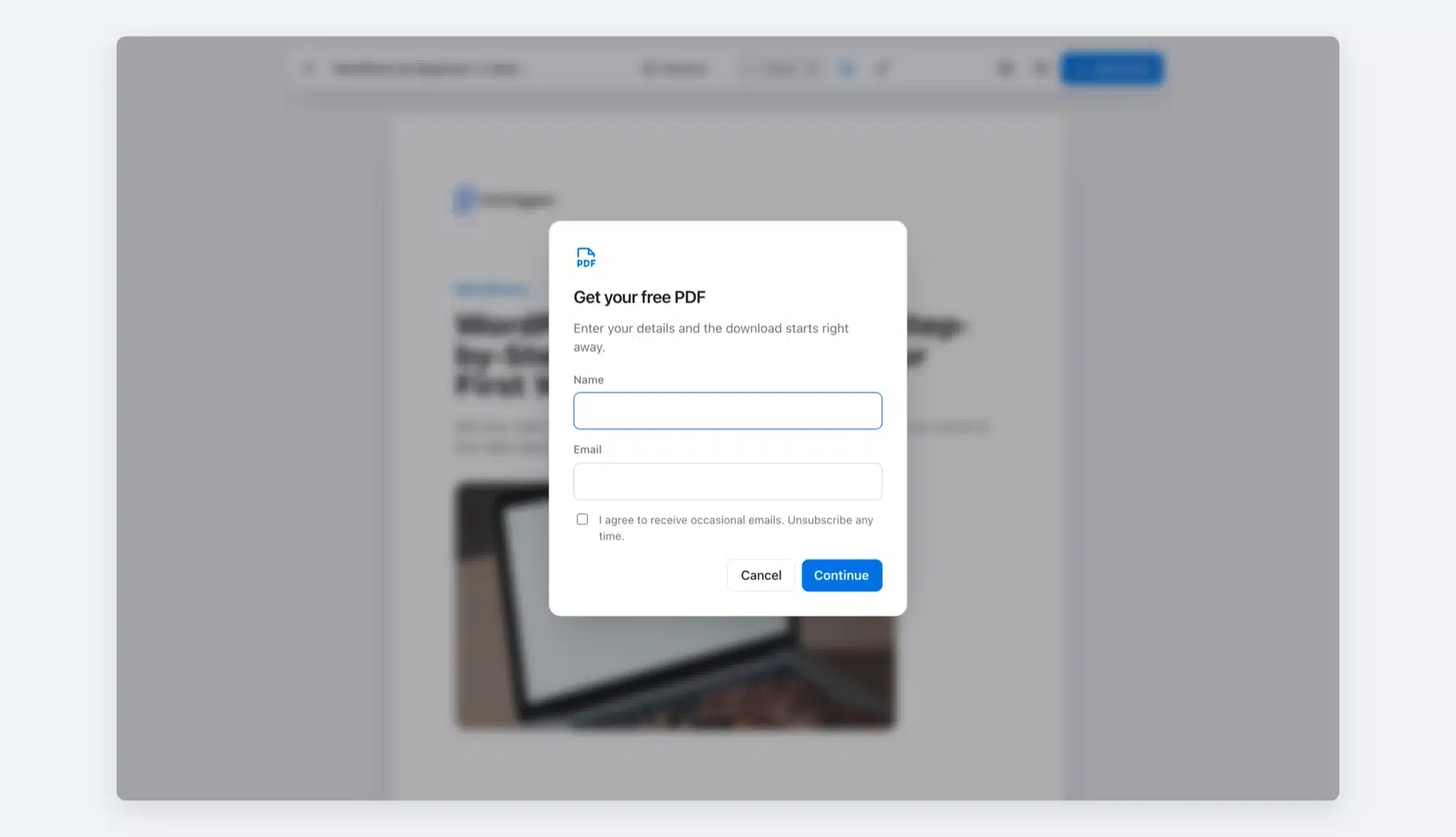
Our WordPress Content to PDF plugin turns any post, page or product into a branded PDF built on your own server. It adds a Download PDF button, a clean reader and an optional lead form. It is the only plugin here that gates the download and saves every lead.
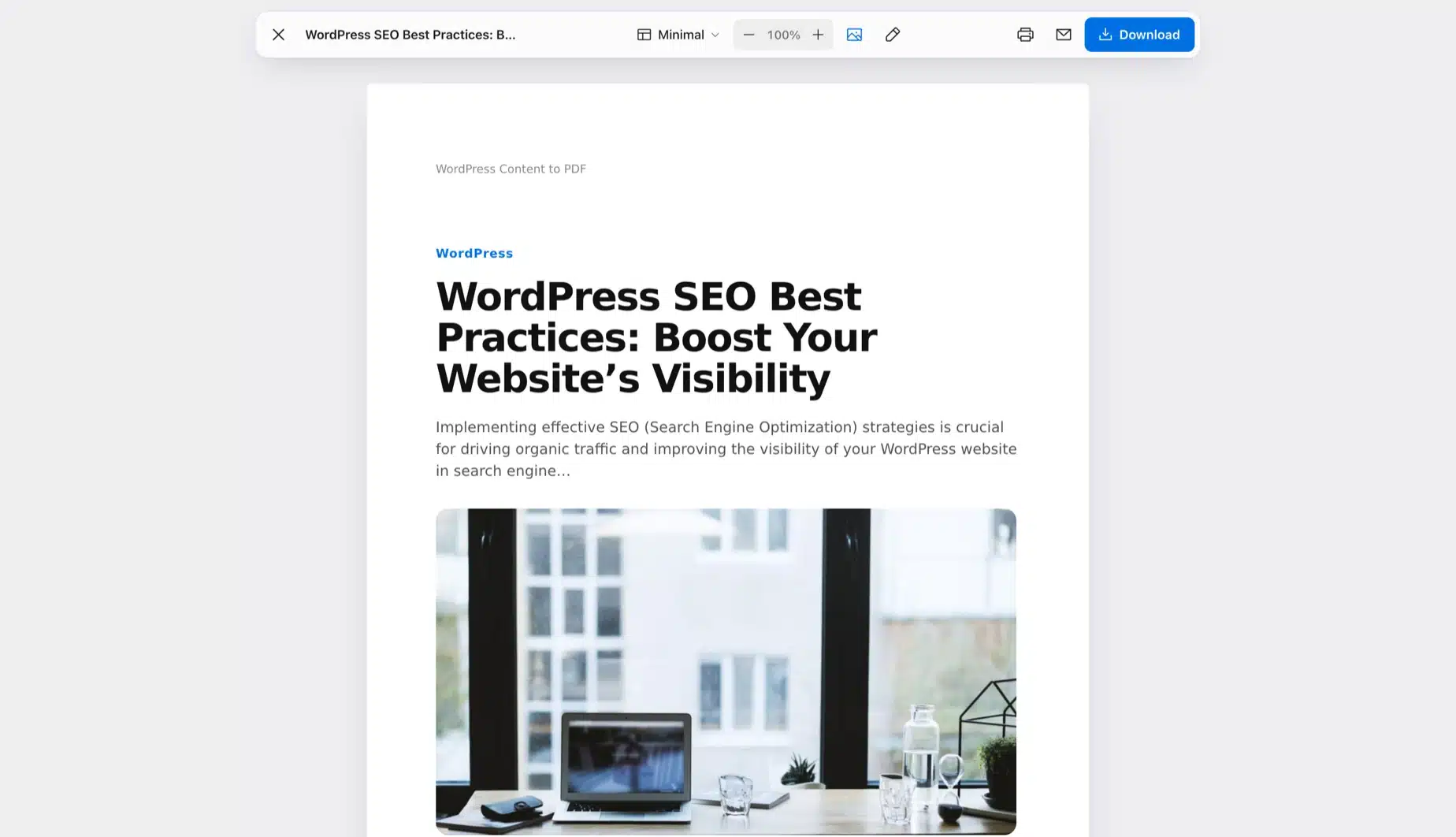
The WordPress Content to PDF plugin is built by DevDiggers, the team behind this blog. Readers click Download PDF and a clean preview opens. They can switch the template, change the text size, hide images or edit the text before saving.
- Requirement: WordPress 5.8+ and PHP 7.4+ (WooCommerce is optional).
- Compatible up to: WordPress 7.1.
- Sold by: DevDiggers as a yearly subscription.
Best For
Bloggers, marketers and course sites that want branded PDFs, ebooks and lead magnets from the posts they already publish.
Key Features
- Lead form: Readers enter a name and email before the PDF downloads. Each lead is saved with its post and exports to CSV.
- Dashboard: Downloads, prints, emails and leads show against the previous period. An activity log exports to CSV.
- Eight templates: Pick Minimal, Editorial, Aurora, Mono, Magazine, Corporate Report, Ebook or Product Sheet in a live designer.
- Cover and contents: Each PDF can open with a cover page, a clickable contents page and a Read online QR code.
- Reader tools: Readers edit text, remove blocks, set text size from 70 to 150% and print or email the PDF.
- Ebook Builder: Fill a book from a category or drag chosen posts into order under one cover.
- Brand and protection: Add your logo, header, footer and watermark, set an open password or block text copying.
- Button placement: Show it before or after content or in a floating bar. A shortcode, a block and an Elementor widget are included.
Pricing
- 1 Site: $29/year
- 5 Sites: $129/year
- 10 Sites: $199/year
- Prices are as of October 2026. There is no free edition, and every plan has a 14-day refund.
Benefits
- Lead capture: Each download can add a named contact to your list.
- Own server: PDFs are built on your site with no outside service and no per-PDF fees.
- Active support: Priority support and updates come with every active plan.
Limitations
- No free version to try first. The 14-day refund window covers that.
- No Mailchimp or CRM connector yet. Leads export to CSV, or a developer can use the ddcpdf_lead_captured hook.
- Bundled fonts cover Latin, Greek and Cyrillic. Right-to-left and CJK scripts need extra fonts.
- It does not make invoices, order PDFs or PDFs from form entries.
Why It Stands Out
Two things set it apart from the other six plugins on this page. It can gate the download behind a lead form and keep each lead. Its dashboard counts downloads, prints, emails and leads, and none of the others report on usage. We read its settings and code in October 2026.
2. PDF Generator for WP Pro by WP Swings: Best for Bulk and Flipbooks
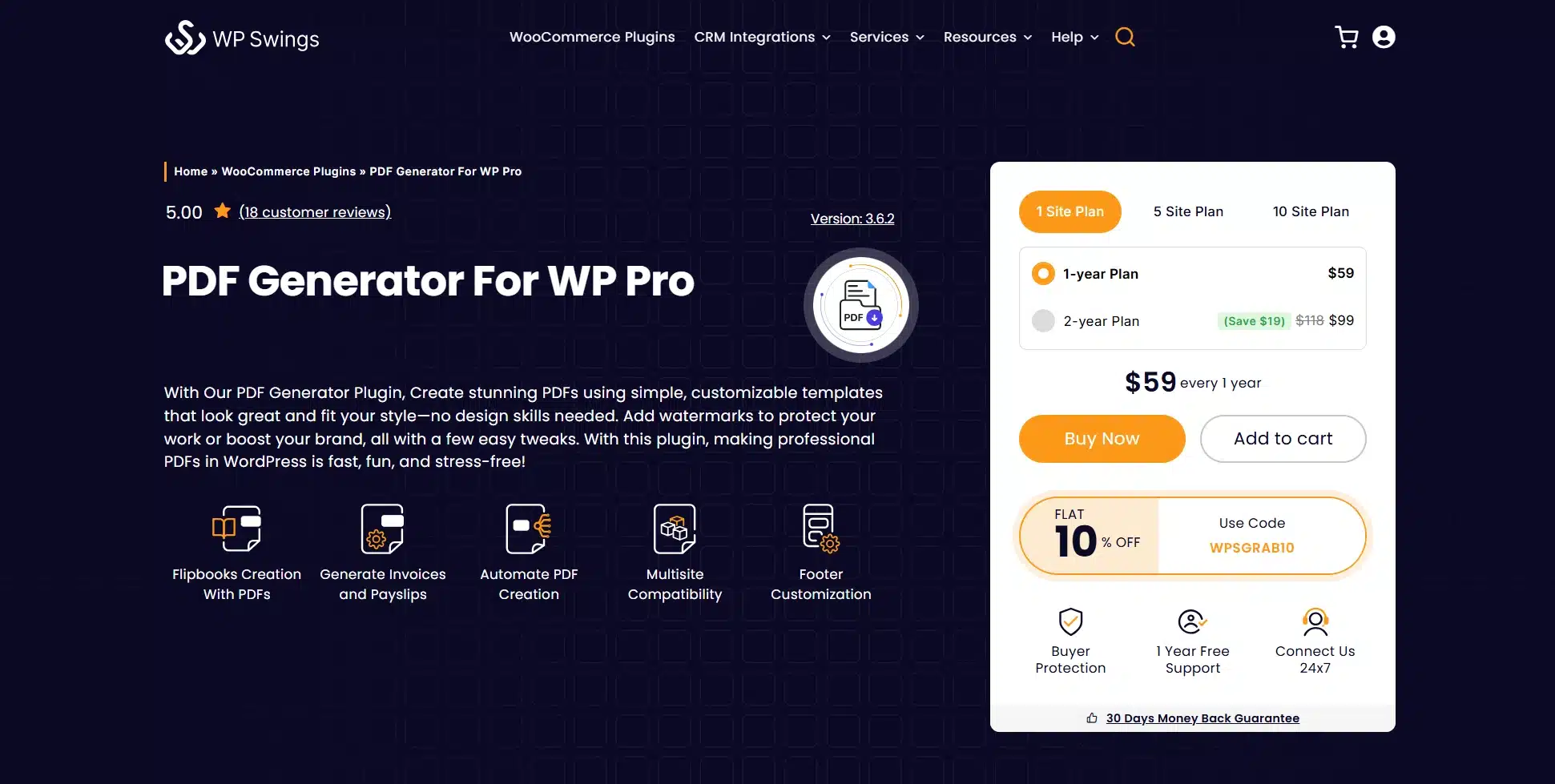
PDF Generator for WP exports posts, pages, and products in bulk, and can turn any PDF into an interactive flipbook.
It sits closer to a catalog tool than a simple blog button, aimed at sites that need to export many items at once rather than one post at a time.
A free version is available on WordPress.org. The Pro tier is sold by WP Swings at $59 to $289 a year depending on site count, as of October 2026.
- Requirement: WordPress 6.7+ and PHP 7.4+
- Compatible up to: WordPress 7.1.3 (free version)
- Active installations: 1,000+ (free version)
- Rating: 4.6/5 from 39 reviews
Best For
Sites that need bulk PDF exports or a flipbook-style viewer.
Key Features
- Bulk export for posts, pages and products
- Built-in 3D flipbook feature for PDFs and images
- WPML support for multilingual sites
Pricing
- 1 Site: $59/year
- 5 Sites: $149/year
- 10 Sites: $289/year
Benefits
- Bulk-ready: Export many posts at once instead of one at a time.
- Flipbook extra: Adds visual engagement beyond a plain download link.
Limitations
- Pro pricing runs $59 to $289 a year by site count. That is higher than most plugins on this list.
- Feature set goes well beyond what most blogs need.
3. MPL-Publisher: Best for Compiling Posts into an eBook PDF
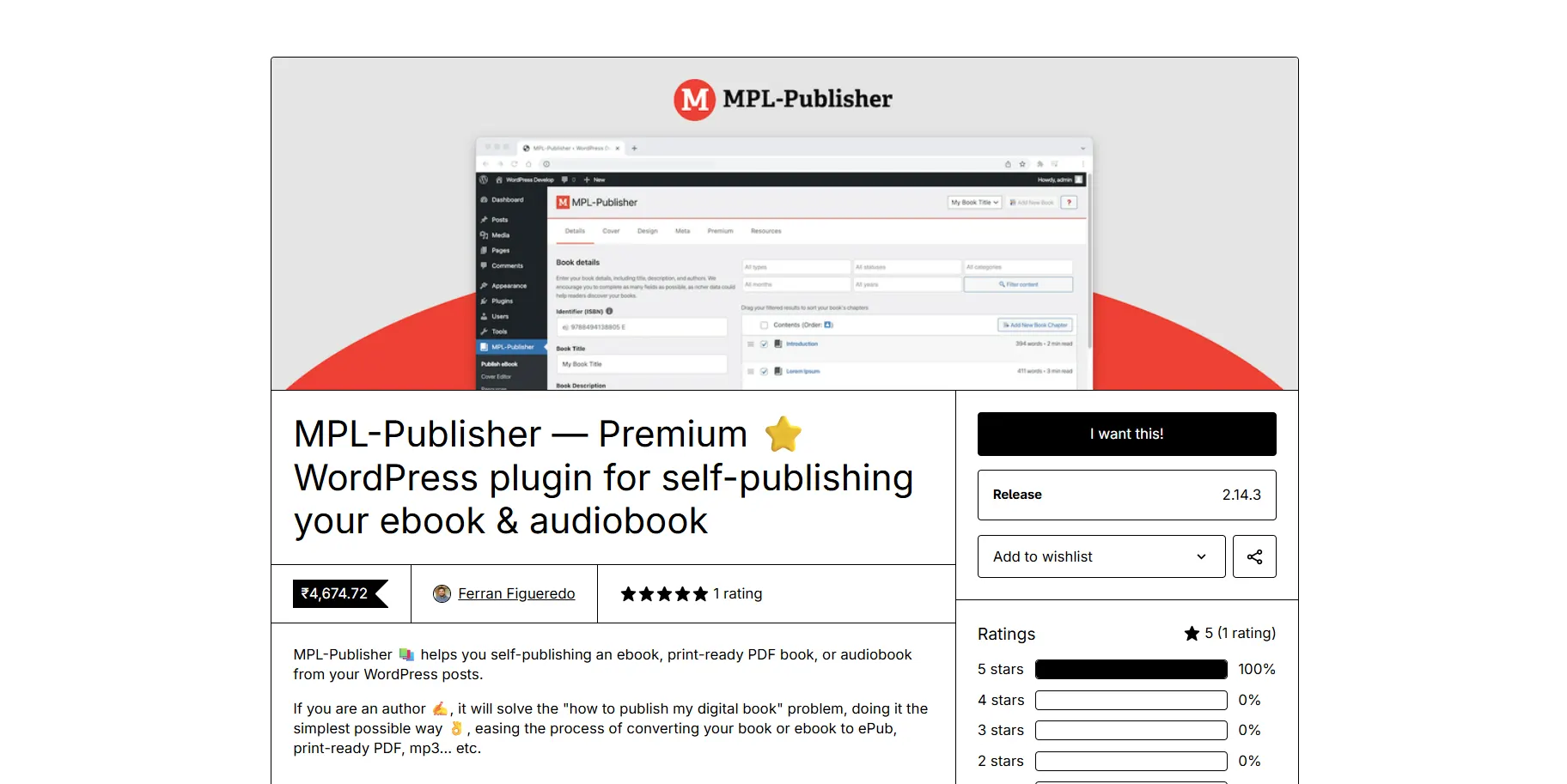
MPL-Publisher compiles WordPress posts into a print-ready PDF, EPUB, Word file, flipbook or audiobook for self-publishing.
It is built more for authors turning a blog into a book than for a single-post download button. The workflow leans toward compiling multiple posts at once.
The free version is on WordPress.org. The premium version costs $49 as a one-time payment per site on the MPL-Publisher site, as of October 2026.
- Requirement: WordPress with any theme
- Compatible up to: WordPress 7.1.3 (free version)
- Active installations: 700+ (free version)
- Rating: 4.9/5 from 45 reviews on WordPress.org
Best For
Authors who want to turn a series of blog posts into a downloadable book.
Key Features
- Compiles multiple posts into a single PDF, EPUB or audiobook
- Works as a lead magnet by packaging content into one download
- Free WordPress.org version available before upgrading
Pricing
- Premium: $49 one-time per site
Benefits
- Multi-post export: Combine several posts into one document. You are not limited to one at a time.
- Format flexibility: Outputs PDF, EPUB and audiobook from the same content.
Limitations
- Built for books more than for a download button on single posts.
- Overkill if you only need a simple one-click PDF button on individual posts.
4. Save as PDF by PDFCrowd: Best for Zero-Config Testing
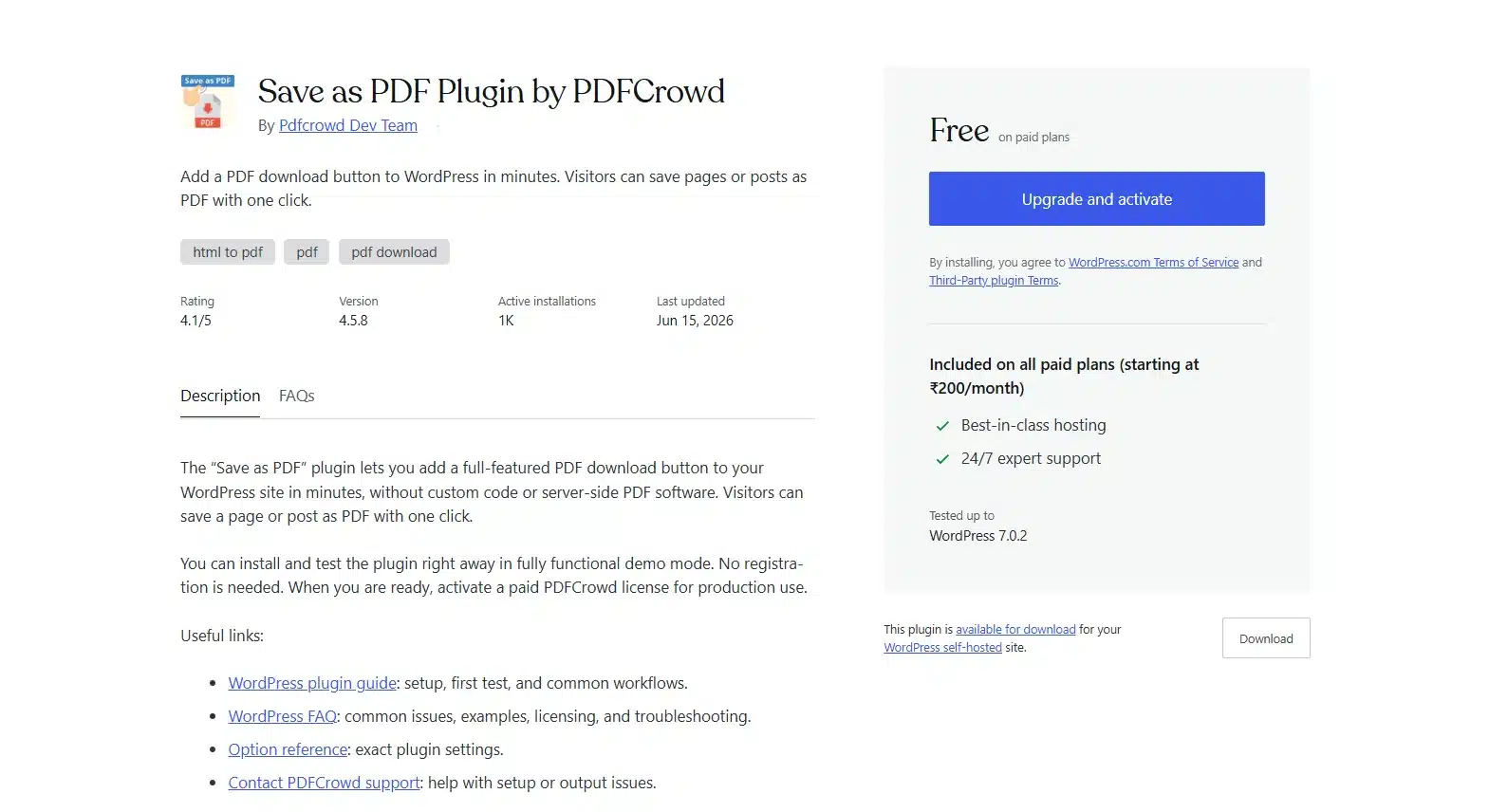
Save as PDF by PDFCrowd adds a full-featured download button that works in demo mode immediately, no account needed to test it.
Conversion happens through PDFCrowd’s own service rather than your server. There is no local PDF library to install or maintain.
Demo mode is fully functional for testing, though a paid license removes the watermark for production use.
- Requirement: WordPress with any theme
- Compatible up to: WordPress 7.1.3
- Active installations: 1,000+
- Rating: 4.1/5 from 27 reviews
Best For
Site owners who want to test blog to PDF output before paying for anything.
Key Features
- Works instantly in demo mode with no signup required
- Native HTML-to-PDF conversion that needs no server-side software
- Button auto-appears on posts and pages by default
Pricing
- Free demo mode that includes a PDFCrowd watermark
- Paid license required for production use
Benefits
- Instant testing: See real output before committing to a license.
- No server load: Conversion happens off your hosting.
Limitations
- Demo output carries a visible watermark and branding.
- Production pricing is not shown on the WordPress.org listing.
5. PDF Generator for Posts & Pages: Best for Visual Layout Control
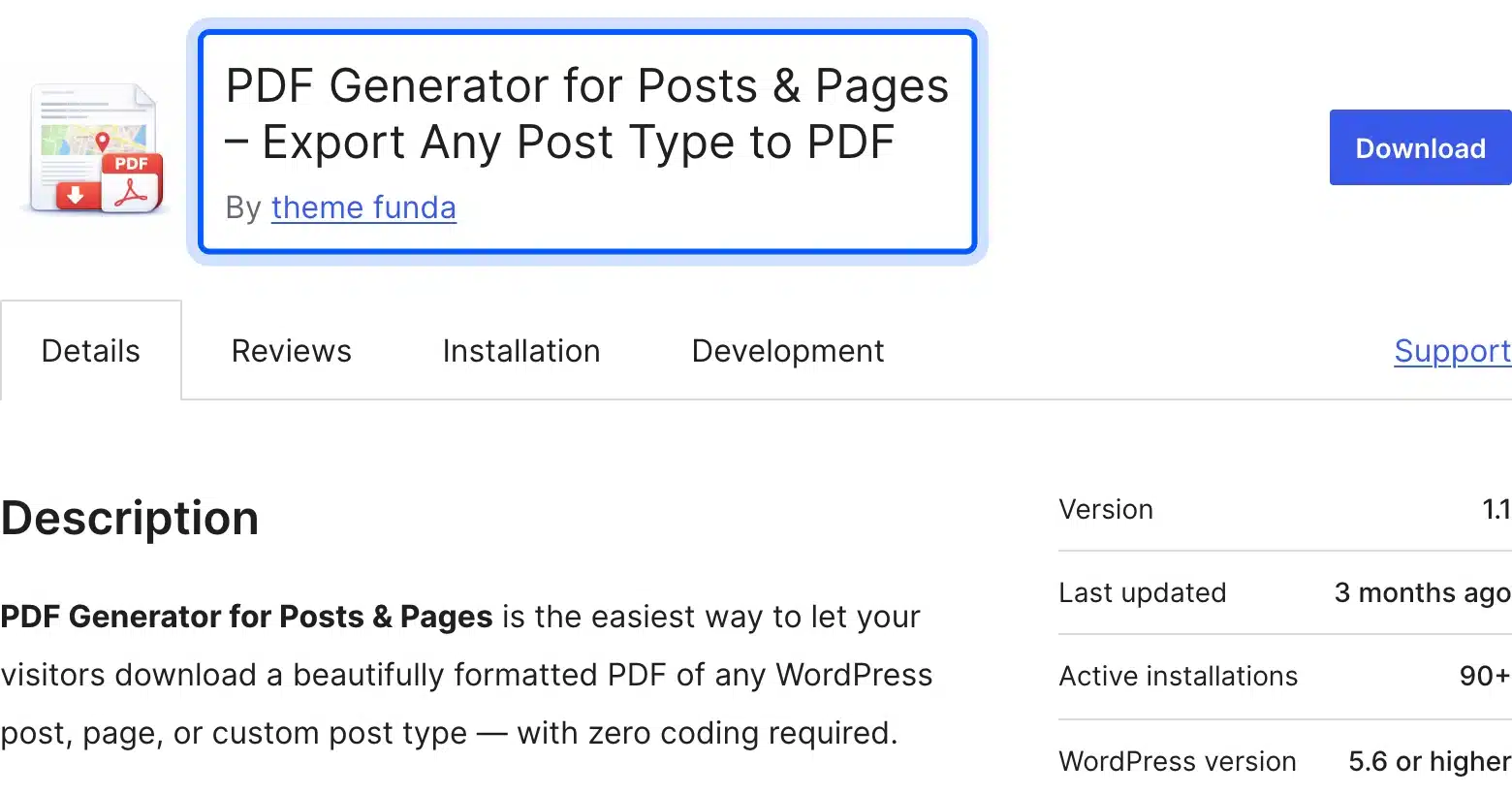
PDF Generator for Posts & Pages gives you a drag-and-drop layout builder for the PDF output, with four ready-made page layouts to choose from.
You pick a layout, toggle which content blocks to include, and the PDF updates instantly in a live preview, no PHP editing needed.
It also pulls in ACF custom fields automatically, which most free WordPress blog to PDF plugins skip.
- Requirement: WordPress with any modern theme
- Compatible up to: WordPress 7.0.7
- Active installations: 90+
- Rating: 1/5 from a single review
Best For
Sites that want visual control over how the exported PDF looks.
Key Features
- Visual layout builder with live preview
- Supports ACF custom fields in the export
- Works on posts, pages and custom post types
Pricing
- Free core plugin on WordPress.org
- Pro tier exists; pricing not published on the plugin page
Benefits
- Layout choice: Four pre-built templates cover most content types.
- Field flexibility: Custom fields carry over into the PDF automatically.
Limitations
- Small install base and only one review so far.
- Pro pricing is not disclosed upfront. Budgeting takes extra research.
6. Convert Articles to PDF: Best for Lightweight Setup
Convert Articles to PDF (listed on WordPress.org as SOMNEVORA Article-to-PDF) uses the Dompdf library to generate downloadable PDFs from any blog post, no JavaScript required.
You choose whether the download button sits before or after the post content. You can also set the paper size, the page orientation and custom CSS for the PDF.
Featured images can be included or left out. The plugin is free, and setup is quick even on a busy blog.
- Requirement: WordPress 6.6+ and PHP 7.4+
- Compatible up to: WordPress 7.1.3
- Active installations: 90+
- Rating: no reviews yet
Best For
Small blogs that want a simple download button without extra configuration.
Key Features
- “Before” or “after” content button placement
- Featured image support in the exported file
- Custom CSS field for styling the PDF output
Pricing
- Free with no paid tier listed
Benefits
- Simple setup: Activate and the button appears with no settings maze.
- Paper options: A4, Letter or Legal paper in either orientation.
Limitations
- Too few installs yet to judge long-term reliability.
- Dompdf-based rendering can struggle with complex layouts.
7. SmartPost PDF: Best for Blog-Only Sites
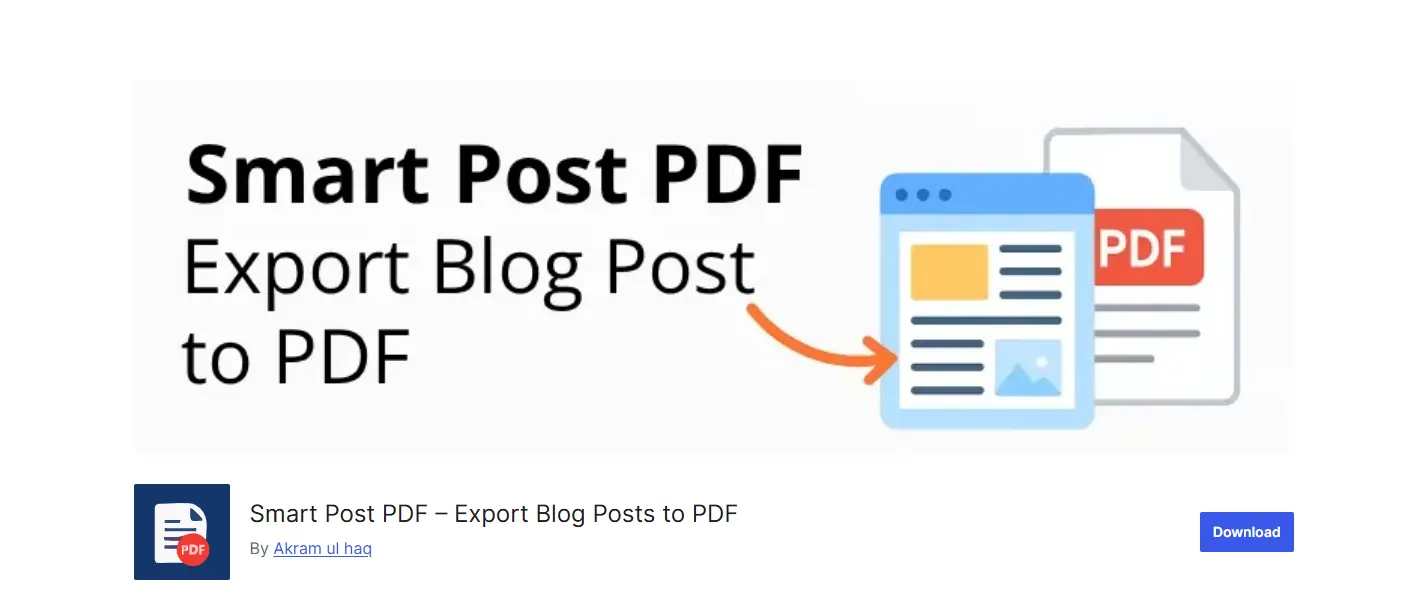
SmartPost PDF adds a “Download as PDF” button with a choice of three layout templates for the output.
It is built for simple blogs rather than complex sites. There is little to configure beyond picking a template and turning the button on.
As of October 2026, the listing shows fewer than 10 active installs. Its last update was in November 2025.
- Requirement: WordPress 5.4+ and PHP 7.4+
- Compatible up to: WordPress 6.8.11
- Active installations: fewer than 10
- Rating: no reviews submitted yet
Best For
Simple blogs that only need a download button on standard posts.
Key Features
- Three built-in PDF templates
- Button position before or after the post
- One-click “Download as PDF” button on posts
Pricing
- Free on WordPress.org
Benefits
- Template choice: Three layouts cover most blog styles out of the box.
- Button alignment: Place the button left, center or right.
Limitations
- Works on posts only, with no page or custom post type support listed.
- Not updated since November 2025 and not yet tested with WordPress 7.
Which Blog to PDF Plugin Fits Your Use Case: Quick Comparison
The seven plugins split into three groups: paid tools with extra control, book compilers and free download buttons. Your choice depends on post complexity, who should see the button and budget. The table below puts all seven side by side as of October 2026.
| Plugin | Best For | Pricing | Use Case |
|---|---|---|---|
| DevDiggers Blog to PDF | Content sites | $29/yr (1 site) | Branded PDFs and ebooks with a built-in lead form |
| PDF Generator for WP Pro (WP Swings) | Bulk exports and flipbooks | $59 to $289/yr | Catalogs and multi-post exports |
| MPL-Publisher | Compiling posts into an eBook | $49 one-time per site | Authors turning blog posts into a book PDF |
| Save as PDF by PDFCrowd | Zero-config testing | Free demo and a paid license for production | Testing before committing to a paid tool |
| PDF Generator for Posts & Pages | Visual layout control | Free (core) with undisclosed Pro pricing | Sites needing a drag-and-drop PDF layout |
| Convert Articles to PDF | Lightweight setup | Free | Small blogs wanting a no-frills button |
| SmartPost PDF | Blog-only sites | Free | Simple blogs with standard posts only |
What Nobody Tells You About Blog to PDF Plugins
A PDF copy of your post supports the page and does not replace it. Complex layouts often break during export, and formatting needs care after theme updates. Plan for these limits before you add a download button to every post.
Complex layouts, tables inside tables, embedded videos and multi-column blocks often break during export. Test on your most complex post before rolling this out site-wide.
| Factor | Simple PDF plugins (free) | Advanced PDF plugins (paid) |
|---|---|---|
| Setup time | Minutes | Minutes to an hour |
| Layout control | Basic | Templates, colors and fonts |
| Role-based access | Rare | Common |
Budget for occasional formatting fixes after major theme or builder updates, regardless of which plugin you pick.
How to Choose the Right Plugin
Picking a WordPress blog to PDF plugin comes down to post complexity, access control and budget. Text-heavy articles export cleanly on almost any of these plugins. Image-heavy or table-heavy posts need stronger content-to-PDF converter output, like the DevDiggers plugin or PDF Generator for WP.
If you use the PDF as a PDF lead magnet, put the download behind a signup form. Each download then counts as a lead. Our blog to PDF plugin with a lead form does this without a second plugin.
Match your budget to the pricing column in the comparison table above. Then test the free tier or demo mode before buying anything.
Conclusion
Picking the right WordPress blog to PDF plugin comes down to three things. How well does it keep your content intact? How much control do you need over the button, and does the price fit?
Start with the comparison table above and shortlist two options that match your use case. Test both on your most complex post before deciding. Our WordPress Blog to PDF plugin covers most content sites. It adds a lead form, ebooks and a downloads dashboard from $29 a year. The free options on this list are worth testing first if budget is tight.
Frequently Asked Questions (FAQs)
Q1. Does WordPress support PDF downloads by default?
No. WordPress does not include a built-in way to convert posts into downloadable PDFs. You need a plugin like the ones reviewed above to add this feature.
Q2. Will a PDF version of my blog post hurt my SEO?
Not directly, but PDFs rarely outrank the original blog post in search results. Use them as a bonus format for readers. They do not replace the post itself.
Q3. Can I customize how the PDF looks?
Most plugins on this list let you change the layout, the button text and some styling. For deeper control, look at paid options like the DevDiggers plugin or PDF Generator for WP Pro.
Q4. Do I need coding skills to set up a WordPress blog to PDF plugin?
No. Every plugin reviewed here works after installation and a short settings check, with no code required for standard use.
Q5. Can I use a WordPress blog to PDF plugin as a lead magnet?
Yes. Some plugins need a second gated content plugin to collect the email first. Our WordPress Content to PDF plugin has a lead form built in. It saves each name and email with the post it came from.