
The best reCAPTCHA alternatives in 2026 start with our WooCommerce Advanced CAPTCHA plugin. It runs Cloudflare Turnstile, hCaptcha or Google reCAPTCHA on your forms, or a built-in CAPTCHA with no keys. Turnstile costs nothing, and hCaptcha has a free Basic plan.
We checked every price and limit on each vendor’s own page in October 2026. We also installed version 1.1.0 of our plugin on a test store with WordPress 7.1 and WooCommerce 11.2. Then we ran the published test keys from Turnstile, hCaptcha, and Google through it.
Below you get eight options with real prices, a comparison table, and a guide to choosing one. Our plugin comes first with a full setup tutorial. The seven engines and filters after it follow each vendor’s own pages.
Why Site Owners Replace reCAPTCHA in 2026
Site owners replace reCAPTCHA because of cost limits, visitor friction, and data worries. Google now sells reCAPTCHA through Google Cloud, where the free Essentials tier covers 10,000 assessments a month per organization. Above that, the Premium tier needs a billing account, according to Google Cloud’s reCAPTCHA pricing.
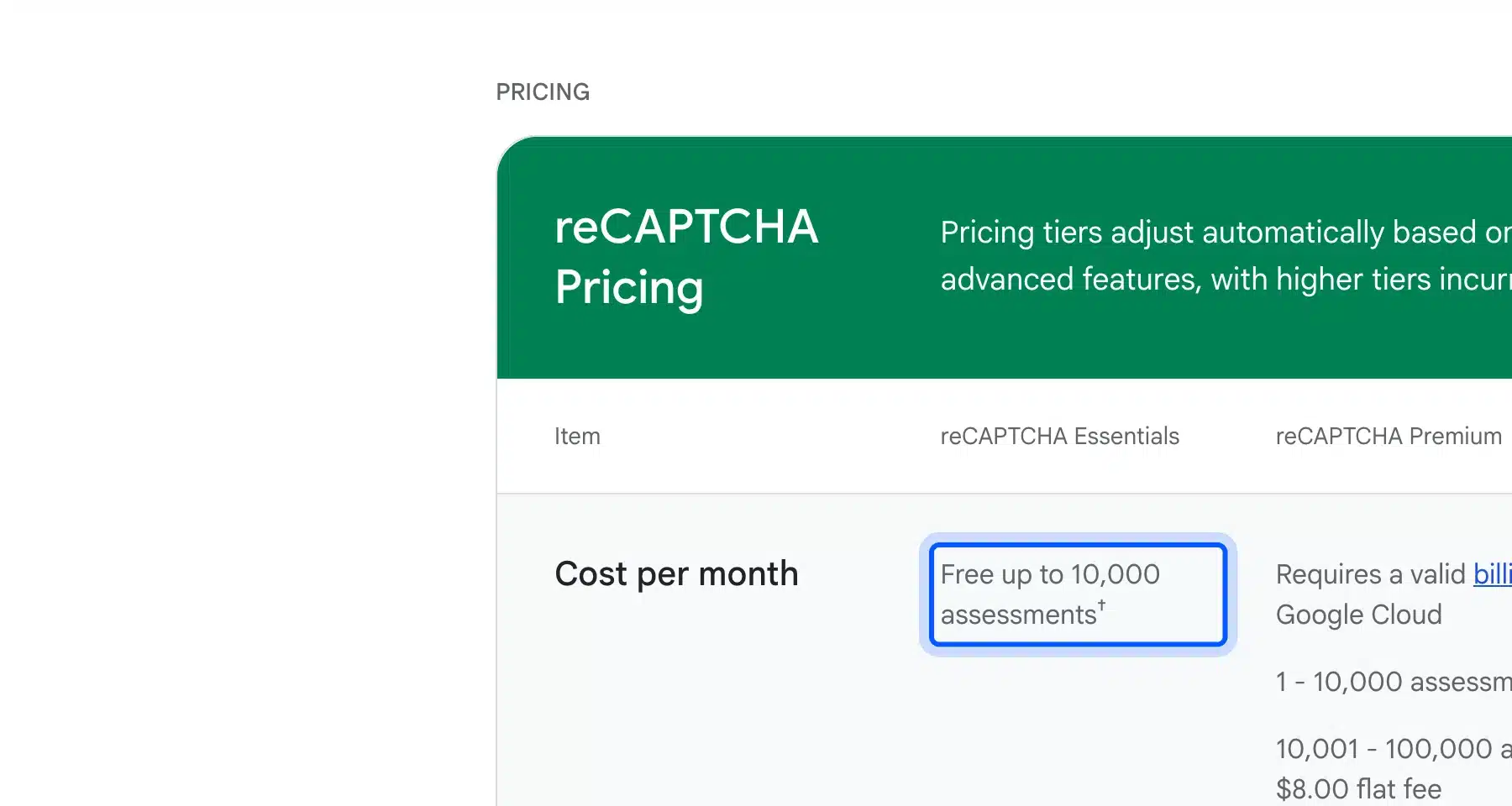
The numbers matter for busy stores. The Premium tier charges an $8.00 flat fee from 10,001 to 100,000 assessments and $1.00 per 1,000 after that. A store that checks every login, comment, and checkout might pass 10,000 in a month without noticing.
Friction is the second reason. UC Irvine researchers estimated that reCAPTCHAv2 has cost people at least 819 million hours, which they value at $6.1 billion in wages. That figure comes from their reCAPTCHAv2 user study and uses the federal minimum wage.
It is an estimate built on a low count of sessions, but it shows what a puzzle costs at scale.
Privacy is the third. Google says the data it gathers is used only for reCAPTCHA’s operation and security, as its product page explains. The vendors below sell on collecting less, but whether any option fits your legal duties is a question for your own adviser.
How reCAPTCHA Alternatives Work
Most reCAPTCHA alternatives use a hosted widget, a proof-of-work puzzle, or a server-side spam filter. The method decides how much visitors see and how much data leaves your site. Each method suits a different kind of form, and some sites combine two of them.
Hosted widgets load a script from the vendor. Cloudflare Turnstile, hCaptcha, and MTCaptcha work this way, and the plugin we use later loads Turnstile from Cloudflare’s own server. Your server then sends the visitor’s token back to the vendor to confirm it.
Proof-of-work tools ask the visitor’s device to do a small amount of computing. Friendly Captcha says it generates a unique crypto puzzle for each device, and Cap describes parallel SHA-256 hashing in the browser. A server-side filter like Akismet skips the widget and judges the submitted text.
reCAPTCHA Alternatives Compared at a Glance
The table below sets the eight options side by side on cost, hosting, and fit. Prices come from each vendor’s own page, checked in October 2026, and the paid tiers start at the lowest listed plan. Open source tools cost nothing for the software, but you pay for the server.
| Option | Free option | Paid from | How it works | Best for |
|---|---|---|---|---|
| WooCommerce Advanced CAPTCHA | None | $39 a year | Plugin that runs Turnstile, hCaptcha, reCAPTCHA or its own CAPTCHA | WooCommerce stores |
| Cloudflare Turnstile | Free plan with unlimited challenges | Enterprise with sales quote | Hosted widget | Most stores |
| hCaptcha | Basic plan | $99 a month billed yearly | Hosted widget | Sites that want a Pro plan |
| Friendly Captcha | Non-commercial use with 1,000 requests | €9 a month | Proof of work | Small sites and EU buyers |
| MTCaptcha | 1 domain and 10,000 evaluations | $25 a month billed yearly | Hosted widget | Several domains |
| ALTCHA | MIT core that is self-hosted | €47 a month for Cloud | Proof of work | Developers |
| Cap | Open source and self-hosted | Hosting only | Proof of work | Developers |
| Akismet | Personal sites | Paid plans in local currency | Server-side spam filter | Comments and forms |
The 8 Best reCAPTCHA Alternatives
Eight reCAPTCHA alternatives follow below. Our own plugin comes first because it is the one we build and support. The seven after it are engines and filters, ordered by how many WordPress sites can use them without hiring a developer.
Our plugin is the only entry that runs several engines. It connects them to your WooCommerce forms and adds a built-in one of its own.
1. WooCommerce Advanced CAPTCHA (Our Plugin)
WooCommerce Advanced CAPTCHA is our own plugin for adding a reCAPTCHA alternative to WooCommerce. It connects Cloudflare Turnstile, hCaptcha or Google reCAPTCHA to your forms, or runs a built-in CAPTCHA with no keys. The product page also lists a card testing shield, IP lockouts and a honeypot.
We tested version 1.1.0 on WordPress 7.1.3 and WooCommerce 11.2.0. The newer features in the list below come from the product page and plugin code, read in October 2026.
Here is how we set it up with Cloudflare Turnstile on our test store.
- Install the plugin: Open Plugins > Add Plugin > Upload Plugin, choose the plugin zip, and activate it. A DevDiggers Plugins menu appears in the sidebar.
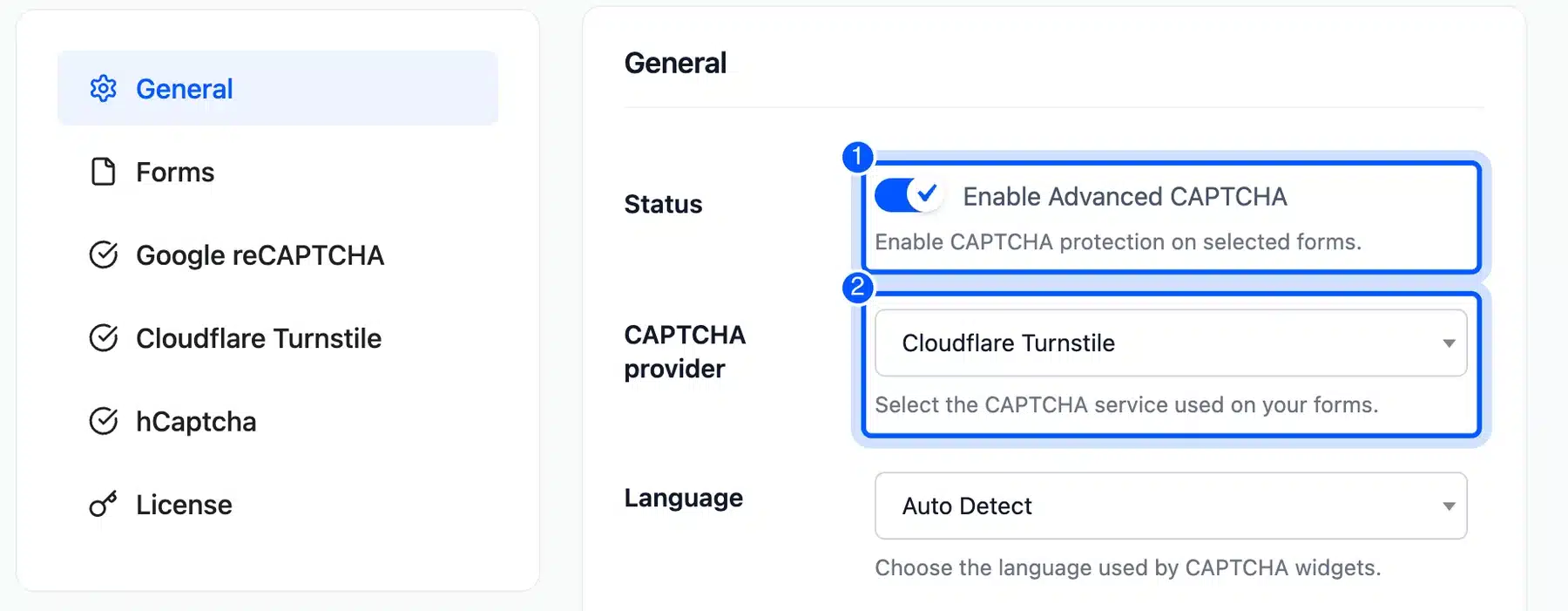
- Switch it on and pick an engine: Open DevDiggers Plugins > Advanced CAPTCHA > Configuration > General. Turn on Enable Advanced CAPTCHA and choose Cloudflare Turnstile in the CAPTCHA provider list.
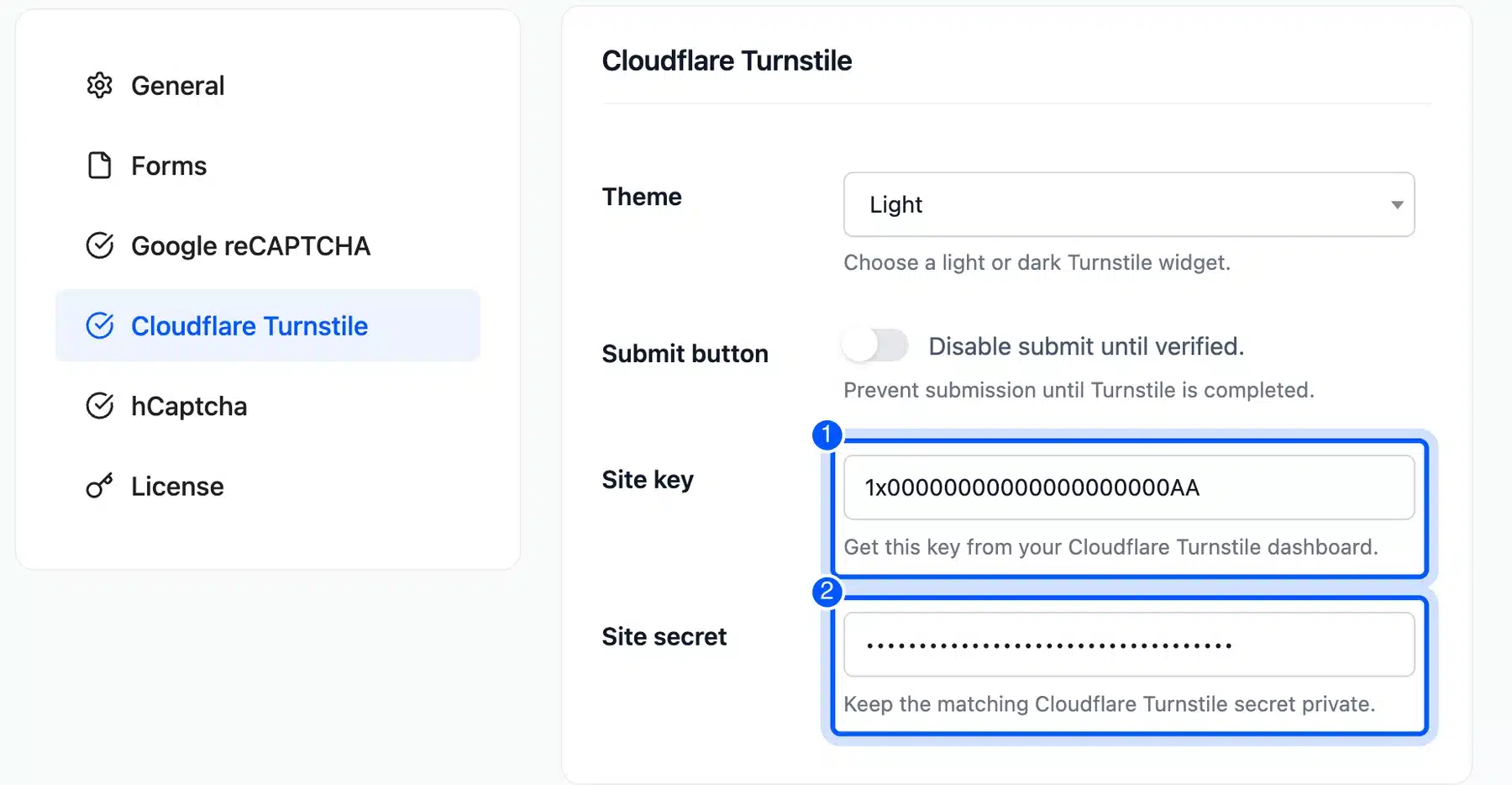
- Paste the keys: Open the Cloudflare Turnstile tab. Paste the Site key and the Site secret from your Cloudflare dashboard, and press Save Changes. We used Cloudflare’s published test keys.
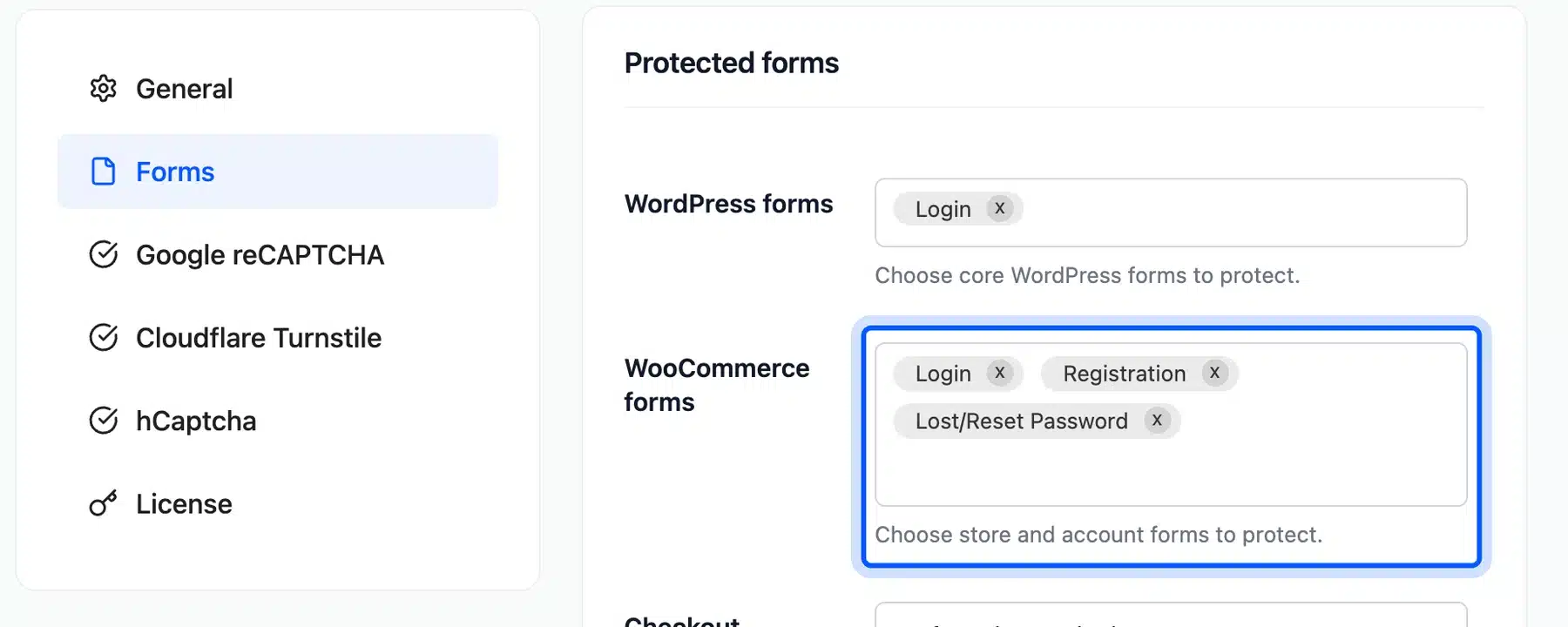
- Choose the forms: Open the Forms tab. Under WooCommerce forms we picked Login, Registration, and Lost/Reset Password. Under WordPress forms we picked Login.
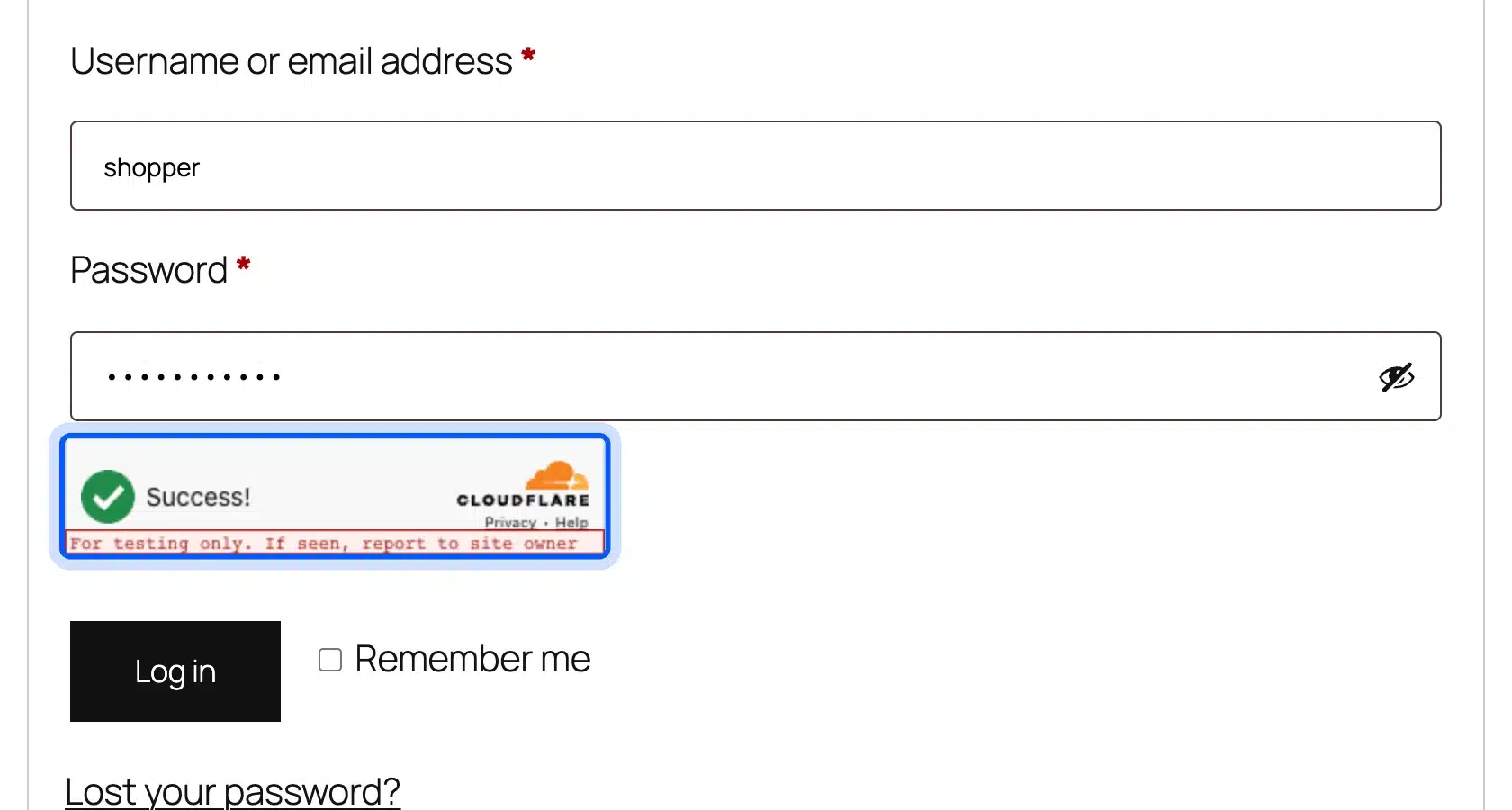
- Check the login form: Open My account in a private window. The Turnstile widget sits above the Log in button and showed Success before we pressed it.
- Break it on purpose: Swap in Turnstile’s always-fail test secret and log in again. The plugin rejects the login and shows its error message. You can reword that message under General > Error message.
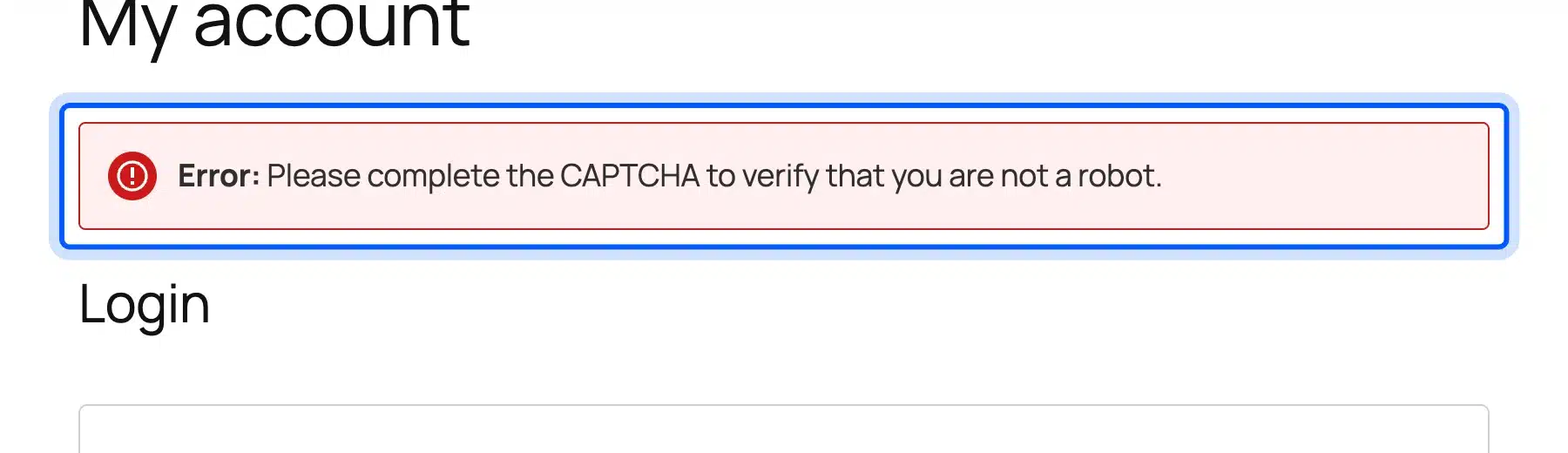
The My account login, registration, and lost password forms all rejected a submission sent before the widget finished. They accepted one sent after the widget showed Success. The WordPress login screen at wp-login.php accepted a sign-in the same way.
To switch engines, open the hCaptcha or Google reCAPTCHA tab and paste its keys. Then change the CAPTCHA provider on the General tab. The Google tab also has a Version setting for V2 and V3.
We ran hCaptcha’s published test keys and Google’s reCAPTCHA v2 test keys through the same login. Each widget loaded and let the login through.
We left checkout out of our test. With Guest Checkout switched on, the widget did not stay on our classic checkout page and the test order did not go through. Leave the checkout options off in version 1.1.0 until you have tested them on your own store. The product page now lists block and classic checkout support. We have not tested that build yet.
Key features:
- Engines: A built-in math or text CAPTCHA with no keys, Google reCAPTCHA v2 and v3, Cloudflare Turnstile and hCaptcha.
- WordPress forms: Login, registration, lost password and post comment forms can carry the check.
- WooCommerce forms: Login, registration, lost password, checkout, product review and address forms are on the list.
- Skip rules: You can whitelist IP addresses and exclude user roles. Your own team is never slowed down.
- Other forms: Contact Form 7, WooCommerce Affiliates and MultiPOS login forms can be protected too.
- Fraud and lockouts: The product page lists a card testing shield that counts failed payments, plus IP lockouts after repeated failures.
- Invisible checks: A honeypot, a minimum fill time and a smart mode keep the challenge away from clean visitors.
- Dashboard and log: Bots stopped, block rate and top offending IPs show on a dashboard with a log of every check.
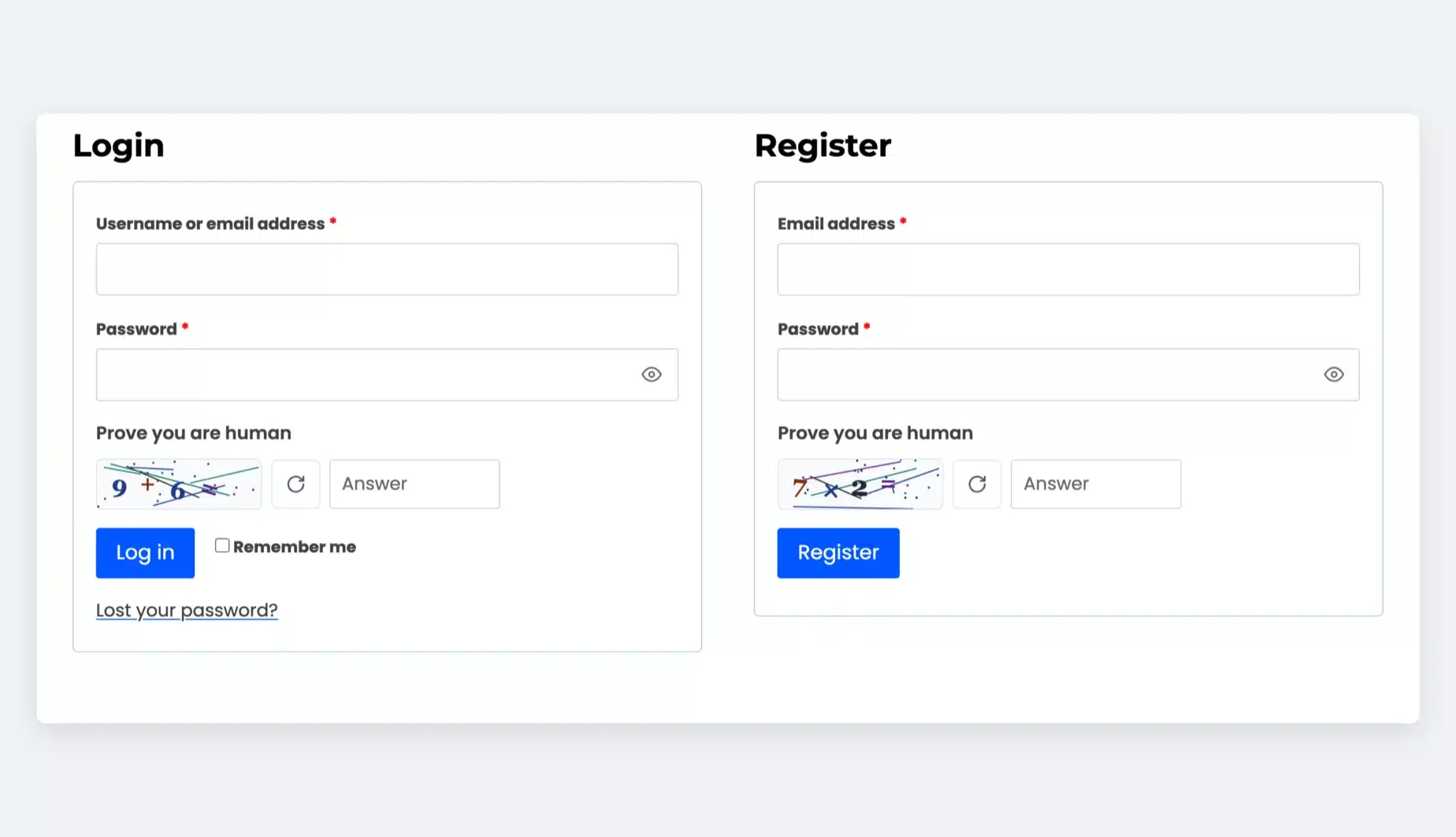
Pricing: WooCommerce Advanced CAPTCHA is a paid plugin. Its yearly plans are $39 for one site, $179 for five sites and $299 for ten sites as of October 2026. See the WooCommerce CAPTCHA plugin page for what each plan covers. The engine you connect has its own plan, and the built-in CAPTCHA needs none.
Best for: WooCommerce stores that want one screen for every form check and a CAPTCHA option that sends nothing to Google.
Worth knowing: It is the only option in this list that pairs a choice of hosted engines with a self-hosted CAPTCHA in one WooCommerce plugin. The other seven are single engines or filters.
2. Cloudflare Turnstile
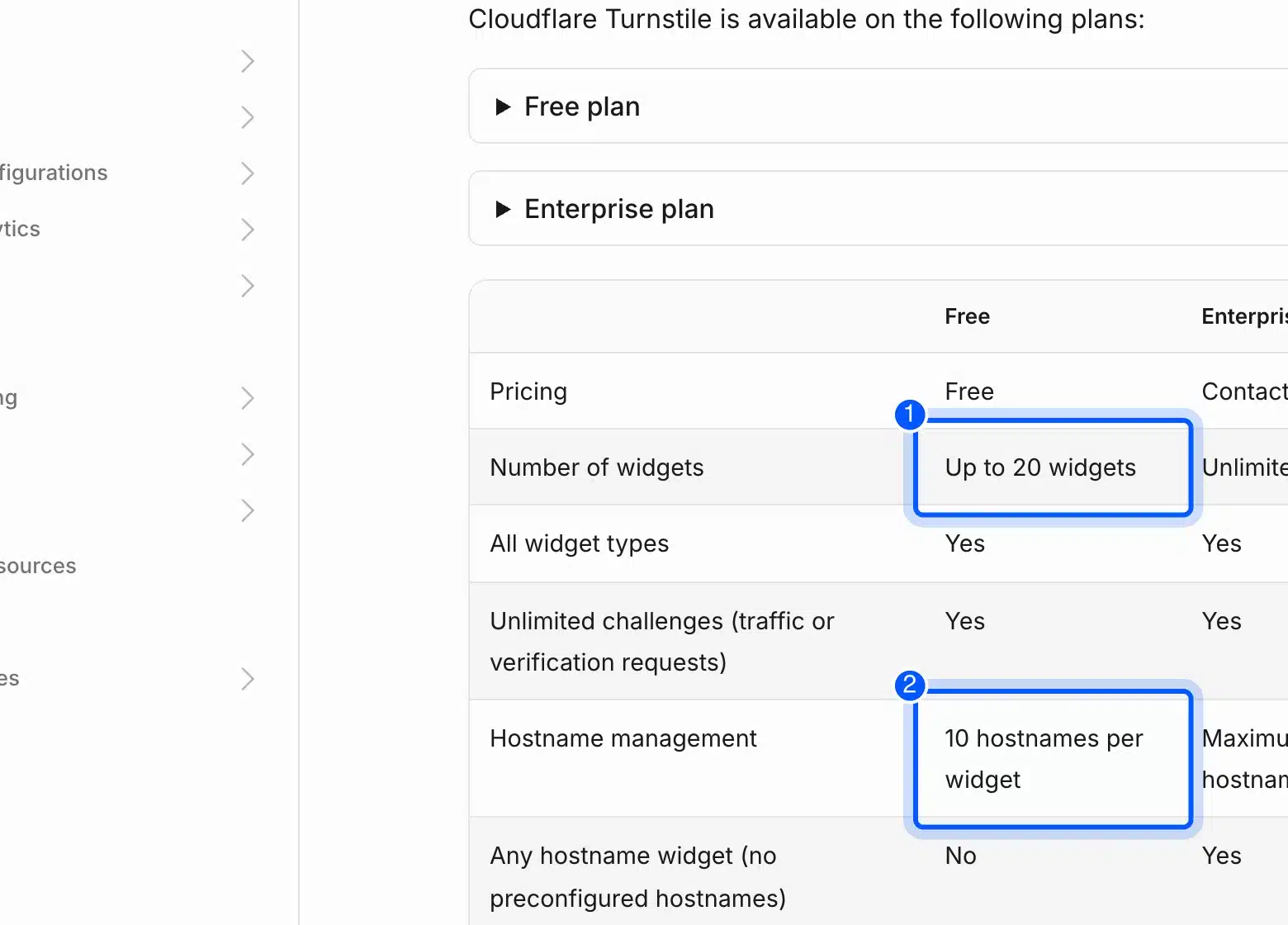
Cloudflare Turnstile is a free CAPTCHA replacement from Cloudflare that you can use without moving your site to Cloudflare. Its Free plan allows up to 20 widgets with 10 hostnames each and unlimited challenges, according to Cloudflare’s Turnstile plans page. That is enough for most single stores.
We ran Turnstile through the plugin in item 1 on our test store. Cloudflare’s test keys made the widget show Success and the login went through. A test secret that always fails made the plugin reject the same login.
Key features:
- Widget types: Every widget type is included on the Free plan.
- Analytics: The Free plan keeps seven days of analytics, and Enterprise keeps 30 days.
- Accessibility: Cloudflare lists WCAG 2.2 AAA compliance on both plans.
- Standalone use: Turnstile works without other Cloudflare services.
Pricing: The Free plan costs nothing. Enterprise needs a sales quote and adds unlimited widgets, 200 hostnames per widget, and removal of Cloudflare branding. We checked the plans page in October 2026.
Best for: Stores that want a free CAPTCHA across a handful of domains.
3. hCaptcha
hCaptcha is a CAPTCHA service with a free Basic plan and a paid Pro plan for sites that want less friction for visitors. Pro costs $99 a month on annual billing and $139 a month on monthly billing, according to hCaptcha’s pricing page. It includes 100,000 evaluations a month and then charges $0.99 per 1,000.
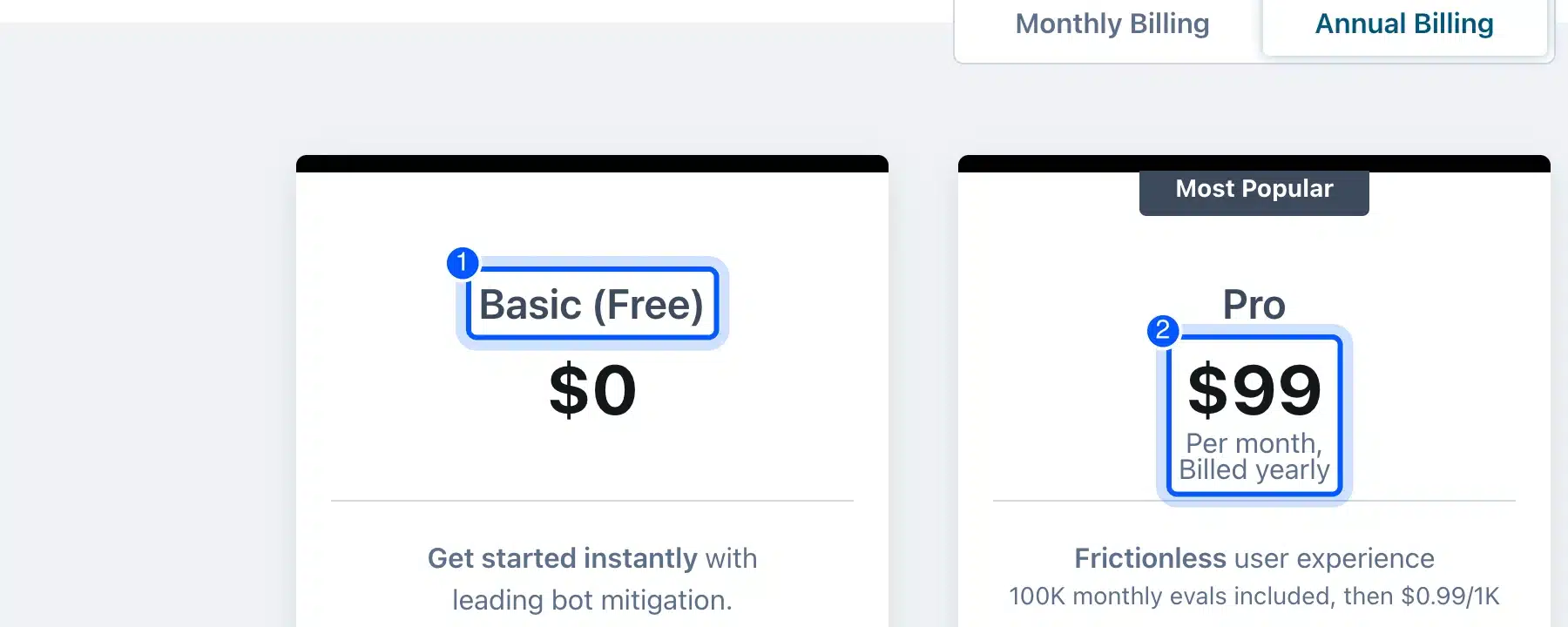
We did not create an hCaptcha account for this guide. Every price comes from the pricing page. We did run hCaptcha’s published test keys through the plugin in item 1, and the same login went through.
Key features:
- Passive mode: Pro lists a low friction passive mode, and Enterprise lists a no-CAPTCHA passive mode.
- Themes and analytics: Pro adds custom themes and analytics.
- Enterprise controls: Enterprise adds risk scores, SAML single sign-on, and service level agreements.
- Compliance claims: The vendor says the Basic plan complies with GDPR, CCPA, LGPD, and PIPL.
Pricing: Basic is free. Pro has a free trial that returns you to Free after 14 days unless you keep Pro. Enterprise is priced by sales.
Best for: Sites that want a paid plan with support for passive checks.
4. Friendly Captcha
Friendly Captcha is a proof-of-work CAPTCHA that solves a puzzle on the visitor’s device in the background. Its site says it stores no personal data from users and sets no cookies. Paid plans start at €9 a month for one domain, according to Friendly Captcha’s pricing section.
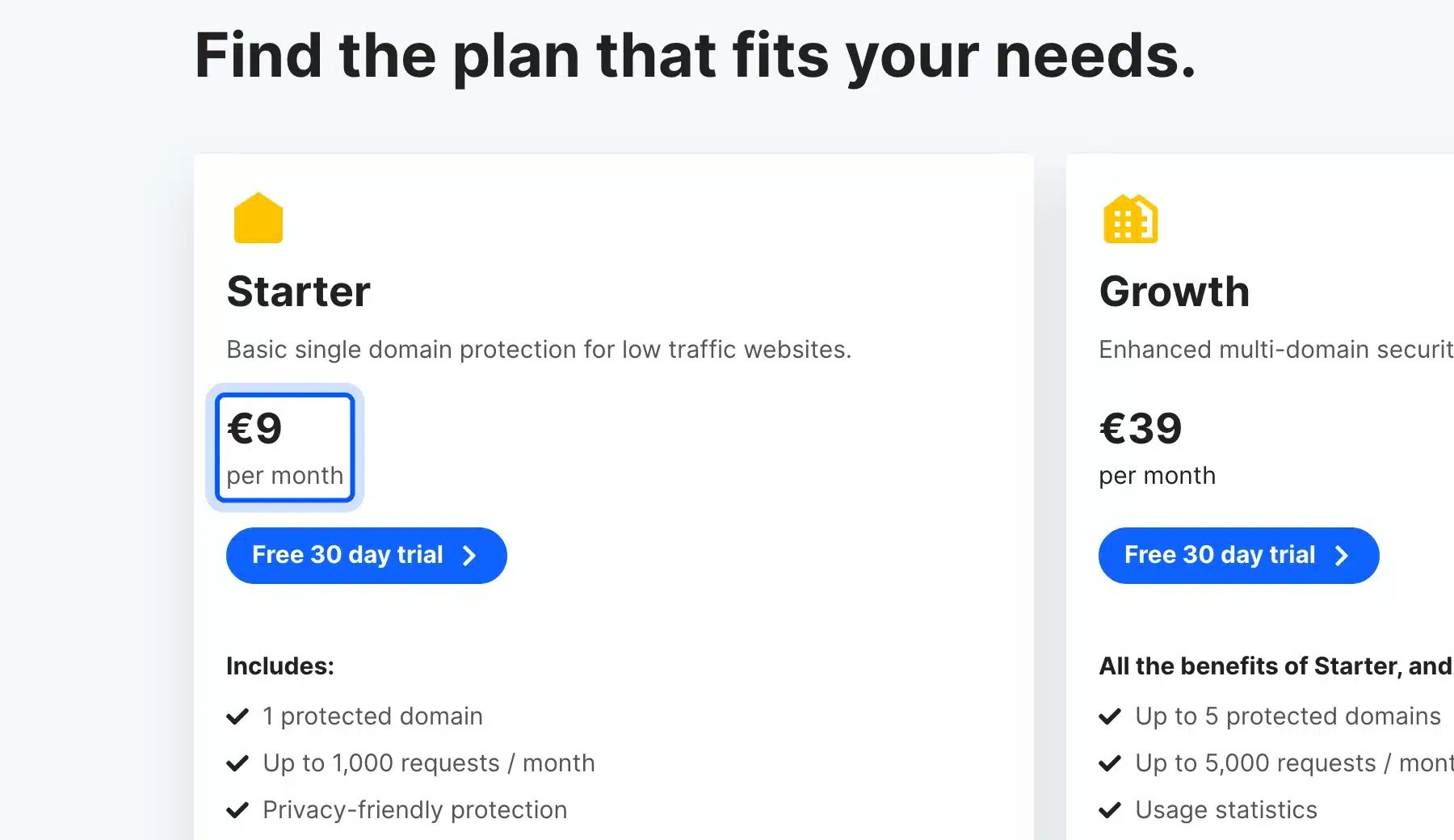
We did not sign up for Friendly Captcha. The plan details below are the vendor’s own statements.
Key features:
- Proof of work: Each visitor’s device solves a puzzle, usually within a few seconds while the form is filled in.
- No cookies: The site lists zero cookies, trackers, or personal data stored from your users.
- Usage statistics: Growth and higher plans include usage statistics.
- Free plan: One domain and 1,000 requests a month, for non-commercial sites with low traffic.
Pricing: Per Friendly Captcha’s plans, Starter costs €9 a month for one domain and 1,000 requests. Growth costs €39 for five domains and 5,000 requests, and Advanced costs €200 for 50 domains and 50,000 requests. Enterprise is custom.
Best for: Small sites with low traffic, because 1,000 requests a month is a small ceiling for a busy store.
5. MTCaptcha
MTCaptcha is a CAPTCHA service with a free plan for one domain and 10,000 evaluations a month. Paid plans start at $25 a month on annual billing for 300,000 evaluations. Dashboard history runs from seven days on Free to unlimited on Business, according to MTCaptcha’s pricing page.
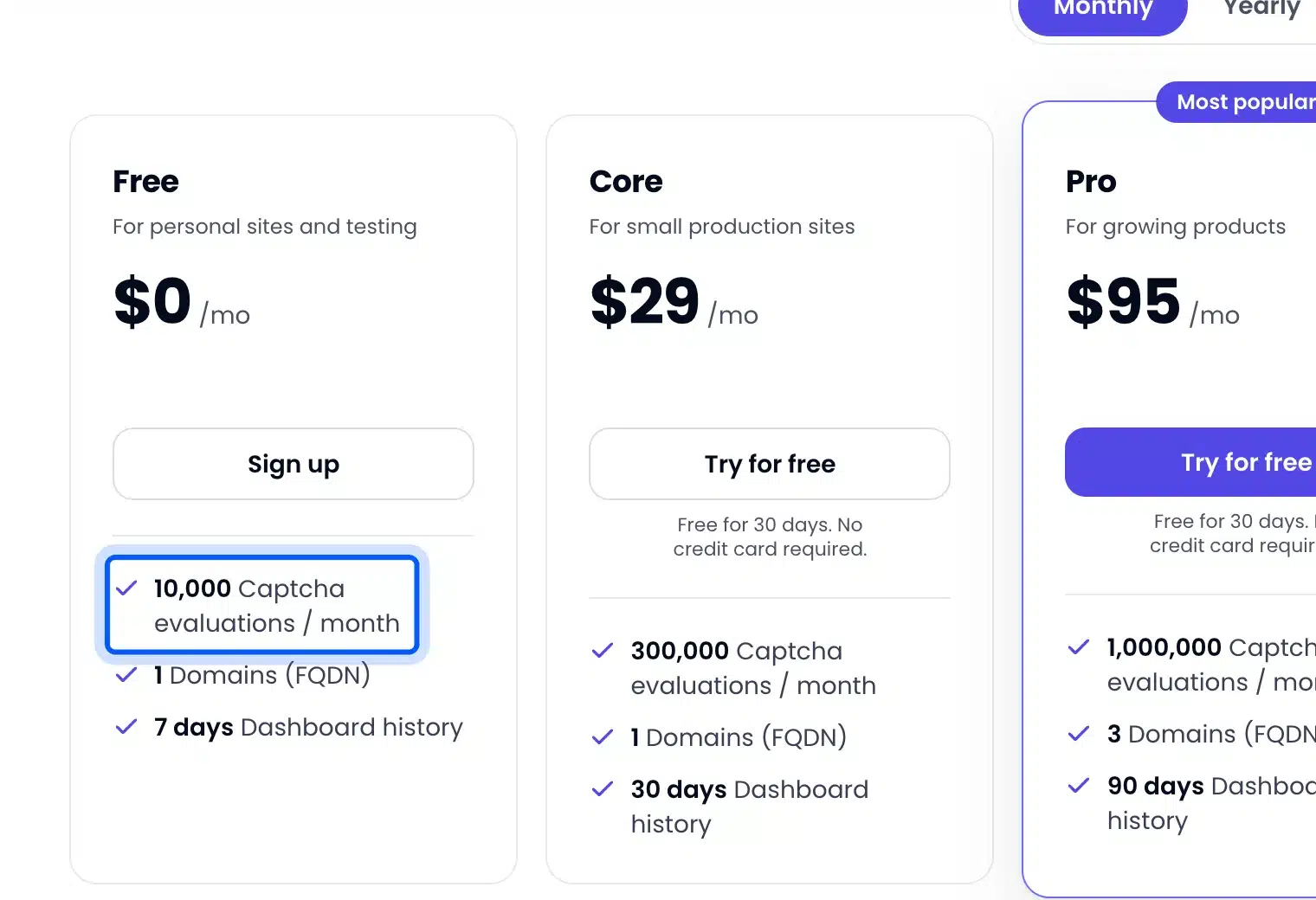
We did not create an MTCaptcha account. The limits below come from the pricing page.
Key features:
- Core plan: One domain and 300,000 evaluations a month, with 30 days of dashboard history.
- Pro plan: Three domains and 1,000,000 evaluations a month plus 90 days of history.
- Business plan: Six domains and 2,000,000 evaluations a month plus unlimited history.
- Test domains: Domain limits apply to production sites only, and development domains are unlimited.
Pricing: Free costs $0. Core is $25 a month billed yearly or $29 monthly, Pro is $81 or $95, and Business is $145 or $170. Enterprise is custom.
Best for: Agencies and stores with several production domains.
6. ALTCHA
ALTCHA is an open-source proof-of-work CAPTCHA with an MIT-licensed core that you can host yourself for free. Its managed Cloud plan costs €47 a month for three sites and includes a 30-day free trial. Those prices come from ALTCHA’s pricing page.
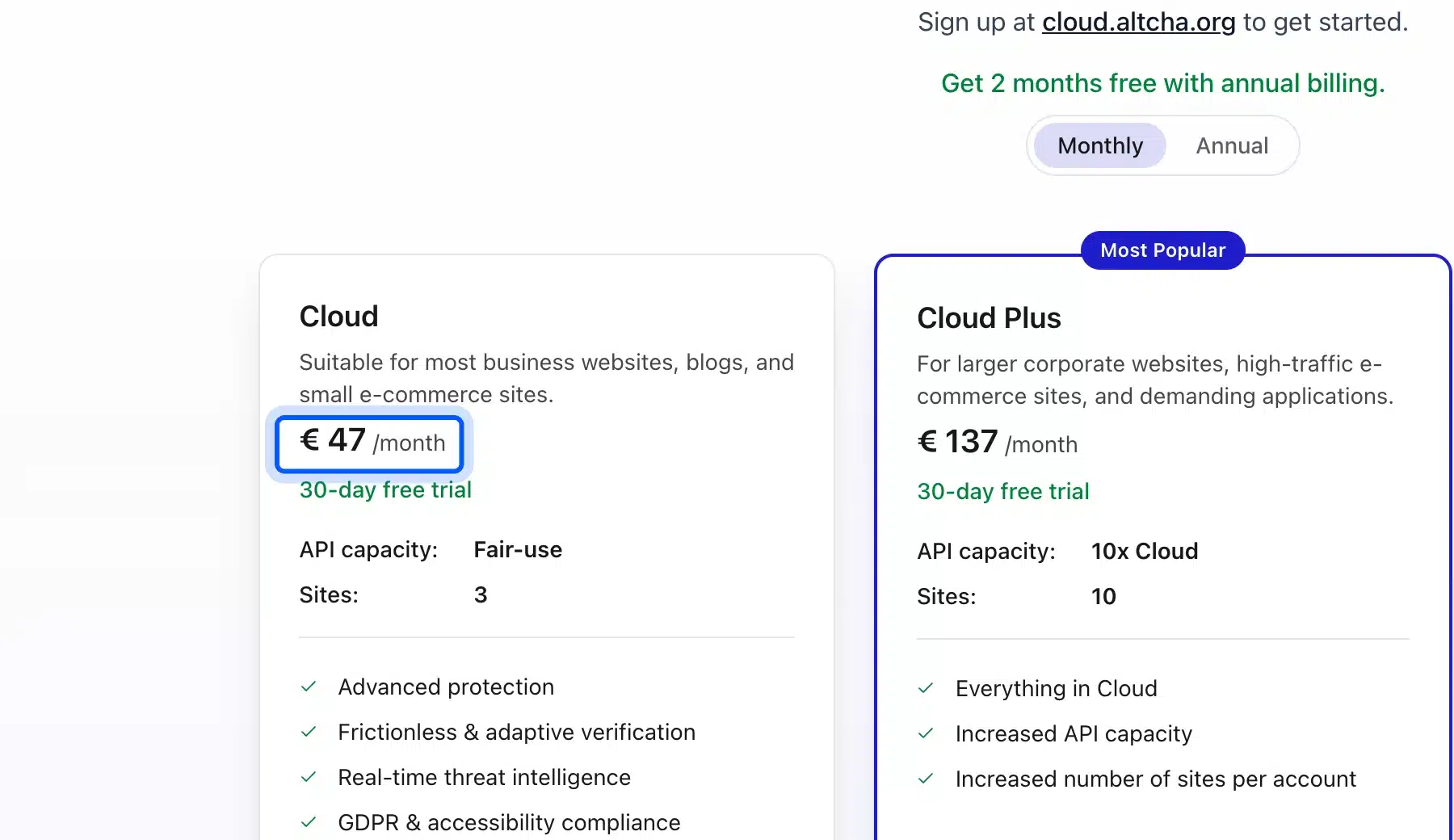
We did not set up an ALTCHA server for this guide. We also did not find a WordPress plugin on its pricing page or its GitHub readme.
Key features:
- Small widget: The readme lists the standard bundle at 34 kB.
- Cookie-free: The readme says there is no tracking, no fingerprinting, and no data collection unless you turn on the optional cookie setting.
- Compliance claims: The readme calls it GDPR, WCAG 2.2 AA, and EAA compliant.
- Self-hosted Sentinel: Professional costs €99 a month and Enterprise costs €799.
Pricing: The open-source core is free. Cloud Plus costs €137 a month for 10 sites, and Cloud Max costs €187 for 50 sites.
Best for: Developers who want an open-source core and an EU-hosted option.
7. Cap
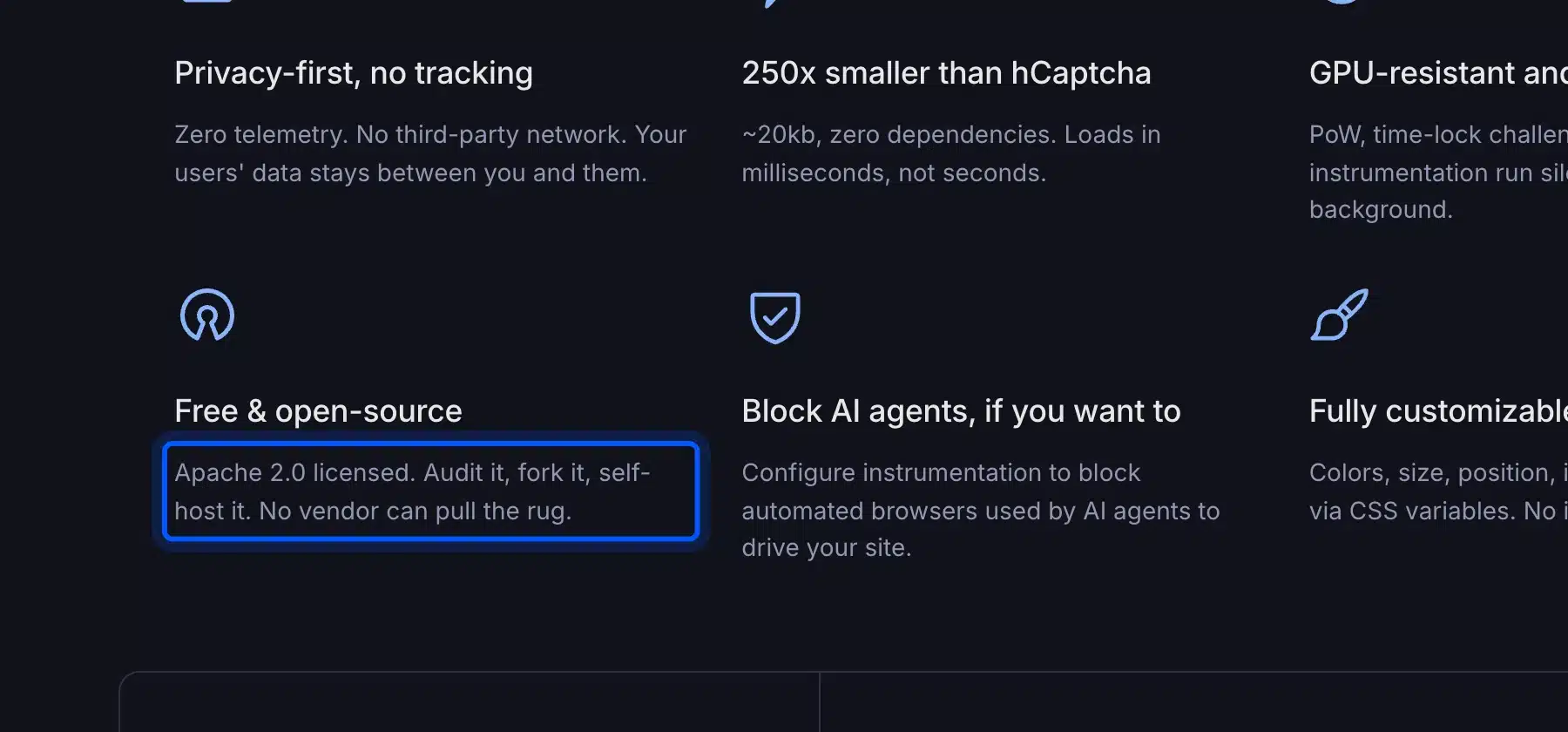
Cap is a free, open-source CAPTCHA that you host yourself under the Apache 2.0 license. It combines SHA-256 proof of work with browser checks and shows no visual puzzles. Its site says setup takes about 15 minutes with Docker, according to Cap’s own website.
We did not deploy Cap for this guide. Its site lists no WordPress plugin. Connecting it to forms is developer work.
Key features:
- Small widget: Cap says its widget is about 20 kB with no dependencies.
- Compatible verification: Its siteverify API matches reCAPTCHA and hCaptcha, but you must swap the client code.
- No usage limits: The software has no per-request fees or API caps.
- Cheap hosting: Cap says the standalone server fits on a $5 VPS for most sites.
Pricing: The software costs $0. You pay for hosting only.
Best for: Developers who want full control and no vendor account.
8. Akismet
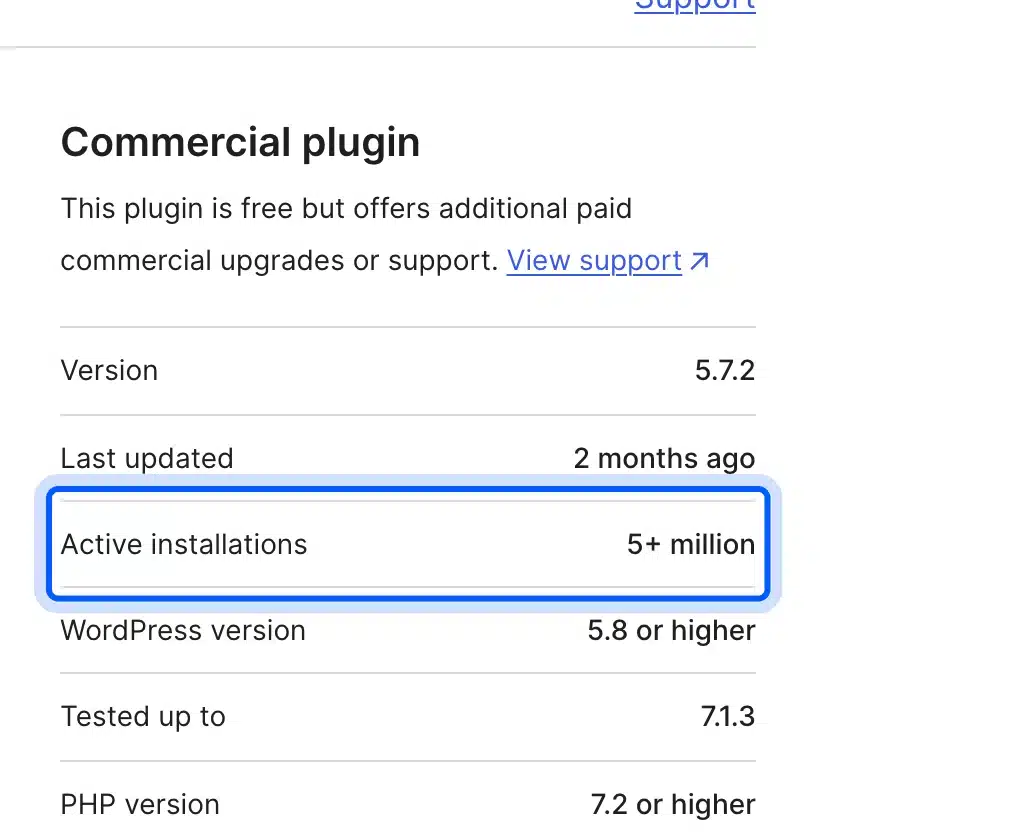
Akismet filters spam in comments and form submissions on the server and shows visitors no challenge. It has more than five million active installations, according to its WordPress.org plugin page. Personal sites can pay what they choose, and commercial sites need a paid plan.
Akismet is not a CAPTCHA at all, which is the point. There is no widget to load and nothing for a visitor to solve.
Key features:
- Pro plan: One commercial site with 500 spam checks a month at the entry level.
- Business plan: Unlimited commercial sites with 5,000 spam checks a month and priority email support.
- Soft limits: Akismet says protection keeps working if you occasionally go over your monthly allowance.
- No visitor step: Checks happen after the form is submitted.
Pricing: Akismet’s pricing page showed rupees to our browser. Check the price in your own currency. Personal is pay what you can, and Enterprise is custom.
Best for: Blogs and stores that mainly fight comment and contact form spam.
What to Check Before You Switch From reCAPTCHA
Before you switch, list the forms that carry a CAPTCHA today and compare each option’s domain and request limits. Then test the new keys on a copy of your site before the live store sees them. Work through the list below in order.
- Forms in use: Write down every form that shows reCAPTCHA now, such as login, registration, comments, and contact forms. Each one needs the new check or it stays open to bots.
- Limits: Friendly Captcha Starter allows 1,000 requests a month, and Turnstile allows 10 hostnames per widget. MTCaptcha counts production domains only. Compare these against your real traffic.
- Keys: Create the new site key and secret in the provider’s dashboard, and keep the old reCAPTCHA keys until the new widget works.
- Staff access: Add your office IP addresses to the plugin whitelist. Your own team then never has to solve the check.
Test on a staging copy before you touch the live store. A broken CAPTCHA on a login or registration form locks real customers out. Check each form after the switch.
How to Choose the Right reCAPTCHA Alternative
Pick among the reCAPTCHA alternatives by how your site is built and who visits it. A store owner without a developer should start with Turnstile or hCaptcha. A team that must keep data on its own servers should look at ALTCHA or Cap.
- No developer on hand: Pick Turnstile or hCaptcha, and connect it with a plugin.
- A WooCommerce store: Start with our WooCommerce Advanced CAPTCHA plugin, which runs Turnstile, hCaptcha, reCAPTCHA or its own built-in CAPTCHA from one screen.
- Comment spam only: Pick Akismet, because there is no widget. Our guide to the best WordPress comment plugins lists more options.
- Self-hosting: Pick ALTCHA or Cap, and plan developer time for the form integration.
- EU buyers: Compare Friendly Captcha and ALTCHA. Both list privacy-first designs.
Treat any GDPR compliant CAPTCHA claim as the vendor’s statement and not as legal advice. Friendly Captcha, for example, says it stores no personal data from users, and your own counsel should decide what that means for you. Our GDPR guide for WooCommerce covers the wider checklist.
Compare more WordPress tools in our list of the best WooCommerce CAPTCHA plugins. If you prefer to stay with Google, see how to add Google reCAPTCHA to the WooCommerce checkout. Our Cloudflare Turnstile guide walks through that setup.
Conclusion
The best reCAPTCHA alternatives for 2026 depend on how much you want to manage. Our WooCommerce Advanced CAPTCHA plugin puts Turnstile, hCaptcha, Google reCAPTCHA or a built-in CAPTCHA with no keys behind your WooCommerce forms. We tested its login, registration, and lost password forms on our test store.
Cloudflare Turnstile gives most sites a free hosted engine to connect, and hCaptcha adds a paid plan with support. ALTCHA and Cap suit developers who want control. Akismet suits comment spam.
Frequently Asked Questions (FAQs)
Q1. Is reCAPTCHA still free in 2026?
Yes, up to a limit. Google’s reCAPTCHA Essentials tier is free for up to 10,000 assessments a month per organization, according to Google Cloud. Above that you need the Premium tier and a Google Cloud billing account.
Q2. What is the best free reCAPTCHA alternative?
Cloudflare Turnstile is the easiest free option, because its Free plan lists unlimited challenges, according to Cloudflare. hCaptcha has a free Basic plan. ALTCHA and Cap are free to self-host.
Q3. Is there an open source reCAPTCHA alternative?
Q4. Is Cloudflare Turnstile free for business sites?
Cloudflare’s plans page lists the Free plan with unlimited challenges and does not limit it to personal projects. Read Cloudflare’s plans page and its terms before you rely on it for a large store.
Q5. Which reCAPTCHA alternative works with WooCommerce?
Turnstile, hCaptcha, and reCAPTCHA all work with WooCommerce through a plugin. Our WooCommerce Advanced CAPTCHA plugin supports all three from one settings screen, plus a built-in CAPTCHA that needs no keys. We tested its login, registration, and lost password forms on our test store.
Q6. Does Akismet replace reCAPTCHA?
For comments and contact forms, often yes, because it filters spam without a visitor step. It does not put a challenge on login or registration forms, which still need a CAPTCHA. See Akismet’s plugin page for what it covers.