Kickstarter takes a 5% cut. Indiegogo charges similarly, plus payment processing on top. If you already run a WooCommerce store, there’s a simpler option: run the campaign on your own site, keep the traffic, keep the data, and keep more of the money.
That’s what the best WooCommerce crowdfunding plugins are built for. Instead of sending supporters to a third-party platform, you turn your own store into the fundraising page, same checkout, same payment gateways, same customers.
The category is messy, though. Most roundups lump generic WordPress donation tools in with actual WooCommerce plugins, and that’s not the same thing. A true WooCommerce plugin plugs into your existing product catalogue, cart, and checkout. A standalone donation form doesn’t.
This list sticks to plugins that genuinely extend WooCommerce. We checked official docs, pricing, and real features for each one, covering what works, what doesn’t, and who it suits, whether you’re a store owner, nonprofit, agency, or startup funding a launch.
Why Run Crowdfunding on WooCommerce Instead of a Standalone Platform
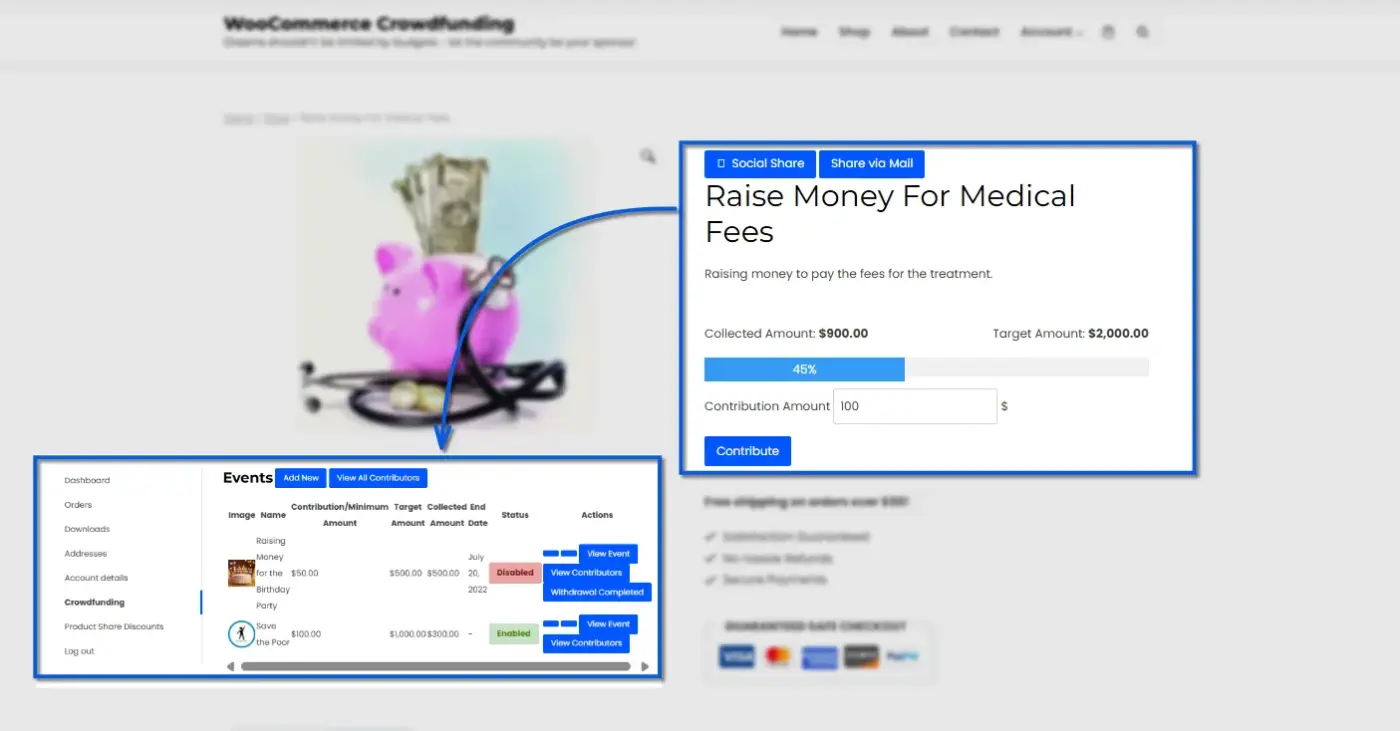
On a third-party platform, you’re renting an audience. Once the campaign ends, that traffic doesn’t automatically become your customer base. Running the same campaign through WooCommerce means every backer becomes a customer record in your own store, ready for repeat marketing, email follow-ups, or loyalty programs.
There’s also the fee math. Third-party platforms typically take a percentage cut plus processing fees. A WooCommerce crowdfunding plugin is usually a flat one-time or annual license, with no ongoing percentage taken from what you raise. The only fees are your existing payment gateway’s standard rates.
Tradeoff: You’re responsible for your own traffic instead of relying on a platform’s built-in audience. For store owners with an existing customer base, that tradeoff is usually worth it.
What to Look for in a WooCommerce Crowdfunding Plugin
Before installing anything, a few things are worth checking:
- Payment gateway compatibility: Does it work with the gateways you already use, or does it force a new processor?
- Reward tiers: Reward-based crowdfunding needs multiple contribution levels, not just a flat donation amount.
- HPOS compatibility: WooCommerce’s High-Performance Order Storage is now the default order system. A plugin that hasn’t been updated for it can cause order-syncing issues.
- Cart behaviour: Some plugins won’t let a campaign product sit in the same cart as a regular product, so test this before checkout day.
- Refunds and backer credit: If a campaign falls short, how does the plugin handle giving money back? Some pair well with a wallet or store-credit system.
Note: If you’re running a reward-based campaign (supporters get a perk once you hit your goal), a donation campaign (no reward, just support), or something closer to sponsorship? Not every plugin handles all three equally well, and picking based on your campaign type saves you a plugin switch later.
Best WooCommerce Crowdfunding Plugins for 2026
1. WooCommerce Crowdfunding by DevDiggers
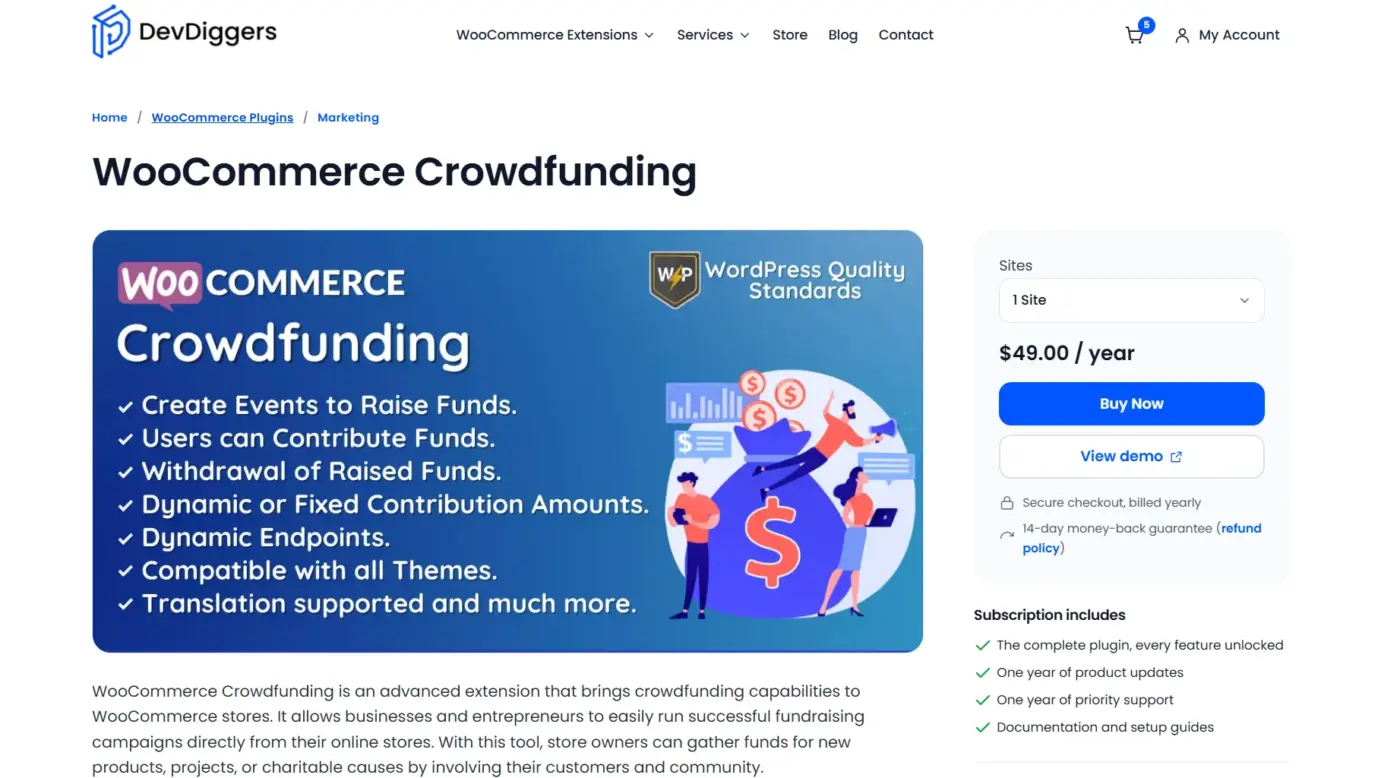
WooCommerce Crowdfunding plugin by DevDiggers turns any product into a fundraising campaign without forcing you into a separate crowdfunding “mode.” Store owners set a funding goal, let customers contribute toward it, and watch progress update live on the product page.
Campaigns run alongside your regular catalogue, so you’re not maintaining two separate systems. The plugin is built for WooCommerce from the ground up rather than adapted from a generic WordPress donation tool, which shows in how cleanly it fits an existing store.
It supports HPOS, works within your standard checkout flow, and doesn’t cap the number of campaigns you can run at once. For store owners who want crowdfunding without learning a new admin interface or migrating to a different plugin ecosystem, this is the most native option on the list, and it’s the pick we’d recommend starting with if you’re evaluating just one.
Best For
Store owners adding crowdfunding to an existing WooCommerce catalogue who want a native fit with no new system to learn.
Key Features
- Set funding goals per product with live progress tracking
- Works inside your existing WooCommerce checkout, no separate payment flow
- HPOS compatible, tested up to current WooCommerce and WordPress versions
- No cap on simultaneous campaigns
Pricing
- 1 Site: $49/year
- 5 Sites: $199/year
- 10 Sites: $299/year
Pros
- Genuinely native to WooCommerce, with no awkward integration layer
- Straightforward setup for anyone already comfortable with WooCommerce
- Actively maintained with compatibility updates
Cons
- No built-in reward-tier system for backer perks (single contribution type per campaign)
- No free version to test before buying
2. Growdfund by Themeum
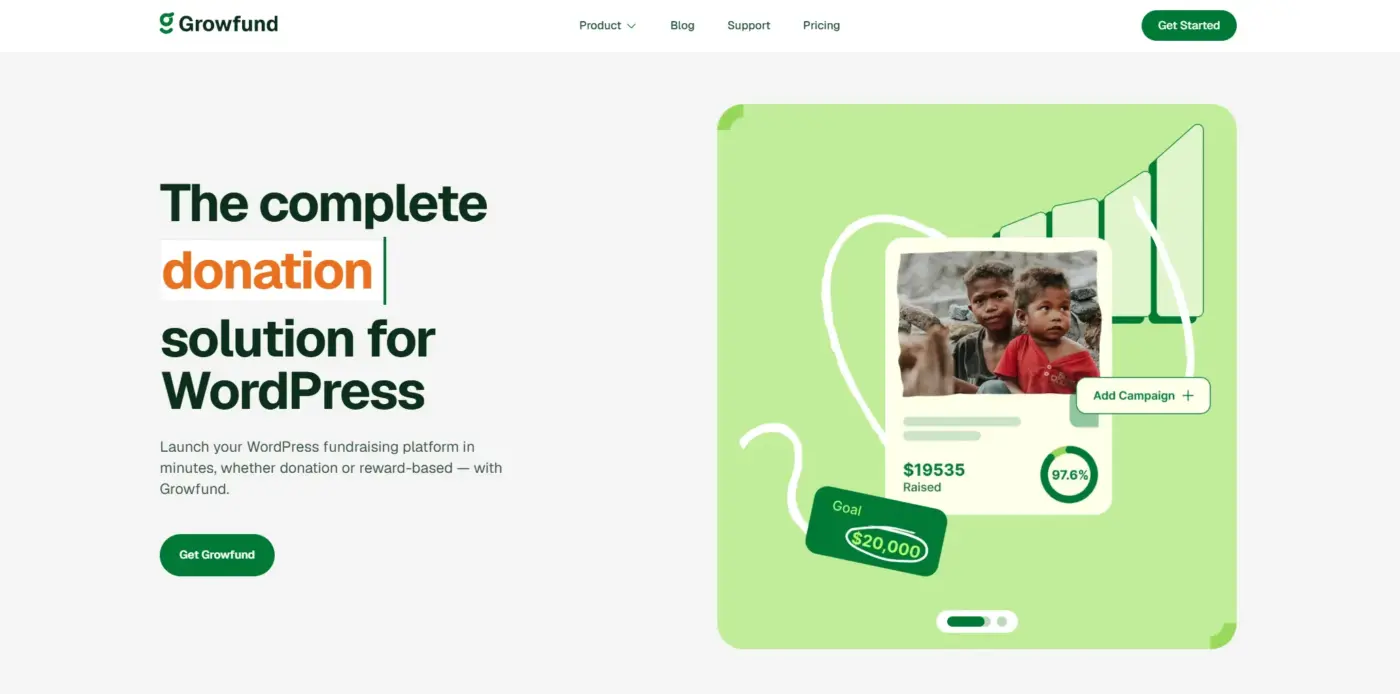
Growdfund by Themeum is built on top of WooCommerce and aims at Kickstarter-style, multi-user platforms, the kind where different people submit and manage their own campaigns from the front end.
It includes a native wallet system for tracking, calculating, and distributing funds, which works as an alternative to PayPal Adaptive or Stripe Connect for splitting money between project owners. Registered users can submit campaigns directly from the front-end dashboard, set funding goals, and offer multiple reward tiers to supporters.
An analytics dashboard tracks campaign performance over time. The free version covers the basics, while the premium tiers unlock the wallet system, unlimited rewards, and advanced reporting. It’s the strongest option here for anyone building a community or marketplace-style crowdfunding site rather than running a single campaign on an existing store.
Best For
Agencies and developers building a marketplace-style crowdfunding platform where multiple users run their own campaigns.
Key Features
- Front-end campaign submission for registered users
- Native wallet system for managing project funds and withdrawals
- Reward management with multiple contribution levels
- Analytics dashboard for tracking campaign performance
Pricing
- Single License (1 domain): $149/year
- 5 License Pack (5 domains): $199/year
- Unlimited Licenses: $299/year
Pros
- Best-suited option for community or multi-vendor crowdfunding sites
- Genuine reward tiers, not just a donation button
- Frontend submission means campaigns don’t need manual admin setup
Cons
- Requires WooCommerce setup knowledge that can trip up beginners
- Premium pricing tiers needed for full feature access ($74.50 to $149.50/year)
3. IgnitionDeck
IgnitionDeck bills itself as the original white-label crowdfunding plugin for WordPress, and it’s built to run an unlimited number of projects rather than a single campaign bolted onto a store. The free version lets you launch unlimited crowdfunding projects funded through PayPal, set up unlimited reward levels, and manage everything from a custom dashboard. Paid tiers add credit card funding, recurring payments, and WooCommerce integration on top of the free feature set.
That WooCommerce tie-in only shows up once you upgrade, so it’s less “native to WooCommerce out of the box” than DevDiggers or Crowdfunding Pro, and more of a dedicated crowdfunding platform that can plug into WooCommerce when you need it to.
Tradeoff: Lack of frequent software updates and fairly limited customisation compared to newer competitors.
Best For
Store owners who want a dedicated, white-label crowdfunding platform with unlimited reward tiers, and don’t mind paying to unlock the WooCommerce connection.
Key Features
- Unlimited crowdfunding projects and reward levels on the free version
- Light CRM capabilities and custom checkout pages
- WooCommerce integration, recurring payments, and credit card funding on paid tiers
- Custom project dashboard for supporters and admins
Pricing
Free; no paid tier exists.
Pros
- Genuinely unlimited projects and reward tiers, even on the free tier
- Long track record, used by a wide range of crowdfunding sites
- Reward-tier system built in, unlike several other plugins on this list
Cons
- WooCommerce integration is a paid-tier feature, not included free
- Update frequency and customisation options lag behind newer competitors
- Setup leans more toward a standalone platform than a lightweight store add-on
4. Crowdfunding Pro for WooCommerce (Official)
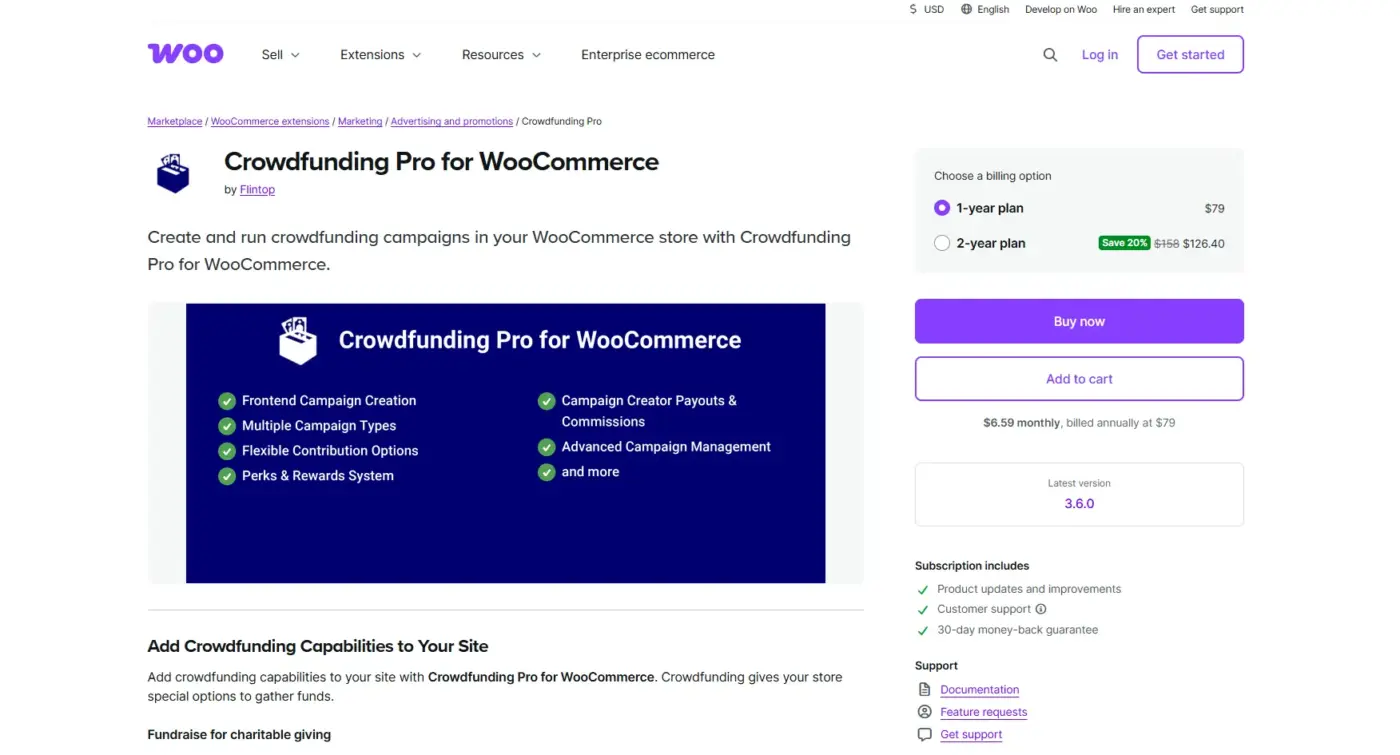
Crowdfunding Pro for WooCommerce is the officially documented WooCommerce.com extension, which matters if predictable, supported behaviour is a priority. Settings live directly inside WooCommerce > Settings, so there’s no separate admin screen to learn.
It supports both all-or-nothing and keep-what-you-raise campaign types, letting you choose whether contributions get charged immediately or only once the goal is reached. Admins can configure where users land after contributing (cart or checkout page), and the contribution total updates on the product page once an order reaches Processing or Completed status.
One detail worth flagging early: crowdfunding products can’t be combined with regular products in the same cart, which is documented behaviour rather than a bug, but it’s easy to miss until a customer hits it at checkout.
Best For
Stores that prioritise official support and documented, predictable plugin behaviour over extra features.
Key Features
- Settings live inside native WooCommerce > Settings, no separate admin screen
- Supports both all-or-nothing and keep-what-you-raise campaign types
- Configurable post-contribution redirect (cart or checkout page)
- Contributor list display, with an option to hide it
Pricing
1-year plan: $79/year
Pros
- Documented and supported directly by WooCommerce
- Predictable order-status behaviour, useful for stores with existing automation
- Clean settings integration inside the native admin
Cons
- Crowdfunding products can’t be combined with regular products in the same cart
- No free tier
5. Fundraising for WooCommerce (WPExperts)
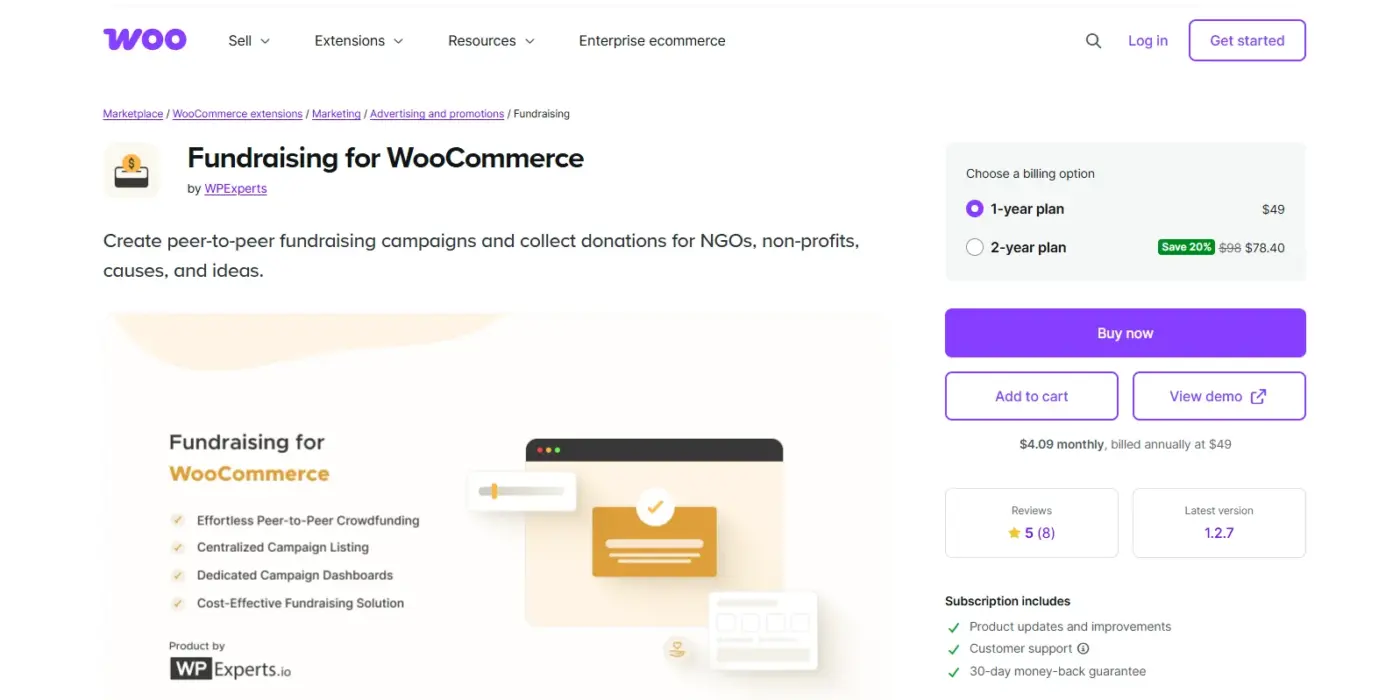
Fundraising for WooCommerce by WPExperts is built around peer-to-peer campaigns, letting your website’s own users create and manage fundraising campaigns rather than just the store admin. All campaigns publish to a centralised listing page where supporters browse and donate to whichever cause interests them.
Creating a campaign follows the same flow as adding a WooCommerce product, so store owners already familiar with WooCommerce won’t need to learn a separate system. Donors can filter campaigns by date, add videos to encourage generosity, and track contributions through an interactive dashboard with downloadable reports.
It’s compatible with the cart and checkout blocks and has been updated for HPOS. At $49/year, it’s reasonably priced for nonprofits or small teams that want donation campaigns without heavy setup work.
Best For
Nonprofits and small businesses already comfortable with WooCommerce who want peer-to-peer campaigns without extra complexity.
Key Features
- Campaign creation follows the standard “add product” flow
- Centralised listing page where supporters browse all active campaigns
- Progress bars, video support, and flexible donation amounts
- Compatible with cart/checkout blocks and HPOS
Pricing
1-year plan: $49/year
Pros
- Low learning curve; if you can add a product, you can launch a campaign
- Peer-to-peer model lets supporters, not just the store, start campaigns
- Reasonably priced at $49/year
Cons
- Advanced analytics and automated backer emails need additional configuration
- Donor management is thinner than dedicated fundraising tools like GiveWP
6. GiveWP + WooCommerce Payment Add-on
GiveWP isn’t a WooCommerce crowdfunding plugin by default. It’s a standalone donation platform, but its WooCommerce payment gateway integrations make it a common pairing for stores that want serious donor management alongside their existing WooCommerce payment stack
The free core plugin includes unlimited donation forms, donor history tracking, and built-in fundraising reports at no cost. Campaigns can be built with specific fundraising goals, customizable form fields, and dedicated landing pages.
Recurring donations, fee recovery, tributes, and text-to-give are available through paid add-ons, and GiveWP integrates with Mailchimp, Constant Contact, and ConvertKit for donor follow-up. It’s the most capable option here for long-term donor relationship management, though it runs somewhat separately from your WooCommerce product catalog rather than folding into it.
Best For
Nonprofits that need serious donor-relationship management and are willing to run a dedicated donation system alongside WooCommerce.
Key Features
- Recurring donation support through paid add-ons
- Advanced donor management and reporting, free in the core plugin
- Integrations with Mailchimp, Constant Contact, and ConvertKit
- Customizable donation forms with goals, progress bars, and deadlines
Pricing
- Basic: $149/year
- Plus: $349/year
- Pro: $499/year
- Agency (5-site license): $599/year
Pros
- The most capable donor-management system on this list
- Strong marketing integrations for backer follow-up
- Well-suited for long-running, recurring-donation campaigns
Cons
- Many crowdfunding-specific features need paid add-ons, which adds up
- Runs somewhat separately from your WooCommerce product catalogue
- Can feel complex for a store owner just wanting a simple campaign
7. Donation Platform for WooCommerce
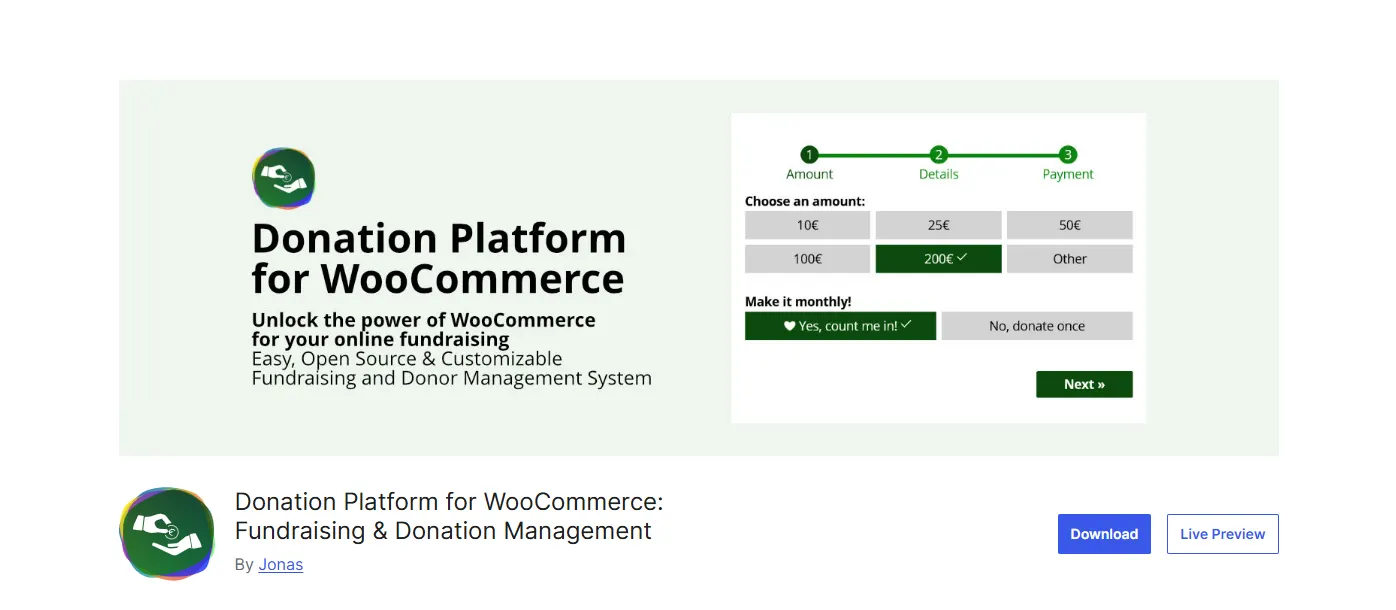
Donation Platform for WooCommerce is a free, open-source, GPL-licensed plugin built specifically to run within WooCommerce rather than alongside it. It supports recurring donations through Subscriptions for WooCommerce or WooCommerce Subscriptions, automatic PDF donation receipts, and “express donations” that let supporters complete a gift via Apple Pay, Google Pay, or PayPal in seconds. Because it’s built on WooCommerce.
It inherits compatibility with over 100 payment gateways, plus existing integrations for accounting software, CRMs like Salesforce or HubSpot, and marketing tools like Mailchimp.
There’s a donation leaderboard feature to publicly recognise generous donors, which is unusual among free plugins in this category. Being open source under GPL v2.0 also means developers can inspect or modify the code directly.
Best For
Developers, agencies, and charities who prefer open-source tools and want zero platform fees on top of WooCommerce.
Key Features
- 0% transaction fee on the plugin’s own side
- Recurring billing support through WooCommerce Subscriptions
- Automatic PDF donation receipts and a donor leaderboard
- Compatible with 100+ payment gateways via WooCommerce
Pricing
Free; no paid tier exists
Pros
- Free and open source, no licensing cost, ever
- No plugin-side cut of what you raise
- Good option for developers who want full code access
Cons
- Smaller community and support base compared to commercial options
- Fewer built-in campaign-management features than paid alternatives
8. FundEngine
FundEngine is a fundraising and crowdfunding plugin built with PayPal, Stripe, and WooCommerce payment support baked in from the start. Instead of locking you into one payment processor, it lets a campaign accept contributions through whichever gateway a supporter already prefers, with WooCommerce as one option among several rather than the only path in.
It also supports manual payments through bank account or bank card details, useful for larger supporters who’d rather wire funds directly than route through a card processor. The plugin favours simplicity over deep configuration, which makes it approachable for a first campaign, though documentation and support are thinner than more established competitors.
Best For
Store owners who want a straightforward donation-and-crowdfunding plugin that isn’t locked into a single payment gateway.
Key Features
- Native support for PayPal, Stripe, and WooCommerce as payment options
- Manual payment option via bank transfer or card details
- Campaign creation and update tools built for a single, focused fundraising page
Pricing
Free; no paid tier exists
Pros
- Flexible payment options mean supporters aren’t limited to one processor
- Simple enough to set up without much prior WooCommerce experience
- Manual payment support is a rare inclusion among free plugins in this category
Cons
- Documentation and support resources are thinner than larger competitors
- Lacks the reward-tier and multi-campaign management tools found in premium options
- Smaller install base means fewer community troubleshooting resources if something breaks
9. YITH Donations for WooCommerce
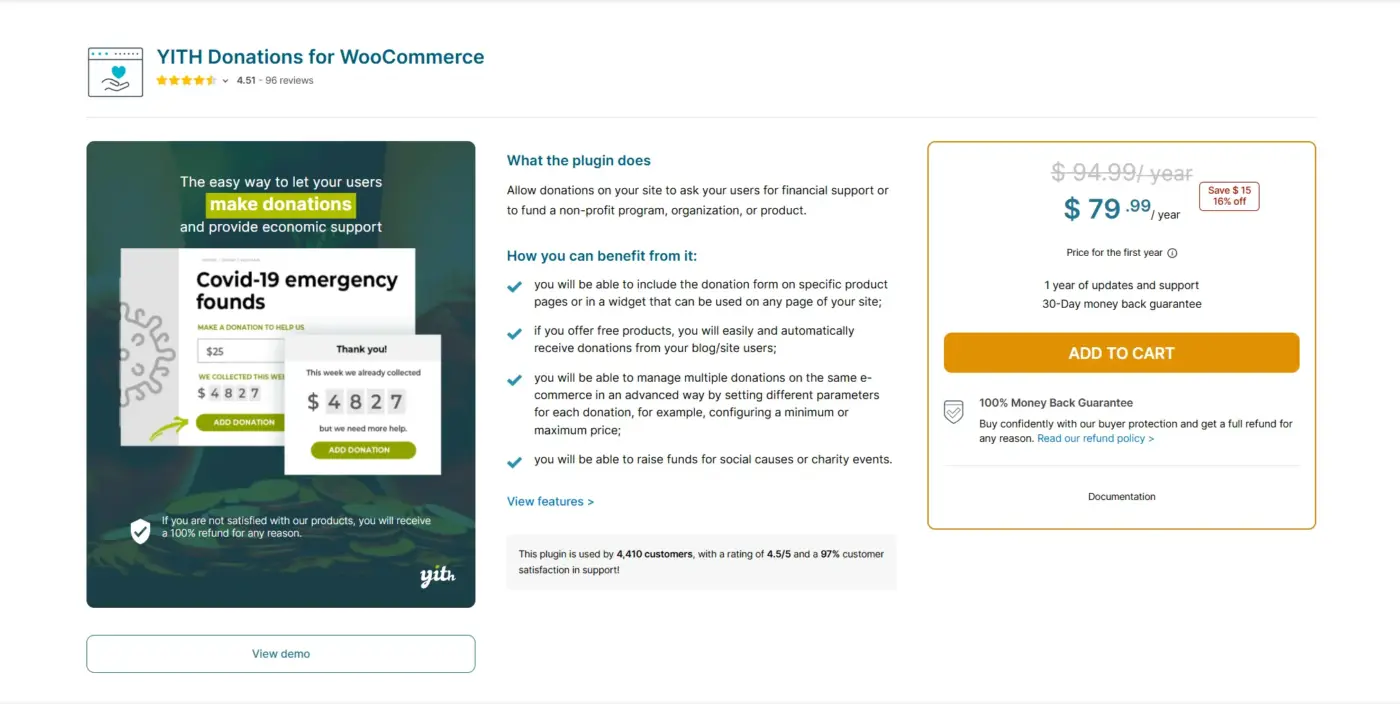
YITH Donations for WooCommerce takes a simpler approach than most plugins on this list: instead of full campaign management, it adds a donation form or widget directly to product pages, the cart, or the sidebar. Store owners can create one donation option for all products, or set different suggested amounts tied to specific products, so a donation feels connected to what a customer is already buying.
Donors can enter a custom amount within a minimum and maximum range you define. It integrates with the broader YITH plugin ecosystem, including subscription tools for recurring donations, and supports major page builders and themes like Divi, Elementor, and Flatsome.
This isn’t built for multi-campaign crowdfunding the way WP Crowdfunding or any other plugin, but for a store that just wants a reliable “support us” button woven into checkout, it does the job with minimal setup.
Best For
Store owners who want a simple donation option tied to products or checkout, without managing full campaigns.
Key Features
- Donation form widget for product pages, cart, or sidebar
- Per-product or store-wide suggested donation amounts
- Minimum and maximum donation limits, with custom amount entry
- Integrates with YITH Subscription for recurring donations
Pricing
Single site license: $59.99/year
Pros
- Simple to set up, with minimal configuration needed
- Works well for a lightweight “support us” option rather than full campaigns
- Broad theme and page-builder compatibility
Cons
- No campaign goals, progress bars, or reward tiers
- Best suited to simple donation use cases, not structured crowdfunding
10. Charitable
Charitable is a donation and fundraising plugin used by over 10,000 charities and nonprofits, and its free “Lite” version includes a peer-to-peer fundraising add-on, essentially crowdfunding, at no cost. Where the Pro version adds email marketing integrations and payment gateway options, the free tier already covers the core mechanics: donor tracking, goal progress, and a full donor activity history in one dashboard.
Campaigns get their own fundraising goals with visible progress, donor profiles to spotlight top contributors, and automated tax-deductible receipts at year-end. It doesn’t integrate with WooCommerce directly the way DevDiggers or Crowdfunding Pro do, but for stores or nonprofits that want reliable donor management without stitching a separate CRM on top, it’s a stronger long-term fit than a plugin that’s gone quiet.
Best For
Nonprofits and mission-driven stores that want serious donor management and peer-to-peer fundraising, without paying for a Pro tier just to get started.
Key Features
- Peer-to-peer fundraising (crowdfunding) included in the free version
- Full donor activity history and campaign goal tracking in one dashboard
- Automated, tax-deductible donation receipts
- Donor profiles to highlight top contributors
Pricing
Free core plugin (Charitable Lite). Charitable Pro adds email marketing and extra payment integrations; check the plugin’s official pricing page for current tiers.
Pros
- Large, active install base (10,000+) with recent, ongoing updates
- Peer-to-peer crowdfunding included free, not locked behind Pro
- Strong donor management out of the box, comparable to dedicated tools like GiveWP
Cons
- No native WooCommerce integration, so it runs as a separate system rather than folding into your store
- Advanced payment gateways and email marketing tools require the paid Pro version
- Built more for donation-style giving than reward-tier, Kickstarter-style campaigns
Quick Comparison: Which Plugin Is Best for You
| Your Situation | Best Plugin | Why |
|---|---|---|
| Adding crowdfunding to an existing WooCommerce catalogue | WooCommerce Crowdfunding (DevDiggers) | Native fit, HPOS-ready, no new system to learn |
| Building a multi-vendor, Kickstarter-style platform | WP Crowdfunding (Themeum) | Frontend campaign submission and native wallet system |
| Need something free to test the concept first | Crowdfunding for WooCommerce (Algoritmika) | Zero cost, uses the standard product editor |
| Want official WooCommerce.com support and documentation | Crowdfunding Pro for WooCommerce | Documented behavior, settings inside native WooCommerce admin |
| Running peer-to-peer nonprofit campaigns | Fundraising for WooCommerce (WPExperts) | Built for supporters, not just admins, to launch campaigns |
| Need serious donor relationship management | GiveWP | Strongest donor database, reporting, and email integrations |
| Want zero platform fees and open-source code | Donation Platform for WooCommerce | Free forever, GPL-licensed, no paid add-ons required |
| Running a “keep what you raise” campaign | Galaxy Funder | No forced refund if the goal isn’t met |
| Just want a simple donation button, not full campaigns | YITH Donations for WooCommerce | Lightweight widget, minimal setup |
| Want a free plugin with or without WooCommerce | WP Fundraising | Works as WooCommerce-integrated or fully standalone |
What Nobody Tells You About Running Crowdfunding on WooCommerce
A few things worth knowing before you commit:
- Cart restrictions are common: Some plugins, including Crowdfunding Pro, won’t let a crowdfunding item sit alongside regular products in the cart. Test this before launch.
- HPOS support isn’t universal: Confirm compatibility first, or order data can fall out of sync.
- Refunds need a plan: Some plugins auto-refund missed goals; others, like Galaxy Funder, let you keep what’s raised. Decide upfront.
- Wallet integration helps: Pairing with a WooCommerce wallet system simplifies refunds and partial credit.
Building this into a larger store? Our WooCommerce development services team can set it up right the first time. There’s no single “best” plugin; it depends on your campaign model.
Conclusion
Running a crowdfunding campaign through WooCommerce instead of a third-party platform means keeping more of what you raise and owning the entire customer relationship from contribution to delivery.
The right WooCommerce crowdfunding plugin depends less on which one has the longest feature list and more on how your campaign actually works: one-off or ongoing, all-or-nothing or keep-what-you-raise, single campaign or multi-vendor platform.
For most WooCommerce store owners looking for the closest thing to a native fit, WooCommerce Crowdfunding is the place to start. It’s built to work with your existing catalogue rather than around it. And if you’re also weighing how customers will pay into a campaign, our guide to WooCommerce payment gateways for India covers the gateway side of that decision.
Frequently Asked Questions (FAQs)
Q1. Does a WooCommerce crowdfunding plugin require WooCommerce to already be installed?
Yes, in nearly every case. These plugins extend WooCommerce’s product, cart, and payment systems, so WooCommerce needs to be active first.
Q2. Can crowdfunding campaign products sit in the same cart as regular store products?
Depends on the plugin. Some, including Crowdfunding Pro for WooCommerce, keep crowdfunding products separate from regular cart items. Check this before launch.
Q3. Can I move an existing campaign from one plugin to another?
Generally, no. Each plugin stores campaign and backer data differently, so migrating mid-campaign is risky. Choose carefully upfront.
Q4. Do these plugins work with WooCommerce’s HPOS (High-Performance Order Storage)?
Some do, some haven’t been updated yet. Check the plugin’s changelog for explicit HPOS compatibility before installing.
Q5. What happens if a campaign doesn’t reach its funding goal?
Depends on the plugin’s configuration. Some auto-refund if a goal isn’t met; others, like Galaxy Funder, let the owner keep whatever was raised regardless of the goal.
Q6. Are free WooCommerce crowdfunding plugins good enough for a real campaign?
For a single campaign, yes. Crowdfunding for WooCommerce and Donation Platform for WooCommerce both handle the basics well. For reward tiers or multi-campaign management, a paid plugin saves time long-term. Pairing a campaign with your own affiliate program can also help spread the word.