The best WooCommerce image search plugins let customers find products by uploading a photo instead of typing keywords. The top pick for 2026 is the WooCommerce Product Search by Image plugin from DevDiggers, the only option that supports three separate AI engines with no mandatory API costs.
Here’s a fact worth sitting with: shoppers who use site search convert at rates up to 50% higher than those who don’t. Keyword search helps. But when someone sees a product in real life (a lamp, a jacket, a piece of furniture) and has no idea what it’s called, keyword search fails them completely. They leave. That’s a lost sale that had nothing to do with your catalogue.
Most store owners don’t realise that the AI engine choice is what determines whether image search actually works for specialised or custom products. Pick the wrong one and your customers get frustrated. Pick the right one, and that friction disappears.
This guide covers 7 verified WooCommerce image search plugins. For each one, you’ll find what AI engine it runs, who it’s built for, what it costs, and where it falls short.
What is WooCommerce Image Search and Why Does It Matter in 2026?
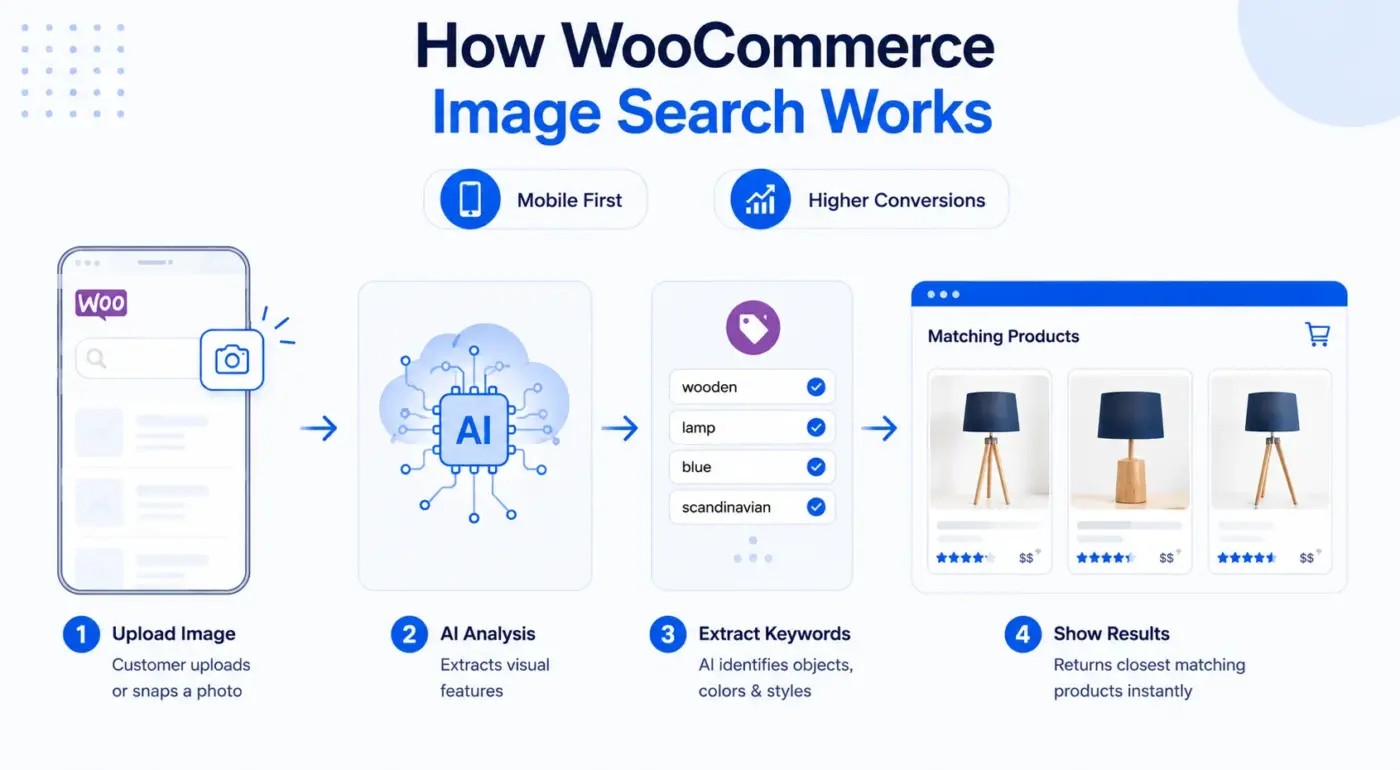
WooCommerce image search, also called visual search for WooCommerce, lets a customer upload a photo from their phone or desktop and get back a list of matching products from your store. No text required.
The customer clicks an icon in the search bar, selects or snaps an image, and the plugin’s AI extracts keywords or visual features from that photo. It then runs a search against your catalogue and returns the closest matches.
Why does this matter now? Mobile crossed 51% of total online spending in the US for the first time in late 2025, according to Adobe Analytics. Typing product names on a phone is genuinely painful. A camera tap is not. Stores that add image search give mobile shoppers a faster path to purchase.
The conversion numbers back it up. AI-powered search investments produced a 43% average conversion increase across retailers studied by Forrester. Visual search on Pinterest alone delivered a 73.9% conversion increase in separate research. The eCommerce case for visual product discovery is not theoretical anymore.
The default WooCommerce search doesn’t do any of this. It matches text. If a customer types “blue wooden lamp” and your product is titled “Scandinavian Floor Light,” it returns nothing. Image search bypasses that problem entirely.
How to Choose the Right WooCommerce Image Search Plugin?
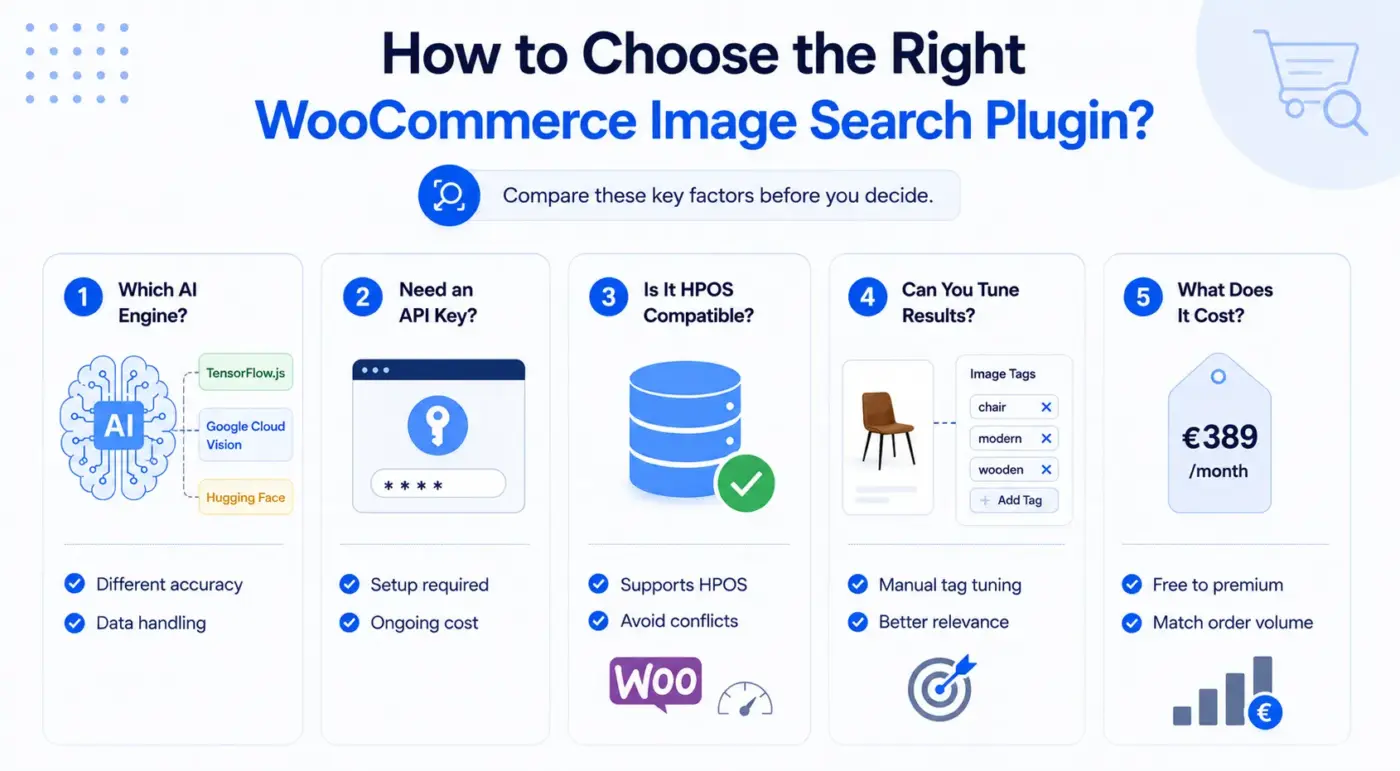
Before looking at the list, it helps to know what to actually compare. These are the questions that matter.
- Which AI engine does it use? TensorFlow.js runs in the browser with no API costs and no data sent to third-party servers. Google Cloud Vision runs on Google’s servers and is more accurate for general product categories, but you pay per request, and images leave the customer’s device. Hugging Face offers open-source models with more flexibility. Each approach has a genuine compromise.
- Does it need an API key? Some plugins work without any external account. Others require Google Cloud credentials and billing setup before they do anything. That affects the time to launch and the ongoing cost.
- Is it HPOS compatible? WooCommerce High-Performance Order Storage became the default in WooCommerce 8.2. If a plugin hasn’t been updated to support it, expect conflicts.
- Can you manually tune results? AI gets general products right. It often misses specialised or custom items. The best plugins let you manually add image tags to products so the right items always surface for the right photo.
- What does it cost? Prices range from free to €389/month, depending on scale and features. Know your monthly order volume before comparing plans.
Best WooCommerce Image Search Plugins for 2026
1. WooCommerce Product Search by Image Plugin by DevDiggers
WooCommerce Product Search by Image plugin is the most complete AI product search plugin on the market for WooCommerce store owners who want options. It’s the only plugin in this list that lets you choose between three separate AI engines from a single admin panel: TensorFlow.js for free browser-based processing, Google Cloud Vision for high-accuracy cloud recognition, and Hugging Face for open-source model flexibility. You can switch engines without reinstalling anything.
The TensorFlow.js option deserves a separate mention. All image processing happens directly in the customer’s browser. No image is uploaded to any server. That means no ongoing API bill, near-zero delay, and full privacy-law compliance out of the box. Most other plugins in this category cannot honestly claim the same.
Where this plugin also stands apart is the manual tag override system. You can add unlimited image tags to any product directly from the product editor. That matters when you’re selling custom furniture, handmade goods, or anything specialised where AI keyword extraction will guess wrong. The plugin gives you both AI and manual control. You don’t have to choose between them.
The analytics dashboard is a genuine bonus. You see what images customers are uploading, which searches succeed, which return no results, and which keywords come up repeatedly. That’s inventory intelligence that most search plugins don’t provide.
Best for
Any WooCommerce store that wants flexible AI, zero mandatory API costs, and manual control over results
Key features
- Three AI engines: TensorFlow.js, Google Cloud Vision, Hugging Face
- Zero server costs and zero API fees when using TensorFlow.js
- Manual product image tagging with unlimited tags per product
- Clickable extracted keyword tags for one-tap search refinement
- Real-time search analytics dashboard
- GDPR compliant with local browser processing
- HPOS compatible
- Works with any standard WooCommerce theme
- 14-Day money-back guarantee
Pricing
- 1 site license: $49/year
- 5-site license: $199/year
- 10-site license: $299/year
Limitation
Image recognition accuracy for highly specialised or custom products still benefits from manual tag additions. The AI won’t know that your hand-thrown ceramic mug is a “mug” unless you tell it. Tag it yourself, and the right results will appear.
2. AI Image Search Products by Techminers

AI Image Search Products is listed directly on the WooCommerce Marketplace and is built by Techminers. It runs entirely on Google Cloud Vision API, which means it’s accurate for common product categories (apparel, furniture, electronics, beauty), but requires a Google Cloud account and billing setup before anything works.
There’s no product indexing step, which keeps the installation clean. A customer uploads a photo, Cloud Vision analyses the image, and the plugin maps the visual features to your catalogue titles, tags, and descriptions. Results appear with pricing and an add-to-cart button.
The UI customisation is solid. You can change button labels, heading text, and instructions from the admin panel without touching code. The drag-and-drop upload interface works cleanly on mobile.
The limitation worth flagging: it’s a single-engine plugin. You get Google Cloud Vision and nothing else. If API costs become a concern as your store scales, there’s no way to switch to a free local processing option without moving to a different plugin.
Best for
Stores already set up with Google Cloud APIs that want quick deployment via WooCommerce.com
Key features
- Google Cloud Vision API for image recognition
- No product indexing required
- Drag-and-drop upload, mobile-friendly
- Customisable UI labels and instructions
- AI product recommendations based on visual similarity
- Optional keyword filters by category, price, or tag
Pricing
- 1-year plan: $29/year from the WooCommerce Marketplace
Limitation
- Requires a Google Cloud account with billing enabled
- Single AI engine with no alternative. API costs add up at scale
3. Impresee Smart Search Bar
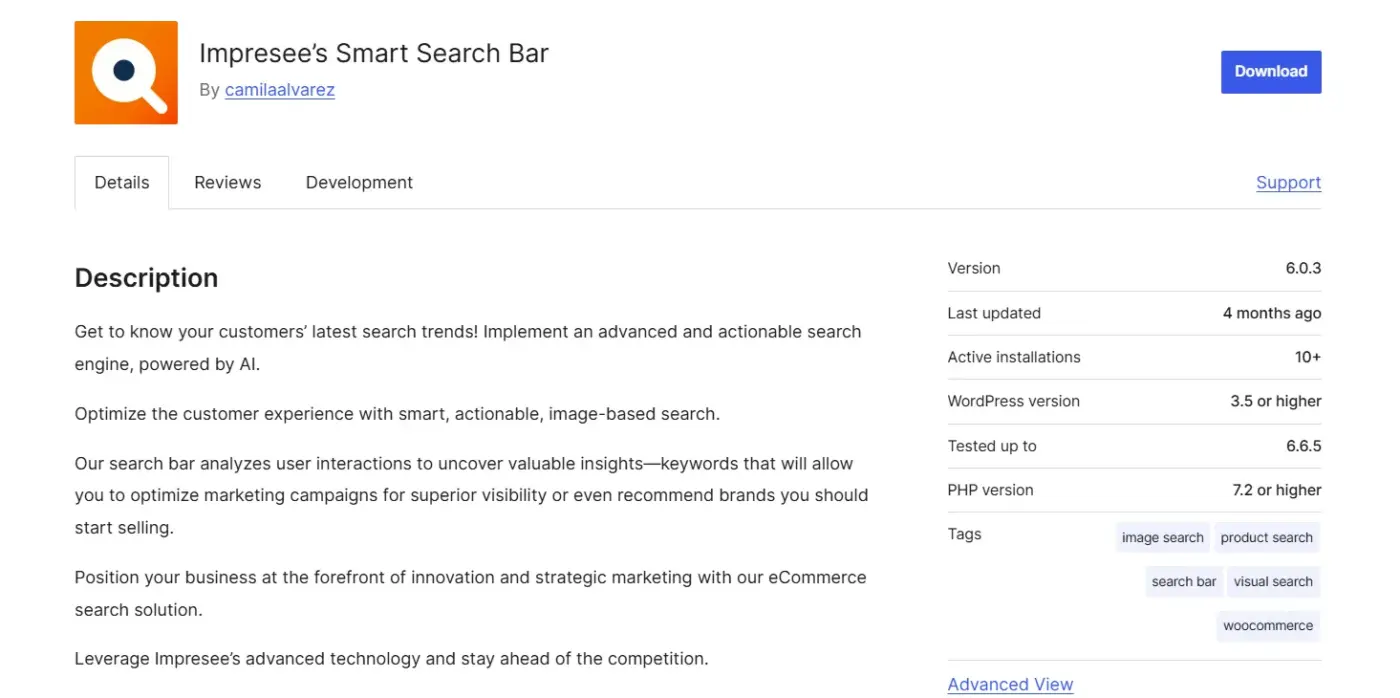
Impresee is the most feature-rich visual search solution for fashion-focused WooCommerce stores. It combines image-based search, sketch-based search (customers can draw a rough shape of what they want), and standard text search under one plugin. The visual search algorithm identifies multiple objects within a single uploaded image, which is useful when a customer photographs a full outfit and wants to find specific pieces.
The search analytics built into the Pro plans are strong. You see zero-result queries, top-clicked items, keyword performance, and conversion funnel data. It’s closer to a search intelligence platform than an independent plugin.
Impresee calls its approach “CreativeSearch.” It’s designed around apparel and fashion specifically, where visual attributes like colour, silhouette, and texture matter more than product names. For home decor and furniture, it also performs well. For electronics or tools, it’s less ideal because the visual matching logic is optimised for soft goods.
Best for
Fashion and apparel stores that want visual search plus text search in one subscription
Key features
- Image upload, URL paste, and sketch-based visual search
- Automatic detection of multiple objects in a single uploaded image
- Predictive text search is included in Pro plans
- Advanced analytics: zero-hit queries, top conversions, keyword trends
- Customisable search buttons and layout
- Subscription-based, no upfront payment
Pricing
- Starter plans(100 to 5,000 products): $4–$75/month
- Enterprise plans(1,000 to 250,000 products): $231–$2,122/month
Limitation
- Relies on Impresee’s external API for all search calls
- If the service has downtime, the search goes with it
4. Visidea – Visual Search
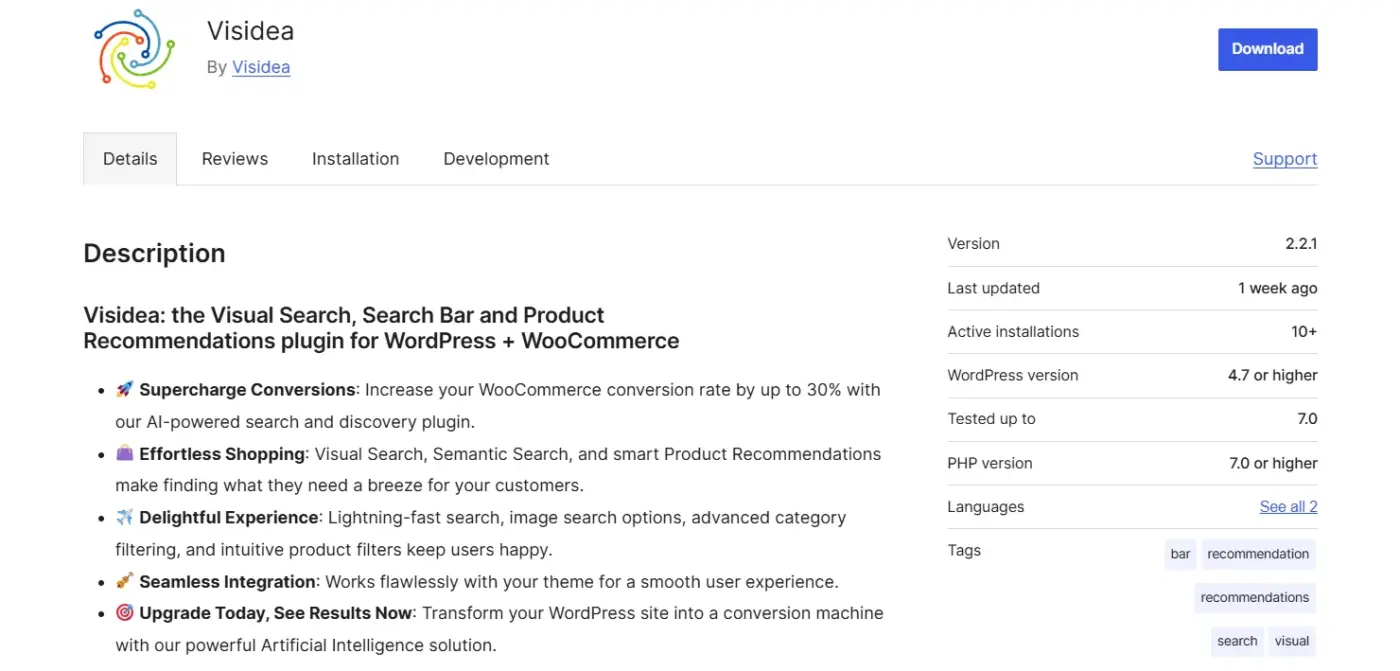
Visidea – Visual Search & Product Recommendations is a WordPress.org plugin with a free tier that brings AI-powered visual search and smart product recommendations to your WooCommerce store. It allows customers to search for products by uploading images, and supports mobile-first shopping by letting users snap a photo directly from their device’s camera.
The plugin combines Visual Search, Meaning-based Search, and smart Product Recommendations into a single solution, making it a capable replacement for stores that previously relied on image-based discovery plugins. It also includes advanced category filtering and easy-to-use product filters that go beyond what most basic visual search plugins offer.
Visidea claims to increase WooCommerce conversion rates by up to 30% with its AI-powered search and discovery features. The plugin integrates directly with your theme for a seamless experience and is actively maintained on WordPress.org.
Best for
Stores are looking for a free, actively supported visual image search plugin with AI-powered product recommendations built in.
Key features
- Free tier available on WordPress.org
- Visual search via image upload and mobile camera capture
- Semantic search for intent-based product discovery
- Smart product recommendations engine
- Advanced category filtering and product filters
- Mobile-first design optimised for on-the-go shoppers
Pricing
- Standard plan: €34.99/month
- Pro plan: €99.99/month
- Corporate plan: €349.99/month
Limitations
- The free tier may impose indexing or query limits for larger catalogues
- Stores with very large product counts may need to evaluate the paid tier before going live
5. Doofinder
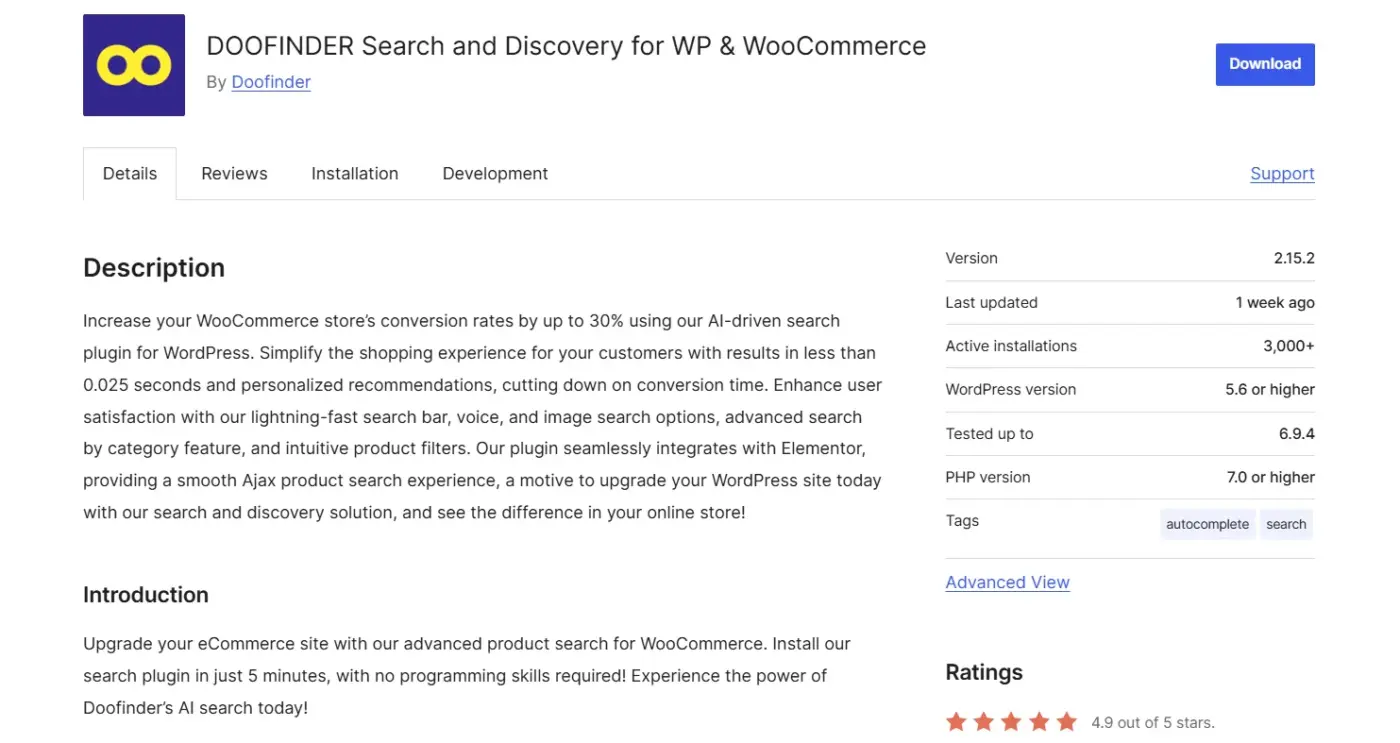
Doofinder is a full AI search-and-discovery platform with a WooCommerce plugin that has 2,000+ active installs and regular updates. Visual and image search features are available, but not on base plans. They appear at the Enterprise tier alongside visual tagging, real-time personalisation, and custom analytics.
The core platform is strong. Instant results, typo tolerance, similar word handling, voice search, and AI-powered product recommendations are all available on lower plans. If you’re running a catalogue of 10,000+ products and want a single platform that handles text search, filters, recommendations, and visual discovery, Doofinder makes a real case.
The pricing reflects the enterprise positioning. The Basic plan starts at €35/month and covers core search features. Visual search requires significant upgrading. For a smaller store that only needs image search, this is likely overkill and expensive.
Best for
Large stores that want visual search as part of a full AI search-and-discovery platform
Key features
- AI-powered text search with typo tolerance and synonyms
- Voice search on mid-tier plans
- AI visual tagging that automatically tags product images by colour, shape, and style
- Image and visual search on the Enterprise tier
- Real-time search analytics
- Boost, hide, or pin products in search results
- Multi-language and multi-currency support
Pricing
- Basic plans: €35/month
- Enterprise plans from €389/month
Limitation
- Image search is not available on base plans
- Significant monthly commitment before you get the visual search capability
- Better value for stores that need the full platform, not just image search
6. ExpertRec Smart Search
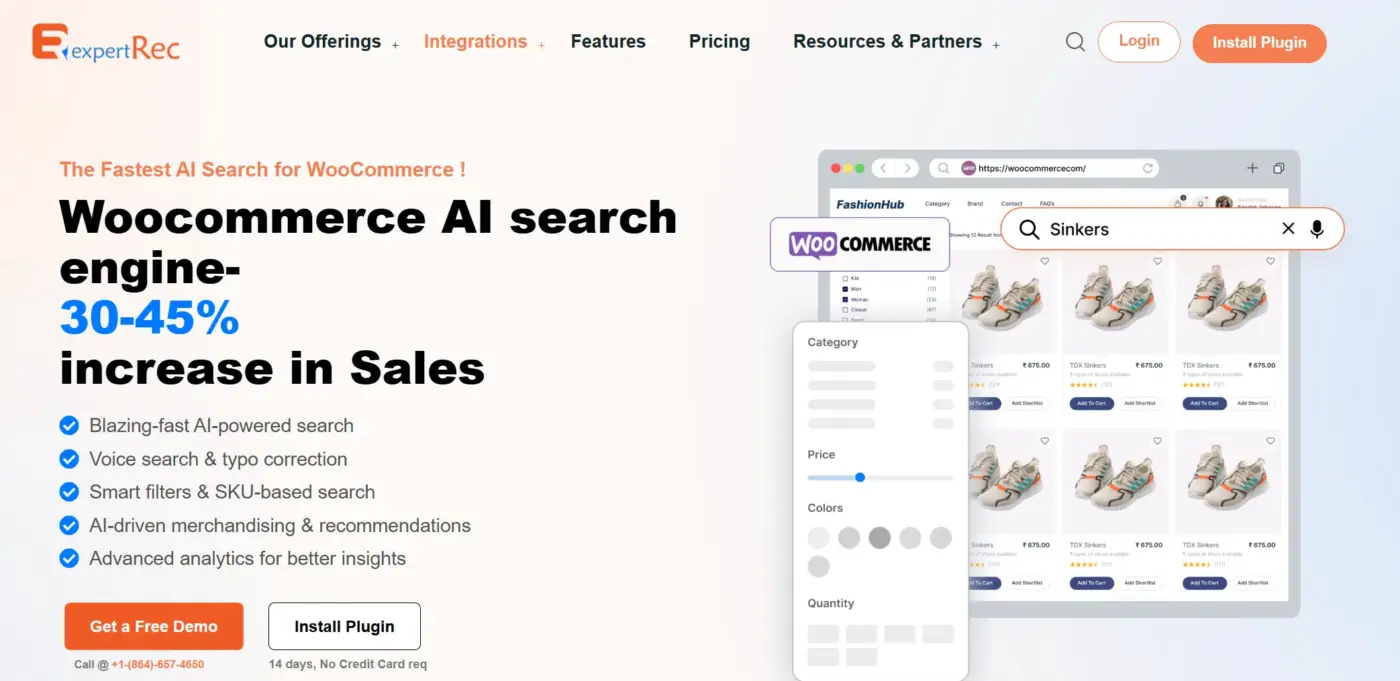
ExpertRec is a full AI search-and-discovery platform with a WooCommerce plugin that handles text search, visual image search, voice search, and product recommendations under one roof. It has 2,000+ active installations and is used by large stores with catalogues running into tens of thousands of products.
Image search is available across plans, not locked behind an enterprise tier. Customers can upload a photo or use their phone camera, and ExpertRec returns visually similar products from the catalogue. That puts it ahead of platforms that treat visual search as an upsell.
The core platform is strong on its own. Instant results, typo tolerance, synonym handling, voice search, and AI-powered product recommendations are all available without reaching into a custom pricing tier. If you’re running a catalogue of 10,000+ products and want a single platform that handles text search, filters, recommendations, and image discovery together, ExpertRec makes a real case.
Paid plans start at $49/month. A free plan covers up to 100 products, which is enough to test before committing.
Best for
Large stores that want image search included as part of a complete AI search-and-discovery platform, without paying enterprise rates to unlock it.
Key features
- AI-powered text search with typo tolerance and synonyms
- Image upload and mobile camera-based visual search
- Voice search included
- Smart product recommendations based on behaviour
- Boost, hide, or pin products in search results
- Real-time search analytics and Google Analytics integration
- Multi-language support
- Free plan available for small catalogues
Pricing
- Free plan: up to 100 products
- Paid plans: $49/month
Limitations
- For stores that only need image search without the full platform, it may offer more than you actually need
- The free plan is too limited for any store with a real catalogue
- You’ll need a paid plan before it becomes a working solution
7. WooCommerce Product Search by itthinx

WooCommerce Product Search by itthinx is the official WooCommerce Marketplace search extension. It does not support image upload search. Worth stating clearly, because it’s commonly confused with image search tools. What it does do is create a visually rich search experience: product thumbnails, prices, and live filters appear as customers type.
It’s included here because many store owners searching for “WooCommerce image search” are solving a broader discovery problem that this plugin can partially address for text-based searches. If your products have distinct names and your customers generally know what to type, this handles the text side cleanly. If your customers want to search by photo, this plugin won’t help.
Best for
Stores that want an enhanced native WooCommerce search experience with visual product previews in results
Key features
- Live text search with product image thumbnails in results
- Advanced filtering by category, attribute, tag, and price
- Search indexer that updates automatically when products change
- Analytics to track what customers search for and what they can’t find
- Back-end search in the WooCommerce admin panel
Pricing
- $103.25/year from WooCommerce Marketplace
Limitation
- No image upload search
- This is a text search enhancement, not a visual search plugin
- Included for context, not as a substitute for the options above
Which AI Engine Should You Use for WooCommerce Image Search?
This is the decision most guides skip. It matters.
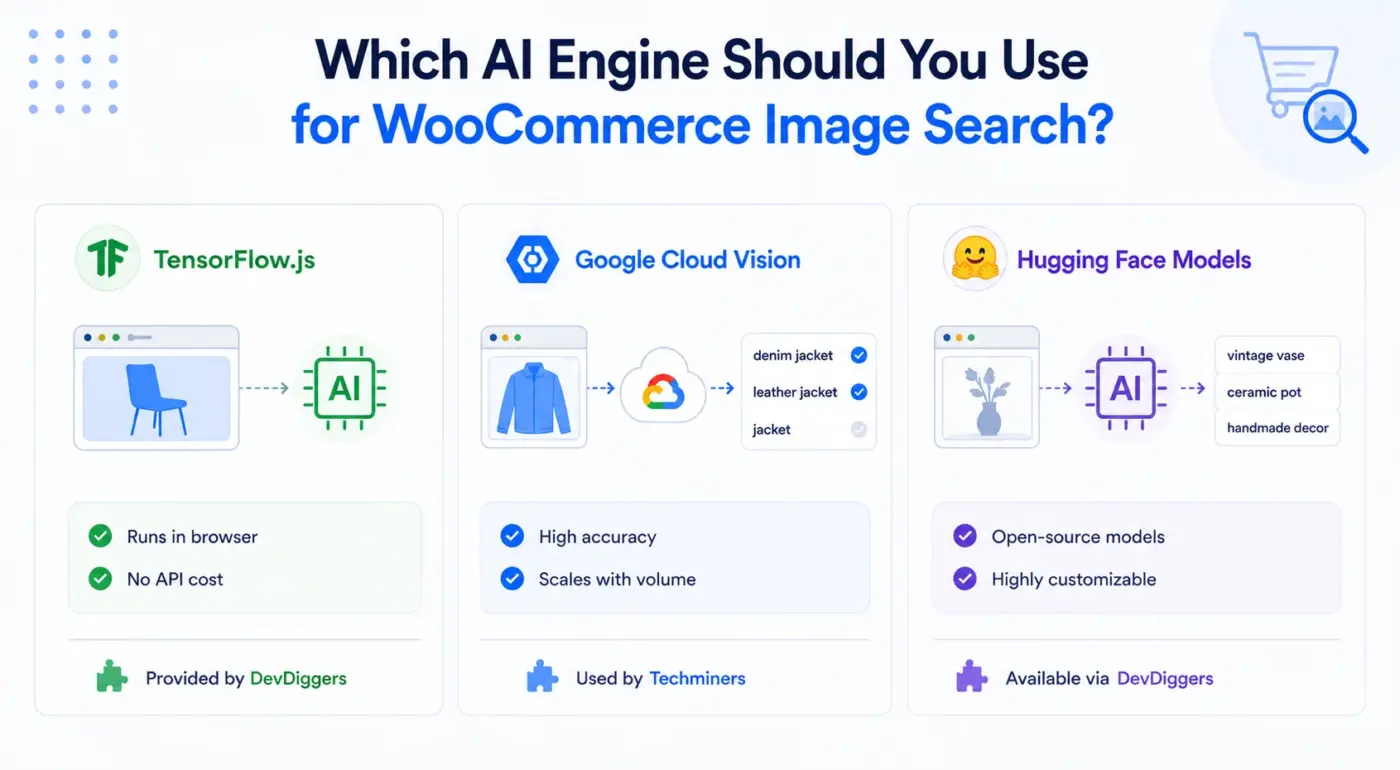
- TensorFlow.js runs entirely in the customer’s browser. No image leaves their device, no API key is needed, and there are no per-search costs. It’s fast because there’s no round-trip to a server. The compromise: TensorFlow.js is trained on broad object categories. It’s good at recognising “chair” or “shirt” but may return vague keyword suggestions for specialised products like a specific vintage tile pattern or a custom hand tool. DevDiggers’ plugin supports this engine.
- Google Cloud Vision sends the image to Google’s servers for analysis. It’s more accurate for specific visual attributes and can distinguish between “denim jacket” and “leather jacket”, where TensorFlow might just say “jacket.” The cost is low at small volumes but adds up at scale. You need a Google Cloud account with billing enabled. The AI Image Search Products from Techminers use this engine.
- Hugging Face models give you access to hundreds of open-source computer vision models. More technical to set up, but more flexible for stores with unusual product categories. DevDiggers’ plugin includes this as a provider option.
The honest recommendation: Start with TensorFlow.js if you want zero API cost and privacy compliance. Switch to Google Cloud Vision if your customers’ search accuracy matters more than the per-request cost. Use the manual tag override system for any product category where AI accuracy disappoints.
When WooCommerce Image Search Won’t Help Your Store
If your catalogue is made up of custom-designed products, made-to-order items, or anything with no obvious visual equivalent in the AI’s training data, the accuracy will disappoint. A customer uploading a photo of their hand-sketched design, looking for a print-on-demand match, is going to get frustrating results, regardless of which plugin you use.
Digital products like software, ebooks, online courses, and printable files have nothing for image search to match against. There’s no visual catalogue of product images for the AI to compare.
Very small catalogues (under 20 products) rarely benefit because the improvement in discovery is too marginal to justify the setup cost or subscription. At that scale, a simple category layout solves the same problem.
Where image search genuinely pays off: fashion and apparel, home decor and furniture, accessories and jewellery, electronics accessories, art and prints, and craft supplies. Anything where the customer can hold up a photo from Instagram, Pinterest, or their camera roll and expect to find something similar. Those are the stores where a well-designed product page, combined with visual search, can meaningfully shift conversions.
Quick Comparison
| Plugin | AI Engine | Image Upload | Free Tier | HPOS | Starting Price |
|---|---|---|---|---|---|
| WooCommerce Image Search (DevDiggers) | TF.js / Google Vision / HuggingFace | Yes | No | Yes | $49/year |
| AI Image Search Products (Techminers) | Google Cloud Vision | Yes | No | Yes | $29/year |
| Impresee Smart Search Bar | Impresee API | Yes + Sketch | No | N/A | $7/month |
| Visual Product Search (Accelx) | Proprietary | Yes + URL + Camera | Yes | N/A | Free |
| Doofinder | Doofinder AI | Enterprise only | No | Yes | €35/month |
| GetSnap | GetSnap AI | Yes | Trial | N/A | On request |
| WooCommerce Product Search (itthinx) | None (text search) | No | No | Yes | $103.25/year |
Conclusion
The best WooCommerce image search plugins turn a customer’s photo into a product find. Done well, this removes one of the most frustrating friction points in eCommerce: the customer who sees a product and has no way to describe it in words.
For most stores, the WooCommerce Image Search plugin from DevDiggers is the right starting point. It covers three AI engines, costs less than most monthly subscriptions charged as an annual total, includes manual tag overrides for specialised products, and ships with analytics to help you understand what your customers are actually looking for.
Fashion and apparel stores with a need for sketch-based search should look at Impresee. Budget-constrained stores willing to trade polish for cost should try the Accelx free plugin. Larger operations already considering a full search platform should evaluate Doofinder on its Enterprise plan.
Whatever you choose, the move from text-only search to visual search is one of the easier wins available for WooCommerce product discovery in 2026. Also worth exploring as you improve your store’s discovery experience: the best WooCommerce points and rewards plugins and WooCommerce product view in AR plugin, both of which complement visual discovery and help close more sales from engaged shoppers.
Frequently Asked Questions(FAQs)
Q1. Do WooCommerce image search plugins slow down the site?
The DevDiggers plugin using TensorFlow.js does all processing in the customer’s browser, placing zero load on your server. Cloud-based plugins (Google Cloud Vision, Impresee, Doofinder) send images externally and are similarly lightweight on your hosting. Neither approach meaningfully affects page speed on the store itself.
Q2. Do I need an API key to use image search on WooCommerce?
Not always. The DevDiggers plugin works without an API key when using TensorFlow.js. It runs entirely in the browser. You only need an API key if you choose Google Cloud Vision or Hugging Face as your engine. The Techminers plugin on WooCommerce Marketplace requires a Google Cloud API key to function at all.
Q3. Does WooCommerce image search work with variable products?
Yes. The DevDiggers plugin supports variable products. It identifies the parent product and lets the customer choose the correct variation from the product page. Most well-maintained image search plugins handle variables the same way, since they return the product URL, and WooCommerce manages variation selection on the product page itself.
Q4. What store types benefit most from WooCommerce visual product search?
Fashion and apparel, home decor, furniture, accessories, jewellery, art and prints, and craft supplies. These categories share one thing: customers often discover them visually (on Instagram, in a magazine, in person) before they know the product name. Image search bridges that gap.
Q5. Can I control which products show up in image search results?
Yes, with the right plugin. The DevDiggers plugin lets you add unlimited manual image tags to each product, so you can ensure a specific item always surfaces for specific uploaded images. This is the most reliable way to handle specialised or custom products where AI recognition alone falls short.
Q6. Is WooCommerce image search GDPR compliant?
It depends on the plugin and the AI engine. The DevDiggers plugin, using TensorFlow.js, processes images entirely in the browser, so no image data is sent to any server. That makes it GDPR-compliant by design. Plugins that route images through cloud APIs (Google, Impresee, Doofinder) send user data to third-party servers, so your privacy policy needs to reflect this.