The best WooCommerce update variations in cart plugins let customers change size, color, or any attribute directly from the cart, with no remove-and-re-add required. For stores that sell WooCommerce variable products, this is one of the fastest friction fixes available.
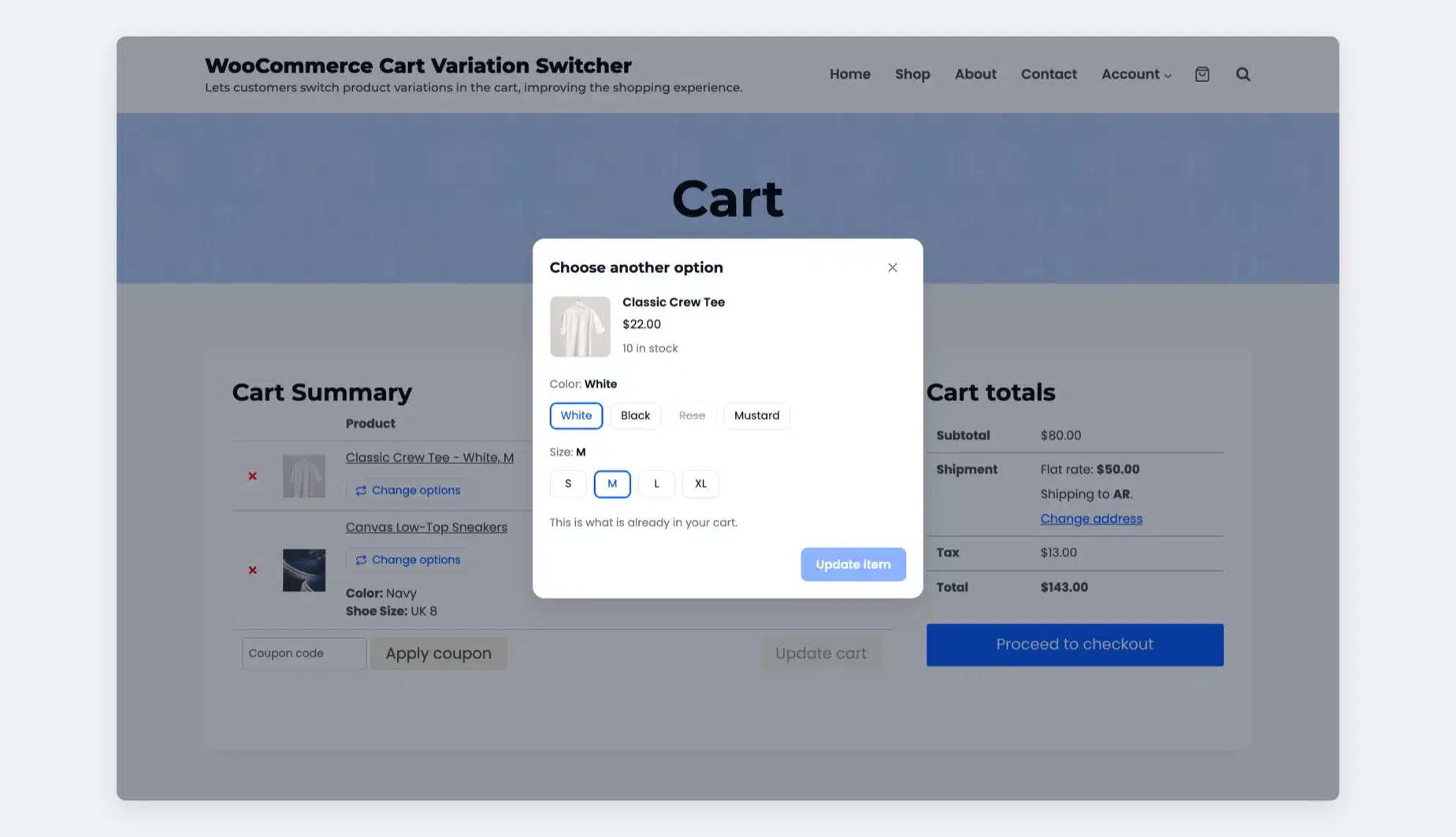
By default, WooCommerce gives customers no way to edit a variation once it’s in the cart. They have to delete, find the product page, pick again, and re-add. Most don’t.
A variation switcher handles that in one click. The cart updates inline, no page change needed.
This guide covers 6 plugins built for this in 2026, evaluated on swatches(color/image options) support, HPOS compatibility, live price display, and setup effort. Pricing is included for all six.
Why Cart Variation Switching Matters?
Shopping carts get abandoned for many reasons. One is preventable: customers who can’t change a variation without starting over.
Each variation keeps its own price and stock. You can check WooCommerce product data table tabs to see them.
According to the Baymard Institute, the average cart abandonment rate across ecommerce is 70.22%. Variation friction is a confirmed driver of that number.
A variation switcher removes that step entirely. Customers fix their choice inline and proceed to checkout without navigating away.
How We Evaluated the Plugins
We compared each plugin on the 5 criteria below. DevDiggers’ WooCommerce Cart Variation Switcher plugin is built by DevDiggers and listed first. The other five follow with their strengths and limits:
- Live price and stock update on variation selection: Does the cart reflect the new price before the customer confirms the switch?
- Variation swatches support in the cart: Does it preserve visual attribute pickers (color circles, image swatches) inside the cart UI, or revert to plain dropdowns?
- Admin-level enable/disable toggle: Can you control which products or categories show the switcher without editing code?
- AJAX-based cart update: Does the cart refresh without a full page reload?
- Multilingual (multiple languages) and translation-ready: Ships with a .pot file or explicit WPML support for international stores?
6 Best WooCommerce Update Variations in Cart Plugins
1. WooCommerce Cart Variation Switcher by DevDiggers
Our WooCommerce Cart Variation Switcher plugin adds a Change options button under every variable product in the cart. Shoppers pick a new size or color in a popup and the same line updates in place. Built by DevDiggers, version 2 works in the cart, checkout and mini cart.
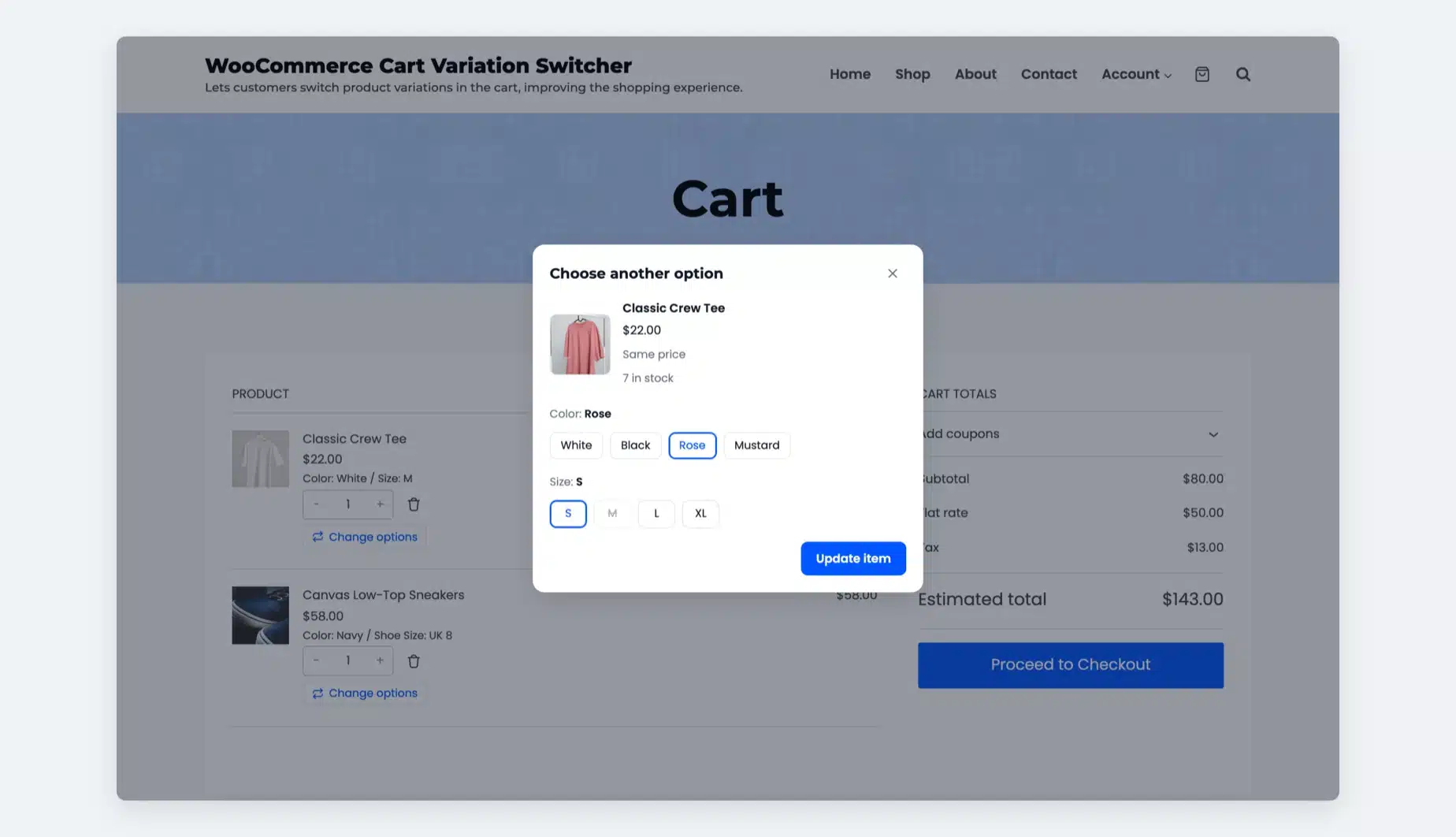
It runs on classic pages and on the Cart and Checkout blocks. The popup shows the variation image, price, stock and the price difference before the switch. Quantity and add-on data stay on the line, and duplicate lines merge into one.
Best For
Stores on the Cart and Checkout blocks that want shoppers to fix a size or color anywhere before they pay.
Key Features
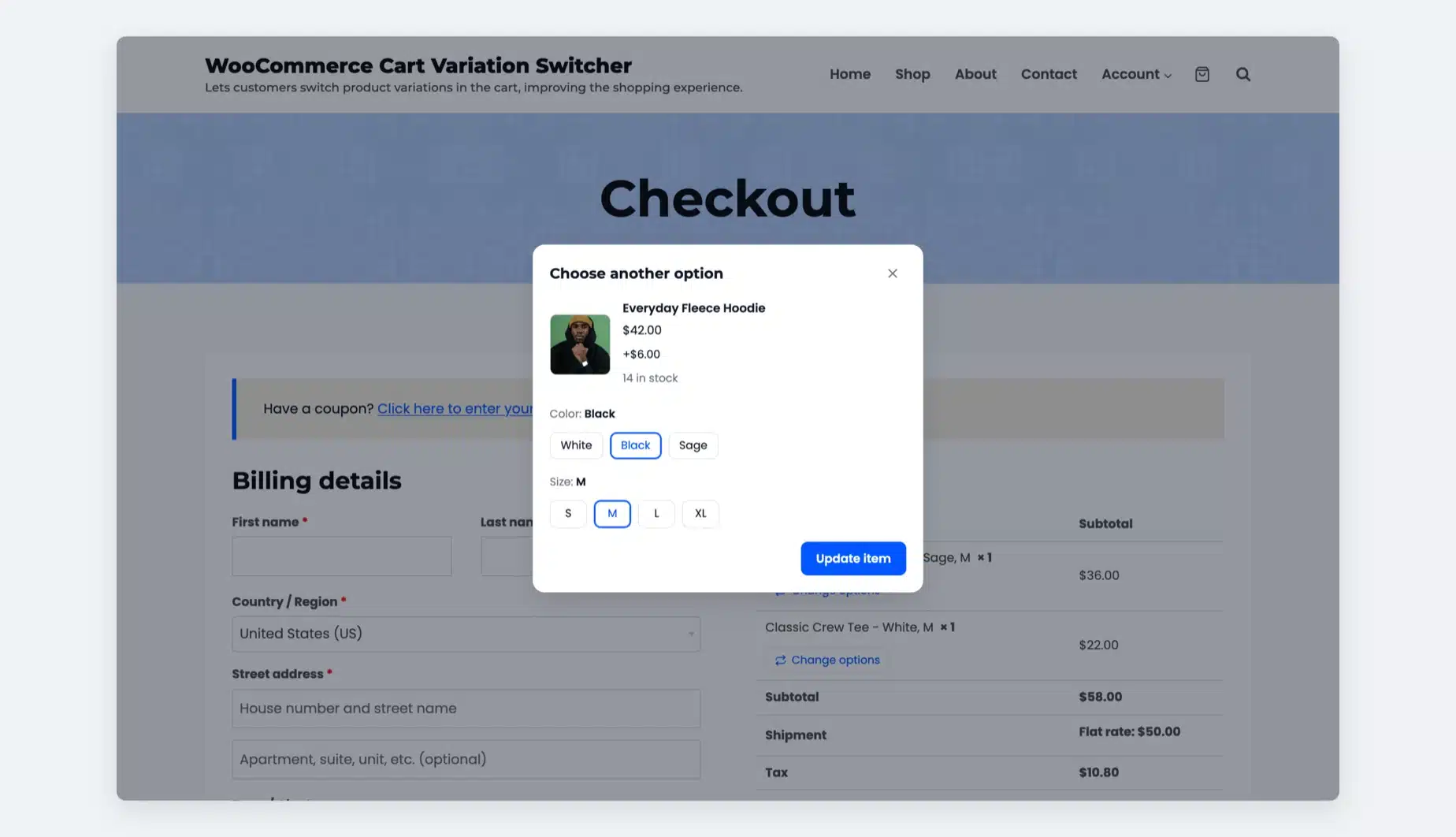
- Cart, checkout and mini cart: Turn the switcher on for the cart page, the checkout page and the classic mini cart.
- Blocks and classic pages: It works on the Cart and Checkout blocks through the Store API and on shortcode pages.
- Live preview: The popup updates the variation image, price, stock and SKU as the shopper picks options.
- Price difference: Shoppers see “+$4.00”, “Same price” or “+$5.00 each” before they switch.
- Line data kept: Position, quantity and add-on data such as a gift note move to the new option.
- Stock checks: Out of stock options are disabled and the server checks stock again before the cart changes.
- Rules: Limit the switcher to chosen user roles, products or categories, and exclusions always win.
- Switch dashboard: Track switches, switch rate, upgrades and cart value change. Export every switch to CSV.
Pricing
- 1 site license: $19/year
- 5 site license: $79/year
- 10 site license: $119/year
- Prices as of October 2026 and every plan has a 14-day refund
Benefits
- Fixes at checkout: Shoppers correct a mistake in the order summary one step before paying
- No price guesswork: Customers see the updated price before confirming their switch
- Your own wording: Rename the button, popup title and update button and pick one accent color
Limitations
- Works only on variable products with two or more variations.
- Options show as text buttons or dropdowns and swatches do not carry into the cart.
- The mini cart option covers the classic widget and not the Mini Cart block.
- There is no free version, only a live demo and a 14-day refund.
Worth knowing: It is the only plugin here that covers the checkout page, the mini cart and the Cart and Checkout blocks together. No other plugin here lists a switch dashboard or merged duplicate lines. We read its settings and code in October 2026.
2. Variation Switcher in Cart for WooCommerce (Flintop)
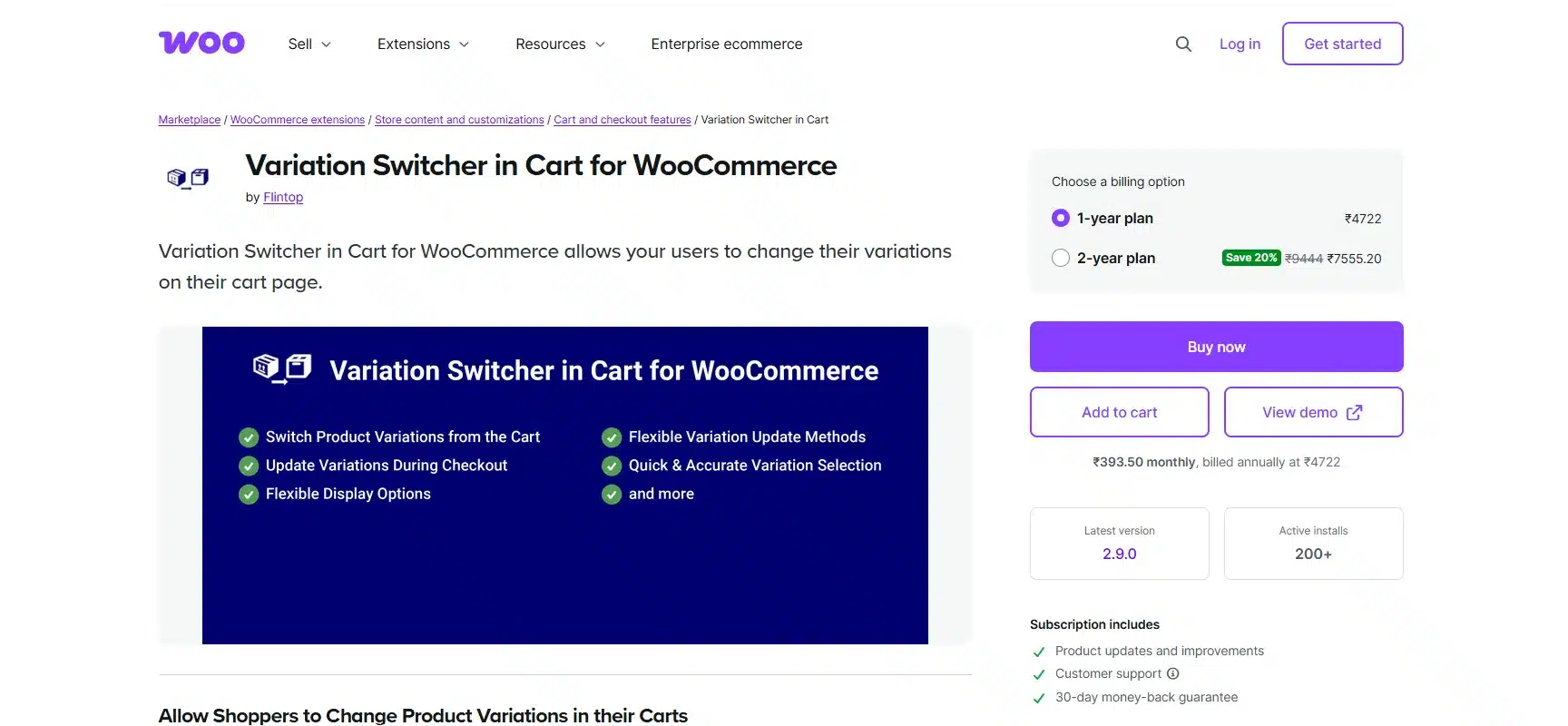
Variation Switcher in Cart for WooCommerce by Flintop is a feature-rich option that also extends variation switching to the checkout page. It’s sold through the WooCommerce marketplace, passes Woo’s quality checks for vulnerabilities and compatibility, and ships with confirmed HPOS support.
Customers can switch via a list or popup view, and the admin has detailed control over which specific products or categories show the link.
Best For
Stores that need switching available at both cart and checkout, or developers who need hooks and filters for custom integrations.
Key Features
- List view and popup view: two display styles for the variation switcher
- Restrict switching to specific products or categories with include/exclude rules
- Compatible with WPML String Translation, HPOS, and WooCommerce Subscriptions
Pricing
- 1-year plan: $49/year
- 2-year plan: $98
Benefits
- Checkout switching: Covers variation changes on the checkout page as well as the cart
- Developer hooks: Filters available for custom integrations and third-party compatibility
- Woo quality checks: Passes WooCommerce’s known vulnerability and activation compatibility tests
Limitations
- No live price or stock update when a new variation is selected in the cart
- No variation swatches support inside the cart UI
3. WooCommerce Update Variations In Cart (StoreApps)
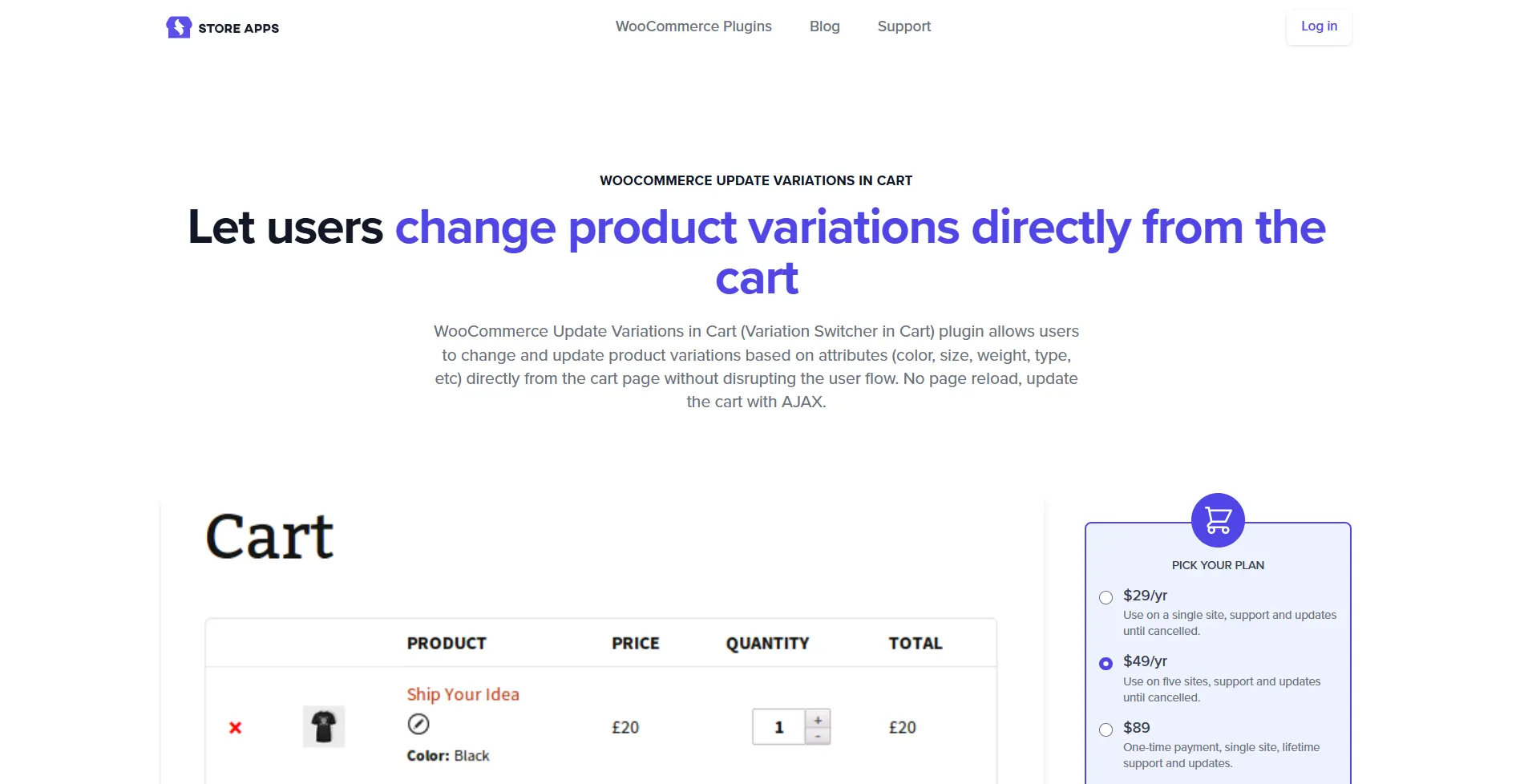
WooCommerce Update Variations In Cart by StoreApps is one of the original cart variation switchers for WooCommerce and is known for one thing above all else: install it, activate it, and it works. No configuration. No settings to adjust. Every existing variable product and every new one added later automatically gets a round edit button in the cart.
Customers click, pick a new variant, and hit Update. The cart refreshes via AJAX, reflecting any price changes. It also works with subscription variable products, making it a solid pick for membership or recurring product stores.
Best For
Store owners who want to install and move on with no configuration and no per-product setup.
Key Features
- No configuration required: all variable products get the switcher automatically on activation
- AJAX-based cart update with no page reload
- Supports custom product attributes and WooCommerce Subscriptions variable products
Pricing
- 1 site: $29/year
- 5 sites: $49/year
- Lifetime (1 site): $89
Benefits
- Instant deployment: Works on all products the moment the plugin is activated
- Subscription support: Handles plan changes from the cart such as single-site to multi-site license
- Customizable link text: Admin can relabel the “Change variation” link to anything
Limitations
- Last changelog entry is version 1.10.0 from October 21, 2022 (checked October 2026). HPOS support is not confirmed for current WooCommerce versions.
- No variation swatches support, no checkout-page switching, no live price display
4. Update Variations in Cart for WooCommerce (Addify)
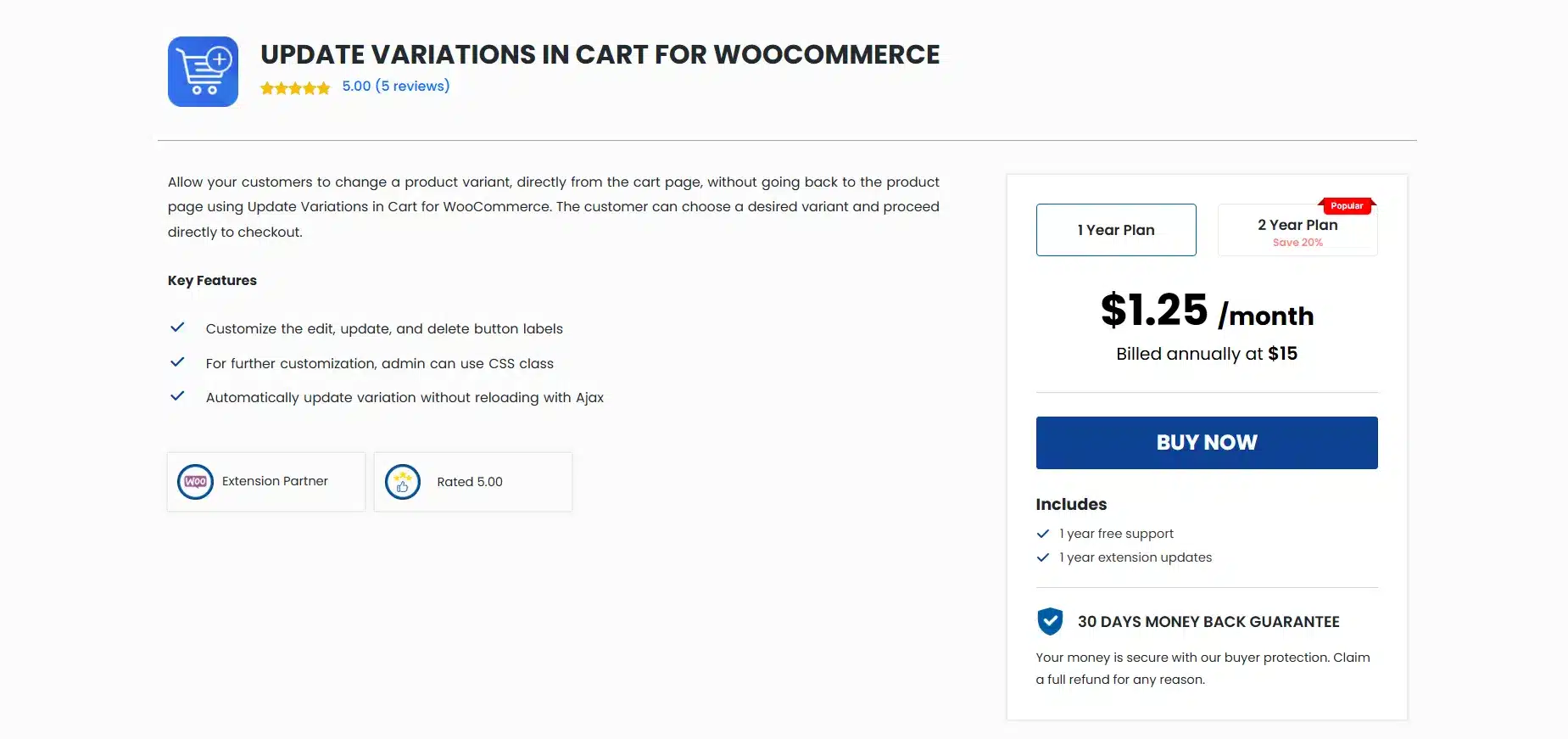
Update Variations in Cart by Addify costs $15/year, the cheapest premium option in this category, and it handles the core task well. Customers edit their variation choice directly in the cart without leaving the page. The admin can customize the edit, update, and cancel button labels, add custom CSS classes, and configure redirect behavior.
HPOS compatibility was confirmed in version 1.2.0 (July 2024), and block editor compatibility for WooCommerce cart and checkout blocks was added in version 1.3.0 (October 2024).
Best For
Small stores on a tight budget that need basic AJAX-based variation switching with confirmed HPOS support.
Key Features
- AJAX cart update with no page reload on variation change
- Customize edit, update, and cancel button labels and CSS classes
- HPOS compatible from version 1.2.0; block editor compatible from version 1.3.0
Pricing
- 1-year plan: $15/year
- 2-year plan: $30
Benefits
- HPOS ready: One of the cheaper options to explicitly confirm HPOS support
- Block compatibility: Works with WooCommerce’s native cart and checkout blocks
- CSS customization: Full button-level styling control without touching plugin files
Limitations
- No live price or stock display on variation selection
- No swatches support, no checkout-page switching; feature set is intentionally minimal
- Only 5 customer reviews available; less community track record than older alternatives
5. WPC Update Variations In Cart for WooCommerce (WPClever)
WPC Update Variations In Cart by WPClever is the only genuinely free option on this list, and it works well enough for simple setups. The plugin adds a well-designed “edit item” button to cart rows. Clicking it opens a variation selector inline, and the customer picks a new option without leaving the cart page.
It’s open source and hosted on WordPress.org. Support feedback is worth checking before installing: it works cleanly with default WooCommerce themes and Kadence, but has reported issues with Elementor where clicking the edit button causes the product to disappear from the cart entirely.
Best For
Stores or staging environments that want a working free option to validate the concept before committing to a premium plugin.
Key Features
- Free and open source with no paid tier
- Visually designed “edit item” button that fits default WooCommerce cart layouts
- Part of the WPClever plugin ecosystem (Fly Cart, Save for Later, AJAX Add to Cart)
Pricing
- Free; no paid tier exists
Benefits
- No cost: A real starting point before investing in a premium option
- WPClever ecosystem: Pairs naturally with other free WPClever cart enhancement plugins
- Open source: Developers can modify it without restrictions
Limitations
- Reported compatibility issues with Elementor; product disappears from cart on edit click
- HPOS support is not confirmed and it has no swatches support or live price update
- Limited reviews and community documentation compared to premium alternatives
6. WooCommerce Variations to Cart (WooNinjas)
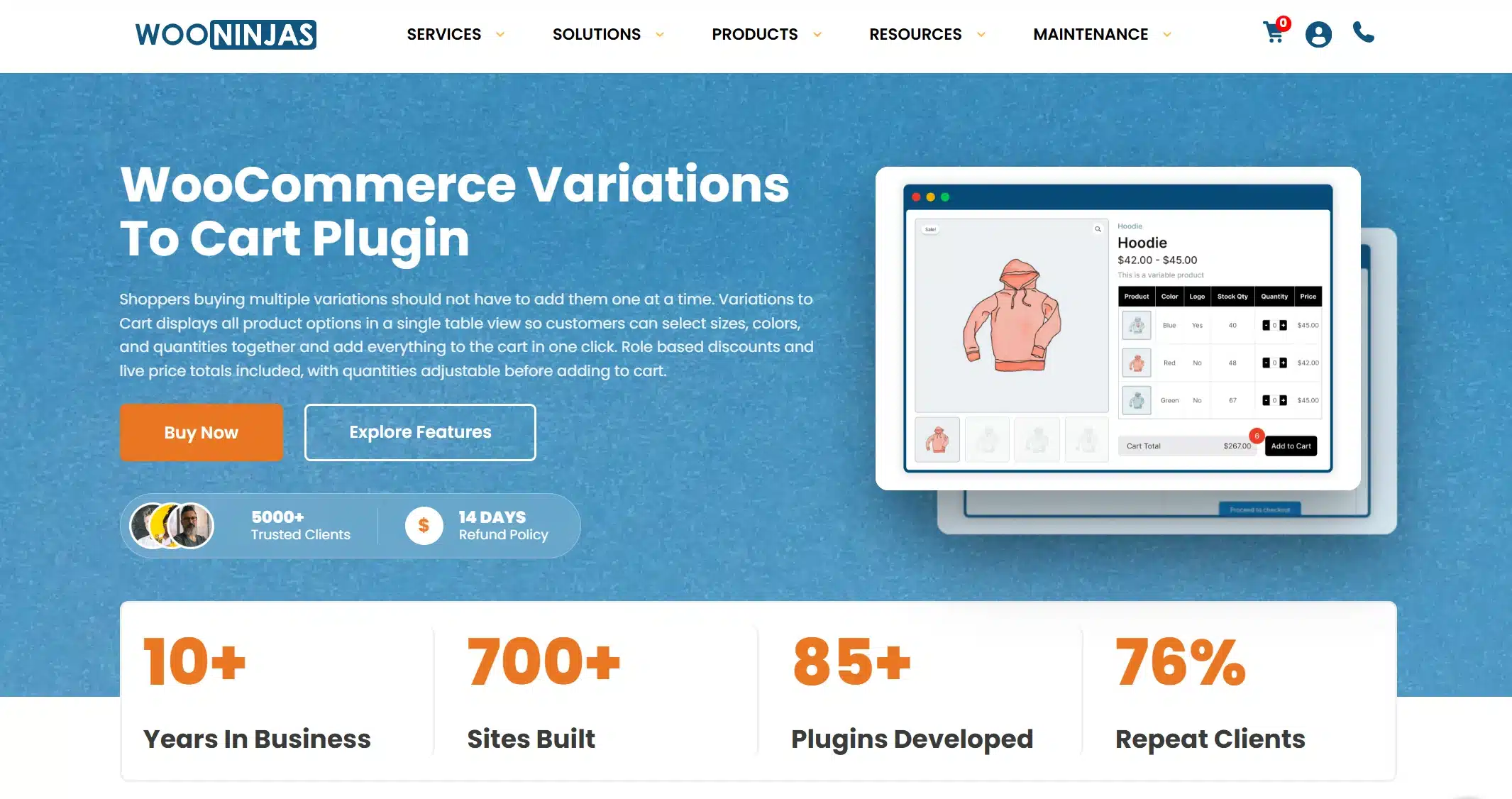
WooCommerce Variations to Cart by WooNinjas takes a different approach to the category. Rather than a bare switcher, it displays all product variations in a table, grid, card, or slider layout directly on the product page, with individual prices and quantity selectors, and lets customers add multiple variations to the cart at once.
A recent update added the ability for customers to change selected variation attributes directly in the cart without removing items, which earns it a place on this list. It also includes quantity-based discount logic per variation, which makes it a strong fit for wholesale or bulk-order stores.
Best For
Stores with large variation sets or wholesale-style layouts where customers need to compare options and order multiples before checkout.
Key Features
- Table, grid, card, and slider display for variations on the product page
- Customers can change variation attributes in the cart without removing items
- Built-in quantity-based discount support per variation
Pricing
- 1 site license: $29/year
- 3 site license: $49/year
- Unlimited site license: $79/year
Benefits
- Full variation overview: Customers see all options with prices before adding anything to cart
- Bulk ordering: Add multiple variations in one action, ideal for apparel and wholesale
- Quantity discounts: Variation-level pricing discounts without a separate discount plugin
Limitations
- Cart switching is a secondary feature; the plugin’s main purpose is product-page display
- Heavier than a dedicated switcher; not the right pick if you only need cart-side editing
- HPOS and swatch compatibility not confirmed in available documentation
Which WooCommerce Cart Variation Switcher Plugin Fits Your Use Case: Quick Comparison
The table below maps each plugin to its key specs. Use it to shortlist before reading the full reviews.
| Plugin | Price | AJAX | HPOS | Swatches in Cart | Checkout Support | Free Tier |
|---|---|---|---|---|---|---|
| DevDiggers Cart Variation Switcher | $19 to $119/yr | ✓ | ✓ | ✗ | ✓ | ✗ |
| Variation Switcher in Cart (Flintop) | $49/yr | ✓ | ✓ | ✗ | ✓ | ✗ |
| Update Variations in Cart (StoreApps) | From $29/yr | ✓ | ✗ | ✗ | ✗ | ✗ |
| Update Variations in Cart (Addify) | $15/yr | ✓ | ✓ | ✗ | ✗ | ✗ |
| WPC Update Variations In Cart | Free | N/A | ✗ | ✗ | ✗ | ✓ |
| WooNinjas Variations to Cart | See store | ✓ | ✗ | ✗ | ✗ | ✗ |
If checkout-page switching is the gap, our DevDiggers plugin and Flintop’s option both include it. Only DevDiggers also covers the mini cart and the Cart and Checkout blocks. None of the six shows swatches inside the cart in this table.
What Nobody Tells You About WooCommerce Cart Update Variation Plugin
Most comparison posts stop at feature lists. Two things tend to get skipped.
Swatch plugins and cart switchers often clash. Most switchers quietly revert to plain dropdowns in the cart, even when your store uses visual swatches. Test your swatch plugin with any switcher before you go live.
HPOS is now the default on new WooCommerce installs. Plugins not updated since 2022 may silently cause data issues. Check the changelog before activating.
| Scenario | Best Pick |
|---|---|
| Need switching in the cart, checkout and mini cart on blocks | DevDiggers WooCommerce Cart Variation Switcher |
| Need WooCommerce Subscriptions support | Flintop Variation Switcher in Cart |
| Want instant zero-config setup | StoreApps Update Variations In Cart |
| Budget option with HPOS support | Addify Update Variations in Cart |
| Free option for small or test stores | WPC Update Variations In Cart |
| Large variation catalogs or bulk orders | WooNinjas Variations to Cart |
Conclusion
Every store with variable products loses sales to the remove-and-re-add loop. The best WooCommerce update variations in cart plugins fix that in one click, but the right pick depends on your setup.
Choose DevDiggers for the cart, checkout and mini cart with live price display. Flintop for WooCommerce Subscriptions. StoreApps for zero-config setup. Addify for the lowest HPOS-ready price. WPClever for free. WooNinjas for large catalogs.
The comparison table above matches your store’s needs to the right pick. For blocks, checkout and mini cart in one plugin, start with our WooCommerce cart variation switcher from $19 a year.
Frequently Asked Questions (FAQs)
Q1. What is a WooCommerce update variations in cart plugin?
A variation switcher in cart for WooCommerce is a plugin that lets customers change a product’s selected variation, such as size, color, or material, directly from the cart page, without removing the item and re-adding it from the product page.
Q2. Does WooCommerce include a built-in cart variation switcher?
No. WooCommerce does not include this feature by default. To change a variation, customers must remove the product, return to the product page, select a different option, and add it back to the cart. A dedicated plugin adds the switcher without custom coding.
Q3. Will a cart variation switcher work with my variation swatches plugin?
Most switchers replace swatches with plain dropdown selects inside the cart. Our WooCommerce Cart Variation Switcher shows options as text buttons or dropdowns, and buttons cross out combinations that do not exist. Test your swatch plugin with any switcher on a staging site first.
Q4. Is HPOS compatibility important for cart variation plugins?
Yes. WooCommerce’s High-Performance Order Storage (HPOS) is enabled by default on new installs. Plugins not updated since 2022 may not be HPOS-compatible, which can cause order data issues. Always check the plugin changelog for a confirmed HPOS compatibility entry before activating on an HPOS-enabled store.
Q5. Can customers switch variations at checkout as well as the cart page?
Most cart variation switchers only work on the cart page. Two plugins here also switch at checkout. They are our WooCommerce Cart Variation Switcher from $19 a year and Flintop’s Variation Switcher in Cart at $49 a year.