
Voice search optimization in 2026 is mostly normal SEO done well, plus a complete Google Business Profile. The big assistants now answer with large language models. So the old voice tricks matter less, and clear answers on fast pages matter more.
We checked every claim here against vendor sources on October 9, 2026: Google, Amazon and Apple announcements and Google Search Central docs. We also ran PageSpeed Insights on devdiggers.com, validated a live page’s schema and pulled 90 days of our own Search Console data.
You will see how Gemini, Alexa+ and Siri AI answer questions now, and which voice tactics stopped working. Then you get a 5-step plan for the parts that still pay off, with screenshots from each tool.
What Is Voice Search Optimization?
Voice search optimization is the work of making your pages a good answer to the questions people ask a voice assistant out loud. It covers local listings, question-style headings, short direct answers and fast pages. In 2026 it overlaps almost fully with regular SEO and AI search.
How does voice search optimization work? A spoken query turns into text, the assistant searches its sources, and it reads or shows one answer. Your page wins when it holds a clear answer to that exact question, short enough to read aloud.
The phrase voice SEO dates from the smart-speaker boom, when people expected spoken searches to take over. That never happened in a way anyone can measure today. We looked for a current, primary dataset on the share of searches made by voice and found none from Google, Amazon or Apple.
What did change is the engine behind the voice. The vendors’ own announcements below describe assistants that now write answers with a language model. That makes voice search a sibling of AI search visibility, with the same rules.
Here is a worked example of how the query itself changes. Someone typing might enter “pizza open late”. The same person speaking to a phone is more likely to say “where can I get pizza that’s open after 11 tonight”.
The spoken version carries a time, a place and an intent to go now. A page or listing that states late hours in plain words answers it. A page that only says “great pizza” does not.
How Voice Assistants Answer Questions in 2026
The three big assistants all moved to large language models between 2025 and 2026. Google is replacing Assistant with Gemini, Amazon launched Alexa+ across the US, and Apple announced Siri AI. Each one now writes answers instead of reading a single search snippet aloud.
Here is where each one stood when we checked on October 9, 2026:
| Assistant | Model behind it | Key date | Where it runs | Price |
|---|---|---|---|---|
| Gemini (replacing Google Assistant) | Gemini | Upgrade announced March 14, 2025 | Android phones, then tablets, cars, watches and home devices | Free app |
| Alexa+ | Generative AI | US launch February 4, 2026 | Echo devices, Alexa.com, Alexa app | Free with Prime, else $19.99 a month |
| Siri AI | Apple Intelligence | Announced June 8, 2026 | iOS 27 developer beta, public beta later in 2026 | Free on supported devices |
That shift matters for anyone doing voice search SEO. The assistant blends several sources into one reply, so you compete to be one of the sources it trusts. Clear facts, a strong local listing and pages that load fast all help with that.
Google Assistant Is Becoming Gemini
Google announced on March 14, 2025 that it was upgrading mobile users from Google Assistant to Gemini. It said the classic Assistant would stop being available on most mobile devices later that year. Tablets, cars, headphones and watches were next on the list.
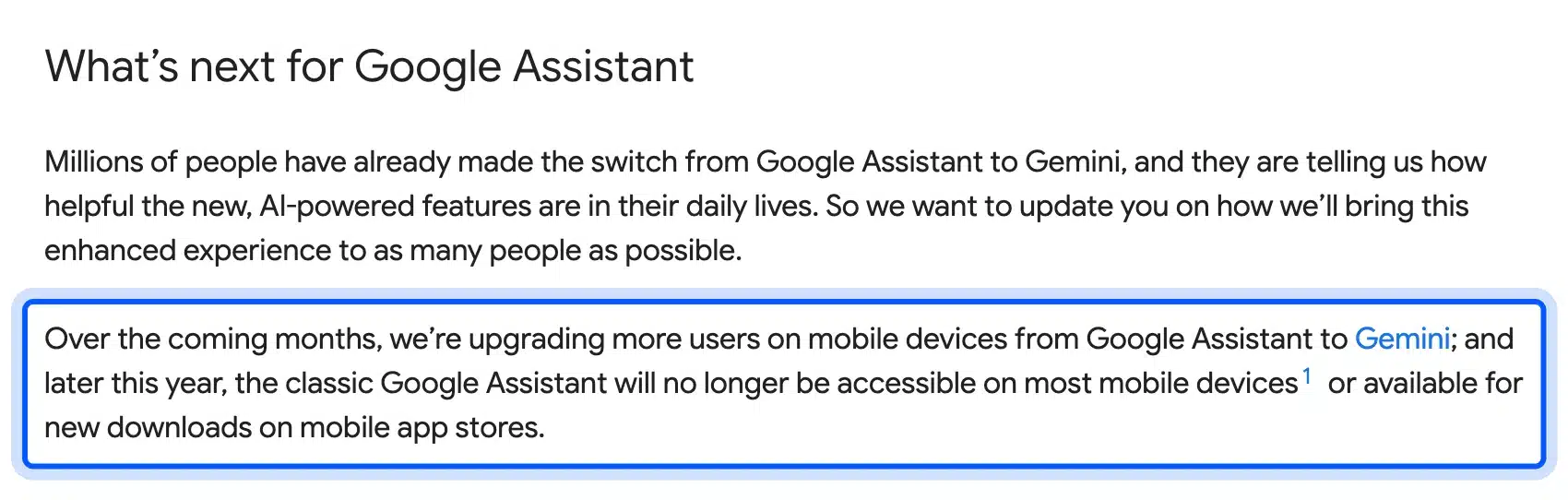
The same Google blog post says a new Gemini experience was coming to speakers, displays and TVs. So “Hey Google” on a phone now reaches a chat model that can reason over the web.
For site owners the practical change is small. Nothing in the post describes a separate voice ranking system, so treat Gemini on a phone like Google Search with a voice on top.
Alexa+ Runs on Generative AI
Amazon made Alexa+ available to everyone in the US on February 4, 2026. It is free for Prime members and costs $19.99 a month otherwise. A free tier lets non-Prime members try the chat version on Alexa.com and in the Alexa app.
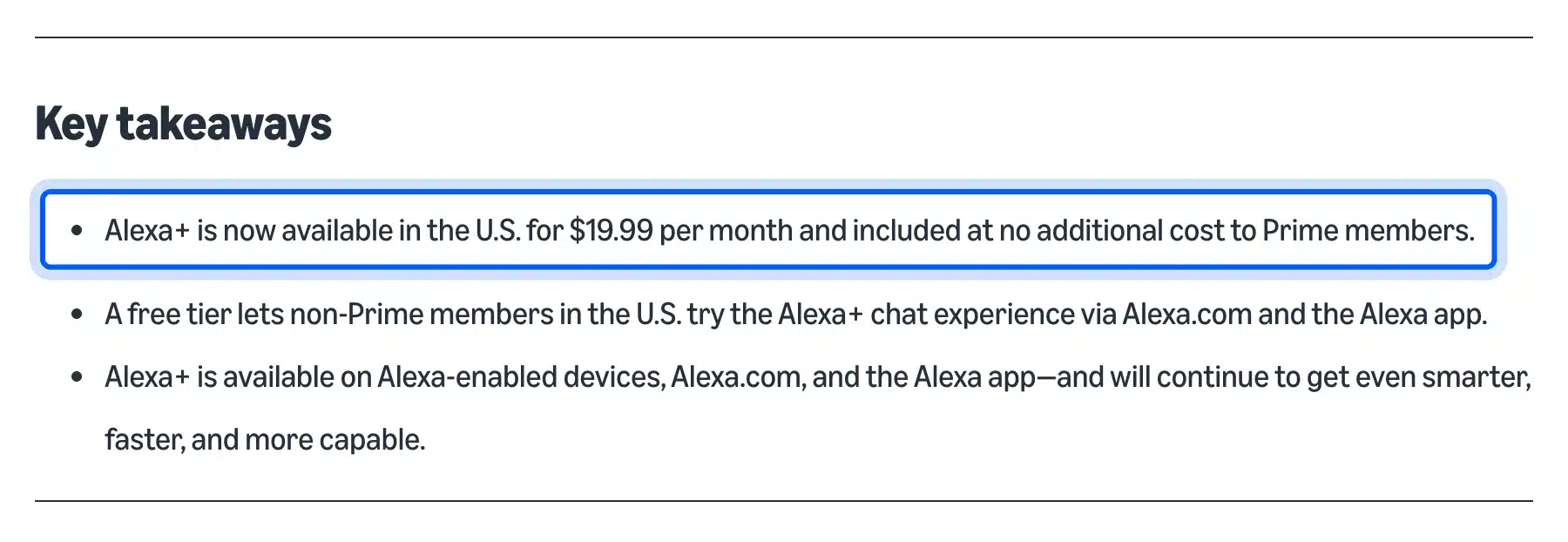
Amazon’s Alexa+ announcement describes it as an AI assistant that works by voice, in a browser and in the app. The page was updated on September 1, 2026 to explain the tiers in more detail.
Alexa still leans on its own skills and partner data for many tasks, like orders and smart home control. For a store that sells on Amazon, the bigger Alexa lever is the product data on Amazon itself.
Siri AI Uses Apple Intelligence
Apple introduced Siri AI on June 8, 2026, built on Apple Intelligence. Developers could test it on iOS 27 that day, and Apple said a public beta would follow later in 2026 for devices set to English. It will not launch in the EU at first.
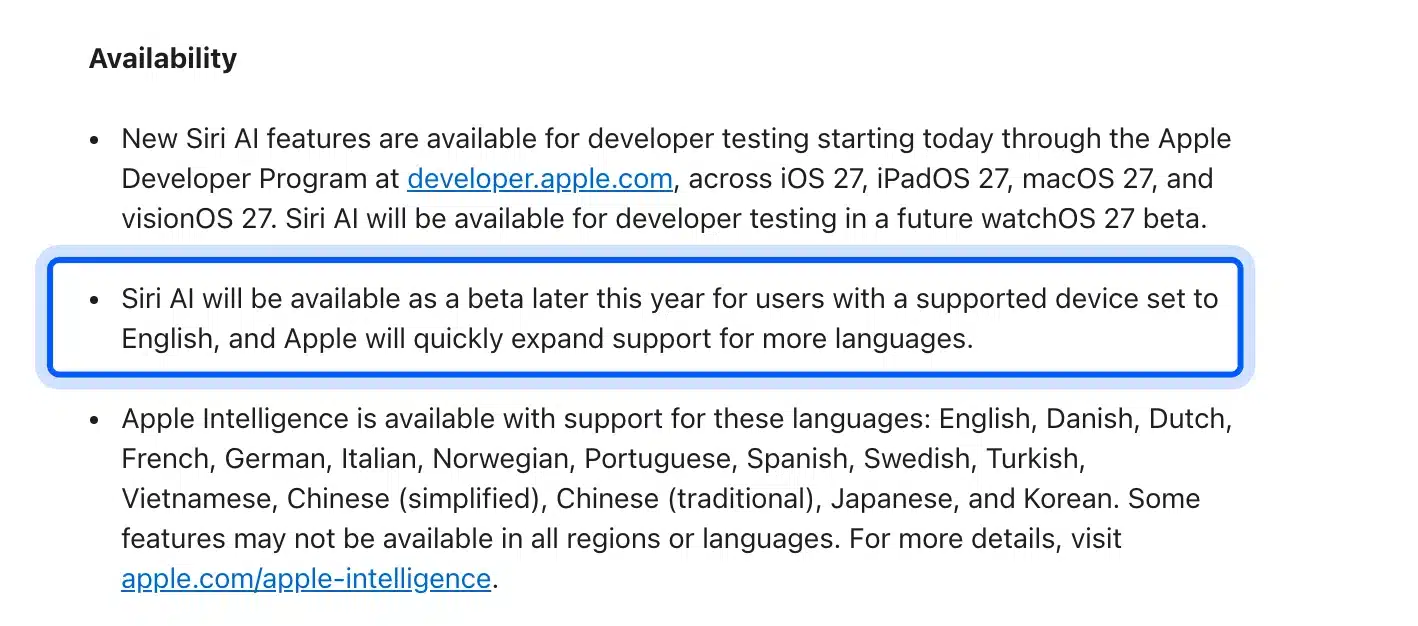
The Apple newsroom release says Siri AI can go out to the web for up-to-date information and generate an answer. The release does not say whether those answers show source links.
That leaves a gap no one can fill yet: Apple has not said how Siri AI picks web sources. Until it does, the safe move is the same as for Google. Publish clear, current answers on pages that any search engine can crawl.
What No Longer Works for Voice Search SEO
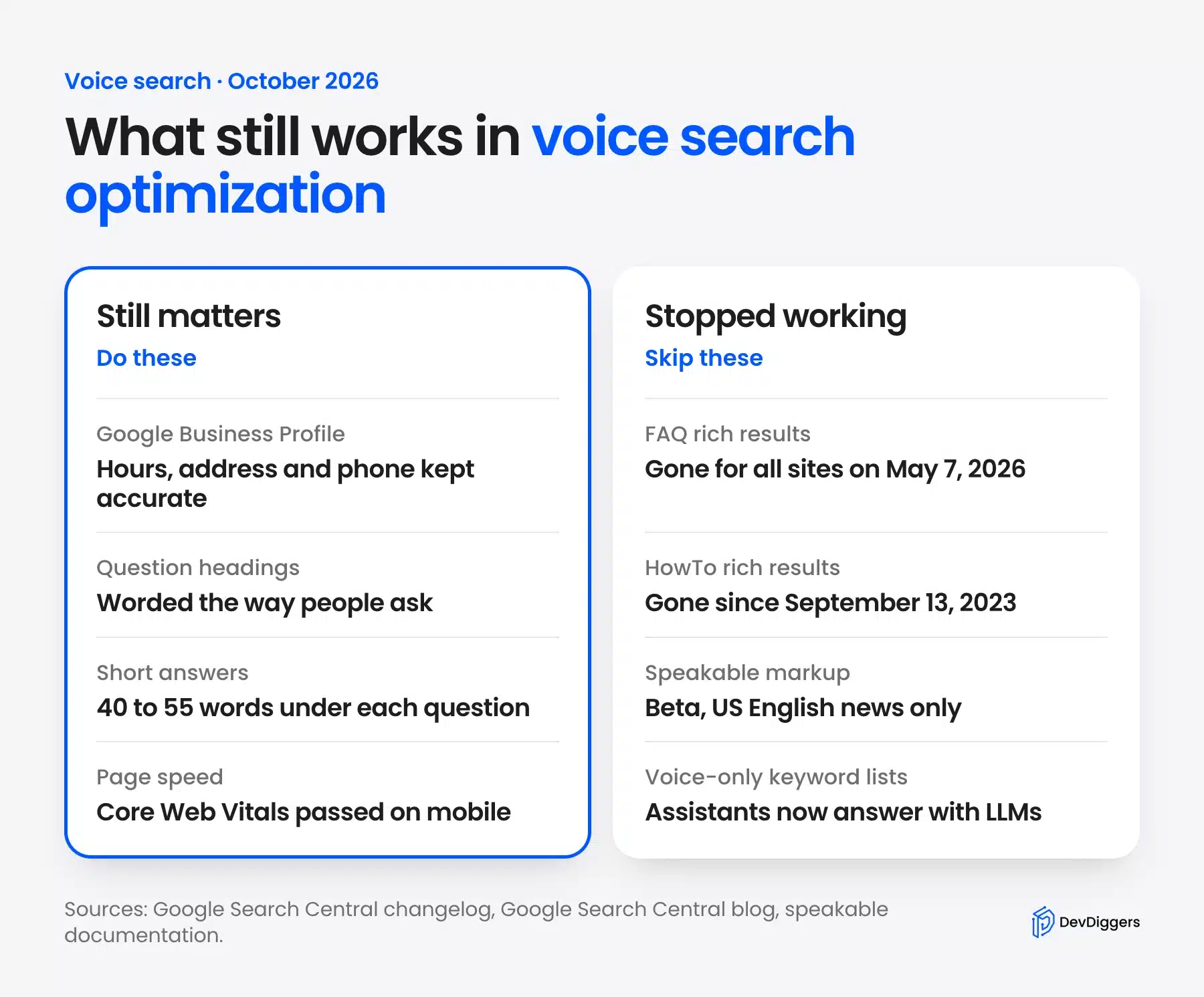
Three tactics that voice search SEO guides still repeat no longer do what they promise. Google stopped showing FAQ rich results for all sites on May 7, 2026. HowTo rich results went away in 2023, and speakable markup is still a narrow beta for news publishers.
None of this means structured data is useless. It means that markup alone will not get your page read aloud. Use the time you would spend on these tactics on the steps further down.
FAQ Rich Results Are Gone
The Search Central changelog entry dated May 8, 2026 added a deprecation notice to the FAQ documentation. It says the feature would no longer appear in Google Search starting May 7, 2026. Google later removed the FAQ rich result documentation.
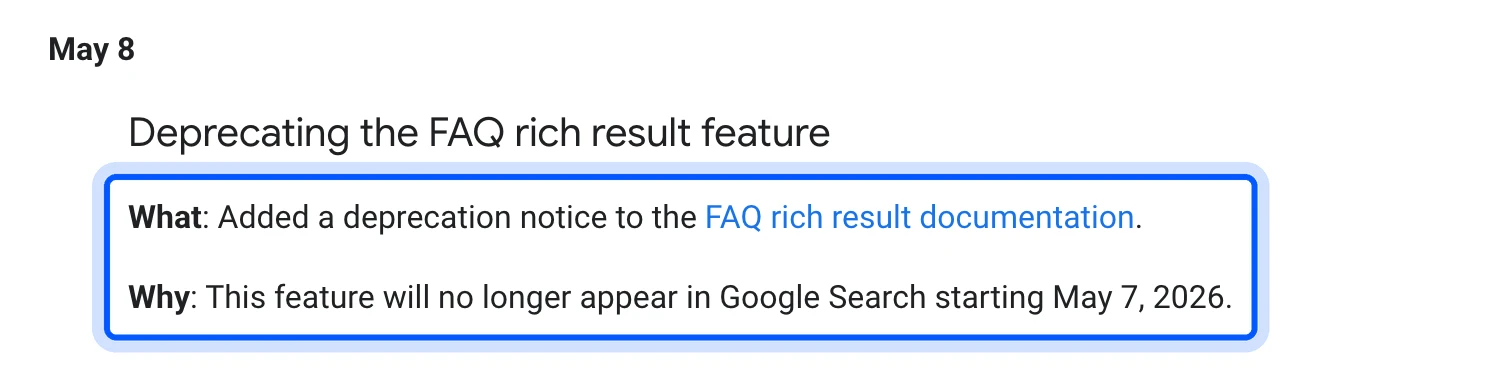
FAQ markup does no harm if it is already on your pages. Rank Math still writes FAQPage schema for this site’s FAQ blocks, and we left it in place.
The FAQ section itself still earns its keep. Readers skim it, and AI answers quote clear question and answer pairs. You just should not expect an expanded FAQ result in Google anymore.
HowTo Rich Results Were Retired in 2023
Google cut HowTo rich results in two steps in 2023. An August 8 post limited them to desktop, and a September 14 update said Google Search stopped showing them on desktop as of September 13. Google called the result type deprecated.
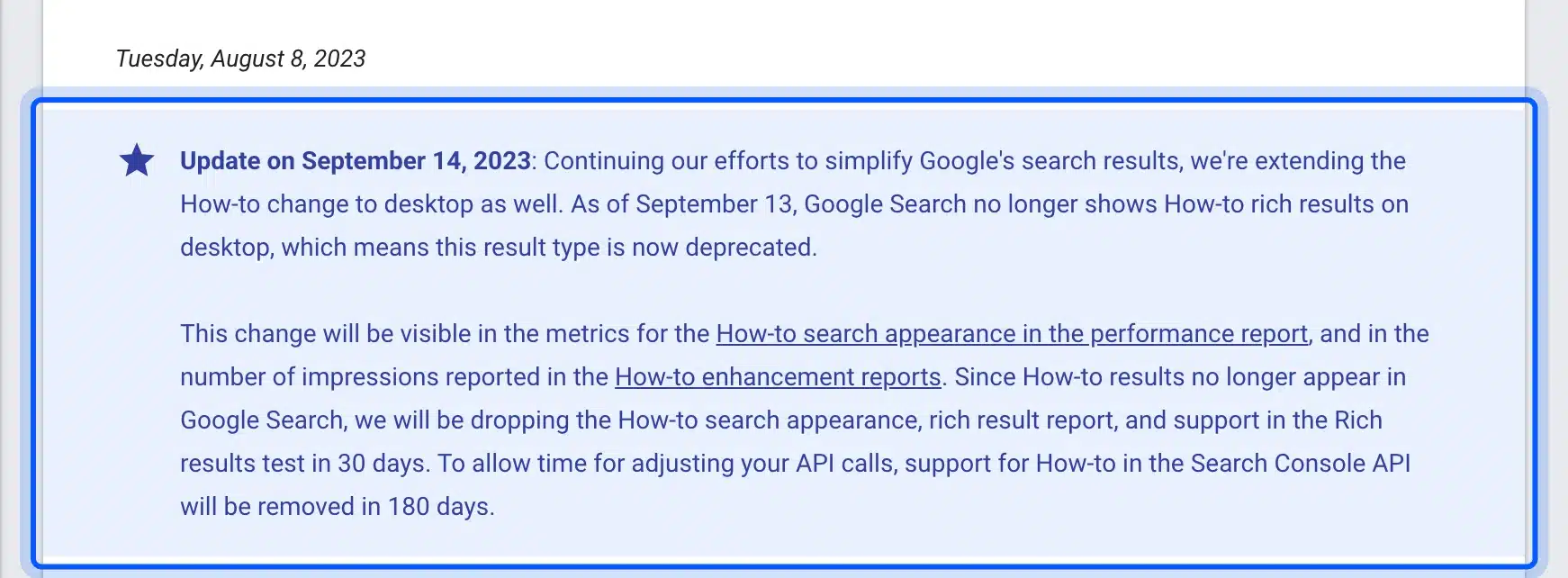
The Google Search Central post also explains that Search Console dropped the HowTo report. Older voice guides that tell you to add HowTo schema for spoken step lists are three years out of date.
Steps still help readers and assistants, though. A numbered list with one action per step is easy to read aloud, whatever the markup says.
Speakable Is Still a Beta for News
Speakable markup marks the parts of a page that suit text-to-speech playback. Google’s speakable documentation still labels it beta. It works for users in the US with Google Home devices set to English, and only for publishers writing in English.
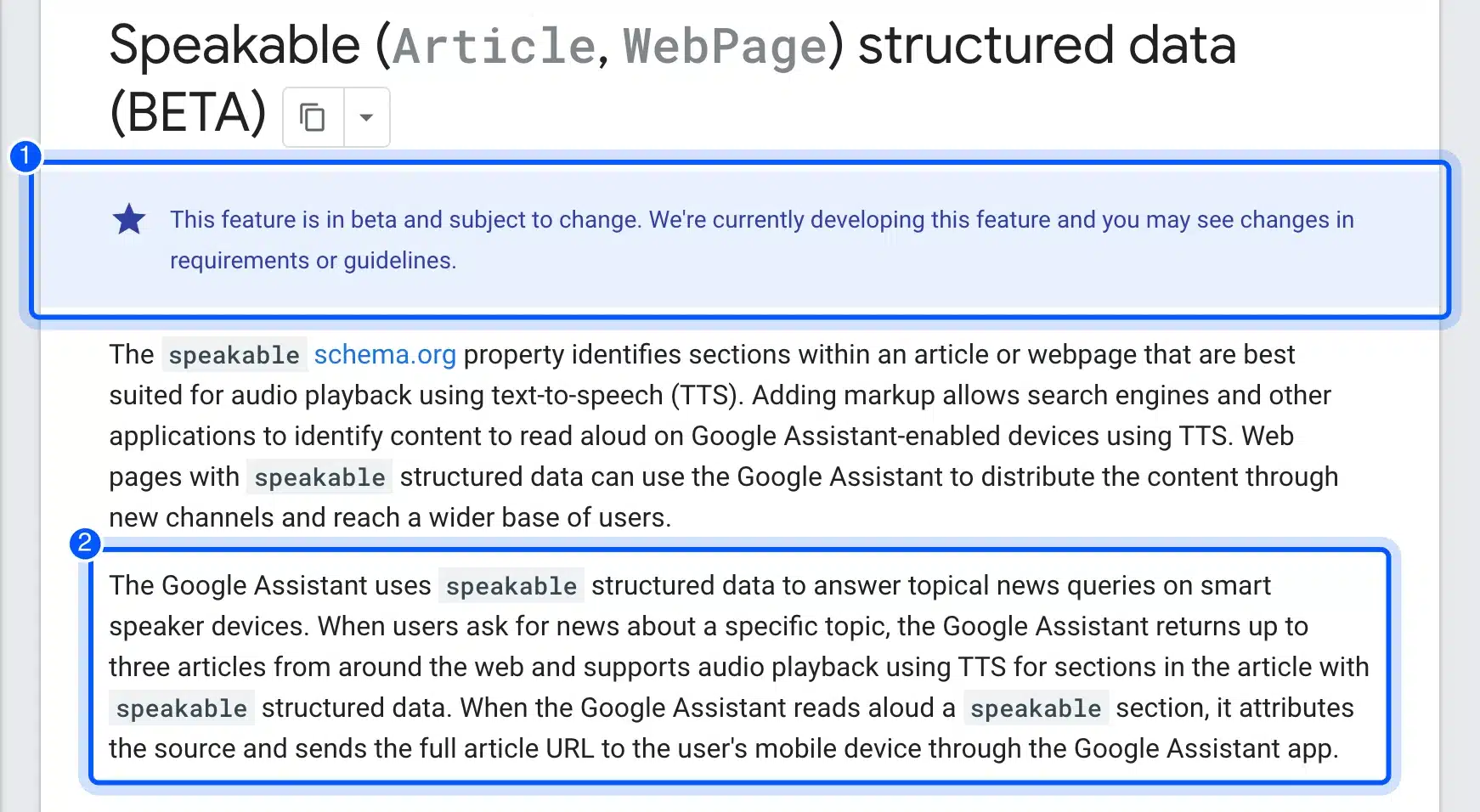
The same page says the Assistant uses it to answer topical news queries on smart speakers, returning up to three articles. A store, a service page or a how-to blog falls outside that use.
So skip speakable unless you run a news site. Even then, test it on a real device, because a beta can change without notice.
How to Optimize for Voice Searches in 5 Steps
To optimize for voice search in 2026, complete your Google Business Profile and write question headings with short answers. Then make the page fast on mobile and keep the structured data Google still supports. Finally, write for AI answers the same way you write for search.
Each step uses a free tool, and you can finish all five in an afternoon for one page. Start with the pages that answer questions your customers ask most.
Step 1: Claim and Complete Your Google Business Profile
Local intent is where voice queries still pay off in a way you can see. A spoken “bakery near me” asks for a local result, and Google’s local ranking help page explains how those are picked.
That page says local results are mainly based on relevance, distance and popularity. It also says to make your business info as complete as possible, including special store hours.
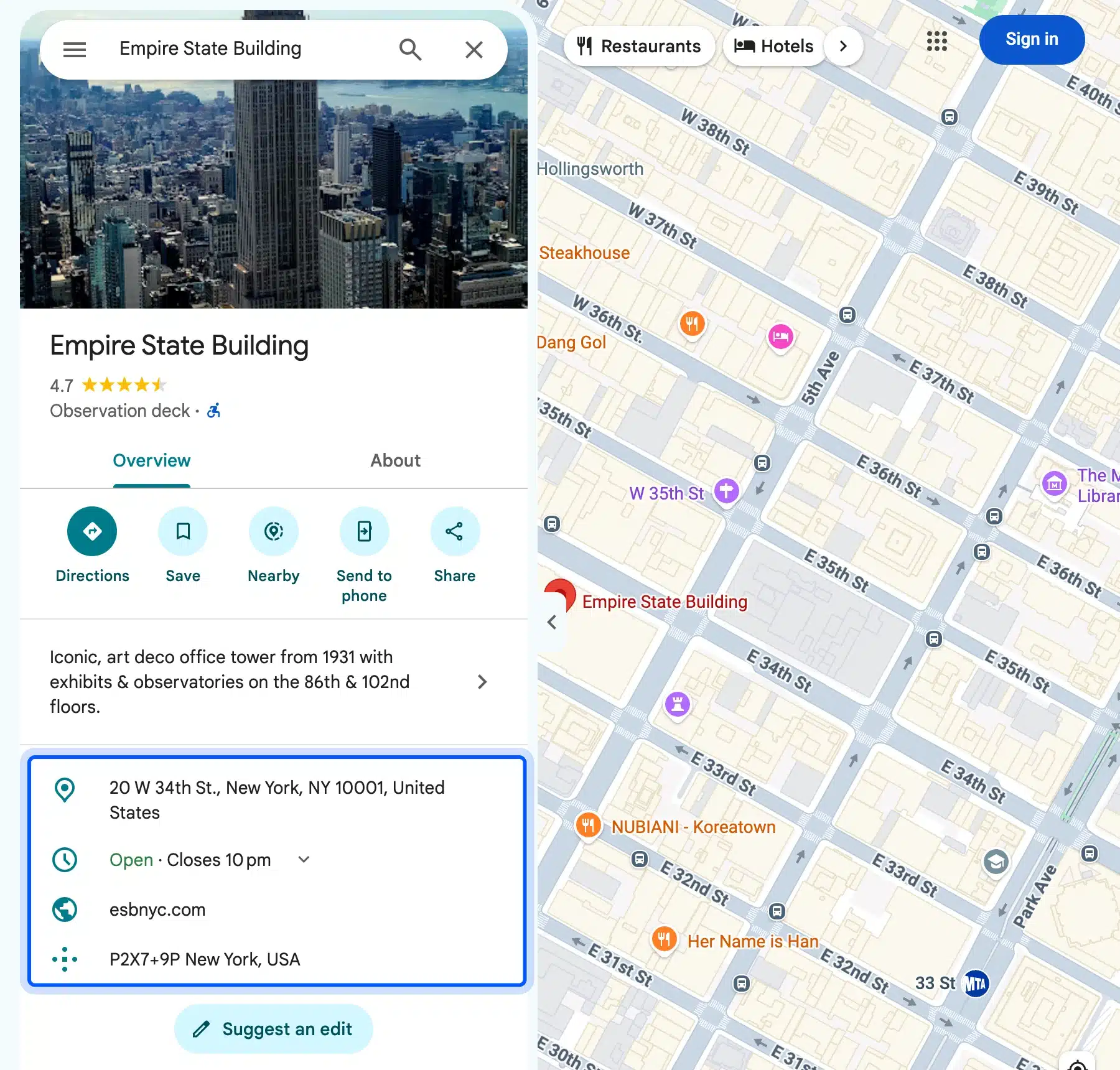
The listing above shows what an assistant reads from: address, opening hours, website and a plus code. A spoken “is it open now” pulls straight from the hours row, so a wrong closing time loses the visit.
Here is what to fill in and keep current:
- Name, address and phone: Match them exactly to your website footer and other listings.
- Hours: Add holiday and special hours a week before each holiday.
- Categories: Pick the primary category that matches what people ask for.
- Website link: Point it at the page that answers local questions best.
A click-to-call button in WordPress helps once a voice search lands someone on your site from a phone. Local schema on the site supports the same facts, and our guide on local business schema in WordPress covers it.
Step 2: Write Question Headings With Short Answers
Conversational queries are longer and phrased as questions. So write headings in the words people speak, and put a 40 to 55 word answer right under each one. That answer block is the passage an assistant or AI answer can lift whole.
We checked our own data first. In the top 500 queries by clicks for devdiggers.com from July 11 to October 9, 2026, only 4 started with a question word. They drew 87 of 10,636 impressions, under 1%, but averaged 4.4 words against 2.9 for the rest.
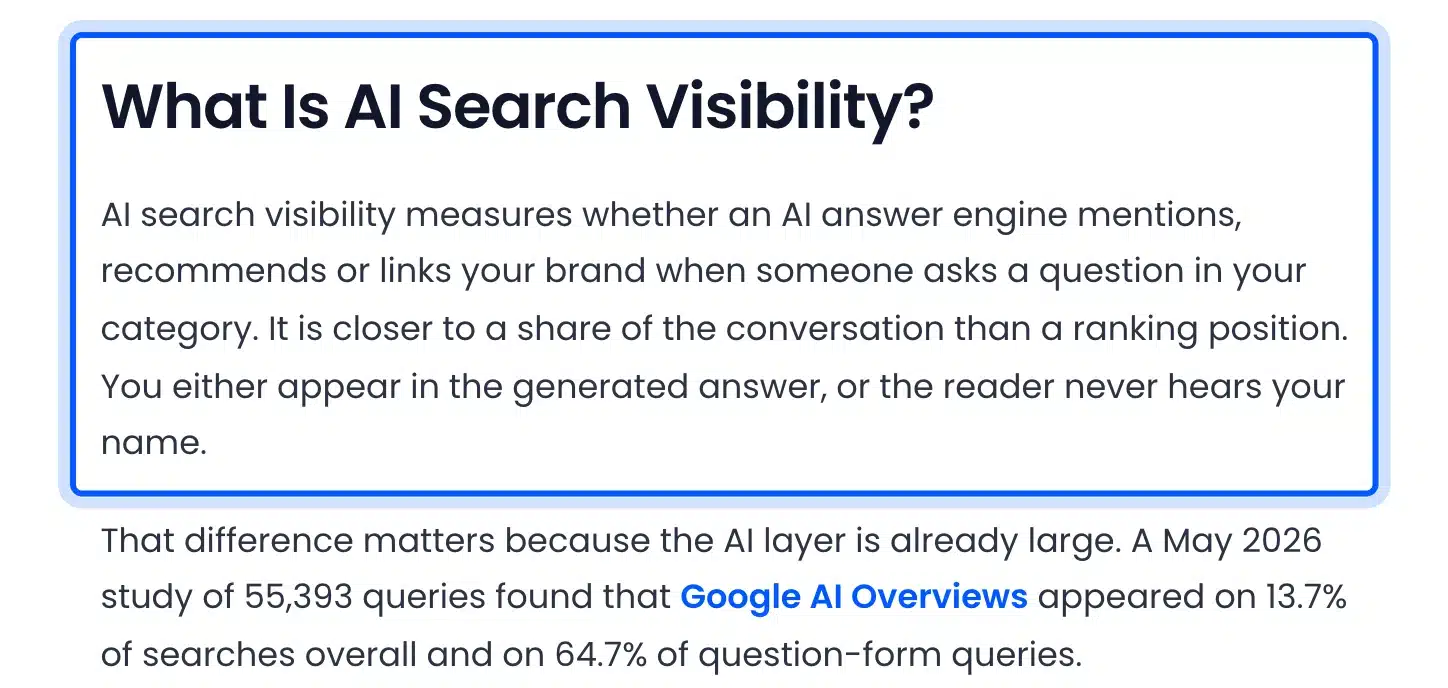
The example above is from our own post on AI search visibility. The heading asks the question, and the first paragraph answers it in three sentences before any detail.
Follow a few rules when you write these:
- Use real questions: Take them from People Also Ask, Search Console and your support inbox.
- Answer first: The first sentence answers, and the next two add the key fact.
- Stand alone: Never start the answer with “as mentioned above” or “this”.
- Keep it spoken: Read it aloud and cut any phrase you would not say to a customer.
This is also what featured snippets reward. A page that wins a featured snippet for a question is a strong candidate for the spoken answer to it.
Step 3: Make the Page Fast on Mobile
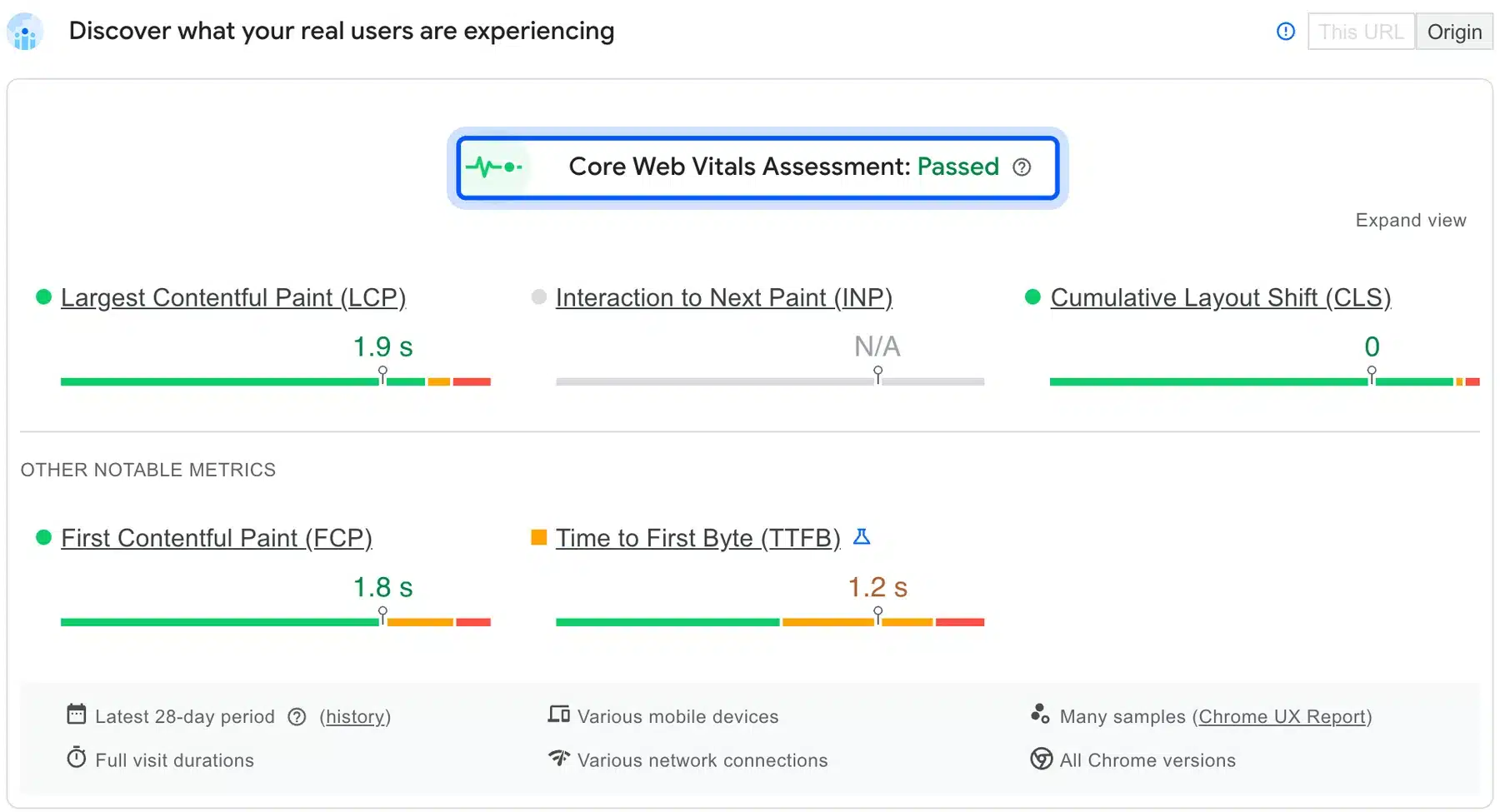
A voice answer on a phone often ends with a tap through to your site, so mobile page speed decides whether the visit sticks. Check the real-user Core Web Vitals in PageSpeed Insights first, then the lab report for what to fix. Aim for a “Passed” assessment on mobile.
We ran PageSpeed Insights on devdiggers.com on October 9, 2026. The real-user panel showed the Core Web Vitals assessment as Passed, with LCP at 1.9 s and CLS at 0. INP showed N/A for this URL.
The lab test on an emulated Moto G Power with Lighthouse 13.5.0 scored 96 for performance. Speed Index was the weak spot at 4.1 s. The report also flagged render-blocking requests with estimated savings of 1,330 ms.
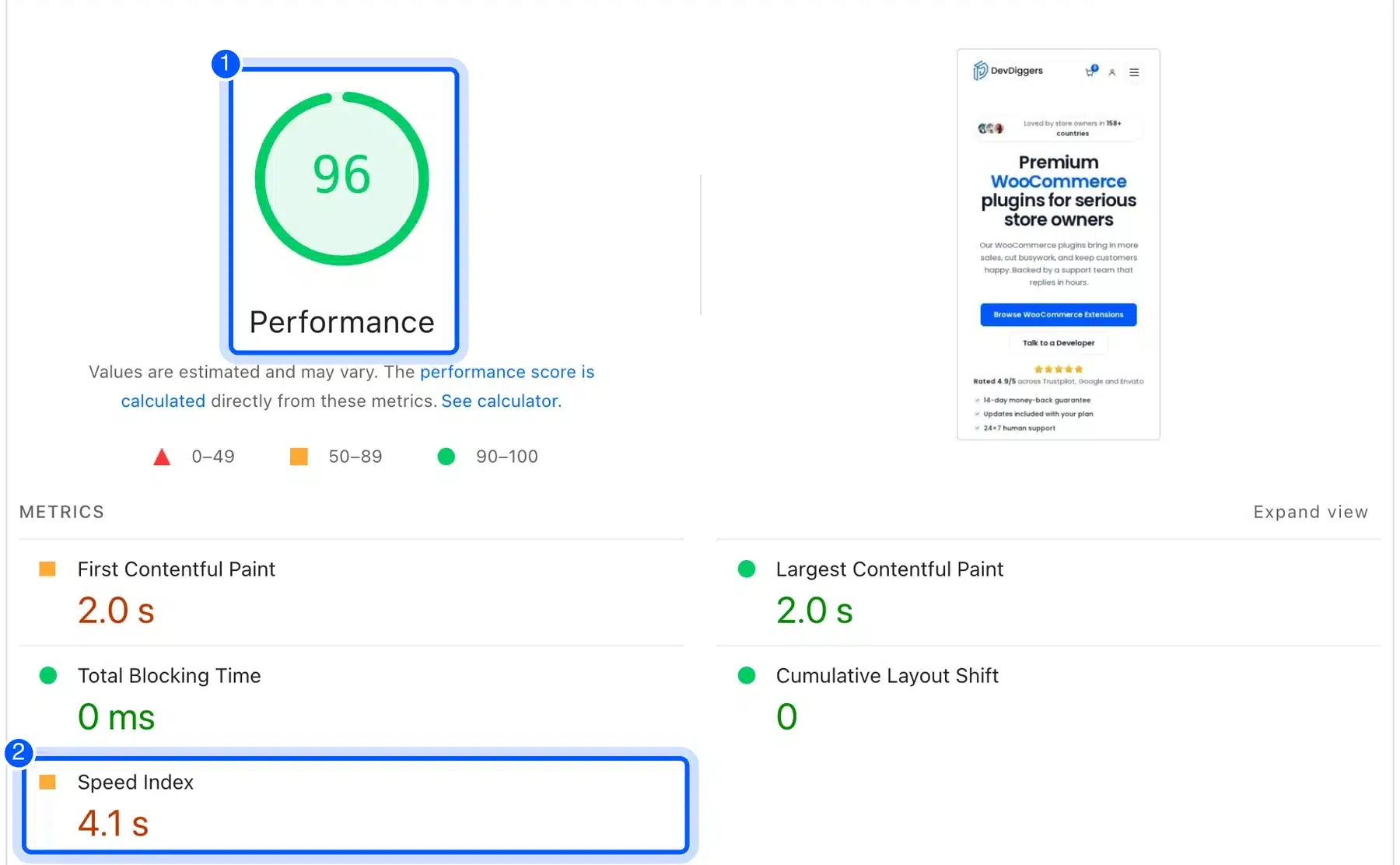
So even a fast site has something to fix. For most WordPress sites the quickest wins are images and render-blocking CSS. Our WordPress image optimization guide covers the image side step by step.
Tip: Read the real-user panel before the lab score. Field data shows what visitors felt over 28 days, while one lab run can swing a few points.
Step 4: Keep the Structured Data Google Still Supports
Structured data still helps search engines understand who you are and what a page covers. Keep Organization, LocalBusiness and BlogPosting or Product markup accurate. Drop any plan built only on FAQ, HowTo or speakable markup for a general site.
We checked our local business schema guide with the Schema Markup Validator, which reads every structured data type on a page.
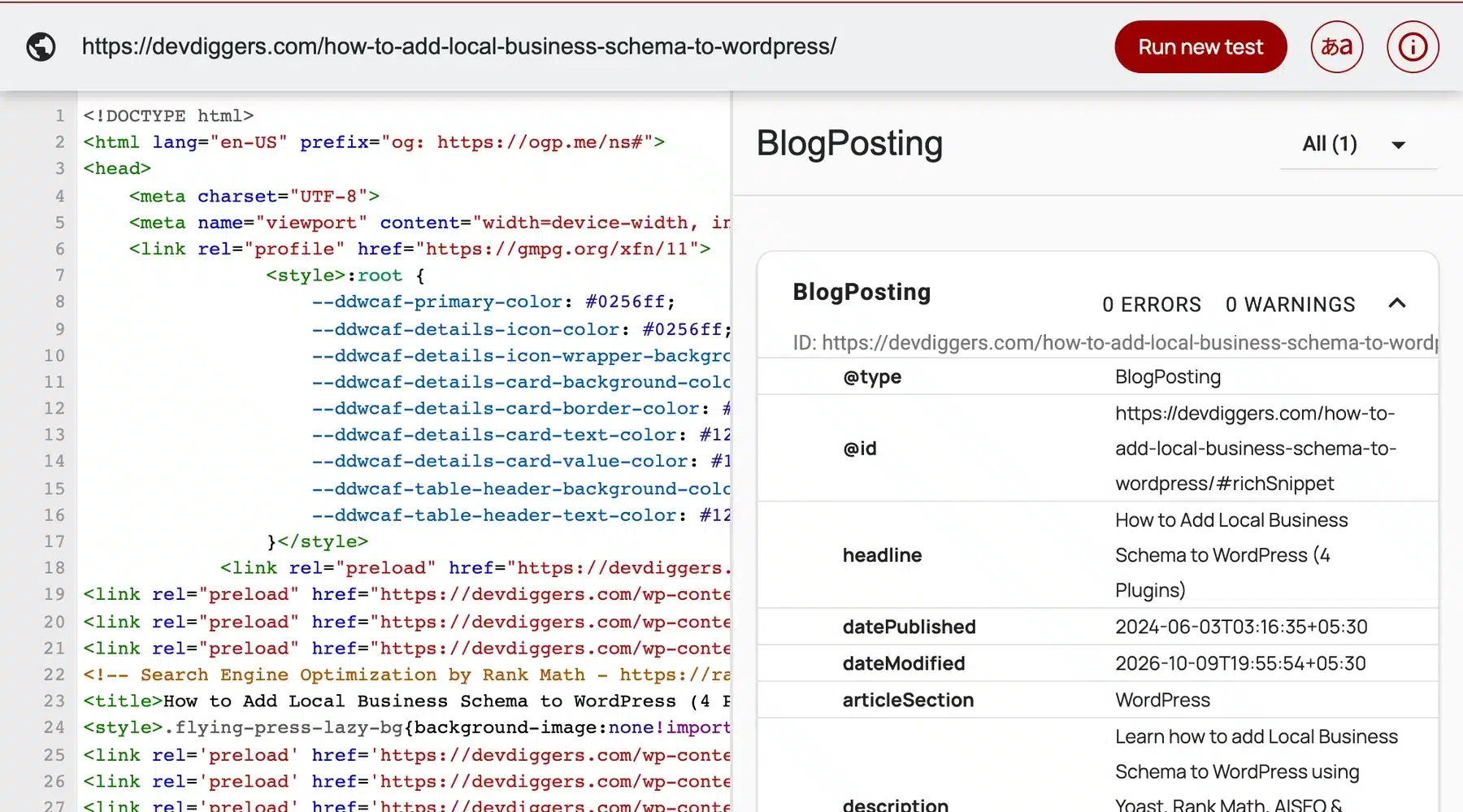
It found the BlogPosting item with 0 errors and 0 warnings. The page’s graph also carries Organization with a full postal address, Person, BreadcrumbList and the FAQPage that Rank Math writes for the FAQ block.
That postal address is the part that matters for local voice queries. It should match your Google Business Profile word for word. A mismatch between the two gives search engines two answers to one question.
Step 5: Write for AI Answers the Same Way You Write for Search
Google’s AI features documentation says there are no extra requirements to appear in AI Overviews or AI Mode, and no special optimizations needed. Voice answers built on the same AI follow the same logic. So the best voice search optimization is clear, accurate content that a search engine can index.
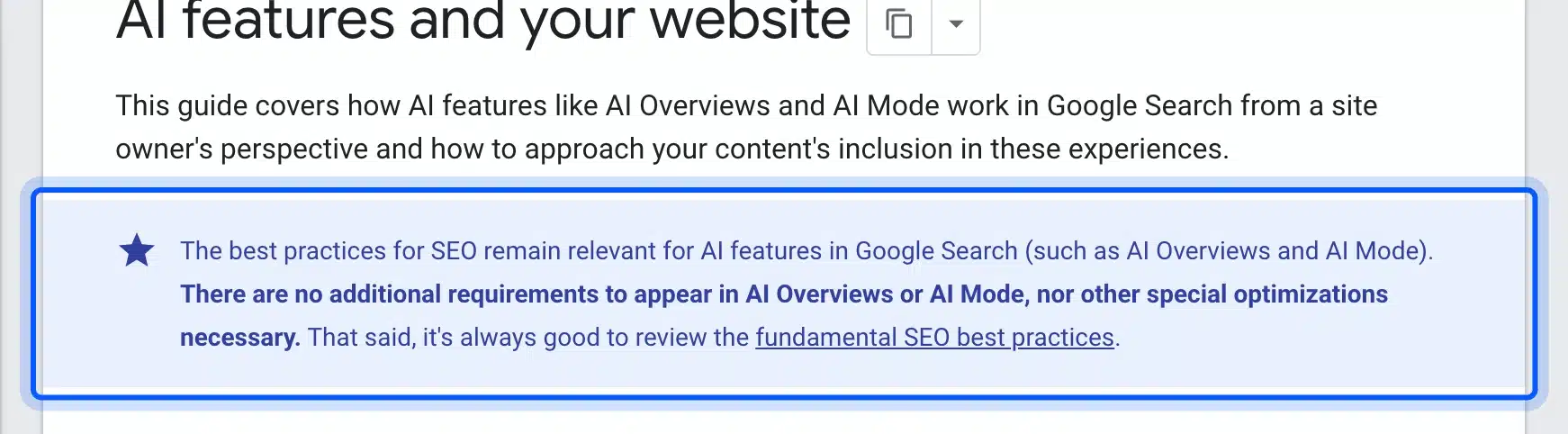
The same page says a page must be indexed and able to show in Search with a snippet. That brings everything back to basics: the page has to be crawlable and indexed first.
If a page is new, submit your website to Google Search through Search Console so it gets crawled. Then check the page appears in Google with a normal snippet before you worry about any assistant.
Write dates, prices, hours and versions as plain facts with the month next to them. An assistant that can confirm a fact on your page is more likely to use it.
How to Measure Voice Search in Search Console
Search Console has no voice filter, so you measure voice search through the queries it does show. Filter the Performance report for queries that start with question words, then watch their clicks and positions each month. Longer, question-shaped queries are the closest signal you will get.
In the Performance report, add a query filter and choose the custom regex option. The same filter exists in the Search Analytics API, where the includingRegex operator takes an RE2 regular expression. A pattern like ^(how|what|why|when|where|which|can|does|is)\b catches most spoken questions.
Then compare that slice with the rest of your queries. On our own data the question slice was tiny but ranked far better: an impression-weighted position of 17.7 against 47.6 for everything else. Small samples swing, so read it as a direction and not a rule.
Track three numbers for the question slice each month:
- Impressions: Shows whether more people ask questions your pages could answer.
- Average position: Tells you whether your answer blocks are winning ground.
- Clicks: Proves the answers bring visits and not just views.
If impressions grow and clicks stay flat, your answers may be getting used without a visit. That is common with AI answers too, and it is the trade-off of being the source.
Voice Search Optimization for Local Stores and WooCommerce
For a local shop, voice search optimization is mostly Google Business Profile work plus a fast mobile site. For an online-only WooCommerce store, voice brings fewer direct sales. The value sits in question content that answers buying questions before someone reaches the cart.
A spoken “where can I buy running shoes near me” goes to local listings, not a product page. So a store with a physical location gets the most from Step 1. An online-only store should not expect voice shopping traffic from Google or Siri.
What an online store can do is answer the questions buyers ask on the way. Think “does this fit wide feet” or “how long does shipping take to Texas”. Put those on product pages and in a help section, written as short spoken answers.
Store policies are the other easy win. Shipping times, return windows and store hours are the facts buyers ask about out loud. Put each one on its own page in one or two plain sentences, with the date you last checked it.
Keep those facts the same everywhere. If your footer says you close at 6 and your Business Profile says 7, a buyer cannot tell which one is right.
Our on-page SEO checklist covers the rest of the product page basics. Titles, headings and image alt text all feed the same index the assistants read from.
If you would rather hand this off, our SEO services for WordPress cover local schema, page speed and question content for WordPress and WooCommerce sites. The work is the same five steps above, done across the whole site.
Conclusion
Voice search optimization in 2026 rewards the basics. Keep your Google Business Profile complete, write questions with short answers and make pages fast on mobile. Skip FAQ, HowTo and speakable markup as voice tactics, because Google no longer shows the first two and the third is a news beta.
The assistants changed more than the tactics did. Gemini, Alexa+ and Siri AI now write answers with AI, so your page competes to be a trusted source rather than one snippet read aloud.
Run the five steps on your top question pages first. Then check Search Console every month for longer, question-shaped queries, which is where spoken searches show up in your data.
Frequently Asked Questions (FAQs)
Q1. How do you optimize your website for voice search?
Complete your Google Business Profile, then write question headings with a 40 to 55 word answer under each. Make the site fast on mobile and keep accurate schema for your business. Make sure Google has indexed the pages.
Q2. How do you optimize content for voice search?
Use the words people say out loud, phrased as questions. Answer each question in the first sentence under its heading, then add one or two key facts. Read the answer aloud and cut anything you would not say to a customer.
Q3. Is voice search still relevant in 2026?
Yes, but in a different shape. Assistants now answer with large language models, so voice search overlaps with AI search. Local questions about hours and directions are the easiest place to see the payoff.
Q4. Does schema markup help voice search?
Accurate Organization, LocalBusiness and product markup helps search engines understand your business. But FAQ rich results stopped showing on May 7, 2026, and HowTo results ended in 2023. Speakable markup only applies to English news content in the US.
Q5. What is the difference between voice search SEO and regular SEO?
There is very little difference now. Both need indexed, fast pages with clear answers. Voice adds more weight to local listings and to questions phrased the way people speak.
Q6. Do voice assistants use featured snippets?
None of the three vendors has published how its assistant picks web sources for spoken answers. Gemini, Alexa+ and Siri AI now write answers with AI. A page that wins a featured snippet still holds the kind of clear answer they can quote.