
You can add a WordPress popup in about fifteen minutes with a free plugin or a short block of HTML. The harder part is keeping it from hurting conversions, because a badly timed popup can shift your layout and annoy visitors.
We tested this in October 2026 on a WordPress 7.1 test site. We built a popup with Popup Maker, checked the trigger options in Hustle, and wrote a no-plugin version with the native HTML dialog element. Then we measured layout shift on desktop and at a phone-sized width.
This guide covers the plugin steps, the no-plugin method, and exit intent popups. It also covers Google’s rule for mobile interstitials and the settings that keep opt-in rates up.
What Is a WordPress Popup and When Does It Help?
A WordPress popup is a box that opens on top of your page content. It can collect emails, announce a sale, or show a notice. It helps when the offer is clear and the timing is polite, and it hurts when it blocks the content the visitor came to read.
Popups have four moving parts. A trigger decides when the box opens, and trigger rules decide which pages show it. A cookie decides how often it returns, and a close control lets the visitor leave.
Every method below sets those four parts in a different place. Our guide to adding an alert bar in WordPress covers a quieter option that does not cover the page.
How to Add a WordPress Popup With a Plugin
To add a popup in WordPress with a plugin, install a popup plugin, write the content, add a trigger, pick a display preset, and publish. We used Popup Maker, which is free and has 700,000+ active installations. Expect about fifteen minutes from install to a live test.
Step 1: Install Popup Maker
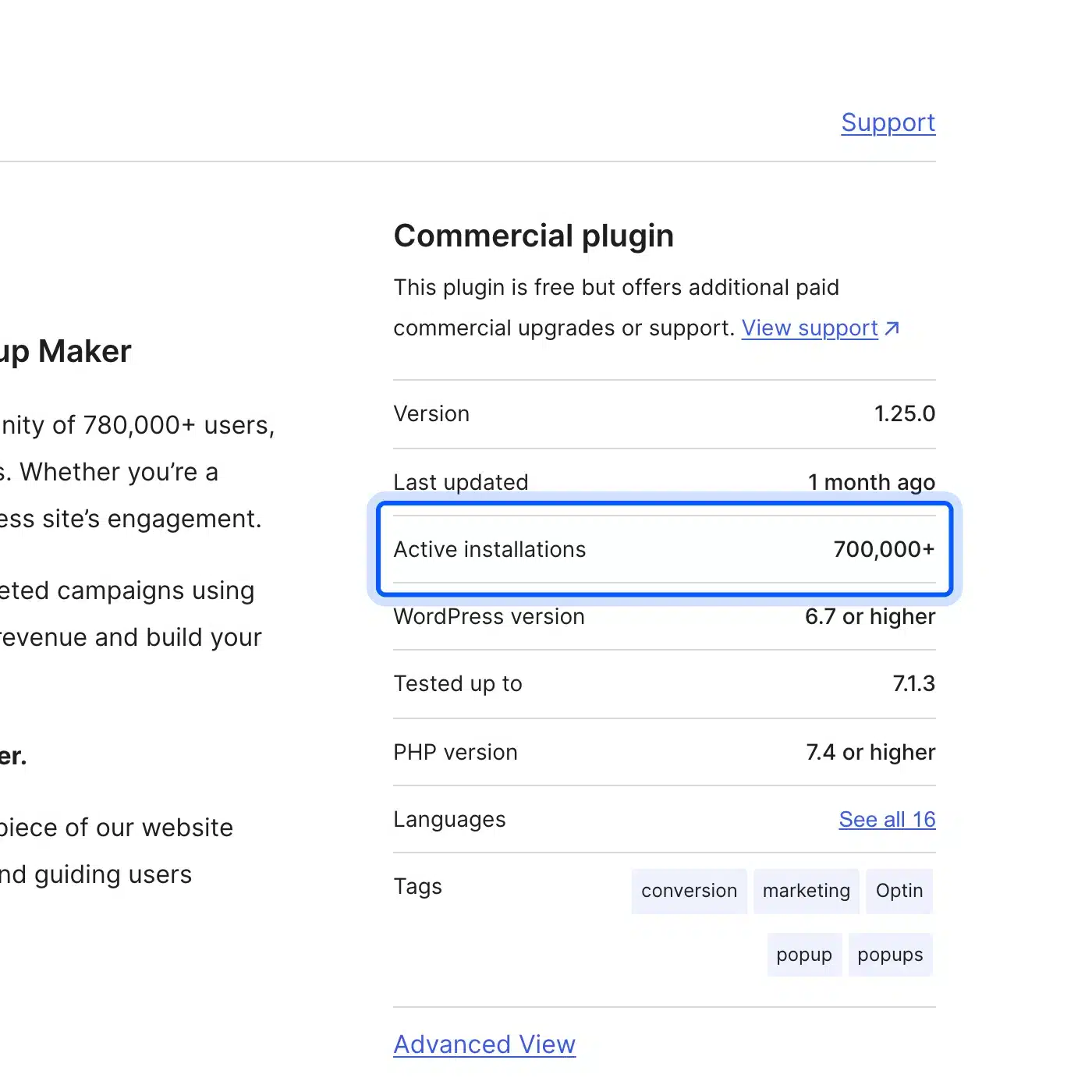
Go to Plugins, then Add Plugin, search for Popup Maker, and click Install Now and then Activate. The WordPress.org listing showed version 1.25.0, tested up to WordPress 7.1.3, with 700,000+ active installations on October 11, 2026.
The plugin is free but sells paid upgrades, and the listing says so under Commercial plugin. A Popup Maker menu appears in the admin sidebar after activation.
Step 2: Write the Popup Content
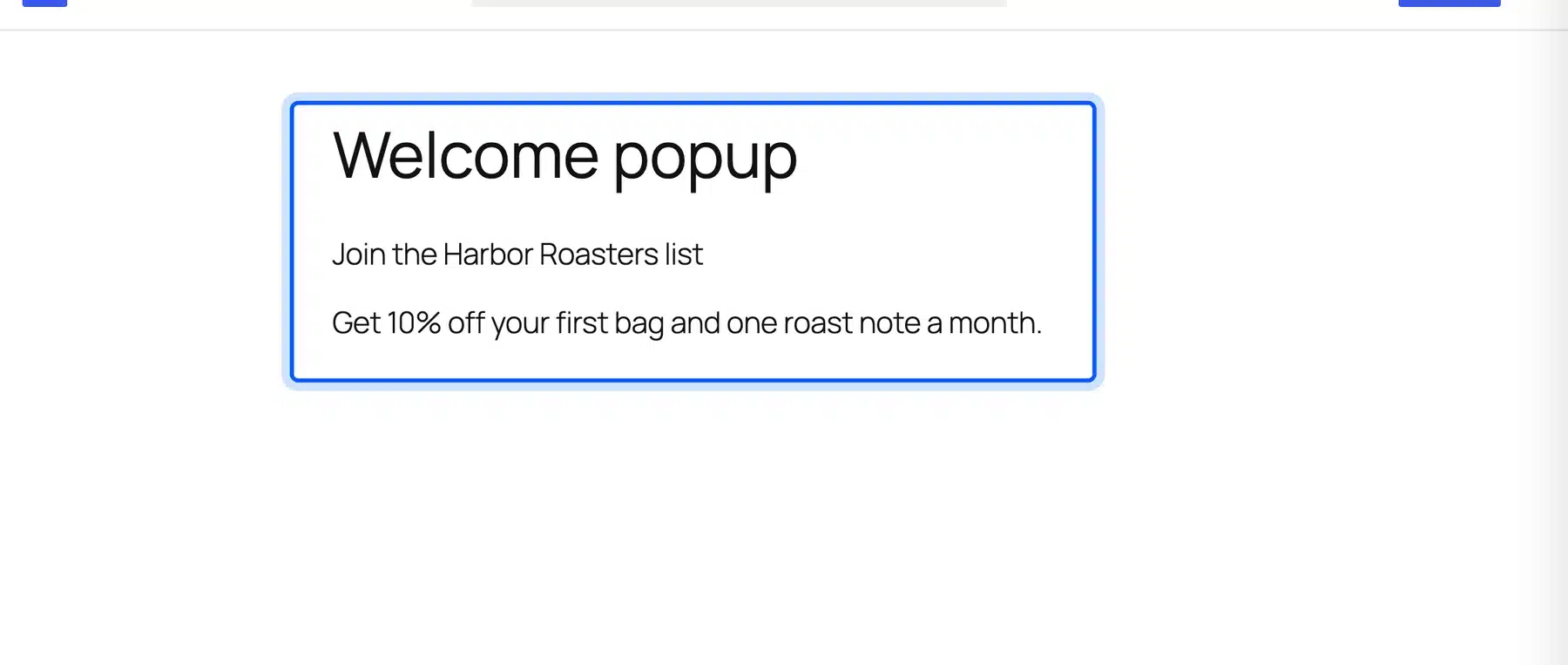
Go to Popup Maker, then Add New Popup. Type a name for your own reference, then write the content in the block editor. We added a short heading line and one sentence offering 10% off a first order.
Keep the copy to one offer and one action. The popup name is not shown to visitors, so use something you can find later.
Step 3: Add a Time Delay Trigger
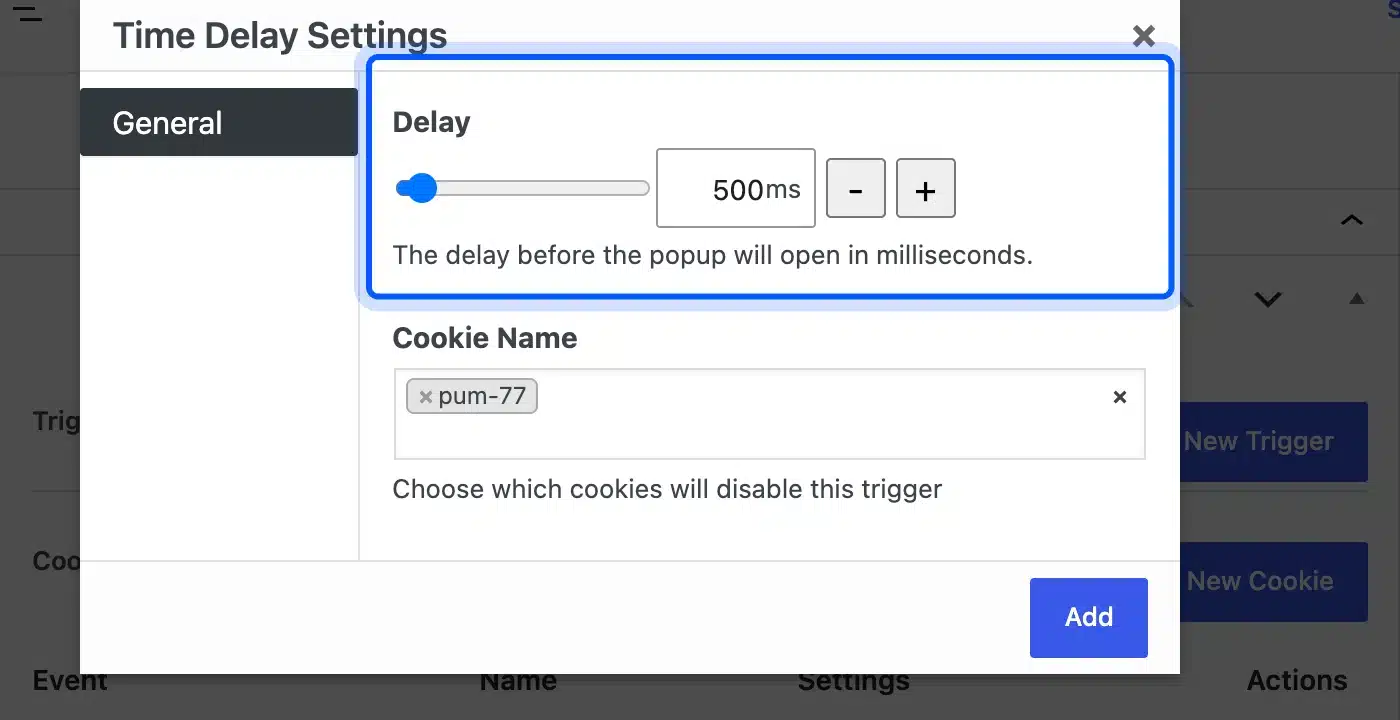
Open Popup Settings below the editor, click Triggers, and choose Add New Trigger. Pick Time Delay / Auto Open and click Add. The delay field defaults to 500 milliseconds, which is far too fast for most pages.
We set 5000 milliseconds, so the popup waits five seconds. Click Add again to save the trigger.
Step 4: Choose a Display Preset
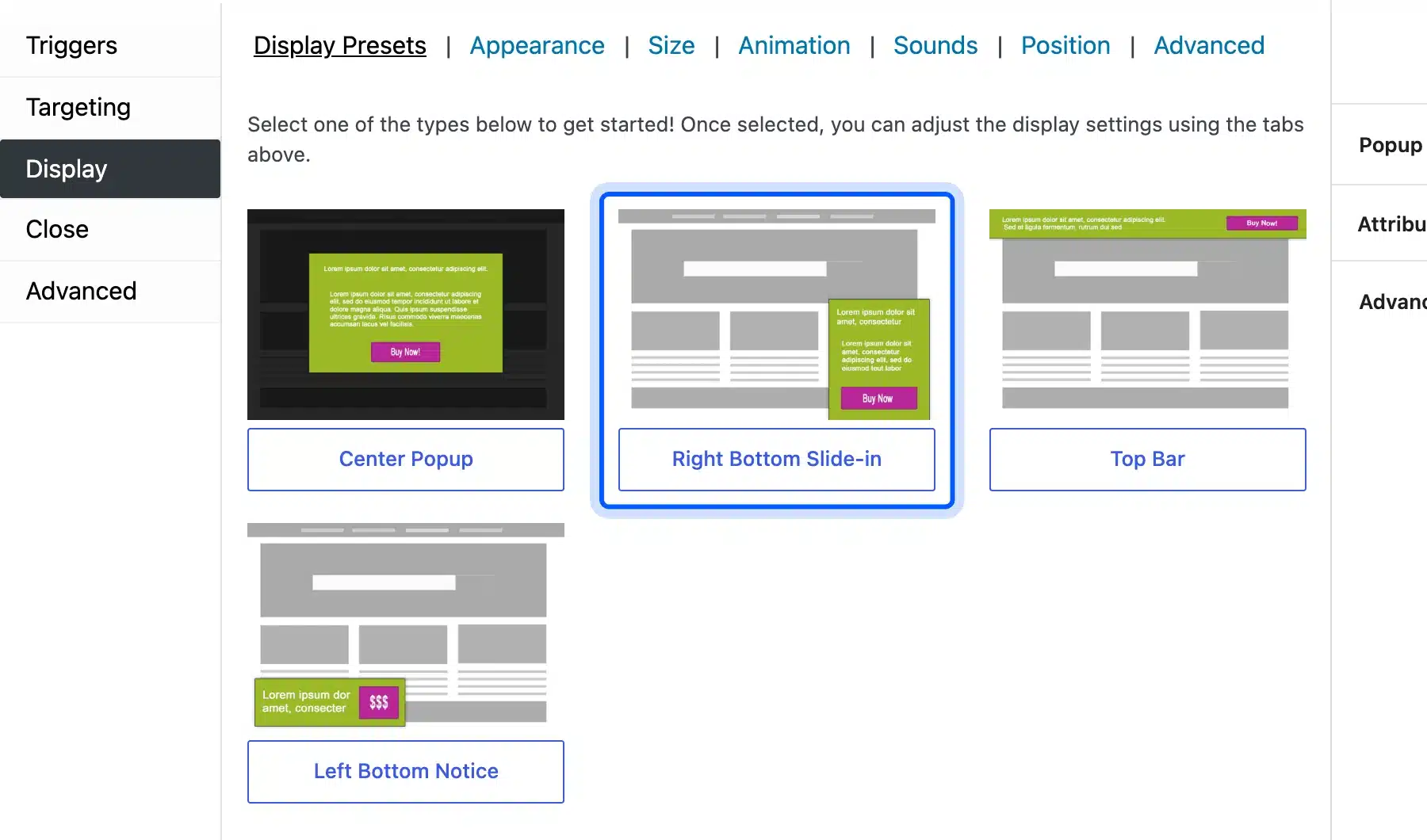
Click Display in the settings column. Popup Maker offers four presets: Center Popup, Right Bottom Slide-in, Top Bar, and Left Bottom Notice. A slide-in or bar covers less of the page than a centered box.
We picked Center Popup first, to see the worst case for covered content. The plugin confirms the choice with a message that the display settings were updated.
Step 5: Publish and Check the Front End
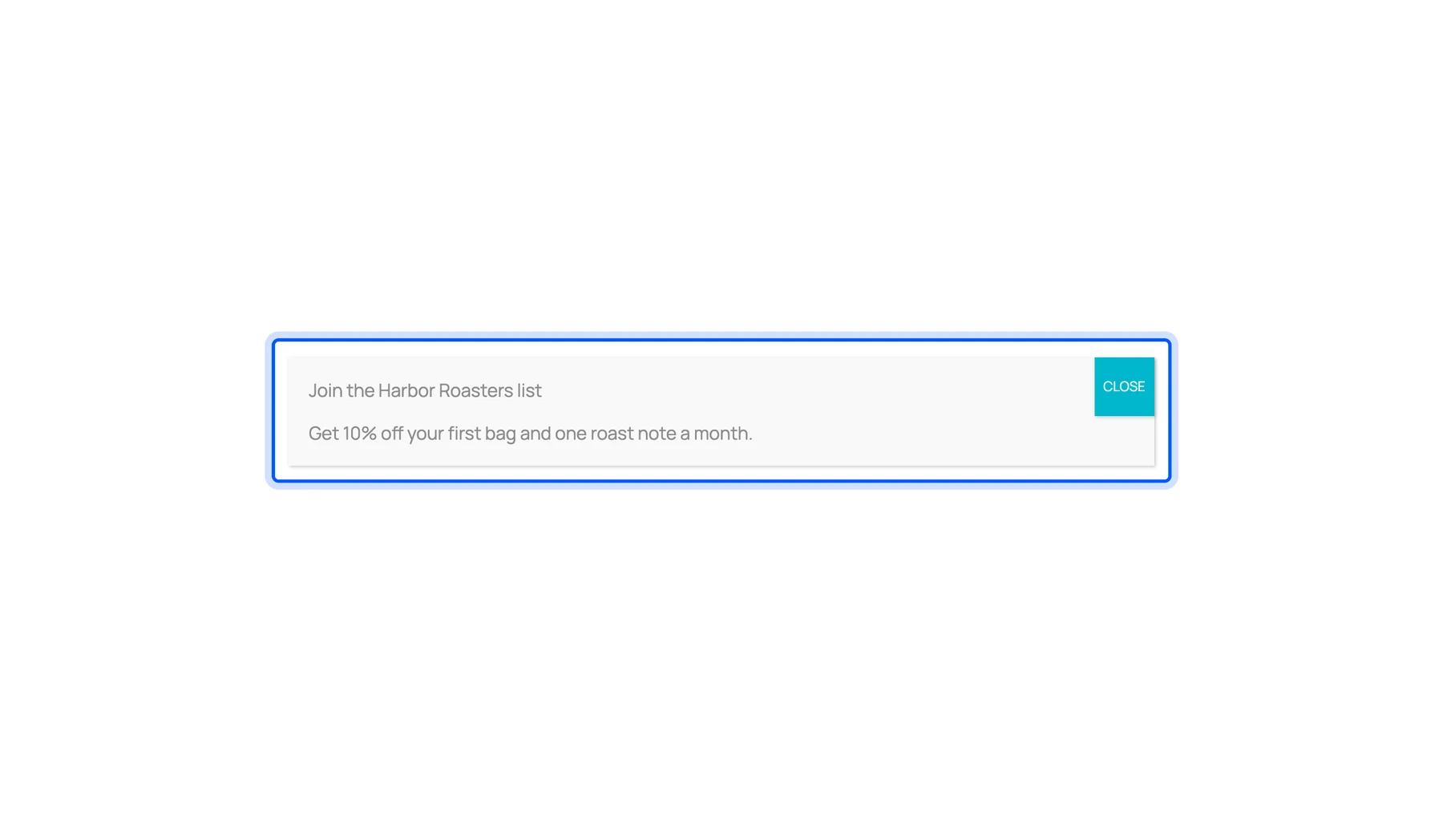
Click Publish, then open a page on your site in a private window. Wait for the delay and look at the popup. On our test site the center popup opened after the delay and sat over a white overlay.
Check it on a phone too. A box that looks tidy on a laptop can fill much of a small screen.
Which WordPress Popup Plugin Should You Use?
Pick a WordPress popup plugin by the triggers you need. Popup Maker is free and flexible, but its exit intent, scroll, and time-on-site triggers are Pro features. Hustle puts an exit intent trigger in its free version, so it suits stores that want a last-chance offer.
Both follow the same trigger, rule, cookie and close pattern. Any popup builder WordPress offers shares those four parts, so the choice mostly comes down to price and triggers. The table shows what we saw in each admin screen.
| Feature | Popup Maker | Hustle |
|---|---|---|
| Active installations (October 2026) | 700,000+ | 80,000+ |
| Time delay trigger | Free | Free |
| Exit intent trigger | Pro | Free toggle |
| Scroll trigger | Pro | Free toggle |
| Default delay we saw | 500 ms | 3 seconds |
If you also run a store, our guide to email marketing plugins for WooCommerce lists tools that can receive these sign-ups.
Popup Maker
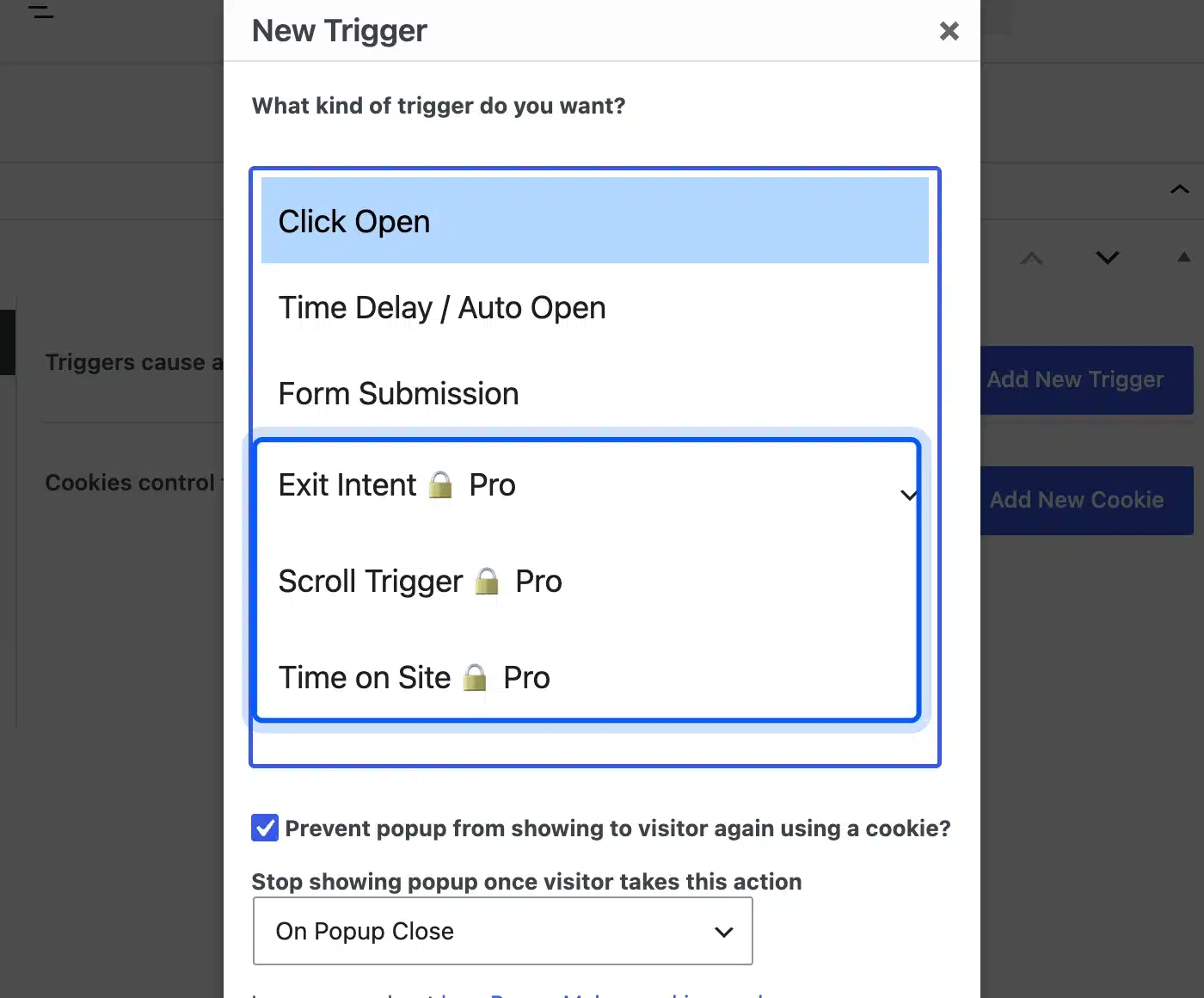
Popup Maker lists six trigger types in its New Trigger dialog. Click Open, Time Delay / Auto Open, and Form Submission are free. Exit Intent, Scroll Trigger, and Time on Site carry a Pro lock.
That is fine for a delayed popup or a click-opened one. It is a limit if exit intent is the plan.
Hustle
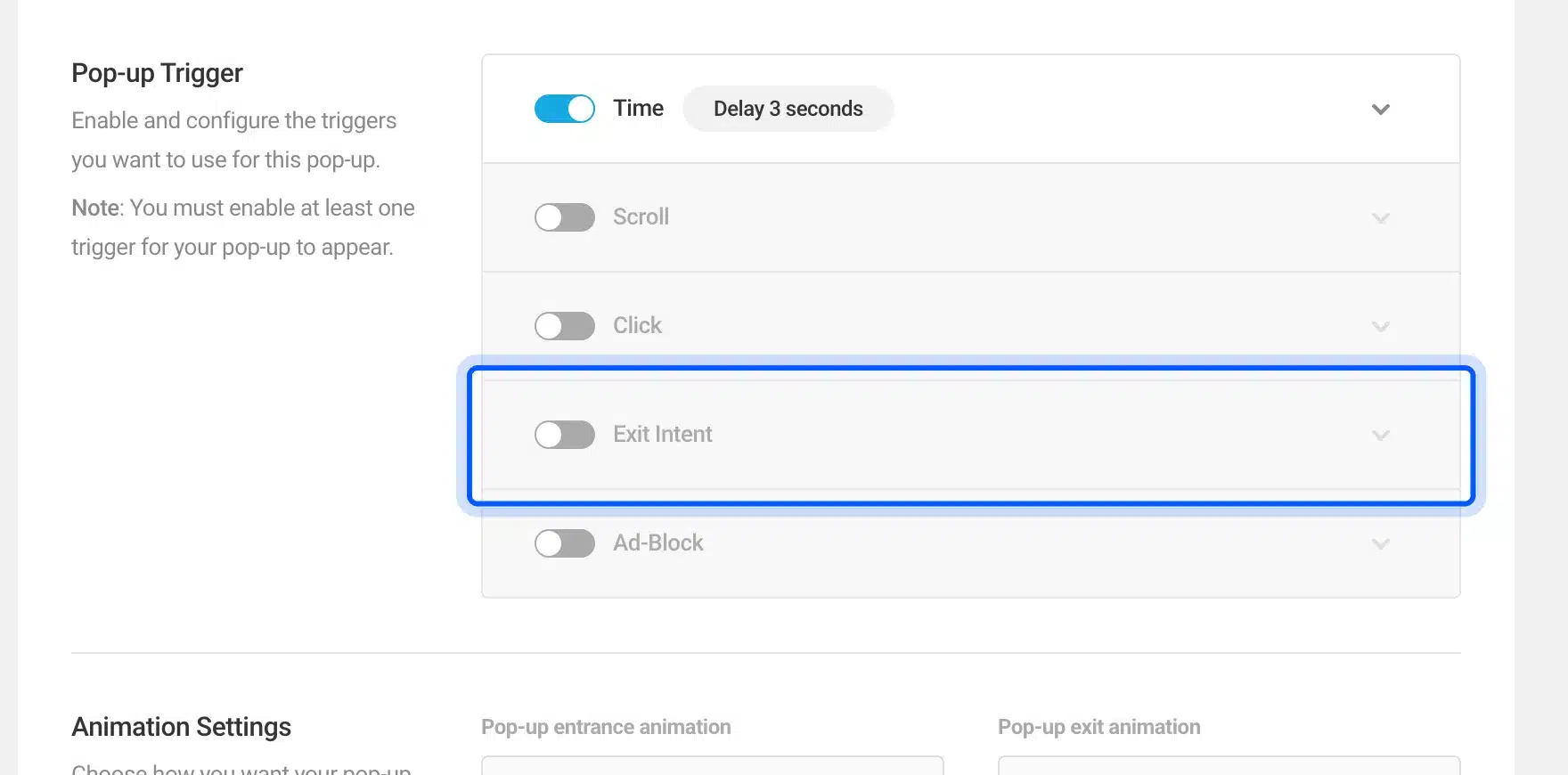
Hustle’s pop-up Behavior tab lists five triggers: Time, Scroll, Click, Exit Intent, and Ad-Block. None carries a lock in the free build we installed. The Time trigger is on by default with a three-second delay.
Hustle also asks you to pick Email Opt-in or Informational when you create a popup, and it offers 18 opt-in templates. The Hustle plugin listing showed version 7.8.14.3 and 80,000+ active installations in October 2026.
Exit Intent Popup: How It Works and When to Skip It
An exit intent popup opens when the visitor’s mouse moves toward the top of the browser, which often means they are about to leave. It works only with a mouse. A phone has no cursor, so on mobile you need a different trigger such as a delay or scroll depth.
In Hustle, exit intent is one toggle in the Behavior tab. In Popup Maker it needs the Pro version. Our no-plugin popup below can do the same with a mouseout listener, and a simulated mouseout at the top edge opened the dialog in our test.
Use exit intent for a last offer, such as a discount for leaving a cart. Skip it on pages where the visitor has just arrived, since it adds nothing there.
How to Add a Popup in WordPress Without a Plugin
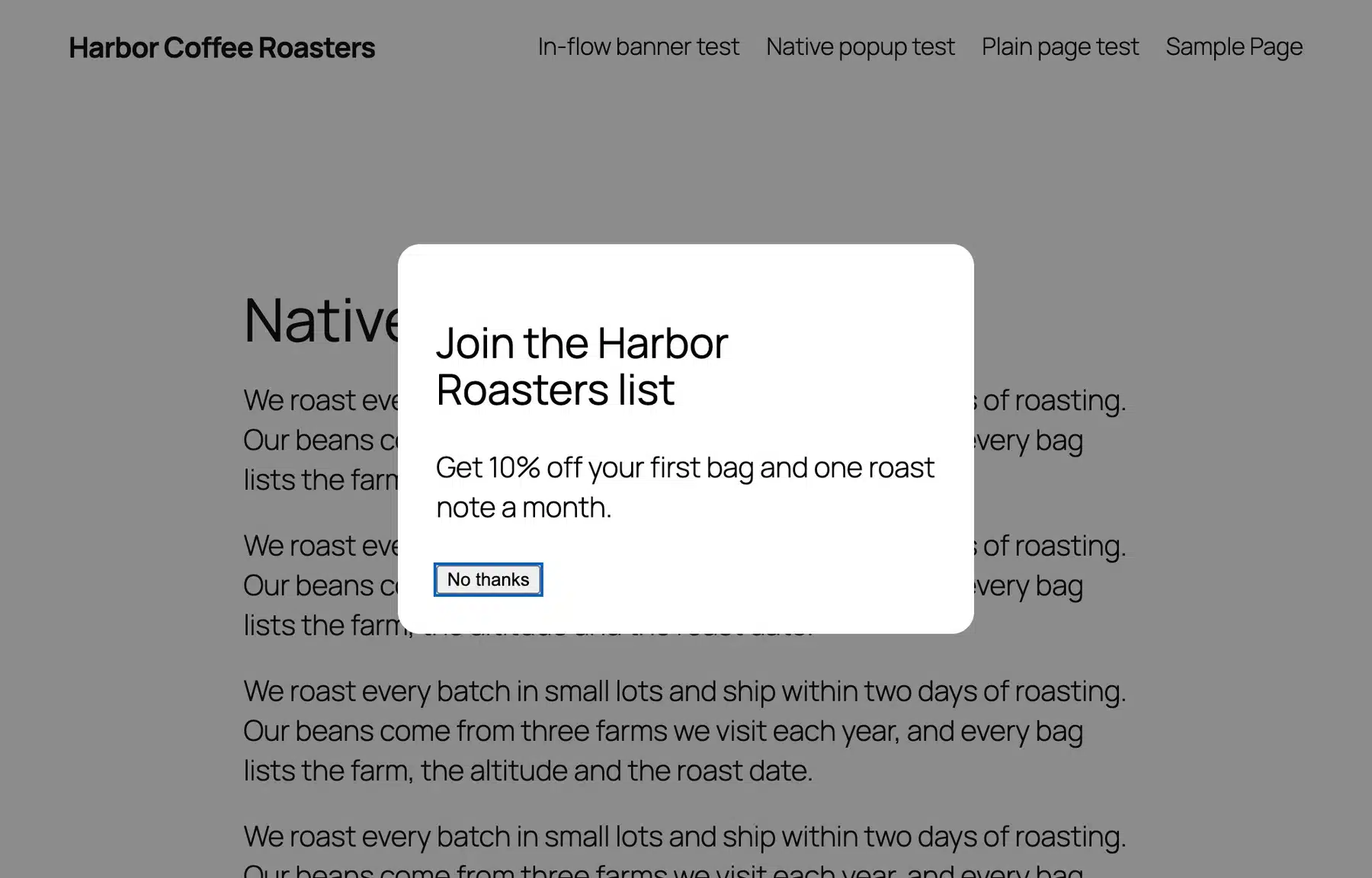
You can add a popup in WordPress without a plugin using a Custom HTML block and the native HTML dialog element. It needs about twenty lines and no extra scripts to load. The browser handles the overlay, the Escape key and the focus for you.
Add a Custom HTML block at the bottom of the page and paste this code. It opens the dialog after eight seconds, opens it on exit intent, and stays quiet for seven days after the first showing:
<dialog id="offer" aria-labelledby="offer-title">
	<h2 id="offer-title">Join the Harbor Roasters list</h2>
	<p>Get 10% off your first bag and one roast note a month.</p>
	<form method="dialog"><button>No thanks</button></form>
</dialog>
<script>
( function () {
	var dialog = document.getElementById( 'offer' );
	var seen = Number( localStorage.getItem( 'offerSeen' ) );
	if ( Date.now() - seen < 7 * 864e5 ) { return; }
	function show() {
		if ( dialog.open ) { return; }
		dialog.showModal();
		localStorage.setItem( 'offerSeen', Date.now() );
	}
	setTimeout( show, 8000 );
	document.addEventListener( 'mouseout', function ( e ) {
		if ( e.clientY > 0 || e.relatedTarget ) { return; }
		show();
	} );
} )();
</script>
On our test page the dialog opened after eight seconds and closed on Escape. A reload did not show it again, and a mouseout at the top edge opened it early. The MDN dialog reference documents showModal() and the method="dialog" form.
The limit is that this popup has no email form wired up and no analytics. Add your sign-up form inside the dialog, or switch to a plugin when you need targeting and reports.
Do Popups Hurt SEO and Conversions?
Popups hurt when they block content right after the click from search results, or when they push the page around as they load. Google ranks such pages lower on mobile, and a late banner can raise your layout shift score. A popup that waits and covers little is safe.
Google’s Rule for Mobile Interstitials
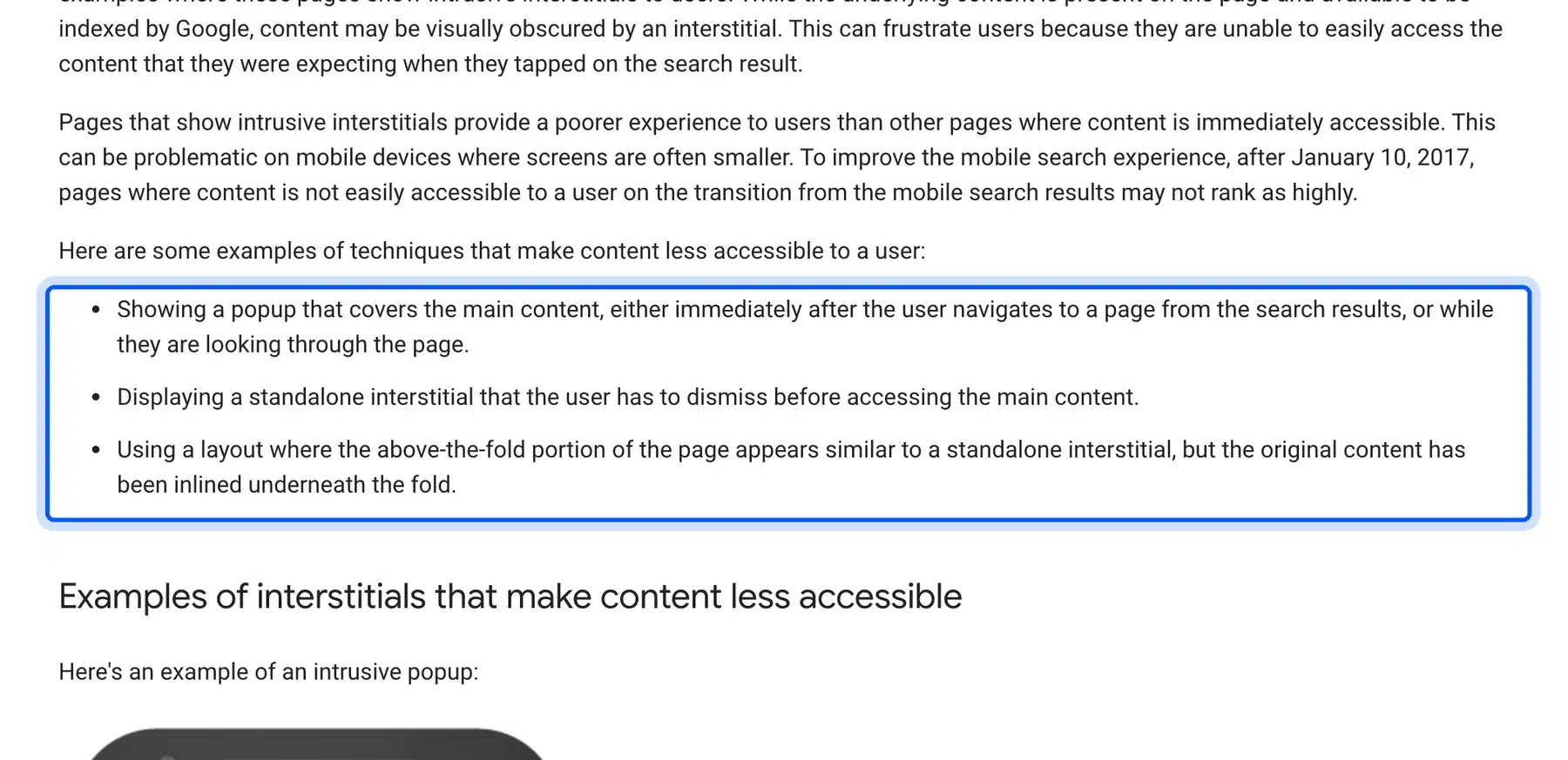
Google’s 2016 announcement on interstitials set a ranking signal from January 10, 2017. Pages where content is hard to reach after a mobile search click may not rank as highly. People call this the mobile interstitial penalty, and one listed example is a popup that covers the main content.
The same announcement lists exceptions. Legal notices such as cookie or age checks are fine, and so are login dialogs for private content. Easy-to-dismiss banners that use a reasonable amount of screen space are fine too, and Google calls this one signal among hundreds.
Layout Shift From Late Popups
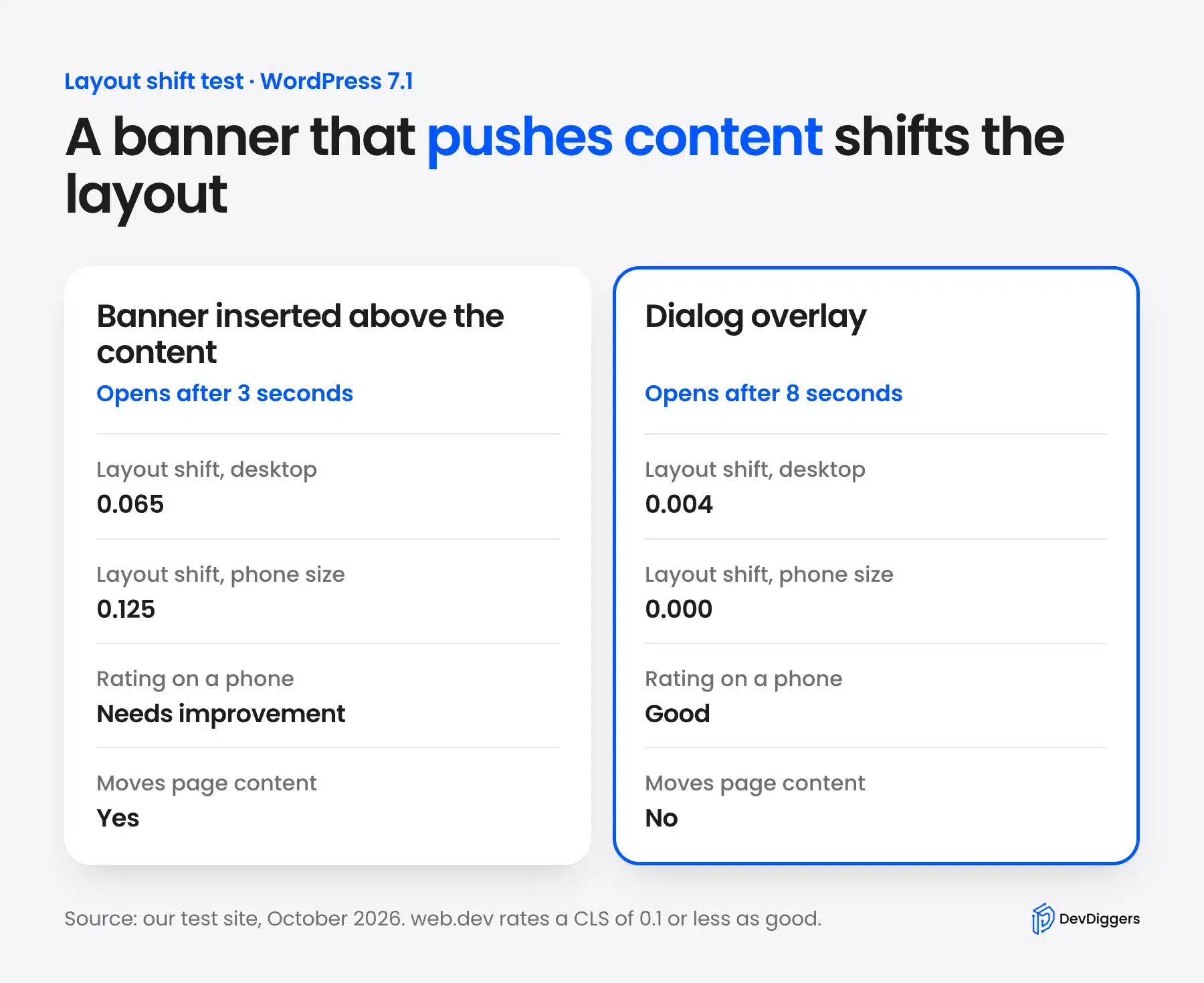
Layout shift is how far visible content jumps while the page loads. Cumulative Layout Shift (CLS) of 0.1 or less is good on web.dev, and anything above 0.25 is poor. A popup that inserts itself into the page flow moves content and adds to that score.
We tested two versions on a plain page. A banner inserted above the content three seconds after load scored 0.065 on desktop and 0.125 at a phone-sized width. The dialog overlay scored 0.004 on desktop and 0 on the phone-sized view, because it floats above the page and moves nothing.
Use an overlay or a fixed slide-in, and avoid inserting a block above existing content.
Overlay, Size and Close Button
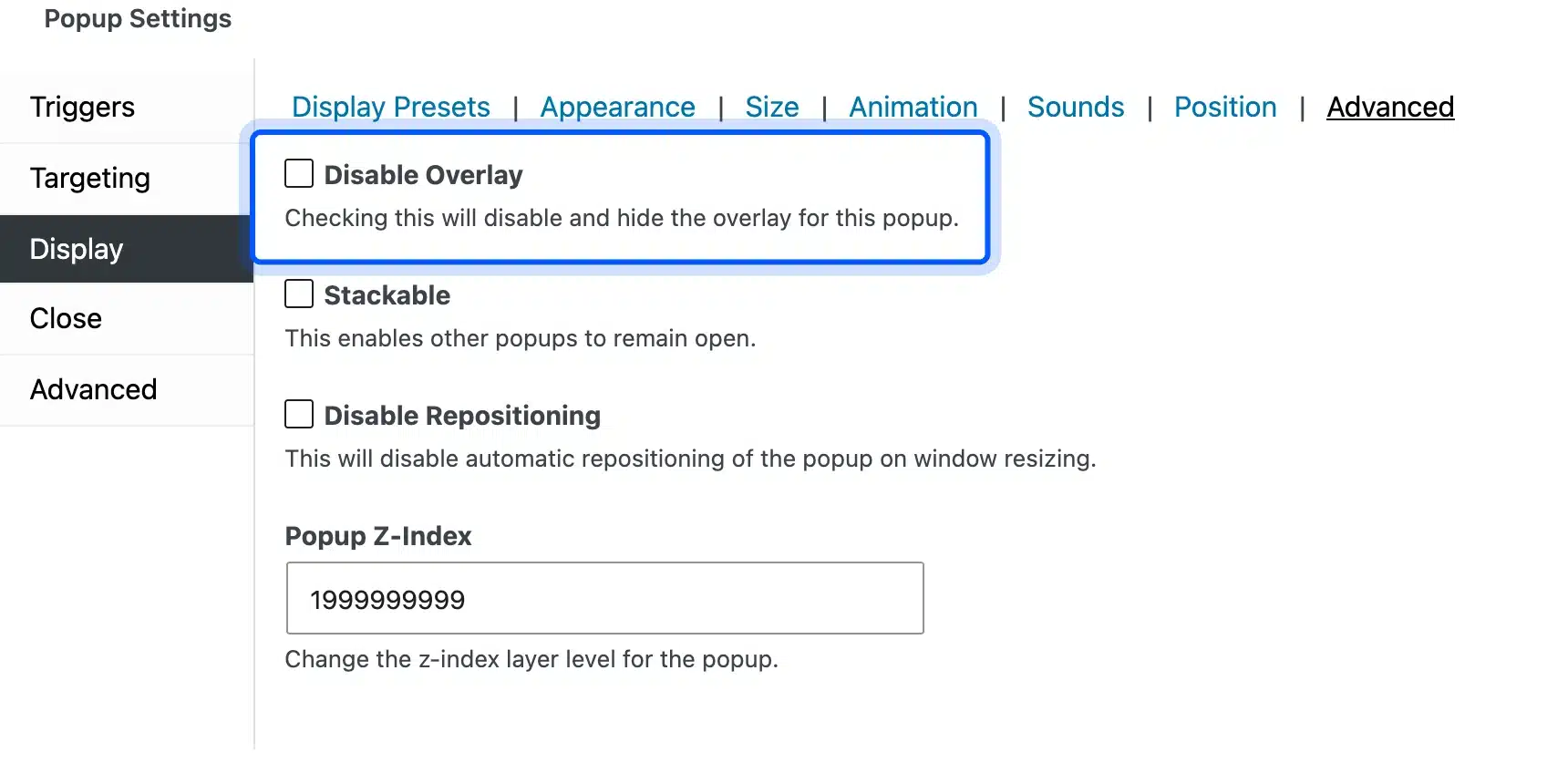
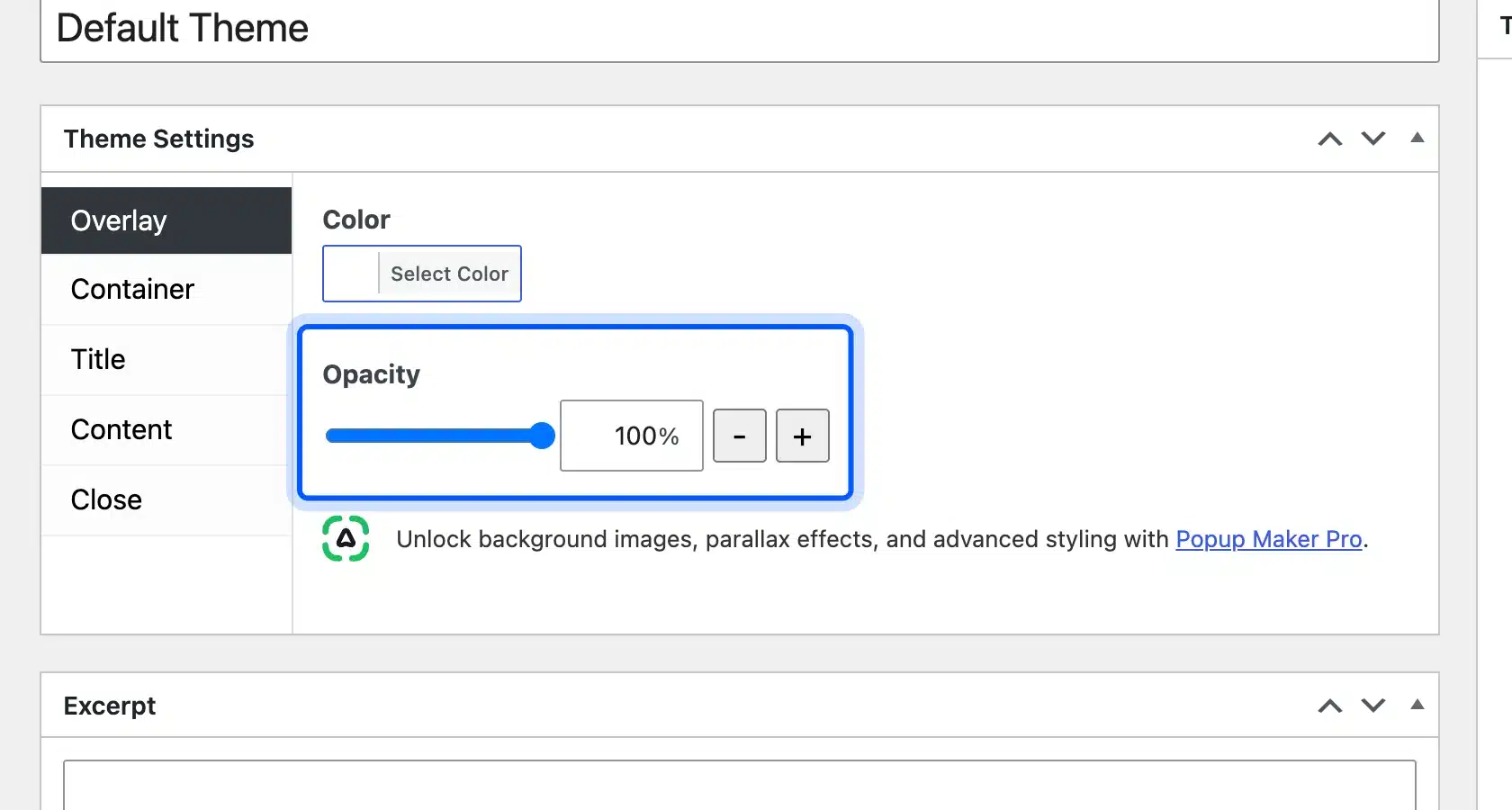
Keep the popup small and easy to close. In Popup Maker, the Display tab’s Advanced section has a Disable Overlay option, which removes the dark layer behind the box. The Default Theme also sets overlay opacity, which was 100% on our test site, so the white overlay hid the page completely.
Lower the opacity if you keep the overlay, so the page stays visible behind it. That signals the visitor can get back to the content with one click.
How to Add a Popup in WordPress With Elementor
To add a popup in WordPress with Elementor, use its Popup Builder, which is part of Elementor Pro. Elementor’s pricing page lists Popup Builder as not included in the Essential plan as of October 2026. We did not test it because it needs a paid plan.
Check the plan list on Elementor’s pricing page before you buy. If you do not use Elementor at all, the plugin and no-plugin methods above work on any theme.
How to Make a Mailchimp Popup in WordPress
For a Mailchimp popup in WordPress, generate a signup form in Mailchimp and add it to your site. Mailchimp’s help page says you generate an embed code for the form. Paste that code into a popup’s content, or into the dialog above.
Read that page for the exact screens. The Mailchimp for WordPress plugin is another route, with 1,000,000+ active installations in October 2026. We did not connect a live Mailchimp account.
Popup Settings That Protect Conversions
The settings that protect conversions are delay, frequency, targeting, device and close. Set each one on purpose, because a default can be wrong for your page. A popup that waits, shows once and stays out of the way keeps visitors on the page.
- Delay: Popup Maker defaults to 500 milliseconds and Hustle to three seconds. Pick your own, then watch whether visitors close it at once.
- Frequency: Popup Maker’s cookie default is one month after a close. Our no-plugin version waits seven days.
- Targeting: Show it on pages where the offer fits. Popup Maker’s Targeting tab offers rules such as Pages: Selected and Posts: With Category.
- Device: Test on a phone. Our native dialog covered about 26% of a phone-sized view and 12% of a desktop one.
- Close: Keep a visible close control, and let Escape work.
Our guide on too many plugins on a WordPress store explains why one popup plugin is plenty. If you want AI to draft the headline, see AI integration with WordPress and our list of WordPress AI website builders.
Conclusion
A WordPress popup works when it waits, covers little and closes easily. Start with a free plugin and a delay of several seconds, or use the dialog code if you want no plugin at all. Measure layout shift before and after you add it.
Our test showed that an overlay costs almost no layout shift while an inserted banner can push a phone view past the good threshold. If a popup needs custom design or form wiring, our WordPress development services team can build it for you.
Frequently Asked Questions (FAQs)
Q1. How do I make a popup in WordPress for free?
Install Popup Maker or Hustle from Plugins, then Add Plugin. Both have free versions with a time delay trigger. You can also paste the native dialog code from this guide into a Custom HTML block.
Q2. Do popups hurt SEO?
They can on mobile. Google says pages whose content is hard to reach after a search click may not rank as highly. A delayed popup or a small banner is the safer shape.
Q3. How do I create a popup menu in WordPress?
A popup menu usually means a dropdown or mobile menu. Build it under Appearance, then Menus, and assign it to a location. The footer menu in our test used that same screen.
Q4. Can I show a popup on only one page?
Yes, with a plugin. Popup Maker’s Targeting tab offers rules such as Pages: Selected. With the no-plugin dialog, place the Custom HTML block on that page only.
Q5. How long should a popup delay be?
There is no single number. Popup Maker defaults to 500 milliseconds and Hustle to three seconds, and we used five and eight seconds. Test a few delays and keep the one visitors tolerate.
Q6. How do I stop a popup from showing again?
Use a cookie. Popup Maker adds a cookie that defaults to one month after a close. Our no-plugin version stores a timestamp in the browser for seven days.