
WordPress vs Shopify comes down to who runs the store: you or Shopify. WordPress with WooCommerce gives you full ownership and control, while Shopify trades some of that control for a hosted store it maintains for you.
We checked both sides on October 10, 2026. Shopify shows prices in the visitor’s local currency, so we read the US prices from its US pricing page. We also checked WooCommerce 11.2.1 on WordPress.org, the WooPayments fee table, and the default robots.txt file of Shopify’s own Dawn demo store.
You get a side by side table and a worked total cost of ownership example with every number shown. Then come ownership, SEO control, apps, upkeep, checkout and scaling. Then we cover the cases where Shopify is the better pick and give a clear verdict.
WordPress vs Shopify: The Short Comparison
WordPress is free, open source software that becomes a store when you add the WooCommerce plugin and a host. Shopify is a paid, hosted platform that includes hosting, security and checkout from $29 a month on yearly billing. The real split is control versus convenience, and the fees end up closer than most people expect.
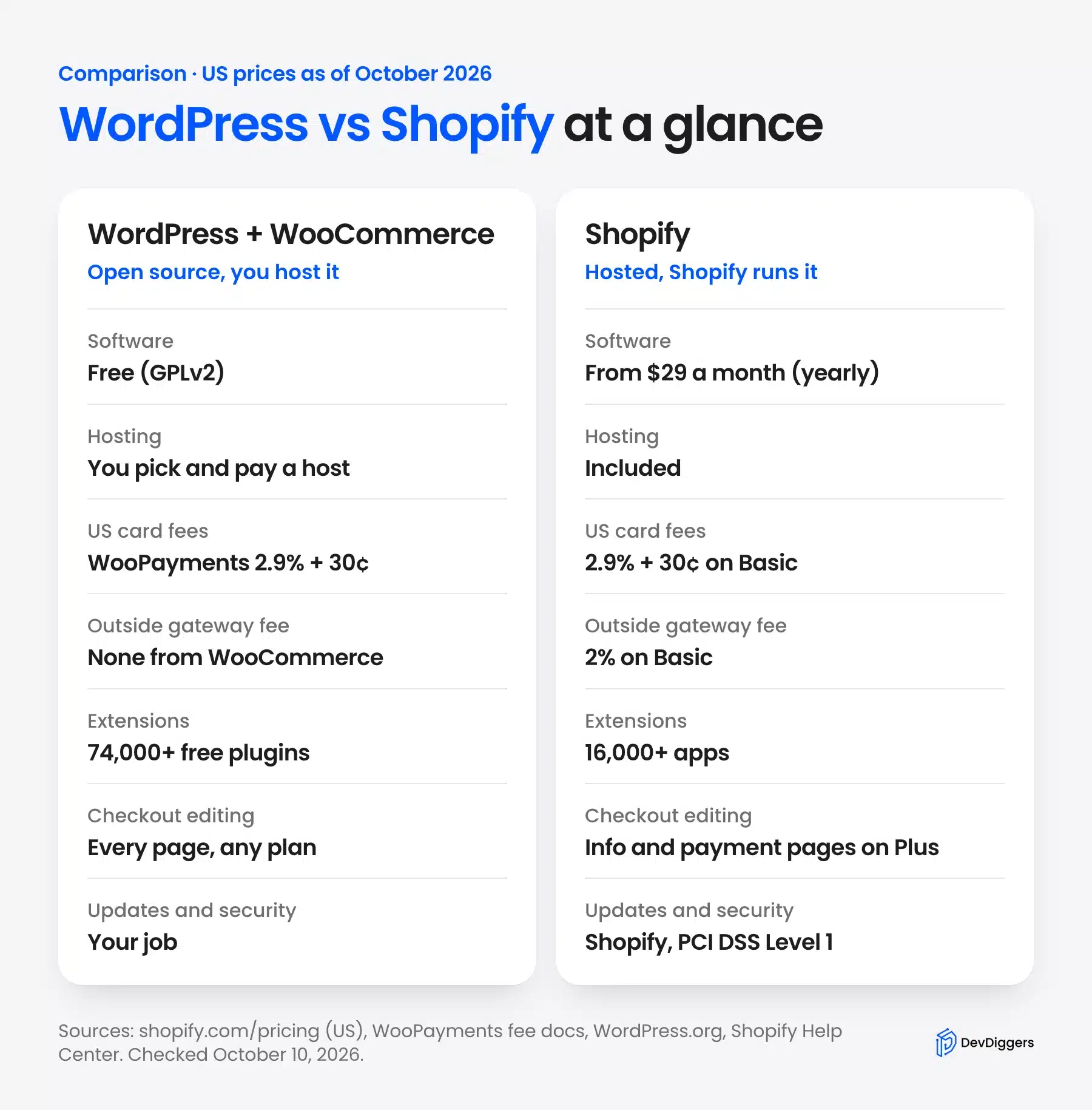
The table below sums up the main differences with US figures checked in October 2026. Each row gets its own section further down.
| Factor | WordPress + WooCommerce | Shopify |
|---|---|---|
| Software cost | Free under the GPLv2 license | Basic $29, Grow $79, Advanced $299 a month on yearly billing |
| Hosting | You choose and pay a host | Included in the plan |
| US online card rate | WooPayments 2.90% + $0.30 | 2.9% + 30¢ on Basic |
| Fee for an outside gateway | None charged by WooCommerce | 2% on Basic, 1% on Grow, 0.6% on Advanced |
| Extensions | Over 74,000 free plugins | Over 16,000 apps |
| Checkout editing | Every step, on any host | Information, shipping and payment steps only on Plus |
| Updates and security | Your job or your developer’s | Shopify’s job |
| Support | Forums, your host and paid developers | 24/7 live chat on every plan |
If you already know you want WordPress, our guide to WordPress vs WooCommerce explains how the two pieces fit together.
What Is the Difference Between WordPress and Shopify?
WordPress is a content management system you install on your own hosting, with WooCommerce adding products, a cart and checkout. Shopify is a store builder you rent as a service. Shopify owns the servers and the code, and you pay a monthly plan to use them.
That one difference shapes everything else in this comparison. With WordPress you download the software, pick a host, and install themes and plugins yourself. The current release on the WordPress download page is WordPress 7.1.3, and it recommends PHP 8.3 or newer.
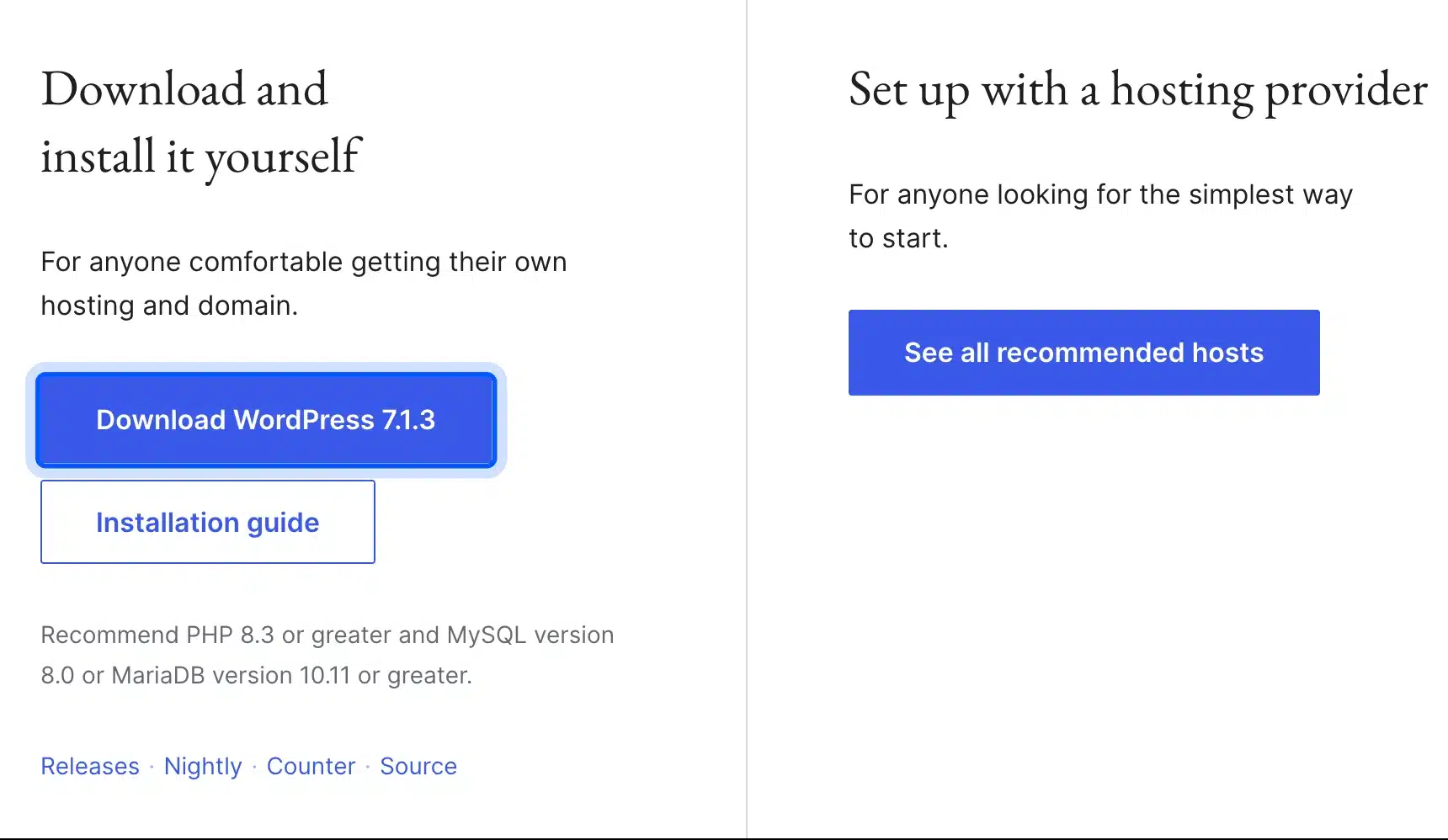
The WooCommerce plugin listing showed version 11.2.1 and more than 7 million active installations when we checked, last updated on October 9, 2026. With Shopify you skip all of that setup. You sign up, choose a theme and start adding products the same day.
Content is the other big gap. WordPress started as a blogging tool, so long articles, landing pages and category guides are its home ground.
Shopify has a blog and pages, but its tools are built around products first. If you want to read more on that side, we looked at whether WordPress is good for eCommerce in a separate guide.
WordPress vs Shopify Cost: A Worked Example
WordPress vs Shopify cost depends far more on card fees than on the platform price. In the worked example below, card processing makes up 80% to 85% of the year one bill on both platforms. The one Shopify cost that can swing the total is its fee for outside gateways.
Here is the example store, using stated round numbers:
- Sales: $8,000 a month, or $96,000 a year.
- Orders: 200 a month at $40 each, or 2,400 a year.
- Cards: Every order paid with a US card at 2.9% plus 30 cents.
- Extras: A $15 domain on both, three Shopify apps at $45 a month in total, and $300 a year of paid WooCommerce plugins.
- Hosting: A $25 a month WordPress host, used here as an example figure.
Card fees come to the same amount on both platforms. That is 2.9% of $96,000, which is $2,784, plus 2,400 orders at 30 cents, which is $720. So each platform pays $3,504 a year in card processing at these rates.
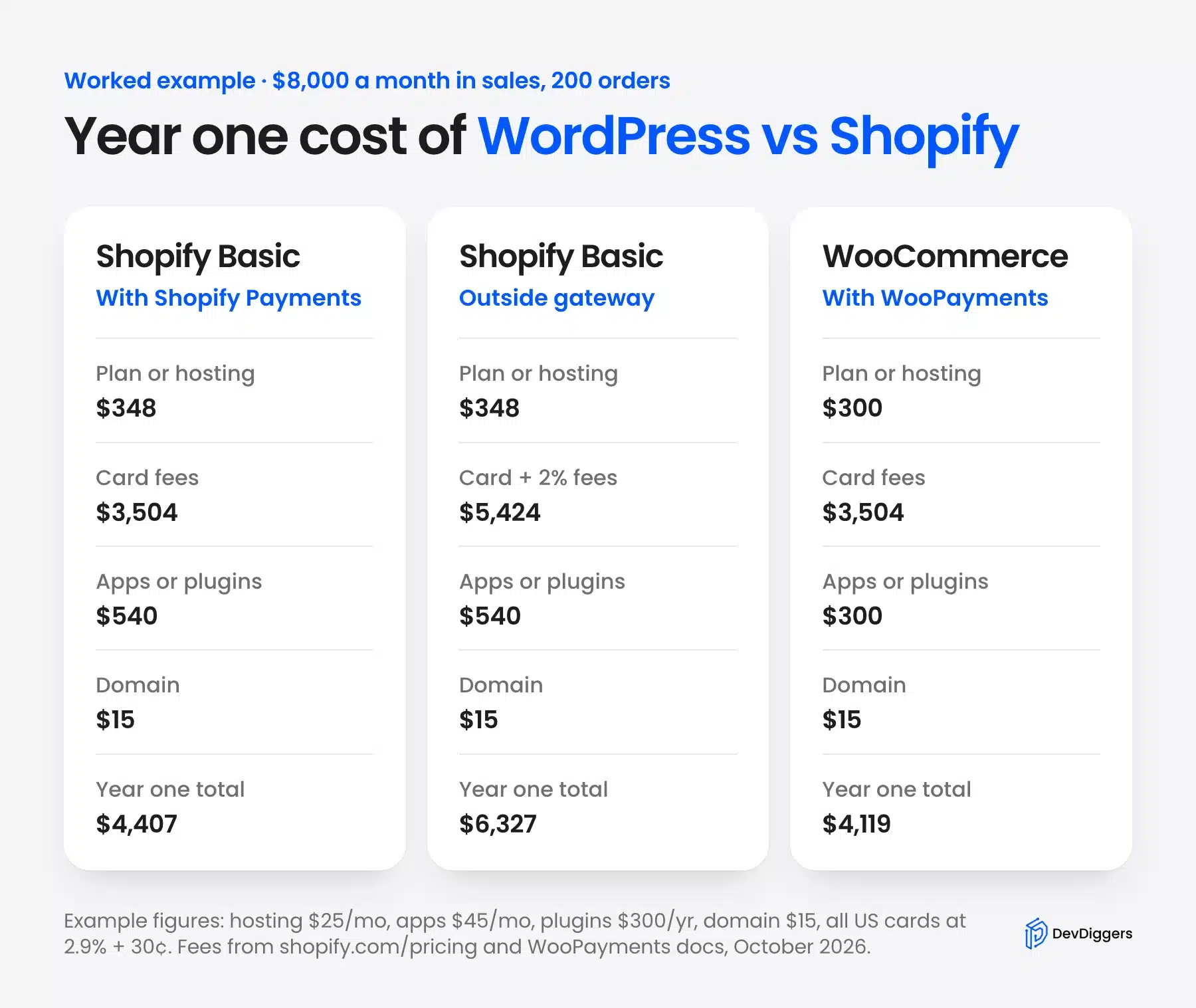
Shopify Basic on yearly billing is $29 a month, or $348 a year, according to the US Shopify pricing page. Add $3,504 in card fees, $540 in apps and the $15 domain, and the store pays $4,407 in year one.
The WooCommerce store pays $300 for hosting, $3,504 through WooPayments at 2.90% + $0.30, $300 for plugins and $15 for the domain. That comes to $4,119.
Worth knowing: Shopify charges a third-party transaction fee when you use an outside gateway instead of Shopify Payments. On Basic that fee is 2%, which adds $1,920 to this store’s bill and lifts it to $6,327.
The WooCommerce total leaves out one real cost: your time. Someone has to apply updates, check backups and fix conflicts. If you pay a developer $50 a month for that, the WooCommerce store lands at $4,719, slightly above Shopify Basic.
A higher Shopify plan only pays off at much higher sales. Grow costs $600 more a year than Basic and cuts the card rate by 0.2 points. At 0.2% of sales, that saving only covers the $600 once you sell about $300,000 a year.
Who Owns the Store and Its Data?
You own a WordPress store outright, because WordPress and WooCommerce are open source software on a host you choose. A Shopify store runs on Shopify’s platform under its terms. You can export your data from Shopify, but you cannot take the platform itself with you.
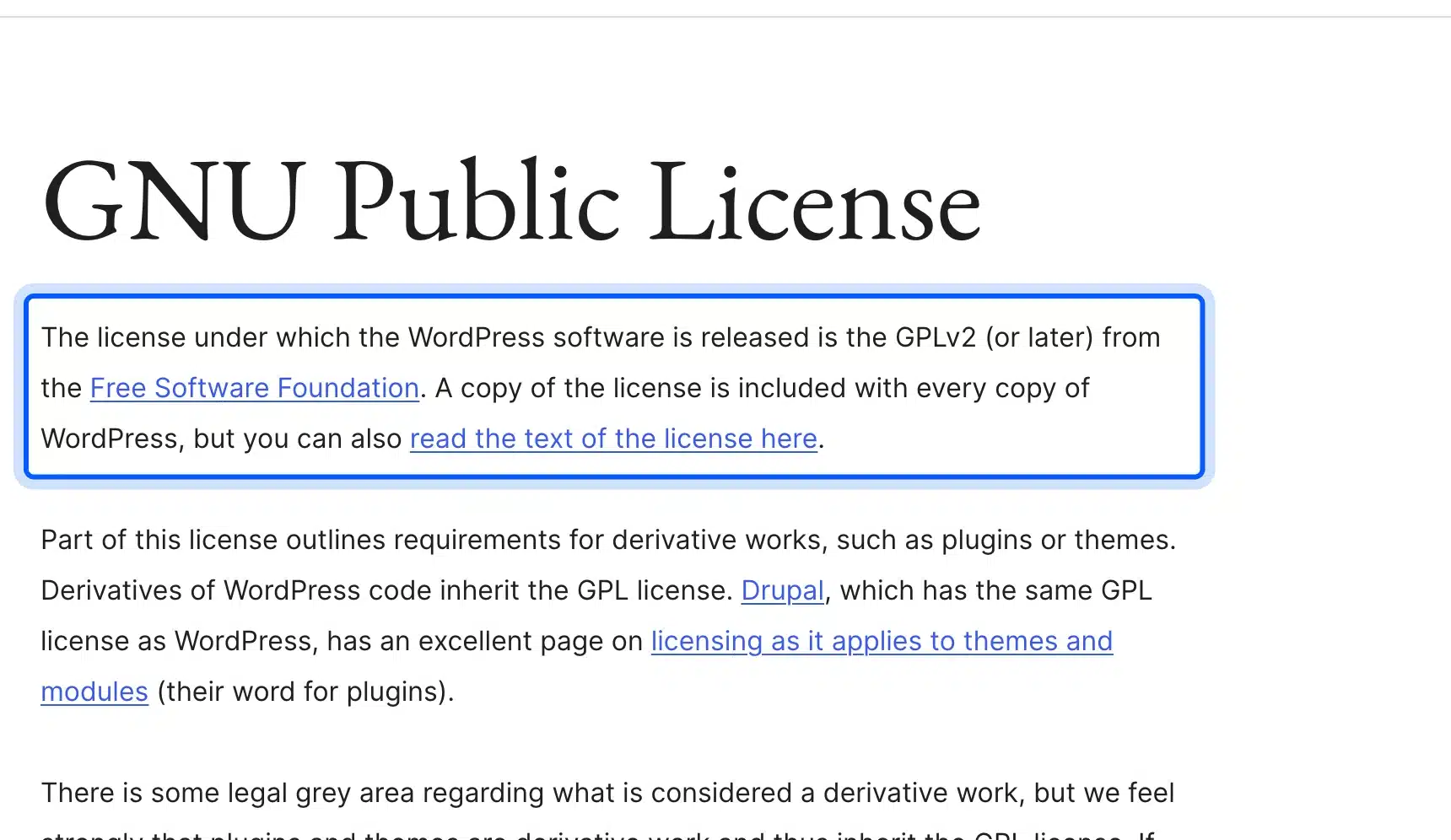
The WordPress license page states that the software is released under the GPLv2 or later. In practice, that means you can move the full site, database and all, to any host at any time.
Leaving Shopify takes more work. Its product export help says products export to a CSV file, and that product images are not included in that file. Theme code written in Shopify’s Liquid language also stays behind, so a move to WordPress means rebuilding the design.
Lock-in is not always a problem, and many stores stay on one platform for years without testing the exit. Still, a store is often a long term asset you may sell one day. Full ownership of the code and data is easier to explain to a buyer.
Content and SEO Control
WordPress gives you control of every URL, template and SEO setting, and you can change them with plugins or code. Shopify covers the SEO basics well, but it fixes some URL paths and ships its own default robots.txt rules. Both can rank, so the real question is how much you want to change.
On WordPress you set the permalink structure yourself, and an SEO plugin edits titles, schema, sitemaps and robots rules from one screen. Our WooCommerce SEO guide walks through those settings for product and category pages.
Shopify product URLs always start with /products/ and collections with /collections/, and its URL redirect help says those paths cannot be redirected. You can still edit robots.txt through a robots.txt.liquid template. Shopify’s docs warn that the template replaces the generated file and that the output does not always match it exactly.
We opened the live robots.txt file on Shopify’s Dawn theme demo store to see what the default blocks. It held 50 Disallow lines, including rules that stop crawlers from indexing sorted and filtered collection URLs.
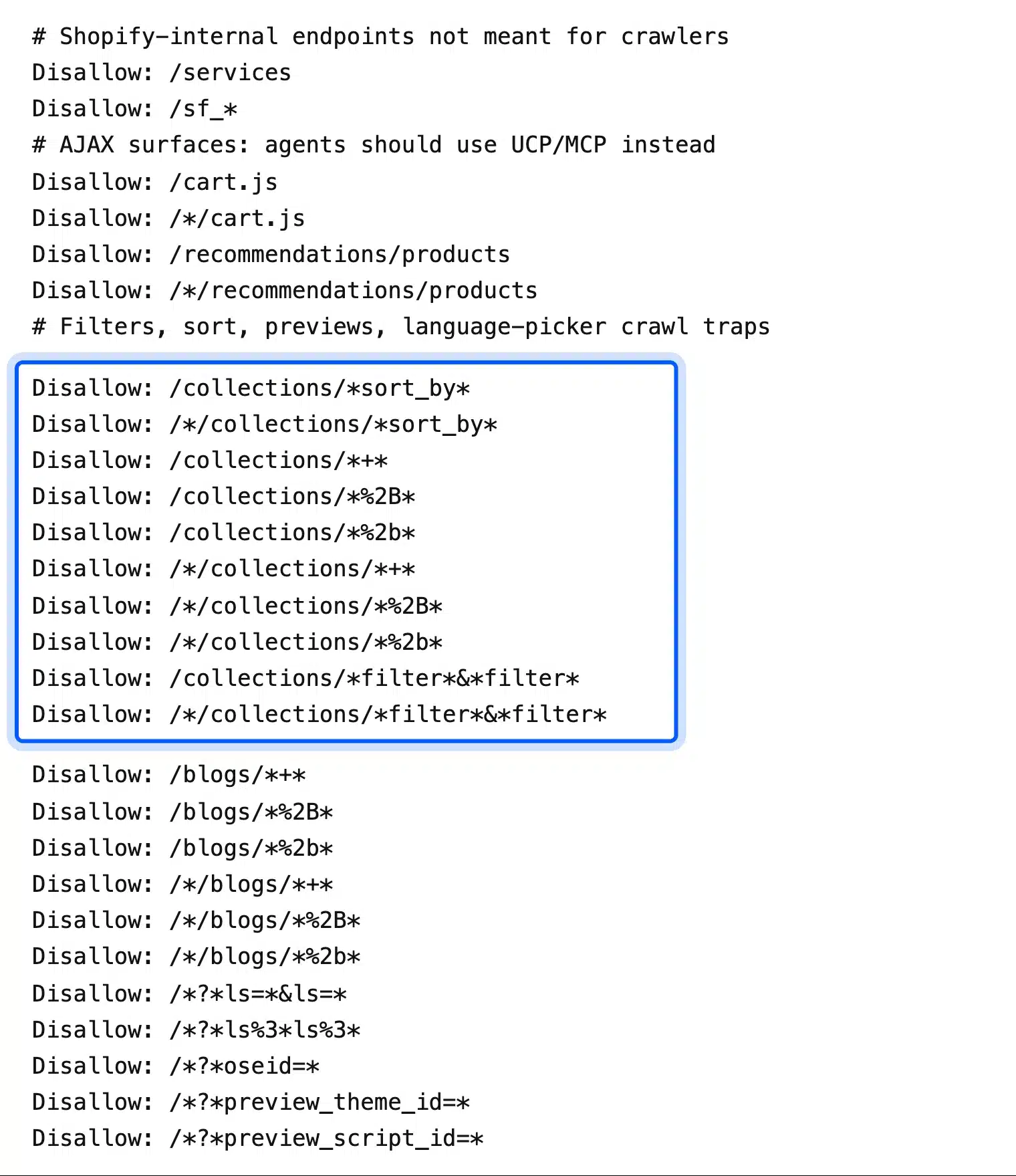
Those defaults are sensible for most shops, since filter pages create endless near-duplicate URLs. The trade-off is design freedom: on WordPress you write your own rules and templates, while on Shopify you start from Shopify’s choices and adjust them.
Shopify Apps vs WordPress Plugins
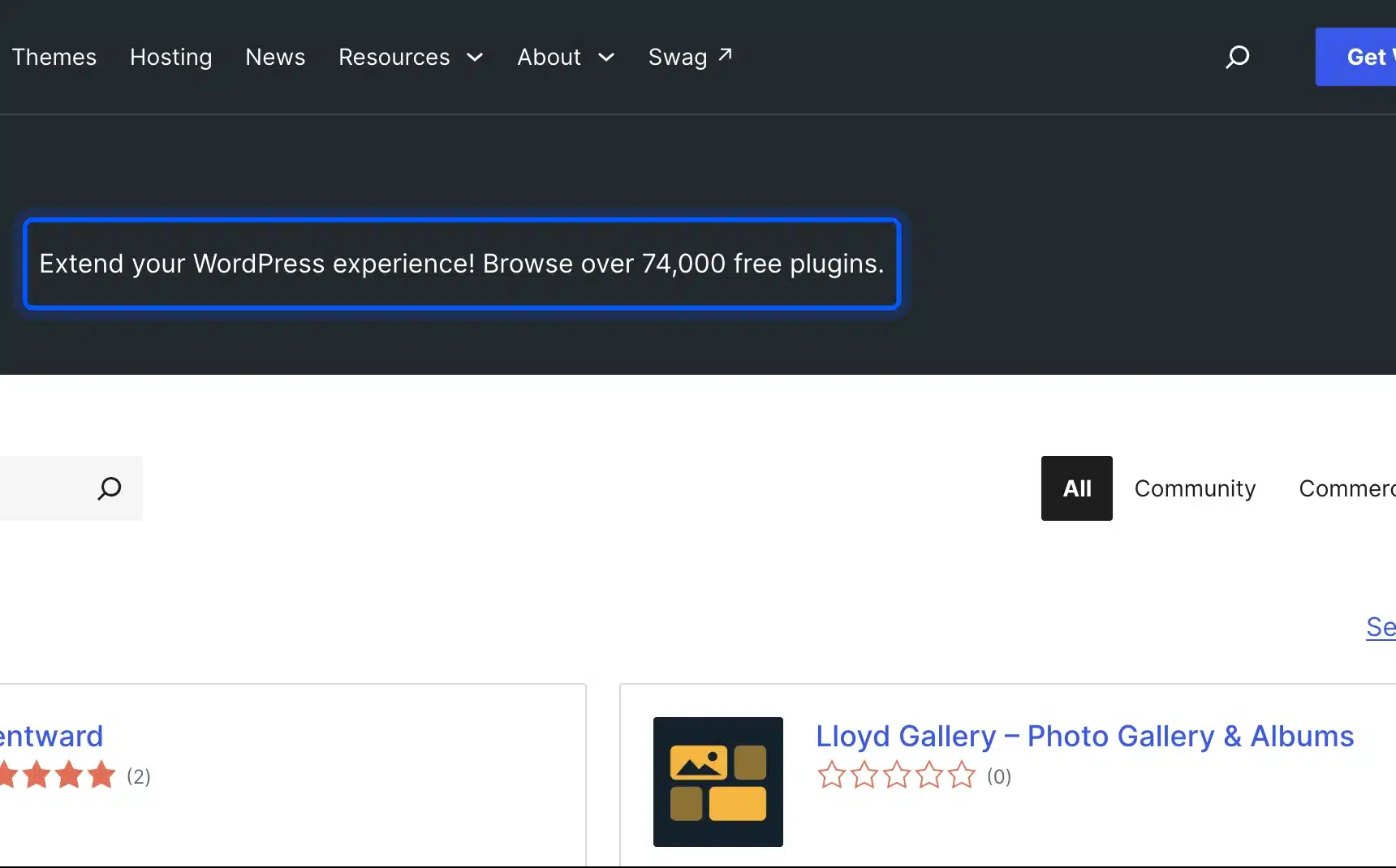
WordPress has the far bigger extension library, with over 74,000 free plugins on WordPress.org, plus paid ones sold elsewhere. Shopify lists over 16,000 apps in its App Store, most of them monthly subscriptions. Plugins usually cost less over time, while Shopify apps tend to install with less setup.
The WordPress plugin directory showed the 74,000 figure on its front page when we checked. The Shopify App Store advertised over 16,000 apps the same day.
The pricing model matters more than the count. A WordPress plugin is often a one-off install or a yearly license, and many free ones cover common jobs. Shopify apps are mostly billed monthly, so three apps at $15 each add $540 a year, the figure used in our cost example.
Email marketing is a good test case. On WordPress you can pick from many email marketing plugins for WooCommerce and keep subscriber data in your own database. On Shopify, the same job usually means a monthly app with its own pricing tiers.
Maintenance: Who Does the Work?
Shopify handles hosting, security patches, uptime and PCI compliance for every store, which is the main thing its monthly fee buys. With WordPress you or your developer keep the core, theme and plugins updated, run backups and watch for conflicts. That upkeep is the hidden cost in the WordPress column.
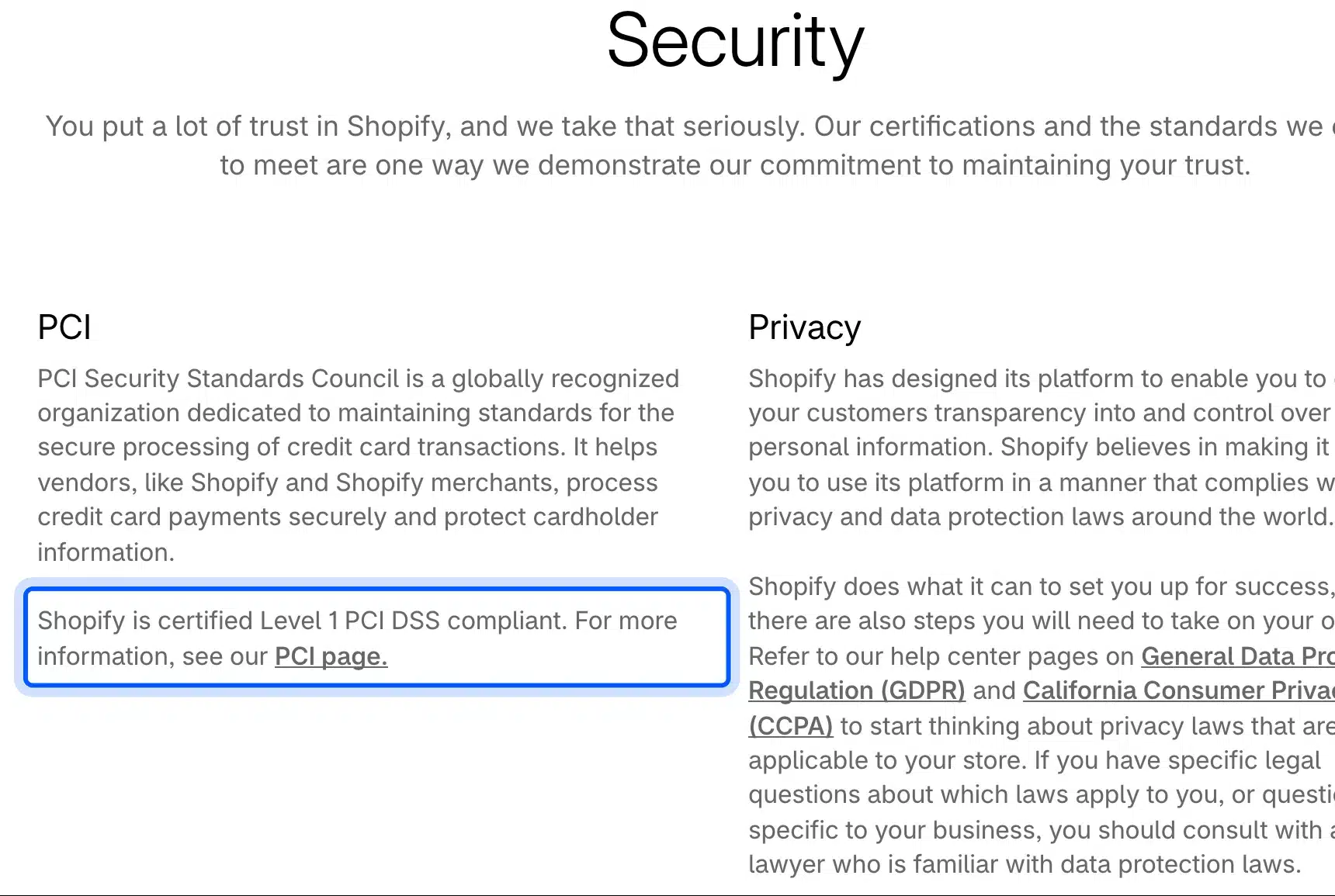
Shopify’s security page states that Shopify is certified Level 1 PCI DSS compliant. Keeping that certification is Shopify’s job, which is part of what the monthly plan pays for.
A WooCommerce store can be just as safe, but the work falls on you. Payment plugins such as WooPayments collect card numbers in hosted fields, so the numbers never touch your server. Updates, strong passwords and a good host do the rest, as we cover in our guide on whether WooCommerce is safe.
Support works differently too. Shopify’s pricing page lists 24/7 live chat on every plan. WordPress support comes from forums, your hosting company, plugin vendors and any developer you hire.
Checkout Control
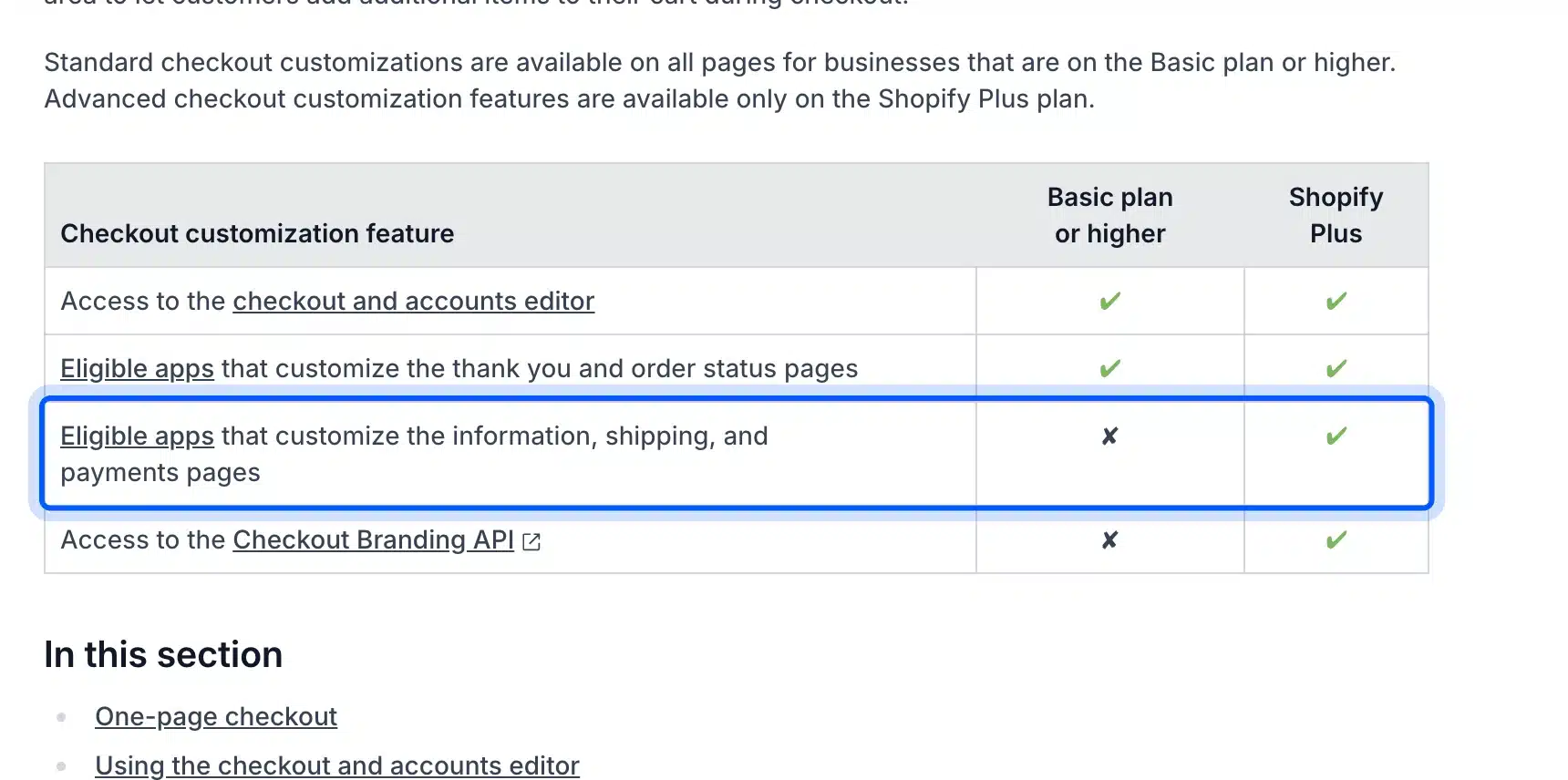
WooCommerce lets you change every part of the checkout, from fields and layout to payment logic, on any host and plan. Shopify’s checkout converts well out of the box, but deeper changes are tiered by plan. Apps can only change the information, shipping and payment steps on Shopify Plus.
Shopify’s checkout customization guide lays out the split in a plan table. Basic and higher plans get the checkout editor and apps that change the thank you and order status pages. Apps that edit the earlier checkout steps, and the Checkout Branding API, need Plus.
Shopify Plus starts at $2,300 a month on the US pricing page. So a store that needs a custom delivery date field or a B2B approval step on the payment page faces a large jump on Shopify.
On WooCommerce, the same change is a plugin or a few lines of code. That freedom also means you can break the checkout, so test every change on a staging copy first.
Scaling Past the First Few Thousand Orders
Shopify scales without any work from you, because Shopify runs the servers and absorbs traffic spikes on every plan. WooCommerce scales well too, but you have to pay for hosting that keeps up and keep the database lean. High-Performance Order Storage, on by default in new stores, helps a lot with that second part.
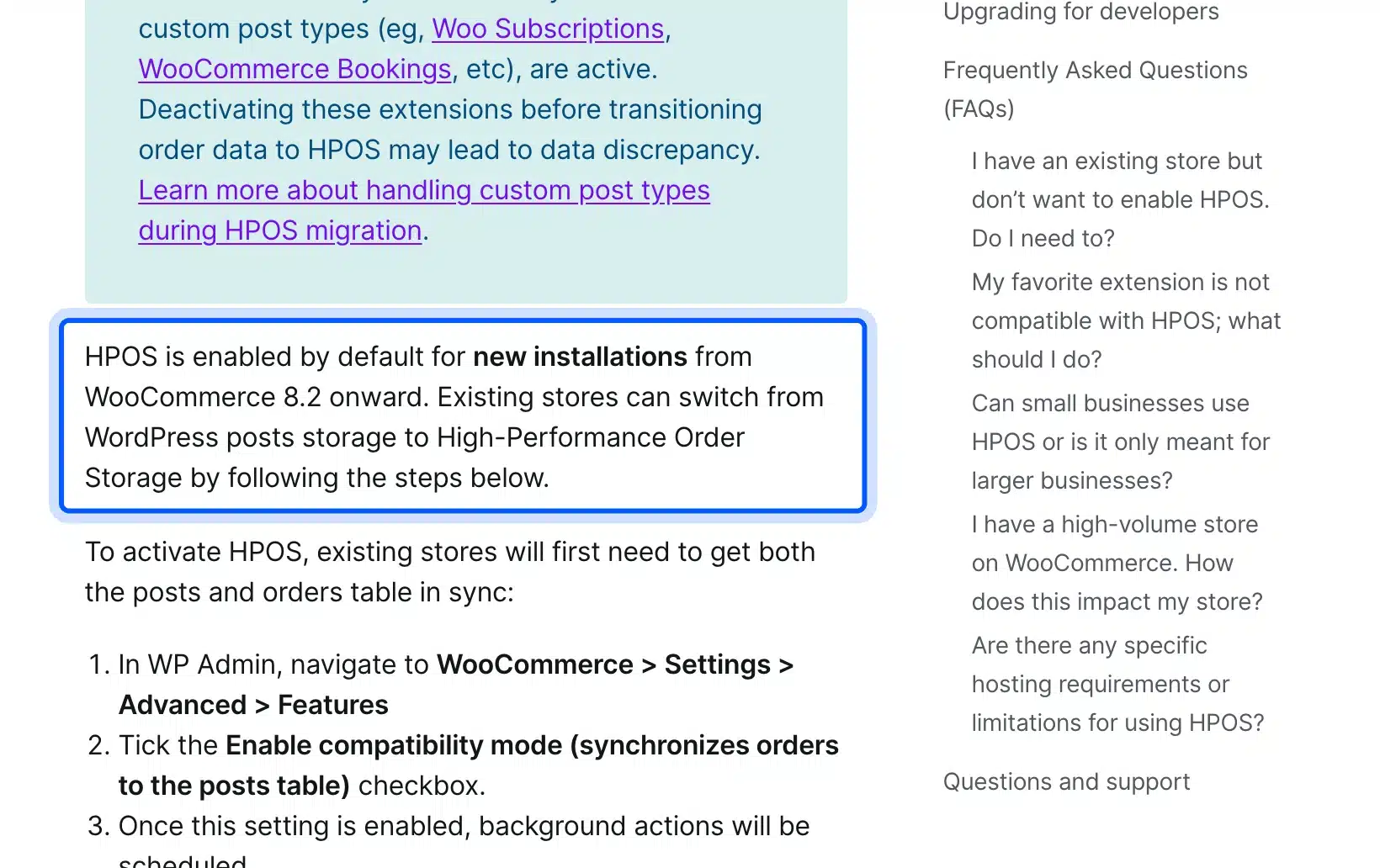
The WooCommerce HPOS documentation says HPOS has been enabled by default for new installations since WooCommerce 8.2. It moves orders into their own tables with dedicated indexes, which cuts database load as order volume grows.
Catalog size is rarely the limit people fear. We looked at real catalog limits in our post on how many products WooCommerce can handle. Staff limits matter more on Shopify, where the US pricing table shows 5 staff accounts on Grow, 15 on Advanced and unlimited only on Plus.
Can You Use Shopify With WordPress?
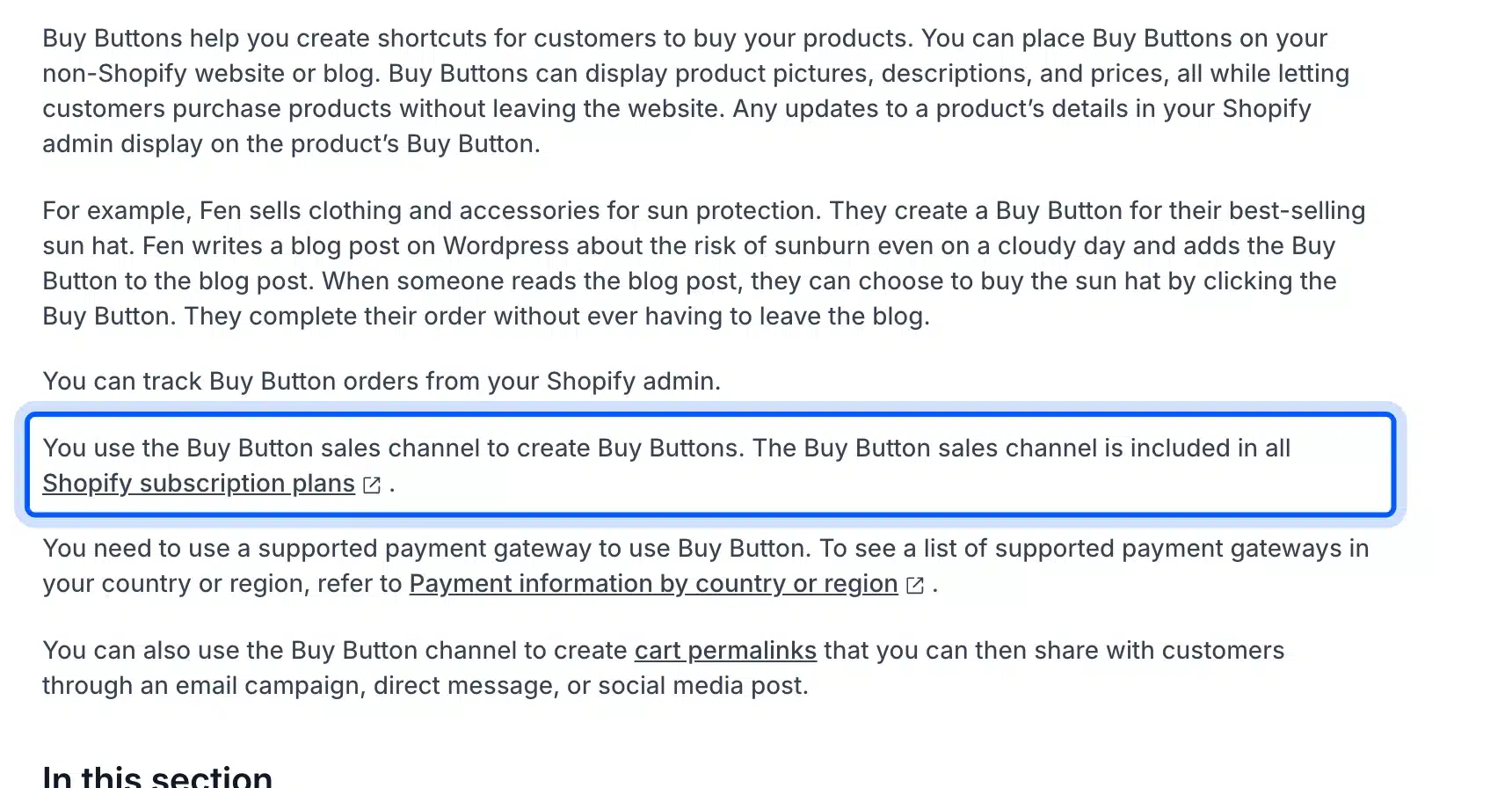
Yes, you can sell Shopify products on a WordPress site with Shopify’s Buy Button sales channel. It embeds a product and a cart on any outside site, and buyers check out through Shopify. This setup suits a content-heavy WordPress site that only needs to sell a few products.
Shopify’s Buy Button help page says the channel is included in all Shopify subscription plans. Its own example is a seller who adds a Buy Button to a WordPress blog post.
This WordPress Shopify eCommerce mix keeps WordPress for content and SEO while Shopify handles payments and stock. You still pay the Shopify plan and its card fees, and you manage two platforms instead of one. For a full catalog, a single platform is usually simpler.
When Shopify Is the Better Pick
Shopify is the better choice when you want to sell this week, have no developer, and value predictable monthly costs over control. It also suits brands that sell mostly through social, marketplaces and in person. In those cases its built-in hosting, checkout and point of sale save real time.
Pick Shopify in these situations:
- No technical help: You do not want to manage hosting, updates or backups yourself.
- Fast launch: You need a working store in a day or two, with a theme and payments ready.
- Retail plus online: You run a physical shop and want one system for in-person and web sales.
- Standard checkout: The default Shopify checkout already fits how you sell.
Shopify vs WordPress is not a contest of which platform is better in general. A store owner who sells 50 products and hates admin work will be happier on Shopify, even at a slightly higher cost.
WordPress or Shopify: Which Should You Pick?
Pick WordPress with WooCommerce if content, SEO control, checkout changes or data ownership matter to the business. Pick Shopify if you want the least maintenance and are happy within its rules. For most content-led stores and growing brands with custom needs, WordPress gives more room to grow.
Choose WordPress in these situations:
- Content first: Blog posts, guides and landing pages drive most of your traffic.
- Custom checkout: You need fields, rules or payment logic that Shopify locks to Plus.
- Ownership: You want the code, data and design on a host you control.
- Lower long term cost: You would rather pay once for plugins than monthly for apps.
The catch is the setup and upkeep that Shopify would otherwise do for you. If you want WordPress control without doing that work yourself, our WooCommerce development services cover the build, custom checkout work and ongoing care.
Conclusion
The WordPress vs Shopify choice is mostly about control. Fees are close: in our example, card processing made up 80% to 85% of the bill on both platforms. The platform price was the small part.
WordPress with WooCommerce wins on ownership, SEO control, checkout freedom and long term plugin costs. Shopify wins on setup speed, hands-off maintenance and built-in support. Avoid Shopify’s outside gateway fee by using Shopify Payments, and budget for upkeep if you choose WordPress.
Frequently Asked Questions (FAQs)
Q1. Can I move my store from Shopify to WordPress later?
Yes. Shopify exports products to a CSV file, and WooCommerce can import product CSV files. Product images and your Shopify theme do not come across in that export, so plan to move images separately and rebuild the design.
Q2. Is WordPress free for an online store?
The WordPress software and the WooCommerce plugin are both free to download and use. You still pay for hosting, a domain, card processing fees and any paid plugins or themes you add.
Q3. Which is easier for beginners, WordPress or Shopify?
Shopify is easier for most beginners, because hosting, security and checkout are set up when you sign up. WordPress asks you to choose a host and install plugins first, which takes longer but leaves more choices open later.
Q4. Do I need a developer to run a WooCommerce store?
Not to start, since many hosts install WordPress and WooCommerce in one click. A developer helps once you need custom checkout fields, speed tuning or help after a plugin update breaks something.
Q5. Is Shopify good for blogging?
Shopify has a built-in blog that works for simple news posts and product stories. It has fewer layout, category and SEO options than WordPress, so content-led brands often outgrow it or pair it with a WordPress site.
Q6. Does Shopify charge fees if I use PayPal or Stripe?
Shopify charges a third-party transaction fee when an outside provider processes the payment instead of Shopify Payments. On the US pricing page that fee is 2% on Basic, 1% on Grow and 0.6% on Advanced, on top of the provider’s own rate.