
ChatGPT product descriptions work when you feed the model real product facts and a fixed prompt. Then you edit each draft before it goes live.
We built the steps below on a WooCommerce 11.2 test store with 12 products. We checked the model names and plan limits against OpenAI’s ChatGPT release notes in October 2026, and every plugin against its WordPress.org listing.
You get a five-step workflow, a copy-and-paste prompt template, and plugin options for bulk work. A review checklist and a short list of products that should never get AI copy close the guide.
ChatGPT Product Descriptions: What the Model Can and Cannot Do
ChatGPT product descriptions make strong first drafts but weak final copy on their own. Can ChatGPT write product descriptions that sell? Only when you supply the facts, check every claim and review the whole draft before it goes live.
The model cannot know your product. A draft built on vague input sounds like every other store.
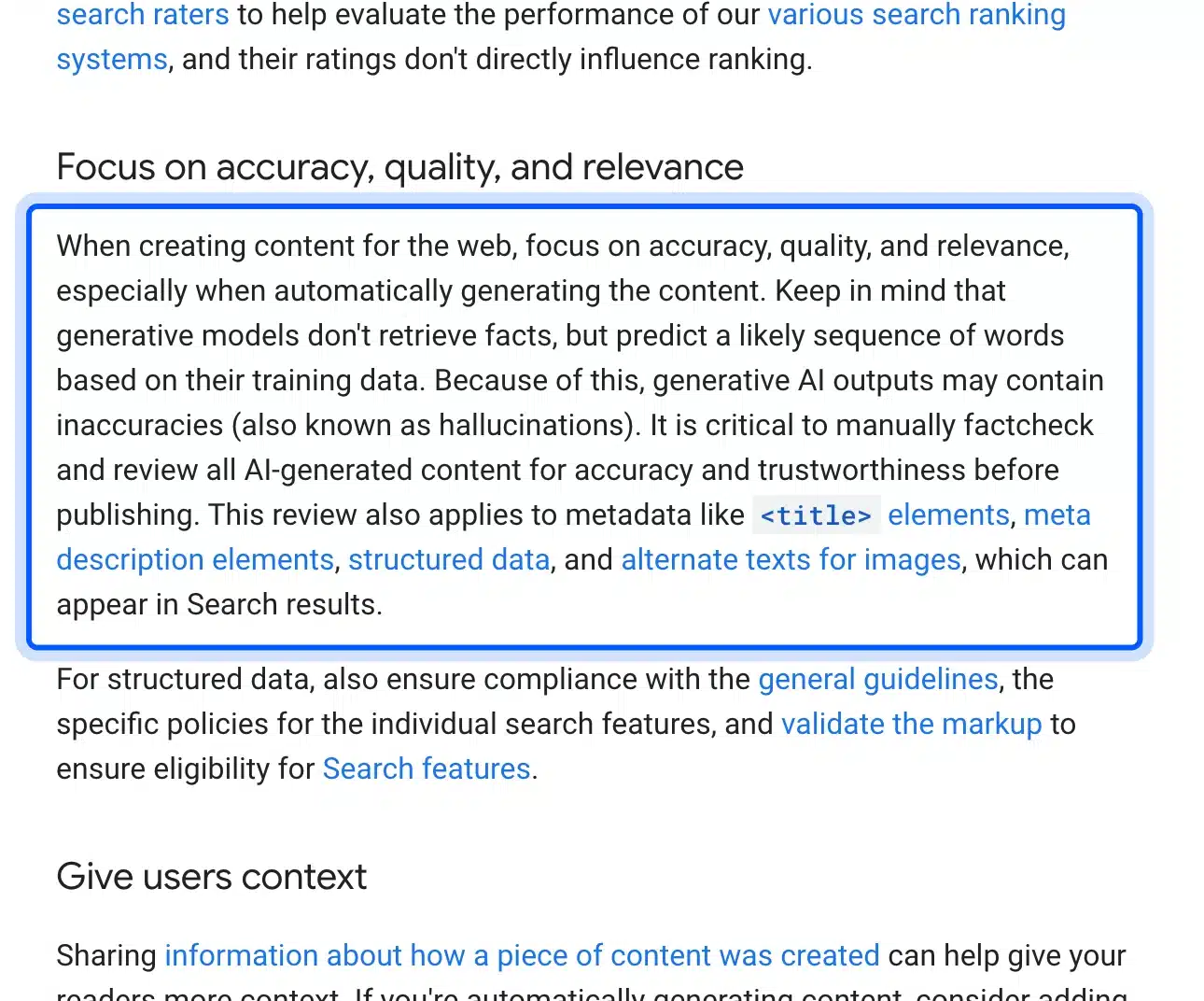
Google’s own guidance explains why. Its Search Central page says generative models predict a likely sequence of words and do not retrieve facts. Outputs may contain inaccuracies. That is the whole reason this guide keeps you in charge of the specs.
The model behind ChatGPT changed in October 2026. OpenAI’s release notes of 7 October say Plus, Pro, Business and Enterprise use GPT-6 Sol, while Free and Go use GPT-6 Luna. The Pro reasoning option continues to use GPT-6 Astra, which OpenAI introduced on 3 September 2026.
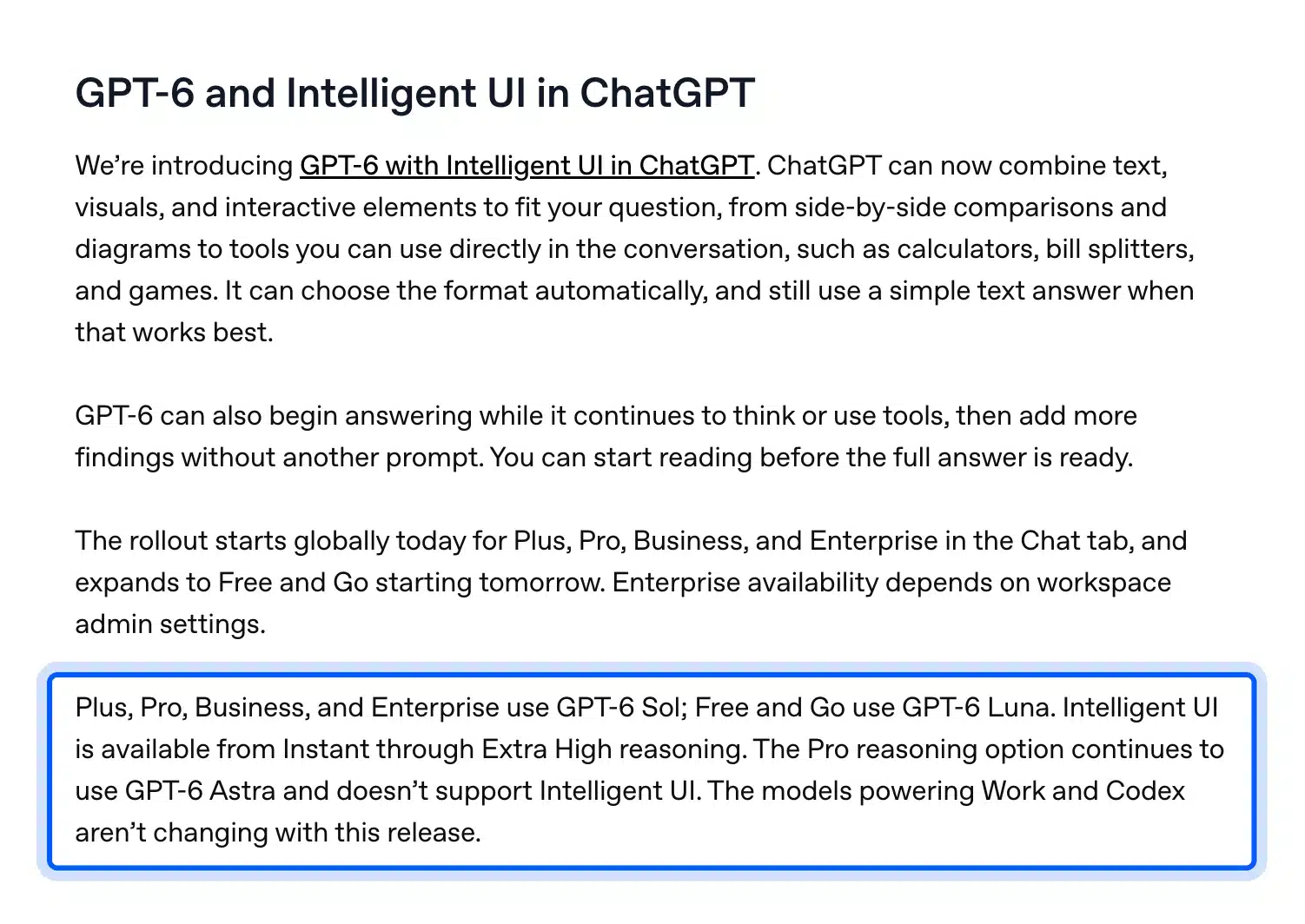
You can write product descriptions on the Free plan. OpenAI’s Free tier FAQ says Free users get unlimited everyday text chats, subject to abuse-prevention safeguards. File uploads, image creation and data analysis each have their own caps, and OpenAI warns that the default model and limits can change.
How to Use ChatGPT to Write Product Descriptions in Five Steps
You can use ChatGPT to write product descriptions in five steps. Collect your product facts, build one prompt, paste the output into WooCommerce, add alt text and a meta description and check the live page. Each step maps to a field or screen you already use in the product editor.
Step 1: Collect Your Product Facts
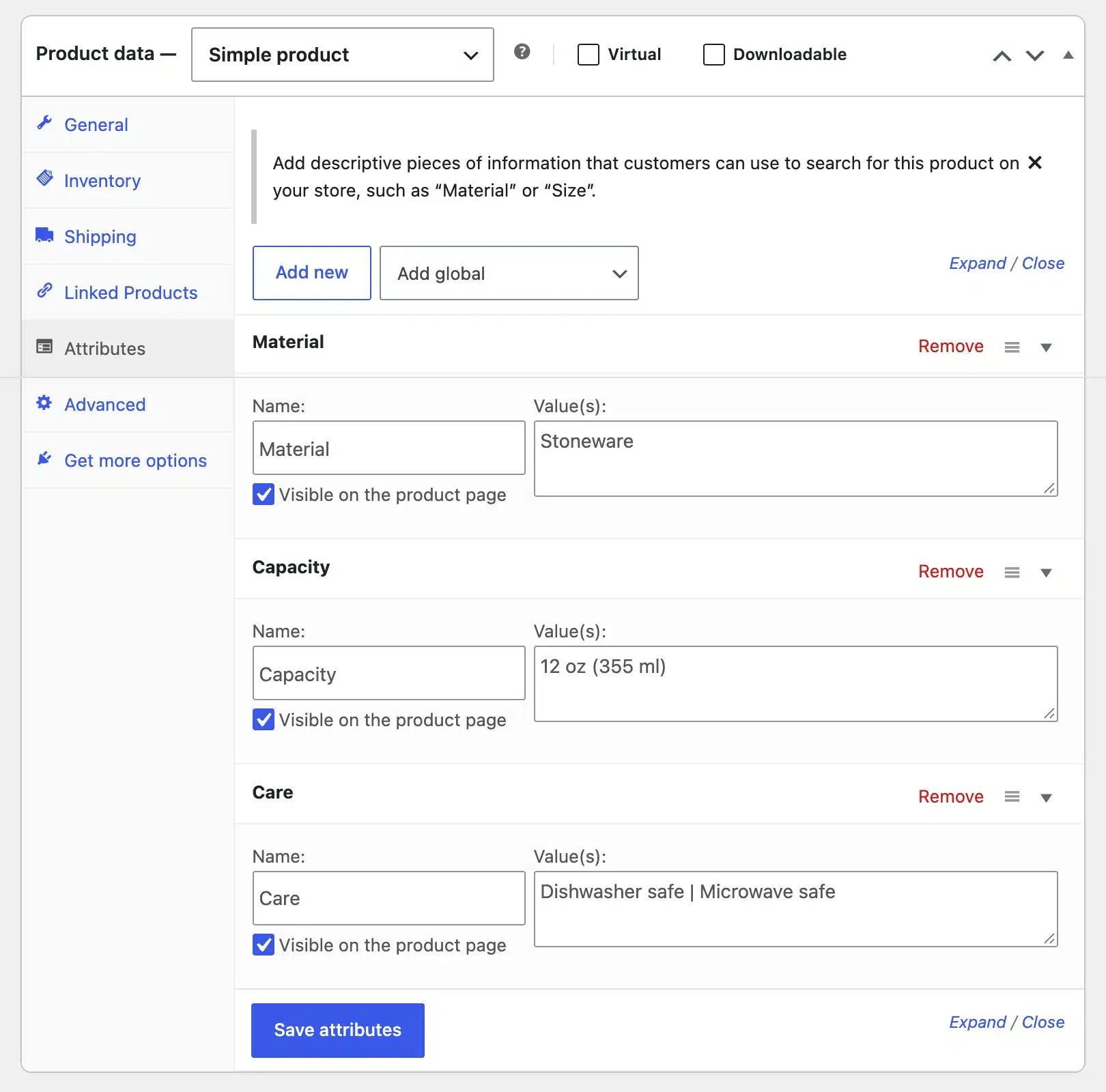
ChatGPT writes from what you give it. Gather the facts first. Open the product in WooCommerce and look at the Product data panel. The Attributes tab already holds the material, size and care details your customers ask about.
ChatGPT is only one option for store content. Our roundup of AI tools for ecommerce compares tools for search, support and product copy.
Copy those values into a plain text note, along with the price, the SKU and one line about who buys the product. Anything that is not in your note should not appear in the description. If ChatGPT adds a spec you never gave it, delete the line.
Step 2: Write the Prompt
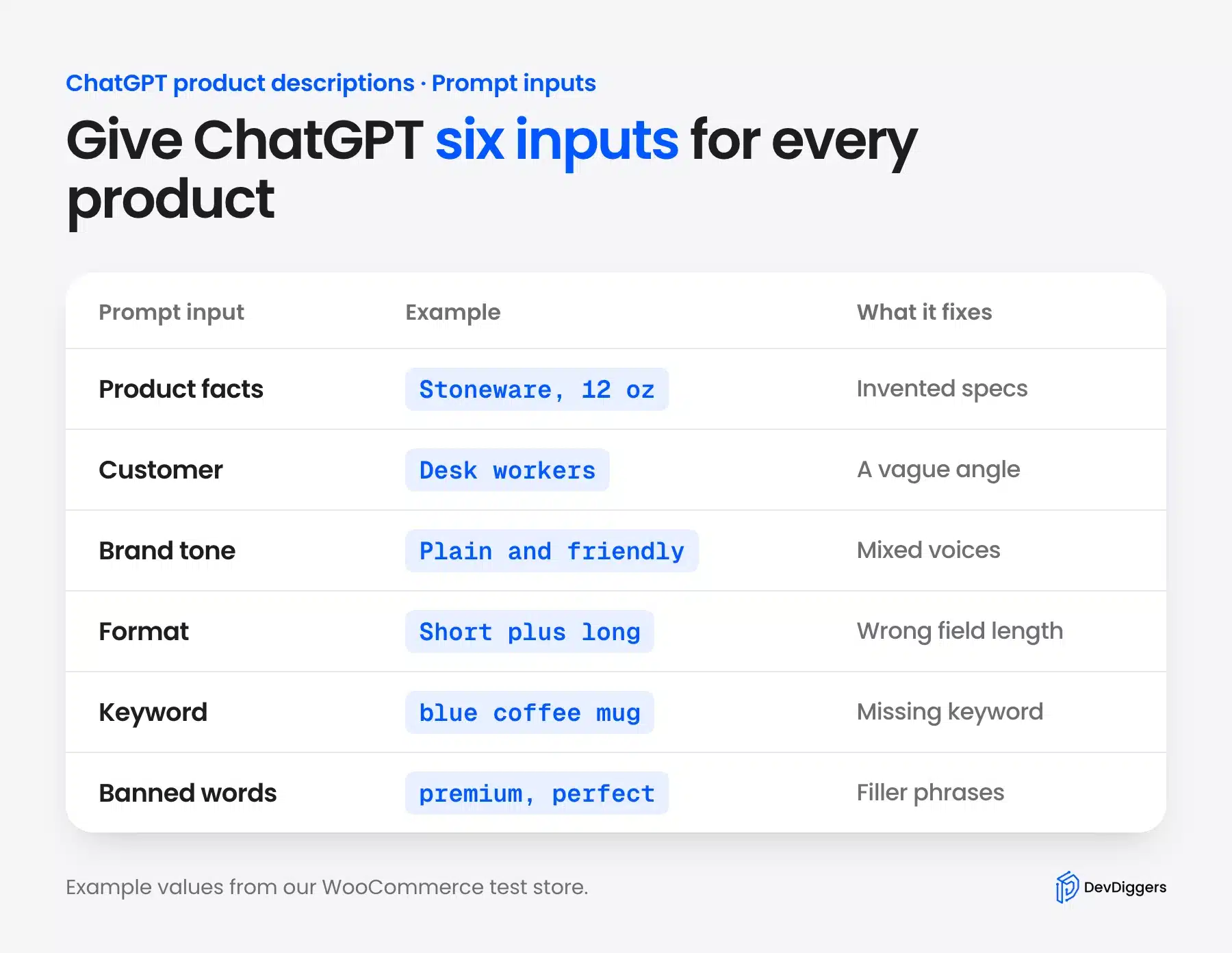
A good prompt has six inputs: the facts, the customer, the tone, the format, one keyword and a few banned words. Put them in the same order every time. A fixed order makes the output easier to compare and the prompt easier to reuse across products.
The full template sits in the next section. Paste it into a new ChatGPT chat, fill the brackets from your note and send it. Ask for the short description first and the long description second, because each one goes into a different WooCommerce field.
Step 3: Paste the Descriptions Into WooCommerce
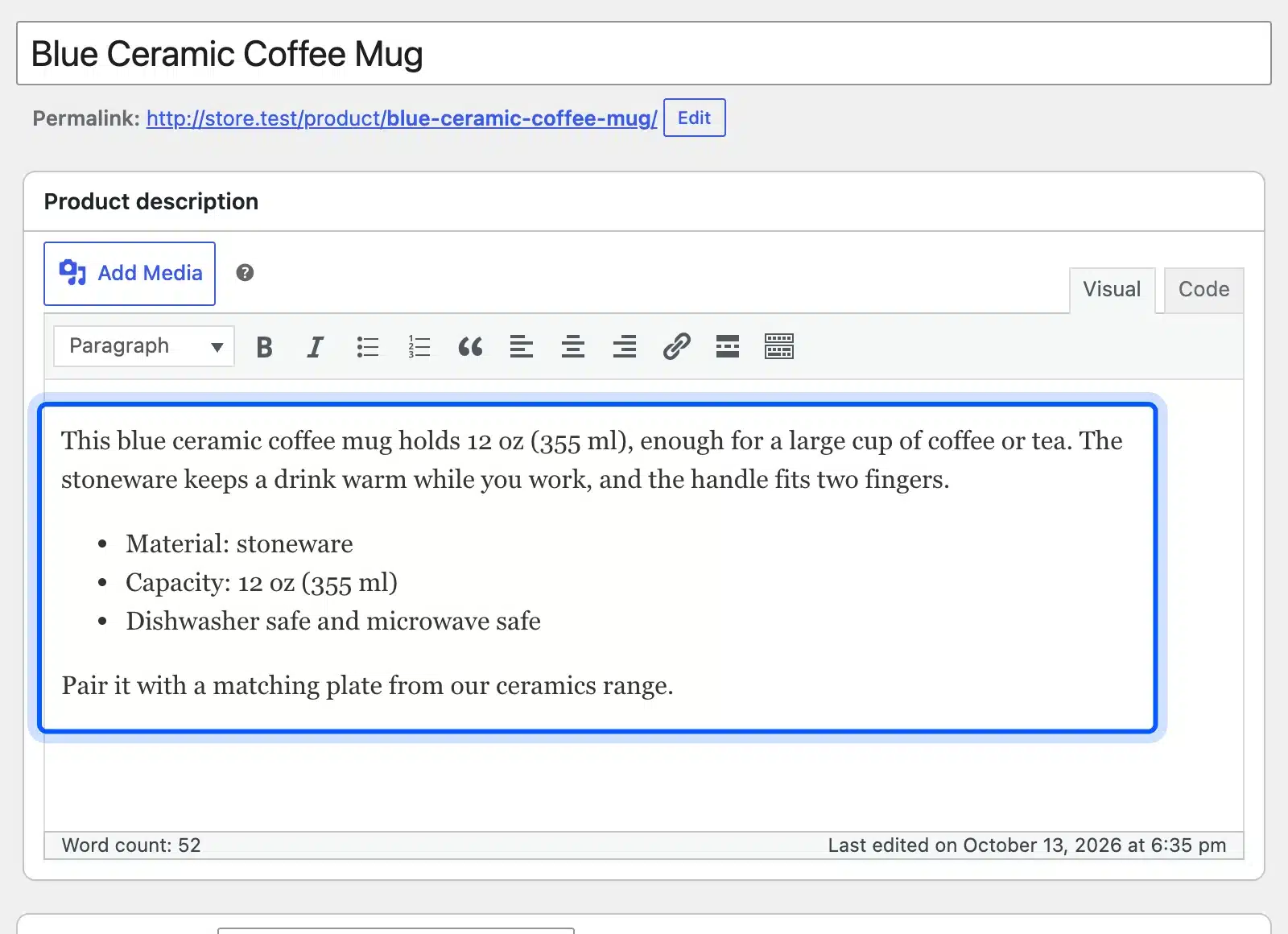
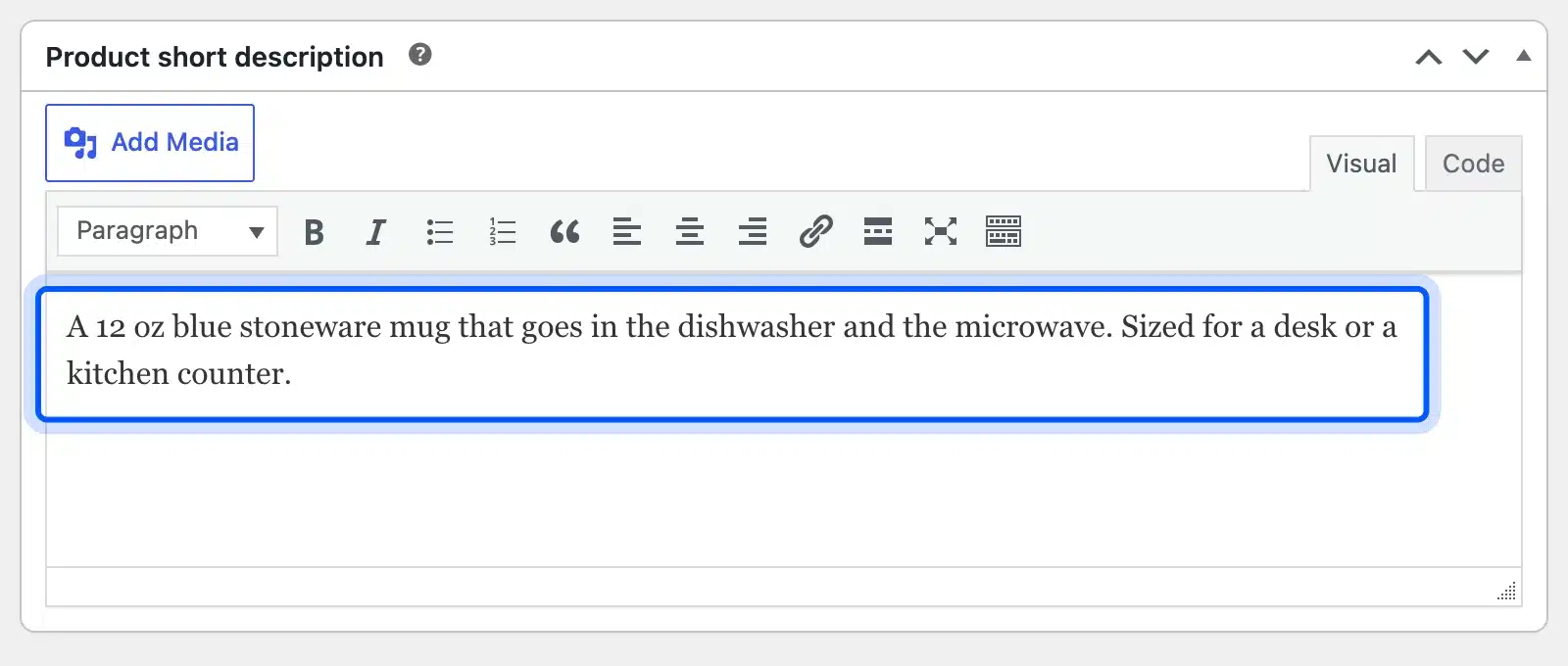
Read the draft against your note, fix anything that does not match and paste it into WooCommerce. The long text goes into the Product description box and the two-sentence summary goes into the Product short description box. The text in our screenshots is hand-written example copy for the test mug and not model output.
Keep the formatting simple. A short paragraph followed by a few feature lines reads well on a phone. Adding bullet points in WordPress takes two clicks in the editor toolbar.
Step 4: Add Alt Text and a Meta Description
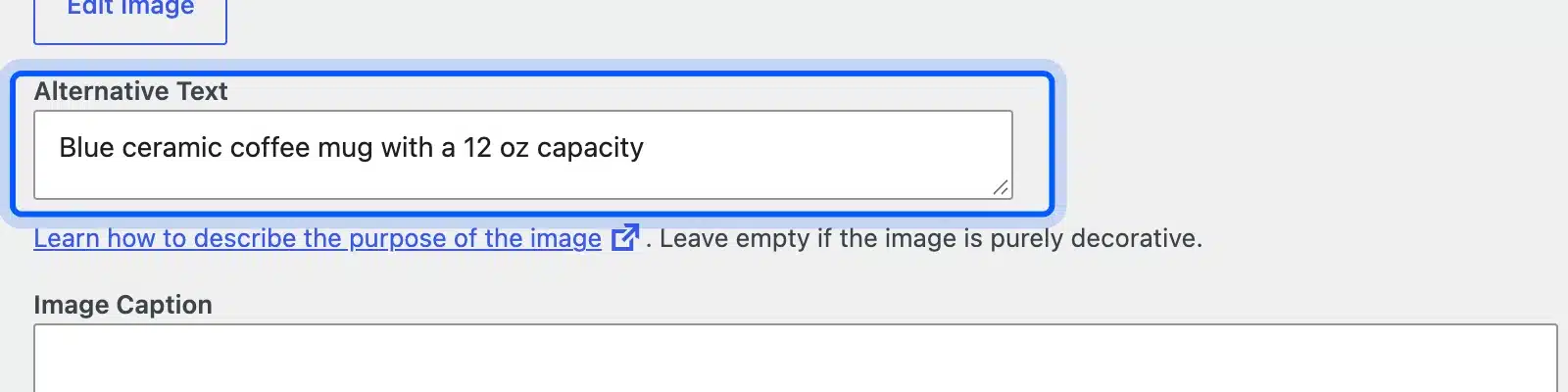
The same chat can write two small fields that are easy to forget. Ask for one image alt text under 125 characters, and one meta description for your SEO plugin. Paste the alt text into the Alternative Text field of the product image in the Media Library.
Treat both as part of the review. Google’s guidance says the fact-checking applies to metadata such as meta descriptions and image alt text too, because they can appear in Search results.
Step 5: Check the Live Product Page
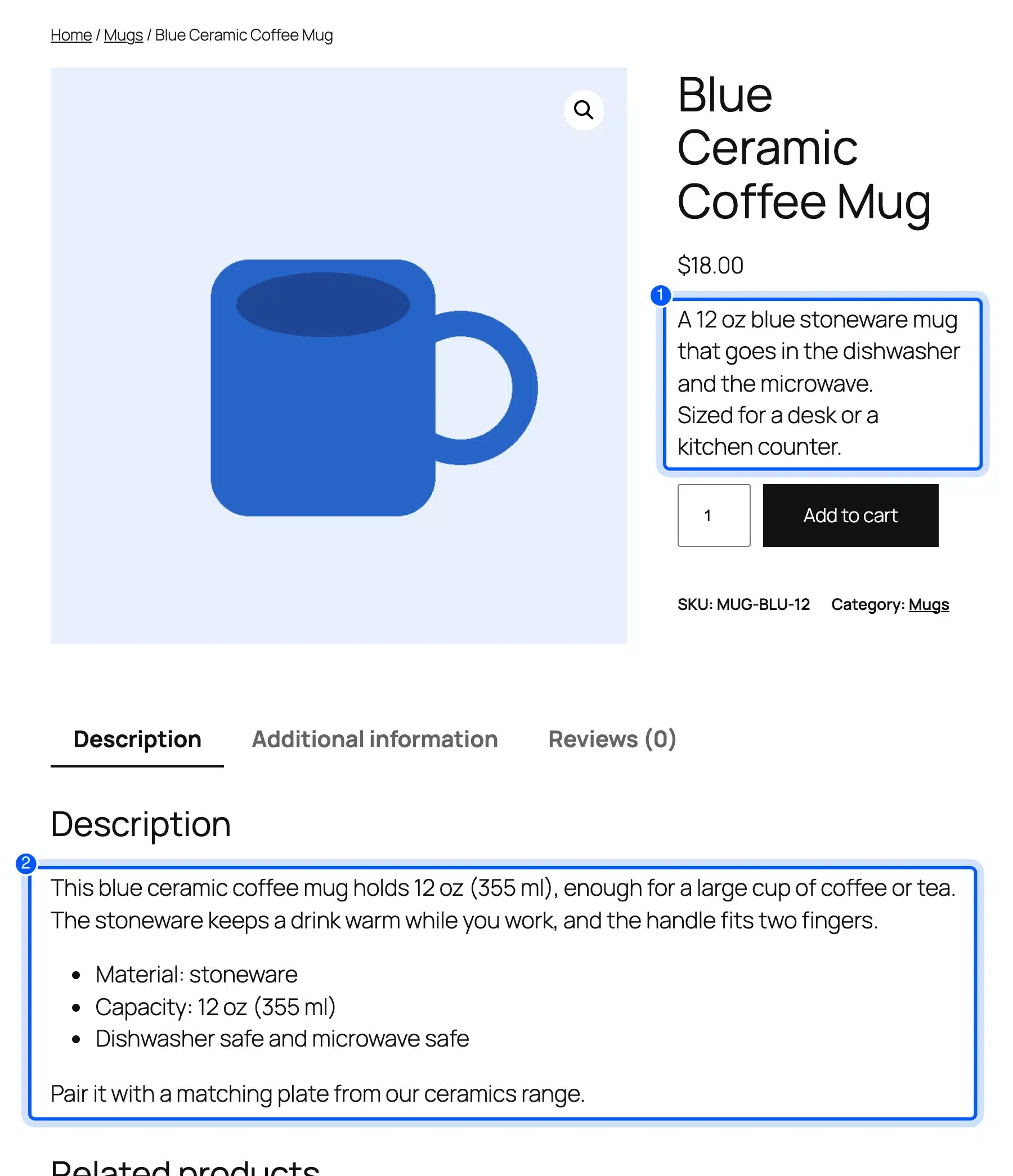
Open the product as a shopper would. The short description sits under the price, and the long description sits in the Description tab. Check that both read well on a phone, that the line breaks look right and that no spec contradicts the attribute table.
This quick look catches most paste errors. It also shows whether the two fields repeat each other, which is a common mistake when you paste the same text twice.
ChatGPT Prompts for Product Descriptions
The best ChatGPT prompts for product descriptions name the product facts, the buyer, the tone, the format and one keyword. They also ban the filler words you never want to read. Copy the template below and replace each bracket with your own details.
Write a WooCommerce product description for the product below.
Use only the facts I give you. Do not add specs, claims or materials.

Product name: [NAME]
Key facts: [3 TO 6 FACTS FROM YOUR PRODUCT DATA]
Customer: [WHO BUYS IT AND WHY]
Brand tone: [FOR EXAMPLE: PLAIN, FRIENDLY, NO HYPE]
Keyword: [ONE KEYWORD, USE IT ONCE]
Banned words: [FOR EXAMPLE: PREMIUM, PERFECT, LOOK NO FURTHER]

Output:
1. A short description of 2 sentences.
2. A long description of 100 to 150 words with a 3 item feature list.
The line “Use only the facts I give you” matters most. It does not stop every invented detail, but it cuts them sharply and gives you a rule to point at when you review.
A thin supplier line gives the model almost nothing. The output stays generic. Here is the shape of the change you are aiming for, written by hand for our test mug:
Before: Ceramic mug. Blue. 12 oz.
Short description after: A 12 oz blue stoneware mug that goes in the dishwasher and the microwave. Sized for a desk or a kitchen counter.
The second version names the material, the capacity and two uses, all taken from the attribute panel in Step 1. Nothing in it is new information, and that is the point.
Three variations cover the cases you will meet most often. Use the first when you already have supplier text and the second when you only need a summary. Use the third for very similar variants:
Rewrite the supplier text below in our brand tone. Keep every fact. Remove claims we cannot prove.
[PASTE SUPPLIER TEXT]
Write only the short description, 2 sentences, for a WooCommerce product page. Product facts: [FACTS]
Write 3 versions of the long description for the same product, each with a different opening line. Keep the facts identical.
Adjust the facts line for each product type because buyers check different details:
- Clothing: Fit, fabric, size range and care instructions.
- Electronics: Compatibility, ports, power needs and what ships in the box.
- Food and drink: Ingredients, allergens, weight and storage.
- Home goods: Dimensions, material, assembly and care.
Ingredient and allergen lists must come from your product label and never from the model.
Tip: Save the template in a note or a text file and change only the brackets. A prompt you retype from memory drifts, and a drifting prompt gives you descriptions that read as if three people wrote them.
Brand Voice Instructions for AI Product Descriptions
Brand voice instructions tell ChatGPT how your store sounds. That way two hundred descriptions read as one voice. Add a short voice block to the template and include one or two sentences from your best existing product page as a style sample. The model then copies the rhythm and not just the adjectives.
Brand voice example: "Built for riders who do not have time to fuss with gear. This jacket goes from commute to trail without a second thought."
Match this rhythm and level of detail. Do not copy the sentences.
Keep the voice block short. Three lines are enough: who you sound like, one sentence to copy and a few words to avoid.
Pick a sample that names a concrete detail. A sample full of adjectives teaches the model to write adjectives. A sample with a measurement, a use and a short sentence teaches it to write like a store that knows its product.
Run a small test before you commit. Generate the same product with and without the voice block and read both aloud. If the voice block changes nothing, your sample sentences are too generic.
Use an AI Product Description Generator Plugin
An AI product description generator plugin sits inside WordPress. You generate and review text without switching tabs. The plugin sends your product data to an AI provider you connect with your own key. Then you approve the result before it saves.
Claude can work with your store data too. Our guide shows how to connect WordPress to Claude AI through MCP.
AI Product Tools is the plugin we installed on the test store, version 2.7.3. Its WordPress.org listing says you connect OpenAI, Google Gemini, Anthropic Claude or OpenRouter. You pay that provider directly, and the plugin sells no credits.
We did not connect a provider key. This guide reports its screens and not the quality of its writing.
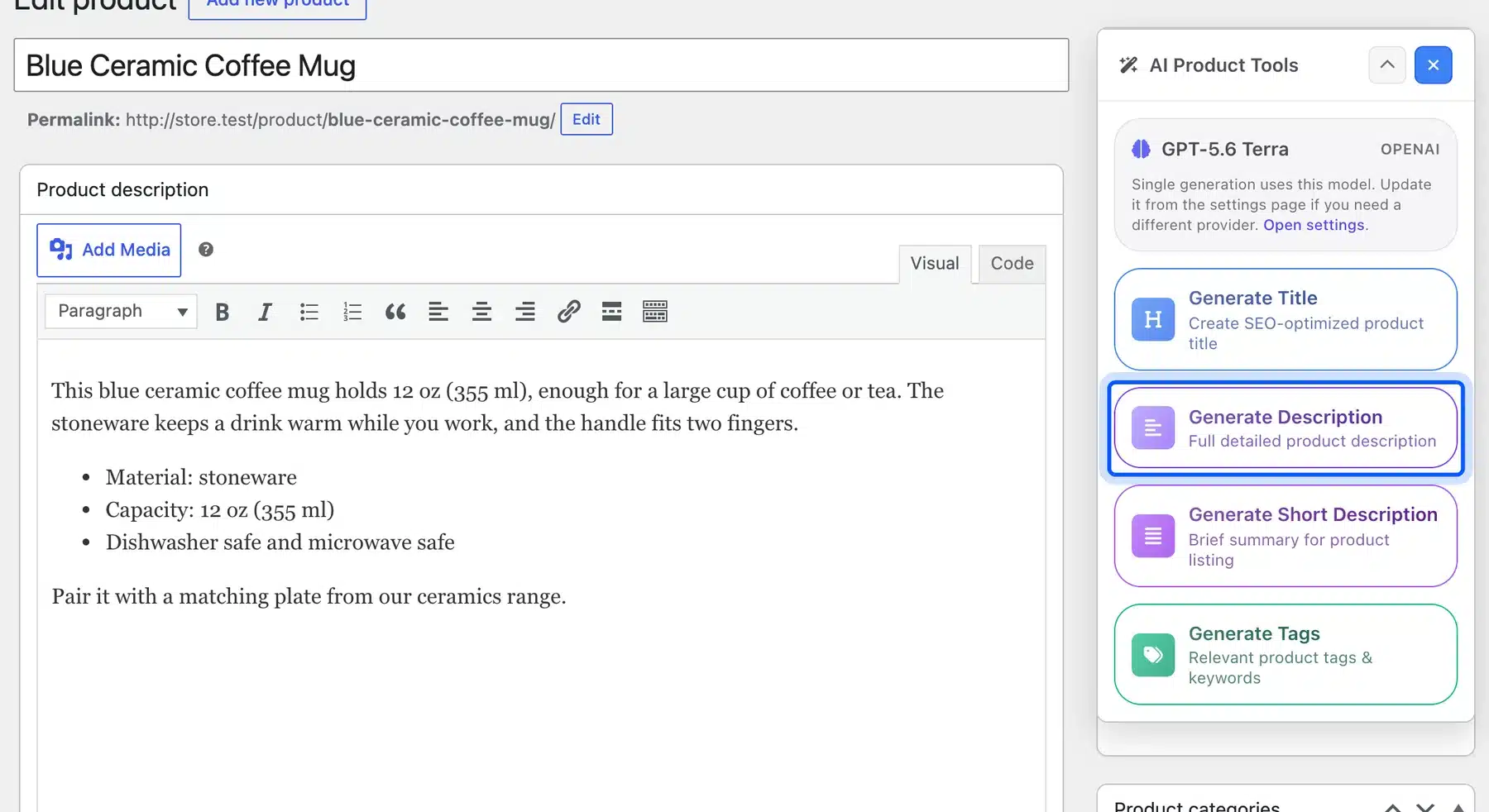
To write product descriptions with AI inside the editor, use the panel on the product edit screen. It offers buttons for the title, the description, the short description and tags.
Each one generates for the single product you have open. The listing says every generator shows the result first. You can read, edit, approve or reject it before anything is written to your products.
AI Puffer is a second option, and it works differently. Its listing says it starts with 25 free AI credits a month through its own cloud or lets you use your own provider key. The listing puts product optimization mode behind its Pro plan. Check the plan before you plan a catalog run around it.
If you would rather call ChatGPT from your own site, our guide to integrating ChatGPT into WordPress covers that route.
Bulk Generation for Large Catalogs
Bulk generation means filtering a group of products, generating text for all of them and reviewing the results in one place. It works when your catalog has hundreds of similar products with clean data. It fails when the data is messy, because the model repeats whatever errors it receives.
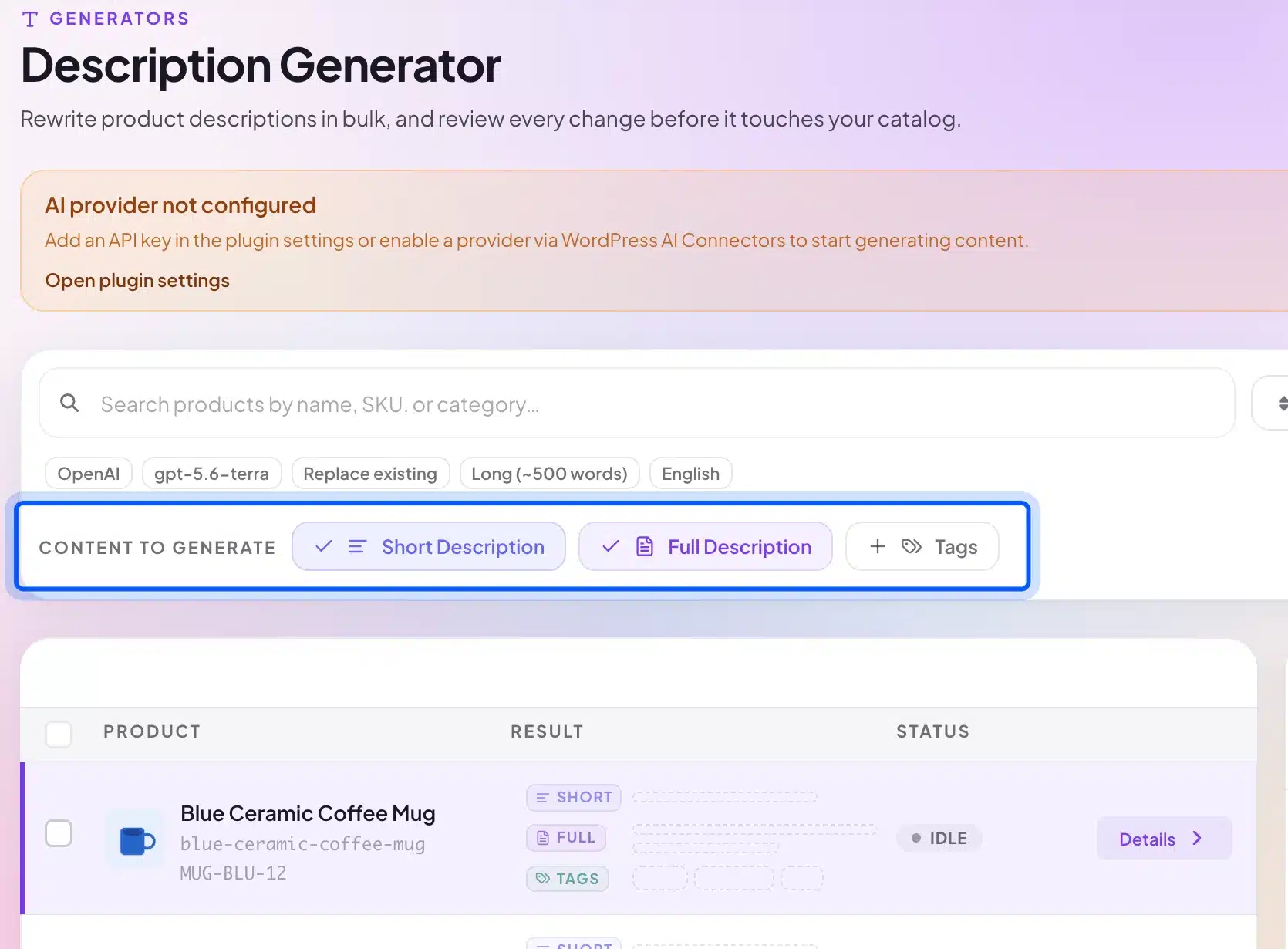
The AI Product Tools listing says one run covers up to about 1,000 products for descriptions. The same screen offers a filter bar, a choice of short description, full description and tags, and a per-product detail pane. The test store shows an “AI provider not configured” notice because we did not add a key.
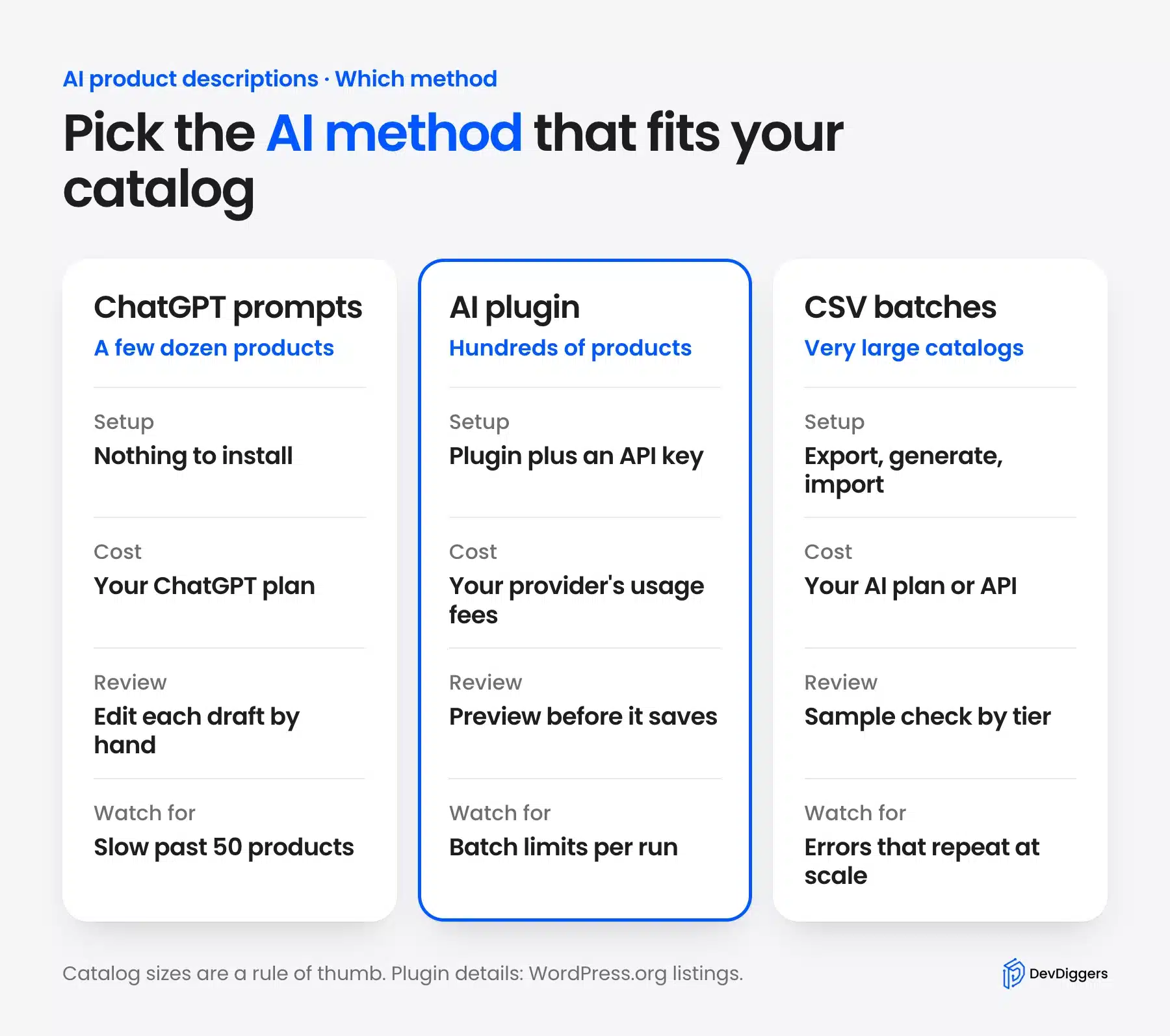
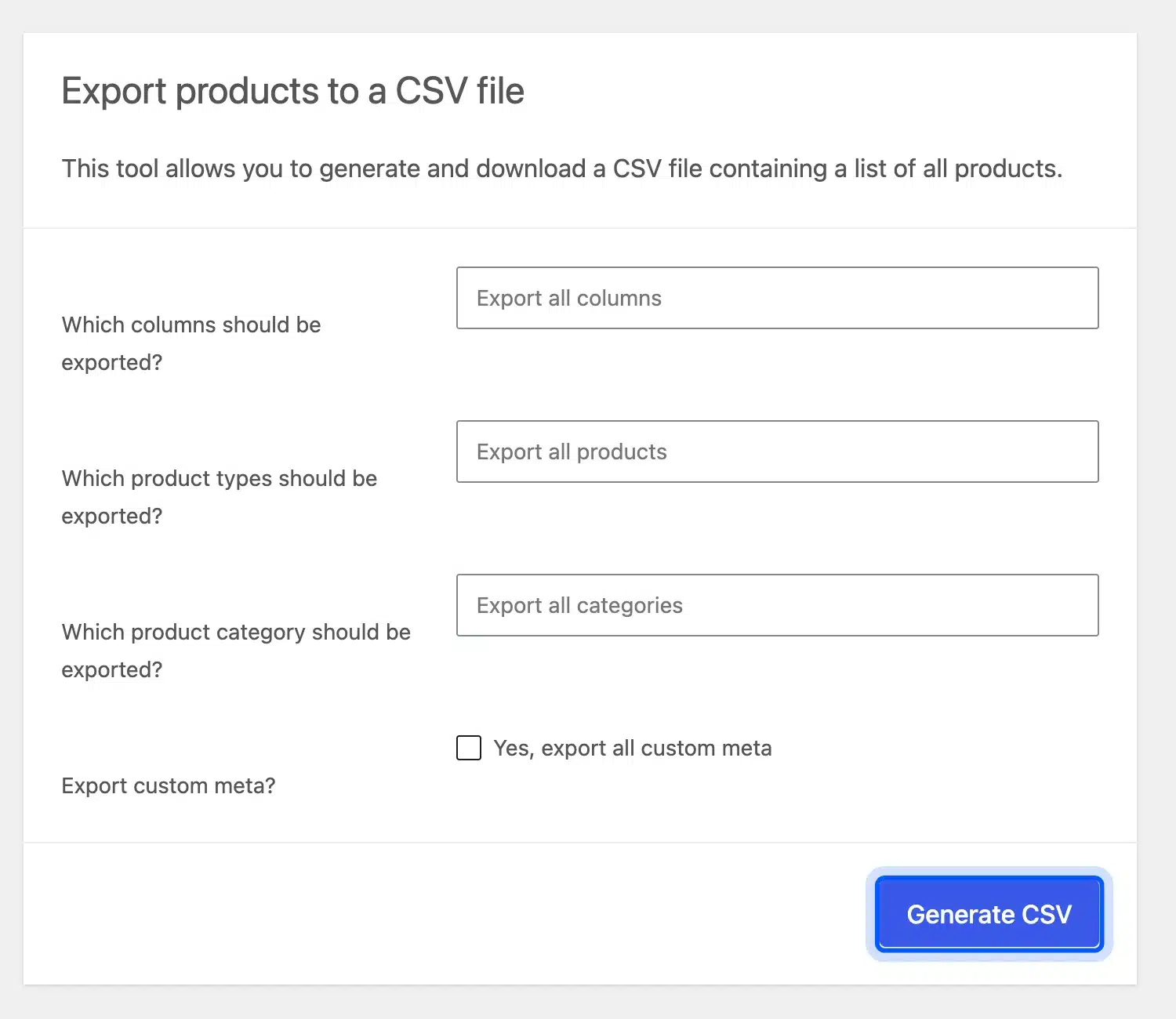
For very large catalogs you can also work in a spreadsheet. Export your products from the WooCommerce product exporter, generate text in batches of 20, spot-check each batch and import the file back. Run the first batch on a staging copy, since a bad prompt multiplies across every row.
A common question is how to create a lot of unique product descriptions quickly. Group products into three tiers before you start.
Tier one gets AI copy and a light check. Tier two gets an AI draft and a full human edit. Tier three stays fully human.
Update Old Product Descriptions With AI
You can use AI to refresh old product descriptions that are thin or copied from a supplier. Paste the old text and your current facts into the prompt and ask for a rewrite in your voice. The facts stay yours. The review step stays the same.
Rewrite the product text below in our brand tone.
Keep every fact. Add nothing that is not listed under Facts.
Old text: [PASTE OLD DESCRIPTION]
Facts: [PASTE CURRENT ATTRIBUTES]
Start with the products that earn the most traffic, since a better page there pays back first. Watch the page in Search Console for a few weeks after the change. Keep a copy of the old text in case a rewrite performs worse.
What Google Merchant Center Expects From AI Product Data
Google Merchant Center asks you to label AI-written product text. Its help page says descriptions made with generative AI must use the structured description attribute. That attribute carries a digital source type value of trained algorithmic media, and titles follow the same pattern.
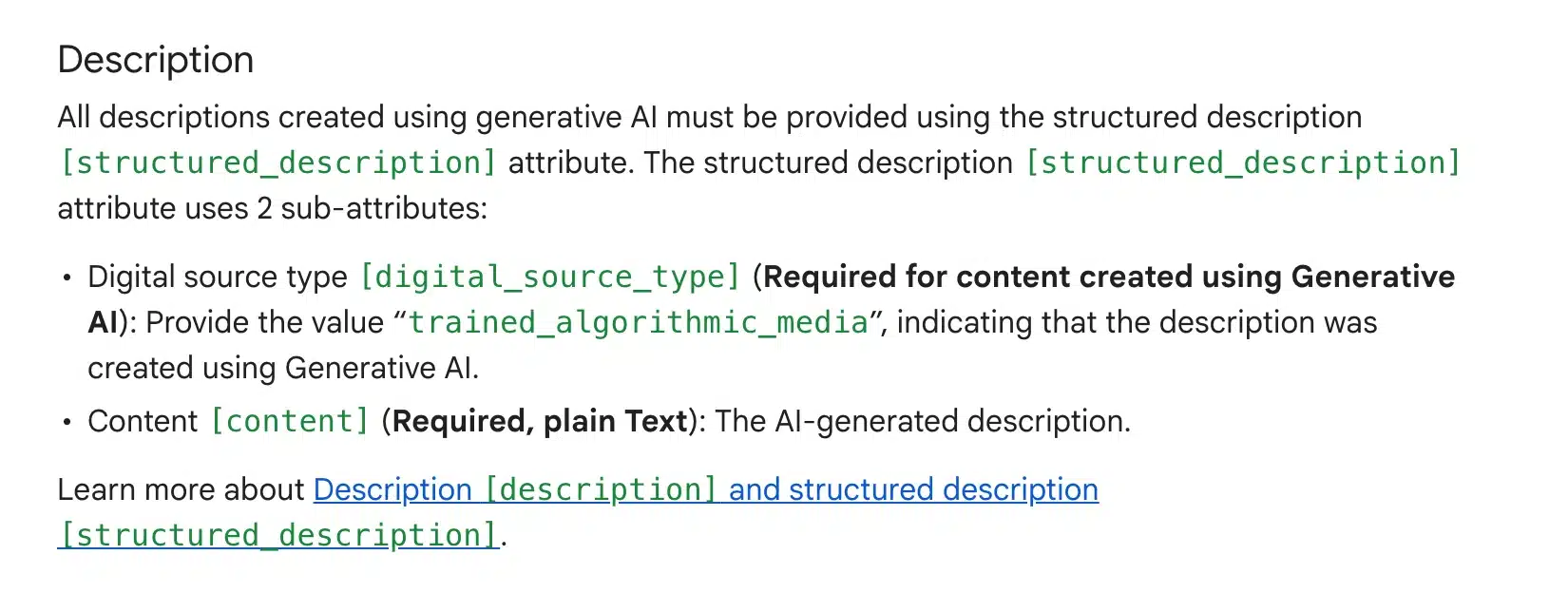
This matters if you send a feed to Google Shopping. A plain description attribute filled with ChatGPT text does not follow that policy.
Our guide to the Google Shopping feed for WooCommerce explains how the feed works. Your feed plugin must support the structured attributes before you rely on AI copy there.
SEO Friendly Product Descriptions With AI
SEO friendly product descriptions answer the buyer’s questions in plain words and mention the product’s main keyword once or twice. They are unique to your store and match the product data. AI makes volume easy. The discipline is keeping each description specific.
Use the keyword once in the first sentence and then write naturally. Repeating it four times does not help rankings and makes the copy harder to read. The short description deserves the same care because it sits next to the price and often appears in category pages.
There is no official word count. Google’s guidance asks for accurate, useful content and names no length. A simple product can need 60 words, while a complex one needs 200.
Our template asks for 100 to 150 words as a starting point you can change.
Unique copy matters most. A supplier text that fifty other stores paste gives search engines no reason to prefer yours. For the wider picture, read our WooCommerce SEO guide, and if you want hands-on help, our WooCommerce SEO services cover product page work.
AI Meta Description Generator and Alt Text Prompts
You can use the same ChatGPT chat as an AI meta description generator. Ask for one description under 160 characters that includes the keyword and a reason to click. The AI Product Tools listing uses 160 characters as its upper limit for generated meta descriptions, and a limit like that is a sensible guardrail. Paste the result into a meta description checker to see whether Google would cut it.
Also write a meta description of 140 to 160 characters for this product.
Include the keyword once and one reason to buy. Do not use quotation marks.
For image alt text, describe what the picture shows and name the product. Paste the real photo details into the prompt, because the model cannot see your image unless you upload it.
Write alt text under 125 characters for a product photo.
Product: [NAME]. The photo shows: [WHAT IS IN THE PHOTO].
Describe the photo plainly. Do not start with "image of".
Generate two versions per product and pick the clearer one. The extra minute costs little next to a vague snippet.
Read each result against the product page. A meta description that promises free shipping or a size you do not sell is a fact error like any other. Google’s guidance names meta descriptions in its review advice.
Our guide to meta tags in WordPress shows where the description field lives in your SEO plugin.
Review Checklist Before You Publish AI Product Descriptions
Review every AI product description before it goes live. Check the facts against your own product data, remove claims you cannot prove, and read the text aloud once. Google’s AI content guidance calls it critical to manually fact-check and review all AI-generated content before publishing.
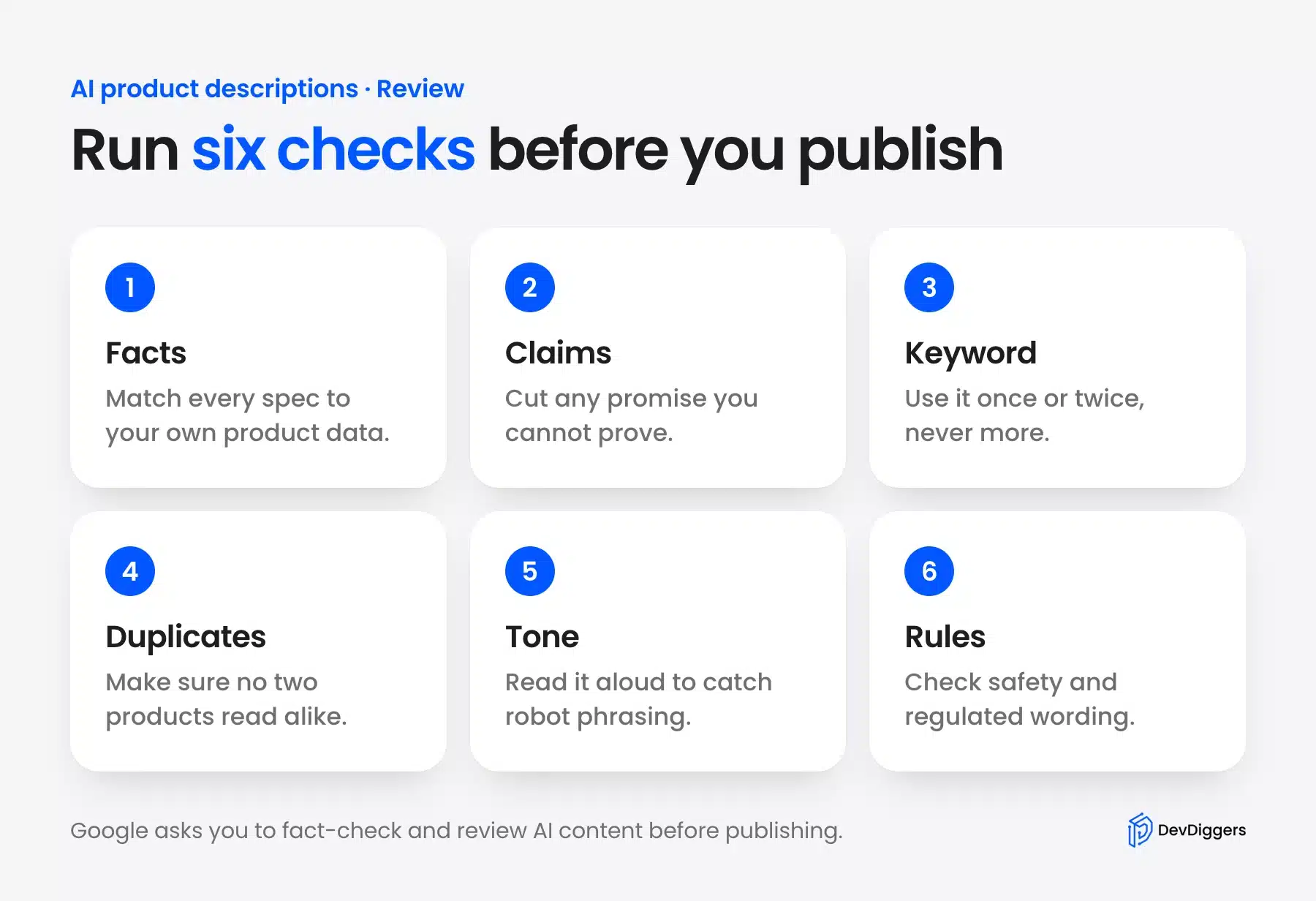
Run the checks in this order:
- Facts: Match every spec to your product data or supplier sheet. Delete any spec you did not provide.
- Claims: Remove promises such as “waterproof” or “lifetime” unless you can prove them.
- Keyword: Count the uses. One or two natural uses is right, and three in a short text is too many.
- Duplicates: Compare it with the neighbor products because the model reuses sentence shapes.
- Tone: Read it aloud once. A sentence that makes you stumble will make a customer stumble.
- Rules: Check safety, health and legal wording against the rules in your market.
Note: A fact can be wrong in a way that sounds right. A model might turn “water-resistant” into “waterproof” because similar products used that word. Compare the text with the spec sheet.
When Not to Use AI for Product Descriptions
Skip AI for products where the story, the craft or the legal wording carries the sale. Handmade items, luxury goods and regulated products fall in that group. A draft may still help you outline, but a person should write the final text.
- Handmade products: The maker’s story and the batch details are the value. A model cannot know them.
- High-priced goods: A buyer of a $2,000 piece reads for nuance, and generic copy loses the sale.
- Regulated products: Supplements, medical devices and electrical goods need wording checked against your market’s rules.
AI still helps on these products in small ways. Use it for three headline options, a rewrite of your own text in a new tone, or a translation draft that a native speaker checks.
Most stores end up with the three tiers from the bulk section. Standard items get AI copy and a light check, while products with technical claims get an AI draft and a full edit. Flagship or regulated items stay human-written.
Conclusion
ChatGPT product descriptions save the most time when you control the inputs. Give the model your facts in a fixed prompt, paste the result into the right WooCommerce fields and run the review checklist every time. A plugin adds speed once you have a prompt you trust.
Start with five products by hand and read the live pages. If the copy holds up, move to a plugin for the rest, and keep the human tier for products that need a person. For catalog-wide fixes beyond copy, our WooCommerce development services can help.
Frequently Asked Questions (FAQs)
Q1. Can I use ChatGPT for product descriptions on the free plan?
Yes. OpenAI’s help page says Free users get unlimited everyday text chats. File uploads, image creation and data analysis have their own caps. Limits and models can change. Check the Free tier FAQ before a large batch.
Q2. Will Google penalize AI-written product descriptions?
Google does not ban AI content. Its guidance says using generative AI to make many pages without adding value for users may violate its scaled content abuse policy. Fact-check each description, make it unique and keep it useful to the shopper.
Q3. What is the best prompt for product descriptions?
The best prompt names your product facts, the buyer, the tone, the format and one keyword. It also says “use only the facts I give you” and lists banned words. Use the template above and change only the brackets for each product.
Q4. How long should a product description be?
There is no official length. A simple product can need 60 words and a technical one 200. Write what a shopper needs to decide and stop there. Our template asks for 100 to 150 words as a starting point.
Q5. Do I need an API key to use an AI plugin?
It depends on the plugin. AI Product Tools uses your own key from OpenAI, Google Gemini, Anthropic Claude or OpenRouter. AI Puffer offers its own cloud credits or your key. Check each listing’s current terms.
Q6. Which AI is best for product descriptions?
No single AI is best for every store. ChatGPT works well for manual drafts, and a plugin such as AI Product Tools lets you switch between OpenAI, Gemini and Claude. Test the same five products on each, and keep the one whose draft needs the fewest edits.
Q7. How do I stop every description sounding the same?
Add a brand voice block with one or two sentences from your best product page. Ask for three versions with different opening lines. Then edit the winner by hand, because the final sentence of each description is where a human voice shows.