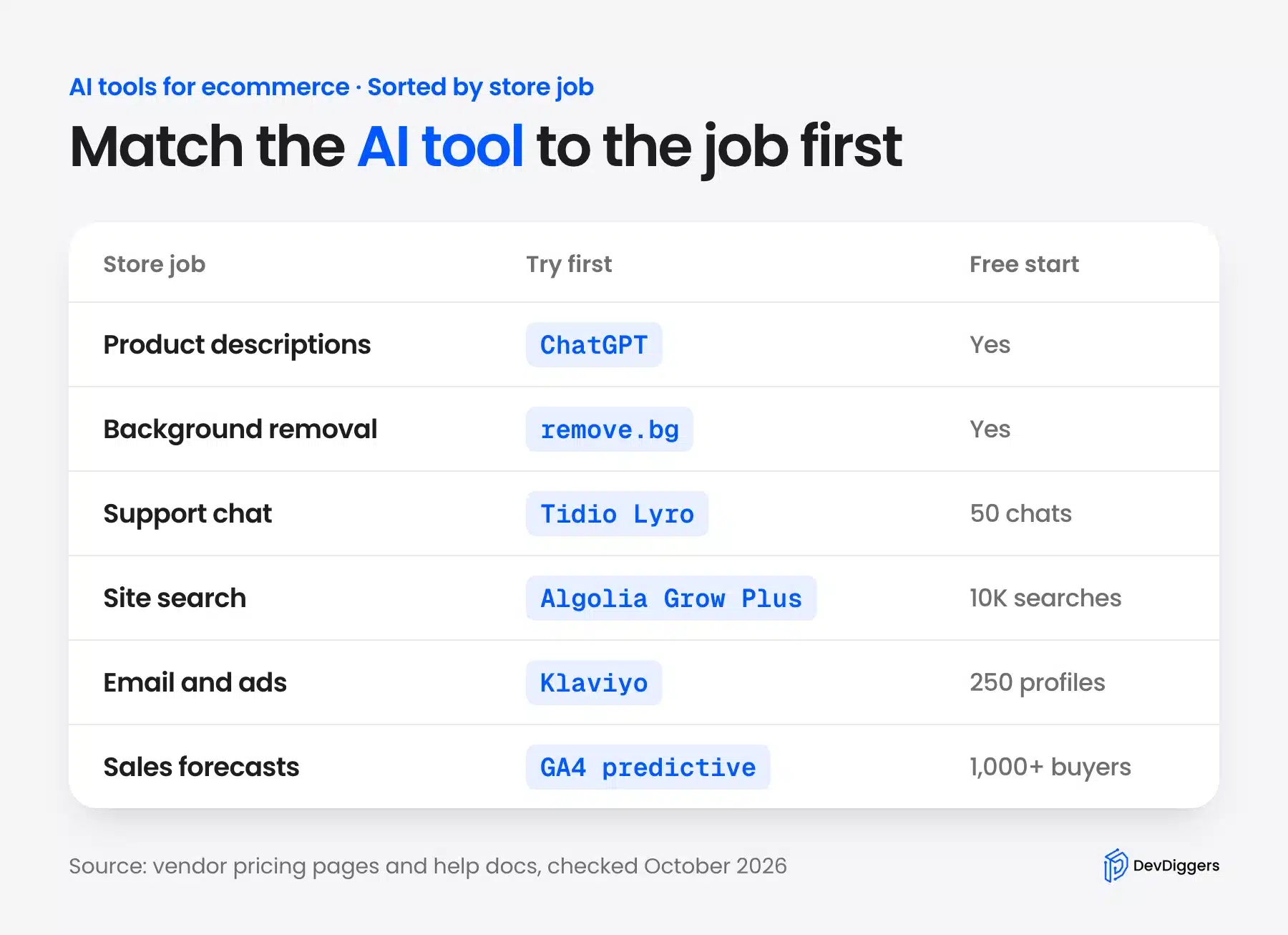
The best AI tools for eCommerce each do one store job well, so pick by job first. ChatGPT writes product copy, remove.bg cleans photos, Tidio answers chats, and Algolia or Doofinder power search.
We checked 14 tools in October 2026, and four of them ran on our own product data without an account. Six WordPress plugins went onto a test store running WordPress 7.1.3 and WooCommerce 11.2. Every price below comes from the vendor’s own pricing page, read the same month.
The guide groups the tools by job: product descriptions, images, support chat, search, ads and email, then analytics. A short test summary and a buying checklist follow, so you can spend on one tool that fits instead of five that overlap.
What Are AI Tools for Ecommerce?
AI tools for eCommerce are apps and plugins that use machine learning to do one store task faster. They write product descriptions, remove photo backgrounds, answer shopper questions, rank search results and predict who will buy. Most charge by usage, such as chats, credits or searches, rather than a flat fee.
The useful way to think about them is by the job they replace. A store owner rarely needs “AI” in general. You need product pages written before a launch, or support tickets answered at 2 a.m., or a search box that understands “blue mug”.
Two labels show up on almost every vendor page, and they mean different things. Generative AI writes or draws something new, like copy, images or replies. Predictive AI scores data you already have, such as purchase probability or which product to recommend next.
That difference matters for personalization and demand forecasting. A predictive model needs history to learn from, so a store with ten orders a month gets little from it. A generative tool works on day one, because it only needs your product facts.
On a WooCommerce store, these tools reach you in one of three shapes:
- Hosted service plus a connector plugin: Tidio, Doofinder, Klaviyo, Omnisend and Google for WooCommerce do the AI work on their own servers and bill you there.
- Plugin plus your own API key: AI Engine and the WordPress 7 Connectors screen send prompts to OpenAI, Anthropic or Google, and the provider bills per use.
- Standalone tools: ChatGPT and remove.bg run in a browser tab, and a plugin like image search runs inside your store with no outside account.
The shape decides your real cost. A connector plugin is free, but the account behind it is where the meter runs.
AI Tools for Ecommerce Compared
The table below compares the 14 eCommerce AI tools in this guide by store job, free option and starting paid price. Prices were read on each vendor’s pricing page in October 2026 and can change. Where a price depends on the visitor’s country, the table says so instead of guessing a number.
| Tool | Store job | Free option | Paid from (October 2026) |
|---|---|---|---|
| ChatGPT | Product descriptions | Yes, no account needed for chat | Priced per user, varies by country |
| AI Engine | Content inside WordPress | Free plugin, your own API key | $79 a year (Pro, 1 site) |
| Ahrefs generator | Product descriptions | Free web tool | Free |
| remove.bg | Background removal | Yes, web tool | Moving to Canva on 1 December 2026 |
| Photoroom | Product photos | Free start | Yearly plans, varies by country |
| Tidio with Lyro | Support chat | 50 Lyro conversations | Lyro from $32.50 a month |
| Gorgias | Support helpdesk | No | $40 a month with AI Agent |
| Doofinder | Site search | Free trial | $49 a month |
| Algolia | Site search | 10,000 searches a month | $1.75 per extra 1,000 searches |
| Image search plugin | Search by photo | Live demo | $49 a year |
| Klaviyo | Email and SMS | 250 profiles | Priced by profile count |
| Omnisend | Email and SMS | 250 contacts | $16 a month |
| Google for WooCommerce | Google ads | Free extension | Your ad budget |
| GA4 predictive metrics | Forecasting buyers | Free | Free |
Read the free column as a test budget for one month of real use. Fifty support chats or 500 emails is enough to see whether a tool fits your store, and not enough to run a busy one.
Best AI Tools for Product Descriptions
The best AI tools for product descriptions turn a few product facts into a draft you edit. ChatGPT is the quickest start, AI Engine keeps the work inside WordPress, and the free Ahrefs generator suits a handful of products. Each one still needs a human to check facts before the copy goes live.
Is product copy your main job? Our guide on how to use AI for WooCommerce product descriptions covers prompts and bulk workflows. This section only compares the tools.
1. ChatGPT
ChatGPT is OpenAI’s chat assistant, and it is the fastest way to draft product copy from a list of facts. We asked it, without logging in, for a 60-word description of a 12 oz stoneware mug. It returned 61 words in a few seconds.
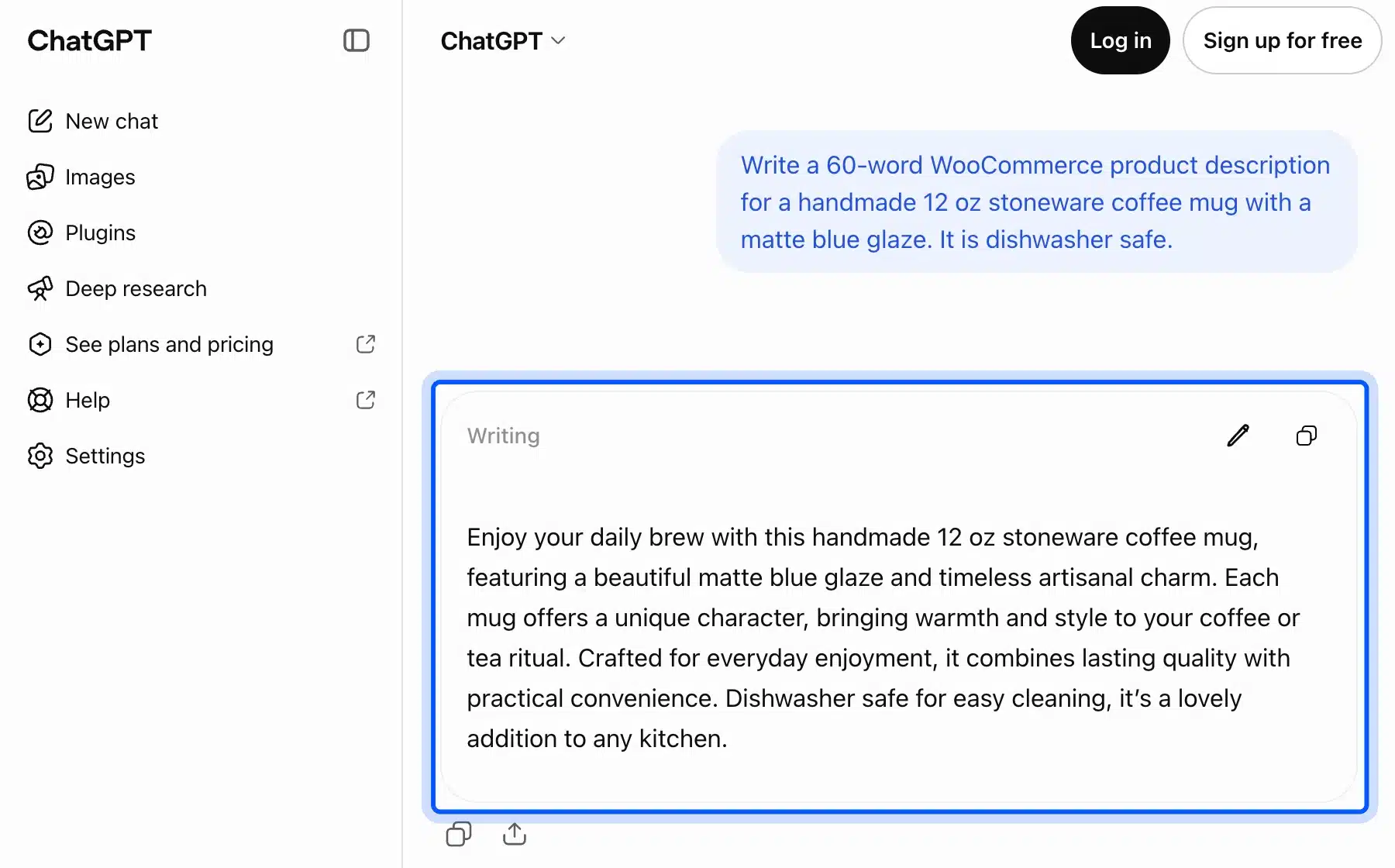
The draft was usable but padded. It added “timeless artisanal charm” and “lasting quality”, neither of which we supplied. That is the pattern to watch: AI fills gaps with confident adjectives, so check every claim against the product.
For a catalog of a few hundred products, the copy and paste loop gets slow. That is where a plugin inside WordPress, or a bulk import from a spreadsheet, saves real hours.
- Key features: Drafting and rewriting in chat, deep research, and image creation plus file uploads once you log in.
- Pricing: Free to chat. Go, Plus, Business and Enterprise are priced per user per month on the ChatGPT pricing page, and the price shown depends on your country.
- Best for: Small catalogs and one-off launches where you write 5 to 50 descriptions by hand.
2. AI Engine for WordPress
AI Engine by Meow Apps is a free WordPress plugin that adds a content writer, an image generator and a chatbot to your admin. It has 90,000+ active installs on its WordPress.org listing, version 3.8.4. You bring your own API key from OpenAI, Anthropic or Google.
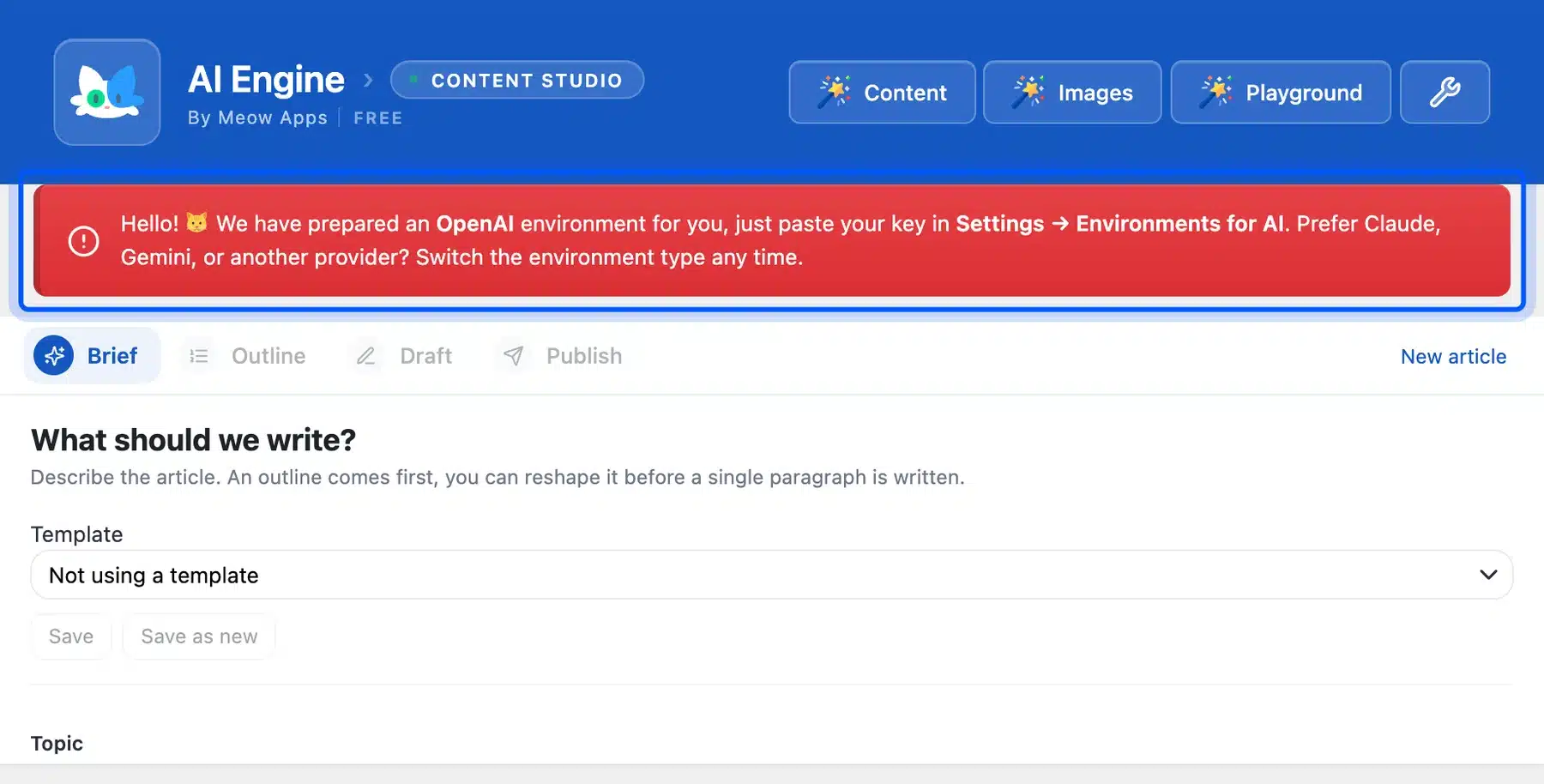
On our test store, the Content Studio opened straight to a brief form with a red notice. It asked us to paste a key under Settings, then Environments for AI. Nothing generates until you do, and the provider bills you per use on top of the plugin.
That design has one clear upside. Your prompts and drafts stay in your own WordPress database, and you can switch providers without changing plugins.
WordPress 7.0 added a core Settings, then Connectors screen for those keys. The Connectors API announcement says registered connectors appear there as cards. On WordPress 7.1.3 it listed Anthropic, Google and OpenAI with Install buttons.
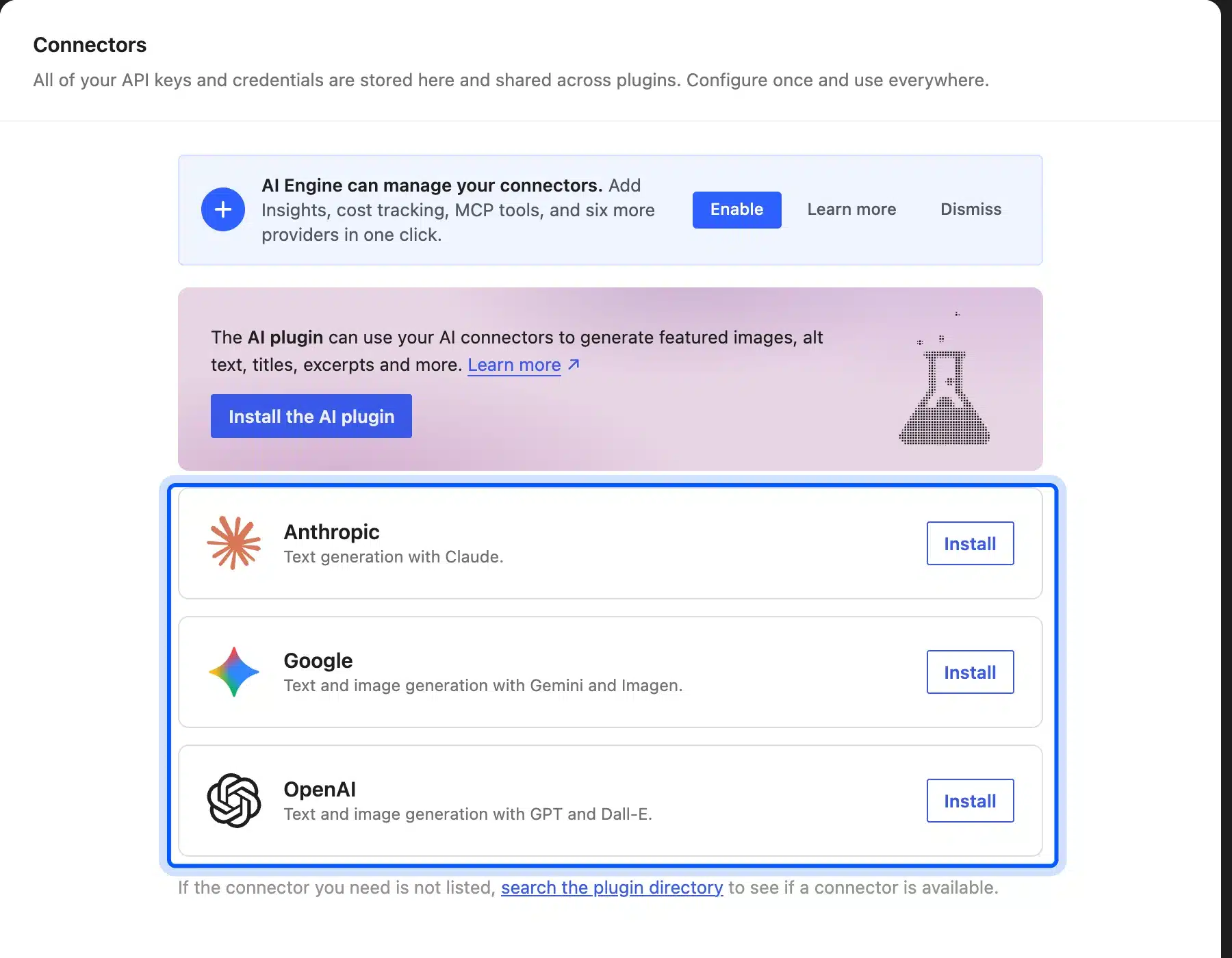
- Key features: Content Studio for drafts, an image studio, a site chatbot, an AI playground and MCP tools for AI agents.
- Pricing: Free on WordPress.org. AI Engine Pro starts at $79 a year for one site, plus your provider’s usage fees.
- Best for: Store owners who want AI inside WordPress and are happy to manage an API key.
3. Ahrefs Free Product Description Generator
Ahrefs, the SEO tool company, offers a free product description generator on its site. You describe the product or upload a photo, pick a tone and a length, then press Generate. There is no plan to buy for this tool, which makes it a fair first stop for a few products.
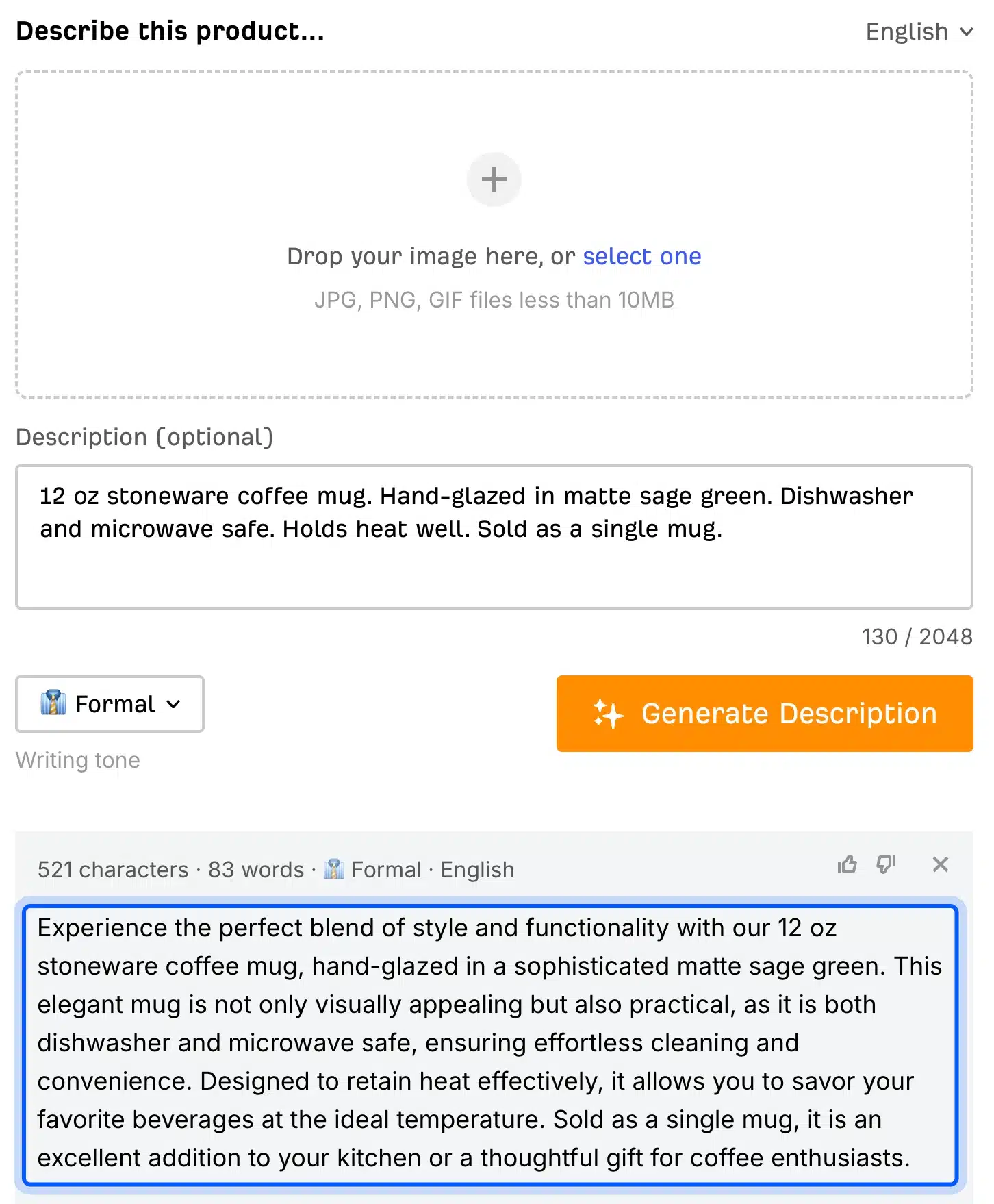
We gave it five facts about the same 12 oz stoneware mug, with the Formal tone and Concise length. It needed no account and returned 83 words in a few seconds. Every fact was there, but it also added claims we never supplied, like “a thoughtful gift for coffee enthusiasts”.
So edit the output before it goes live, the same as with any other generator. Words like “sophisticated” and “elegant” fill space without telling a buyer anything new.
Free generators like this one suit a handful of products. They have no bulk mode, no product import and no memory of your brand voice between sessions.
- Key features: Text or image input, tone choice, length choice and output in several languages.
- Pricing: Free, with prompts to try paid Ahrefs products.
- Best for: A shop owner writing a few descriptions who wants no account at all.
Best AI Tools for Product Images
AI image tools for eCommerce remove backgrounds, place products in new scenes and resize photos for each sales channel. The quickest free cutout comes from remove.bg, while Photoroom adds generated backgrounds and batch edits. Both work in a browser, so there is nothing to install on WooCommerce.
Clean product photos matter more than most copy changes. A white or plain background is also what many marketplaces and Google Shopping listings expect, so a cutout tool earns its keep quickly.
4. remove.bg
remove.bg cuts the background out of a photo in one step and needs no account to try. We uploaded the hoodie photo from WooCommerce’s own sample data. The cutout came back in about 20 seconds, with the drawstrings kept and the white background gone.
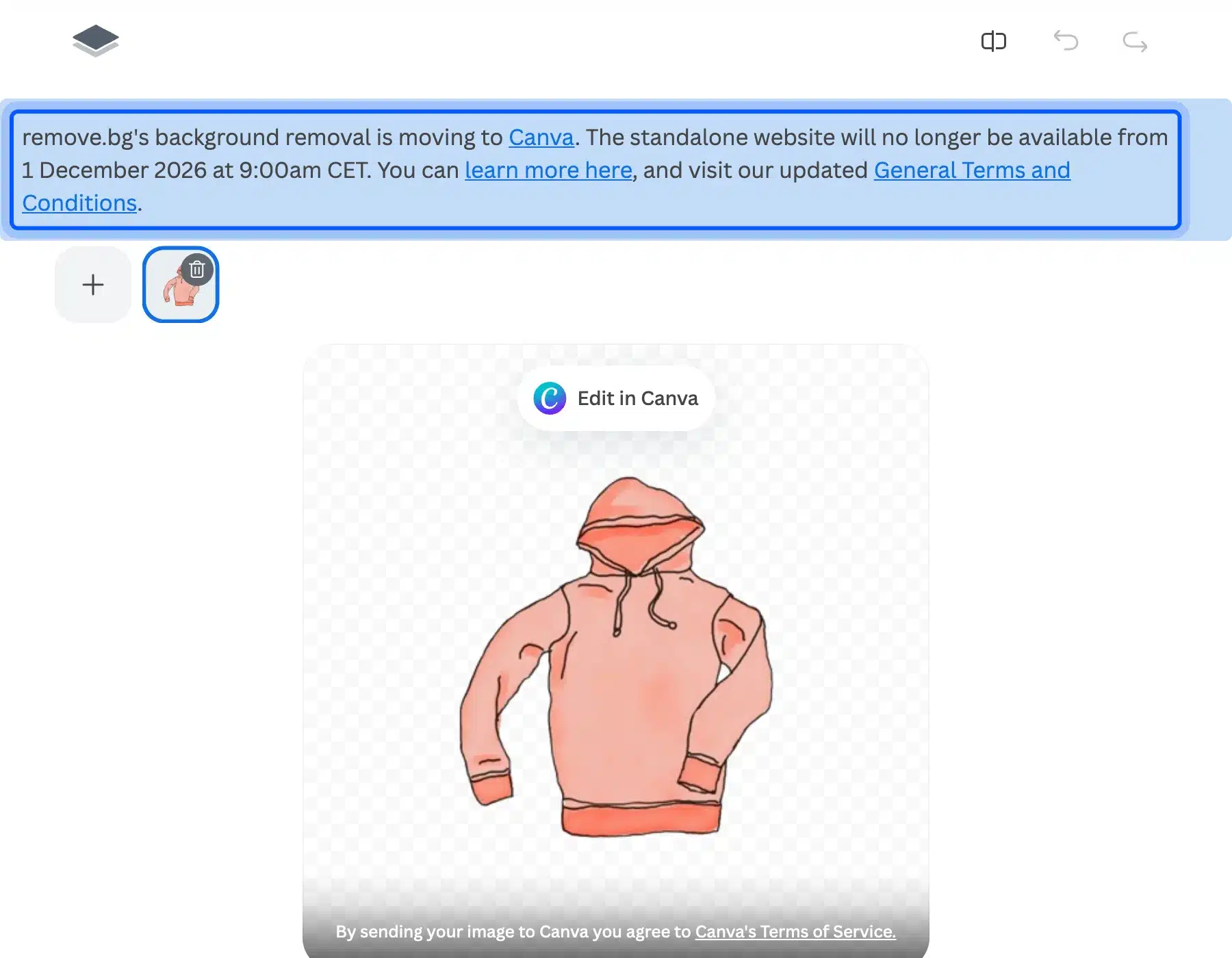
The bigger finding was a banner on the page. It says background removal is moving to Canva and the standalone site will no longer be available from 1 December 2026. If you build a workflow around remove.bg, plan for that move now.
For a store, the practical takeaway is simple. Use it now for quick cutouts, but do not build a supplier or staff process around a website with a closing date.
- Key features: One-click cutout, new background colors or images, simple effects and a Canva hand-off.
- Pricing: Free to try in the web tool. The pricing page now points HD use and the API toward Canva and Leonardo.ai.
- Best for: Quick cutouts for a few product photos before December 2026.
5. Photoroom
Photoroom is an AI photo editor built for product shots. It removes backgrounds, generates new scenes and edits images in batches, with iPhone and Android apps. Its plans sell AI credits and exports, billed monthly or yearly, so heavy users pay for volume.
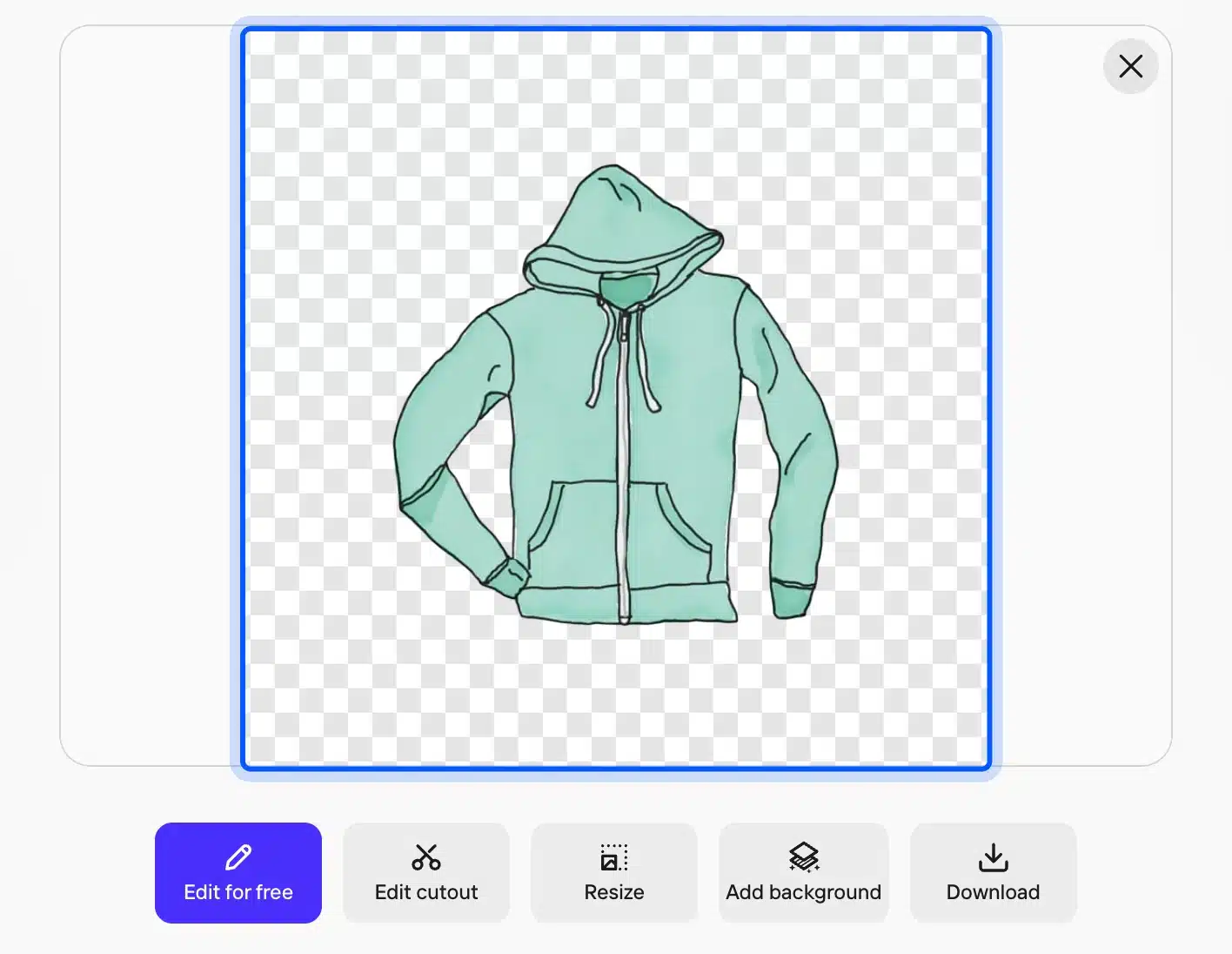
We uploaded the same WooCommerce sample hoodie we gave remove.bg, without logging in. The cutout appeared in under 10 seconds, with the drawstrings and zipper kept clean. Download and Edit for free buttons sat below the result.
The paid plans are Pro, Max and Ultra, and the pricing page shows them in the visitor’s local currency.
Its pricing FAQ says core tools such as Background Remover, Retouch and AI Expand/Resize carry no credit cost on paid plans. Credits pay for the generative extras, such as AI backgrounds and fashion models.
- Key features: Background Remover, AI Backgrounds, AI Fashion Models, AI Expand/Resize, Batch editing, phone apps and an API billed separately.
- Pricing: Pro, Max and Ultra plans billed monthly or yearly, with prices set by country on Photoroom’s pricing page as of October 2026.
- Best for: Stores that shoot their own products often and need many images in one look.
Best AI Chatbots for Customer Support
AI support chatbots answer common shopper questions from your help content and hand harder ones to a person. Tidio suits small WooCommerce stores with a free tier and a WordPress plugin. Gorgias suits larger teams that want a full helpdesk and pay for each conversation the AI resolves.
Our roundup of WordPress chatbot plugins covers more options for general sites. The two below are the ones built around store orders.
6. Tidio with Lyro
Tidio is a live chat and helpdesk tool, and Lyro is its AI agent that answers questions from your knowledge base. The free Tidio plugin has 70,000+ active installs. It adds the chat widget to WooCommerce once you link an account.
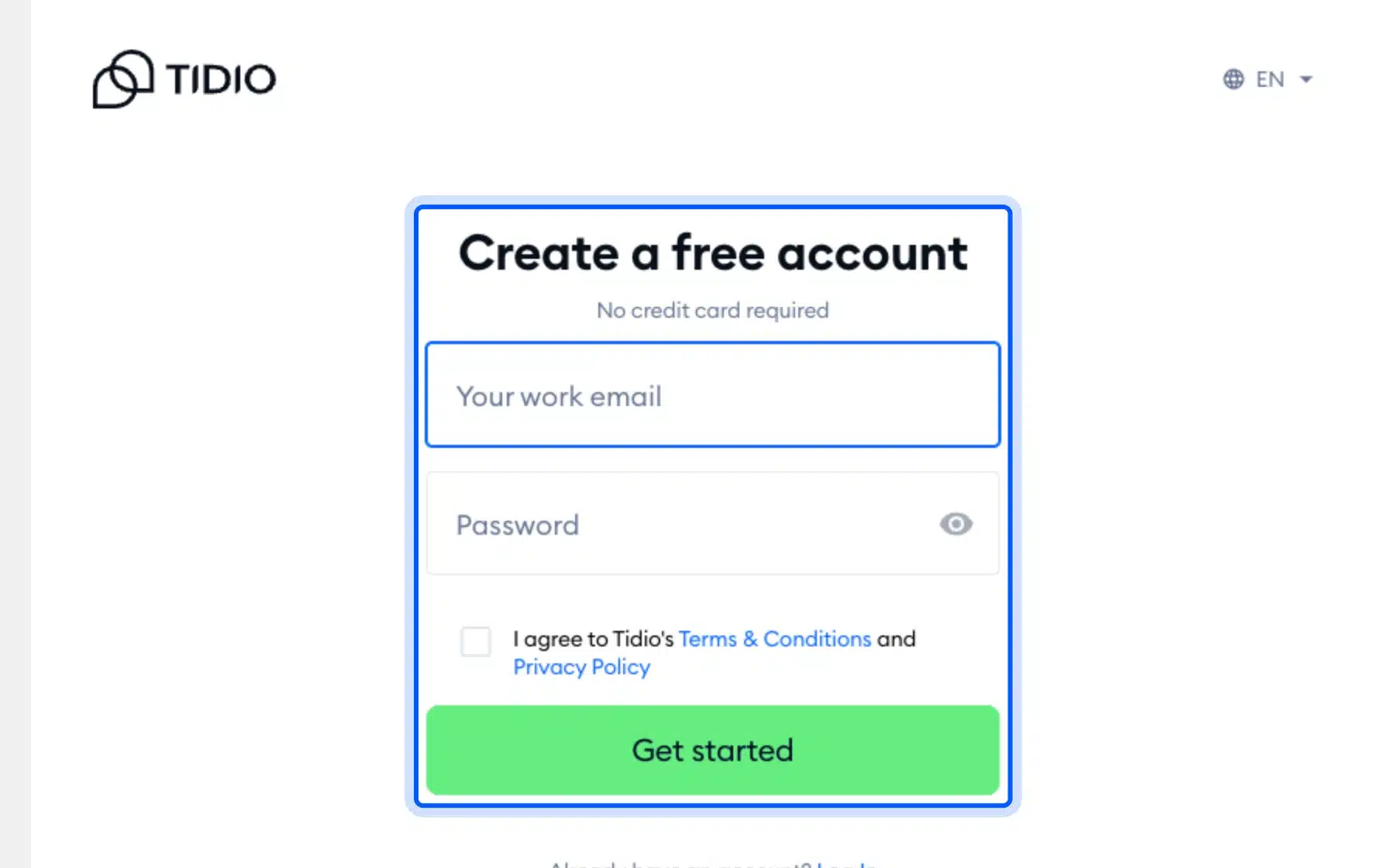
After activation, the plugin page opened a sign-up form with email and password fields. Nothing else is available until you create a Tidio account. That is normal for a hosted chat service, but it means the plugin is only a connector.
Lyro answers from the questions and answers you give it. So the work that decides its quality is writing a short knowledge base about shipping, returns and sizing.
- Key features: Live chat, the Lyro AI agent, helpdesk tools and messages from several channels in one inbox.
- Pricing: Free plan at $0 with the first 50 Lyro conversations free for life. Starter is $24.17 a month and Lyro starts at $32.50 a month on Tidio’s pricing page, October 2026.
- Best for: Small stores that want chat and a light AI agent without a helpdesk contract.
7. Gorgias
Gorgias is a helpdesk built for online stores, with an AI Agent that resolves tickets on its own. Its pricing page lists WooCommerce among supported platforms, next to Shopify and BigCommerce. You pay a helpdesk fee by ticket volume, never per agent seat.
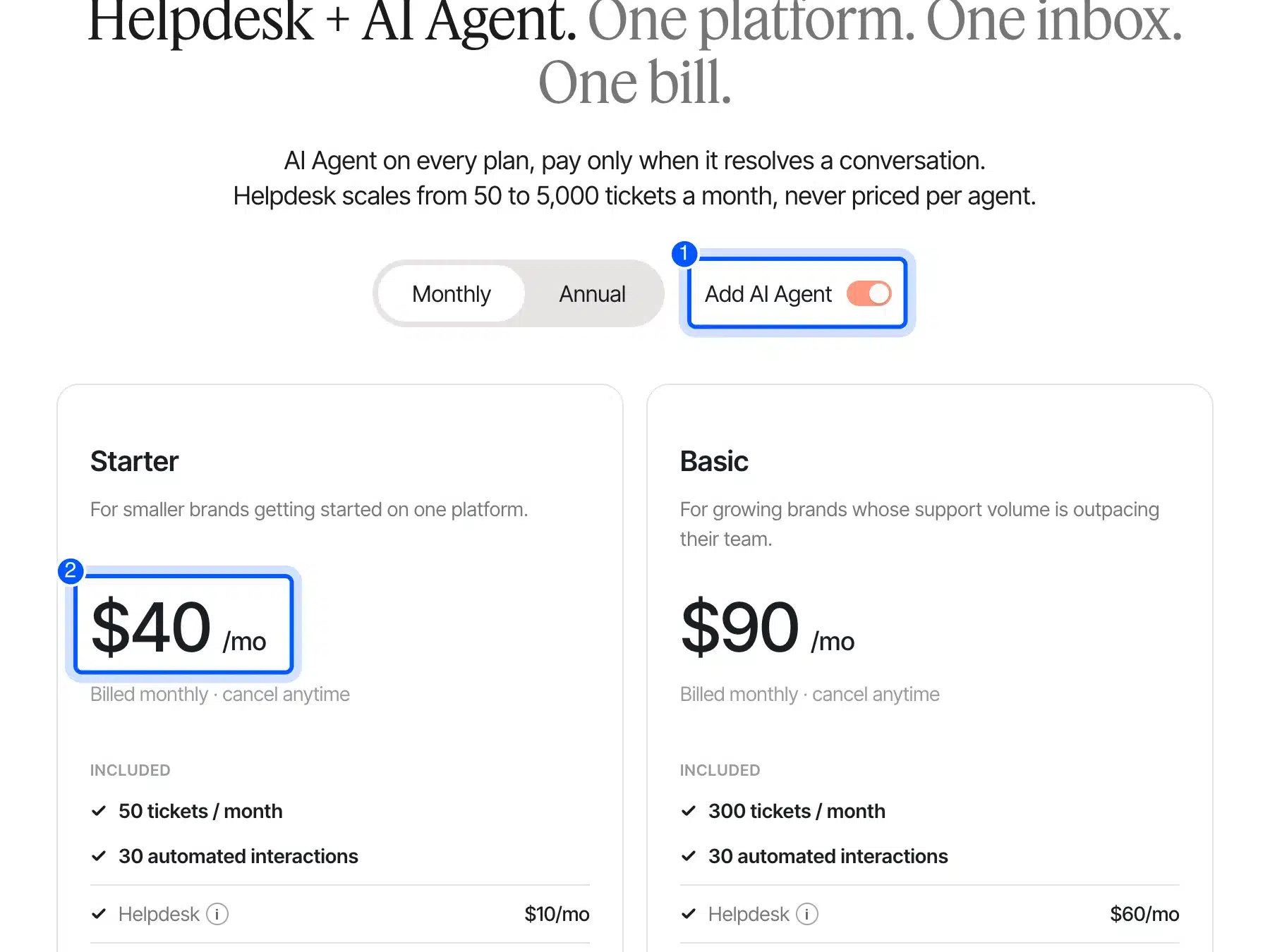
With the Add AI Agent toggle on, the Starter plan showed $40 a month, billed monthly. That splits into $10 for the helpdesk and $30 for AI Agent. It includes 50 tickets and 30 automated interactions a month.
That makes Gorgias a poor fit for a store with ten tickets a week. It earns its price when a support team spends hours on order status questions every day.
- Key features: A ticket helpdesk, an AI Agent paid only when it resolves a conversation, and Voice and SMS add-ons.
- Pricing: Starter $40 a month with AI Agent, and Basic $90 a month, as listed on the Gorgias pricing page in October 2026.
- Best for: Stores with a support team handling hundreds of tickets a month.
Best AI Tools for Search and Recommendations
AI search tools understand typos, synonyms and intent, then rank products by what shoppers click and buy. Doofinder installs as a WooCommerce plugin, Algolia suits developer-built stores, and image search lets shoppers search with a photo. All three replace the default WordPress search box.
Search is where personalization pays off quickest. A shopper who types a query has already told you what they want, so better ranking turns that intent into a sale.
8. Doofinder
Doofinder is a hosted search and recommendations service with a free Doofinder plugin for WooCommerce, version 2.17.1. It indexes your catalog on its servers and replaces your search box with its own layer. Search, recommendations and a quiz builder come in every plan.
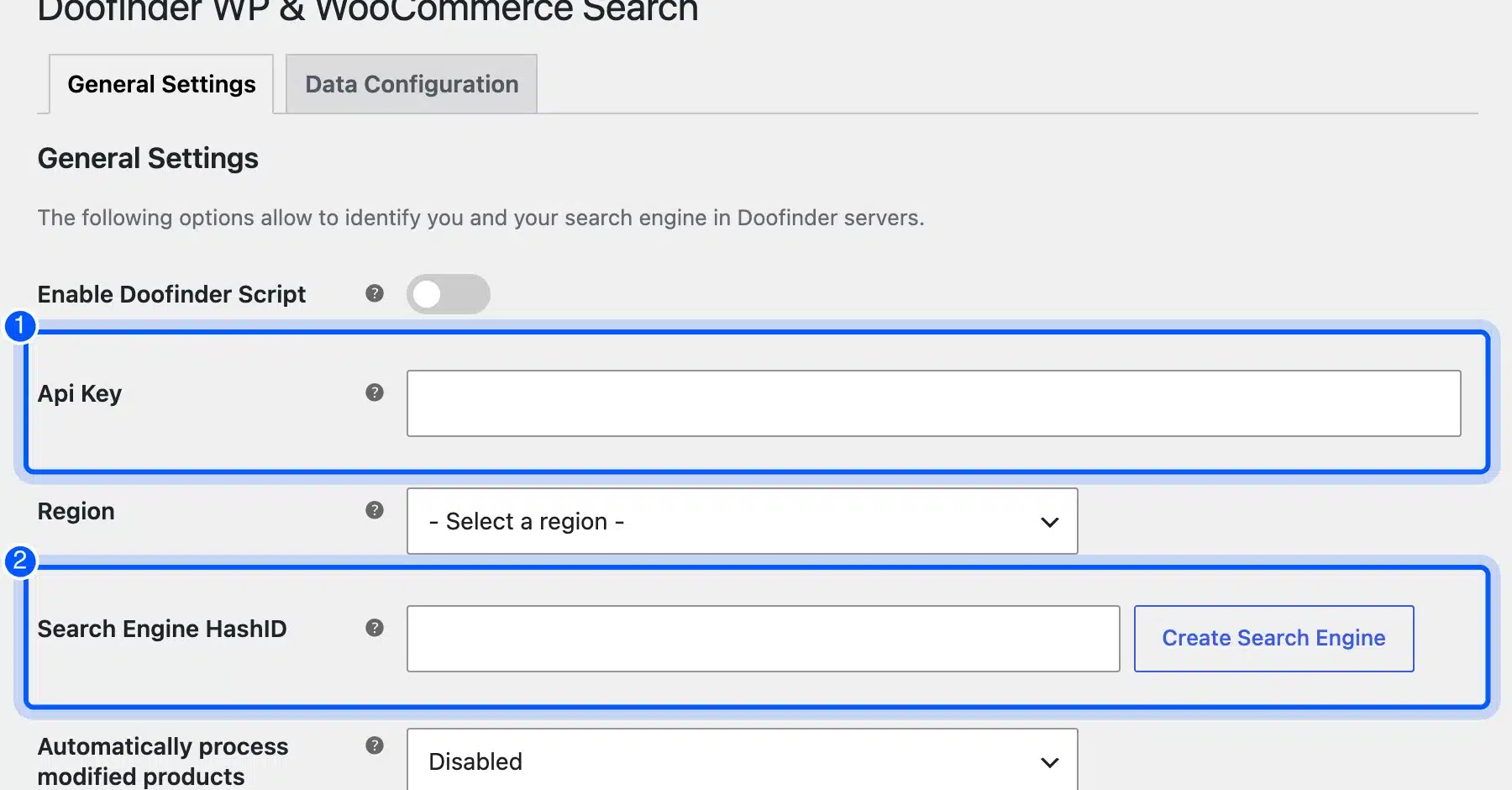
On our store the plugin asked for an API key, a region and a Search Engine HashID before anything worked. A Create Search Engine button links to the Doofinder account where that ID is made. So, again, the AI lives in the account and the plugin is the bridge.
The upside is that the search layer runs on Doofinder’s servers. Your WordPress database does not carry the load of every search query, which helps on a busy catalog.
- Key features: AI guided search, synonyms, voice search, product recommendation carousels, banners and a quiz maker.
- Pricing: Basic is $49 a month for up to 10,000 requests per product. AI Search sits in the $149 Pro plan, per Doofinder’s pricing page, October 2026.
- Best for: Mid-size WooCommerce stores that want smarter search without a developer.
9. Algolia
Algolia is a hosted search and recommendations API for large catalogs and custom storefronts. You send product records to Algolia through its API, and it returns ranked results. That setup fits teams with a developer or a headless store.
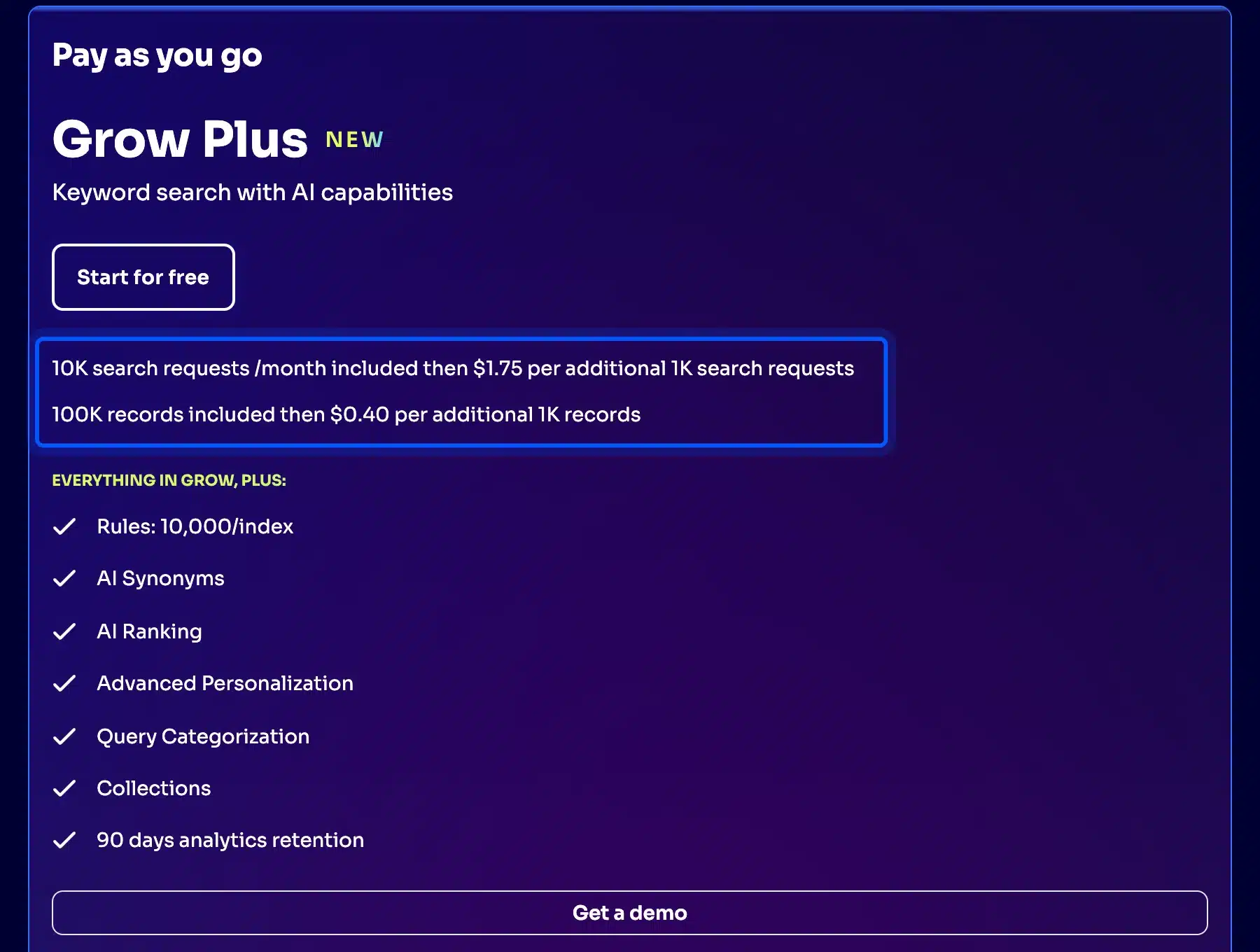
The pay-as-you-go Grow plan on Algolia’s pricing page starts free with 10,000 search requests and 100,000 records a month. Grow Plus adds AI Synonyms and AI Ranking, and charges $1.75 per extra 1,000 searches.
Usage pricing cuts both ways. A small store may pay nothing for months, while a sale that doubles traffic also doubles the search bill that month.
- Key features: AI Synonyms, AI Ranking, advanced personalization, query categorization, collections and up to 10,000 rules per index.
- Pricing: Free start on Grow and Grow Plus, then $0.50 or $1.75 per extra 1,000 search requests, as of October 2026.
- Best for: Large or custom stores with a developer who can feed the catalog through the API.
10. WooCommerce Product Search by Image
DevDiggers builds the WooCommerce Product Search by Image plugin, which adds a camera button to your search box. Shoppers upload a photo and the plugin shows matching items from your own catalog. It is a WooCommerce plugin, so there is no external search service to sign up for.

The product page lists three recognition engines to pick from, including a free one that runs in the shopper’s browser. There is no monthly SaaS fee. If you are comparing photo search tools, our roundup of WooCommerce image search plugins covers the field.
It solves a different problem from text search. A shopper who saw a lamp in a friend’s home cannot type its name, but a photo gets them to the product.
- Key features: Search by photo from the search box, three recognition engines to pick from, results limited to your own products and a live demo.
- Pricing: Yearly license tiers from $49 (on sale from $99) up to $399, read from the DevDiggers store in October 2026.
- Best for: Fashion, decor and parts stores where shoppers know what an item looks like but not its name.
Best AI Tools for Ads and Email Marketing
AI marketing tools for eCommerce write email copy, build segments from purchase data and create ad assets. Klaviyo and Omnisend both sync WooCommerce orders and have free plans. Google for WooCommerce runs Performance Max ads with Google AI writing copy and images from your product feed.
For a wider list, see our guide to email marketing plugins for WooCommerce. The three below lean hardest on AI features.
11. Klaviyo
Klaviyo is an email and SMS platform, and its pricing page lists two AI agents, Composer and Customer Agent. Its free Klaviyo plugin connects WooCommerce to your Klaviyo account. It has 100,000+ active installs.
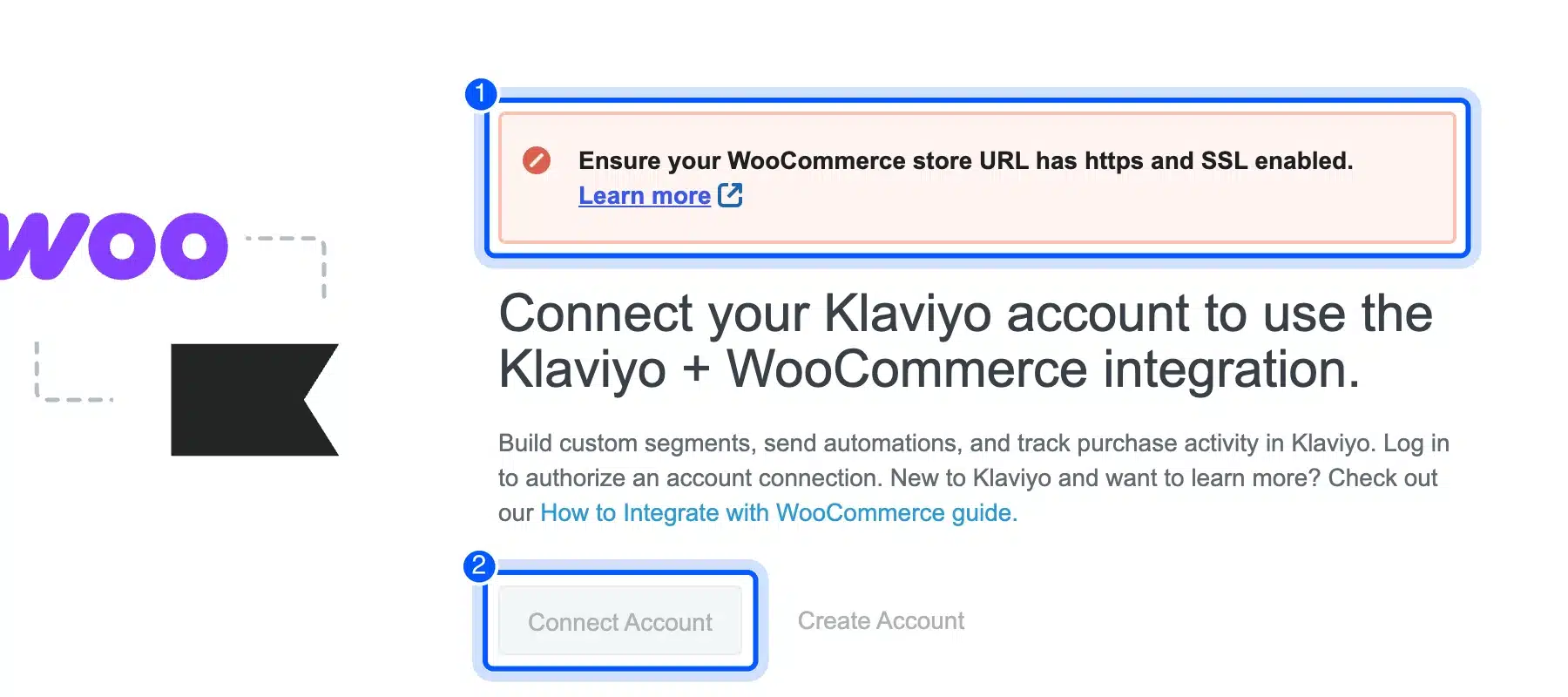
Our test store found a real requirement. Because the site ran on plain HTTP, the plugin showed a red notice asking for HTTPS and SSL on the store URL. The Connect Account button stayed disabled, so fix SSL before you install it.
Most live stores already run HTTPS, so this mostly bites on local or staging copies. It still cost us a failed connection attempt, and the notice does not say the button is disabled.
- Key features: Custom segments, automations, purchase tracking, SMS, web forms and the Composer AI agent.
- Pricing: Free for up to 250 profiles and 500 emails a month, per the Klaviyo pricing page in October 2026. Paid plans scale with profiles.
- Best for: Stores with a growing list that want segments built from real purchase data.
12. Omnisend
Omnisend is an email and SMS tool built for eCommerce, with a free Omnisend plugin for WooCommerce. Its Standard plan includes “Essential AI” with 2 tools, and Pro includes “Advanced AI” with 5 tools. The pricing page also compares itself directly with Klaviyo.
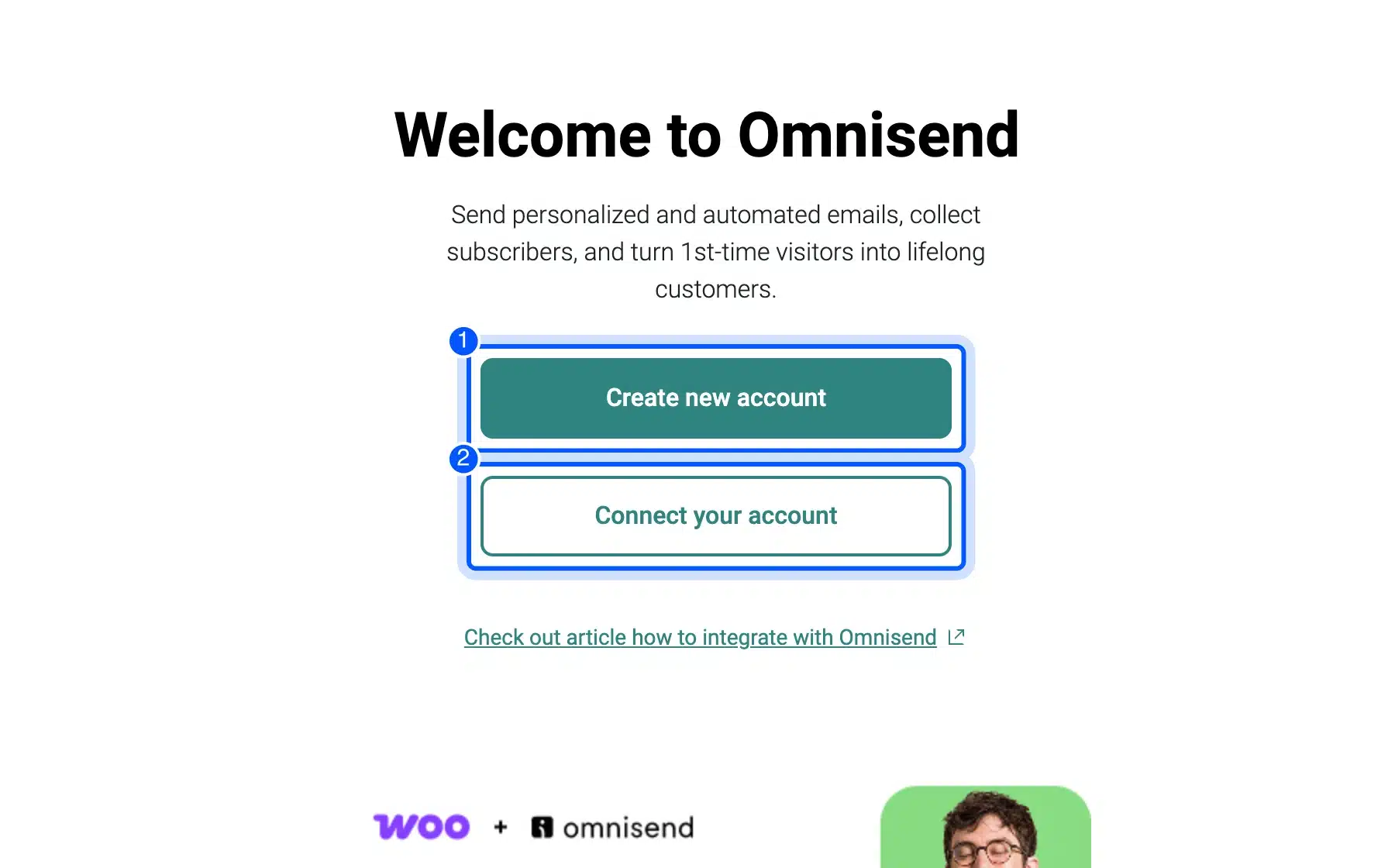
After activation, the plugin showed a Welcome to Omnisend page with two choices: create an account or connect one. It also added a banner across every admin screen until connected, which is worth knowing before you install it on a busy admin.
Omnisend’s free plan matches Klaviyo’s on contacts, at 250. The paid jump is smaller, which is why price-sensitive stores often start here.
- Key features: Abandoned cart and checkout automation, signup forms, web push, SMS and AI tools on paid plans.
- Pricing: Free for 250 contacts and 500 emails a month. Standard is $16 a month for 500 contacts, shown with a 30% discount for the first three months, October 2026.
- Best for: Small stores that want email and SMS in one tool on a tight budget.
13. Google for WooCommerce
Google for WooCommerce is the free official extension that syncs your products to Google Merchant Center and runs Performance Max ads. Its WooCommerce.com listing says you can generate ad copy and product images with Google AI inside the extension. It has 800,000+ active installs.
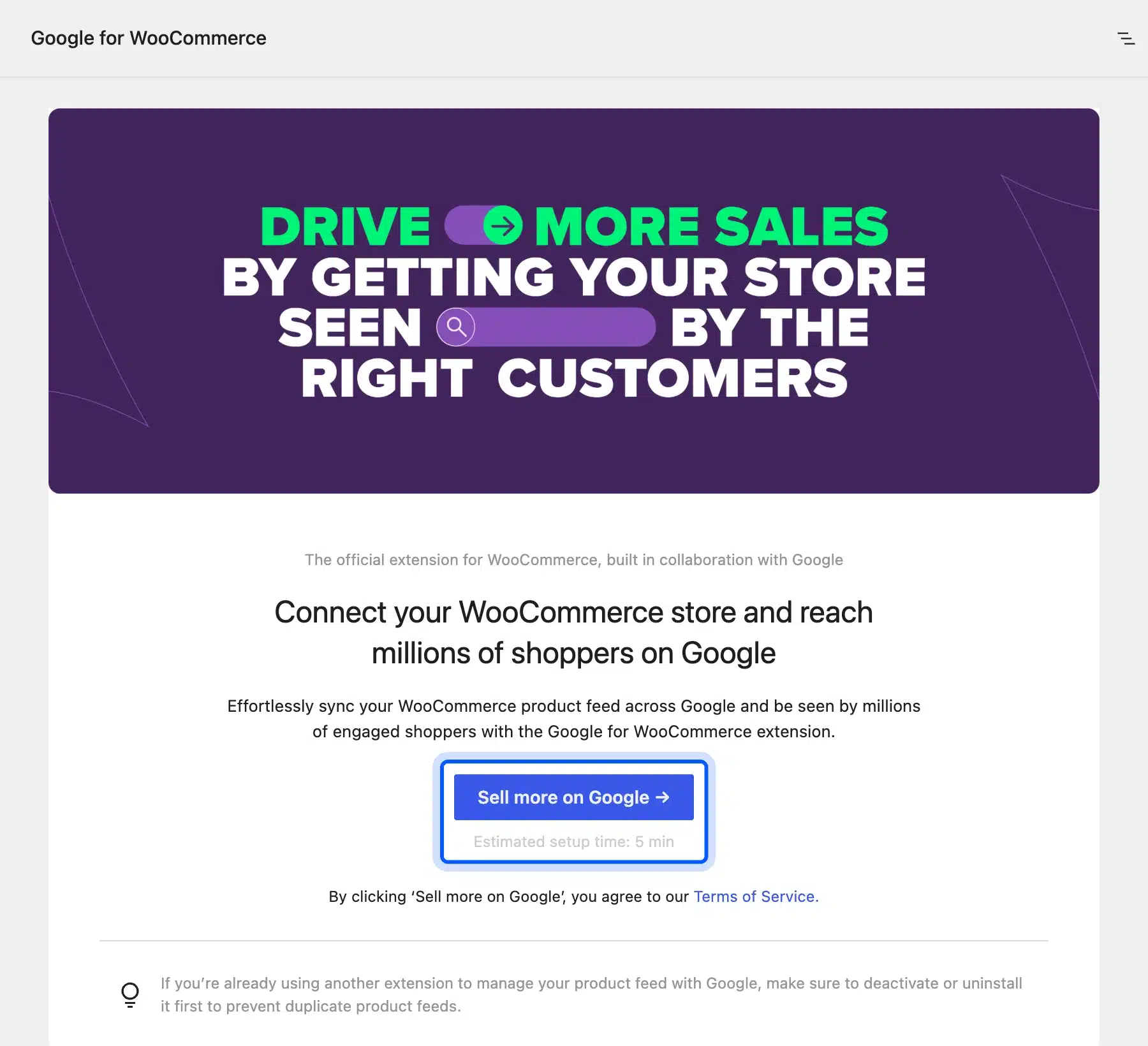
Setup starts with a Sell more on Google button and an estimated five minutes. The Google for WooCommerce listing says it syncs your products to Merchant Center, so you need a Google account. Our screen also offered “$500 USD or more in Google Ads credits” to new advertisers, which the listing says varies by country.
The AI here writes ad copy and images, and the strategy stays with you. Set a budget you can lose while Performance Max learns, and check which products it pushes before you raise it.
- Key features: Free product listings sync, Performance Max campaigns, AI ad copy and images, conversion tracking and reports inside WooCommerce.
- Pricing: The extension is free. You set the ad budget and pay Google for clicks.
- Best for: Stores ready to spend on Google Shopping and Search ads.
Best AI Tools for Analytics and Demand Forecasting
AI analytics tools predict which shoppers will buy, churn or spend more, and some forecast stock demand from sales history. Google Analytics 4 offers free predictive metrics, but only once your store has enough buyers. Small stores get more from simple reports until order volume grows.
Demand forecasting for inventory is mostly sold inside paid inventory and ERP platforms. For most WooCommerce stores, a clean purchase history and a look at our list of WooCommerce customer analytics plugins is the right first step.
14. Google Analytics 4 Predictive Metrics
Google Analytics 4 adds three predictive metrics on top of your store data: purchase probability, churn probability and predicted revenue. They are available in the audience builder and in Explorations. Your store must send the purchase event to GA4 with its value and currency.
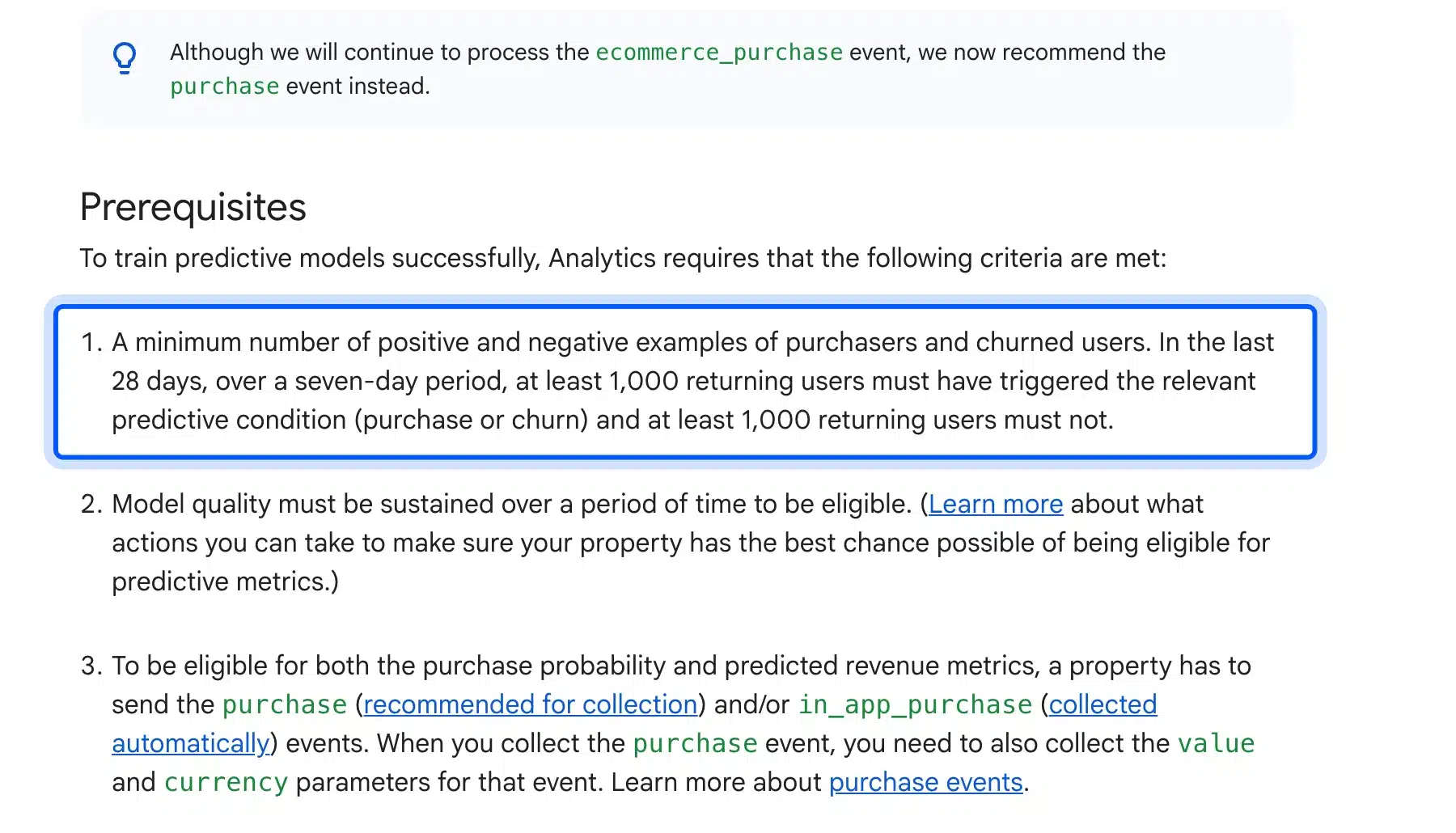
The catch is the threshold. Google’s predictive metrics help page says at least 1,000 returning users must trigger a purchase in a seven-day period.
Another 1,000 returning users must not purchase, within the last 28 days. A store under that volume will see no predictions at all.
- Key features: Purchase probability, churn probability, predicted revenue and predictive audiences.
- Pricing: Free with a standard GA4 property.
- Best for: Stores with at least a few thousand returning buyers a month.
How We Tested These Ecommerce AI Tools
We tested these eCommerce AI tools in October 2026 on two fronts. Web tools ran in a clean browser with a real product, and WordPress plugins went onto our WooCommerce 11.2 test store. We noted what worked without an account, what each plugin asked for and every price on the vendor’s page.
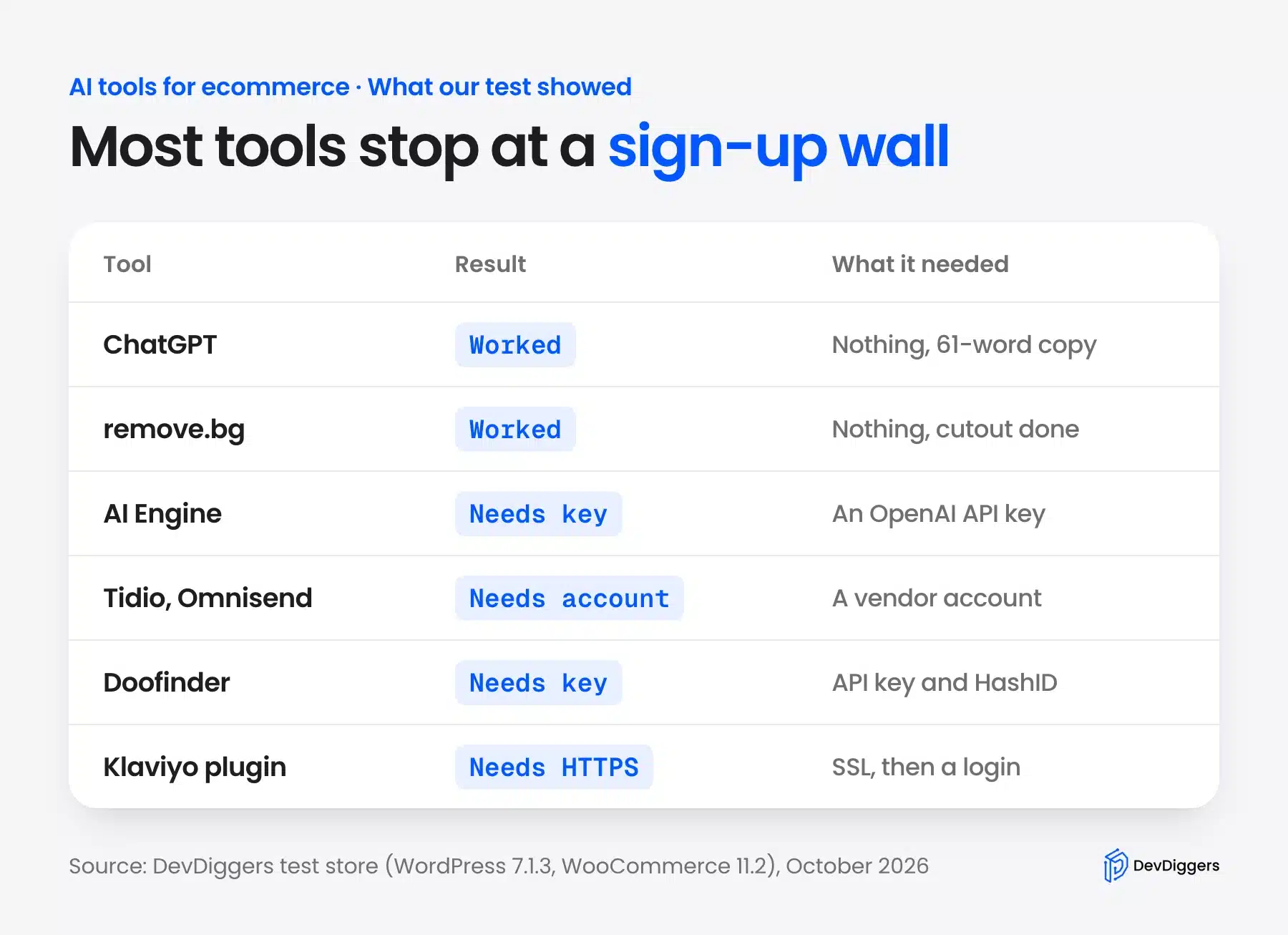
Four tools did the job with no sign-up. ChatGPT wrote 61 words and Ahrefs wrote 83 from the same mug facts, and both added praise we did not supply. Both remove.bg and Photoroom returned a clean cutout of WooCommerce’s sample hoodie.
All six WordPress plugins installed and activated without errors on WordPress 7.1.3. Not one of them did anything useful before an account or an API key. AI Engine, Doofinder, Tidio, Klaviyo, Omnisend and Google for WooCommerce are connectors to a paid or metered service.
Here is what each plugin asked for on its first screen:
- AI Engine: An OpenAI key, pasted under Settings, then Environments for AI.
- Tidio: A work email and password for a new Tidio account.
- Doofinder: An API key, a region and a Search Engine HashID.
- Klaviyo: HTTPS on the store URL, then a Klaviyo login.
- Omnisend: A new or existing Omnisend account.
- Google for WooCommerce: A Google account for the Sell more on Google flow.
None of that is a flaw in the plugins themselves. Still, a free plugin listing tells you little about what the tool costs to run each month.
Worth knowing: Two plugins added admin notices on every screen until connected, and Klaviyo refused to connect on HTTP. Install connectors on a staging copy first, so the nags and checks do not land on your live admin.
What to Check Before You Pay for an AI Tool
Before paying for an AI tool for eCommerce, write down the one job it must do and how it is billed. Most tools charge per chat, credit, search or contact, so cost grows with your store. Test the free tier on your own products, then compare that usage against the paid plan.
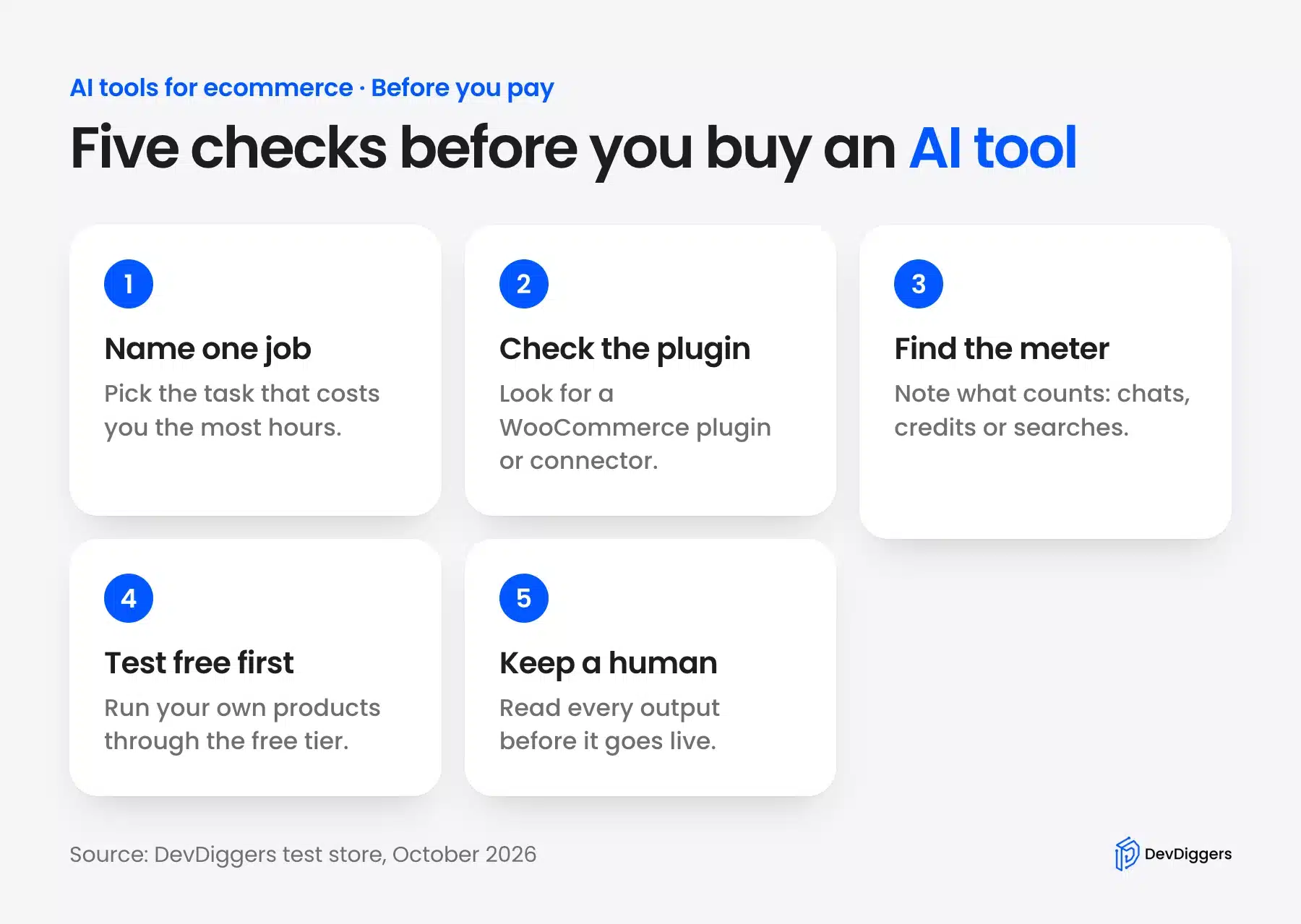
These checks come from what tripped us up during testing:
- One job per tool: Overlapping tools double the bills and split your data across dashboards.
- WooCommerce support: Look for a WordPress.org plugin or a documented connector, and read its last update date.
- The billing meter: Find the unit, such as Lyro conversations, AI credits or search requests, and estimate a busy month.
- Data access: Order sync sends customer data to a third party, so add it to your privacy policy.
- Human review: Every generated line needs a person to check it, because AI invents details like the mug’s “lasting quality”.
Run the numbers on the meter before you commit. Say your store runs 50,000 searches a month on Algolia Grow Plus. The first 10,000 are included, so 40 extra blocks of 1,000 cost 40 x $1.75, or $70 a month.
Contacts work the same way in email. Klaviyo and Omnisend are both free up to 250, and a list of 500 already puts you on Omnisend Standard at $16 a month.
Some jobs are cheaper to build than to rent. When a tool charges per search or per chat forever, a one-time plugin or custom code can cost less over two years. Our WooCommerce development services team builds those custom integrations for stores that outgrow a SaaS tool.
Conclusion
The best AI tools for eCommerce are the ones that remove a real bottleneck in your store. Start with free tiers: ChatGPT for product descriptions, remove.bg before its December 2026 move, and Tidio’s 50 free Lyro conversations for support automation.
Pay only when a tool has proved itself on your own products. Expect every WordPress plugin in this space to be a connector to an account, and budget for the usage meter behind it. If AI-written answers about your store matter to you, our guide to AI search visibility shows how to check where your brand appears.
Frequently Asked Questions (FAQs)
Q1. Is there a free AI tool for eCommerce?
Yes. ChatGPT drafts product copy without an account, and remove.bg removes photo backgrounds for free until its move to Canva. Algolia, Klaviyo, Omnisend and Tidio all have free tiers with usage limits.
Q2. What is the best AI tool for a small online store?
Start with ChatGPT for product copy and a free email tool like Klaviyo or Omnisend. Both give fast results with little setup. Add AI support chat or AI search only when ticket volume or catalog size makes the manual work slow.
Q3. Can AI write product descriptions for WooCommerce?
Yes. ChatGPT, AI Engine and similar tools write a draft from your product facts in seconds. Always check the output, because our test draft added claims we never supplied, such as “lasting quality”.
Q4. Is AI-generated product content bad for SEO?
Not by itself. Google says in its guidance on AI-generated content that it rewards helpful content however it is produced. Mass-produced pages written only to rank break its spam policies, so edit each draft and add real product details.
Q5. How much do AI tools for eCommerce cost?
Most start free and then charge by usage. In October 2026, Doofinder started at $49 a month and Gorgias at $40 a month with AI Agent. Omnisend Standard was $16 a month for 500 contacts.
Q6. Can AI replace customer support staff in an online store?
Not fully. AI agents like Tidio Lyro and Gorgias AI Agent resolve repeat questions about orders, shipping and returns. Refunds, complaints and unusual cases still need a person, so plan for a hand-off.
Q7. Can a small store use AI for demand forecasting?
Only partly. GA4 predictive metrics need at least 1,000 returning purchasers in a week within the last 28 days, so small stores see no predictions. Until then, sales reports and stock alerts in WooCommerce do the job better.