
Self-hosted WordPress is the free WordPress.org software, installed on web hosting that you pay for and control yourself. You own the files, the database and the upkeep, and nobody else runs your site.
We checked every price and platform claim against WordPress.org, WordPress.com and one host’s pricing page in October 2026. We also used a WordPress 7.1.3 test site to capture the admin screens you see below.
This guide explains how self-hosted WordPress differs from WordPress.com, what it really costs and who it suits. It also covers the pros and cons, a short start plan and ways to earn money from a self-hosted blog.
What Is Self-Hosted WordPress?
Self-hosted WordPress means you download the free WordPress software from WordPress.org and run it on a web host you choose. You pay a hosting company for the server, and you manage updates, backups and security. The software is open source and licensed under the GPL. That means you can run it for any purpose.
Here is how it works in practice. A self-hosted site has three parts: the WordPress files, a database and a domain that points to your host. The files hold the code, themes and plugins, and the database stores your posts, pages and settings.
That is why the requirements page names a PHP version and a database version. Your host has to supply both before WordPress can run.
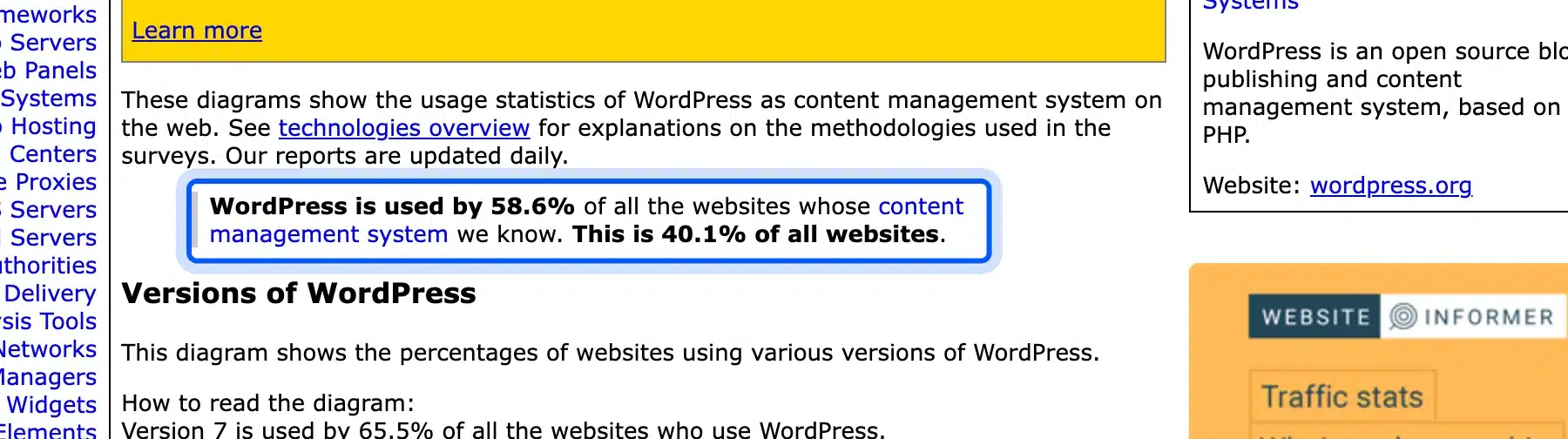
The software is popular. W3Techs reports that WordPress runs 40.1% of all websites as of 13 October 2026. Among sites whose content management system W3Techs can identify, the share is 58.6%.
The name causes confusion because WordPress.org and WordPress.com are different things. The WordPress.com support guide calls the download route “self-hosting” WordPress. The software is the same and the difference is who runs the server.
Think of it as home cooking versus a meal kit: the kit saves effort, and home cooking lets you change every ingredient.
WordPress.org vs WordPress.com Compared
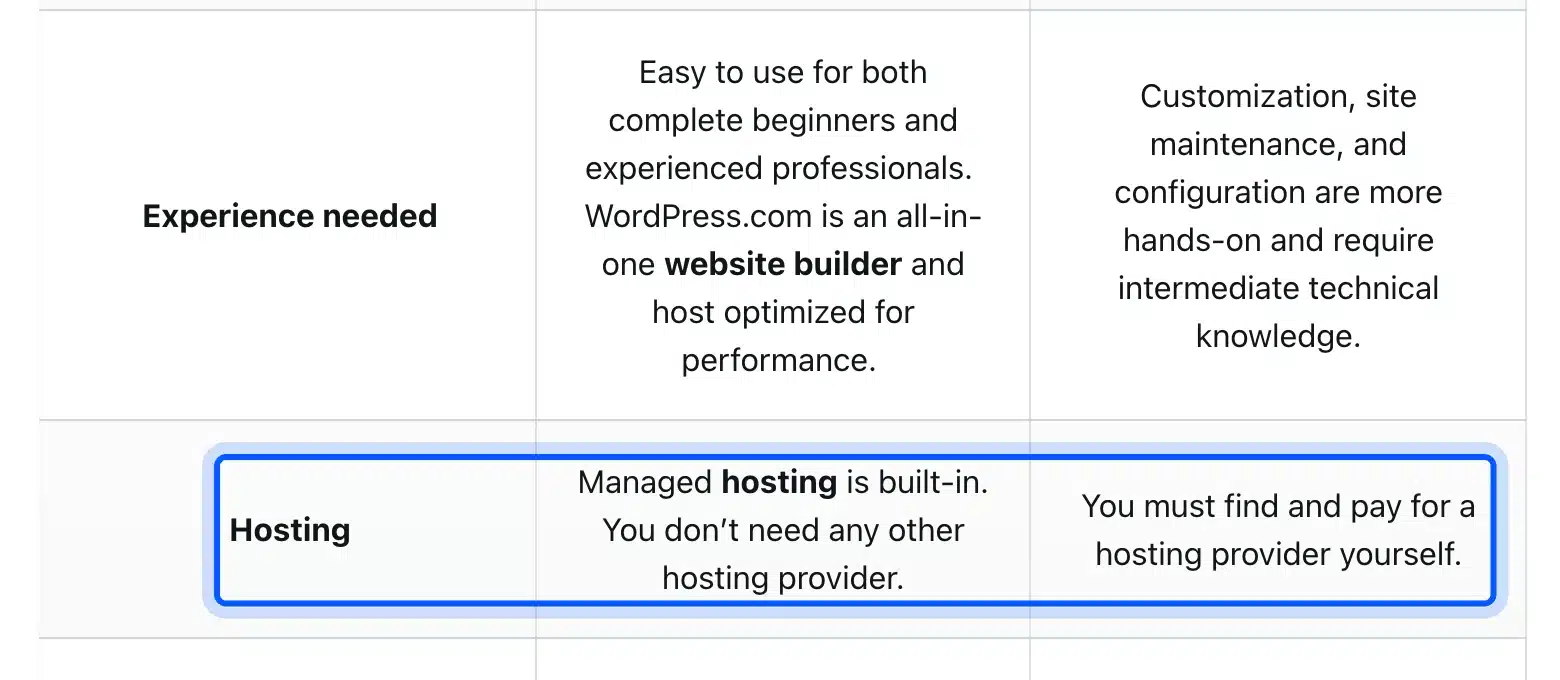
WordPress.com includes managed hosting, and WordPress.org means you find and manage your own host. Both run the same WordPress software. The real difference is who runs the server. Self-hosted WordPress means WordPress.org, and hosted WordPress usually means a WordPress.com plan as the WordPress.com support guide describes.
| Feature | WordPress.com | Self-hosted WordPress |
|---|---|---|
| Hosting | Managed hosting is built in | You find and pay for a host |
| Updates and backups | Handled automatically | Depends on your host and plan |
| Plugins | Listed from the Personal plan up | Any plugin you install |
| Visitor ads | Shown on free sites and off on paid plans | Only the ads you add |
| Custom code | May be limited by the plan | Full access to the files |
| Support | Free on every plan and 24/7 on paid plans | Your host and the community |
| Price | US$4 to US$45 a month on yearly billing | Hosting plus a domain |
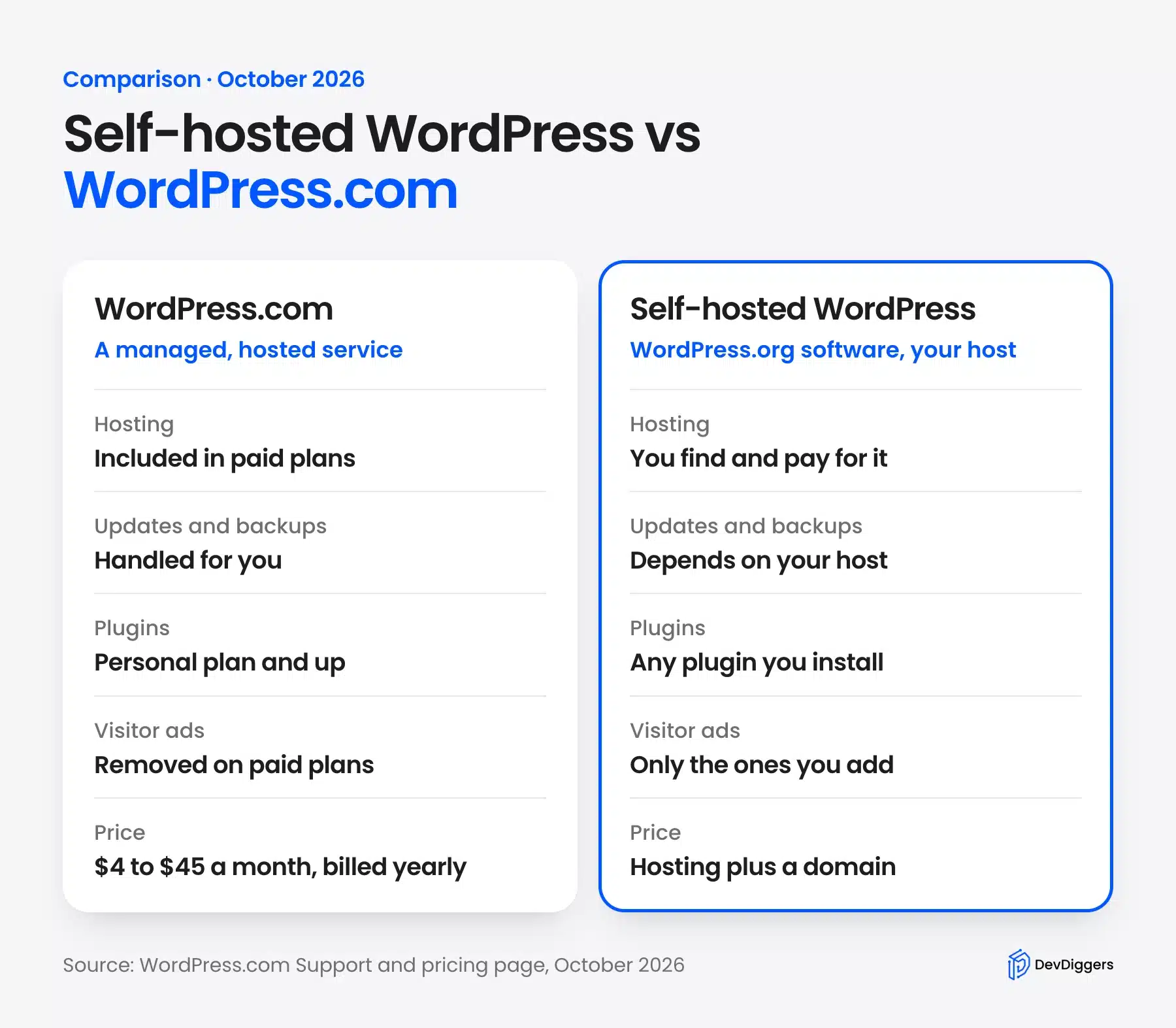
The prices come from the WordPress.com pricing page. In October 2026 it listed Personal at US$4, Premium at US$8, Business at US$25 and Commerce at US$45 a month.
Those figures assume you pay every 12 months. Free sites show WordPress.com ads to visitors, and the page says you upgrade to Personal to turn them off.
The gap has narrowed. The Business plan on that page now lists SFTP and SSH access, WP-CLI and GitHub deployments.
Today the stronger reasons to self-host are price control, host choice and freedom to move.
Pick WordPress.com when you want no server work and one predictable bill. Pick self-hosted WordPress when you want to choose your host, control every file and move the site whenever you like.
How Much Does Self-Hosted WordPress Cost?
A self-hosted WordPress site costs a domain, hosting and whatever themes, plugins and backups you add. The WordPress software itself costs nothing to download. You pay only for the pieces around it. In October 2026, one host’s plan started at $2.99 a month on a 48-month term and renewed at $10.99 a month.
| Cost | Figure | Notes |
|---|---|---|
| Domain (.com) | About $11 a year | Verisign’s wholesale price is $10.97 from 1 November 2026 plus a $0.20 ICANN fee |
| Hosting | $2.99 to $10.99 a month | Hostinger Premium: intro price on a 48-month term and then the renewal price |
| Theme | $0 to paid | WordPress includes default themes, and premium themes vary by seller |
| Plugins | $0 to paid | Free plugins exist, and paid ones vary by seller |
| Backups | $0 extra on that plan | Hostinger lists weekly backups on Premium |
The domain figure comes from a report on Verisign’s .com price change. It says the wholesale price rises from $10.26 to $10.97 per year on 1 November 2026. Registrars add their own markup. Your price can differ.
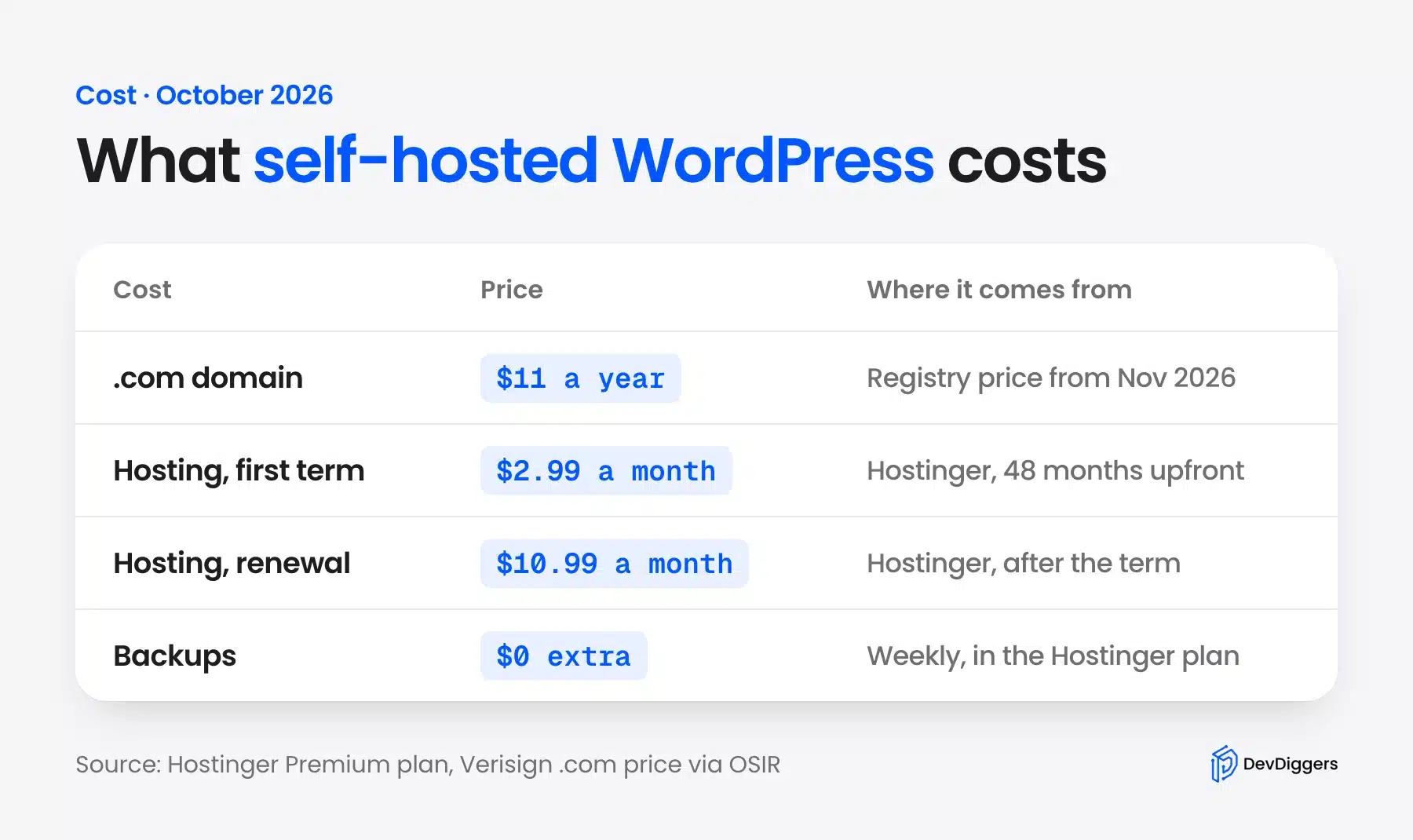
Here is a worked example with round numbers. The 48-month Hostinger plan costs $143.52 upfront, and $143.52 divided by 48 is $2.99 a month. That is $35.88 a year over the first four years.
At the renewal price, a year of hosting is $131.88, because 12 times $10.99 is $131.88. Add about $11 for a .com and you pay roughly $143 a year after the first term.
Note: WordPress.com Personal at US$4 a month is $48 a year, with hosting included. So self-hosting is not always cheaper in year one. It pays off when you need more control, or when you run several sites, since the Hostinger Premium plan lists 3 websites.
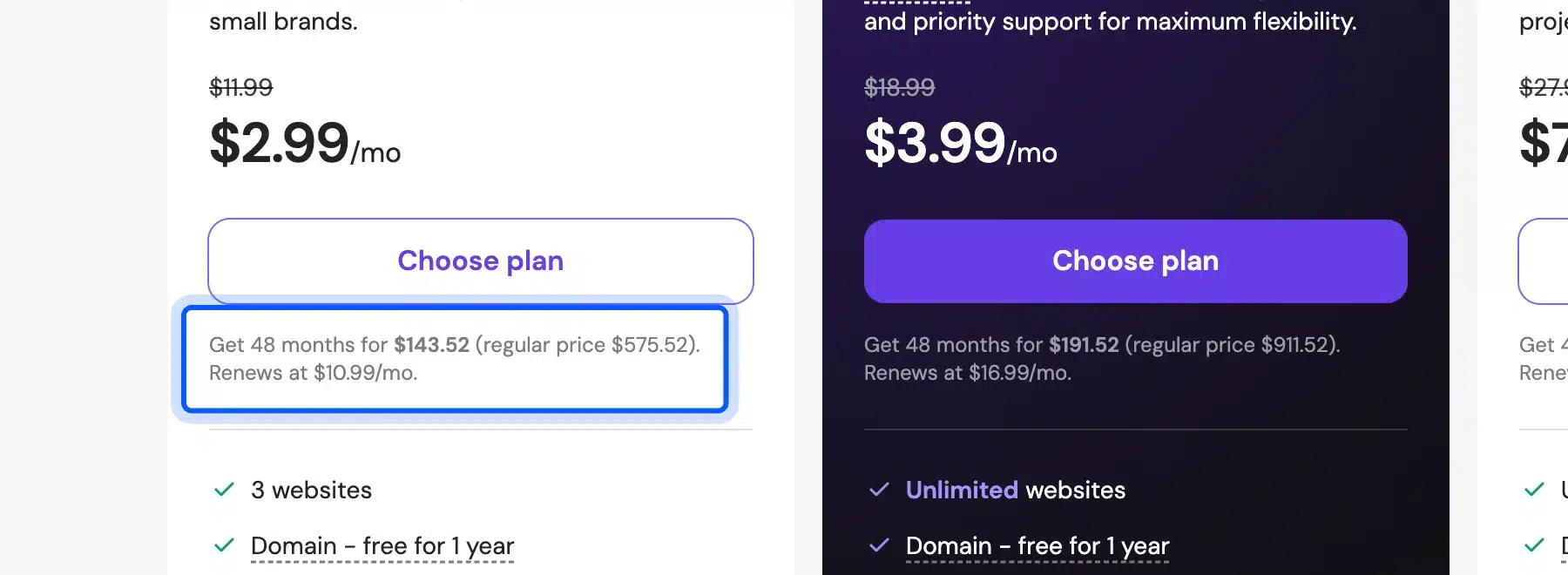
If you start a self-hosted WordPress blog, the real cost is usually the first-year total plus any paid theme or plugin you decide to add. Budget for those before you buy a long plan. A cheap intro price hides the renewal bill.
Who Should Use Self-Hosted WordPress?
Self-hosted WordPress suits bloggers, small businesses and store owners who want control of their site and can handle basic upkeep. It also suits anyone who plans to add custom code or run a WooCommerce store. Skip it if you want zero server work.
The support guide says self-hosting gives you great technical freedom, including custom code changes that may not be possible on WordPress.com. That freedom is the main reason developers and agencies choose it. Here are the groups that gain the most:
- Bloggers: You choose your ads, your email tool and your design, and you keep your content if you change hosts.
- Store owners: WooCommerce runs on WordPress, and the Hostinger plan above lists WooCommerce at no extra cost.
- Developers and agencies: You get file access to build custom features and move sites between servers.
- Growing brands: You can start small and upgrade hosting without rebuilding the site.
Skip it if you only want a simple personal page and never want to touch an update. A managed plan or a site builder removes that work, and there is no shame in choosing it.
If a newsletter and membership tool sounds closer to your plan, compare Ghost vs WordPress before you pick a platform.
Custom code is where self-hosting shines, and it is also where one mistake costs the most. If your plan needs custom features, our WordPress development services cover the build so you can focus on the content.
Pros and Cons of Self-Hosted WordPress
Self-hosted WordPress gives you control and flexibility, and in return it gives you more chores. You decide the host, the plugins and the design. You also decide when to update, how to back up and how to secure the site.
Here are the pros:
- Full control: You decide the host, the theme, the plugins and the code.
- Plugin freedom: You install any plugin from the directory or upload your own zip file.
- Ownership: Your content and database live on a server you chose.
- Portability: You can move the site to another host without asking permission.
- Cost choice: You pick a plan that matches your traffic and budget.
Now the cons. They matter just as much:
- Updates are yours: WordPress core, plugins and themes all need regular updates.
- Security is shared: The host protects the server, and you protect the site.
- Backups vary: The WordPress.com guide says backup quality depends on your host and package.
- Support is split: You ask your host about servers and the community about plugins.
- Learning curve: The first week of setup takes longer than signing up to a hosted service.
The honest summary: if those chores sound dull, a managed plan is a fair choice. If they sound like normal site ownership, self-hosting rewards you.
What You Have to Manage on a Self-Hosted Site
On a self-hosted site you keep WordPress core, plugins, themes and the main server settings healthy. Your host runs the machine, but the software on top is yours. The WordPress.com guide says security and speed depend on your host and hosting package.
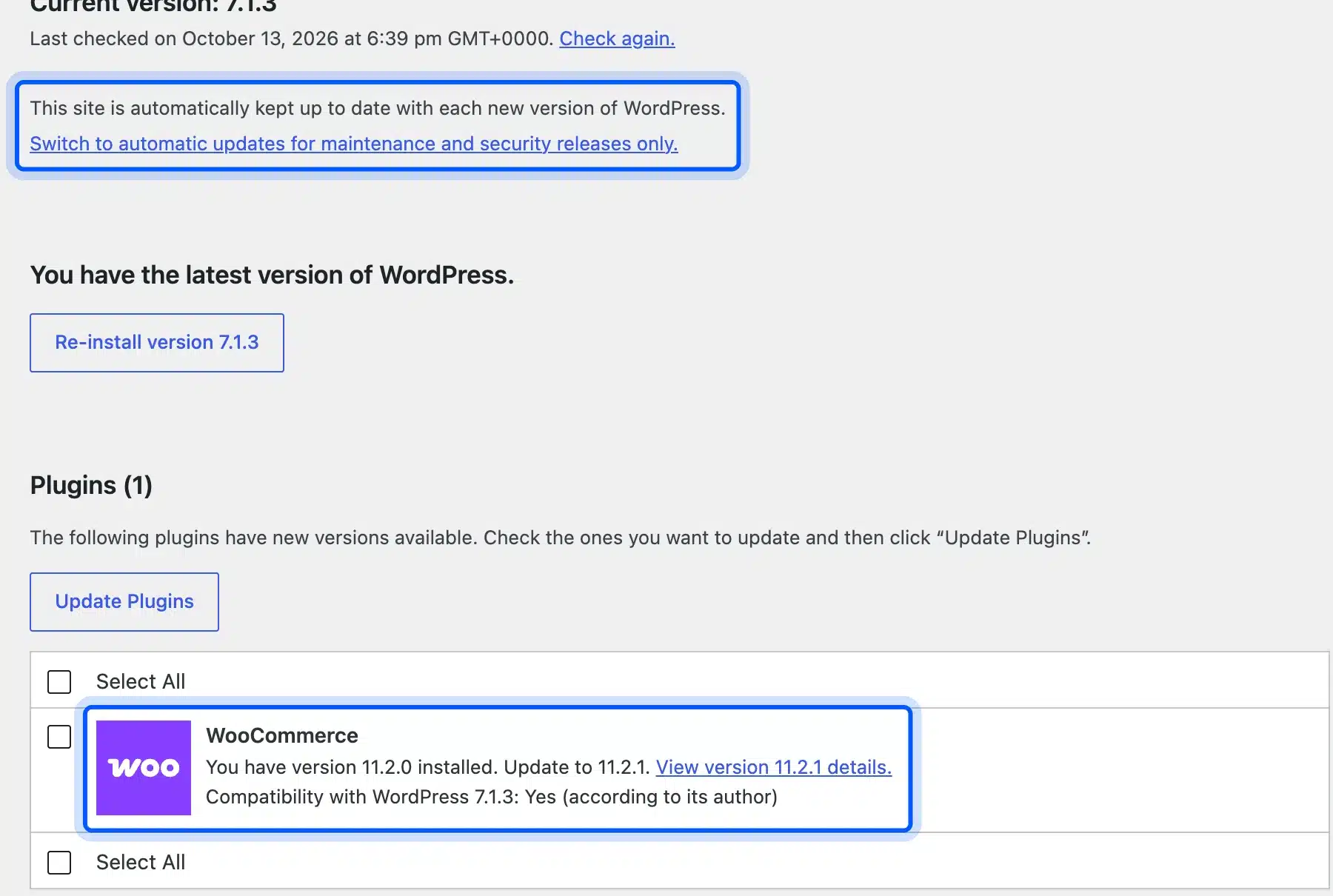
On our WordPress 7.1.3 test site, the Updates screen said the site was kept up to date with each new WordPress version. It also listed WooCommerce 11.2.0 as waiting for an update to 11.2.1. WordPress updated itself, but the plugin waited for a click.
The server side shows up in Site Health. Go to Tools > Site Health, open the Info tab and expand Server to see the web server and PHP version. The screen itself says you may need your web host’s help if changes are required.
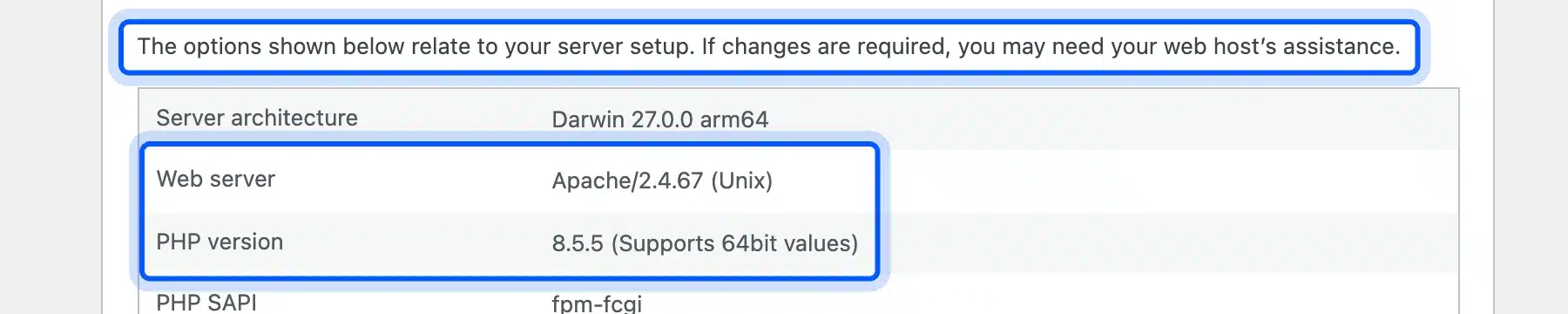
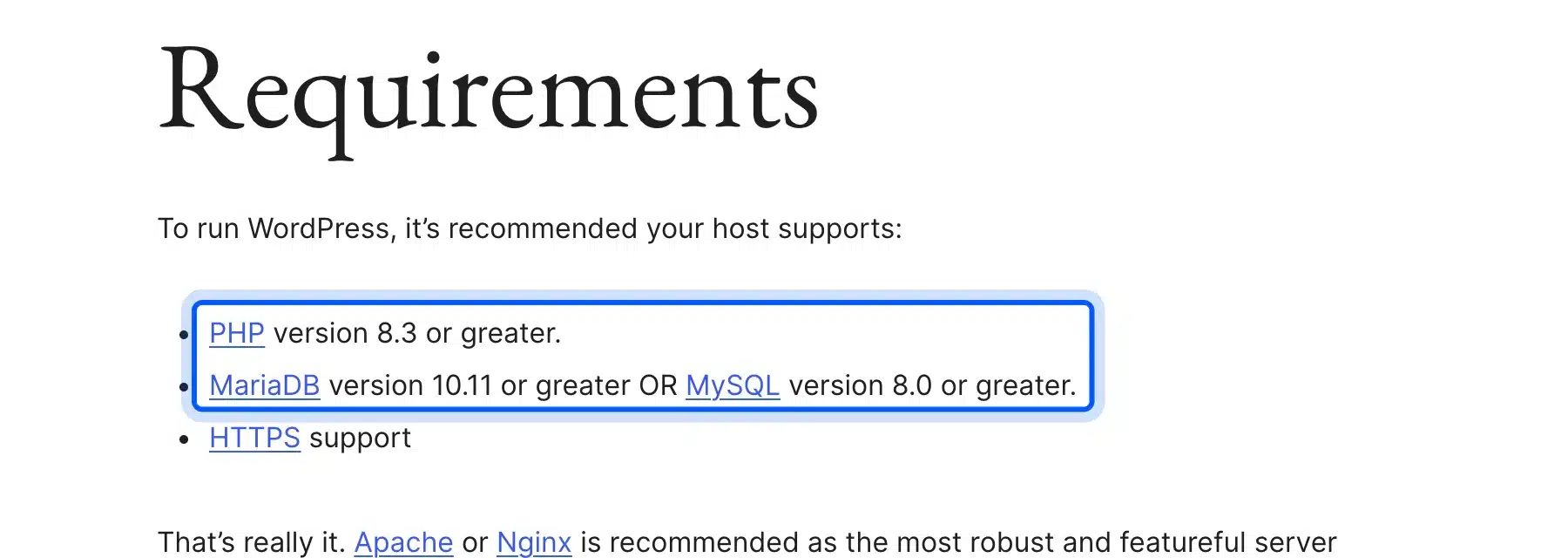
Your host must also meet the platform’s needs. WordPress.org’s requirements page recommends PHP 8.3 or greater, MariaDB 10.11 or greater or MySQL 8.0 or greater, and HTTPS support. Check these before you pay for a plan.
Three habits keep a self-hosted site safe. Apply updates weekly, keep a tested backup off the server, and follow a WordPress security checklist. If you want someone else to own that routine, read what a WordPress care plan includes.
Plugins add to the workload too. Every plugin is one more thing to update. That makes how many plugins is too many a fair question before you install more.
How to Get Started With Your Own Self-Hosted WordPress Website
You can start a self-hosted WordPress website in about an hour. Buy a domain, choose a host, install WordPress, log in and add a theme and your first content. Most hosts include a one-click installer. You may never touch the download page.
- Pick a domain name: Choose a short .com you can say aloud. Many hosts include the domain free for the first year, as the Hostinger plan above does.
- Choose a host that meets the requirements: WordPress.org’s hosting page recommends Bluehost, Hostinger and Pressable, and it lists no prices. Compare each plan against the PHP and database versions on the requirements page.
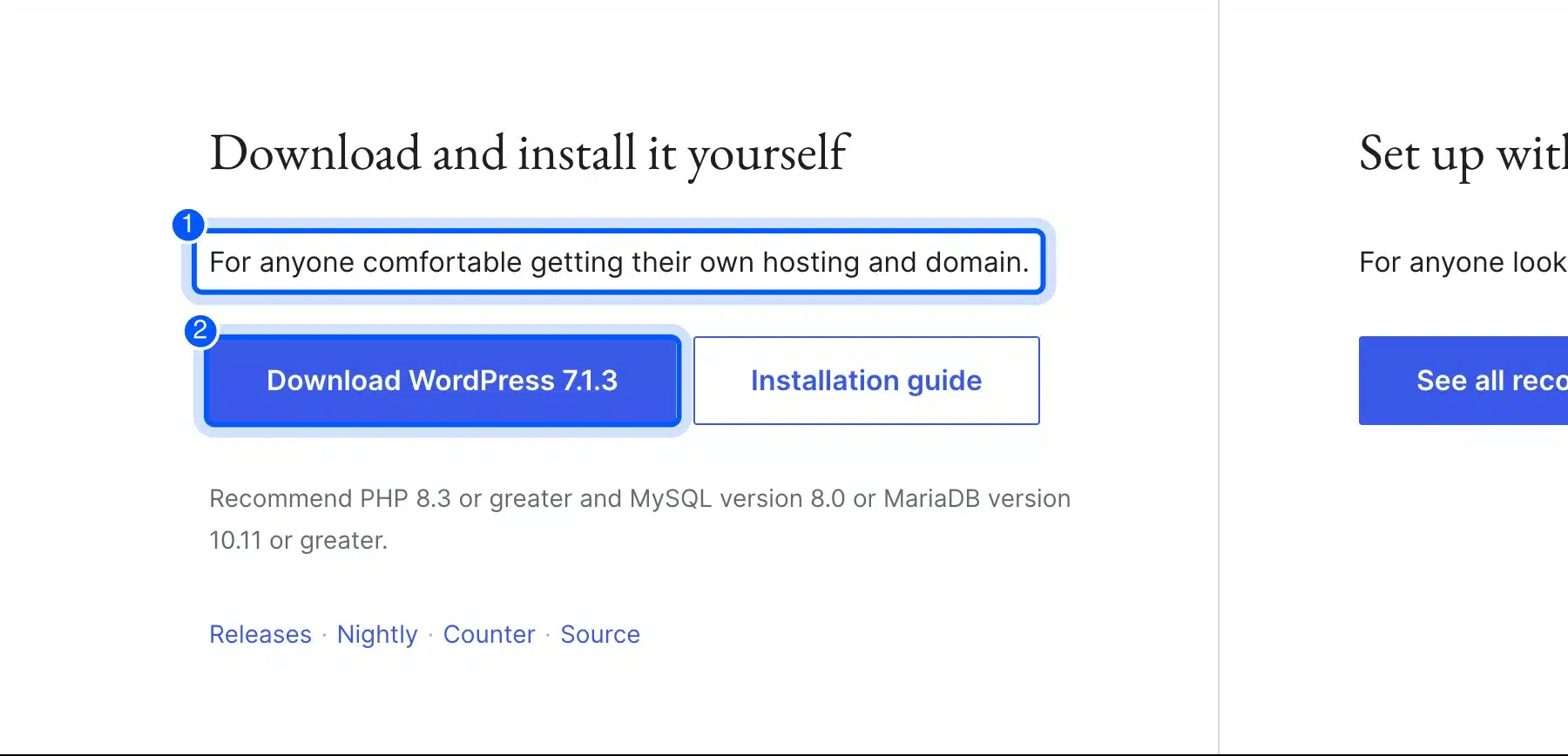
- Install WordPress: Use your host’s one-click installer. To install by hand, download the file from WordPress.org, which offered version 7.1.3 in October 2026.
- Log in to the dashboard: Open yourdomain.com/wp-admin and sign in with the account you created during the install.
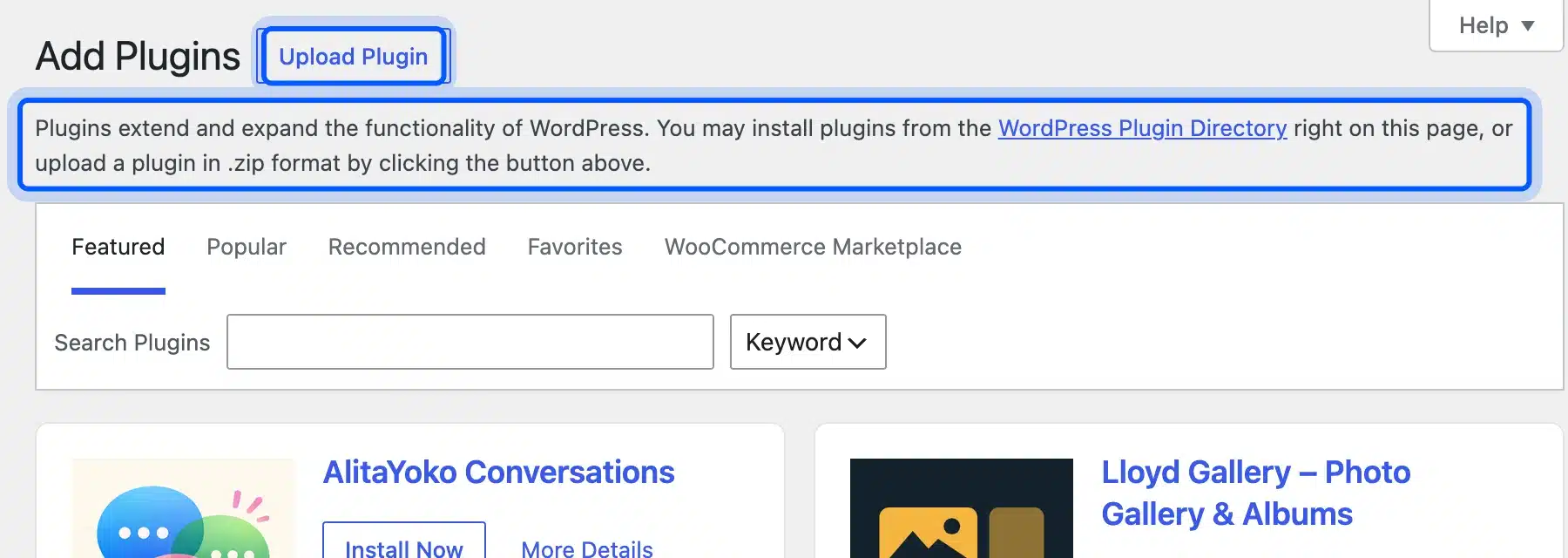
- Add a theme and plugins: Go to Appearance for themes and to Plugins > Add Plugin for extras. The screen says you can install from the plugin directory or upload a zip file.
- Publish your first page or post: Write the content you came for. Then set a permalink style and an SSL redirect if your host has not done so.
This is the short version. For a full walkthrough with a screenshot at every step, follow our guide to create a WordPress site from scratch. It covers domain setup, installation and the first settings in more detail than this article.
How to Monetize a Self-Hosted WordPress Blog
You can monetize a self-hosted WordPress blog with ads, affiliate links, products, memberships or services, and the platform does not take a cut. You choose each method and its plugin. That freedom comes with work, because every method needs traffic first.
WordPress.com shows the contrast. Its pricing page says free sites display WordPress.com ads to visitors, and ad removal starts at the Personal plan. On a self-hosted site you place only the ads you choose.
- Display ads: Add an ad network or your own banners once your pages get steady traffic.
- Affiliate links: Recommend products you use and earn a commission on sales, as our guide to ways to make money with WordPress explains.
- Products: Sell digital or physical goods with WooCommerce, which our guide to how to monetize WooCommerce covers.
- Memberships: Charge for premium posts, courses or a community through a membership plugin.
- Services: Use the blog to win clients for consulting or freelance work.
On a self-hosted site you also pick the payment plugin yourself. The WordPress.com pricing page lists payment buttons for PayPal and Stripe on its Premium plan and above. The choice there is narrower.
Start with one method instead of five. A blog with ten posts and three ad networks earns little and reads badly. Build the content first. Then add the method that fits your readers.
Conclusion
Self-hosted WordPress gives you the free WordPress.org software on hosting you control. It costs a domain and a host. The October 2026 prices we checked came to roughly $36 a year in the first term and about $143 a year after renewal.
It suits people who want control, custom code or a store, and who accept the upkeep. If that is you, start with the short plan above and the full guide to create a WordPress site from scratch.
Frequently Asked Questions (FAQs)
Q1. Is self-hosted WordPress free?
The software is free to download and use under the GPL, as the WordPress.org about page explains. Hosting and a domain are not free. Budget for both, plus any paid theme or plugin you add.
Q2. Do I need to know how to code to use self-hosted WordPress?
No. The dashboard handles posts, pages, themes and plugins without code. You only need code if you want custom features that no plugin provides.
Q3. Can I host my own WordPress site at home?
Yes, because the requirements page says any server that supports PHP and MySQL will do. At home you also run the network, the uptime and the security yourself. Most people choose a hosting company for that reason.
Q4. Can I move from WordPress.com or Blogger to self-hosted WordPress?
Yes. WordPress has Import and Export screens under Tools, and our guide shows how to migrate Blogger to WordPress. Back up the old site first and test the new one before you switch the domain.
Q5. Is self-hosted WordPress good for SEO?
Nothing about self-hosting guarantees rankings. It gives you control over hosting speed, caching and SEO plugins. Google still ranks the pages you publish.
Q6. Which host is best for self-hosted WordPress?
WordPress.org’s hosting page recommends Bluehost, Hostinger and Pressable. Pick the one whose plan meets the PHP and database versions on the requirements page and includes backups you can restore.